Elbowing for attention alongside Vivo and Xiaomi, Oppo has finally launched its long-teased “ultra” version of its flagship smartphone. The Find X9 Ultra is another camera-first smartphone from Oppo, with an even more impressive spec sheet and a new array of accessories. We’re not even halfway through 2026 and we’ve been spoiled with choices, whether it’s the Galaxy S26 Ultra, the Xiaomi 17 Ultra (with or without Leica livery) or Vivo’s X300 Ultra.
The Find X9 Pro was already a powerful, capable camera phone. So, what’s changed with the Ultra? We’ve had the base device for over a week, but we’re waiting on the upgraded telephoto converter kit to land before we tackle a more in-depth review.
There are several design changes, starting with the two color options. Canyon Orange looks similar to Oppo’s recent flagship phones, with a subtle etched finish meant to replicate the Grand Canyon. Meanwhile, Hasselblad fans might prefer the other option: a woodland-themed Tundra Umber, inspired by the camera maker’s X2D. Oppo says this colorway channels “Scandinavian minimalism and the raw elegance of glaciers.” Together at last.
Image by Mat Smith for Engadget
Perhaps due to all the camera hardware, it’s a big, thick phone with the camera unit protruding noticeably from the back. The camera array on the Ultra now has a subtle hexagonal design, apparently a nod to camera history — and that Hasselblad partnership. That area has a circular, metal frame, like many of Oppo’s rivals. The edges of the camera unit are knurled, which helps you to grip the device when taking photos. Unlike Xiaomi’s recent Ultra phone, the ring doesn’t act as a zoom control, but Oppo and Hasselblad’s “Earth Explorer Kit” for the Find X9 Ultra adds a very understated camera grip with a zoom lever.
Putting last year’s Find X9 Pro next to the X9 Ultra, the Ultra model looks more modern, more advanced and more powerful. And it is. The Ultra has Qualcomm’s Snapdragon 8 Elite Gen 5 chip, a notable step up from the MediaTek Dimensity 9500 chip found on last year’s Find 9 Pro.
There’s also a 7,050mAh silicon-carbon battery that supports 100W SUPERVOOC charging. Oppo says it has included the “industry’s first” encapsulated thermal unit to keep temperatures under control when pushing the device hard, such as recording high-resolution video for extended periods. The display screams expensive Android flagship, too. The 6.82-inch 144Hz display can reach up to 3,600 nits of peak HDR brightness and drop to 1 nit in low-lit situations.
Image by Mat Smith for Engadget
It’s all about the cameras, however. The Find X9 Ultra’s main camera is a 200-megapixel sensor. At 1/1.12 inches, Oppo says it’s the largest 200MP sensor in a phone yet. It has a low f/1.5 aperture, too. This was my ‘main’ camera when I first started taking the X9 Ultra out to shoot sample photos. After all, bigger sensors mean more detail, and more ability to crop for tighter zoomed shots. With a mixture of streetlights, neon signs and more, I was impressed by the color accuracy. Oppo has embedded a new True Color Camera into the Find X9 Ultra’s camera module, which works across stills and video. Still, if you’re demanding punchy, high-contrast images, there’s an array of Hasselblad filters and effects for playing with, too.
Image by Mat Smith for Engadget
There’s also a 3x Telephoto camera, with another (different!) 200MP sensor and f/2.2 aperture. This is the camera that the new teleconverter lens attaches to. There’s something appealing about having an instant 3x zoom camera, even though it gets a little lost among the cropped focal-length equivalents in the camera app. In fact, Oppo claims that the Find X9 Ultra offers the equivalent of eight focal lengths. Sadly, I noticed some differences in color temperature and light sensitivity as the Find X9 Ultra hopped between all those camera sensors while I tested different zoom levels.
Images by Mat Smith for Engadget
The next camera is another telephoto, with an impressive 10x zoom with a 50 megapixel sensor. We’ve seen 10x zoom on phones before, like the Samsung Galaxy S23 Ultra, but never at such high resolution. Oppo added support for its Portrait mode here, even at full zoom. You can also crop in for a 20x zoom, but the results didn’t blow me away in early testing. At 10x zoom, though, I was impressed. That’s a lot of zoom before even thinking about attaching a teleconverter.
Oppo isn’t going quite as hard on video as its rival (and distant corporate relative) Vivo, but the Find X9 Ultra can capture 4K 60 fps video with Dolby Vision. It’s also the first Oppo smartphone capable of recording 8K video at 30 fps. For those looking to dig into video detail, Oppo has launched a new log profile, O-Log2. The company says this will help reveal greater shadow detail and reduce image smearing — it’s something else I’m itching to try once the teleconverter lands.
Images by Mat Smith for Engadget
Like Vivo's X300 Ultra, Oppo’s newest phone is certified for the Academy Color Encoding System (ACES), so videographers can integrate its footage into professional workflows. You can also load third-party LUTs (look-up tables) directly onto the device to monitor custom color grades in real time and see how they look in the on-device preview.
As is often the case with Chinese phone makers, there’s a lavish accessory kit to build on the smartphone’s shooting talents. Oppo’s Hasselblad Explorer case adds a two-stage focus button and the aforementioned zoom controls. The case has the same muted black and clay colors as the Tundra Umber edition of the Find X9 Ultra. Then there’s the new Hasselblad 300mm Explorer Teleconverter. The magnification ratio of the teleconverter has been increased from 3.28x on Find X9 Pro to around 4.3x on the Find X9 Ultra. The lens mounts directly onto the 200-megapixel 3x telephoto lens, upgrading it to a heady 13x optical zoom.
Image by Mat Smith for Engadget
This is also the biggest smartphone telephoto lens yet, dwarfing both the Find X9 Pro’s add-on and Vivo’s not-petite 400mm teleconverter. The companies chose different combinations of camera sensors and lenses, making spec sheet comparisons a little trickier, but Oppo’s latest accessory is certainly the largest thus far. I can’t wait to see how the Find X9 Ultra’s photos fare against images from the Vivo X300 Ultra, though. In the Find X9 Ultra’s favor, it has an iPhone 17 Pro-like touch-sensitive button for quickly launching the camera, something I missed on Vivo’s new flagship.
Unfortunately, there is no cross-compatibility among previous Oppo teleconverters and phones. The company says this is to ensure optimal image quality, but it’ll disappoint faithful Oppo fans hoping to carry over the expensive camera accessories from previous years. The company has learned some lessons from the Find X9 Pro, with a new telephoto adapter that can be left mounted on the phone without obscuring the other camera lenses.
On first impression, the Find X9 Ultra is shaping up to be another powerful camera phone, with another hard-to-actually-buy caveat. The Find X9 Ultra will arrive in parts of Asia and Europe. In the UK, it’s set to launch on May 8th, priced at £1,449 (roughly $1,959). While there’s no US release planned, we’ll update this story when we hear more details on the global launch. Once the telephoto add-on arrives, I’m excited to put it through its paces. I’ve got its rival from Vivo too, so it’s time for the battle of the teleconverters.
This article originally appeared on Engadget at https://www.engadget.com/mobile/smartphones/oppo-find-x9-ultra--50mp-10x-optical-zoom-telephoto-release-date-price-170052539.html?src=rss
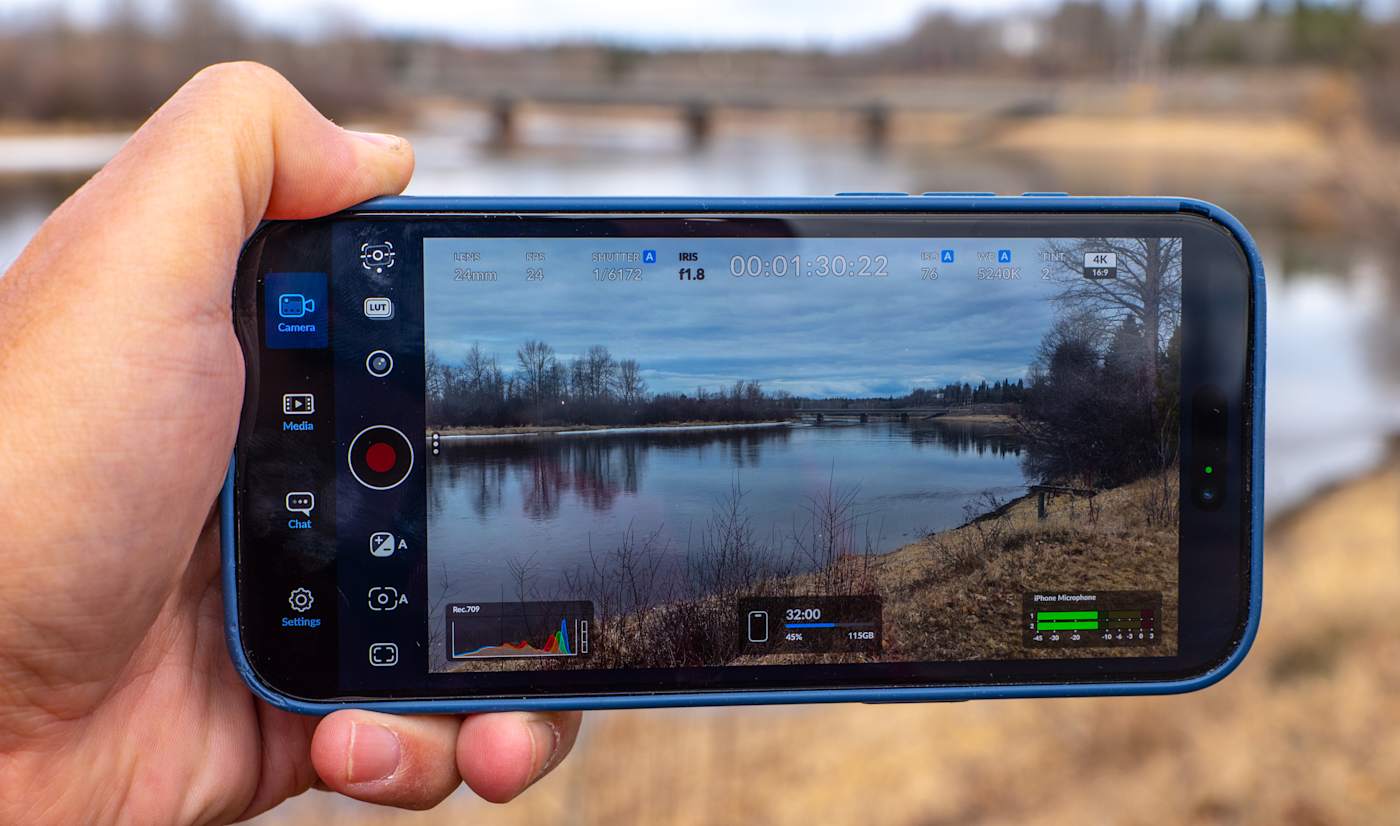
Blackmagic Camera is one of the more powerful third-party smartphone camera apps available and it's now even more useful for solo creators. Blackmagic Design just announced that the latest iOS version 3.3 now supports Apple Watch, letting you control the app and monitor video remotely from your wrist. It also includes ATEM camera control so you can use your iPhone as a live studio camera.
With the new Camera Apple Watch companion app, you can remotely control and monitor your iPhone from anywhere within Wi-Fi range. It lets you start and stop recording, control zoom and adjust settings like frame rate, shutter speed (angle), white balance and ISO with a tap. You can also see a view of your video for framing control, though a Watch screen is probably a bit too small to accurately check focus.
The Watch app will benefit solo creators who want to mount their iPhone on a tripod to record standup or vlogging activities. To set it up, you install the Watch app through your iPhone and it will automatically connect and sync to your device.
Use your iPhone as a broadcast camera? Sure, why not
Blackmagic Design
The other key feature is iPhone control from Blackmagic's ATEM Mini switcher used by streamers and broadcasters. To use it, you need the $420 Blackmagic Camera ProDock that gives your iPhone 17 Pro or iPhone 17 Pro Max an HDMI output, timecode, USB-C and other ports. Blackmagic Camera now lets you connect a single HDMI cable from the ProDock to an ATEM Mini switcher, then adjust settings, trigger recording, focus and zoom. It also offers a DaVinci primary color corrector so you can match and create digital film looks during live production.
Finally, Camera now supports Blackmagic's "Focus and Zoom Demand" controls (a knob and handle) designed for broadcast cameras. When those controls and an iPhone 17 Pro/Pro Max are connected via USB-C to a ProDock as shown above, you can zoom and focus Camera app video without taking your hands off the tripod handles. Together with the ATEM feature, it lets you use an iPhone as a full broadcast camera, which looks slightly weird but is pretty cool.
On top of those features, Blackmagic Design also added ProRes RAW stabilization and general bug fixes and improvements. Blackmagic Camera for iOS 3.3 is available now as a free download from the Apple App Store.
This article originally appeared on Engadget at https://www.engadget.com/apps/blackmagic-camera-for-ios-now-has-a-companion-watch-app-194529980.html?src=rss
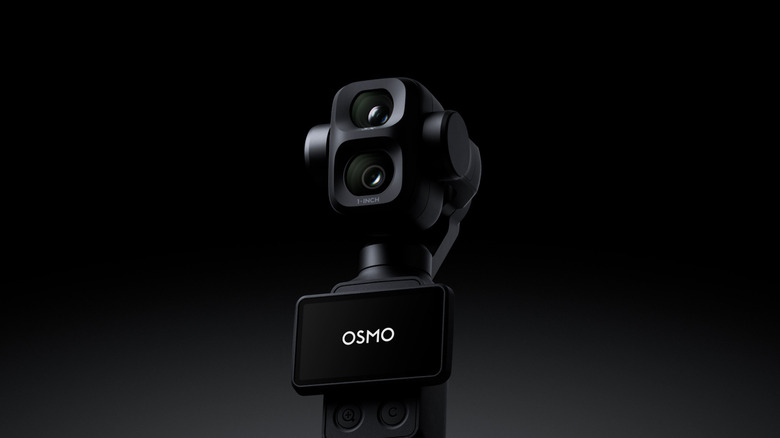
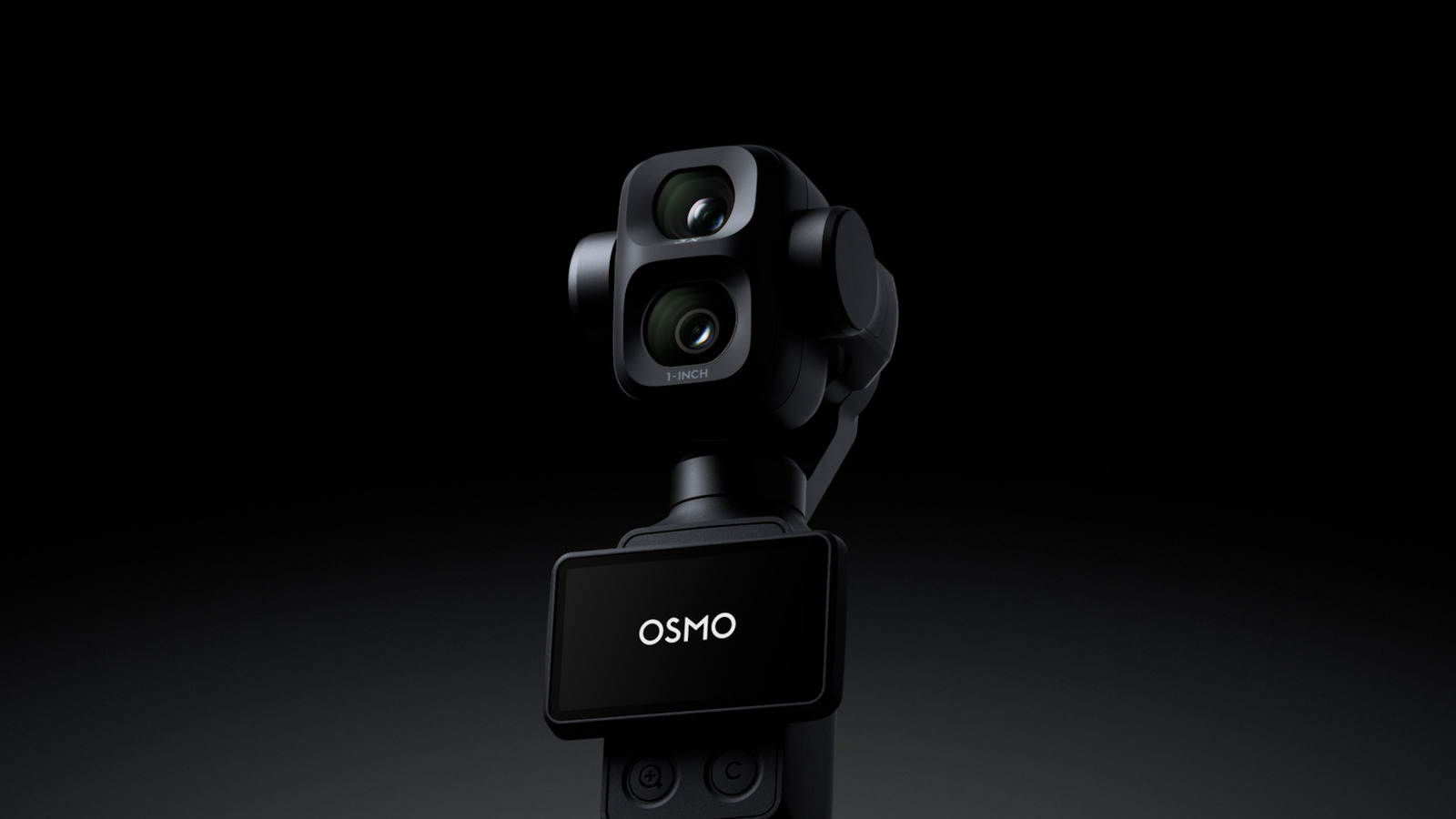
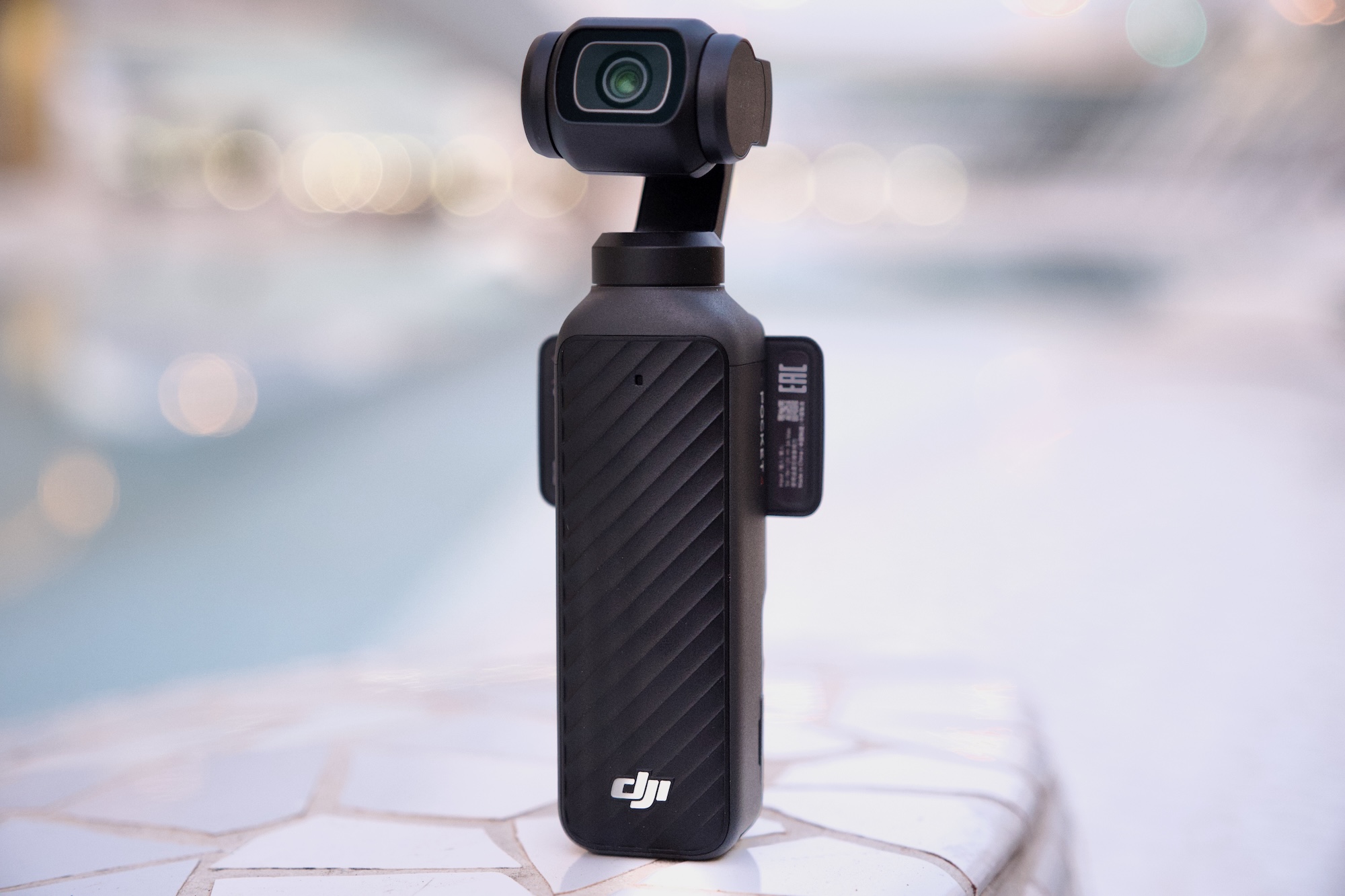
DJI’s Osmo Pocket 3 gimbal-camera was a category-defining camera. Two years since its launch, everyone from vloggers to pro film makers continue to upload how-to guides and gushing reviews to YouTube. When the Osmo Pocket 4 landed at the FCC at the end of 2025 (followed by a credible leak), creator forums and Reddit threads started to chatter with excitement. Over the following months the Pocket 4 leaked again and again, to the point where there’s very little that someone with a passing interest and an internet connection doesn’t already know about the camera. But DJI chose today to give us the official reveal, so we’re here with the full review which, remarkably, does contain some surprises.
What’s new
For those who were waiting for official, confirmed specs and information, here’s a rundown of the headline new features of the Osmo Pocket 4. The camera is still 4K, but comes with an updated 1-inch CMOS sensor that DJI says is good for another two stops of low light performance (for a total of 14). The camera retains the 20mm equivalent, f/2.0 lens but squeezes in an improved max framerate of 240 fps (up from 120 fps) for up to 10x slow-mo. The Pocket 4 can also shoot in full, high dynamic range 10-Bit D-Log, upgraded from the more lightweight D-Log-M available on the Pocket 3. Shutter speeds are now expanded and go right down to 1/4 for extreme light effects.
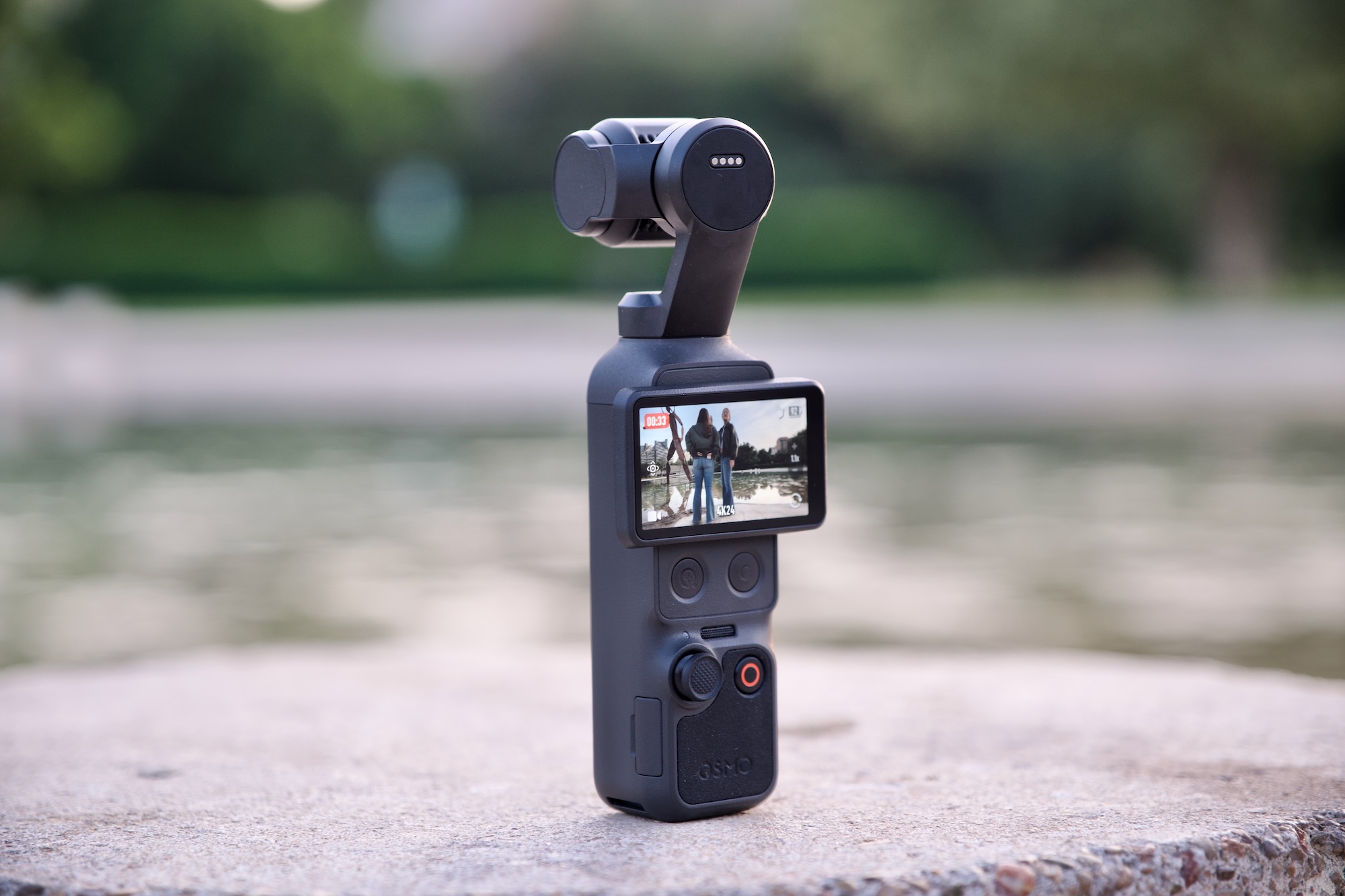
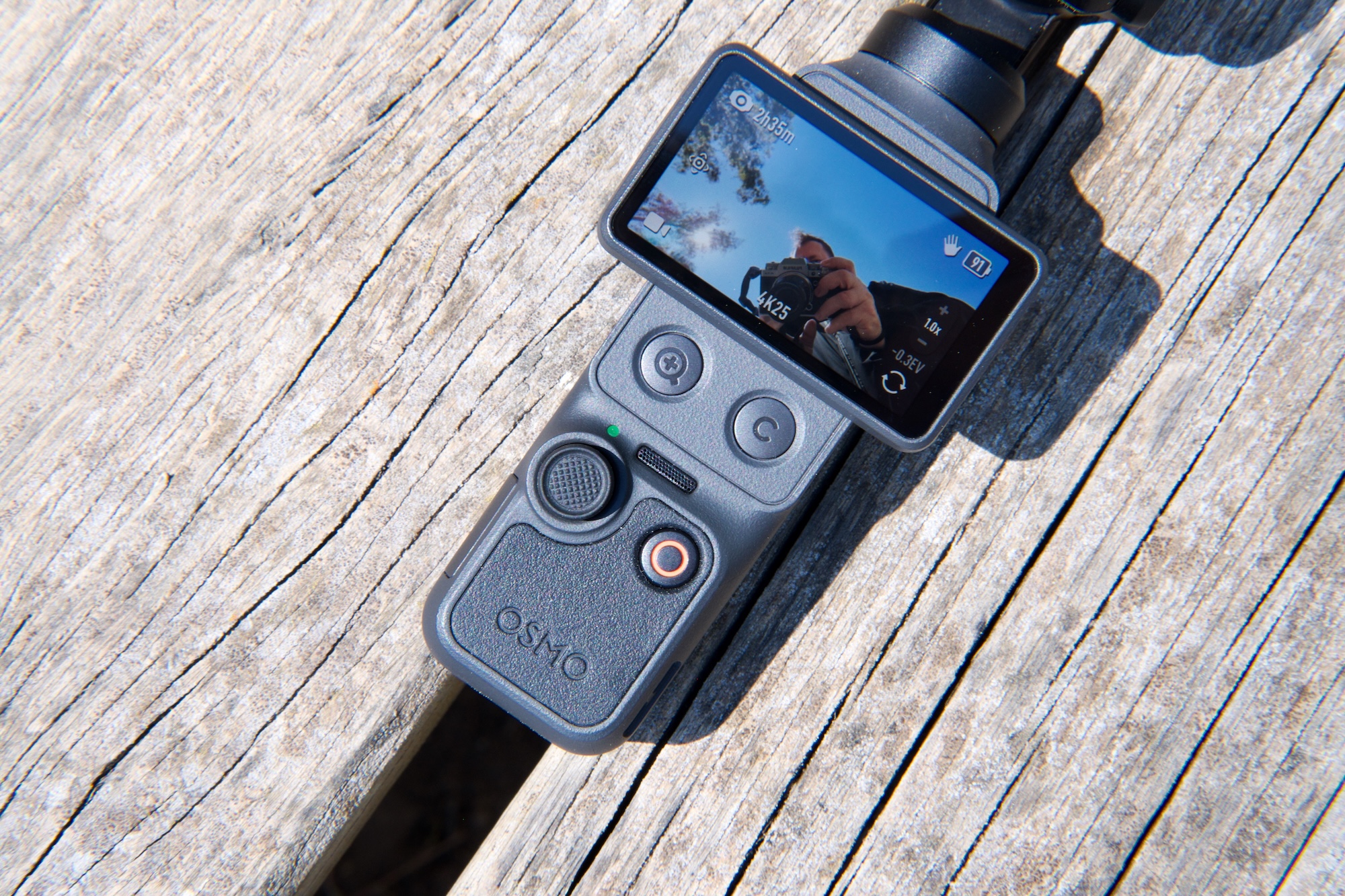
Hardware changes are few, but do include two new buttons below the 2-inch display. One is a dedicated zoom button and the other you can assign a function from a selection of common tasks — rotating the gimbal, toggling recording presets and so on. You can assign up to three different controls to this button via single, double and triple clicks. There’s also 107GB of internal storage. You can still use SD cards, but you don’t need to if you don’t want to.
That zoom, DJI states, is good for 2x “lossless” zoom while shooting in 4K and 4x in 1080p. The Pocket 3’s 2x Mid-Tele zoom had to be activated first, but now you can use lossless zoom any time and/or while using ActiveTrack face-tracking. It’s available in Portrait mode, too, but if you’ll need to have the screen in the horizontal position to access the buttons, which means your viewfinder/preview will be teeny-tiny as it’s rescaled for 16:9.
DJI Osmo Pocket 4
James Trew for Engadget
DJI has added on-camera “Film Tones” which are similar, functionally, to film simulations seen on Fujifilm cameras. There are six to choose from at launch and include subtle and not-so-subtle stylized color tones that apply different “moods” to your videos without having to manually color grade or use a LUT after the fact. As for still images, there’s an on-screen button for “Live” photos similar to what you might find on an iPhone. Live photos were sorta-kinda possible on the Pocket 3, but they are a little bit easier this time around.
A lot of DJI drones include Gesture Control, which lets you start/stop recording and engage ActiveTrack from a distance, and that’s new on the Pocket 4 too.
On the audio side of things, the Pocket 4 now has “audio zoom,” so if you have two people in a scene and do a close up on one of them, the volume of their voices will be boosted. It’s a little crude, but it could be handy in certain situations. The Pocket 4 can also record spatial audio via the three onboard microphones, good for live music and other situations where sound placement might matter.
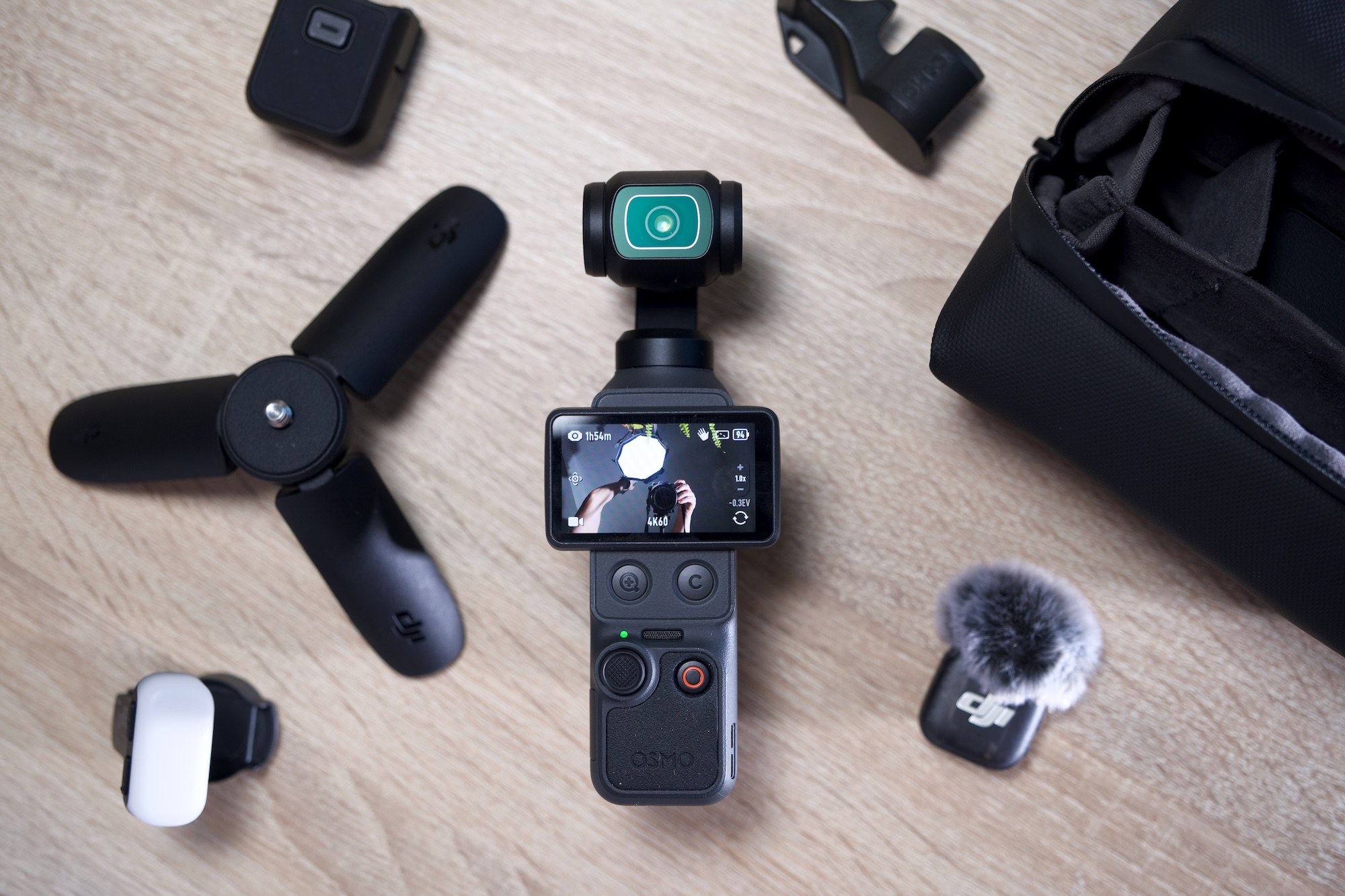
Lastly, the Pocket 4 has a modular component. At launch, there’s a magnetic fill light that clips onto the gimbal and can be configured via the camera menus. It’s included in the creator combo and opens the door for other modular accessories, though it’s limited to things that can sit on the gimbal without causing problems. A shotgun-style microphone, for example, could be possible.
The display and controls on the Osmo Pocket 4
James Trew for Engadget
Battery life also gets a slight boost over the Pocket 3 with a 1,545mAh cell — which is almost a 20 percent increase. That translates to an extra 30 minutes or so of recording time for an average of two and a half hours at 4K, more if you shoot in lower resolutions or are using the camera for photos.
What we don’t see here, an item that you might have been hoping for, is any type of optical zoom. What’s more, the max resolution in vertical mode remains capped at 3K. You still have to rotate the camera if you want full-sensor, 4K video in portrait.
Video quality
The popularity of the Pocket series is thanks to its combination of high-quality video and a portable form factor. The Pocket 4 builds on this winning formula with exceptional quality for the camera’s size. The new 1-inch sensor is noticeably more detailed than the Pocket 3 and DJI’s claim of improved low light performance is backed up by stellar results. I took the Pocket 4 out at night and it bested its predecessor with far more dynamic range and better exposure in shadowed areas that come out dark or fuzzy on the Pocket 3.
Image performance in general is impressive and a definite strong point for a camera of this size. Colors now look more natural than ever without looking over-saturated. Similar shots on the Pocket 3 look a little flatter when viewed side by side. I like that the f2.0 aperture still provides some light bokeh, and when combined with the new D-Log mode, there’s plenty of scope for cinematic shots. These would be harder to achieve with a phone and don’t require the setup and planning of a mirrorless camera.
With the extended shutter speeds you can get some interesting effects — dramatic light trails in traffic for example — but it’s going to over expose any other light source in your shot. So, proceed with caution. The Pocket 3 bottomed-out at 1/25, but the Pocket 4 goes right down to a dramatic 1/4.
The 2x lossless zoom surprised me. At first, I was sceptical about DJI’s claims of it being lossless, but it does seem to maintain visual quality without noticeable loss of detail. Though if you want to use that 4x zoom in 4K, expect to see some digital artifacts. The Pocket 4’s 20mm lens is particularly suited to wider, vlog-style shots, so a usable zoom is a welcome addition. It’s worth noting that it’s better used for static and tripod shots as any gimbal movements and keeping a subject in frame can feel like steering a ship.
Film tones
Until now, if you were aiming for a more cinematic style, you had to get comfortable shooting in D-Log-M and boning up on color-grading. DJI provided some filters in the Mimo app for a quick and dirty way to add a mood or vibe to your videos, but that still caused some friction in the workflow. The new film modes are on camera, so achieving something more stylized is now just a menu tap away. I’ll be honest, I’m not a huge fan of the selection available right now as they’re either too hot or too cold. Of the six, Warm and Movie seem the most usable for cozy-style landscapes or B-roll cityscapes.
DJI hasn’t shared much about whether these are just on-camera filters or true film simulations. Movie and Retro, at least, were already available as filters in the app. If the full effect is too strong, you can dial down the intensity, but that’s the extent of the control. Their addition here expands what you can get out of the camera without using the app or having to drag things over to your editing software. It’s unclear if we’ll see more options in the future, but they’re there if you need them.
New buttons
One of my main complaints with the Pocket cameras was the zoom. More specifically, controlling it with the joystick. It always looks slow, inconsistent and a bit amateur when zooming in manually. The new button provides an instant punch-in that can be used for an intentional, attention-drawing effect. I can’t count the number of times I’ve ruined a shot because I thought I had the joystick set to zoom, but it was still assigned to panning (you had to toggle its use via an on-screen button). With the physical button, I can close in on a target instantly and never worry about accidental pans.
The button layout on the Osmo Pocket 4
James Trew for Engadget
The second, customizable button is also a real usability upgrade. If, like me, you’re constantly recentering the gimbal, you’ll know that the usual double-click on the joystick is often unreliable. Now you can assign that action to the button plus two more controls from a selection of common actions. I have it set so double-click switches to one of my manual recording presets and triple-click locks the gimbal so I no longer have to jump into the main menu to switch gimbal modes. It even works while recording if I spontaneously decide I want to keep my horizon level.
Changing what this button does is simple: Long-press it and it’ll jump into the settings where you can choose its functionality. There’s still scope for some refinement, as although a double click can instantly start recording with my preferred settings, clicking again doesn’t stop it. You have to use the record button. This makes some sense, but I’m used to using the same button to stop/start recording, so intuitively I thought that might be the case here. Sadly not.
Audio upgrades
Something a little unexpected in the Pocket 4 is the addition of spatial audio. Using the three built-in microphones, the theory is you should be able to hear where sounds are coming from — though you’ll need headphones on for the effect to work. In practice, it does create a different audio ambience, one where sounds feel more relative to their location, but it comes at a price. If you speak to the camera, even if you’re nearby, your voice will sound distant and muddled so spatial audio is something you’ll want to use intentionally and certainly not as a default setting.
The same is true for that audio “zoom.” To be fair to DJI, I’ve never found an audio zoom I truly liked. You can’t capture better audio than what the microphone is receiving, so amplifying it in any way isn’t going to improve it beyond what you can do with editing software. In a pinch, this might help with interviews when you have multiple speakers, no external microphone and need to publish quickly, but I’m reluctant to recommend it for anything else.
You can get an Osmo Pocket 4 bundle with a DJI lapel mic
James Trew for Engadget
The new “Vocal Boost” is a more useful option under the Pro settings menu. When activated, it enhances voices by lowering background noise and other sounds. Again, it’s not a fix for getting good source audio, but in noisy run-and-gun vlogging environments, it can improve your chances of capturing something useful with just the internal microphones.
Fortunately, DJI has a much better solution that was already a feature of Pocket cameras — native connectivity with its wireless microphones. The Creator Combo now includes a single DJI Mic 3 transmitter and charging cable, and it’s the absolute best way to get YouTube-ready audio from the camera. One nice tweak with the Pocket 4 is that you can now export videos with both the built-in and external mic audio as one 4-channel file. Open this in your video editor and you can mix and cut between mic and ambient audio without having to deal with separate files as before.
The competition
The fact that there’s no real direct competition for the Pocket series is surprising. For true, like-for-like gimbal cameras, expect to find alternatives from brands you’re less familiar with — such as Agfaphoto or Feiyu. Most of the nearest competition will be action cameras like the GoPro Mission 1 or Insta360 Ace Pro 2. Both of these are great portable cameras with solid stabilisation, but they unsurprisingly favor that wide, bright and sharp action-style footage. The Pocket 4’s nearest rival for stabilized vlog-friendly filming is still the Pocket 3.
This raises the question of whether the Pocket 4 (£445) is worth it over the more affordable Pocket 3 (£389) at launch. (DJI can’t directly sell the Pocket 4 in the US, so official prices are in British Pounds or Euros.) Both are great, all-purpose, vlogging cameras versatile enough for recording in a variety of situations — though less suited to rugged/action filming thanks to the delicate mechanical gimbal. It’s likely that the price difference between the two will expand after the launch window.
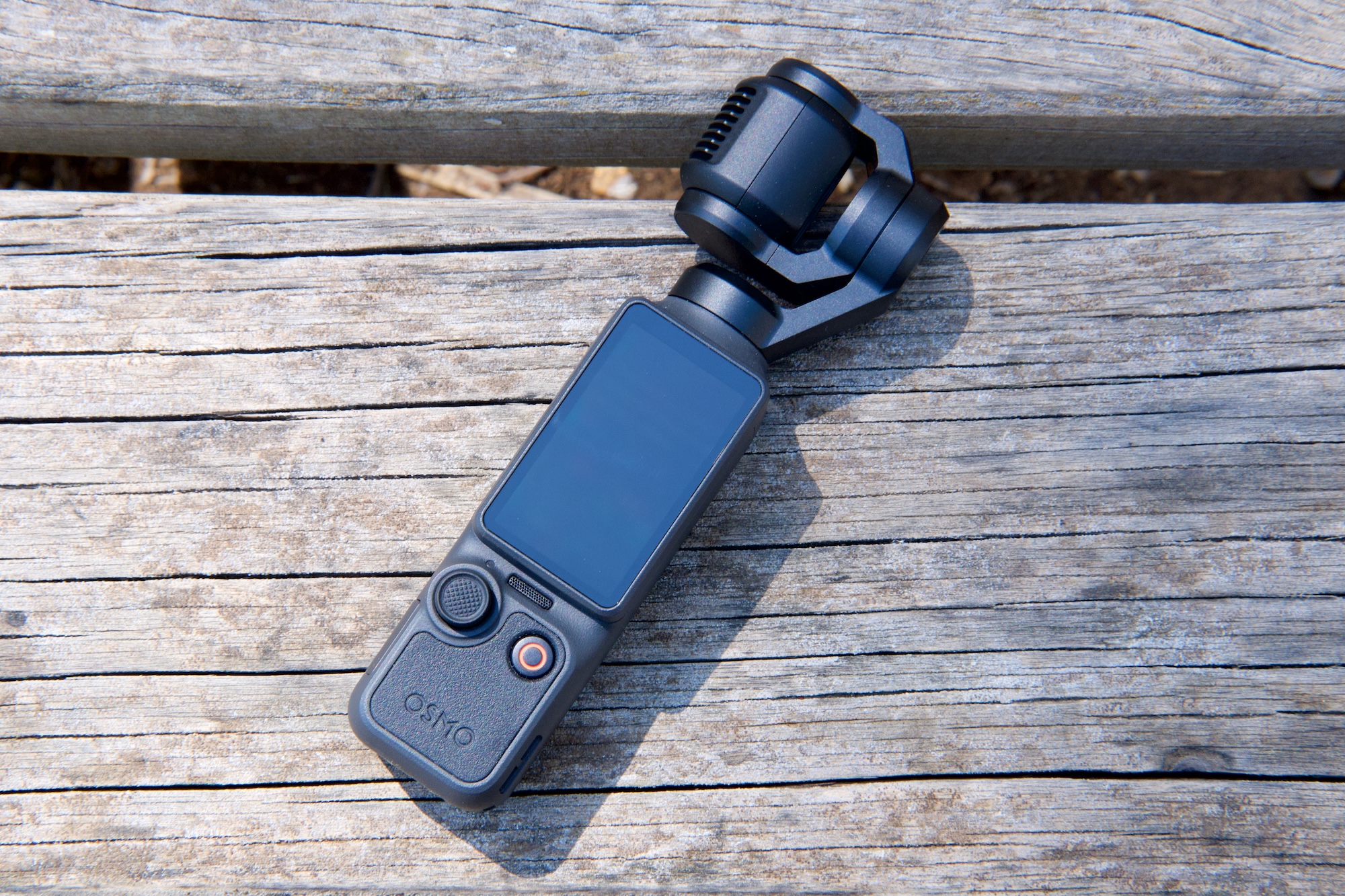
The Osmo Pocket 4 flipped down and powered off
James Trew for Engadget
Wrap-up
The Pocket 4 might not bring defining new features like optical zoom or higher resolution, but it’s a better camera in every way that matters. There are also several quality of life improvements that make it incredibly compelling. For the extra money, you’re getting better image quality that will pay you back over time. The new buttons make the camera even more convenient and that onboard storage alone effectively closes the price gap — not to mention the huge convenience that feature alone brings with it.
Hardcore fans might have been hoping for more “dazzle” with the Pocket 4. In reality, DJI delivered a camera that builds on an already winning formula in ways that actually matter: higher quality video, improved usability, modular capabilities and longer battery life. It’s hard to argue with that.
This article originally appeared on Engadget at https://www.engadget.com/cameras/dji-osmo-pocket-4-review-the-only-vlogging-camera-youll-ever-need-120000374.html?src=rss
Smart home company Aqara has launched what it says is the first camera certified for Matter, the open source standard that enables interoperability across brands, like Google and Amazon. The Aqara G350 is an indoor security cam that also functions as a Zigbee and Matter hub in the Aqara Home app, which means the camera will enable you to control various devices across smart home protocols from different brands within one location.
The camera itself comes with a 4K wide-angle and a 2.5K telephoto lens, providing both panoramic and closeup views. It also has 9x hybrid zoom and a pan-tilt mechanism that can give you 360-degree coverage of the room it’s in. The camera uses AI-powered tracking to keep people and pets in frame, as well as to determine which events and sounds are truly meaningful before sending you an alert. The Camera Hub G350 is now available via Aqara’s website, Amazon and other retailers for $140.
Aqara has also introduced the G400 wired doorbell camera that can connect to the internet either via Ethernet or dual-band Wi-Fi 6. It has a lens with 2K resolution and 165-degree ultra-wide field of view, so that it can capture visitors even when they’re standing close. The camera has on-device detection capabilities to recognize people and motion even without being connected to the internet. Connected, its cloud-based AI features enable it to identify faces, packages, vehicles and animals. You can connect the Aqara G400 doorbell camera to major smart home platforms, such as Apple Home with Homekit, Amazon Alexa, Google Home and Samsung SmartThings. It’s now available for sale on Aqara’s website, Amazon and other retails for $100.
This article originally appeared on Engadget at https://www.engadget.com/home/smart-home/aqaras-matter-compatible-camera-promises-easier-smart-home-integration-124500865.html?src=rss
Alongside a global launch for Xiaomi's 17 Ultra (read about that right here), the company announced a further deepening of its relationship with Leica. The CEO of Leica, Matthias Harsch, took to the stage to announce a new Leitzphone, which appears to be an even deeper collaboration than 17 Ultra by Leica, which is a different phone. Confused? That's fair.
Design-wise, Leica has shifted back to a single tone body color, which looks more "Leica" to this camera dilettante's eyes. And if you’re thinking you’ve heard of the Leitzphone before, you probably have: it was a series of phones made by Sharp that launched in Japan in 2021. They all had a 1-inch camera sensor, as does Xiaomi’s first Leitzphone. It also has a mechanical, physical ring dial around the camera unit to control settings like zoom, exposure and shutter speed.
The camera interface is also designed by Leica. It's designed to be as intuitive as possible, with an Essential mode in the camera app that strips away all those modes and labels, showcasing whatever you're looking to shoot. You can switch between a monochrome shooting mode and a more familiar punchy, contrasty Leica filter. And that's it.
Aside from that there's no major standout interface or UI changes that I could spot while trying out the Leitzphone briefly at Xiaomi's MWC keynote. However, if you're intrigued by the functionality — or the cameras — check out our hands-on coverage and sample photos of the Xiaomi 17 Ultra. The cameras are good.
Image by Mat Smith for Engadget
All three iterations (the regular Xiaomi 17 Ultra , the "by Leica" edition and the Leitzphone) have a Snapdragon 8 Elite Gen 5 chip and a 6.9-inch 120Hz display that can reach up to 3,500 nits of peak brightness. While cameras are naturally the focus, it’s a flagship device by pretty much any metric. It also has a 6,000mAh battery for extended vacation photo shoots.
Barring some Leica-tinged wallpapers and design accents, it's a lot like the 17 Ultra by Leica, just with different messaging. This is Leica's phone, made by Xiaomi, but does a rose by any other name still have great low-light photography? Maybe increased Leica branding will be enough to coax its camera fans into making this their next smartphone, perhaps.
Image by Mat Smith for Engadget
After years of collaboration (and cute little badges), this may be the first pure "Leica phone" manufactured by Xiaomi but sold directly by both companies. It's priced at €1,999 (roughly $2,362), but it's not known yet whether this phone will launch in the US. Welcome to MWC, everyone.
This article originally appeared on Engadget at https://www.engadget.com/mobile/smartphones/leica-leitzphone-xiaomi-mwc-2026-135744417.html?src=rss
China’s biggest phone makers continue to relentlessly forge ahead with high-spec phones that you may never see in the US. With the Xiaomi 17 Ultra this year, the company has continued its pattern from previous iterations by focusing on powerful camera sensors, huge batteries and… being selective about global availability.
Xiaomi’s 17 series is launching across multiple European territories months after its Asia debut, but at the time of writing, no word yet on US availability. Another logistical point of interest? When we last checked out Xiaomi’s devices, it was the 15 series, and the company has decided to skip 16 and leap straight to 17, conveniently matching Apple’s latest number.
Storied camera brand Leica has been involved with Xiaomi’s phones for a few years and its newest flagship doesn’t disappoint in that regard, because this is another Xiaomi device dedicated to photography.
Image by Mat Smith for Engadget
The 17 Ultra has a huge 1-inch 50-megapixel main camera sensor with a f/1.67 lens, and a telephoto setup with a 200MP 1/1.4-inch sensor and going up to 4.3x optical zoom. Xiaomi claims it’s capable of up to 17x “optical-level zoom,” but quality doesn’t measure up to, say, the Oppo Find X9, with its dedicated telescopic lens add-on. There’s also a 50MP ultrawide camera to round things out.
The main camera is very impressive, delivering plenty of detail and performing incredibly well in low light, seemingly before any computational photography kicks in. A new Light Fusion 1050L sensor features LOFIC HDR technology, delivering stronger control over highlights and more detail in darker areas of your shots. I've been impressed by the balanced color tone and contrast, without having to edit or add one of the (many) Leica camera filters.
If anything, the slightly heavy-handed algorithms can sometimes ruin parts of a shot. For instance, by scrambling lettering or capturing blurry, AI-mutated faces where computational photography takes a swing (and a miss) at people in the distance.
Mat Smith for Engadget
The telephoto camera alone is also technically interesting in a few ways. It offers continual optical zoom across the 75-100mm range without in-sensor cropping. This means the lenses physically move to deliver lossless zoom across a range of distances, without jarring leaps between camera sensors and crops. This doesn’t run across the full gamut, but it does roughly cover the 3-4x optical zoom range, which is often used in portrait photography.
The APO (apochromatic) lens design on the telephoto is more immediately useful and effective. An APO lens significantly reduces chromatic aberration by focusing three wavelengths of light (red, green and blue) onto the same focal plane. This lens design means it can correct color fringing and improve image sharpness.
At full optical zoom, this light fitting at Soho Theatre Walthamstow doesn't bloom or fringe to the extent that most smartphone zooms suffer from.
Mat Smith for Engadget
At higher zoom levels, fringing and lighting bloom often hamper telephoto photos on smartphones, and Xiaomi’s solution has some appeal. I noticed less fringing than on other zoom-capable Android phones from Samsung, Oppo and Google. It also supports macro photography, but is hindered this time by a minimum focal distance of 30cm (11.8 inches). Most smartphone cameras’ macro modes let you get much closer.
The 17 Ultra can capture up to 8K video (at 30 fps), 4K Dolby Vision up to 120 fps, and 4K 120 fps Log video, ensuring you can make the most of that huge 1-inch sensor in video, too. That said, it seems to struggle with stabilization at times, while its low-light performance doesn’t match its prowess in still photography, lagging behind flagship phones from Apple, Google and Samsung.
There's also a special Leica edition of the 17 Ultra, which is largely the same, specification-wise, but with a manual zoom ring around the camera unit. It's a cool gimmick, but felt oddly loose on a few devices I've handled.
While cameras may be the highlight, this is a flagship device by any specification metric. With a 6.9-inch display, this expansive OLED display has variable refresh rates (1-120Hz) and peaks at 3,500 nits of brightness.
At that size, the Xiaomi 17 Ultra is in the territory of devices like the iPhone 17 Pro Max and S26 Ultra. A phone this size isn’t for everyone, but it is the thinnest Ultra phone from Xiaomi to date, with a profile measuring 8.29mm. Xiaomi has also reduced the camera unit’s diameter and raised it on the device, making it easier to use and helping keep fingers out of your shots.
Image by Mat Smith for Engadget
Also, I’d be remiss if I didn’t mention the huge 6,000mAh silicon-carbon battery, with support for Xiaomi’s 90W HyperCharge (if you have the right charger) and 50W wireless HyperCharge (which also requires Xiaomi’s own dock) speeds. Other phone makers: Please put a battery this huge in your flagship.
At MWC 2026, the company announced the global launch and rollout of the device across Europe, including the UK where the Ultra will start priced at £1,299 (roughly $1,750). We're still waiting to confirm US availability and pricing.
While the specs are powerful, “launching” a flagship device that’s already been in the wild for a few months — even if elsewhere in the world — reduces the spectacle.
This article originally appeared on Engadget at https://www.engadget.com/mobile/smartphones/xiaomi-17-ultra-global-launch-hands-on-leica-camera-143006810.html?src=rss
Like other electronics products, cameras have shot up in price in the US of late due to tariffs and other reasons. Fortunately, there are still many models available for less than the price of a budget smartphone ($750 or less) that offer great features for creators and photographers alike.
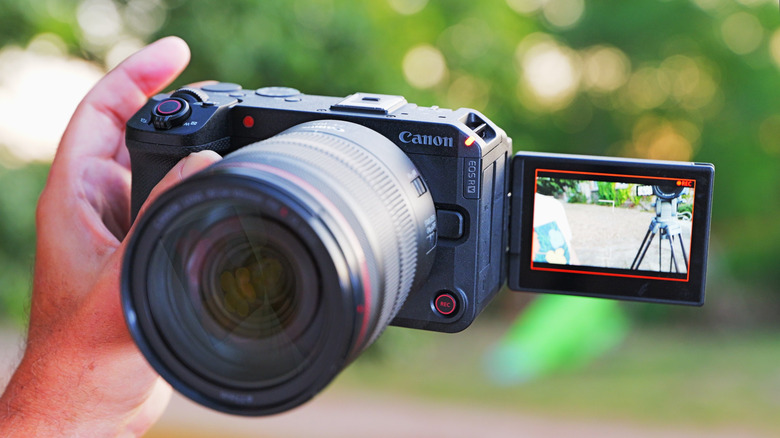
If it’s speed you want for sports or action shots of your kids, models like Canon’s R50 can shoot bursts as fast as many high-end cameras. Creators, meanwhile, can choose Sony’s ZV-E10 for vlogging jobs. There are also great, and cheap, models in the action and gimbal camera categories.
Which one to pick therefore depends not only on your budget but what you want to do with your camera. So we’ll not only detail the best picks, but how to home in on the best model for your specific needs.
Best budget cameras for 2026
What to consider before choosing the best budget camera for you
Which camera to buy obviously depends on what you shoot. If it’s mostly things like extreme sports, skiing or other adventurous activities, the best choice is obviously an action camera from GoPro, DJI or Insta360. Then, you just need to decide whether you want to shoot flat or 360 video, and whether you need a tiny or regular-sized model. The same goes for gimbal-style cameras from DJI and others.
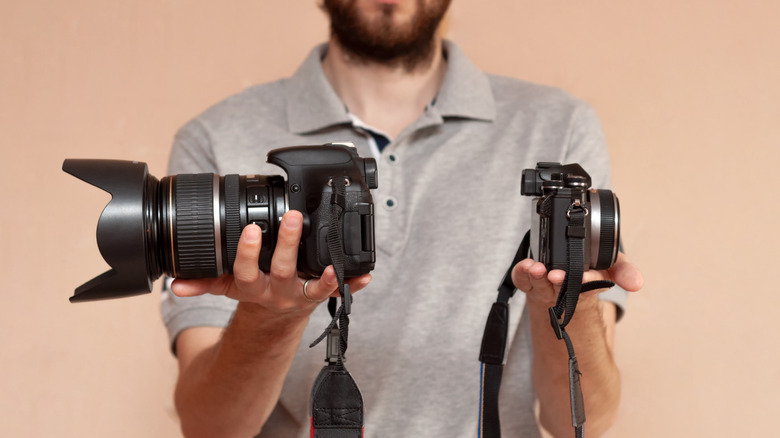
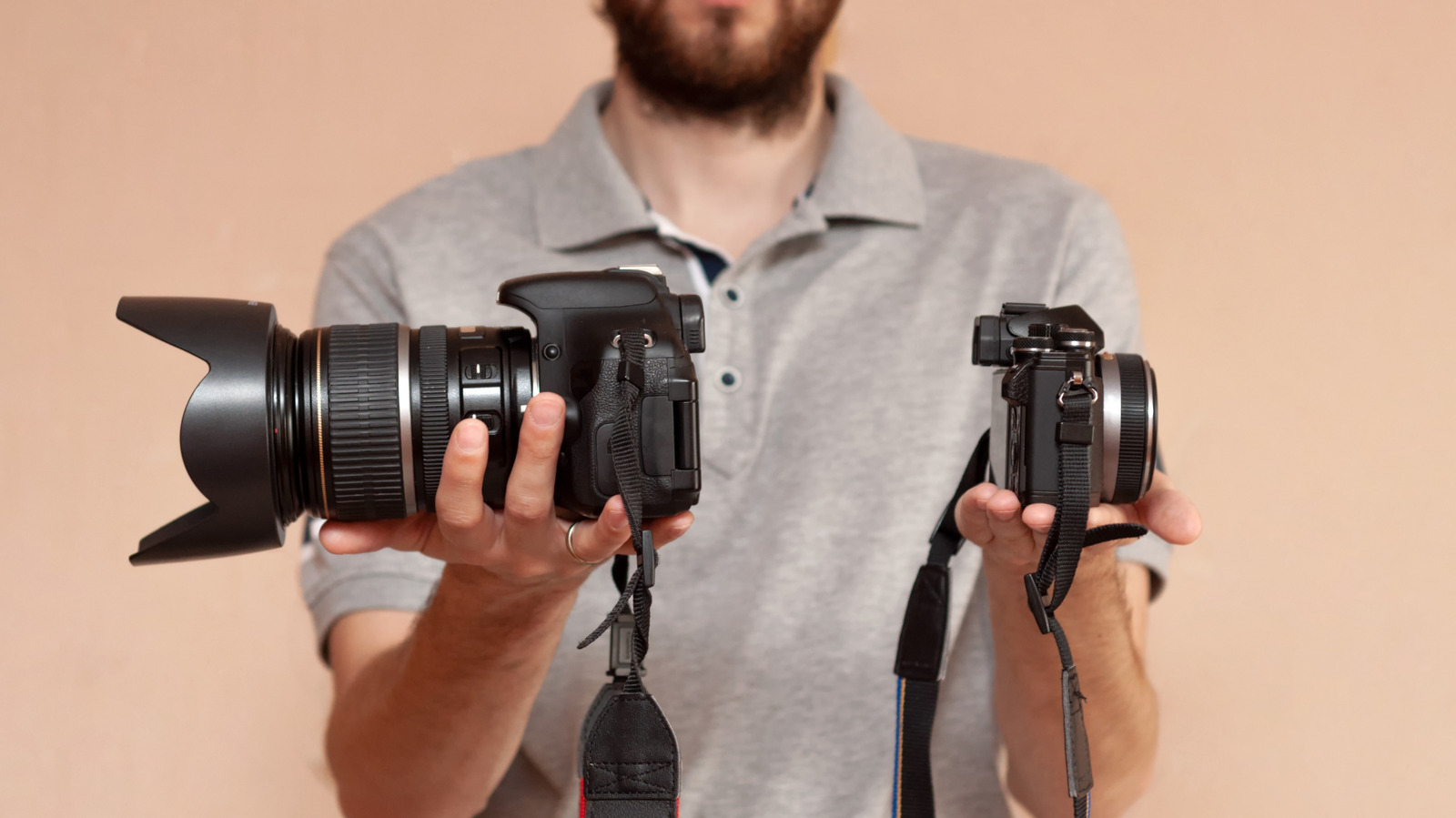
Buying a camera for travel photography, sports photos or vlogging is a bit trickier. Here, you need to choose either a compact camera with a fixed lens or a mirrorless model that supports removable lenses.
Compact cameras tend to have smaller sensors and slightly lower quality lenses, but they’re obviously easier to carry — most will fit in a large pocket. So, if budget, convenience and portability is the most important to you, then go for a model in this category.
When you’re trying to make the highest quality videos, though, you’ll want to choose a mirrorless camera with a decent lens. With the larger sensor, you’ll be able to create nice blurred bokeh backgrounds to separate your subject from the foreground. Lenses are usually sharper as well, and you’ll be able to expand your collection over time for even more versatility.
This article originally appeared on Engadget at https://www.engadget.com/cameras/best-budget-camera-130000653.html?src=rss
Every once in a while, a product comes along that sparks a bit of joy in our jaded hearts. This is what happened with the Kodak Charmera, a $30 tiny toy camera that was nearly impossible to get ahold of in the first couple of months after its release, selling out immediately over waves of blind box restocks. Despite the gimmick of it all, the Charmera was just too cute for some of us to resist, and we sprang when they finally started becoming more readily available.
A few of us on the Engadget team have one now, and even with all of its shortcomings, we kind of love this thing. Here's what two of our writers think about it.
Lately, it feels like a chore to carry around a full-frame mirrorless camera. My Nikon definitely feels like the right tool to precisely capture a moment in time with fast autofocus and plenty of image resolution. Other times, that perfect moment is more casual, like catching up with friends over dim sum or killing time while you're snowed in at a cabin in Vermont. In these cases, there's no reason to carry around a hulking camera and lens to snap a flawless photo that I have to edit later. Instead, something light, discreet and playful feels like the right tool for the occasion.
Jackson Chen for Engadget
That's where the Kodak Charmera comes in. It's a toy camera with a 35mm lens with a fixed f/2.4 aperture and a 1/4-inch sensor. In other words, the photos this thing takes are about equivalent to what you would get with a crappy flip phone from the 2000s that also plays Snake.
Kodak is clearly trying to wring out the longing for nostalgia within all of us, and has nailed it with the Charmera, which is even inspired by its old-school disposable Fling cameras. It's definitely not as good as the smartphone in your pocket, but there's something disarming about snapping a quick shot with a tiny block of plastic that's lighter than your keys.
Playing around with the Charmera for a few weeks gave me a healthy reminder that the sillier and more transient parts of life don't need the technical prowess of an expensive camera. Obviously, the Chamera produces photos of terrible quality at 1.6 megapixels and can't really capture anything fast-moving or in low light, but it's undeniably fun and hard to resist shooting with. And sometimes, you and your friends are just doing wildly unserious things and you want a camera that matches that energy.
— Jackson Chen, Contributing Reporter
Every time I pull out the Kodak Charmera in public to snap a few pictures, I'm immediately met with a barrage of questions and squeals of delight from full-grown adults: "What is that?"; "Is that a camera?"; "Does it really take pictures?"; "Can I see it?" It is the kind of accessory that doubles as a conversation starter, an effect that's turned out to be as joyous as taking pictures with the camera itself. I've been trying really hard to spend less time on social media and my phone in general lately, and having a two-inch camera clipped to me has made for a pretty fun shift in how I document the day-to-day.
As the resurgence of compact digital cameras has shown us, a lot of people are yearning for a time of simpler tech — when we had personal devices that could do useful things, like take decent photos and connect us to our friends, but didn't consume our lives entirely. Companies like Camp Snap have shaped their entire brands around recapturing that magic, and some consumers have shown that they're willing to sacrifice in areas like image quality in exchange for a taste of it, too. The Kodak Charmera isn't the kind of product you go into purchasing with high expectations. It is clearly a toy that is only going to be capable of so much.
Cheyenne MacDonald for Engadget
As Jackson noted, the low-resolution 1,440 x 1,080 pictures look about on par with those you'd have taken on a flip phone 15 or 20 years ago. In the right lighting conditions with a clearly defined subject, they're not so bad. But selfies, portraits and nature photos will generally look washed out. It can record videos too — and you should set similarly low expectations for these.
Despite all that, I've been pleasantly surprised by how much I'm enjoying the Charmera experience. Its crunchy photos are just good enough to feel like they're successfully preserving a moment in time. And being so tiny, it's really convenient to bring everywhere. It even came with me to CES. The Charmera takes a microSD card (sold separately), allowing for tons of storage and easy transferring. There are a bunch of built-in filters you can apply, too, which have been fun to play around with.
If I want high-quality photos, this isn't the camera I'm going to reach for. But it's great for low-stakes situations when all I care about is taking some pictures I can look back on fondly later. Consider me charmed. — Cheyenne MacDonald, Weekend Editor
This article originally appeared on Engadget at https://www.engadget.com/cameras/the-ridiculously-tiny-kodak-charmera-captured-our-hearts-and-lots-of-shoddy-pictures-140000245.html?src=rss
Sony A7 series camera launches are eagerly anticipated by camera lovers, as those models are typically a showcase for the company’s latest imaging tech. The new A7 V is a great example of that: it’s equipped with Sony's new 33-megapixel partially-stacked sensor — the most advanced in any midrange full-frame mirrorless model.
The A7 V’s resolution is higher than rivals like Panasonic’s S1 II and the Nikon Z6 III in this category while matching Canon’s R6 III. However, Sony trumps the latter with a faster sensor that promises lower rolling shutter distortion in electronic mode. Sony also boasts that it offers the highest dynamic range of any of its cameras to date.
Unlike Canon with the R6 III, Sony didn’t bend over backwards to accommodate creators, though. Video resolution is limited to 4K, and the A7 V lacks any RAW video capability, compared to 7K and RAW for Canon’s latest model. All of that means the A7 V may be great for some buyers, but fall short for others.
Design and handling
Like other recent Sony cameras, I didn’t find the A7 V comfortable to hold for long periods of time. That’s because the grip, while deep, is a bit short and too small for large hands. At the same time, it has harder exterior materials than Canon’s cameras and is a bit heavier than the A7 IV at 1.53 pounds (698 grams) compared to 1.45 pounds (653 grams) for its predecessor.
The handling makes up for the lack of comfort, though. It has two dials for the primary controls (shutter speed and aperture), along with a third for exposure compensation. There’s a dual dial with a shooting mode on top and video/photo/S&Q below, plus a rear joystick, rear dial and nine buttons. The main controls fell nicely to my hands, which made camera control a cinch.
The A7 V has the same well-organized menu system as other recent Sony models and it's easy to customize dials, buttons and quick menus to your liking. Overall, Sony’s menus are now among the best, and functions are easier to access than on Canon’s R6 III, for example.
The 3.69-million dot EVF display is relatively sharp and on par with the R6 III, but falls short of 5.76-million-dot EVF on the significantly cheaper Nikon Z6 III. The 3.2-inch rear display fully articulates as before, but it also tilts now, so I was able to easily shoot from high and low angles. It’s also slightly bigger and has 2.1 million dots, up from 1.65 million dots on the A7 IV.
The A7 V has a dual-slot card system with two SD UHS II slots and a faster CFexpress Type A slot. However, Type A CFexpress cards are less than half as fast as the CFexpress B cards used in other cameras. The A7 V includes a full-sized HDMI port for external display, 3.5mm mic and headphone ports, and two USB-C ports — one for charging and one for 10Gbps data transfers. Battery life is decent with up to 630 shots on a charge or 100 minutes of continuous 4K 30 fps capture. The camera isn’t constrained much by temperature limits, as I was able to shoot 4K 30p video for 90 minutes straight with no issues.
Performance
The 33MP partially-stacked sensor has made a big difference in the A7 V’s speed and autofocus accuracy. It can now hit 30 fps blackout-free RAW burst speeds with the electronic shutter (with autofocus and auto exposure enabled), compared to an anemic 10 fps with the A7 IV. That makes it a surprisingly good choice for sports and wildlife photography, or just shooting fast-moving kids or pets. Speeds drop to 10 fps in mechanical shutter mode, which is on par for this category.
ISO 6400, f/2.8, 1/40th
Steve Dent for Engadget
Rolling shutter distortion is only an issue when shooting super fast subjects like airplane propellers or golf swings. And unlike Canon’s R6 III and other rivals, the A7 V maintains full 14-bit RAW quality during electronic shutter bursts instead of dropping to 12-bit RAW, which allows for higher dynamic range.
As you’d expect with Sony, autofocus is fast and extremely accurate, delivering the best in-focus hit rate of any camera in this price range. When tracking moving subjects like bikes, birds or kids, I rarely saw a blurry shot. This applied even in tricky lighting and chaotic situations with multiple subjects. The A7 V also nailed auto exposure and auto white balance, even when I shot at dusk with a mix of indoor and outdoor lighting.
Sony’s latest AI features make it easy to track nearly anything. Face, eye and body tracking are supported for people, and you can also follow animals, birds, insects, cars, trains and airplanes. The AI has been trained to track people in any position, even if they’re partially obscured or disappear in the frame. This proved to be convenient when I shot street photos in crowds with a specific subject in mind.
This does bring up one sore point with the A7 V. When using third-party lenses, the burst rate speeds drop from 30 fps to 15 fps. In addition, you may not be able to use some lenses at all in AF-C (continuous) mode without applying a firmware update.
In-body stabilization is improved significantly over the A7 IV from 5.5 to 7.5 stops with compatible lenses, but falls short of all rivals that hit at least eight stops. Still, I was comfortably able to shoot at shutter speeds as low as a half second handheld without any camera blur.
Image quality
Photo quality is where the A7 V shines. Dynamic range is superior to rival cameras, both in the real world and specialized testing. This is due to Sony’s latest dual gain output tech that combines two ISO levels at once integrated with the new 33MP partially-stacked sensor (when using the mechanical shutter).
I noticed this when taking photos at twilight in several of Paris’ squares. After shooting a statue against a bright sky, I was able to extract noise-free shadow detail from RAW files and easily adjust bright areas. When shooting ducks in water that reflected a bright sky, I saw similarly high levels of detail in both dark and bright picture areas. There is one thing to keep in mind, though: As Photons to Photos noted, there’s a slight drop in dynamic range below ISO 1,000 when using the electronic shutter.
Should you need even more detail and dynamic range, Sony’s new Composite RAW feature that’s borrowed from the A9 III combines four, eight, 16, or 32 RAW images to reduce noise and improve image quality. I used it to photograph some high-contrast scenes on a sunny Paris day and it dramatically reduced noise, but isn’t a good option for moving subjects.
Sony's A7 V has plenty of manual controls for easy operation
Steve Dent for Engadget
JPEGs look great straight out of the camera with excellent detail, though noise reduction can be a bit excessive at high ISOs. Sony’s color science has improved over the last model, so colors are accurate and the magenta-hue issues seem to be largely resolved. However,I still find Canon’s cameras capture more accurate skin tones.
The A7 V is a low-light marvel, with relatively noise-free photos all the way up to ISO 12,800 and usable shots at ISO 25,600. What’s remarkable is that the A7 V beats all its 24MP rivals in this regard, despite the nearly 50 percent higher resolution.
Sony added a new “Compressed RAW HQ” mode with the A7 V, designed to deliver better compressed RAW quality while keeping files smaller than “Lossless RAW.” Note that this new mode is not currently supported by Adobe Lightroom, so I’d avoid using it for now.
Video
Sony's A7 V can take sharp video but doesn't stand up against rivals.
Sony
Two or three years ago, the A7 V would have been fine for video but not in 2026. While all its rivals are embracing internal RAW video at 6K or 7K, Sony is sticking with 10-bit 4K MP4 at up to 60 fps, or 4K 120 with an APS-C crop. The video is oversampled from a 7K sensor size so it’s very sharp though, and S-Log3 is available to boost dynamic range.
Sony likely thinks that creators using this camera will mostly shoot 4K MP4 (as I do), so it didn’t feel that RAW was a must. However, users who do need the benefits of RAW — like minimal degradation when editing, flexible white balance and improved dynamic range — can’t even do external RAW capture. The 4K max resolution and lack of open gate 3:2 is also a downside for creators who like to reframe shots in post or output to social media.
With that all said, you can capture high-quality 10-bit 4K 60 fps video with the A7 V. The S-Log3 Cine/S-Log 3 option and high data rate 4:2:2 HS video provide flexibility in post, letting you easily correct over- or under-exposed video or tweak colors. As with photos, color accuracy is nearly on par with Panasonic and other rivals. Shooting in low-light is a breeze, especially when you know that noise levels will be minimal even at high ISO speeds.
Sony has some extra video tricks like focus breathing compensation that eliminates zooming when focusing from a near to a far subject. And the A7 V comes with a new AI Auto Framing mode, which recognizes and crops in on humans, keeping them centered in the frame. I was able to keep subjects centered (while stabilizing the shot) as long as I didn’t move the camera excessively.
Autofocus is just as excellent for video as photos, with the same level of speed and accuracy. AI-powered autofocus supports all the same modes (people, animals, etc.) and usually nails focus of human or animal eyes, like when I captured footage of some ducks and dogs.
Video stabilization is also very good, just behind Panasonic’s S1 II and ahead of the Canon R6 III. In regular optical-only mode, it removes shaking from handheld video without too much movement. When you engage the “Active” mode, it adds electronic stabilization with a small crop for panning or tilting, and “Dynamic Active” lets you walk with surprisingly smooth results. Rolling shutter is rarely an issue for most types of shooting, including walking, unless you really whip the camera around. The lack of rolling shutter skew also makes it easier to apply stabilization in post with Adobe Premiere or DaVinci Resolve.
Wrap-up
ISO 800, f/2.8, 1/500th
Steve Dent for Engadget
The A7 V is an incredible camera for photography, with speeds, autofocus accuracy and image quality ahead of rivals, including the Canon R6 III, Panasonic S1 II and Nikon Z6 III.However, Sony isn’t keeping up with those models for video. The A7 V is missing RAW, native resolution and open gate capture, all of which can be found on the aforementioned cameras. That makes it hard to recommend for serious video users or creators who use full-frame open gate to export high-quality vertical video.
There’s one intangible, though. I enjoyed taking pictures with the A7 V more than other cameras I’ve tested lately because of the AF accuracy and image results. For anyone who wants a fast, reliable and easy-to-use camera for photography, I can’t recommend it enough. For video creators, though, I’d look at Canon’s R6 III, the Panasonic S1 II, or if you’re on a budget, Nikon’s Z6 III.
This article originally appeared on Engadget at https://www.engadget.com/cameras/sony-a7-v-review-awesome-speed-and-photo-quality-130000592.html?src=rss
Instant cameras have become a popular category for one simple reason: they’re fun. You can whip one out at a party or event and take a snap, then a couple of minutes later you have a real, physical, instant photo that everyone can touch, feel and enjoy instead of staring at a screen. It’s also a lot cooler than a smartphone shot thanks to the retro, nostalgic vibes of analog photography.
Given the large number of camera brands on the market, choosing one can be tricky. That’s why we’ve put together this buying guide that will help you choose the best instant camera for you based on factors like price, instant film size, photo quality and more.
Best instant cameras for 2026
What to consider before buying an instant camera
The main factor for most people is the size of the film. When most people think of retro instant cameras, they think of a square image size. That’s why Instagram, which used to have a Polaroid-like app icon, only supported square images for years. If that’s what you want, then Fuji’s Square or either of Polaroid’s formats are best.
However, if you want as large an image as possible, Fujifilm’s Instax wide is the way to go. For those who prefer a smaller size to pin on their fridge or slip in an envelope (or the cheaper film), Fujifilim’s Instax Mini or Polaroid’s Go format are best.
With that in mind, here are the choices. Fujifilm’s Instax alone offers three formats: Mini, Square and Wide, with film sizes of 3.4 x 2.1 inches, 3.4 x 2.8 inches and 3.4 x 4.3 inches. The corresponding image sizes are 2.44 x 1.81 inches, 2.44 x 2.44 inches and 2.44 x 3.9 inches.
Leica’s Sofort 2 and Lomography models also uses Fujifilm’s Mini format, while Polaroid’s smaller Go format is 2.64 x 2.13 inches (1.81 x 1.83-inch image) and its i-Type size is 3.46 x 4.21 inches, with a square image size of 3.11 x 3.11 inches.
As for prices, Fujifilm’s Instax films are generally around $1 - $1.20 per shot for square or wide color film and $.60 - $.75 for mini color film. Those prices go up a bit if you choose custom models with colorful or patterned borders, and down if you buy in bulk. Polaroid’s i-Type film is a bit more at about $2.00 per shot or $1.00 - $1.35 per shot for Go color film.
Image quality isn’t really the point with instant cameras of course, as they’re always going to be fuzzy compared to digital photos. However, some models (notably Fujifilm and Polaroid models) are a bit better than others.
And in terms of pricing for the cameras themselves, models with larger film are generally more expensive. It also increases if you add hybrid features like USB-C connectivity, smartphone sharing, the ability to print out photos and more, along with niceties like a selfie mirror. The best, most feature-laden cameras can cost upwards of $200 and basic versions can be well under $100.
This article originally appeared on Engadget at https://www.engadget.com/cameras/best-instant-camera-120034778.html?src=rss
 Anmelden