❌

Lese-Ansicht

Immich: „Release v3.0.0“

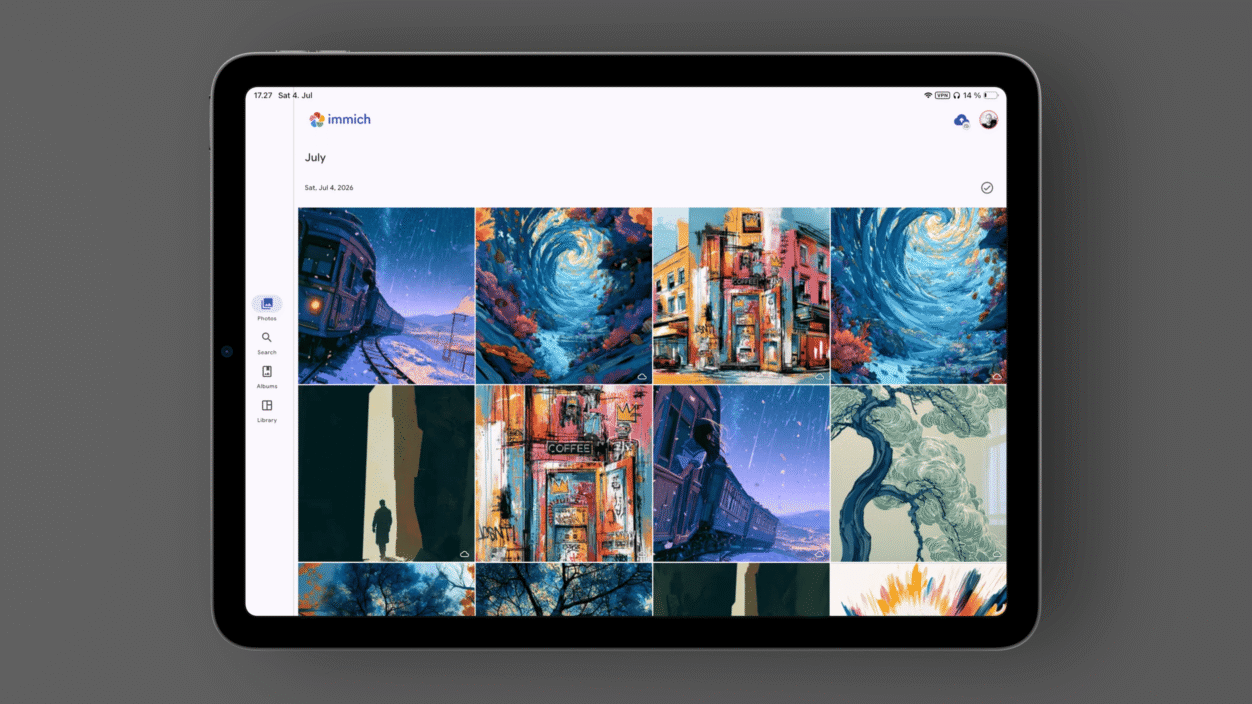
Ein Tablet zeigt eine Fotogalerie-App namens "immich" mit einem Raster aus bunten, künstlerischen Bildern von Landschaften und Stadtansichten. Auf dem Bildschirm steht: "17:27 Sat, 4. Jul immich July Sat, Jul 4, 2023".

With this update we bring a new, easier-to-use editor to mobile devices that has the same features as the web version. You can now edit photos directly in the mobile app, including cropping, rotating, and adjusting your images without ever touching the original file. Similar to the web, edits are non-destructive, so you can revisit or revert them at any time. You can even make edits on mobile and then adjust them on the web later! […]

On iOS, the background refresh task now runs its sync and upload work in parallel, so uploads actually start within the short time window iOS allows.

immich.app/blog | via @KTZSystems

Self-Hosting muss man schon wollen; wie ich beim Einrichten der Datenbank zum Ausprobieren von Version 3 erneut gemerkt habe. Auch deshalb ist es mehr als nur fair, für eine ausgelagerte Verantwortung bei Apple oder Google zu zahlen.

Und trotzdem ist es uneingeschränkt unterstützenswert, eine tatsächlich offene (Backup-)Alternative gegenüber den großen Fotodiensten zu haben – die sich obendrein fortlaufend weiterentwickelt.
  •  

Acme Weather: „We’re launching in Europe!“

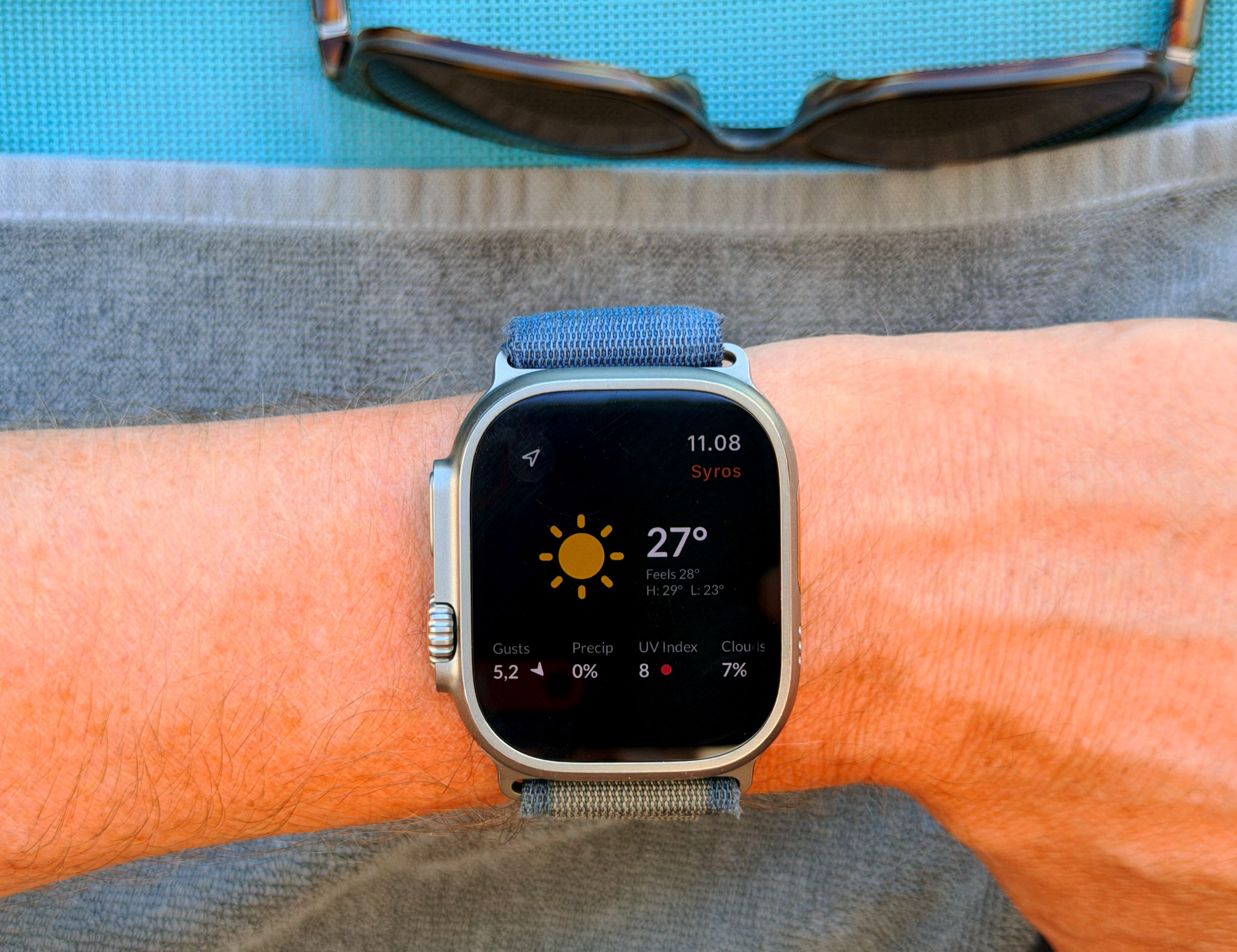
Eine Nahaufnahme einer Apple Watch Ultra am Handgelenk einer Person, die eine Wetter-App mit einer Temperatur von 27 Grad Celsius anzeigt, während das Handgelenk auf einem grauen Handtuch ruht und im Hintergrund eine Sonnenbrille zu sehen ist.

Dark Sky hinterließ bei mir einen bleibenden Eindruck, als ich im Jahr 2014 in New York die tatsächlich minutengenaue Regenvorhersage erlebte.

It’s one of the questions we heard most often at Dark Sky. Back then we had limited access to high quality or affordable data that would allow us to provide hyperlocal precipitation forecasts. This meant Dark Sky was only available in the US, Canada, UK and Ireland. That’s changed, and Acme is now available in the App Store in Europe. Pricing is the same as North America. It’s a two-week free trial then $25 USD/year.

For existing subscribers, you’ll now receive next hour rain notifications and forecasts in Europe just like you do in the United States and Canada.

acmeweather.com/blog

Nach sechs Jahren unter Apples Schirmherrschaft probieren sie die Eigenständigkeit noch einmal – inklusive Europa.

When you open the app, you are presented with the weather “Right Now,” the forecast for the “Next 24 Hours,” and the forecast for the “Next 10 Days”; each is listed under a bold text banner that resembles a print newspaper headline. The twenty-four-hour temperature forecast is shown as a fluctuating black line tagged with icons denoting the weather every three hours. Crucially, though, there are alternate forecasts that appear in the form of paler gray lines; sometimes the gray lines hew closely to the main black one; other times they stray considerably, indicating that the predictions are less reliable during that window. As Grossman put it to me, “Climate change is causing an increase in uncertainty. It sucks that we can’t predict the weather perfectly, but knowing that uncertainty is very useful.

Kyle Chayka | Why You Hate Your Weather App

Direkt abonniert!

  •  

Copy, Action, Paste

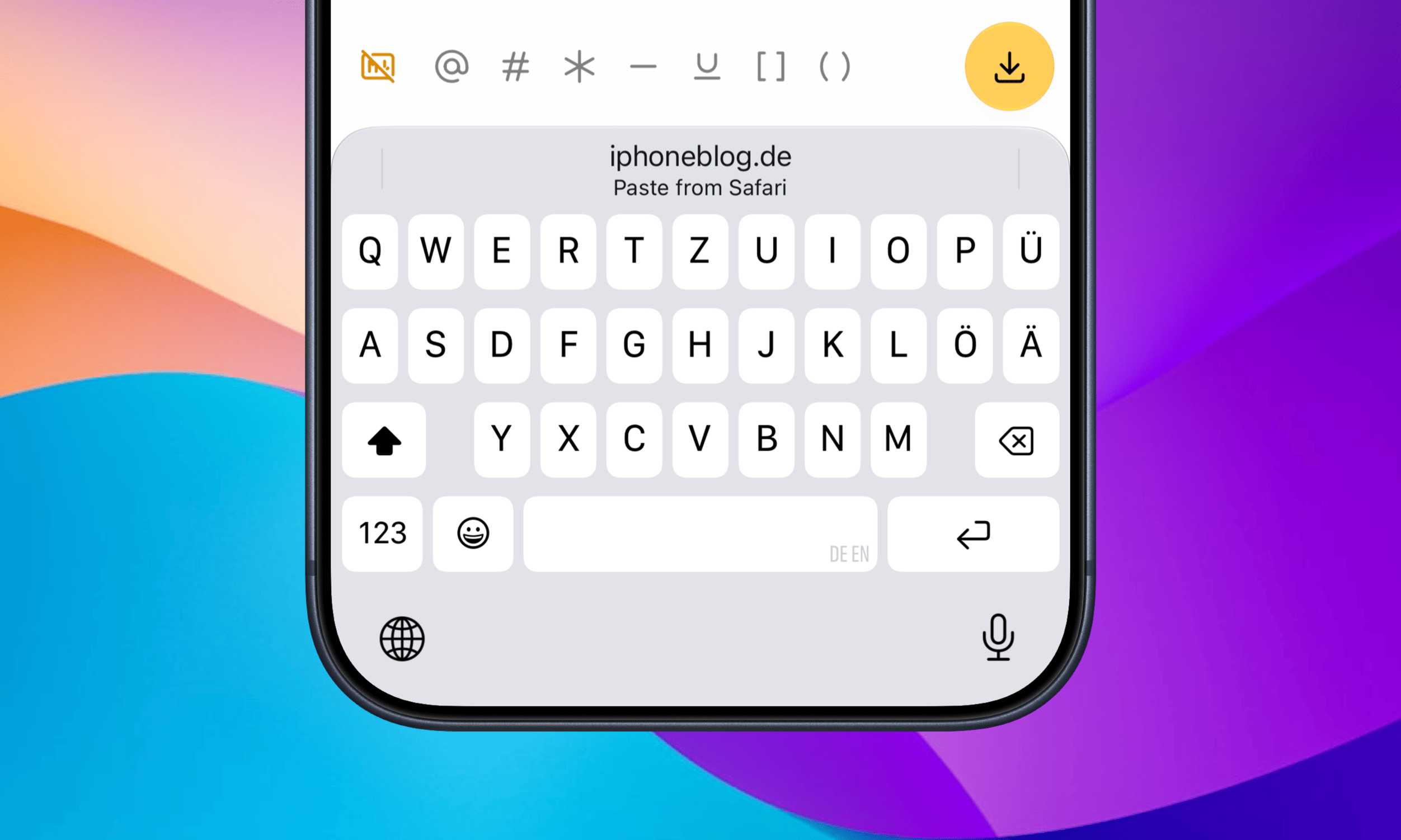
Seit 50 Tagen liegt der Clipmunk-Shortcut für den Workaround einer Zwischenablage auf meinem Action-Button. Mit iOS 27 gestaltet sich das Einfügen vormals kopierter Texthäppchen noch bequemer, weil eure Buchstabensuppe als Vorschlag direkt oberhalb der Tastatur auftaucht und mit nur einem Fingerzeig eingefügt ist.

Nahaufnahme eines Smartphone-Bildschirms mit einer QWERTZ-Tastatur und einer Vorschlagsleiste, die anbietet, Text aus dem Webbrowser einzufügen.

Eine Kleinigkeit, die jedes Mal ein paar Sekunden spart.

Es ist eines der besten neuen Features, das gerne auch dann auftauchen darf, wenn der Cursor nicht komplett alleinstehend im Textfeld sitzt – beispielsweise zwischen (runden) und [eckigen] Klammern. Oder noch besser: als dedizierte Keyboard-Taste, wie der Emoji-Button.

  •  

Nicht urlaubsreif: iOS fehlt ein echter Reisemodus

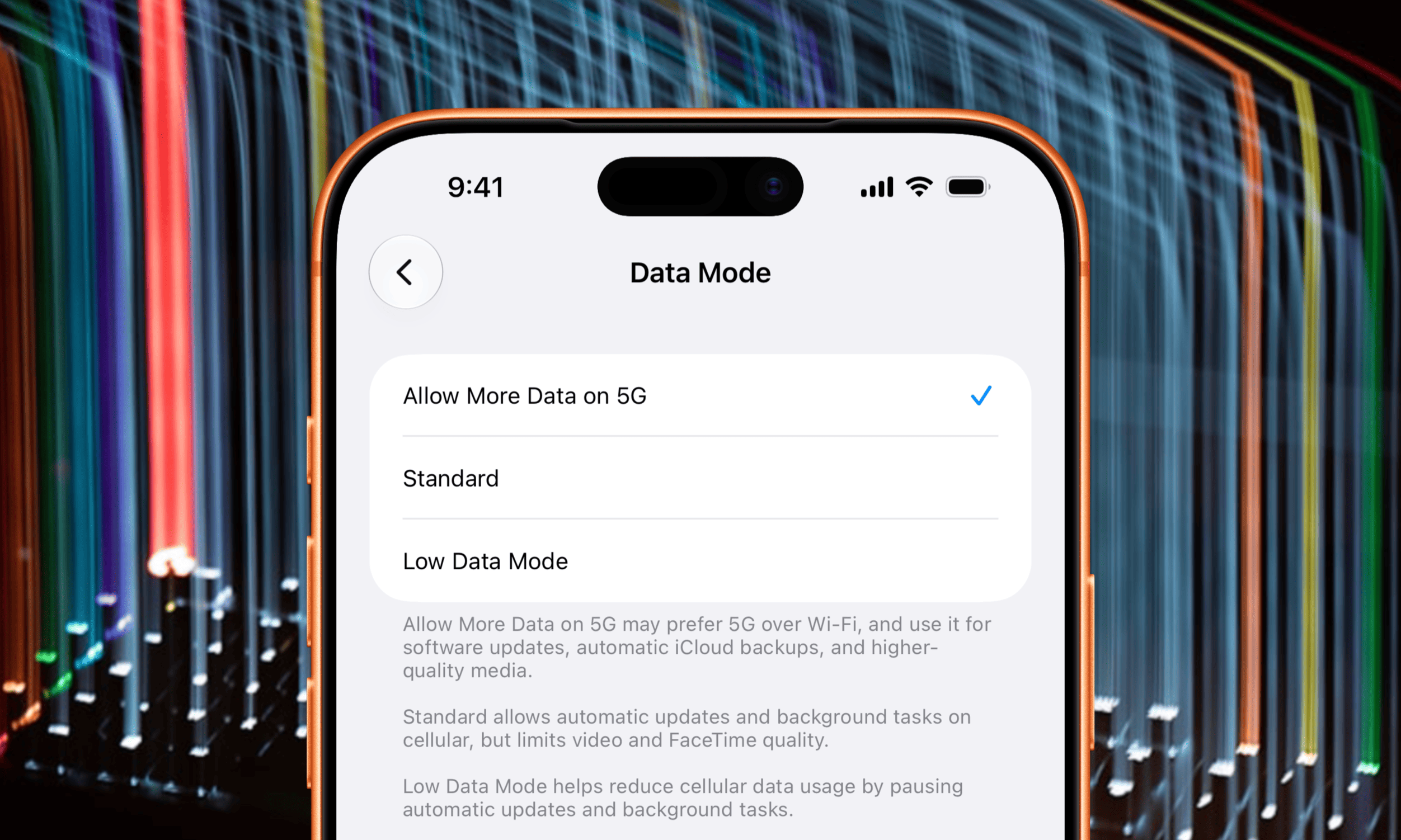
iOS vermisst weiterhin das Äquivalent zu TripMode; der „Low Data Mode“ ist (für mich) nur ein unerwünschter Kompromiss. Wenn ich das iPhone benutze, soll es so online wie nur möglich sein – ungedrosselt.

Ein Smartphone-Einstellungsmenü für den Datenmodus mit den Optionen „Mehr Daten auf 5G erlauben“, „Standard“ und „Datensparmodus“, wobei „Mehr Daten auf 5G erlauben“ aktuell ausgewählt ist.

Zugegeben: Ich habe mich etwas gehen lassen und derzeit über 500 Apps installiert. Das macht es unmöglich, ihnen einzeln die Datenverbindung zu entziehen – insbesondere temporär.

So löscht man Apps bekanntlich schnell; tut man dies über die App-Bibliothek, merkt iOS hin und wieder die falsche App zum Löschen vor. Ein Bug, der seit immer (TM) besteht.

Eine Lösung ist das natürlich nicht. Einen echten Reisemodus würde man explizit aktivieren und dabei gleich einen festen Zeitraum vorgeben. Ab dann fragt Apples OS beim Start einer App nach der Erlaubnis zur mobilen Datennutzung und gibt gelegentlich einen Zwischenbericht.

Man kann ein solches Feature bewusst einfach halten und, statt einzugreifen, lediglich transparent einen Überblick geben – alle Einzelteile liegen dafür schon jetzt vor.

„Über Daten spricht man nicht, Daten hat man.“ Mein tägliches Budget für diesen Urlaub beträgt 6 GB. Trotzdem wäre es eine so naheliegende Funktion, dass ich mich wundere, warum Apple sie beispielsweise nicht schon mit den eSIM-only-iPhones eingeführt hat.

  •  

Left – verbleibende Zeit sichtbar gemacht

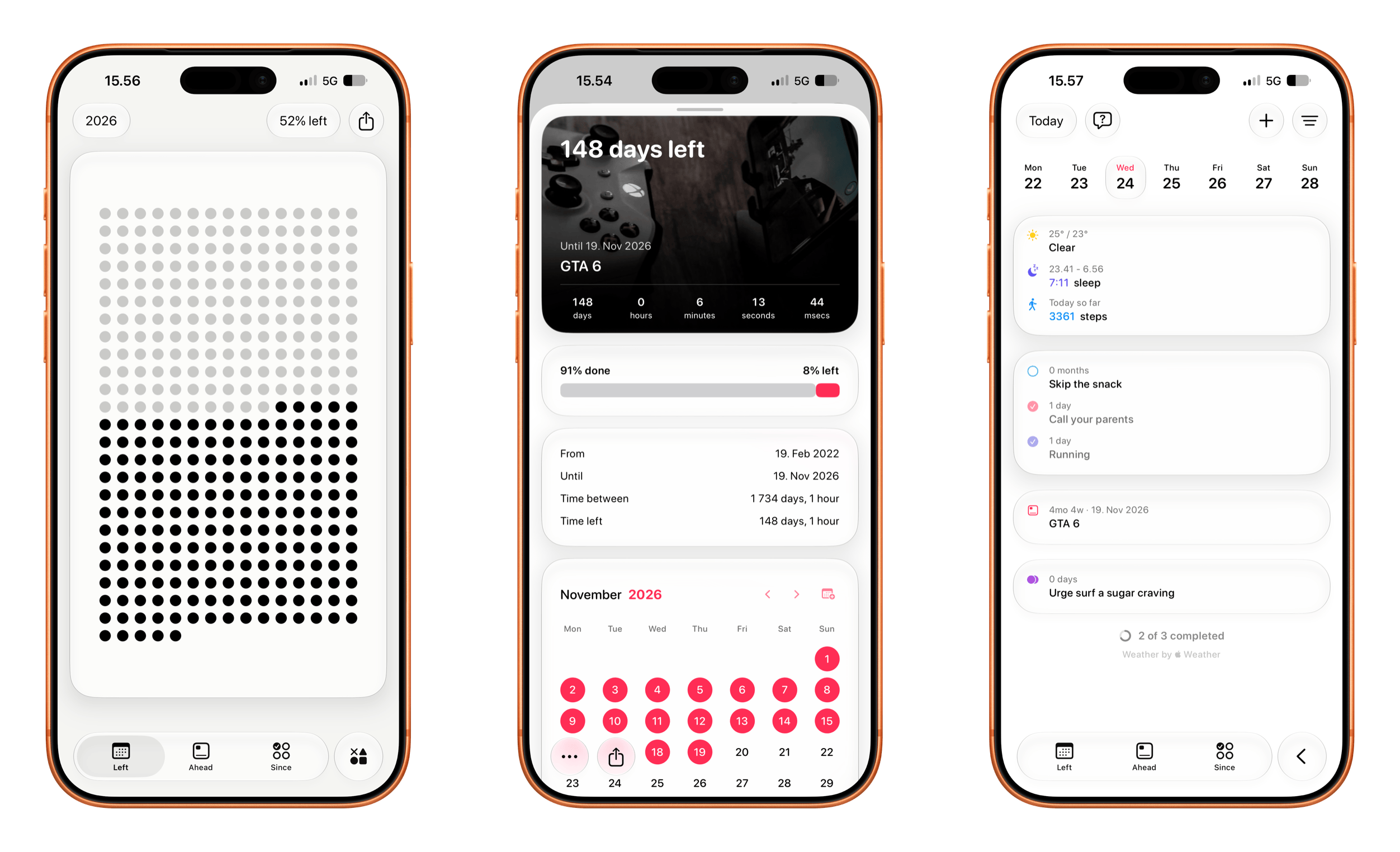
Sich (verbleibende) Zeit zu visualisieren, hat immer ein morbides Geschmäckle. Left ist da keine Ausnahme, stiftet andererseits aber auch (Vor-)Freude.

Seit 1.750 Tagen warten wir etwa offiziell (!) auf dieses eine Spiel von Rockstar Games – zehn Prozent der Wartezeit stehen noch aus …

Drei Screenshots einer mobilen Anwendung auf einem Smartphone zeigen eine Raster-Fortschrittsanzeige, einen detaillierten Countdown-Timer für ein bevorstehendes Ereignis mit Kalenderansicht sowie ein tägliches Dashboard mit Wetterinformationen, Aktivitätstracking und Aufgabenlisten.

Neben Countdown-Widgets ist es ein Mini-Tagesplaner sowie ein Routinen-Tracker – wobei die iOS-only-App nochmals zwischen Erfolgsserie und Gewohnheit unterscheidet. Rechenschaft über einzelne Ziele könnt ihr sogar gegenüber Freund:innen ablegen, indem ihr sie einladet, Einblick zu erhalten.

Enorm viel Visualisierung zieht Left in Form von Widgets auf den Homescreen – allein eine Watch-App fehlt mir.

  •  

Die iCloud-Fotomediathek geteilt – und wieder getrennt

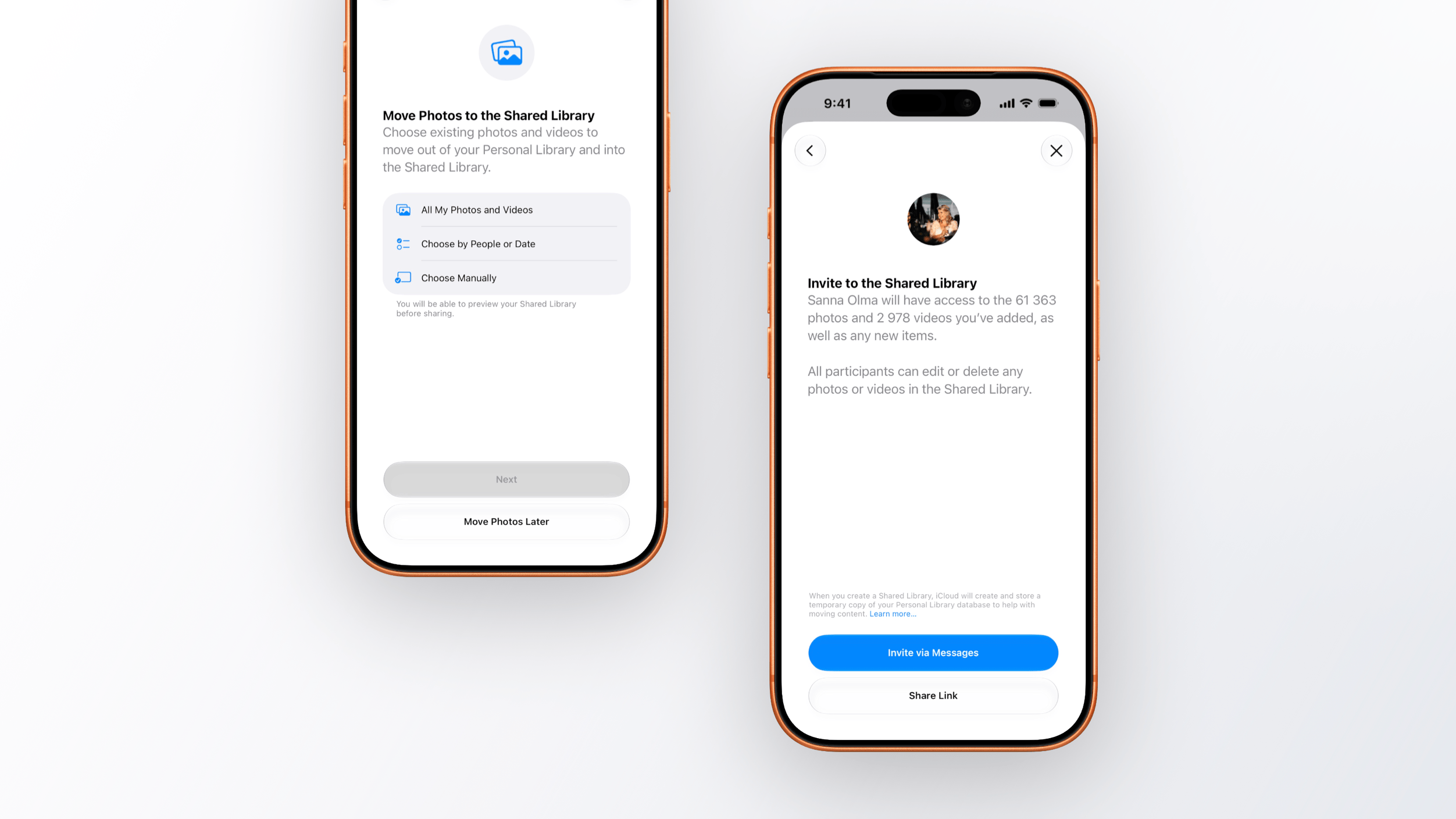
Von Apples geteilter iCloud-Fotomediathek hört man auch im vierten Jahr wenig. Das ist ein gutes Zeichen. Das Feature fällt durch Unauffälligkeit auf; es scheint in seinem abgesteckten Umfang zu funktionieren.

Zwei Smartphones zeigen Apple iOS-Einrichtungsbildschirme für eine geteilte Fotomediathek. Der linke Bildschirm zeigt Optionen zum Verschieben von Fotos und Videos in die Mediathek. Der rechte Bildschirm zeigt einen Einladungsbildschirm mit dem Profilbild eines Teilnehmers sowie Optionen zum Teilen des Zugriffs per Nachricht oder Link.

Für uns habe ich sie jedoch wieder abgedreht; wir haben sie nie wirklich genutzt. Ich empfand es im besten Fall irritierend, dort fremde Bilder zu sehen – selbst wenn es keine unbekannten Fotos sind.

Der ausschlaggebende Grund war jedoch die Bedienlogik: Es ist schlicht zu leicht, versehentlich Bilder in die gemeinsame Sammlung zu stecken. Den Button „Geteilte Mediathek“ in der Kamera drückt man gerne aus Versehen; deaktiviert man ihn, wird garantiert nie ein Foto geteilt.

Auch der Foto-Import von einer SD-Karte auf einem iPad kitzelt jedes Mal die Nerven: Dort ist es nicht einmal ein Button, sondern ein viel zu kleines Textlabel. Trifft man es nicht, landet der Import meiner Fotos fürs Blog bei der Familie.

Die Trennung verlief jedoch vorbildlich – mit der Entscheidung, ob man die geteilten oder lediglich die eigenen Fotos/Videos behalten möchte.

Wenn iOS 27 die Begrenzungen für geteilte Alben lockert – insbesondere in Bezug auf die Auflösung –, wird das bei uns sicherlich ein noch beliebterer Weg eigene Fotos untereinander auszutauschen – ohne sich gleich auf eine gemeinsame Fotosammlung einzulassen.

  •  

„Jump to Jump Desktop“

Pünktlich zur (Sommerferien-)Reisezeit funktioniert mein Fernzugriff wieder.

Jump Desktop zeigt sich dafür nicht annähernd so herausgeputzt wie Screens, ist mit seinem proprietären Fluid-Protokoll jedoch good old VNC weitaus überlegen.

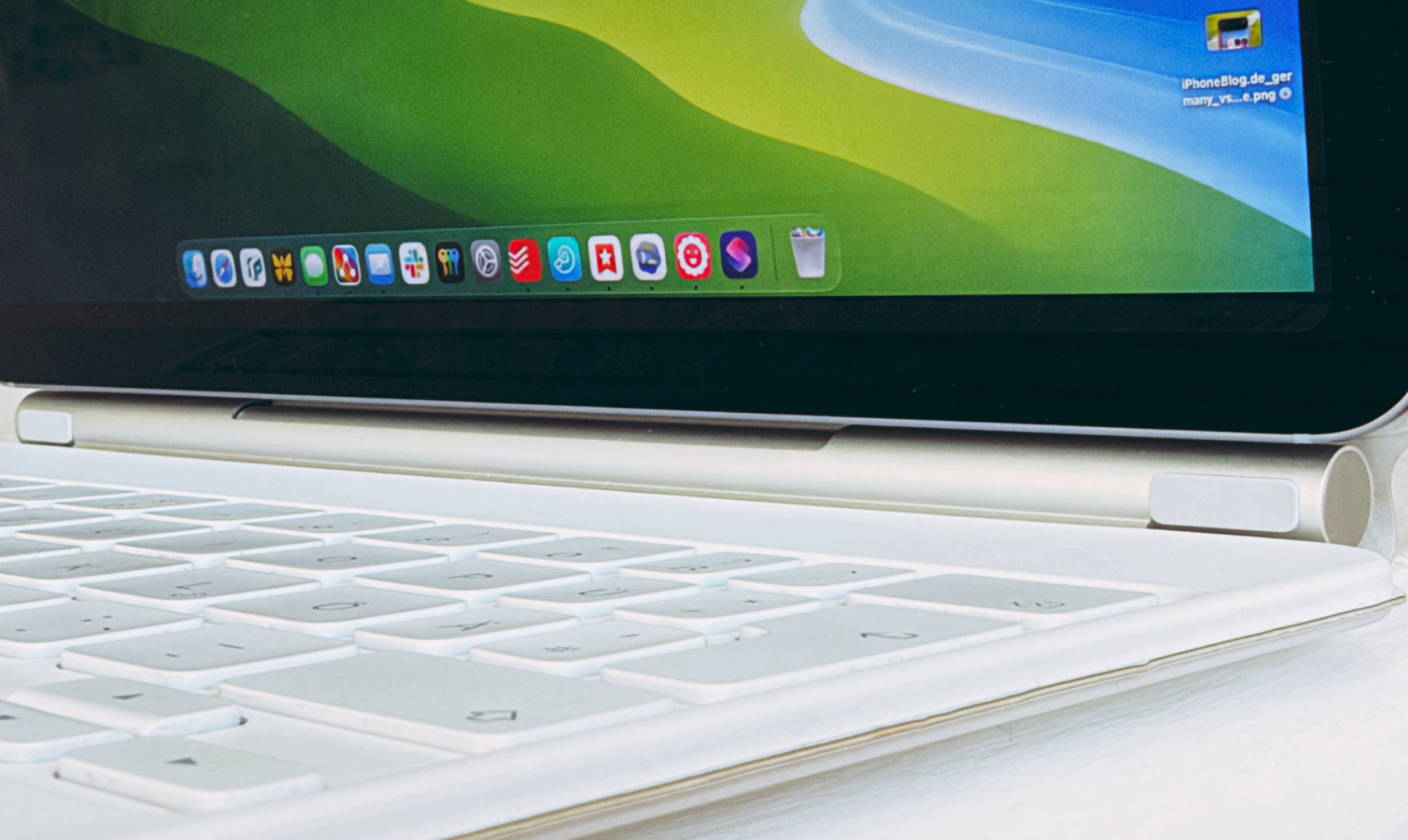
Nahaufnahme einer weißen Tastatur, die mit einem Tablet oder Laptop verbunden ist, wobei auf dem Bildschirm eine Taskleiste mit mehreren bunten Anwendungssymbolen zu sehen ist.

Fluid is our next generation remote desktop protocol designed for very high performance screen sharing. Fluid can share your screen at 60fps while using only 1/10th of the bandwidth when compared to traditional protocols like RDP and VNC.

Für „Fluid 2.0“ fragt ihr hier nach einer Einladung für die aktiv entwickelte TestFlight-Beta.

Neben der Performance gefällt mir die fürs iPad anpassbare Bildschirmauflösung. Für mich funktionieren 2420 × 1668 px auf einem 11“-iPad. Es ist kompakt, aber scharf genug und füllt nahezu den gesamten Screen.

Obendrein vertauscht Jumpdesktop die Command- und die Optionstaste – etwa für Spotlight oder „Alt-Tab“.

Enttäuschend bleibt, dass Apple seine eigene Bildschirmfreigabe weiterhin auf Verbindungen zwischen Macs beschränkt – ganz zu schweigen vom High-Performance-Sharing.

  •  

Kurzbefehle exportieren (fehlt)

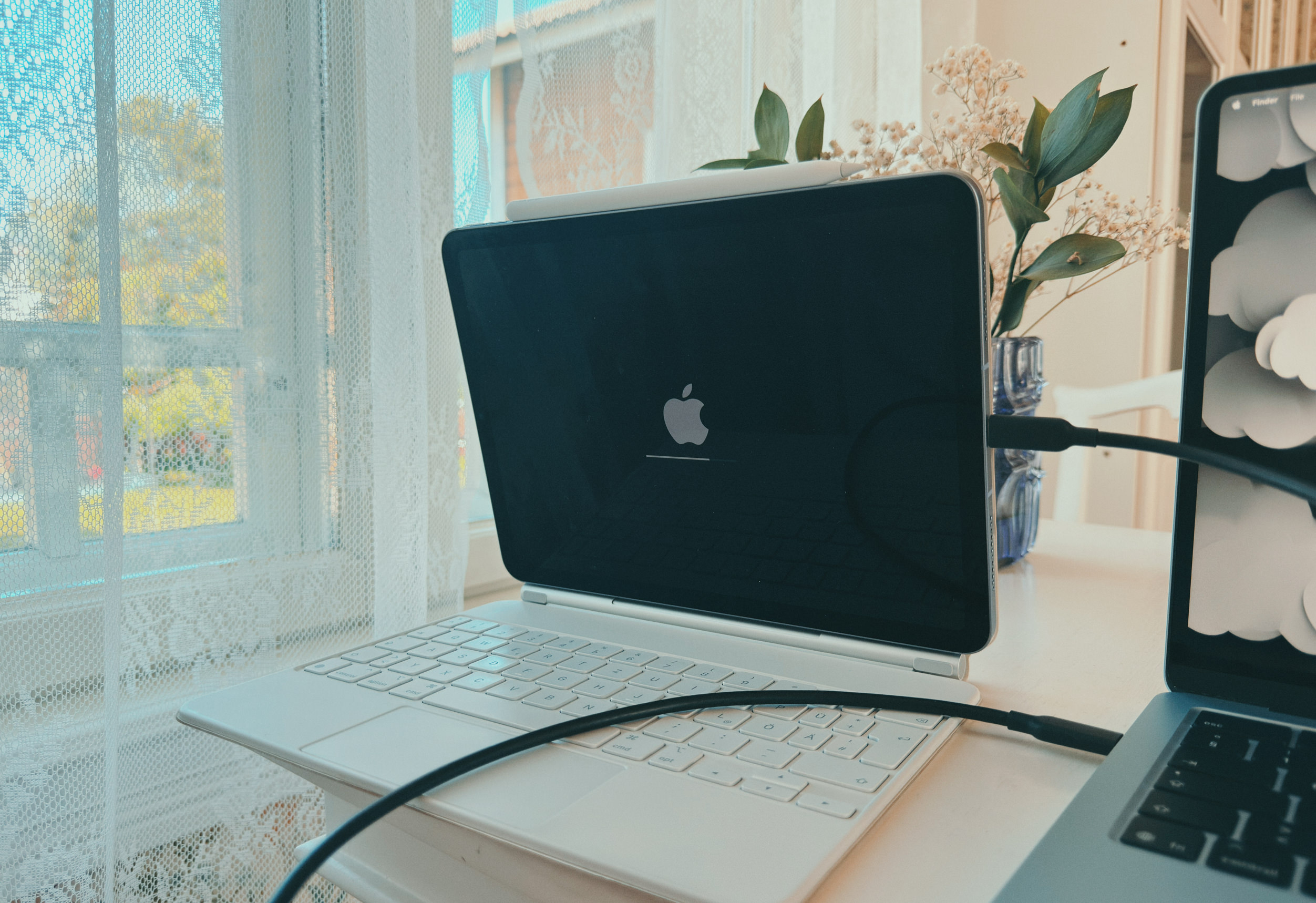
Ein Tablet in einer weißen Tastaturhülle steht auf einem Schreibtisch und zeigt das Apple-Logo auf einem schwarzen Bildschirm. Ein Ladekabel ist mit dem Gerät verbunden, das neben einem Laptop vor einem sonnigen Fenster mit Spitzengardinen steht.

Downgrade auf iPadOS 26: Mein Problem mit der ersten Beta von iPadOS 27 war weder die Stabilität noch die Performance, sondern eine Unzuverlässigkeit bei der „Back-to-the-Mac“-Verbindung. Dabei hilft es nicht, wenn App-Store-Apps offiziell keine Updates für Änderungen der kommenden Apple-Betriebssysteme einreichen dürfen – auch wenn ich natürlich verstehe, warum das so ist.

Ein Downgrade ist easy: Stöpselt euch an einen Mac, bootet in den Wiederherstellungsmodus, ladet auf dem Mac das aktuelle iPadOS herunter (zirka 10 GB) und startet 15 Minuten später frisch durch.

Erfüllt ihr diese Voraussetzungen, ist das – unter Anbetracht der kompletten Rollerückwärts aus einer Beta – ernsthaft kinderleicht.

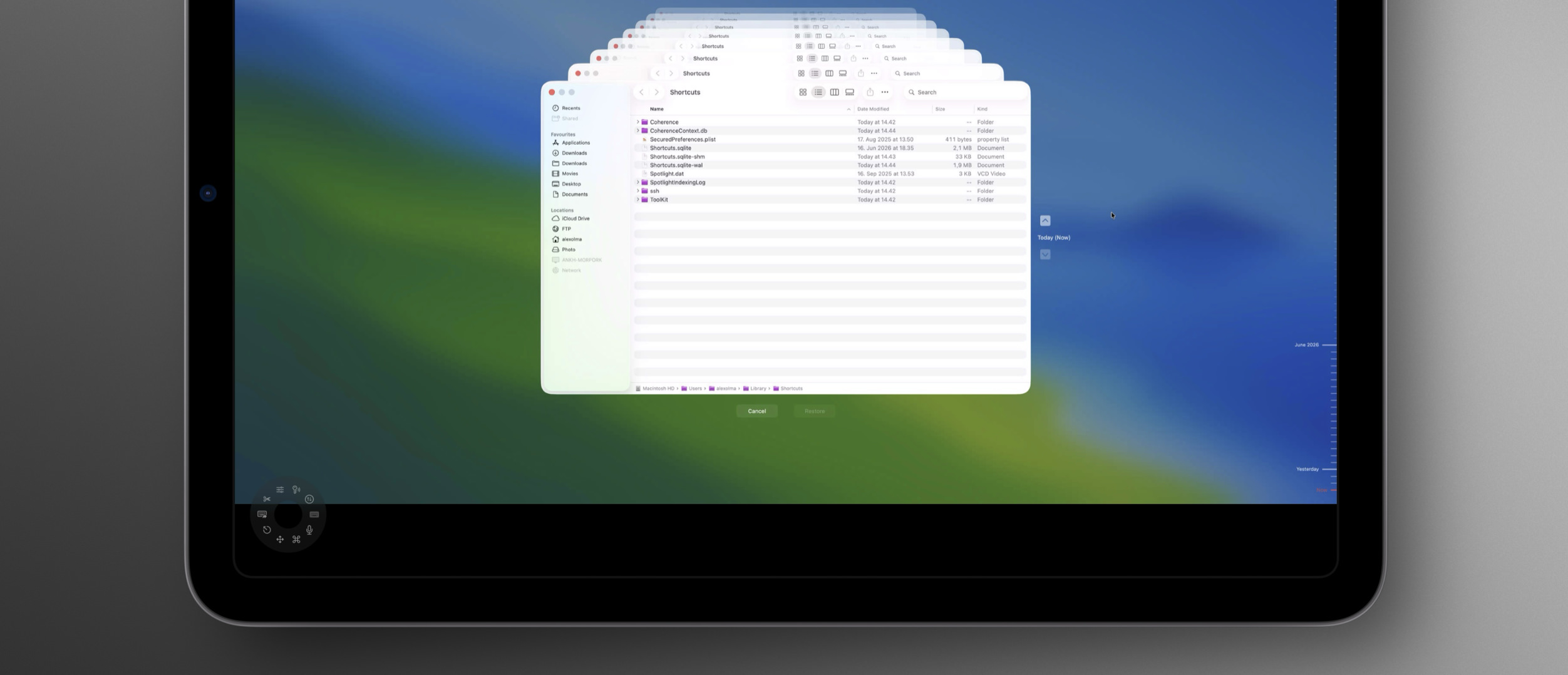
Ein Computerbildschirm zeigt ein Dateimanager-Fenster mit einem Darstellungsfehler, bei dem mehrere identische Fenster übereinander gestapelt sind.

Bei der Neuinstallation verschluckte sich bei mir jedoch die Shortcuts-Bibliothek, deren SQLite-Datenbank ich mit einem Time-Machine-Backup aus ~/Library/Shortcuts/ kratzen musste.

„Sync ist kein Backup“ – trotzdem erwarte ich mehr Cleverness.

Fünf Computer halten die Datenbank mit rund 90 Kurzbefehlen bei mir vor. Wenn ein (neues) Gerät per iCloud dazustößt, könnte man mindestens eine Nachfrage stellen, bevor es alle Kurzbefehle löscht und diese Änderung an alle anderen Computer verteilt.

Ganz zu schweigen von einem nachvollziehbaren Backupsystem, das eure Kurzbefehle nicht ausschließlich in einer Datenbank versteckt. Selbst beim manuellen Export bekommt man Steine in den Weg gelegt: Nur ein einziger Kurzbefehl lässt sich am Mac auswählen und in einen Ordner exportieren. Selektiert man zwei (!) Shortcuts, darf man bereits nicht mehr exportieren.

  •  

Mit Liquid Glass und einer Command Palette: iA Writer 8

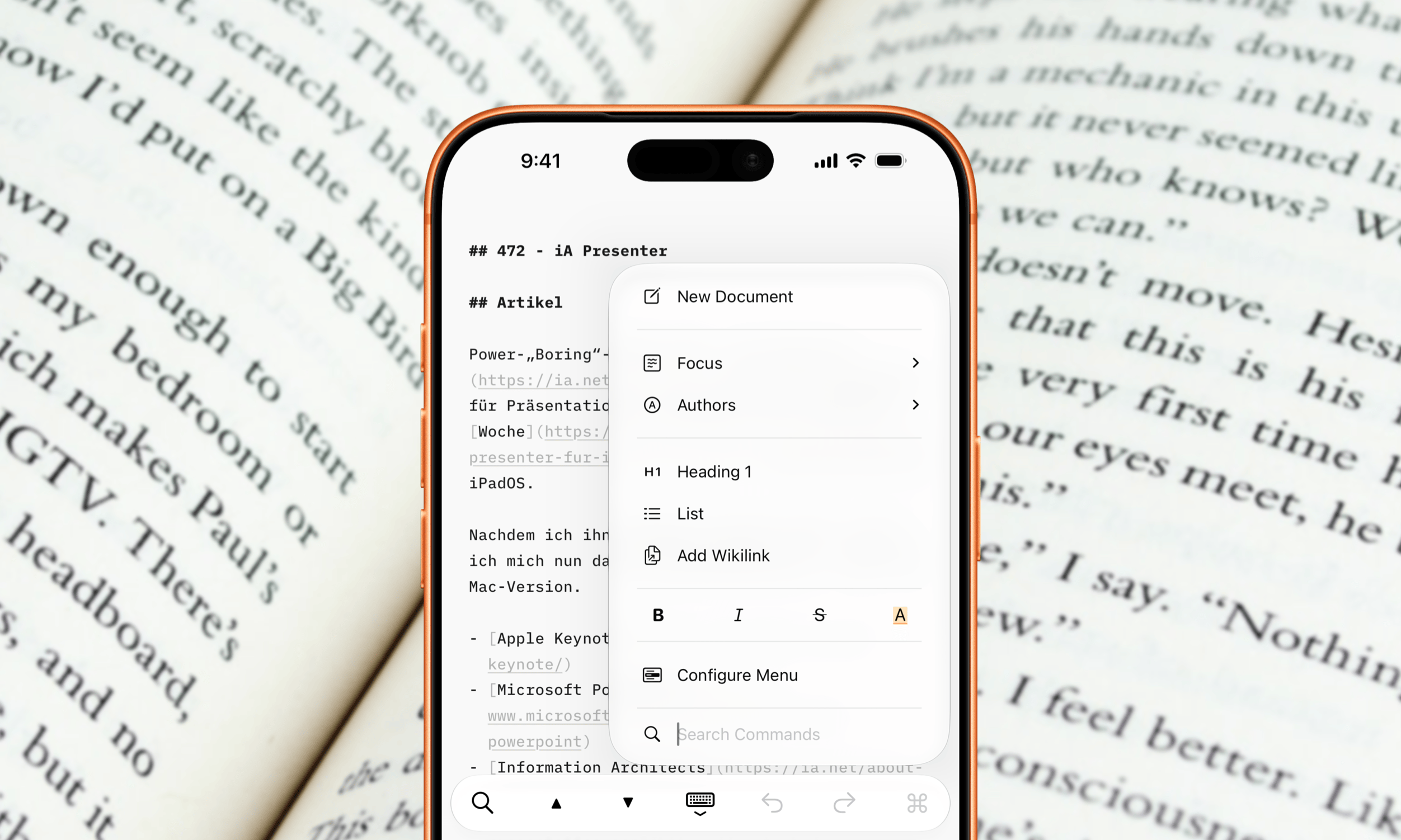
Auch wenn die Aufmerksamkeit von Version 8 sicherlich auf Apples Designsprache fällt: Die pfeilschnelle „Command Palette“ ist mein absolutes Lieblingsfeature. Die Befehlspalette sorgt dafür, dass ich die Finger noch seltener von der Tastatur nehme, um Formatierungs- und Exportfunktionen aufzurufen.

An iPhone with a copper-colored frame displays the iA Presenter app, showing an open document titled "# 472 - iA Presenter" and a contextual menu. The phone is positioned over an open book with printed text, suggesting a reading or writing environment.

iA Writer already contains many powerful features. Finding them can sometimes take longer than using them. To access it on iOS and iPadOS, tap the command icon. On macOS, you can use the shortcut ⇧ ⌘ P. Then simply type what you need and press Return.

„Search to Navigate“

Notiz an mich selbst: Ich schreibe zu selten über und mit iA Writer.

  •  

Still – für Audiobooks in Audiobookshelf

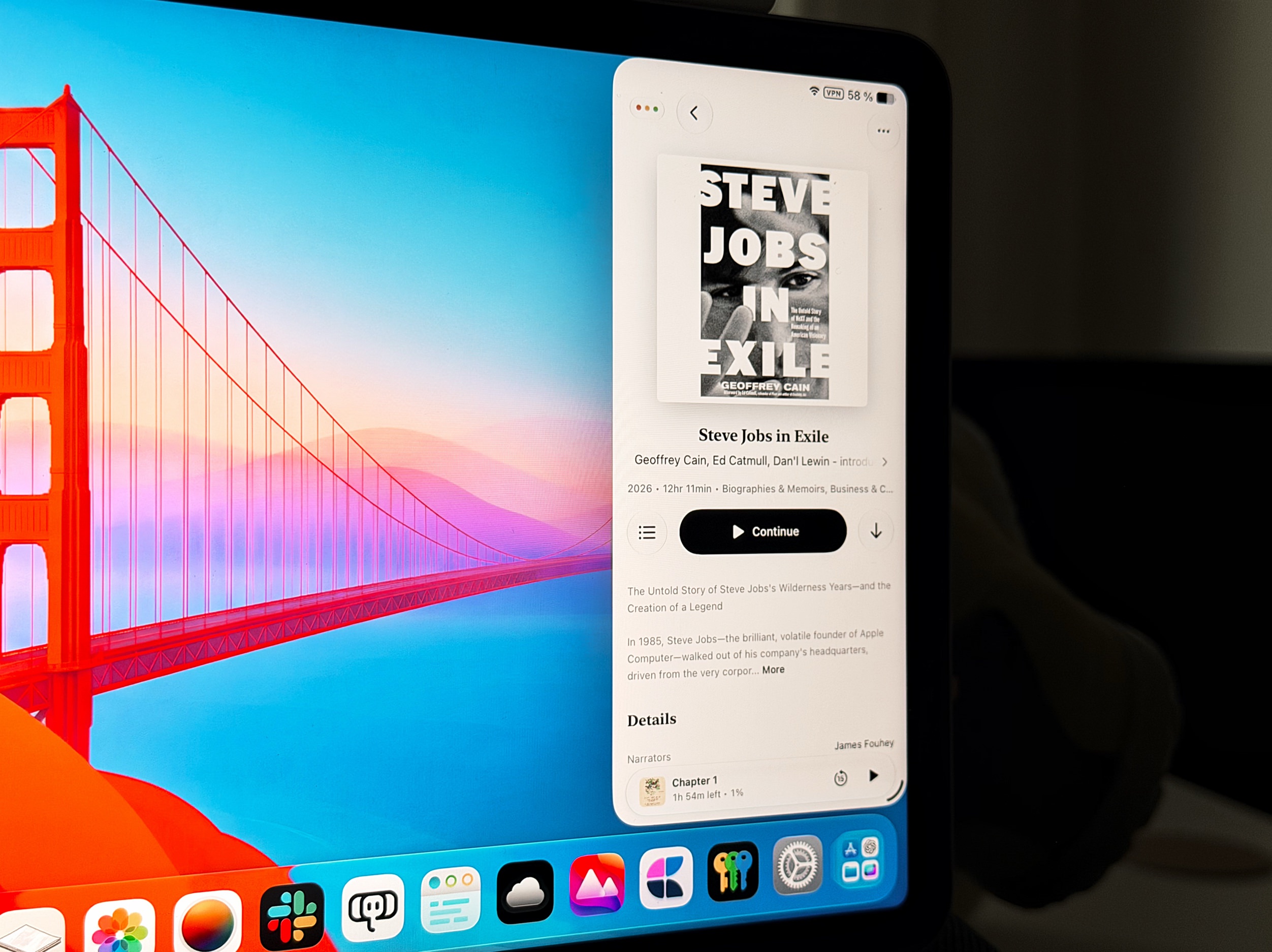
Meine Urlaubszeit soll dieses Jahr verstärkt Hörbücher einschließen – erstellt mit AudioBo, gelagert auf einem Audiobookshelf-Server und konsumiert mit Still.

A iPad screen displays the audiobook 'Steve Jobs in Exile' by Geoffrey Cain, with a 'Continue' button visible. The background wallpaper features the Golden Gate Bridge against a vibrant blue and pink sky.

Ich plane, dort weder EPUBs oder Podcasts abzulegen, aber Still würde sie mir vorsetzen.

Ich beobachte den Player bereits länger. Mit Watch-Support, CarPlay und mehr Anpassungen fürs iPad verdient er aber noch einmal mehr Wertschätzung – abseits der 7 Euro, mit denen man seine Anerkennung auch ausdrückt.

  •  

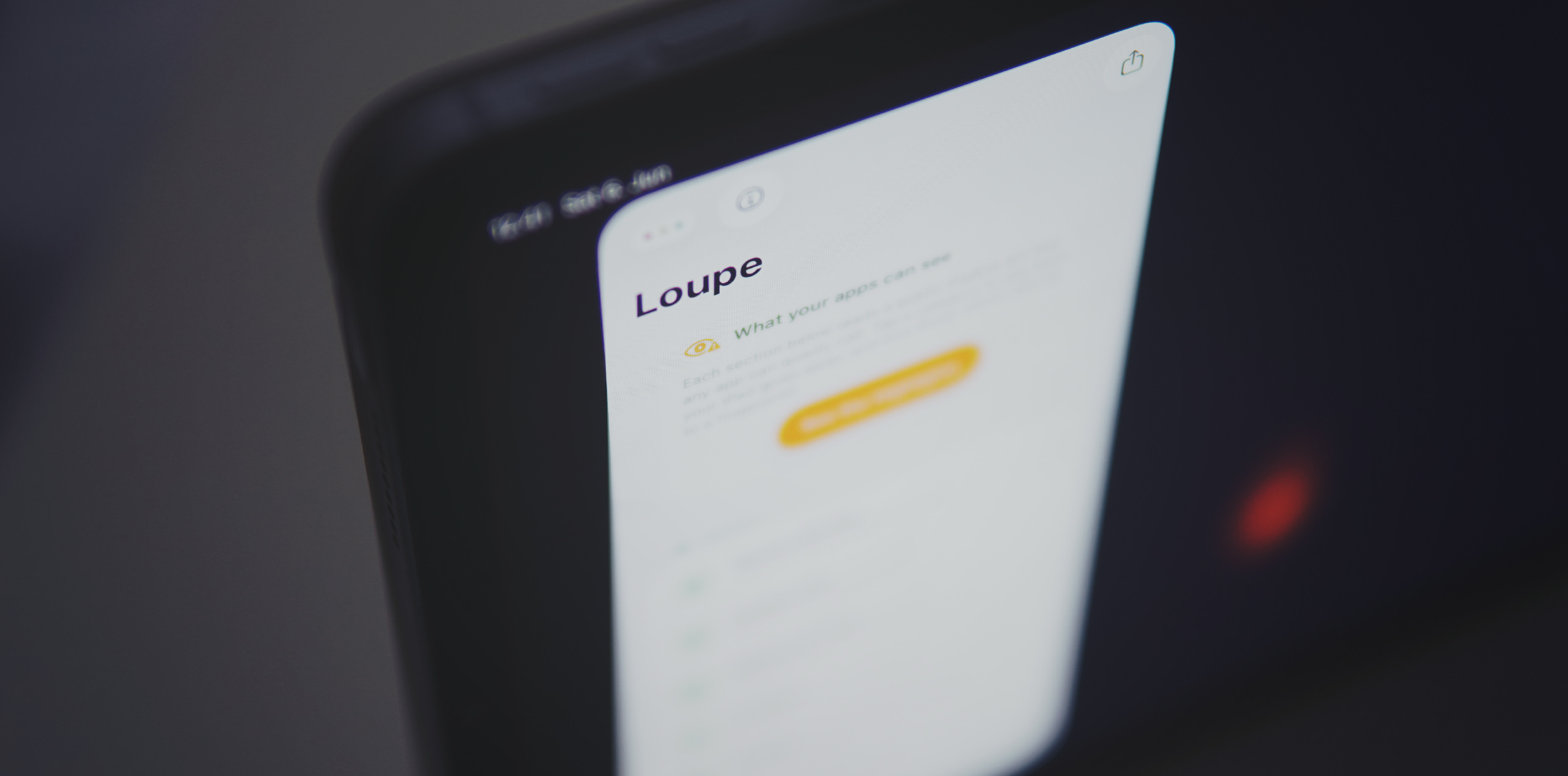
Loupe – „What your apps can see“

Was Loupe zeigt, sehen (potenziell) auch andere Apps.

Das ist keine Panikmache und nicht skandalös, aber eine Anregung, bestimmte Zugriffsrechte vielleicht nicht unüberlegt auszuteilen.

Eine Nahaufnahme eines Smartphone-Bildschirms, auf dem die Benutzeroberfläche der Loupe-App zu sehen ist, welche Datenschutzeinstellungen unter der Überschrift "What your apps can see" anzeigt.

Loupe is an iOS and iPadOS app that gives you a hands-on tour of the device fingerprinting surface. It reads real values from public iOS APIs, the same ones any third-party app can call, and shows them to you raw. The point is simple: see what your iPhone quietly exposes, and why each reading helps an app recognize you again.

github.com/mysk-research

Ich wusste etwa nicht, dass der Lautstärkewert fingerprintable ist.

  •  

„Watch to 5K“ nimmt euch ins Training für den ersten 5-Kilometer-Lauf

Am heutigen „Global Running Day“ gibt es für ’nen entspannten 5-Kilometer-Run eine Apple-Watch-Auszeichnung.

Diese Fitnessherausforderung ist ein passender Anlass, um auf „Watch to 5K“ hinzuweisen – für alle, die sich mit einem solchen Run nicht so leicht tun.

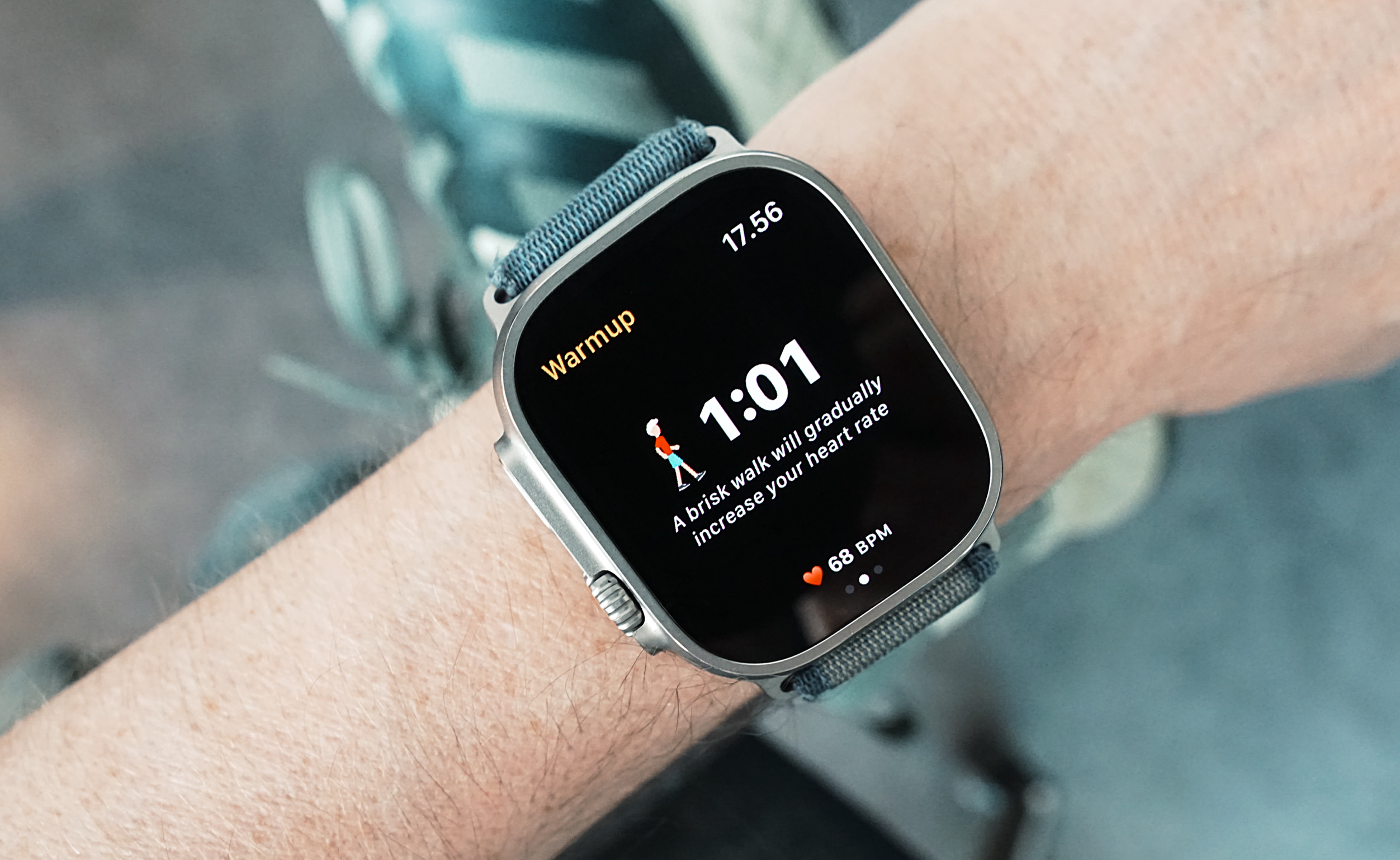
Nahaufnahme einer Smartwatch am Handgelenk einer Person, die einen Trainings-Aufwärmbildschirm mit Timer, Herzfrequenz und der Anweisung für ein zügiges Gehen anzeigt.

Watch to 5K is an Apple Watch app that helps people gradually work up towards running 5K in just nine weeks by following the Couch to 5K program (C25K). The app works independently on the Watch, allowing users to leave their phone at home (or in their locker) while they run.

Für fünf Euro nimmt die Watch-App hier absolute Beginner an die Hand zu ihrem ersten 5K.

„Watch to 5K“ entstand in den ersten COVID-Lockdown-Monaten vor sechs Jahren, funktioniert tatsächlich unabhängig vom Telefon und motiviert gezielt Anfänger:innen (oder alle, die das Laufen wieder aufnehmen) mit einem strukturierten Trainingsplan.

  •  

R.A.D. Weather: der Blick ins Wetter-Terminal

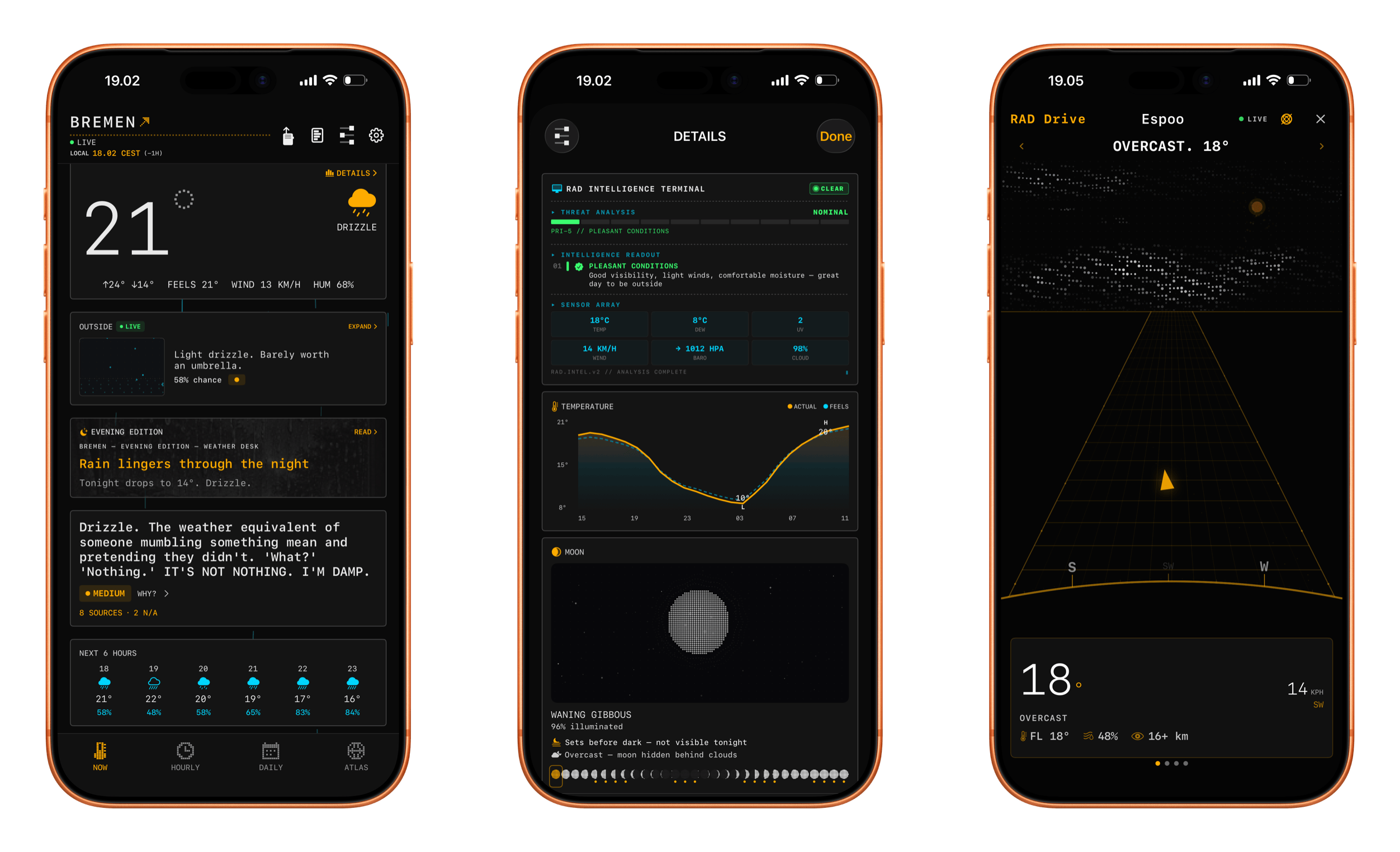
Drei Smartphone-Bildschirme zeigen eine Wetter-App im dunklen Design mit einer futuristischen Benutzeroberfläche. Die App zeigt Wetterbedingungen, Temperatur, Radaransichten und technische Daten in einem minimalistischen, kontrastreichen Design.

„It’s rad.“

Die Kommandozeilen-Optik erinnert mich an WarGames; ein solches Wetter-Terminal könnte man als Pseudo-Hacker-Screen aber auch problemlos in moderne Filme einbauen.

Der Look and Feel von R.A.D. Weather zieht sich konsequent durch die gesamte App – inklusive der Versionen für iPad, Watch und Mac. Wer einen Extra-Bildschirm zu bespielen hat, findet hier eine äußerst nerdkompatible Wahl für eine Wetteranzeige.

Hinter allen Anzeigen und jedem Pixel stecken jedoch tatsächlich Informationen – von Niederschlag über Sonnenintensität hin zu Luftqualität.

R.A.D. kombiniert dafür mehrere Quellen, erlaubt euch aber auch eigene „Uplinks“ zu Providern per API einzurichten.

Diese Informationsblöcke lassen sich in großem Umfang anpassen, umsortieren oder ausblenden. Irgendwann entdeckt man dann Themes, Achievements, eine Live-Wetteranzeige während Autofahrten und Minispiele …

Hier hat jemand ganz offensichtlich Spaß an der Entwicklung, hinter der jedoch knallharte (Wetter-)Fakten stehen.

  •  

„Annotate“ – Markup für Screenshots und Fotos

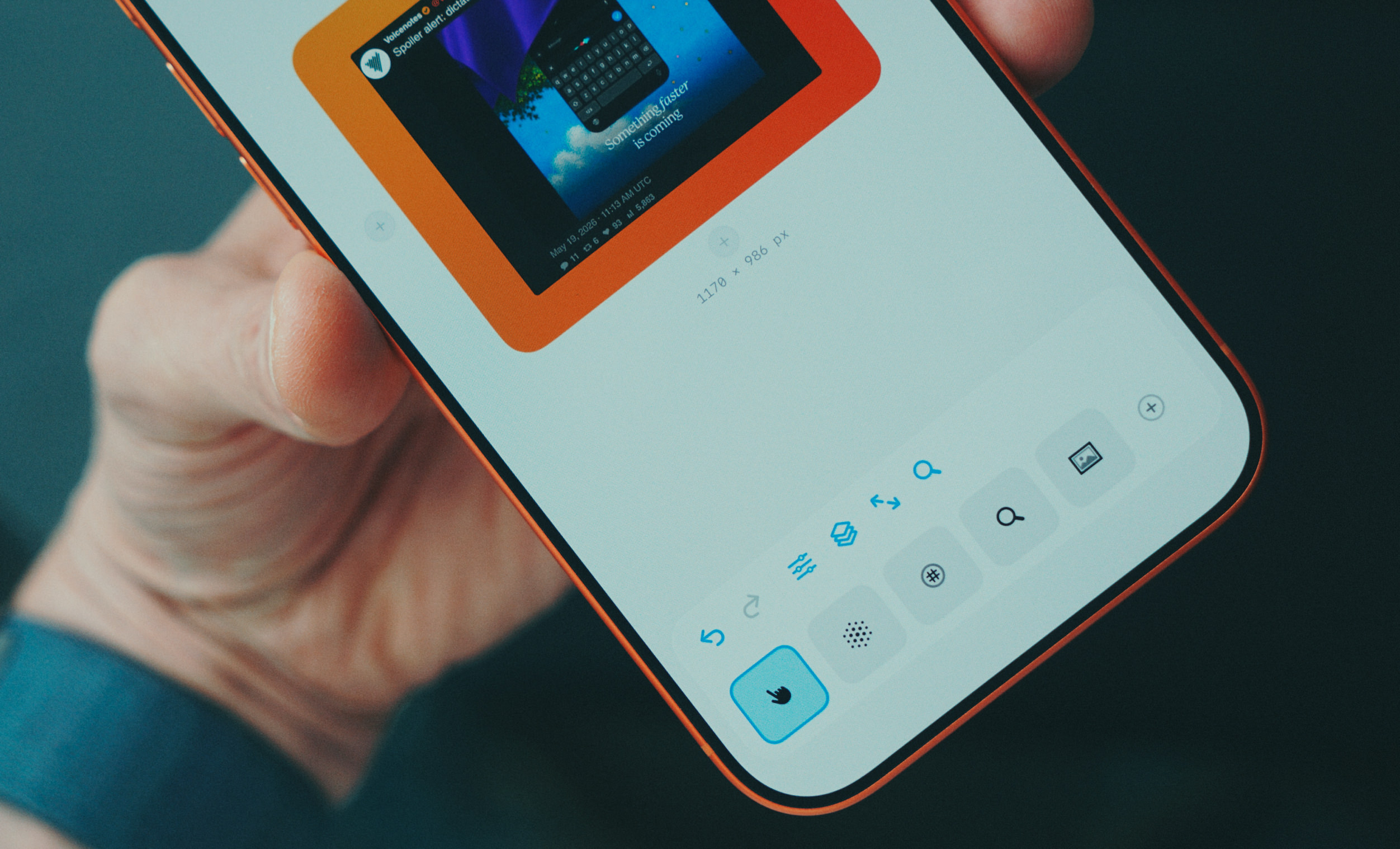
Konkurrenz für Annotable aus Düsseldorf – und zwar vom Multi-Cloud-Uploader Dropshare. Mit Annotate kritzelt ihr auf Screenshots, verpixelt sensible Informationen in Fotos oder setzt erklärende Nummerierungen und Pfeile.

Eine Person hält ein Smartphone, auf dem die Benutzeroberfläche einer Bildbearbeitungs-App angezeigt wird. In der Mitte des Bildschirms befindet sich ein Foto auf einem orangefarbenen Hintergrund, während am unteren Rand eine Werkzeugleiste mit verschiedenen Symbolen zu sehen ist.

Solche Bearbeitungen ähneln den Jobs, die ich am Mac dem hervorragenden CleanShot zustecke – etwa „Backdrop styles“, die Bildschirmfotos in einen Rahmen setzen. Auf iPhone und iPad fehlte mir seit jeher eine Software mit vergleichbarer Funktion.

Ähnlich hilfreich ist es, die Arbeitsfläche zu erweitern – für ausschweifendere Markups wie etwa eine Wegbeschreibung neben einem Google-Maps-Kartenausschnitt.

Wünschenswert wäre noch eine Erweiterung der Lupe, bei der man den vergrößerten Ausschnitt beibehält, aber die gezoomte Ansicht verschiebt. Oder eine Collagen-Funktion, so wie Photo Tape mehrere Bilder in ein explizit gewähltes Format presst.

Gebogene Pfeile mit unterschiedlichen Pfeilspitzen machen mich aber schon jetzt ernsthaft glücklich. Genau wie Hervorhebungen, die Schatten werfen. Trotzdem nehme ich gerne noch mehr von diesen detailverliebten Kleinigkeiten.

  •  

iOS 27 will reportedly come with new AI-powered photo editing tools

Apple reportedly plans to fix bugs and expand the capabilities of Apple Intelligence with the release of iOS 27, iPadOS 27 and macOS 27 year, and it seems like tweaks to the company's AI could go beyond a more functional version of its Siri assistant. Bloomberg reports that this year's software updates will also include new AI-powered photo editing tools that will let users change things like the background and framing of images, too.

You can currently use the Photos app across Apple's operating systems to adjust things like saturation and contrast, apply filters, crop photos or use AI to remove objects with the Clean Up tool. Clean Up will apparently be one of several "Apple Intelligence Tools" after these new updates roll out, Bloomberg writes. Along with Clean Up, users will be able to use "Extend" to expand the background of the photo with generative AI, "Enhance" to automatically improve things like lighting and image quality and "Reframe" to shift the perspective of a photo after it's taken, primarily for Apple's spatial photos.

The new features, if released, will bring Apple's photo-editing tools more in line with competitors like Google and Samsung, though both companies still lap Apple in their willingness to create entirely generated images. Google's Magic Editor feature, which debuted in 2023, still takes the cake in terms of giving users leeway to radically add to and change their photos.

Other than new photo tools, Apple is reportedly also debuting its new version of Siri powered by Google's Gemini models, a standalone Siri app and AI-powered search inside its apps. Apple will likely introduce many of these new features during its WWDC keynote on June 8.

This article originally appeared on Engadget at https://www.engadget.com/ai/ios-27-will-reportedly-come-with-new-ai-powered-photo-editing-tools-194119562.html?src=rss

©

  •  

Google Translate uses AI to help you practice pronunciation

Google is celebrating Translate’s 20th birthday by launching pronunciation practice, which the company says is one of the most requested features for the product. The feature is only rolling out on Android at the moment for English, Spanish and Hindi in the US and India. If it’s available for you, you’ll see a button at the bottom of the app that says “Practice,” which gives you the option to either “pronounce” what you’ve translated or to “listen” to how it’s actually pronounced by native speakers.

If you choose the “pronounce” option, Translate will listen to you speak and then use artificial intelligence to analyze how you said the words to provide instance feedback. It will then show you a phonetic spelling of how specific words should be pronounced. In the example Google provided, for instance, the speaker pronounced the Spanish word for juice as “jugo” with the English “j” sound instead of with the Spanish “j” sound. So, Translate spells it out as “HU-go” in its pronunciation suggestion.

Google said around third of users on mobile use Translate to practice speaking and listening in order to be able to hold real-world conversations, making this new feature a very useful addition. The company also revealed other stats about the app. Apparently, it now supports over 250 languages, including some endangered and indigenous ones, and has over 1 billion monthly user who have been translating over 1 trillion words every month.

This article originally appeared on Engadget at https://www.engadget.com/ai/google-translate-uses-ai-to-help-you-practice-pronunciation-160000542.html?src=rss

©

  •  

Spotify is now a fitness app too

In its quest to become an all-in-one app, Spotify is now breaking into the fitness app world by offering "guided workout experiences" and on-demand Peloton classes. Premium subscribers will get access to Peloton's library of more than 1,400 classes in the app, while both Free and Premium can browse curated playlists (they're listed under the genre "fitness.")

Spotify's Fitness section showing example workouts and video to follow along with.
Spotify

Spotify said the classes are primarily in English, but there are some options in Spanish and German. Like music and podcasts, Spotify lets you bounce between different devices for its fitness media, so you can start a video workout on your TV and switch to an audio-only version on your phone or smart speaker. Users can even download the classes for offline use.

The fitness category may feel like a sharp turn for Spotify, but the company said that nearly 70 percent of its Premium subscribers work out monthly and that fitness and workout content was one of the top use cases for its Prompted Playlist feature. Spotify has long been expanding its offerings outside of music, with its latest efforts giving users a way to buy physical books or create group chats. 

This article originally appeared on Engadget at https://www.engadget.com/apps/spotify-is-now-a-fitness-app-too-144037057.html?src=rss

©

© Spotify

Spotify's new Fitness genre offering various options for its users.
  •  

XChat, the standalone app for messaging on X, is available on iOS now

XChat, the standalone app for accessing X's messaging feature, is available to download now for iOS. X first suggested it would be stripping direct messaging from X in 2025, but at least for now, XChat is available in the original X app, the web and this new app.

Based on its launch video, the new XChat app offers many of the elements of modern messaging X had already introduced to its chats feature, like the ability to delete and edit messages, block screenshots and send disappearing messages. The new XChat app also supports video and audio calls, and X claims that all messages sent with XChat are end-to-end encrypted.

XChat will also be expected to be the home of any groups that formed around X's Communities feature. The social platform recently announced that it was retiring Communities at the end of May, and suggested that XChat's support for larger group chats could be a worthwhile alternative. XChat's group chats can currently have 350 participants, but X plans to expand that number in the future.

The everything app, which requires 3 apps to use the core product. pic.twitter.com/1aJF4n2par

— camol (@camolNFT) April 23, 2026

Elon Musk's original pitch after he rebranded Twitter as X, was to turn the platform into an "everything app," where things like an algorithmic feed, messaging, job boards and even payments could exist side-by-side. A standalone messaging app seems like the exact opposite of that, but it might also reflect where X finds itself in 2026. The company is now a subsidiary of xAI, and xAI itself is part of SpaceX. Musk's push into AI appears to be the going concern, and cloning something like WeChat might just be less important.

This article originally appeared on Engadget at https://www.engadget.com/apps/xchat-the-standalone-app-for-messaging-on-x-is-available-on-ios-now-214826886.html?src=rss

©

  •  
❌