❌

Normale Ansicht

TestFlight App Gets New iOS 27 Features

Apple today updated its TestFlight app for iOS, iPadOS, macOS, and visionOS to version 4.4.0, adding support for features introduced in the latest software updates and products.


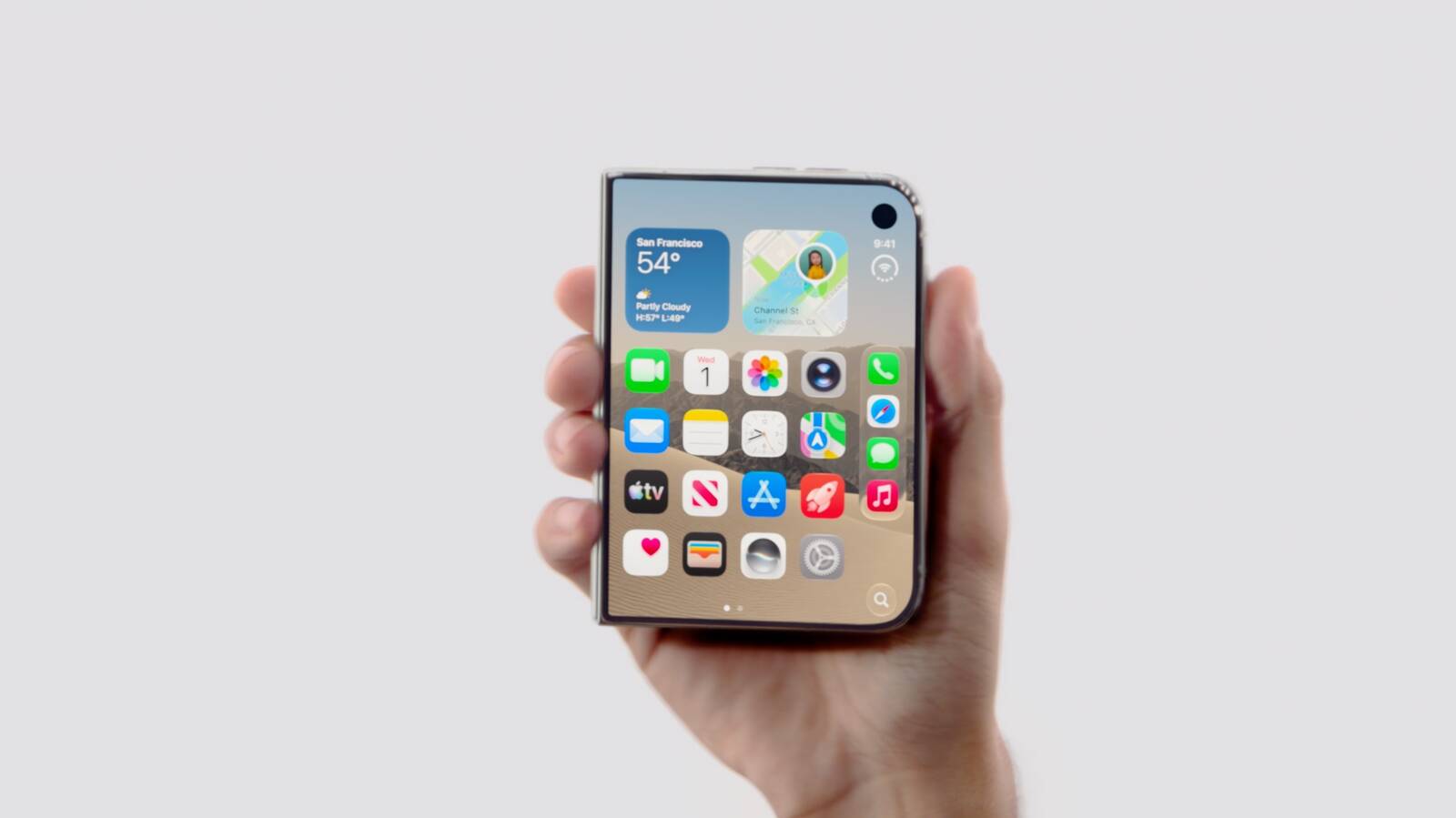
TestFlight for iPhone supports landscape orientation ahead of the iPhone Duo's October launch, though the option is available on all iPhones. TestFlight can now be resized when using iPhone Mirroring on a Mac running macOS 27 with an iPhone running iOS 27.

Apple says the update also includes unspecified stability improvements and bug fixes.
Related Roundups: iOS 27, iPadOS 27
Related Forum: iOS 27

This article, "TestFlight App Gets New iOS 27 Features" first appeared on MacRumors.com

Discuss this article in our forums

  •  

Apple Shares New Video Promoting iOS 27 Parental Controls

Apple today shared a video promoting the new parental control features it added in iOS 27.


Apple says Child Accounts are easier to set up in ‌iOS 27‌ and more intuitive to use. Improved controls allow parents to choose the types of apps children have access to, while Ask to Buy lets kids request new apps and games.

Ask to Browse gives parents a way to block or allow the websites children visit in Safari, plus parents can decide who kids can call and message. Communication Safety in Messages and FaceTime detects and blocks both violence and nudity in images and videos.

Time Allowances and Schedules let parents customize what children can access by the day, hour, and activity, with options to limit apps during school hours. There are one-tap controls to pause access entirely during family events like dinnertime or allow unlimited screen time.

Apple's updated parental controls come as the company deals with regulatory pressure over child safety in countries like the UK, U.S., and Australia. The UK has called for device-level controls that keep kids from viewing and sharing inappropriate images, while the U.S. Kids Internet and Digital Safety Act is now in the Senate. Australia has already prohibited children under 16 from creating accounts on certain social media apps.

Apple's new child safety features became available on September 14 with the launch of ‌iOS 27‌, iPadOS 27, and macOS Golden Gate. Every device in a Family Sharing group needs to be running the latest software for the Screen Time update to work.
Related Roundups: iOS 27, iPadOS 27
Related Forum: iOS 27

This article, "Apple Shares New Video Promoting iOS 27 Parental Controls" first appeared on MacRumors.com

Discuss this article in our forums

  •  

Apple Confirms iPhone 18 Pro Bug Fix Update is Coming Next Week

Apple has confirmed to 9to5Mac's Benjamin Mayo that it plans to release a software update early next week with a fix for a Face ID issue affecting some iPhone 18 Pro users.

Yesterday, we reported that Apple is testing iOS 27.0.1, which is likely to be the update with the fix.
Related Roundups: iOS 27, iPadOS 27, iPhone 18 Pro
Related Forums: iOS 27, iPhone

This article, "Apple Confirms iPhone 18 Pro Bug Fix Update is Coming Next Week" first appeared on MacRumors.com

Discuss this article in our forums

  •  

iPhone Handoff in iOS 27: How It Works, Pricing, and Carrier Support

Apple in iOS 27 introduced iPhone Handoff, a new eSIM feature that allows you to use the same number on two iPhones and seamlessly swap between them. The number is only active on one iPhone at a time, so it's not like having two independently active lines.

It's also different from Apple's existing Handoff feature for continuing an app task on another Apple device. Here's what you need to know about the new iPhone Handoff feature.

What Moves Between the Two iPhones?


When you switch phones with iPhone Handoff, your calls, voicemail, messages (including iMessage, RCS, SMS, and MMS) and Find My location move to the active iPhone. You'll see a "Switched to this iPhone" message on the screen to confirm the change.

Other data synced with iCloud will automatically update across your devices, and third-party apps work across both devices, though some third-party apps may require a separate sign-in or take time to sync. Any banking apps you use may also ask you to approve access on the other device.

What Do You Need for iPhone Handoff?


Both iPhones must be running iOS 27 or later. They'll also need to be:
  • Connected to Wi-Fi

  • Sharing the same Apple Account

  • Using Messages in iCloud for messages sync

  • Signed into FaceTime and iMessage with the same Apple Account
iPhone Handoff works with Dual SIM as long as both eSIMs are from carriers that support iPhone Handoff. Both eSIMs must be set up for iPhone Handoff separately, one at a time. Once set up, both eSIMs switch together simultaneously when you unlock your iPhone.

Which Carriers Support iPhone Handoff?


iPhone Handoff is available through T-Mobile in the United States and Telekom in Germany. Verizon (U.S.) and EE (U.K.) will support iPhone Handoff later this year.

AT&T has so far not committed to supporting iPhone Handoff, with a company spokesperson recently pointing to the carrier's existing eSIM activation and transfer options instead.

How Much Does iPhone Handoff Cost?


T-Mobile is charging customers $5 per month to use iPhone Handoff.

In Germany, Deutsche Telekom is charging €6.95 per month for iPhone Handoff, but only on plans that do not already include multi-SIM functionality. An added multi-SIM costs €6.95 per month (one is included with the current MagentaMobil L plan and two with XL).

No other carriers have announced pricing yet.

How Do You Set It Up?


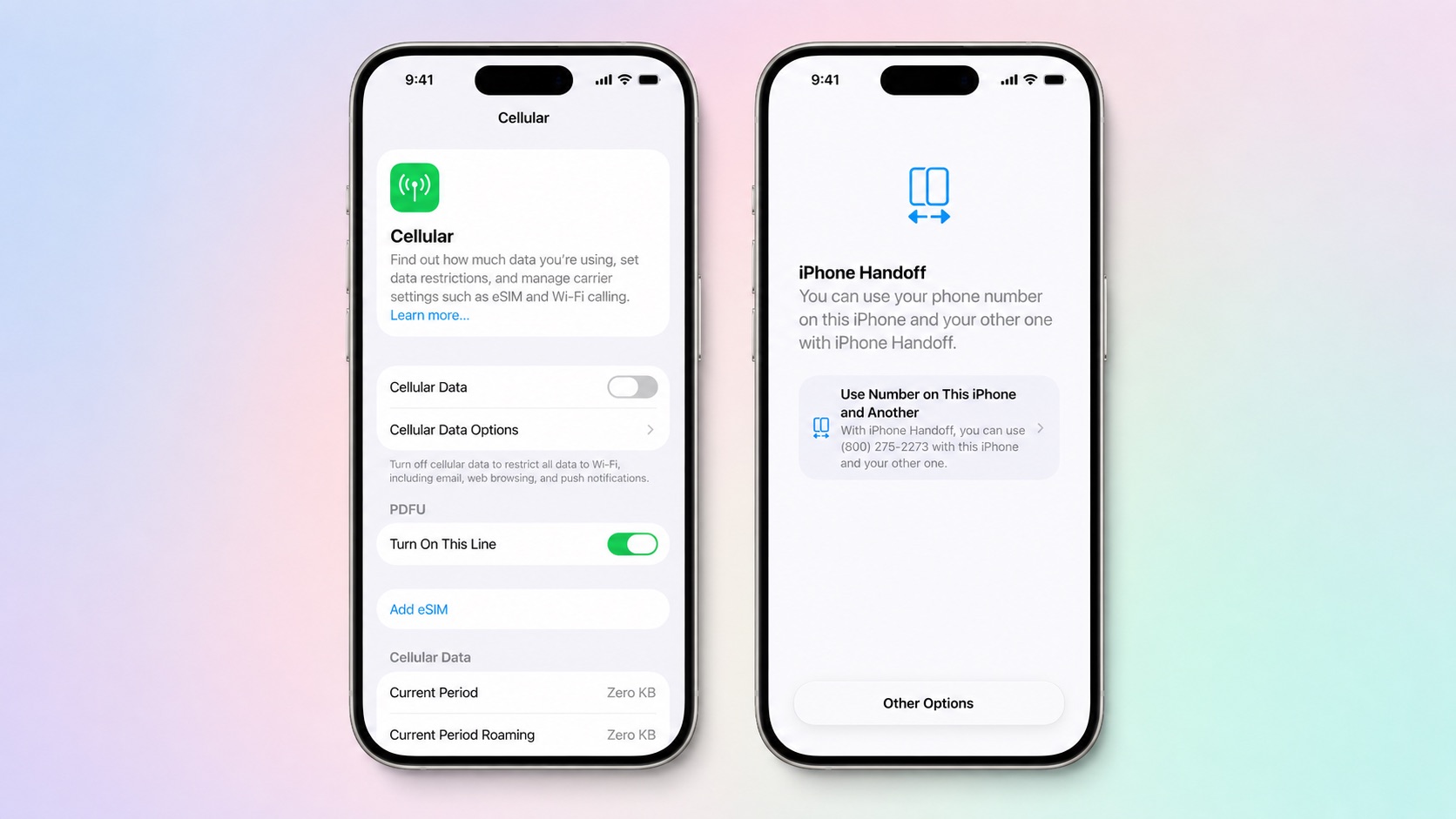
iPhone Handoff can be enabled when setting up a new iPhone. At the "Set Up Cellular" screen, choose "Use Number on This iPhone and Another," then follow the prompts on both phones.

If both iPhones are already set up, open Settings ➝ Cellular on the phone you want to add. Tap Set Up Cellular or Add eSIM, choose Use Number on This iPhone and Another, and follow the prompts. You then get to choose which device is your main iPhone (ideally, the one you use most often) and which is your secondary iPhone.

After setup, unlock either phone to make your number active on it.

What Should You Know Before Switching?


If you have an Apple Watch, it won't switch its pairing to the other device when your phone number moves, so make sure you pair it with the iPhone you expect to use most. Also, some Wallet items, including certain transit passes and IDs, may only work on one device at a time.

Carrier account management and some services like Call Forwarding and Caller ID will remain tied to your main iPhone.

Can I Replace an iPhone That Uses iPhone Handoff?


Yes, but you need to transfer the eSIM from either iPhone to the replacement device. The below steps should be followed while your new iPhone is placed next to your existing devices that use iPhone Handoff.

  1. On your new iPhone (replacement), open the Settings app.

  2. Tap Cellular and then tap Set up Cellular or Add eSIM.

  3. Select an iPhone and tap Continue.

  4. Tap Transfer. (If your carrier doesn't support eSIM transfer from a companion iPhone, you must enroll in iPhone Handoff again: On your iPhone that you are transferring the eSIM from, tap Continue, and follow the onscreen prompts.)

  5. Tap Continue.

  6. Follow the onscreen prompts on both devices.

The eSIM will deactivate on the old iPhone you transferred from.

What If I Want to Stop Using iPhone Handoff?


If you want to stop using iPhone Handoff at any time, you need to contact your carrier. Simply deleting an eSIM from your iPhone may not stop the carrier from charging you for the service.
Related Roundups: iOS 27, iPadOS 27
Related Forum: iOS 27

This article, "iPhone Handoff in iOS 27: How It Works, Pricing, and Carrier Support" first appeared on MacRumors.com

Discuss this article in our forums

  •  

Unboxing – das iPhone 18 Pro Max

19. September 2026 um 10:02

➝ YouTube

Mein Live-Unboxing, hier noch einmal hochauflösend fürs Archiv.

Das 18 Pro ist inzwischen frisch eingerichtet; zwei Stunden hat es diesmal gedauert. Es sind Kleinigkeiten wie das Setup der Wallet-Kreditkarten, die ausbremsen.

Den Prozess habe ich für mich über die Jahre allerdings weitgehend gestrafft – Bankkonten mit verkopften Anmeldeprozeduren sind abgestoßen. Meine Passwort- und Lizenz-Datenbanken sind aufgeräumt. „Passkeys all the way“ – zumindest überall dort, wo sie angeboten werden.

Und ja: Einmalcodes, die per Mail kommen, nerven – sogar ungemein. Allerdings hat der Anbieter dann nie ein Kennwort, das er verdödeln kann.

Was wirklich ärgert: Apples vorinstallierte iOS-Software. Diese Apps einzeln runterzuwerfen, fühlt sich wie eine kleine Ewigkeit an. Aber andersherum: Apps zum Download lassen sich flotter über Spotlight finden als im App Store.

Die meiste Zeit geht für persönliche Einstellungen drauf, die ich unbedingt ändere. Etwa die 4K-Videoaufnahmemodi, alle Anpassungen ans Teilenmenü oder dass etwa iMessages nach 30 Tagen automatisch gelöscht werden.

Allerdings sind es genau diese Einstellungen, durch die sich ein neues Telefon neu anfühlt. Welches alternative App-Icon? Wo platziert?

All das fühlt sich wie ein Umzug an, bei dem man seine Wohnung neu einrichtet – Wände streicht und Möbel rückt. Wie ein Herbstputz ist das anstrengend, aber auch sehr befriedigend.

  •  

#523 – mehr Kleinigkeiten aus iOS 27

16. September 2026 um 14:17

Vier Monate später trugen sich mehr Kleinigkeiten zusammen; iOS 27 ist ein Trog mit vielen kleinen „Quality of Life“-Verbesserungen.

Die Zusammenstellung dieser unscheinbaren Änderungen in jedem Sommer führt regelmäßig zu meinen absoluten Lieblingsvideos.

Hier das Intro der Episode:

Weiterlesen

  •  

„Swipe Down for Search or Ask“

15. September 2026 um 09:51

Ohne Spracheingabe bestand am iPhone nie die Möglichkeit, Spotlight außerhalb des Home- und Sperrbildschirms aufzurufen. Mit Siri AI geht das jetzt – nur nicht bei uns.

Wenn wir über fehlende Funktionen für iOS 27 in der EU sprechen, fehlt mir insbesondere diese Interaktion.

Spotlight, as you know it, is gone in iOS 27. Swiping down from the middle of the Home Screen now opens Search or Ask, where you can type or speak to Siri. Apple rebuilt the underlying search index at the same time, so returned results are more current.

via MacRumors

Für iPadOS existiert ein solcher Hack; fürs iPhone nicht. Apples Telefon benutzt sich signifikant besser, wenn man Spotlight auch aus geöffneten Apps heraus aufrufen kann.

  •  

Siri AI in der EU

13. September 2026 um 15:29

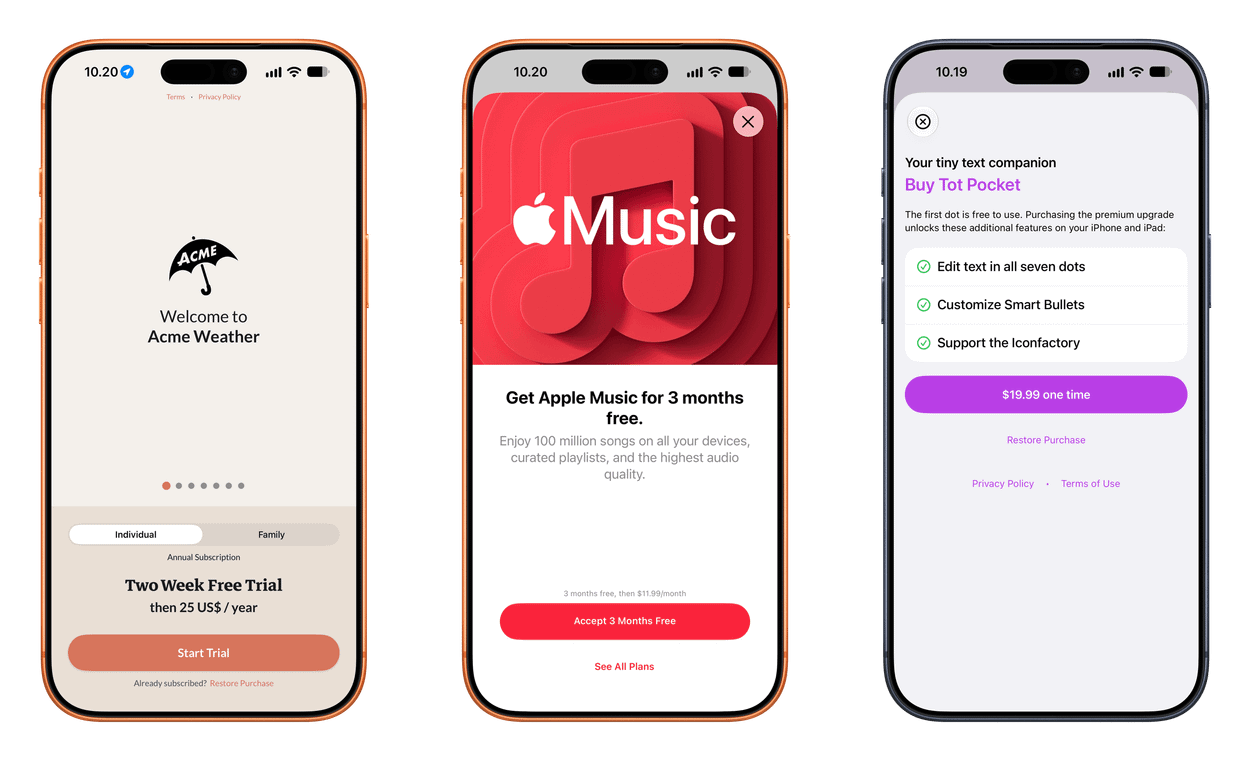
Mit einem US-App-Store-Account zeigt sich Siri AI auch auf iPhones in der EU. So eingeloggt, lassen sich trotzdem noch App-Updates aus dem DE-Store einspielen. Es fehlen jedoch diverse Abo- und Einmalkäufe – wirklich praktikabel ist das also nicht.

This image displays three different iOS application screens featuring subscription and purchase options for Acme Weather, Apple Music, and Tot Pocket.

Oder direkter: Für mich ist das nicht dauerhaft benutzbar und deshalb lediglich ein glorifizierter Testlauf. Am Vorabend von iOS 27 bin ich mit einem externen KI-Abo sowie einer Voice-zu-Text-Tastatur schlicht besser beraten.

Allerdings ist Apples Chatbot derzeit „designed for the masses“ und ich habe keine Zweifel daran, dass er sie so erreicht. Mit den Integrationen in unsere täglich verwendete Software hat der leuchtende Orb größere Ambitionen.

Und ehrlich gesagt: Für Apple ist das genau der richtige Hebel – nur halt noch nicht in der EU.

Mac and Apple Vision Pro users in the EU will be able to access Siri AI when set to a supported language. Siri AI will not be available initially in the EU in iOS, iPadOS, and watchOS. Apple is working hard to find a path forward that preserves its users’ privacy and security.

Apple.com/Newsroom

Dauerhaft tragbar erscheint mir dieser Fork für Europa allerdings nicht: Siri AI strickt iOS grundsätzlich neu – mit fragwürdigen Opt-ins.

Apples integrierte KI ist nicht einfach nur ein Feature, das man nach Belieben an- und wieder ausknipst. Sie stellt iOS fundamental anders auf; auch wenn das heute noch nicht deutlich erkennbar ist.

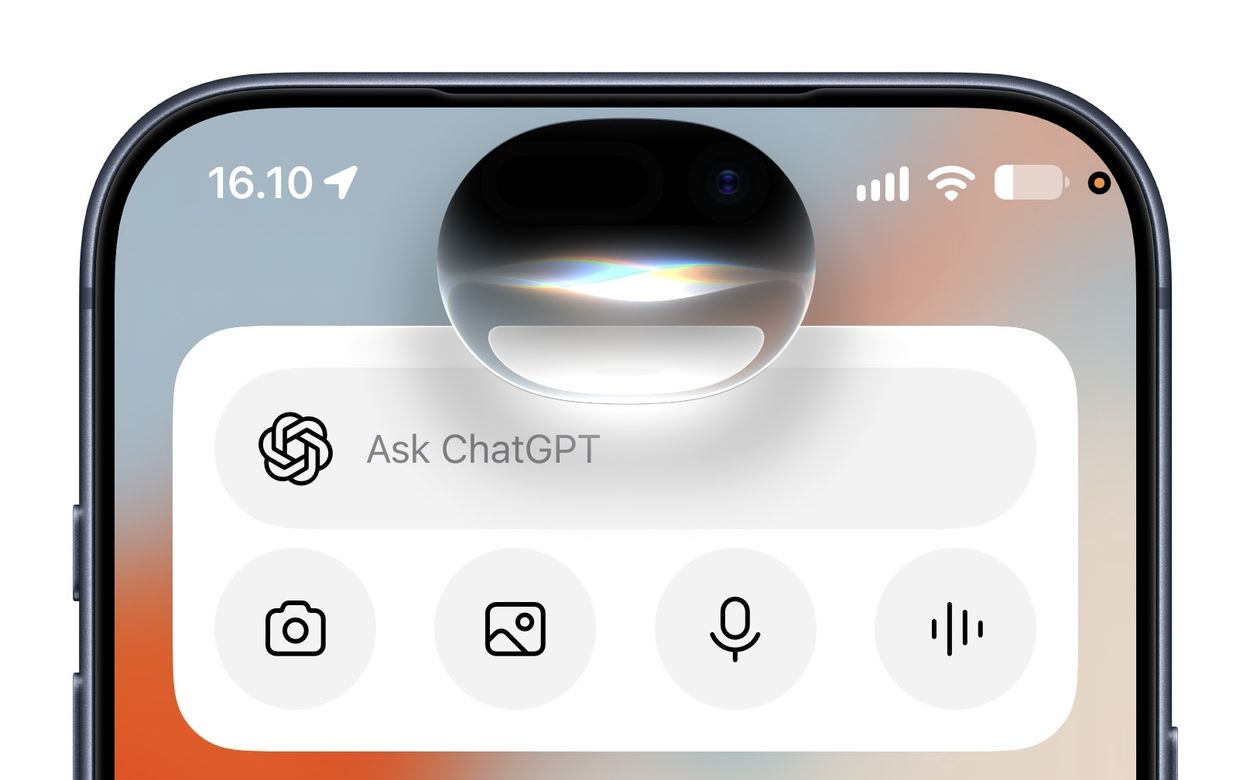
A close-up view of an iPhone screen displaying the Ask ChatGPT widget interface with an active voice interaction animation.

Ich empfinde es als untragbar, dass der Digital Markets Act konkurrierenden KI-Assistenten einen Zugriff auf dieselben tiefen OS-Funktionen ermöglichen will – insbesondere wenn man ohnehin nur die Wahl zwischen den KI-Modellen anderer Tech-Riesen hat.

Und trotzdem scheint mir Apple derzeit in einer Situation, die Suppe auslöffeln zu müssen – allein schon deshalb, weil die eigene Weiterentwicklung von iOS es erfordert.

  •  

iOS 27's 'iPhone Handoff' Feature Limited to T-Mobile and Deutsche Telekom at Launch

Apple is adding a new iPhone Handoff feature in iOS 27 that will let you use the same number on two iPhones and swap between them as needed. iPhone Handoff requires carrier support, and Apple says there may be carrier fees when setting it up.


The new iPhone Handoff option was mentioned at today's event and in the iPhone Duo press release, and it turns out it's going to be limited at launch. Apple says it will only be available on T-Mobile in the U.S. and Deutsche Telekom in Germany when ‌iOS 27‌ comes out.

To use iPhone Handoff, you need two iPhones running ‌iOS 27‌ or later that are connected to Wi-Fi and signed into the same Apple account with FaceTime, iMessage, and Messages in iCloud turned on.

iPhone Handoff can be enabled during new iPhone setup, or in the Settings app. When you set up a new iPhone, you can make your current iPhone your secondary iPhone.

With iPhone Handoff enabled, one iPhone is the main iPhone and the other iPhone is the secondary iPhone that shares the same number. Some carrier services like Call Forwarding, Caller ID, and account management can only be managed on the main iPhone. iPhone Handoff also does not swap your Apple Watch from one iPhone to another.

Moving between a main iPhone and secondary iPhone happens automatically when you unlock one of the devices. Apple says your phone number will automatically become active, and you'll see the message "Switched to this iPhone" to confirm.

A phone number can only be active on one iPhone at a time when using iPhone Handoff. Payment cards in the Wallet app and car keys can work across both iPhones, but Apple warns some Wallet items like transit passes, IDs, or corporate badges might only work on one iPhone at a time.

iPhone Handoff works with Dual SIM as long as both eSIMs are from carriers that support iPhone Handoff. Both eSIMs will switch together simultaneously when you unlock your iPhone. Each eSIM has to be set up separately.

Once set up, iPhone Handoff remains activated until you contact your carrier to turn it off. More information can be found in Apple's support document for the feature.

‌iOS 27‌ is set to launch on Monday, September 14. T-Mobile has not announced iPhone Handoff pricing.
Related Roundups: iOS 27, iPadOS 27

This article, "iOS 27's 'iPhone Handoff' Feature Limited to T-Mobile and Deutsche Telekom at Launch" first appeared on MacRumors.com

Discuss this article in our forums

  •  

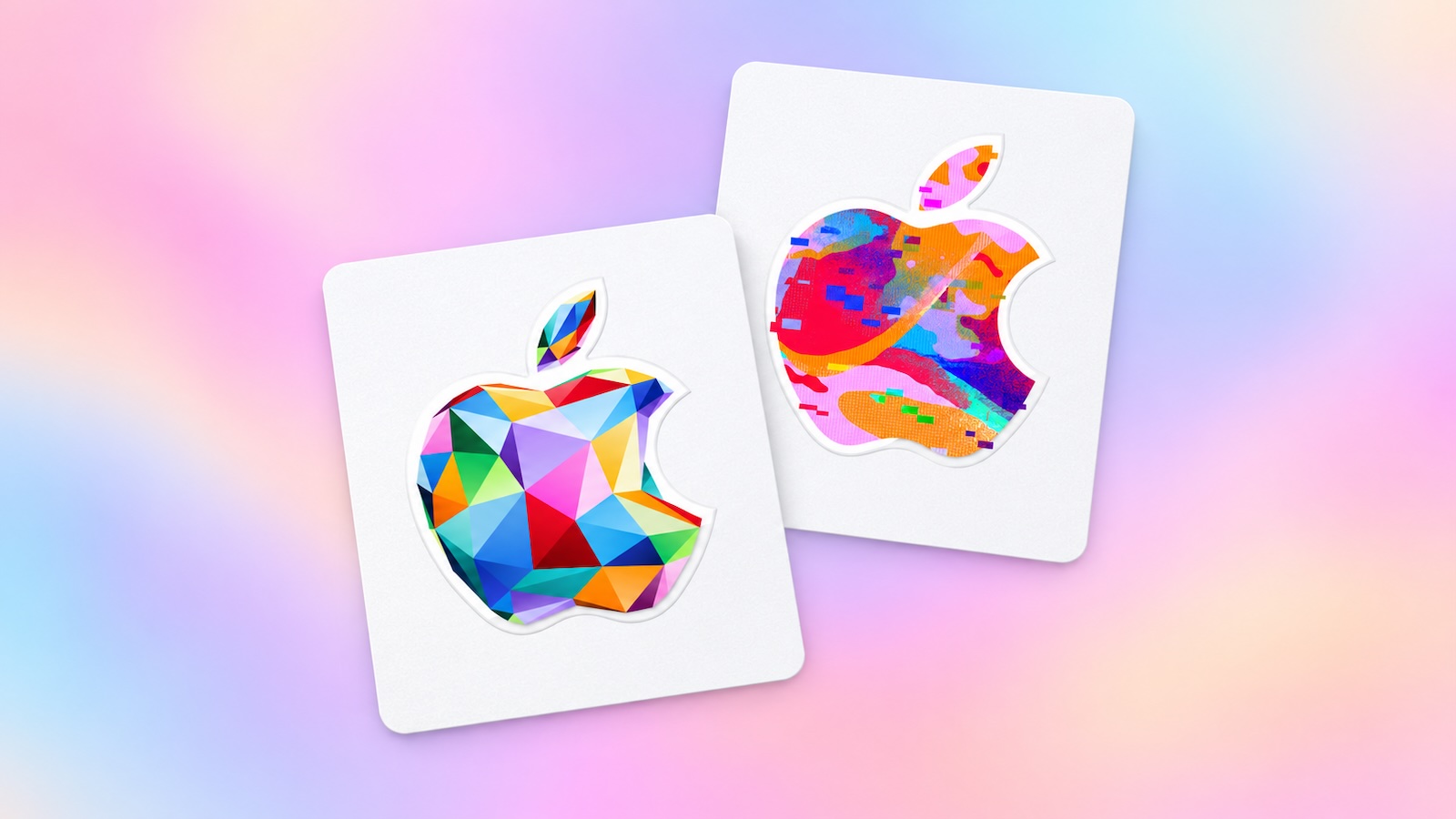
iOS 27 Will Let You Redeem Apple Gift Cards on the Back of Your iPhone

According to new code uncovered in the iOS 27 Release Candidate, there will be a new way to redeem Apple gift cards by tapping them on the back of a compatible iPhone.

Apple's gift cards will have a security chip that the iPhone will scan to verify that the card is authentic and unspent, according to MacRumors contributor Aaron Perris. He said the redeem flow will have "this card has been blocked" or "cancelled" screens, seemingly to reduce attempted scams.
Related Roundups: iOS 27, iPadOS 27

This article, "iOS 27 Will Let You Redeem Apple Gift Cards on the Back of Your iPhone" first appeared on MacRumors.com

Discuss this article in our forums

  •  

iPhone Duo Will Ship With iOS 27.1, Hinting at Update's Release Date

Apple says the iPhone Duo will ship with iOS 27.1 when it launches this October, which gives us a hint at when the first major iOS 27 update will come out.


The ‌iPhone Duo‌ will be available on October 23, so iOS 27.1 should be released shortly before that date. Last year, iOS 26.1 didn't come out until November 3, but we're expecting iOS 27.1 about two weeks earlier.

iOS 27.1 will include updated app layouts built for the ‌iPhone Duo‌'s dual displays and its new vertical dock.

The iPhone 18 Pro models will ship with ‌iOS 27‌ and are set to launch on September 18, so the ‌iPhone Duo‌ is coming just over a month later. ‌iOS 27‌ will launch on September 14.

Apple will accept pre-orders for the ‌iPhone Duo‌ on October 16, a week ahead of the October 23 launch.
Related Roundups: iOS 27, iPadOS 27, iPhone Duo

This article, "iPhone Duo Will Ship With iOS 27.1, Hinting at Update's Release Date" first appeared on MacRumors.com

Discuss this article in our forums

  •  

KeepDates – damit kein Geburtstag überrascht

06. September 2026 um 16:38
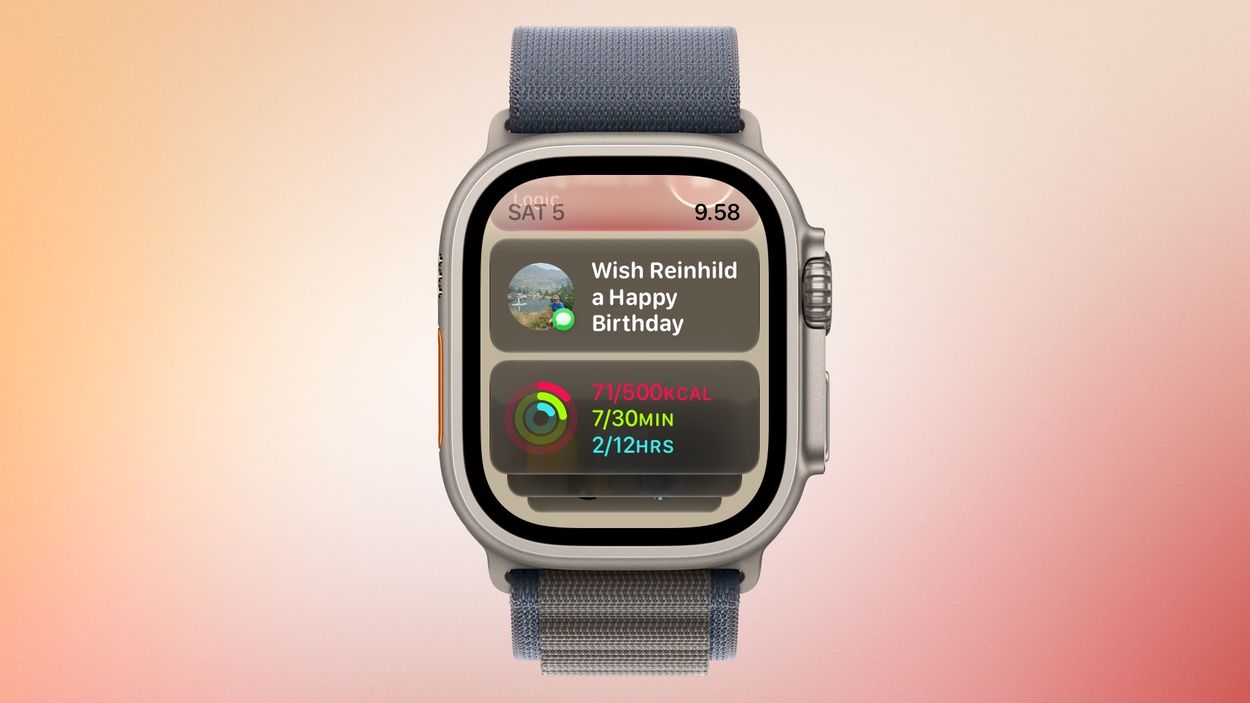
An Apple Watch Ultra display showing a Smart Stack with birthday notification and activity ring widgets.

iOS 27 zeigt penetranter und in mehr digitalen Ecken die Geburtstage eurer Kontakte. Das funktioniert bereits in der Beta recht zuverlässig. Als vorausschauenden Kalender für die Darstellung dieser Jahrestage von Freunden und der Familie empfinde ich Cardhop als äußerst gelungen.

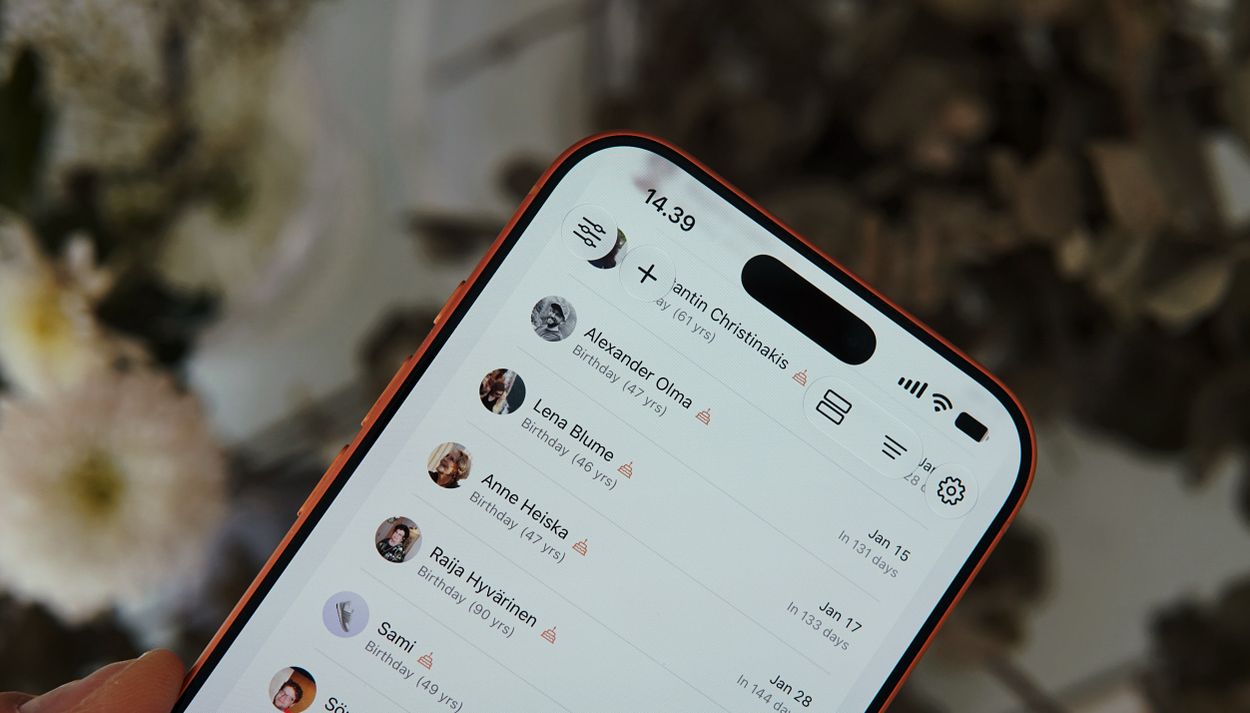
A screenshot of a mobile birthday tracking application showing a list of upcoming birthdays for various contacts.

KeepDates (4 EUR) liefert mir eine gleichwertige Vorschau (auch als Widget) und beinhaltet auf Wunsch übersichtlich alle Jahrestage oder andere Jubiläen, die ihr in den iOS-Kontakten hinterlegt habt.

Wusstet ihr, dass man in den Kontakten persönliche Erinnerungstage hinterlegen kann? Beispielsweise „kennengelernt am …“ oder „ein Pärchen seit …“

Ich nicht!

Obendrein setzt ihr in KeepDates für individuelle Personen einen Push-Alarm und vermerkt, wenn ihr euch bereits um eine Feierlichkeit gekümmert habt – beispielsweise indem schon ein Geschenk besorgt wurde.

Die Visualisierung für diesen Geburtstagskalender, der sich aus der iOS-Kontaktdatenbank speist, steht für meine Anforderungen im Vordergrund. Auch deshalb, weil ich natürlich nicht täglich in meinen Terminplaner schaue.

Auch die anderen Eckdaten stimmen: KeepDates besitzt ein unaufgeregtes, aber modernes iOS-Design. Es ist über einen Einmalkauf zu erwerben und vermeidet jede Online-Konto-Abhängigkeit.

  •  

Apples Teilenmenü – auch in iOS 27 unverändert

29. August 2026 um 18:59

Auch iOS 27 bringt keine strukturellen Änderungen ins Teilenmenü; es bleibt damit mehr oder weniger unverändert seit 2019.

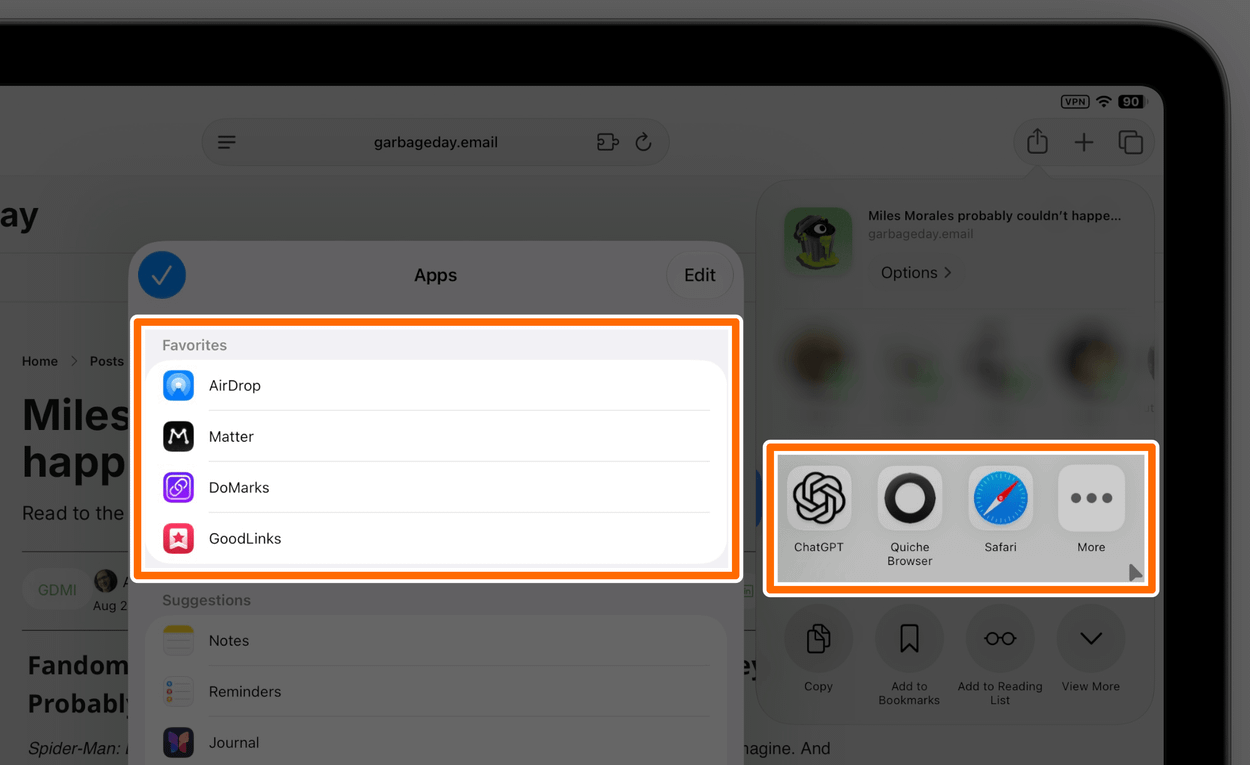
A screenshot showing an iPad share sheet menu with lists of favorite and suggested apps.

Dass Personen dort standardmäßig auftauchen, finde ich weiterhin wild – insbesondere, weil euch dort nicht ausschließlich Freunde und Familie anschauen. Gelegentlich überrascht euch iOS dort etwa mit einem Slack-Arbeitskollegen.

Immerhin lässt sich die komplette Zeile unter Siri ➝ „Beim Teilen anzeigen“ abschalten. So tief verbuddelt findet diese Einstellung aber niemand. Der lange Druck auf den Kopf einer einzelnen Person, um sie „weniger“ vorzuschlagen, hilft mir dagegen wenig. Ich möchte nicht weniger, sondern gar nicht.

Absolut unverständlich ist mir die Unterscheidung zwischen „Suggestions“ und „Favorites“ für Apps, wenn es eigentlich nur um eine prominentere Platzierung geht, zumal sich einige Vorschläge gar nicht ausblenden lassen.

Das „Share Sheet“ ist keine simple Liste der installierten Apps, gibt sich aber so aus. iOS packt Systemdienste, App Extensions sowie Apps, die bestimmte Datentypen verarbeiten, optisch in derselben Reihe – weshalb sich einige Anwendungen über ihren Schalter abknipsen lassen, andere aber nicht.

Und über die dortige Sortierung müssen wir nicht sprechen, oder?

Während die Zeile mit Apps primär der Übergabe von Inhalten dient – „Wohin damit?“ –, fragt die darunterliegende Liste mit Actions: „Was damit tun?“ Oft überschneiden sich hier jedoch Funktionen, was die Unterteilung redundant macht.

Mein grundsätzliches Problem mit dieser Aufzählung aus Aktionen ist aber ihre fehlende Übersichtlichkeit. Nicht alle Bezeichnungen verraten, zu welcher Anwendung eine Funktion gehört. „Convert to PDF“ öffnet etwa PDF Expert; die Action „Annotate“ gehört zu dieser App.

Andererseits muss ich oft zweimal lesen oder aufs App-Icon schauen, um zu checken, dass sich „Add to Play“ auf die Anwendung Play bezieht oder „Ask Assistant“ diese App startet.

Diese Liste benötigt Pflege. Und sind wir ehrlich: Niemand räumt dort auf! Sobald auf einem iPhone ein paar Dutzend Apps installiert sind, traut man sich dort schlicht nicht mehr rein.

Und das ist im Wesentlichen die Standardkonfiguration: So sieht das auf jedem iPhone aus; unverändert seit Jahren.

  •  

iOS 27: Connectivity Assist im Alltag

23. Juli 2026 um 06:22

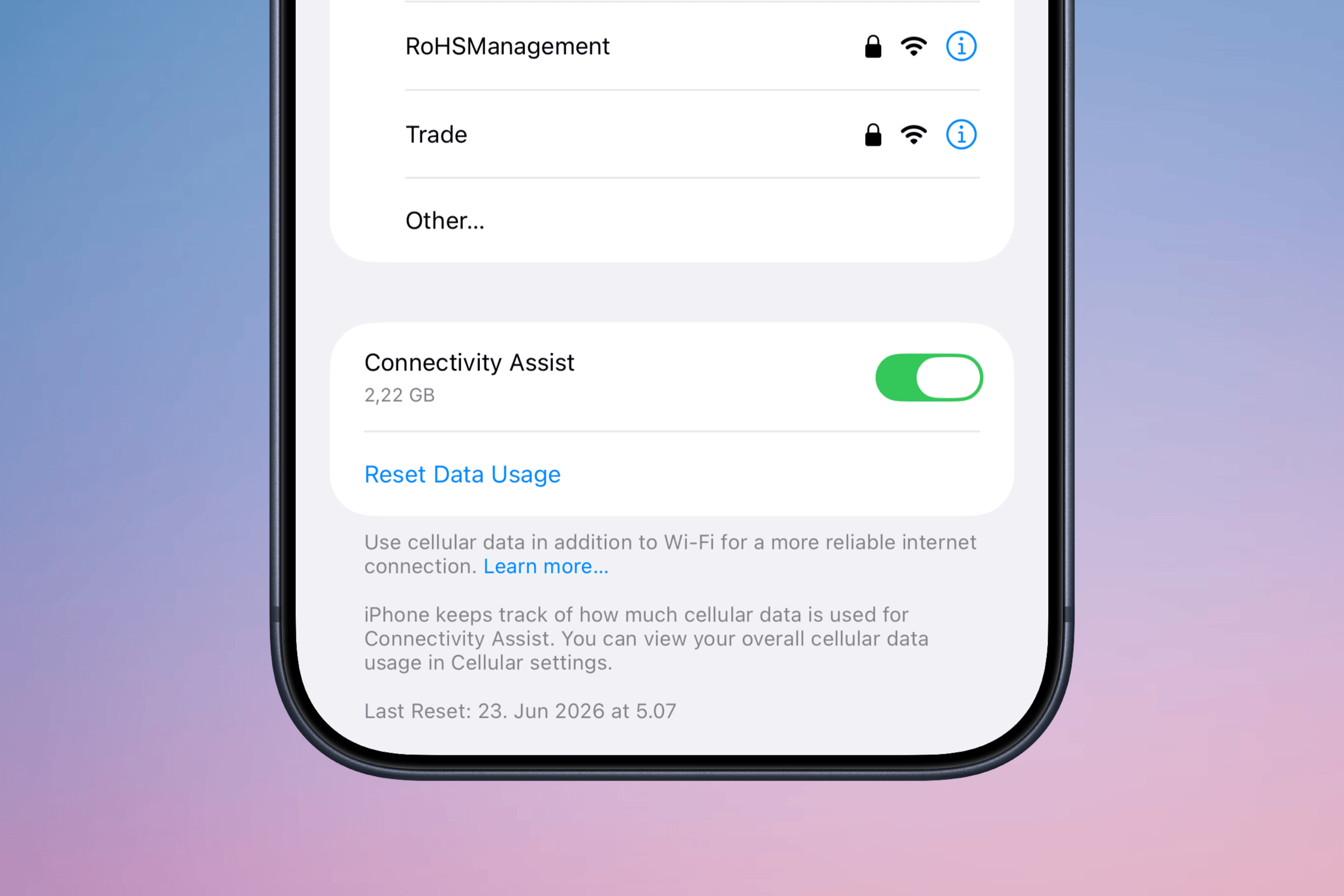
„Wi-Fi Assist“ war seit iOS 9 der eingeschränkte Versuch den Netzwerkwechsel zwischen Wi-Fi und Mobilfunk zu beschleunigen. „Connectivity Assist“ ist der neue Name für das Feature in iOS 27, das proaktiver den Datenverkehr lenkt und die Mobilfunkverbindung zusätzlich heranzieht, wenn das Wi-Fi schwächelt.

Anstelle von Downloads streame ich Podcasts und Texte, die ich mir vorlesen lasse. Dabei merke ich den stolpernden Netzwerkwechsel beim Verlassen der eigenen vier Wände regelmäßig. Seit iOS 27 gestaltet sich diese Übergabe fast reibungslos. iOS 27 zählt den dabei anfallenden Mobilfunk-Traffic mit.

Smartphone-Bildschirmansicht der Einstellungen für „Connectivity Assist“ mit einem Datenverbrauch von 2,22 GB, einem Umschalter und erklärendem Text zur Nutzung mobiler Daten für eine stabilere Internetverbindung.
  •  

Tastatur, Maus – nun Stimme.

16. Juli 2026 um 22:26

Wispr Flow, Willow Voice oder „Dictation“ von Voicenotes: Sprache entwickelte sich quasi über Nacht zu einem neuen Eingabegerät für Computer – auf Augenhöhe mit Tastatur und Maus. Sie ist nicht neu, aber in puncto Latenz, kontextueller Einordnung sowie sprachlicher Bereinigung plötzlich mehr als ein Diktat.

GPT‑Live ist erschreckend gut; Apples „Advanced Dictation“ in der Beta von iOS 27 hält da noch nicht mit, liefert aber ausdrucksvolle Stimmen.

Noch existieren qualitative Unterschiede zwischen den verschiedenen Angeboten. Alle verbessern sich jedoch rasant, und es ist nur eine Frage der Zeit, bis integrierte Systemfeatures übernehmen und die dedizierten Apps verdrängen. Ich erwarte, dass Wispr Flow, Willow Voice und Co. eher früher als später keine eigenständigen Start-ups mehr bleiben. Basismodelle werden austauschbar; OS-Hersteller integrieren dieselbe Funktion ohne Kosten.

„KI-gestützte Sprachdiktate“ nannte ich die Funktion bislang. Zukünftig sprechen wir wahrscheinlich nur noch schlicht von „Sprache“ und müssen dafür keine separate Einstellung aktivieren. Wie absurd wäre es, Maus und Tastatur vor jeder Nutzung zu aktivieren!?

Was für Gibberish ich manchmal diktiere und trotzdem verstanden werde, ist sicherlich noch faszinierender, wenn man aus dem Zeitalter von Dragon NaturallySpeaking kommt. Ich merke jedoch, wie ich Eigennamen und explizite Schreibweisen von Begriffen inzwischen unbewusst voraussetze.

Transkription ist weitgehend ein gelöstes Problem – das habe ich intellektuell akzeptiert. Das Ganze jedoch in Echtzeit und bereinigt von jedem Stottern sowie allen Füllwörtern und Pausen zu bekommen, bleibt faszinierend. So wird nicht nur mitgeschrieben, sondern interpretiert.

Ich vermute, dass diese Eingabemethode noch nicht spektakulärer erscheint, weil sie a) noch von zu wenigen Menschen genutzt und b) lediglich als reine Niederschrift verstanden wird – obwohl gerade das Sprachverständnis der entscheidende Sprung nach vorn ist.

  •  

#513 – Remote Work am Pool

09. Juli 2026 um 13:28

Dies ist (k)eine bierernste Analyse meiner Arbeitsleistung aus zwei Urlaubswochen, sondern eher eine Machbarkeitsstudie fürs tägliche Bloggen trotz familiärer Verpflichtungen.

Hier das Intro der Episode:

Weiterlesen

💾

  •  

Copy, Action, Paste

27. Juni 2026 um 11:17

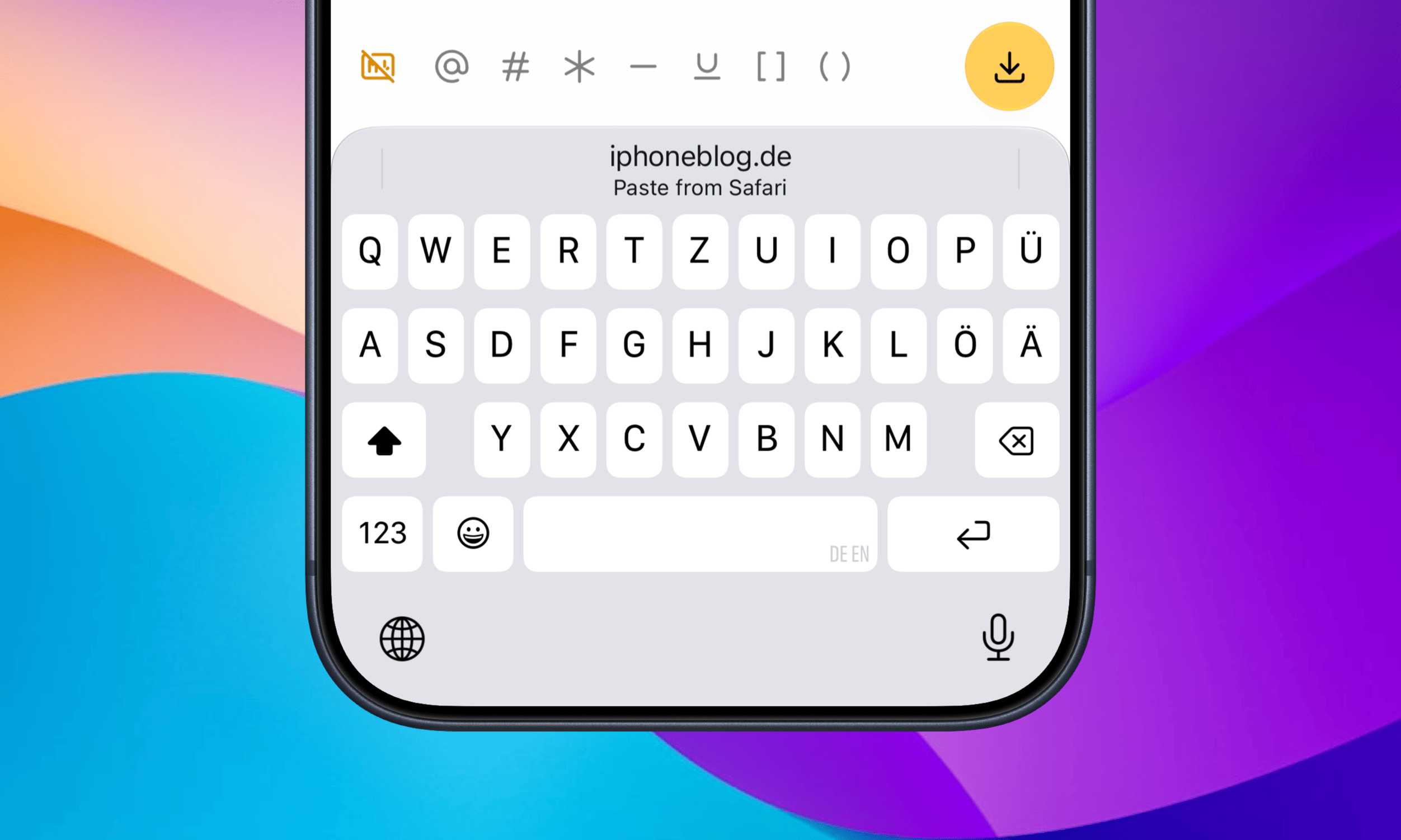
Seit 50 Tagen liegt der Clipmunk-Shortcut für den Workaround einer Zwischenablage auf meinem Action-Button. Mit iOS 27 gestaltet sich das Einfügen vormals kopierter Texthäppchen noch bequemer, weil eure Buchstabensuppe als Vorschlag direkt oberhalb der Tastatur auftaucht und mit nur einem Fingerzeig eingefügt ist.

Nahaufnahme eines Smartphone-Bildschirms mit einer QWERTZ-Tastatur und einer Vorschlagsleiste, die anbietet, Text aus dem Webbrowser einzufügen.

Eine Kleinigkeit, die jedes Mal ein paar Sekunden spart.

Es ist eines der besten neuen Features, das gerne auch dann auftauchen darf, wenn der Cursor nicht komplett alleinstehend im Textfeld sitzt – beispielsweise zwischen (runden) und [eckigen] Klammern. Oder noch besser: als dedizierte Keyboard-Taste, wie der Emoji-Button.

  •  
❌