
❌

Normale Ansicht

MKBHD is 'Not Convinced' About Apple's New HomeView, Here's Why

Apple this week introduced an all-new HomeView smart home hub, but popular tech reviewer Marques Brownlee is "not convinced" about it.
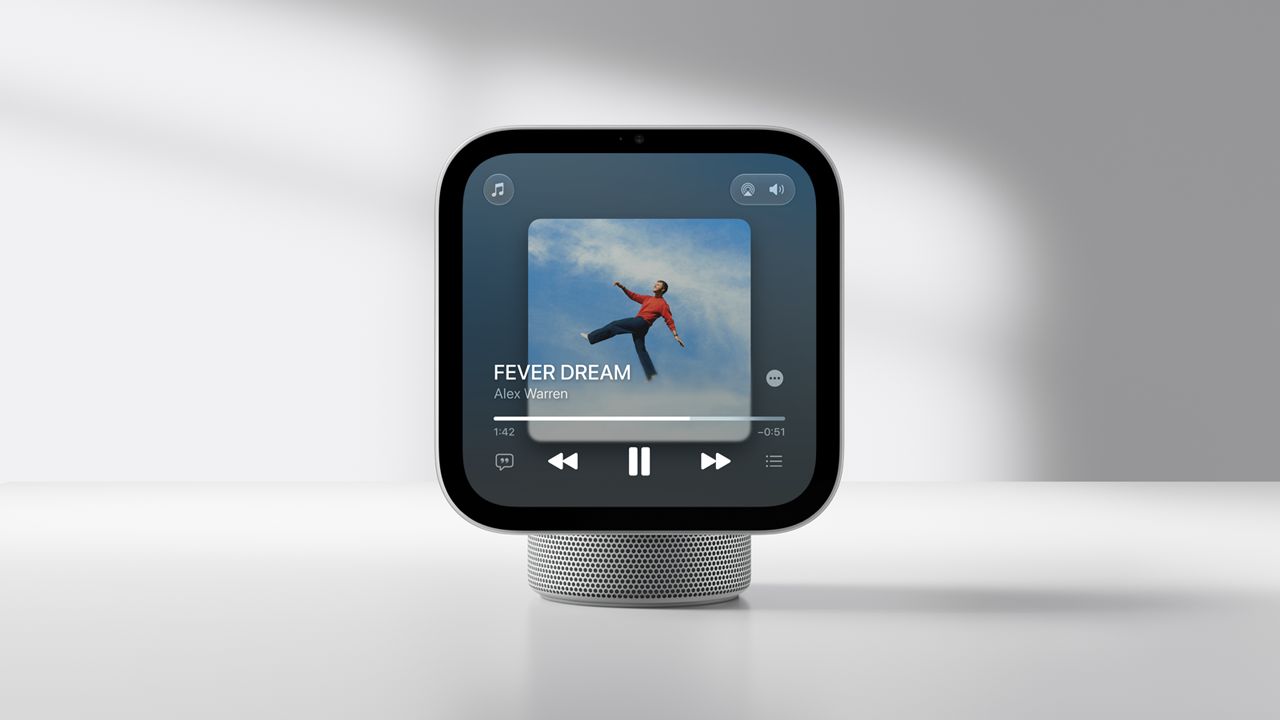

In his HomeView impressions video on his YouTube channel MKBHD, Brownlee said "I cannot figure any group that this is actually ideal for."

HomeView has a lot of overlap with other Apple devices, including the iPhone, iPad, Apple Watch, and HomePod. Brownlee said the HomeView does not provide enough "extra value," leading him to believe that the device should be "a skip for most people."


HomeView lacks an App Store, which limits its usefulness, but it can also display CarPlay-enabled audio and video apps from a paired iPhone.

Do you think the HomeView is a useful addition to the Apple ecosystem? Let us know your thoughts in the comments section.
Related Roundup: Apple HomeView
Tag: MKBHD
Buyer's Guide: HomeView (Buy Now)

This article, "MKBHD is 'Not Convinced' About Apple's New HomeView, Here's Why" first appeared on MacRumors.com

Discuss this article in our forums
  •  

Apple's Wall-Mounted HomeView Ships Without a Power Adapter

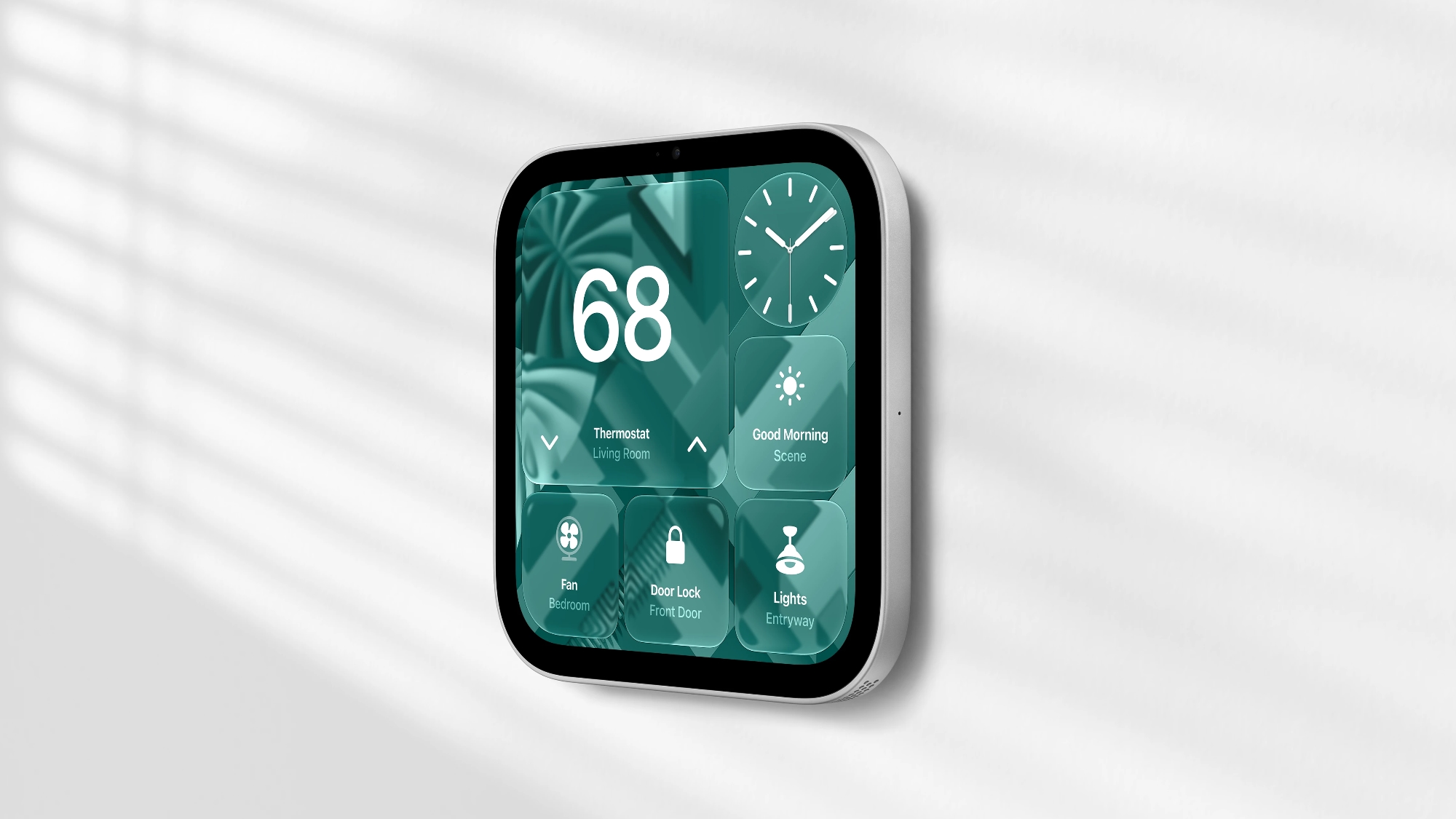
Apple's wall-mounted HomeView will ship without a power adapter, USB-C cable, or mount, requiring customers to purchase compatible accessories separately.


In a support document posted on October 14, Apple outlined different power requirements for the two versions of its new smart home hub. The tabletop HomeView requires a USB-C power adapter rated for at least 30W, supporting an output of 15V at 2A or higher. The wall-mounted model requires at least 20W, with support for 9V at 2.22A or higher.

The tabletop model includes a 30W power adapter and a 1.5-meter USB-C cable. The wall-mounted version's box contains only the device and documentation.

Customers choosing the wall-mounted HomeView will need a compatible third-party mount and power solution. Depending on the mount, the device can use a separate USB-C cable and power adapter or a hardwired connection to line power.

If the power requirements are not met, HomeView will display a "Power Adapter Not Supported" message, accompanied by a lightning bolt and yellow warning triangle. For a wall-mounted unit, Apple suggests testing the device outside its mount with a compatible USB-C cable and adapter. If it works when connected directly, customers should contact the mount manufacturer or their professional installer.

Apple introduced the HomeView earlier this week, featuring a 7-inch Liquid Retina display, an A18 chip, and Siri AI. Both models are available to pre-order for $299 in the United States, with availability beginning on November 13.
Related Roundup: Apple HomeView
Buyer's Guide: HomeView (Buy Now)

This article, "Apple's Wall-Mounted HomeView Ships Without a Power Adapter" first appeared on MacRumors.com

Discuss this article in our forums
  •  

10 HomeView Features You Might Have Missed

Apple plans to launch the HomeView on November 13, so we have a month to go until we can learn more about it. Right now, we're limited to the information Apple has shared and what members of the media learned during limited hands-on time.


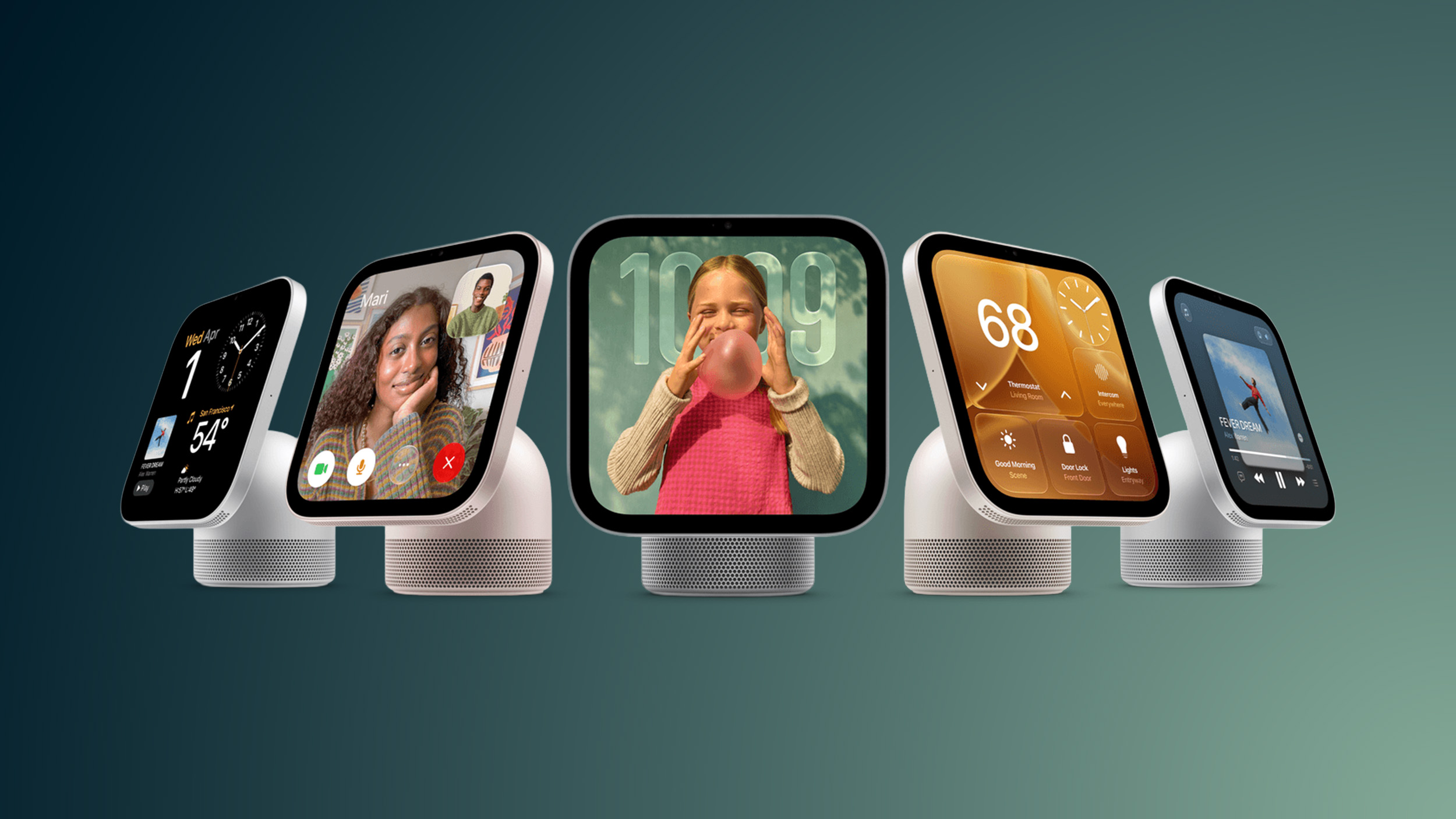
We've rounded up some interesting HomeView tidbits you might have missed.

  • Recipe walkthroughs - HomeView makes Safari recipes easier to follow by pulling out the ingredients and steps. You can tap on a "Start Cooking" button to get step-by-step instructions you can use as you cook. The device also supports multiple voice-activated timers.

  • Siri access - You can say Siri (English only) or Hey ‌Siri‌ for hands-free access, but there are also options for activating ‌Siri‌ with a swipe down from the top of the display or using Type to ‌Siri‌.

  • Apple Intelligence - HomeView has some Apple Intelligence features built in. You or members of your household can use ‌Siri‌ AI for general knowledge questions if you don't have an ‌Apple Intelligence‌ iPhone or iPad, but you do need one for any requests involving personal context.

  • Guests - Personal data is private, but guests can control smart home accessories, check the weather, set timers, and play music. Visitors can also AirPlay audio to the HomeView using peer-to-peer discovery.

  • Adaptable interface - HomeView can tell when someone is approaching and parts of the interface will change based on proximity. If someone is across the room, it shows less information in a larger view. As the person approaches, the view can change to show more information.

  • Faces - HomeView has multiple customizable faces similar to watch faces. Apple says some faces can "wake with you in the morning, wind down with you at night." The Snoopy face, for example, has different animations based on time of day, weather, and holidays.

  • Third-party apps - There's no App Store, but the HomeView has CarPlay-like software capabilities. It can show CarPlay audio and video apps from a linked iPhone. There are no ‌CarPlay‌ video apps except for Apple TV, so app developers will need to add support.

  • Handoff - You can transfer songs, podcasts, calls, videos, and recipes from the iPhone to the HomeView.

  • Live Activities - HomeView supports Live Activities, so if you have a timer running or get an incoming Intercom message, content will be visible while you use other apps.

  • Sensors and HomeKit - The HomeView has temperature and humidity sensors that can be used in Home app scenes and automations. It also serves as a home hub for controlling HomeKit and Matter devices when you're away from home.


HomeView is available for pre-order now, and it will launch on November 13. It is priced at $299 and comes in either a tabletop version with a speaker base or a wall-mounted version.
Related Roundup: Apple HomeView
Buyer's Guide: HomeView (Buy Now)

This article, "10 HomeView Features You Might Have Missed" first appeared on MacRumors.com

Discuss this article in our forums
  •  

Apple's Long-Delayed HomeView Was Already Being Tested in 2024

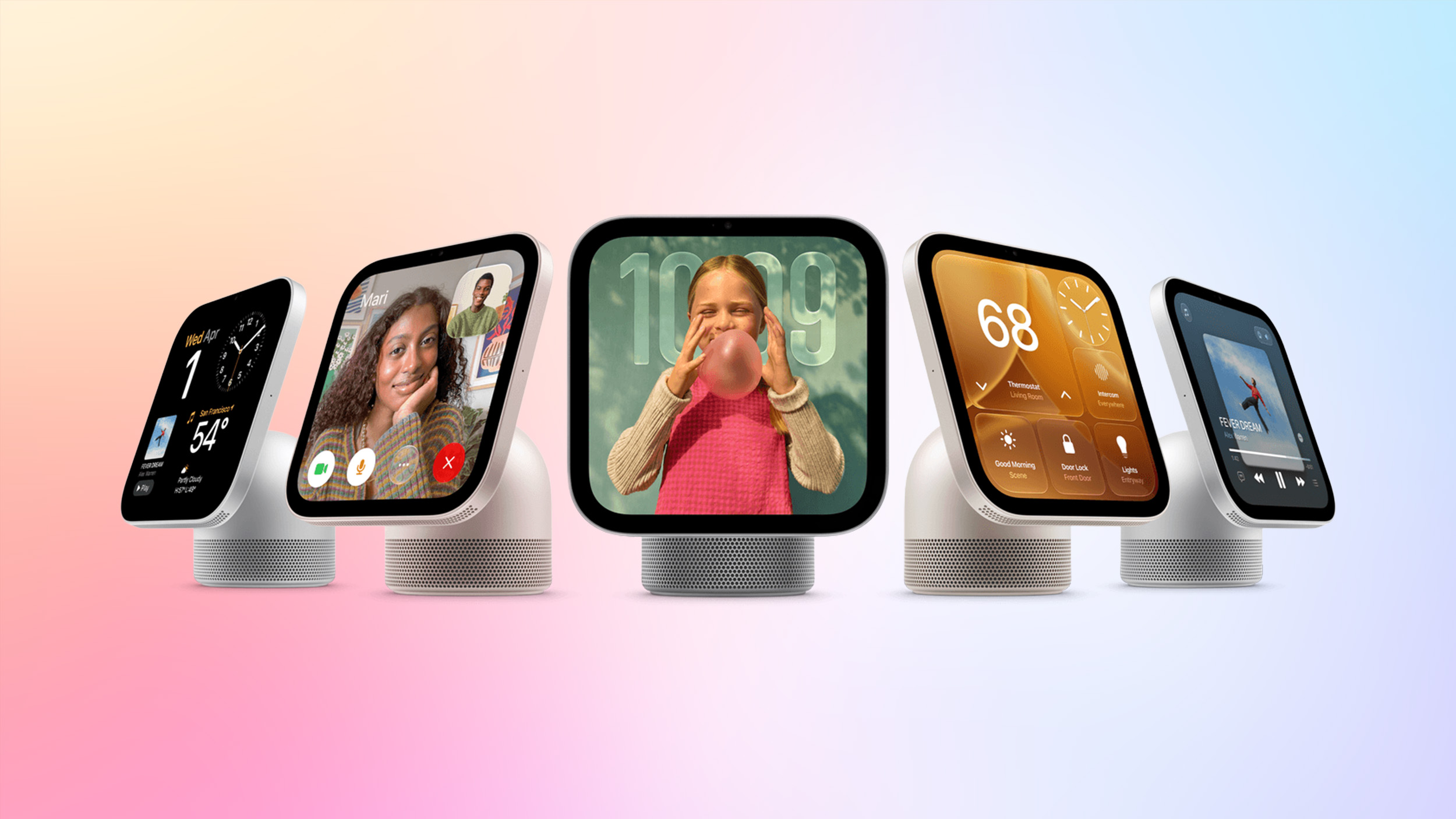
Apple's new HomeView underwent regulatory testing in October 2024, and it was running what would now be known as HomeView software version 18, according to an FCC document uncovered by MacRumors contributor Aaron Perris.

The document provides the clearest evidence yet that the HomeView was held up due to Siri AI's delayed launch. Apple initially previewed the more intelligent version of Siri at WWDC 2024, but in March 2025 the company announced that it needed more time to get it ready. Siri AI finally launched this September.
Related Roundup: Apple HomeView
Buyer's Guide: HomeView (Buy Now)

This article, "Apple's Long-Delayed HomeView Was Already Being Tested in 2024" first appeared on MacRumors.com

Discuss this article in our forums
  •  

Apple HomeView Has These 15 Apps, Some CarPlay Apps and Widgets Also Supported

Apple's tech specs page for its all-new HomeView smart home hub contains a list of all of the built-in Apple apps available on the device.


While it has no App Store, the HomeView can also display CarPlay-enabled audio and video apps from a paired iPhone. This includes Audiobooks, Apple Music Classical, Apple News, and Apple TV, along with third-party apps such as Spotify, according to WIRED.

The full list of built-in Apple apps on the HomeView:

  • Alarms

  • Calendar

  • FaceTime

  • Find My

  • Home

  • Intercom

  • Messages

  • Music

  • Podcasts

  • Reminders

  • Safari

  • Settings

  • Timers

  • Weather

  • World Clock

CarPlay-enabled apps from iPhone available on HomeView:

  • Apple Music Classical

  • Apple News

  • Apple TV

  • Audiobooks

  • "Supported third-party audio and video apps" such as Spotify

The latest version of the Apple Developer Program agreement confirms the availability of certain CarPlay apps and widgets on the HomeView.

HomeView is available to pre-order now and launches Friday, November 13.
Related Roundups: CarPlay, Apple HomeView
Tag: Widgets
Buyer's Guide: HomeView (Buy Now)

This article, "Apple HomeView Has These 15 Apps, Some CarPlay Apps and Widgets Also Supported" first appeared on MacRumors.com

Discuss this article in our forums
  •  

Apple HomeView Includes Temperature and Humidity Sensors

Apple's new HomeView includes temperature and humidity sensing, allowing the smart home hub to monitor indoor conditions and supply readings to the new thermostats developed with LG Electronics and Schneider Electric.


Apple's technical specifications confirm that both the tabletop and wall-mounted HomeView have a temperature and humidity sensor. The hardware is listed alongside the ambient light sensor and accelerometer.

There are several limitations for the HomeView's readings. Temperature and humidity sensing is optimized for indoor domestic environments with ambient temperatures around 59°F to 86°F, and relative humidity around 30% to 70%.

Accuracy may decrease when HomeView plays audio at high volume for an extended period. The sensors also require time to calibrate immediately after startup before results appear.

According to Apple, the LG and Schneider Electric thermostats in the "Apple Home Collection" can obtain temperature and humidity readings from multiple rooms using sensors built into HomeView, HomePod, and ‌HomePod‌ mini, as well as dedicated sensors from either manufacturer. The thermostats also support Adaptive Temperature in the Home app, which uses on-device intelligence from iPhone to adjust settings based on whether someone is home, winding down for the night, or away.

LG's Temperature Sensor and the Schneider Home Room Sensor will each start at $39.95 in the United States, while the companies' thermostats will each start at $199.95. Both HomeView models cost $299 in the United States and launch on November 13.
Related Roundup: Apple HomeView
Buyer's Guide: HomeView (Buy Now)

This article, "Apple HomeView Includes Temperature and Humidity Sensors" first appeared on MacRumors.com

Discuss this article in our forums
  •  

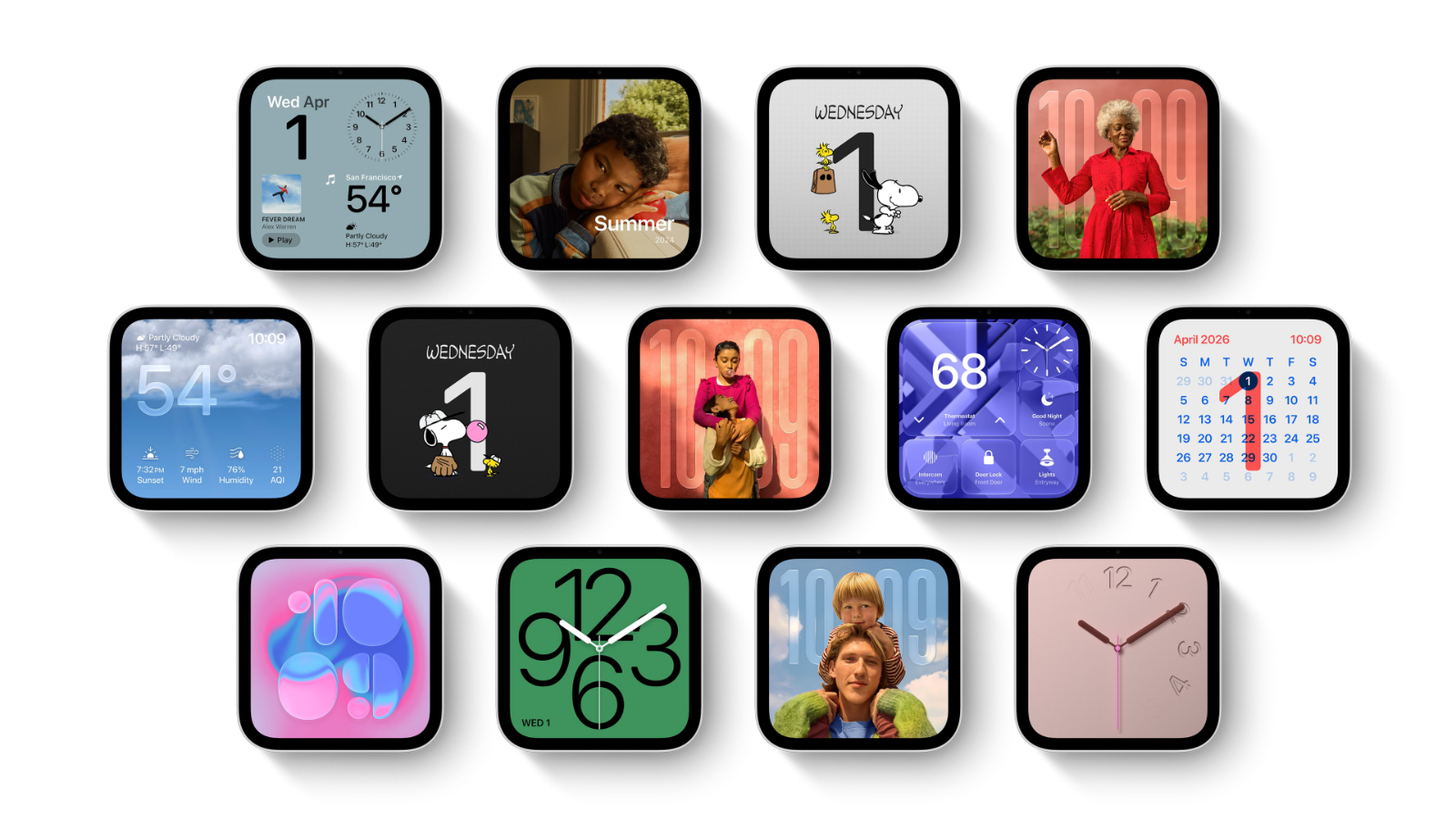
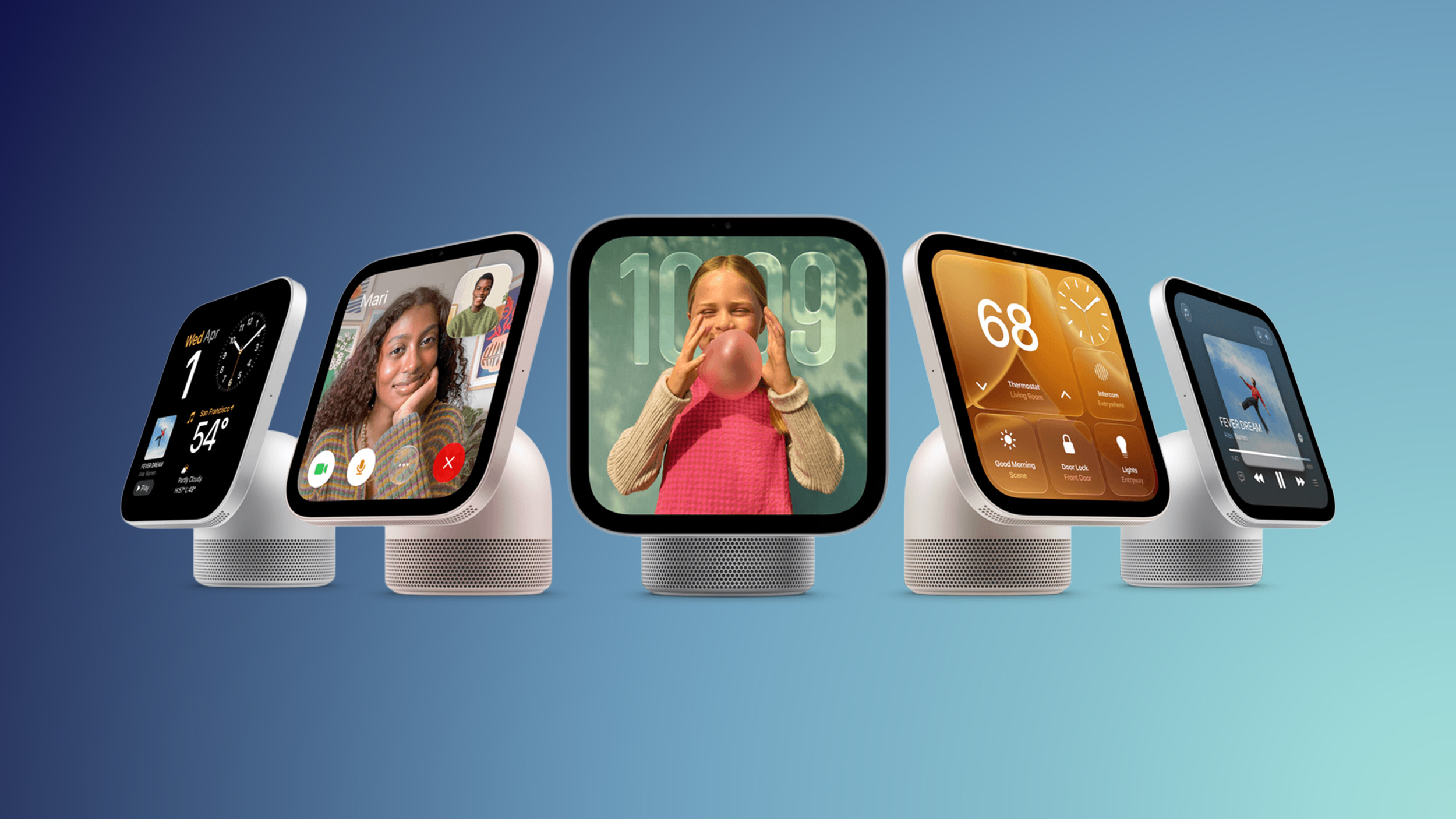
HomeView's Faces Include Snoopy, Photos, and Interactive Artwork

Apple's HomeView includes customizable faces for photos, animations, and smart home controls.


Faces Apple has named so far include:


  • Photos

  • Flow

  • Snoopy

  • Calendar

  • Weather

  • Home Modular

  • Home Camera


Other clock and widget layouts appear in Apple's promotional images, but have not yet been named. Apple says that selected faces change throughout the day, with different appearances for mornings and evenings.

The ‌Photos‌ face turns the HomeView into a digital picture frame, displaying a single image or rotating through a collection. It uses Portrait-style depth effects to keep the subject sharp while blurring the foreground and background. Shared albums also allow friends and family to contribute pictures remotely.

For an animated display, the Flow face responds to physical presence and movement, changing its colors and light as people move nearby. The Snoopy face features animations that reflect the time of day, weather, sporting events, and holidays.

Other faces provide direct access to smart home information. Home Modular offers quick access to favorite accessories, while Home Camera can livestream up to nine camera feeds simultaneously.

The HomeView's interface adjusts to the user's distance, presenting simpler information that can be read from across the room and more detail as they move closer. Its 7-inch Liquid Retina display also automatically adjusts brightness, ranging from 500 nits down to 0.3 nits for use at night.

Both the tabletop and wall-mounted HomeView models launch on November 13 and cost $299 in the U.S.
Related Roundup: Apple HomeView
Tag: Photos
Buyer's Guide: HomeView (Buy Now)

This article, "HomeView's Faces Include Snoopy, Photos, and Interactive Artwork" first appeared on MacRumors.com

Discuss this article in our forums
  •  

Apple's HomeView Repair Fees Revealed

If you damage Apple's new HomeView smart home hub, here is what the repair fees are set at: $39 with AppleCare+ coverage and $279 without. These fees apply to any type of damage to either the tabletop or wall-mounted HomeView models.

In the U.S., AppleCare+ coverage for the HomeView is priced at $2.49 per month or $24.99 per year until canceled, or you can opt to add the device to the AppleCare One bundle, which starts at $19.99 per month.
Related Roundup: Apple HomeView
Buyer's Guide: HomeView (Buy Now)

This article, "Apple's HomeView Repair Fees Revealed" first appeared on MacRumors.com

Discuss this article in our forums
  •  

Where to Pre-Order Apple's New HomeView, HomePod Mini 2, and Apple TV 4K

Apple just announced the HomeView, HomePod mini 2, and fourth-generation Apple TV 4K, and pre-orders are now available on all of these devices at popular retailers including Amazon and Best Buy.

HomeView


Note: MacRumors is an affiliate partner with some of these vendors. When you click a link and make a purchase, we may receive a small payment, which helps us keep the site running.

Amazon has the HomeView up for pre-order today in all four colors at $299, with an expected delivery date on November 13. Amazon isn't offering the HomeView (Wall Mounted) for pre-order right now, so you'll have to look at Apple.com for that option.


You'll also find pre-orders up at Best Buy and B&H Photo for the HomeView, with options for in-store pick-up in addition to regular shipping.


Apple TV 4K


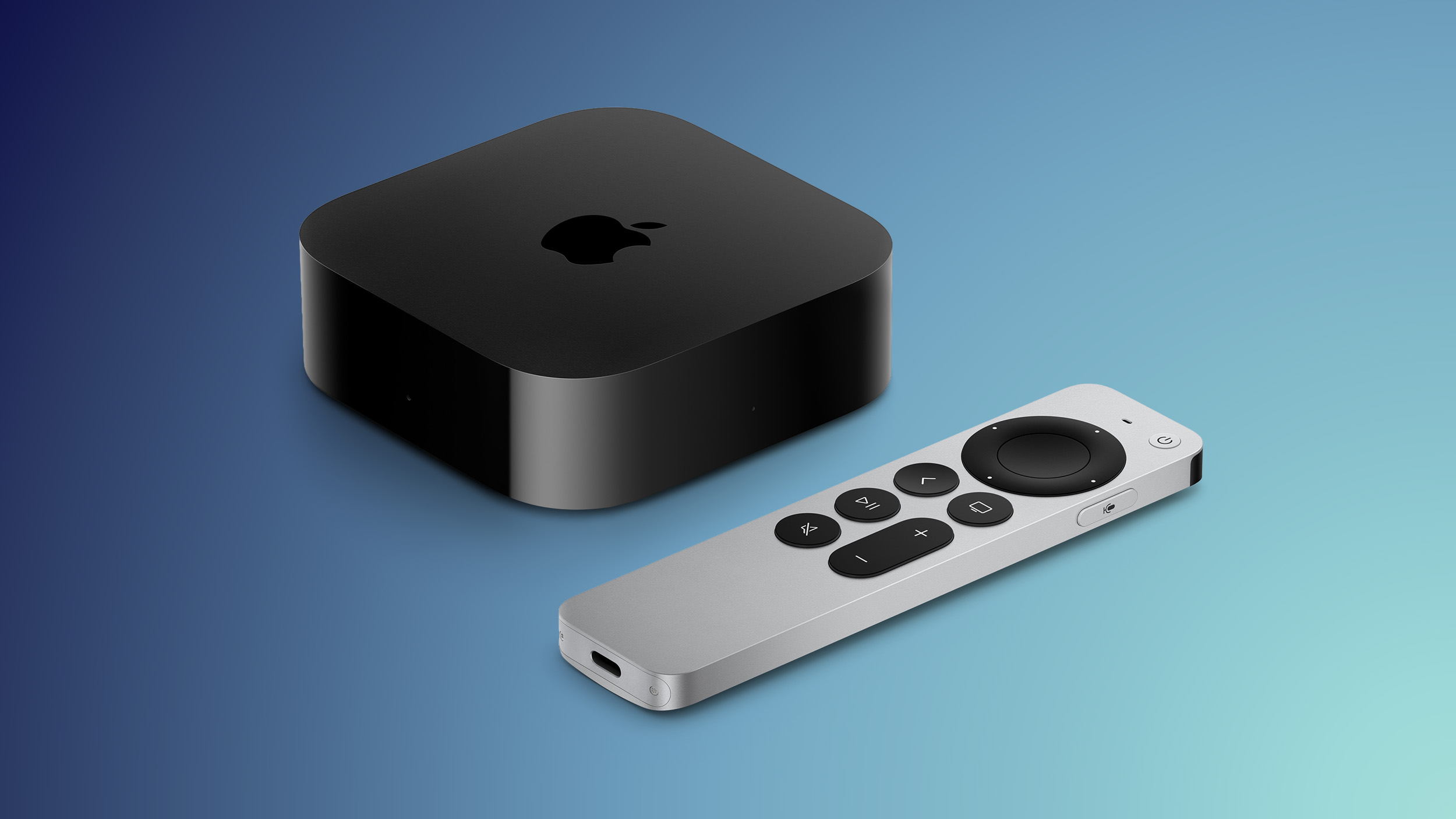
Additionally, Amazon, B&H Photo, and Best Buy have the new Apple TV 4K up for pre-order at $299, ahead of its launch date on November 13. The fourth-generation Apple TV 4K features an A19 chip, Siri AI, an updated Siri Remote with Find My support, and more.


HomePod mini 2


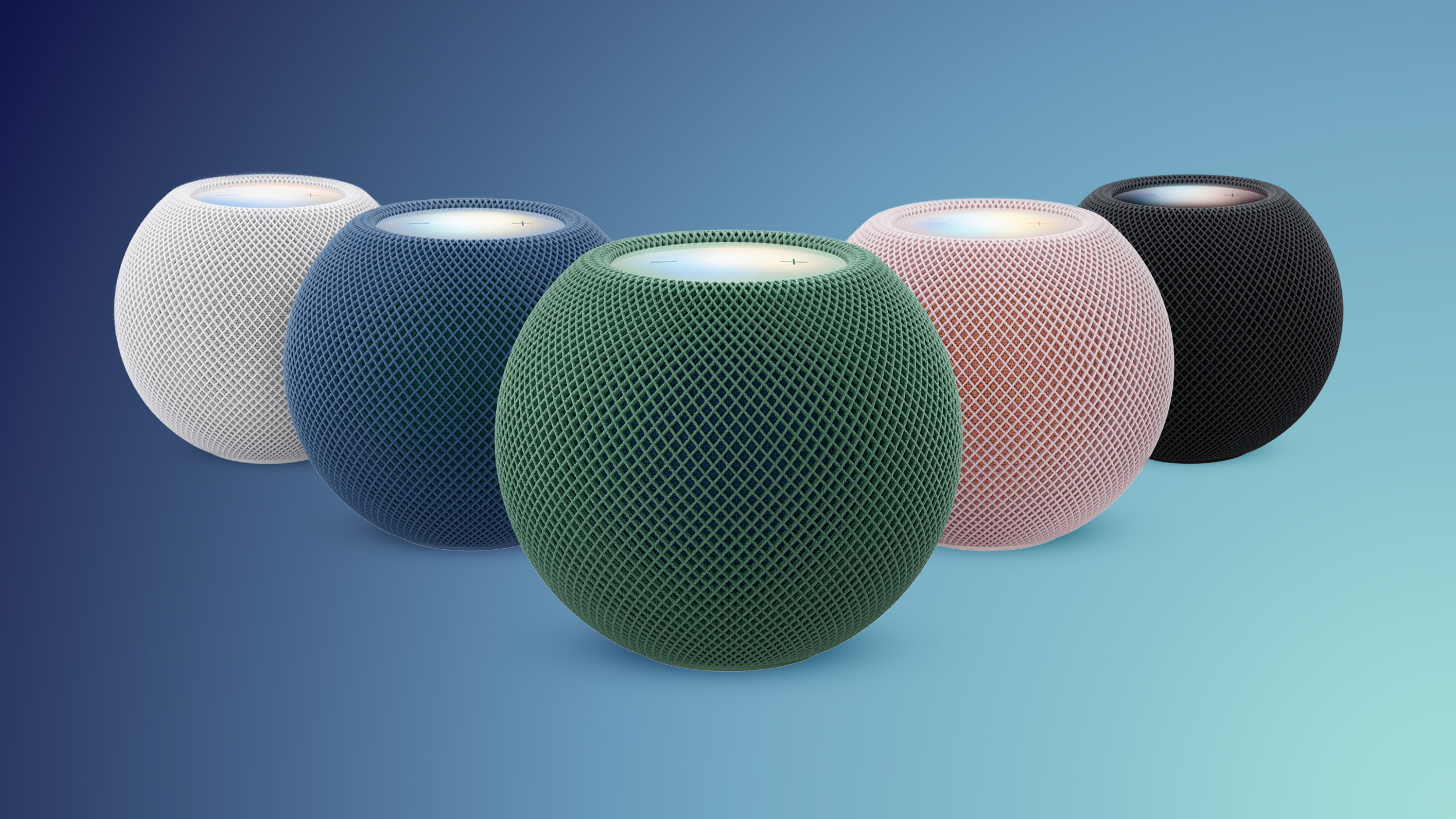
Best Buy and B&H Photo have the HomePod mini 2 up for pre-order at $149, including the new Green and Pink color options. These launch earlier than the other products on October 30, and Best Buy is offering free in-store pick-up for launch day.


Be sure to check out our articles on the launch of the HomeView, HomePod mini 2, and Apple TV 4K for all of the details on each new device.
This article, "Where to Pre-Order Apple's New HomeView, HomePod Mini 2, and Apple TV 4K" first appeared on MacRumors.com

Discuss this article in our forums
  •  

HomeView Runs Third-Party Apps From Your iPhone or iPad

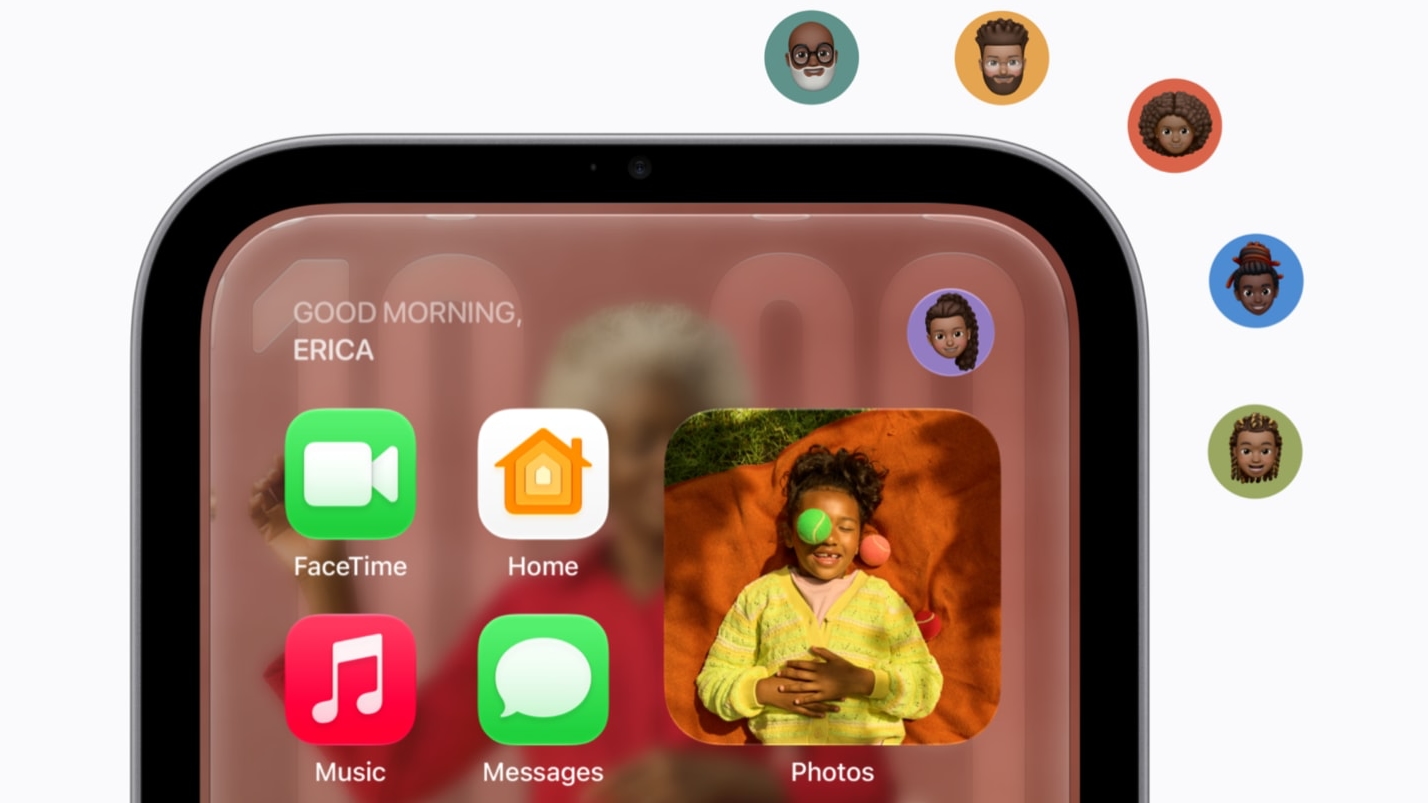
The new Apple HomeView comes preinstalled with a selection of Apple apps, such as Apple Music, Apple Podcasts, Apple News, Calendar, FaceTime, and Messages, but it will also support third-party audio and video apps.


Apple did not create an App Store for the HomeView, so there is no on-device way to download apps. It instead uses a CarPlay-like system where third-party apps will be displayed when the HomeView is connected to a compatible iPhone or iPad.

Audio apps made for CarPlay like Spotify and Audible will also work on the HomeView, and developers will be able to extend HomeView support to existing iOS video apps.

Up to six people in a household can use HomeView, and it tells users apart by voice and through the camera built into the front of the device. Each user's apps and personal information will be shown only when the person is enrolled and authenticated. Apple says users need to be recognized by the camera and have a paired and recently unlocked iPhone or ‌iPad‌ near the HomeView for it to display compatible third-party iOS apps and information from apps like Messages and Calendar.

Shared photo albums and music can be accessed by anyone in the home, including guests. Guests will not be able to see personal information due to the authentication requirement.

HomeView is priced at $299 and is available for pre-order now. It will launch on November 13.
Related Roundup: Apple HomeView
Buyer's Guide: HomeView (Buy Now)

This article, "HomeView Runs Third-Party Apps From Your iPhone or iPad" first appeared on MacRumors.com

Discuss this article in our forums

  •  

RIP, homeOS

MacRumors was first to reveal the name "HomeView" last week, after discovering a trademark filing from a secretive shell company that we correctly suspected was linked to Apple.

Apple was likely behind a "homeOS" trademark filing as well, but the company ultimately decided to stick with generic "HomeView software" naming, just like it refers to the HomePod's operating system as "HomePod software." For example, the device will ship with "HomeView software version 27.2."
Related Roundup: Apple HomeView
Tag: homeOS
Buyer's Guide: HomeView (Buy Now)

This article, "RIP, homeOS" first appeared on MacRumors.com

Discuss this article in our forums
  •  

„Welcome Apple HomeView“

13. Oktober 2026 um 18:02
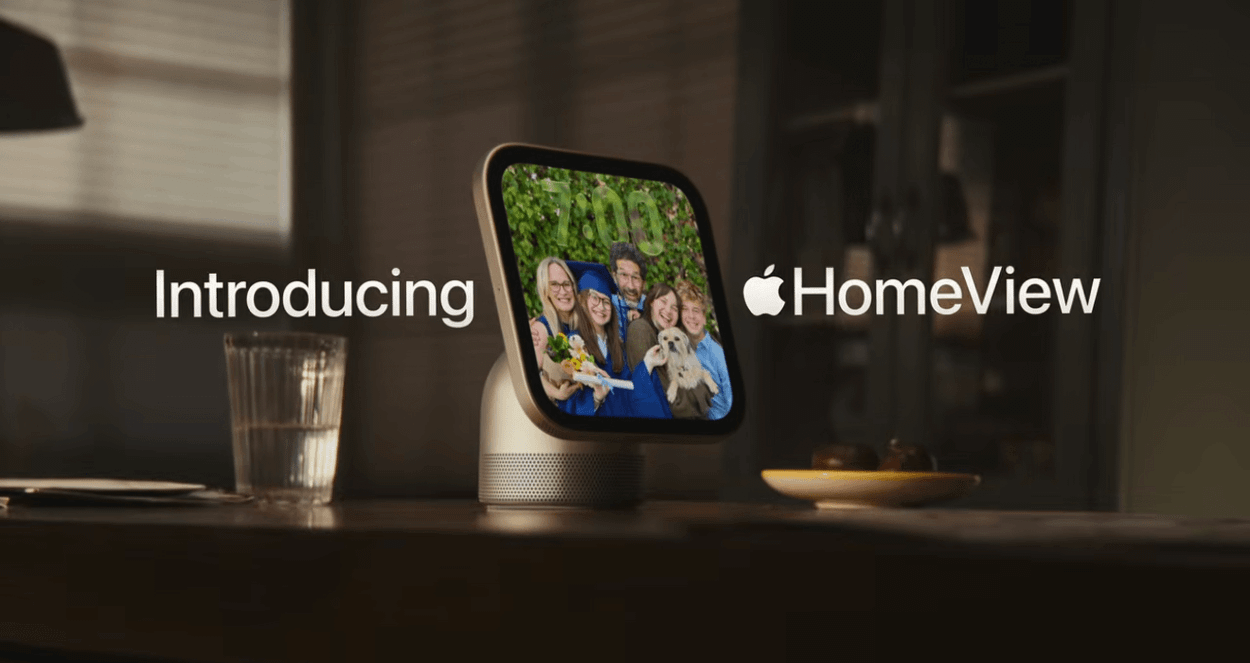
A smart home device with a screen showing a family photo, placed on a wooden table with a glass of water and a plate with two apples nearby. The text 'Introducing Apple HomeView' appears beside the device.

Apple HomeView is not available for sale in the European Union, as Siri AI is currently unavailable in iOS in the EU. Apple is working constructively with the EU in an attempt to find a path forward.

Apple.com/Newsroom | YouTube@Apple

Erster Gedanke: Richtig so! Anstatt den Computer in seinem Funktionsumfang (stark) zusammenzustreichen, bevorzuge ich es, ihn erst gar nicht anzubieten.

Zweiter Gedanke nach dem Lesen von Fußnote 10: Ohne Apple Intelligence und Siri AI funktioniert Apples Heimzentrale gar nicht. Ergibt Sinn!

Dritter Gedanke: Das ist „by design“! Die gewählte Software-Architektur ist ein Verkaufsverbot für die eigene Hardware.

  •  

HomeView Can Dim to Apple's Lowest-Ever Display Brightness

The HomeView can dim its display to just 0.3 nits for use on a nightstand or in dark environments, making it Apple's lowest-ever display brightness.


The 7-inch Liquid Retina display automatically adjusts its brightness as lighting conditions change, reaching up to 500 nits in bright rooms. Its 0.3-nit minimum allows it to dim substantially at night. True Tone also helps the screen adapt to changing ambient light.

Previously, Apple's dimmest display technology went down to just 1 nit. This feature debuted on the Apple Watch Series 9 and Ultra 2, and subsequently came to the iPhone.

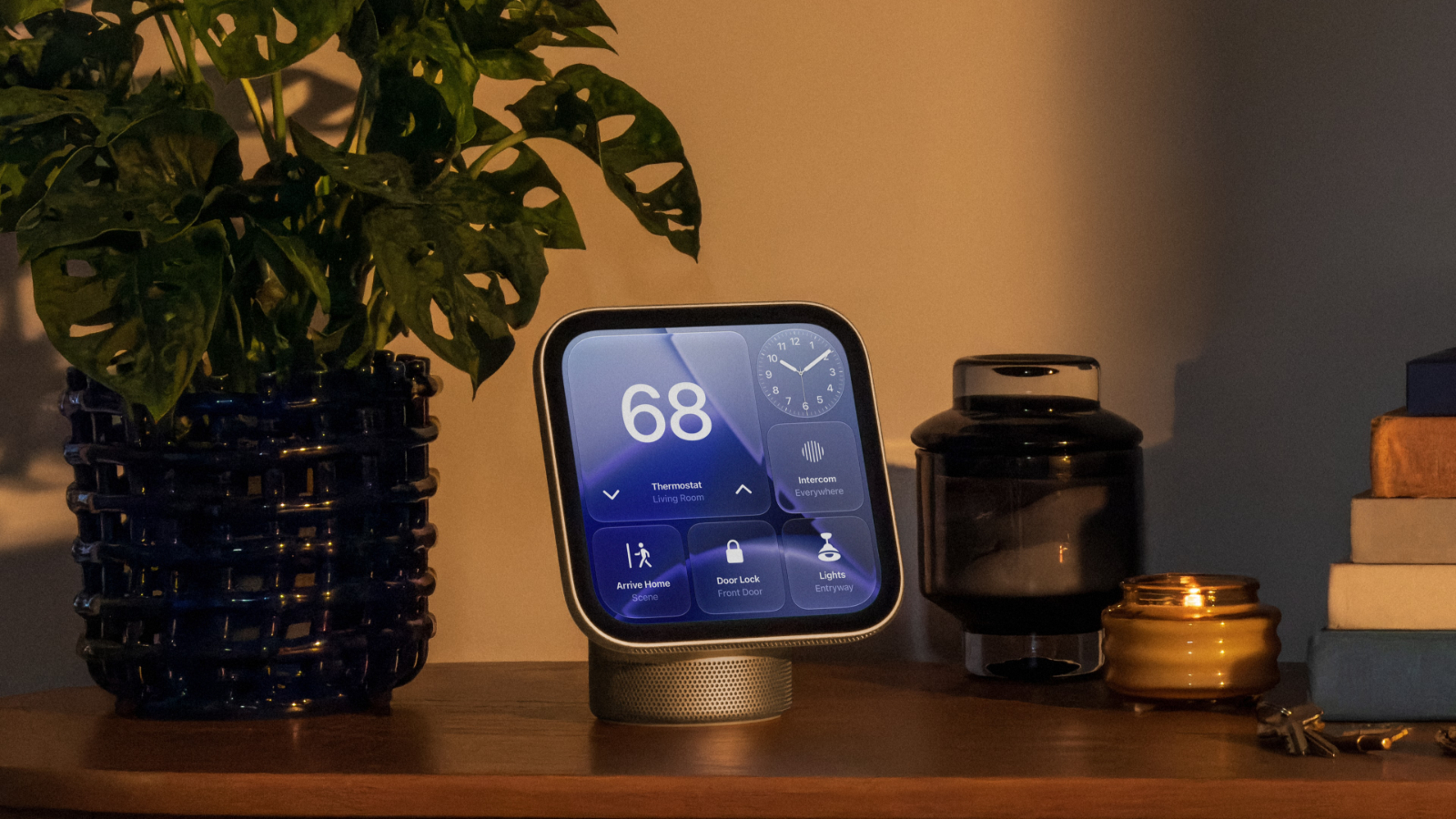
The tabletop HomeView model features a stainless steel hinge that lets users tilt the display as required. Its interface responds to distance, showing simpler information from across the room and more detail as users move closer.

The HomeView also offers customizable faces, including weather information, photos, and animated designs. Apple says selected faces change throughout the day, adapting their appearance for mornings and evenings.

Apple's HomeView models launch on November 13 and cost $299 in the United States.
Related Roundup: Apple HomeView
Buyer's Guide: HomeView (Buy Now)

This article, "HomeView Can Dim to Apple's Lowest-Ever Display Brightness" first appeared on MacRumors.com

Discuss this article in our forums
  •  

Apple Details HomeView's Audio Hardware

Apple's new HomeView supports Spatial Audio, with different speaker systems for its tabletop and wall-mounted models.


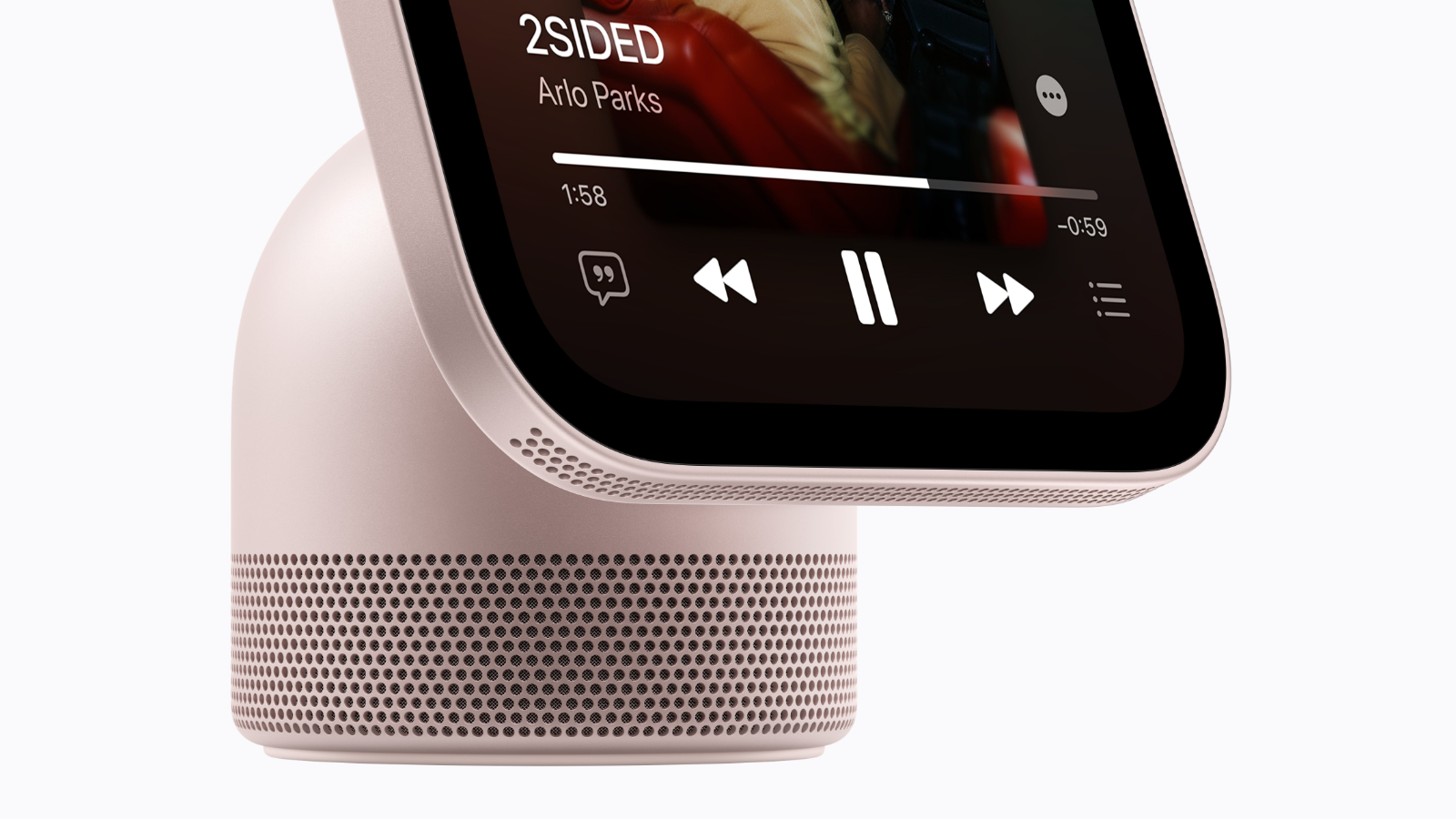
The tabletop model features two custom full-range drivers in its display, with a down-firing woofer and two force-canceling passive radiators housed in the domed base. Apple says this arrangement delivers clear sound with extended bass, distributing the audio hardware between the screen and its stand.

The HomeView's A18 chip and built-in sensors power computational audio that continuously adjust loudness and bass response. According to Apple, this processing helps maintain consistent, balanced sound at different volume levels.

The wall-mounted HomeView uses two custom drivers and computational audio tuned specifically for placement on a wall, but lacks the added speaker hardware in the tabletop models' base. It still supports Spatial Audio.


For music playback, HomeView supports multiroom audio alongside other HomeView devices, HomePod, HomePod mini, and AirPlay-compatible speakers. Handoff lets users transfer music from an iPhone by placing it in front of the HomeView's display. Apple Music displays animated album artwork and lyrics, while Apple Podcasts and compatible third-party audio apps can provide additional content.

The HomeView also features four beamforming microphones for Siri requests and FaceTime calls. Apple says the microphone array can pick up voices from across the room while reducing background noise.

Both HomeView models launch on November 13 and cost $299 in the U.S.
Related Roundup: Apple HomeView
Buyer's Guide: HomeView (Buy Now)

This article, "Apple Details HomeView's Audio Hardware" first appeared on MacRumors.com

Discuss this article in our forums
  •  

HomeView's Wall Model: Pay More, Get Less Speaker

Apple offers two versions of the HomeView, one that can be mounted on the wall and one that's a standalone model with a speaker base. The wall-mounted version and the speaker version are both priced at $299, with no discount for the base-free model.


Wall mounting is the more expensive option because most buyers will need hardware that's sold separately and is currently priced starting at $60. There are three options for mounting the HomeView on the wall.

  • Power Mount USB-C Wall Connector ($59.95) - The USB-C mount is from Schneider Home, and Apple says it is a self-install mount. It uses a standard USB-C cable that goes to a power adapter, which the user also needs to supply. It requires a 20W or higher power adapter.

  • Power Mount AC Wired ($79.95) - The AC Wired mount uses in-wall power so there's no visible cable. Apple recommends having it installed by a licensed electrician and is partnering with ADT to offer installation services.

  • Power Mount PoE Wired ($129.95) - The Power over Ethernet hardwired mount is not available right now. Apple says to check back later for availability. It will require a home with PoE wiring.

  • No mount - There is an option to buy the wall-mounted version with no additional hardware. Presumably, accessory companies will eventually offer mounting solutions, but Apple has the only mount option right now.


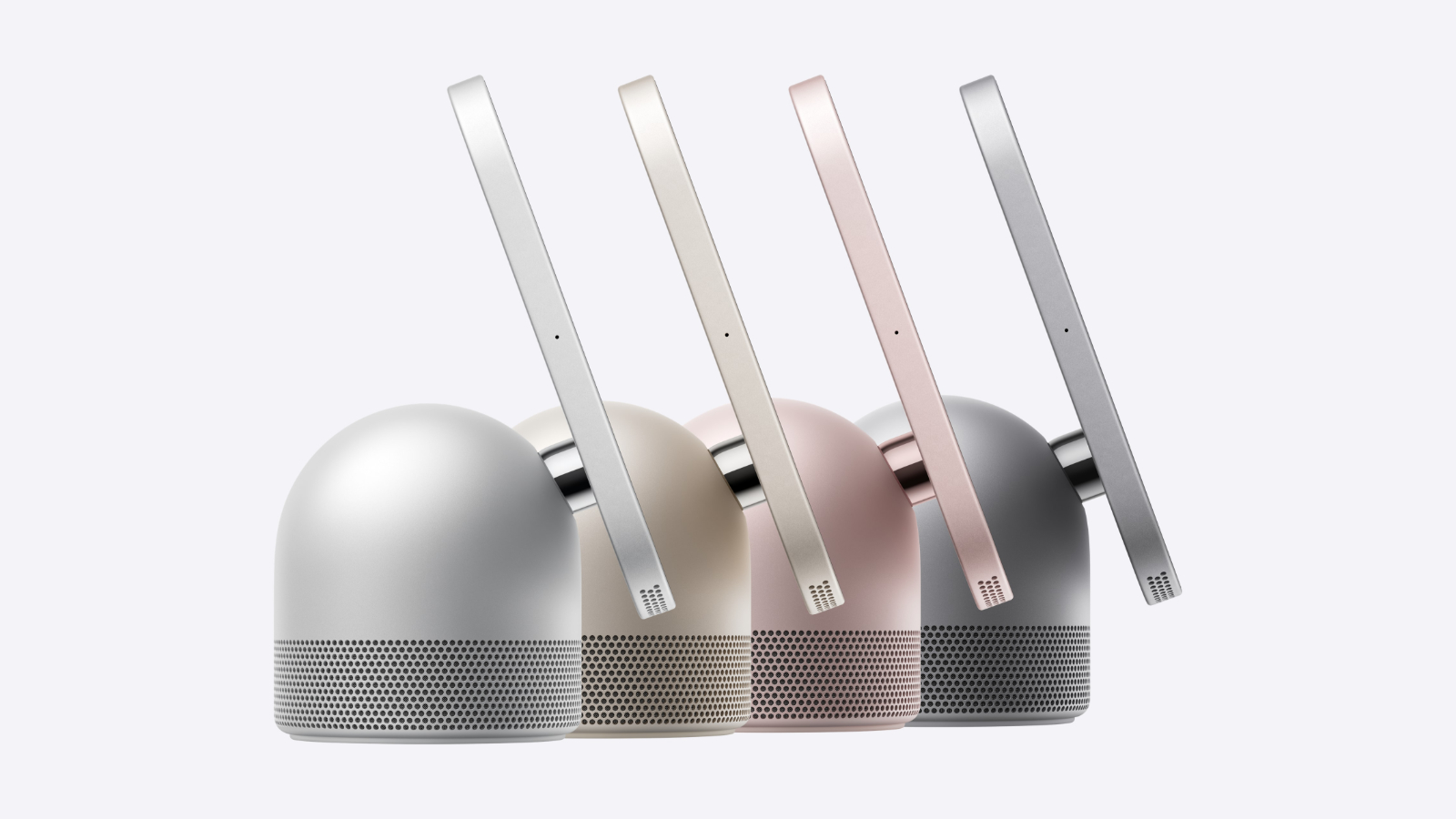
In addition to being more expensive, the wall-mounted HomeView comes in more limited color options. It can only be purchased in silver or space gray, while the speaker version also comes in starlight and rose pink.

Both HomeView models have speakers with "two custom full-range drivers" in the display, and the wall-mounted version uses computational audio tuned for on-wall placement. The model with a speaker base also has a down-firing woofer and two force-canceling passive radiators that are not available in the wall-mounted version.

We'll need to wait for reviews to see sound comparisons on the speaker version and the wall-mounted version, but customers who opt for the wall-mounted version are going to be paying more for less hardware.

The HomeView is available for pre-order now and will launch on November 13.
Related Roundup: Apple HomeView
Buyer's Guide: HomeView (Buy Now)

This article, "HomeView's Wall Model: Pay More, Get Less Speaker" first appeared on MacRumors.com

Discuss this article in our forums
  •  

Apple Shares Videos for HomeView, Apple TV 4K, and HomePod Mini 2

Apple today shared four new videos on its YouTube channel highlighting the newly announced HomeView smart home hub, fourth-generation Apple TV 4K, and HomePod mini 2.


The longest video, "Welcome Apple HomeView: Designed for life at home," follows a family through a busy morning. It shows Siri helping retrieve a French toast recipe sent in Messages, locate misplaced keys, and check evening plans, alongside a FaceTime call with grandparents.


A second, shorter HomeView video provides an overview of the device's features, including personalized experiences for up to six users, ‌FaceTime‌ calls, Spatial Audio, and smart home controls. It also highlights the 7-inch Liquid Retina display and its customizable collection of display faces.


The HomePod mini 2 video focuses on the speaker's sound and compact design, showing its green, pink, blue, midnight, and white finishes. It also promotes multiroom audio and ‌Siri‌ AI, which Apple says will arrive on ‌HomePod mini‌ 2 in a future software update.


The Apple TV 4K video highlights Dolby Vision and HDR10+ playback, hands-free ‌Siri‌ control using built-in microphones, and the ability to play a sound to locate the updated ‌Siri‌ Remote. Apple also promotes the new four-speaker surround sound setup, which supports ‌HomePod mini‌ 2 and second-generation HomePod speakers in matching front and rear pairs.

Today's announcements also included the Apple Home Collection, a lineup of cameras, a door lock, thermostats, and sensors developed with LG and Schneider.

The HomeView, new ‌Apple TV‌ 4K, and ‌HomePod mini‌ 2 are available to pre-order today. The ‌HomePod mini‌ 2 launches on October 30, while the HomeView and new ‌Apple TV‌ 4K launch on November 13.

This article, "Apple Shares Videos for HomeView, Apple TV 4K, and HomePod Mini 2" first appeared on MacRumors.com

Discuss this article in our forums
  •  

HomeView Comes in Four Colors, but Wall-Mounted Model Gets Just Two

Apple's new HomeView smart home hub comes in four colors, but the wall-mounted model offers only two finishes.


The tabletop HomeView is available in silver, starlight, rose pink, and space gray. Each finish comes with a matching USB-C cable.

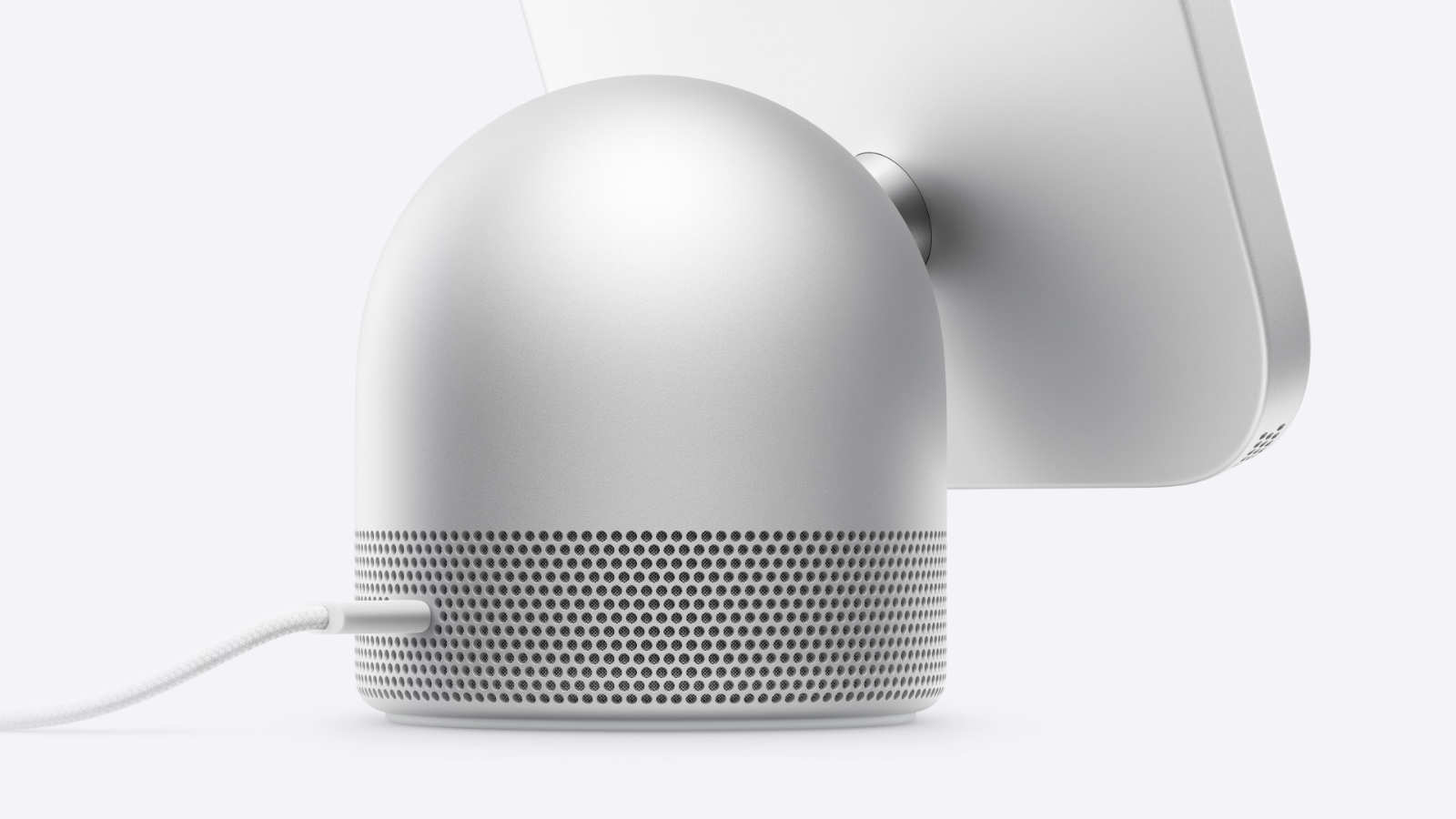
The device features an anodized aluminum design, with a 7-inch Liquid Retina display attached to a domed speaker base. A stainless steel hinge allows the screen to tilt for viewing on a countertop, nightstand, or side table.

The wall-mounted HomeView is limited to silver and space gray, leaving starlight and rose pink exclusive to the tabletop version. It features the same 7-inch display and attaches to a wall using mounts from Schneider Home.

Both HomeView models launch on November 13 and cost $299 in the U.S.
Related Roundup: Apple HomeView
Buyer's Guide: HomeView (Buy Now)

This article, "HomeView Comes in Four Colors, but Wall-Mounted Model Gets Just Two" first appeared on MacRumors.com

Discuss this article in our forums

  •  

ADT to Offer In-Home Installation of Apple's New HomeView and More

Apple today announced that ADT will offer professional in-home installation of its all-new wall-mounted HomeView smart home hub, confirming our scoop.


ADT technicians will be able to install the wall-mounted version of the HomeView, the new collection of related Apple Home Collection smart home accessories from LG and Schneider Home, and other eligible smart home accessories in "most areas" of the U.S., according to Apple's website. More details are available on ADT's website.

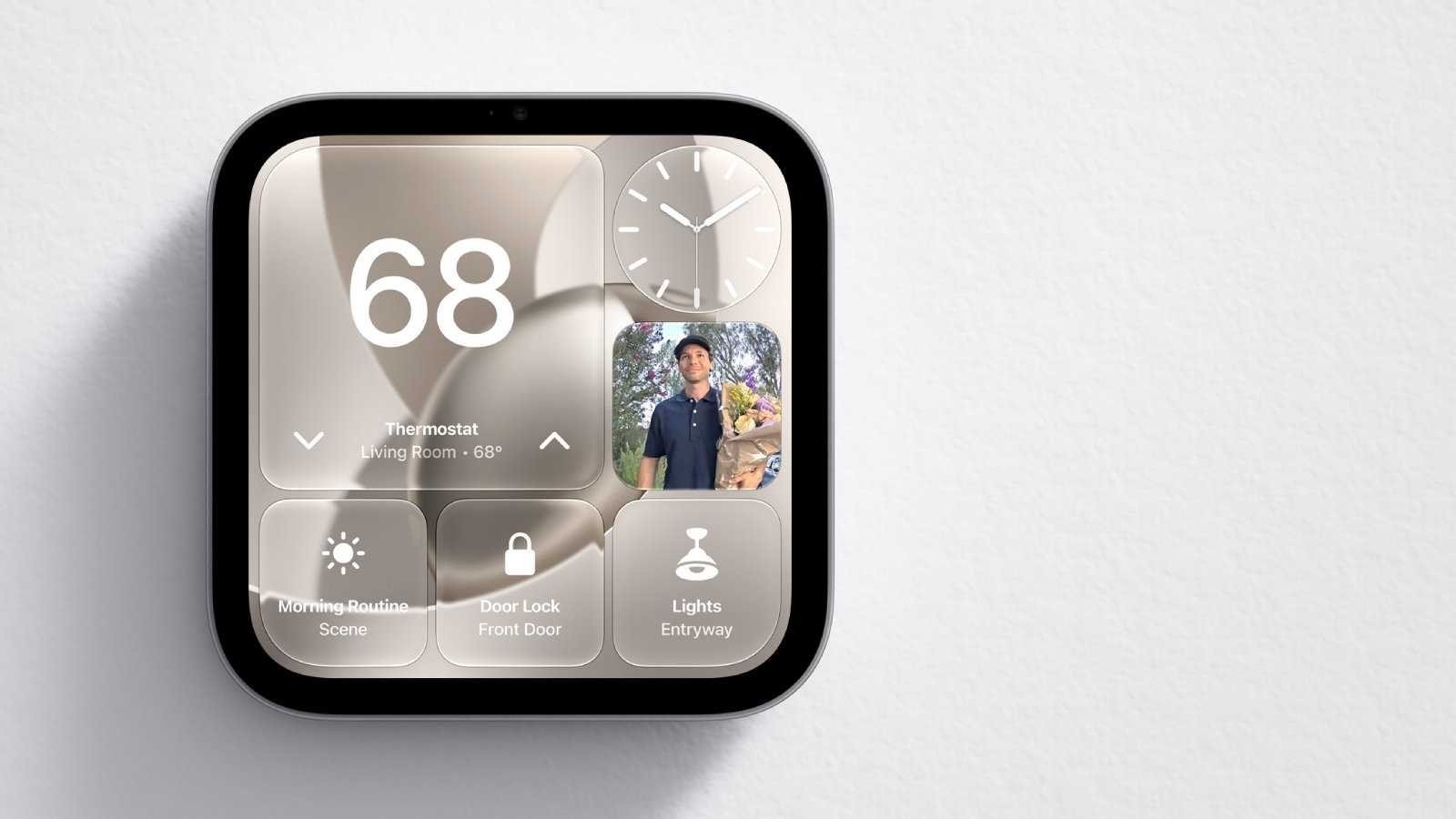
The wall-mounted HomeView is available in space gray and silver. It has the same 7-inch display as the tabletop version, and there are speaker holes on the bottom edge. It can be attached to a wall using three purpose-built mounts from Schneider Home, with options for self-installation or professional installation for an additional charge.

Apple said ADT installation services will be available in the U.S. "starting this fall."

In the U.S., both the tabletop and wall-mounted HomeView models are priced at $299.
Related Roundup: Apple HomeView
Buyer's Guide: HomeView (Buy Now)

This article, "ADT to Offer In-Home Installation of Apple's New HomeView and More" first appeared on MacRumors.com

Discuss this article in our forums
  •  

HomeView Brings Guided Recipes and Hands-Free Timers to the Kitchen

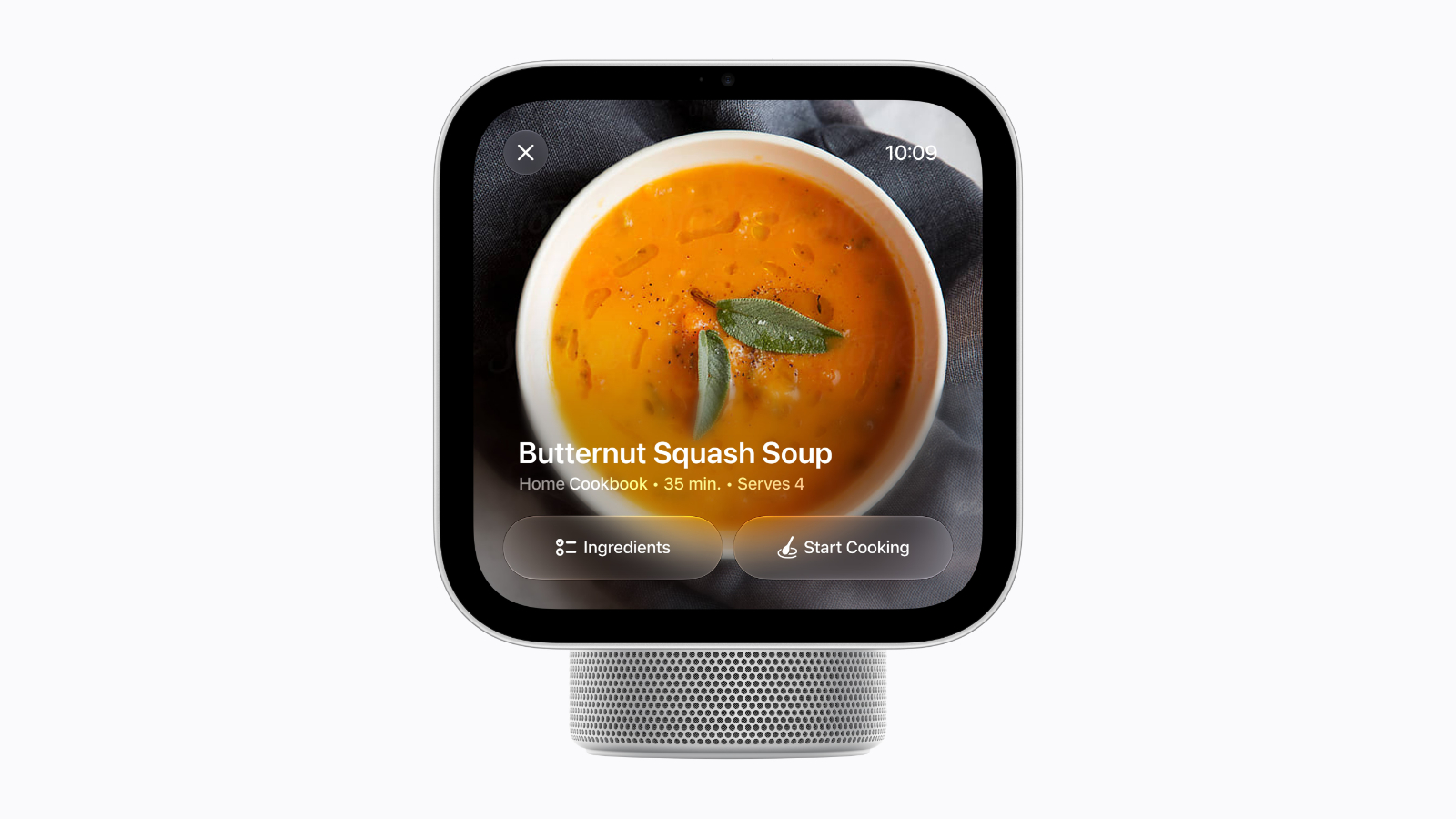
Apple's HomeView can turn web recipes into step-by-step cooking instructions with hands-free timers.


When viewing a recipe in Safari, users can tap the "Start Cooking" button to switch to a streamlined recipe layout. Apple also says HomeView offers help with ingredient tracking alongside the guided instructions.

Timers can be controlled hands-free, allowing users to manage cooking times without touching the display. HomeView supports multiple timers, with Live Activities keeping them visible while other apps are in use.

Handoff also supports recipes, so users can start browsing a recipe on their iPhone and continue on the HomeView when they reach the kitchen. The same feature supports transferring songs, podcasts, calls, and videos between the devices.


The tabletop model features a 7-inch Liquid Retina display attached to a domed speaker base, with a hinge that lets users adjust the screen's angle on a countertop.

Users can also listen to music or podcasts while cooking, or use Intercom to call family members for dinner through other HomeView and HomePod speakers.

The HomeView launches on November 13, with both the tabletop and wall-mounted models priced at $299 in the U.S.

Related Roundup: Apple HomeView
Buyer's Guide: HomeView (Buy Now)

This article, "HomeView Brings Guided Recipes and Hands-Free Timers to the Kitchen" first appeared on MacRumors.com

Discuss this article in our forums
  •  

Apple's HomeView Touts These 5 Privacy Features

Apple uses a number of methods to keep HomeView users' personal information private, even when a whole household shares the device.


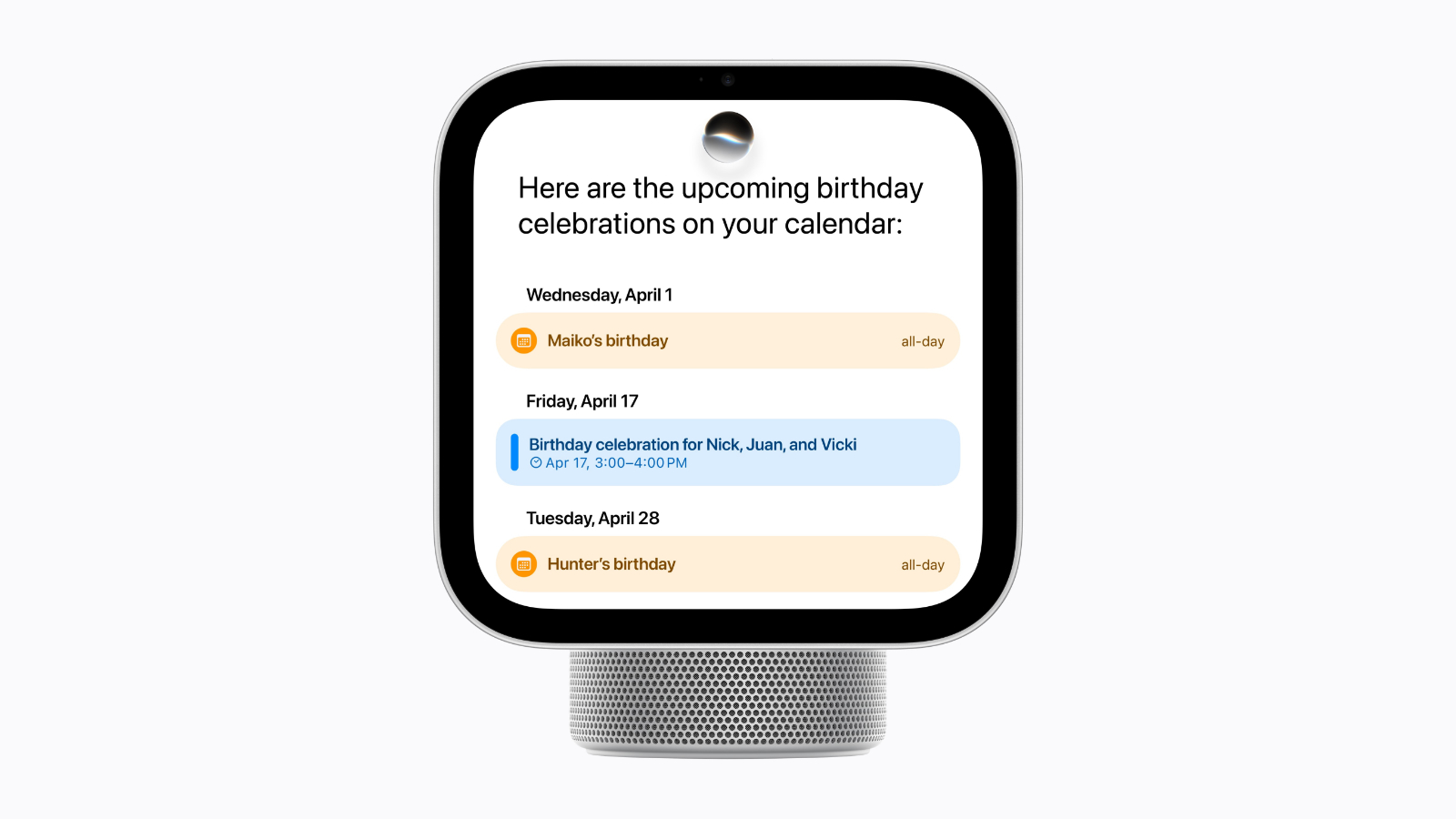
The device recognizes up to six people, giving each their own Home Screen with personalized apps and widgets. Apple says personal content stays private to each user, while shared photo albums and music can remain available to everyone in the household, including guests.

For content from apps such as Messages and Calendar to appear, HomeView must recognize the enrolled user's face, and their paired iPhone or iPad normally needs to be present and recently unlocked.

There is an exception when the paired iPhone or iPad disconnects from Wi-Fi. Personal information may remain accessible if the HomeView still recognizes the user and the paired device was recently connected to the same Wi-Fi network, has an active cellular connection, remains in the same location, and has been recently unlocked.

The HomeView's A18 chip includes Secure Exclaves, which is a protected processing environment that handles camera and microphone data separately from the rest of the system. Apple says isolation features across the chip prevent other components from accessing these environments. According to the company, data processed and analyzed within the Secure Exclaves cannot be accessed by HomeView's software, apps, users, or Apple itself.

Siri requests have their own privacy protections. The HomeView can handle requests on the device or use Private Cloud Compute, Apple's system for processing requests in the cloud. Apple says data processed through Private Cloud Compute is neither stored nor made accessible to Apple or anyone else.

The HomeView also works with compatible smart home cameras to provide end-to-end encrypted recognition of people, familiar faces, pets, packages, and vehicles with a supported iCloud+ subscription.
Related Roundup: Apple HomeView
Buyer's Guide: HomeView (Buy Now)

This article, "Apple's HomeView Touts These 5 Privacy Features" first appeared on MacRumors.com

Discuss this article in our forums

  •  
❌