❌

Normale Ansicht

HomePod Mini vs. HomePod Mini 2 Buyer's Guide: All Differences Compared

Apple yesterday announced the HomePod mini 2, introducing the compact smart speaker's first major hardware update in six years.
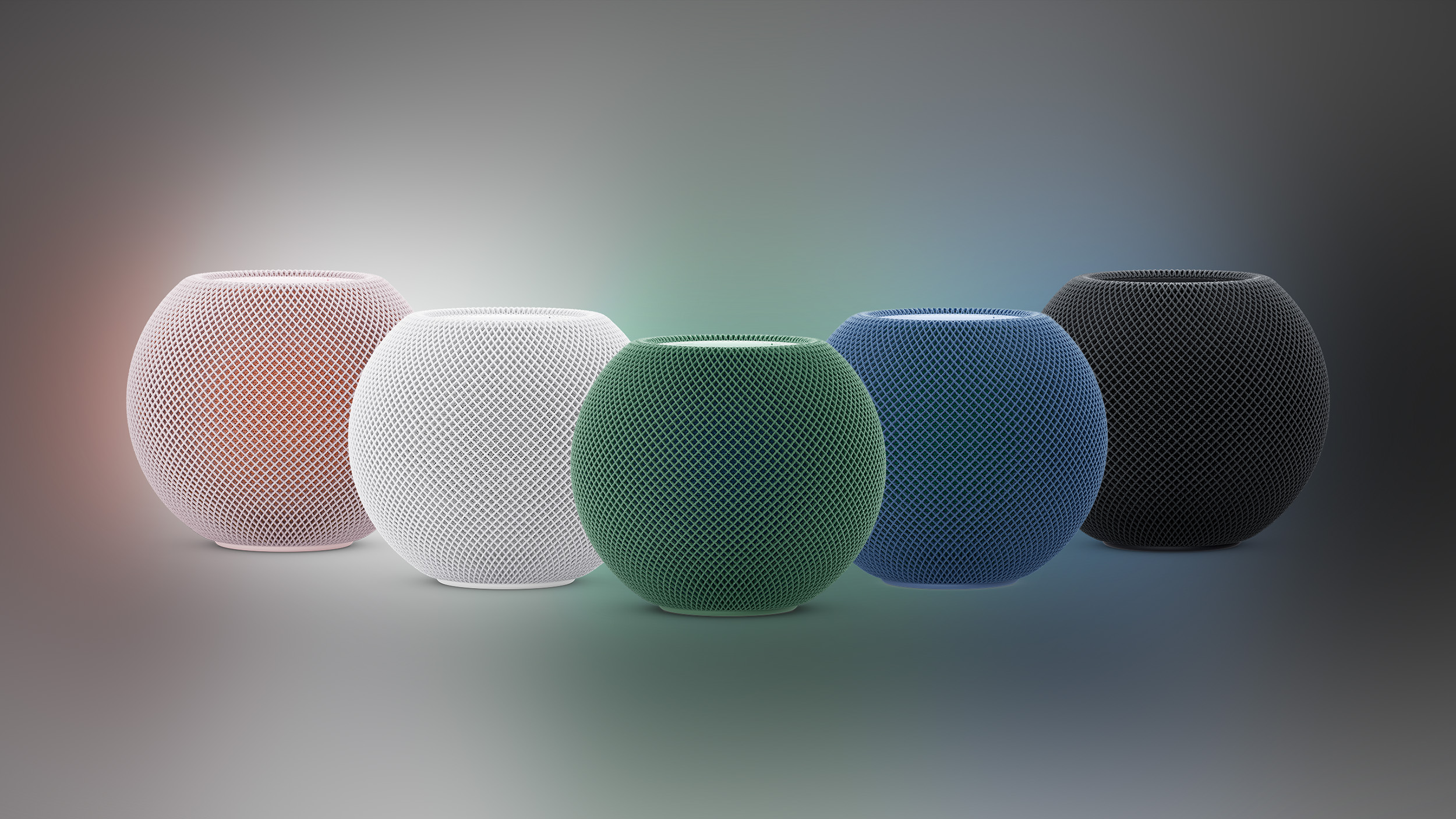

The new model retains the original's spherical design, but adds an S10 chip, faster wireless connectivity, Sound Glow lighting, new Mac and home theater capabilities, and support for Siri AI in a future software update.

The HomePod mini 2 costs $149 in the United States, $20 more than its predecessor's last Apple price of $129. While the original launched for $99 in 2020, Apple raised its price in June 2026. With many core features carried over, is the new model worth upgrading to, and should you consider a discounted original instead?

Both generations feature a full-range driver, two passive radiators, and an acoustic waveguide for 360-degree sound. They also share temperature and humidity sensors, Thread networking, Ultra Wideband proximity features, AirPlay multiroom audio, stereo pairing, Intercom, smart home control, and Sound Recognition. Their dimensions remain identical at 3.3 inches tall and 3.9 inches wide, and both include a 20W power adapter.

Here are the differences between the original HomePod mini and ‌HomePod mini 2‌:


‌HomePod‌ mini (2020) ‌HomePod mini 2‌ (2026)
Backlit touch surface with status and ‌Siri‌ lighting Backlit touch surface with Sound Glow animations that respond to music, album artwork, and soundscapes
S5 chip (from 2019's Apple Watch Series 5, made with TSMC's N7 7nm process, based on Apple's A12 Bionic chip from iPhone XS) S10 chip (from 2024's Apple Watch Series 10, made with TSMC's N4 4nm process, based on Apple's A16 Bionic chip from iPhone 14 Pro)
Computational audio Enhanced computational audio
Four-microphone design Three-microphone design
‌Siri‌ ‌Siri‌ AI support
Wi-Fi 4 (802.11n) Wi-Fi 6E (802.11ax)
Bluetooth 5.0 Bluetooth 6
Mac audio playback via ‌AirPlay‌ Can serve as the default speaker for Macs with Wi-Fi 6E or later, individually or in a stereo pair
Four-speaker surround sound with Apple TV 4K (4th generation), including automatic calibration of audio timing and levels
Weighs 0.76 pound (345 grams) Weighs 0.74 pound (335 grams)
White, midnight, blue, yellow, and orange; previously available in space gray White, midnight, blue, pink, and green
89% fiber-based packaging 100% fiber-based packaging
Introduced in October 2020 Introduced in October 2026
Discontinued (initially priced at $99, later raised to $129) $149


Is It Worth Upgrading From HomePod Mini to HomePod Mini 2?


For most existing ‌HomePod‌ mini owners, there is no general-purpose reason to replace a working original ‌HomePod‌ mini immediately. The original retains the main features needed for voice commands, music playback, timers, Intercom, and smart home automations. Sound Glow and the new finishes may appeal to enthusiasts, but they are very small reasons to replace speakers throughout a home.

For buyers primarily interested in sound quality, Apple's specifications provide limited grounds for judging the size of the improvement. The basic driver arrangement remains the same, and the original already used computational audio to tune playback in real time. Apple has not quantified the acoustic gains from the S10 chip.

The clearest upgrade case is using the ‌HomePod mini 2‌ as a default Mac speaker. If your Mac supports Wi-Fi 6E or later and you want ‌HomePod‌ speakers for games, calls, and everyday computer audio, the new model offers a capability the original's ‌AirPlay‌ connection does not provide.

The four-speaker surround sound system is another notable reason to choose the newer generation. It requires the fourth-generation ‌Apple TV‌ 4K and matching front and rear speaker pairs running the latest software. You can use four ‌HomePod mini 2‌ speakers, or combine a pair with a pair of full-sized second-generation HomePods. Original ‌HomePod‌ minis are excluded, and the required ‌Apple TV‌ 4K launches on November 13.

‌Siri‌ AI is perhaps the most consequential improvement, offering more natural conversations, broader general knowledge, improved music discovery, and the ability to act on personal context across supported apps. However, it will not be available at launch, and Apple has not yet announced a release date for the feature.

Apple's requirements specify that the owner of the home in the Home app must have an Apple Intelligence-enabled iPhone or iPad with ‌Siri‌ AI enabled. Personal context requests require the individual user's compatible paired device, although other household members can use conversational and general knowledge features once ‌Siri‌ AI is enabled. Initial availability is planned in English in the United States, Australia, Canada, India, New Zealand, Singapore, South Africa, and the United Kingdom.

Should You Buy HomePod Mini or HomePod Mini 2?


The ‌HomePod mini 2‌ should be the default choice for most new buyers when the price difference is small. If remaining original stock costs $129, paying another $20 provides the new Mac and surround sound capabilities, faster connectivity, Sound Glow, and eligibility for the forthcoming ‌Siri‌ AI update.

A substantially discounted original ‌HomePod‌ mini remains worth considering for straightforward music playback or adding smart home control to another room. Its value is strongest when you will use the shared features and have little interest in the new features.

Buying another original also makes sense if you already own one and want to create a stereo pair. Apple requires matching models for stereo pairing, so an original ‌HomePod‌ mini and a ‌HomePod mini 2‌ cannot form a stereo pair.

‌HomePod mini 2‌ pre-orders are now open, with availability beginning October 30.
Related Roundup: HomePod mini 2
Buyer's Guide: HomePod Mini (Buy Now)

This article, "HomePod Mini vs. HomePod Mini 2 Buyer's Guide: All Differences Compared" first appeared on MacRumors.com

Discuss this article in our forums
  •  

Apple Watch Ultra 1 vs. Ultra 4 Buyer's Guide: Is It Worth Upgrading?

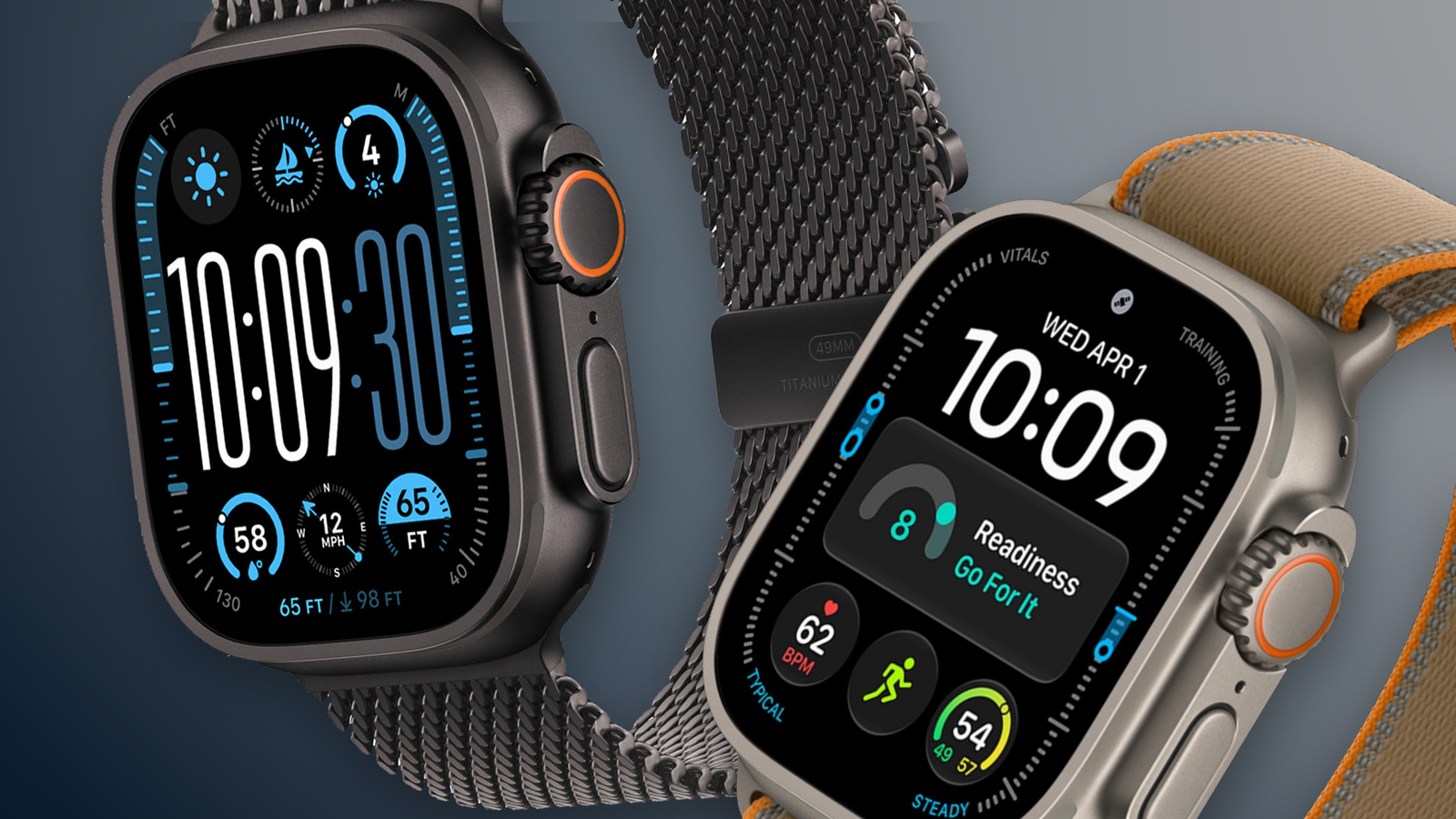
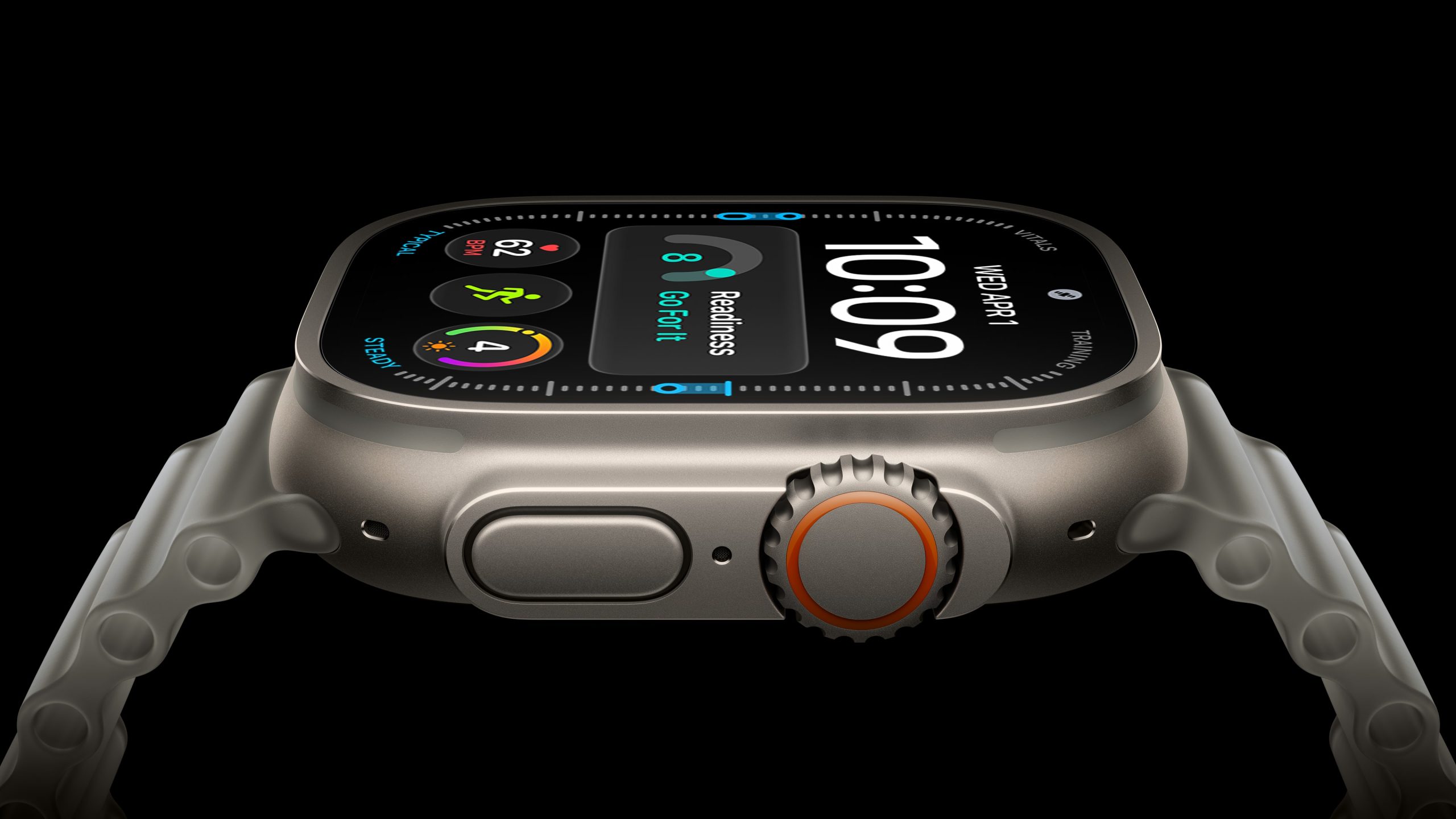
The Apple Watch Ultra 4 arrives four years after the original model. Across three subsequent generations, Apple added a brighter and larger display, satellite connectivity, new health sensors, more capable chips, and longer battery life. For owners of the original Ultra, are those cumulative improvements enough to justify upgrading now, or can their existing watch last another year?


Both watches retain a 49mm titanium case, an Action button, a siren, dual-frequency GPS, and support for recreational diving to 40 meters. The Apple Watch Ultra 4 starts at $799 in the U.S. Apple discontinued the original Ultra in 2023, and it no longer supports the latest major watchOS release. Here are the key differences between the two models:


Apple Watch Ultra (first-generation) ‌Apple Watch Ultra 4‌
Natural titanium finish Natural and black titanium finishes
LTPO2 OLED display with always-on updates once per minute Wide-angle LTPO3 ‌OLED‌ display with 1Hz always-on updates, allowing supported faces to show ticking seconds
Up to 2,000 nits of brightness Up to 3,000 nits of brightness; 1-nit minimum brightness
410 by 502 pixels; 1,185 sq mm display area 422 by 514 pixels; 1,245 sq mm display area (5% larger), with thinner display borders
Flashlight Flashlight boost via Digital Crown
S8 chip S11 chip
1GB RAM 4GB RAM
Neural Engine 4-core Neural Engine
Secure Exclave for isolated audio processing
32GB storage 64GB storage
Single tap, Double Tap, and wrist flick gestures
Siri processed in the cloud via an internet connection On-device ‌Siri‌ for supported requests, including access to and logging of health and fitness data
Dictation Improved on-device dictation
‌Siri‌ AI support
First-generation Ultra Wideband chip Second-generation Ultra Wideband chip
Play a sound to locate an iPhone; locate accessories using Find Devices and Find Items Precision Finding for compatible iPhone models, AirTag 2, and the AirPods Pro 3 charging case, with distance and direction guidance
Automatic Now Playing controls and Smart Stack media suggestions when near a HomePod
Electrical heart sensor and third-generation optical heart sensor Health Sensing System with new electrical and always-on optical heart sensors
Background heart-rate measurements Background heart-rate measurements every five seconds
Heart-rate variability (HRV) measurements More frequent measurements of overall HRV and Recovery HRV
Overnight Vitals view Overnight and daytime Vitals views
Readiness app
Sleep apnea notifications
Hypertension notifications
Blood Oxygen readings viewable on the watch On affected U.S. models, Blood Oxygen readings are analyzed on the paired iPhone and viewed in its Health app
Step tracking and estimated indoor workout distance More accurate all-day step tracking and indoor workout distance measurements, plus a Steps watch-face complication
Workout Buddy requires a nearby Apple Intelligence-enabled iPhone Enhanced Workout Buddy with additional insights and Spanish support
Live Translation in Messages when paired with a compatible Apple Intelligence-enabled iPhone
LTE and UMTS cellular connectivity LTE and 5G cellular connectivity, with improved weak-signal reception through simultaneous use of both antennas
Emergency SOS, Messages, and Find My via satellite
Audio Intelligence: Sound Recognition, automatic music identification, Live Rewind, and ‌Siri‌ Recap
Built-in speakers for calls, alerts, and ‌Siri‌ Built-in speakers for calls, alerts, ‌Siri‌, and media playback
Up to 36 hours of normal use Up to 50 hours of normal use
Up to 72 hours in Low Power Mode, according to Apple's current comparison page Up to 84 hours in Low Power Mode
Up to 12 hours of standard outdoor workout tracking Up to 18 hours of standard outdoor workout tracking
Low Power Mode during workouts, with an optional setting for fewer GPS and heart-rate readings Extended Workout mode: up to 25 hours with full GPS and heart-rate readings; Max Extended Workout mode: up to 45 hours with GPS readings every second
Charges from 0 to 80% in about one hour Charges from 0 to 80% in about 45 minutes; 15 minutes of charging for up to 18 hours of normal use; five minutes for up to 10 hours of sleep tracking
61.3 grams Natural titanium: 63.0 grams; black titanium: 63.1 grams
Dual-frequency GPS supporting GPS, GLONASS, Galileo, QZSS, and BeiDou Dual-frequency GPS supporting GPS, Galileo, QZSS, and BeiDou
Supports watchOS 26 Supports watchOS 27, including the ‌Siri‌ app, dynamic app grid, new Smart Stack suggestions, Call Context, and consolidated ‌Find My‌ app
Now discontinued Starts at $799


Existing first-generation Apple Watch Ultra owners can reasonably keep their watch for another year if its battery still covers their usual days and workouts. Losing support for ‌watchOS 27‌ is significant, but it does not prevent the original Ultra from continuing to handle notifications, activity tracking, navigation, and its other existing features. Owners satisfied with those capabilities may prefer to eke out another year of use and wait to see whether next year's model offers a more substantial upgrade.

However, the Ultra 4 is a worthwhile upgrade for anyone already running into the original model's limitations. The new Health Sensing System provides more detailed heart-rate and recovery insights, while sleep apnea and hypertension notifications expand its health capabilities. These changes are most compelling if you will use the additional information to follow changes in your daily condition or adjust your training.

Longer battery life and satellite connectivity strengthen the case for owners who record extended workouts or regularly travel beyond cellular coverage. If your original Apple Watch Ultra now struggles to finish an outing without charging, the improved battery life is a practical reason to replace it. The larger, brighter display, newer gestures, Audio Intelligence, and expanded Precision Finding support also make the cumulative upgrade more noticeable in everyday use.

Software support is a major reason to move on. The original Apple Watch Ultra cannot run watchOS 27, so it misses ‌Siri‌ AI and the latest operating system's other additions. If those features would materially improve how you use your watch, waiting another year means accepting those limitations in the meantime.
Related Roundup: Apple Watch Ultra 4
Related Forum: Apple Watch

This article, "Apple Watch Ultra 1 vs. Ultra 4 Buyer's Guide: Is It Worth Upgrading?" first appeared on MacRumors.com

Discuss this article in our forums
  •  

AirPods 5 vs. AirPods 5 With Wireless Charging Case Buyer's Guide

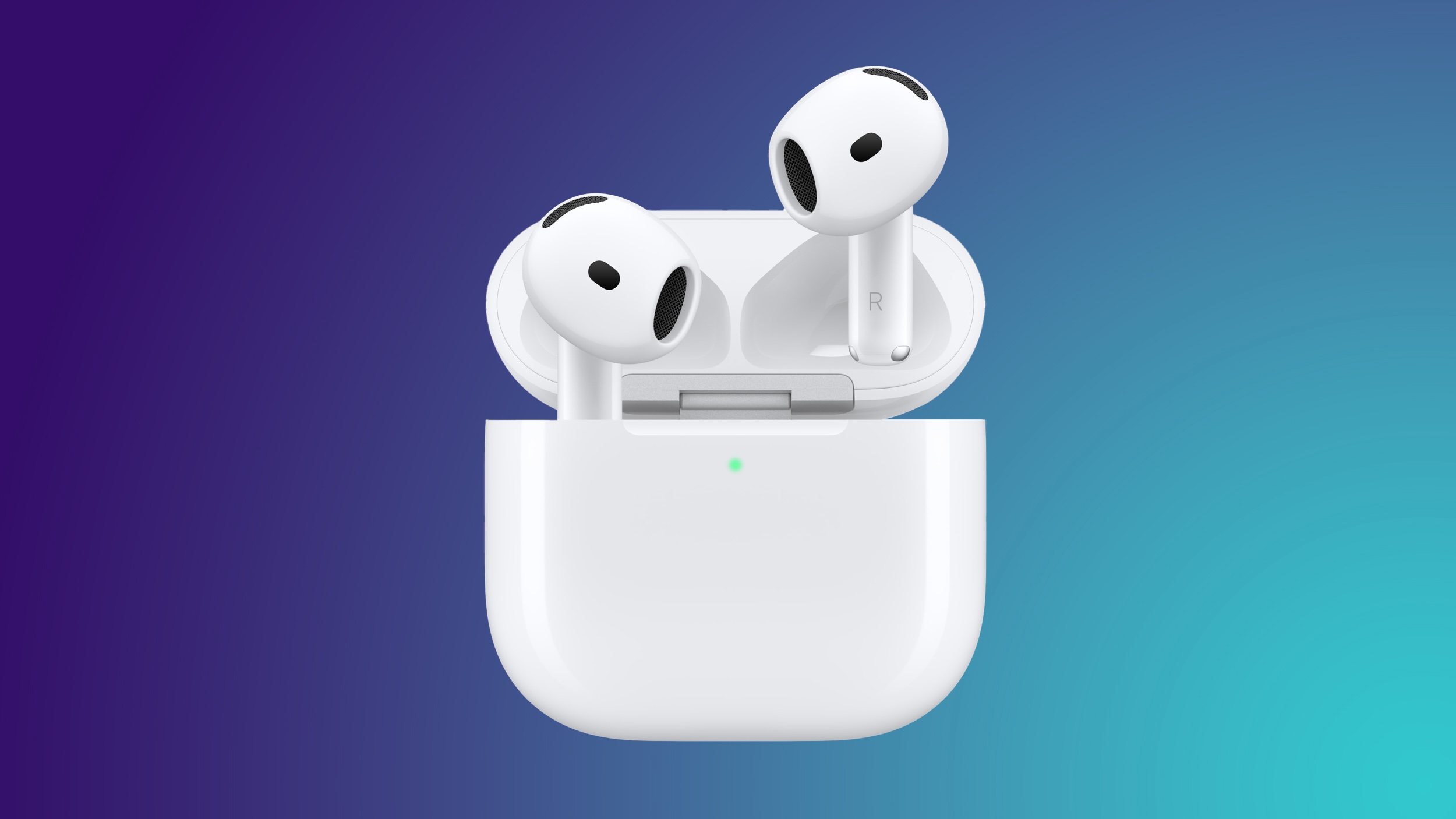
Apple offers two versions of the AirPods 5: a $129 model with a USB-C Charging Case and a $149 model with a Wireless Charging Case. The extra $20 also buys longer battery life, swipe volume controls, and additional Find My features, so there are differences between the earbuds themselves as well as their cases.


Both models include Active Noise Cancellation as standard, the H2 chip, the same open-ear design, and the same redesigned acoustic architecture with updated Adaptive EQ. They also share Transparency mode, Adaptive Audio, Conversation Awareness, Personalized Spatial Audio, Voice Isolation, studio-quality audio recording, and IP57 dust, sweat, and water resistance. Both support Live Translation when paired with a compatible iPhone with Apple Intelligence enabled, in supported languages and regions.

The earbuds have identical dimensions and weight. The cases are also the same size, although the Wireless Charging Case is slightly heavier. There are still some notable differences to justify the price difference. Our guide helps to answer the question of how to decide which of these sets of AirPods is best for you.


AirPods 5 AirPods 5 With Wireless Charging Case
Force sensor Force sensor with swipe volume controls
Up to four hours of listening time on a single charge with Active Noise Cancellation enabled (up to six hours with noise control off) Up to five hours of listening time on a single charge with Active Noise Cancellation enabled (up to seven hours with noise control off)
Up to 20 hours of listening time with the charging case with Active Noise Cancellation enabled Up to 22 hours of listening time with the charging case with Active Noise Cancellation enabled
Charging Case (USB-C) Wireless Charging Case (USB-C) with support for the Apple Watch charger and Qi-certified chargers
Case speaker for Find My and charging and battery status sounds
Find My with last-connected location and sound playback on the earbuds Find My network tracking, sound playback on the earbuds, separate locations for each earbud and the case, and individual Lost Mode support
Charging case weighs 32.3 grams (1.14 ounces) Charging case weighs 34.7 grams (1.22 ounces)
$129 $149


For most people, the AirPods 5 with Wireless Charging Case are clearly the better buy. The extra $20 is a very small premium for conveniences you are likely to appreciate if you use your AirPods regularly. Longer listening time is useful for travel and extended sessions, while swipe volume controls let you make adjustments without reaching for your iPhone or asking Siri.

The higher-end model is worth considering even if you plan to charge exclusively over USB-C. Wireless charging becomes more useful if you already have a Qi charger or Apple Watch charger. Its additional Find My features are valuable if you tend to misplace your AirPods, allowing you to locate the earbuds and case separately and use the Find My network when they are beyond your device's range. The case speaker also helps when it slips between cushions or gets buried in a bag.

The standard AirPods 5 make more sense if you are on a very strict budget, want a secondary pair, or mostly listen for short periods. You still get the same audio technology and noise cancellation, so saving $20 does not mean compromising on those core features. You simply need to be comfortable with USB-C charging, shorter battery life, fewer controls, and more limited Find My functionality.

The charging cases are not interchangeable between the two models. If you buy the standard AirPods 5, you cannot add wireless charging later by purchasing the other model's case, making it worth deciding which features you want before buying.

Before buying, compare prices using our Deals roundup, since discounts can change the price gap between the two models.

If you're considering an upgrade from AirPods 4 or want to see what changed between generations, our AirPods 4 vs. AirPods 5 Buyer's Guide compares the improvements and explains whether upgrading is worthwhile.
Related Roundup: AirPods 5
Buyer's Guide: AirPods (Buy Now)
Related Forum: AirPods

This article, "AirPods 5 vs. AirPods 5 With Wireless Charging Case Buyer's Guide" first appeared on MacRumors.com

Discuss this article in our forums
  •  

Apple Watch Series 9 vs. Series 12 Buyer's Guide: Is It Worth Upgrading?

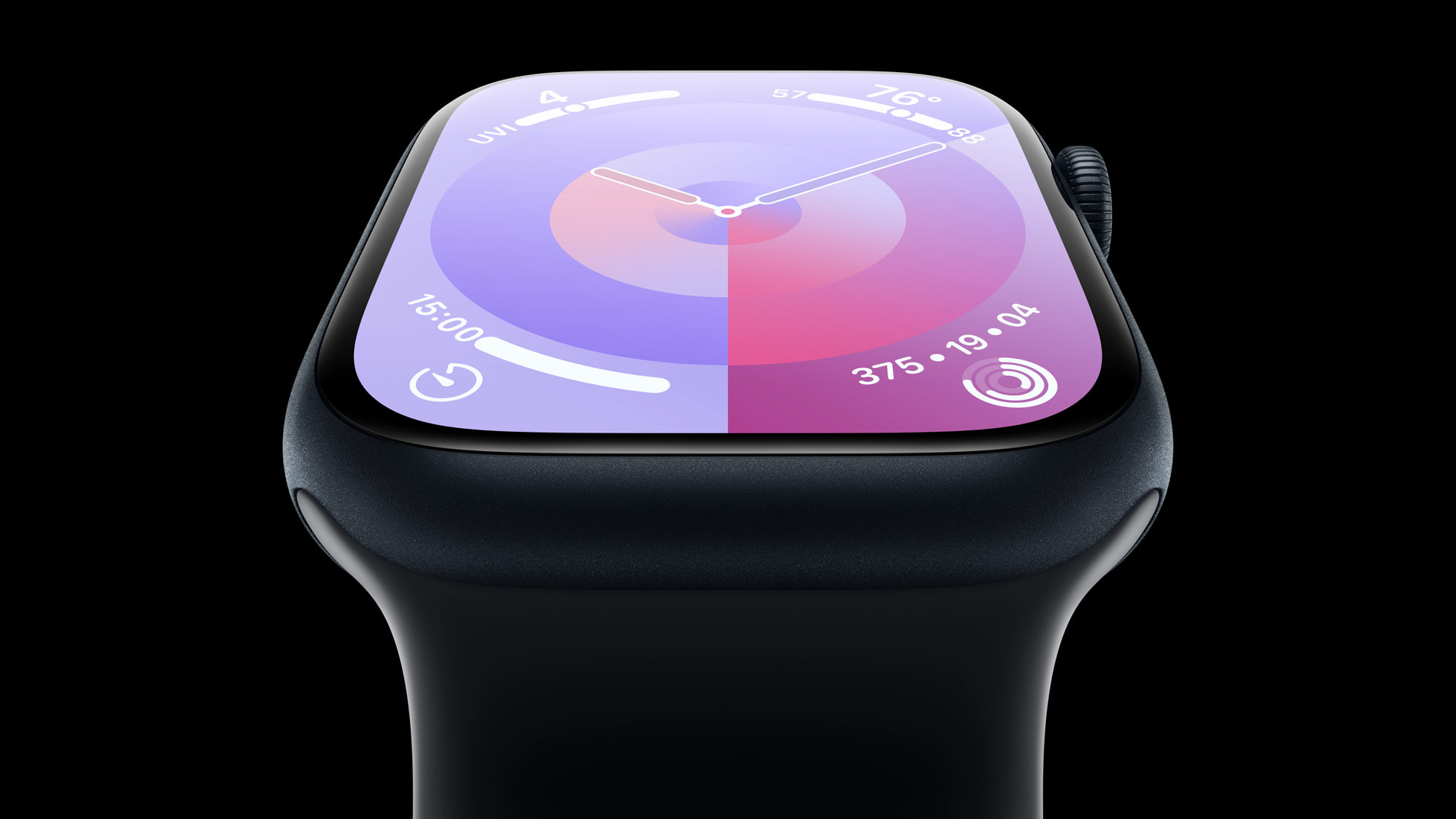
The Apple Watch Series 12 is now available, three years after the Series 9. In that time, Apple has introduced a thinner design, larger displays, faster charging, new water sensors, and a substantially more capable health sensing system. Is that enough to justify replacing a Series 9?


Apple discontinued the Series 9 in 2024. The older watch still supports watchOS 27, so the decision comes down to the hardware and features you would gain. Here are the key differences between the Apple Watch Series 9 and Series 12:


Apple Watch Series 9 Apple Watch Series 12
41mm and 45mm cases, 10.7mm thick 42mm and 46mm cases, 9.7mm thick in aluminum and titanium; ceramic cases are 9.85mm thick
Aluminum or stainless steel case Aluminum, titanium, or ceramic case
Aluminum: Silver, Starlight, Midnight, Pink, and (PRODUCT)RED Aluminum: Dark Bronze, Light Gold, Black, and Space Gray
Stainless steel: Silver, Gold, and Graphite Titanium: Radiant Gold and Natural
Ceramic: Pearl White and Night Blue
Ion-X front glass on aluminum models; sapphire crystal on stainless steel models Ceramic Shield 2 on aluminum models; sapphire crystal on titanium and ceramic models
Ceramic and sapphire crystal back Case-matched metal or ceramic and zirconia back
41mm: 904 sq mm display area
45mm: 1,143 sq mm display area
42mm: 970 sq mm display area
46mm: 1,196 sq mm display area
LTPO OLED Always-On Retina display LTPO3 wide-angle ‌OLED‌ Always-On Retina display with a 1Hz refresh rate, enabling a live ticking seconds hand on select watch faces
S9 chip S11 chip
2GB RAM 4GB RAM
Electrical heart sensor Second-generation electrical heart sensor
Third-generation optical heart sensor Fourth-generation, always-on optical heart sensor
Periodic background heart rate readings Background heart rate readings every five seconds
Heart rate variability (HRV) measurements Recovery HRV and overall HRV, measured up to 24 times more frequently
Vitals app with overnight health metrics Vitals app with Recovery HRV and a daytime vitals view
Readiness app with a daily score and recommendation
Step tracking Redesigned step tracking and a Steps watch face complication
Wrist temperature sensor Wrist and water temperature sensors
Depth gauge to 6 meters and Depth app
Microphone Microphone with Voice Isolation
Speaker Redesigned speaker with media playback
Audio Intelligence, including Sound Recognition, faster Shazam, Live Rewind, and Siri Recap
LTE and UMTS on cellular models LTE and 5G RedCap on cellular models
Up to 18 hours of normal use; up to 36 hours in Low Power Mode Up to 24 hours of normal use; up to 38 hours in Low Power Mode
Up to 80% charge in about 45 minutes Up to 80% charge in about 30 minutes; 15 minutes of charging provides up to 12 hours of normal use
Now discontinued From $399


Design


The Series 12 uses a similar version of the thinner design introduced with the Series 10. Its display area is about 7% larger in the smaller size and 5% larger in the larger size than the corresponding Series 9 models. The Series 12 figures below are for aluminum models; its ceramic cases are slightly larger and heavier:


Apple Watch Series 9 Apple Watch Series 12
Smaller case 41mm × 35mm × 10.7mm 42mm × 37mm × 9.7mm
Larger case 45mm × 38mm × 10.7mm 46mm × 40mm × 9.7mm
Smaller aluminum model, GPS 31.9 grams 32.2 grams
Larger aluminum model, GPS 38.7 grams 39.5 grams
Smaller aluminum model, cellular 32.1 grams 31.5 grams
Larger aluminum model, cellular 39.0 grams 38.6 grams


The Series 12 is noticeably thinner, but the comparable aluminum GPS models are slightly heavier than their Series 9 counterparts. Buyers moving from a stainless steel Series 9 to a titanium Series 12 will see a more substantial weight reduction because the case material has changed.

Is It Worth Upgrading?


For Series 9 owners, the Series 12 is a meaningful cumulative upgrade, particularly if you use your watch for training and recovery. Its more frequent heart rate and HRV readings support Readiness, Recovery HRV, and daytime vitals, while the redesigned case provides a larger, squarer display with a more modern feel. The depth gauge and water temperature sensor also add useful information for swimmers and snorkelers.

Those improvements are less compelling if you mainly use your watch for notifications, everyday activity tracking, and occasional workouts. The Series 9 still has an always-on display, ECG, wrist temperature sensing, Double Tap, sleep apnea and hypertension notifications, and support for ‌watchOS 27‌. ‌Siri‌ AI is also available on the Series 9 when paired with a compatible iPhone.

The Series 12 also has a slightly larger battery and charges faster, but likely not by enough to justify an upgrade alone. The Series 12's Audio Intelligence features may strengthen the case for some users, especially Sound Recognition for people who are deaf or hard of hearing. Live Rewind and ‌Siri‌ Recap will arrive in beta in late 2026.

Which to Buy Today?


For a new purchase, the Series 12 is clearly the better choice. It offers three generations of accumulated improvements at the same $399 starting price the Series 9 had when new. The older model makes sense only at a substantial discount if you are satisfied with its existing health features.

A used or refurbished Series 9 can still be good value, but check its battery health, physical condition, and warranty before comparing prices. A worn battery could quickly erase the saving.
Related Roundup: Apple Watch 12
Buyer's Guide: Apple Watch (Buy Now)
Related Forum: Apple Watch

This article, "Apple Watch Series 9 vs. Series 12 Buyer's Guide: Is It Worth Upgrading?" first appeared on MacRumors.com

Discuss this article in our forums
  •  

iPhone 18 Pro Colors Buyer's Guide: Which Should You Choose?

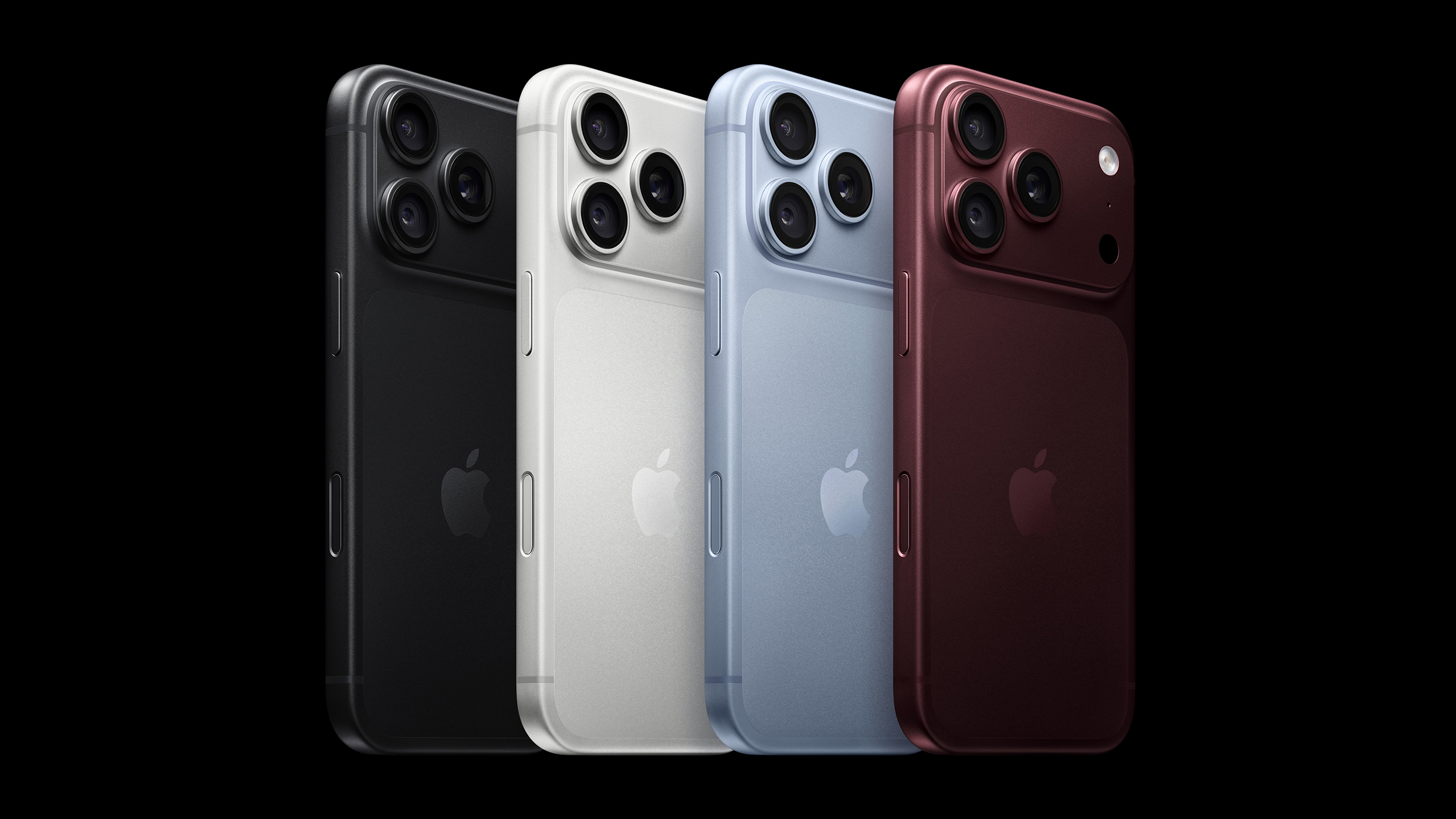
Apple's iPhone 18 Pro and ‌iPhone 18 Pro‌ Max models come in four distinct color options, so which should you choose?


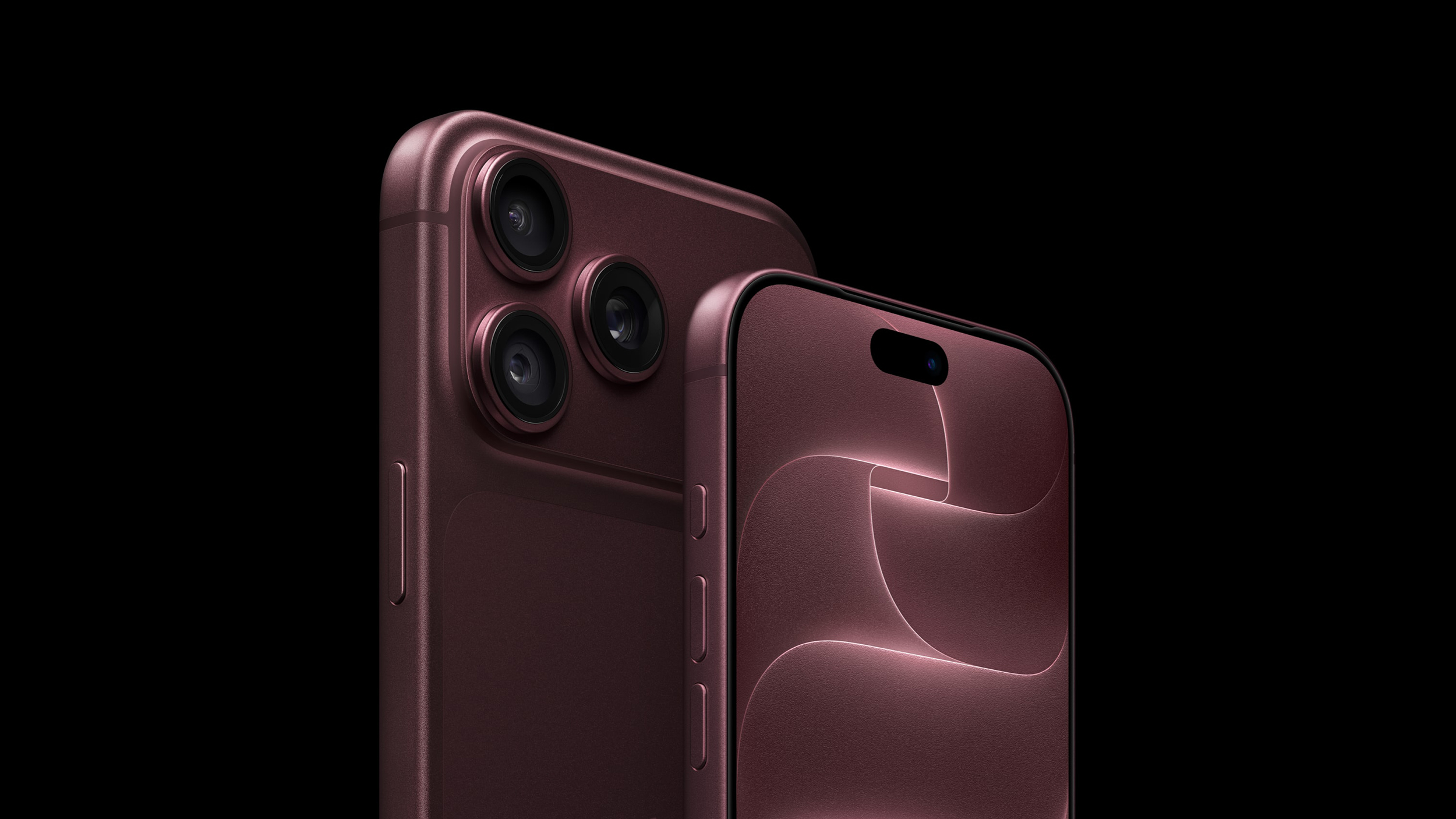
The ‌iPhone 18 Pro‌ models come in Black, Silver, Glacier, and Burgundy. The aluminum and glass backs are more closely matched than on the iPhone 17 Pro, although the different materials remain somewhat visible.

You should also consider if you plan to use a case with your device and, if so, which one. The ‌iPhone 18 Pro‌'s large, full-width camera plateau stands out on most cases, exposing more of the device's color. Choosing a complimentary color should be your first priority.

Burgundy


Burgundy is the most distinct and expressive ‌iPhone 18 Pro‌ finish, and it is much darker than the ‌iPhone 17‌ Pro's equivalent Cosmic Orange. It looks closer to wine or plum than a vivid red.


Burgundy is the standout shade in the ‌iPhone 18 Pro‌ lineup, designed to be bold and attention-grabbing. It is the most noticeable ‌iPhone 18 Pro‌ color, and the most likely to indicate that you have the latest generation device—there has never been an iPhone color option like it before.

Apple offers Burgundy Silicone and TechWoven cases if you want the phone and case to look closely coordinated. With a contrasting case, the large, exposed plateau becomes a prominent patch of red-purple. That is worth considering if you like to change between bright case colors: Burgundy will remain part of every combination.

A clear case shows more of the finish, although Apple's white MagSafe ring covers part of the back. Burgundy is the clearest way to distinguish this generation by color, but anyone hoping for a bright red iPhone may be disappointed.

Choose Burgundy if you want a distinctive, dark color that remains noticeable even when the phone is in a case.

Glacier


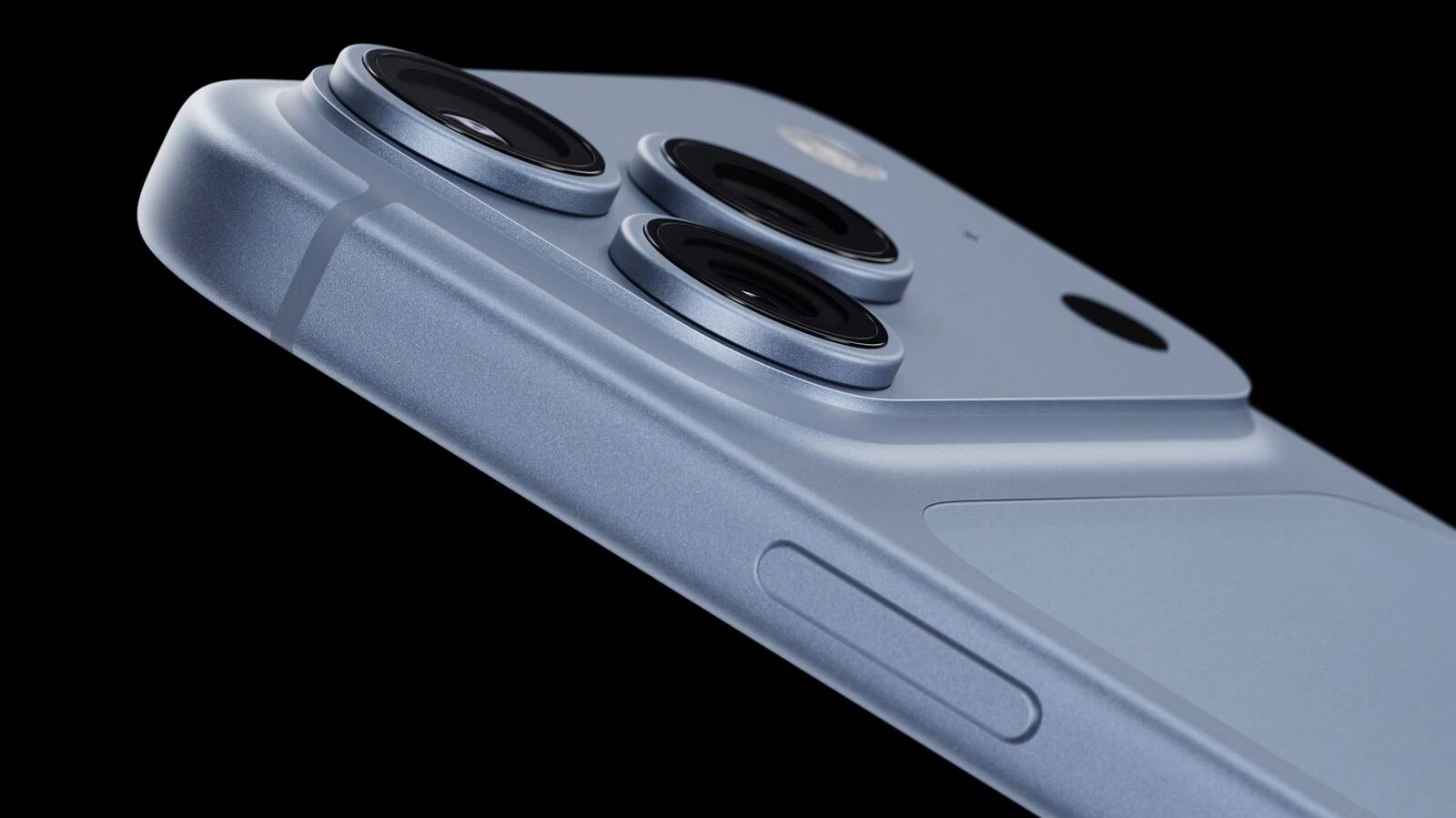
Glacier is a cool, pale blue that gives the iPhone a much softer look than Burgundy. It is much lighter than the ‌iPhone 17‌ Pro's Deep Blue, yet it does not disappear into Silver; in-person, it still looks distinctly blue.


Glacier is a useful middle ground if you want gentle color with some saturation, without making it the strongest feature of the phone. The exposed camera plateau gives an opaque case a light blue accent, while a clear case reveals most of the finish. Apple's clear case has a large white ‌MagSafe‌ ring, however, so it does not leave the back completely unobstructed.

Apple sells blue cases in shades such as Crisp Blue and Chambray Blue, but neither is named Glacier. If you want the case and phone to match precisely, it may be best to compare them in person; otherwise, a clear or neutral case lets Glacier stand on its own.

Choose Glacier if you want an iPhone with a fresh, subtle, and light appearance.

Silver


Silver is the most classic, versatile, and timeless option, but also the most practical. The finish gives off a clean and bright look that pairs well with virtually any case or wallpaper, and it reflects light more than the other three colors, making it quite neutral.


Its aluminum has a metallic sheen that leans toward white in some lighting conditions. This year, the two rear materials are the same tone, making the new model look much more cohesive than the two-tone Silver ‌iPhone 17‌ Pro.

Silver is also the most adaptable color for cases. The exposed silver plateau provides a crisp, light accent against a dark case and sits more quietly beside a pale one. The color is likely to age well since it goes well with any case and embodies Apple's most traditional colors.

It is also the only finish of the three that pairs well with Apple's own clear case. The clear case's white ‌MagSafe‌ ring is less of a visual interruption here than it is against Black or Burgundy. If you frequently change cases, Silver is unlikely to compete with your next choice.

Unlike Burgundy or Black, Silver minimizes the appearance of damage. When the anodized layer chips or scratches, the raw aluminum underneath is very close in tone, so imperfections blend in far better. For users who prioritize long-term durability of appearance, Silver is the most forgiving finish. It may not be as dramatic as Burgundy or as sleek as Black, but it is the safest choice for maintaining a "like-new" look over years of use.

Choose Silver if you want a classic, flexible look that mitigates the signs of damage.

Black


Black returns after the ‌iPhone 17‌ Pro offered Deep Blue as its darkest option. It offers a dark, neutral look without Deep Blue's blue cast.


A black case makes the exposed camera plateau blend into the rest of the phone. A light or colorful case has the opposite effect, framing a broad dark section across the top. Apple's clear case also makes its white ‌MagSafe‌ ring particularly noticeable against Black, so it is less suited to an uninterrupted all-black look.

If a deep chip or scratch exposes bare aluminum, its lighter color would stand out against this finish, especially on the plateau that Apple's cases leave uncovered. Anyone using the device without a case should be prepared for more noticeable damage. If visible marks would bother you and you plan to go without a case, Silver may be a better fit.

Choose Black if you want a dark, stealthy, and professional look, but be willing to accept signs of wear and tear.
Related Roundup: iPhone 18 Pro
Related Forum: iPhone

This article, "iPhone 18 Pro Colors Buyer's Guide: Which Should You Choose?" first appeared on MacRumors.com

Discuss this article in our forums
  •  

Apple Watch SE 3 vs. Series 12 Buyer's Guide: Which Should You Buy?

The Apple Watch SE 3 starts at $249, while the Apple Watch Series 12 starts at $399. The $150 difference buys a more advanced health sensing system, a larger display, longer battery life, and more options for tracking training and recovery.


The two watches still share many features, including an always-on display, wrist temperature sensing, sleep apnea notifications, retrospective ovulation estimates, 5G connectivity on cellular models, media playback, and 64GB of storage. Our guide helps to answer the question of how to decide which of these two Apple Watch models is best for you. The differences between the two models are as follows:


‌Apple Watch SE 3‌ Apple Watch Series 12
Same design as Apple Watch Series 4, 5, and 6 Refined design with a thinner casing, display with more rounded edges and a wider aspect ratio, and front glass that extends further over the sides for a higher screen-to-body ratio
40mm or 44mm case 42mm or 46mm case
Aluminum case Aluminum, titanium, or ceramic case
40mm: 40 by 34 by 10.7mm
44mm: 44 by 38 by 10.7mm
42mm aluminum/titanium: 42 by 37 by 9.7mm
46mm aluminum/titanium: 46 by 40 by 9.7mm
42mm ceramic: 43 by 37 by 9.85mm
46mm ceramic: 47 by 41 by 9.85mm
Aluminum GPS weight: 26.3 grams (40mm) or 32.9 grams (44mm) Aluminum GPS weight: 32.2 grams (42mm) or 39.5 grams (46mm)
Ion-X front glass Ceramic Shield 2 front on aluminum models; sapphire crystal front on titanium and ceramic models
No published IP6X rating IP6X dust resistance
LTPO OLED display LTPO3 display with a 1Hz always-on refresh rate, allowing a live ticking seconds hand on supported watch faces
‌OLED‌ display Wide-angle ‌OLED‌ display
40mm: 324 by 394 pixels
44mm: 368 by 448 pixels
42mm: 374 by 446 pixels
46mm: 416 by 496 pixels
40mm: 759 sq mm display area
44mm: 977 sq mm display area
42mm: 970 sq mm display area
46mm: 1,196 sq mm display area
Up to 1,000 nits brightness Up to 2,000 nits brightness
2 nits minimum brightness 1 nit minimum brightness
Nylon composite and sapphire crystal back Aluminum or titanium and zirconia back; ceramic and zirconia back on ceramic models
S10 chip (2024) S11 chip (2026)
2GB RAM 4GB RAM
Second-generation optical heart sensor Always-on optical heart sensor
Standard background heart rate tracking Background heart rate readings every five seconds
Heart rate variability tracking Recovery HRV and more frequent overall HRV readings
Vitals app with heart rate, respiratory rate, wrist temperature, and sleep duration Vitals app with heart rate, respiratory rate, wrist temperature, sleep duration, HRV, and a daytime view
Readiness app
Electrical heart sensor and ECG app
Blood oxygen sensor and Blood Oxygen app
Hypertension notifications
Standard step tracking Improved step tracking
Real-time heart rate and steps watch face complications
Water temperature sensor
Depth gauge to 6 meters and Depth app
Oceanic+ app for snorkeling to 6 meters, available on the App Store
Audio Intelligence features including Siri Recap, Sound Recognition, and Shazam
Live Rewind and ‌Siri‌ Recap, due in beta in late 2026
Microphone Microphone with Voice Isolation
Single, elongated speaker openings Individual speaker holes
2.4GHz Wi-Fi 4 2.4GHz and 5GHz Wi-Fi 4
L1 GPS Precision L1 GPS
Second-generation Ultra Wideband chip
Find iPhone Precision Finding for iPhone, with distance and direction guidance
HomePod playback controls ‌HomePod‌ playback controls and proximity-based media suggestions with a compatible Ultra Wideband ‌HomePod‌
Up to 18 hours of normal use Up to 24 hours of normal use
Up to 32 hours in Low Power Mode Up to 38 hours in Low Power Mode
Up to 7 hours of workout tracking Up to 10 hours of workout tracking
Charges from 0 to 80% in about 45 minutes Charges from 0 to 80% in about 30 minutes
15 minutes of charging for up to 8 hours of normal use 15 minutes of charging for up to 12 hours of normal use
8 minutes of charging for up to 8 hours of sleep tracking 5 minutes of charging for up to 10 hours of sleep tracking
Midnight and Starlight aluminum finishes Dark Bronze, Light Gold, Black, and Space Gray aluminum finishes
Radiant Gold and Natural titanium finishes
Pearl White and Night Blue ceramic finishes
Silver and Radiant Gold titanium Hermès models
40mm: $249 GPS or $299 GPS + Cellular
44mm: $279 GPS or $329 GPS + Cellular
Aluminum 42mm: $399 GPS or $499 GPS + Cellular
Aluminum 46mm: $449 GPS or $549 GPS + Cellular
Titanium models start at $699; ceramic models start at $899


If you mainly want a smart watch for notifications, standard workout and sleep tracking, and an always-on display, the ‌Apple Watch SE 3‌ remains the better value. Although it is now a year old, it still represents excellent value for money at $249, offering most of the Apple Watch's core features for $150 less than the entry-level Series 12.

The Apple Watch Series 12 has a much stronger case for anyone who uses their device to follow health and recovery trends. Its new Health Sensing System enables frequent heart rate readings, Recovery HRV, and a Readiness score that draws on recent activity, training load, vitals, and sleep. ECG, blood oxygen monitoring, and hypertension notifications add further capabilities unavailable on the ‌Apple Watch SE 3‌.

Battery life may be a decisive factor. The Apple Watch Series 12 is rated for six more hours of normal use and three more hours of outdoor workout tracking. It also charges faster, which is particularly useful if you wear your watch overnight for sleep tracking.

The Series 12 also offers a larger and brighter display, which makes a noticeable difference in daily use, along with 5GHz Wi-Fi, Precision Finding for a misplaced iPhone, and premium titanium and ceramic case options. Its Audio Intelligence features include ‌Siri‌ Recap, Sound Recognition, and always-on Shazam.

If you prefer the Series 12's broader health tracking capabilities, longer battery life, display advantages, or luxury case options, the extra cost is justified. If those features are unlikely to change how you use or appreciate your watch, the ‌Apple Watch SE 3‌ is the more economical choice.
Related Roundups: Apple Watch 12, Apple Watch SE 3
Related Forum: Apple Watch

This article, "Apple Watch SE 3 vs. Series 12 Buyer's Guide: Which Should You Buy?" first appeared on MacRumors.com

Discuss this article in our forums
  •  

Apple Watch Ultra 2 vs. Ultra 4 Buyer's Guide: Should You Upgrade?

The Apple Watch Ultra 4 arrives three years after the Ultra 2. Across those two generations, Apple added satellite connectivity, a larger display, new health sensors, and longer battery life. Are those changes enough to justify replacing an Ultra 2 or paying more for the newest model?


Both watches retain a 49mm titanium case, an Action button, a siren, a 3,000-nit display, dual-frequency GPS, and support for recreational diving to 40 meters. The Apple Watch Ultra 4 starts at $799 in the U.S. Apple has discontinued the Ultra 2, although its refurbished store currently lists it from $589. Here are the key differences between the two models:


Apple Watch Ultra 2 ‌Apple Watch Ultra 4‌
LTPO2 OLED display with always-on Wide-angle LTPO3 ‌OLED‌ display with 1Hz always-on refresh
410 by 502 pixels; 1,185 sq mm display area 422 by 514 pixels; 1,245 sq mm display area (5% larger)
S9 chip S11 chip
2GB RAM 4GB RAM
Electrical heart sensor and third-generation optical heart sensor Health Sensing System with new electrical and always-on optical heart sensors
Background heart-rate measurements Background heart-rate measurements every five seconds
Heart-rate variability (HRV) measurements More frequent measurements of overall HRV and Recovery HRV
Overnight Vitals view Overnight and daytime Vitals views
Readiness app
Step tracking More accurate all-day step tracking and a Steps watch-face complication
LTE and UMTS cellular connectivity LTE and 5G cellular connectivity
Emergency SOS, Messages, and Find My via satellite
Audio Intelligence: Sound Recognition, automatic music identification, Live Rewind, and Siri Recap
Up to 36 hours of normal use Up to 50 hours of normal use
Up to 72 hours in Low Power Mode Up to 84 hours in Low Power Mode
Up to 12 hours of standard outdoor workout tracking Up to 18 hours of standard outdoor workout tracking
Up to 17 hours of outdoor workout tracking in Low Power Mode with full GPS and heart-rate readings Up to 25 hours in Extended Workout mode with full GPS and heart-rate readings
Up to 35 hours of outdoor workout tracking with fewer GPS and heart-rate readings Up to 45 hours in Max Extended Workout mode, with GPS readings every second
Charges from 0 to 80% in about one hour Charges from 0 to 80% in about 45 minutes
Natural titanium: 61.4 grams; black titanium: 61.8 grams Natural titanium: 63.0 grams; black titanium: 63.1 grams
Dual-frequency GPS supporting GPS, GLONASS, Galileo, QZSS, and BeiDou Dual-frequency GPS supporting GPS, Galileo, QZSS, and BeiDou
Now discontinued Starts at $799


Is It Worth Upgrading From Ultra 2 to Ultra 4?


Most Apple Watch Ultra 2 owners should keep their watch if its battery still covers their usual days and workouts. It supports watchOS 27 and ‌Siri‌ AI, and continues to get new features through software updates.

The new Health Sensing System is the strongest reason to upgrade an Ultra 4. It measures heart rate every five seconds throughout the day and collects HRV data more frequently, enabling Recovery HRV, daytime Vitals, and the Readiness app. If you will use those insights to adjust your training or better understand changes in your daily condition, the ‌Apple Watch Ultra 4‌ offers a substantially improved health-tracking experience.

The S11 chip strengthens the case to upgrade. Alongside twice the memory, it enables more accurate all-day step counts, a Steps complication, and Audio Intelligence. Sound Recognition can alert you to important surrounding sounds on your wrist, while music recognition can identify songs automatically.

Satellite connectivity and longer battery life add further reasons to switch, especially if you spend time beyond cellular coverage or record long workouts. Apple's ratings increase from 36 to 50 hours of normal use and from 12 to 18 hours of standard outdoor workout tracking. The slightly larger display and faster charging are welcome improvements, but the new sensing and chip-enabled features make the bigger difference.

Should You Buy an Ultra 2 or Ultra 4?


For most people buying an Apple Watch Ultra now, future-proofing is the strongest reason to choose the latest model. Its S11 chip, 4GB of RAM, and Health Sensing System already enable Readiness, more detailed recovery metrics, and Audio Intelligence features. Live Rewind and ‌Siri‌ Recap are due later in 2026. If you plan to keep your watch for several years through successive software updates, that newer hardware makes the $799 model easier to justify.

The Apple Watch Ultra 2 remains a credible value option at a substantial discount. At Apple's current $589 refurbished price, it costs $210 less than a new Ultra 4 while retaining the same design and core features. Choose it if those existing capabilities meet your needs and you are comfortable passing up the Ultra 4's hardware-exclusive features.
Related Roundup: Apple Watch Ultra 4
Related Forum: Apple Watch

This article, "Apple Watch Ultra 2 vs. Ultra 4 Buyer's Guide: Should You Upgrade?" first appeared on MacRumors.com

Discuss this article in our forums
  •  
❌