
❌

Normale Ansicht

What's Gone in macOS Golden Gate and What's Next in macOS 28

With macOS Golden Gate, Apple phased out several legacy features and services, cutting support for older devices and accessories. More cuts are coming in macOS 28 as Apple continues to root out lingering Intel features.


Here's everything that's been dropped.

  • Support for Intel Macs - ‌macOS Golden Gate‌ is the first version of macOS that runs only on Apple silicon Macs. Intel Macs can't run it and are limited to macOS Tahoe. Apple still plans to offer security updates through fall 2028.

  • Boot Camp Assistant - Since ‌macOS Golden Gate‌ doesn't run on Intel Macs, it doesn't support Boot Camp. Apple silicon Macs require virtualization software like Parallels or VMware Fusion to run Windows.

  • Rosetta 2 (Temporarily) - Upgrading to ‌macOS Golden Gate‌ removes Rosetta, but if you have an app installed that requires it, you can reinstall it. ‌macOS Golden Gate‌ is the last version of macOS that will have full Rosetta support.

  • Apple Filing Protocol - Apple deprecated AFP back in macOS Sequoia 15.5, and there is no AFP client at all in ‌macOS Golden Gate‌.

  • Time Capsule Backups - With no support for AFP, Time Capsule no longer works with Macs running ‌macOS Golden Gate‌. Time Capsule requires AFP or SMBv1, but Time Machine backups now use the SMBv2 or SMBv3 protocol.

  • AirPort Utility - AirPort Utility is no longer included when you install ‌macOS Golden Gate‌. If you had the app before updating, you can still use it, but Apple makes no guarantee that it still works. AirPort Utility lets users manage AirPort base stations like the AirPort Extreme and AirPort Express.


macOS 28, which is expected in fall 2027, will largely drop support for Rosetta 2. Most apps that rely on Rosetta will not open on Macs running macOS 28, though Apple is making an exception for some legacy games that are unmaintained.

In ‌macOS Golden Gate‌, you'll see a warning when using any app that relies on Rosetta, so you're aware that the app won't continue to work in the future without a developer update. You can also see which apps are affected by going to Settings > General > About > Intel-Based Apps and then clicking on Details.
Related Roundup: macOS Golden Gate
Related Forum: macOS Golden Gate

This article, "What's Gone in macOS Golden Gate and What's Next in macOS 28" first appeared on MacRumors.com

Discuss this article in our forums
  •  

Apple Watch Ultra 2 vs. Ultra 4 Buyer's Guide: Should You Upgrade?

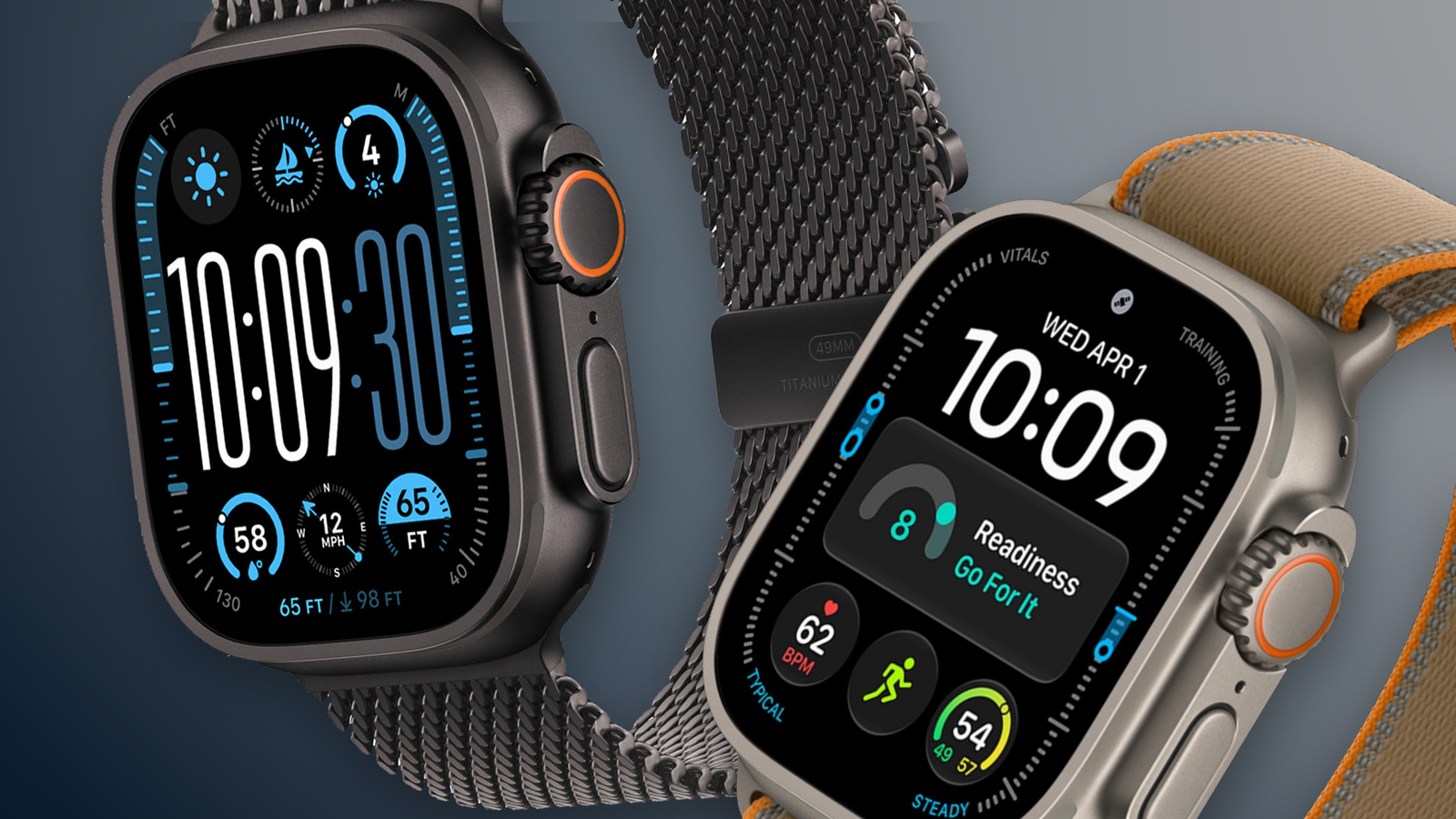
The Apple Watch Ultra 4 arrives three years after the Ultra 2. Across those two generations, Apple added satellite connectivity, a larger display, new health sensors, and longer battery life. Are those changes enough to justify replacing an Ultra 2 or paying more for the newest model?


Both watches retain a 49mm titanium case, an Action button, a siren, a 3,000-nit display, dual-frequency GPS, and support for recreational diving to 40 meters. The Apple Watch Ultra 4 starts at $799 in the U.S. Apple has discontinued the Ultra 2, although its refurbished store currently lists it from $589. Here are the key differences between the two models:


Apple Watch Ultra 2 ‌Apple Watch Ultra 4‌
LTPO2 OLED display with always-on Wide-angle LTPO3 ‌OLED‌ display with 1Hz always-on refresh
410 by 502 pixels; 1,185 sq mm display area 422 by 514 pixels; 1,245 sq mm display area (5% larger)
S9 chip S11 chip
2GB RAM 4GB RAM
Electrical heart sensor and third-generation optical heart sensor Health Sensing System with new electrical and always-on optical heart sensors
Background heart-rate measurements Background heart-rate measurements every five seconds
Heart-rate variability (HRV) measurements More frequent measurements of overall HRV and Recovery HRV
Overnight Vitals view Overnight and daytime Vitals views
Readiness app
Step tracking More accurate all-day step tracking and a Steps watch-face complication
LTE and UMTS cellular connectivity LTE and 5G cellular connectivity
Emergency SOS, Messages, and Find My via satellite
Audio Intelligence: Sound Recognition, automatic music identification, Live Rewind, and Siri Recap
Up to 36 hours of normal use Up to 50 hours of normal use
Up to 72 hours in Low Power Mode Up to 84 hours in Low Power Mode
Up to 12 hours of standard outdoor workout tracking Up to 18 hours of standard outdoor workout tracking
Up to 17 hours of outdoor workout tracking in Low Power Mode with full GPS and heart-rate readings Up to 25 hours in Extended Workout mode with full GPS and heart-rate readings
Up to 35 hours of outdoor workout tracking with fewer GPS and heart-rate readings Up to 45 hours in Max Extended Workout mode, with GPS readings every second
Charges from 0 to 80% in about one hour Charges from 0 to 80% in about 45 minutes
Natural titanium: 61.4 grams; black titanium: 61.8 grams Natural titanium: 63.0 grams; black titanium: 63.1 grams
Dual-frequency GPS supporting GPS, GLONASS, Galileo, QZSS, and BeiDou Dual-frequency GPS supporting GPS, Galileo, QZSS, and BeiDou
Now discontinued Starts at $799


Is It Worth Upgrading From Ultra 2 to Ultra 4?


Most Apple Watch Ultra 2 owners should keep their watch if its battery still covers their usual days and workouts. It supports watchOS 27 and ‌Siri‌ AI, and continues to get new features through software updates.

The new Health Sensing System is the strongest reason to upgrade an Ultra 4. It measures heart rate every five seconds throughout the day and collects HRV data more frequently, enabling Recovery HRV, daytime Vitals, and the Readiness app. If you will use those insights to adjust your training or better understand changes in your daily condition, the ‌Apple Watch Ultra 4‌ offers a substantially improved health-tracking experience.

The S11 chip strengthens the case to upgrade. Alongside twice the memory, it enables more accurate all-day step counts, a Steps complication, and Audio Intelligence. Sound Recognition can alert you to important surrounding sounds on your wrist, while music recognition can identify songs automatically.

Satellite connectivity and longer battery life add further reasons to switch, especially if you spend time beyond cellular coverage or record long workouts. Apple's ratings increase from 36 to 50 hours of normal use and from 12 to 18 hours of standard outdoor workout tracking. The slightly larger display and faster charging are welcome improvements, but the new sensing and chip-enabled features make the bigger difference.

Should You Buy an Ultra 2 or Ultra 4?


For most people buying an Apple Watch Ultra now, future-proofing is the strongest reason to choose the latest model. Its S11 chip, 4GB of RAM, and Health Sensing System already enable Readiness, more detailed recovery metrics, and Audio Intelligence features. Live Rewind and ‌Siri‌ Recap are due later in 2026. If you plan to keep your watch for several years through successive software updates, that newer hardware makes the $799 model easier to justify.

The Apple Watch Ultra 2 remains a credible value option at a substantial discount. At Apple's current $589 refurbished price, it costs $210 less than a new Ultra 4 while retaining the same design and core features. Choose it if those existing capabilities meet your needs and you are comfortable passing up the Ultra 4's hardware-exclusive features.
Related Roundup: Apple Watch Ultra 4
Related Forum: Apple Watch

This article, "Apple Watch Ultra 2 vs. Ultra 4 Buyer's Guide: Should You Upgrade?" first appeared on MacRumors.com

Discuss this article in our forums
  •  

AirPods Pro 3 on Sale for $199 This Week on Amazon

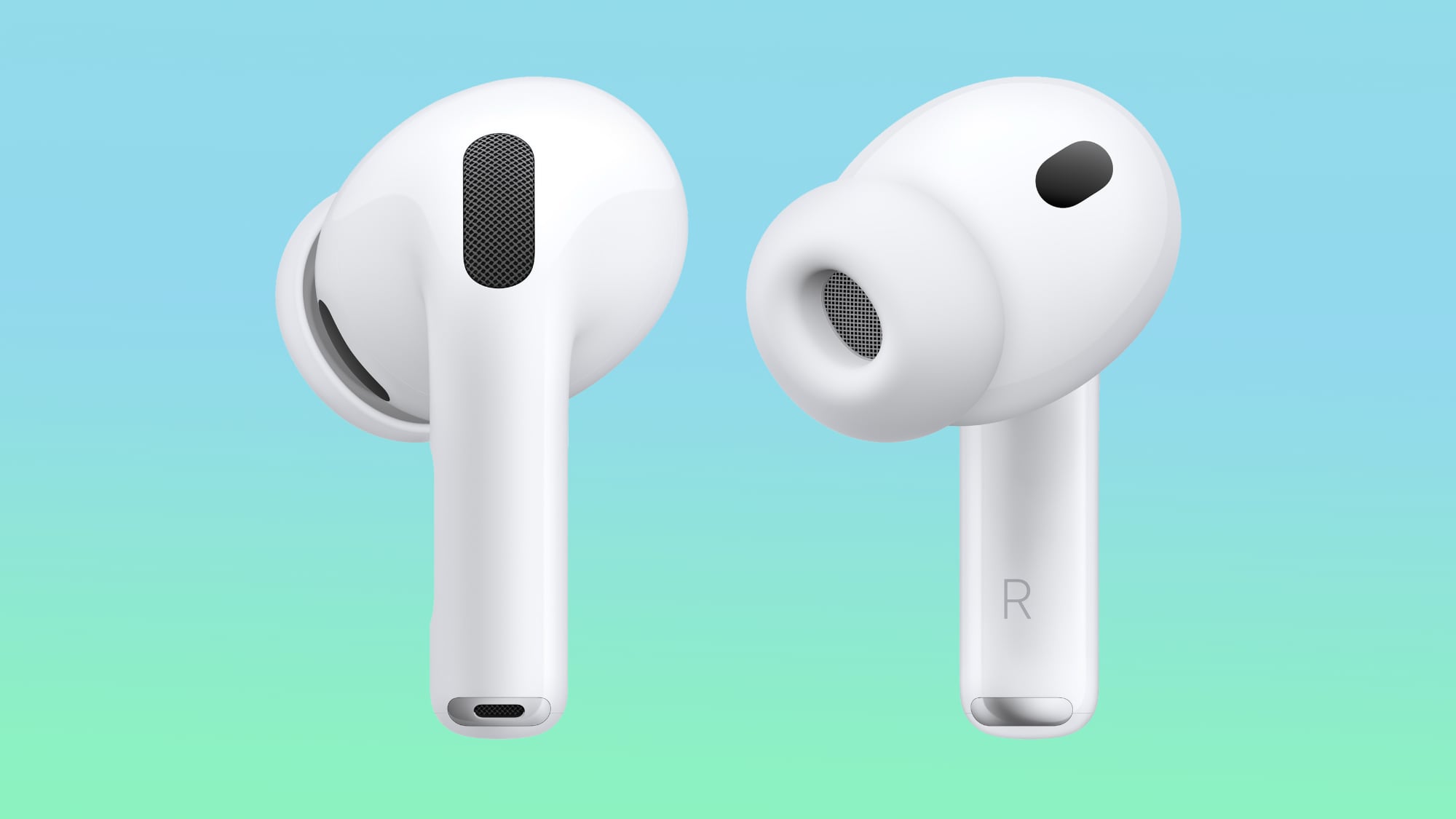
Amazon has the AirPods Pro 3 available for $199.00 this week, down from $249.00. We haven't tracked an all-time low price on this model since Prime Day over the summer, but this is still a solid $50 markdown.

Note: MacRumors is an affiliate partner with some of these vendors. When you click a link and make a purchase, we may receive a small payment, which helps us keep the site running.

This model of the AirPods Pro launched in September 2025 and has 2x better Active Noise Cancellation than the previous generation, better audio quality, a revised fit that's meant to improve comfort and stability, Live Translation for in-person conversations, and heart rate sensing for workouts.


Head to our full Deals Roundup to get caught up with all of the latest deals and discounts that we've been tracking over the past week.


Deals Newsletter


Interested in hearing more about the best deals you can find in 2026? Sign up for our Deals Newsletter and we'll keep you updated so you don't miss the biggest deals of the season!


Related Roundup: Apple Deals

This article, "AirPods Pro 3 on Sale for $199 This Week on Amazon" first appeared on MacRumors.com

Discuss this article in our forums
  •  

iPhone Handoff in iOS 27: How It Works, Pricing, and Carrier Support

Apple in iOS 27 introduced iPhone Handoff, a new eSIM feature that allows you to use the same number on two iPhones and seamlessly swap between them. The number is only active on one iPhone at a time, so it's not like having two independently active lines.


It's also different from Apple's existing Handoff feature for continuing an app task on another Apple device. Here's what you need to know about the new iPhone Handoff feature.

What Moves Between the Two iPhones?


When you switch phones with iPhone Handoff, your calls, voicemail, messages (including iMessage, RCS, SMS, and MMS) and Find My location move to the active iPhone. You'll see a "Switched to this iPhone" message on the screen to confirm the change.

Other data synced with iCloud will automatically update across your devices, and third-party apps work across both devices, though some third-party apps may require a separate sign-in or take time to sync. Any banking apps you use may also ask you to approve access on the other device.

What Do You Need for iPhone Handoff?


Both iPhones must be running iOS 27 or later. They'll also need to be:
  • Connected to Wi-Fi

  • Sharing the same Apple Account

  • Using Messages in iCloud for messages sync

  • Signed into FaceTime and iMessage with the same Apple Account
iPhone Handoff works with Dual SIM as long as both eSIMs are from carriers that support iPhone Handoff. Both eSIMs must be set up for iPhone Handoff separately, one at a time. Once set up, both eSIMs switch together simultaneously when you unlock your iPhone.

Which Carriers Support iPhone Handoff?


iPhone Handoff is available through T-Mobile in the United States and Telekom in Germany. Verizon (U.S.) and EE (U.K.) will support iPhone Handoff later this year.

AT&T has so far not committed to supporting iPhone Handoff, with a company spokesperson recently pointing to the carrier's existing eSIM activation and transfer options instead.

How Much Does iPhone Handoff Cost?


T-Mobile is charging customers $5 per month to use iPhone Handoff.

In Germany, Deutsche Telekom is charging €6.95 per month for iPhone Handoff, but only on plans that do not already include multi-SIM functionality. An added multi-SIM costs €6.95 per month (one is included with the current MagentaMobil L plan and two with XL).

No other carriers have announced pricing yet.

How Do You Set It Up?


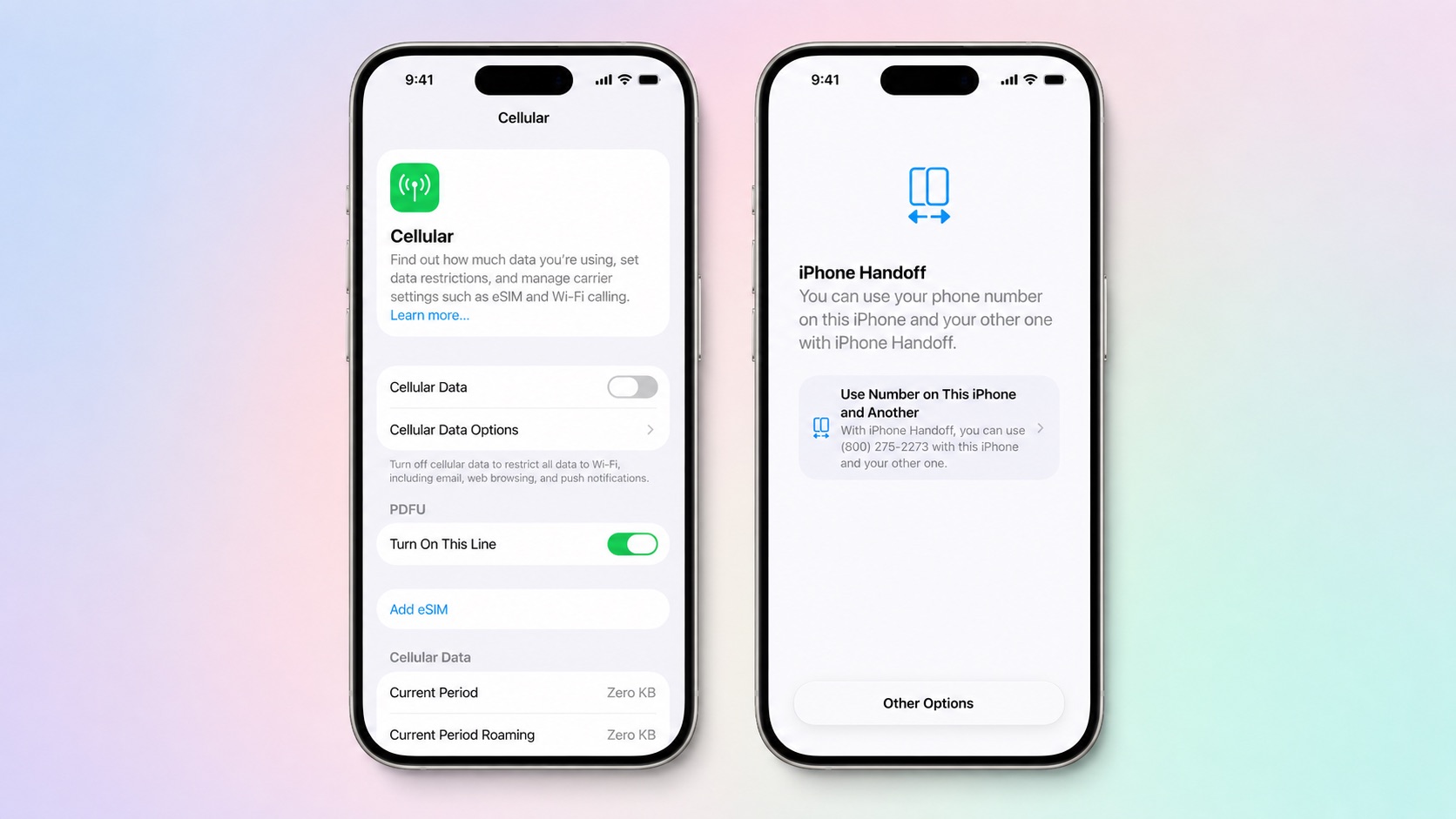
iPhone Handoff can be enabled when setting up a new iPhone. At the "Set Up Cellular" screen, choose "Use Number on This iPhone and Another," then follow the prompts on both phones.

If both iPhones are already set up, open Settings ➝ Cellular on the phone you want to add. Tap Set Up Cellular or Add eSIM, choose Use Number on This iPhone and Another, and follow the prompts. You then get to choose which device is your main iPhone (ideally, the one you use most often) and which is your secondary iPhone.


After setup, unlock either phone to make your number active on it.

What Should You Know Before Switching?


If you have an Apple Watch, it won't switch its pairing to the other device when your phone number moves, so make sure you pair it with the iPhone you expect to use most. Also, some Wallet items, including certain transit passes and IDs, may only work on one device at a time.

Carrier account management and some services like Call Forwarding and Caller ID will remain tied to your main iPhone.

Can I Replace an iPhone That Uses iPhone Handoff?


Yes, but you need to transfer the eSIM from either iPhone to the replacement device. The below steps should be followed while your new iPhone is placed next to your existing devices that use iPhone Handoff.

  1. On your new iPhone (replacement), open the Settings app.

  2. Tap Cellular and then tap Set up Cellular or Add eSIM.

  3. Select an iPhone and tap Continue.

  4. Tap Transfer. (If your carrier doesn't support eSIM transfer from a companion iPhone, you must enroll in iPhone Handoff again: On your iPhone that you are transferring the eSIM from, tap Continue, and follow the onscreen prompts.)

  5. Tap Continue.

  6. Follow the onscreen prompts on both devices.

The eSIM will deactivate on the old iPhone you transferred from.

What If I Want to Stop Using iPhone Handoff?


If you want to stop using iPhone Handoff at any time, you need to contact your carrier. Simply deleting an eSIM from your iPhone may not stop the carrier from charging you for the service.
Related Roundups: iOS 27, iPadOS 27
Related Forum: iOS 27

This article, "iPhone Handoff in iOS 27: How It Works, Pricing, and Carrier Support" first appeared on MacRumors.com

Discuss this article in our forums
  •  

Apple Releases watchOS 27.0.1 With Fix for Restart Bug

Apple today released watchOS 27.0.1, a minor update to the watchOS 27 operating system that came out last week. The update is limited to the Apple Watch Series 12 and Apple Watch Ultra 4.


watchOS 27.0.1 can be downloaded through the Settings app on the watch or the Apple Watch app on a connected iPhone. Software can only be installed when the Apple Watch is on the charger and has over 50 percent battery.

Apple's release notes say the update fixes bugs, including an issue that could cause the Apple Watch to restart unexpectedly.
Related Roundups: watchOS 26, watchOS 27
Related Forum: Apple Watch

This article, "Apple Releases watchOS 27.0.1 With Fix for Restart Bug" first appeared on MacRumors.com

Discuss this article in our forums

  •  
❌