Ihr fühlt euch in der iCloud-Mediathek ganz wohl, habt aber Interesse daran, Fotos aus einer Point-and-Shoot-Kamera reinzuholen? So geht es mir aktuell – und so umständlich ist es.
Um Spark zu demonstrieren, hatte ich die letzten zwölf Stunden keine Mails aus meinem Postfach sortiert. Schrecklich war’s für jemanden mit „Inbox-Zero“-Syndrom.
Nachdem dieses Video nun veröffentlicht ist, war’s das Erste, was ich heute Vormittag aufgeräumt habe.
Dies ist (k)eine bierernste Analyse meiner Arbeitsleistung aus zwei Urlaubswochen, sondern eher eine Machbarkeitsstudie fürs tägliche Bloggen trotz familiärer Verpflichtungen.
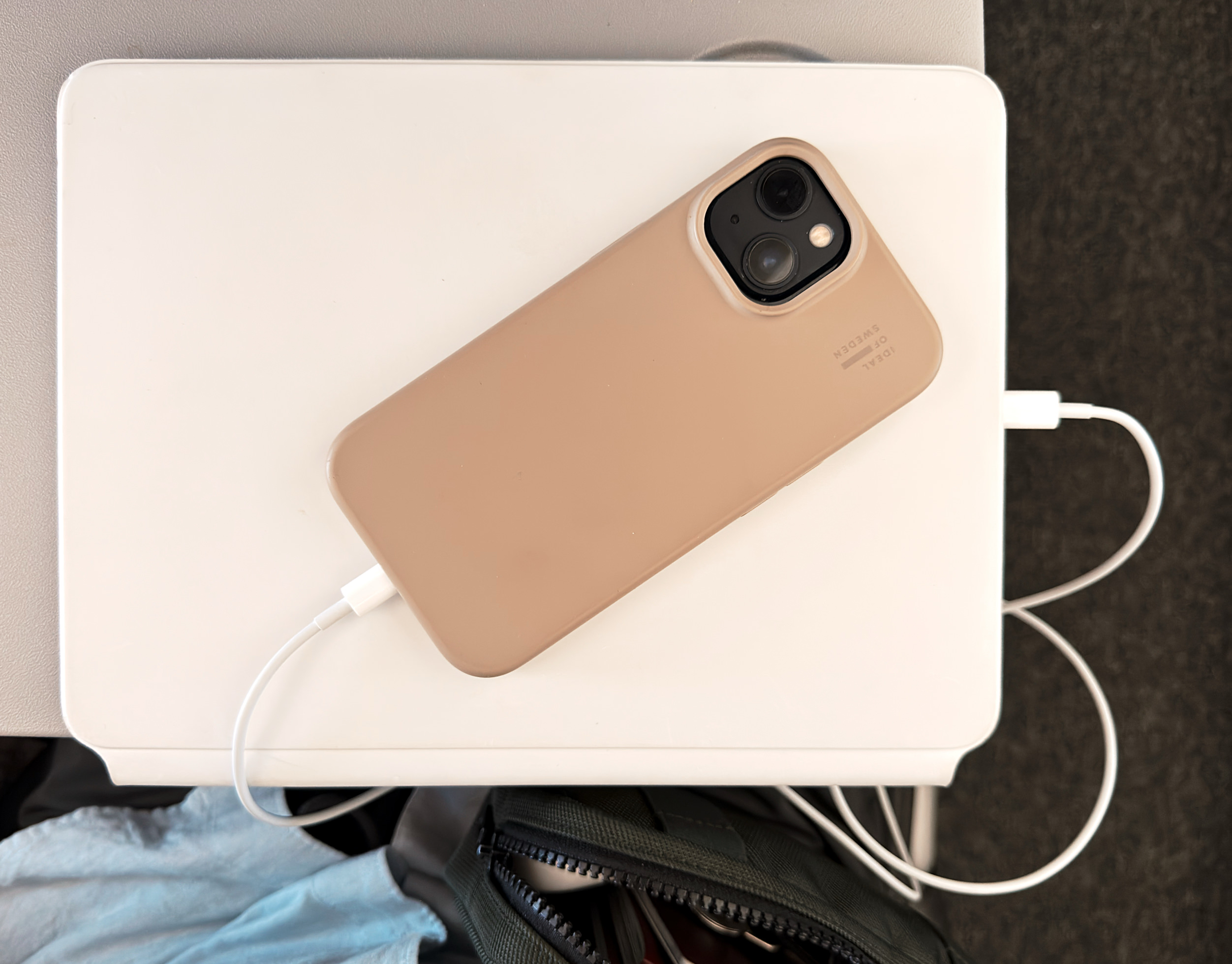
Fluglinien schränken die Verwendung von Powerbanks mittlerweile stark ein; Norwegian verbot uns heute die Benutzung aller mobilen Akkupacks.
Das Stromteilen zwischen Computern – wobei diese dann quasi in die Rolle einer Powerbank schlüpfen – war jedoch explizit erlaubt.
Kabellos funktioniert das bei Apple nicht, sondern benötigt ein USB-C-auf-USB-C-Kabel respektive ein USB-C-auf-Lightning-Kabel. Das funktioniert seit 2018 mit iPads beziehungsweise seit dem iPhone 15.
Obwohl andere Hersteller komplett kabelfrei eine Stromübergabe ermöglichen, finde ich Apples Beschränkung aufs Kabel verständlich: Rückseite an Rückseite ist höchst ineffizient.
Du möchtest dein iPhone, ein anderes iPad, deine Apple Watch oder ein USB-Gerät eines Drittanbieters aufladen, aber es befindet sich keine Steckdose in der Nähe? Verbinde einfach das richtige Kabel oder den richtigen Adapter mit dem iPad, damit auch andere Geräte von der langlebigen Batterie des iPad profitieren.
Mir fehlt jedoch die Apple-artige Umsetzung. Wo ist eine Anzeige über den Ladevorgang am Spendergerät? Wo ist eine zeitliche Prognose, wann der Ladestand von beispielsweise 20 Prozent erreicht ist? Und wie viel Akku verbleibt dann noch im akkugebenden Gerät?
Selbst die Laderichtung besitzt keine Auswahlmöglichkeit. Faustregel: Zuerst wird das Gerät mit dem niedrigeren Ladestand versorgt – obwohl man das ja vielleicht nicht immer wünscht.
Die Software-Seite dieser Funktion scheint seit Jahren niemand mehr angeschaut zu haben. Es erinnert mich an die Hotspot-Funktionalität: ein persönliches Alltime-Alltags-Highlight, das jedoch erst Jahre nach seinem initialen Release eine Handvoll Basiserweiterungen erhielt.
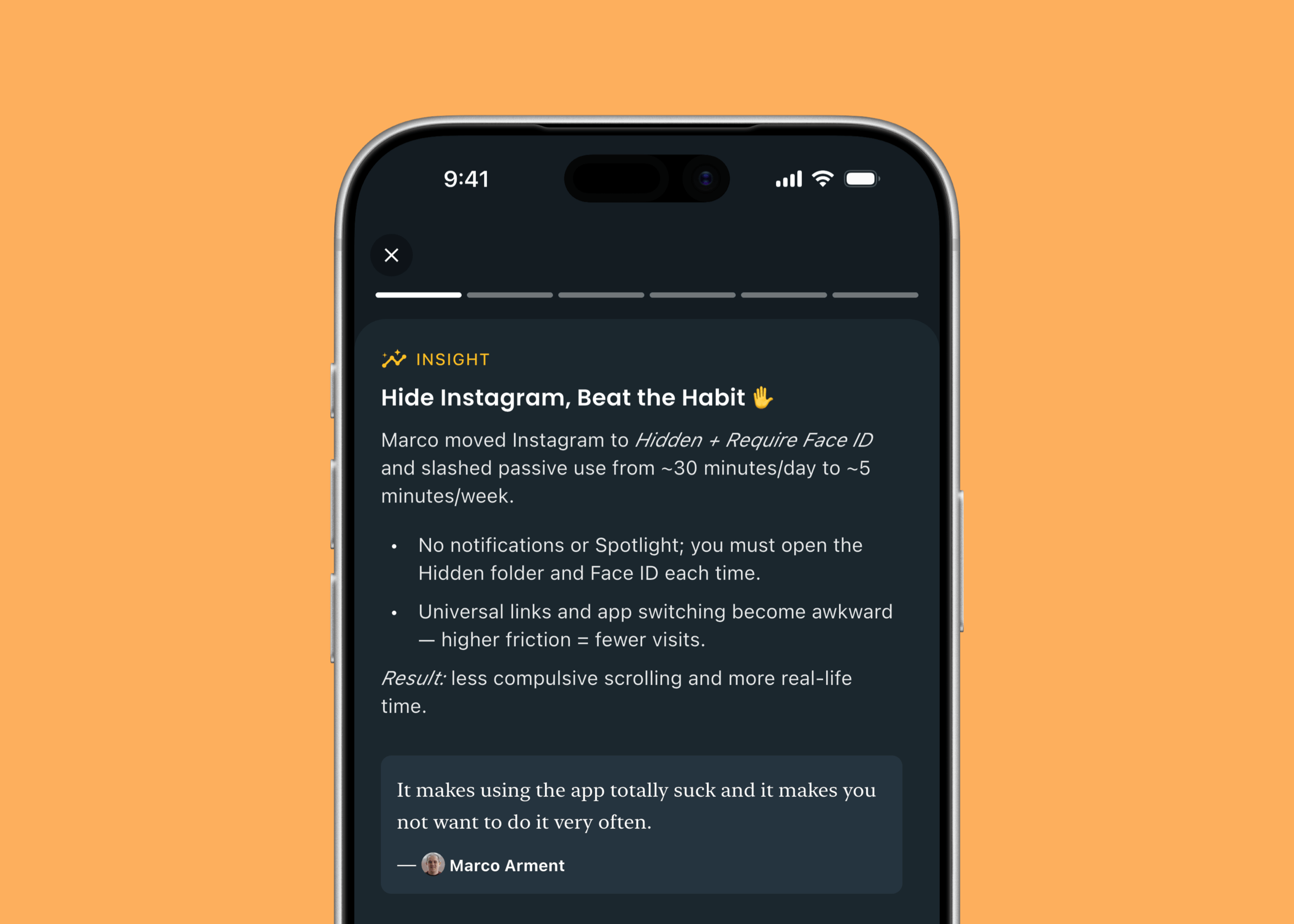
Ausgeblendete Apps tauchen nicht im App-Umschalter auf. Das ist so … positiv frustrierend, dass man die so verborgenen Apps schlicht nicht mehr benutzen will.
In einer normalen Umgebung ist jedes Mikrofon gut genug, und gleichzeitig kann Audio nicht gut genug sein.
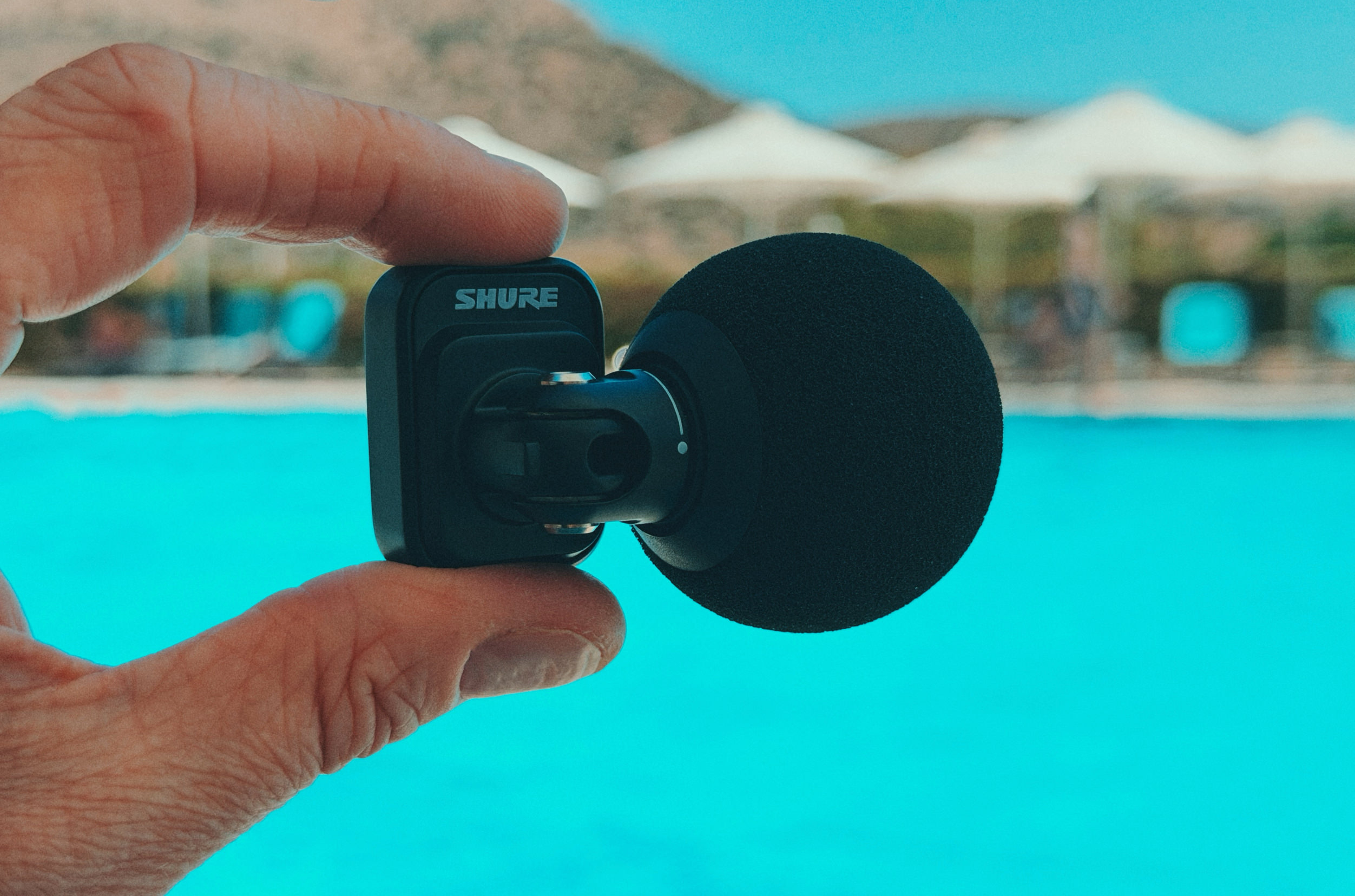
Das Shure MV88 (Affiliate-Link) hilft mir seit einigen Wochen bei einem Audioprojekt – als signifikante Verbesserung fürs iPhone als tragbaren Field Recorder.
Für die Aufnahmen über Ferrite halte ich es – direkt per USB-C eingesteckt am iPhone – einige Zentimeter von meinem Mund entfernt. Die Einstellungen über MOTIV Audio merkt es sich, sodass man frei in der Software-Wahl für dieses USB-Interface ist.
Trotz Hardshell-Case passt es noch in den kleinsten Brustbeutel; allerdings kann eine Hülle diese Stecker-only-Konstruktion einschränken (bis zu einer Dicke von 2,1 mm geht’s noch).
Der Mikrofonkopf lässt sich drehen; aus den zwei Mikrofonkapseln (Niere und bidirektionale Kapsel) ergeben sich mehrere wählbare Richtcharakteristiken.
Diese Einstellungen merkt sich das Mikrofon und lässt sich nicht nur in verschiedenen Apps, sondern auch an kompatiblen USB-C-Kameras benutzen. Firmware-Updates ohne Mac – direkt am iPhone – sind außerdem löblich zu erwähnen.
Mit dem beigelegten Schaumstoff-Windschutz habe ich mich an einen Pool gesetzt und verschiedene Einstellungen ausprobiert – inklusive der eingebauten iPhone-Mikrofone sowie AirPods Pro. Alles unbearbeitet, direkt aus dem Mikrofon, in einer fürchterlichen Umgebung für jede Audioaufnahme.
Sitzt ihr einige Meter entfernt, ist ein kabelloses (Clip-on-)Mikrofon zweifellos besser. Stichwort: Nähe zum Mund.
Das MV88 ist aber explizit für bessere O-Ton-Aufnahmen in mobilen Setups ohne separate Stromversorgung eine Empfehlung – insbesondere wenn ihr eure Dateien im Anschluss nicht durch eine komplexe Nachbearbeitung schleifen wollt.
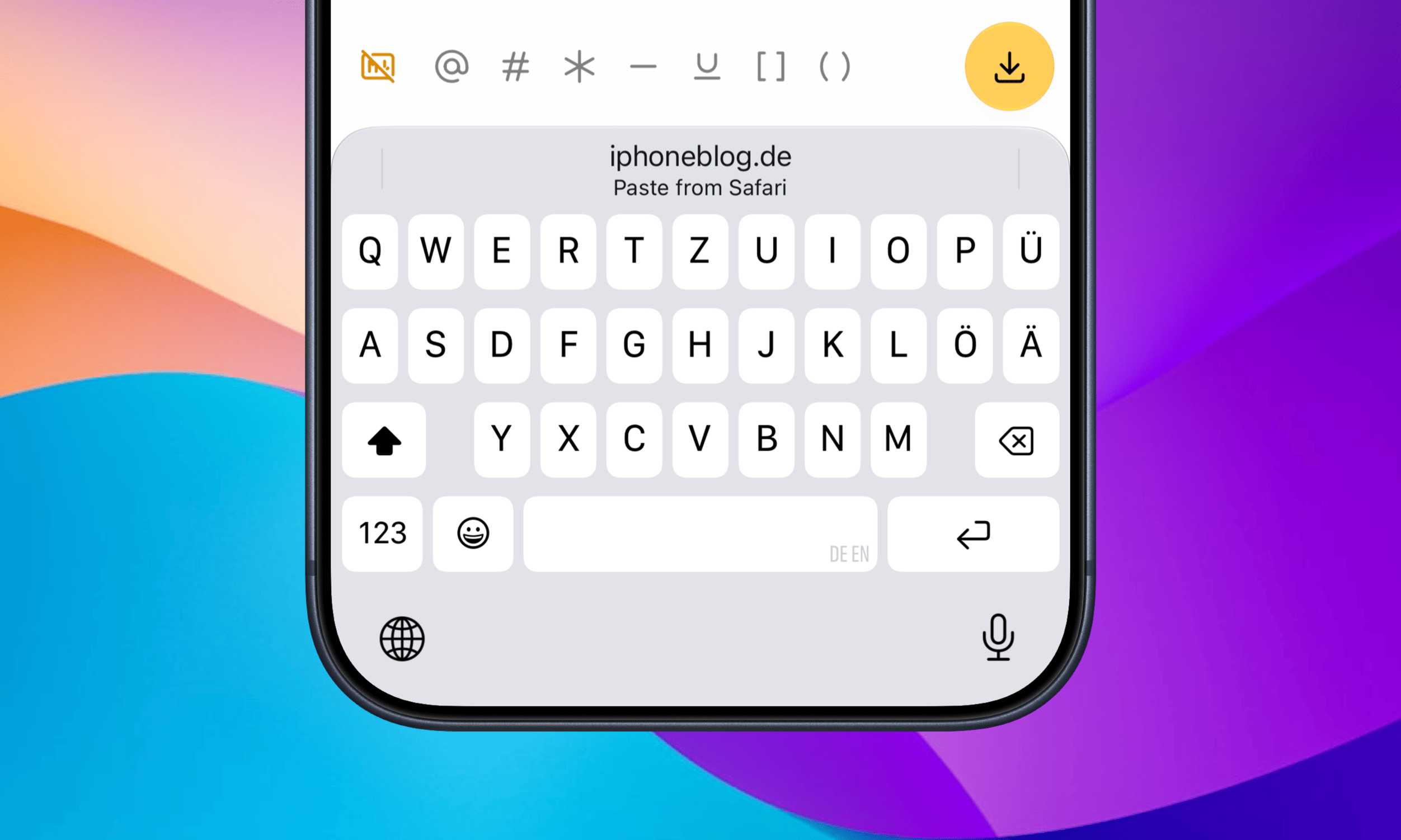
Seit 50 Tagen liegt der Clipmunk-Shortcut für den Workaround einer Zwischenablage auf meinem Action-Button. Mit iOS 27 gestaltet sich das Einfügen vormals kopierter Texthäppchen noch bequemer, weil eure Buchstabensuppe als Vorschlag direkt oberhalb der Tastatur auftaucht und mit nur einem Fingerzeig eingefügt ist.
Eine Kleinigkeit, die jedes Mal ein paar Sekunden spart.
Es ist eines der besten neuen Features, das gerne auch dann auftauchen darf, wenn der Cursor nicht komplett alleinstehend im Textfeld sitzt – beispielsweise zwischen (runden) und [eckigen] Klammern. Oder noch besser: als dedizierte Keyboard-Taste, wie der Emoji-Button.
App-Voyeurismus: So wie im letzten Jahr blicken wir auch in diesem Sommer auf meinen Homescreen. Dabei überrascht mich regelmäßig, wie sich meine Nutzung dann doch innerhalb von nur zwölf Monaten verändert.
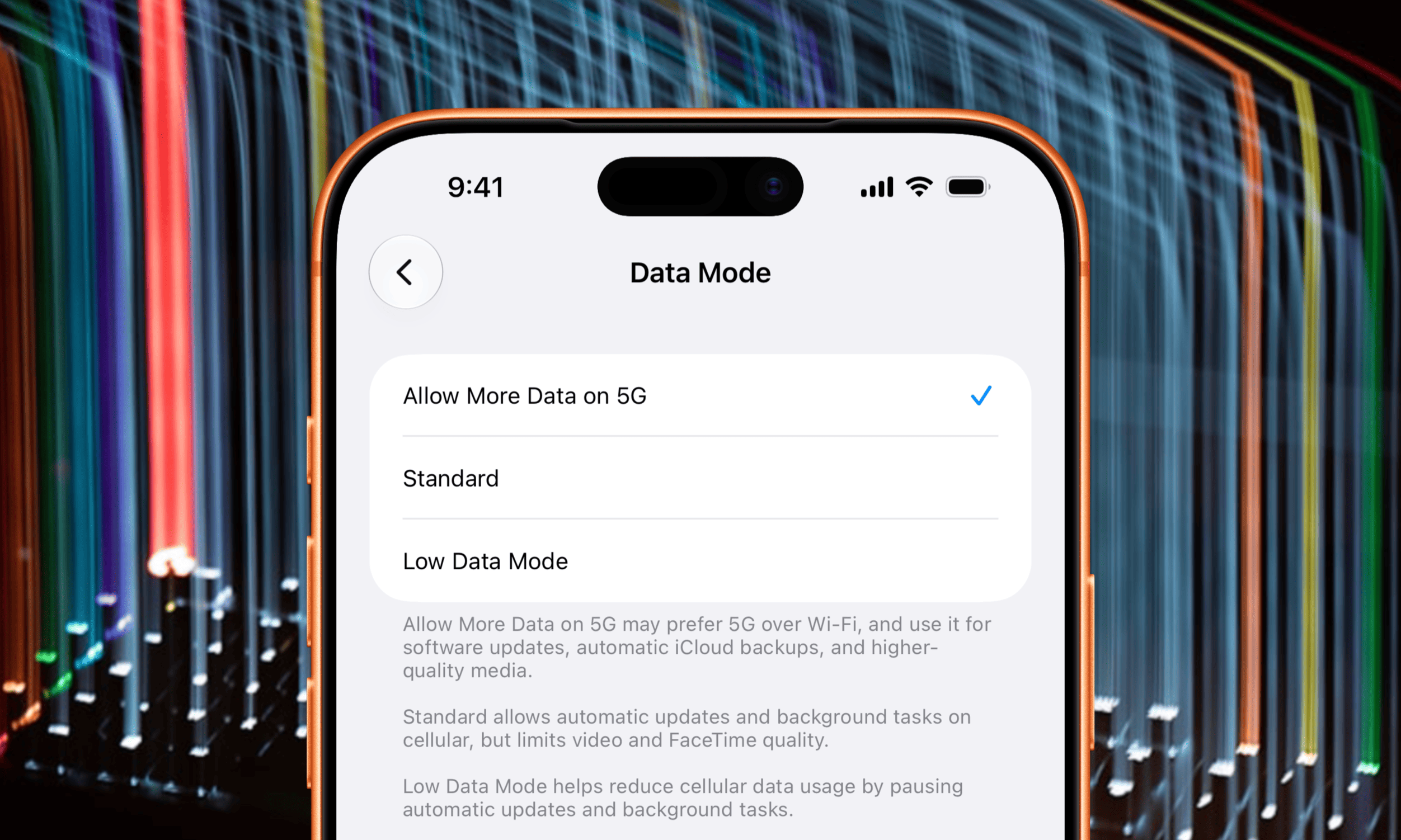
iOS vermisst weiterhin das Äquivalent zu TripMode; der „Low Data Mode“ ist (für mich) nur ein unerwünschter Kompromiss. Wenn ich das iPhone benutze, soll es so online wie nur möglich sein – ungedrosselt.
Zugegeben: Ich habe mich etwas gehen lassen und derzeit über 500 Apps installiert. Das macht es unmöglich, ihnen einzeln die Datenverbindung zu entziehen – insbesondere temporär.
So löscht man Apps bekanntlich schnell; tut man dies über die App-Bibliothek, merkt iOS hin und wieder die falsche App zum Löschen vor. Ein Bug, der seit immer (TM) besteht.
Eine Lösung ist das natürlich nicht. Einen echten Reisemodus würde man explizit aktivieren und dabei gleich einen festen Zeitraum vorgeben. Ab dann fragt Apples OS beim Start einer App nach der Erlaubnis zur mobilen Datennutzung und gibt gelegentlich einen Zwischenbericht.
Man kann ein solches Feature bewusst einfach halten und, statt einzugreifen, lediglich transparent einen Überblick geben – alle Einzelteile liegen dafür schon jetzt vor.
„Über Daten spricht man nicht, Daten hat man.“ Mein tägliches Budget für diesen Urlaub beträgt 6 GB. Trotzdem wäre es eine so naheliegende Funktion, dass ich mich wundere, warum Apple sie beispielsweise nicht schon mit den eSIM-only-iPhones eingeführt hat.
Mit einer Capture Card und Console Link habe ich nach langer Zeit mal wieder Apple-TV-Aufnahmen eingefangen – weil sich für Jellyfin als Medienverwaltung natürlich genau dort zahlreiche Apps tummeln.
Jedes Jahr bereitet mir die Suche im Netz nach kleinen Änderungen und cleveren Erweiterungen der nächsten iOS-Version unglaubliche Freude. Die gute Nachricht: Auch in iOS 27 stecken wieder viele dieser nicht so offensichtlichen Minineuerungen.
Formula 1 has been receiving star treatment from Apple for awhile, and now the racing series will literally be getting even bigger. Apple is partnering with IMAX to show five races from the 2026 season. The Miami Grand Prix on May 3, the Monaco Grand Prix on June 7, the British Grand Prix on July 5, the Italian Grand Prix on September 6 and the United States Grand Prix on October 25 will be aired live at select IMAX theaters in the US.
Apple landed a five-year deal for the US broadcast rights to Formula 1 last fall and there's already a dedicated channel for the car races on Apple TV ahead of the season's start. It also got the rights for a splashy feature film about the racing league, which amassed more than $630 million at the global box office, including with some IMAX screenings. It's unclear if IMAX will be paying to host more live F1 races at its theaters in future years, but it should be a fun way for fans to get the most immersive experience possible short of actually attending the racetrack.
This article originally appeared on Engadget at https://www.engadget.com/entertainment/apple-inks-deal-for-imax-screenings-of-live-formula-1-races-234003582.html?src=rss
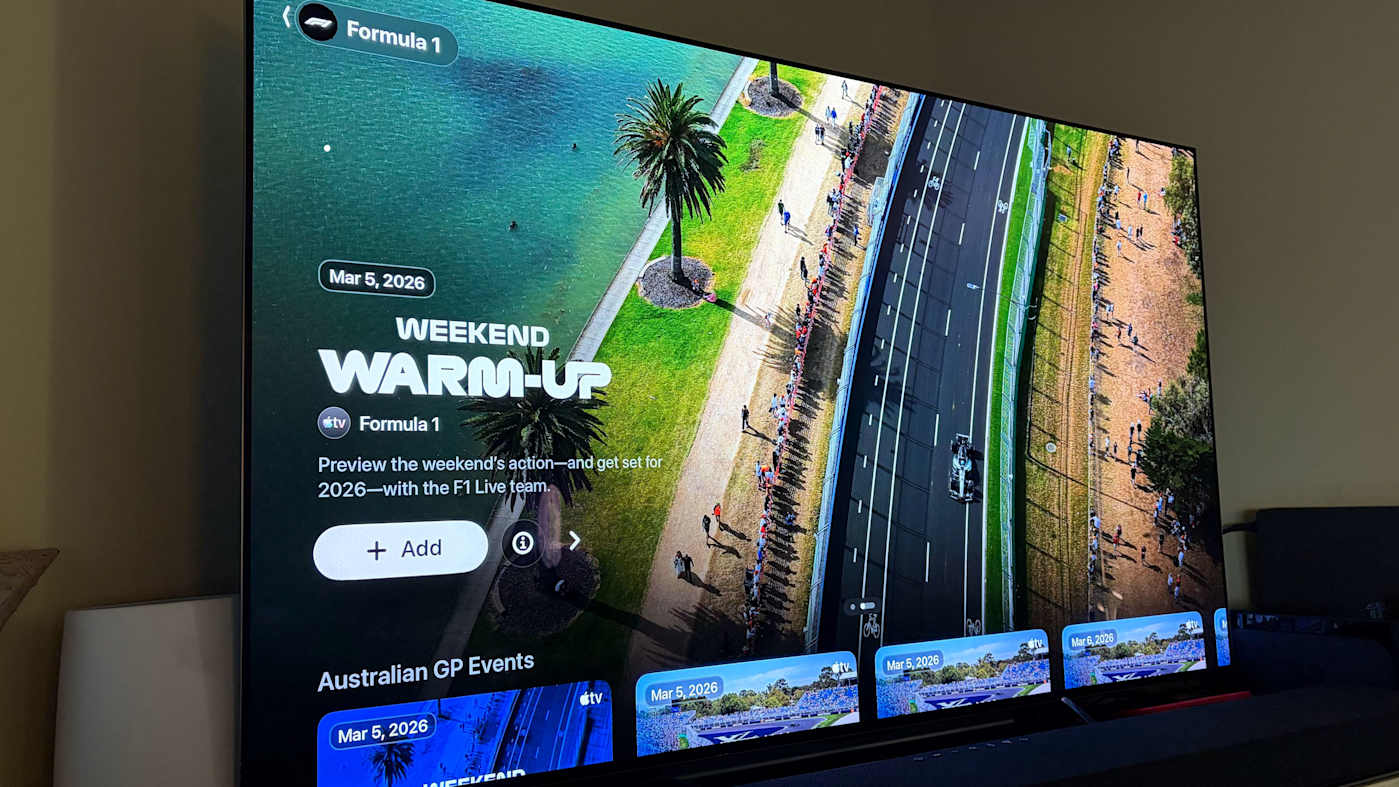
Apple continues to double down on its Formula 1 programming, following up on the box office success of its blockbuster movie by adding a dedicated channel for the racing league to the Apple TV app. This section of the streaming service hints at some of what may be coming when the F1 season begins with the kickoff event in Australia next month. The F1 channel has placeholders for practices, qualifying and the grand prix as well as a weekend warm-up show.
Although it announced the five-year deal to host F1 broadcasts in the US back in October, we still haven't heard many specifics on how Apple's presentation of the race events will work. The channel has a section labeled "Event Schedule: Sky Sports," which suggests that Apple will show the commentary from Sky rather than providing its own hosts; ESPN took that approach during its tenure with the F1 broadcast rights. In addition to the forward-looking streams, Apple TV also has some videos with highlights from the 2025 season and a recap of the rule changes for 2026.
If you're looking to follow Formula 1 in the 2026 season, some races will be available to watch for free. However, a F1 TV Premium streaming package is now part of an Apple TV subscription, so that's likely to be the preferred ticket for serious fans. F1TV grants access to all the zooming around you could want as well as to behind-the-scenes content like driver cams and live team radios.
This article originally appeared on Engadget at https://www.engadget.com/entertainment/streaming/theres-a-dedicated-channel-for-formula-1-in-the-apple-tv-app-now-230904295.html?src=rss
The right accessories can make your iPhone feel more capable and more personal. Whether you want to protect your phone, improve your photos or stay powered during a long day out, there are plenty of accessories that can make a real difference. MagSafe gear has opened the door for new chargers, stands and mounts, while portable batteries and compact lenses can upgrade your everyday routine.
We tested a range of products to find the best iPhone accessories that offer practical benefits for both new and older models.
Best iPhone accessories
This article originally appeared on Engadget at https://www.engadget.com/computing/accessories/best-iphone-accessories-140022449.html?src=rss
Last year Apple secured the exclusive rights to broadcast Formula 1 racing in the United States from 2026 to 2030. Apple TV subscribers can now watch every practice and qualifying session as well as every sprint and Grand Prix of a race weekend on the F1TV app by linking their Apple account.
Right now, those with an existing F1TV subscription will still see an active status in their "my subscription" page on desktop that shows the plan's renewal date. However, after logging in via Apple with an Apple TV subscription, a second active F1TV subscription appears with an Apple TV logo and the label "Official U.S. broadcaster of Formula 1." Users are advised to cancel the duplicate subscription they had directly with F1TV, which can be done in the F1TV app.
For those that don't have an existing F1TV account, simply create one and activate it using your Apple account. Users who don't pay for Apple TV can still view "select races" and practice sessions throughout the season.
Apple has yet to release precise details on what content will be viewable from within the Apple TV app compared to the F1TV app, where users are accustomed to features like multi-view, onboard cameras, live team radios and live timing and telemetry. With the first race of the F1 season kicking off March 7 in Australia, we should have these answers soon.
Fans can currently check out preseason testing taking place in Bahrain this week and next through the F1TV app.
This article originally appeared on Engadget at https://www.engadget.com/entertainment/streaming/how-to-get-f1tv-with-your-apple-tv-subscription-171534300.html?src=rss
Gone are the days in which you needed to spend a fortune to get a good smartphone. In 2026, features once exclusive to high-end smartphones – big batteries, multi-camera arrays, high refresh rate OLED displays and more – have made their way down to more affordable models. Yes, you’ll still need to buy a flagship smartphone to get the best camera or fastest processor, but you don't have to make nearly as many compromises as you once did if you have a strict budget to adhere to when you go shopping for your next smartphone. If you have less than $600 to spend, let us help you figure out what features to prioritize when trying to find the best midrange smartphone.
While the term frequently appears in articles and videos, there isn’t an agreed-upon definition for “midrange” beyond a phone that isn’t a flagship or an entry-level option. Most of our recommendations cost between $400 and $600 — any less and you should expect significant compromises. If you have more to spend, you might as well consider flagships like the Apple iPhone 17 and the Samsung Galaxy S25 if you want the best smartphone experience. Devices like Pixel phones often sit in this price range too, offering some of the best value for Android buyers.
What to consider before buying a midrange smartphone
Buying a new device can be intimidating, but a few questions can help guide you through the process. First: what platform do you want to use? If the answer is iOS, that narrows your options down to exactly one phone. (Thankfully, it’s great.) And if you’re an Android fan, there’s no shortage of compelling options. Both platforms have their strengths, so you shouldn’t rule either out.
Of course, also consider how much you’re comfortable spending. Even increasing your budget by $100 more can get you a dramatically better product. Moreover, manufacturers tend to support their more expensive devices for longer with software updates and security updates, so it’s worth buying something toward the top limit of what you can afford.
Having an idea of your priorities will help inform your budget. Do you want a long battery life or fast charging? Do you value speedy performance above all else? Or would you like the best possible cameras with high megapixel counts? While they continue to improve every year, even the best midrange smartphones still demand some compromises, and knowing what’s important to you will make choosing one easier.
What won’t you get from a midrange smartphone?
Every year, the line between midrange and flagship phones blurs as more upmarket features and functions trickle down to more affordable models. When Engadget first published this guide in 2020, it was tricky to find a $500 phone with waterproofing and 5G. In 2026, the biggest thing you might miss out on is wireless charging – and even then, that’s becoming less true.
One thing your new phone probably won’t come with is a power adapter; many companies have stopped including chargers with all of their smartphones. Performance has improved in recent years, but can still be hit or miss as most midrange phones use slower processors that can struggle with multitasking. Thankfully, their camera systems have improved dramatically, and you can typically expect at least a dual-lens system on most midrange smartphones below $600 with decent camera quality, selfie performance and software support to keep things running smoothly for years to come..
Midrange smartphone FAQs
How long do midrange phones get software updates?
Support varies by brand, but most midrange phones receive around three to five years of software and security updates. Apple tends to support iPhones longer while companies like Google and Samsung now promise several years of Android and security patches for their midrange models. Budget-focused brands might offer less so it’s worth checking the update policy before you buy.
Are midrange phones good for gaming?
Yes, many midrange phones handle gaming well, especially popular titles like Fortnite, Genshin Impact and Call of Duty Mobile. They usually include capable processors, though you won’t always get the smoothest performance in the most demanding mobile games or at max settings. If you play casually or stick to less graphically intensive titles a midrange phone will feel more than adequate.
Georgie Peru contributed to this report.
This article originally appeared on Engadget at https://www.engadget.com/mobile/smartphones/best-midrange-smartphone-183006463.html?src=rss

 Anmelden