❌

Normale Ansicht

Empfangen — 10. September 2026 ⏭ MacRumors: Mac News and Rumors - All Stories

Hands-On With the iPhone Duo: The Crease is Still There, But Barely

After today's iPhone event, Apple invited members of the media to test out the new iPhone Duo. We were able to take a look, and we have some initial thoughts to share.


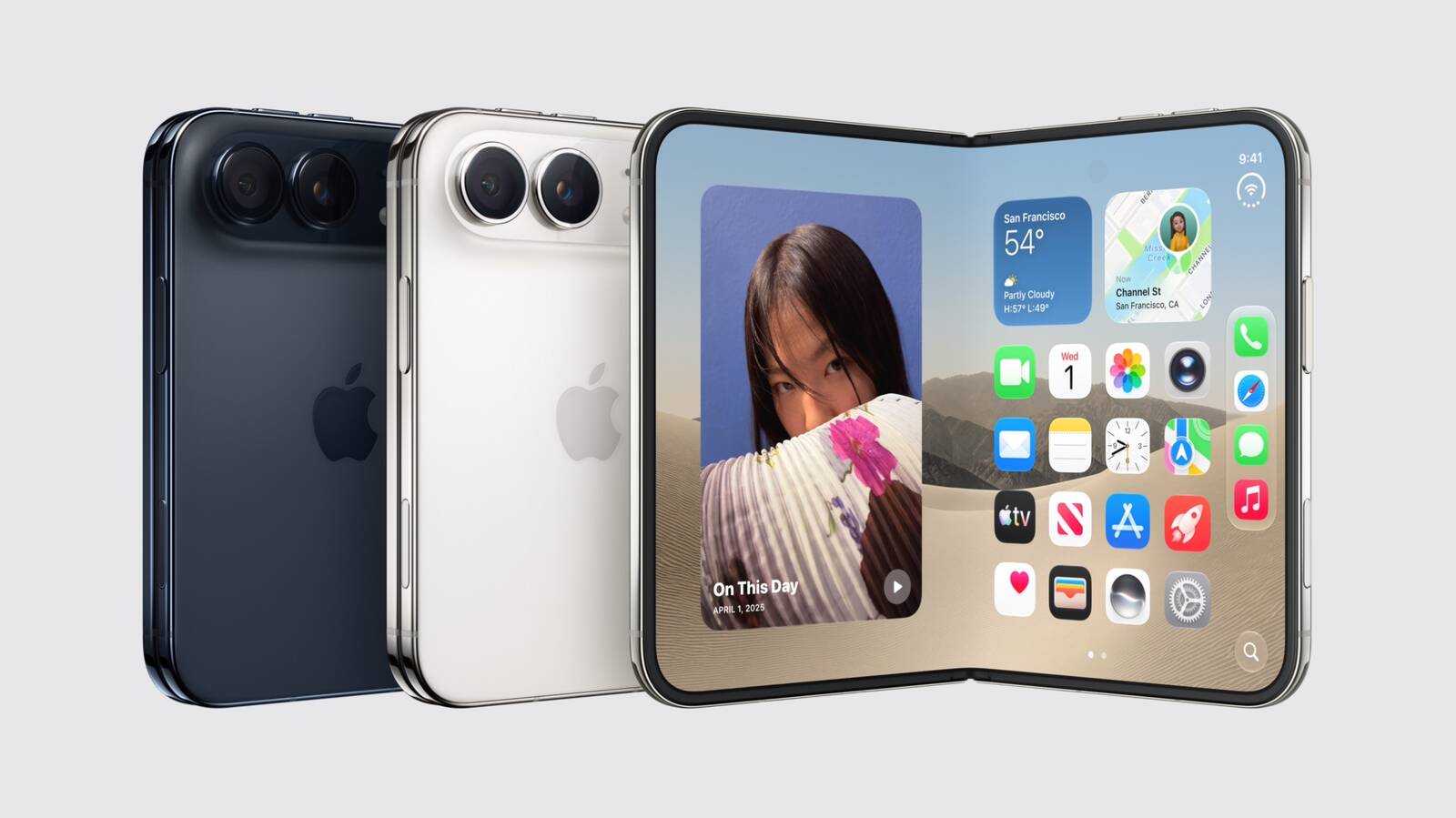
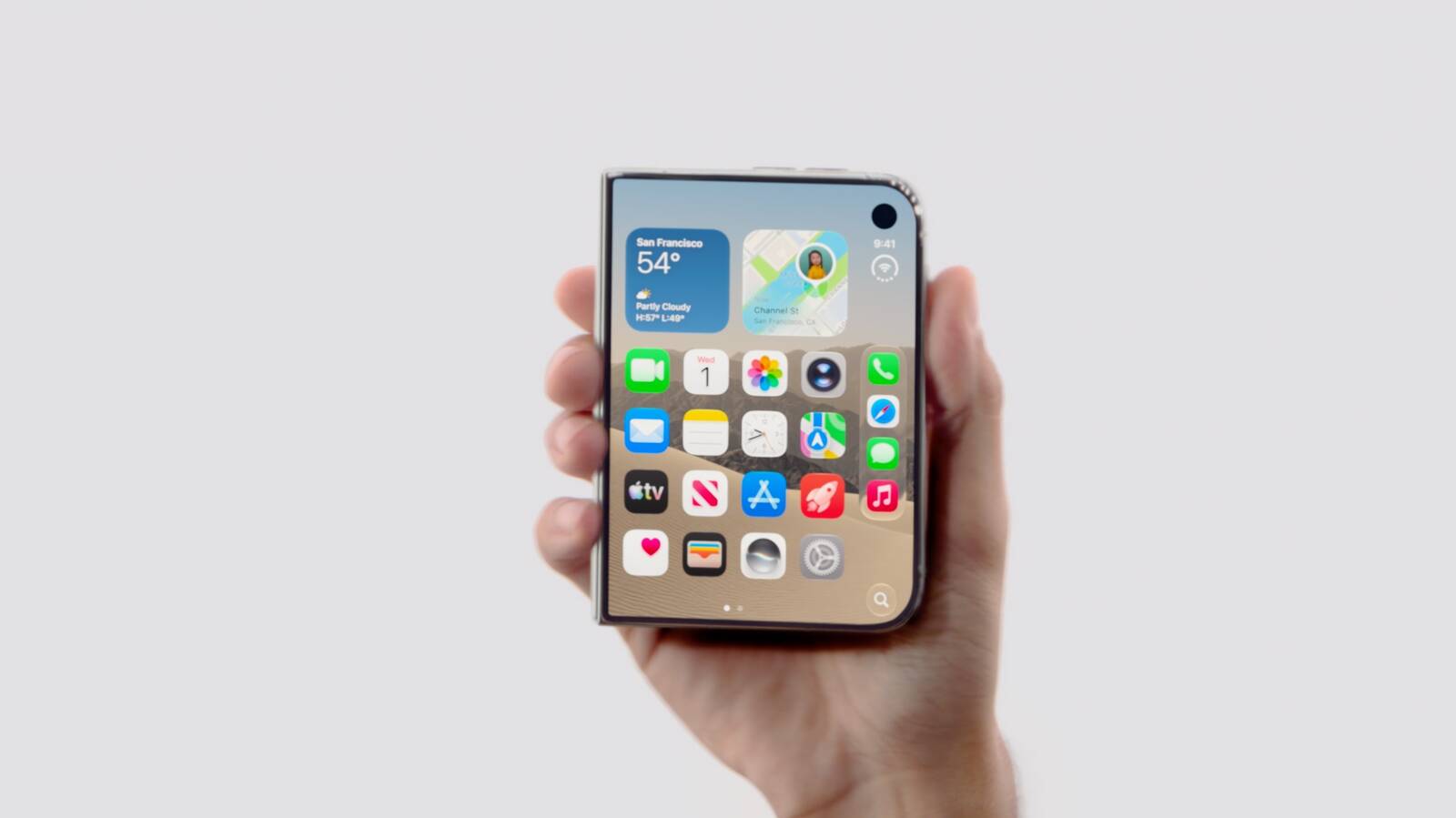
The ‌iPhone Duo‌ is priced starting at $1,999, and it feels like it. This is a premium device that's thin, but feels sturdy. The outer display is 5.4 inches, so it's smaller than the iPhone 18 Pro when it's closed, but the inner display is 7.6 inches.

Apple used a nano-texture polymer for the inside display, and the material cuts glare but also reduces the visibility of the crease. The display layer has a micro lens texture written pixel by pixel using maskless laser lithography for a perceptually flat, matte surface. It does indeed minimize the look and feel of the fold in the middle of the ‌iPhone Duo‌.

You can still see the crease and it's visible in certain lighting, but Apple did a better job than Samsung at hiding it. Of course, foldable creases can become more visible as a device folds and unfolds, so it will be interesting to see how the ‌iPhone Duo‌ holds up over time. Apple says there are viscoelastic adhesives that let the layers glide over each other, so that might help.

There's no visible camera cutout on the inner display of the ‌iPhone Duo‌, because Apple put it under the screen. It's invisible on a lighter screen, but when the display is darker, you can see the camera area somewhat.

Apple knew software would be important, and apps adapt well to the new form factor. The main controls are on the side of the displays and there's a new vertical dock. The status bar tucks in the corner, which makes sense for a foldable, and everything is where you want it for one-handed use.

You can run two apps side by side, or two instances of the same app (like two Safari pages), but there's no option to resize them. They each take up one half of the display. Two apps can be locked together as a pair so they launch together in the future and you can swipe over to other apps.

Apps work when the ‌iPhone Duo‌ is open, closed, and half-folded too. You can prop the ‌iPhone Duo‌ up and controls will move to the bottom of the display. iOS can adapt to the orientation and angle of the device, and it slides content away from the crease to make sure everything is easy to tap regardless of position. Audio also tunes automatically based on position.

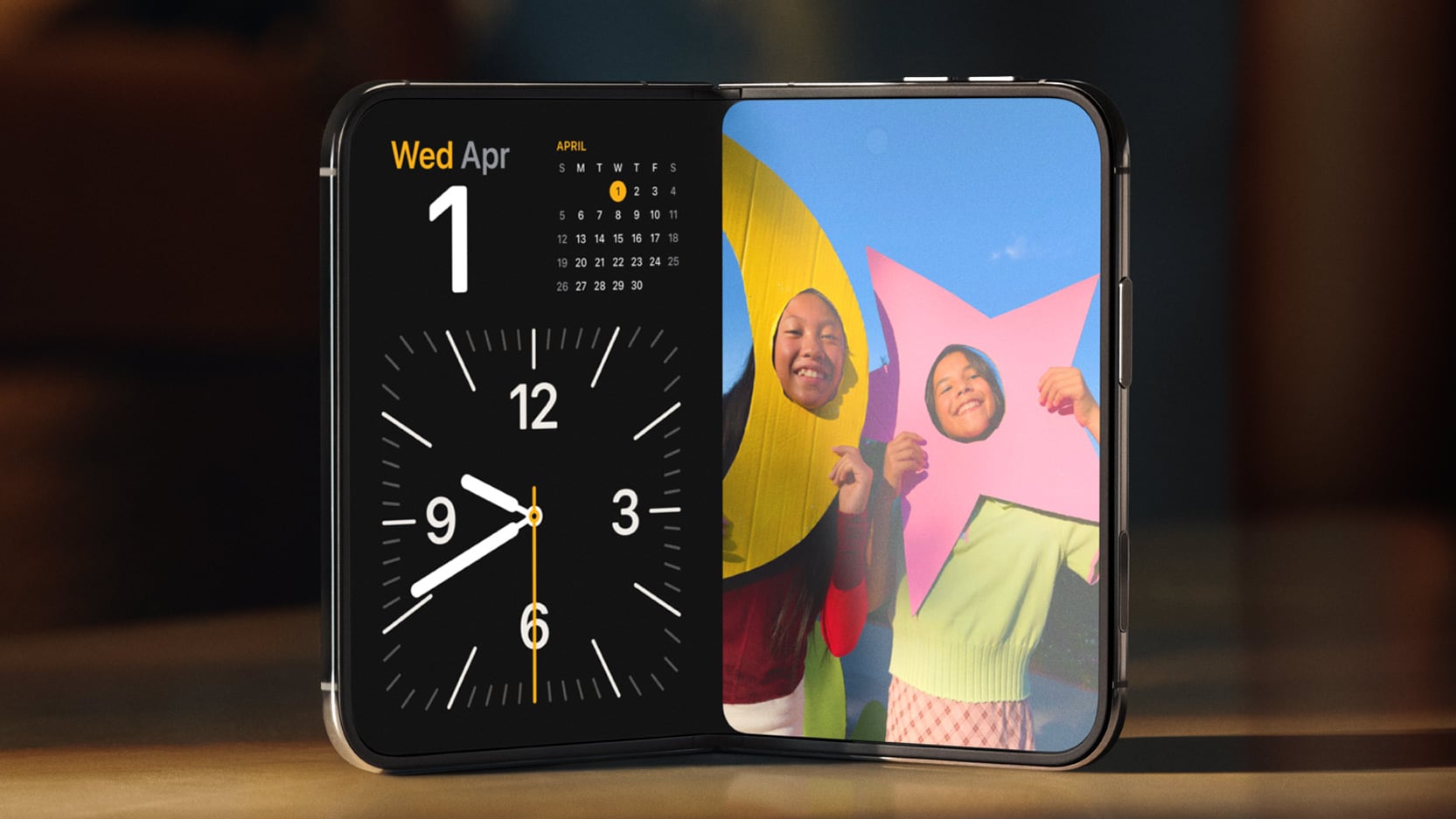
StandBy works even when the ‌iPhone Duo‌ isn't charging. You just need to fold the Duo in half in a tent orientation and you'll see widgets, music, calendar, weather, and more. It works as a bedside clock too, and there's even a new glow alarm clock feature.

There are only two cameras in the ‌iPhone Duo‌. It has a 48MP Fusion Main camera and a 48MP Ultra Wide camera, but no Telephoto camera. There is 2x zoom, but that's just a cropped-in view from the Main camera. The outer display front camera is 12MP.

You can do some unique things with the ‌iPhone Duo‌'s camera setup. Apple added 4K Dolby Vision time lapses, a feature that works well with the ‌iPhone Duo‌ since it can prop itself up for longer shots. A Smart Take option uses AI to capture a shot when everyone is in frame, so you can set it up, run over to get in a group photo, and have the iPhone automatically take a picture. The outer display can show Peanuts animations to get children to smile (Kid Cue), and when you're taking a photo of someone, they can see themselves on the outer display and give you feedback on the shot setup (Duo Preview). FaceTime can also use both displays and someone can join a ‌FaceTime‌ call with you using the outer display camera, so you don't have to crowd together in one camera (‌FaceTime‌ Duo).

The ‌iPhone Duo‌ has the same A20 Pro chip as the ‌iPhone 18 Pro‌, and Apple's new C2 modem that's faster and more efficient than the C1X. The C2 supports mmWave 5G speeds in the United States.

The $1,999 starting price is for 256GB storage. You can get up to 2TB, but that option will cost you $3,199. ‌iPhone Duo‌ pre-orders start on Friday, October 16, with a launch to follow on October 23.
Related Roundup: iPhone Duo

This article, "Hands-On With the iPhone Duo: The Crease is Still There, But Barely" first appeared on MacRumors.com

Discuss this article in our forums
  •  

Everything Apple Announced at the September 2026 Event

Apple's "Surprise and Shine" event took place today, and the company introduced the iPhone 18 Pro and Pro Max, the new foldable iPhone Duo, new Apple Watch models, and AirPods 5. It took Apple over an hour to announce everything, but we have an 11-minute recap for those who want a quick but detailed overview of everything.


Our full event coverage is below with more information on all of today's announcements.

iPhone Duo


iPhone 18 Pro and Pro Max


Apple Watch Series 12 and Ultra 4


AirPods 5


Software


Other News


The Apple Watch Series 12, Apple Watch Ultra 4, and AirPods 5 are available for pre-order today. Pre-orders for the ‌iPhone 18 Pro‌ and ‌iPhone 18 Pro‌ Max will begin on Saturday, September 12 at 5:00 a.m. Pacific Time. The new devices will launch on September 18.

Pre-orders for the ‌iPhone Duo‌ will start on October 16, with a launch to follow on October 23.
This article, "Everything Apple Announced at the September 2026 Event" first appeared on MacRumors.com

Discuss this article in our forums
  •  

iPhone Duo is Dust-Tight With IP68 Rating, Unlike Samsung's Galaxy Z Fold8

The iPhone Duo has an IP68 dust and water resistance rating, beating Samsung and tying Google.


Samsung's latest Galaxy Z Fold8 models have an IP48 dust and water resistance rating, which means they aren't able to hold up to dust as well. Google's Pixel 11 Pro Fold also has an IP68 rating.

IP6X for dust means the ‌iPhone Duo‌ is "dust-tight" and no dust is able to get in. The IPX8 rating for water means it is protected from water deeper than 1 meter. Apple says the device can handle a maximum depth of 6 meters for up to 30 minutes. IP68 is the same dust and water resistance rating as other iPhones, and dust matters because it can get into the hinges of foldables and cause damage.

Apple warns that water and dust resistance "are not permanent conditions," and resistance can decrease as a result of normal wear. iFixit will likely do a teardown on the ‌iPhone Duo‌, and we'll see how it holds up to dust.

The ‌iPhone Duo‌ has other durability features, including a titanium frame, titanium hinge cover, and 10-layer display.
Related Roundup: iPhone Duo

This article, "iPhone Duo is Dust-Tight With IP68 Rating, Unlike Samsung's Galaxy Z Fold8" first appeared on MacRumors.com

Discuss this article in our forums
  •  

iOS 27's 'iPhone Handoff' Feature Limited to T-Mobile and Deutsche Telekom at Launch

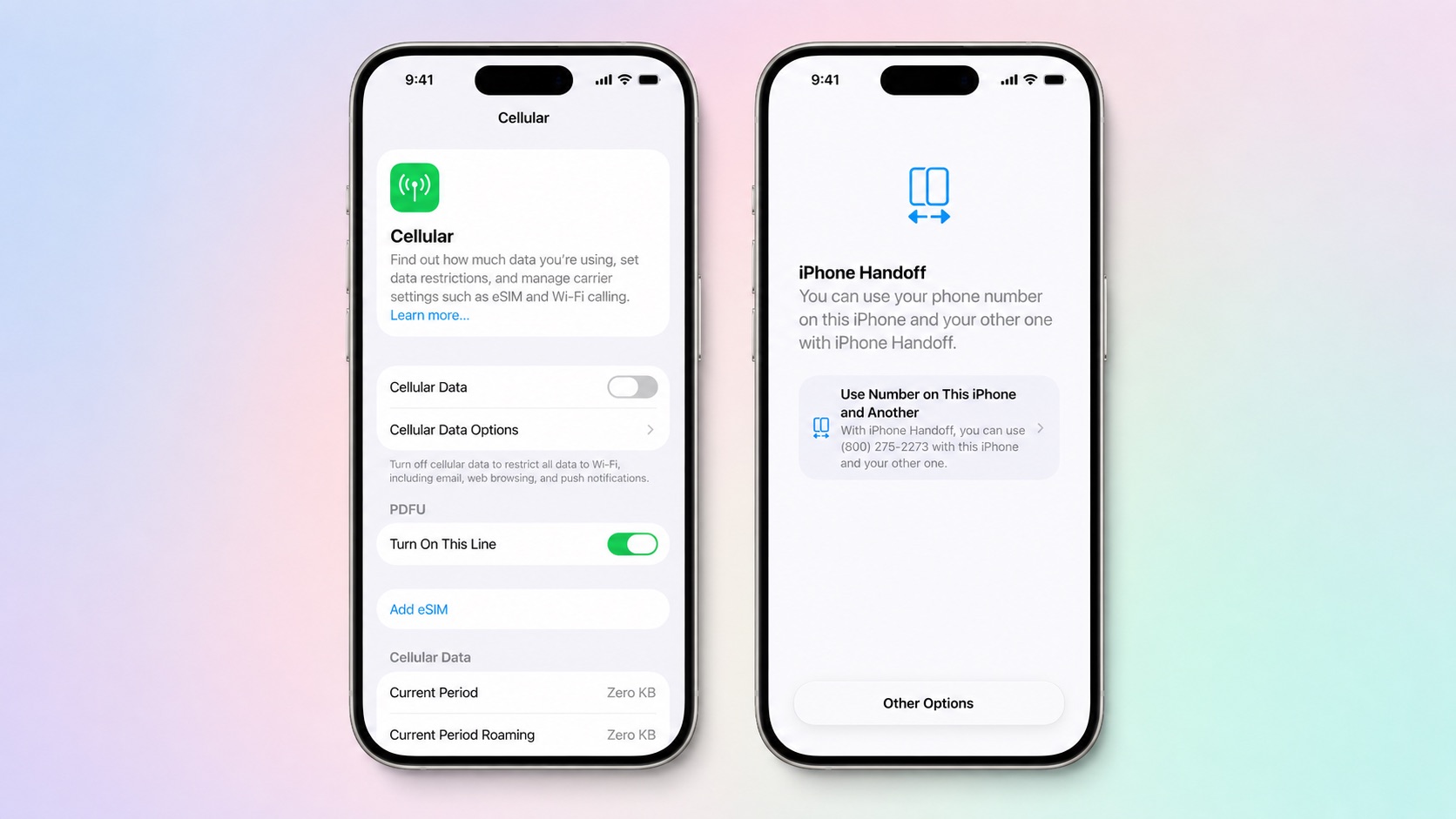
Apple is adding a new iPhone Handoff feature in iOS 27 that will let you use the same number on two iPhones and swap between them as needed. iPhone Handoff requires carrier support, and Apple says there may be carrier fees when setting it up.


The new iPhone Handoff option was mentioned at today's event and in the iPhone Duo press release, and it turns out it's going to be limited at launch. Apple says it will only be available on T-Mobile in the U.S. and Deutsche Telekom in Germany when ‌iOS 27‌ comes out.

To use iPhone Handoff, you need two iPhones running ‌iOS 27‌ or later that are connected to Wi-Fi and signed into the same Apple account with FaceTime, iMessage, and Messages in iCloud turned on.

iPhone Handoff can be enabled during new iPhone setup, or in the Settings app. When you set up a new iPhone, you can make your current iPhone your secondary iPhone.

With iPhone Handoff enabled, one iPhone is the main iPhone and the other iPhone is the secondary iPhone that shares the same number. Some carrier services like Call Forwarding, Caller ID, and account management can only be managed on the main iPhone. iPhone Handoff also does not swap your Apple Watch from one iPhone to another.

Moving between a main iPhone and secondary iPhone happens automatically when you unlock one of the devices. Apple says your phone number will automatically become active, and you'll see the message "Switched to this iPhone" to confirm.

A phone number can only be active on one iPhone at a time when using iPhone Handoff. Payment cards in the Wallet app and car keys can work across both iPhones, but Apple warns some Wallet items like transit passes, IDs, or corporate badges might only work on one iPhone at a time.

iPhone Handoff works with Dual SIM as long as both eSIMs are from carriers that support iPhone Handoff. Both eSIMs will switch together simultaneously when you unlock your iPhone. Each eSIM has to be set up separately.

Once set up, iPhone Handoff remains activated until you contact your carrier to turn it off. More information can be found in Apple's support document for the feature.

‌iOS 27‌ is set to launch on Monday, September 14. T-Mobile has not announced iPhone Handoff pricing.
Related Roundups: iOS 27, iPadOS 27

This article, "iOS 27's 'iPhone Handoff' Feature Limited to T-Mobile and Deutsche Telekom at Launch" first appeared on MacRumors.com

Discuss this article in our forums
  •  

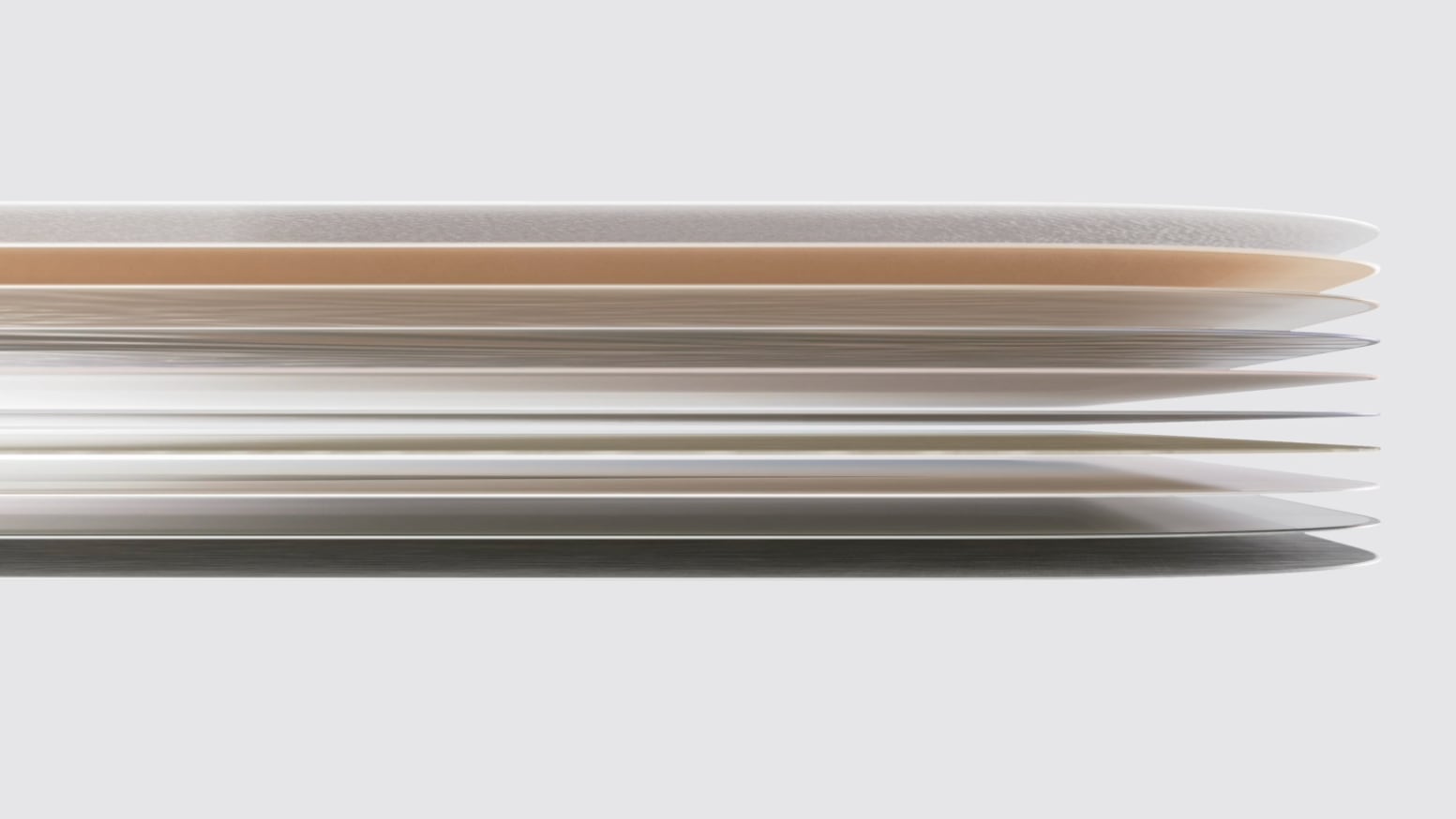
Apple Explains What's Inside the iPhone Duo's Folding Screen

The iPhone Duo's inner display uses a complicated, multi-layer structure that Apple says will hold up to wear and tear.


There are 10 ultrathin layers in total, including a nano-textured cover layer made from a custom polymer that Apple says is up to 40 percent stiffer than "other materials used in the industry," which presumably means other foldable devices.

Apple added high-strength glass above and below the folding display panel, along with a titanium plate at the bottom of the stack. Custom adhesives "allow the layers to glide past one another like the pages of a book, relieving bend stress," according to Apple.

The exterior nano-texture layer's finish is meant to reduce glare and minimize the visibility of the crease, and a scratch-resistant coating covers the nano-texture layer.

The outer display is protected by Ceramic Shield 2 like the iPhone 18 Pro models, while the back of the iPhone has Ceramic Shield. The inner display gets the custom polymer cover instead of Ceramic Shield.

Both of the ‌iPhone Duo‌'s displays support ProMotion, Always-On, and True Tone, and offer 3,000 nits of peak outdoor brightness.
Related Roundup: iPhone Duo

This article, "Apple Explains What's Inside the iPhone Duo's Folding Screen" first appeared on MacRumors.com

Discuss this article in our forums
  •  

iPhone Duo Beats iPhone Air as Apple's Thinnest iPhone, But Only When Open

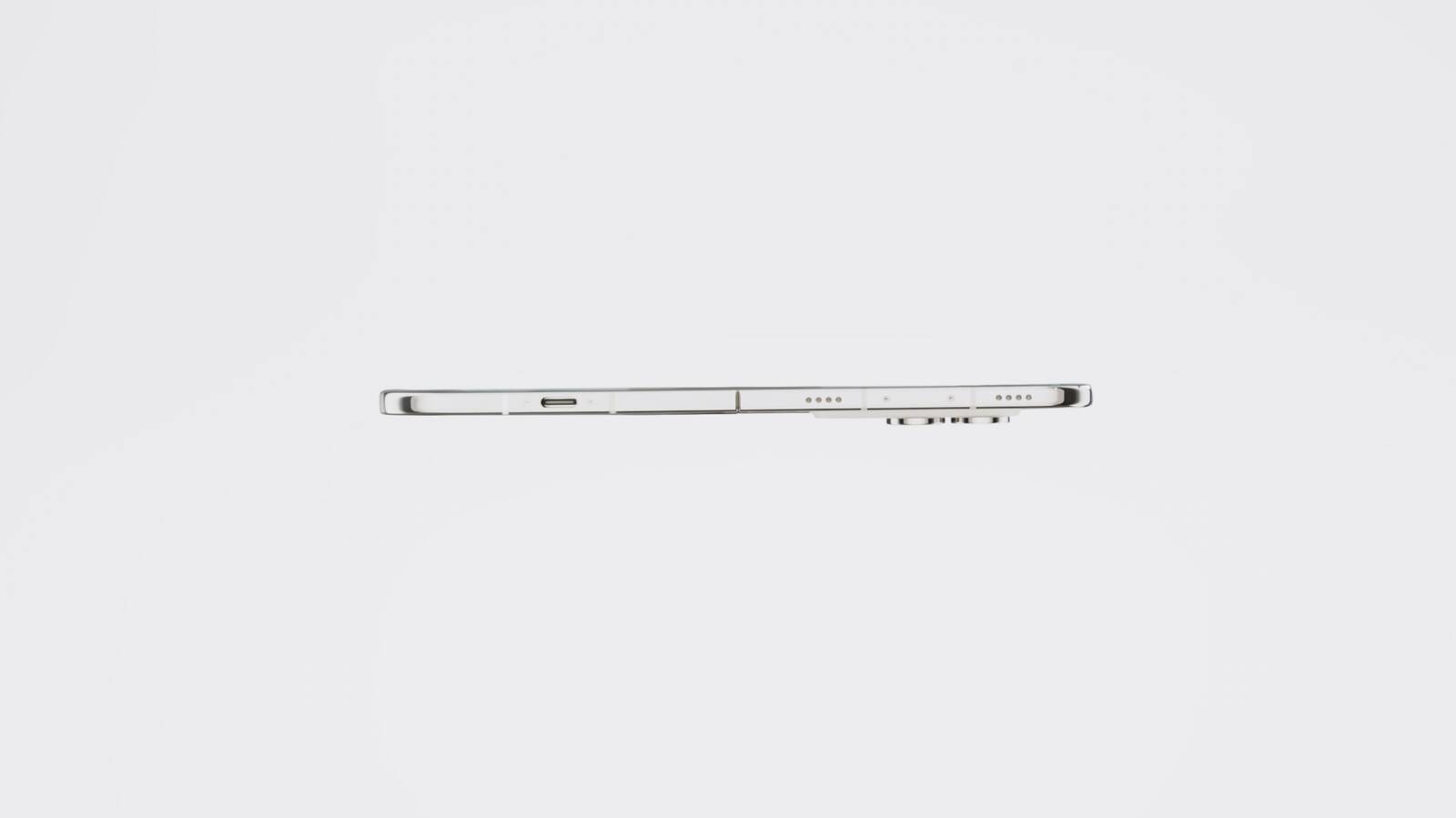
The new foldable iPhone Duo is the "thinnest iPhone ever," according to Apple. When unfolded, the device is 5.2mm thick, making it 0.4mm thinner than the 5.6mm iPhone Air.


Rumors suggested it could be as thin as 4.5mm when unfolded, similar to Samsung's Galaxy Z Fold8, but it didn't end up that thin. At 5.2mm, it's just a little bit thicker than the 5.1mm 13-inch iPad Pro, which is Apple's thinnest device.

When folded, the ‌iPhone Duo‌ is 11.3mm thick. For comparison, the iPhone 17 Pro Max and iPhone 18 Pro Max are both 8.75mm thick.

The ‌iPhone Duo‌ is also Apple's heaviest iPhone to date at 254 grams, which is five grams heavier than the 249-gram ‌iPhone 18 Pro‌ Max. It has a 7.6-inch inner display when it's open and a 5.4-inch outer display when it's closed, and it has a short, wide design.

Pre-orders for the ‌iPhone Duo‌ begin on October 16 ahead of an October 23 launch date.
Related Roundups: iPhone Air, iPhone Duo
Buyer's Guide: iPhone Air (Neutral)

This article, "iPhone Duo Beats iPhone Air as Apple's Thinnest iPhone, But Only When Open" first appeared on MacRumors.com

Discuss this article in our forums
  •  

Here's What Apple Says About the iPhone Duo's Crease

Ahead of the launch of the foldable iPhone Duo, rumors suggested Apple was focused on eliminating the crease between the device's two displays. All foldables have a visible crease, and it often becomes easier to see over time from constant folding and unfolding.


On the ‌iPhone Duo‌ product page, one of Apple's FAQs concerns the crease. "Does the inner display of ‌iPhone Duo‌ show a crease where it folds?" reads the question.

Apple's response says the display is "wonderfully flat and smooth," but it doesn't say there's no crease at all and actually skirts the question it asks.
iPhone Duo features a wonderfully flat and smooth inner display with custom nano-texture finish technology to reduce glare and reflections for an uninterrupted viewing experience. The optically clear adhesives let the display layers glide as the screen folds, minimizing stress and crease.

In the press release for the device, Apple says that the Duo's nano-texture display is meant to minimize the visibility of the crease.
A premium nano-texture finish reduces glare and reflections, creating a matte surface that minimizes crease visibility and feels great to touch.

Apple does not list a fold cycle count anywhere in its press release or on its website, but it does say the hinge offers "smooth, balanced resistance for long-lasting reliability." Apple also says the hinge has more than 100 components, while the ‌iPhone Duo‌ has support ribs and a titanium panel under the display.

Apple competitor Samsung does list fold cycles for its foldable devices. The new Galaxy Z Fold8, which has the same general shape as the ‌iPhone Duo‌, is rated for 500,000 folds.

The ‌iPhone Duo‌ is set to launch on October 23, with pre-orders starting on October 16.
Related Roundup: iPhone Duo

This article, "Here's What Apple Says About the iPhone Duo's Crease" first appeared on MacRumors.com

Discuss this article in our forums
  •  

iPhone Duo Will Ship With iOS 27.1, Hinting at Update's Release Date

Apple says the iPhone Duo will ship with iOS 27.1 when it launches this October, which gives us a hint at when the first major iOS 27 update will come out.


The ‌iPhone Duo‌ will be available on October 23, so iOS 27.1 should be released shortly before that date. Last year, iOS 26.1 didn't come out until November 3, but we're expecting iOS 27.1 about two weeks earlier.

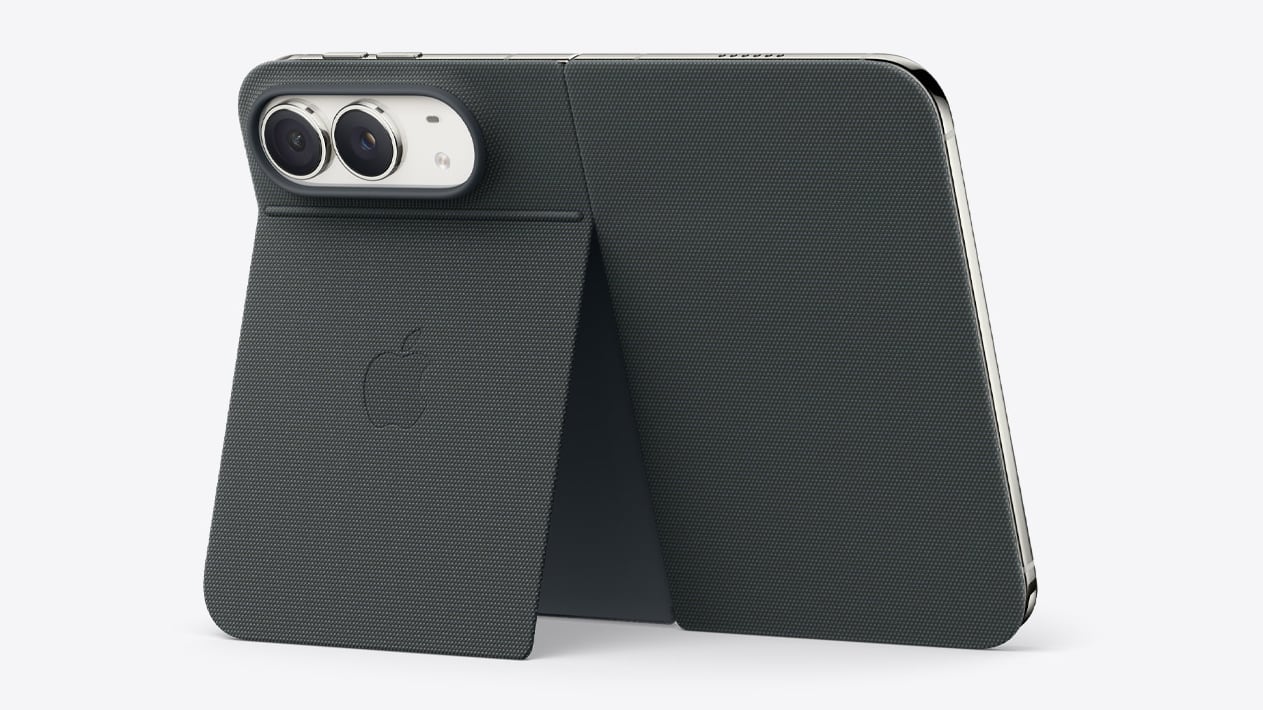
iOS 27.1 will include updated app layouts built for the ‌iPhone Duo‌'s dual displays and its new vertical dock.

The iPhone 18 Pro models will ship with ‌iOS 27‌ and are set to launch on September 18, so the ‌iPhone Duo‌ is coming just over a month later. ‌iOS 27‌ will launch on September 14.

Apple will accept pre-orders for the ‌iPhone Duo‌ on October 16, a week ahead of the October 23 launch.
Related Roundups: iOS 27, iPadOS 27, iPhone Duo

This article, "iPhone Duo Will Ship With iOS 27.1, Hinting at Update's Release Date" first appeared on MacRumors.com

Discuss this article in our forums
  •  

iPhone Duo Only Works With the $79 USB-C Apple Pencil, Not the Apple Pencil Pro

The iPhone Duo will work with the Apple Pencil, but support is limited. Apple says that you need the ‌Apple Pencil‌ with USB-C for the ‌iPhone Duo‌, so if you have the ‌Apple Pencil‌ Pro, you may be out of luck.


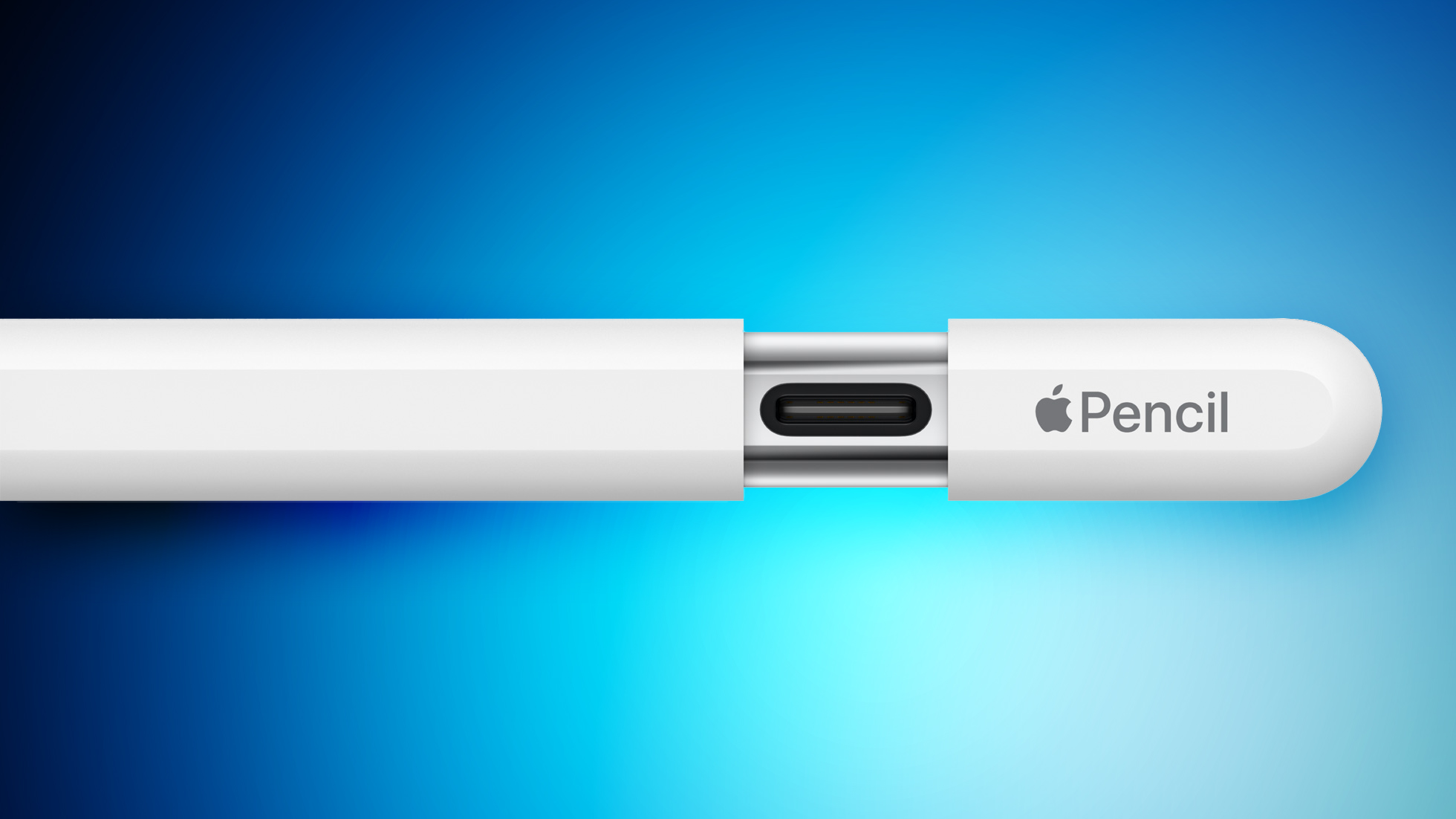
It's likely the ‌iPhone Duo‌ doesn't support the ‌Apple Pencil‌ Pro because there's no magnetic surface for charging the pencil. The ‌Apple Pencil‌ Pro charges magnetically when connected to a compatible iPad, while the ‌Apple Pencil‌ with USB-C charges with a USB-C port hidden behind a sliding cap.

The ‌Apple Pencil‌ with USB-C does not support pressure sensitivity, double-tap, barrel roll, haptic feedback, squeeze, or Find My, but it does have tilt sensitivity. Apple charges $79 for the ‌Apple Pencil‌ with USB-C and $129 for the ‌Apple Pencil‌ Pro.

Apple says that an ‌Apple Pencil‌ will work with both the inner and outer ‌iPhone Duo‌ displays. It's the first iPhone that works with ‌Apple Pencil‌.

‌Apple Pencil‌ support won't be available right when the ‌iPhone Duo‌ launches, and Apple says it's coming later this year.

The ‌iPhone Duo‌ will launch on October 23, with pre-orders beginning on October 16.
Related Roundup: iPhone Duo
Related Forum: iPad Accessories

This article, "iPhone Duo Only Works With the $79 USB-C Apple Pencil, Not the Apple Pencil Pro" first appeared on MacRumors.com

Discuss this article in our forums
  •  

iPhone Duo Doesn't Have an Action Button

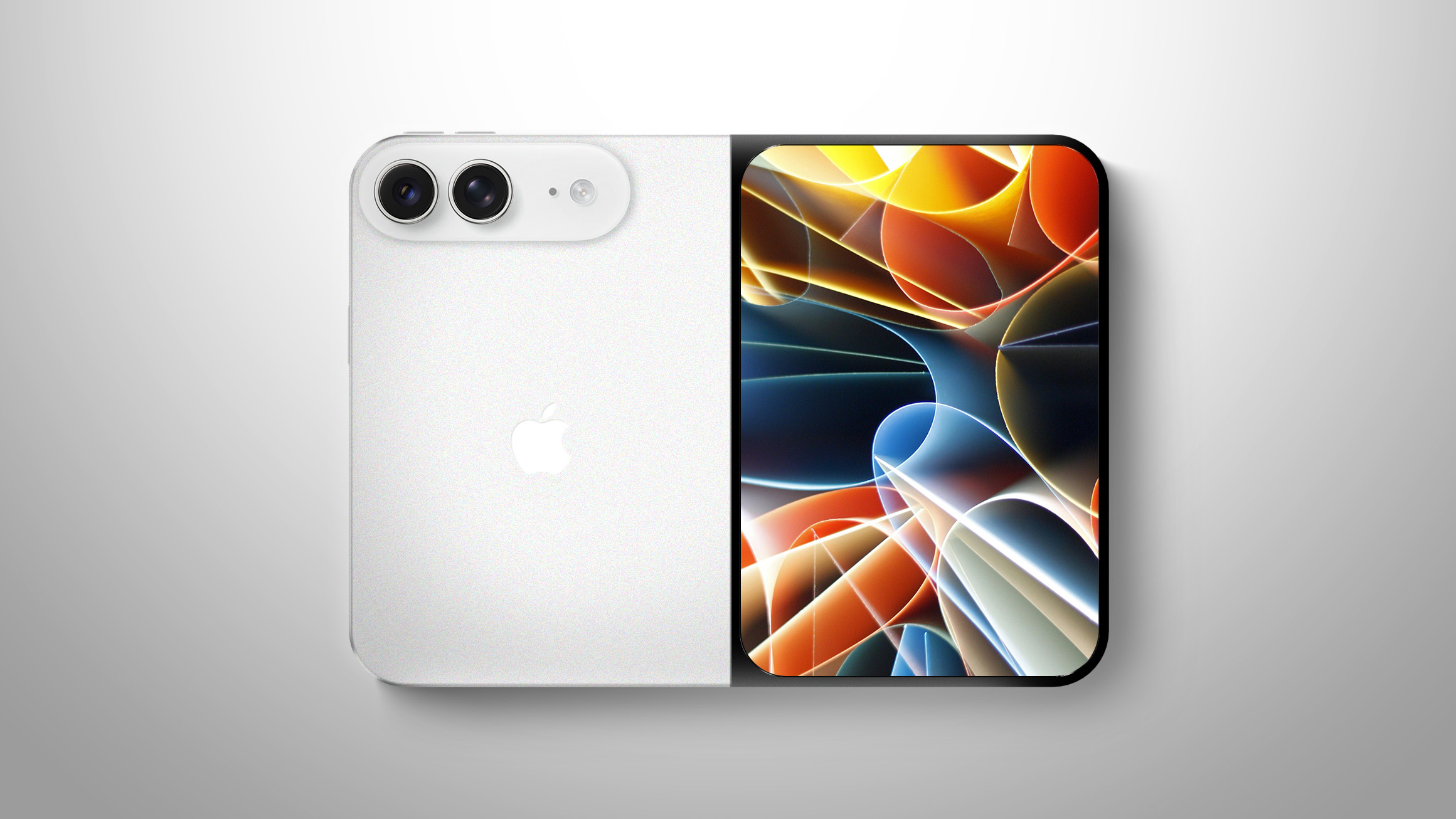
The iPhone Duo does not include an Action Button, according to the device's technical specifications page. The page's diagram highlights volume up/down buttons at the top, Camera Control and side buttons on the right side, a USB-C port at the bottom, and microphones and speakers at the top and bottom.


On the iPhone 18 Pro models and earlier, the Action Button is located on the left side of the iPhone right above the volume up/down buttons.

The Action Button is a customizable button that can be assigned one of several actions. It can do things like activate Silent mode (the default), set a Focus, turn on the Flashlight, record a Voice Memo, activate Visual Intelligence, or run a Shortcut.

Apple introduced the Action Button with the iPhone 15 Pro, and all iPhones released since then have included the feature. The ‌iPhone Duo‌ is the first iPhone that has no option for a physical mute toggle. Silent mode will need to be turned on via Control Center.

The side button on the ‌iPhone Duo‌ includes Touch ID for unlocking the device, because it does not support Face ID. There's also a separate Camera Control button for launching the camera and capturing photos.
Related Roundup: iPhone Duo

This article, "iPhone Duo Doesn't Have an Action Button" first appeared on MacRumors.com

Discuss this article in our forums
  •  

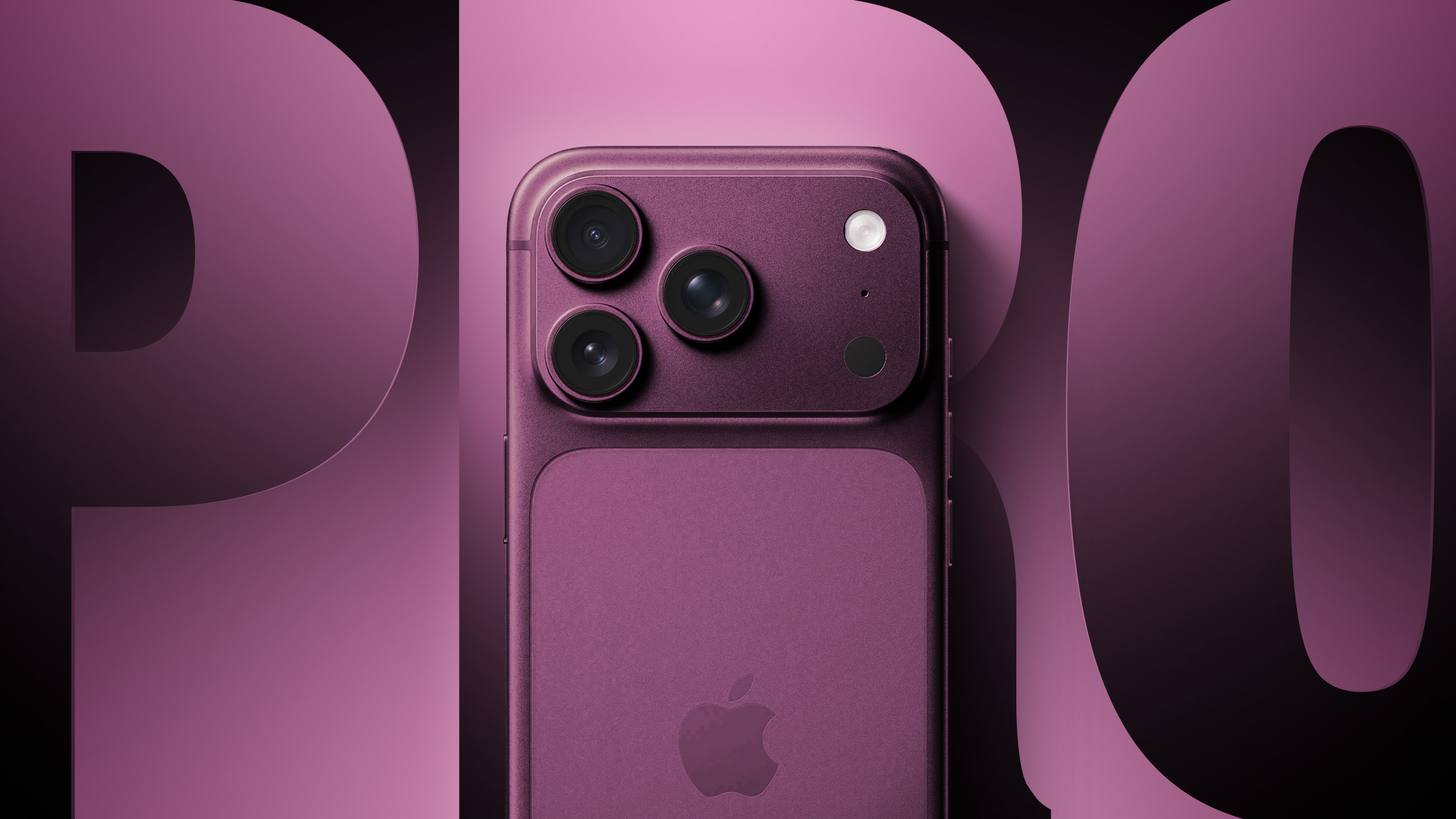
iPhone 18 Pro Max Is Heavier Than iPhone 17 Pro Max, Not Thicker

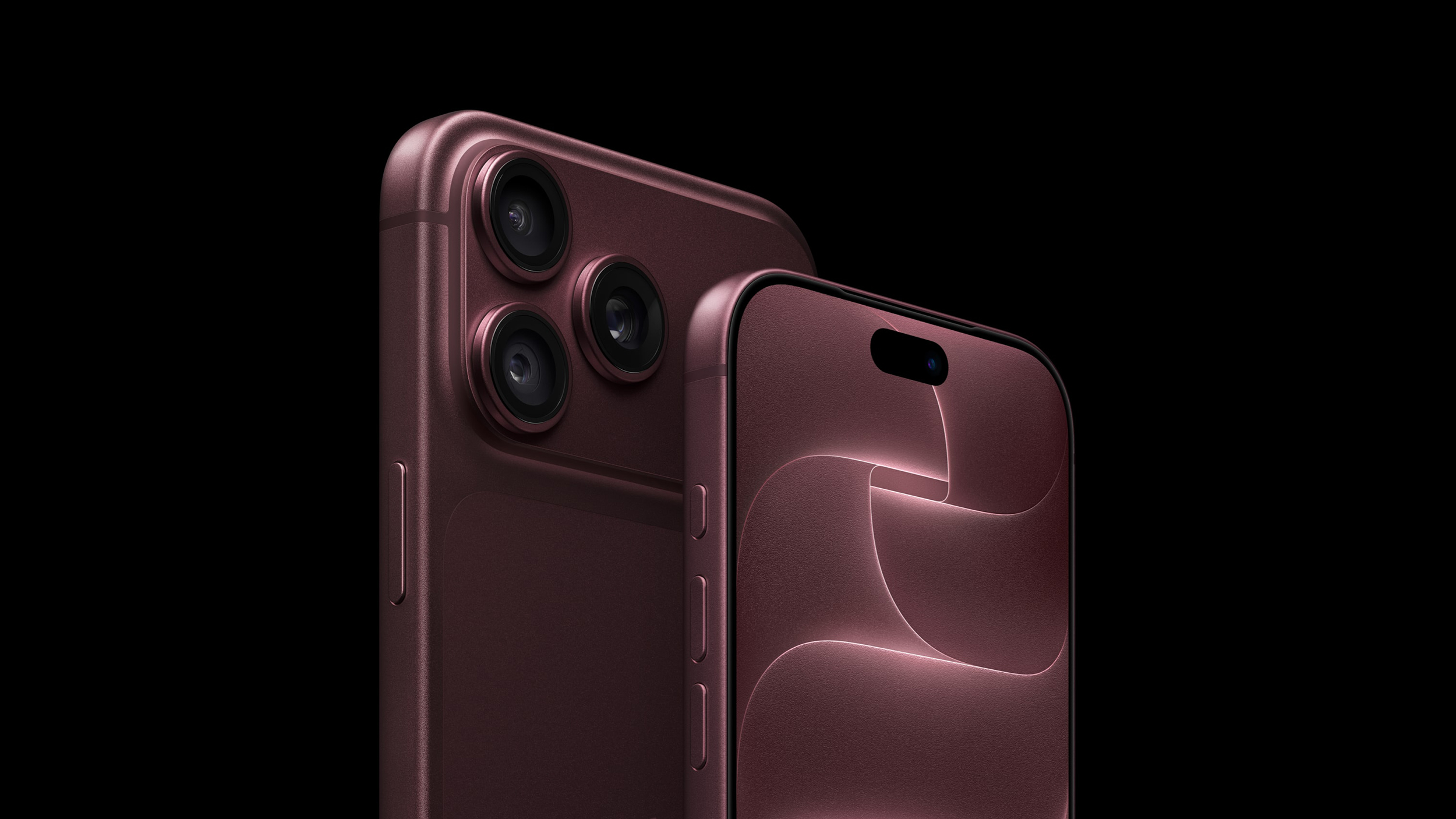
Despite rumors of an increase in thickness, the iPhone 18 Pro Max has the same physical dimensions as the iPhone 17 Pro Max. It is 163.4mm x 78mm x 8.75mm, but it did get 16 grams heavier.


Apple says the ‌iPhone 18 Pro‌ Max weighs 249 grams, while the ‌iPhone 17 Pro‌ Max weighed 233 grams, making it the heaviest non-folding iPhone to date. It is heavier than the iPhone 14 Pro Max, which was previously Apple's weightiest iPhone at 240 grams.

The ‌iPhone 18 Pro‌ weighs 211 grams, up from 206 grams in the prior-generation model. Apple may have increased battery size even though dimensions didn't change, or the new vapor chamber cooling system may be heavier heavier.

There's a bigger vapor chamber in the ‌iPhone 18 Pro‌ models that takes up three times more surface area to dissipate more heat. The A20 Pro is able to deliver up to 40 percent better sustained performance than the A19 Pro thanks to the next-generation vapor chamber and "more thermally conductive materials."

The 18 Pro Max battery offers up to six hours more video playback than the battery in the ‌iPhone 17 Pro‌ Max.

Even though it's 249 grams, the ‌iPhone 18 Pro‌ Max is still a little bit lighter than the iPhone Duo, which weighs 254 grams. The ‌iPhone Duo‌ is Apple's heaviest iPhone to date.

Cases for the ‌iPhone 17 Pro‌ models should fit the ‌iPhone 18 Pro‌ models given that the dimensions are the same.
Related Roundups: iPhone 17 Pro, iPhone 18 Pro
Related Forum: iPhone

This article, "iPhone 18 Pro Max Is Heavier Than iPhone 17 Pro Max, Not Thicker" first appeared on MacRumors.com

Discuss this article in our forums
  •  
Empfangen — 07. September 2026 ⏭ MacRumors: Mac News and Rumors - All Stories

iPhone Ultra, iPhone 18 Pro, and More: Apple's September 9 Event Preview

Apple's September event will take place on Wednesday, September 9 at 10:00 a.m. Pacific Time. Apple will announce its 2026 iPhone lineup, and this year is a big one. Along with the slab-style iPhones we've been using for years, Apple is going to debut its first foldable device. We'll also get new Apple Watches, a new set of AirPods, and possibly some other surprises.


Everything we expect to see at the "Surprise and Shine" event is below.

Foldable iPhone


Apple's 2026 iPhone lineup will include its first foldable device. We don't know what Apple will call it, but rumors suggest it might be named the iPhone Ultra.

Apple has designed a book-style foldable that has an iPad-like layout when it's opened up. It will have a ~5.5-inch OLED outer display, which is what you'll use when the iPhone is closed. It will unfold into a larger ‌OLED‌ display that's approximately 7.8 inches.


The design is wider than it is tall when it's open, and you can picture it as something like an iPad mini that folds in half. Samsung's recent Galaxy Z Fold8 matches the foldable iPhone rumors, so it may be the best look at the size and layout of Apple's device.

Apple wanted a crease-free design, but that doesn't seem to be possible with a foldable yet. The ‌iPhone Ultra‌ will instead have a minimal crease and a durable liquid metal hinge. Foldables are delicate and hinges can be a weak point, so Apple focused on durability. Rumors indicate Apple could have some tricks to keep the crease less visible over time, such as optically clear adhesive that will fill in any micro-cracks caused by repeated folding.

When unfolded, the ‌iPhone Ultra‌ could be as thin as 4.5mm, making it Apple's thinnest iPhone to date. That would make it 9mm when folded, which is close to the thickness of the 8.75mm iPhone 17 Pro Max. With a chassis that thin, Apple had to make design compromises.

There is reportedly no space for the TrueDepth camera system for Face ID, so it's going to use Touch ID instead. There will be a ‌Touch ID‌ side button, similar to the iPad Air and ‌iPad mini‌. Though ‌Face ID‌ isn't included, there will be front cameras for both the inner and outer displays.

Apple also didn't have room for a three-lens rear camera system, so the ‌iPhone Ultra‌ won't have a telephoto lens. Rumors suggest it will have an Ultra Wide lens and a Wide lens located on the back of the device, so the rear camera works whether the ‌iPhone Ultra‌ is folded or unfolded.

It was unclear if MagSafe would be included because leaked dummy models didn't feature a magnetic ring, but Bloomberg says ‌MagSafe‌ charging will indeed be a feature.

The ‌iPhone Ultra‌ will have a 2nm A20 Pro chip. The A20 Pro is expected to be around 18 percent faster and up to 30 percent more power efficient than the A19 Pro, and it could have a 7-core GPU, a wider memory interface, and a larger L2 cache for its efficiency cores. We're expecting 12GB of RAM.

Apple's 2026 iPhones could use its house-designed C2 modem, which is expected to be faster and more efficient than the C1X. It's not yet clear if Apple has added mmWave technology to the C2, and if it hasn't, foldable iPhone models sold in the U.S. could use Qualcomm modems instead. mmWave 5G isn't widely used outside of the U.S., but it is an expected feature for U.S. iPhones. The other alternative is limiting the foldable iPhone to sub–6GHz 5G speeds worldwide.

Each half of the ‌iPhone Ultra‌ will have a battery inside, and it could have a total capacity in the 5,400 to 5,800 mAh range. The ‌iPhone 17 Pro‌ Max has a 5,088 mAh battery for comparison.

Apple isn't taking risks with color. The ‌iPhone Ultra‌ will come in silver/white and a second color that's been described as a very deep shade of indigo that's close to black.

Software could make or break the ‌iPhone Ultra‌, and Apple has been telling developers to design their apps for a variety of sizes and aspect ratios to accommodate the two foldable screens. The ‌iPhone Ultra‌ is likely to support multitasking, side-by-side apps, and sidebars, much like the iPad.

Apple's first foldable won't be cheap. According to rumors, it will cost at least $2,000, and higher-capacity models could be upwards of $2,500.

iPhone 18 Pro and iPhone 18 Pro Max


The iPhone 18 Pro models will look a lot like the ‌iPhone 17 Pro‌ models, with no major design changes expected. There are rumors that the ‌iPhone 18 Pro‌ Max might be a little bit thicker and heavier because of a larger battery, but ‌iPhone 17 Pro‌ cases are expected to fit the ‌iPhone 18 Pro‌ models. The camera plateau could be slightly thicker to accommodate a new variable aperture lens.


Apple has new colors planned, including a dark cherry shade, light blue, and silver. Rumors suggest there won't be a black ‌iPhone 18 Pro‌ option.

With the ‌iPhone 17 Pro‌ models, there's a clear color contrast between the frosted glass back and the aluminum casing, but that might be more subtle with the ‌iPhone 18 Pro‌. While the overall shape isn't being updated, the ‌iPhone 18 Pro‌ and Pro Max could have a smaller Dynamic Island. There were early rumors about under-display ‌Face ID‌ with no Dynamic Island at all, but that's not going to happen.

There may be a noticeable increase in battery life due to the larger capacity battery rumored for the 18 Pro Max (5,567 mAh), plus efficiency improvements from the 2nm A20 Pro chip it's supposed to get and an upgrade in display technology. Rumors say Apple is using an LTPO+ display that's more efficient than the current ‌OLED‌ display.

Apple plans to upgrade the main rear camera with a DSLR-like variable aperture, giving users more control over the light that reaches the lens. An option for a smaller aperture in bright lighting could improve exposure, while a larger aperture in lower lighting conditions would let in more light to reduce grain and produce sharper images. A variable aperture also gives more control over background blur. Some rumors suggest this might be a feature exclusive to the ‌iPhone 18 Pro‌ Max, but it's not clear if that's accurate.

Apple could use a three-layer stacked image sensor developed by Samsung, which would make the camera more responsive and improve low-light performance. The Telephoto lens could have a wider aperture to let in more light, but no changes are rumored for the Ultra Wide lens or the front-facing camera.

There might be changes to the Camera Control button. Apple is supposedly simplifying it to eliminate the capacitive layer that lets you swipe to adjust camera settings on the button.

As with the foldable iPhone, some or all of the ‌iPhone 18 Pro‌ models could get Apple's C2 modem, but again, it's possible U.S. models will have Qualcomm modems for mmWave 5G.

Compared to the ‌iPhone 17 Pro‌ models, the ‌iPhone 18 Pro‌ models will be more expensive. Apple is paying more for memory and storage, and prices for Macs and iPads already went up. We could see a price increase ranging from $100 to $300.

Apple Watch Series 12


The Apple Watch Series 12 won't design changes, but Apple could bring back the ceramic case option. We're expecting an updated processor that could bring improvements to health and fitness tracking.

Apple is testing a feature that would let the heart rate sensor continuously collect data throughout the day, powering a new Health app feature that could show wellness-related info similar to what the Oura Ring offers.

Apple Watch Ultra 4


Like the Apple Watch Series 12, the Apple Watch Ultra 4 will have no major changes. It's likely to get the same upgraded processor and related changes.

AirPods 5


References to AirPods 5 were found in the macOS 26.7 release candidate, and the new earbuds could launch alongside the ‌iPhone 18 Pro‌ models. Apple could add an updated H3 chip for improved sound quality and lower latency, and we're likely to still get an ANC version and a non-ANC version.

Possible Product Launches


  • Home hub - Apple is working on a home hub with a 7-inch square display, an integrated camera, presence detection sensors, and more. It will control smart home devices, but it will also run apps. Rumors suggest it can be used to make video calls, play content, and interact with Siri AI, the new version of ‌Siri‌ in iOS 27. Apple has been waiting to launch the home hub because ‌Siri‌ AI is a central feature of the new device.

  • Apple TV 4K - There's a new Apple TV with a faster processor in the works, and it could come at the September event. No design changes are expected, but an updated chip could support ‌Siri‌ AI and new gameplay features. There are also signs of a new remote in Apple code.

  • HomePod mini - The HomePod mini is due for a refresh, and it's also expected to get a faster processor. We haven't heard word of design changes, but it could come in new colors.


Software Updates


At the September 9 event, Apple will announce the release dates for ‌iOS 27‌, iPadOS 27, macOS Golden Gate, tvOS 27, watchOS 27, and visionOS 27. Apple will also likely seed release candidate versions of the updates to developers and public beta testers following the event.

Based on historical release timelines, ‌iOS 27‌ and its sister updates could come out as soon as September 14.

What Not to Expect


There are several other products rumored to be launching before the end of 2026, but they'll likely come at a second event in October or November. There's also a notable omission from the lineup, because Apple is going to delay the iPhone 18.

  • iPhone 18 - The standard ‌iPhone 18‌ will not launch in September 2026, with Apple instead planning to debut it in spring 2027 alongside the iPhone 18e and the iPhone Air 2. In the fall, we're only getting the ‌iPhone 18 Pro‌, ‌iPhone 18 Pro‌ Max, and foldable iPhone.

  • Apple Watch SE 4 - There won't be a new Apple Watch SE 4 this year.

  • M6 MacBook Pro - A new entry-level MacBook Pro with an M6 chip is coming before the end of the year, but not at the September event.

  • M6 iMac - There's also an M6 iMac rumored to be coming in 2026, but Apple is likely to hold a Mac event to announce it, or do it via press release at a later date.

  • OLED MacBook Pro - We've been waiting on an ‌OLED‌ touchscreen ‌MacBook Pro‌, and it's rumored for late 2026 or early 2027. It's not a candidate for Apple's September event.

  • OLED iPad mini - There's an ‌OLED‌ ‌iPad mini‌ in development, and it's expected to launch before the end of October. It's another one that's unlikely for an iPhone event.


Apple's New CEO


New Apple CEO John Ternus has presented at Apple events before, but the iPhone event will be the first he hosts as CEO in place of Tim Cook.

Cook was Apple's CEO for 15 years, so a transition to Ternus leading an event is a major change.

Cook is now Apple's executive chairman, and he may not make an appearance during the event at all.

iPhone Preorders


Apple almost always holds preorders on the Friday after an event, but this year, that Friday is 9/11. It's unlikely Apple will do iPhone preorders on Friday because of the date, so orders could happen on Saturday instead. The last time iPhone preorders overlapped with the 9/11 date in 2015, Apple pushed orders to Saturday.

If Apple follows the same pattern, the ‌iPhone 18 Pro‌ models and the ‌iPhone Ultra‌ could be available for preorder on Saturday, September 12. Back in 2015, Apple started preorders at 12:01 a.m. Pacific Time, but in recent years, preorders have started at 5:00 a.m. Pacific Time. Preorders this year could take place at 5:00 a.m. on September 12.

The new iPhones will likely launch on Friday, September 18, regardless of preorder date.

How to Watch


Apple's "Surprise and Shine" event will start at 10:00 a.m. Pacific Time on Wednesday, September 9. Apple will livestream the event on its website, on YouTube, and through the ‌Apple TV‌ app on supported devices.


For those unable to watch the livestream, MacRumors will have full event coverage on MacRumors.com and the MacRumorsLive X account. We'll also take a much closer look at all of the new products after the event.
Related Roundup: iPhone 18 Pro

This article, "iPhone Ultra, iPhone 18 Pro, and More: Apple's September 9 Event Preview" first appeared on MacRumors.com

Discuss this article in our forums
  •  

Apple Planning AI Home Security Camera and Service for 2027

Apple could release a home security system and service in 2027, according to Bloomberg.


The company is designing a privacy-forward home security camera that will "use AI to monitor the surrounding environment instead of actual video footage." It will apparently work with a new home security and monitoring service, but no additional detail on the service is included.

Apple is planning to release a home hub for controlling smart home devices before the end of the year, and rumors have previously suggested there's a camera in the works to go along with it. Early rumors indicated it would be a wireless camera with Siri integration and a connection to the home hub that's in development.

Apple already has HomeKit Secure Video, an Apple Home feature for third-party cameras. ‌HomeKit Secure Video‌ features end-to-end encryption and uses iCloud to securely stream and store video from compatible HomeKit cameras.

In iOS 27, Apple is upgrading its HomeKit camera features. The Home app is able to generate written summaries for motion alerts, plus it can surface highlights and group footage from different cameras together. The new features require a 2TB or higher ‌iCloud‌+ plan, while ‌HomeKit Secure Video‌ requires a 50GB plan or better.

It's possible a future home security monitoring service could also be tied to ‌iCloud‌+ and Apple's existing ‌HomeKit Secure Video‌ features.
This article, "Apple Planning AI Home Security Camera and Service for 2027" first appeared on MacRumors.com

Discuss this article in our forums
  •  

Foldable iPhone Ultra: The Latest Rumors Before Apple's Event

We're less than a week away from the debut of Apple's first foldable iPhone, and rumors have been picking up as the event date approaches. Here's the latest.


  • MagSafe - Even though foldable iPhone dummies we saw earlier this year didn't have a MagSafe ring, Bloomberg's Mark Gurman claims all signs indicate MagSafe charging will be supported.

  • Crease - Some of the early language about the foldable iPhone's crease suggested Apple might have found a way to make it invisible, but later rumors are more realistic. The crease is minimal, but Apple hasn't found a magic way to get rid of it.

  • Touch ID - Touch ID is still expected for the foldable iPhone. Apple didn't have room for the Face ID hardware because the device is rumored to be just 4.5mm thick. There will be volume buttons at the top of the iPhone Ultra, with a ‌Touch ID‌ side button for unlocking.

  • Software - iOS 27 makes it clear Apple is making sure apps will work with the foldable iPhone. There's a big push for app resizability and layout flexibility. The iPhone is expected to support multitasking, sidebars, and side-by-side app usage.

  • Cameras - Camera rumors haven't changed. We're expecting a two-lens camera setup with Wide and Ultra Wide lenses.

  • Chips - Early rumors said Apple would transition to the C2 and move away from Qualcomm, but it looks like Apple might still use Qualcomm modems in the United States. It hinges on whether the C2 supports mmWave 5G. The ‌iPhone Ultra‌ will also adopt Apple's A20 Pro chip, the same as the iPhone 18 Pro models.

  • Colors - The foldable iPhone is expected in white/silver and dark blue.

  • Apple Pencil - Apple tested an Apple Pencil with the foldable iPhone, but it's probably not going to launch.

  • Launch Timing - Rumors on ‌iPhone Ultra‌ launch timing and production have been mixed, with some sources reporting delays. Gurman says he will be "very surprised" if the device doesn't launch at the same time as the ‌iPhone 18 Pro‌ models or "very close to it." It's still possible supplies could be constrained, leading to long waits for those who don't pre-order early.

  • Price - The ‌iPhone Ultra‌ is expected to cost over $2,000, possibly up to $2,500 depending on storage capacity.


Apple will introduce the ‌iPhone Ultra‌ and the ‌iPhone 18 Pro‌ models at its "Surprise and Shine" event that will be held on Wednesday, September 9.
Related Roundup: iPhone Fold

This article, "Foldable iPhone Ultra: The Latest Rumors Before Apple's Event" first appeared on MacRumors.com

Discuss this article in our forums
  •  

Anthropic's Claude Comes to CarPlay

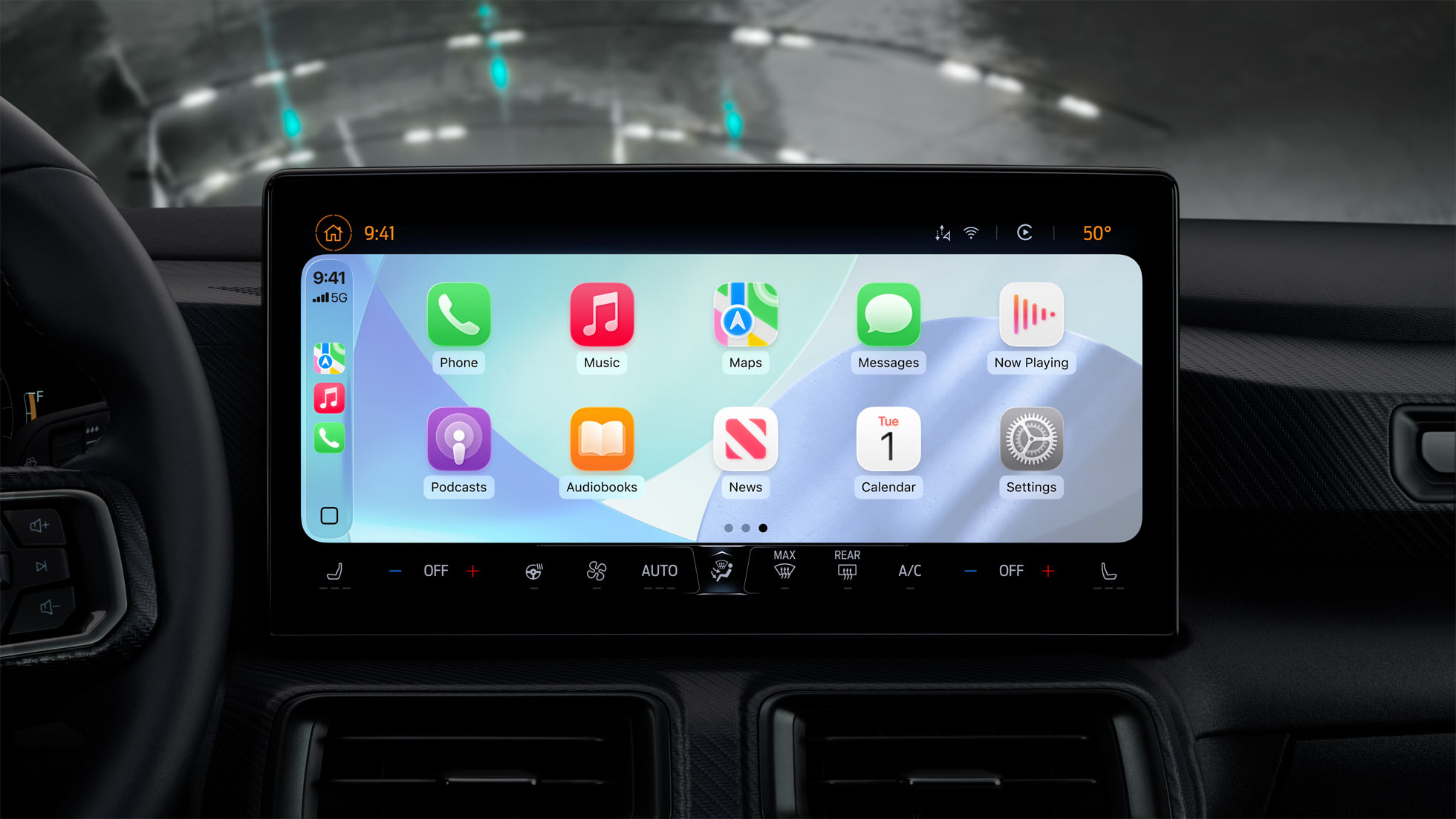
Anthropic added CarPlay integration to the Claude iOS app, which means Claude users can talk to Claude through their in-car infotainment systems.


Apple added support for third-party chatbots in ‌CarPlay‌ in iOS 26.4. Chatbot apps with ‌CarPlay‌ integration need to add support for a voice control screen, use Apple's designated ‌CarPlay‌ template, and get an entitlement from Apple. Claude can answer voice-based questions hands-free, but the chatbot won't be able to control vehicle or iPhone functions. Users also need to open the Claude app from the ‌CarPlay‌ interface because there is no support for third-party wake words.

The Claude app on ‌CarPlay‌ opens with a "Start a hands-free conversation" screen, with options to start a new chat or access recent chats. There are in-app controls for muting and unmuting and ending and resuming conversations, plus visual cues for when Claude is listening or talking.

‌CarPlay‌ has long supported third-party apps, but Apple has limited the kinds of apps that are available to prevent driving distractions. OpenAI added ‌CarPlay‌ support to the ChatGPT app earlier this year.

Update: This article was updated to note that the Claude ‌CarPlay‌ integration is live.
Related Roundup: CarPlay

This article, "Anthropic's Claude Comes to CarPlay" first appeared on MacRumors.com

Discuss this article in our forums
  •  

macOS 26.7 Code Hints at Two Unreleased Apple Game Controllers

References to two unreleased controllers that identify as Apple hardware in code were spotted in the macOS 26.7 release candidate by MacRumors reader Pdfu. Apple's first macOS 26.7 release candidate came out in mid-August, and it was full of references to unreleased Apple devices, from iPhones and Macs to new home accessories. Pdfu has continued to dig into the RC, finding new details that were previously overlooked.


There are GameController profiles for two hardware devices identified as T6502 and T1057, which Pdfu suggests could be Apple gaming controllers in development. The two controllers have different haptic designs and standard controller components, like a D-pad, dual thumbsticks, shoulder buttons, Home and Menu buttons, and analog triggers. T1057 also has accelerometer and gyroscope support, while T6502 doesn't.

The code includes dedicated hardware plug-ins for each device as well, which suggests these are actual devices instead of placeholder code.

There have been rumors about a possible Apple game controller over the years, but nothing has ever materialized.

The code found in the first macOS Tahoe 26.7 RC could point to an Apple controller in the works, but it could also be referencing internal test hardware Apple uses for testing game controller code and support. Apple removed the code in the second ‌macOS Tahoe‌ 26.7 RC.

Apple has had multiple opportunities to release a game controller. The company could have launched one alongside any version of the Apple TV, when Apple Arcade came out, or when the Vision Pro launched, but it didn't. Instead, Apple focused on building extensive support for third-party controllers.

In 2015, Apple required ‌Apple TV‌ games to support the Siri Remote as a gaming controller, but gave that up in a matter of months. With the Vision Pro, it partnered with Sony to add Vision Pro support to the PlayStation VR2 Sense controllers instead of designing its own controller.

Console makers have mastered the controller, and many people already have Xbox, PlayStation, or Nintendo controllers. There's little improvement to be made on controller ergonomics, but if Apple is working on a controller, features like Find My and instant cross-device pairing could set it apart from competitors.

All of the references can be found in blacktop/ipsw-diffs on GitHub, with Pdfu's highlights available in the forum post.
This article, "macOS 26.7 Code Hints at Two Unreleased Apple Game Controllers" first appeared on MacRumors.com

Discuss this article in our forums
  •  

Review: Acer's 6K Touchscreen Display Turns Your Mac Into a Giant iPad, Sort Of

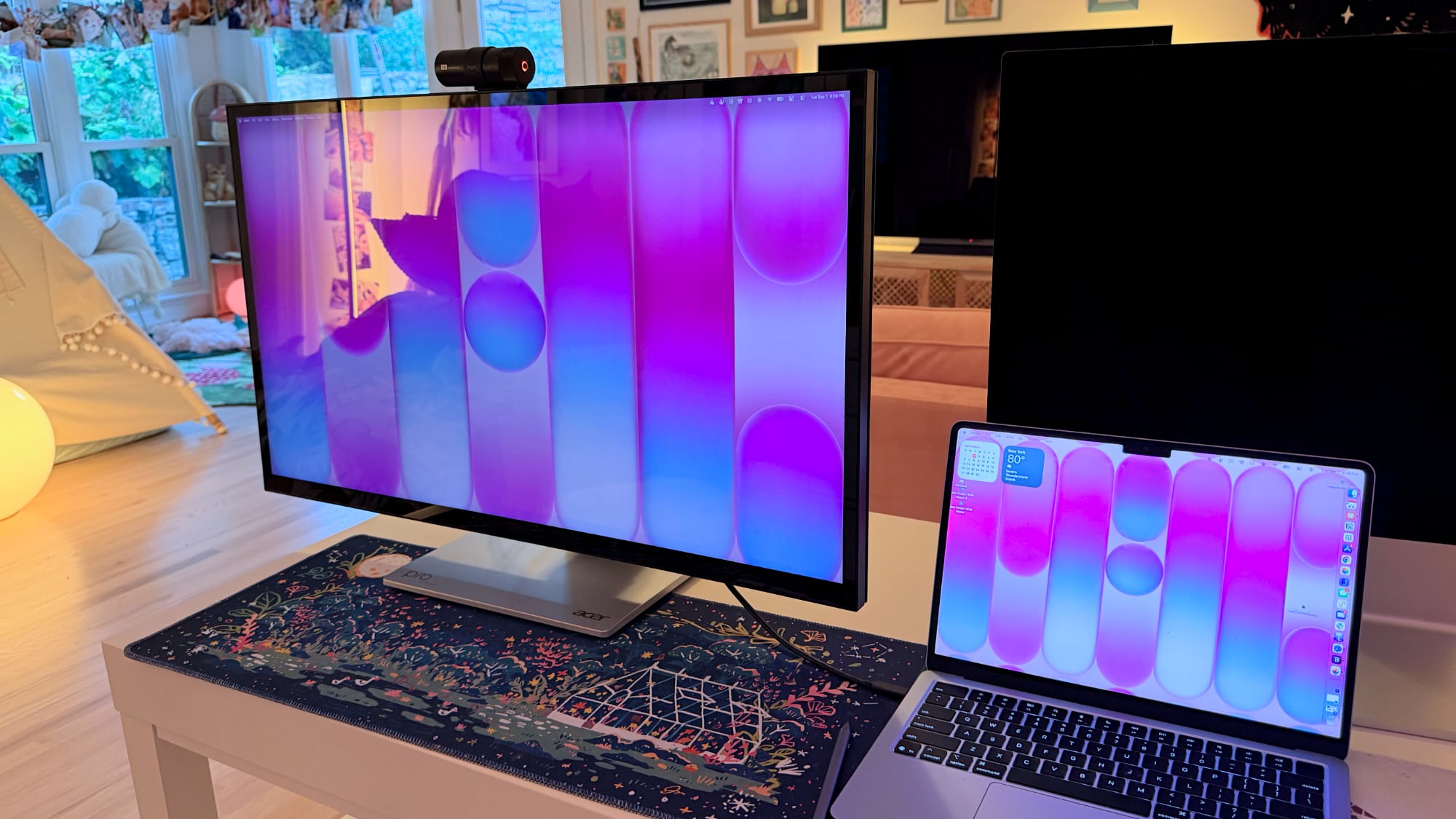
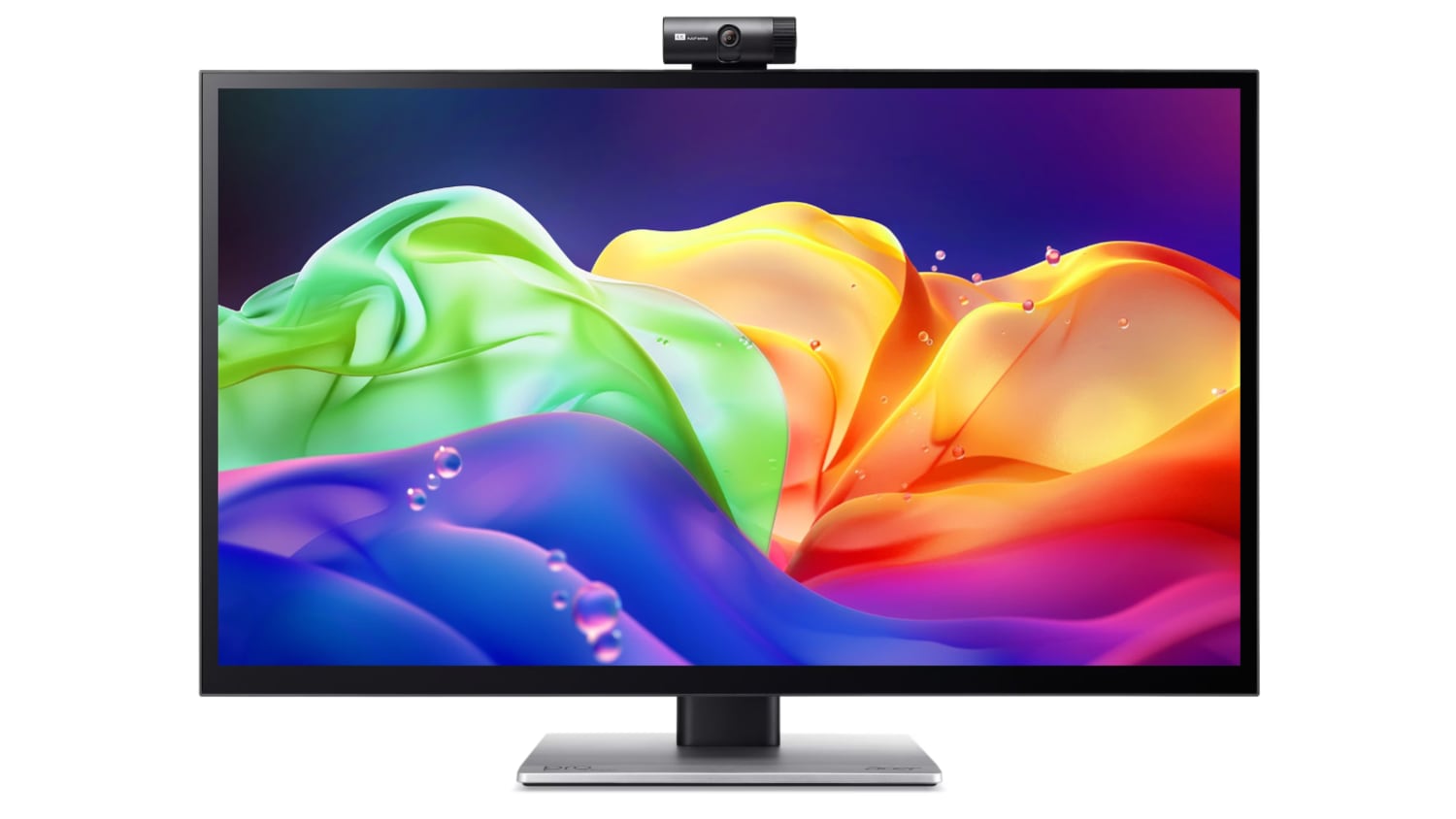
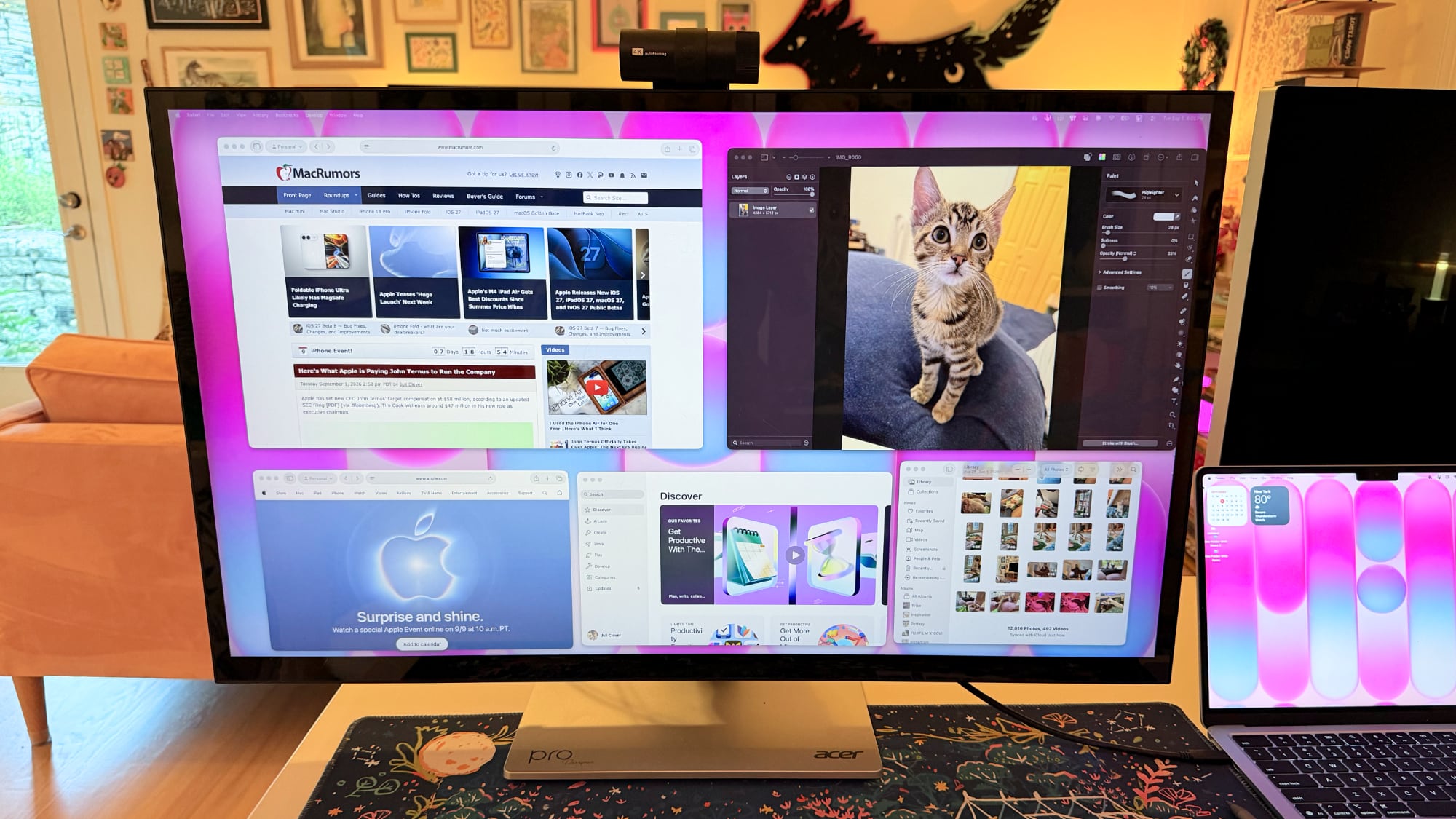
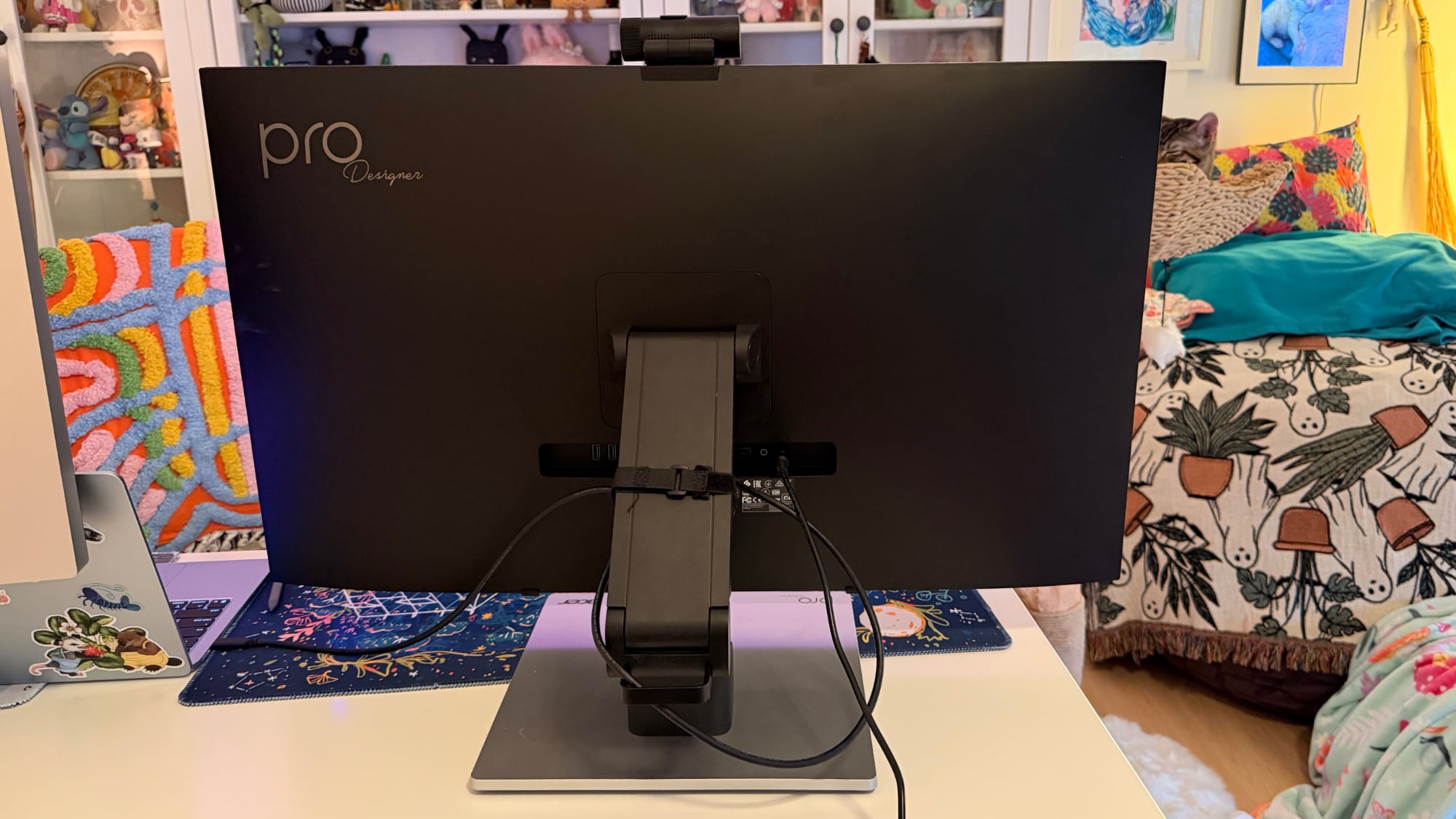
Acer recently came out with a new 6K 31.5-inch display, the ProDesigner PE320QXT. It's a touchscreen display that's able to work with a Mac using touch drivers, and it's aimed at professional creators. It's fun to use, but there are some compromises, and this is not the display to get unless you really want touch integration.


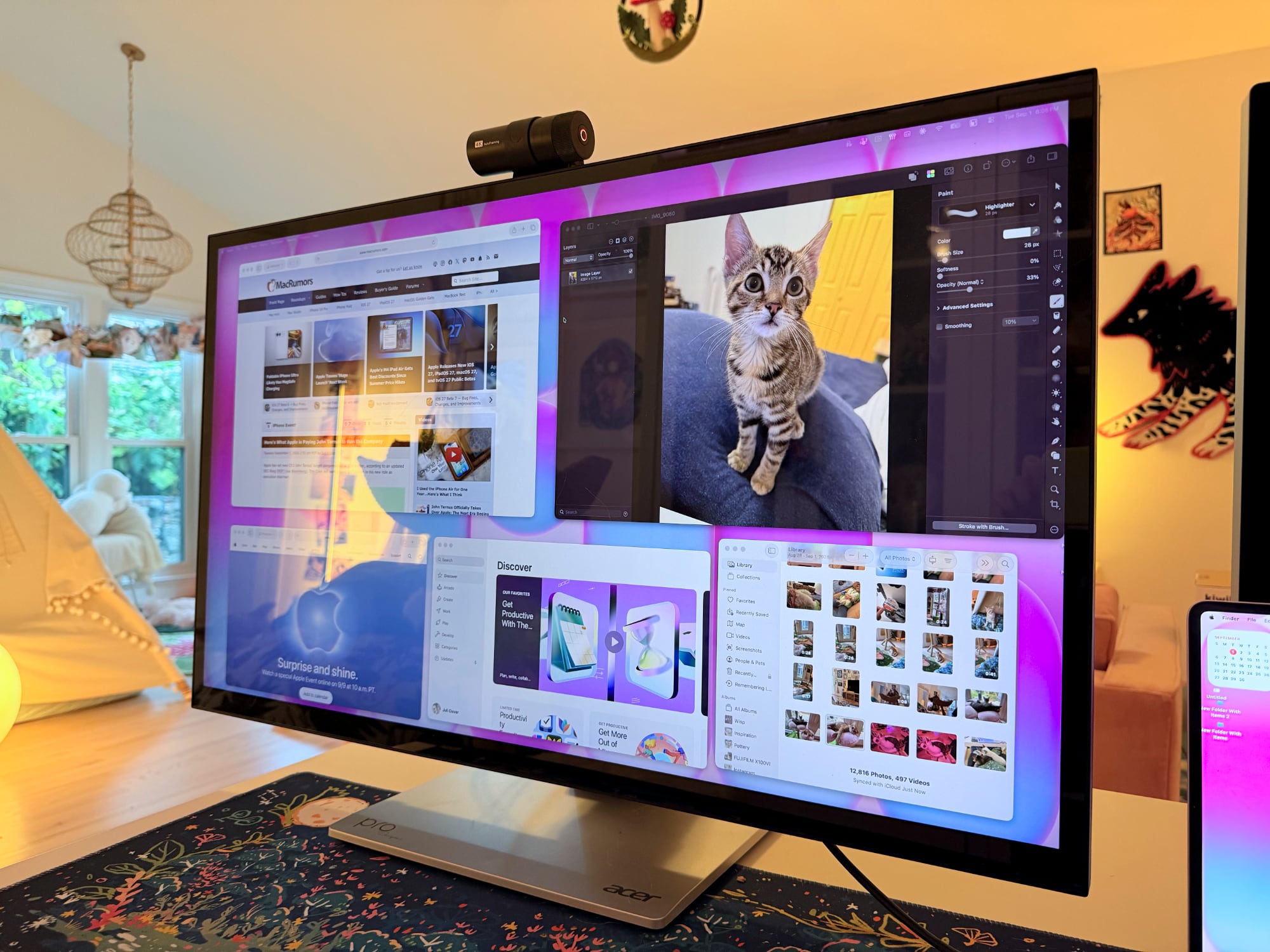
This is a big, heavy display. It's thicker than my Apple Studio Display, and it's thicker than any other display I've tested, likely because of the touch layer. It does have a tapered design so the sides aren't quite as thick as the middle, but this isn't a modern-looking monitor. It doesn't resemble something designed in 2026, especially with the button-based controls and the thick bezels. If someone told me this was a display from 2006, I'd believe it. With its stand, the ProDesigner weighs about 22 pounds, and it takes up a lot of room on my desk.

The display uses an IPS panel and has a resolution of 6016 x 3384, and it can connect to a Mac using HDMI or USB-C. I tested it on a 16-inch M1 Max MacBook Pro running macOS Golden Gate and an M4 MacBook Air. By default, macOS uses a 3008 x 1692 scaled resolution, which is a good compromise between display quality and sizing. It can be set at higher resolutions, including the full 6016 x 3384, but window sizing and text get smaller as resolution goes up.


Text is crisp and everything looks sharp at the default resolution, but brightness is limited to 400 nits and contrast is just fair, not outstanding. My office is bright, and in the daytime, 400 nits is a little too dim, especially if I'm simultaneously using the ‌MacBook Pro‌'s much better mini-LED screen or a ‌Studio Display‌ with the Acer ProDesigner. Brightness does go up to 600 nits for HDR content, but I wouldn't recommend it for HDR movies because it doesn't have the local dimming you get from mini-LED or OLED.

Though brightness wasn't where I wanted it to be, quality and color were excellent. With some displays, it's unpleasant to use them with a ‌MacBook Pro‌ because of the pixel density mismatch, but 6K resolution makes a difference when using the display next to a ‌MacBook Pro‌. Text and interface elements don't look soft or low-resolution. Acer says the display is Calman-verified for color accuracy with support for 99 percent of the Adobe RGB and P3 color gamuts. I don't have a colorimeter or a reference display for testing, but colors were saturated and seemed similar to those on my ‌MacBook Pro‌. I did notice a little light bleed at the edges of the display when viewing a dark image in a dark room, but it's not something I noticed in regular use and the display otherwise looked uniform.


One of the main concerns with any kind of color work is the glossiness of the display. This is one of the most reflective displays I've used, and it is problematic when viewing dark content in a room with bright light. If you have lights behind you, they're going to reflect and make it harder to see what you're working on. Acer says it's an anti-glare display, but I disagree.


This is a display with a 60Hz refresh rate, and I do notice the lower refresh rate when scrolling through webpages because I'm used to my Mac's 120Hz option. This isn't a display I'd choose for games because of it, but games do look good thanks to the resolution.

Controls


Acer doesn't have a native macOS app for controlling the display, so there's no way to control brightness from the Mac unless you download third-party display software. I use BetterDisplay, and it works well.

Without third-party display software, you're limited to the brightness controls on the monitor itself. There are five buttons on the bottom right of the display. On-device controls are not as convenient as software-based controls, and it takes too many button presses to adjust brightness. I need to press one button to toggle the brightness setting, then use a different button and press several times to adjust up or down.

The brightness control is right next to the power button, so I've accidentally turned the display off several times. It's hard to imagine a control scheme that would be less ergonomic than the one Acer chose. You can tediously control all of the display settings with the physical buttons, or use third-party software to solve the problem.

Stand


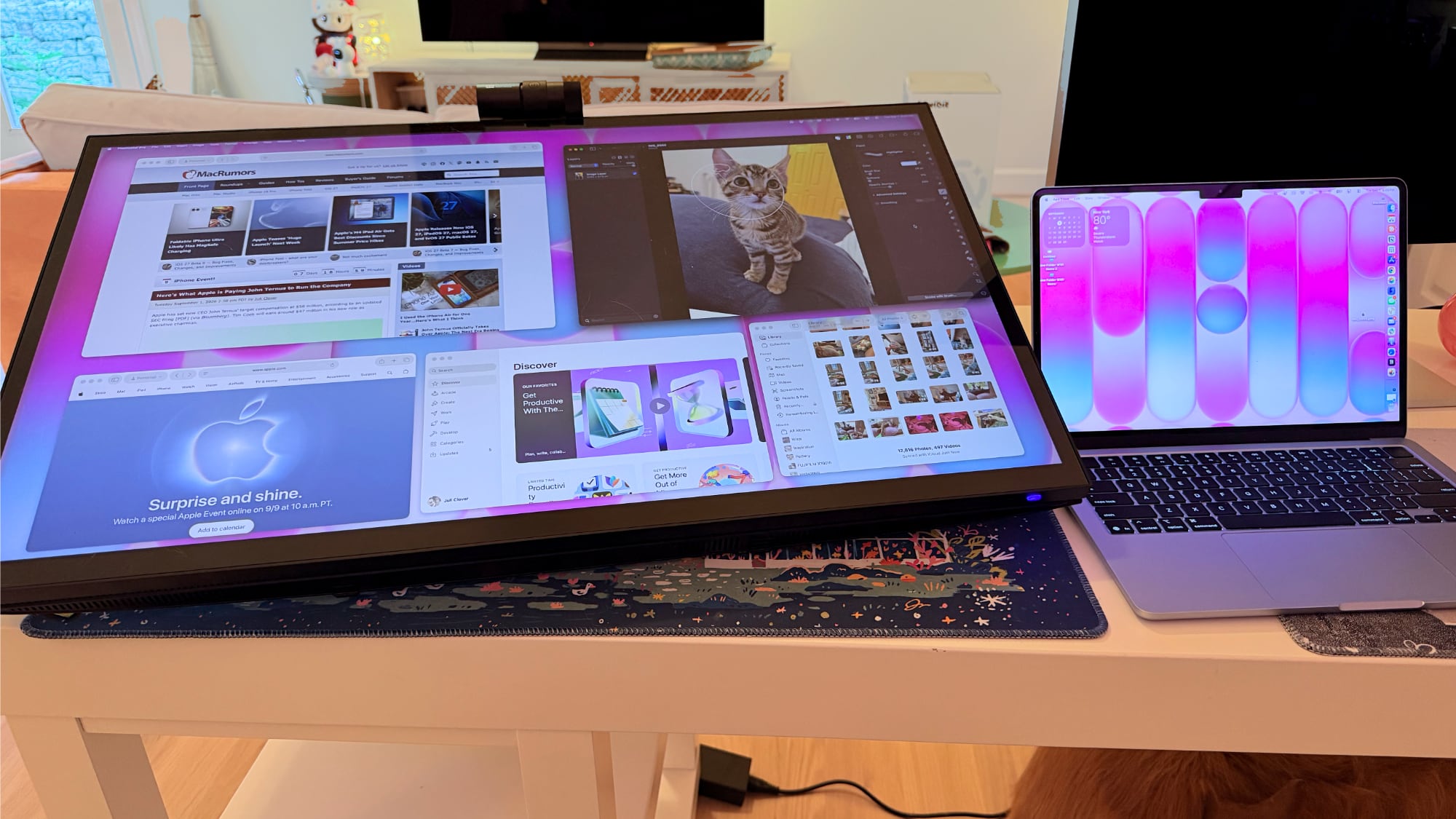
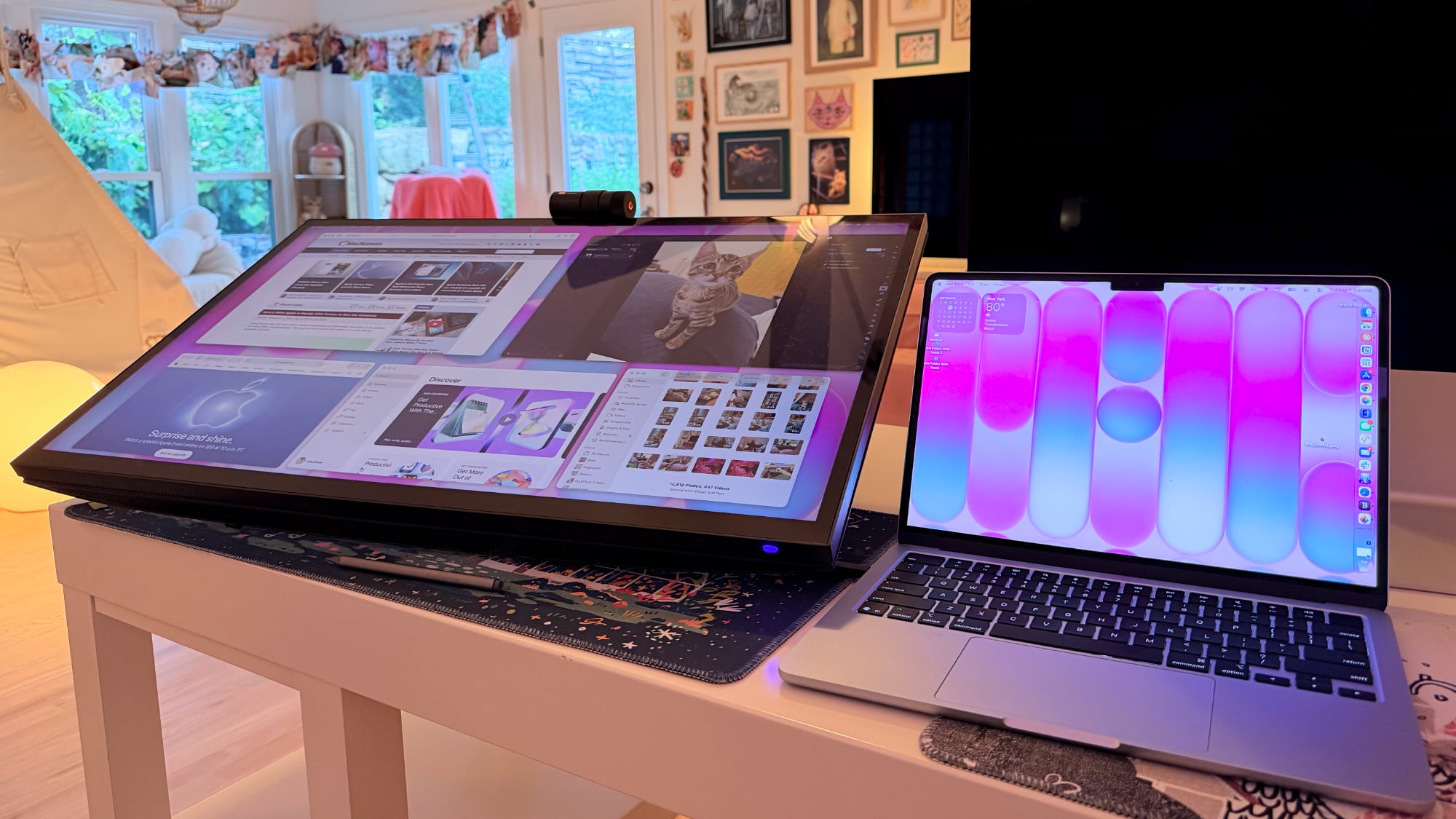
The ProDesigner uses a folding stand made for switching between an upright and a tilted, low-angle orientation, with the latter meant to be used for drawing, sketching, and other tablet-style work. Since the stand is meant to tilt into a tablet position, it doesn't have much height adjustment, with about six inches of range. If you need the display to be taller, you'll need a monitor riser.


It is easy to pull it down into more of a tablet mode, and when it's oriented like that, it's like using a giant iPad or drawing tablet. It can be adjusted to several different angles, and it swivels 360 degrees so you can find the best position for whatever you're doing. The stand mechanism feels well-designed and there's little friction when making changes.


I didn't think attempting to draw or write on a display this size was going to be comfortable, but being able to angle the display helped. I had no issue when using it at my desk, though it does take up a lot of space. This isn't a situation where you can pick up your drawing surface and pop over to the couch to draw. You need the right setup for this display and its large stand.

The stand design makes the most sense if you're often using the display in touch mode, and less sense if you just want a display. It doesn't have the range of height adjustment of a standard desktop display because of the mechanism to shift it into a tablet position.

Ports and Charging


The display connects to a Mac over USB-C and offers 90W passthrough charging. That's not enough power to reach the 140W maximum charging speed of a 16-inch ‌MacBook Pro‌, but it was enough to keep my Mac topped up over the course of the day, even while gaming.

It has two HDMI 2.1 ports, one DisplayPort 1.4 port, a USB-C port with power delivery, two USB-A 3.2 Gen 1 ports, a USB-B upstream port, and a 3.5mm jack. There is no Thunderbolt support, so you can't daisy-chain displays.

Touchscreen and Software


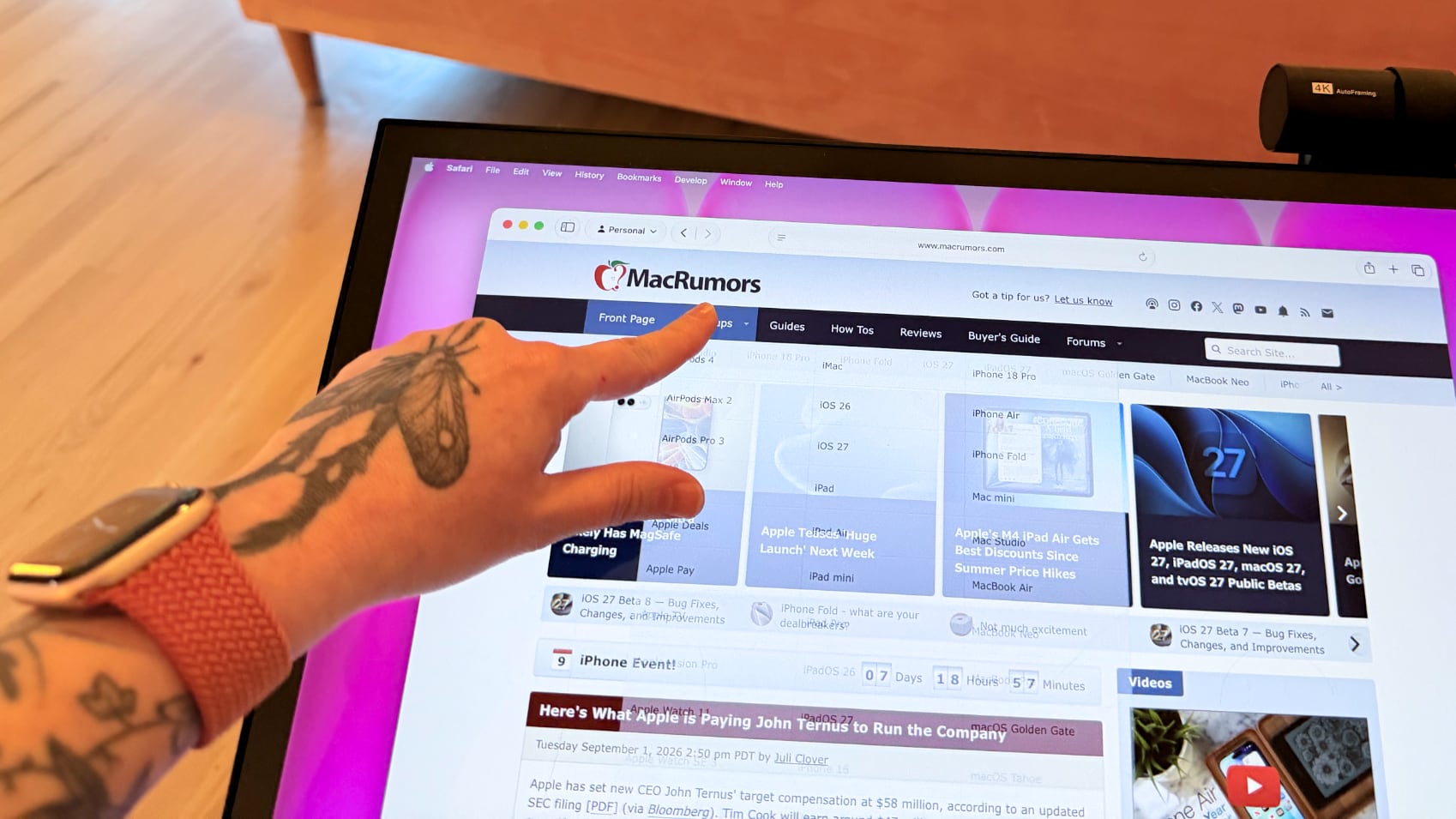
macOS doesn't have native touchscreen support, so third-party software is required to make the Acer display's touchscreen function. Acer suggests the UPDD Touch Software driver from Touch-Base, and it allows for 10-finger touch input.


You can use all of the Mac gestures you're familiar with on the ProDesigner, but it's clear this is a display that wasn't built with the Mac in mind. The UPDD software requires per-app customization of touch gestures for some workflows. It's nice that the customization is available, but the software can be confusing. I don't know who is going to want to put in the work to get this running in a way that doesn't involve at least some frustration. In an app like Pixelmator Pro, I'd have to manually tweak the gestures to be able to use it efficiently, and the same goes for most apps. Apps on the Mac just weren't built for touch input.

With the UPDD software, touch input works, and works well. Finger taps are accurate, and Acer has a stylus that goes along with the display (that is a separate purchase). With the stylus, fine-line writing and drawing are supported, and features I'd expect with a stylus, like palm rejection and tilt, are available. Using the stylus is similar to using an ‌iPad‌ with an Apple Pencil that has hover. I can see the mouse cursor when the stylus is close to the screen so I can tell what I'm doing. Using touch or the stylus didn't seem laggy, and writing on the display was responsive.


Touch works on macOS, and I can tap with a finger to launch apps, change settings, adjust windows, and control on-screen elements, but it's not a feature I need or want. It would take me months, if not years, to get as fast with touch gestures as I am with a trackpad, and I'd never be able to replace the keyboard.

The display's touch feature is useful for drawing and sketching, and likely convenient for workflows like video editing, but I'm not sure it has appeal beyond that. There aren't many Mac tasks that are easier to do or more accessible with touch controls. Also, a display this big and this glossy really shows fingerprints.

Webcam and Speakers


There is a built-in 8-megapixel webcam, and it is higher quality than the camera in my ‌MacBook Pro‌ (not hard to achieve). Since I don't do a ton of video calls, it's not a super important feature for me, but someone who is often in video meetings might appreciate it more.


The camera can tilt for adjusting the angle depending on where you're positioned, but it is a wider angle than I'm used to with a webcam and the framing is awkward. When the camera is not in use, there's a physical cover for privacy purposes.

The speakers are fine, but nothing special. I wouldn't use them over standalone speakers or a Mac's speakers. Voice calls and short video content sound fine, but music sounds one-dimensional.

Bottom Line


Acer's ProDesigner PE320QXT wasn't built for the Mac, and it's obvious. It requires a lot of software to work, and it's software that Acer didn't even design. You can use it with the Mac, but the Mac was an afterthought.

The touch hardware works well, and if you want a 31.5-inch drawing surface, this display does that. You can make this work with a favorite creative app, and it's a lot of fun to have such a big digital canvas. There are rumors that Apple is working on a touchscreen ‌OLED‌ MacBook, so macOS could get more touch-friendly in the near future and that might change how useful the display is.

macOS wasn't built to be used with a touchscreen, and I would bet money that no Mac user is going to speed up an established and comfortable Mac workflow with Acer's display.

The only reason to choose this display over another 6K display is the touch feature. If you want a big touch surface, the ProDesigner is a good option and it's priced well for what it is. If you need a Mac display for any other purpose, you're probably better off getting something else.

How to Buy


The Acer ProDesigner PE320QXT can be purchased from B&H for $1,299.99.
This article, "Review: Acer's 6K Touchscreen Display Turns Your Mac Into a Giant iPad, Sort Of" first appeared on MacRumors.com

Discuss this article in our forums
  •  

MacRumors Giveaway: Win an iPad Air and Revamped Rock Paper Pencil Kit From Astropad

For this week's giveaway, we've once again teamed up with Astropad to offer MacRumors readers a chance to win an M4 iPad Air, an Apple Pencil Pro, and an Astropad Rock Paper Pencil kit to use with it.


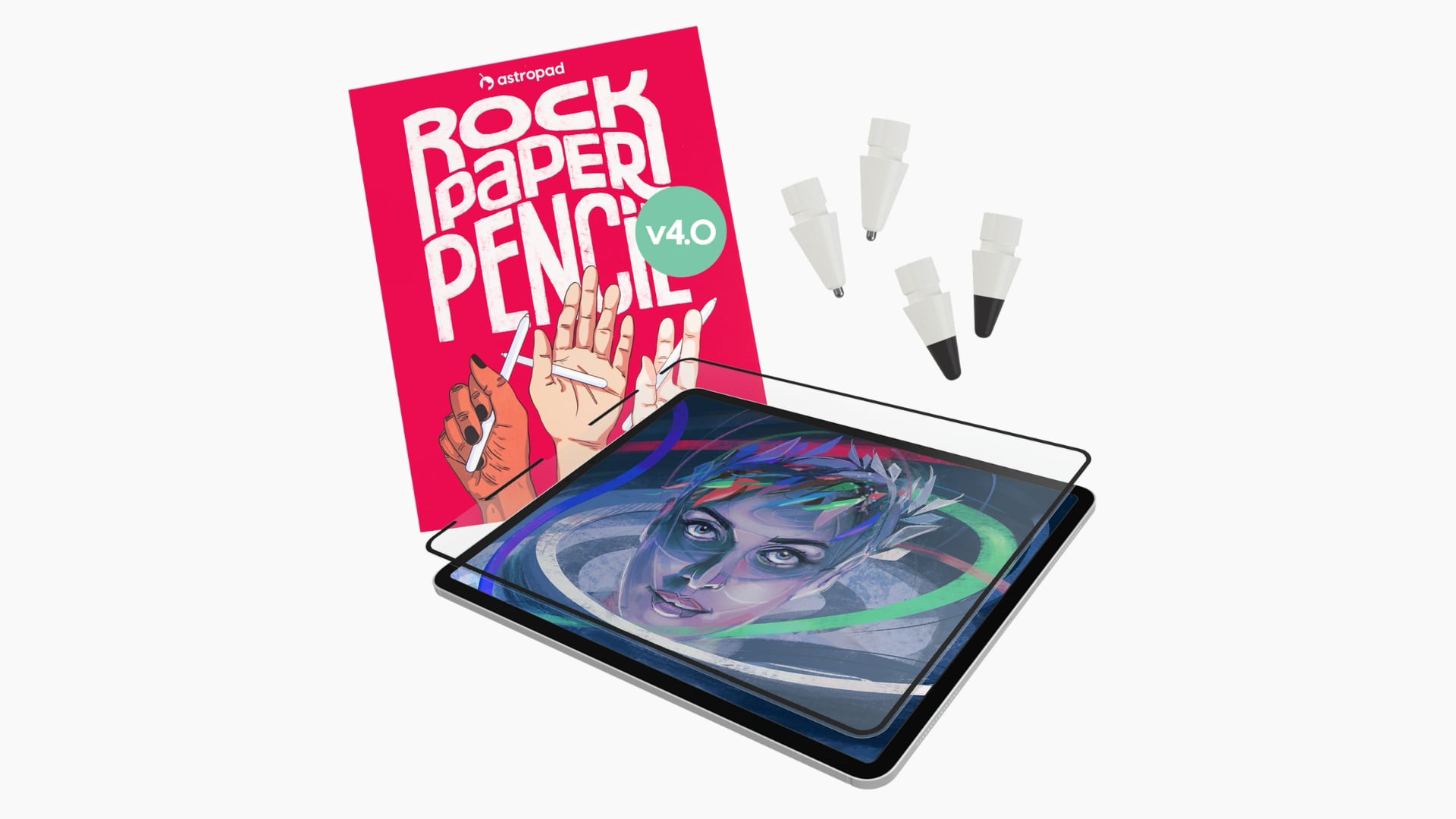
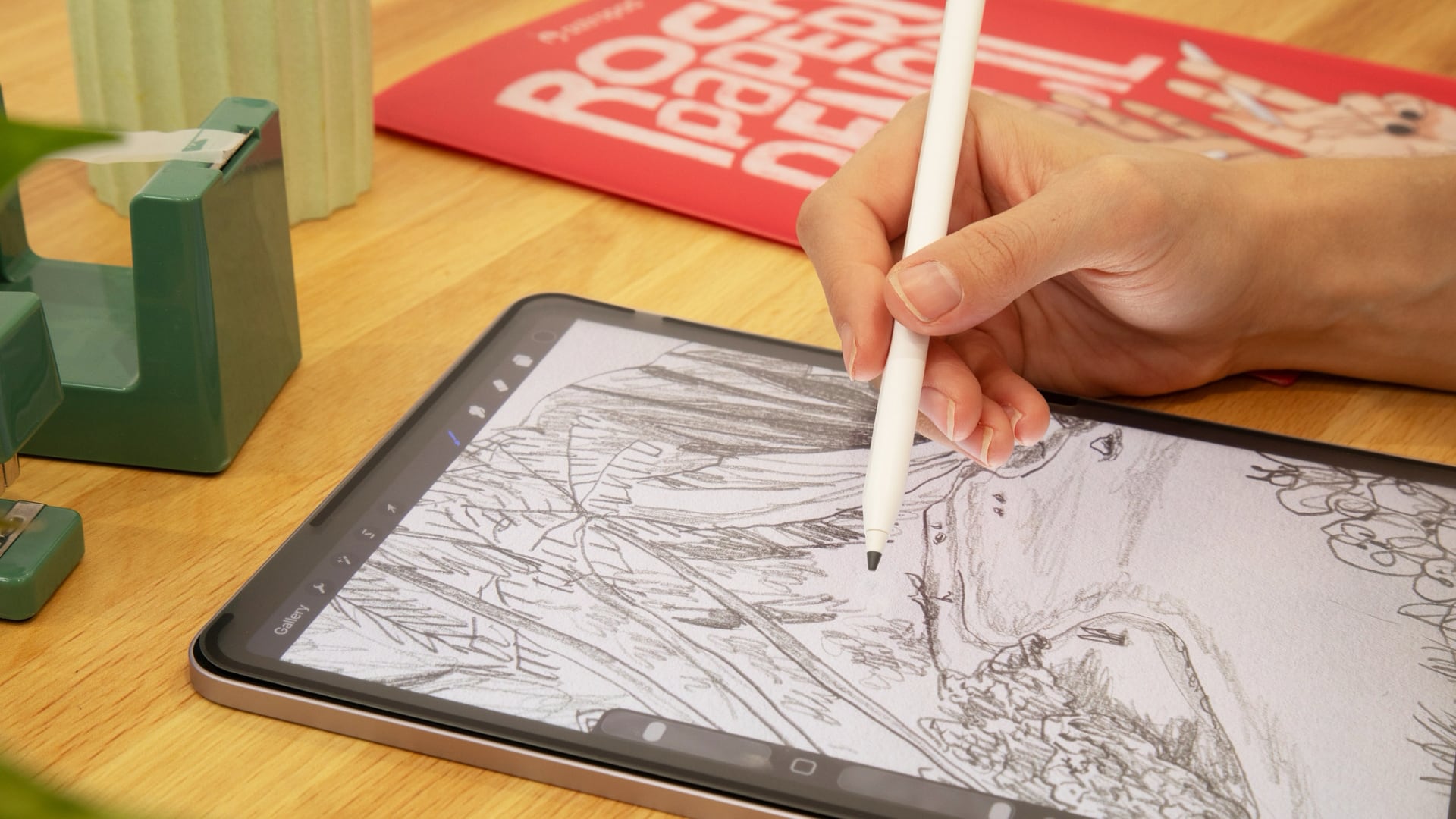
The $49.99 Rock Paper Pencil is a screen protector and ‌Apple Pencil‌ tip combo that makes writing on your iPad feel like writing on a piece of paper instead of a slippery glass display. It's a more comfortable and natural writing and drawing experience.


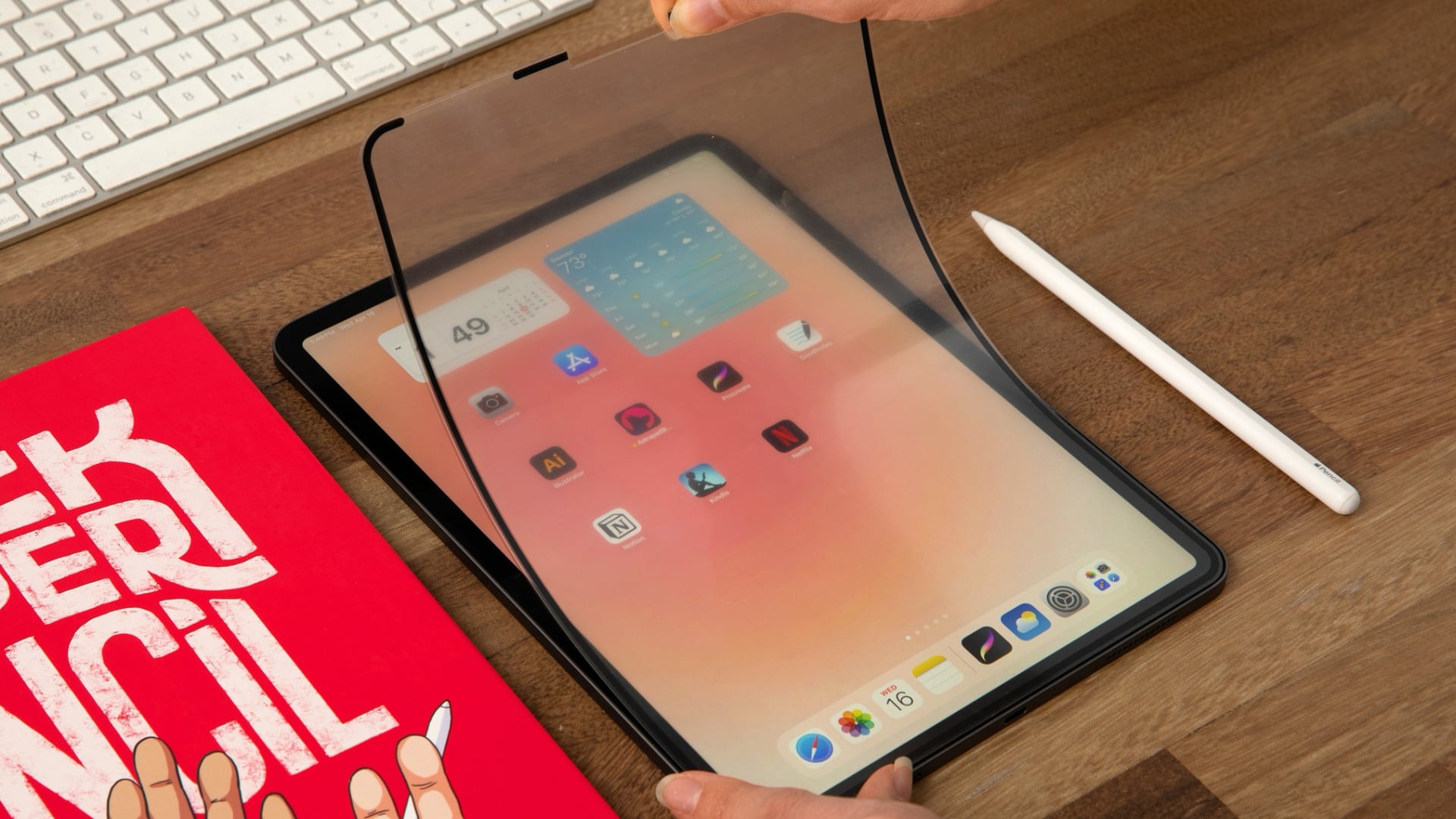
A non-adhesive paper-textured screen protector attaches to the ‌iPad‌'s display, with a custom tip added to the ‌Apple Pencil‌. The paper-like feel of the screen comes from a microscopic texture that adds friction to improve control.


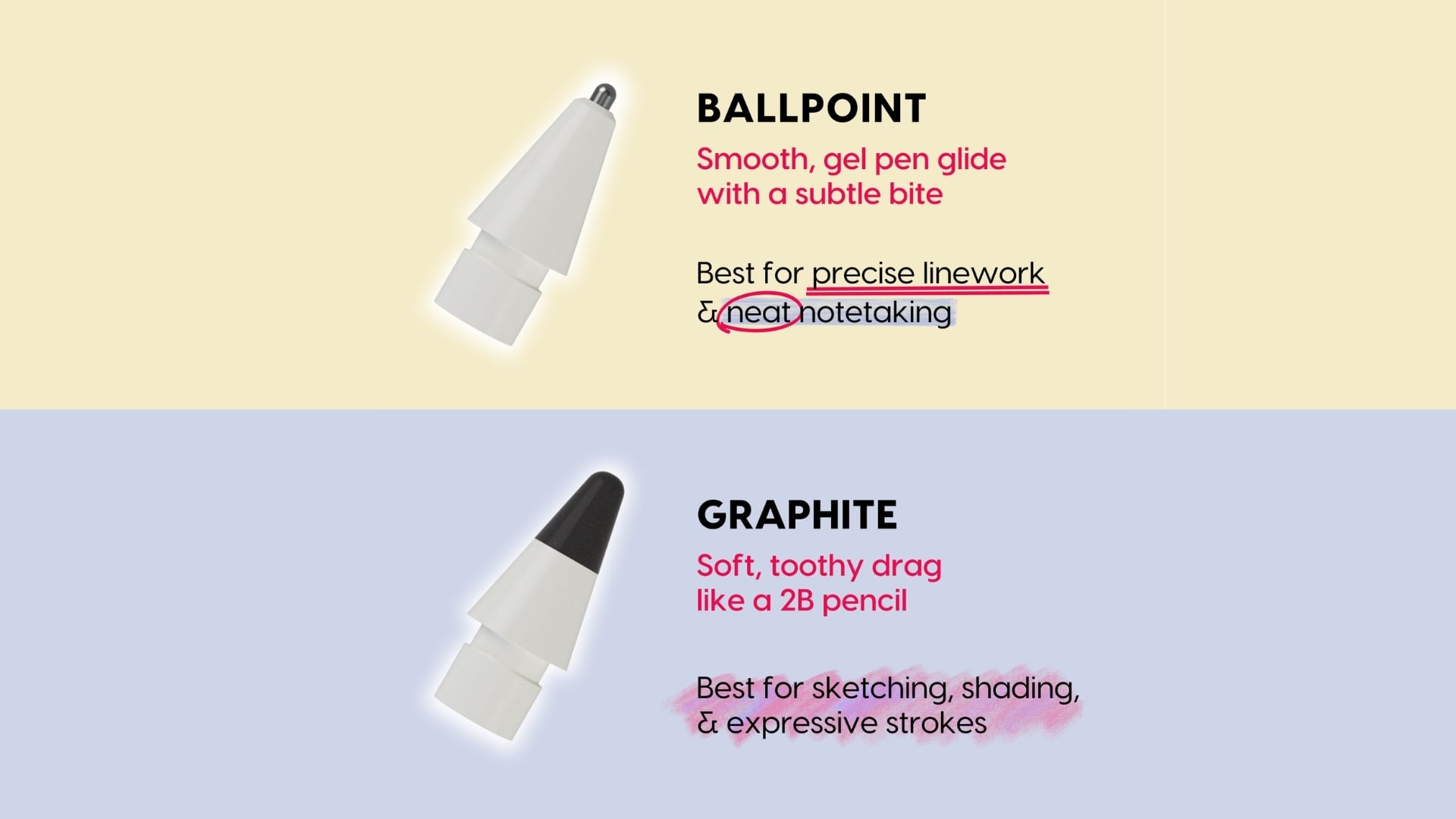
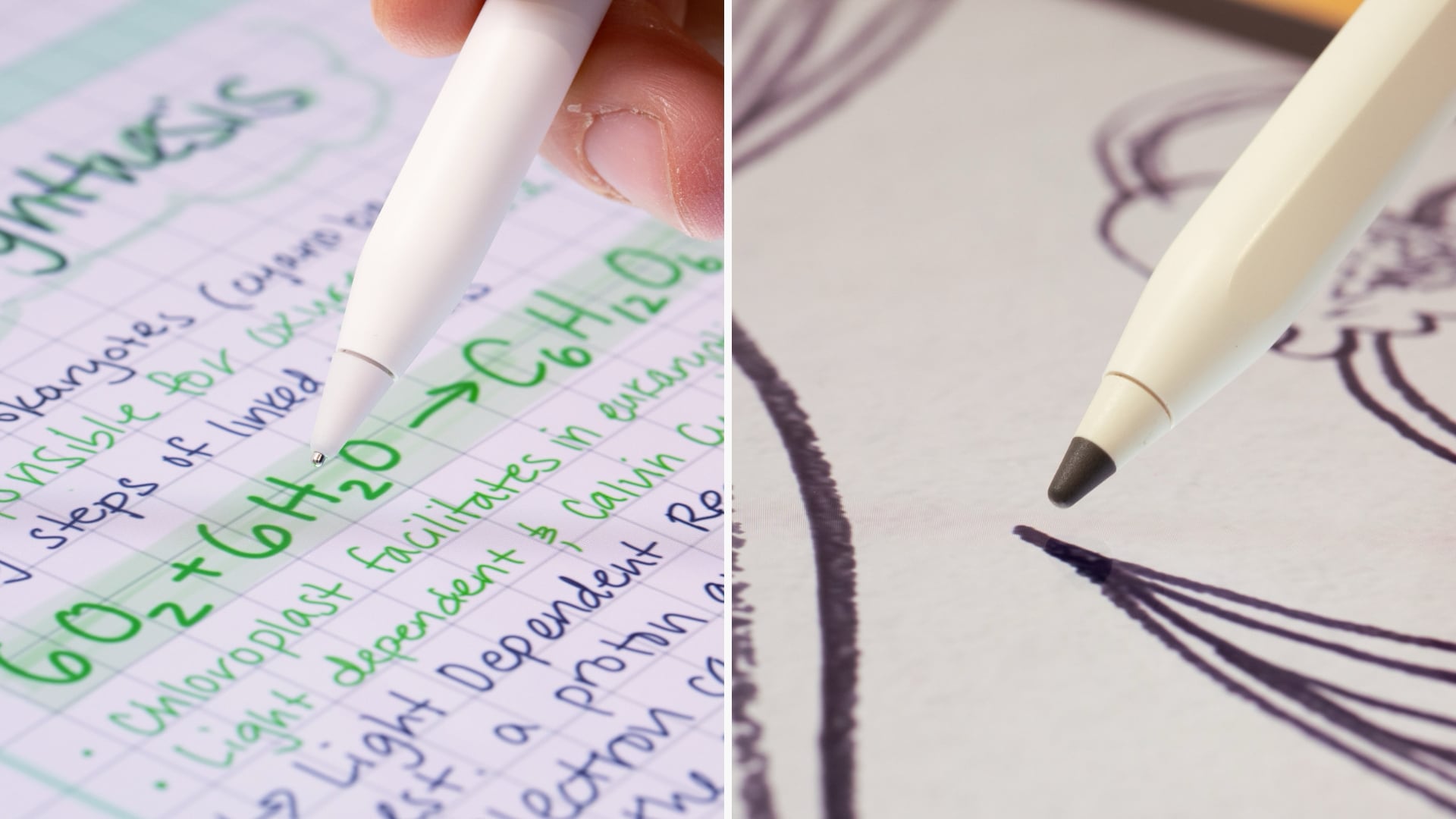
Astropad this week launched the fourth iteration of Rock Paper Pencil, and it now comes with tips that have a different feel. There's a new graphite tip that's meant to feel like writing with a 2B pencil, which Astropad says is ideal for sketching and shading. It even sounds like writing with a pencil on paper when you use it. There's also a ballpoint tip that feels like using with a smooth gel pen. It's ideal for writing and linework. Two of each kind of tip are included in the kit.


When you want to use your ‌iPad‌ for watching videos or playing games, you can take off the screen protector and store it away in a protective sleeve. It attaches to the ‌iPad‌ with Astropad's NanoCling technology, so there's no adhesive to deal with.


For those who dislike the unnatural feel of writing or drawing on a glass surface with a plastic ‌Apple Pencil‌ tip, Rock Paper Pencil is worth checking out.

Rock Paper Pencil is compatible with all of Apple's M2, M3, M4, and M5 iPads, as well as many older iPads.

We have a Rock Paper Pencil kit, an M4 ‌iPad Air‌, and an ‌Apple Pencil‌ Pro for one lucky MacRumors reader. To enter to win, use the widget below and enter an email address. Email addresses will be used solely for contact purposes to reach the winner(s) and send the prize(s). You can earn additional entries by subscribing to our weekly newsletter, subscribing to our YouTube channel, following us on Twitter, following us on Instagram, following us on Threads, or visiting the MacRumors Facebook page.

Due to the complexities of international laws regarding giveaways, only U.S. residents who are 18 years or older, UK residents who are 18 years or older, and Canadian residents who have reached the age of majority in their province or territory are eligible to enter. All federal, state, provincial, and/or local taxes, fees, and surcharges are the sole responsibility of the prize winner. To offer feedback or get more information on the giveaway restrictions, please refer to our Site Feedback section, as that is where discussion of the rules will be redirected.The contest will run from today (September 4) at 9:00 a.m. Pacific Time through 9:00 a.m. Pacific Time on September 11. The winner will be chosen randomly on or shortly after September 11 and will be contacted by email. The winner will have 48 hours to respond and provide a shipping address before a new winner is chosen.
Related Roundup: iPad Air
Buyer's Guide: iPad Air (Buy Now)
Related Forum: iPad

This article, "MacRumors Giveaway: Win an iPad Air and Revamped Rock Paper Pencil Kit From Astropad" first appeared on MacRumors.com

Discuss this article in our forums
  •  

Aqara Debuts Five Matter Smart Lights With Apple Home Support

Aqara today introduced five new Matter-enabled smart lights compatible with Apple Home. The lights support Thread and Zigbee as well, and can be paired with Aqara sensors and switches.


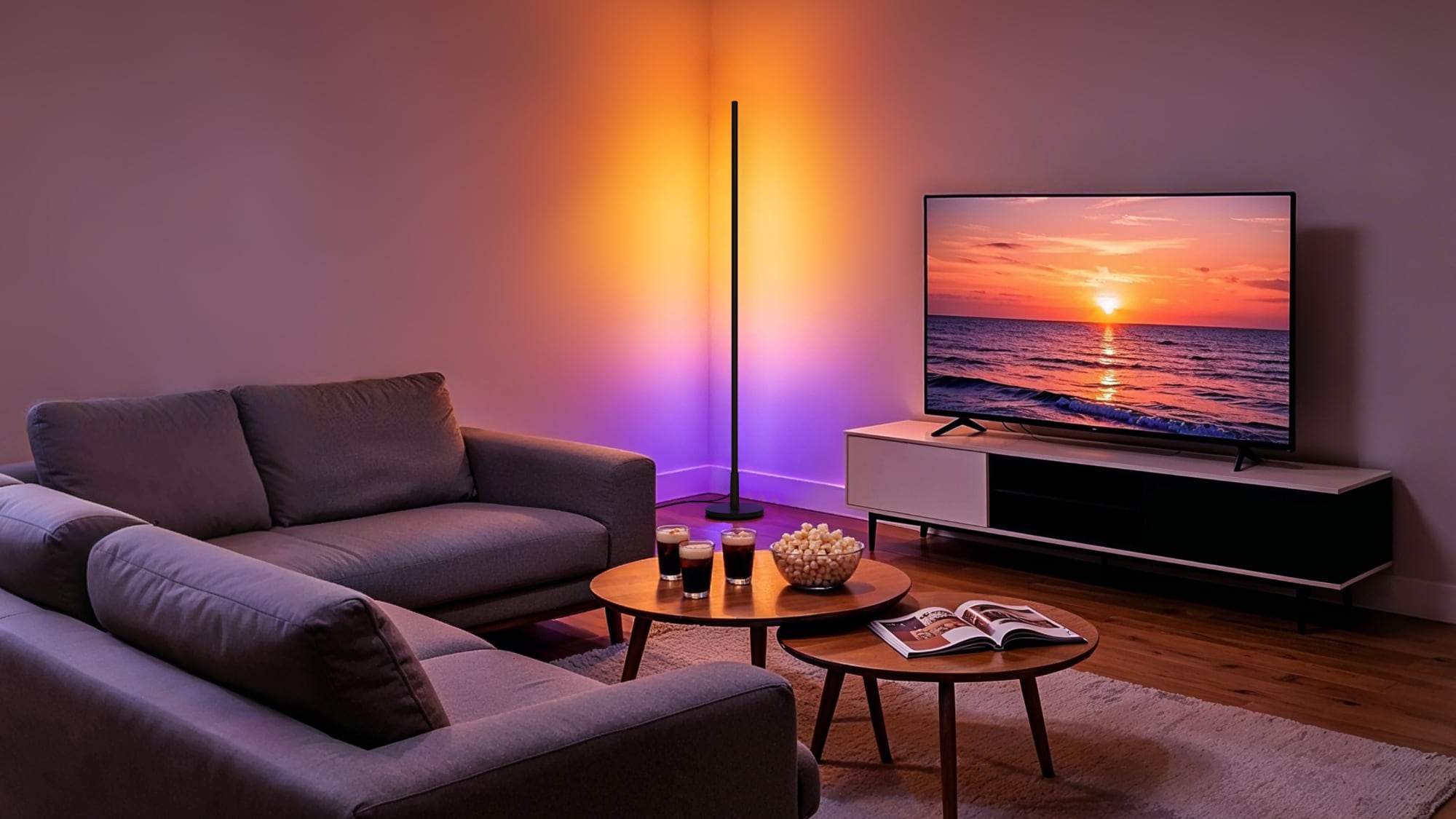
The Floor Lamp T1 is a tall, rod-shaped light with a wall-wash effect. It has 18 controllable zones that can be set to different colors, and it supports 2000K to 9000K white light at up to 1,000 lumens.

Aqara's LED Downlight T2 has a thin profile for low ceilings or retrofitting. It supports 16 million colors and 2000K to 9000K white light. The trimmable LED Strip T2 has 108 LEDs per meter and is ideal for use under cabinets and along shelves. Aqara says it delivers even light without visible hotspots. The light strip has 18 controllable zones every three meters for smooth color gradients.

The Outdoor String Lights H1 are weatherproof for use on patios and decks. The lights have individually controllable zones with the same white light range as the other lights, and can adjust based on time of day, environment, and triggers from other smart home devices.

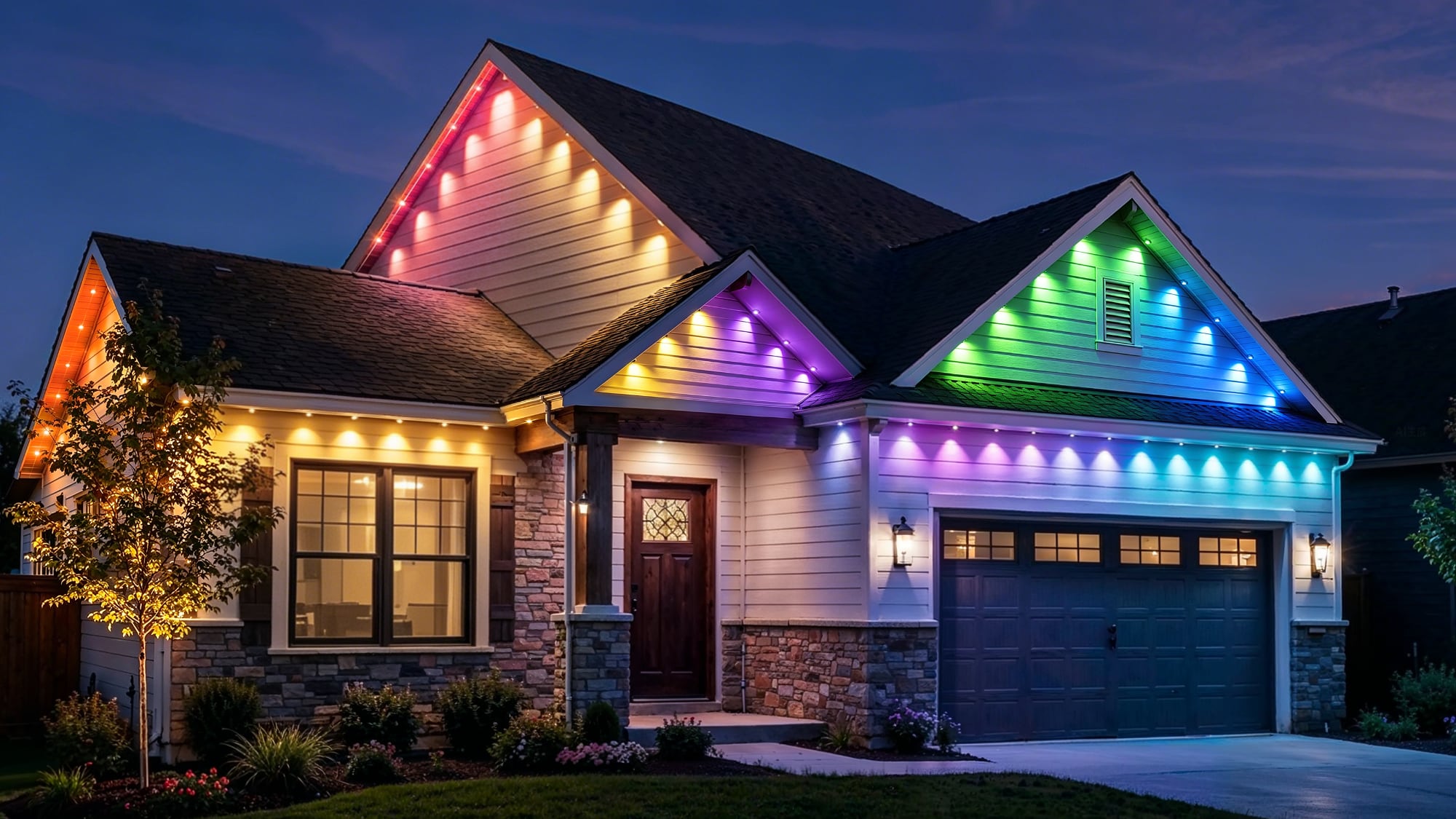
Aqara also announced the Permanent Outdoor Lights H1 that can be used all year. The lights feature independently controlled LEDs and can be extended or cut to fit any roofline.


Aqara is showing off the new lights at IFA. Pricing and launch timing are not yet available.
This article, "Aqara Debuts Five Matter Smart Lights With Apple Home Support" first appeared on MacRumors.com

Discuss this article in our forums
  •  
❌