Anmelden
iPhone 18 Pro Colors Buyer's Guide: Which Should You Choose?
Apple's iPhone 18 Pro and iPhone 18 Pro Max models come in four distinct color options, so which should you choose?
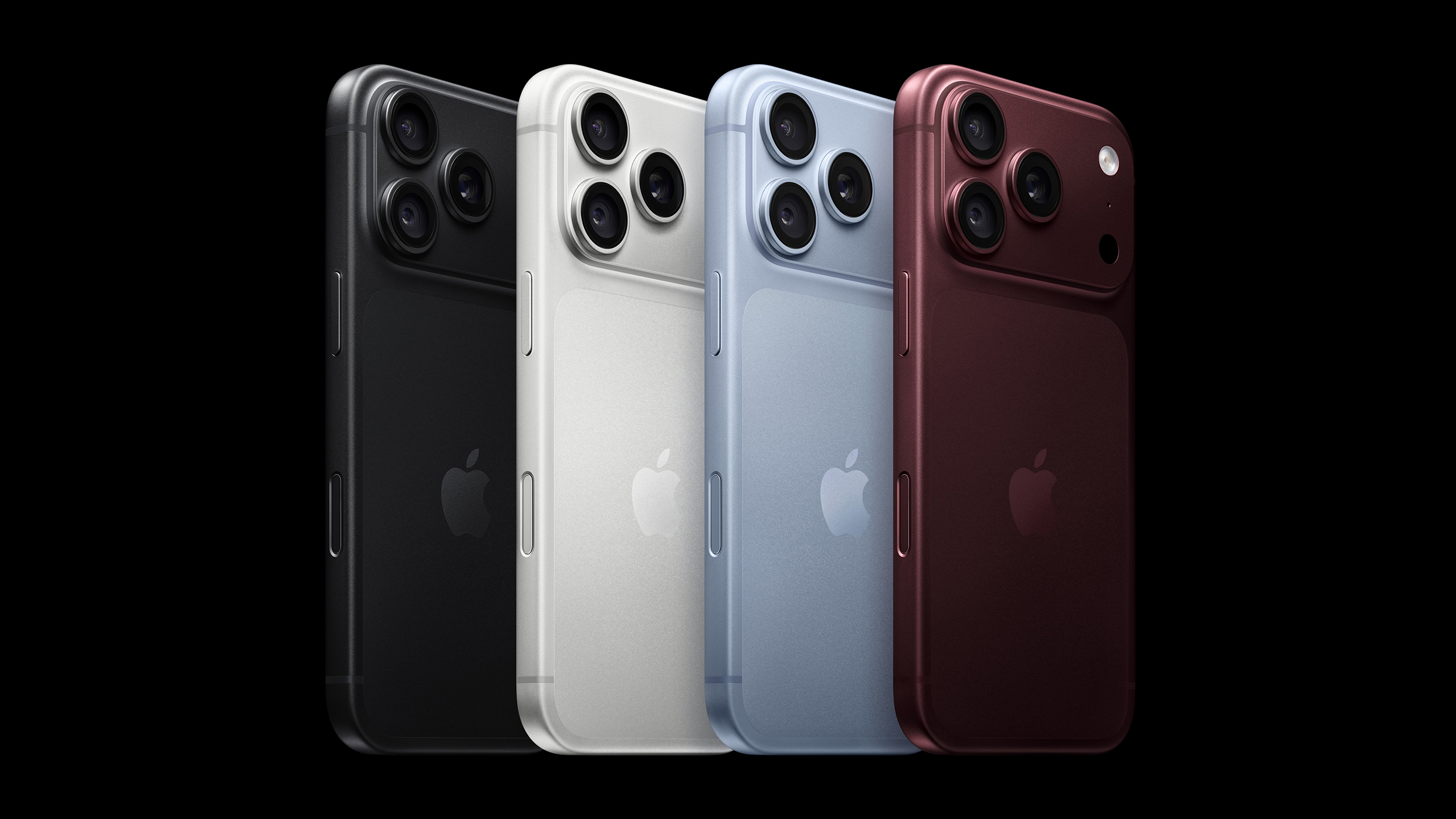
The iPhone 18 Pro models come in Black, Silver, Glacier, and Burgundy. The aluminum and glass backs are more closely matched than on the iPhone 17 Pro, although the different materials remain somewhat visible.
You should also consider if you plan to use a case with your device and, if so, which one. The iPhone 18 Pro's large, full-width camera plateau stands out on most cases, exposing more of the device's color. Choosing a complimentary color should be your first priority.
Burgundy is the most distinct and expressive iPhone 18 Pro finish, and it is much darker than the iPhone 17 Pro's equivalent Cosmic Orange. It looks closer to wine or plum than a vivid red.
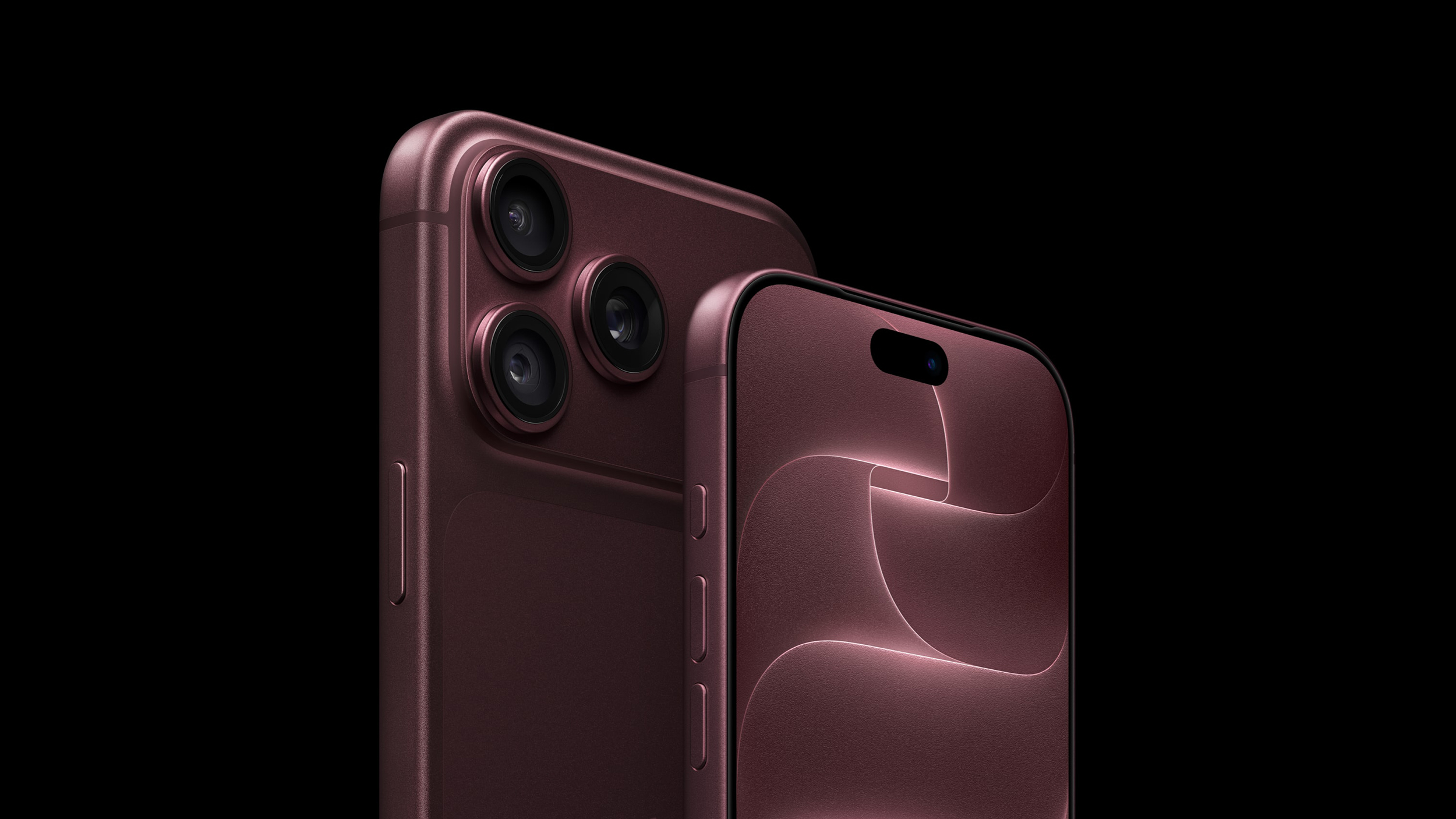
Burgundy is the standout shade in the iPhone 18 Pro lineup, designed to be bold and attention-grabbing. It is the most noticeable iPhone 18 Pro color, and the most likely to indicate that you have the latest generation device—there has never been an iPhone color option like it before.
Apple offers Burgundy Silicone and TechWoven cases if you want the phone and case to look closely coordinated. With a contrasting case, the large, exposed plateau becomes a prominent patch of red-purple. That is worth considering if you like to change between bright case colors: Burgundy will remain part of every combination.
A clear case shows more of the finish, although Apple's white MagSafe ring covers part of the back. Burgundy is the clearest way to distinguish this generation by color, but anyone hoping for a bright red iPhone may be disappointed.
Choose Burgundy if you want a distinctive, dark color that remains noticeable even when the phone is in a case.
Glacier is a cool, pale blue that gives the iPhone a much softer look than Burgundy. It is much lighter than the iPhone 17 Pro's Deep Blue, yet it does not disappear into Silver; in-person, it still looks distinctly blue.
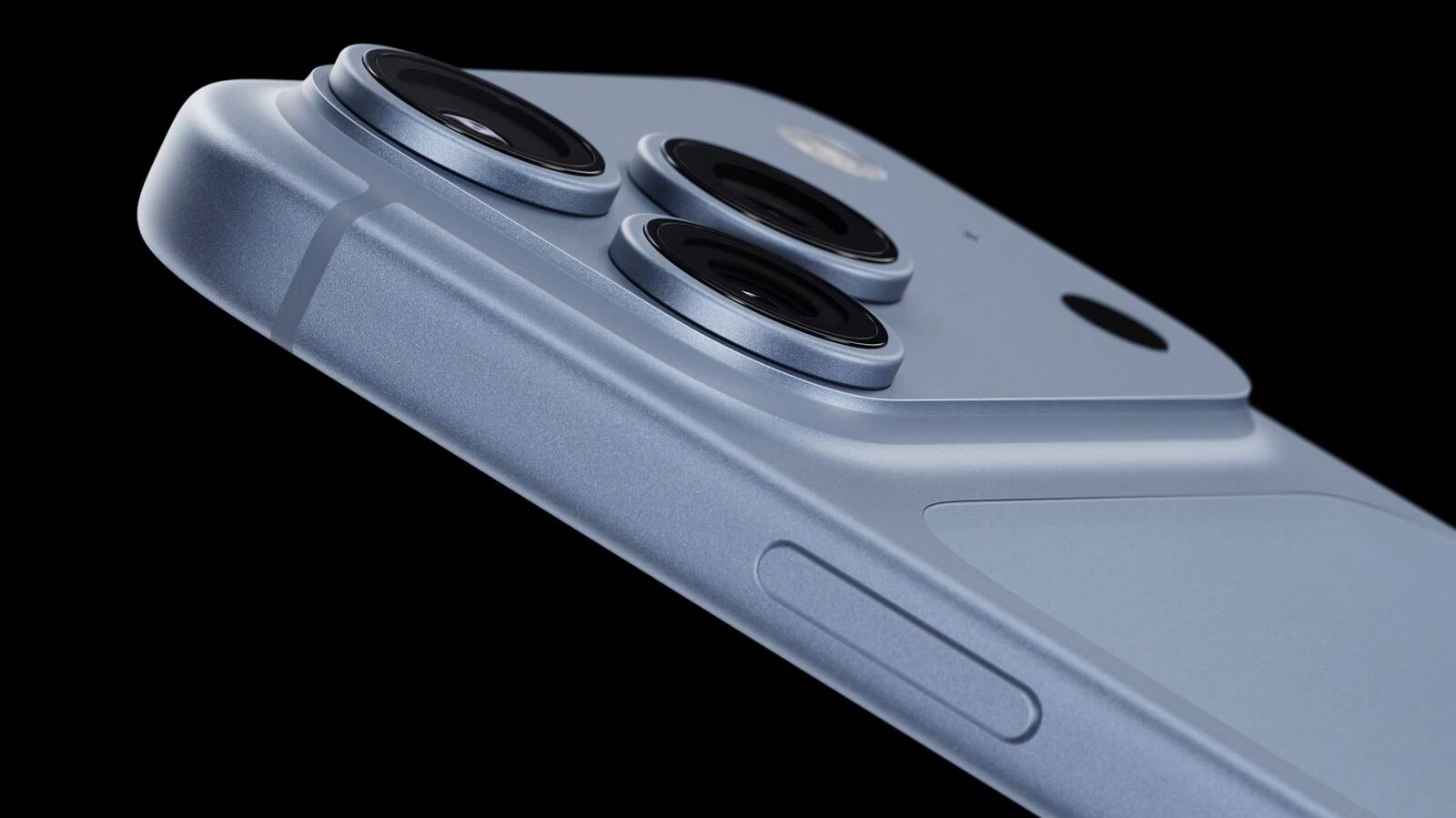
Glacier is a useful middle ground if you want gentle color with some saturation, without making it the strongest feature of the phone. The exposed camera plateau gives an opaque case a light blue accent, while a clear case reveals most of the finish. Apple's clear case has a large white MagSafe ring, however, so it does not leave the back completely unobstructed.
Apple sells blue cases in shades such as Crisp Blue and Chambray Blue, but neither is named Glacier. If you want the case and phone to match precisely, it may be best to compare them in person; otherwise, a clear or neutral case lets Glacier stand on its own.
Choose Glacier if you want an iPhone with a fresh, subtle, and light appearance.
Silver is the most classic, versatile, and timeless option, but also the most practical. The finish gives off a clean and bright look that pairs well with virtually any case or wallpaper, and it reflects light more than the other three colors, making it quite neutral.
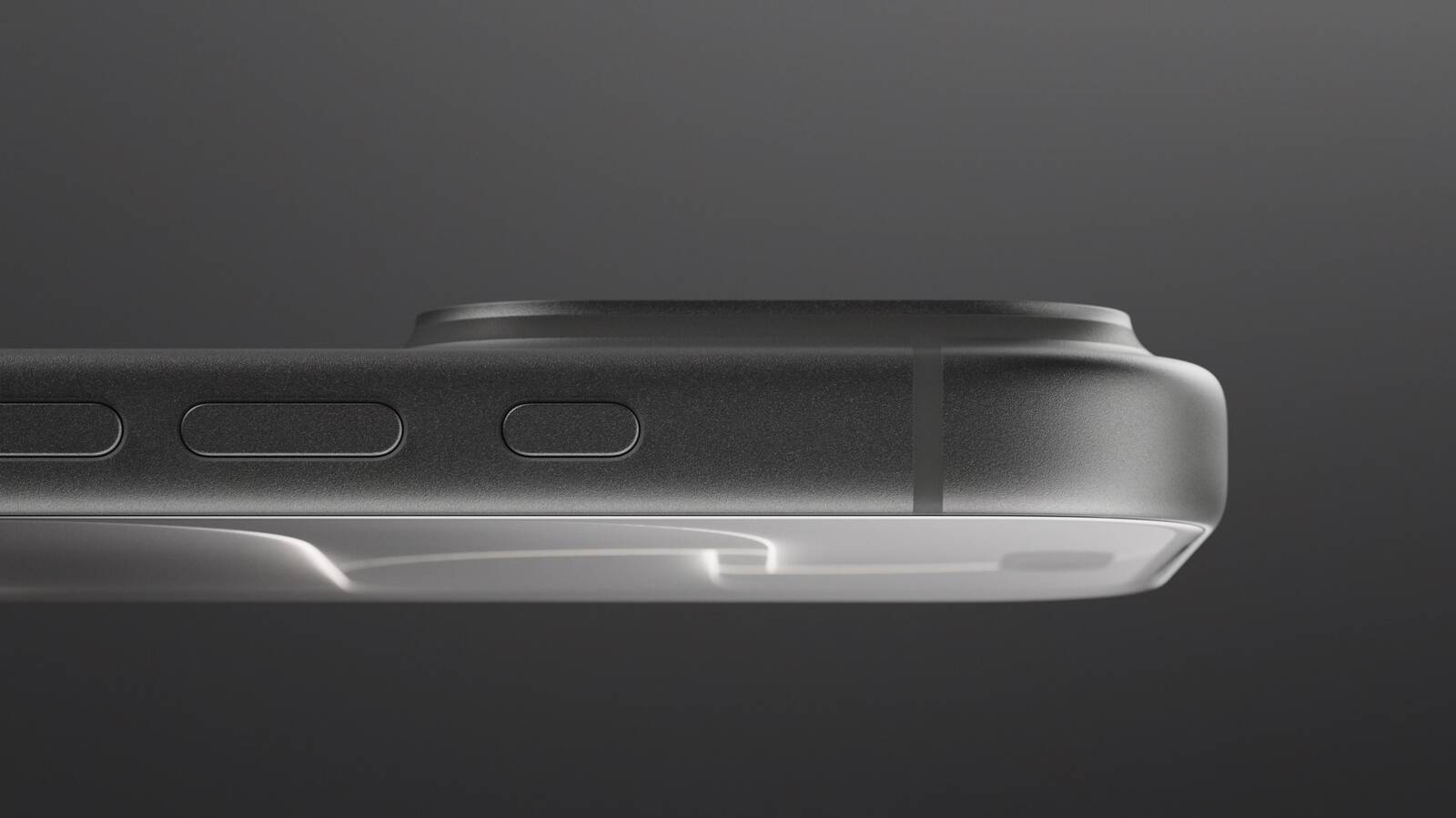
Its aluminum has a metallic sheen that leans toward white in some lighting conditions. This year, the two rear materials are the same tone, making the new model look much more cohesive than the two-tone Silver iPhone 17 Pro.
Silver is also the most adaptable color for cases. The exposed silver plateau provides a crisp, light accent against a dark case and sits more quietly beside a pale one. The color is likely to age well since it goes well with any case and embodies Apple's most traditional colors.
It is also the only finish of the three that pairs well with Apple's own clear case. The clear case's white MagSafe ring is less of a visual interruption here than it is against Black or Burgundy. If you frequently change cases, Silver is unlikely to compete with your next choice.
Unlike Burgundy or Black, Silver minimizes the appearance of damage. When the anodized layer chips or scratches, the raw aluminum underneath is very close in tone, so imperfections blend in far better. For users who prioritize long-term durability of appearance, Silver is the most forgiving finish. It may not be as dramatic as Burgundy or as sleek as Black, but it is the safest choice for maintaining a "like-new" look over years of use.
Choose Silver if you want a classic, flexible look that mitigates the signs of damage.
Black returns after the iPhone 17 Pro offered Deep Blue as its darkest option. It offers a dark, neutral look without Deep Blue's blue cast.
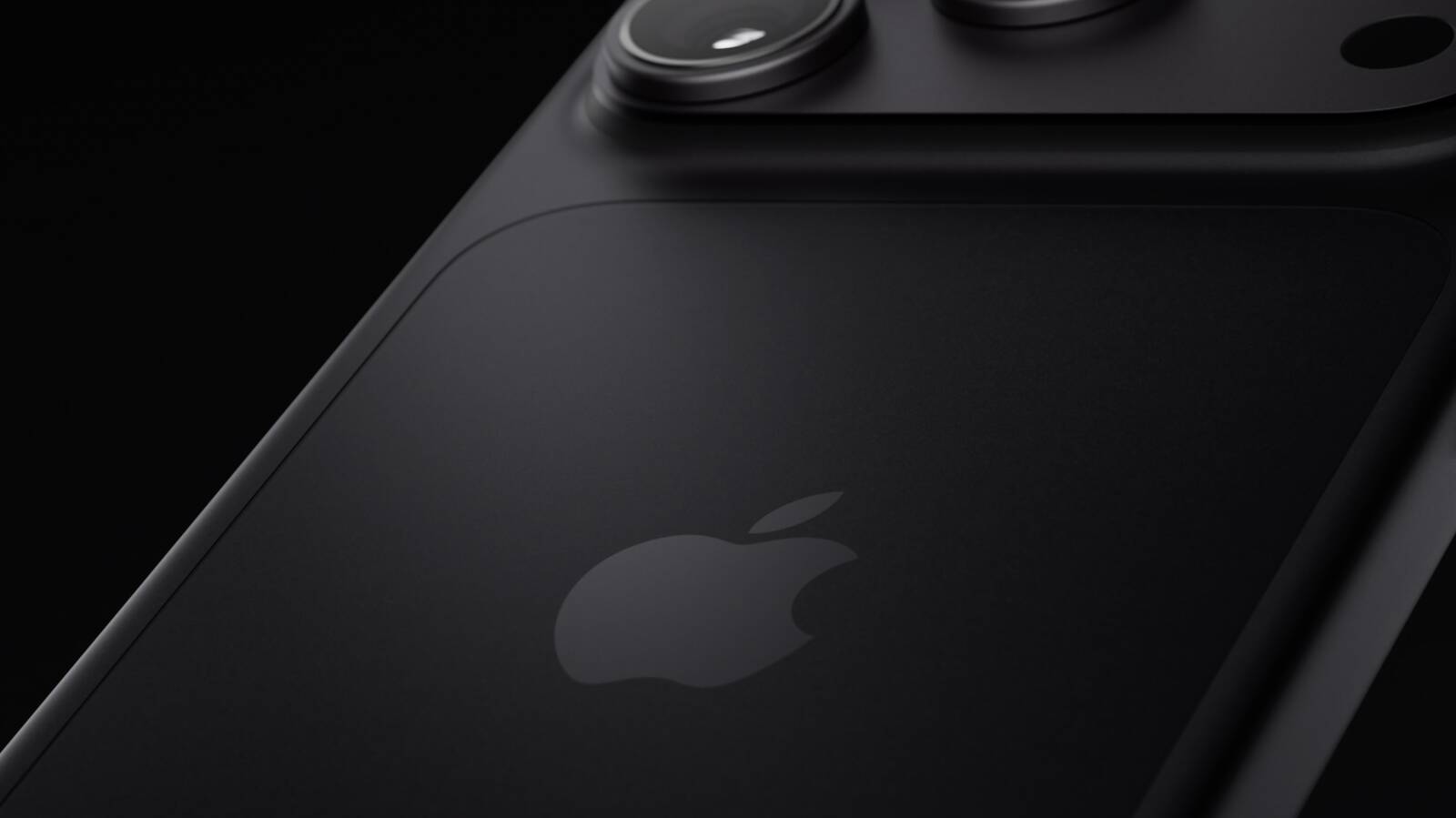
A black case makes the exposed camera plateau blend into the rest of the phone. A light or colorful case has the opposite effect, framing a broad dark section across the top. Apple's clear case also makes its white MagSafe ring particularly noticeable against Black, so it is less suited to an uninterrupted all-black look.
If a deep chip or scratch exposes bare aluminum, its lighter color would stand out against this finish, especially on the plateau that Apple's cases leave uncovered. Anyone using the device without a case should be prepared for more noticeable damage. If visible marks would bother you and you plan to go without a case, Silver may be a better fit.
Choose Black if you want a dark, stealthy, and professional look, but be willing to accept signs of wear and tear.
This article, "iPhone 18 Pro Colors Buyer's Guide: Which Should You Choose?" first appeared on MacRumors.com
Discuss this article in our forums
The iPhone 18 Pro models come in Black, Silver, Glacier, and Burgundy. The aluminum and glass backs are more closely matched than on the iPhone 17 Pro, although the different materials remain somewhat visible.
You should also consider if you plan to use a case with your device and, if so, which one. The iPhone 18 Pro's large, full-width camera plateau stands out on most cases, exposing more of the device's color. Choosing a complimentary color should be your first priority.
Burgundy
Burgundy is the most distinct and expressive iPhone 18 Pro finish, and it is much darker than the iPhone 17 Pro's equivalent Cosmic Orange. It looks closer to wine or plum than a vivid red.
Burgundy is the standout shade in the iPhone 18 Pro lineup, designed to be bold and attention-grabbing. It is the most noticeable iPhone 18 Pro color, and the most likely to indicate that you have the latest generation device—there has never been an iPhone color option like it before.
Apple offers Burgundy Silicone and TechWoven cases if you want the phone and case to look closely coordinated. With a contrasting case, the large, exposed plateau becomes a prominent patch of red-purple. That is worth considering if you like to change between bright case colors: Burgundy will remain part of every combination.
A clear case shows more of the finish, although Apple's white MagSafe ring covers part of the back. Burgundy is the clearest way to distinguish this generation by color, but anyone hoping for a bright red iPhone may be disappointed.
Choose Burgundy if you want a distinctive, dark color that remains noticeable even when the phone is in a case.
Glacier
Glacier is a cool, pale blue that gives the iPhone a much softer look than Burgundy. It is much lighter than the iPhone 17 Pro's Deep Blue, yet it does not disappear into Silver; in-person, it still looks distinctly blue.
Glacier is a useful middle ground if you want gentle color with some saturation, without making it the strongest feature of the phone. The exposed camera plateau gives an opaque case a light blue accent, while a clear case reveals most of the finish. Apple's clear case has a large white MagSafe ring, however, so it does not leave the back completely unobstructed.
Apple sells blue cases in shades such as Crisp Blue and Chambray Blue, but neither is named Glacier. If you want the case and phone to match precisely, it may be best to compare them in person; otherwise, a clear or neutral case lets Glacier stand on its own.
Choose Glacier if you want an iPhone with a fresh, subtle, and light appearance.
Silver
Silver is the most classic, versatile, and timeless option, but also the most practical. The finish gives off a clean and bright look that pairs well with virtually any case or wallpaper, and it reflects light more than the other three colors, making it quite neutral.
Its aluminum has a metallic sheen that leans toward white in some lighting conditions. This year, the two rear materials are the same tone, making the new model look much more cohesive than the two-tone Silver iPhone 17 Pro.
Silver is also the most adaptable color for cases. The exposed silver plateau provides a crisp, light accent against a dark case and sits more quietly beside a pale one. The color is likely to age well since it goes well with any case and embodies Apple's most traditional colors.
It is also the only finish of the three that pairs well with Apple's own clear case. The clear case's white MagSafe ring is less of a visual interruption here than it is against Black or Burgundy. If you frequently change cases, Silver is unlikely to compete with your next choice.
Unlike Burgundy or Black, Silver minimizes the appearance of damage. When the anodized layer chips or scratches, the raw aluminum underneath is very close in tone, so imperfections blend in far better. For users who prioritize long-term durability of appearance, Silver is the most forgiving finish. It may not be as dramatic as Burgundy or as sleek as Black, but it is the safest choice for maintaining a "like-new" look over years of use.
Choose Silver if you want a classic, flexible look that mitigates the signs of damage.
Black
Black returns after the iPhone 17 Pro offered Deep Blue as its darkest option. It offers a dark, neutral look without Deep Blue's blue cast.
A black case makes the exposed camera plateau blend into the rest of the phone. A light or colorful case has the opposite effect, framing a broad dark section across the top. Apple's clear case also makes its white MagSafe ring particularly noticeable against Black, so it is less suited to an uninterrupted all-black look.
If a deep chip or scratch exposes bare aluminum, its lighter color would stand out against this finish, especially on the plateau that Apple's cases leave uncovered. Anyone using the device without a case should be prepared for more noticeable damage. If visible marks would bother you and you plan to go without a case, Silver may be a better fit.
Choose Black if you want a dark, stealthy, and professional look, but be willing to accept signs of wear and tear.
Related Roundup: iPhone 18 Pro
Buyer's Guide: iPhone 18 Pro (Buy Now)
Related Forum: iPhone
This article, "iPhone 18 Pro Colors Buyer's Guide: Which Should You Choose?" first appeared on MacRumors.com
Discuss this article in our forums