❌

Lese-Ansicht

Apple Signs Hiring and Licensing Deal With AI Podcast Startup Huxe

Apple has reached an agreement to recruit employees from Huxe and license the AI audio startup's technology, according to a new European Commission filing.


The filing says Apple will have the right to make employment offers to certain Huxe employees and receive a non-exclusive license to the company's intellectual property, so this isn't an outright acquisition of the company.

Huxe was founded by former Google NotebookLM team members Raiza Martin, Jason Spielman, and Stephen Hughes. NotebookLM – since renamed Gemini Notebook – is Google's AI research tool, which is best known for its ability to turn documents and other source material into podcast-style audio discussions.

Huxe brought a similar approach to personalized listening, given that its app generated audio briefings based on users' emails, calendars, and interests, as well as podcasts about topics they wanted to explore. Listeners could interrupt the AI hosts to ask questions or request a different explanation.

The startup announced in May that it was winding down, and said its team was moving on and that development would stop. Its audio service ended on May 28. Apple notified the Commission of the arrangement on June 9.

The filing does not say which employees Apple could recruit, nor does it confirm whether anyone has actually been hired.
This article, "Apple Signs Hiring and Licensing Deal With AI Podcast Startup Huxe" first appeared on MacRumors.com

Discuss this article in our forums

  •  

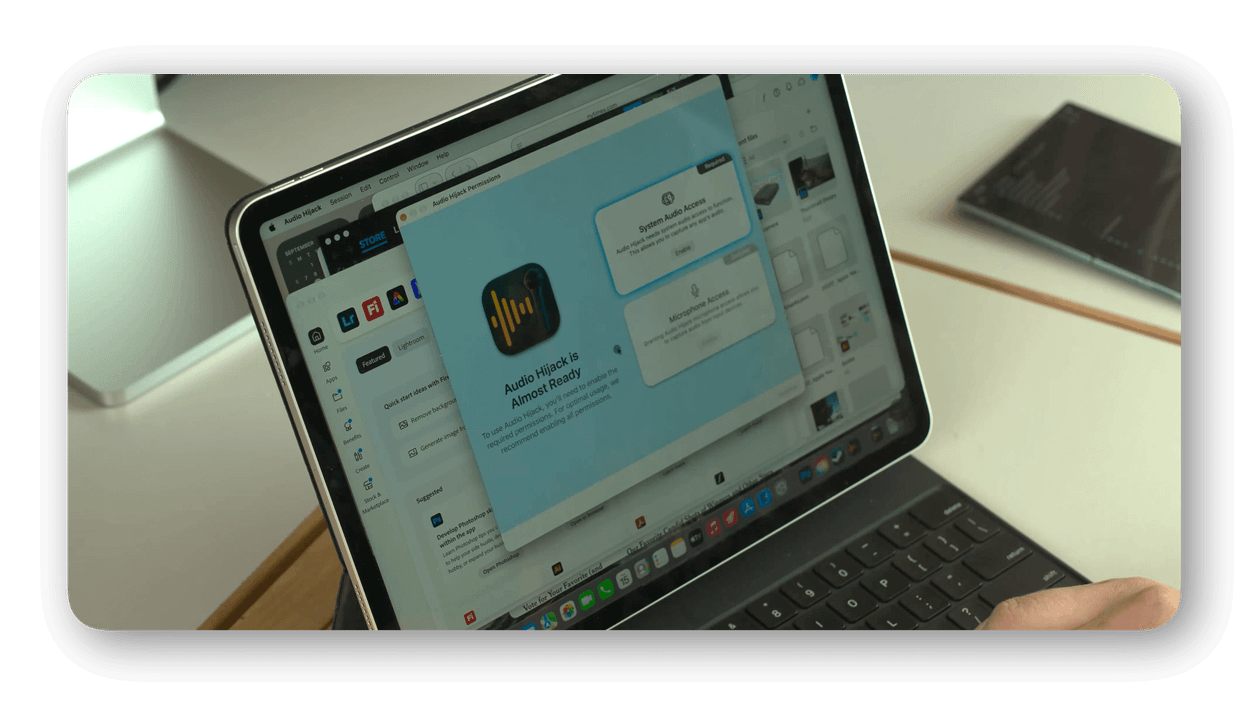
„My iPad Runs Steam Now“

A close-up of a laptop screen showing a permission popup for 'Audio Hijack' software, asking for system audio and microphone access. The laptop is placed on a desk with a hand visible on the keyboard, and a tablet is seen in the background.

„My iPad Runs Steam Now“ ist nur einer von mehreren interessanten Aufhängern1 dieses sorgfältig recherchierten Videos von Quinn Nelson. Und ich stimme ihm zu: macOS in einer virtuellen Maschine auf dem iPad war vor einigen Jahren mal verlockend; inzwischen will man dort schlicht und direkt Mac-Apps benutzen.

Mit einem Fernzugriff läuft macOS nämlich bereits in einem Fenster von iPadOS. Heute fehlt dem iPad der bunte Blumenstrauß von Software, die gerade auf macOS entsteht – selbstgeschriebene Apps und KI-Agenten, die sich in die (hervorragenden und weitreichenden) Bedienungshilfen hängen.

Speziell stolpert Software bei der Distribution über den App Store. Dieser Vertriebsweg erscheint mit Blick auf persönliche Software veraltet – nicht nur sein Prüfprozess, sondern insgesamt der Aufwand, um Software zu teilen.

Native Apps waren Web-Apps seit nunmehr 20 Jahren überlegen. Mit personalisierter Software nähern wir uns jedoch einem Punkt, an dem ich lieber meine selbstgehosteten Apps und Skripte im privaten Tailscale-Netzwerk über den Browser öffne. Ich bekomme sie nicht nur schwierig in den App Store, sondern ich will sie dort überhaupt nicht veröffentlichen. Es ist Software für mich und iOS/iPadOS scheinen auf diese Zukunft nicht vorbereitet.

  1. Seine Jailbreak-Exkursion wäre ein eigenes Video wert. „Er ist tot, Jim!“ ↩
  •  

Apple Has Announced 12 New Products in the Past Month

Apple kicked off its recent wave of product announcements on August 25, when it introduced a new Mac mini with M6 and M5 Pro chips, a new Mac Studio with M5 Max and M5 Ultra chips, and an updated version of the Apple Polishing Cloth.


As usual, September then arrived with many new Apple products. Already this month, the company has unveiled the iPhone 18 Pro, iPhone 18 Pro Max, iPhone Duo, Apple Watch Series 12, Apple Watch Ultra 4, AirPods 5, and Beats 360. Apple also debuted a new Wrist Strap accessory, along with an updated Apple Watch magnetic charging cable.

In case you missed anything, here is our previous coverage of 12 new products and accessories announced by Apple over the past month:

Apple has also released new iPhone cases, Apple Watch bands, and revised U.S. English versions of its Magic Keyboards for Macs with glyphs on select keys.
This article, "Apple Has Announced 12 New Products in the Past Month" first appeared on MacRumors.com

Discuss this article in our forums

  •  

You Can Now Try Apple's Unreleased Copland OS in Your Browser

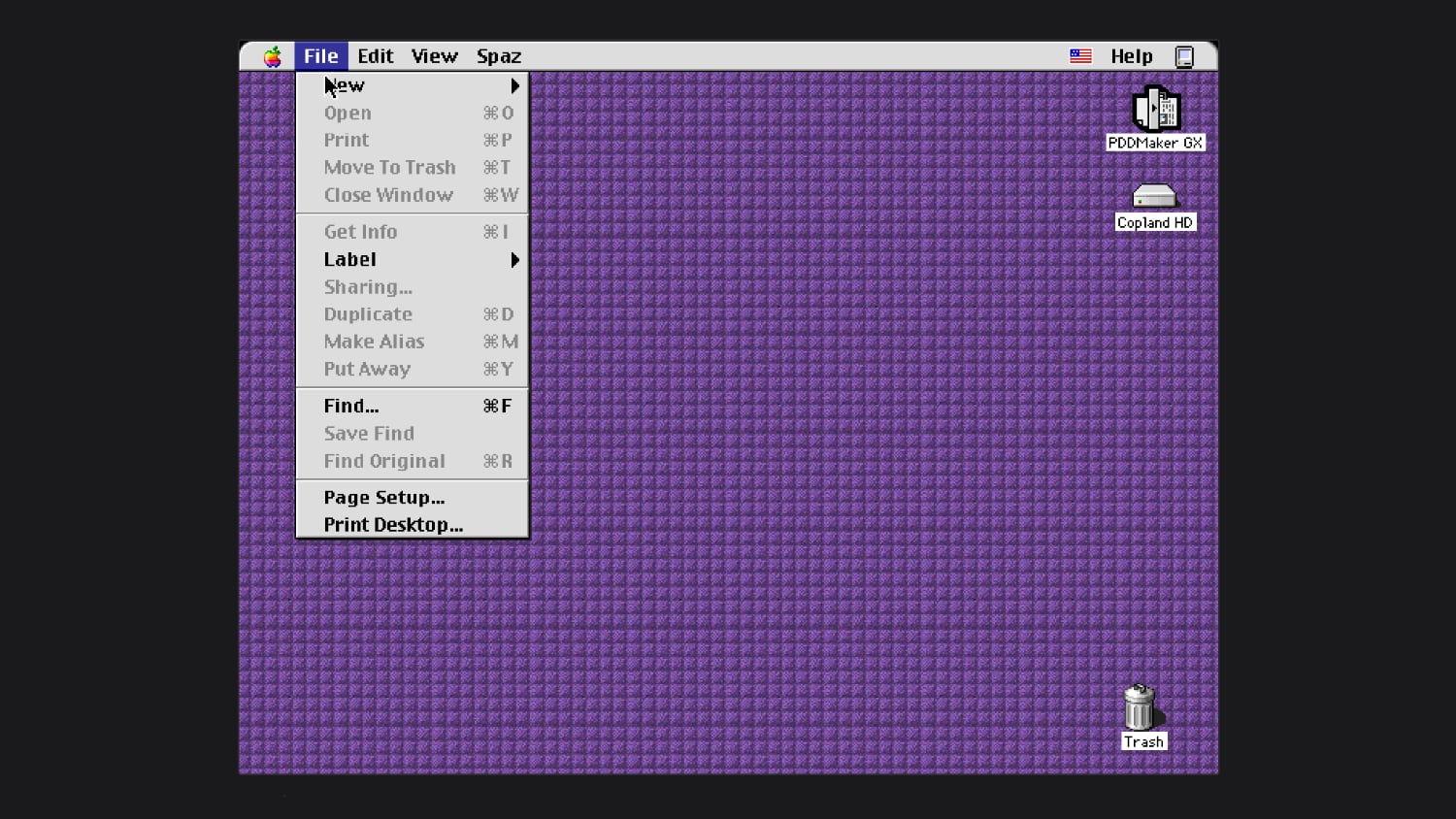
In the mid–1990s, Apple worked on an operating system called Copland, which was announced but never commercially released because of project management issues and feature creep. Parts of Copland were eventually included in Mac OS 7.6 and Mac OS 8, but it was so problematic as a whole that Apple nixed it before it was finished.


Michael Steil, who works to reverse engineer vintage hardware and software, was recently able to get Copland running in emulation. He modified the open-source Power Mac emulator DingusPPC, and he said it took 11 patches to get Copland up and running. He has a browser version of Copland you can try on his website, and shared the patches needed to boot Copland.

During Copland's development, Apple released three beta versions. The last beta was D11E4, which is what Steil got to work. He said Copland is "notoriously hard to run on real hardware," and wasn't previously available in emulation.

After Apple canceled Copland in August 1996, it looked outside the company for a new operating system. That led to the purchase of NeXT in 1997 and the return of Steve Jobs. NeXTSTEP, NeXT's operating system, was the precursor to Mac OS X.
This article, "You Can Now Try Apple's Unreleased Copland OS in Your Browser" first appeared on MacRumors.com

Discuss this article in our forums

  •  

macOS 26.7 Code Hints at Two Unreleased Apple Game Controllers

References to two unreleased controllers that identify as Apple hardware in code were spotted in the macOS 26.7 release candidate by MacRumors reader Pdfu. Apple's first macOS 26.7 release candidate came out in mid-August, and it was full of references to unreleased Apple devices, from iPhones and Macs to new home accessories. Pdfu has continued to dig into the RC, finding new details that were previously overlooked.


There are GameController profiles for two hardware devices identified as T6502 and T1057, which Pdfu suggests could be Apple gaming controllers in development. The two controllers have different haptic designs and standard controller components, like a D-pad, dual thumbsticks, shoulder buttons, Home and Menu buttons, and analog triggers. T1057 also has accelerometer and gyroscope support, while T6502 doesn't.

The code includes dedicated hardware plug-ins for each device as well, which suggests these are actual devices instead of placeholder code.

There have been rumors about a possible Apple game controller over the years, but nothing has ever materialized.

The code found in the first macOS Tahoe 26.7 RC could point to an Apple controller in the works, but it could also be referencing internal test hardware Apple uses for testing game controller code and support. Apple removed the code in the second ‌macOS Tahoe‌ 26.7 RC.

Apple has had multiple opportunities to release a game controller. The company could have launched one alongside any version of the Apple TV, when Apple Arcade came out, or when the Vision Pro launched, but it didn't. Instead, Apple focused on building extensive support for third-party controllers.

In 2015, Apple required ‌Apple TV‌ games to support the Siri Remote as a gaming controller, but gave that up in a matter of months. With the Vision Pro, it partnered with Sony to add Vision Pro support to the PlayStation VR2 Sense controllers instead of designing its own controller.

Console makers have mastered the controller, and many people already have Xbox, PlayStation, or Nintendo controllers. There's little improvement to be made on controller ergonomics, but if Apple is working on a controller, features like Find My and instant cross-device pairing could set it apart from competitors.

All of the references can be found in blacktop/ipsw-diffs on GitHub, with Pdfu's highlights available in the forum post.
This article, "macOS 26.7 Code Hints at Two Unreleased Apple Game Controllers" first appeared on MacRumors.com

Discuss this article in our forums

  •  

Review: Acer's 6K Touchscreen Display Turns Your Mac Into a Giant iPad, Sort Of

Acer recently came out with a new 6K 31.5-inch display, the ProDesigner PE320QXT. It's a touchscreen display that's able to work with a Mac using touch drivers, and it's aimed at professional creators. It's fun to use, but there are some compromises, and this is not the display to get unless you really want touch integration.
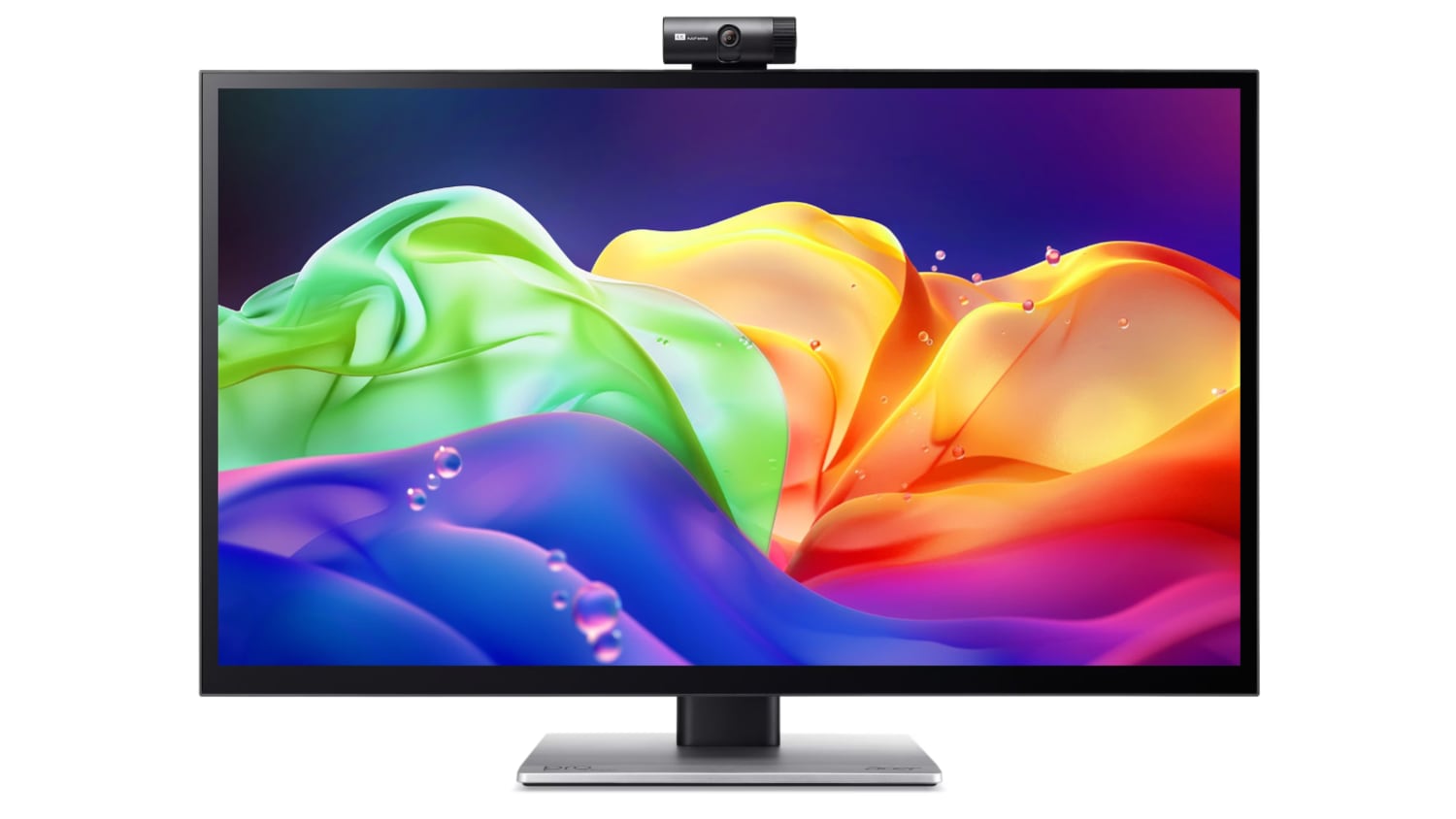

This is a big, heavy display. It's thicker than my Apple Studio Display, and it's thicker than any other display I've tested, likely because of the touch layer. It does have a tapered design so the sides aren't quite as thick as the middle, but this isn't a modern-looking monitor. It doesn't resemble something designed in 2026, especially with the button-based controls and the thick bezels. If someone told me this was a display from 2006, I'd believe it. With its stand, the ProDesigner weighs about 22 pounds, and it takes up a lot of room on my desk.

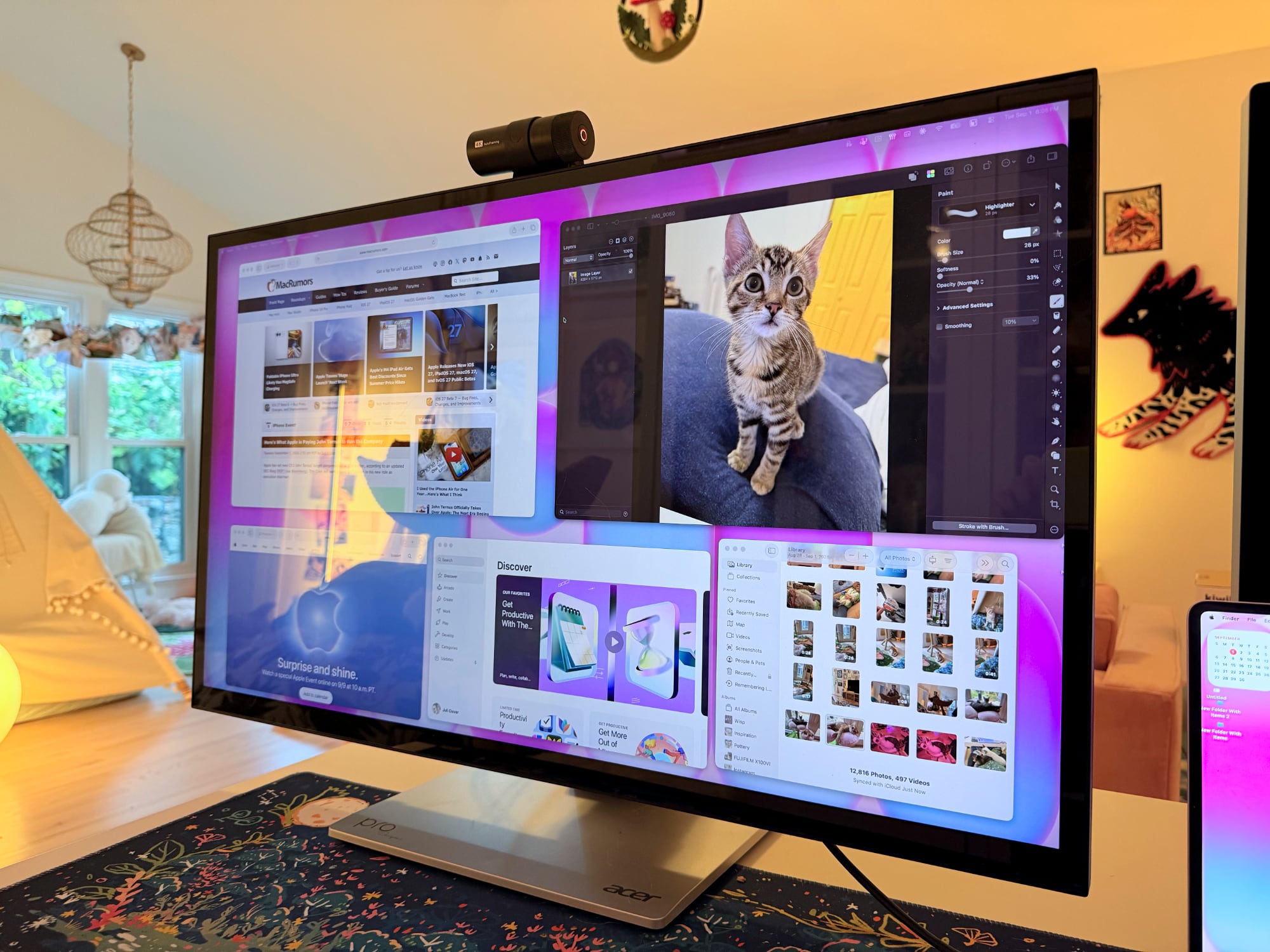
The display uses an IPS panel and has a resolution of 6016 x 3384, and it can connect to a Mac using HDMI or USB-C. I tested it on a 16-inch M1 Max MacBook Pro running macOS Golden Gate and an M4 MacBook Air. By default, macOS uses a 3008 x 1692 scaled resolution, which is a good compromise between display quality and sizing. It can be set at higher resolutions, including the full 6016 x 3384, but window sizing and text get smaller as resolution goes up.
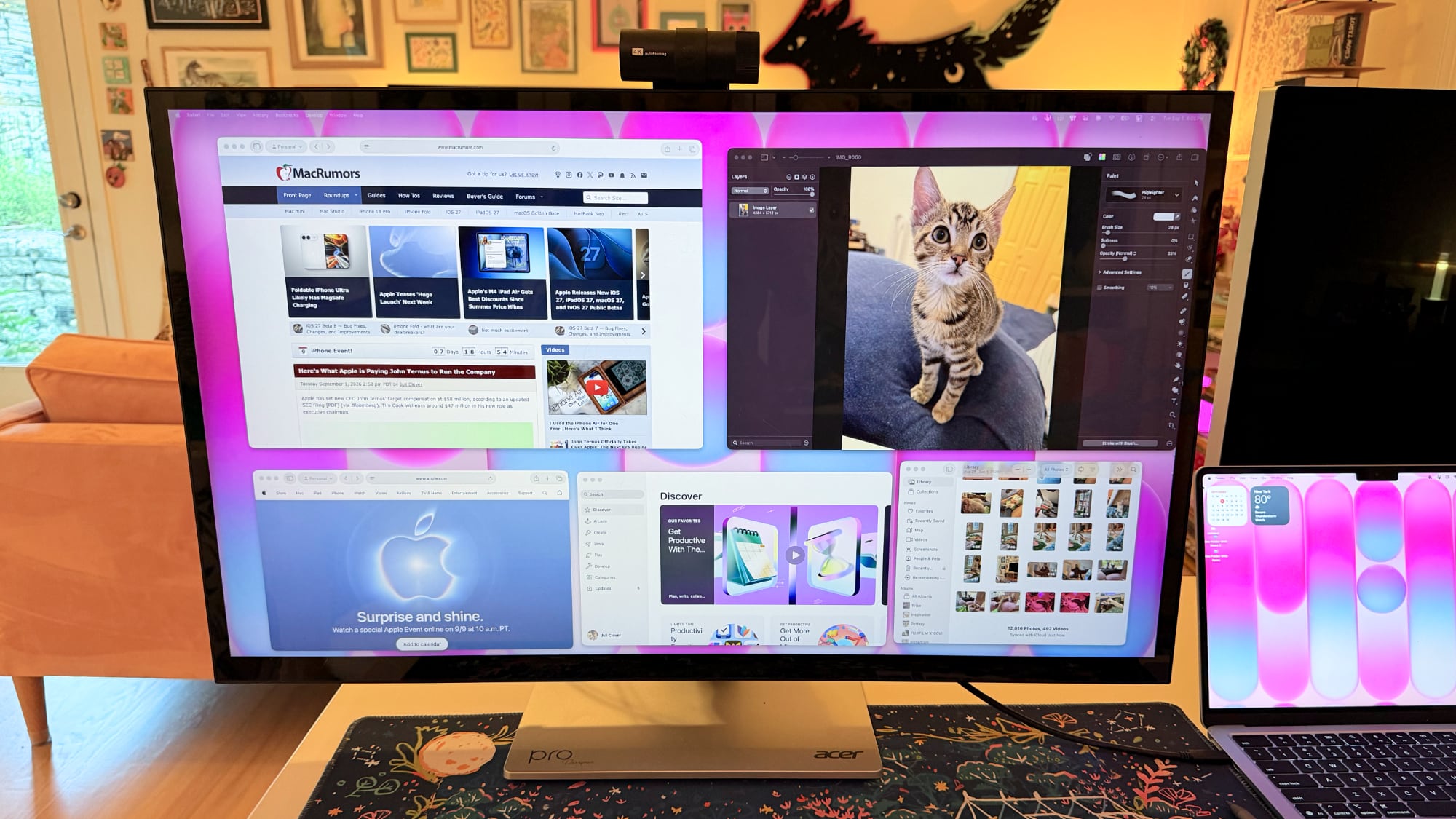

Text is crisp and everything looks sharp at the default resolution, but brightness is limited to 400 nits and contrast is just fair, not outstanding. My office is bright, and in the daytime, 400 nits is a little too dim, especially if I'm simultaneously using the ‌MacBook Pro‌'s much better mini-LED screen or a ‌Studio Display‌ with the Acer ProDesigner. Brightness does go up to 600 nits for HDR content, but I wouldn't recommend it for HDR movies because it doesn't have the local dimming you get from mini-LED or OLED.

Though brightness wasn't where I wanted it to be, quality and color were excellent. With some displays, it's unpleasant to use them with a ‌MacBook Pro‌ because of the pixel density mismatch, but 6K resolution makes a difference when using the display next to a ‌MacBook Pro‌. Text and interface elements don't look soft or low-resolution. Acer says the display is Calman-verified for color accuracy with support for 99 percent of the Adobe RGB and P3 color gamuts. I don't have a colorimeter or a reference display for testing, but colors were saturated and seemed similar to those on my ‌MacBook Pro‌. I did notice a little light bleed at the edges of the display when viewing a dark image in a dark room, but it's not something I noticed in regular use and the display otherwise looked uniform.

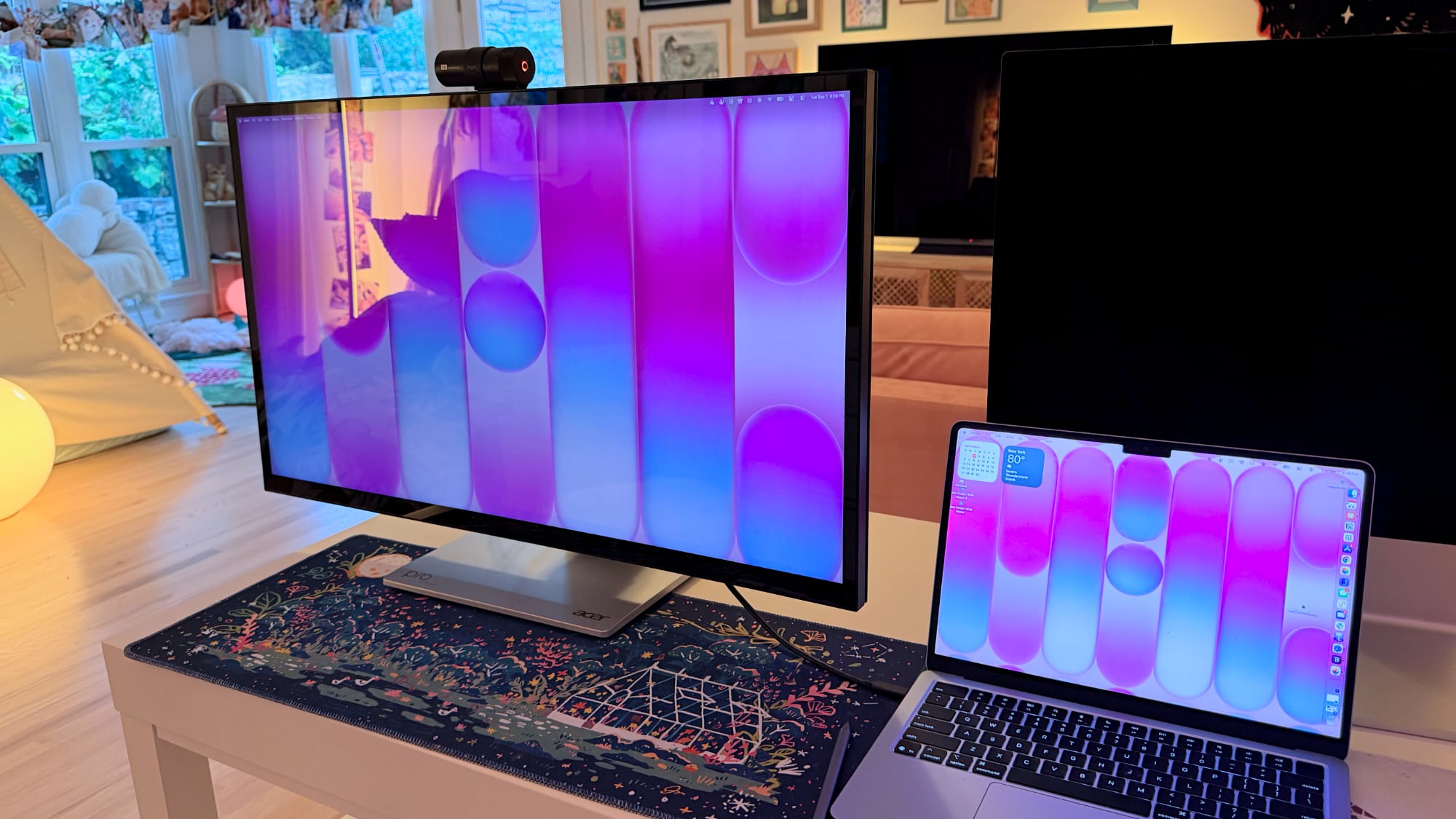
One of the main concerns with any kind of color work is the glossiness of the display. This is one of the most reflective displays I've used, and it is problematic when viewing dark content in a room with bright light. If you have lights behind you, they're going to reflect and make it harder to see what you're working on. Acer says it's an anti-glare display, but I disagree.

This is a display with a 60Hz refresh rate, and I do notice the lower refresh rate when scrolling through webpages because I'm used to my Mac's 120Hz option. This isn't a display I'd choose for games because of it, but games do look good thanks to the resolution.

Controls


Acer doesn't have a native macOS app for controlling the display, so there's no way to control brightness from the Mac unless you download third-party display software. I use BetterDisplay, and it works well.

Without third-party display software, you're limited to the brightness controls on the monitor itself. There are five buttons on the bottom right of the display. On-device controls are not as convenient as software-based controls, and it takes too many button presses to adjust brightness. I need to press one button to toggle the brightness setting, then use a different button and press several times to adjust up or down.

The brightness control is right next to the power button, so I've accidentally turned the display off several times. It's hard to imagine a control scheme that would be less ergonomic than the one Acer chose. You can tediously control all of the display settings with the physical buttons, or use third-party software to solve the problem.

Stand


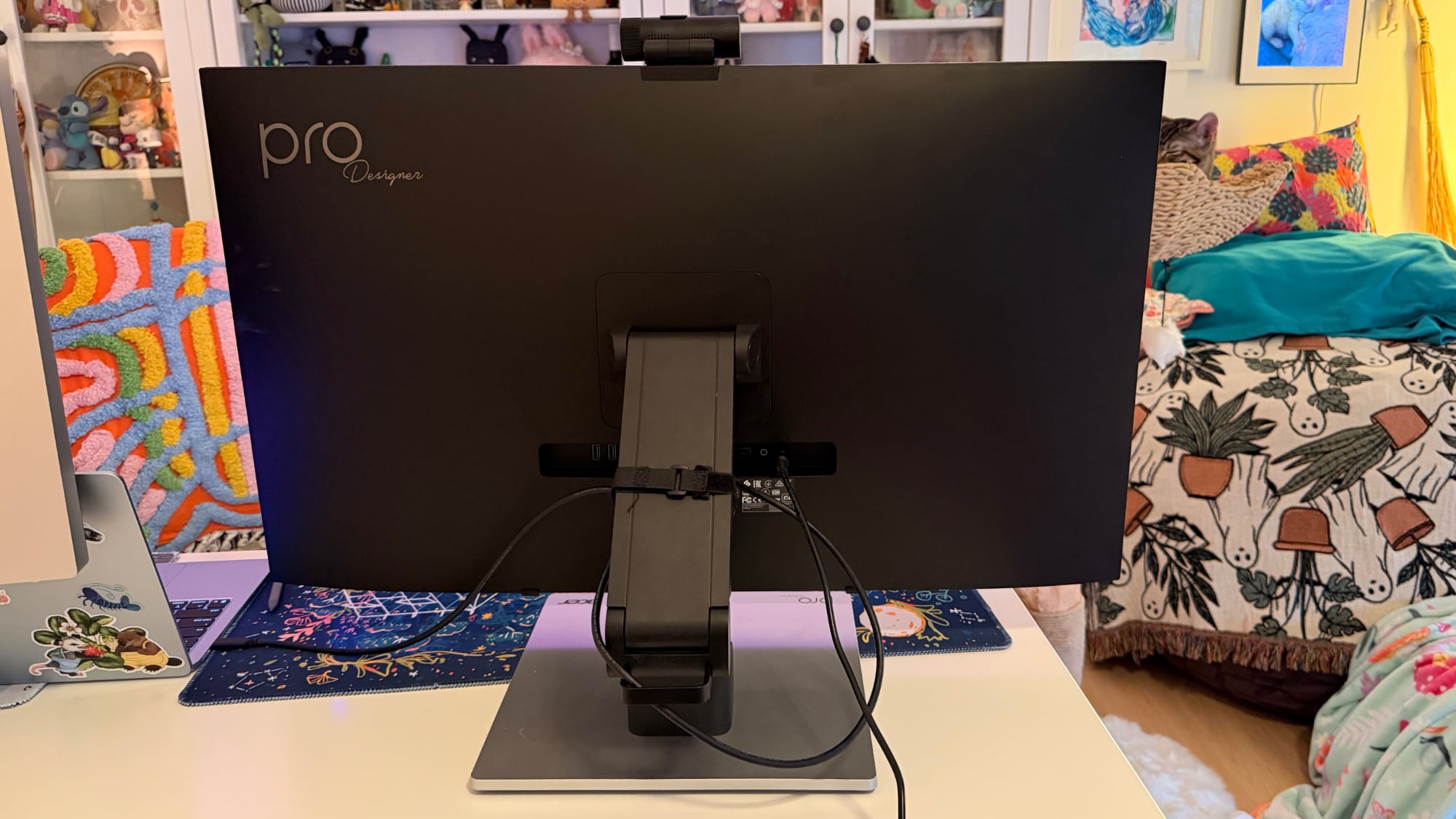
The ProDesigner uses a folding stand made for switching between an upright and a tilted, low-angle orientation, with the latter meant to be used for drawing, sketching, and other tablet-style work. Since the stand is meant to tilt into a tablet position, it doesn't have much height adjustment, with about six inches of range. If you need the display to be taller, you'll need a monitor riser.

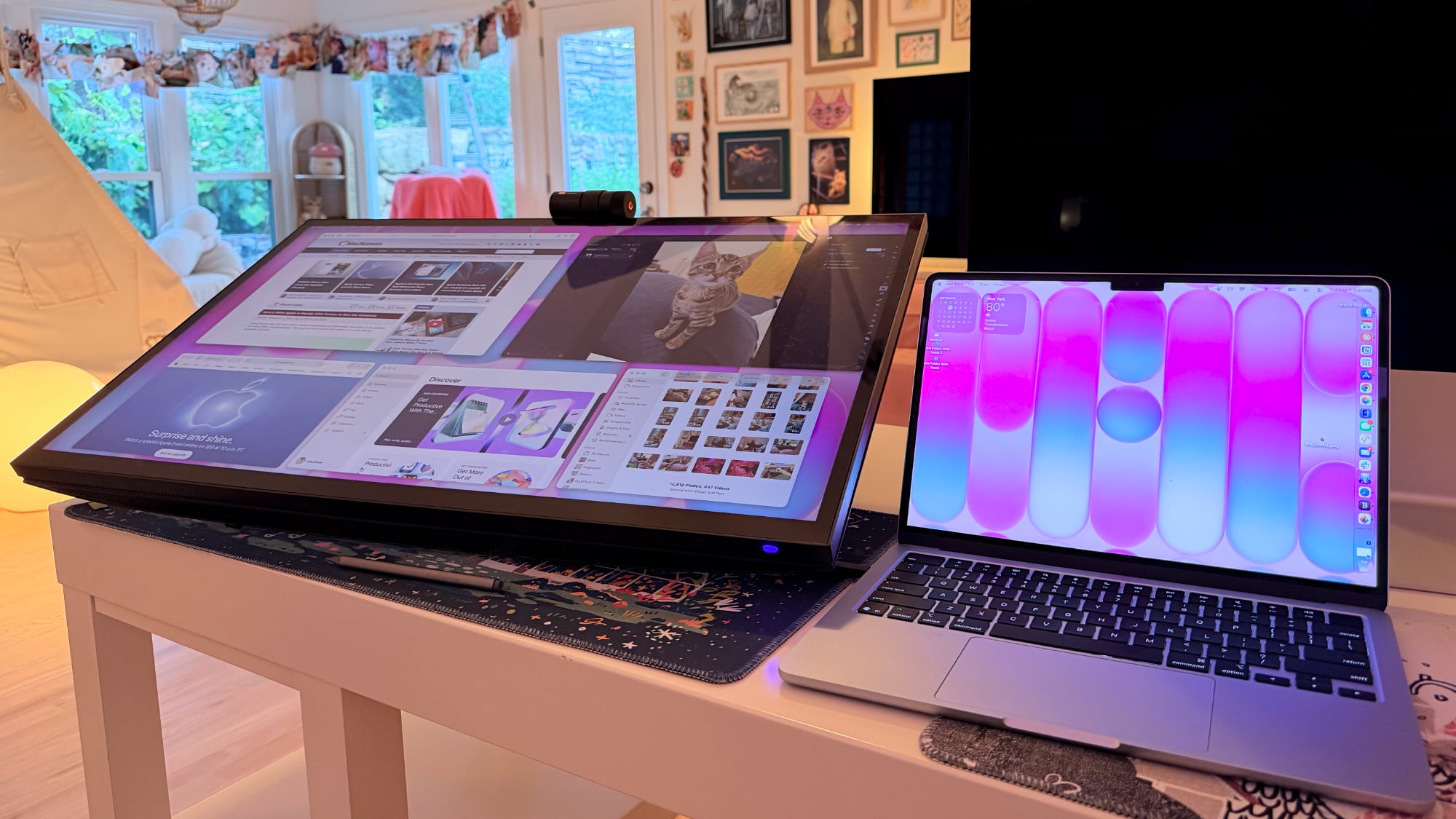
It is easy to pull it down into more of a tablet mode, and when it's oriented like that, it's like using a giant iPad or drawing tablet. It can be adjusted to several different angles, and it swivels 360 degrees so you can find the best position for whatever you're doing. The stand mechanism feels well-designed and there's little friction when making changes.

I didn't think attempting to draw or write on a display this size was going to be comfortable, but being able to angle the display helped. I had no issue when using it at my desk, though it does take up a lot of space. This isn't a situation where you can pick up your drawing surface and pop over to the couch to draw. You need the right setup for this display and its large stand.

The stand design makes the most sense if you're often using the display in touch mode, and less sense if you just want a display. It doesn't have the range of height adjustment of a standard desktop display because of the mechanism to shift it into a tablet position.

Ports and Charging


The display connects to a Mac over USB-C and offers 90W passthrough charging. That's not enough power to reach the 140W maximum charging speed of a 16-inch ‌MacBook Pro‌, but it was enough to keep my Mac topped up over the course of the day, even while gaming.

It has two HDMI 2.1 ports, one DisplayPort 1.4 port, a USB-C port with power delivery, two USB-A 3.2 Gen 1 ports, a USB-B upstream port, and a 3.5mm jack. There is no Thunderbolt support, so you can't daisy-chain displays.

Touchscreen and Software


macOS doesn't have native touchscreen support, so third-party software is required to make the Acer display's touchscreen function. Acer suggests the UPDD Touch Software driver from Touch-Base, and it allows for 10-finger touch input.
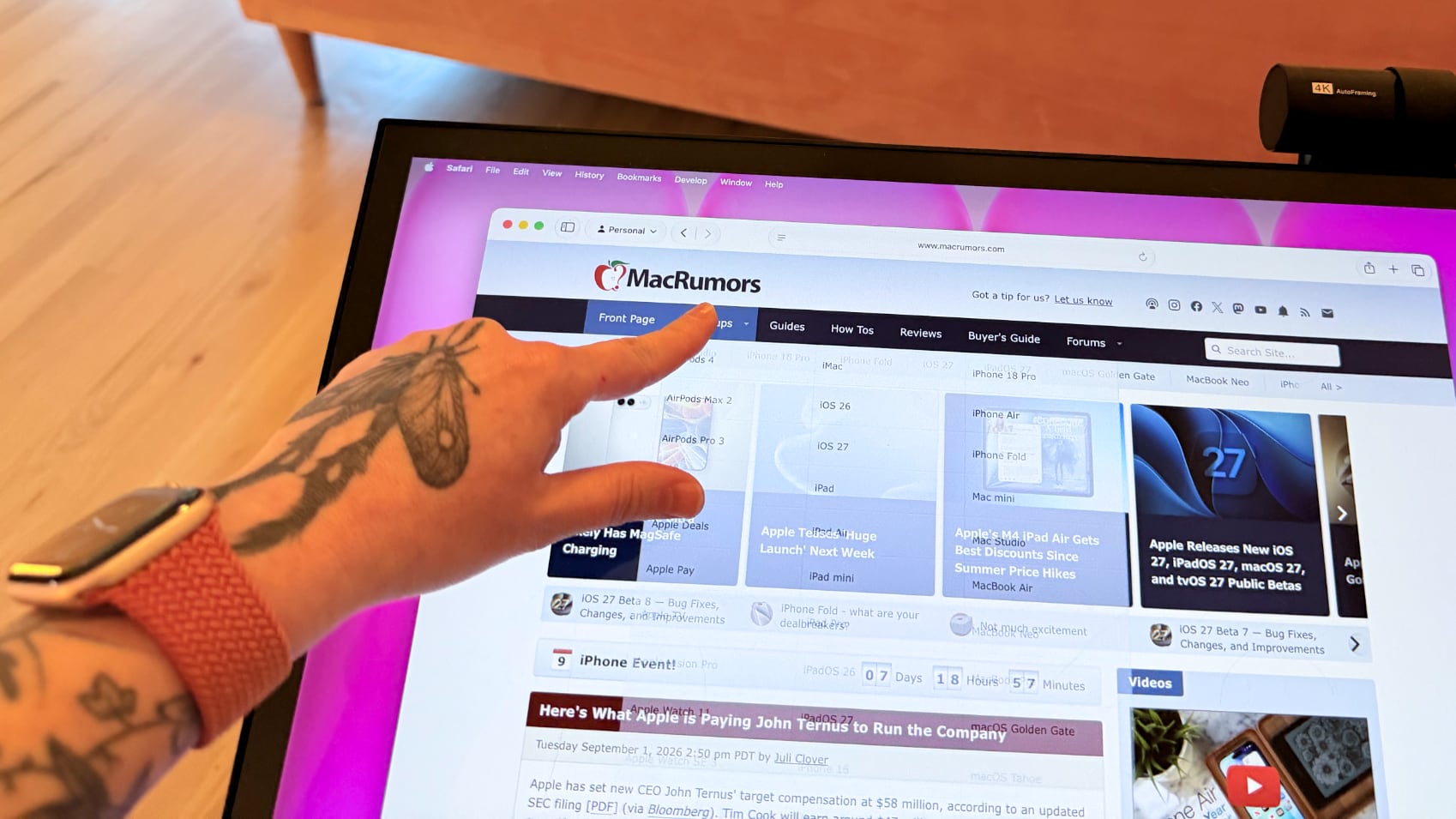

You can use all of the Mac gestures you're familiar with on the ProDesigner, but it's clear this is a display that wasn't built with the Mac in mind. The UPDD software requires per-app customization of touch gestures for some workflows. It's nice that the customization is available, but the software can be confusing. I don't know who is going to want to put in the work to get this running in a way that doesn't involve at least some frustration. In an app like Pixelmator Pro, I'd have to manually tweak the gestures to be able to use it efficiently, and the same goes for most apps. Apps on the Mac just weren't built for touch input.

With the UPDD software, touch input works, and works well. Finger taps are accurate, and Acer has a stylus that goes along with the display (that is a separate purchase). With the stylus, fine-line writing and drawing are supported, and features I'd expect with a stylus, like palm rejection and tilt, are available. Using the stylus is similar to using an ‌iPad‌ with an Apple Pencil that has hover. I can see the mouse cursor when the stylus is close to the screen so I can tell what I'm doing. Using touch or the stylus didn't seem laggy, and writing on the display was responsive.


Touch works on macOS, and I can tap with a finger to launch apps, change settings, adjust windows, and control on-screen elements, but it's not a feature I need or want. It would take me months, if not years, to get as fast with touch gestures as I am with a trackpad, and I'd never be able to replace the keyboard.

The display's touch feature is useful for drawing and sketching, and likely convenient for workflows like video editing, but I'm not sure it has appeal beyond that. There aren't many Mac tasks that are easier to do or more accessible with touch controls. Also, a display this big and this glossy really shows fingerprints.

Webcam and Speakers


There is a built-in 8-megapixel webcam, and it is higher quality than the camera in my ‌MacBook Pro‌ (not hard to achieve). Since I don't do a ton of video calls, it's not a super important feature for me, but someone who is often in video meetings might appreciate it more.
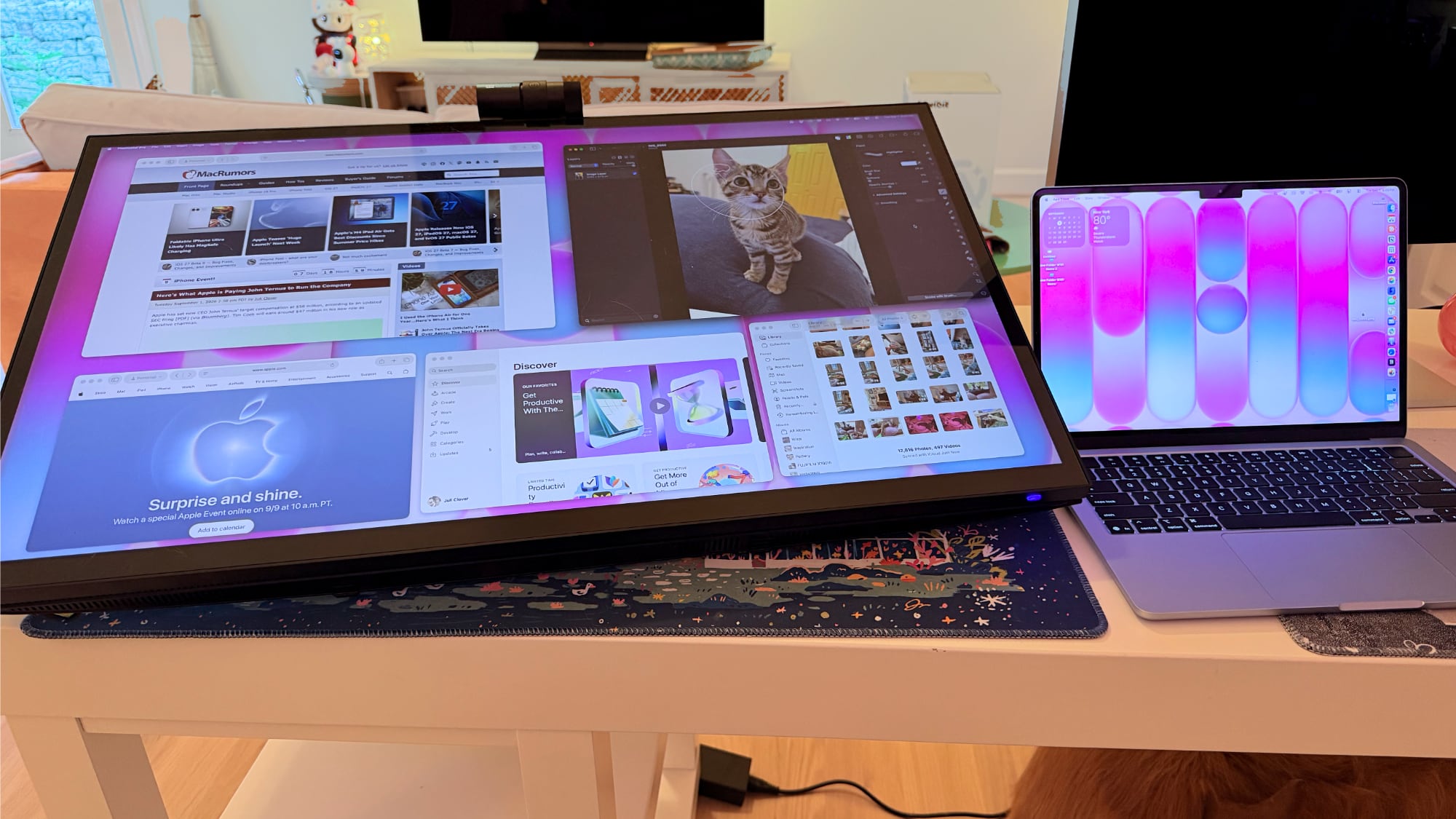

The camera can tilt for adjusting the angle depending on where you're positioned, but it is a wider angle than I'm used to with a webcam and the framing is awkward. When the camera is not in use, there's a physical cover for privacy purposes.

The speakers are fine, but nothing special. I wouldn't use them over standalone speakers or a Mac's speakers. Voice calls and short video content sound fine, but music sounds one-dimensional.

Bottom Line


Acer's ProDesigner PE320QXT wasn't built for the Mac, and it's obvious. It requires a lot of software to work, and it's software that Acer didn't even design. You can use it with the Mac, but the Mac was an afterthought.

The touch hardware works well, and if you want a 31.5-inch drawing surface, this display does that. You can make this work with a favorite creative app, and it's a lot of fun to have such a big digital canvas. There are rumors that Apple is working on a touchscreen ‌OLED‌ MacBook, so macOS could get more touch-friendly in the near future and that might change how useful the display is.

macOS wasn't built to be used with a touchscreen, and I would bet money that no Mac user is going to speed up an established and comfortable Mac workflow with Acer's display.

The only reason to choose this display over another 6K display is the touch feature. If you want a big touch surface, the ProDesigner is a good option and it's priced well for what it is. If you need a Mac display for any other purpose, you're probably better off getting something else.

How to Buy


The Acer ProDesigner PE320QXT can be purchased from B&H for $1,299.99.
This article, "Review: Acer's 6K Touchscreen Display Turns Your Mac Into a Giant iPad, Sort Of" first appeared on MacRumors.com

Discuss this article in our forums

  •  

PageFeed – RSS-Feeds durchgeblättert

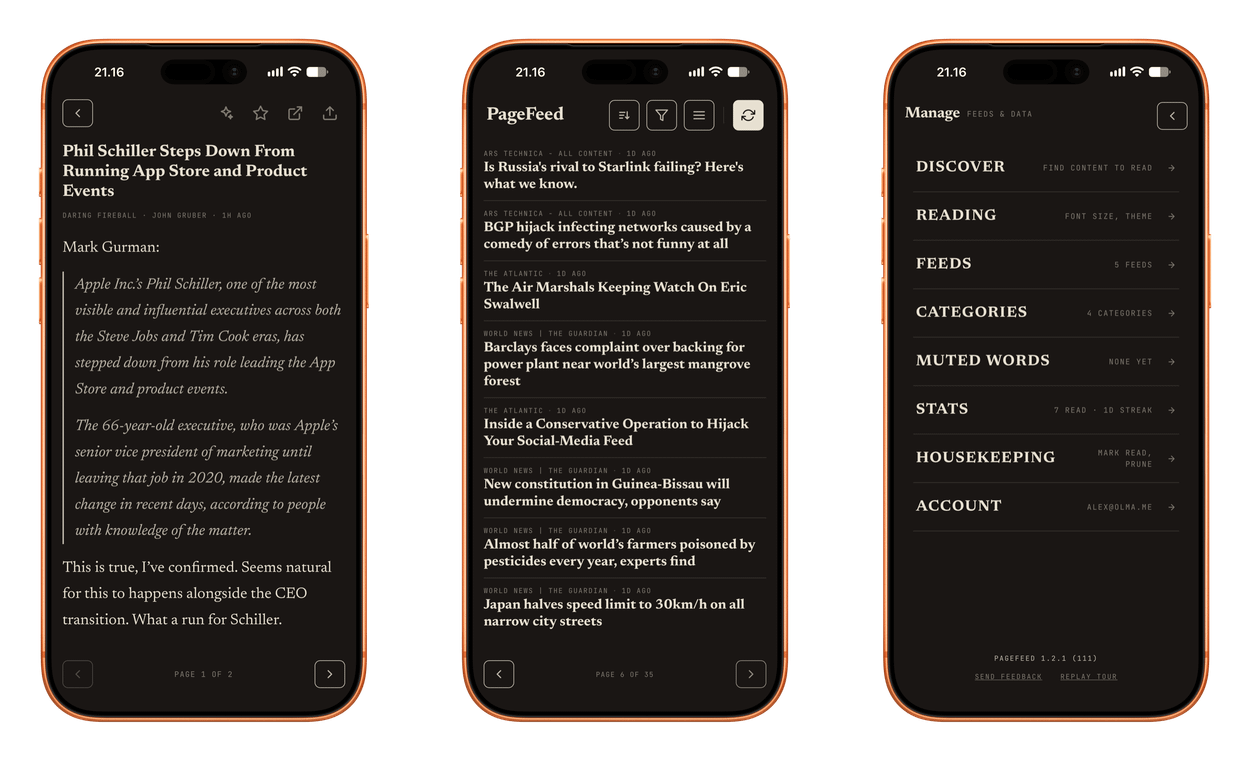
Three screens from the PageFeed mobile application showing an article view, a news feed, and the manage settings menu.

No endless scroll. No algorithm deciding what you see. Just the writers you choose — turned page by page, the way a newspaper used to feel.

PageFeed

Nichts für berufliche RSS-Leser:innen, aber ein erfrischender Take für die Kategorie der Feed-Reader.

Ihr wollt hier explizit nur wenige Quellen eintragen, von denen ihr dann aber keinen Eintrag übersehen möchtet – „Calm Feeds“, etwa für einen entspannten Sonntagvormittag.

Statt TikTok-Scrolling tippt ihr fürs Umblättern hier wie am Kindle. In die meinungsstarke Aufmachung lässt sich kaum reinquatschen: Lediglich zwischen unterschiedlichen Schriftgrößen sowie einem E-Ink-Mode wählt ihr aus. Das nenne ich Mut zur Entscheidung!

Der Sync verläuft nicht nur zwischen euren iPhones und iPads, sondern reicht bis ins Web – bereits die kostenlose Version ist viel zu großzügig. Mit nur wenigen Euro schaltet ihr alle anderen Nettigkeiten frei.

PageFeed fühlt sich wie eine typische Später-Lesen-Anwendung an, bleibt aber ein Feed-Reader – eine liebevolle Verpackung von RSS-Abos.

  •  

iPads und iPhones als Powerbanks

Fluglinien schränken die Verwendung von Powerbanks mittlerweile stark ein; Norwegian verbot uns heute die Benutzung aller mobilen Akkupacks.

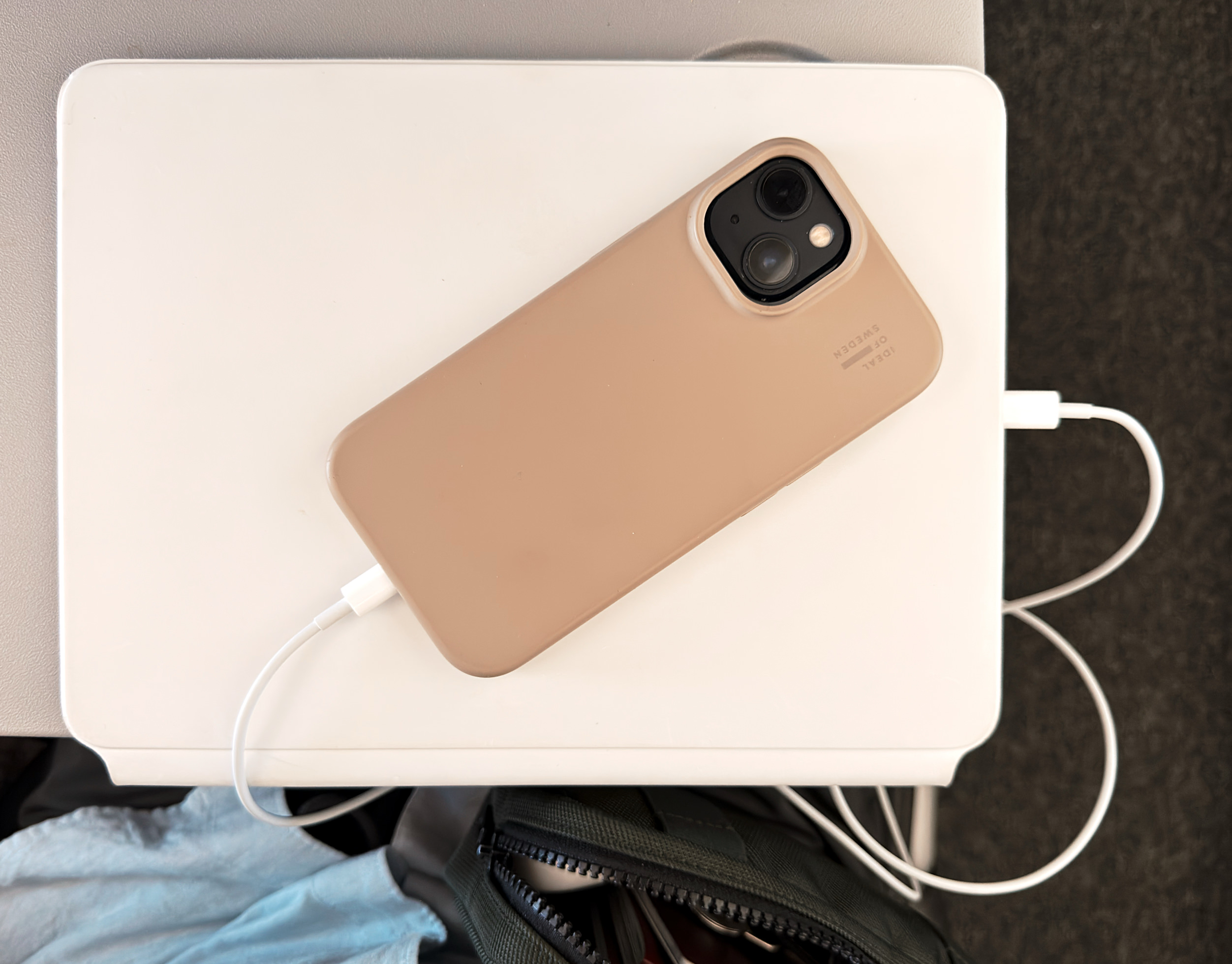
Das Stromteilen zwischen Computern – wobei diese dann quasi in die Rolle einer Powerbank schlüpfen – war jedoch explizit erlaubt.

Ein beigefarbenes Smartphone in einer Schutzhülle liegt auf einem flachen weißen Tablet oder Laptop, an das ein weißes Ladekabel angeschlossen ist. Darunter ist eine Tasche teilweise zu sehen.

Kabellos funktioniert das bei Apple nicht, sondern benötigt ein USB-C-auf-USB-C-Kabel respektive ein USB-C-auf-Lightning-Kabel. Das funktioniert seit 2018 mit iPads beziehungsweise seit dem iPhone 15.

Obwohl andere Hersteller komplett kabelfrei eine Stromübergabe ermöglichen, finde ich Apples Beschränkung aufs Kabel verständlich: Rückseite an Rückseite ist höchst ineffizient.

Du möchtest dein iPhone, ein anderes iPad, deine Apple Watch oder ein USB-Gerät eines Drittanbieters aufladen, aber es befindet sich keine Steckdose in der Nähe? Verbinde einfach das richtige Kabel oder den richtigen Adapter mit dem iPad, damit auch andere Geräte von der langlebigen Batterie des iPad profitieren.

Apple.Support

Mir fehlt jedoch die Apple-artige Umsetzung. Wo ist eine Anzeige über den Ladevorgang am Spendergerät? Wo ist eine zeitliche Prognose, wann der Ladestand von beispielsweise 20 Prozent erreicht ist? Und wie viel Akku verbleibt dann noch im akkugebenden Gerät?

Selbst die Laderichtung besitzt keine Auswahlmöglichkeit. Faustregel: Zuerst wird das Gerät mit dem niedrigeren Ladestand versorgt – obwohl man das ja vielleicht nicht immer wünscht.

Die Software-Seite dieser Funktion scheint seit Jahren niemand mehr angeschaut zu haben. Es erinnert mich an die Hotspot-Funktionalität: ein persönliches Alltime-Alltags-Highlight, das jedoch erst Jahre nach seinem initialen Release eine Handvoll Basiserweiterungen erhielt.

  •  
❌