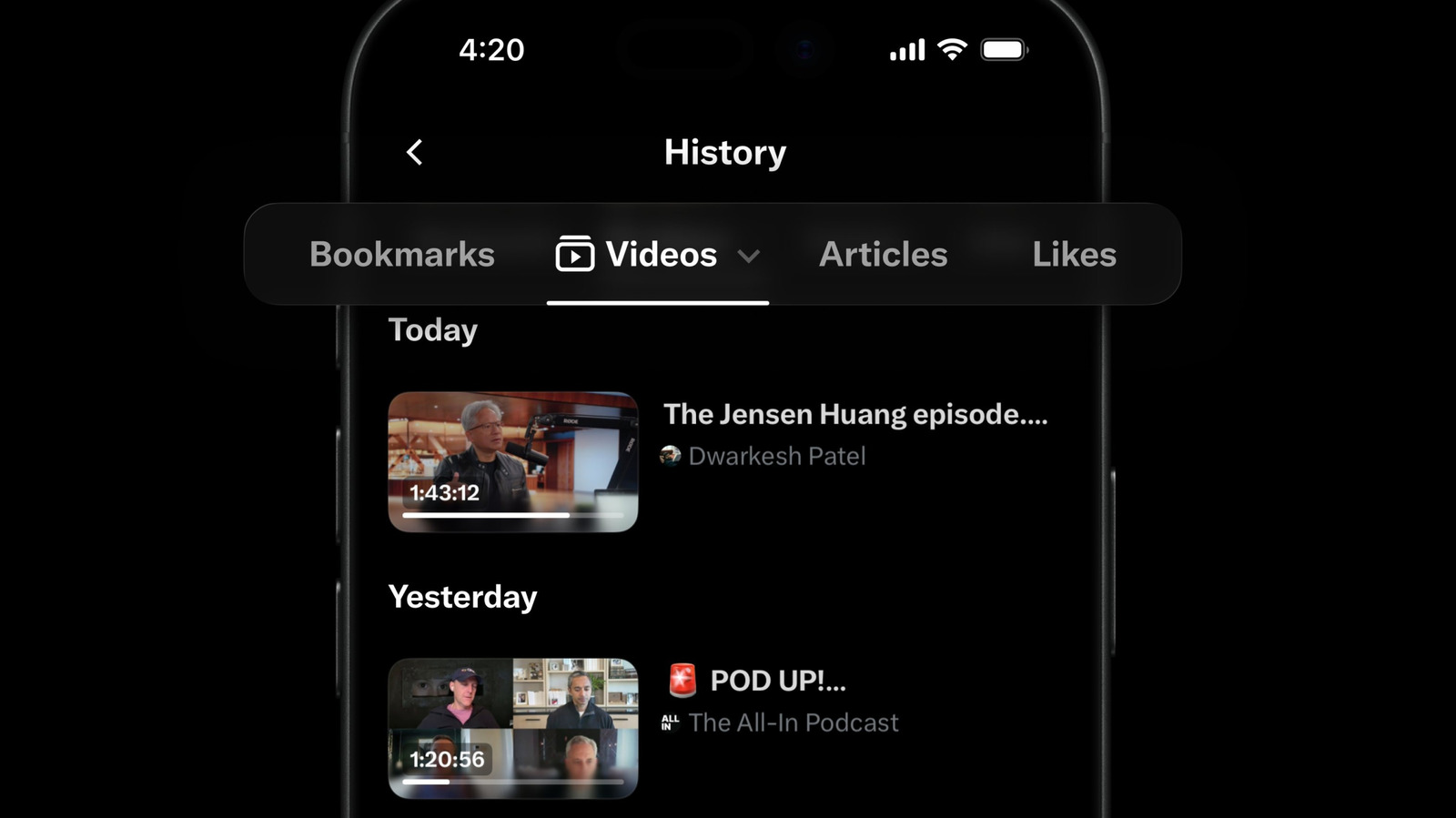
XChat, the standalone app for accessing X's messaging feature, is available to download now for iOS. X first suggested it would be stripping direct messaging from X in 2025, but at least for now, XChat is available in the original X app, the web and this new app.
Based on its launch video, the new XChat app offers many of the elements of modern messaging X had already introduced to its chats feature, like the ability to delete and edit messages, block screenshots and send disappearing messages. The new XChat app also supports video and audio calls, and X claims that all messages sent with XChat are end-to-end encrypted.
XChat will also be expected to be the home of any groups that formed around X's Communities feature. The social platform recently announced that it was retiring Communities at the end of May, and suggested that XChat's support for larger group chats could be a worthwhile alternative. XChat's group chats can currently have 350 participants, but X plans to expand that number in the future.
Elon Musk's original pitch after he rebranded Twitter as X, was to turn the platform into an "everything app," where things like an algorithmic feed, messaging, job boards and even payments could exist side-by-side. A standalone messaging app seems like the exact opposite of that, but it might also reflect where X finds itself in 2026. The company is now a subsidiary of xAI, and xAI itself is part of SpaceX. Musk's push into AI appears to be the going concern, and cloning something like WeChat might just be less important.
This article originally appeared on Engadget at https://www.engadget.com/apps/xchat-the-standalone-app-for-messaging-on-x-is-available-on-ios-now-214826886.html?src=rss
Cash App, the banking and payments app run by Block, has added support for parent-managed kids accounts. The new accounts include key benefits from the service's normal account, with an eye towards teaching financial literacy to younger users ages 6 to 12. Cash App first allowed teenage users on its platform in 2021.
As part of the "expanded Cash App Families experience," eligible legal guardians and parents can create managed accounts that offer "a dedicated place on the platform to send allowances, set aside savings, and track spending for their child, kickstarting their path to financial independence," Cash App says. Adults managing these accounts will be able to set up recurring transfers, see how their child is spending and do things like lock their child's account to prevent transactions. Kids will get a custom debit card and the ability to receive payments from up to five trusted accounts, though notably they won't be able to access Cash App itself.
Today, we're launching Cash App accounts for kids age 6-12. Parents manage the accounts. Kids get to learn about safety, start saving for goals, and design and use their own debit card.
Cash App says managed accounts are designed for kids 6 through 12. Once those kids turn 13, Cash App says parents will be able to choose to convert their account to a "sponsored account" to unlock more features, like the ability to send and receive payments, invest in stocks or trade crypto. Those sponsored accounts are technically still monitored and controlled by a parent or legal guardian, but they do give 13-year-olds more control over how they use their money.
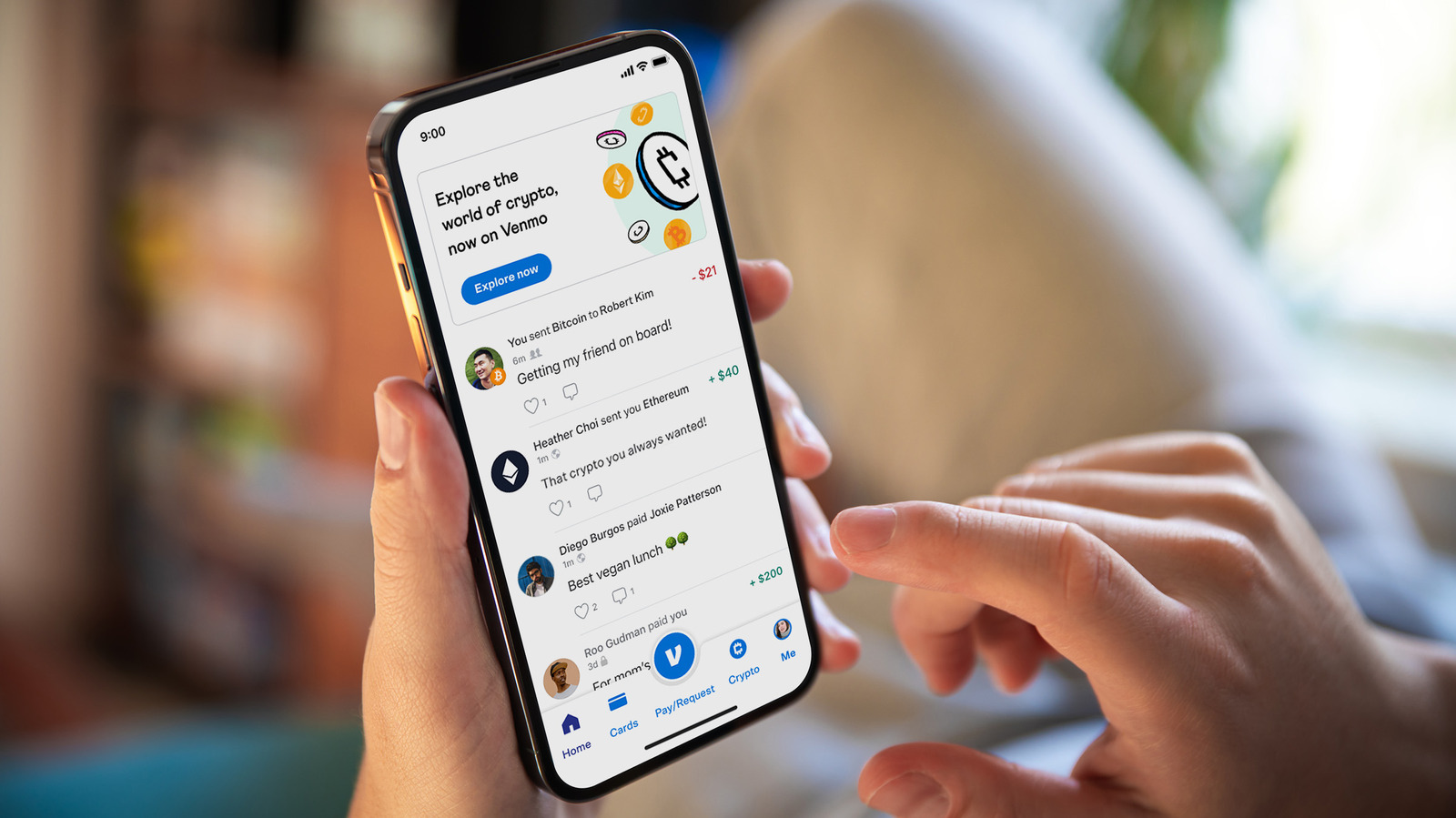
A parent-managed account for kids is not a new idea in the fintech space, though Cash App is trying to reach a younger audience than some of its competitors. Venmo rolled out access to its payment platform to teens between the ages of 13 to 17 in 2023. Separately, both Apple and Google also offer their own kids accounts in Google Wallet and Apple Cash Family.
This article originally appeared on Engadget at https://www.engadget.com/apps/cash-app-now-supports-accounts-for-kids-6-12-210651025.html?src=rss
Meta is starting to test a long-overdue facelift for Threads on web. The company's head of Threads Connor Hayes showed off a new look for the web version of Threads that finally adds direct messaging and makes it easier to navigate between multiple feeds.
The new layout adds a bunch of new shortcuts to the site's left rail, including saved posts, insights, activity, and the ability to move between different feeds. Those features have all been accessible on web before, but many were hard to find. For example, the only way to currently get to "insights" is to navigate to your own profile or save it as a "pinned" column. Most importantly, though, the update finally adds the Threads inbox, which has not been available to web users even though the feature was added to the app last June.
It's not clear when the new look will roll out, but Hayes said Meta has already started to test it and that the company will "be investing more here going forward." The last time the Threads website got a major update was last April, which added some basic functionality. But since then, Meta has focused much of its efforts on the Threads app, rather than the website. Some newer features, like disappearing "ghost posts," are able to be viewed on the web but can only be created in the app.
Speaking of the Threads app, the web updates come one day after Hayes previewed some tweaks to how replies look on mobile. With the change, replies under a post will be indented slightly to make it easier to follow conversations. That change is rolling out now on iOS and currently "testing" on Android.
This article originally appeared on Engadget at https://www.engadget.com/social-media/meta-is-giving-threads-on-web-a-redesign-that-finally-adds-direct-messages-192903284.html?src=rss
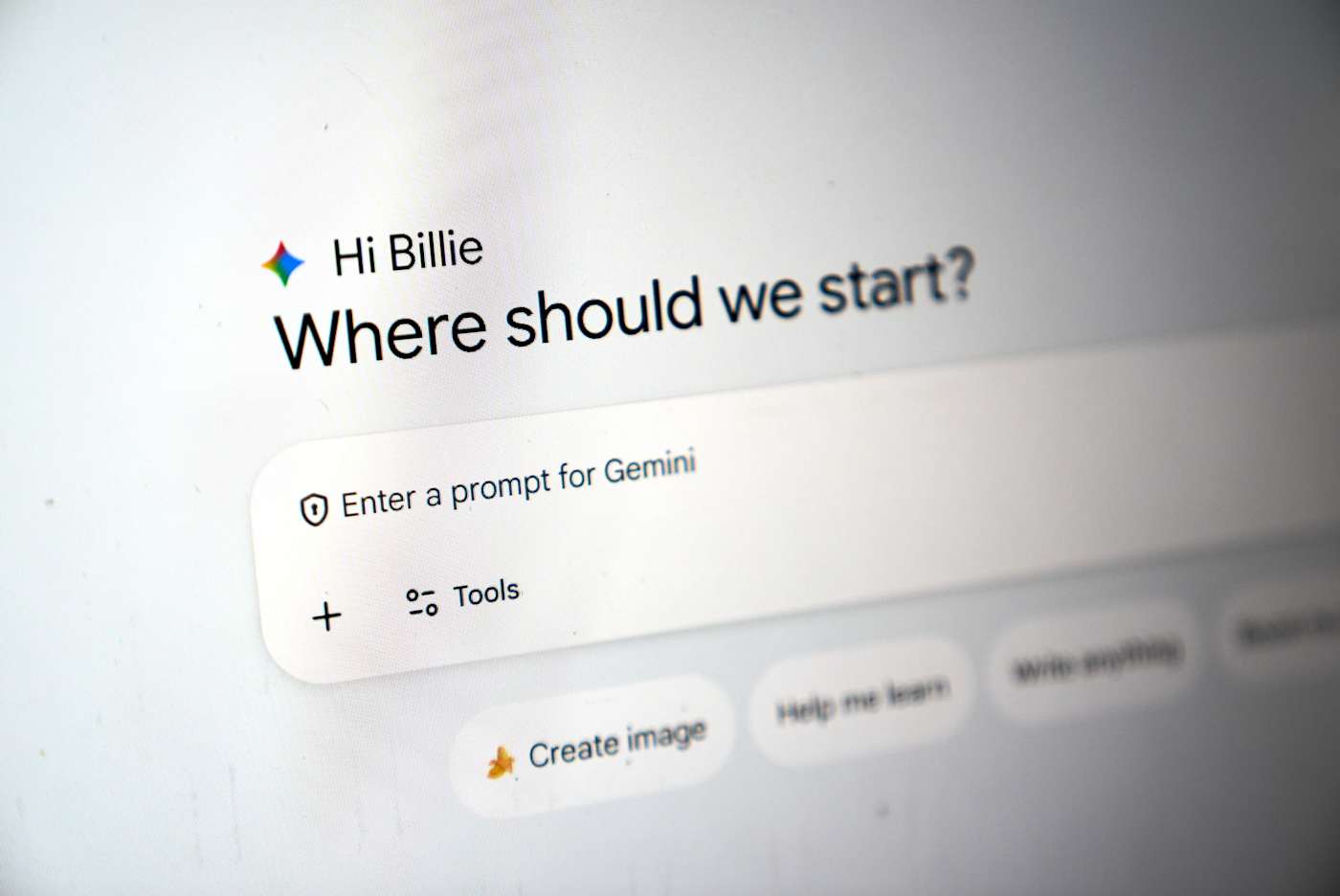
Google has fully integrated NotebookLM, its AI-powered research tool, into the Gemini app. The company launched a standalone NotebookLM app last year, but as it said in its announcement, “keeping track of everything can be a challenge.” It added NotebookLM as a source in the Gemini app last year, but now you can create notebooks right inside the chatbot.
You can now find the option to create a new notebook in Gemini’s side panel and then select “Add sources” that the tool can use, such as PDFs, documents, website URLs, YouTube videos and even copy-pasted text. NotebookLM will use information from those sources to create a searchable repository of information for you, and you can ask Gemini to create things like reviewers, infographics and video and audio overviews that turn your uploaded information into an easy-to-understand format. Take note, however, that Google warns users within the NotebookLM interface that it can be inaccurate, and that it’s best if you double-check information it puts out.
The company is rolling out NotebookLM’s full integration into Gemini this week for Google AI Ultra, Pro and Plus subscribers on the web. It will be available on mobile, in more locations and to free users over the coming weeks.
This article originally appeared on Engadget at https://www.engadget.com/ai/google-bakes-notebooklm-its-research-tool-into-gemini-101850634.html?src=rss
Meta has released a new version of WhatsApp for CarPlay that has much better integration that its previous version. As MacRumors and9to5Macreport, the new app gives users access to a native interface. The old WhatsApp for CarPlay is mostly limited to Siri-operated features. Users can, for instance, ask Siri to compose messages or place calls for them. The new interface has a contact info section, where they can see the profiles of people saved in their account, as well as a favorite contacts section that makes it easy to find users they usually message or call.
Users can also find a list of their recent chats and call history within the app. Plus, they’ll see new shortcut buttons for sending messages via dictation or for placing a call, in case they don’t want or can’t give verbal Siri commands. Meta has been beta testing the new app since at least last week. Now that it’s available, users can have access to all the features we’ve listed by updating their iOS app and connecting to their infotainment systems. OpenAI also recently rolled out ChatGPT's Voice mode to CarPlay, allowing drivers to hold a conversation with the chatbot while on the road.
This article originally appeared on Engadget at https://www.engadget.com/apps/whatsapp-adds-a-better-native-interface-for-carplay-112127361.html?src=rss
There's a new movie tracking app in town, with a twist for squeamish horror fans. Binge leverages Apple's Live Activities feature to warn viewers about jump scares in horror movies.
This seems to work rather simply. Users open the app when starting a movie and Apple devices will display warnings on the lock screen ahead of frightening scenes. The settings can be adjusted to only warn about major jump scares and the like, leaving viewers vulnerable to some of the smaller terrors.
However, the app doesn't integrate with any streaming services. It only knows a movie starts because a button has been tapped. This means that people will have to notify the app when taking a bathroom break or making popcorn, lest the timing of the notifications get all messed up. This information can also be accessed via a timeline.
Binge
Binge is also vying to become an all-in-one movie tracking app, like Letterboxd and JustWatch. So it provides details about the cast and crew of movies and shows, along with reviews, awards, runtimes and other basic information. It also tracks which streaming platforms are home to a specific piece of content, which is handy as stuff tends to move around a lot in this modern age.
Binge
Finally, there's a set of tools for parents that pulls data from external sites like Rotten Tomatoes. This displays if a movie or show has violence, sexual content, profanity or drug use.
The app is free to download, but access to jump scare warnings requires a paid subscription. This costs $2 per month or $18 each year. There's also a lifetime subscription for $50. It's available for iPhones, iPads and Macs.
Binge isn't the only way to track scary scenes ahead of time, but it is the only tool that integrates with Apple's Live Activities platform. Forget jump scares. I want an app to warn me about the super gory scenes when watching The Pitt. Those makeup artists are top-tier.
This article originally appeared on Engadget at https://www.engadget.com/apps/movie-tracking-app-binge-uses-apples-live-activities-to-warn-about-jump-scares-184840127.html?src=rss
WWDC 2026, the latest version of Apple's yearly developer conference, runs from June 8-12, and by all appearances the company has some important updates to outline. In comparison to Liquid Glass, the design material Apple introduced last year and now uses across all its operating systems, the new features the company is rumored to announce might not be aesthetic, but they could make just as big of a splash. Namely because Apple might finally be ready to show off its second stab at an overhauled version of Siri.
If you're curious to see the company's new plans for yourself, you can watch Apple's WWDC 2026 keynote live on its website, YouTube channel or the Apple Developer Bilibili channel in China. Apple will also host its Platforms State of the Union stream and individual developer workshops on its developer website if you want to learn even more details about the software updates the company will release later this year. Luckily, we do have some sense of what Apple has in store, and it looks like stability improvements and AI are the company's big focuses for the updates coming to iOS, iPadOS, macOS, watchOS, visionOS and tvOS this fall.
A Snow Leopard-esque approach to stability and performance
Apple released Mac OS X Snow Leopard in 2009, primarily as a way to clean up the performance and refine the new features the company released with Mac OS X Leopard two years prior. The decision to essentially "take a year off" to focus on making everything about the company's desktop operating system feel better was well-received, and Apple is apparently planning to have iOS 27 serve a similar role.
Bloomberg reports that Apple's upcoming update will be "focused on improving the software’s quality and underlying performance" and that the company's "engineering teams are now combing through Apple's operating systems, hunting for bloat to cut, bugs to eliminate and any opportunity to meaningfully boost performance and overall quality." Those fixes will presumably extend to the company's other operating systems, too.
Some of this effort may also be focused on cleaning up the visual changes introduced in Apple's big switch to Liquid Glass. The design overhaul has been controversial among the company's diehard fans, and Apple has already introduced tweaks in updates that arrived after the release of iOS 26 to make Liquid Glass interfaces more legible. Bloomberg reports the company could go a step further in its next updates and add a system-wide slider that will allow users to adjust the intensity of Liquid Glass (visual effects like translucency and reflectivity) they want in the interface.
The chatbot-ification of Siri
While stability and performance improvements will be a major focus of this year's updates, Apple is also rumored to be making some major changes to Siri. When the company first introduced Apple Intelligence at WWDC 2024, it promised to launch an updated version of the voice assistant that could use your personal context (like the information securely stored on your iPhone) to act across apps. Apple delayed those features in March 2025 and then announced a partnership with Google in January 2026 to use Gemini models to presumably make them possible.
Those features might finally arrive in this year's updates, but Apple is reportedly also changing how users interact with Siri by making the assistant more like a chatbot, according to Bloomberg. This would make the assistant more interactive and natural to speak to, and could open up other possibilities, like letting users direct Siri to perform two actions at the same time. Developers will reportedly also be able to integrate their own AI assistants with Siri, much like OpenAI has with ChatGPT.
New places to talk to AI
The chatbot version of Siri will be accessible in the usual ways, but also reportedly through a standalone Siri app. The new app will let users prompt the assistant to take care of tasks on their device, search the web and even access news, not unlike current Gemini and ChatGPT apps. Bloomberg writes that the app will also be a way to review past conversations with Siri and receive suggestions of prompts to try with the new chatbot version of the assistant.
Users will also be able to interact with Siri inside Apple's other apps via a new feature called "Ask Siri." This may appear as an option in app menus, and allow you to ask the AI assistant questions about content in the app. It's not clear if this will be as in-depth or capable as Google's Ask Maps or Ask Photos features, but it at least seems like Apple's thinking along the same lines as its partner.
This article originally appeared on Engadget at https://www.engadget.com/big-tech/what-to-expect-from-wwdc-2026-110000086.html?src=rss
OpenAI is developing a “super app” for desktop that unifies ChatGPT, its browser and its Codex app, according to the Wall Street Journaland CNBC. A company spokesperson told the publications that OpenAI Chief of Applications Fidji Simo will lead the application revamp with assistance from OpenAI President Greg Brockman. Simo will also help the marketing team advertise the app when it comes out. OpenAI’s leadership is apparently hoping that combining several products can help it streamline user experience and dedicate its resources to one project.
The company has yet to make an official announcement about the new app, but Simo replied to the Journal piece’s author on X. “Companies go through phases of exploration and phases of refocus; both are critical,” Simo said. “But when new bets start to work, like we're seeing now with Codex, it's very important to double down on them and avoid distractions. Really glad we're seizing this moment.”
The Journal saw the internal note Simo sent to employees, wherein she said that the company realized it was spreading its efforts across too many apps and that it needed to simplify its efforts. “That fragmentation has been slowing us down and making it harder to hit the quality bar we want,” she reportedly wrote. In an all-hands meeting, CNBC said she also told employees that the company was “orienting aggressively” towards high-productivity use cases.
It’s not clear yet when the unified app will be available, but OpenAI is reportedly focusing on developing agentic AI capabilities for it. The agents will be able to make decisions and use tools to do tasks on computers, such as writing software or analyzing data, with little human oversight.
This article originally appeared on Engadget at https://www.engadget.com/ai/openai-is-putting-chatgpt-its-browser-and-code-generator-into-one-desktop-app-025709839.html?src=rss
Google is testing a version of its Gemini app for macOS, Bloomberg reports. The app would bring the AI assistant to uncharted territory, and in more direct competition with OpenAI's ChatGPT and Anthropic's Claude, both of which offer standalone Mac apps.
Gemini remains accessible through the web, and it sounds like the macOS app offers the same set of features, with the ability to respond to prompts, search the web and generate text, images and code. The major differentiator of the Mac app could be a feature called "Desktop Intelligence," which gives Gemini a new source of information and context for its responses. According to a message in the app's code viewed by Bloomberg, "when you enable apps for Desktop Intelligence you are enabling Gemini to see what you see (such as screen context) and pull content directly from these apps to improve and personalize your experience only when Gemini is in use."
The ability to refer to information in apps and what's currently on your screen is offered by both the Claude and ChatGPT macOS apps, and something Gemini is capable of on mobile devices. It's not clear if Gemini for macOS will be able to actually take action in the apps it can view — like, for example, Anthropic's popular Claude Cowork feature — but Google has already started offering that experience in a limited form on smartphones, so who's to say that couldn't come to desktop operating systems, too.
Bloomberg reports that the Gemini app is being tested with non-Google employees, which could be a sign it's making its way to a public release. Thanks to Apple and Google's AI partnership, whether the app sees the light of day or not, some of the technology that makes Gemini possible will run on macOS in the future. Google and Apple announced in January that Google's Gemini models would power future versions of Apple Intelligence. Apple is also reportedly overhauling Siri into more of a chatbot, an experience likely made possible by Gemini.
This article originally appeared on Engadget at https://www.engadget.com/ai/google-is-reportedly-testing-a-gemini-app-for-mac-203703372.html?src=rss
Google has detailed how users will be able to sideload apps from unverified developers once it implements its more restrictive policy towards downloading software on Android. The company originally planned to require all developers to be "verified" to distribute on Android, but softened its stance in November 2025 to allow carveouts for Android power-users and hobbyist developers.
For the average Android users, the ability to sideload apps will now be locked behind a multi-step one-time process. Users will first have to enable developer mode in settings, confirm they're not being coached into disabling security, restart their phone (to cut off any phone calls), then wait a day and confirm their identity with biometric authentication or a pin before installing any apps. Google says you can enable the ability to install apps from unverified developers for seven days or indefinitely, but regardless of what you'll choose, you'll still have to dismiss a warning telling you the app you're installing is from an unverified developer.
For hobbyist developers or students who want people to try their app but don't want to create a verified developer account, Google also plans to offer free "limited distributions accounts" that let you share apps without being verified. These accounts will let you share apps with up to 20 devices without having "to provide a government-issued ID or pay a registration fee."
Google is implementing its new verification process in the name of security, and has likened the requirements being asked of developers to "an ID check at the airport, which confirms a traveler's identity but is separate from the security screening of their bags." Neither the verification nor this new approach to sideloading entirely closes off getting apps from unverified developers onto your Android device, they just make it harder to download something dangerous directly from the internet onto your phone.
Google appears to be trying to split the difference on Android, tightening up what apps can be distributed via verification, while cutting its own Play Store fees and changing its stance towards third-party app stores. Requiring verification to distribute software extends Google's influence outside of its own apps and app store, which is why some developers and digital rights organizations have publicly pushed back on the company's plan.
Developers can sign-up for early access to the developer verification process now. Google says its new workflow for enabling sideloading and small distributions of apps will go live in August.
Correction, March 19, 2026, 3:44PM ET: The headline has been change to clarify that the new procedure does not apply to all app sideloading.
This article originally appeared on Engadget at https://www.engadget.com/apps/android-will-hide-app-sideloading-behind-a-new-one-time-security-process-184651171.html?src=rss
Comet is an AI-powered browser, which has become a hot product category throughout the past year or so. This is basically a web browser combined with a chatbot that can perform some tasks on a user's behalf. Like related tools, people can ask it to summarize a webpage or conduct additional research for more context about a subject.
Perplexity says that Comet "acts as a personal assistant and thinking partner" to "turn curiosity into momentum." Those are certainly words. The company boasts that folks can use the tool to shop and make schedules. I advise some caution for both of these tasks, given that AI browsers are notorious marks that easily fall for various online scams.
One cool thing here is that the app takes full advantage of Apple's Liquid Glass technology. It certainly looks easy on the eyes and that address bar really pops. The iOS version does suffer from some limitations inherent to Apple's walled-garden approach, according to a preview by MacStories. Users cannot install third-party extensions here, though it can be made the default browser.
The Comet browser is now available for iPhones, Android devices, Windows PCs and Macs. There isn't a native iPad app yet, but the standard Perplexity app is available for Apple's tablets so maybe the browser will follow suit.
This article originally appeared on Engadget at https://www.engadget.com/apps/perplexitys-comet-ai-browser-is-now-available-for-iphones-183947569.html?src=rss
 Anmelden