Anmelden
Apple's HomeView Touts These 5 Privacy Features
Apple uses a number of methods to keep HomeView users' personal information private, even when a whole household shares the device.
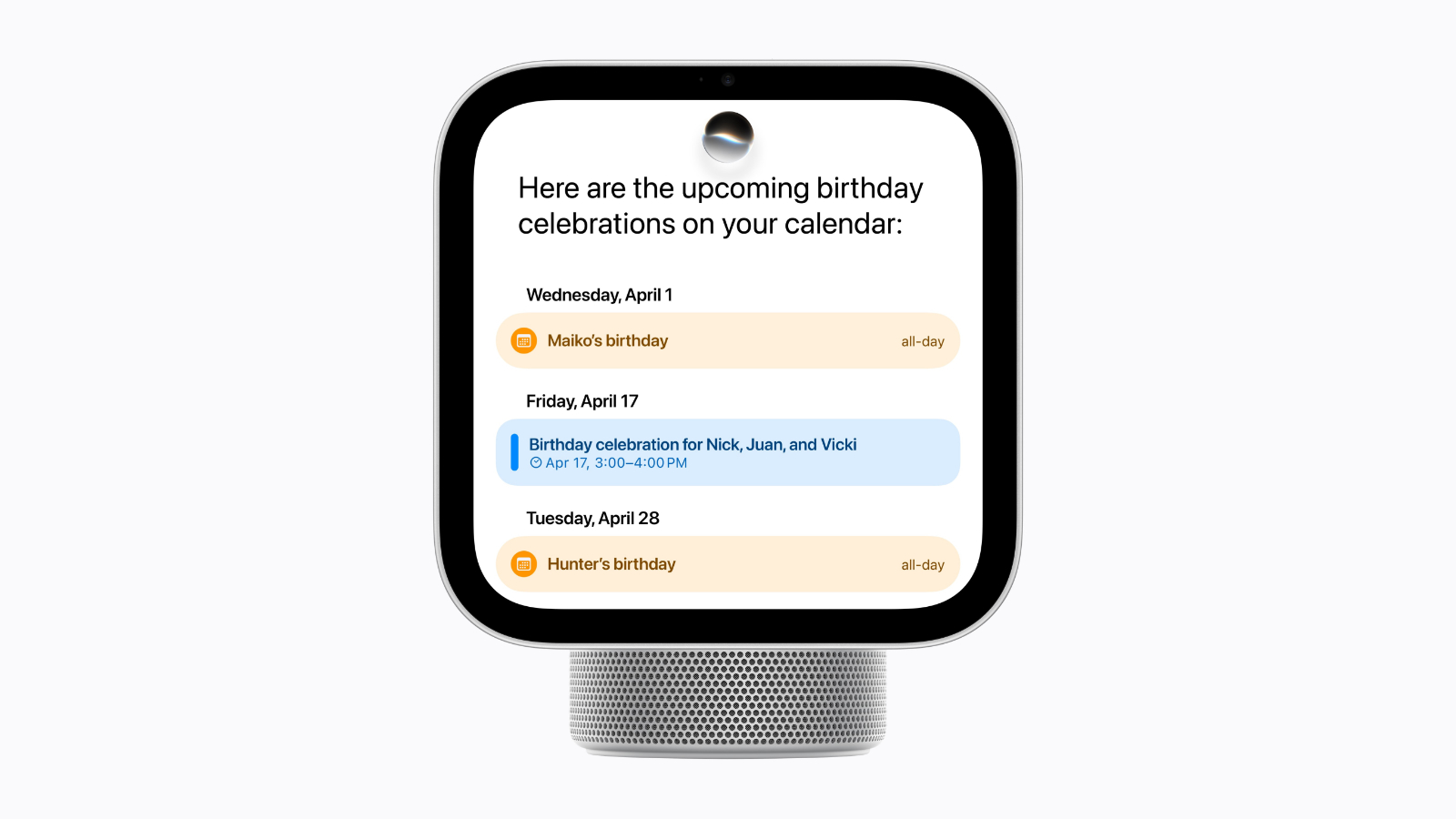
The device recognizes up to six people, giving each their own Home Screen with personalized apps and widgets. Apple says personal content stays private to each user, while shared photo albums and music can remain available to everyone in the household, including guests.
For content from apps such as Messages and Calendar to appear, HomeView must recognize the enrolled user's face, and their paired iPhone or iPad normally needs to be present and recently unlocked.
There is an exception when the paired iPhone or iPad disconnects from Wi-Fi. Personal information may remain accessible if the HomeView still recognizes the user and the paired device was recently connected to the same Wi-Fi network, has an active cellular connection, remains in the same location, and has been recently unlocked.
The HomeView's A18 chip includes Secure Exclaves, which is a protected processing environment that handles camera and microphone data separately from the rest of the system. Apple says isolation features across the chip prevent other components from accessing these environments. According to the company, data processed and analyzed within the Secure Exclaves cannot be accessed by HomeView's software, apps, users, or Apple itself.
Siri requests have their own privacy protections. The HomeView can handle requests on the device or use Private Cloud Compute, Apple's system for processing requests in the cloud. Apple says data processed through Private Cloud Compute is neither stored nor made accessible to Apple or anyone else.
The HomeView also works with compatible smart home cameras to provide end-to-end encrypted recognition of people, familiar faces, pets, packages, and vehicles with a supported iCloud+ subscription.
This article, "Apple's HomeView Touts These 5 Privacy Features" first appeared on MacRumors.com
Discuss this article in our forums
The device recognizes up to six people, giving each their own Home Screen with personalized apps and widgets. Apple says personal content stays private to each user, while shared photo albums and music can remain available to everyone in the household, including guests.
For content from apps such as Messages and Calendar to appear, HomeView must recognize the enrolled user's face, and their paired iPhone or iPad normally needs to be present and recently unlocked.
There is an exception when the paired iPhone or iPad disconnects from Wi-Fi. Personal information may remain accessible if the HomeView still recognizes the user and the paired device was recently connected to the same Wi-Fi network, has an active cellular connection, remains in the same location, and has been recently unlocked.
The HomeView's A18 chip includes Secure Exclaves, which is a protected processing environment that handles camera and microphone data separately from the rest of the system. Apple says isolation features across the chip prevent other components from accessing these environments. According to the company, data processed and analyzed within the Secure Exclaves cannot be accessed by HomeView's software, apps, users, or Apple itself.
Siri requests have their own privacy protections. The HomeView can handle requests on the device or use Private Cloud Compute, Apple's system for processing requests in the cloud. Apple says data processed through Private Cloud Compute is neither stored nor made accessible to Apple or anyone else.
The HomeView also works with compatible smart home cameras to provide end-to-end encrypted recognition of people, familiar faces, pets, packages, and vehicles with a supported iCloud+ subscription.
Related Roundup: Apple HomeView
Tag: Apple Privacy
Buyer's Guide: HomeView (Buy Now)
Related Forum: HomePod, HomeView, CarPlay – Home & Auto Tech
This article, "Apple's HomeView Touts These 5 Privacy Features" first appeared on MacRumors.com
Discuss this article in our forums