Anmelden
MacRumors Giveaway: Win an iPad Air and Revamped Rock Paper Pencil Kit From Astropad
04. September 2026 um 19:41
For this week's giveaway, we've once again teamed up with Astropad to offer MacRumors readers a chance to win an M4 iPad Air, an Apple Pencil Pro, and an Astropad Rock Paper Pencil kit to use with it.
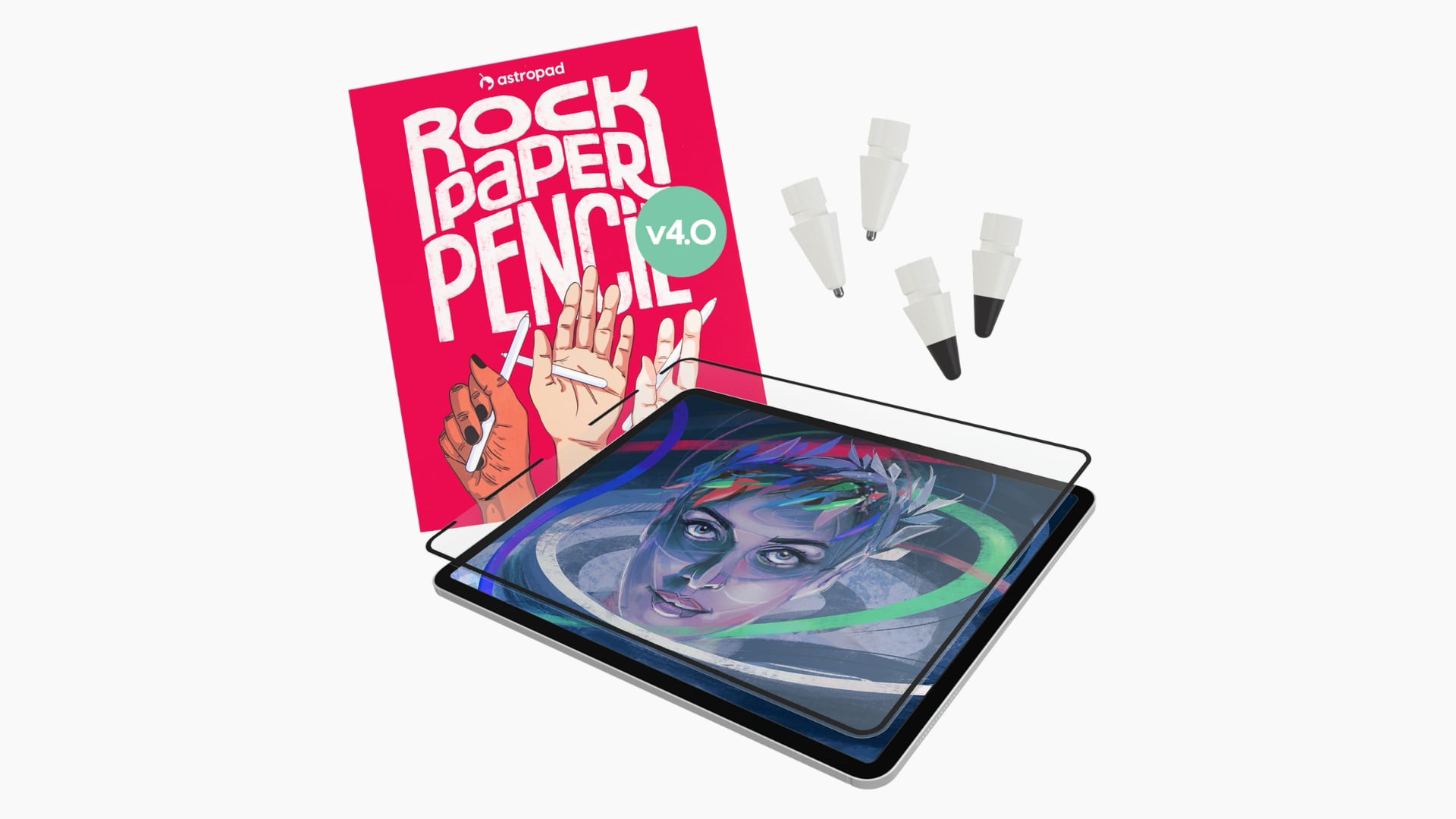
The $49.99 Rock Paper Pencil is a screen protector and Apple Pencil tip combo that makes writing on your iPad feel like writing on a piece of paper instead of a slippery glass display. It's a more comfortable and natural writing and drawing experience.
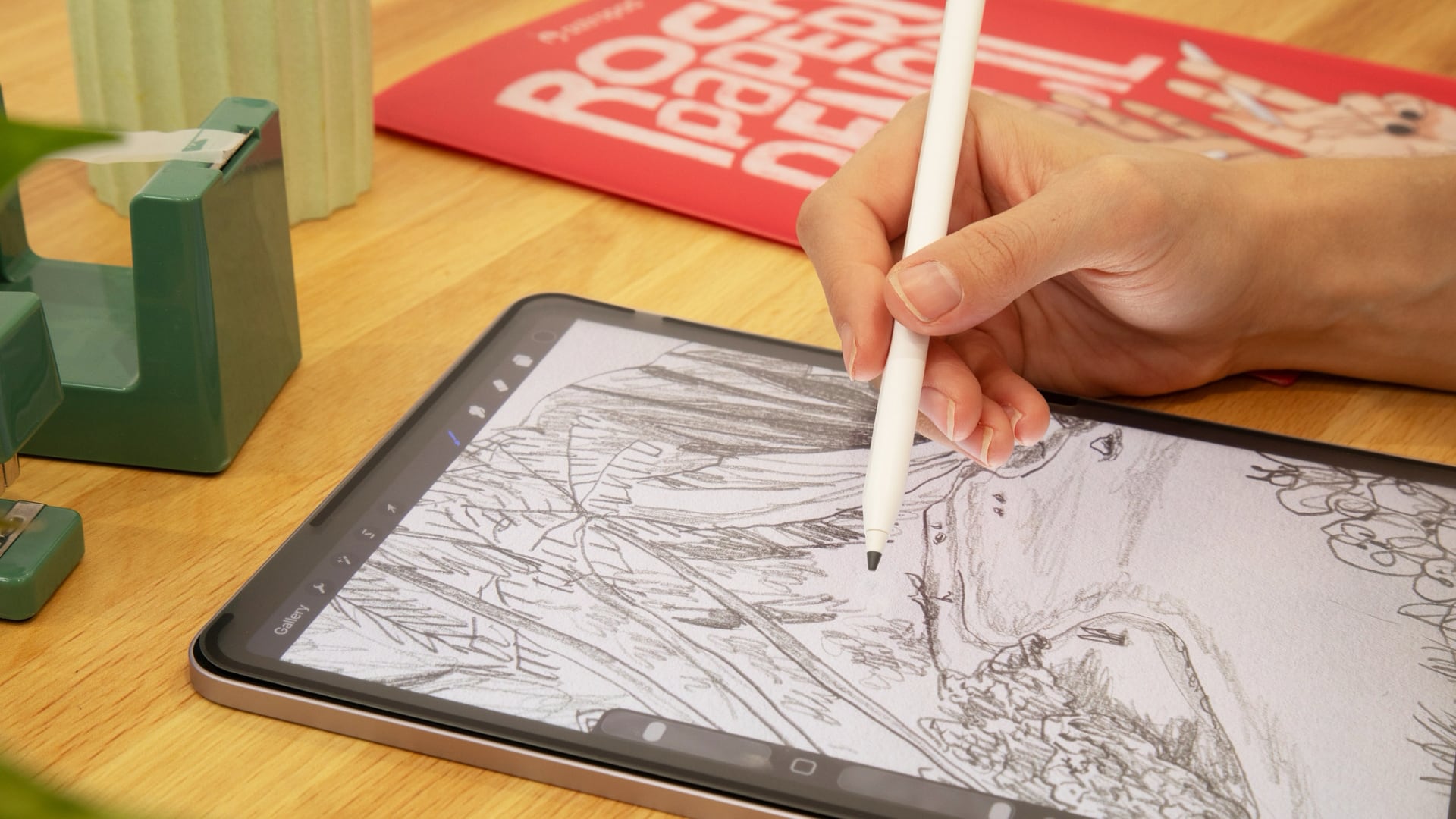
A non-adhesive paper-textured screen protector attaches to the iPad's display, with a custom tip added to the Apple Pencil. The paper-like feel of the screen comes from a microscopic texture that adds friction to improve control.
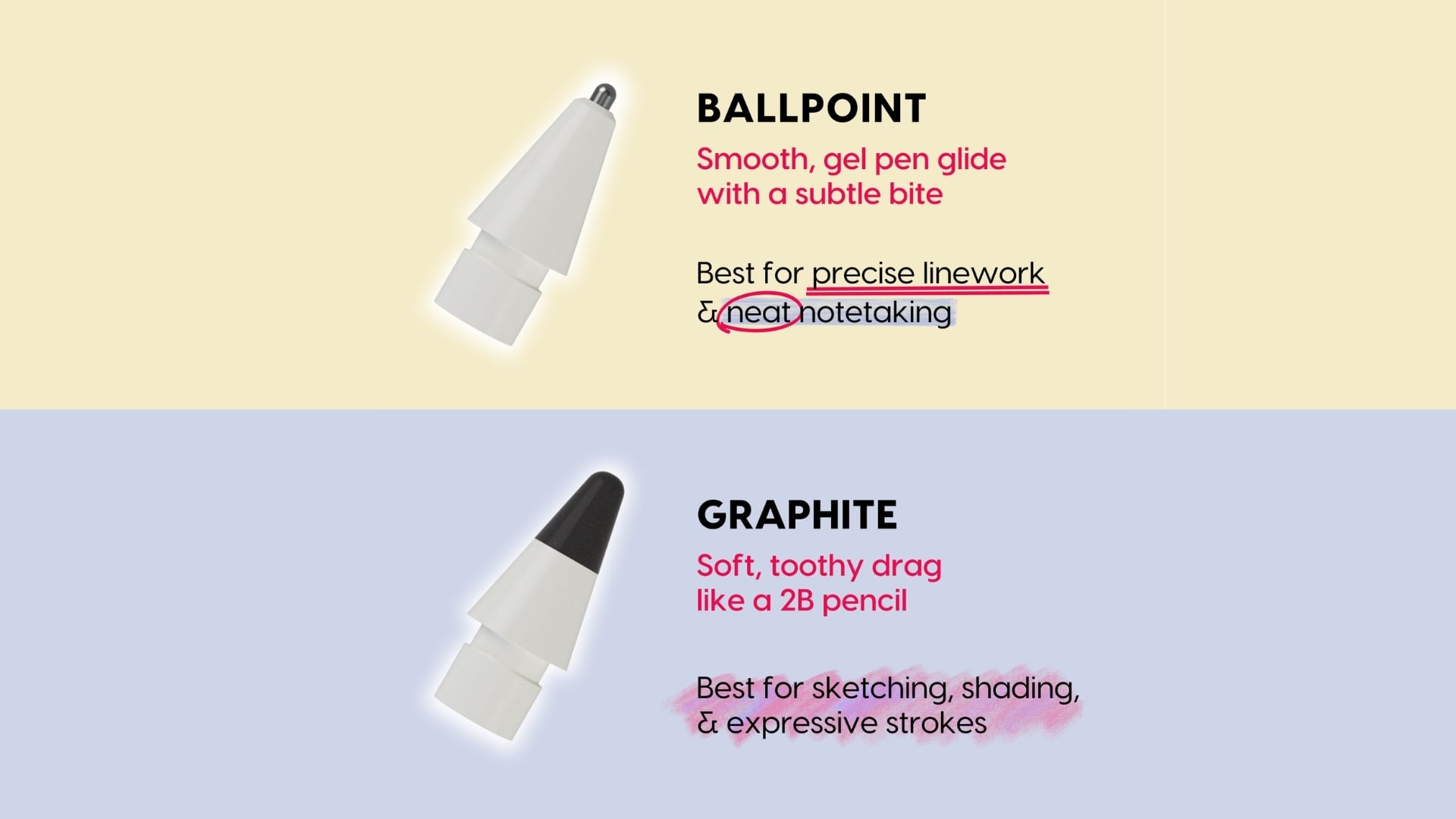
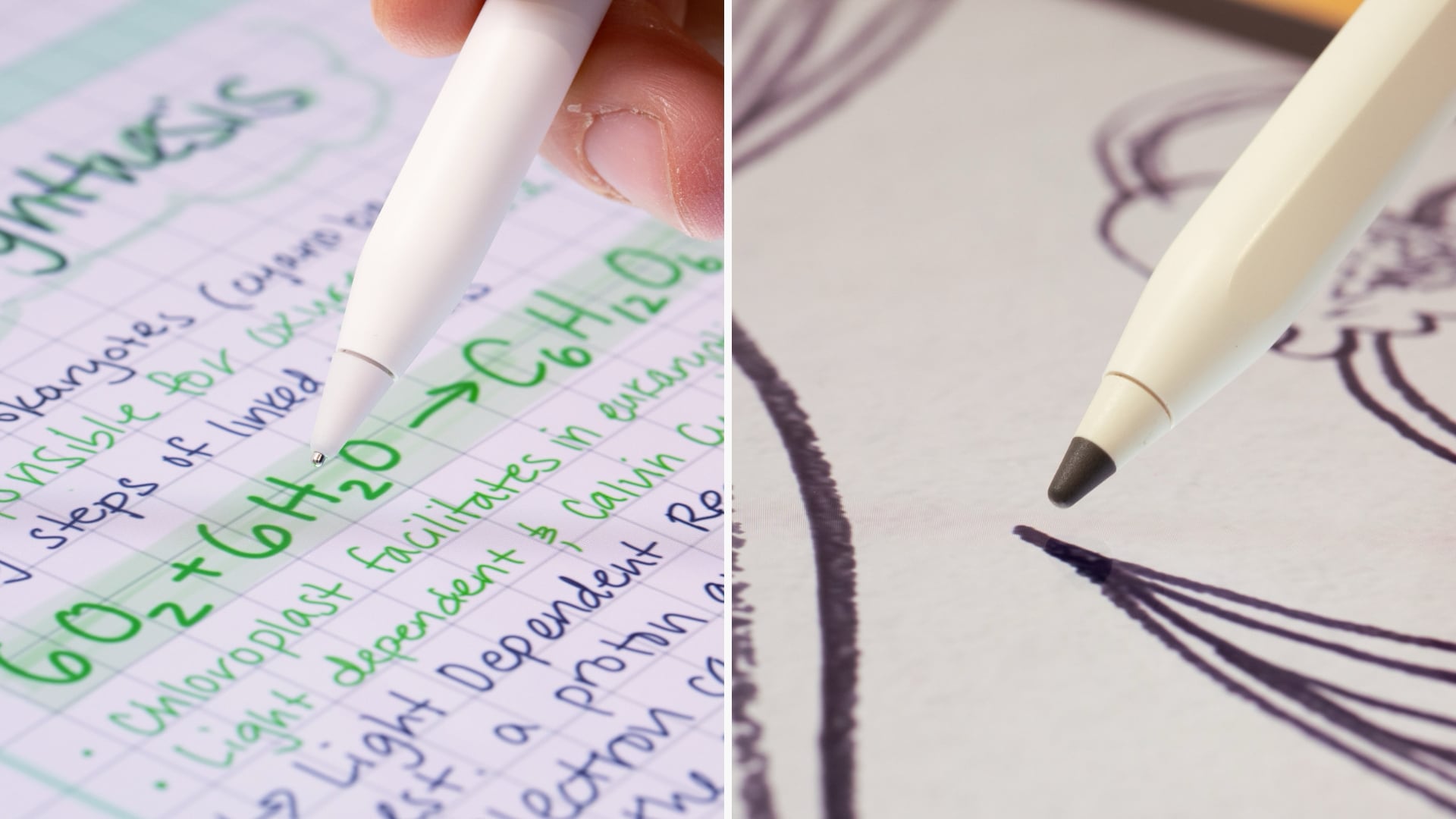
Astropad this week launched the fourth iteration of Rock Paper Pencil, and it now comes with tips that have a different feel. There's a new graphite tip that's meant to feel like writing with a 2B pencil, which Astropad says is ideal for sketching and shading. It even sounds like writing with a pencil on paper when you use it. There's also a ballpoint tip that feels like using with a smooth gel pen. It's ideal for writing and linework. Two of each kind of tip are included in the kit.
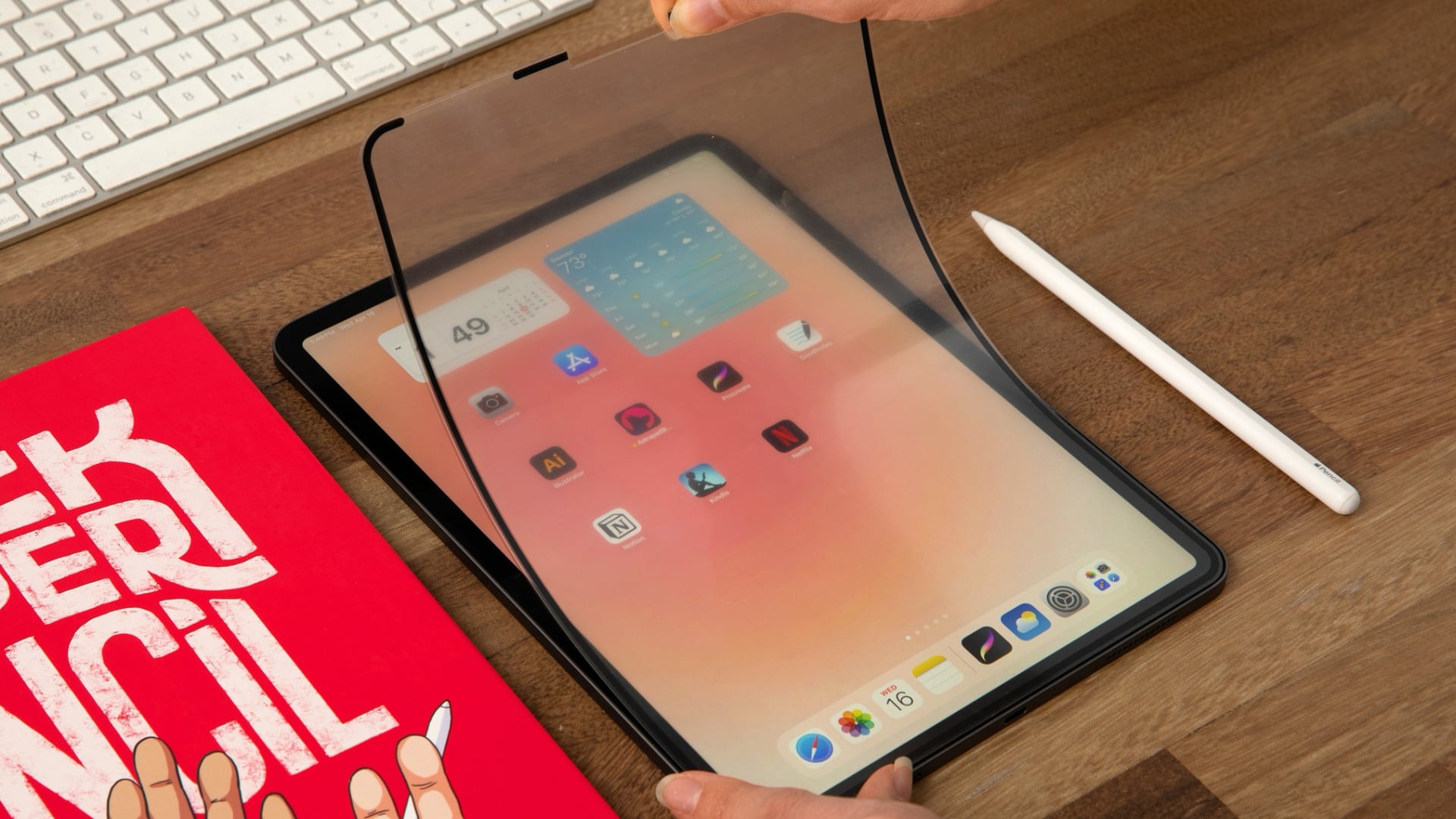
When you want to use your iPad for watching videos or playing games, you can take off the screen protector and store it away in a protective sleeve. It attaches to the iPad with Astropad's NanoCling technology, so there's no adhesive to deal with.
For those who dislike the unnatural feel of writing or drawing on a glass surface with a plastic Apple Pencil tip, Rock Paper Pencil is worth checking out.
Rock Paper Pencil is compatible with all of Apple's M2, M3, M4, and M5 iPads, as well as many older iPads.
We have a Rock Paper Pencil kit, an M4 iPad Air, and an Apple Pencil Pro for one lucky MacRumors reader. To enter to win, use the widget below and enter an email address. Email addresses will be used solely for contact purposes to reach the winner(s) and send the prize(s). You can earn additional entries by subscribing to our weekly newsletter, subscribing to our YouTube channel, following us on Twitter, following us on Instagram, following us on Threads, or visiting the MacRumors Facebook page.
Due to the complexities of international laws regarding giveaways, only U.S. residents who are 18 years or older, UK residents who are 18 years or older, and Canadian residents who have reached the age of majority in their province or territory are eligible to enter. All federal, state, provincial, and/or local taxes, fees, and surcharges are the sole responsibility of the prize winner. To offer feedback or get more information on the giveaway restrictions, please refer to our Site Feedback section, as that is where discussion of the rules will be redirected.The contest will run from today (September 4) at 9:00 a.m. Pacific Time through 9:00 a.m. Pacific Time on September 11. The winner will be chosen randomly on or shortly after September 11 and will be contacted by email. The winner will have 48 hours to respond and provide a shipping address before a new winner is chosen.
This article, "MacRumors Giveaway: Win an iPad Air and Revamped Rock Paper Pencil Kit From Astropad" first appeared on MacRumors.com
Discuss this article in our forums
The $49.99 Rock Paper Pencil is a screen protector and Apple Pencil tip combo that makes writing on your iPad feel like writing on a piece of paper instead of a slippery glass display. It's a more comfortable and natural writing and drawing experience.
A non-adhesive paper-textured screen protector attaches to the iPad's display, with a custom tip added to the Apple Pencil. The paper-like feel of the screen comes from a microscopic texture that adds friction to improve control.
Astropad this week launched the fourth iteration of Rock Paper Pencil, and it now comes with tips that have a different feel. There's a new graphite tip that's meant to feel like writing with a 2B pencil, which Astropad says is ideal for sketching and shading. It even sounds like writing with a pencil on paper when you use it. There's also a ballpoint tip that feels like using with a smooth gel pen. It's ideal for writing and linework. Two of each kind of tip are included in the kit.
When you want to use your iPad for watching videos or playing games, you can take off the screen protector and store it away in a protective sleeve. It attaches to the iPad with Astropad's NanoCling technology, so there's no adhesive to deal with.
For those who dislike the unnatural feel of writing or drawing on a glass surface with a plastic Apple Pencil tip, Rock Paper Pencil is worth checking out.
Rock Paper Pencil is compatible with all of Apple's M2, M3, M4, and M5 iPads, as well as many older iPads.
We have a Rock Paper Pencil kit, an M4 iPad Air, and an Apple Pencil Pro for one lucky MacRumors reader. To enter to win, use the widget below and enter an email address. Email addresses will be used solely for contact purposes to reach the winner(s) and send the prize(s). You can earn additional entries by subscribing to our weekly newsletter, subscribing to our YouTube channel, following us on Twitter, following us on Instagram, following us on Threads, or visiting the MacRumors Facebook page.
Due to the complexities of international laws regarding giveaways, only U.S. residents who are 18 years or older, UK residents who are 18 years or older, and Canadian residents who have reached the age of majority in their province or territory are eligible to enter. All federal, state, provincial, and/or local taxes, fees, and surcharges are the sole responsibility of the prize winner. To offer feedback or get more information on the giveaway restrictions, please refer to our Site Feedback section, as that is where discussion of the rules will be redirected.The contest will run from today (September 4) at 9:00 a.m. Pacific Time through 9:00 a.m. Pacific Time on September 11. The winner will be chosen randomly on or shortly after September 11 and will be contacted by email. The winner will have 48 hours to respond and provide a shipping address before a new winner is chosen.
Related Roundup: iPad Air
Buyer's Guide: iPad Air (Buy Now)
Related Forum: iPad
This article, "MacRumors Giveaway: Win an iPad Air and Revamped Rock Paper Pencil Kit From Astropad" first appeared on MacRumors.com
Discuss this article in our forums