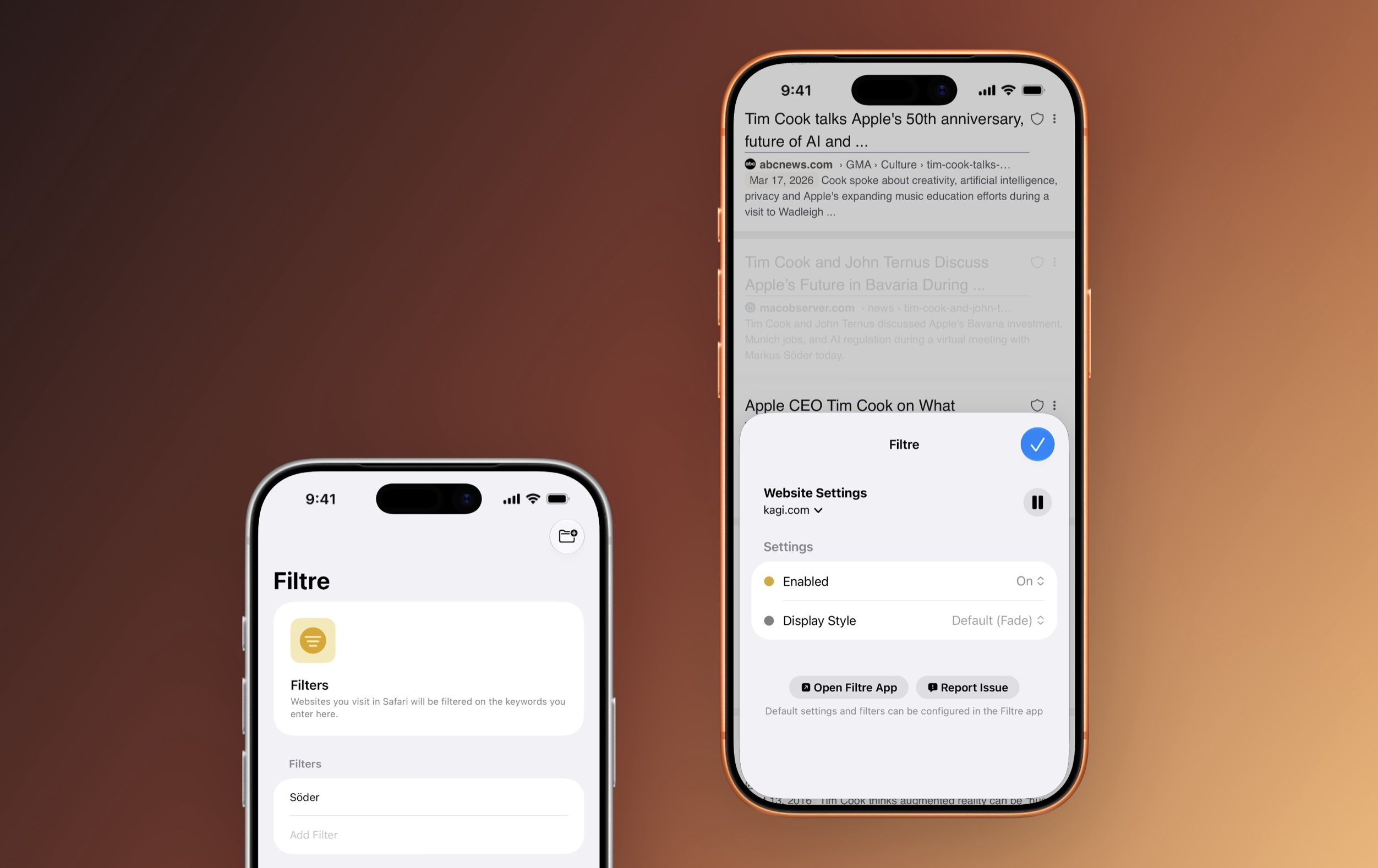
Jedes soziale Netzwerk besitzt die Möglichkeit, bestimmte Begriffe auszublenden – stummzuschalten. Jeffrey Kuiken (Noir) hat das mit Filtre als native Safari-Erweiterung fürs Web umgesetzt.
Dabei verschwinden nicht nur die explizit gewählten Schlüsselwörter, sondern auch der Kontext drumherum – etwa ein Nachrichtenartikel, der dann ausgegraut erscheint. Es gibt auch eine Option, diesen Kontext komplett zu verstecken; mir gefällt die optische Abwertung aber besser.
Von diesen Filtern könnt ihr einzelne Webseiten explizit ausklammern, wie etwa eine Suchmaschine. Unerwünschte Begriffe tauchen dann dort auf, müssen aber nicht in Nachrichtenportalen ertragen werden.
Das hat natürlich seine Grenzen: Filtert man „WM“, sieht man weiterhin alle Erwähnungen, die lediglich „das Turnier“ erwähnen – logisch.
Die Perfektion soll euch aber nicht im (Web-)Weg stehen: Einzelne Begriffe weitgehend ausklammern zu können – sei es temporär oder dauerhaft –, kann ganz persönliche Gründe haben, die eine App wie Filtre mit ihrem Angebot ernst nimmt.
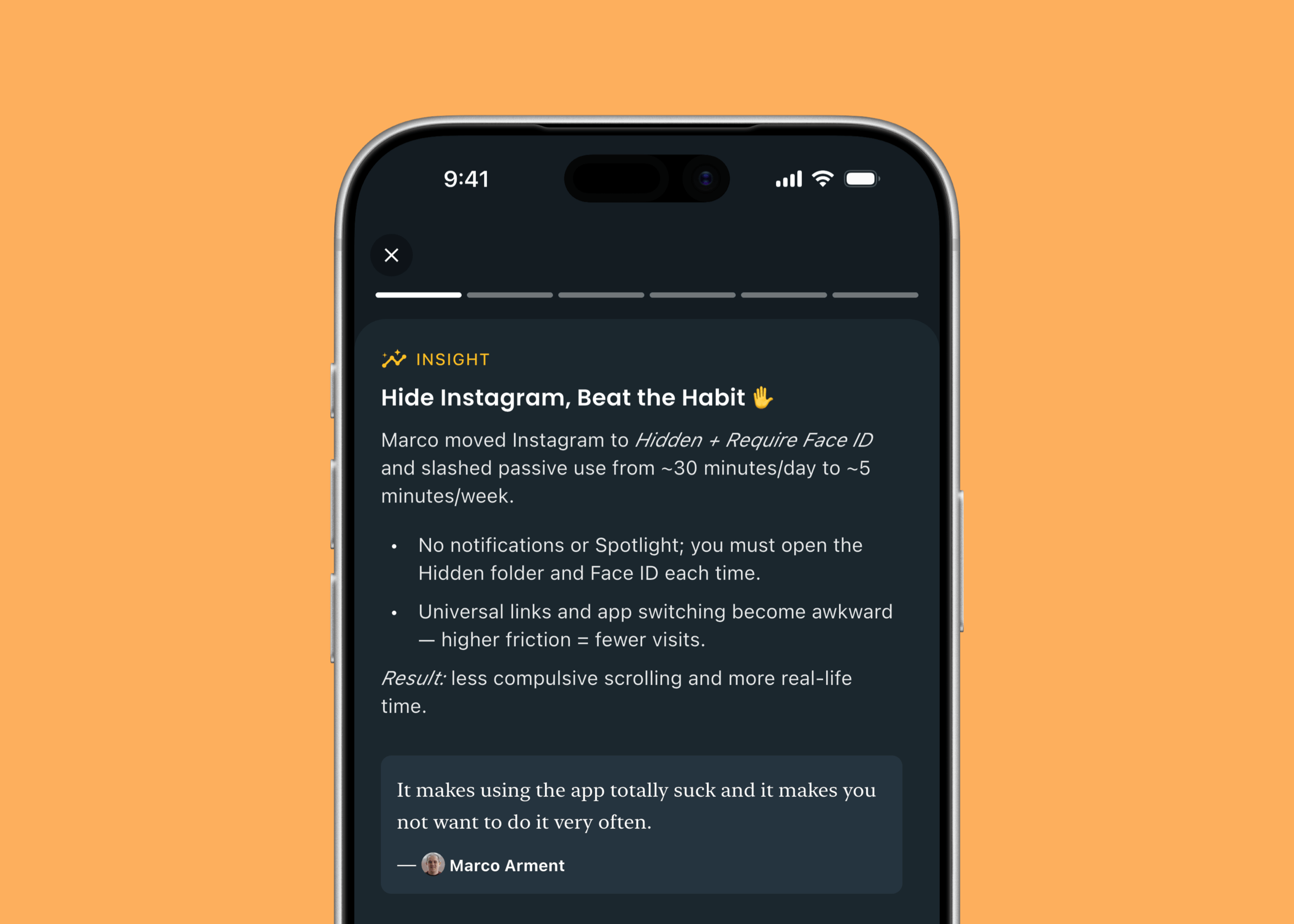
Ausgeblendete Apps tauchen nicht im App-Umschalter auf. Das ist so … positiv frustrierend, dass man die so verborgenen Apps schlicht nicht mehr benutzen will.
XChat, the standalone app for accessing X's messaging feature, is available to download now for iOS. X first suggested it would be stripping direct messaging from X in 2025, but at least for now, XChat is available in the original X app, the web and this new app.
Based on its launch video, the new XChat app offers many of the elements of modern messaging X had already introduced to its chats feature, like the ability to delete and edit messages, block screenshots and send disappearing messages. The new XChat app also supports video and audio calls, and X claims that all messages sent with XChat are end-to-end encrypted.
XChat will also be expected to be the home of any groups that formed around X's Communities feature. The social platform recently announced that it was retiring Communities at the end of May, and suggested that XChat's support for larger group chats could be a worthwhile alternative. XChat's group chats can currently have 350 participants, but X plans to expand that number in the future.
Elon Musk's original pitch after he rebranded Twitter as X, was to turn the platform into an "everything app," where things like an algorithmic feed, messaging, job boards and even payments could exist side-by-side. A standalone messaging app seems like the exact opposite of that, but it might also reflect where X finds itself in 2026. The company is now a subsidiary of xAI, and xAI itself is part of SpaceX. Musk's push into AI appears to be the going concern, and cloning something like WeChat might just be less important.
This article originally appeared on Engadget at https://www.engadget.com/apps/xchat-the-standalone-app-for-messaging-on-x-is-available-on-ios-now-214826886.html?src=rss
Cash App, the banking and payments app run by Block, has added support for parent-managed kids accounts. The new accounts include key benefits from the service's normal account, with an eye towards teaching financial literacy to younger users ages 6 to 12. Cash App first allowed teenage users on its platform in 2021.
As part of the "expanded Cash App Families experience," eligible legal guardians and parents can create managed accounts that offer "a dedicated place on the platform to send allowances, set aside savings, and track spending for their child, kickstarting their path to financial independence," Cash App says. Adults managing these accounts will be able to set up recurring transfers, see how their child is spending and do things like lock their child's account to prevent transactions. Kids will get a custom debit card and the ability to receive payments from up to five trusted accounts, though notably they won't be able to access Cash App itself.
Today, we're launching Cash App accounts for kids age 6-12. Parents manage the accounts. Kids get to learn about safety, start saving for goals, and design and use their own debit card.
Cash App says managed accounts are designed for kids 6 through 12. Once those kids turn 13, Cash App says parents will be able to choose to convert their account to a "sponsored account" to unlock more features, like the ability to send and receive payments, invest in stocks or trade crypto. Those sponsored accounts are technically still monitored and controlled by a parent or legal guardian, but they do give 13-year-olds more control over how they use their money.
A parent-managed account for kids is not a new idea in the fintech space, though Cash App is trying to reach a younger audience than some of its competitors. Venmo rolled out access to its payment platform to teens between the ages of 13 to 17 in 2023. Separately, both Apple and Google also offer their own kids accounts in Google Wallet and Apple Cash Family.
This article originally appeared on Engadget at https://www.engadget.com/apps/cash-app-now-supports-accounts-for-kids-6-12-210651025.html?src=rss
Meta is starting to test a long-overdue facelift for Threads on web. The company's head of Threads Connor Hayes showed off a new look for the web version of Threads that finally adds direct messaging and makes it easier to navigate between multiple feeds.
The new layout adds a bunch of new shortcuts to the site's left rail, including saved posts, insights, activity, and the ability to move between different feeds. Those features have all been accessible on web before, but many were hard to find. For example, the only way to currently get to "insights" is to navigate to your own profile or save it as a "pinned" column. Most importantly, though, the update finally adds the Threads inbox, which has not been available to web users even though the feature was added to the app last June.
It's not clear when the new look will roll out, but Hayes said Meta has already started to test it and that the company will "be investing more here going forward." The last time the Threads website got a major update was last April, which added some basic functionality. But since then, Meta has focused much of its efforts on the Threads app, rather than the website. Some newer features, like disappearing "ghost posts," are able to be viewed on the web but can only be created in the app.
Speaking of the Threads app, the web updates come one day after Hayes previewed some tweaks to how replies look on mobile. With the change, replies under a post will be indented slightly to make it easier to follow conversations. That change is rolling out now on iOS and currently "testing" on Android.
This article originally appeared on Engadget at https://www.engadget.com/social-media/meta-is-giving-threads-on-web-a-redesign-that-finally-adds-direct-messages-192903284.html?src=rss
Google has fully integrated NotebookLM, its AI-powered research tool, into the Gemini app. The company launched a standalone NotebookLM app last year, but as it said in its announcement, “keeping track of everything can be a challenge.” It added NotebookLM as a source in the Gemini app last year, but now you can create notebooks right inside the chatbot.
You can now find the option to create a new notebook in Gemini’s side panel and then select “Add sources” that the tool can use, such as PDFs, documents, website URLs, YouTube videos and even copy-pasted text. NotebookLM will use information from those sources to create a searchable repository of information for you, and you can ask Gemini to create things like reviewers, infographics and video and audio overviews that turn your uploaded information into an easy-to-understand format. Take note, however, that Google warns users within the NotebookLM interface that it can be inaccurate, and that it’s best if you double-check information it puts out.
The company is rolling out NotebookLM’s full integration into Gemini this week for Google AI Ultra, Pro and Plus subscribers on the web. It will be available on mobile, in more locations and to free users over the coming weeks.
This article originally appeared on Engadget at https://www.engadget.com/ai/google-bakes-notebooklm-its-research-tool-into-gemini-101850634.html?src=rss
Meta has released a new version of WhatsApp for CarPlay that has much better integration that its previous version. As MacRumors and9to5Macreport, the new app gives users access to a native interface. The old WhatsApp for CarPlay is mostly limited to Siri-operated features. Users can, for instance, ask Siri to compose messages or place calls for them. The new interface has a contact info section, where they can see the profiles of people saved in their account, as well as a favorite contacts section that makes it easy to find users they usually message or call.
Users can also find a list of their recent chats and call history within the app. Plus, they’ll see new shortcut buttons for sending messages via dictation or for placing a call, in case they don’t want or can’t give verbal Siri commands. Meta has been beta testing the new app since at least last week. Now that it’s available, users can have access to all the features we’ve listed by updating their iOS app and connecting to their infotainment systems. OpenAI also recently rolled out ChatGPT's Voice mode to CarPlay, allowing drivers to hold a conversation with the chatbot while on the road.
This article originally appeared on Engadget at https://www.engadget.com/apps/whatsapp-adds-a-better-native-interface-for-carplay-112127361.html?src=rss
 Anmelden