ASUS is often best when it's weird, and this year at CES 2026 the company decided to resurrect one of its weirdest laptops ever: the ROG Zephyrus Duo. Unlike the last model from 2023 that had a smallish, tilting second screen, the 2026 model rocks massive dual 16-inch OLED displays that should make it an ideal content creation and gaming machine. ASUS has now opened up pre-orders for the Zephyrus Duo and revealed that pricing will start at a breathtaking $4,500.
The Zephyrus Duo is the "world's first 16-inch dual-screen gaming laptop," according to ASUS. It boasts a pair of 3K HDR OLED touchscreens that offer a combined 21 inches of diagonal screen space. They're DisplayHDR True Black 1000 certified, and can each hit 1,100 nits of peak HDR brightness. Both offer a 120Hz refresh rate and 0.2ms response time, though only the main screen supports NVIDIA G-Sync.
ASUS
Another important piece is the detachable magnetic Bluetooth keyboard. Despite the thin 5.1mm profile, it offers a generous 1.7mm of key travel and ultra-large touchpad. With the two hinging touch displays and the keyboard, it offers five dedicated operation modes. Dual Screen mode removes the keyboard altogether, Laptop mode provides a standard 16-inch screen and keyboard setup, Sharing mode sets the Duo flat at 180 degrees, Book mode sets both screens in a portrait orientation, and Tent mode has the hinge forming an A-frame.
There's a lot of power under the hood, with a 16-core Intel Core Ultra 9 386H processor paired with an NVIDIA GeForce RTX 5070 or RTX 5090 laptop GPU with a max TGP of 135 watts. The latter is NVIDIA's flagship mobile GPU with the latest AI and gaming features including DLSS 4, frame generation and fourth-gen ray-tracing cores. It also comes with a redesigned motherboard and larger vapor chamber, along with dual fans to keep things cool.
All of that is housed in a CNC-milled aluminum chassis with a new "Stellar Grey" colorway and "Slash" lighting array with 35 discrete zones. The Zyphyrus Duo is now available for pre-order from ASUS or partners including Newegg starting at $4,500 for the RTX 5070Ti version or (brace for it) $5,500 for the RTX 5090 version. Both models come with 32GB of memory and 1TB of PCIe 5.0 storage.
This article originally appeared on Engadget at https://www.engadget.com/computing/laptops/asus-dual-screen-rog-zephyrus-duo-is-now-on-pre-order-starting-at-4500-130041463.html?src=rss
Framework’s Laptop 13 Pro may be the star of today’s launch, but it is by no means the only product the company is unveiling. We’re also seeing some quality-of-life upgrades for the Laptop 16, a new wireless keyboard and a carrying case. Plus, it’s addressing something a vast number of its own users have demanded for a while: A 10GB Ethernet expansion card.
Laptop 16
Framework
The top deck of the Laptop 16 is sufficiently customizable that you can cram in any number of modules alongside the keyboard and trackpad. If you want an area blank, then you can just put in the requisite spacer, but that creates an unintended problem for some users. CEO Nirav Patel admitted the areas where the modules sit side-by-side can trap some people’s arm hairs, leading to some unplanned depilations when they move away from the deck. To solve this, the company is releasing a new all-in-one trackpad and all-in-one keyboard cover. The trackpad has also been updated to the same haptic model found in the 13 Pro. Plus, it’s now available with a lower-end Ryzen 5 340 mainboard as a more affordable entry level model.
OCuLink Dev kit
At the back of the Laptop 16 is an expansion module slot that either holds a blank unit or the discrete graphics hardware. Last year, the company launched a module with an RTX 5070 inside and, now, it’s started thinking about using it for eGPUs as well. The OCuLink Dev Kit (pictured, above) is a prototype board using OCuLink 8i which can connect directly to your mainboard over its native PCIe lanes.
If you already own a blank module, you won’t need to buy a replacement either. Framework has ensured you can simply drop the OCuLink board into the slots of your existing one. As well as the board, the kit includes an OCuLink Dock that’ll let you slot in any off-the-shelf PCIe card — including GPUs, 100Gb Ethernet and video capture — and run it as if you had your very own desktop.
Sadly, it’s not yet ready for prime time and so far all the company has said is we’ll see more about the hardware “later this year.”
Wireless Touchpad Keyboard
Framework
“There’s one living room keyboard that everyone owns, that Logitech keyboard they haven’t updated in 15 years,” said Patel. “I’ve got two of them, polled the team, and a bunch of them all have the same keyboard,” he added. But Patel’s frustration drove him and his team to build their own, better model, which has been an idea since development work started on the Framework Desktop. It was only when the team learned that the Desktop was being used as a living room PC, however, that they actually brought it to market. It is, in fact, using the same excellent keyboard hardware as found on the Framework Laptop 12, repackaged for its all-in-one form.
Laptop Sleeve
Framework
Framework’s built a laptop sleeve containing extra pockets for your spare expansion cards and screwdriver. Patel said that the real focus was on ensuring the materials used had as small a carbon footprint as possible.
10Gb Ethernet Expansion Card
Framework / WisdPi
Rounding out the announcements is a 10Gb Ethernet expansion card for users who want a faster wired internet experience than the current 2.5Gb model. But this isn’t a Framework product per-se, but was designed and developed by hardware makers Wisdpi. Patel said the community is so passionate that they’re constantly looking at new chip and hardware announcements. They then head to the company’s forums to ask “Hey, like, can we get a Framework version of this?” he explained. The advent of a slender 10Gb Ethernet chip was enough to inspire one third-party developer to build an Expansion Card module to harness it. “Basically, we got in contact with them,” said Patel and offered some guidance to help build the module. And once it was finished, Framework is now acting as a reseller to enable the whole community to easily buy it. Patel admitted that a 10Gb Ethernet Card would inevitably cater to a fairly niche customer, but “love to see a third party come in and fill that gap.”
This article originally appeared on Engadget at https://www.engadget.com/computing/laptops/framework-is-building-an-egpu-kit-for-its-laptop-16-181516238.html?src=rss
Framework’s lineup of modular, repairable laptops has seen the company grow from a niche to the mainstream. Now, the company is launching a pro version of its 13-inch laptop, but it’s still held close to all of its principles. Because while this all-new version has plenty of bells and whistles, almost all of its components are still instantly compatible with the rest of the range. You can take a part from this new 13 Pro, and install it into the first-generation 13 launched back in 2021 without much fuss.
Framework Laptop 13 Pro is touted as a “ground up redesign” of the existing 13, taking into account feedback from its dedicated and passionate users. That includes a far bigger battery, new chassis, new memory, haptic trackpad and a custom touch display. It also comes in black and, even in the press images, it’s immediately clear it’s a better color for the company’s austere industrial design. CEO Nirav Patel smiled knowingly when I said it’s immediately evocative of a ThinkPad, and I mean that in the most complimentary way.
Framework
The biggest change has been to boost the battery to 74Wh to address gripes about longevity. It’s the second time Framework has boosted the cell size, which started at 55Wh and presently runs to 61Wh. To make the battery fit, the bottom of the chassis has been redesigned, filling out the chamfers present on the existing 13. Framework says the Pro’s lifespan will hit 20 hours of uptime while streaming Netflix in 4K, and says it’ll post the videos to YouTube to prove it.
Given the redesigned lower chassis, the new battery is the one part you can’t simply drop into an older machine. “You’ll need the new bottom cover to fit,” explained Patel, “but because we’ve also increased the thickness of the battery, you have to switch over to the new input cover that has the haptic trackpad.” Patel added while you may need to pair up some parts from upgrades, there’s no component that you can’t retrofit. The new chassis means the speakers are now side-firing, and are now Dolby Atmos-certified.
The bigger battery is working in tandem with Intel’s new Core Ultra Series 3 chips which promise to be incredibly efficient. Both Intel and Framework are sure the Panther Lake silicon is going to sip at that beefy battery, but with enough grunt to play AAA games. Users will get the pick of a Core Ultra 5, X7 or X9, with the promise all of them will be able to eat a game like Cyberpunk 2077 for breakfast, lunch and dinner. At the same time, the Pro will also launch with an AMD Ryzen AI 300 series mainboard option, which are the same mainboards found on the 2025 Laptop 13.
Framework
The last major shift has been in the RAM, going from regular SO-DIMMs to LPCAMM2. The newer hardware design enables the use of LPDDR5X RAM with its better power efficiency and faster memory bandwidth. And it’s not soldered to the board, so you can add in more at some unspecified future date. Which is important if, I dunno, for some reason the global RAM market suddenly crunches and you need to mortgage a kidney for a single stick.
Naturally, I wanted to know how this would impact the laptop’s thermals, Framework’s weak spot. Patel said the mainboard’s cooling has been tweaked (once again), this time with some extra help from Intel. He added the Pro he was using to run our call hadn’t spun up its fans in half an hour which, for a Framework, is a big deal. As always, I’ll reserve judgment until I’ve seen the thing in person.
The Pro is also a way for Patel to fix some of the compromises the company had to make at its genesis. “As a startup six years ago, we just didn’t have access,” said Patel, “when we go to a display vendor [now] and say ‘we want a custom panel’ they say ‘okay, let’s talk specs’ rather than ‘who are you?”’ The 13 Pro ships with a 13.5-inch, 3:2, 2,880 x 1,920 touch display with a variable refresh rate between 30 and 120Hz. Its backlight pushes all the way to 700nits, it has a 1800:1 contrast ratio and per-unit color calibration.
I was surprised the 13 Pro has touch given it’s still a 13-inch productivity notebook without a wraparound hinge. “All the way back in 2021, when we first launched, we were getting asked for touch support,” said Patel. But the company was naturally resistant, assuming touch was an unnecessary addition for a machine of this class. It was only when building the Laptop 12 did the team find it to be quite useful. “It was a slam dunk. We know people want it, we used it on the 12, we like it and it doesn’t actually cost that much. Let’s just add it in,” said Patel.
Framework
Framework knows touchpads are a weak spot for Windows laptops when compared to those made by Apple. Consequently, the Pro 13 has a haptic touchpad with four piezo elements that, it’s hoped, will stand shoulder-to-shoulder with a MacBook Pro. The new input cover keeps the came keyboard and fingerprint sensor, wisely not touching a feature that isn’t broken and doesn’t need fixing. What is cool, however, is the more punky gray and black aesthetic on the keyboard that splits the difference between a ThinkPad and a cyberdeck. “A big part of this goes back to the idea to build the ultimate developer laptop,” said Patel.
Existing Framework owners may be concerned about how this will affect their machine’s longevity. The company might not like me saying, but to me, the Pro name is only meaningful if you’re buying a new machine off the shelf with the new features in one package. There’s nothing stopping you from upgrading your existing machine to match the pro in one go, or as your needs evolve. That’s fundamentally the company’s greatest strength, since it has committed to bringing every single one of its existing users along. But doesn’t make for the splashiest headlines when it comes to debut a new product.
Framework Laptop 13 Pro is available to pre-order today, with the first shipments due to start in June. The base-model pre-built Windows system will start at $1,699, while the DIY model will set you back $1,199.
This article originally appeared on Engadget at https://www.engadget.com/computing/laptops/framework-launches-the-laptop-13-pro-with-intels-new-panther-lake-chips-181503934.html?src=rss
Perplexity has just released Personal Computer. The software, which is available starting today for Mac, builds on the multi-model orchestration capabilities the company debuted with Perplexity Computer at the end of February. Like Claude Cowork (and, as of today, OpenAI Codex too), it's a suite of computer use agents that can work with your files, apps, connectors and the web to complete complex and "even continuous workflows."
Perplexity suggests a few different use cases for Personal Computer, starting with the obvious. “You can ask Personal Computer to read your to-do list,” the company states. “In fact, you can ask it to DO your to-do list." It explains you can open the Notes app on your Mac, ask Personal Computer for help and the system will reason how to best assist you. In the process of tackling that task, it can work across all your files, as well as apps like Apple Messages. When needed, it will also employ multiple agents to complete a request. Like Anthropic did with Claude Cowork, Perplexity says you can also use its software to organize messy folders so files feature sensible names and there's an easy-to-understand structure to everything.
You can prompt Personal Computer with your voice, and you can even initiate and manage tasks from your phone. Perplexity says the app creates files in a secure sandbox, and any actions it takes are auditable and reversible. "A system that acts on your behalf needs to be useful and legible. It should feel like a team you manage, not a rogue employee with keys to your most important data," the company said.
Personal Computer for Mac is available starting today, beginning with Max subscribers. Perplexity said it would bring the app to its other users soon, prioritizing those who joined the waitlist for the experience.
This article originally appeared on Engadget at https://www.engadget.com/ai/perplexity-brings-its-personal-computer-ai-assistant-to-mac-202045969.html?src=rss
Intel has unveiled its new Core Series 3 chips, the official title for its Wildcat Lake-codenamed series intended for mainstream and value-oriented laptops. Built using the same Intel 18A process as its Core Ultra Series 3 chips, they’re significantly more powerful than the previous generation and promise "exceptional battery life" and "boosted AI-ready performance."
Intel says the Core Series 3 offers up to 47 percent better single-thread performance and 41 percent better multi-thread performance, as well as 2.8x better GPU AI performance compared to a five-year-old PC. Stacked up against its last-gen Intel Core 7 150U processors, the new mobile chip uses up to 64 percent lower processor power and is capable of 2.7x AI GPU performance. In other words, expect more grunt and improved efficiency.
At the top end of the lineup sits the six-core Intel Core 7 360, which has a P-core Max Turbo frequency of 4.8GHz and NPU TOPS performance of 17. This scales down as you move through the other six-core options, and there’s also a five-core Core 3 processor at the entry level with a more modest GPU.
Intel promises all-day battery life, rated at 12.5 hours in the office and 18.5 hours for streaming from Netflix. As for connectivity, there’s support for Wi-Fi 7, Bluetooth 6 and two Thunderbolt 4 ports. The Core Series 3 chips will be making their way into a variety of laptops throughout 2026, including Acer’s Aspire Go 14, 15 and 16, the ASUS Vivobook 14/15/17 and ExpertBook B5 Flip, B3 G2 and P3 G2. The likes of Dell, Samsung and Lenovo will announce their own Core Series 3 devices in the near future.
This article originally appeared on Engadget at https://www.engadget.com/computing/laptops/intel-launches-new-core-series-3-chips-for-mainstream-laptops-164821846.html?src=rss
This generation of MacBook Pro might just be the last gasp of the 2021 remodel. It's still an incredibly powerful machine that's been honed to near-perfection, but if you're looking for something that feels truly new, it may be worth waiting several months.
It's not too surprising to see the M5 Pro and Max MacBook Pros be relatively low-key efforts. Apple launched the M5 14-inch MacBook last fall with a mere press release. But at least that model delivered a noticeable leap in graphics performance. The new M5 Pro and Max chips are a bit faster than before, but they don't really have any major features to call out. (Unless you're super excited about Neural Accelerators for AI work.)
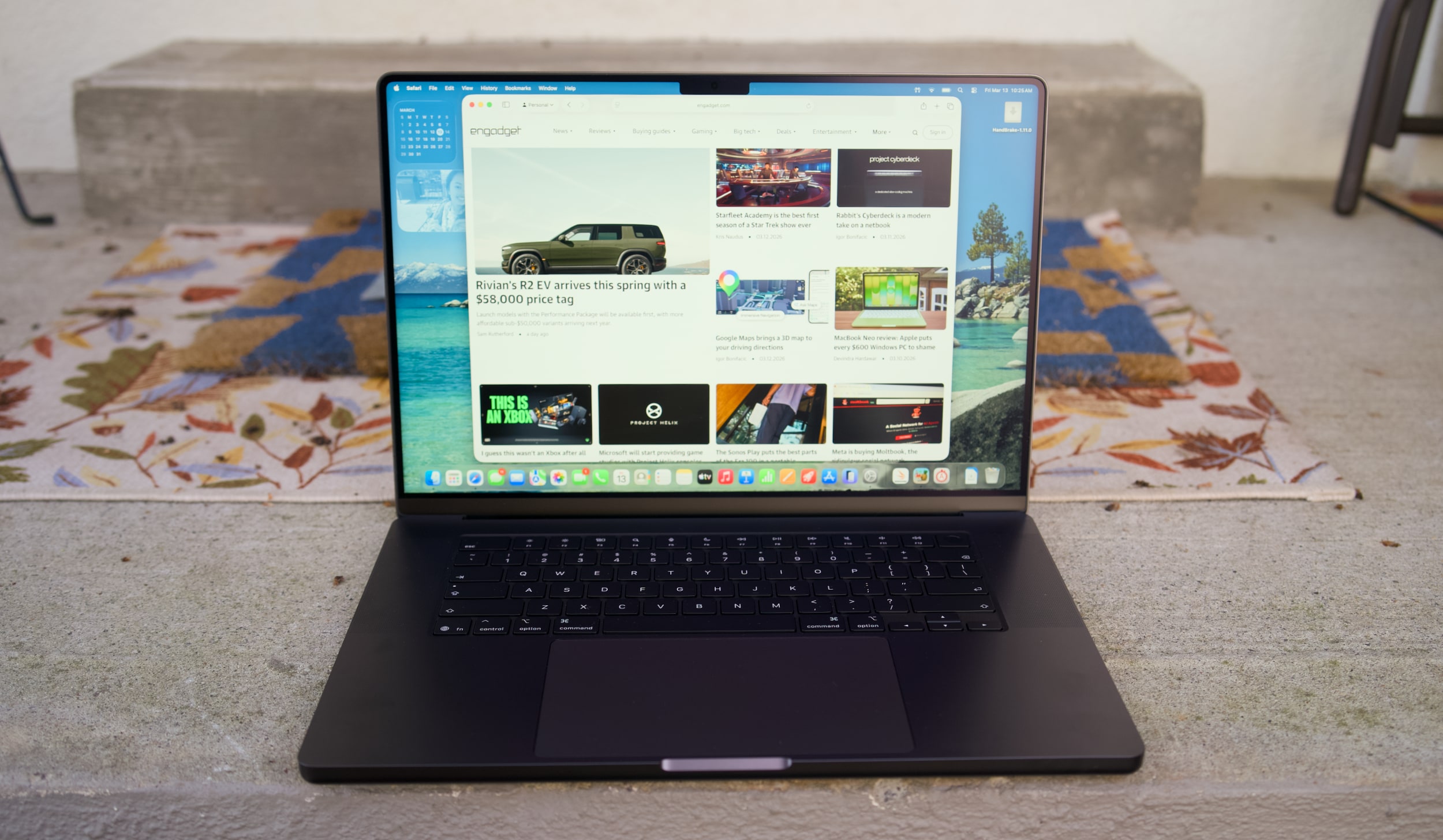
I don't want to sound like I'm complaining too much, though. The 16-inch M5 Max MacBook Pro I'm reviewing is still a gorgeous laptop, with an overall design that most premium Windows PC makers are still trying to copy. Apple's unibody metal frame design still feels rock solid. There's a generous amount of ports, including three Thunderbolt 5 USB-C connections, HDMI, a headphone jack and a SD card reader. Its 16-inch Liquid RetinaXDR screen also looks incredible, thanks to its bright Mini LED backlighting, and there's once again a nano-texture option to reduce glare.
What else could you want in a laptop? I suppose there's the lingering feeling that an OLED screen would look better, with sharper contrast and pure black levels. But you'd be hard pressed to find much else to complain about with the MacBook Pro's screen. I'm also intrigued to see how Apple implements a touchscreen interface alongside macOS in upcoming MacBook Pros, but I'll admit, I haven't really been compelled to touch this laptop's display much.
Touchscreens always seemed like a quixotic effort for laptops — they're nice to have, but Microsoft has been trying to shove them into PCs for 15 years now. The addition of touchscreens really didn't improve the overall Windows experience much. So I wasn't surprised to see Apple take its time bringing the technology to macOS — if you really want to swipe around screens, just get an iPad.
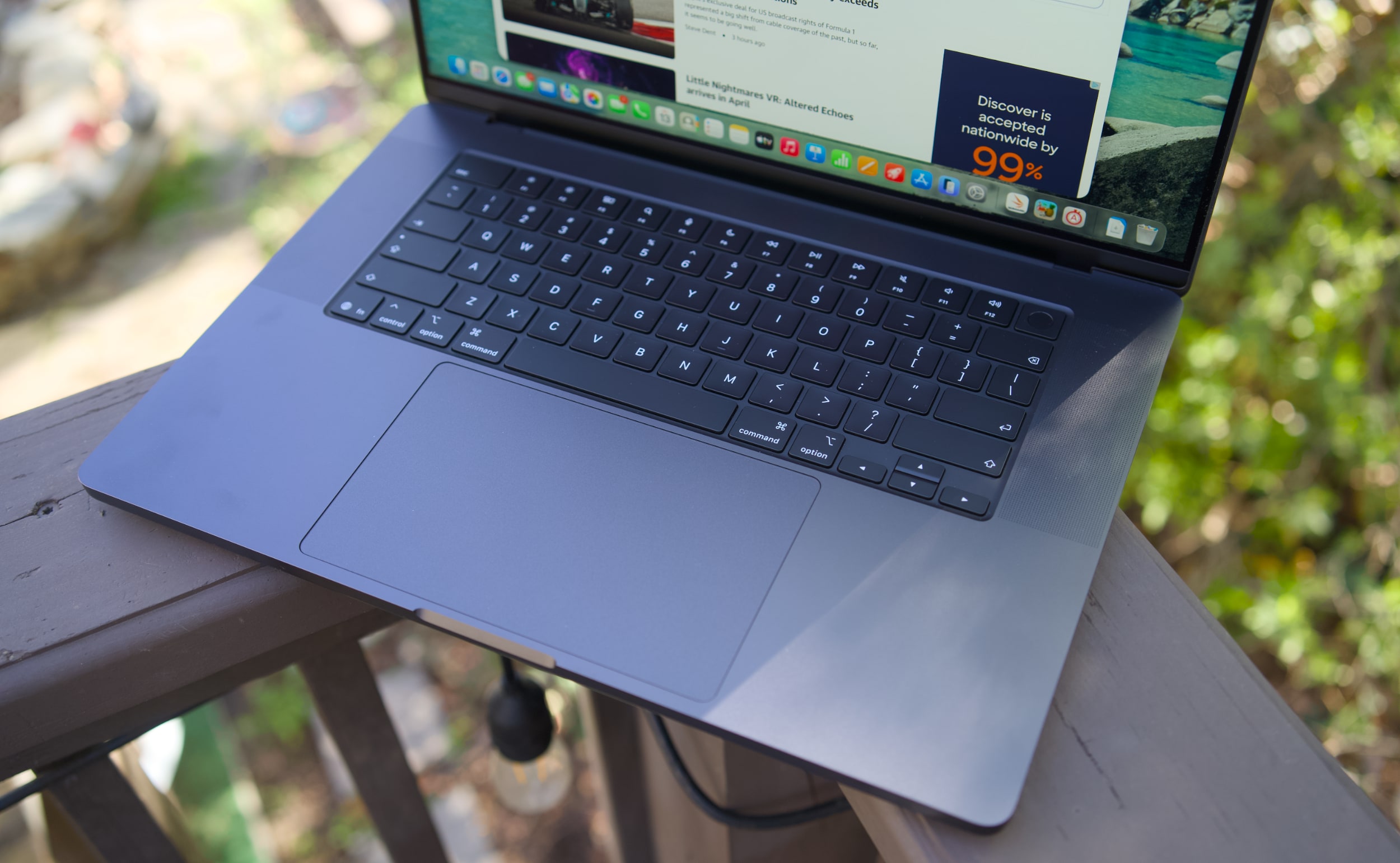
MacBook Pro 16-inch (2026, M5 Max) keyboard and trackpad
Devindra Hardawar for Engadget
But back to this MacBook Pro: I still love everything about Apple's current design. Sure, the keyboard could have a bit more depth, but it withstood my furious typing like a champ. (Unlike Dell's XPS 14, which tried so hard to be a MacBook Pro-killer.) And the MacBook Pro's glass touchpad is still one of the best I've ever seen in a laptop.
Our review unit was also equipped with 32GB of RAM, a 4TB SSD, a 40-core GPU and Apple’s $150 nano-texture display upgrade, bringing the total for this M5 Max system to a whopping $6,149. That may seem excessive to most consumers, but for creative professionals who actually need the power of the M5 Max chip, it’s not that unusual. You can also save over $1,000 by opting for the M5 Pro chip instead.
So what does the M5 Max bring to the party? Obviously, it's speedier than the M4 Max. Our review unit was 30 percent faster than the M4 Max-equipped MacBook Studio in the Geekbench 6 multi-threaded CPU benchmark. It's only 10 percent faster in Geekbench's single-threaded test, but that still gives Apple room to claim that it has the fastest chip core around. If you've got an M4 Max machine, you certainly don't need to dump it for this lineup. But if you've been hammering on an M1 Max or M2 Max system for years, you'll see some meaningful benefits from upgrading now.
Computer
Geekbench 6
Geekbench 6 GPU
Cinebench 2024
Apple MacBook Pro 16-inch (M5 Max, 2026)
4,338/ 29,261
145,309
192/2,150 | GPU: 22,374
Apple MacBook Pro 14-inch (M5, 2025)
4,310/18,003
48,840
197/1,034 | GPU: 6,143
Apple MacBook Pro 16-inch (M4 Pro, 2026)
3,925/22,456
70,197
178/1,689 GPU 9,295
Apple MacBook Pro 16-inch (M3 Max, 2024)
3,202/21,312
92,344
143/1,686 GPU 13,182
Apple says this new line of MacBook Pros also feature its latest SSD technology, which is up to twice as fast as before. Our review unit reached 13.8 GB/s write speeds and 13 GB/s read speeds in the ATTO disk speed test, whereas previous MacBook Pros hovered around 6 GB/s for read/write speeds. If you're working with huge data files every day, you'll likely notice the difference. Another benefit to the new hardware? Apple is now equipping every MacBook Pro with 1TB of storage by default.
All of the M5 chips feature faster GPUs than before, but that's less noticeable on the M5 Max. I've never had trouble running a high-end game like Lies of P on the M2, M3 or M4 Max hardware, and once again it still runs incredibly well with the M5 Max in its native resolution, and with all of the graphics settings cranked up. All I'm looking for is a smooth 60 fps frame rate, and the MacBook Pros have delivered on that for years. macOS isn't the sort of platform where you'll be playing many high fps games, but the MacBook Pro's 120Hz refresh rate is equipped to handle them.
MacBook Pro 16-inch (2026, M5 Max) on a doorstep.
Devindra Hardawar for Engadget
Beyond raw performance, the MacBook Pro continues to be a joy to use. Its screen is gloriously bright, and its smooth refresh rate makes scrolling through documents and websites easy on the eyes. Its six-speaker setup remains the best audio experience I've ever heard on a laptop, allowing for crisp, detailed and surprisingly dynamic bass. When I'm too lazy to cast music to my Sonos speakers, I can still have a decent jam session on the MacBook Pro's built-in setup.
It's hard to improve much on the 30 hours and 16 minutes of battery life we saw on last year's 16-inch MacBook Pro, but the M5 Max model managed to beat that by 30 minutes. Realistically, it means you can likely use the MacBook Pro for a few days without needing to recharge, assuming you're not doing heavy-duty work the entire time.
MacBook Pro 16-inch (2026, M5 Max)
Devindra Hardawar for Engadget
You don't need me to sell you on the MacBook Pro; all you need to know is that the M5 Max actually delivers. Given how well the standard M5 14-inch MacBook Pro performed, I'd also expect a decent speed bump from the M5 Pro model. The only downside to the M5 systems is that they'll feel out of date quickly if the rumored OLED and touchscreen models arrive later this year. But if you need the best performance now, it's hard to go wrong with any MacBook Pro.
This article originally appeared on Engadget at https://www.engadget.com/computing/laptops/macbook-pro-m5-max-16-inch-review-still-the-pinnacle-120000325.html?src=rss
I really don't know how Apple did it. The MacBook Neo is a $600 laptop that doesn't feel like an afterthought, which is a curse that has befallen so many cheap Windows notebooks. Sure, it has a slower A-series processor and it's limited to 8GB of RAM. But the MacBook Neo still feels as deeply considered as Apple's most premium hardware. Its screen, trackpad and overall usability is so far ahead of the competition, every Windows PC maker, including Microsoft, should be ashamed.
I've argued that a cheap MacBook could be the best for Apple to peel away Windows users, and after spending almost a week with the Neo, I'm convinced it will do just that. It's just fast enough to handle basic productivity work. It's sturdy enough to be tortured by kids in classrooms. And you really can't beat its $599 starting price. Once Windows users learn it's not that hard to switch to macOS, Apple will likely have another hit on its hands.
What's so Neo about this MacBook?
I'll admit, I laughed at the MacBook Neo's name at first. It really does feel like a desperately hip name ASUS or Acer would slap onto their machines (in fact, Acer is doing so right now), rather than something Apple would even consider. But the Neo name is more than just a dated reference to the Matrix — it's also a clear signal that this is a new type of MacBook. It's the first one Apple has ever been able to sell so cheaply. It's the first one powered by a mobile A-series chip. And for many people, it will likely end up being their first Mac.
The MacBook Neo also marks the first time Apple has built a value-focused notebook under $1,000. The adorable handle-equipped iBook G3 looked like a system geared towards kids, but it launched at $1,599 in 1999. The original MacBook Air, which Steve Jobs revealed by pulling it out of a manilla envelope, sold for $1,799 in 2008. MacBooks only got semi-affordable when Apple dropped the Air's entry price to $999 in 2014. (The starting price has bounced between $999 and $1,099 ever since.) It dabbled in the concept further by keeping the M1 MacBook Air around at Walmart stores for $699 in 2024 before eventually dropping its price down to $650 last year. If you were lucky, you could also find it for $499 during some holiday sales.
A citrus MacBook Neo being held up with one hand.
Devindra Hardawar for Engadget
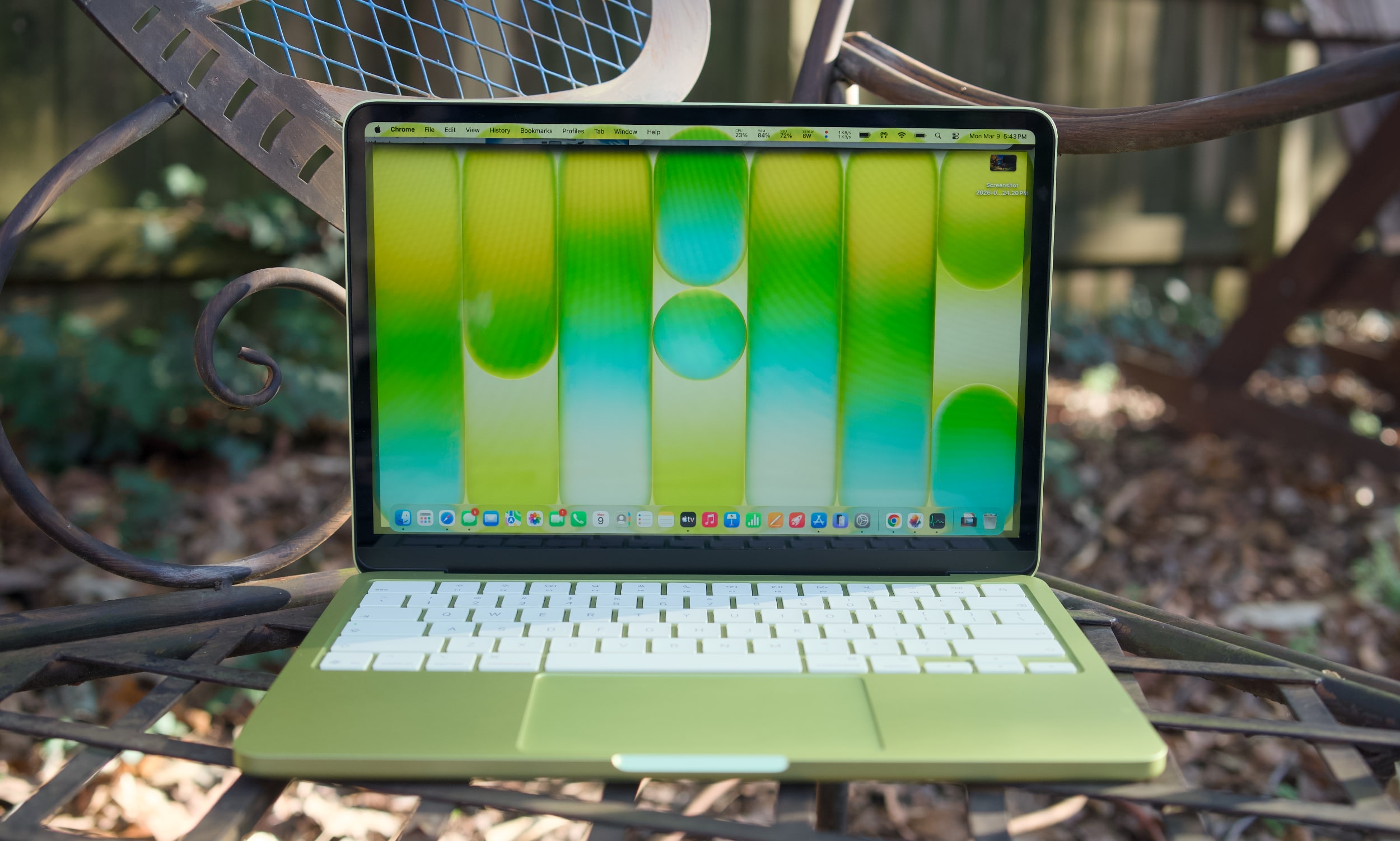
While the M1 MacBook Air was a great value over the last few years, its last-gen Apple design aged quickly. The Neo looks far more modern, with an all-aluminum case that resembles the current Air (it's a bit smaller, but weighs the same 2.7 pounds). Color is the Neo's biggest draw, with bolder options like the greenish citrus and pink blush, along with Apple's typical dark and light case options. The citrus hue is the most unique, as we've seen rose gold MacBooks before. It would have been nice to see other strong colors too, like a brighter blue or something with a hint of purple. The people want personality, Apple!
Under the hood, the MacBook Neo is a story of compromise, more so than any MacBook before it. Apple had to find a way to deliver its premium user experience while also cutting costs significantly to reach its $599 price. Relying on the A18 Pro, which powered last year's iPhone 16 Pro, was likely far more cost effective instead of using an older M-series chip that isn't being built anymore. That A18 Pro chip also means the MacBook Neo has to be fairly limited when it comes to ports: there are only two USB-C connections on board (one is USB 3.0, and the other is USB 2.0). There's no MagSafe charging connection, which is a shame since the MacBook Neo will likely end up around trip-prone kids in schools and homes.
A citrus MacBook Neo's USB-C ports.
Devindra Hardawar for Engadget
The biggest compromise lies in the MacBook Neo's RAM and disk space. It starts with just 8GB of RAM and a 256GB SSD. You can shell out another $100 to get 512GB of storage and a Touch ID button, but there's no way to add more RAM. Typically, my first piece of advice to any prospective computer buyer is to get at least 16GB of memory, as that's the easiest way to see faster performance when juggling tons of tabs, apps and large files. That's particularly true for Mac laptops, since Apple's unified memory is baked into its A-series and M-series chips.
The MacBook Neo's 8GB limitation shows the precise audiences Apple is targeting with the MacBook Neo: casual users. Those include people who need secondary machines for light workloads and schools relying on Chromebooks. I'm not reneging on my 16GB RAM recommendation — if the idea of less RAM in your main computer makes your skin crawl, the Neo isn't for you. The MacBook Air is still around, and it can easily be equipped with tons of RAM and storage.
Apple also deserves credit for squeezing in an impressive 1080p webcam in the Neo, something I haven’t seen in any other $600 Windows notebook. And while the resolution is impressive, Apple’s image processing also manages to deliver sharp and vibrant image quality. It’s usually easy to tell the overall quality of someone’s computer on group video calls based on their video quality. The MacBook Neo will have people thinking you’re calling in from a pricier MacBook Air or MacBook Pro.
When I first demoed the MacBook Neo at Apple's launch event, its keyboard felt a bit flimsier than those on the Air and Pro. But I may have just been distracted by the crowd and noise. My review unit's keyboard feels just as accurate as the Air's, allowing me to type at full speed (near 100 words per minute) without any issues. There's none of the weird input problems I noticed on Dell's far more expensive XPS 14.
The MacBook Neo's trackpad is similarly responsive and accurate for swiping and gestures. That's particularly surprising, since Apple isn’t using a haptic Force Touch trackpad like all of its laptops for the past decade. The Neo's pad clicks down mechanically — and yet, it doesn't feel as muddy as similar trackpads we see on budget PCs. It's also notable that Apple was able to make the Neo's trackpad completely clickable, whereas PC mechanical options often only click along their bottom half or third.
A citrus MacBook Neo on a table outside.
Devindra Hardawar for Engadget
Enough Mac for most
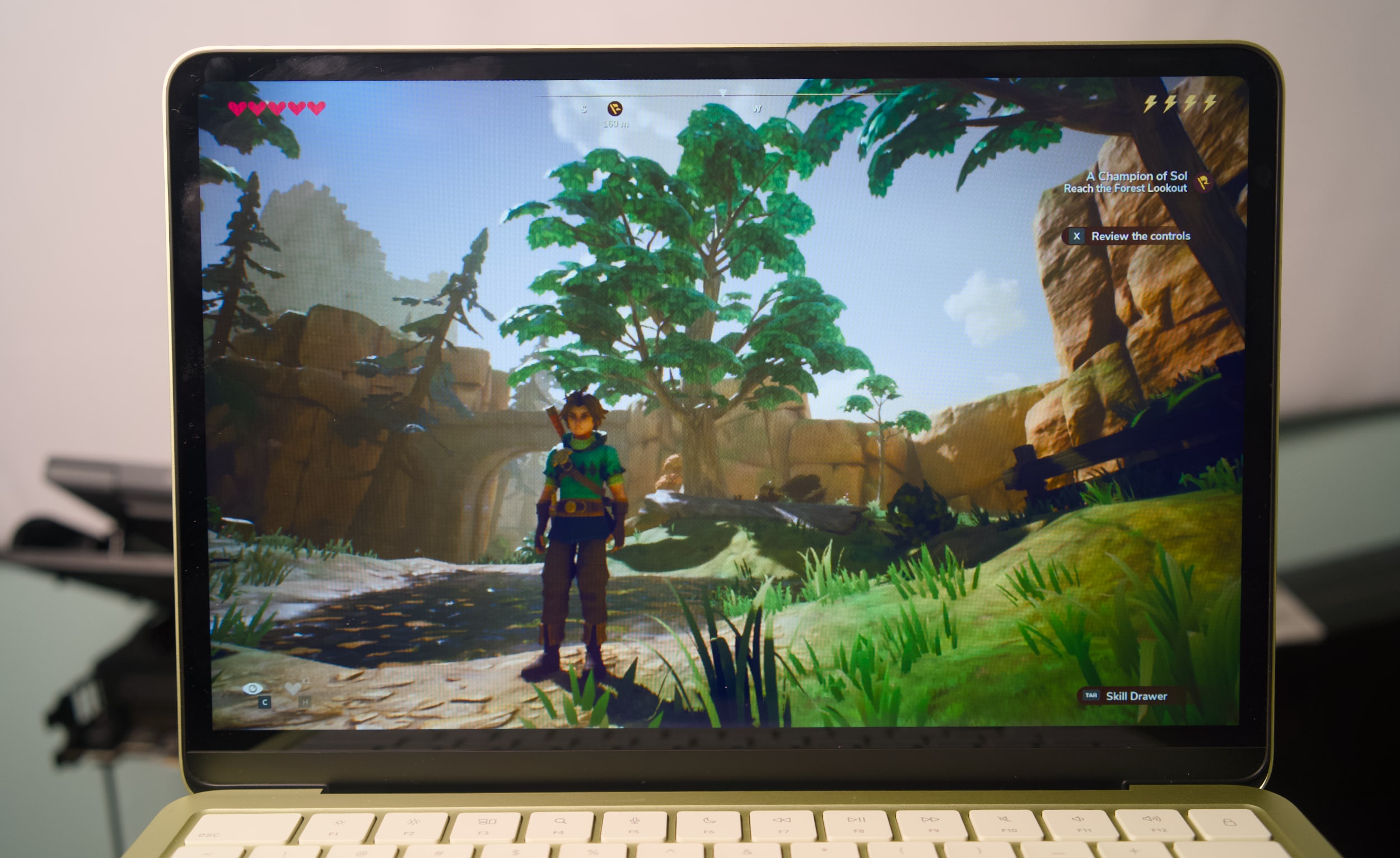
I didn't expect much from the Neo's A18 Pro processor and limited specs, and yet it still managed to surprise me. It easily handled having dozens of tabs open across multiple browsers, a show playing on the TV app, photo editing in Pixelmator Pro and running the new Apple Arcade title Oceanhorn 3 without any significant slowdown. There's clearly some swift memory management going on, delivering just enough RAM for the task right in front of you.
The Neo's RAM usage typically hovered between 80 and 85 percent when I was trying to stress it, but it never went beyond that range. And if you're curious, the Neo typically used around 50 percent of its memory just to run macOS, even with no other apps running.
I'd bet most people wouldn't see a major performance difference between the MacBook Neo and the Air for basic tasks. Even their screens look similar: The Neo's LCD panel has only a slightly lower resolution than the Air's, but its smaller 13-inch screen size gives it a similarly rich pixel density. The screen looks bold and colorful indoors, and it's also bright enough to use in direct sunlight outside. That's not something you usually see on $600 laptops.
Oceanhorn 3 on a MacBook Neo.
Devindra Hardawar for Engadget
During a demo at the Neo's launch event, I saw its screen compared side-by-side to a $600 HP laptop. The difference was literally night and day — the HP's display struggled to show the vibrancy of daylight photos, while the Neo's made photos pop off the screen. Similarly, the Neo's side-firing speakers sound significantly better than the tinny garbage HP stuffs into its discount machines. The Neo's speakers are ideal for watching videos and streaming content, but they definitely lack the clarity and low-end bump from the Air and MacBook Pro's upward firing speakers.
Geekbench 6 CPU
Geekbench 6 GPU
Cinebench 2024
Apple MacBook Neo (A18 Pro)
3,372 /8,406
19,511
107/324
Apple MacBook Air 13-inch (M4, 2025)
3,784/14,745
36,273
172/660 GPU: 3,465
Apple MacBook Air 13-inch (M3, 2024)
3,190/12,102
30,561
N/A
Microsoft Surface Pro 12-inch (2025, Qualcomm Snapdragon X Plus)
2,315/10,915
9,539
108/530
I was definitely trying to push the MacBook Neo harder than a typical user, but it simply kept delivering. In Geekbench 6's CPU benchmark, the MacBook Neo sits between the M2 and M3 MacBook Air for single-core tests, and below the M2 for multi-threaded work. Apple's hardware still manages to put Intel and AMD to shame, with single-threaded Geekbench 6 scores that are higher than the latest hardware from both companies. But of course, that's just one benchmark — beefy CPUs with active cooling will still be more performant overall.
What’s most impressive about the MacBook Neo is that it manages to be a functional and well-rounded notebook at just $599. Microsoft’s “low-budget” $800 Surface Pro 12-inch was cute, but we found its performance incredibly underwhelming (and you still had to pay more for the keyboard). The 2.2-pound ZenBook A14 was impressively light, but again it was just too slow to be useful. Apple probably could have worked harder to make the MacBook Neo a tad lighter, but it’s still easy to hold and travel with. I’d much rather Apple kept it at the MacBook Air’s 2.7-pound weight, instead of making the Neo less powerful or more expensive.
The only time the MacBook Neo completely failed was when I tried to run complex games meant for Apple's M-series chips. Lies of P installed just fine, but upon launch it just stopped as it tried to load shaders. Honestly, I'm surprised I was even able to install it in the first place. The most gaming you'll do on the Neo are things built specifically for Apple Arcade and the company's mobile chips, or cloud streaming options like GeForce Now or Xbox.
During our battery test, which involves looping a 4K video, the MacBook Neo lasted 12 hours and 15 minutes. That's far below the 18 hours and 15 minutes I saw on the M4 MacBook Air, but it's still enough to last you during a typical work or school day. Again, Apple also had to sacrifice plugging in a bigger battery to keep the Neo's costs down.
A citrus MacBook Neo on a table outside.
Devindra Hardawar for Engadget
Should you buy the MacBook Neo?
It's rare for Apple to genuinely surprise me these days, but the MacBook Neo did just that. It's a $599 computer that can handle basic workloads just fine, all the while looking like one of the company's more expensive notebooks. Most importantly, it delivers more speed, a brighter screen and an overall better user experience than any competing $600 Windows PC. It's so good, I think it'll make many people wonder why they've stuck with sub-par PCs for so long.
This article originally appeared on Engadget at https://www.engadget.com/computing/laptops/macbook-neo-review-apple-puts-every-600-windows-pc-to-shame-130000878.html?src=rss
There is so much to love about Dell's new XPS 14, it's hard for me to discuss it without sounding like a total fanboy. Its new design makes it incredibly thin and light. And Intel's Panther Lake chips give it a ton of power, even when it comes to games. After reviving the XPS brand from last year's ignominious rebranding, it's as if Dell was laser-focused on fixing all the issues we've had with the XPS 14 so far.
Unfortunately, a shallow, unresponsive and hilariously error-prone keyboard kept me from truly loving the XPS 14. Simply put, it has trouble recognizing keys if you press them too quickly in succession. And for fast and demanding typists like myself, that leads to countless errors that disrupt your flow. In the last sentence alone, I counted ten times where I had to go back and make sure commas appeared before a space, or tweak simple spelling errors. What good is a fast, light and beautiful machine if I can't type a sentence in peace?
It's not unusual for laptop keyboards to require a bit of user training. But my issues with the XPS 14 aren't from a lack of practice — it simply doesn't recognize key presses as quickly as every other laptop I've tested. As you can see in the video below, quick key presses are almost always recognized in reverse, or sometimes aren't recognized at all. Those issues mostly go away if you type more slowly and deliberately, but that seems like a ridiculous compromise for a premium machine in 2026.
Dell engineers are currently testing one of the two review samples I received, both of which exhibited the exact same keyboard issue. Other reviewers have also noted that they need to type more slowly for the keyboard to work best. Gizmodo's Kyle Barr seems to be just as frustrated with the keyboard as I am, but he thinks it's due to Dell's seamless key design, which doesn't have any spaces between keys. My brother, who is an IT professional, also noticed the input issues when he typed on the XPS 14.
I'm not crazy, I swear!
Dell XPS 14 (2026) keyboard
Devindra Hardawar for Engadget
According to Dell, its engineers say that “a small batch of early XPS units” have the quick typing issue I ran into. They also say the issue is currently resolved and doesn’t affect XPS units shipping now. The company plans to release a firmware fix later this month, and I’ll be sure to update this review once I get my hands on it. But given that these laptops have been out in the wild for weeks, I decided to review the XPS 14 as is. TL;DR, it's the prettiest machine I've ever used that I hate to type on.
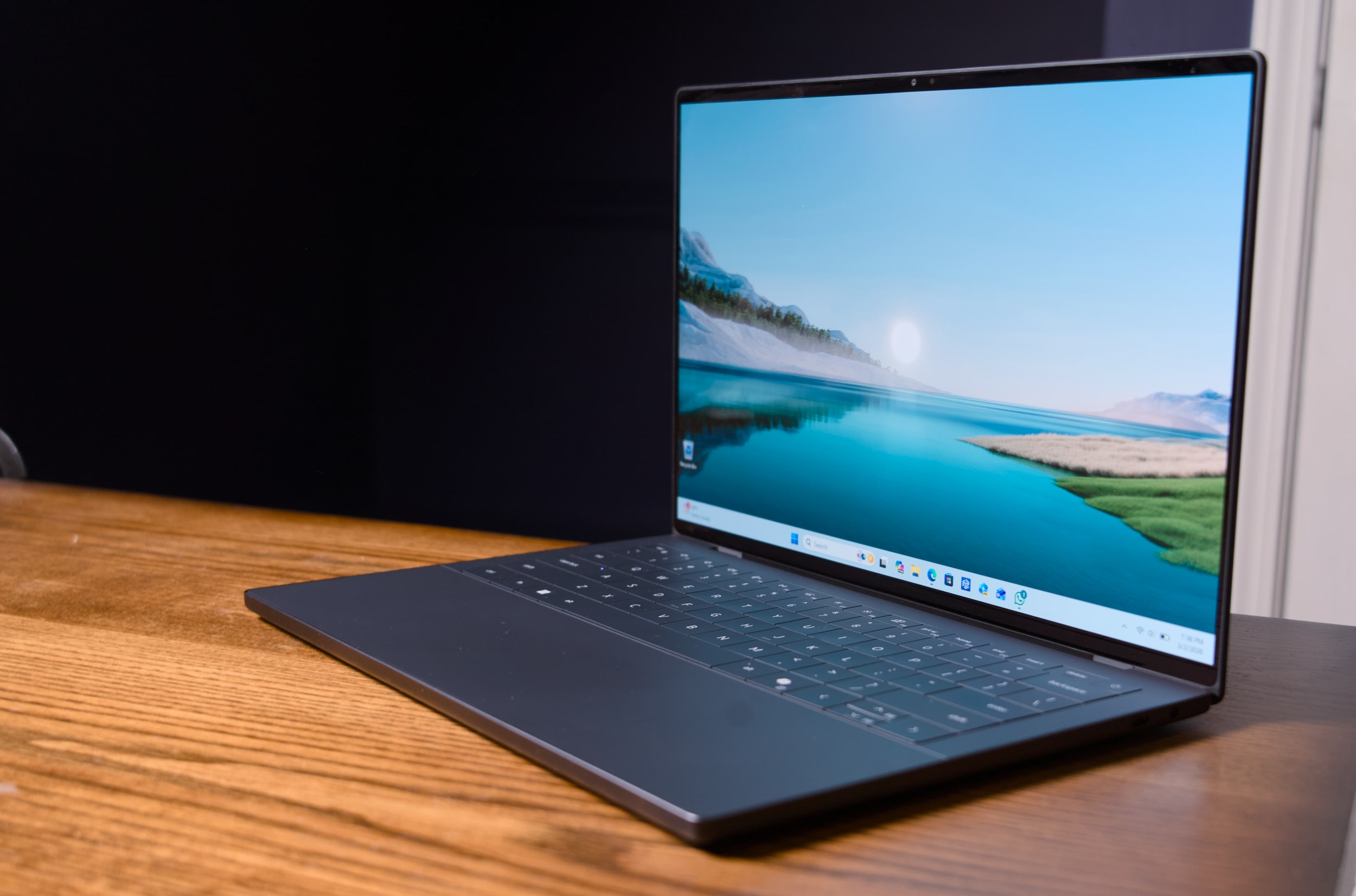
Seriously, this thing is gorgeous. Dell's designers outdid themselves with the machine's smooth metal case, which is more MacBook-like than its boxy predecessors. It's astonishing this system weighs just three pounds, putting it right between the 3.4-pound 14-inch MacBook Pro and the 2.7-pound 13.6-inch MacBook Air. It's also just a third of a pound heavier than the MacBook Neo, Apple's attempt at an underpowered entry-level laptop.
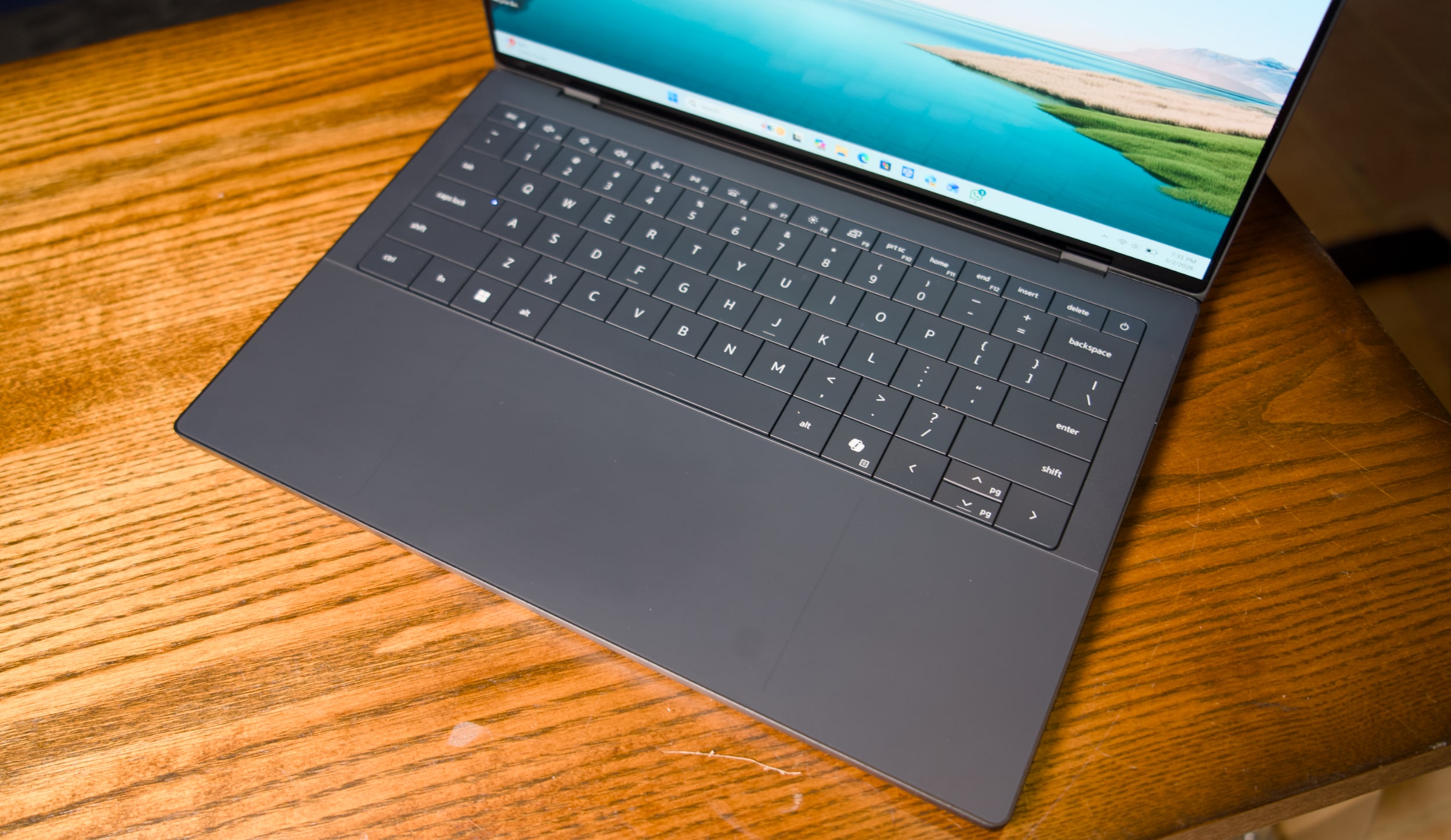
I'm also glad to see that Dell has heard my complaints about how over-designed the last XPS line was. For example, the company has stuck with its "invisible" trackpad, which sits flush with the laptop's wrist rest. But now there are two faint lines that designate where, exactly, the trackpad begins and ends. It's a solution reminiscent of Apple's MacBooks, which all feature large glass trackpads separated by a light border from their metal cases. Thanks to these two small lines, which don't detract from XPS 14's minimalist aesthetic, I feel more confident swiping around.
Dell also reversed course on the wonky capacitive function row from the previous models — which again, looked cool, but had some serious usability issues. It was tough to touch type with them, since they didn't feel as tactile as normal keys. And most crucially, the capacitive function row completely disappeared in direct sunlight. God forbid you were outside and wanted to change the volume level! This XPS 14 brings back a normal keyed function row, which is easier to touch type on and actually works in direct sunlight. (I sometimes wonder if Dell's designers ever went outside with the last XPS 14.)
Dell XPS 14 (2026)
Devindra Hardawar for Engadget
Our review model's 2.8K 14-inch OLED touchscreen looked spectacular, with bold colors and wonderfully deep black levels. But that's pretty much what I've come to expect from OLED by this point. I can't get enough of the extra eye candy OLED adds to photos and videos, and it makes a huge difference with games as well. But take note that OLED is only available for the priciest XPS 14, all other models get a standard non-touch 2K LCD.
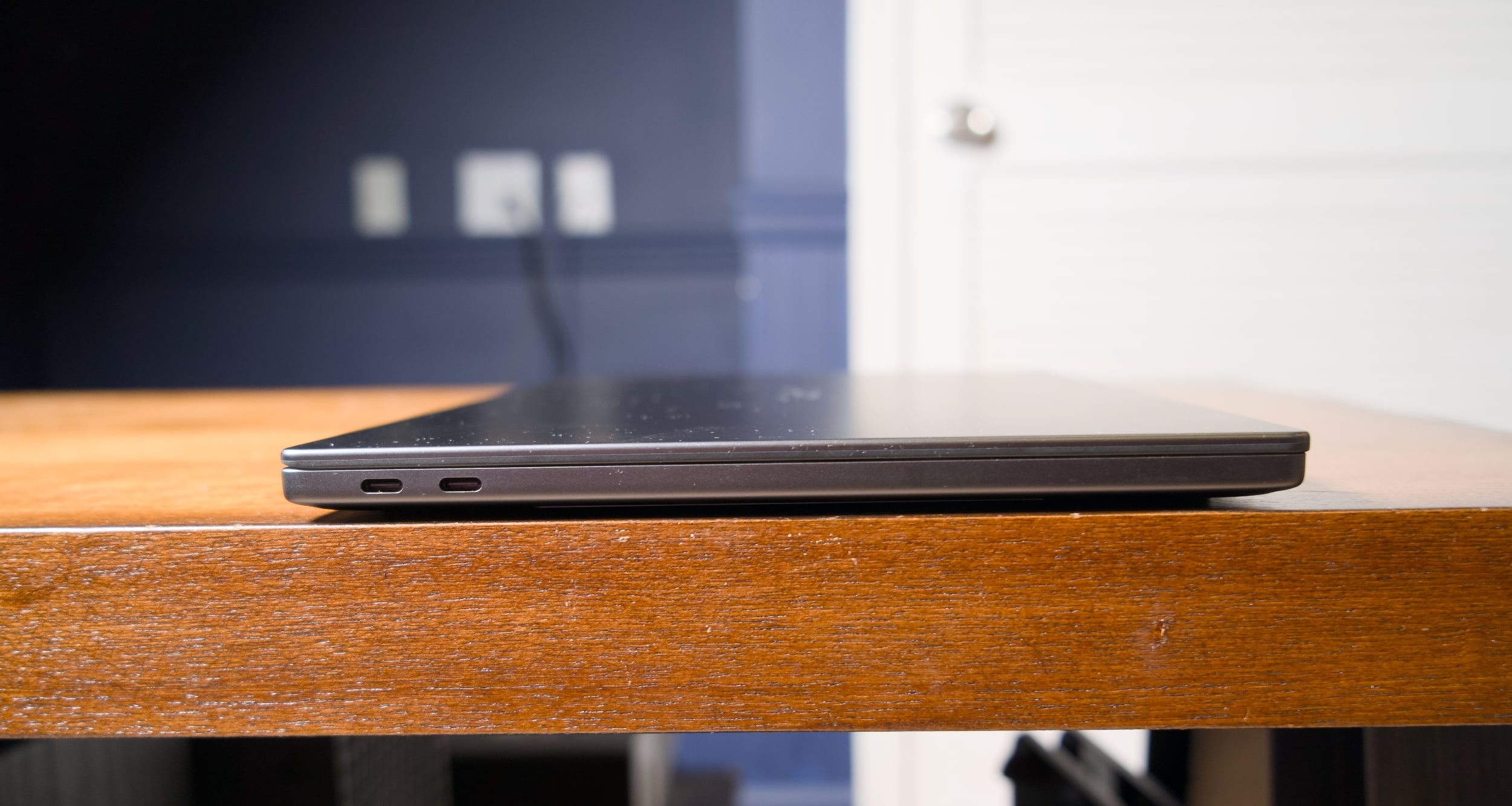
When it comes to connectivity, three USB-C ports and a headphone jack are all you get with the new XPS 14. The microSD card slot from the previous model is gone, and there's also no HDMI or USB Type A connections like you'd find on similar systems from ASUS and Acer. Apple's 14-inch MacBook Pro, notably, features three USB-C ports, a full-sized HDMI slot, a large SD card reader and a headphone jack.
Dell XPS 14 (2026)
Devindra Hardawar for Engadget
Beyond Dell's redesign, the main star of the XPS 14 is Intel's new Panther Lake Core Ultra X7 358H chip, which offers some serious graphics upgrades over the last generation. Our review unit, which featured 32GB of RAM and Intel's built-in Arc B390 GPU, was able to reach 130fps in Arc Raiders while playing in 1080p with medium graphics settings, as well as XeSS upscaling and frame generation. I was able to play through a few rounds with no lag — my only distraction was the lingering realization I was playing so smoothly on an ultraportable's integrated graphics.
I certainly wouldn't recommend the XPS 14 for heavy gamers. But if you're forced to choose a new non-gaming system for work or school, it's certainly nice that it can play some modern titles well. I also saw 63fps while playing Cyberpunk 2077 in 1080p with medium graphics settings and XeSS tech active. Not bad for one of the most demanding PC games in recent memory!
Benchmarks also point to plenty of power under the hood: The XPS 14 scored similarly to the MSI Prestige 14 AI+, which also has the Ultra X7 358H chip, in PCMark 10 and Geekbench 6. I was also surprised to see that its single-core Geekbench 6 score was higher than ASUS's ProArt PX13 GoPro Edition, a beastly machine with 128GB of RAM and a powerful AMD Ryzen AI Max+ 395 chip. The XPS 14 also scored 3,000 points higher than the Acer Predator Triton 14 AI gaming laptop (powered by a last-gen Core Ultra 9 288V chip) in Geekbench's multi-threaded CPU test.
Clearly, this was a growth year for Intel's hardware. Just keep in mind that all of our figures come from Dell's highest-end XPS 14 configuration, which currently starts at $2,250 with 64GB of RAM on the company's site. The lowest-end configuration, which starts at $1,450, comes with an Intel Core Ultra 7 355 chip, 16GB of RAM and 512GB of storage. When I briefly tested that system (it had to be sent back to Dell for that keyboard issue), it scored 2,000 points lower than the Ultra X7 model in PCMark 10. I didn't get to game on the entry-level XPS 14, but I wouldn't expect much, since Intel's beefy Arc graphics are reserved for its pricier X7 and X9 CPUs.
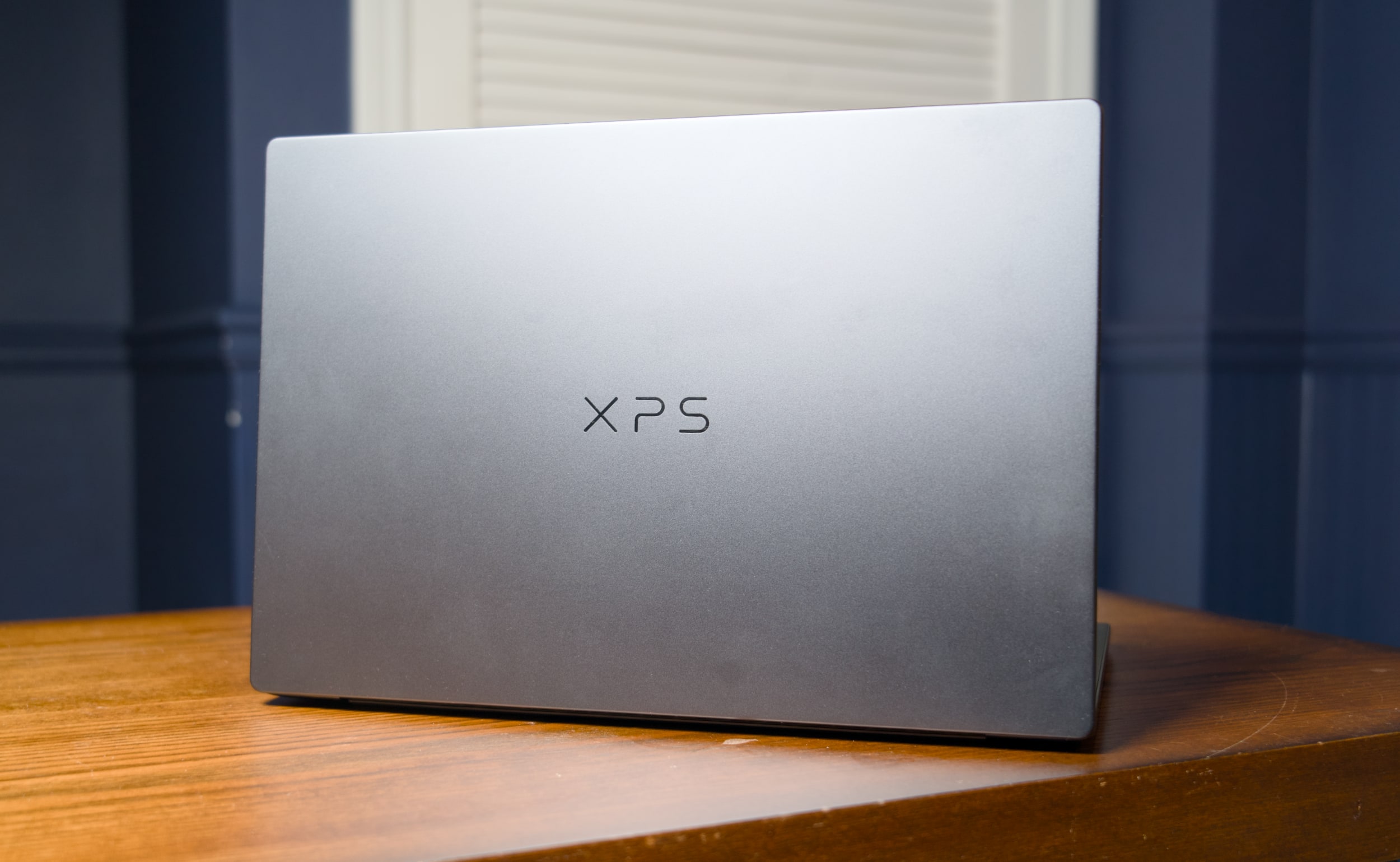
Dell XPS 14 (2026) case logo
Devindra Hardawar for Engadget
I was also surprised to see that the XPS 14 lasted just 10 hours and 21 minutes in PCMark 10’s Modern office battery test. The MSI Prestige 14 went for a whopping 22 hours and 15 minutes — that’s far more in line with Intel’s efficiency claims for Panther Lake systems. I tested both the XPS 14 and MSI Prestige 14 in Window’s “balanced” battery profile, so you may be able to eke out more life with more battery saving features turned on.
If I were to judge the XPS 14 based purely on its specs and design alone, it would be my favorite Windows laptop available today. But I swear, I can't live with its keyboard issues. I had to seriously slow down my typing just to get this review written, and even then I still had to back up and make more corrections than usual. Dell is so close to making a PC that’s a true MacBook Pro competitor, it's a shame a simple keyboard issue holds the XPS 14 back from true greatness.
Update 3/6/26 2:20PM ET: Added further information about the XPS 14’s keyboard issue and a potential firmware fix.
This article originally appeared on Engadget at https://www.engadget.com/computing/laptops/dell-xps-14-2026-review-a-beautiful-laptop-that-excels-at-almost-everything-except-typing-130000656.html?src=rss
Apple is looking to gain a foothold in the more budget-friendly end of the laptop market with the MacBook Neo. The system starts at $599, which is darn inexpensive for an Apple laptop — it even has the same starting price as the M4 iPad Air.
As such, the MacBook Neo should help Apple compete with cheap Windows laptops and Chromebooks. Pricing it at $499 for educational use won’t exactly hurt either.
Apple is really lowering the cost of entry for those looking to pick up a new MacBook here. The base MacBook Neo costs $500 less than the cheapest M5 MacBook Air, which is now officially Apple's midrange laptop.
Of course, there are a lot of tradeoffs you'll make by opting for a MacBook Neo instead of a MacBook Air. If you’re curious about all the differences between the Neo and the base 13.6-inch Air (and perhaps what you’ll be foregoing if go you with the cheaper option), we've got you covered.
MacBook Neo vs. MacBook Air exteriors
Apple
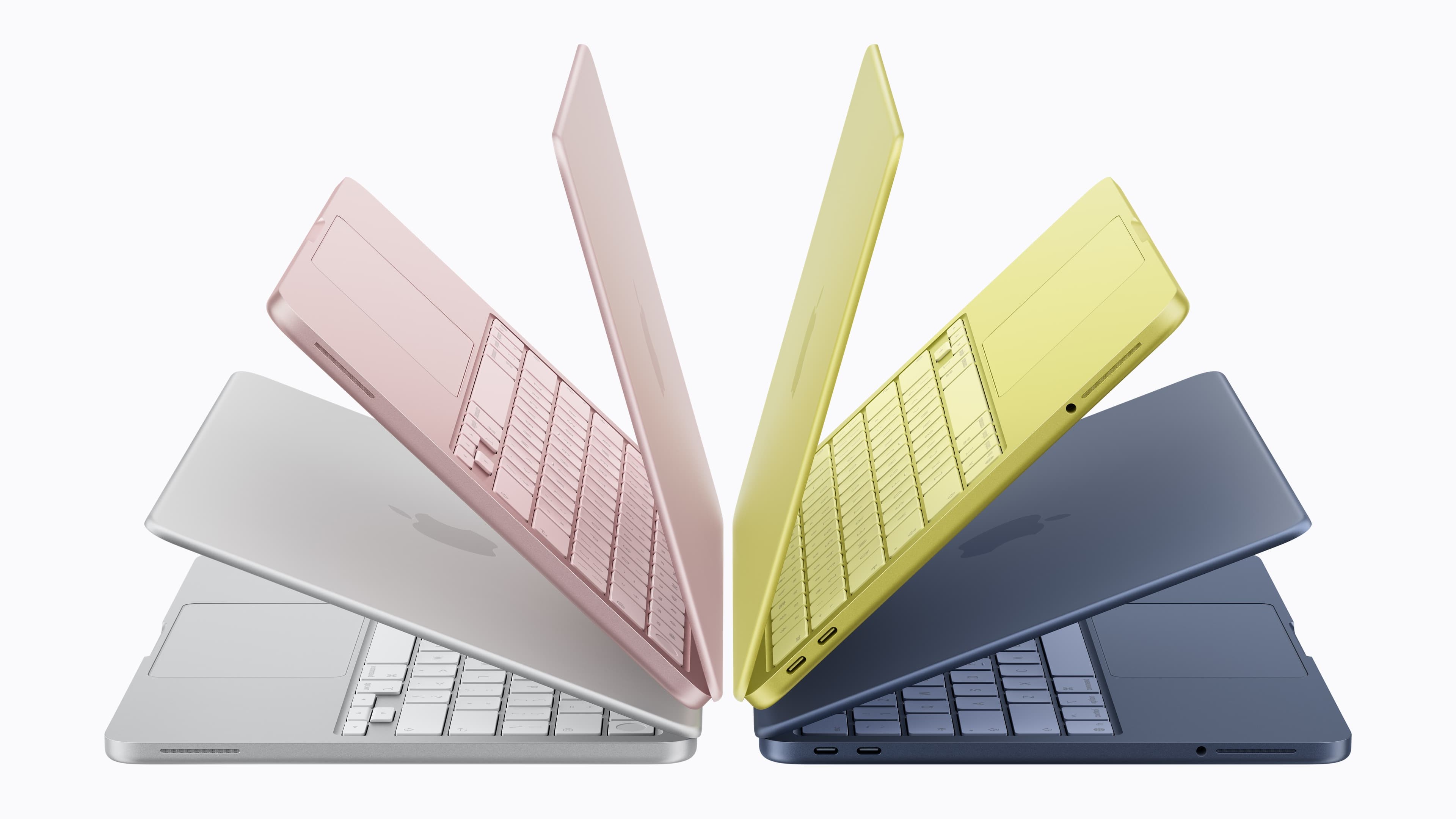
Let's start with the things you'll notice at first glance about the two laptop lines. The Neo has an arguably more eye-catching array of colorways with silver, blush (a light pink), citrus (light yellow) and indigo options. The Air comes in a more muted batch of sky blue, silver, starlight (a sort of champagne) and midnight (a very dark blue).
The weight of the two laptops is identical at 2.7 pounds and the differences in the dimensions are negligible. Blissfully, both laptops have a headphone jack. Please have the courage to keep those around in MacBooks, Apple.
Apple
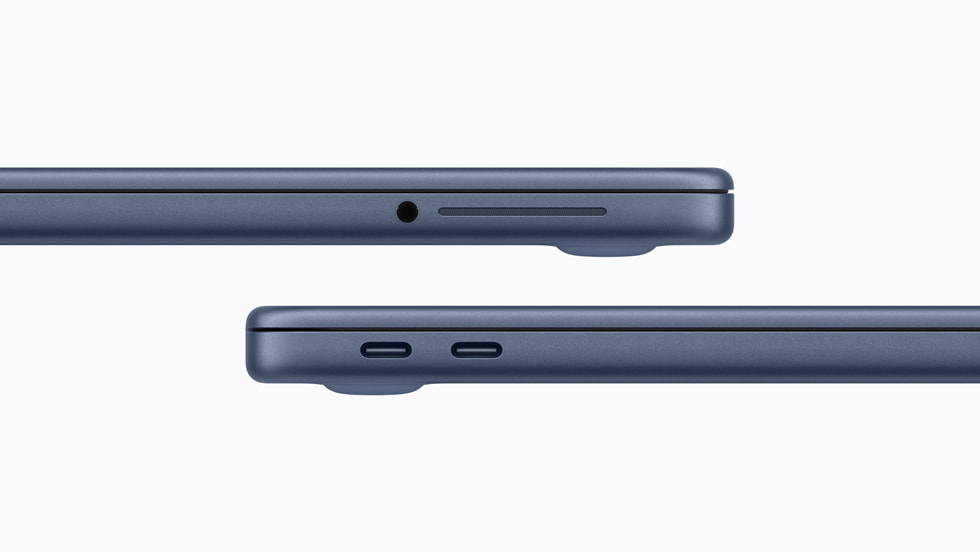
Alas, the Neo does not have a MagSafe port, so you'll need to use one of its two USB-C ports (it has one USB-C 2 port and a USB-C 3 port) for charging. The MBA has two Thunderbolt 4 (USB-C) ports to go with its MagSafe connector.
While we're on the subject of charging, the MacBook Neo comes with a 20W power adapter. The MBA includes a 40W Dynamic Power Adapter with 60W Max, and it supports fast charging at up to 70W.
The Neo has a 36.5-watt-hour lithium-ion battery, which Apple claims has enough juice for up to 11 hours of web browsing or 16 hours of video streaming on a single charge. As for the MBA, that has a 53.8-watt-hour lithium-polymer battery. Apple says you'll be able to use that laptop for 15 hours of web browsing or 18 hours of streaming video before you need to recharge.
Back to the exterior of the laptops and in terms of audio, the Neo has a side-firing dual-speaker system with Spatial Audio and Dolby Atmos support. However, unlike with the MBA (which has four built-in speakers), there's no mention of Spatial Audio support for AirPods. The MBA has one more microphone than the Neo as well, and both laptops support Voice Isolation and Wide Spectrum microphone modes.
MacBook Neo vs. MacBook Air opened up
Apple
If you were to place a MacBook Neo and MacBook Air side by side and open them up, you might spot that the former's screen is a little smaller at 13 inches on the diagonal. While both have Liquid Retina displays with 500 nits of brightness, the Neo's screen has a lower resolution of 2408 x 1506 vs. the MBA's 2560 x 1664. The Air also has a P3 wide color gamut and support for Apple's True Tone feature, which tweaks the screen’s color temperature to better fit your surroundings. The Neo has an sRGB display instead.
While the webcams in both laptops can capture 1080p video, the one in the Neo is lower-specced and has fewer features. It's a 1080p FaceTime HD camera. The MBA has a 12MP camera that supports Center Stage, a feature that keeps you in the middle of the frame as you're moving around. It also supports Desk View, which allows you to show your face and what's on your desk simultaneously.
The MacBook Neo has a Magic Keyboard and multi-touch trackpad (which we didn't feel were super sturdy in our initial hands-on time). The MacBook Air, on the other hand, has a backlit Magic Keyboard and a Force Touch trackpad. It also supports Touch ID as standard.
If you want Touch ID on the MacBook Neo, though, you'll need to pay extra. A version of the laptop with Touch ID costs $699. That upgrade (which is the only one available for the Neo as things stand) also doubles the internal storage to 512GB. And that feels like a smooth segue into comparing the internal specs of each machine.
MacBook Neo vs. MacBook Air on the inside
The M5 MacBook Air comes with 512GB of storage as standard and you can equip it with up to a 4TB SSD. The Neo tops out at 512GB.
It's a little disappointing (though somewhat understandable given the surging costs of RAM) that the Neo only has 8GB of unified memory. That's half of what you get in a MacBook Air as standard, and you can expand that laptop’s RAM to 32GB. Memory bandwidth is nearly three times faster on the MBA as well at 153GB/s, compared with 60GB/s on the Neo.
The chip that runs the Neo is significantly less powerful than the M5 you'll find in the MacBook Air too. The Neo uses an A18 Pro, which is the chip that debuted in the iPhone 16 Pro and iPhone 16 Pro Max. It has a 6-core CPU (two performance, four efficiency), 5-core GPU and 16-core Neural Engine. Measure that against the Air's M5, the base version of which has a 10-core CPU (four super cores, six efficiency cores) and 8-core GPU, though that too has a 16-core Neural Engine.
We don't yet have a direct comparison, such as Geekbench 6 scores, to directly measure the performance of each laptop. However, it's already clear that the MacBook Neo won't be nearly as powerful as the M5 MacBook Air. You probably won’t be doing heavy-duty video editing on a Neo. That said, Apple says that you will be able to use Apple Intelligence features on the laptop.
This article originally appeared on Engadget at https://www.engadget.com/computing/laptops/macbook-neo-vs-m5-macbook-air-all-the-trade-offs-youll-make-to-save-500-less-190434959.html?src=rss
Apple just announced the MacBook Neo, a 13-inch laptop offering the full macOS experience for just $599. It is the machine, I’m sure, plenty of the company’s fans have been clamoring for since the dawn of the netbook. I’m equally sure its specs have enough drawbacks to ensure there are still plenty of customers for the more expensive Macbooks; the same cannot be said of the iPad Air.
If you’re looking for a machine that you can actually use meaningfully, the Neo has the Air beat. It has two USB-C ports, 16-hour battery life, a real keyboard, trackpad and the ability to run macOS with proper multitasking. $599 won’t even get you an iPad Air with a keyboard and trackpad, which costs you an extra $270.
Of course, the MacBook Neo is sandbagged in all of the ways Apple will always sandbag a cheaper product. But I do think the company has been smart enough to ensure the base model, which I’m sure will sell a crazy amount, is enough of a computer to matter. The A18 Pro chip will run a lot slower than Apple’s M-Series silicon but raw performance isn’t the big issue. After all, if you're buying this machine as Apple's version of a Chromebook, you’re not going to be compressing 55GB Final Cut Pro files here. This is a machine for light work, the sort of stuff the iPad was always meant to enable, but has never quite been able to.
Apple knows how its A-series chip stack up against low-end laptop CPUs. Given the differences in OS, it’s impossible to make a real comparison yet, but in synthetic benchmarks the A18 Pro outperformed the Intel Core i3-1315U found in plenty of low-end laptops, including the Framework 12. And the A18 Pro only needs 8W to run, compared to the 15W Intel requires, which helps maintain that lovely long battery life. Even with just 8GB RAM, if it can run macOS and its applications at an acceptable level, then you know it’ll go down beautifully with its intended audience.
As an aside, it’s worth saying the Neo’s intended audience is decidedly not the sort of folks who will quibble about the limited USB bandwidth the machine offers. As Devindra Hardawar said last week, the target market for this machine is the same people who bought Walmart’s MacBook Air M1. He also made the point — rightly — that macOS remains unburdened with all of the awful AI features which are making Windows use an increasingly less enjoyable experience. Even so, if you are quibbling about such specs, it’s not as if the iPad Air, with its one USB-C port, offers a meaningful improvement.
I've always hoped and wished the iPad would mature enough to bridge the gap between the tablet and the laptop, but it never did. What Apple did to solve the issue in the end was to just make a laptop as affordable as a tablet.
This article originally appeared on Engadget at https://www.engadget.com/computing/laptops/well-there-goes-any-reason-to-buy-an-ipad-air-165754581.html?src=rss
Meet the MacBook Neo, Apple’s long-rumored low-cost Mac. Powered by the A18 Pro chip from the iPhone 16 Pro series, the $599 MacBook Neo is Apple’s first attempt at delivering a genuinely affordable Mac laptop. (Ironically, it comes after Apple raised the base prices of the new MacBook Air M5 and MacBook Pro M5 Pro/Max.) It’s well below the $1,099 MacBook Air, but Apple didn’t skimp on the design.
For $599 you get 256GB of storage and no Touch ID on the keyboard; another $100 doubles the storage and adds Touch ID. All models of the MacBook Neo ship with an extremely scant 8GB of RAM — but at this price, we can withhold judgement on whether that’s enough until we put this thing though some testing.
The A18 Pro chip includes a 6-core CPU, 5-core GPU and 16-core Neural Engine — based on pure numbers that’s far behind what you’ll get with a current M-series processor, but again it may be enough juice for the basic computing tasks this laptop seems geared towards.
There’s still a sturdy aluminum case, with no cheap plastic to be seen. It includes a 13-inch Retina display, a 1080p webcam, two USB-C ports, a headphone jack and optional Touch ID. You’ll need to use one of those ports for charging, as there’s no MagSafe connector on this MacBook. The side-firing speakers support Dolby Atmos playback. And the MacBook Neo comes in four colors than usual: silver, indigo, blush and citrus. The keyboard is color-matched to the case, too.
The display appears to be fairly basic. The 13-inch LCD has a 2,408-by-1,506 and 500 nits of brightness. There’s no True Tone features for adjusting the screen’s color temperature to your surroundings; this is the first display Apple has released in years without that feature. It also doesn’t support the P3 wide color gamut, another feature present on most other Apple screens.
Another place Apple cut costs is the trackpad. All Mac laptops besides the Neo have a “Force Touch” trackpad that doesn’t actually move. Instead, Apple’s Taptic Engine provides subtle haptic feedback to confirm various actions. It can also sense pressure. Those features are absent on the MacBook Neo — it’s a more standard throwback of a trackpad that physically moves when you click it.
And while its mobile chip isn’t nearly as powerful as the Air’s M4, it’s still fast enough to handle many productivity tasks without much trouble. As we argued last week, the Neo could just be the cheap MacBook to tempt over Windows users disgruntled with Microsoft’s AI obsession.
It’s easy to view the MacBook Neo cynically as a sign that Apple is running out of ideas. But given how many PC options there are between $500 and $1,000, it simply makes sense for Apple to offer something in that range. The company experimented with a low-cost offering by selling the the older M1 MacBook Air at Walmart for $700 in 2024, which later went down to $650 last year. The only question now is how long Apple can maintain its prices, as the AI-induced RAM shortage will likely lead to some increases this year. HP claims RAM now accounts for a third of its PC costs, double the amount from last year.
As with everything else Apple announced this week, the MacBook Neo is up for pre-order today, and it’ll ship on March 11.
This article originally appeared on Engadget at https://www.engadget.com/computing/laptops/the-599-macbook-neo-is-apples-cheapest-mac-laptop-yet-141028666.html?src=rss
Let’s deal with the bad news first: Apple is reverting a price cut from last year. It dropped the M4-powered MBA’s starting price down to $999, but for the M5-equipped model, you’ll need to shell out at least $1,099.
The company claimed the M5 MacBook Air will be able to deliver four times faster performance in AI tasks than the M4 MBA. Compared with the M1 MacBook Air, you’ll get up to 9.5 times faster performance, the company said.
Along with swapping in a more powerful chip, Apple has upgraded the starting storage by doubling it from 256GB to 512GB. The company says the SSD has “2x faster read/write performance compared to the previous generation.” You can kit out the MacBook Air with 4TB of internal storage if you have the will and the means.
You’ll also get 16GB of RAM for starters. The memory has 153GB/s of bandwidth, which Apple said is a 28 percent improvement over the M4 MBA. The latest MacBook Air can be equipped with up to 32GB of memory.
Just like it did with the latest iPad Air, Apple has upgraded the connectivity hardware. Thanks to the inclusion of the company’s N1 wireless chip, the M5 MacBook Air supports Wi-Fi 7 and Bluetooth 6.
As you’d imagine, the M5 MacBook Air runs on macOS Tahoe and it supports Apple Intelligence features. It has a Liquid Retina display, 12MP Center Stage camera, a sound system with Spatial Audio support and a pair of Thunderbolt 4 ports, which allows the laptop to support up to two external displays. Apple claims the M5 MacBook Air will run for up 18 hours on a single charge.
The M5 MacBook Air is available in 13-inch and 15-inch models, with the latter starting at $1,299. It’s available in sky blue, midnight, starlight and silver. Pre-orders start on March 4 at 9:15AM ET. The laptops will be available in stores in 33 countries and regions on March 11.
This article originally appeared on Engadget at https://www.engadget.com/computing/laptops/the-macbook-air-m5-starts-at-1099-up-100-from-the-m4-141612909.html?src=rss
Apple had promised a “big week” for the company as rumors swirled that it had a number of product announcements lined up. True enough, it unveiled a half-dozen new and refreshed devices over the last few days, along with more powerful chips for MacBook Pros.
In addition, ahead of the official announcement, Apple leaked news of a cheaper MacBook called the MacBook Neo. Whoops! The company confirmed the existence of that system on Wednesday. It starts at $599, making it Apple’s most affordable laptop to date.
Here’s our recap of everything Apple announced this week:
iPhone 17e
Apple
Apple has spruced up this year’s entry-level iPhone with some pretty solid upgrades, though it's keeping the starting price at $599. The iPhone 17e has double the base storage of the iPhone 16e at 256GB. It also has MagSafe support with Qi2 wireless charging speeds of up to 15W, double that of the iPhone 16e.
Design-wise, Apple hasn't exactly rocked the boat. The iPhone 17e looks pretty much identical to its predecessor. It appears that Apple is sticking with the same 48MP Fusion camera system as it used in the iPhone 16e too.
That said, the 6.1-inch Super Retina display has Ceramic Shield 2. According to Apple, this provides “3x better scratch resistance than the previous generation and reduced glare.” The company slotted its C1X cellular modem into the iPhone 17e as well. It says this is up to two times faster than the C1 that was in the iPhone 16e. The device has the same A19 chip as the iPhone 17, so it supports Apple Intelligence AI tools, and it runs iOS 26.
In addition, the iPhone 17e has an IP68 rating for water and dust resistance, as well as the promise of "all-day battery life." It also supports satellite-powered features including Emergency SOS, Roadside Assistance, Messages and Find My.
Pre-orders for the iPhone 17e are now open. It’s available in black, white and soft pink. The device will hit shelves in more than 70 countries and regions on March 11.
iPad Air M4
Apple
The latest iPad Air boasts Apple’s M4 chip. That means the mid-range iPad is effectively remaining a year behind the iPad Pro. The M4 is almost two years old at this point, while the top-end model has the newer M5 chip. Still, if you only use an iPad for casual tasks like watching shows, web browsing, email and so on, the M4 will be more than powerful enough. It will be more adept at handling resource-intensive tasks like video editing than previous iPad Air models too.
Apple has also bumped up the RAM from 8GB from the last-gen model to 12GB. Given the sharp increase in RAM prices in recent months, it’s slightly surprising that Apple is sticking to the same prices for the iPad Air. The 11-inch M4 iPad Air starts at $599 while the 13-inch version starts at $799, each with 128GB of storage. There's a $50 discount for those buying it for educational use.
Apple claims the M4 delivers up to 2.3 times faster performance compared with the M1 iPad Air and "over 4x faster 3D pro rendering with ray tracing performance." Of course, the new iPad Air runs iPadOS 26.
Apple gave the iPad Air other internal upgrades by including its N1 and C1X connectivity chips. As such, this is the first iPad Air with Wi-Fi 7 support. As you might expect, 5G cellular connectivity is available as well.
The design of the M4 iPad Air doesn't seem to have changed, as it appears to have the same LCD display Apple used in the last two iterations of the tablet. The company has stuck with the same rear-facing camera and dual-speaker setup as well.
Pre-orders for the M4 iPad Air are now open. The tablet will hit retailers in 35 countries and regions on March 11. It will be available in blue, purple, starlight and space gray.
Apple MacBook Pro with M5 Pro and Max
Apple
Apple’s most powerful laptop line finally got the chip upgrades that we’d long been expecting. Along with announcing the M5 Pro and M5 Max, the company is offering versions of the MacBook Pro with those chipsets. However, there are price increases to go along with the upgrades.
The new 14-inch MacBook Pro with an M5 Pro chipset (with 15 CPU cores and 16 GPU cores), 24GB of RAM and 1TB of storage starts at $2,199. That's a $200 increase compared with the base M4 Pro-powered system from late 2024, though Apple has doubled the base storage, which is a welcome touch. If you prefer, you can have a 14-inch MBP with a more powerful M5 Pro (with up to 18 CPU cores and 20 GPU cores) or M5 Max (with 18 CPU cores and 32 or 40 GPU cores). You can double the RAM to 48GB as well.
The 16-inch MacBook Pro has an M5 Pro chipset with 18 CPU cores and 20 GPU cores as standard. Of course, you can swap that out for an M5 Max if you'd rather. The 16-inch model starts at $2,699, a $200 increase from the base M4-powered system. It also starts with 24GB of RAM and 1TB of storage. For what it’s worth, Apple says both the memory and SSD are faster than in previous models.
Apple hasn’t changed the Liquid Retina XDR display and 12MP Center Stage front-facing camera for these models. However, the company has installed its N1 chip to power Wi-Fi 7 and Bluetooth 6 connectivity.
Pre-orders are now open, with general availability to follow on March 11.
Apple said the M5 Pro and M5 Max are built using new “Fusion Architecture” that “combines two dies into a single system on a chip (SoC).” As ever, the goal is to deliver more power and efficiency. We’ll find out for ourselves whether Apple’s performance claims hold up when we’re able to test the chips.
Meanwhile, the base 14-inch MacBook Pro with an M5 chipset also got a $100 price increase to $1,699. To take the sting out of that a bit, Apple doubled the base storage of that model to 1TB as well. Given that Apple usually charges a premium for storage increases, that’s not a terrible tradeoff.
M5 MacBook Air
Apple
A year after Apple upgraded the MacBook Air with an M4 chipset, the company pulled the same trick by swapping in an M5 chip. The company also boosted the base storage from 256GB to 512GB, with an SSD that it claimed can provide “2x faster read/write performance compared to the previous generation.”
While the MBA still has 16GB or RAM as standard, Apple also upgraded the memory to have 153GB/s of bandwidth — the company said that’s a 28 percent improvement over what the M4 MBA offered. Meanwhile, Apple has slapped in the N1 chip to deliver Wi-Fi 7 and Bluetooth 6 connectivity.
Alas, with those upgrades comes a tradeoff. Apple has bumped the starting price of the latest MacBook Air back up to $1,099 after cutting it to $999 for the M4 model. That’s for the 13-inch variant. The 15-inch M5 MacBook Air starts at $1,299.
The latest MacBook Air is available in sky blue, midnight, starlight and silver. You can pre-order one now. It will hit stores in 33 countries and regions on March 11.
MacBook Neo
Apple expanded its laptop lineup even further on Wednesday with the announcement of the MacBook Neo. This is a new entry-level model that starts well below the latest $1,099 MacBook Air at a very reasonable $599 ($499 for educational use). It’s Apple’s least expensive laptop to date, and a clear attempt by the company to wade into a market that’s saturated with cheap Windows laptops and Chromebooks.
As expected, the laptop runs on an A18 Pro chip, which first appeared in the iPhone 16 Pro and iPhone 16 Pro Max. The chipset has a 6-core CPU, 5-core GPU and 16-core Neural Engine, along with 8GB of unified memory. That’s enough for the MacBook Neo to power Apple Intelligence features (of course, it’s a macOS Tahoe machine). Apple also said that the MacBook Neo will run for up to 16 hours on a single charge.
The MacBook Neo has a 13-inch Liquid Retina Display (with 500 nits of brightness and support for 1 billion colors), one USB-C 3 port, a USB-C 2 port and a headphone jack, but no MagSafe connector. There’s a 1080p front-facing FaceTime HD camera, dual mics and side-firing speakers that support Spatial Audio and Dolby Atmos.
The system has a Magic Keyboard with a multi-touch trackpad. However, if you want a TouchID sensor, you’ll need to pay $100 more for it. Ponying up the extra cash will also double the storage from 256GB to 512GB.
Apple claimed that the MacBook Neo is up to 50 percent faster at everyday tasks than “the bestselling PC with the latest shipping Intel Core Ultra 5” with 8GB or RAM and a 256GB SSD. The company also contended that its new laptop is up to three times faster than that Windows system “when running on-device AI workloads like applying advanced effects to photos.”
The MacBook Neo is available in four colors: silver, blush (a light pink), citrus (light yellow) and indigo. It was previously reported that Apple would offer the budget-friendly laptop in some lively iMac-esque colorways. Moreover, Apple says the laptop is “made with a durable recycled aluminum enclosure that helps it reach 60 percent recycled content by weight,” which is said to be the most of any Apple device.
As with the rest of the new devices, pre-orders are open now and the MacBook Neo will be available in stores in 30 countries and regions on March 11.
We’ve already had a chance to go hands-on with the MacBook Neo. Engadget senior editor Devindra Hardawar had generally positive first impressions of the laptop, but felt that the keyboard and touchpad didn’t feel quite as sturdy as those on Apple’s higher-end systems.
Studio Display and Studio Display XDR
I don’t think many people had Studio Displays on their Apple announcements bingo card for this week, but here they are. The Studio Display XDR is completely new.
This is a 27-inch monitor with a 5K Retina XDR screen. It has a mini-LED display with more than 2,000 dimming zones and peak HDR brightness of 2,000 nuts, along with a wider color gamut. The Studio Display XDR boasts a 120Hz refresh rate (an improvement over the 60Hz that previous models were limited to) and a tilt- and height-adjustable stand as standard.
The monitor also has a 12MP Center Stage camera with support for Desk View, a feature that — weirdly enough — lets you show both your face and what's on your desk. Thunderbolt 5 connectivity allows you to hook up more displays by daisy chaining them. The Studio Display XDR is also a Thunderbolt hub with support for up to 140W of charging power. As such, you'll be able to fast charge a 16-inch MacBook Pro using the included Thunderbolt 5 Pro cable.
The Studio Display XDR starts at $3,299. A version with nano-texture glass, which is said to further reduce reflectivity, costs $3,599.
Meanwhile, the refreshed Studio Display has an upgraded 12MP Center Stage camera with Desk View. There's also a "studio-quality" three-microphone array and six-speaker sound system with Spatial Audio. The latest model has Thunderbolt 5 support with the option to daisy-chain displays. The Studio Display can deliver 96W charging as well.
The base monitor is $1,599. It still has a 27-inch 5K Retina display with up to 600 nits of brightness and P3 wide color. It comes with standard glass or, for an extra $300, nano-texture glass. The Studio Display has a tilt-adjustable stand as standard. If you'd prefer to have one that's height adjustable as well, you'll need to shell out another $400.
Again, pre-orders for the displays are now open ahead of broader availability on March 11.
This article originally appeared on Engadget at https://www.engadget.com/computing/laptops/everything-apple-announced-this-week-macbook-neo-iphone-17e-and-more-155617129.html?src=rss
Lenovo has given the Yoga 9i 2-in-1 Aura Edition a refresh for 2026 and launched the new device at this year’s Mobile World Congress. The convertible laptop comes with a new Canvas Mode when the Yoga Pen Gen 2 case it’s bundled with is attached to the A-cover. When you lay the device down on a flat surface with the case attached, you’ll get a slight elevation on the display, which may make it easier to sketch or draw.
The Copilot+ laptop is powered by Intel Core Ultra Series 3 processors with integrated graphics, has up to 32GB in memory and runs Windows 11. Its 14-inch screen has a resolution of 2,880 x 1,800 pixels, has a variable refresh rate of 120 Hz and supports multi-touch. In addition to the new Canvas Mode, the device also supports Tablet, Tent, Stand and traditional Laptop Modes like its predecessors do. The Yoga 9i 2-in-1 Aura Edition Gen 11 will be available in May, with prices starting at $1,949.
Lenovo has also launched the new Yoga Pro 7a at MWC 2026. This Copilot+ laptop is powered by AMD Ryzen AI Max+ Series processors and comes with up to 128GB of RAM, so it can be used for heavy AI tasks. It has a 15.3-inch 2.5K PureSight Pro OLED display and is equipped with a big Force Pad trackpad that doubles as a drawing tablet. You can get the device starting in August this year for at least $2,099.
For a more affordable option, there’s the new IdeaPad Slim 5i Ultra laptop, which also has Copilot+ features. It’s powered by Intel Core Ultra processors and comes with either a WUXGA OLED or a WQXGA IPS LCD 14-inch display that has a VRR of 120 Hz. The device was designed for portability, with its thinnest part measuring just 11.9 mm in depth, and weighs 2.5 lbs. It will be available starting in October for at least $799.
Another affordable option is the new Idea Tab Pro Gen 2, which is specifically targeted towards students. It’s powered by theSnapdragon 8s Gen 4 Mobile Platform and has a 13-inch 3.5K display. The Tab Pro Gen 2 is Lenovo’s first tablet to ship with its Qira AI assistant and the company’s AI tools. It will be sold with a Lenovo Tab Pen Plus included for $419 starting in July.
This article originally appeared on Engadget at https://www.engadget.com/computing/laptops/lenovo-unveils-the-2026-refresh-of-its-yoga-9i-2-in-1-convertible-laptop-at-mwc-230100644.html?src=rss
The MacBook is coming back — or at least, that's what the rumors claim. Next week, Apple is expected to announce a colorful, low-cost, non-Air, non-Pro MacBook powered by one of its mobile processors. By avoiding its pricier M-series chips, Apple may reportedly be able to reach a low $699 or $799 price for the MacBook. The $999 MacBook Air is the cheapest laptop on the company's website right now, but Apple also sold the older M1 MacBook Air at Walmart for $700 in 2024, which later went down to $650 last year.
That Walmart deal was a smart way for Apple to test out the viability of cheaper MacBooks without building an entirely new product. But now the M1 Air’s design looks seriously dated, and the company also needs to move beyond the six-year-old M1 chip. It's time to get serious about delivering a true low-cost Apple laptop.
There's another compelling reason to bring back a cheaper MacBook: It's the perfect way to court disgruntled Windows users, something Apple hasn't really done since its "Get A Mac" ads from the mid-2000s. I figure the unbridled success of the iPhone and iPad made Apple focus less on directly competing with Windows. The sleek designs of the 2011-2015 era MacBook Air and Pros were their main selling points, but Apple's push towards USB-C-only machines and unreliable butterfly keyboards later made it clear it wasn't totally focused on Macs.
But now Microsoft is distracted by AI — it's been pushing Copilot and AI features for years, instead of improving the Windows experience with more useful upgrades. Recent talk of agentic AI capabilities, which would let Copilot handle tasks for you automatically, also sparked plenty of criticism from Windows users. And with all of the focus on AI, Microsoft has also released some disastrous Windows updates over the last year, which have bricked OS installations. So, Apple, why not make a direct play for Windows users?
Last year, I covered why it's a great time to jump ship from Windows to Mac, and I haven't been able to let go of that idea since. Apple's M-series chips are shockingly fast and efficient, and its hardware tends to be more durable than typical PC fare. Rumors point to Apple developing a new aluminum case for the low-cost MacBook, so it will likely feel more polished than a typical sub-$1,000 Windows laptop. macOS has also avoided the bloat that's plagued Windows for years — you can turn off Apple Intelligence with two clicks if you want to, and there aren't any annoying ads to deal with.
A MacBook Air M5 on a table.
Devindra Hardawar for Engadget
And while it used to be a pain to transition from Windows to Mac, it’s far easier these days, especially if you mainly rely on web apps. It also wouldn't be tough for Apple to make short tutorials to help Windows users get their bearings with the macOS basics, like installing apps and juggling app windows. Apple could also make a play for iPhone owners using Windows, who may not be aware of the many ways iOS and macOS are integrated. iPhone mirroring may be a huge draw on its own.
Rumors also suggest the upcoming MacBook might use the A18 Pro from the iPhone 16 Pro, a chip that benchmarks faster than the M1. Even if it only has six cores, making it slower for heavy workloads than the M2, an A18 Pro-powered MacBook would still be more than enough power for basic productivity work. Not everyone needs the surprising amount of GPU power in the MacBook Air — especially if downgrading means they can save $200 to $300.
I'm not saying any of this through any sort of Apple-loving bias. I typically use a MacBook Pro for work, but I'm a Windows user at heart. Windows was my gateway to computing in the '90s, back when Macs were far more expensive than PCs. These days, I spend more time on my Windows desktop making podcasts, playing PC games and bumming around the internet than I do working on Macs.
And yet, it’s hard to deny everything Apple is doing right today — the only thing it’s missing is an inexpensive laptop entry. A $699 or $799 MacBook simply makes sense. And for many Windows users, it’ll be just the escape from Microsoft they need.
This article originally appeared on Engadget at https://www.engadget.com/computing/laptops/a-cheap-macbook-is-the-perfect-way-for-apple-to-win-over-windows-users-130000045.html?src=rss
With its ProArt lineup, ASUS has commendably addressed a glaring hole in the PC market by targeting video editors and other creative pros. Its latest model even uses a popular camera marque in its name: the ProArt GoPro Edition PX13. It’s a true co-branding exercise, with GoPro-like styling, a dedicated GoPro hotkey, mil-spec durability for extreme outdoor users and 12 months of GoPro’s Cloud Plus Premium.
It has a lot going for it on the inside, too. The AMD Ryzen AI Max+ 395 processor offers 16 Zen 5 cores with integrated Radeon 8060S Graphics (40 cores) and AMD Ryzen AI with up to 50 NPU TOPS. It packs a relatively small but pixel-dense 13-inch 2,880 x 1,800 OLED convertible 360 touch display, 1TB of storage and an impressive 128GB of unified memory.
The rub, as you might expect with all that RAM, is the price. The ProArt GoPro Edition PX13 costs $3,000, while a version with the same processor but half the memory is $2,800. That’s high-end MacBook Pro money, and while the ProArt is a good PC creator machine, it falls short of its Apple counterpart in terms of performance and usability.
Design
In place of the ProArt P13’s smooth lines, the ProArt GoPro Edition comes with a ribbed metal back that’s designed to look like the front of a GoPro Hero 13. It also has GoPro-like ridges on the hinge and plastic above the keyboard, along with GoPro and ProArt branding. The rugged design may appeal to the extreme sports crowd, but I’d prefer something a bit sleeker.
The laptop is relatively light at 3.06 pounds, but the dedicated 200W power brick adds an extra pound of weight. Despite the small size, it offers MIL-STD 810H military-grade durability, so it can handle hot and humid conditions while surviving 500Hz vibrations and multiple four-inch drops while running. To help keep the laptop safe outside, ASUS includes a protective padded sleeve with a braided pouch to tuck a selfie stick or another accessory.
Steve Dent for Engadget
The 2,880 x 1,800 OLED touchscreen is nice but not super bright, with up to 400 nits of brightness or 500 nits in HDR mode. That’s the usual tradeoff for OLED compared to super bright MiniLED displays. However, it has deep blacks and very high color accuracy of Delta < 1 with 100 percent DCI-P3 coverage, along with Dolby Vision support, so it’s great for photo and video work or entertainment.
The ProArt is a 360-degree convertible model and ships with an ASUS Pen and Pen charger. That makes it a good option for graphic artists who want to tent the screen or fold it around to use in tablet mode for sketching or painting. The ASUS Pen works well, and though it’s not as accurate as Wacom or other dedicated pen devices, it has nice haptic feedback when you perform actions in the app.
The ProArt GoPro Edition’s keyboard is excellent, with a nice amount of travel for typing or gaming. The touchpad is also one of the better ones I’ve used on a PC thanks to the quality tactile feel. The top left of the touchpad contains ASUS’s control dial designed for jogging video footage or adjusting colors, but it’s a bit fussy and gimmicky.
For ports, you get HDMI, 3.5mm audio, USB-A 3.2 and two USB-C 4.0 with power delivery that allow up to 130 watts of charging. The laptop weirdly comes with a microSD slot to load GoPro footage straight from the camera, but it would be better to have a regular SD port and microSD adapter. As for wireless and audio, it offers Wi-Fi 7, Bluetooth 5.4 and Dolby Atmos support.
Performance
Steve Dent for Engadget
Built on TSMC’s 4nm line, the Ryzen AI Max+ 395 is AMD’s most powerful APU designed to blend performance and low power consumption. It’s married to a Radeon 8060S GPU with 40 compute units (equivalent to an NVIDIA RTX 4060, AMD says) that makes it ideal for creative chores, AI processing and gaming. This unit also comes with 128GB of unified LPDDR5X RAM that’s soldered directly to the motherboard, shared between the CPU and GPU. Given today’s RAM prices, that amount of memory no doubt contributes to the ProArt GoPro Edition’s high price.
AMD finally got its act together for video encoding and decoding. The Ryzen AI Max+’s GPU supports most 8- and 10-bit MP4 codecs, including H.264, H.265, VP9 and AV1. That means you can play back nearly all MP4 or Quicktime camera video files in real time, including the 8K H.265 files recorded by a GoPro Hero 13. At the same time, the large number of cores and threads (16 and 32) helps the ProArt GoPro Edition render certain VFX and do color adjustments quickly. The 1TB of NVMe SSD storage is limited to PCIe 4.0, but it’s relatively speedy with 6.55 GB/s read and 5.86 GB/s write speeds — easily fast enough for 8K video playback.
All of that made video work a breeze in DaVinci Resolve 20, Adobe Premiere Pro or GoPro’s Player that can be activated by a special hotkey on the ASUS laptop. Actions like color correction work in real time as well, and 4K H.264 exports can also be performed quickly.
That said, some functions like OpenFX and stabilization would work better with a more powerful discrete GPU. Also, unlike my MacBook Pro, the ProArt GoPro Edition’s fans need to engage frequently under intense workloads, creating a lot of noise and killing the battery quickly if the unit isn’t plugged in.
Steve Dent for Engadget
For other apps, including Photoshop, Illustrator and Lightroom Classic, the ASUS ProArt is ideal. It’s very responsive and the touch display and pen support fine masking or drawing work, something you can’t do on a MacBook Pro.
The ProArt also handles synthetic benchmarks well for a PC with an integrated GPU. The single/multi Geekbench 6 CPU score of 2,219/19,088 shows the benefit of 16 processor cores. The 93,108 Geekbench 6 GPU mark isn’t that far behind Acer’s NVIDIA RTX 5070-equipped Predator Titan 14 AI. Geekbench AI scores were also up there with the best laptops. However, Handbrake video encoding was slower than several MacBook M4 laptops I’ve tested.
For gaming, it had some of the higher laptop scores I’ve seen on several 3DMark tests (Wildlife Extreme and Port Royal Ray Tracing). It also did pretty darn well on Cyberpunk 2077, hitting 82 fps at 1080p and 60 fps at 1440p in Ultra mode. Considering the machine’s small size, those framerates are really good. However, the laptop is held back gaming-wise by the OLED display that tops out at 500 nits and just 60Hz.
A big benefit of the 128GB of fast unified memory is that you can run AI models locally for improved privacy. While the ProArt GoPro Edition normally allocates 64GB of memory to the CPU and splits the rest between the CPU and iGPU, you can dedicate up to 96GB of memory to the GPU for extra large AI applications via the MyASUS app.
Another plus of this APU is the battery life. The ProArt GoPro Edition lasted a solid 11:31 hours on the PCMark 10 Modern Office battery rundown test, besting all rivals with similar performance. That tells me that AMD is narrowing the performance-per-watt gap with Apple’s silicon to improve gaming and content creation for PCs on battery power alone.
Wrap-up
Steve Dent for Engadget
ASUS is one of the few PC manufacturers trying to compete with Apple in the creator market, and with the ProArt GoPro Edition laptop, it has largely succeeded. This model offers excellent performance and battery life, a huge amount of memory, a very nice OLED HDR display, a nice range of ports and an excellent keyboard and trackpad.
It easily handled my typical video and photo editing chores, even on battery power alone, and the included GoPro features like the Storyblocks cloud storage are a nice option for action cam users. The convertible configuration and touchscreen with pen option are also useful to artists and photo editors.
However, this laptop is not cheap at $3,000, which is the same price as a high-end 16-inch MacBook Pro M4 Pro. The latter offers superior battery life, better overall performance on apps like DaVinci Resolve and a far better macOS user experience than the hot mess that is currently Windows 11. However, if you want a Windows PC with a touchscreen, I think the ASUS ProArt GoPro Edition laptop is the best creator model you can get right now.
This article originally appeared on Engadget at https://www.engadget.com/computing/laptops/asus-proart-gopro-edition-px13-review-an-incredible-if-pricy-windows-creator-laptop-170016800.html?src=rss
Apple's plan to add touchscreens to its premium MacBook Pros is coming into focus. Bloomberg reports that when the new laptops launch this fall, they'll feature a Dynamic Island, not unlike Apple's iPhones, and an interface that changes depending on where you touch your Macbook's screen.
This "dynamic interface" is reportedly designed to make the transition between mouse input and touch input smoother on Apple's new laptops. Bloomberg says that if users touch an onscreen button, the version of macOS running on these new MacBook Pros will be able to pull up a contextual menu "that provides more relevant options for touch commands." Parts of the interface, like macOS' menu bar, will also be able to enlarge to make menu items easier to select with a finger. Those tweaks are on top of the expected features from touchscreen Apple products, like smooth scrolling and the ability to pinch and zoom into and out of images, files and web pages. The only thing missing from these increasingly iPad-like laptops, per Bloomberg, will be a touchscreen keyboard, because they'll already have a more comfortable physical keyboard attached.
To make these new laptops extra enticing, both the 14-inch and 16-inch touchscreen MacBook Pros will feature OLED screens for the first time, likely the reason Apple will be able to include a Dynamic Island-style webcam in the first place. Up until now, the company has offered OLED screens on its iPhones, Apple Watches and more recently the iPad Pro, but it hasn't brought the display technology to laptops. That could reportedly change with these new MacBook Pros.
Plenty of Windows laptops include touchscreens, and Microsoft and its partners have incorporated dynamic interface elements in the past to make these touchscreens more natural to use with Windows. Apple is late to the party in this respect, but it's also potentially set up to succeed. Much of modern macOS already looks touch-friendly, and Apple's has expended significant effort making it possible to port touch-based iPad apps to macOS and develop applications across platforms. That, paired with the right interface, could make the experience of using a touchscreen MacBook nicer out of the box, even if it doesn't get rid of the awkwardness of reaching over your keyboard to touch a screen.
This article originally appeared on Engadget at https://www.engadget.com/computing/laptops/apples-touchscreen-macbook-will-reportedly-have-a-dynamic-interface-231929456.html?src=rss
MSI Prestige 14 Flip AI+ is a surprisingly powerful ultraportable held back by a clunky trackpad. It's a shame, really, because it's very well-designed and thanks to Intel’s Panther Lake CPU, it can even run games like Arc Raiders without breaking a sweat. It also has more ports than most thin and light machines, its OLED screen is great for productivity work and at three pounds it's easy to carry around all day. But curse its mechanical trackpad — why does it even exist when Apple, Microsoft and others have been able to implement excellent haptic touchpads for years? Come on now.
Hardware
With its grey case, subdued design and somewhat chunky bezels, the MSI Prestige 14 Flip AI+ doesn't exactly make a striking impression. From afar, you can tell it's certainly thin, and it's also clear that MSI made the most of its slim case by shoving in two USB-A ports, two USB-C connections, a single HDMI port and a headphone jack. It would have been nice to have some sort of SD card slot too, but at least the Prestige 14 can connect to older accessories, monitors and TVs without a USB-C hub.
Once you pick it up, though, the Prestige 14's three-pound frame feels downright remarkable. It's just a tad heavier than the 2.7-pound MacBook Air, but its screen size directly competes with the 3.4- to 3.6-pound 14-inchMacBook Pro. The "Flip" in its name also means it’s versatile, with the ability to rotate its screen into a tablet mode, or a variety of tent configurations.
What makes the MSI Prestige 14 Flip AI+ truly interesting is its Intel Core Ultra X7 358H processor, which features 16 cores and a maximum speed of 4.8GHz. Specifically, it features four P-cores for speedy performance, eight efficient E-cores and four low-power E-cores. The Ultra X7 is also one of the new Panther Lake chips with gobs of graphics power in Intel's Arc B390 GPU, giving them far more gaming chops than previous ultraportable chips. The laptop also sports 32GB of RAM, which is the ideal amount for serious productivity work, and a roomy 1TB SSD.
MSI Prestige 14 Flip AI+
Devindra Hardawar for Engadget
The Prestige 14's stylus-friendly 14-inch OLED screen helps to distract from its mundane case design, with the typical deep black levels and excellent contrast I appreciate from OLED, together with bold 100 percent DCI-P3 color coverage. It makes just about everything look great, though I wish MSI offered more than a 60Hz refresh rate — a 90Hz or 120Hz screen would make scrolling through web pages look far smoother.
And speaking of the stylus, that’s tucked away at the bottom of the Prestige 14. I didn’t find it particularly useful for notetaking, but for those who do it’s easy to stow away. It’s just too thin for extended handwriting, and anyone doing serious notetaking or digital art would be better off with a larger stylus or dedicated drawing pad.
MSI Prestige 14 Flip AI+ in tent mode
Devindra Hardawar for Engadget
In-use: A stealth performer
After seeing a relatively slim Lenovo Panther Lake laptop reaching 190 fps in Battlefield 6, using only Intel's built-in Arc B390 GPU, I was eager to see how that new hardware would perform in the real world. Simply put, the MSI Prestige 14 Flip AI+ didn't disappoint. It scored 10,169 points in PCMark 10, the highest score we've seen yet on a Windows PC.
And yes, that includes plenty of powerful gaming systems like the Alienware 16 Area 51 (8,245 points) and the Razer Blade 18 (7,703), both of which were running Intel's last-gen Core Ultra 9 275HX chip. Of course, those systems have faster GPUs, like NVIDIA's RTX 5080, but PCMark 10 doesn't lean too heavily on graphics performance. The Prestige 14 edged close to the M5 MacBook Pro in Geekbench 6's multi-threaded CPU test, scoring 16,633 points compared to Apple's 18,003. But the MacBook Pro reigned supreme in the single-threaded test, scoring 4,310 points compared to the MSI's 2,864.
When it came to games, the Prestige 14 reached a surprisingly high 80-95 fps in Arc Raiders while playing in 1080p with medium graphics settings, as well as AMD's FSR3 upscaling and 2x frame generation. Without those AMD features, Arc Raiders ran at 45-50 fps, which is still respectable for an ultraportable. To my surprise, Intel's XeSS upscaling technology wasn't available in Arc Raiders during my testing, but there's a good chance that tool would eke out even more performance. (I've asked Intel about XeSS's omission, and will update when I hear back.)
In Cyberpunk 2077, The Prestige 14 hit 35 fpswhile playing in 1080p with default settings. Flipping on Intel's XeSS frame generation bumped that to 45 fps. If you're used to the 30 fps performance of consoles, those numbers are still vaguely playable, but they certainly fall short of the 60 fps PC players typically look for. It's best to think of the MSI Prestige 14 Flip AI+ as a laptop where you can play games sometimes, perhaps while you're away from your gaming desktop. It's certainly not a replacement for a dedicated gaming laptop.
For more prosaic productivity tasks, like juggling dozens of browser tabs and editing large images, the Prestige 14 didn't break a sweat. Its healthy 32GB of RAM gave it plenty of breathing room for multi-tasking, and unlike other ultraportables, I didn't notice any serious performance dips while running on battery. On that note, the Prestige 14 also lasted a whopping 22 hours and 15 minutes in PCMark 10's battery benchmark. That's the highest figure we've ever seen from a laptop, and it's a promising sign of what we can expect from other Panther Lake systems.
MSI Prestige 14 Flip AI+ keyboard and trackpad
Devindra Hardawar for Engadget
While there's clearly plenty to love about the MSI Prestige 14 Flip AI+, I was less impressed with its mechanical trackpad and keyboard. Perhaps I've been spoiled by the more responsive haptic trackpads from the competition, but the Prestige 14's old-school trackpad kept slowing me down with missed clicks and other annoyances. The laptop's keyboard felt similarly cheap, with a lack of depth and comfort that I've come to expect from other ultraportables in the $1,299 price range. Even after hours of testing, I had a hard time typing on the Prestige 14 at full speed without errors. It's a shame that MSI gets so much right, but is hindered by these weak components.
MSI Prestige 14 Flip AI+ in tablet mode
Devindra Hardawar for Engadget
Should you buy the MSI Prestige 14 Flip AI+?
As one of the earliest Panther Lake laptops on the market, the $1,299 Prestige 14 Flip AI+ is a solid machine, if you're willing to overlook its touchpad flaws. More than anything though, the Prestige 14 makes me excited to see what other PC makers offer with Intel's new chips. It's taken a while, but now Intel finally has some decent competition against Apple's M-series hardware. The era of gaming with ultralight machines is finally here.
This article originally appeared on Engadget at https://www.engadget.com/computing/laptops/msi-prestige-14-flip-ai-review-an-ultraportable-for-arc-raiders-thanks-to-intels-panther-lake-160000606.html?src=rss
Maingear is back with another nostalgia-fueled gaming PC. The Retro98 may look like it's made for playing Quake while you wait for The Phantom Menace trailer to drop. But on the inside, the beige box is powerful enough to slay today's most demanding AAA games. "You're not going to find this PC at your local Radio Shack," Maingear promises.
If you're at least middle-aged, the Retro98's exterior is instantly familiar. The hand-built tower includes an LED fan-speed display, a working turbo button and a power-lockout key. Sticking with the nostalgic motif, its front I/O is hidden behind the Maingear logo. I can already hear The Beastie Boys' “Intergalactic” playing in the background.
Fortunately, you won't be limited to 1998 games. (Dope as they are.) It has up to a Ryzen 9 9950X3D processor, GeForce RTX 5090 graphics, 64GB Kingston Fury RAM and 4TB Kingston FURY Renegade NVMe Gen5 SSD. The maxed-out version (described by Maingear as "unapologetically overkill") even includes open-loop liquid cooling.
The Retro98 starts at $2,500 and goes all the way up to $9,799.
Maingear
Now for the bad news. As you might expect from a retro novelty PC like this, you'll have to pay a pretty penny. The base model (Intel Core Ultra 7 265K / NVIDIA GeForce RTX 5070) costs $2,499. There are two other standard tiers, priced at $3,499 and $4,999. Finally, the open-loop-cooled "Alpha" build is a whopping $9,799. Hey, those aren't 1998 prices!
The Retro98 also has an extremely limited run. Maingear is producing only 32 standard units and six alpha units. The company says it won't bring this build back once those sell out. However, there is a workaround for tinkerers: Since it's based on the SilverStone FLP02 tower PC case, you could grab one of those and build your own.
Those wealthy and nostalgic enough to take the plunge can order the Retro98 today from Maingear’s website.
This article originally appeared on Engadget at https://www.engadget.com/gaming/pc/maingears-latest-retro-gaming-desktop-takes-you-back-to-the-quake-era-174958445.html?src=rss
 Anmelden