❌

Normale Ansicht

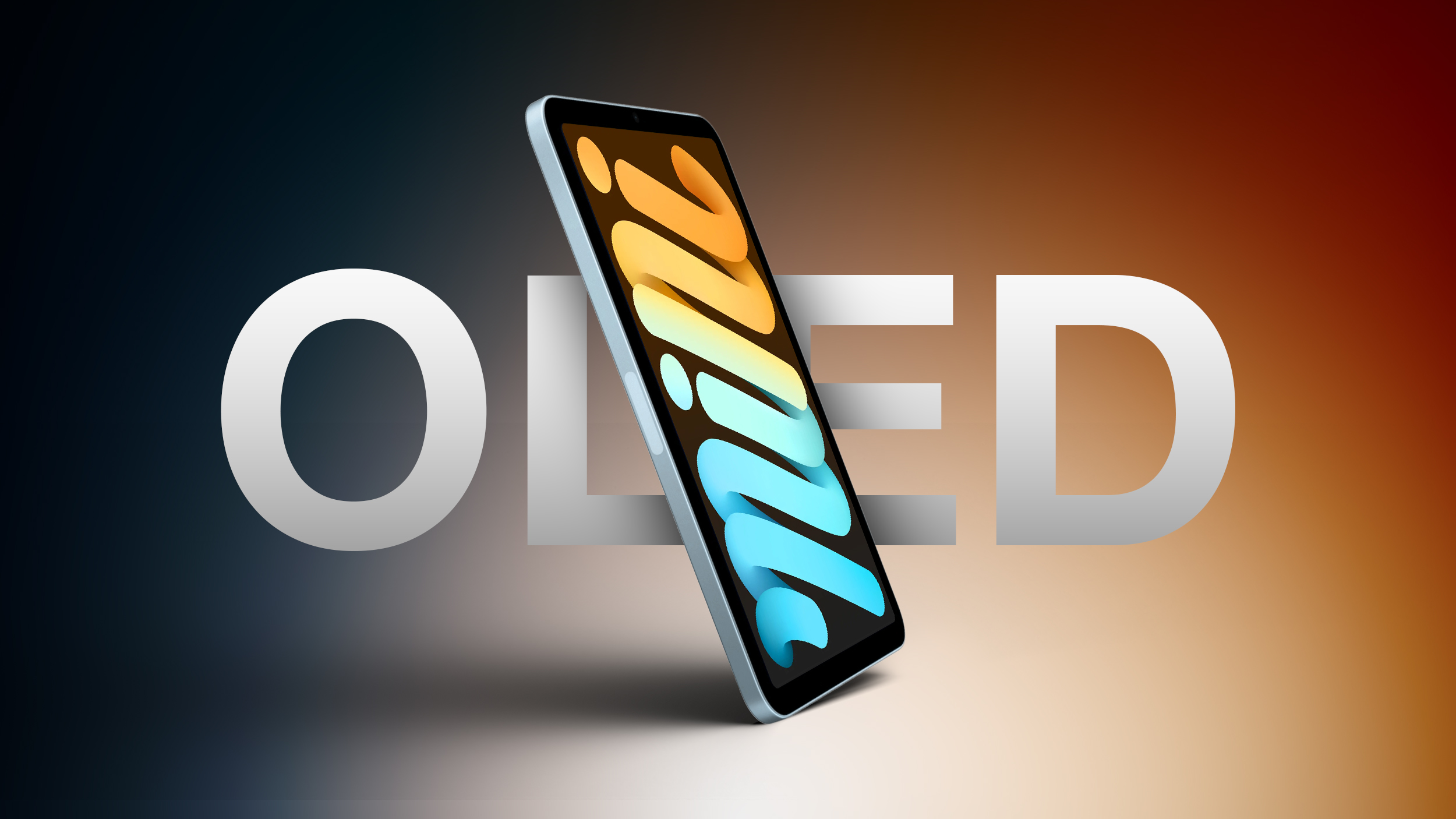
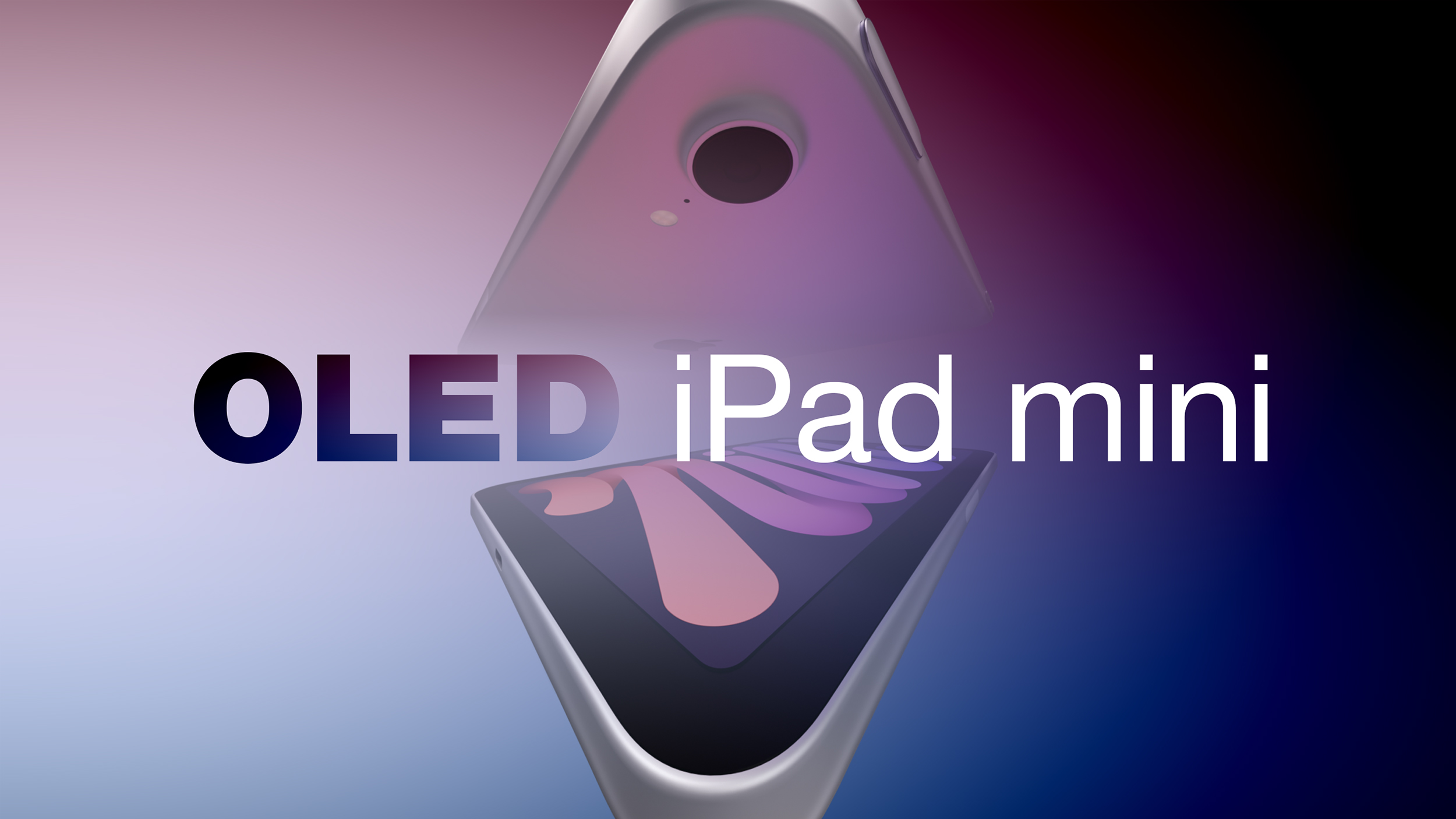
OLED iPad Mini Could Be $200 More Expensive Than Current Model

Apple's upcoming OLED iPad mini will be "considerably more expensive" than the current $599 model, according to Bloomberg's Mark Gurman. Writing in his latest Power On newsletter, Gurman referenced his own sources indicating a price hike, while saying his guess is that the new device will cost "something closer to $799."

Aside from a new OLED display, the new iPad mini is expected to feature an A20 Pro chip, a landscape FaceTime camera, a redesigned speaker setup, and a water-resistant design. Apple will likely unveil the device alongside new OLED touchscreen MacBook Pro models "on or around" Tuesday, October 27, Gurman previously reported. See our rumor roundup for all the details.
Related Roundup: iPad mini
Buyer's Guide: iPad Mini (Don't Buy)
Related Forum: iPad

This article, "OLED iPad Mini Could Be $200 More Expensive Than Current Model" first appeared on MacRumors.com

Discuss this article in our forums

  •  

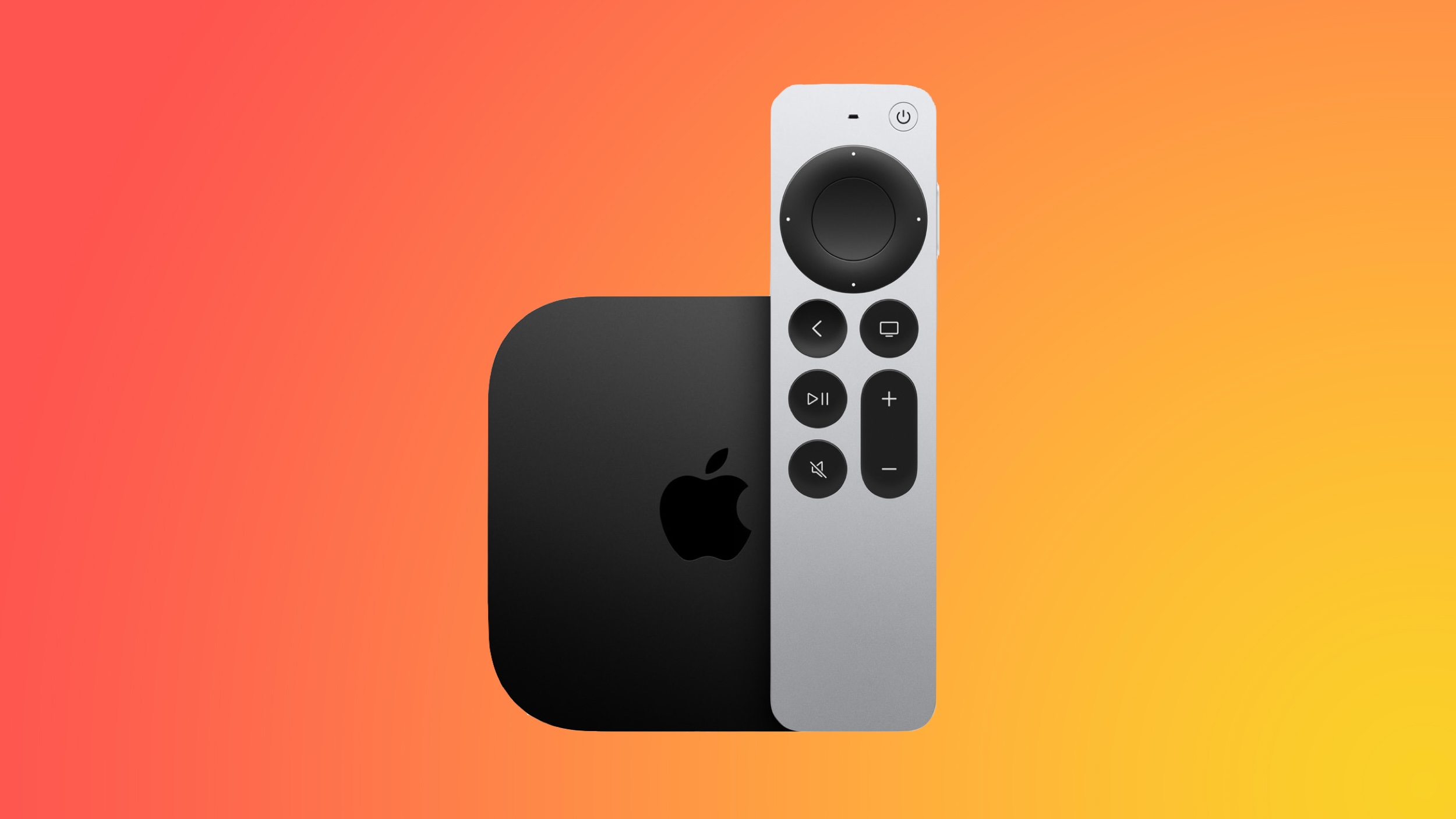
Apple TV 4K Getting A19 Chip and a Potentially Easier-to-Find Siri Remote

Apple's new Apple TV 4K will be powered by a standard A19 chip, up from the A15 in the current 2022 model, reports Bloomberg's Mark Gurman. Writing in his Power On newsletter, Gurman also said Apple has tested a refreshed Siri Remote with a speaker to make it easier to find between couch cushions.

Apple has also tested built-in microphones for the Apple TV 4K to let users query Siri without the remote or a paired HomePod, though whether this feature and the new Siri Remote will come with the shipping device appears unconfirmed. The new Apple TV 4K arrives in stores on October 30 alongside the new HomePod mini. Apple is expected to unveil both at Tuesday's "Welcome home" event.
Related Roundup: Apple TV
Buyer's Guide: Apple TV (Don't Buy)

This article, "Apple TV 4K Getting A19 Chip and a Potentially Easier-to-Find Siri Remote" first appeared on MacRumors.com

Discuss this article in our forums

  •  

Apple HomeView Smart Hub to Ship in Mid-November in Four Colors

Apple's all-new smart home hub, the HomeView, will ship around mid-November, roughly a month after its unveiling at Apple's "Welcome home" October 13 event, according to Bloomberg's Mark Gurman.

HomeView concept image

Writing in the latest edition of his Power On newsletter, Gurman said the HomeView, "at least as of now," will follow the launch of the new Apple TV 4K and new HomePod mini models, which will arrive to customers and in stores on October 30.

The HomeView will be positioned as the Siri command center of an Apple-powered home, pairing a display with an A18 chip. It will come in two versions, including a countertop model with a metal speaker base, offered in space gray, silver, starlight and pink, and a wall-mounted version with a flat, square base, limited to space gray and silver. The HomeView will offer better sound quality than the new HomePod mini, according to Gurman.

The device is controlled primarily by voice, though its screen supports touch input. It supports a limited selection of Apple applications, and there will be no dedicated App Store for it.

The HomeView name first appeared in a trademark filing by a shell company, a discovery reported on Friday by MacRumors and credited by Gurman. The "view" part of the name is said to reflect how the device is meant to be used, in the sense that it's a display that people look at and control mainly with their voice.
This article, "Apple HomeView Smart Hub to Ship in Mid-November in Four Colors" first appeared on MacRumors.com

Discuss this article in our forums

  •  

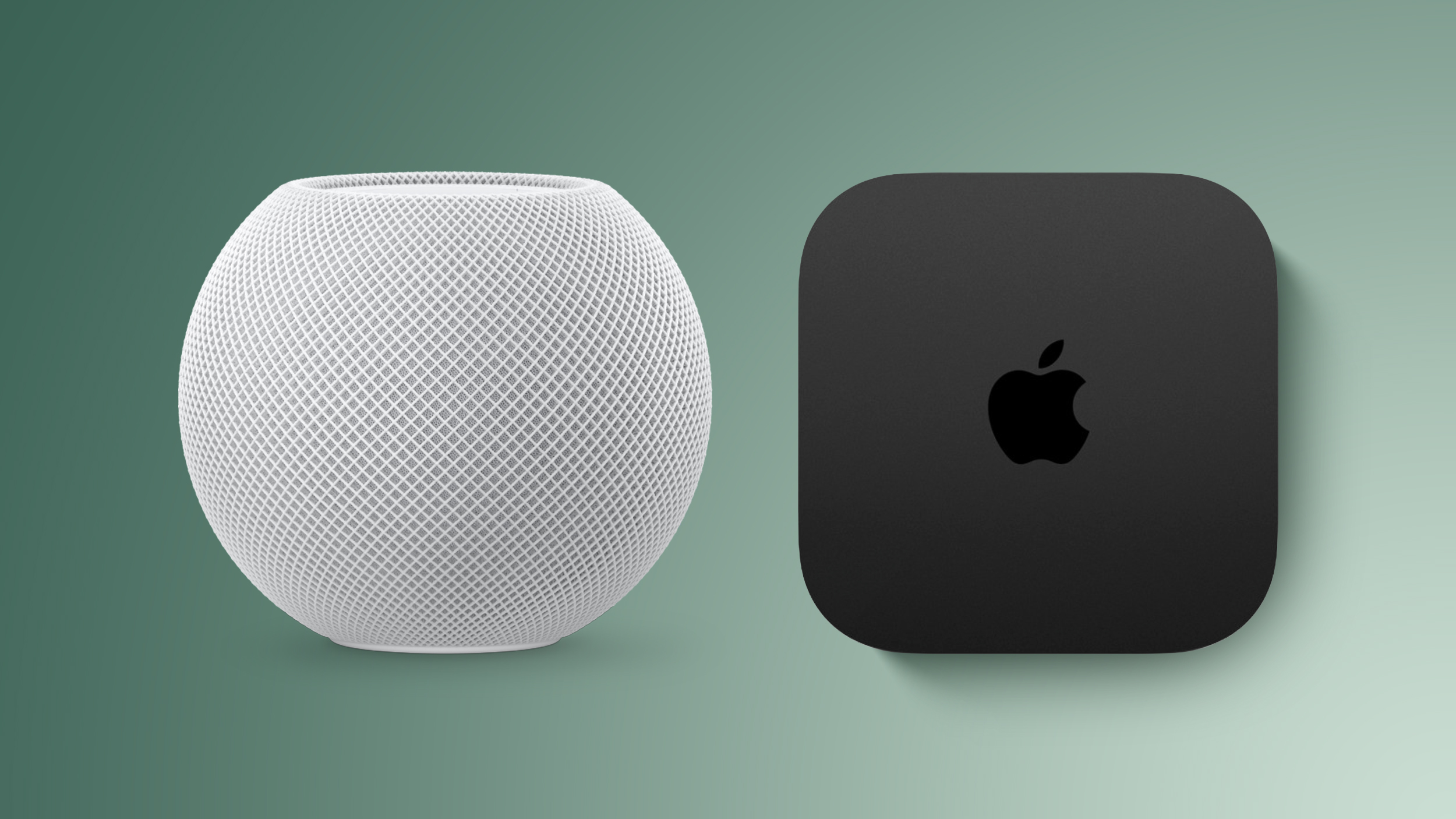
New Apple TV 4K and HomePod Mini to Ship on October 30

The new upcoming Apple TV 4K with A19 chip and new HomePod mini with S10 chip will launch on Friday, October 30, according to Bloomberg's Mark Gurman. Writing in his Power On newsletter, Gurman said the devices will ship to customers and arrive in stores on that day.

Apple is expected to announce the new devices at its October 13 "Welcome home" event, which will also debut "HomeView" – the company's new smart home hub, whose name was first spotted by MacRumors in a trademark filing. The HomeView will ship – "at least as of now" – around mid-November, according to Gurman's sources.
Related Roundups: Apple TV, HomePod mini

This article, "New Apple TV 4K and HomePod Mini to Ship on October 30" first appeared on MacRumors.com

Discuss this article in our forums

  •  

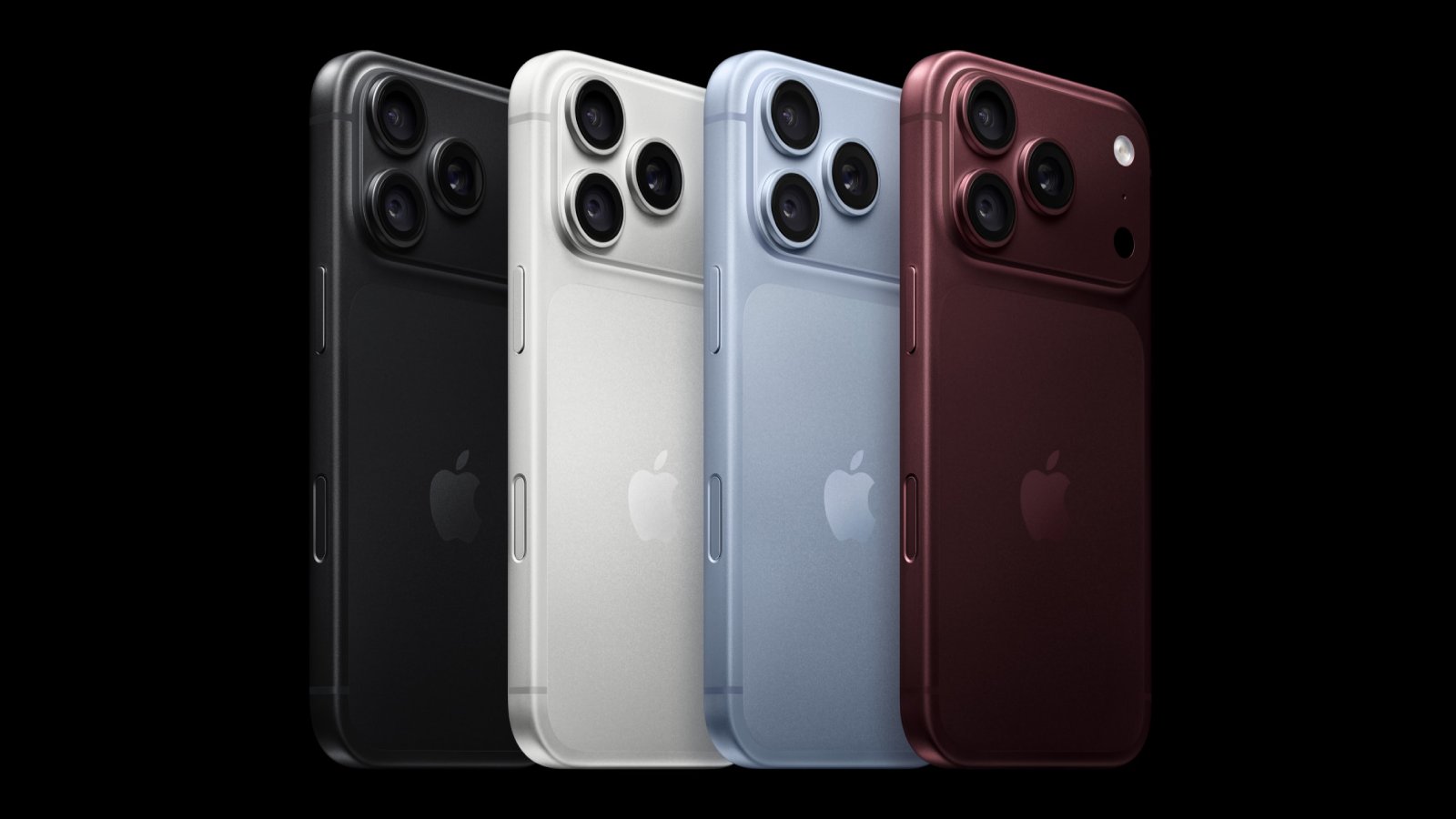
Apple Reportedly Cuts iPhone 18 Pro Orders After Price Hike Dampens Demand

Apple has asked some of its suppliers to cut production of iPhone 18 Pro components due to lower-than-expected demand, according to Nikkei Asia ($).


Citing its own sources, the report claims that Apple has been more cautious about shipments since early September because of the rising cost of memory chips, leading to higher prices. Component orders for October were said to have been cut by at least 15 percent compared with what was originally requested.

The iPhone 18 Pro and iPhone 18 Pro Max start at $1,199 and $1,299 respectively, which is $100 more than the models they replace. Apple has publicly blamed AI-driven memory chip costs for the recent price increases across its lineup, which has seen prices of MacBooks and iPads tick up, as well as for iPhone 16 and 17 models and other products.

Nikkei also said that softer demand between late August and October could be related to Apple changing its iPhone launch schedule. Rather than announcing its latest flagship iPhone series in one go, as it typically does, Apple is expected instead to release the regular iPhone 18 in the spring of 2027, alongside the lower-cost iPhone 18e and the ultra-thin iPhone Air 2, as part of a split launch strategy.

The iPhone 18 Pro models feature 12GB of RAM, which is the same working memory as last year's iPhone 17 Pro and iPhone 17 Pro Max. One rumor has it that Apple originally planned to equip the iPhone 18 Pro lineup with 16GB of RAM, but it may have ultimately decided against it due to the higher cost.
Related Roundup: iPhone 18 Pro
Tag: Nikkei
Related Forum: iPhone

This article, "Apple Reportedly Cuts iPhone 18 Pro Orders After Price Hike Dampens Demand" first appeared on MacRumors.com

Discuss this article in our forums

  •  

Apple Signs Hiring and Licensing Deal With AI Podcast Startup Huxe

Apple has reached an agreement to recruit employees from Huxe and license the AI audio startup's technology, according to a new European Commission filing.


The filing says Apple will have the right to make employment offers to certain Huxe employees and receive a non-exclusive license to the company's intellectual property, so this isn't an outright acquisition of the company.

Huxe was founded by former Google NotebookLM team members Raiza Martin, Jason Spielman, and Stephen Hughes. NotebookLM – since renamed Gemini Notebook – is Google's AI research tool, which is best known for its ability to turn documents and other source material into podcast-style audio discussions.

Huxe brought a similar approach to personalized listening, given that its app generated audio briefings based on users' emails, calendars, and interests, as well as podcasts about topics they wanted to explore. Listeners could interrupt the AI hosts to ask questions or request a different explanation.

The startup announced in May that it was winding down, and said its team was moving on and that development would stop. Its audio service ended on May 28. Apple notified the Commission of the arrangement on June 9.

The filing does not say which employees Apple could recruit, nor does it confirm whether anyone has actually been hired.
This article, "Apple Signs Hiring and Licensing Deal With AI Podcast Startup Huxe" first appeared on MacRumors.com

Discuss this article in our forums

  •  

iPhone Air 2 Could Be as Thin as an Unfolded iPhone Duo

Apple's iPhone Air 2 will be approximately 0.4mm thinner than the current model despite having a higher-capacity battery, claims the account "yeux1122" on the Korean Naver blog. Apple lists the original iPhone Air at 5.6mm thick, so a 0.4mm reduction would put its successor at approximately 5.2mm, around 7% thinner. Interestingly, that would match the thickness of the new iPhone Duo when unfolded.

A previous rumor claimed the iPhone Air 2 will feature a 3,500mAh battery. That's up from the 3,149mAh battery in the current iPhone Air, indicating around an 11% increase in raw capacity. The next-generation device is expected to launch early next year alongside the iPhone 18e and the regular iPhone 18.
Related Roundups: iPhone Air, iPhone Duo
Tag: Naver
Related Forum: iPhone

This article, "iPhone Air 2 Could Be as Thin as an Unfolded iPhone Duo" first appeared on MacRumors.com

Discuss this article in our forums

  •  

New iPad Mini Rumored to Have 60Hz OLED Display Ahead of Launch

Ahead of the expected imminent launch of the new iPad mini 8, word out of Asia suggests that the device will feature a 60Hz OLED display rather than a ProMotion 120Hz display.


The information comes courtesy of a hit-and-miss tipster running the account "yeux1122" on the Korean Naver blog. "There have been mentions of 120Hz in some overseas reports, but the domestic production quantity has already been confirmed to be LTPS at 60Hz," the tipster wrote. "That's it."

It's not the first time we've heard that OLED iPad mini won't share the same ProMotion display as the iPad Pro models. In July, the same leaker claimed they had been told by a source in Apple's supply chain that the unreleased iPad mini is equipped with a low-temperature polycrystalline silicon (LTPS) backplane hybrid OLED panel clocked at 60Hz.

Apple's ‌iPad Pro‌ models feature two-stack low-temperature polycrystalline oxide (LTPO) OLED panels‌, which makes the display capable of dynamically adjusting its refresh rate between 10Hz and 120Hz (aka ProMotion). In contrast, LTPS OLED panels are usually paired with fixed refresh rates – such as 60Hz, 90Hz, or 120Hz – and are typically dimmer than LTPO panels.

If the leak is true, it's likely to disappoint iPad mini fans. Previous reports have not been clear on whether the iPad mini 8 will feature a higher refresh rate than the 60Hz LCD display used in the existing iPad mini 7. Given that the base iPhone 17 uses a 120Hz ProMotion panel, some would have believed it was reasonable to expect the same on the first OLED iPad mini. That said, the iPhone 17e goes to show that Apple is still in the 60Hz OLED business, so it might not consider the iPad mini to be a big enough market to justify the more advanced panel technology.

There are at least some other new features of the new iPad mini 8 that we can expect. It should come with a faster A20 Pro chip, FaceTime camera relocated from portrait to landscape orientation, a redesigned speaker system, and a water-resistant design.

The new iPad mini is expected at some point in October, but Apple has not yet announced a launch date. Apple will unveil some new home products on Tuesday, October 13, according to a report from Bloomberg's Mark Gurman. However, MacRumors' sources indicate that Apple plans to hold a separate event in the final week of October, so the iPad mini 8 could arrive then.

Update: Apple will debut the new iPad mini on or around Tuesday, October 27, reports Bloomberg.
Related Roundup: iPad mini
Tags: Naver, OLED
Buyer's Guide: iPad Mini (Don't Buy)
Related Forum: iPad

This article, "New iPad Mini Rumored to Have 60Hz OLED Display Ahead of Launch" first appeared on MacRumors.com

Discuss this article in our forums

  •  

Apple's $634 Million Apple Watch Patent Bill Just Got Even Bigger

Apple's $634 million patent loss to medical technology company Masimo has just gotten even bigger, after a federal judge ordered Apple to pay an additional $184 million in interest on what it owes (via Bloomberg Law).


The ruling takes Apple's bill to around $818 million, but that doesn't include any post-judgment interest continuing to accrue until the judgment is paid.

Judge James Selna rejected Apple's argument that adding prejudgment interest would constitute a windfall for Masimo, citing U.S. Supreme Court guidance that "interest from the time that the royalty payments would have been received merely serves to make the patent owner whole." Put another way, Masimo is being compensated for as long as it was deprived of royalty payments that it theoretically would have received during the infringement period.

It didn't all go Masimo's way, though. Selna also declined Masimo's request to calculate it at a 7 percent rate, which would have put Apple's interest bill at $243 million. Instead, the court used Masimo's own borrowing rate, compounding annually from when the infringement began.

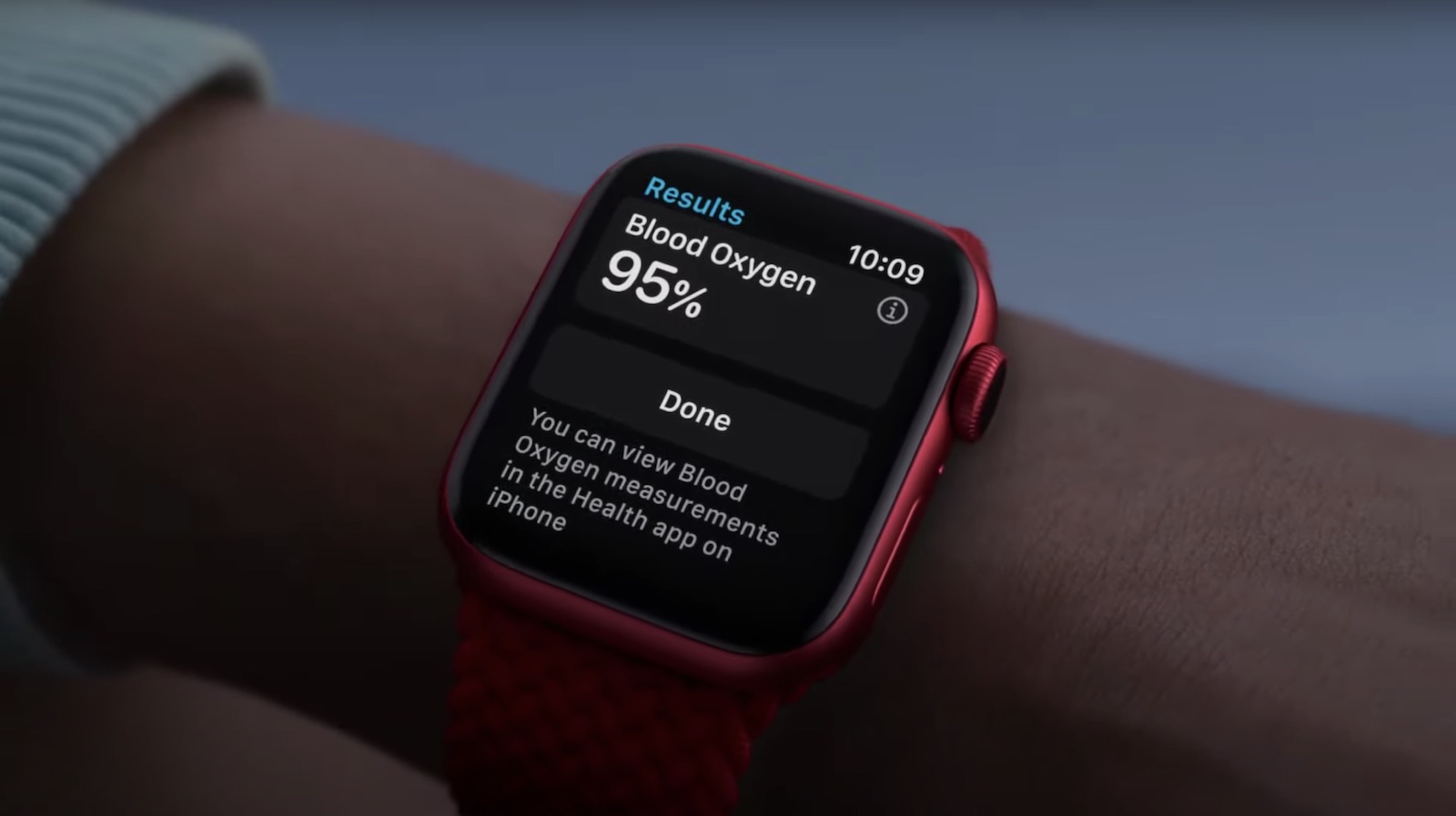
Masimo is also behind the separate patent dispute that led to a U.S. import ban on certain Apple Watch models and resulted in Apple disabling blood oxygen functionality on affected newly sold models. Apple in 2025 introduced a redesigned version of the feature.

The dispute here is concerned with a Masimo pulse-oximetry patent. In November 2025, a jury found that Apple Watch features including heart-rate notifications infringed Masimo's patent and awarded the company $634 million.

Apple subsequently tried to overturn or reduce the award, but Selna upheld the verdict in July. The patent in question expired in June 2022, so the ruling related to historical Apple Watch sales and has no effect on the heart-rate features in current Apple Watch models.
Related Roundup: Apple Watch 12
Buyer's Guide: Apple Watch (Buy Now)
Related Forum: Apple Watch

This article, "Apple's $634 Million Apple Watch Patent Bill Just Got Even Bigger" first appeared on MacRumors.com

Discuss this article in our forums

  •  

Microsoft OneDrive to Drop Support for These iPhone Models

Microsoft is set to drop OneDrive support for iOS 18 and iPadOS 18, which will remove the cloud storage app's compatibility with several older iPhones and one iPad model.


The loss of support for iOS 18 will impact the iPhone XR, iPhone XS, and iPhone XS Max, because these devices can't be updated to iOS 26. Likewise, the seventh-generation iPad will be left behind when Microsoft raises the app's minimum requirement to iPadOS 26.

OneDrive 18.12.1 is the final version to support iOS 18 and iPadOS 18, based on release notes for Microsoft's latest TestFlight beta.

It's not clear when the change will translate to the public version of OneDrive. That said, Microsoft recently added a notice to its App Store listing saying that support for iOS and iPadOS 18 will be dropped "soon," and recommending that users update to iOS 26 or iOS 27 to continue receiving the latest versions.

Existing versions of OneDrive aren't expected to immediately stop working on affected devices, but they won't receive new features, fixes, or other app updates once Microsoft makes the change.
This article, "Microsoft OneDrive to Drop Support for These iPhone Models" first appeared on MacRumors.com

Discuss this article in our forums

  •  

Apple Music Is Getting a New Logo

Apple appears to be rolling out a new logo for Apple Music in its upcoming set of software updates. The logo has been spotted in both macOS 27.2 beta 3 and iOS 27.2 beta 3, and it's identical to the one that Apple used in its Apple Music Hall announcement last month.


When Apple used the logo in the venue's press materials and on its new official website, it wasn't clear if this was a one-off branding exclusive to the hall. All the evidence now points to it being the company's official new logo for its music streaming service.

iOS 27.2 beta 3 uses the new Apple Music logo https://t.co/Y2OaON5Bg3

— Aaron (@aaronp613) October 5, 2026

The new Apple Music logo is starting to appear in macOS 27.2 beta 3! https://t.co/nWZAW5dobf

— ldt (@madeby_ldt) October 5, 2026


Apple's official Apple Music website and web player still show the old logo, but it's just a matter of time before everything is updated.

Apple is expected to release the software updates to the public later this month, shortly after the launch of the iPhone Duo, so expect to see the new Apple Music logo everywhere by then.
This article, "Apple Music Is Getting a New Logo" first appeared on MacRumors.com

Discuss this article in our forums

  •  

Apple Quietly Boosts Email Feature for iCloud+ Subscribers

Yesterday we reported that Apple tripled the number of iCloud Mail aliases users can create, from three to nine. But it turns out that's not the only email-related limit Apple has raised. The company has also bumped the number of iCloud Custom Domains users can set up with iCloud+, from three to 10.

If you subscribe to iCloud+, you can use a domain name you already own for your iCloud Mail address. So instead of name@icloud.com, your address can be anything@yourdomain.com. You can also buy a new domain when setting up the feature. The increased number of custom domains allowed was spotted in Apple's support documentation by X account pdfu.
Tags: iCloud, pdfu

This article, "Apple Quietly Boosts Email Feature for iCloud+ Subscribers" first appeared on MacRumors.com

Discuss this article in our forums

  •  

iOS 27.2 May Let You Hide Specific Suggested Actions in Messages

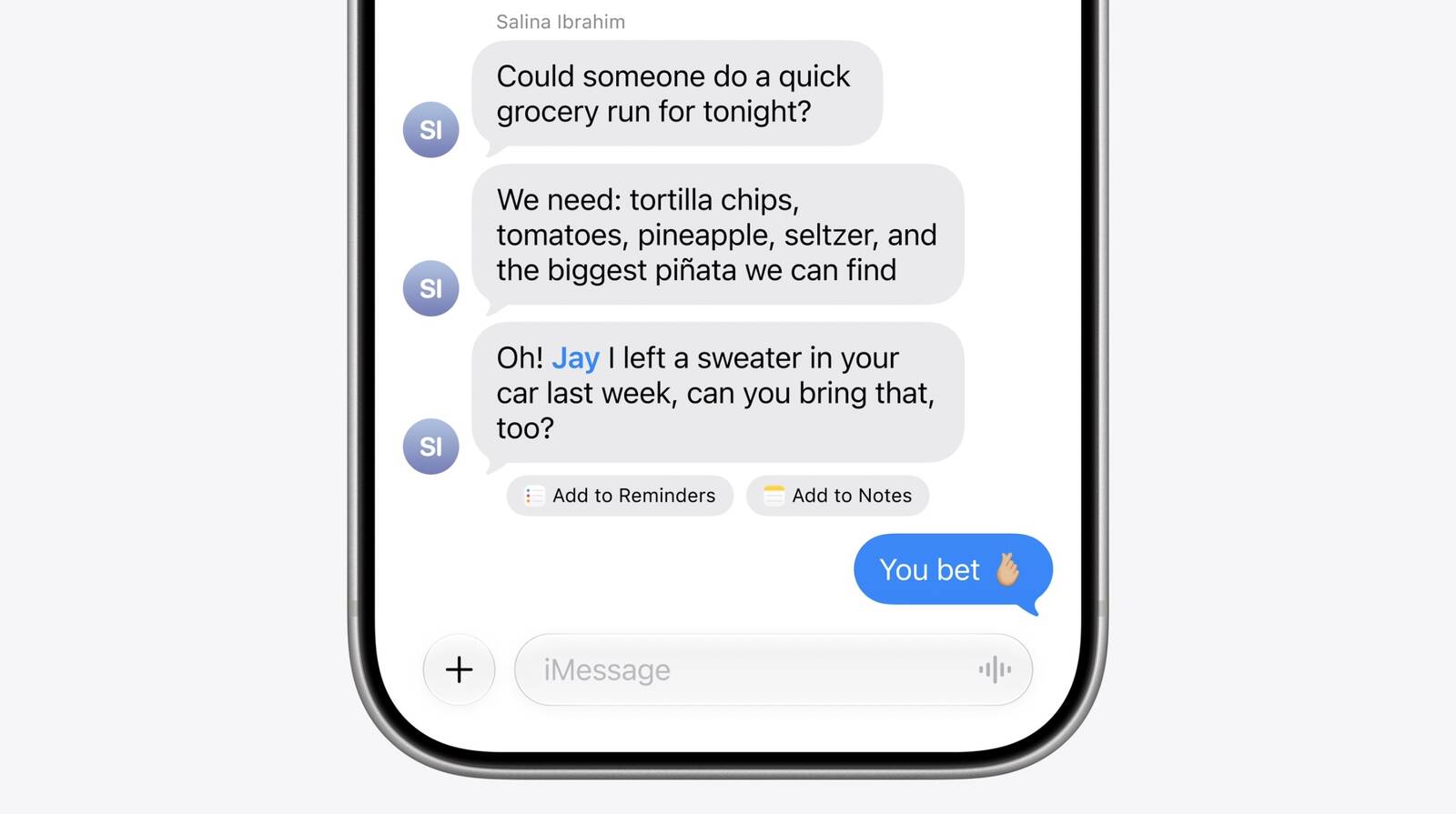
iOS 27.2 is coming soon with several new features for iPhone users, including Suggested Actions in Messages, a feature that lets the Messages app offer actions based on the context of conversations.


If someone asks for a photo, Messages might suggest inserting it with a tap. If someone invites you to an event, Messages can suggest adding it to the Calendar app.

Suggested Actions in Messages originally appeared in the iOS 27 beta but was pulled in the final release. It's now back in the iOS 27.2 beta, and there's evidence that Apple is also adding finer manual controls over the one-tap action buttons so that users can turn them on and off individually.

Code explorer pdfu found the new controls in iOS 27.2 beta 3. A new settings screen provides separate toggles for Suggested Actions including Add to Calendar, Add to Reminders, Add to Notes, Show in Maps, and Flights and Packages.

There's also a switch to "Hide Unused Suggestions." When enabled, suggestions that aren't used will stop being shown in Messages after 30 days. Hidden suggestions can also be re-activated by toggling their individual switches off and back on again, according to the screenshot shared by pdfu.

Apple is working on granular controls for Suggested Actions in Messages, based on iOS 27.2 beta 3 code. https://t.co/Fbffdf7epy

— pdfu (@itspdfu) October 5, 2026


Apart from Suggested Actions in Messages, iOS 27.2 includes Apple's redesigned Health app with new Insight and Longevity tabs. It also brings Siri AI in new languages. There are several other new features, with details available in our features guide.

It was a surprise when Apple released an iOS 27.2 beta ahead of an iOS 27.1 beta, but it's because the company plans to ship the iPhone Duo with iOS 27.1, and it likely wants to keep some of the iPhone Duo features hidden for longer.

The ‌iPhone Duo‌ will launch on October 23. Apple previously said the new ‌Siri‌ AI languages in iOS 27.2 would be available in October, so it's likely iOS 27.2 will come shortly after the ‌iPhone Duo‌'s release date.
Related Roundups: iOS 27, iPadOS 27
Tag: pdfu
Related Forum: iOS 27

This article, "iOS 27.2 May Let You Hide Specific Suggested Actions in Messages" first appeared on MacRumors.com

Discuss this article in our forums

  •  

iPhone 18 Pro Aperture Control Goes Fully Manual in Halide 3.2

Award-winning camera app Halide Mark III has been updated to version 3.2, bringing dedicated support for iPhone 18 Pro by broadening user control over the device's new variable aperture camera system.


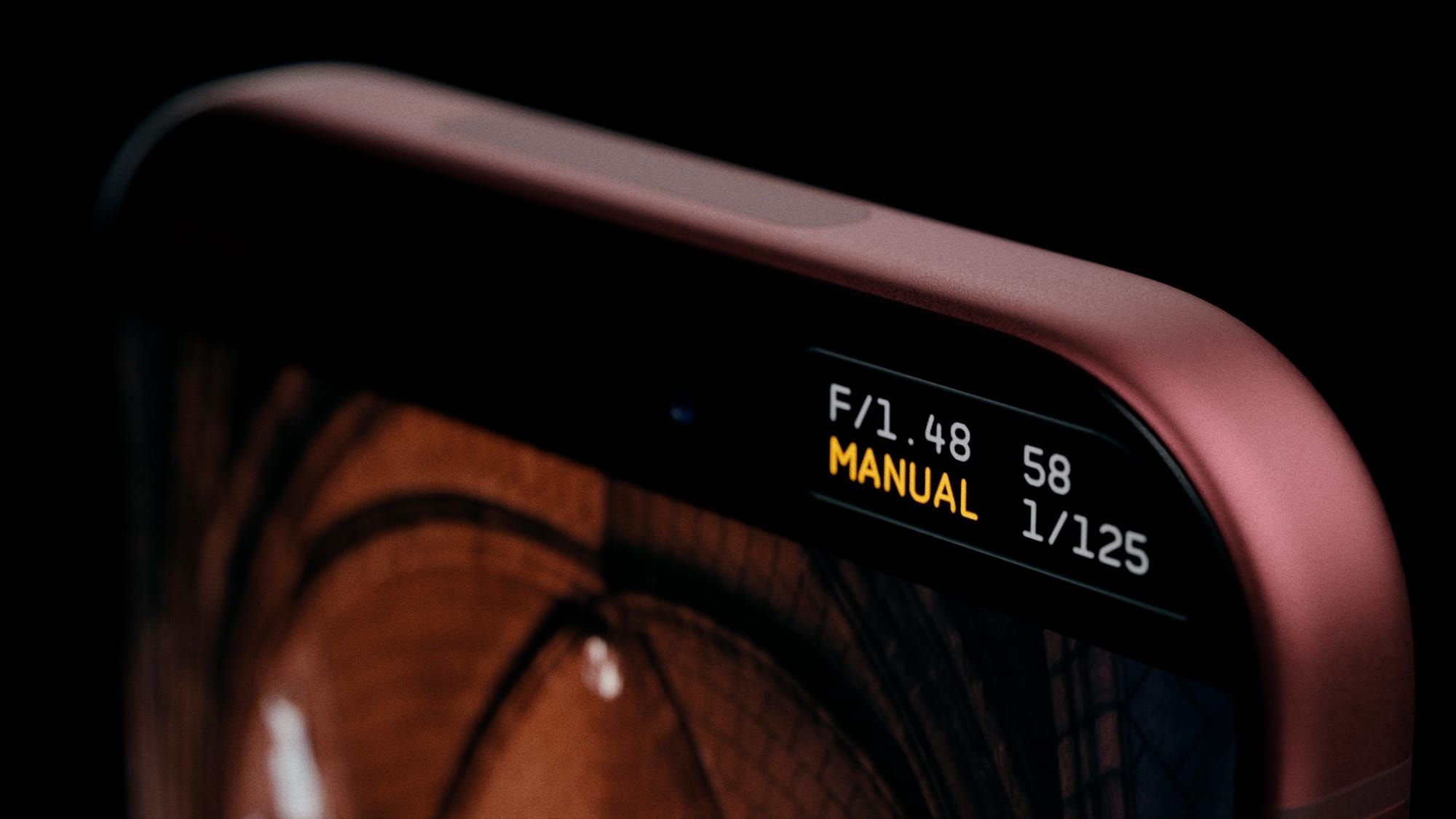
Apple's stock Camera app lets iPhone 18 Pro owners choose from a four-stop variable aperture ranging from ƒ/1.48 to ƒ/4.0, delivering around 50 percent better low-light performance and giving users more optical control over depth of field.

Halide 3.2 does away with that four-stop limitation and instead lets you select any ƒ-stop setting within the camera's full range.

There are two styles of aperture control in the app. The first is Aperture Priority mode, where you can set the ƒ-stop and the app handles the shutter speed and ISO to properly expose the shot.

The other style is Manual mode, which gives users full control over all three settings. This includes ISO settings – something that Apple's stock Camera app doesn't offer manual control over. Halide has said it is also considering adding f-stop presets in future updates, based on user feedback.

Elsewhere in this update though, Halide 3.2 adds two new film simulations, or photographic looks: Dawn and Quicksilver. Dawn features "filmic warmth in mid-tones and highlights, paired with rich yet gentle shadows and subtle complementary cool colors."

Quicksilver is described as a "high contrast and muted color" that simulates a "silver-retention alternative process." Halide's developers call it an "excellent midpoint between color and stark black-and-white."

Lastly, version 3.2 introduces a new 16:9 aspect ratio shooting mode for those who want to use a wider framing.

Halide 3.2 is available to download on the App Store, and costs $69.99 as a one-time purchase price, or $19.99 for an annual subscription.
Related Roundup: iPhone 18 Pro
Tag: Halide
Related Forum: iPhone

This article, "iPhone 18 Pro Aperture Control Goes Fully Manual in Halide 3.2" first appeared on MacRumors.com

Discuss this article in our forums

  •  

iPhone 18 Pro Sales Jump in China Ahead of iPhone Duo Launch

Sales of iPhone 18 Pro models in China were 12% higher in the three days after launching than sales of iPhone 17 Pro models were during their entire first week last year, according to Counterpoint Research.

The strong start helped Apple claim the top spot in the country's smartphone market for the week of September 14 to 20, handing it a 33% share. But the news could get even better for Apple's China market prospects this month: The iPhone Duo goes on sale October 23, and Chinese consumers have a much stronger appetite for foldable devices compared to the rest of the world.
Related Roundups: iPhone 18 Pro, iPhone Duo
Related Forum: iPhone

This article, "iPhone 18 Pro Sales Jump in China Ahead of iPhone Duo Launch" first appeared on MacRumors.com

Discuss this article in our forums

  •  

Apple TV Still Down for Some Users Following Apple Services Outage

Apple TV appears to be unavailable for some users, following a recent outage of Apple Services that began on September 30.


The original outage took down the App Store, Apple Fitness+, Apple Music, and several other services, but those are all now back online. Only Apple TV is still not working for an unknown number of users.

Apple's System Status page indicates an ongoing issue with Apple TV that started on September 30 at 4:43 p.m. Eastern Time. "Some users are affected," the page says, adding "Apple TV may be unavailable due to scheduled maintenance."

We'll update this article when the situation changes.
Related Roundup: Apple TV
Buyer's Guide: Apple TV (Don't Buy)

This article, "Apple TV Still Down for Some Users Following Apple Services Outage" first appeared on MacRumors.com

Discuss this article in our forums

  •  

PSA: Apple Mail on Mac May Stop Syncing Microsoft 365 Accounts Today

Microsoft today began disabling Exchange Web Services (EWS) by default in Exchange Online, which will cut off the protocol that Apple's Mail and Calendar apps on Mac still rely on to sync Microsoft 365 work accounts.


The cutoff has been on the cards for a fairly long time, as Microsoft stopped adding new features to EWS back in 2018, while in 2023 it announced that it would start disabling the protocol in Exchange Online from October 2026.

As Microsoft explains in the blog post linked above, organizations that have chosen to keep EWS running aren't affected for now. As for everyone else, the cutoff may not happen all at once. In a recently updated post from June, Microsoft described the change as a "phased rollout," so some Mac users could lose access sooner than others.

It's still possible for IT administrators to restore access. However, Microsoft plans to shut down EWS in Exchange Online permanently on April 1, 2027, and no extensions are currently planned.

As you'd expect, Apple is aware of the situation. In an Apple Platform Deployment support document, the company says it is "actively working with Microsoft" to move Mail, Calendar, Contacts, Notes, and Reminders apps on Mac to the newer Microsoft Graph API in a future macOS 27 update.

Except, that update hasn't arrived yet. Apple skipped macOS 27.1 betas entirely, while release notes for the macOS 27.2 betas have yet to make any mention of Graph support.

Meanwhile, affected organizations can just keep EWS running or move Mac users to a Graph-compatible client, such as Microsoft's Outlook app.

Note that the change will only affect Microsoft's cloud-hosted email server. In other words, companies that run their own Exchange servers aren't affected. Neither will iPhone and iPad be impacted, since they use Exchange ActiveSync rather than EWS.

(Thanks, Jonathan!)
This article, "PSA: Apple Mail on Mac May Stop Syncing Microsoft 365 Accounts Today" first appeared on MacRumors.com

Discuss this article in our forums

  •  

watchOS 27: 12 New Things To Check Out on Your Apple Watch

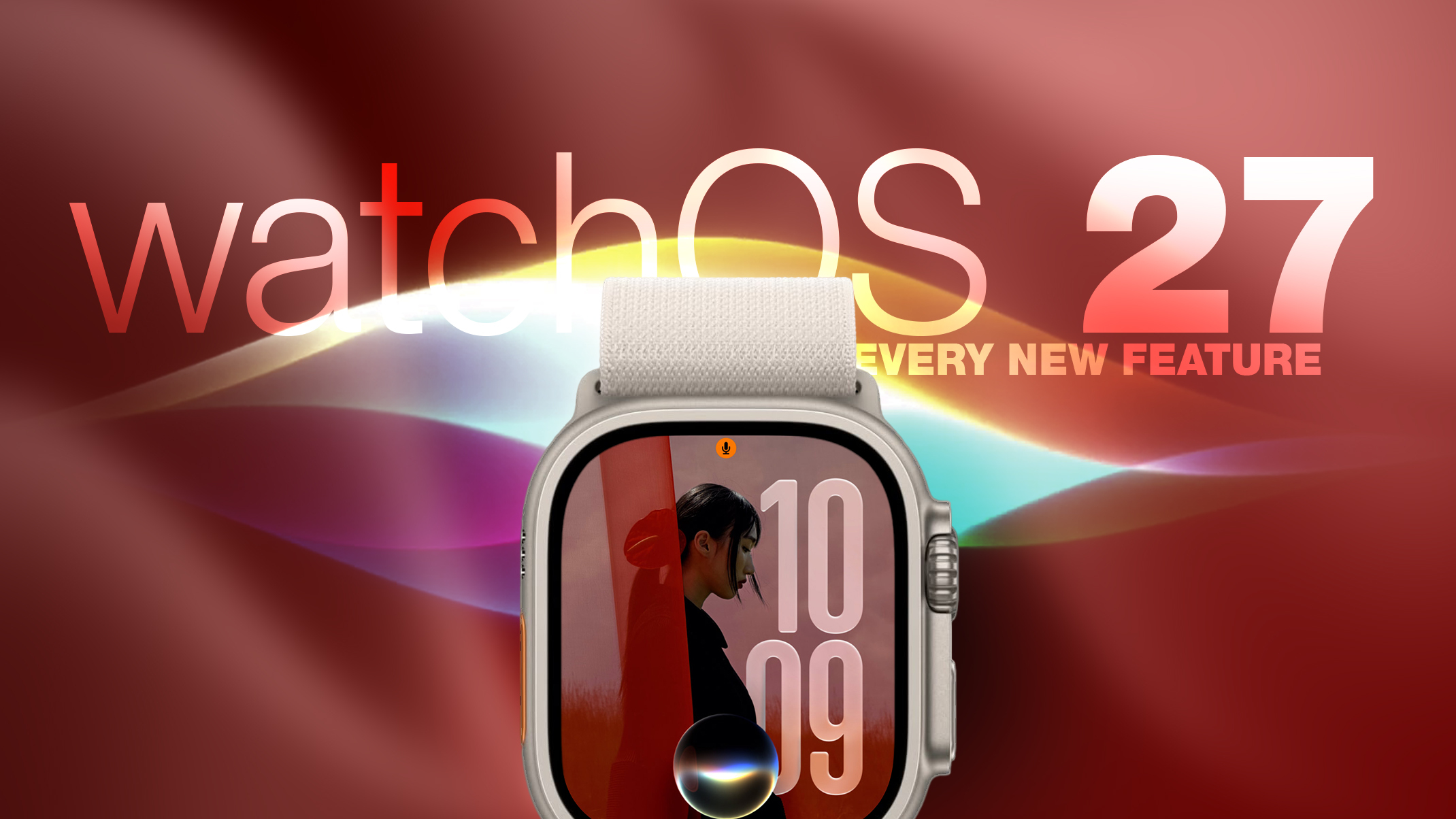
Apple released watchOS 27 on September 14. The features and changes aren't limited to owners of new Apple Watch Series 12 and Apple Watch Ultra 4 models. If you have an Apple Watch model that supports the latest update, here are 12 features and changes to check out after installation.

To do so, open the Watch app on your iPhone, then tap General ➝ Software Update, strap your watch into a charger, and follow the onscreen prompts.

Check Out the Dedicated Siri App
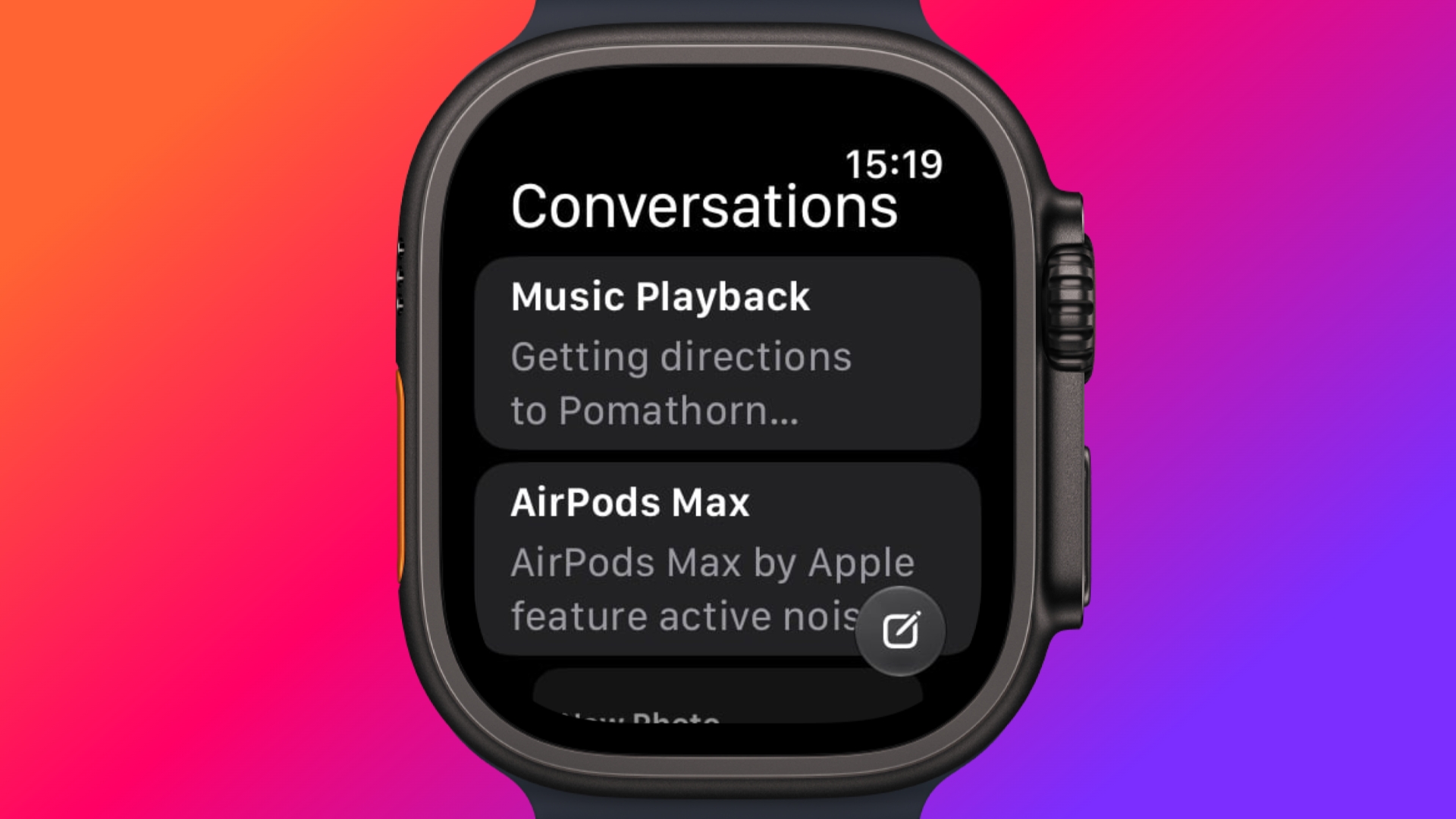


Siri has finally caught up with the AI revolution, and apart from having contextual awareness, it now has an app of its own that collects every conversation in a single view and syncs them privately across your devices over iCloud. Just ask something on your iPhone and you can pick the thread up again on your Apple Watch, as well as pin conversations worth keeping, or even start a new chat directly from your wrist.

Try Siri Modular Watch Face
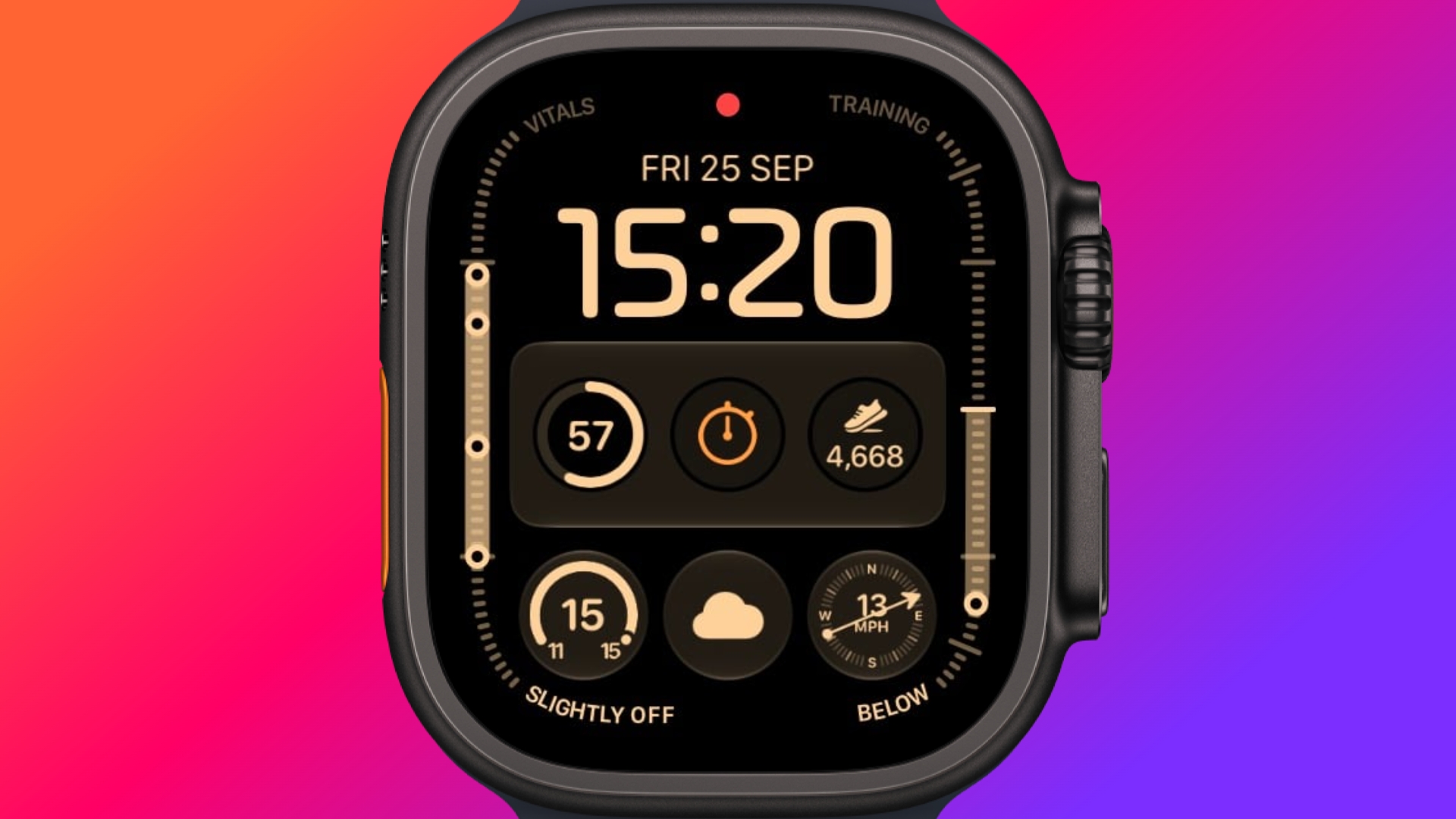


The new Siri watch face is a genuinely useful one. Its rectangular complication shows you whatever sits at the top of your Smart Stack, and it automatically updates through the day based on time, location, and other factors.

The Dynamic App Grid



Pressing the Digital Crown no longer produces the honeycomb app view by default. Now, watchOS 27 shows a dynamic grid made up of suggested apps, your most-used apps, and your most recently used ones. The Siri app sits in the middle, but the alphabetical list remains available – simply turn the Digital Crown to navigate through all of your apps.

New Tap Gesture



Apple has added a third gesture to Double Tap and Wrist Flick. The new one is simply called Tap. A single tap of your index finger and thumb opens the highlighted widget in the Smart Stack. You can still navigate the Smart Stack with Double Tap and dismiss notifications with Wrist Flick.

Walkie-Talkie Has Been Deleted
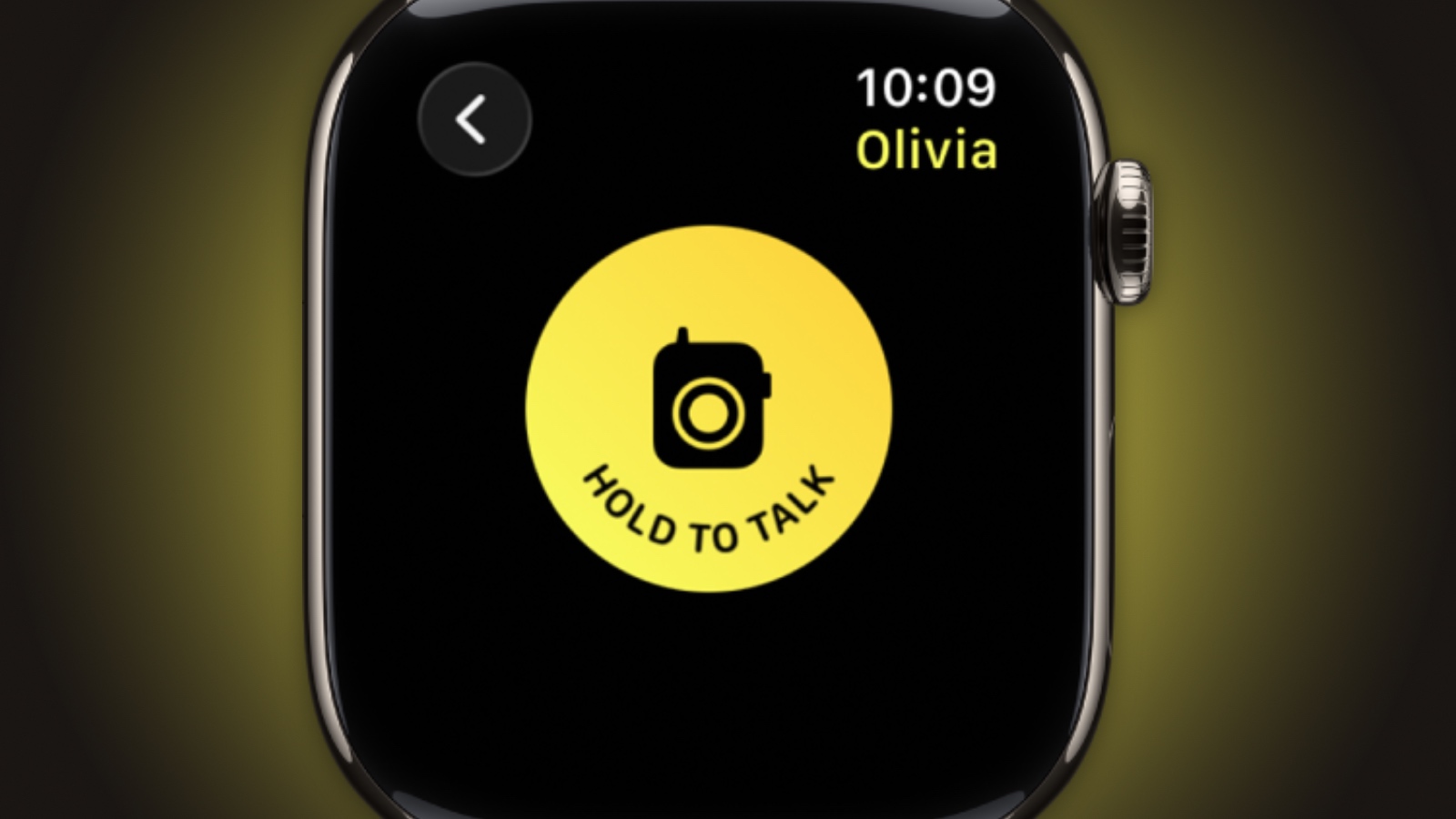


Walkie-Talkie is gone, and not merely hidden. The app is unavailable after updating to watchOS 27 and cannot be reinstalled from the App Store. You can keep the app by staying on watchOS 26, but you won't be able to start a conversation with a contact who has updated.

Live Rewind (Not Yet)
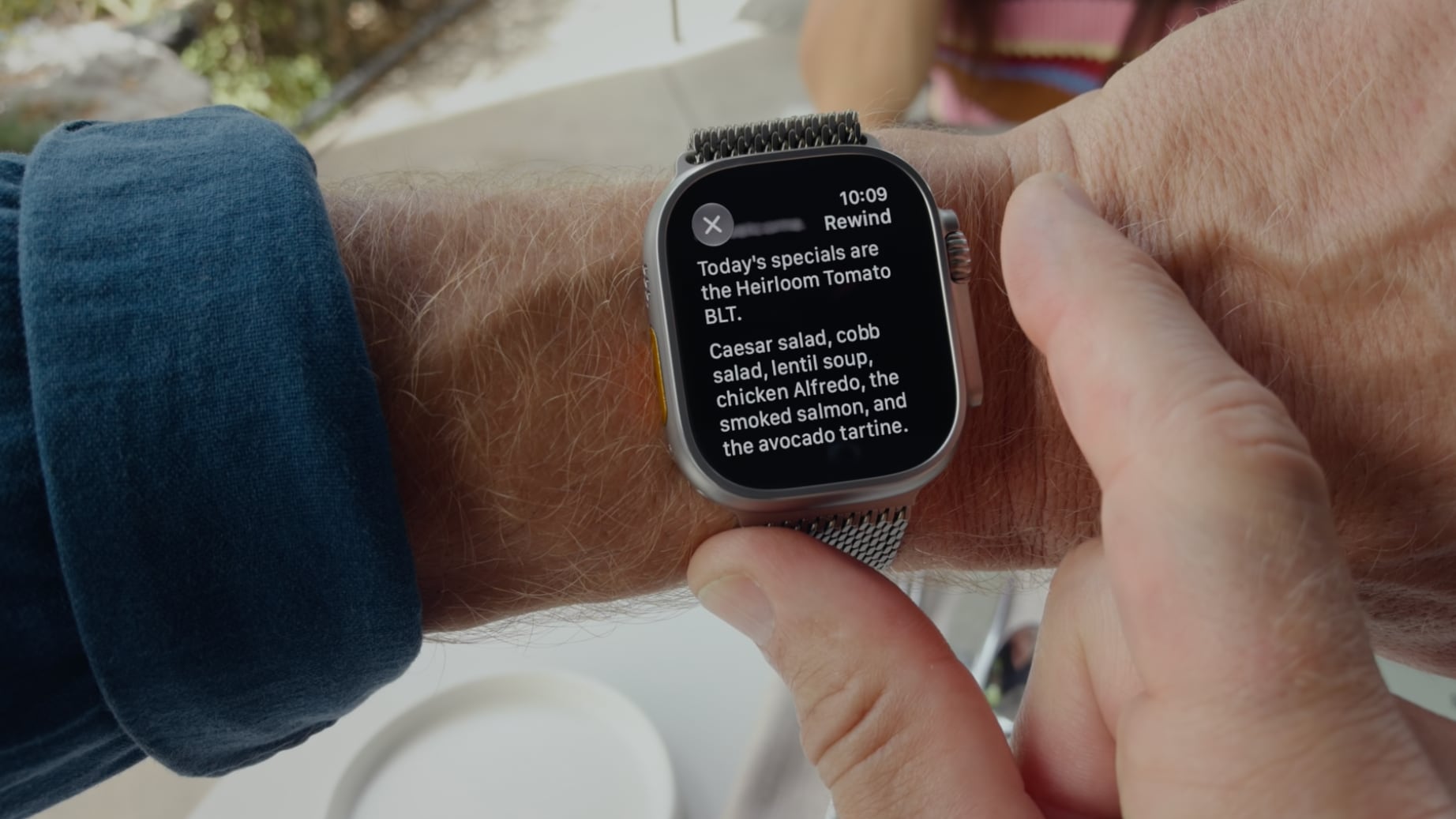


This is the change most likely to catch people out. In watchOS 26 and earlier, a double press of the Digital Crown opens the App Switcher, where you can jump back to the previous app, scroll through recent ones, and swipe to force-quit anything misbehaving.

That's changed in watchOS 27, in which a double press shows the new dynamic app grid instead. The gesture has been reserved for Live Rewind, an upcoming feature (exclusive to Apple Watch Series 12 and Ultra 4) that produces a transcript of the last fifteen seconds of speech in your environment.

Fortunately, the App Switcher will still be available when watchOS 27.2 is released later this year, but it will open with a different gesture. If you're already on the latest beta, simply long press on the bottom of the app that you're in, and that should open the App Switcher.

Find My is Now One App
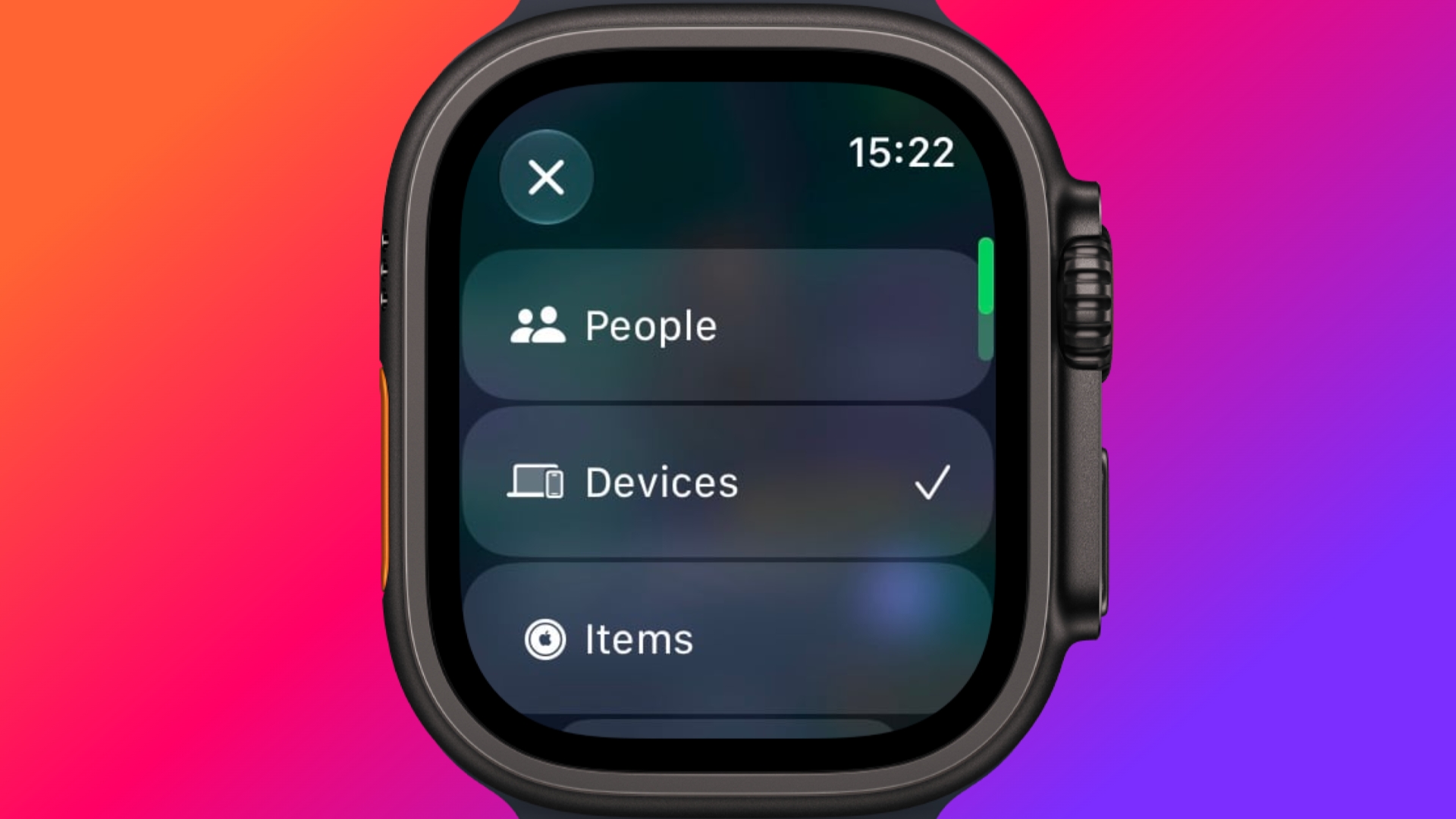


Find Devices, Find Items, and Find People have been folded into a single Find My app with a map-centric layout, which also includes shortcuts for directions and for items nearby.

Workout Buddy No Longer Needs Your iPhone
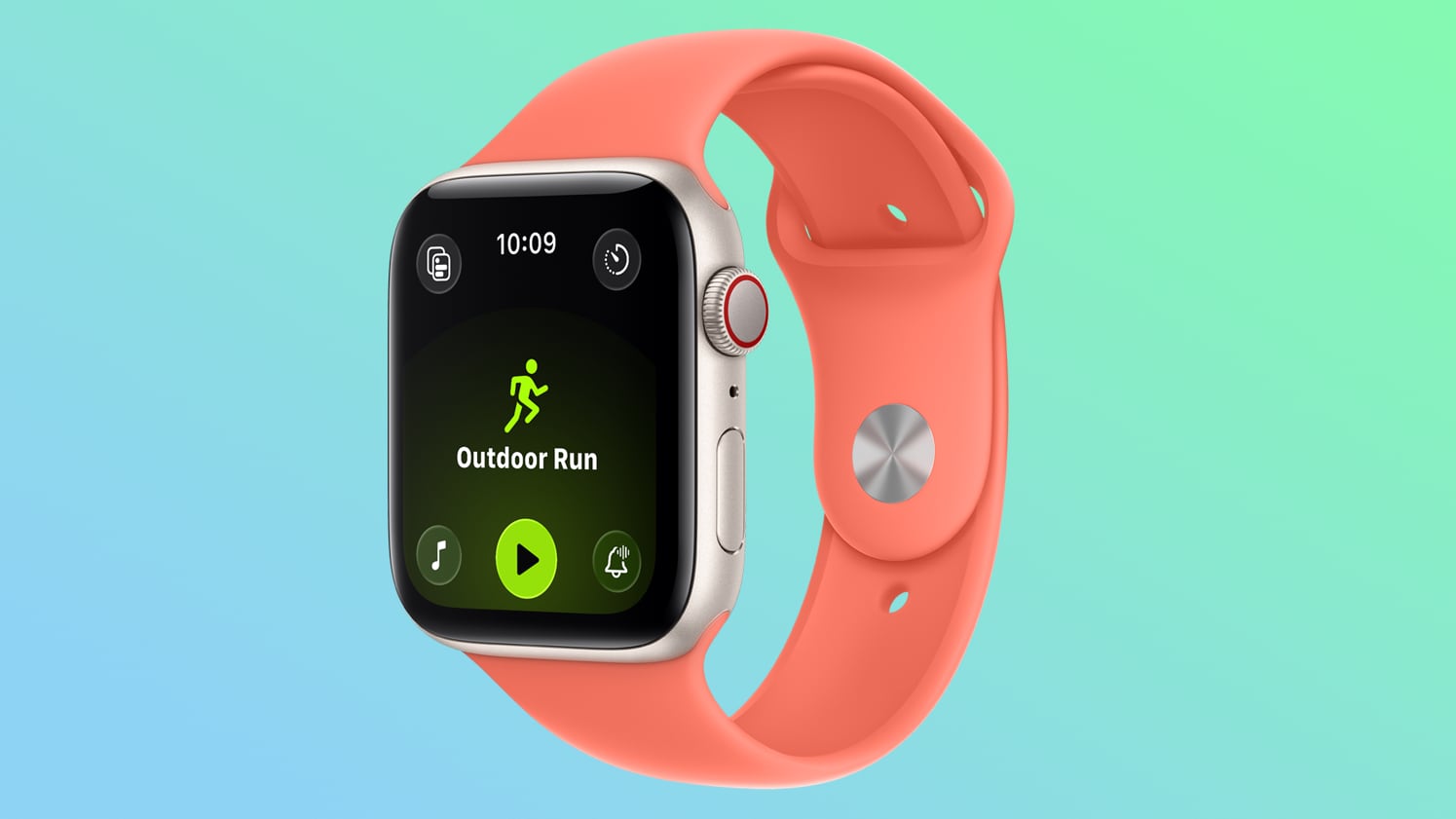


Introduced in watchOS 26, Workout Buddy previously required your iPhone within range. In watchOS 27, your Apple Watch can run it if Wi-Fi or cellular is available. It also draws new insights from your training history, tracking gradual gains in pace, distance and workout duration, and it now speaks Spanish as well as English.

New Cycle Tracking Features
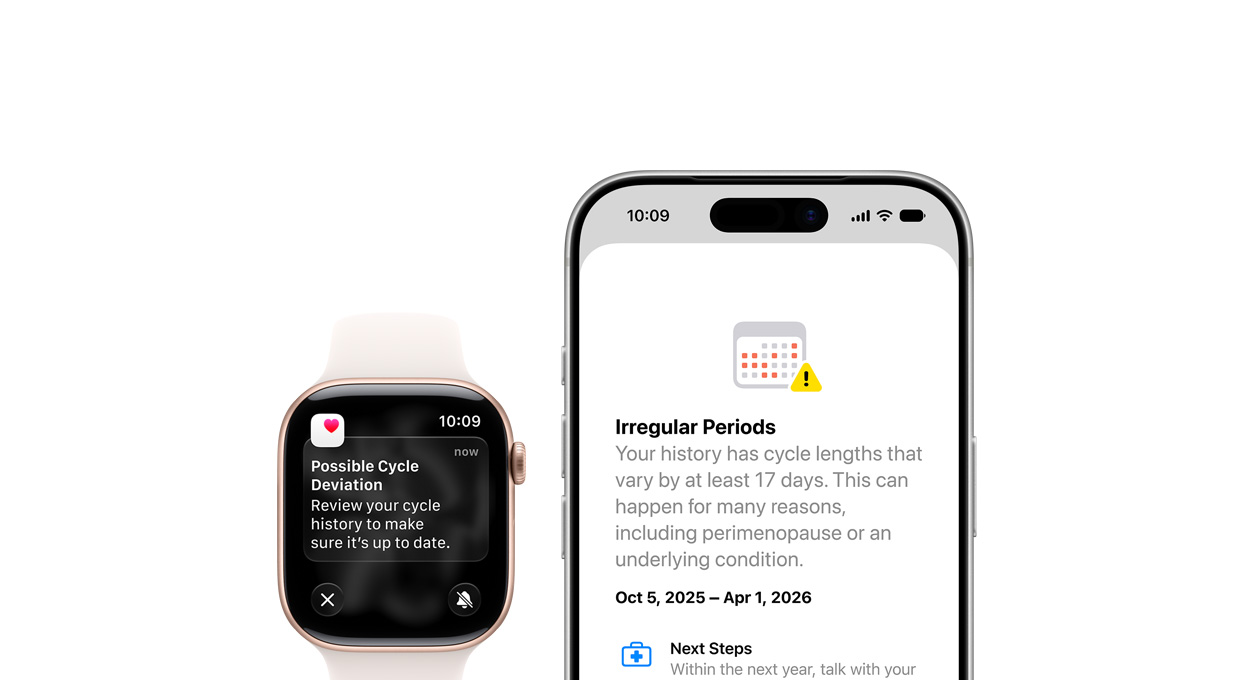


Cycle Tracking in the Health app can now notify you if your logged patterns are suggestive of perimenopause, alongside symptom tracking and educational material. The notifications only draw on your logged cycle history and apply to users aged 40 and over. Apple says the feature is not a method of birth control and is not a diagnosis.

Treadmill Distance Is More Accurate
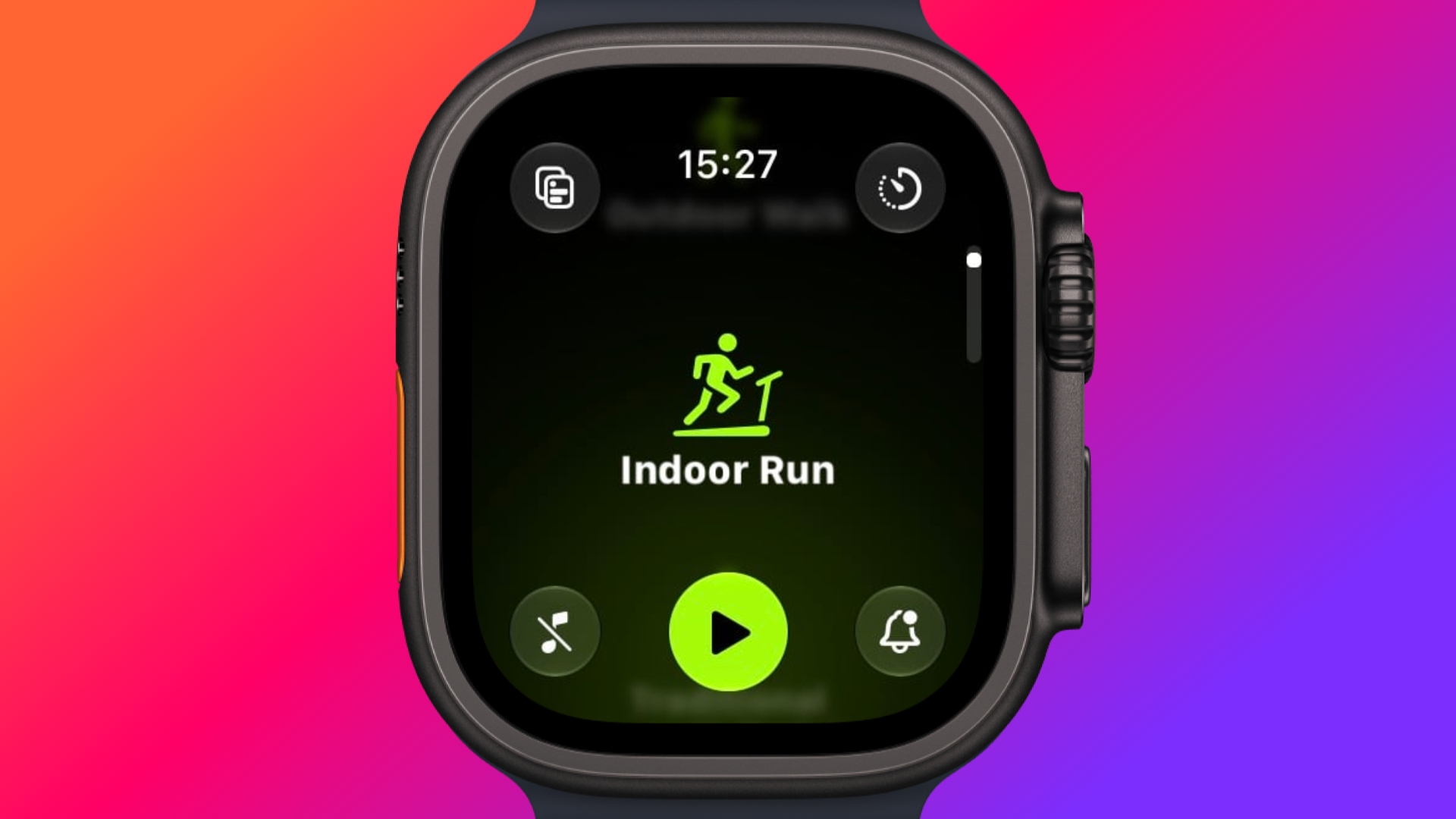


In watchOS 27, new machine learning motion algorithms measure distance more precisely for indoor runs and walks, and Apple says the improvement starts from the first step, as opposed to settling after a few minutes. Fitness route maps are more accurate too, and step counts finally stay in sync between the Fitness and Health apps.

The Smart Stack Gets More to Say
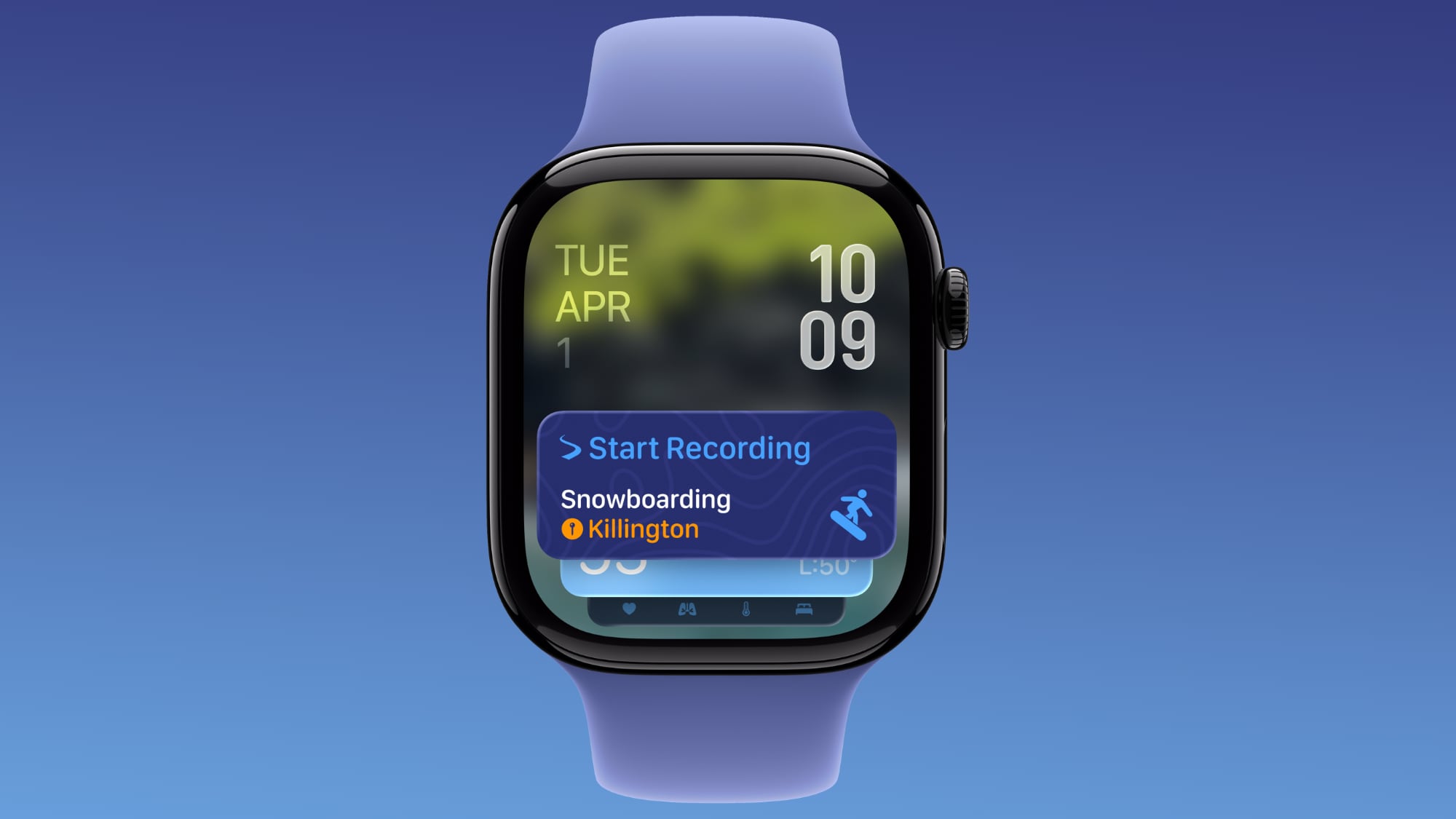


The Smart Stack's contextual suggestions are now a lot smarter. A few examples provided by Apple include new widgets surfacing your parked car's location, a close contact's birthday, a change in your transit card balance, the Noise app immediately after a loud-noise alert, a reminder that Theater Mode is still on, pinned messages, celebrations, and identity cards.

New Models Get a Steps Counter
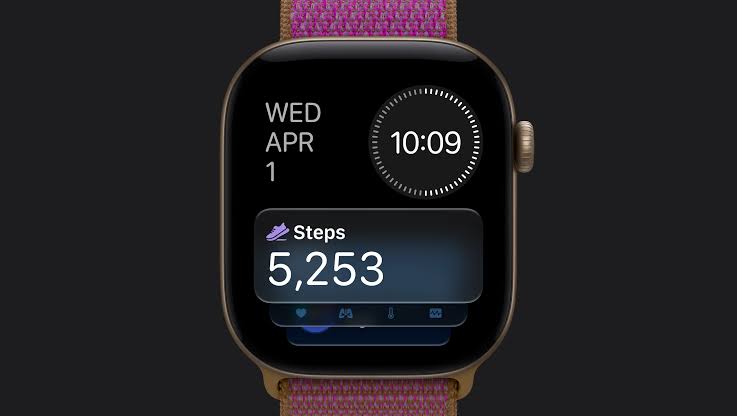


On Apple Watch Series 12 and Apple Watch Ultra 4, the redesigned pedometer model and S11 chip allow watchOS 27 to provide more accurate step counts. There's also a new Steps complication on the latest models to track your steps in real time, right from your watch face. Will we see the feature come to older devices? Your guess is as good as ours.
Buyer's Guide: Apple Watch (Buy Now)
Related Forum: Apple Watch

This article, "watchOS 27: 12 New Things To Check Out on Your Apple Watch" first appeared on MacRumors.com

Discuss this article in our forums

  •  

Create a Custom Pass in the Wallet App on iPhone

In iOS 27, Apple's Wallet app lets you create custom passes for things like event tickets, gift cards, loyalty cards, and more. Here's how it works.


If you have a ticket for an event and there's not a digital version available for the Wallet app, you can create one using the physical pass you have. The same goes for other cards, like a membership card, for example.

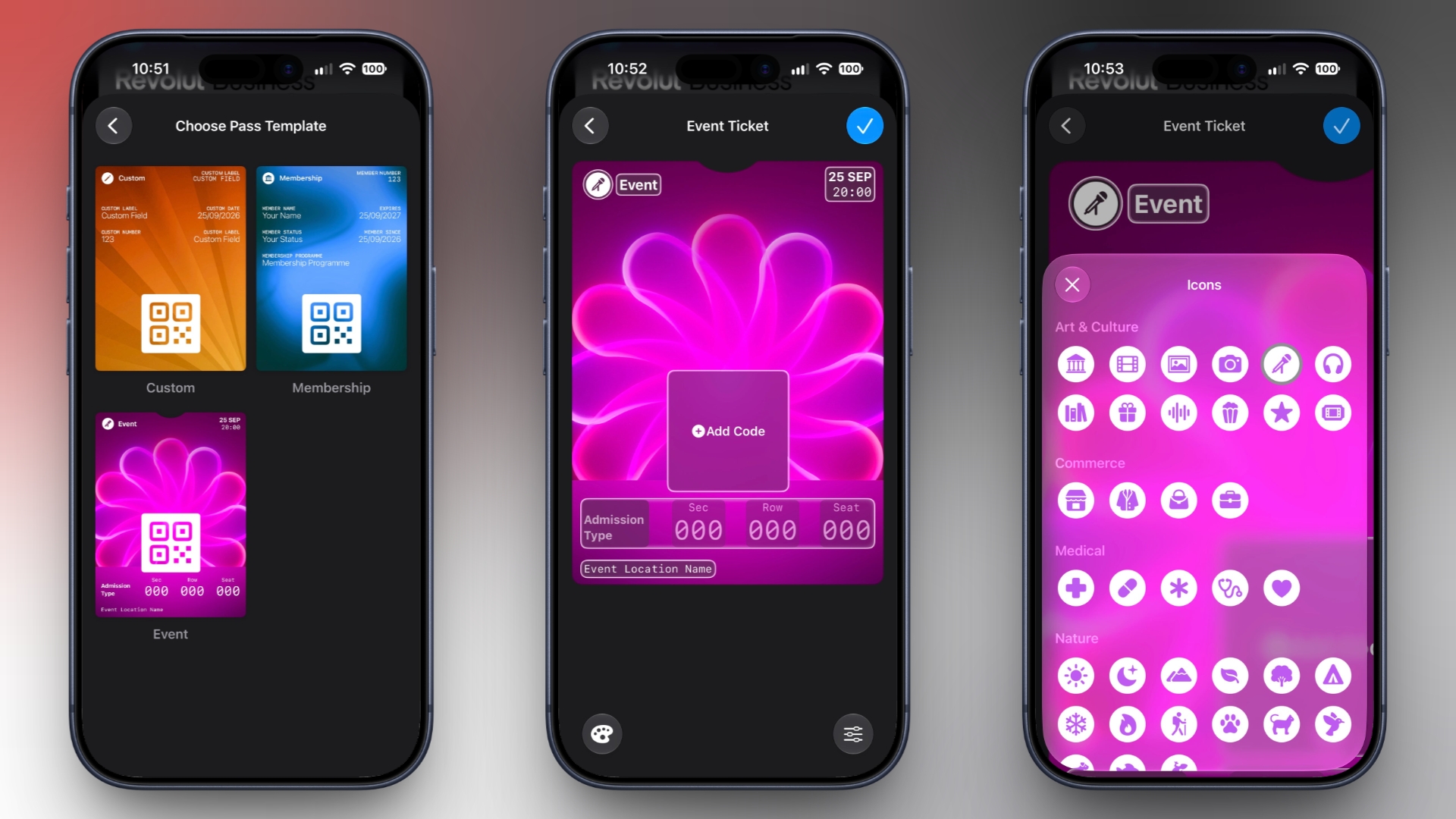
The Wallet app can use ‌Visual Intelligence‌ to scan your card, and it will match it to a template with corresponding fields that you can tweak before adding it to your Wallet.

Alternatively, you can create the pass manually, choose a template ("Membership," "Event," or "Custom") and then adjust the color and other details. All you need to do then is scan the barcode or QR code from your physical pass.

Each template includes relevant information like name, location, or admission type. There are 12 background colors to choose from, or seven custom backgrounds for categories like theater, music, sports, and movies.

Fields can be added or removed when creating a custom pass, with options like label, date, membership, contact, coupon code, VIN, insurance, and more, so most physical cards should be able to be stored digitally.

Here's how you create a pass with ‌Visual Intelligence‌:
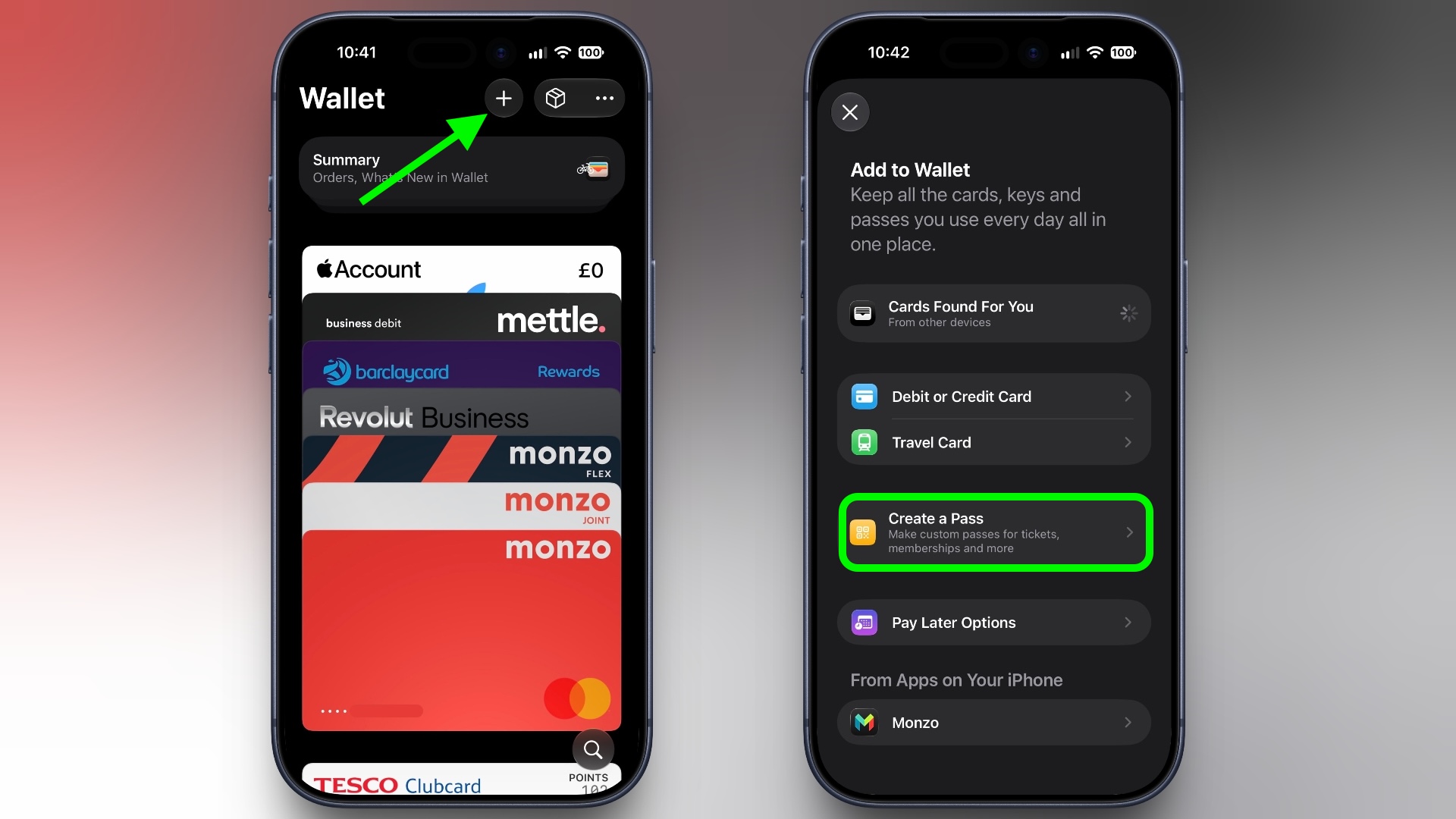
  1. Open the Wallet app on your iPhone and tap the + button at the top.

  2. Choose Create a Pass.
    wallet
  3. To let Visual Intelligence scan the pass, tap Continue, then take a photo of it in the next screen.

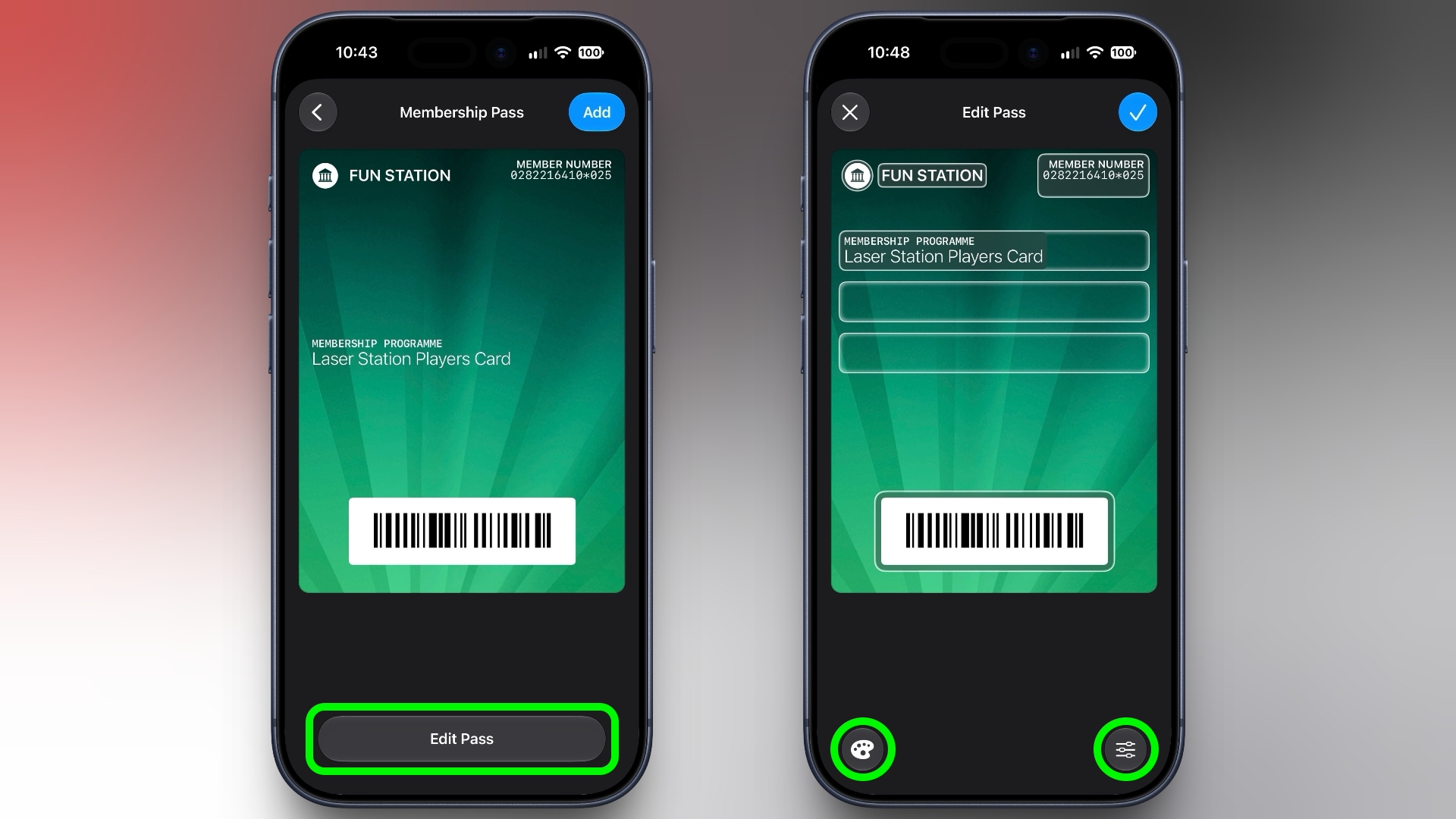
  4. After Visual Intelligence matches the pass to a template, tap Edit Pass.

  5. Use the palette icon in the bottom-left corner to change the look of the pass – you can the background colour, or use an image from your Photos library. Tap the icon in the bottom-right corner to add or remove fields.
    wallet
  6. Tap the blue checkmark at the top when you're done.
Your custom pass will now be added to your Wallet, ready for use. To edit it at any time, simply select it in Wallet, tap the three dots in the top-right corner of the screen, then tap Edit Pass.
This article, "Create a Custom Pass in the Wallet App on iPhone" first appeared on MacRumors.com

Discuss this article in our forums

  •  

How to Check Your Mac's Manufacture Date in macOS 27

If you installed macOS 27 Golden Gate, here's a way to find out when your Mac was manufactured. Apple has restored access to information that effectively disappeared when it randomized its serial numbers a few years ago.


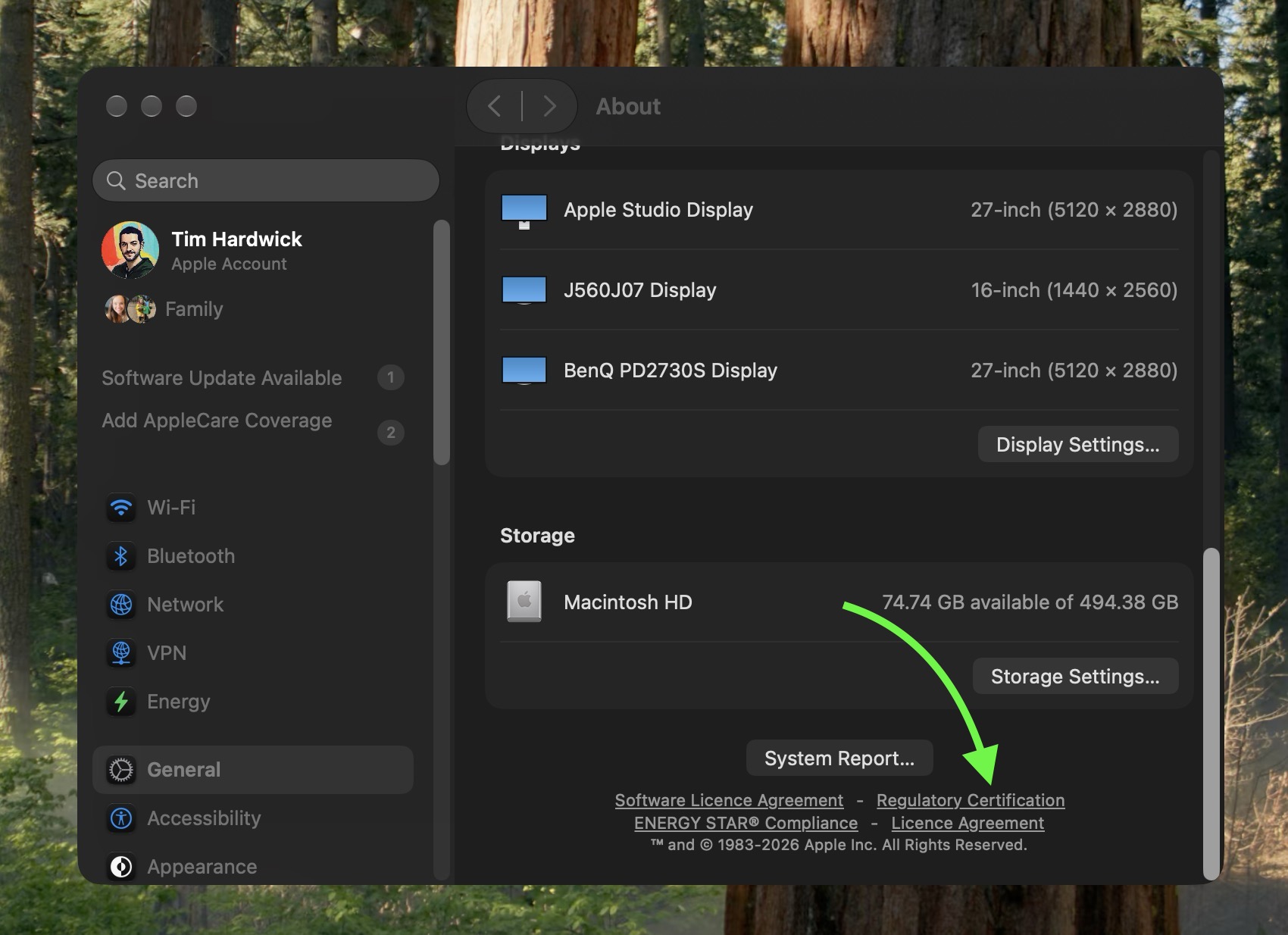
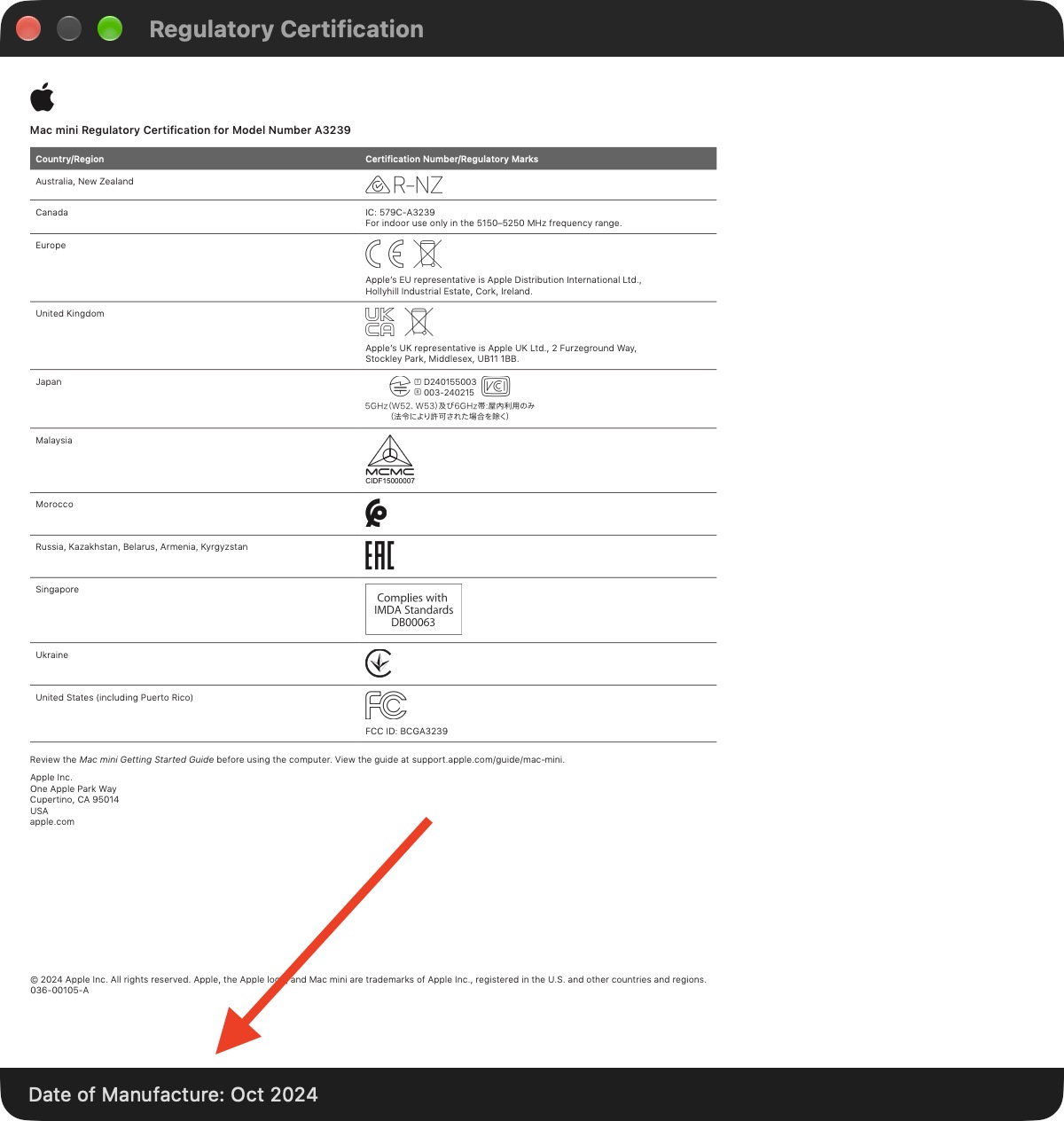
On your Mac, go to System Settings ➝ General ➝ About, then click "Regulatory Certification" under the System Report button. The certificate will show with a new "Date of Manufacture" field at the bottom.

You used to be able to decode the serial number on an Apple device to find out when and where it was made. That changed in 2021, when Apple began adopting randomized serial numbers without encoded manufacturing details.

That left owners of newer Macs with no similarly straightforward way to determine when their machine was made – until macOS 27 arrived.


The spot was made by MacRumors forum member pdfu. Another forum member said that the displayed date they saw on their certificate corresponded to their Mac's logic board rather than the date the complete machine was assembled. That logic board had been replaced though, suggesting that's where the date of manufacture is stored.

The regulatory certification first appeared during the macOS 27 beta cycle and it hasn't, to our knowledge, been highlighted by Apple.
Related Roundup: macOS Golden Gate
Related Forum: macOS Golden Gate

This article, "How to Check Your Mac's Manufacture Date in macOS 27" first appeared on MacRumors.com

Discuss this article in our forums

  •  
❌