
 Anmelden
ChatGPT Images 2.0 is better at rendering non-Latin text
A little more than a year after OpenAI gave ChatGPT users the option to create images and designs directly from its chatbot, it's now releasing ChatGPT Images 2.0. OpenAI describes the new system as a “step change” for image generation models, particularly when it comes to the tool’s ability to follow instructions in detail, render dense text and place and relate objects in a scene. For the first time, OpenAI has also built an image model with reasoning capabilities, giving the system the ability to do things like search the web and verify its outputs. According to the company, those capabilities should translate to a tool that's more reliable when accuracy, consistency and visual cohesion are essential.
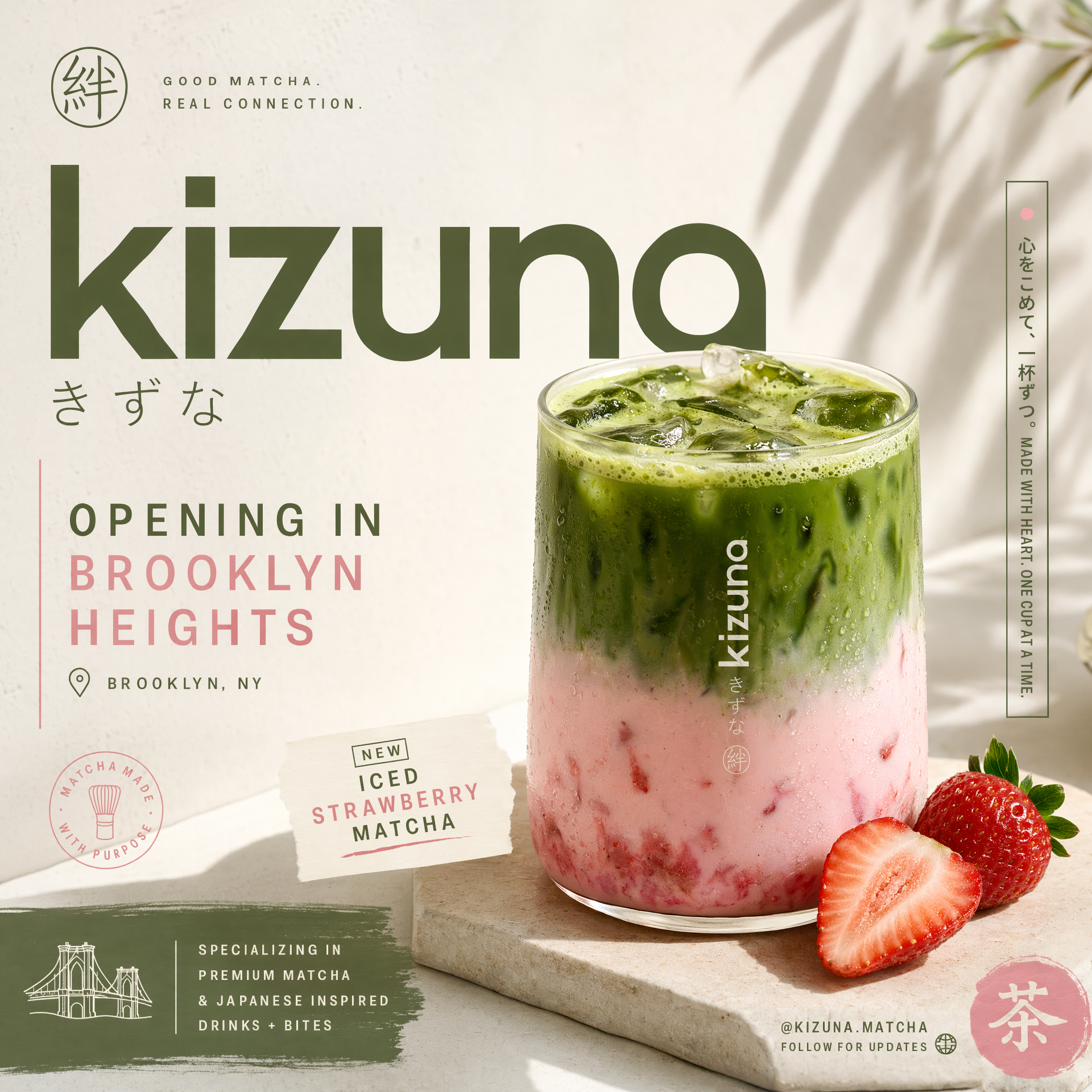
OpenAI says it has also put in a lot of work to make Images 2.0 better at understanding and rendering non-Latin text, with "significant gains" when it comes to the model's ability to handle Japanese, Korean, Chinese, Hindi and Bengali. At the same time, the company claims the new model is better at faithfully recreating the specific characteristics of different visual languages. On this point, OpenAI says that makes Images 2.0 more useful for tasks like game prototyping and storyboarding. Outside of those features, the new model is more flexible when it comes to aspect ratios, allowing it to generate images that are as wide as 3:1 and as tall as 1:3. It can also produce designs at resolutions of up to 2K, and even generate up to eight outputs in one go.
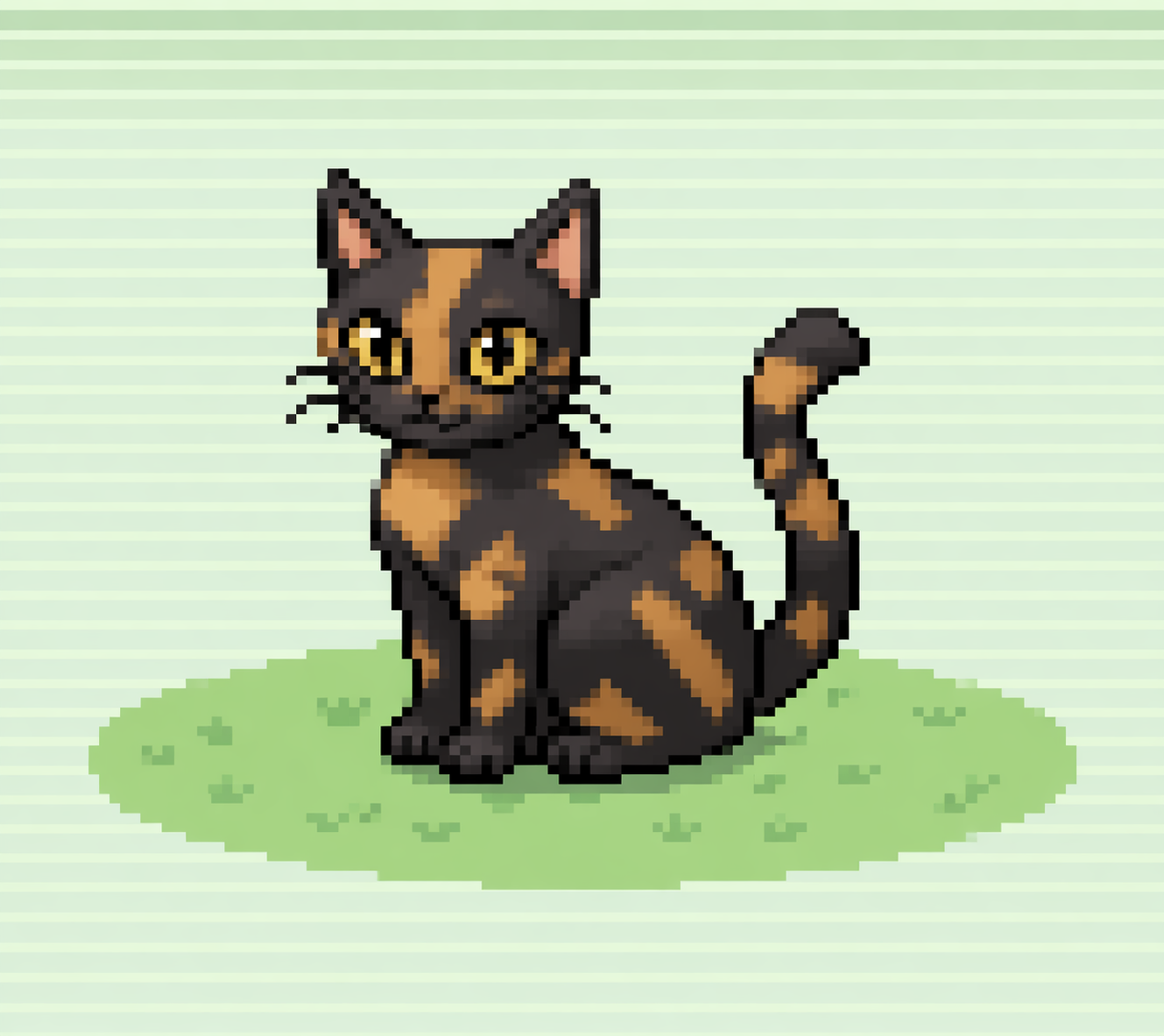
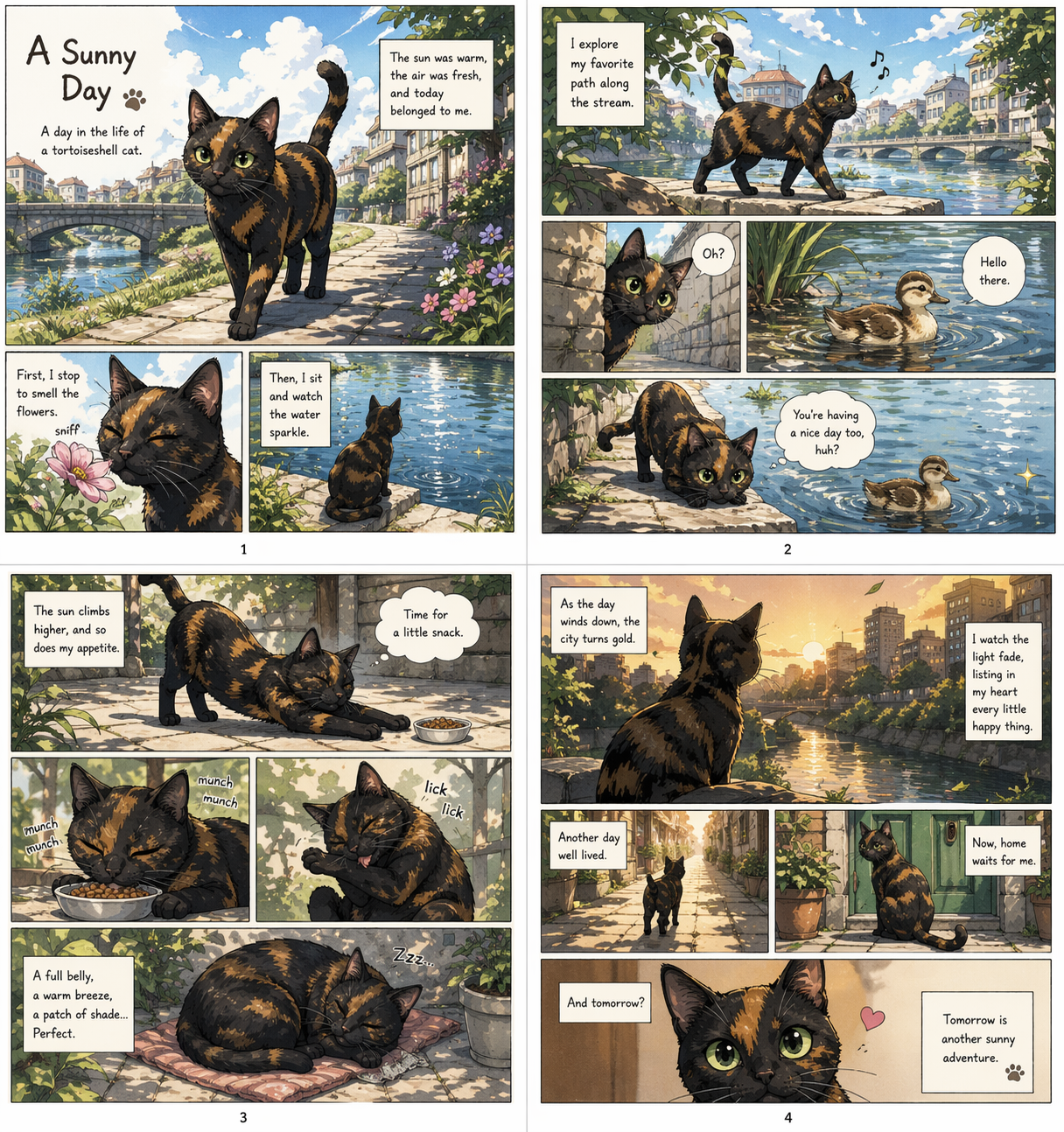
I got a chance to preview Images 2.0 ahead of its public release. For my first prompt, I asked ChatGPT to generate an image of a tortoiseshell cat in the pixel art style of Pokémon's third generation. I thought this would be a good test because AI models typically struggle with pixel art, and the Game Boy Advance Pokémon games are iconic for their art style, so much so that if ChatGPT merely approximated that style, it wouldn't do. The result is the image you see above, and I think ChatGPT did a commendable job there. I then tasked the new model with converting that image into a transparent PNG. For one last test, I asked ChatGPT to create a four-page manga about my cat enjoying a sunny day by an idyllic city stream.
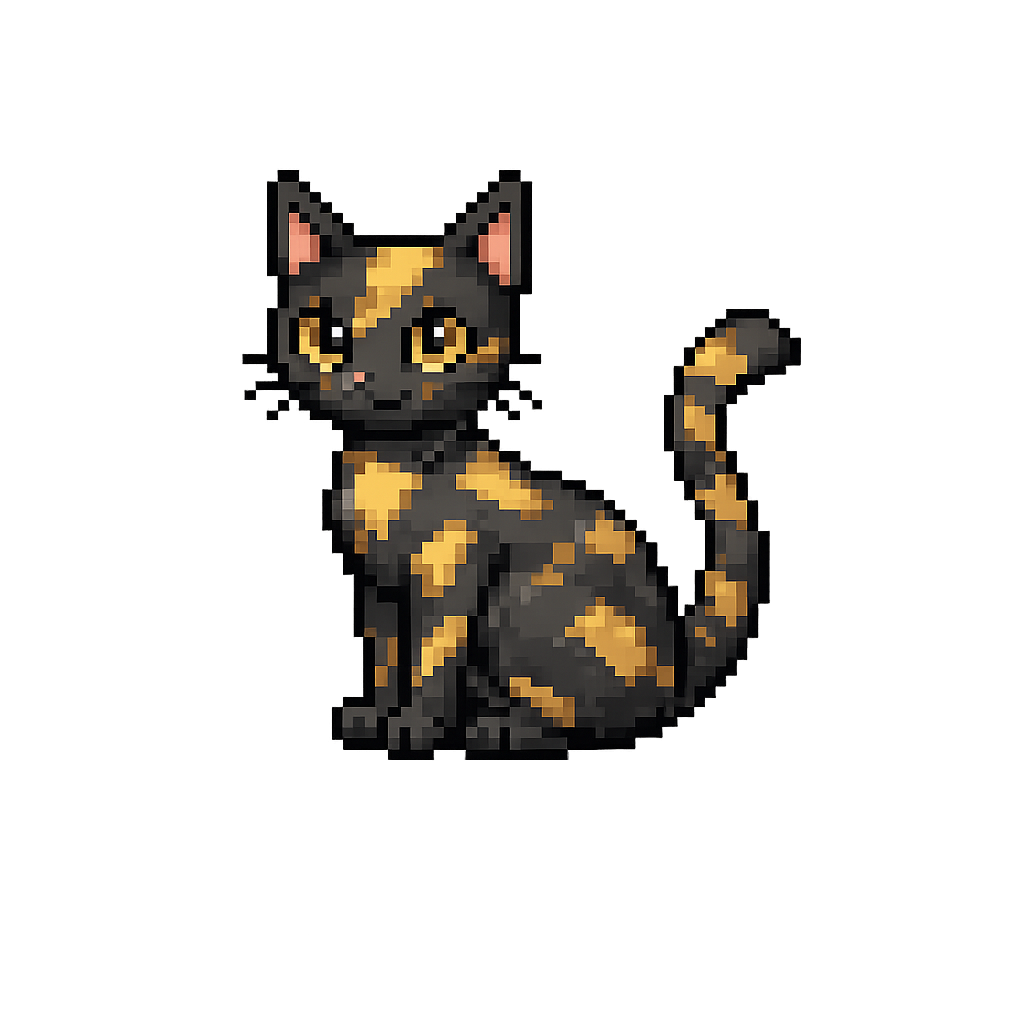
Of those three tests, ChatGPT spent the most time on the second one and the output there was slightly different from the first image it generated, which I felt deviated from my prompt. Still, it managed to generate a proper transparent image, which is something other image models can struggle to do properly. Once more people have a chance to put the model through its paces, we’ll have a better idea of how it compares to Google’s Nano Banana 2, and where OpenAI can make additional improvements.
Images 2.0 is available starting today for all ChatGPT users, including those on the company's Free and Go tiers. Plus and Pro subscribers get access to more advanced outputs. OpenAI is also making the model available through its API service and Codex coding app, which just last week it updated to offer built-in image generation. Notably, Images 2.0 arrives just days after Anthropic waded into the visual design market with its own design assistant.
This article originally appeared on Engadget at https://www.engadget.com/ai/chatgpt-images-20-is-better-at-rendering-non-latin-text-190000153.html?src=rss
©

