❌

Lese-Ansicht

Sony WF-1000XM6 review: Facing tougher competition

Sony’s 1000X earbuds have been at the top of Engadget’s best wireless earbuds list since we first published it. With each new generation, the company managed to retain its crown, primarily thanks to a massive collection of features and an effective mix of sound quality and active noise cancellation (ANC) performance. Today, Sony revealed the latest entry in the series, the WF-1000XM6, delivering yet another redesign both inside and out. The company’s tried and true formula of features and audio performance remains, but it may no longer be enough to elevate the M6 above the competition.  

Design

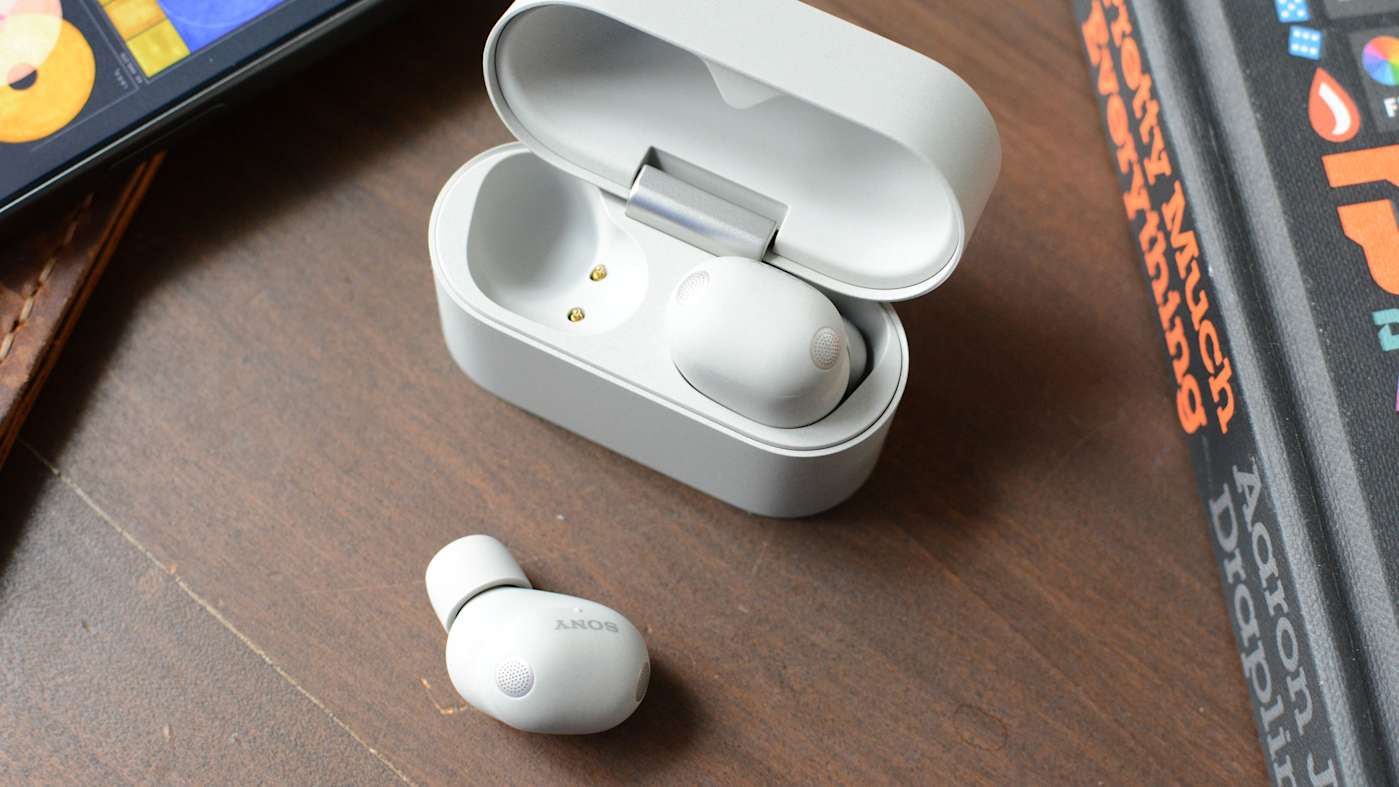
For the third time in a row, Sony overhauled the 1000X earbuds’ design. While the WF-1000XM5 was a clear revision of the WF-1000XM4, the M6 is a departure from both of them. The company managed to reduce overall size even further by using a rounder, pill-shaped enclosure for the earbuds’ main housing. I certainly applaud Sony for making these as tiny as possible, but I’m still not a fan of the company’s foam ear tips. 

Sony introduced foam ear tips on the 1000XM4 earbuds and that led to an unstable fit during my testing. In fact, I ended up switching to the silicone M3 tips for a better feel. Things were slightly better on the M5, but the company regressed here on the M6. I tried every size of ear tips in the box and the fit test in the Sound Connect app only ever confirmed an air-tight seal in my right ear. This can impact sound quality and ANC performance, and the earbuds don’t feel like they’re sitting far enough inside my ears. I never got used to the fit in my three weeks of testing. 

The exterior panel of the WF-1000XM6 is still touch sensitive, accepting a variety of taps for playback controls, calls, noise settings and more. Sony also included a repeated tapping gesture that’s used for volume control. Keep tapping on the right earbud to raise the volume and do so on the left to lower it. My disdain for touch controls is well-documented at this point, but the M6 reliably and quickly responded without me having to repeat a tap sequence. 

WF-1000XM6 features
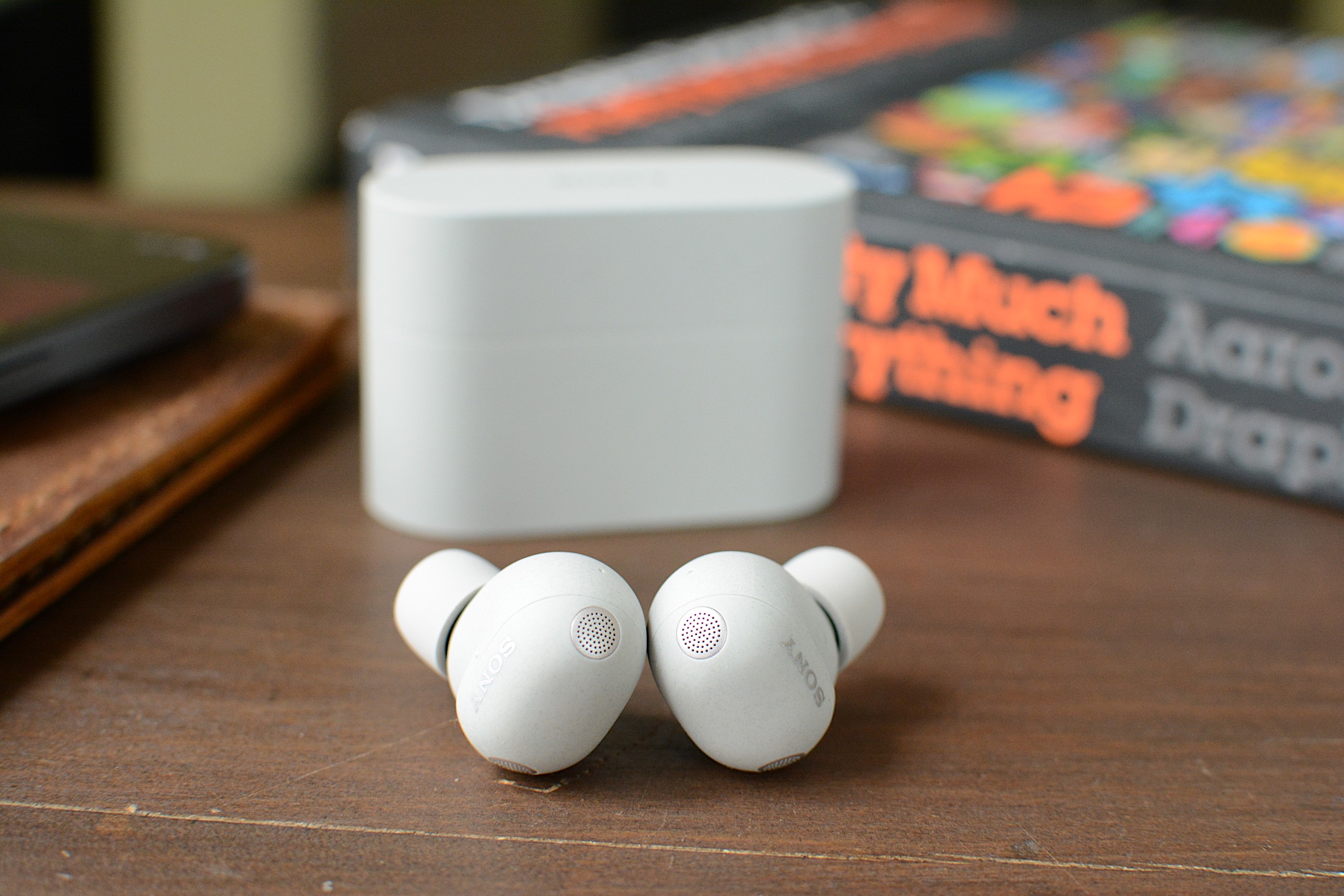
The WF-1000XM6 accepts taps for touch-based controls.

As is typically the case with its 1000X earbuds, Sony has loaded the M6 with features. Nearly all of these are holdovers from previous models, including Adaptive Sound Control that can automatically adjust settings based on your activity or location. Speak-to-Chat still pauses audio and activates ambient sound when you start talking, but it’s also still easily duped by coughs or clearing your throat. A quick access feature can put Amazon Music, Apple Music, Endel, Spotify and YouTube Music two or three taps away, depending on how you configure it.

The M6 earbuds also allow you to accept and reject calls with head gestures and you’ll have the option to pipe in your own voice during a call. Sony retained its existing option of operating the earbuds with voice commands: If you say “Assistant,” you can then ask it to play, pause, skip and replay songs. It will also adjust the volume for you, but that’s the extent of its abilities. 

Sony included some handy power management features as well. First, there’s an Auto Power Save mode that will disable any custom EQ settings, DSEE Extreme upscaling, Speak-to-Chat and voice control/voice assistant to reduce power consumption when the M6 hits 20 percent battery remaining. A Battery Care tool will extend the life of the earbuds’ battery by stopping charging before it reaches 100 percent. Lastly, Automatic Power Off will turn the earbuds off when they’re outside of the case and haven’t been worn for some time. 

Basic conveniences like multipoint Bluetooth, wireless charging and IPX4 water resistance are also here. Wear detection is onboard and you can use Sony’s EQ presets to alter the sound profile, or make your own and save them for future use. The Sound Connect app puts the battery levels of the individual earbuds and the case front and center, and you can edit the main screen to hide the features displayed there if you don’t need them.

Sound quality and ANC performance
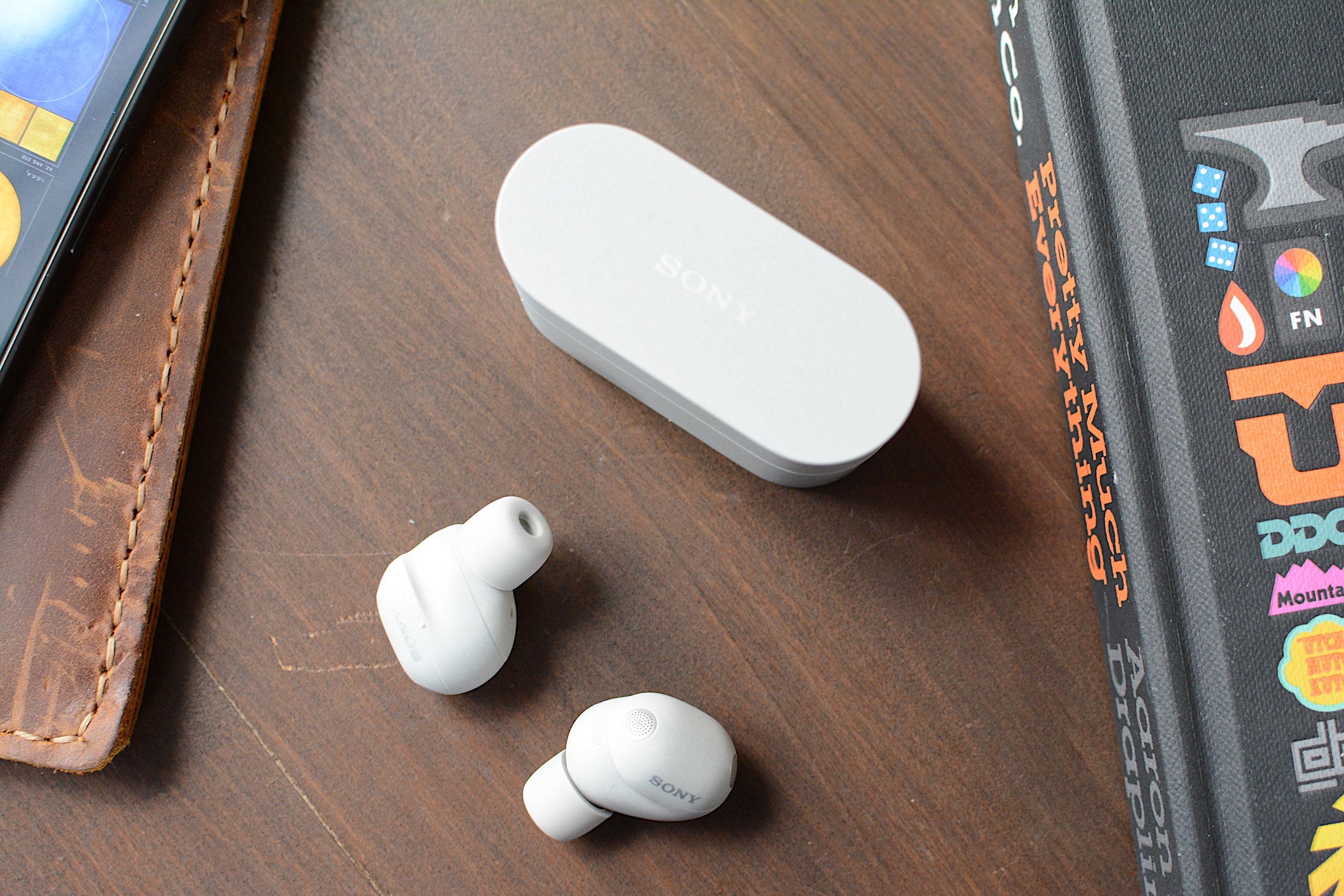
Sound quality is one of Sony's strengths and that continues on the M6.
Billy Steele for Engadget

If Sony’s long list of features is its top advantage over the competition, overall sound quality is number two. For the WF-1000XM6, the company built new drivers with soft edges for deeper bass and a more rigid, lightweight dome for clearer treble. There are also notches around the edges for “clearer and smoother” sound quality overall, according to Sony. And of course, DSEE Extreme upscaling helps to recover details lost to compression while 360 Reality Audio and Spatial Sound Optimization are available for more immersive listening. 

I found the M6 earbuds at their best with the stock EQ and DSEE Extreme active, much like I have on previous 1000X models. The sound is deep and warm, with thick bass that’s adequate without ever overpowering the mix. Highs cut through and there’s ample midrange, keeping those finer details from getting lost. Erika de Casier’s atmospheric Lifetime is a great example of what the WF-1000XM6 can do. Vocals seem to float over the top of the bassline and drums, with percussive piano chopping though and subtle synth details popping up throughout. When strings arrive on “Seasons,” the M6 ushers them into a prominent position rather than relegating them behind the beat. 

On the WF-1000XM6, the chaos of Spiritbox’s “Holy Roller” doesn’t get condensed to a messy heavy metal roar either. And there’s plenty of texture in the synth-driven noise of Nine Inch Nails’ “As Alive As You Need Me To Be.” Even more straightforward rock tracks like Jimmy Eat World’s “Bleed American” have ample punch, with a wide soundstage that never feels claustrophobic or sounds compressed. Overall, the WF-1000XM6 holds its own against the best-sounding earbuds you can buy right now, though some of the competition, like Technics, have an edge in the way they handle the subtlest of nuances in songs.  

If you were hoping for knock-out ANC abilities, I must report that the WF-1000XM6 isn’t the noise-canceling powerhouse that is Bose’s QC Ultra Earbuds. The M6 struggles mightily with human voices. While that’s the downfall of many ANC earbuds, you’ll want to keep it in mind if you plan to wear these in the office. I found I could also still hear constant noise sources like fans and white noise machines when wearing the M6 — items that the QC Ultra Earbuds combat effectively.

Using the WF-1000XM6 for calls
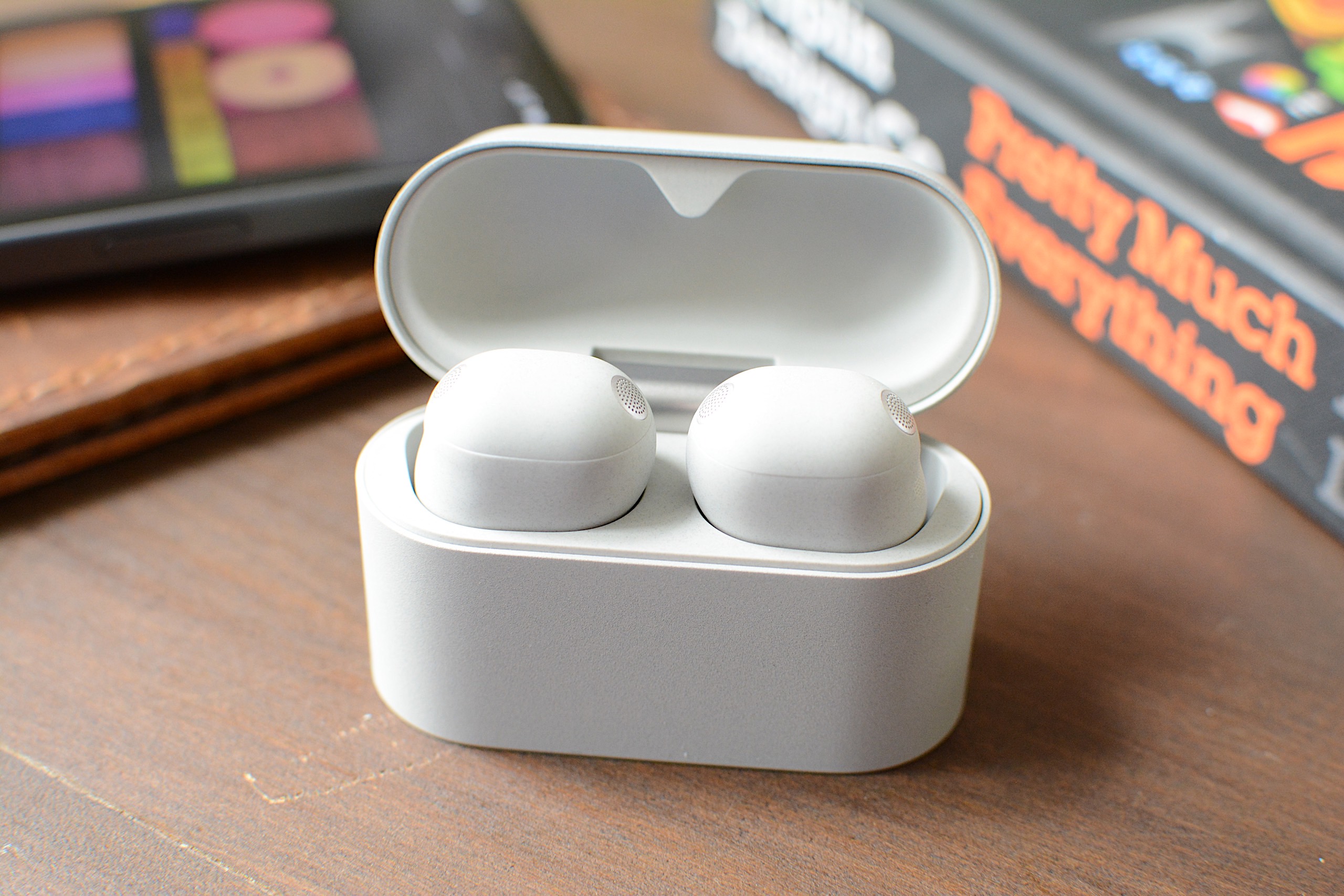
The WF-1000XM6 isn't as adept at calls as Sony advertises.
Billy Steele for Engadget

For calls, Sony says the M6 uses AI for both background noise reduction and voice capture with the beamforming microphones. What’s more, the earbuds are equipped with eight total mics for ANC and calls, plus bone conduction tech for improved voice pickup. Unfortunately, all of that doesn’t lead to stellar performance during calls. While the WF-1000XM6 is perfectly usable for voice and video calls, the overall quality is far from pristine. To make matters worse, the earbuds make you sound overly processed when you encounter significant background noise. Since the company prided itself on the upgrades here, the results are disappointing. 

Battery life

Sony says the WF-1000XM6 will last up to eight hours on a charge or 24 hours when you factor in the full longevity of the charging case. During a battery test that I mostly ran with ANC active, I had no trouble hitting that single-charge figure. That’s with the volume around 75-80 percent and includes calls and virtual meetings where I switched over to ambient sound mode. 

It’s worth noting that I had DSEE Extreme upscaling active the entire time, which can impact battery life. Plus, if you use the aforementioned Auto Power Save mode, you can extend play time when you have about a quarter of a tank left. Going without some of the M6’s best features in the interest of having tunes for a workout or commute is a fair trade in my book. 

The competition
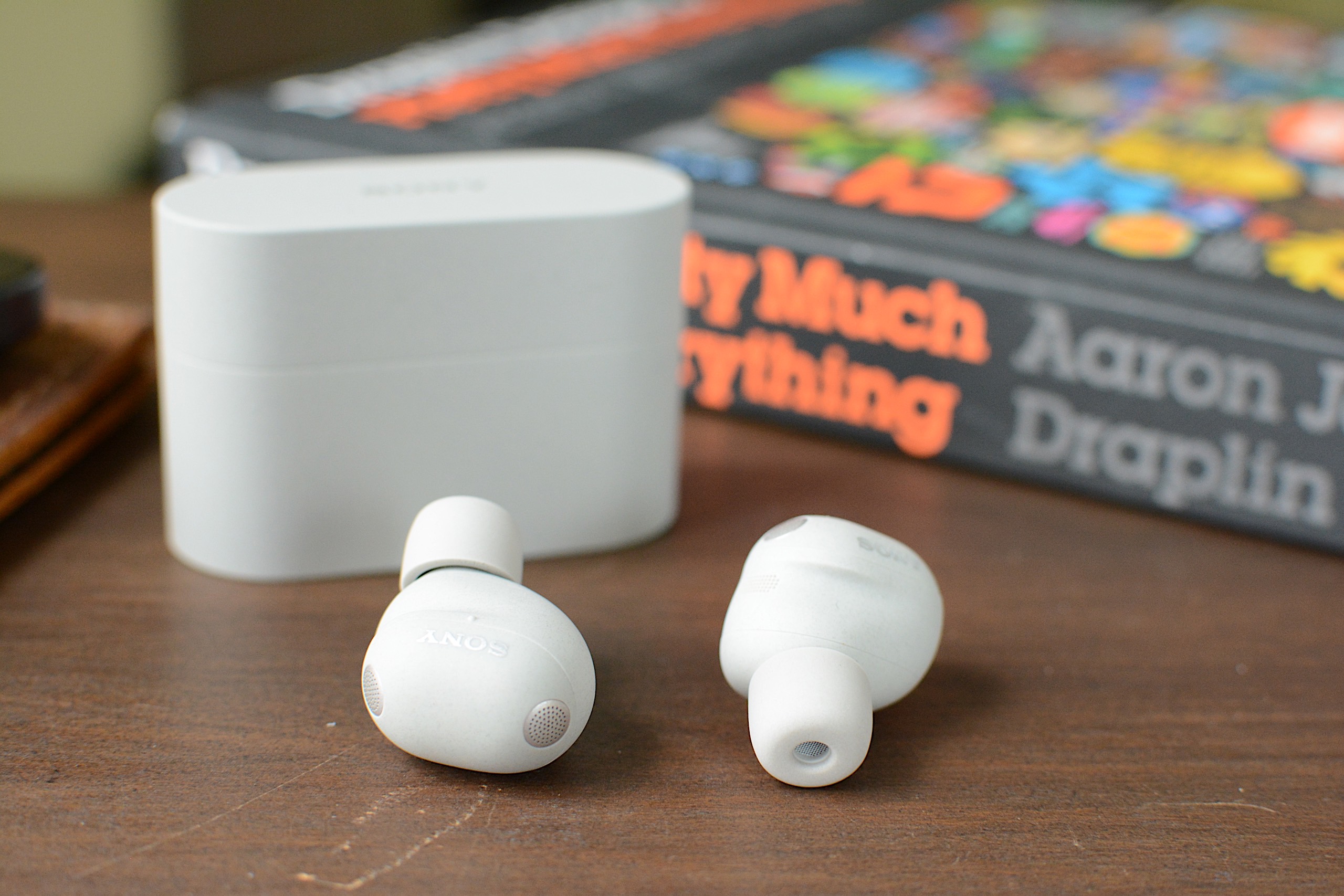
The WF-1000XM6 is still a compelling option, but it's not the clear favorite anymore.
Billy Steele for Engadget

When sizing up the competition for the WF-1000XM6, you have to choose your priorities. Simply put, no other company offers the comprehensive suite of features that Sony does. That’s been true for a while now and it continues with this model. If you want the strongest active noise cancellation, that will be Bose’s second-generation QuietComfort Ultra Earbuds. If the best sound quality is your goal, the Technics AZ100 is your best bet in this price range. I’ll also mention Sennheiser’s Momentum True Wireless 4 which offers great sound quality, respectable ANC and a comfier fit than the M6, but that set is almost two years old at this point.

Wrap-up

Sony continues its run of great earbuds with the WF-1000XM6, but this model isn’t the polished package that some of its predecessors were. The two most obvious places the company is lagging behind the competition is ANC performance and overall voice quality, not to mention my continued dissatisfaction with the fit that Sony’s foam tips provide. The M6 is also more expensive than the previous version was at launch, which makes it even harder to overlook any flaws. What you will get on the WF-1000XM6 is a ton of features, great sound quality and reliable touch controls in a smaller package. And for some, that might be enough to make you forget about the rest. 

The WF-1000XM6 is available today in silver and black for $330.

This article originally appeared on Engadget at https://www.engadget.com/audio/headphones/sony-wf-1000xm6-review-facing-tougher-competition-160000652.html?src=rss
©
  •  

The best record players for 2026

Vinyl records are firmly back in rotation, but getting started does not have to mean spending a fortune or building a complicated hi-fi stack from day one. Whether you want a simple, all-in-one setup with built-in speakers or you are piecing together a more traditional system with a separate amplifier, the best record player is the one that fits how you listen at home.

For this guide, we focused on high-quality turntables under $600 that deliver a satisfying listening experience without unnecessary complexity. These picks cover everything from beginner-friendly automatic models to more audiophile-leaning decks that prioritize sound quality and upgrade potential, proving you do not need to jump into the high-end to enjoy vinyl properly.

Best record players for 2026

Other record players we tested

Audio-Technica AT-LP60XBT

This is about as basic as it gets, unless you opt for the AT-LP60X which ditches the Bluetooth connectivity. This is a perfectly decent option for someone just getting into vinyl, but if you spend a little more for the AT-LP70X, you won’t be in quite as big of a hurry to upgrade once you surrender to the obsession.

Cambridge Audio Alva ST

The Alva ST has a refined design that made me want to keep it out in my living room longer than many of the models on this list. The controls are limited on the top to power and individual options for 33 and 45 RPM speeds. Everything else is on the back panel, including Bluetooth pairing and preamp buttons. To complete the look, Cambridge Audio opted for a 1mm aluminium top plate, which sits on an MDF plinth with a layer of EVA to absorb vibrations in between.

While the overall audio performance on the Alva ST is warm and inviting, there is a lack of detail across genres. I’ve noticed albums don’t have a particularly wide soundstage, and songs lack their normal punch at times, so some sound compressed compared to when they’re played on other turntables. Additionally, the free swinging tone arm needs more resistance so it’s not so prone to dropping on a record immediately if it slips out of your fingers when you have the cueing lever down. Since this turntable is fully manual operation, I felt a bit of peril every time I went to lower the needle. (The price increased during testing for this guide.)

Sony PS-LX3BT

Sony hasn’t announced new turntables in years, relying on its PS-LX310BT as the lone option in its audio lineup. The PS-LX3BT is a fully automatic, belt drive turntable with built-in pre-amp and Bluetooth connectivity. There are easy-to-use controls for speed and vinyl sizes, as well as a gain selector to help you dial in the sound. I was also smitten by the minimal yet sophisticated design that offers a decidedly modern look. 

If the LX3BT was $100 cheaper, it would probably replace Audio-Technica as the best option for beginners. But at $400, I simply can’t recommend someone new to vinyl spend that much. What’s more, the RCA cable is fixed and the included mat is very thin. Sony also doesn’t disclose what type of cartridge it uses, other than it being a moving magnet (MM) type, nor does it mention if you can upgrade that component. The upcoming PS-LX5BT should remedy some of these issues, but it’s also more expensive at $500.

Denon DP-300F

Denon’s DP-300F is a mixed bag. On one hand, you get the convenience of fully automatic operation, dedicated speed and record size buttons and somewhat refined design. There are also some confounding decisions though, like the permanently affixed cables, the preamp switch being under the platter and the overall midrange build quality for a $500 turntable. The sound from the preamp and Denon’s cartridge has a clear lack of depth and detail that almost any model at this price should offer.

How to shop for a turntable

The first question you’ll need to ask yourself when looking for a turntable is how you plan to use it. Are you into vinyl for the ritual? If you simply like the concept of physical media, having to flip a record to finish it or the need to intentionally swap out an album when it’s done, that’s just fine. You probably can make do with a more affordable turntable since overall sound quality may not be a main concern. If you crave the warmth of analog sound, and you want the collection you’ve invested in to sound its best, you’ll need to consider something with better specs. 

You’ll also need to account for where and how you’re going to listen to vinyl. Are you planning to connect this turntable to headphones or Bluetooth speakers? Do you have shelf or tower speakers you’re going to use? Are you willing to invest in a dedicated preamp or would you rather a new turntable come with one built in? All of these questions will impact your buying decision — even the Bluetooth codecs, if you’re going the wireless route.

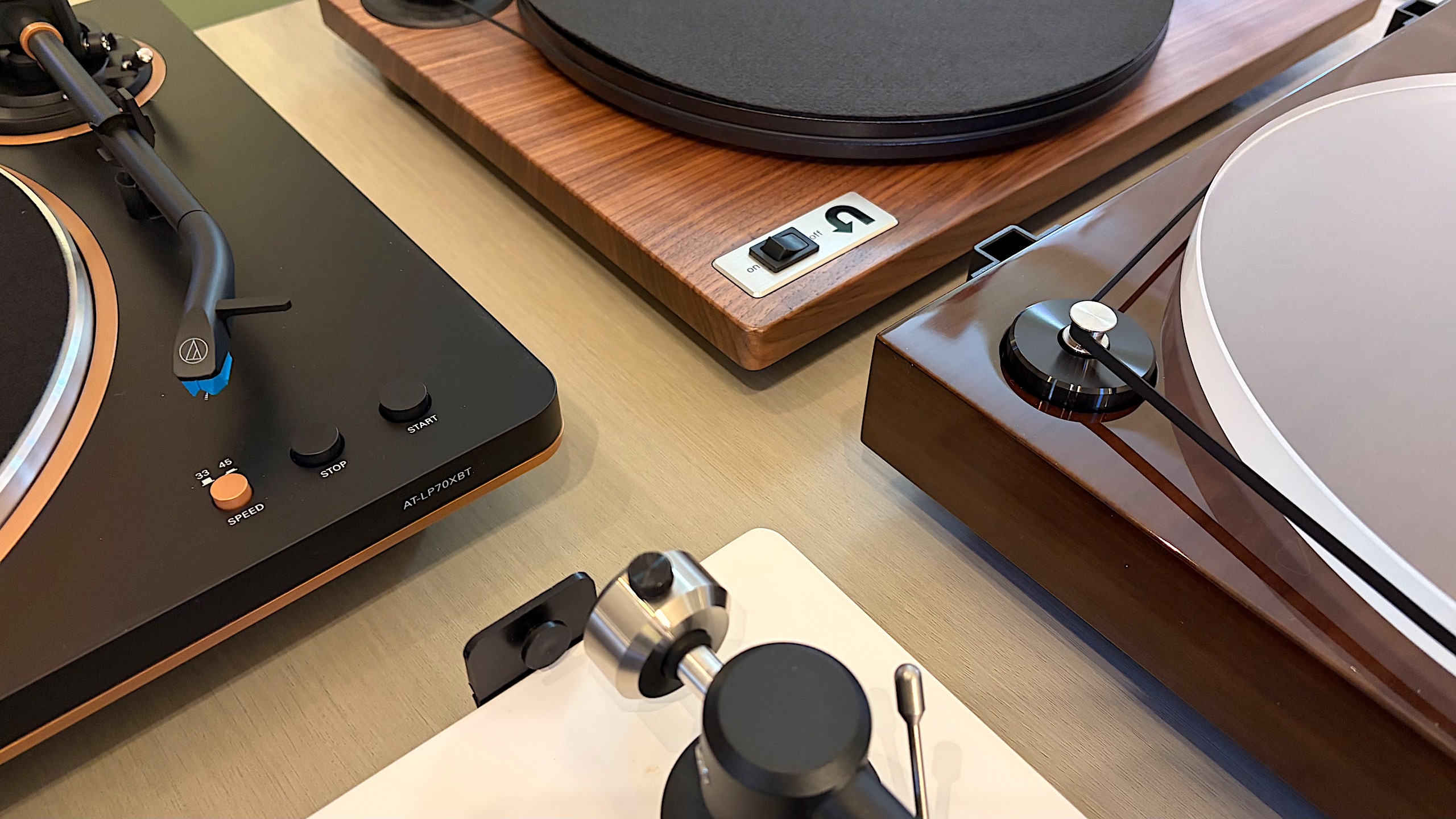
Best record players
Best record players
Billy Steele for Engadget

Automatic, semi-auto and manual operation

If you’re just getting into vinyl, an automatic turntable will save you a lot of stress. These are the models that place the stylus for you — all you have to do is push a button. When you get to the end of the record, the turntable will also return the tonearm to its resting spot automatically. Or, if you need to stop your session mid-side, there’s a button for that too. 

Some turntables have semi-automatic operation. Maybe they can’t place the needle for you, but they do have an automatic stop when a side of a record is complete. This auto stop, which sometimes comes with an on/off switch, can prevent unnecessary wear on your stylus and vinyl. Plus, many turntables with automatic operation allow you to take control if you need to drop the stylus in a certain place (that’s not the beginning of the record) or if you have a die-cut vinyl (like the It's the Great Pumpkin, Charlie Brown soundtrack). 

Then there’s the fully manual option. Here, you’re solely responsible for placing the tonearm and taking it off when the music stops. A lot of turntables have a cue lever to assist with the process, and a lot of tonearms have a mechanism that lowers them slowly rather than violently dropping them on a record. This adds one more step to the ritual, and it’s one many purists prefer. 

Preamp

The biggest decision you’ll need to make in terms of a preamp is to decide if you want one built into your turntable or if you’d rather use a separate one. It can be very convenient, especially for beginners, to use a built-in component to amplify the signal from the turntable before it hits any speakers or headphones. The downside is that you’re left with what the company provides from the factory, so if you’re looking to upgrade, you’ll have to disable the preamp inside. On most turntables, there’s a switch that allows you to do this, so it’s no trouble. But, opting to skip the preamp on some models could save you money that could be invested elsewhere. 

A dedicated preamp typically uses higher-quality components and reduces noise by keeping internal parts properly separated. More robust models may even provide controls for things like tone or multiple inputs, while the basic options will simply allow you to plug in, play and forget it. If you’re after the best possible clarity and realism from your record collection, we’d recommend a dedicated preamp right from the start. 

Best record players
Best record players
Billy Steele for Engadget

Removable cartridge/headshell

The next item you’ll want to consider is if the turntable you’re eyeing can be upgraded in the future. The best way to do this is by swapping out the cartridge. Most turntables allow you to do this but there are some that don’t, so you’ll need to pay attention to this detail. Upgrading the cartridge down the road is a great way to improve overall sound quality without having to buy a new turntable, new speakers or a new amp. 

Belt drive vs. direct drive

There are two main types of turntables: belt drive and direct drive. All of the models we tested for this guide are belt drive, which means there’s a thin belt that connects the platter to the motor to make the thing spin. Direct drive turntables are widely used by DJs and Technics was the first to make them. Here, the motor is directly under the platter and connected to it directly so the setup is less prone to wearing out. This is especially key when you’re doing things like scratching. Direct-drive turntables tend to be more expensive than their belt-driven counterparts.

Counterweight and anti-skate control

Most turntables will include a counterweight on the tonearm and some form of anti-skate control. Both of these help keep the stylus in place with the correct amount of pressure, all to ensure proper operation with minimal wear on your records. Sometimes the anti-skate elements are built into the tonearm while other models offer a dedicated dial on the surface of the plinth. The ability to adjust both of these can help you fine-tune the performance of your turntable over time, which may be necessary after upgrading the cartridge or other components. 

Other components to consider

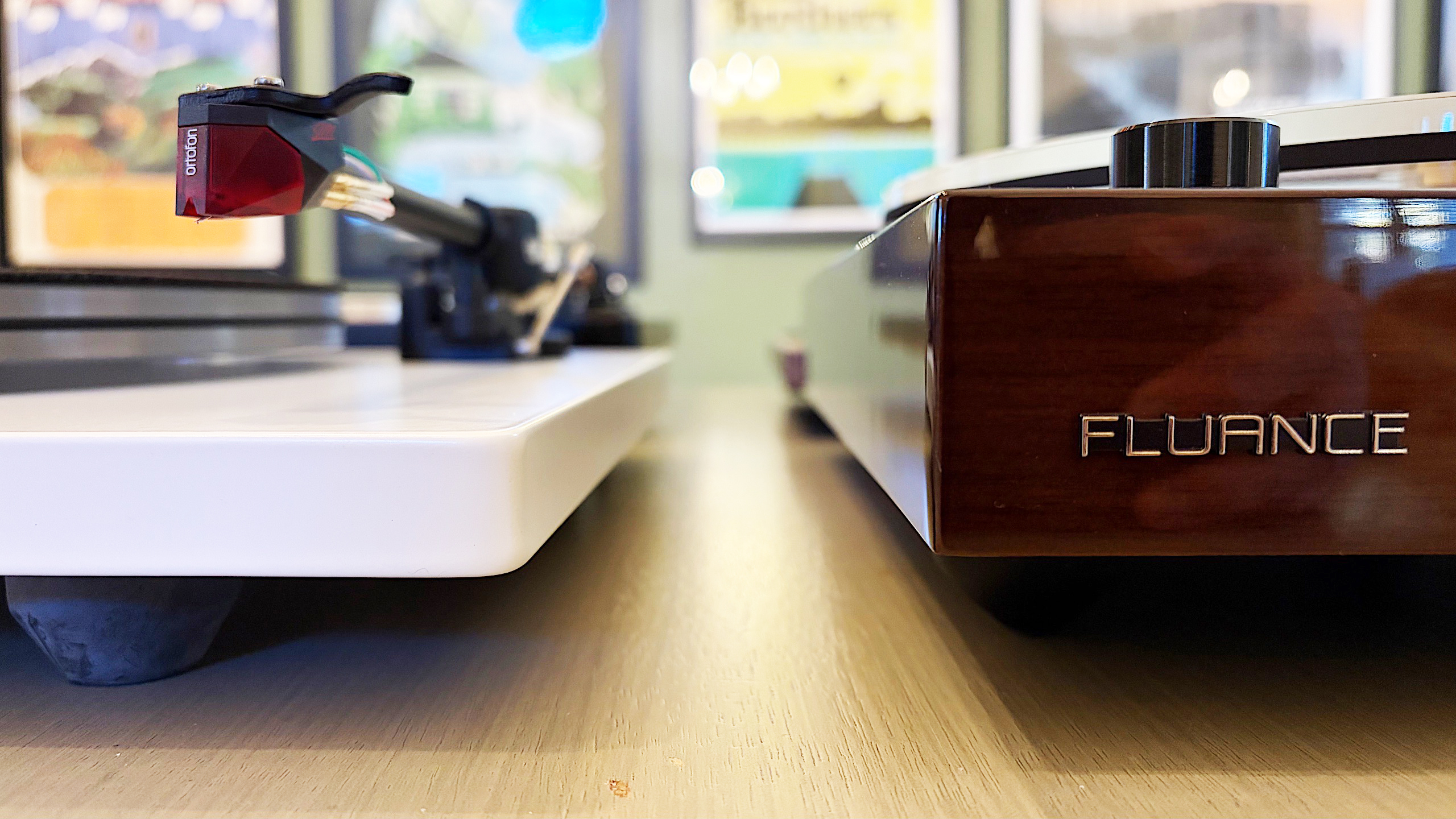
Some final items you’ll want to evaluate on a prospective turntable purchase include the materials used for the base (plinth), platter and even the feet. Cheaper turntables may be mostly plastic affairs while more expensive models can use solid MDF (medium-density fibreboard) for the plinth. A lot of turntables have aluminum platters with a felt pad while others may feature a thick acrylic version. And while entry-level turntables may have small, plastic feet, premium models come with larger, adjustable, rubberized feet for better vibration isolation. While some of these come down to personal preference — a frosted acrylic platter looks really nice — there are some performance boosts to be gained depending on how the company uses the components.

How we test turntables

Since most turntables under $600 meet the criteria for entry-level through midrange, we tested every model with a set of Audio-Technica AT-SP3X powered speakers. These offer balanced sound for turntables with a 1.1-inch tweeter and 3-inch woofer in each unit. And at $269, they won’t break the bank if you need speakers for your new turntable and they’ll provide ample sound performance even if you spend more than our budget on a new deck.

For all of our test units that didn’t have a built-in preamp, we used the Fluance PA-10. At $100, it’s an affordable upgrade if you’re looking to bypass a turntable’s included components or if you’re looking to go more analog with your turntable purchase. There are no buttons or controls, just connect your turntable, speakers and ground wire (if you’re using one) and you’re ready to go. It’s simple, straightforward and inexpensive, so it’s a great option for beginners and more experienced vinyl collectors alike. 

In terms of performance testing, we play a variety of genres on each turntable to evaluate sound quality. We also carefully examine the overall experience of putting a record on, setting the speed, placing the tonearm and more, which allows us to judge how well each turntable will work for users at different experience levels. Lastly, we take notes on design and components, comparing those elements from each turntable with our other test subjects to make our recommendations.

This article originally appeared on Engadget at https://www.engadget.com/audio/best-record-player-120000239.html?src=rss

©

  •  
❌