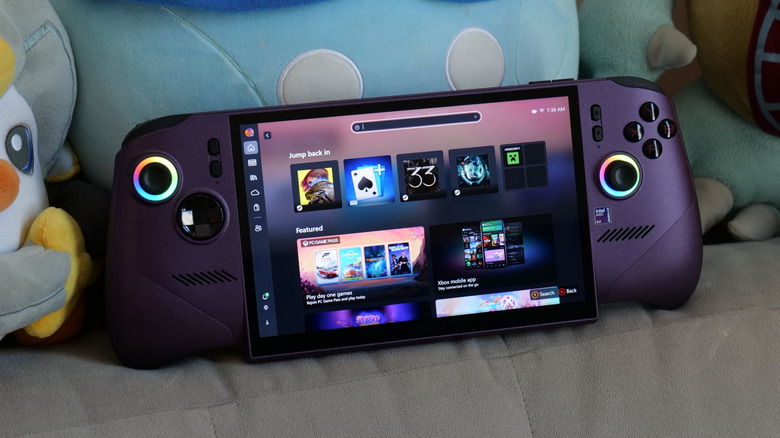
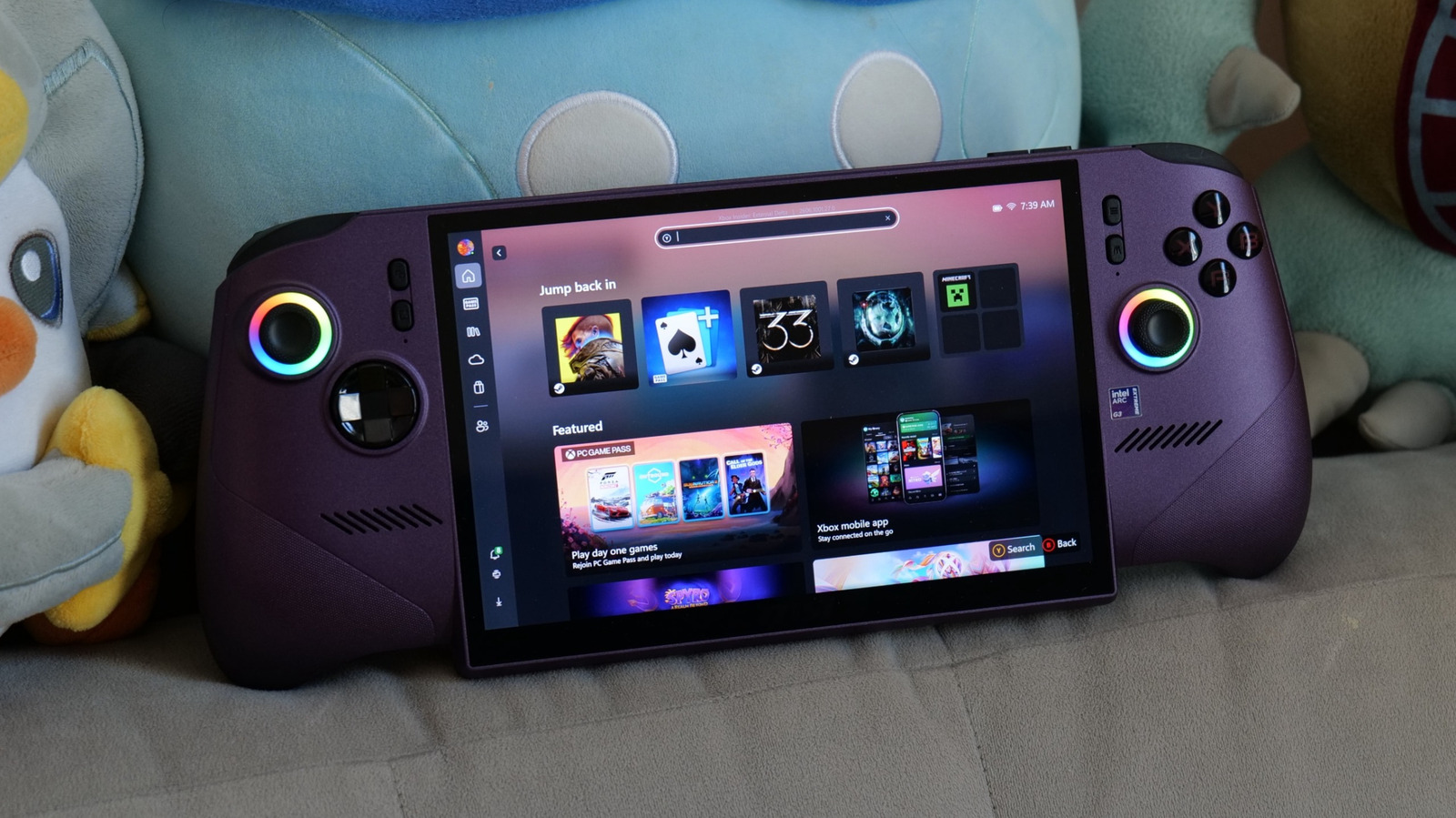
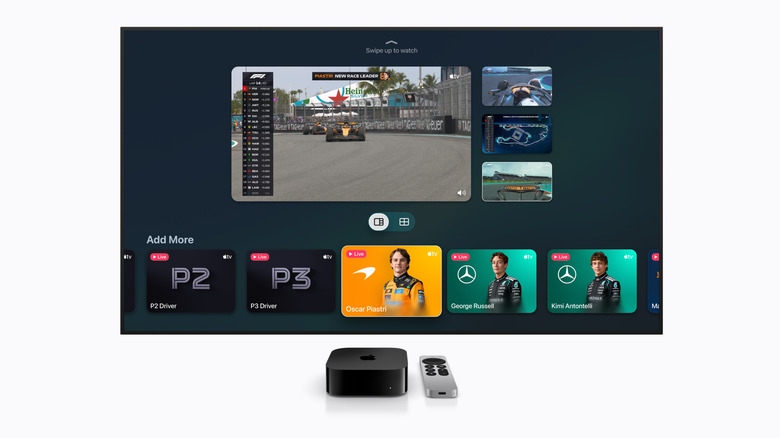
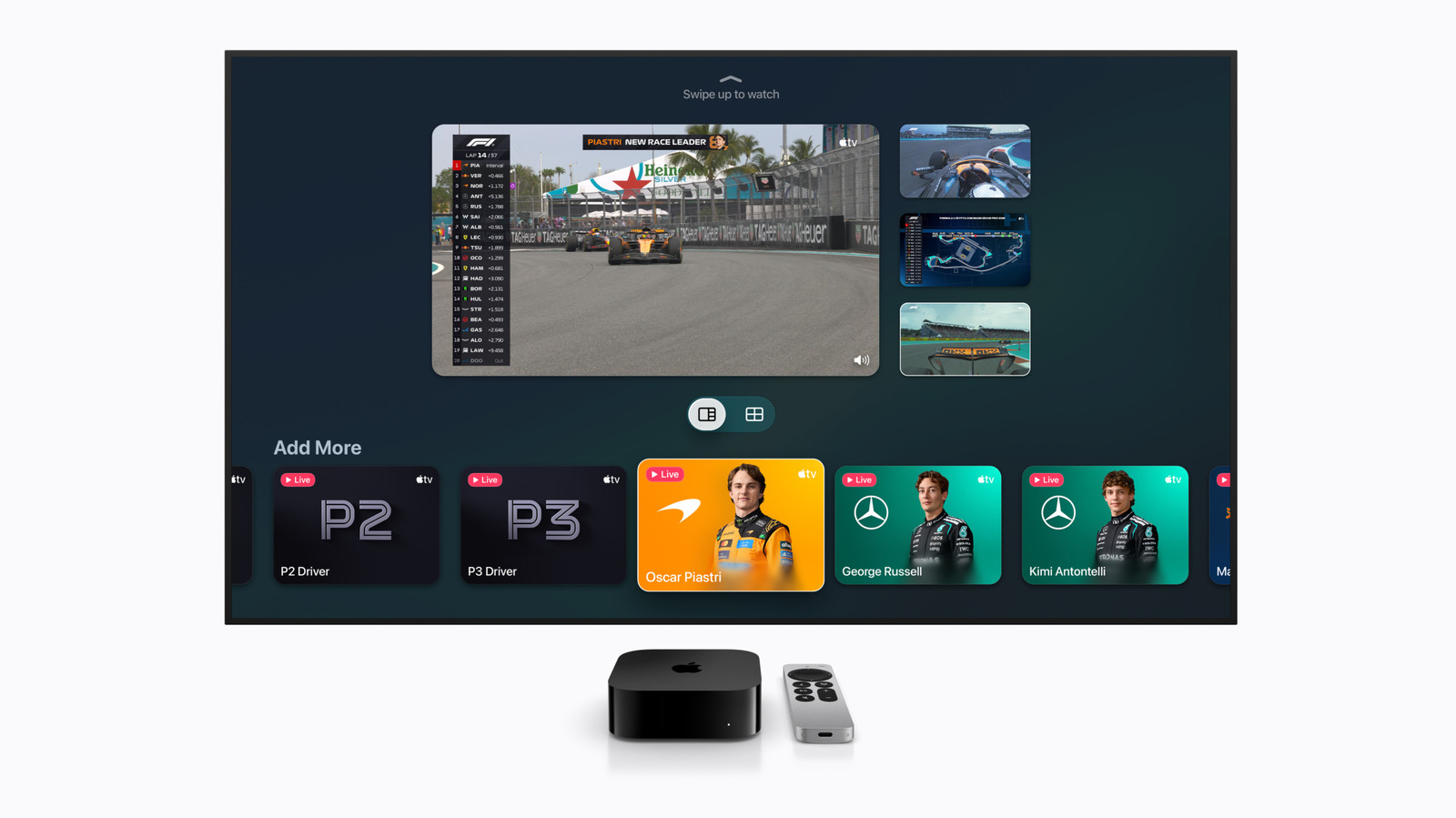
Our expert sports fan made a detailed guide on what sports you can watch on Apple TV in multiview and how to do so. Plus, some tips for non-Apple TV users too.
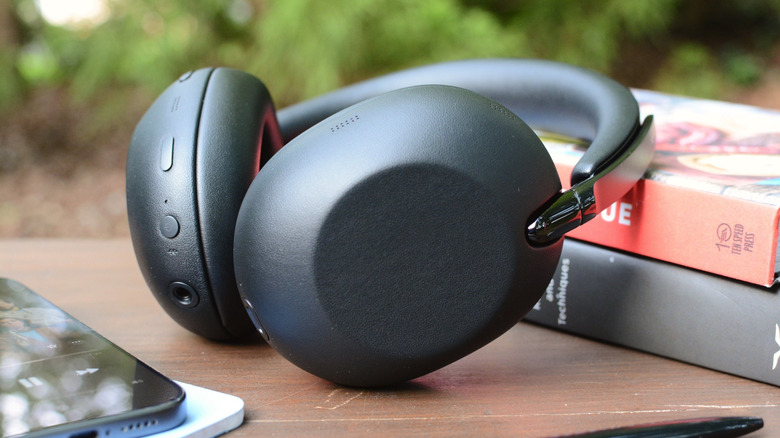
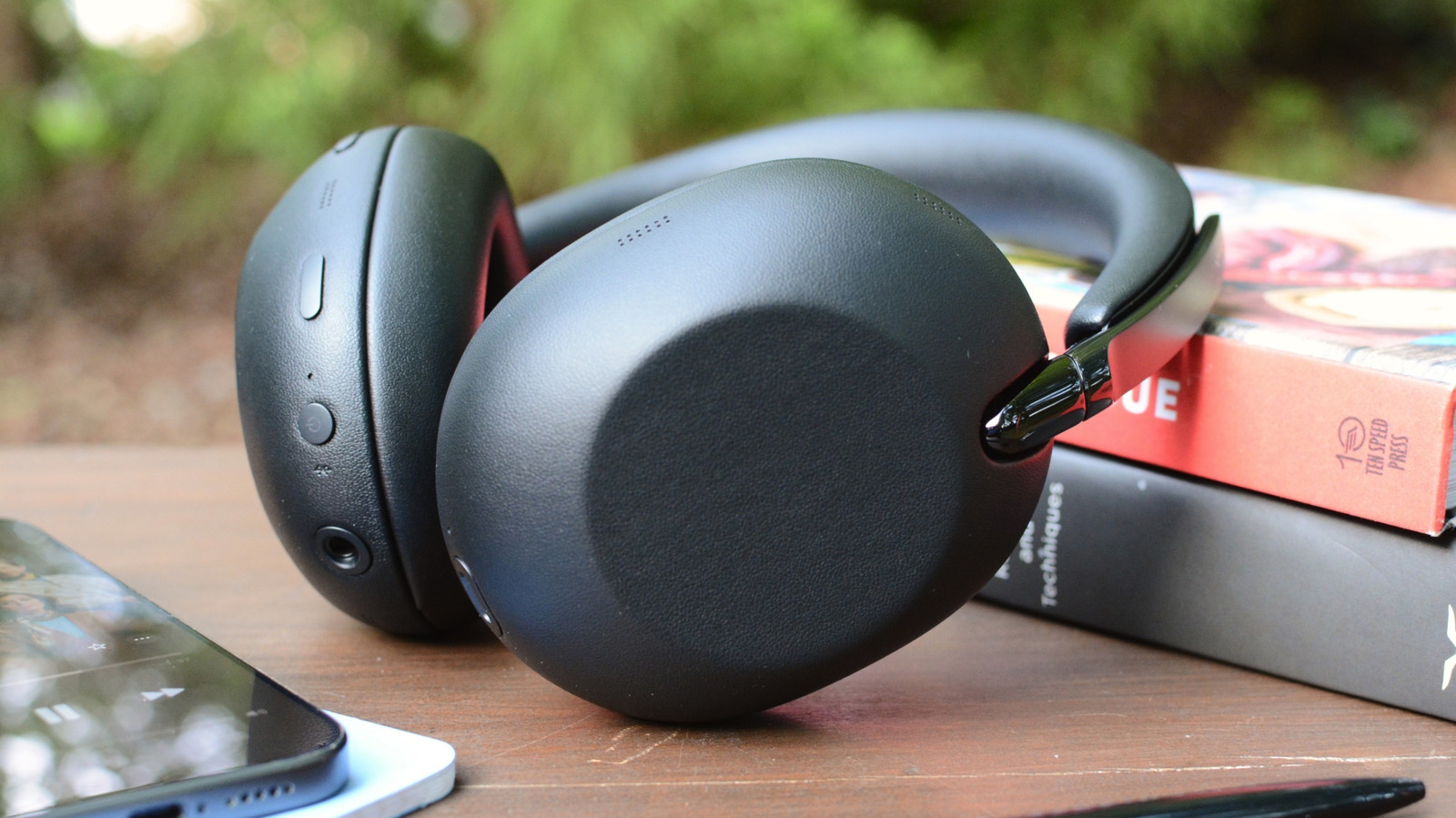
The 10th anniversary edition of Sony's legendary 1000X headphones carries a refined design that ditches the plastic for leather and metal. However, both sound quality and ANC performance are less impressive than last year's WH-1000XM6.
Traeger’s first non-pellet grills debuted in 2023. Jumping into the griddle craze, the company introduced the Flatrock series in a three-burner model — later adding the smaller, two-burner option. Now Traeger is back with two new griddles, the two- and four-burner Irontop, which actually offer more cooking area than their predecessors. Plus, these new griddles are more affordable, too.
Traeger promises the Irontop models will offer fast preheating, precise temperature control, edge-to-edge heating and a durable construction. The cooking area has a food-safe, rust-resistant coating the company says only requires “simple seasoning and care.” Traeger says the consistent heating across the cooktop is the same level of performance as the more expensive Flatrock series of griddles. The Irontop griddles also have integrated wind guards to insure reliable heating in windy conditions.
The Irontop griddles sit atop carts with four casters. Each model also has two side shelves and a larger shelf underneath for storage. The side shelves can accommodate some of Traeger’s Pop-And-Lock accessories, like the storage bin and roll rack. Those shelves also have three hooks on each side, where you can hang spatulas and other griddle tools.
The two- and four-burner Irontop griddles starting May 15 from various retailers for $500 and $600 respectively. Traeger also recently added two sizes of the new Westwood smart pellet grill to its list of more affordable options, starting at $700.
Update, April 18, 2026, 11:30AM ET: This post has been updated with more detailed availability info from Traeger.
This article originally appeared on Engadget at https://www.engadget.com/home/kitchen-tech/traeger-debuts-the-irontop-a-more-affordable-gas-powered-griddle-150000759.html?src=rss
Engadget’s hottest review roundup truly has it all this week: a new pocket cam, a 2-in-1 smart grill, a pair of drones and a pricey skinny vac. And that’s before we even get to the highly capable gaming display that will only set you back $350. Read on to catch up on the reviews you might’ve missed over the last two weeks as we prepare for another slate of big events next month.
DJI Osmo Pocket 4
DJI’s Osmo Pocket cameras have become a staple of Engadget’s live event coverage over the last few years. They’re convenient, compact and product high-quality footage when speed matters. Contributing review reporter James Trew recently put the new Osmo Pocket 4 through its paces, concluding that “you’re getting better image quality that will pay you back over time.”
Recteq X-Fire Pro 825
With the X-Fire Pro, Recteq set out to make a pellet grill that would appeal to fans of gas grills. The company has done just that, offering a dual-mode device that imparts wood flavor you don’t inherently get from propane or natural gas. “Recteq has successfully combined the best aspects of pellet grills with a dedicated high-heat mode and separate controls that will be familiar to gas grillers,” I said. “This model offers robust build quality, reliable performance and Wi-Fi connectivity for extended smoking sessions.”
Alienware 27 QD-OLED monitor
Can a $350 gaming monitor offer enough to get the job done? If you’re talking about the Alienware 27 QD-OLED display, that answer is a resounding “yes.”
“The AW2726DM might not have all the fancy features you get on more expensive monitors, but it’s an excellent example of a no frills gadget done right,” senior reporter Sam Rutherford said. “You get just enough ports, a straightforward design and a beautiful QD-OLED panel with a solid resolution and refresh rate — all for just $350.”
DJI Lito drones and a Dyson PencilVac
Like the Osmo Pocket 4, DJI’s latest Drones are unlikely to make it to the US. However, if you live elsewhere, there’s a lot of performance available for under $400. “The Lito series shows that DJI is intent on dominating every drone price range and category, including the bottom end,” contributing reporter Steve Dent said. “Despite their low prices, the new drones don’t skimp on features, offering full obstacle protection, ActiveTrack subject tracking, relatively high speeds and sharp 4K video quality — just like models that cost a lot more.”
If your spring cleaning could still use a jump start, perhaps a fancy, skinny vacuum could do the trick for light duty. “With its minimalist form factor, the PencilVac is still an engineering marvel,” UK bureau chief Mat Smith said. “Its high degree of mobility makes it easy to clean in tight corners and between furniture. I just wish it were slightly more powerful.”
This article originally appeared on Engadget at https://www.engadget.com/engadget-review-recap-dji-osmo-pocket-4-recteq-x-fire-pro-and-alienware-27-qd-oled-120000428.html?src=rss
A new company needs to make a strong first impression. For Fender Audio, a new outfit owned by the legendary Fender Musical Instruments Corporation but operated by Riffsound, that introduction comes in the form of two speakers and a set of headphones. The Elie 6 ($300) and Elie 12 ($400) are portable Bluetooth speakers with sophisticated designs and unique features, offering similar functionality in two different sizes. These devices are essentially speaker/amplifier hybrids, since they both have ¼-inch/XLR combo inputs among their connections. Despite the unique mix of connectivity, the speakers still need to sound good and work well to compete with the many excellent portable options available today.
The good: Design, inputs and overall clarity
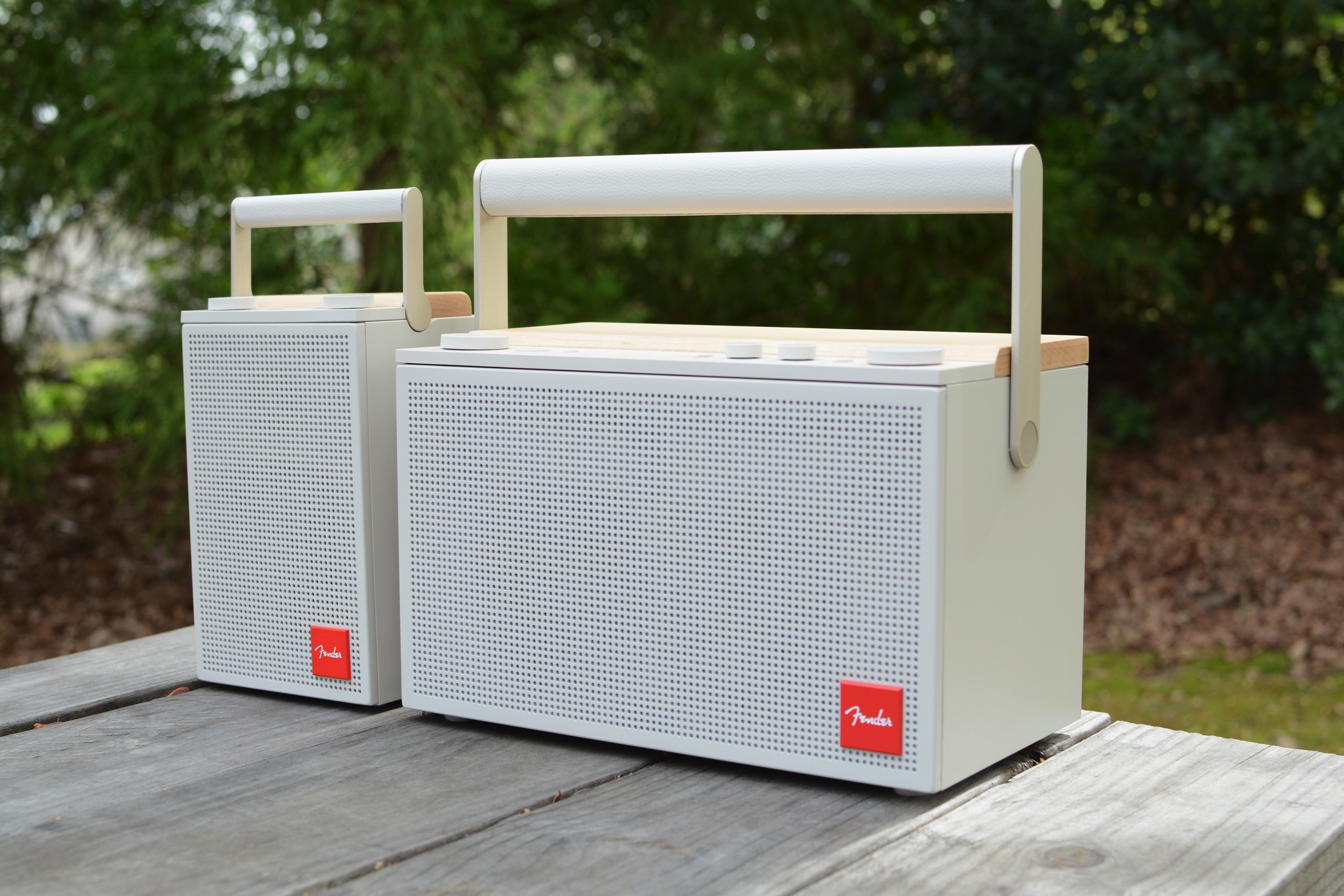
The first time I saw the Elie 6 and Elie 12 in person, my eyes were immediately drawn to the design. These certainly don’t look like your typical Bluetooth speakers. That’s due in large part to the refined, almost retro look that’s consistent across both models. The Elie duo are products you won’t mind showing off, while many portable speakers are too flashy or brightly colored to be kept in a prominent place.
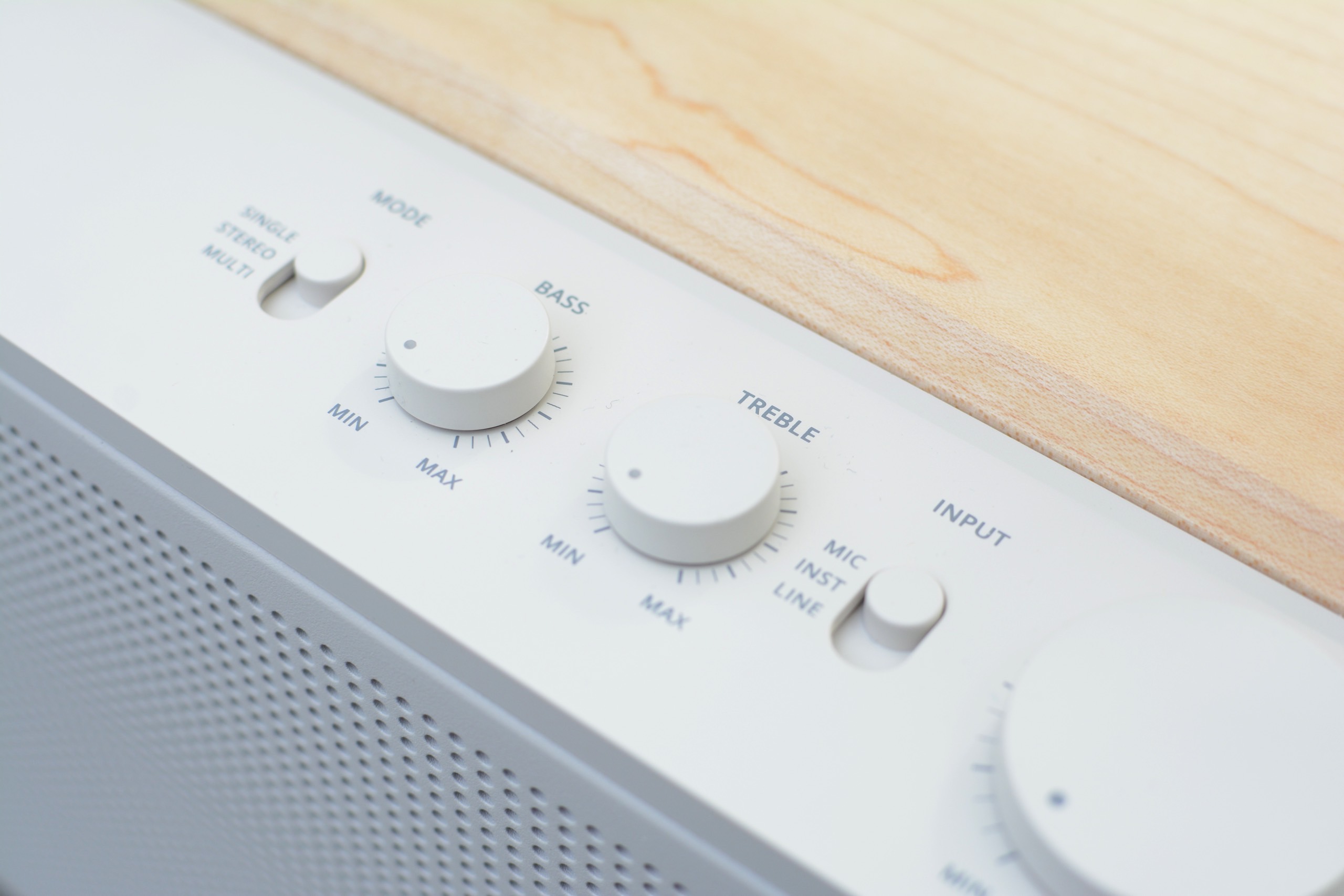
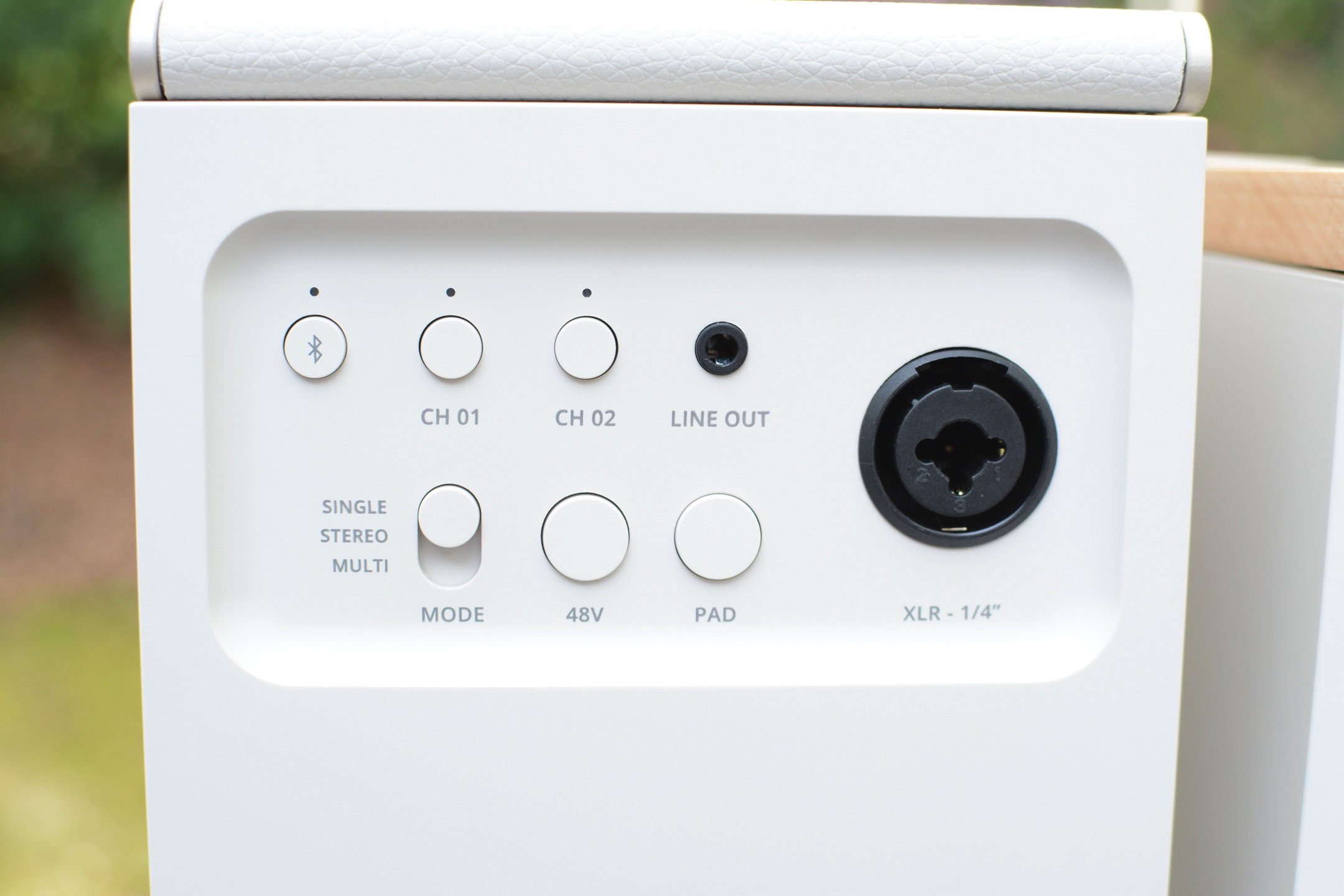
All of the onboard controls are clearly labeled physical buttons or dials, so you’re not left wondering how anything works. Around back, both the Elie 6 and Elie 12 have combo ¼-inch/XLR inputs (with 48V phantom power) as well as buttons for two wireless inputs and a 3.5mm line out. That combo jack means both speakers can double as amps, and the dual wireless connections allow you to sync microphones for karaoke sessions or hosting trivia night. This expanded functionality speaks to Fender’s history as a guitar icon, but it also gives the Elie speakers an upper hand over much of the competition at these sizes. Typically if you want these types of inputs, you’ll need to consider a much larger party box-style speaker to get them.
Before I move on from the controls and inputs, I need to mention the dedicated three-way mode switch for single, stereo and multi-speaker uses. This is so much easier than what’s on most portable speakers, which usually entails some weird dance with Bluetooth pairing or an app to sync multiple units together. Enlisting a physical switch so you know exactly where things stand is a much better and faster experience.
Some of the Elie 12's controls
Billy Steele for Engadget
In terms of sound, the best thing the Elie 6 and Elie 12 speakers have going for them is their overall clarity. The crisp, clear quality gives these Fender Audio units an advantage over the competition at these sizes. Throughout a range of genres — including bluegrass, alt-rock and heavy metal — both the Elie 6 and Elie 12 handled the varied styles with ease. The Elie 12 has twice the speakers as the Elie 6 (two full range, two tweeters and two subwoofers) and double the power output at 120 watts. So, of course, there’s more volume and bassy oomph on the larger speaker.
Both the Elie 6 and Elie 12 have a wider soundstage than many speakers of similar sizes. You can really hear this on American Football’s debut album, where the guitars ring clear, interlaced with drums while the vocals float on top. All of the elements stand on their own, but are seamlessly blended throughout every track. The Elie 12 features more bass and volume, but the overall sound quality, and importantly, clarity, is pretty similar for both speakers. I did notice more instrumental separation on the larger model though, so the album is a bit more immersive there.
The not so great: Controls, no app and battery life
While I appreciate the physical controls on the Elie 6 and Elie 12, the playback options are limited, which means you’ll be reaching for your phone often. There’s only a play/pause button on both speakers, and no controls for skipping tracks. And no, you can’t skip forwards or backwards with a double or triple press on the play/pause button. Plus, only the Elie 12 has bass and treble dials, so there’s currently no option for adjusting the sound on the Elie 6.
That’s because Fender Audio is still working on an app for its speakers and headphones. The lack of customization was an issue for me on the Mix headphones, and it continues to be one here. Customers need access to features and settings on devices like this, even if a company decides to offer audio presets instead of a full EQ. Some type of visual interface would also help when you’re using a few of those inputs at once. A basic mult-channel mixer maybe? Hey, a boy can dream.
Going back to the controls, the volume dials on both speakers could use refining. First, a listenable volume doesn’t happen until halfway. Anything below that and that excellent clarity isn’t present, and you can’t really hear the content well at all. There’s plenty of power at 50 percent and above, so that’s not a concern, but the control needs to be recalibrated for more even increases. What’s more, adjustments are slightly delayed: when you turn the dial, it takes a second or two for the speaker to catch up. To me, it feels like that should be instantaneous.
The input panel on the Elie 6
Billy Steele for Engadget
When it’s time to venture outdoors, both the Elie 6 and Elie 12 are IP54 rated for dust and water splashes. However, both speakers have a wood panel on top, which certainly won’t withstand much moisture. As such, I find the IP ratings confusing, since it’s obvious the entirety of the designs aren’t up to that task. If you’re careful about water though, both speakers have enough volume for open-air use.
One other consideration for the Elie 6 and 12 is their weight. The smaller speaker weighs just over five pounds, while the larger model is a whopping 8.8 pounds. For comparison, the Sonos Play is just 2.87 pounds and JBL’s Xtreme 4 tips the scales at 4.63 pounds. This means the Elie 6 and 12 are portable options, but they aren’t the grab-and-go type of speakers some of the competition offers — especially when weight matters.
Battery life is one other area the Elie 6 and Elie 12 fall behind some of their competition. The smaller Elie 6 offers 15 hours of use while the larger Elie 12 should last up to 18 hours. That sounds like more than enough since it's longer than a full day, right? Well, JBL Bluetooth speakers at comparable prices last 24 and 34 hours. The new Sonos Play is rated at 24 hours, and one of my personal favorites, the Bose SoundLink Max, lasts up to 20 hours.
Wrap-up
The Elie 6 (left) and Elie 12 (right)
Billy Steele for Engadget
There’s no doubt Fender Audio built two versatile, great-looking speakers here. Both the Elie 6 and Elie 12 are capable devices, and you don’t have to sacrifice much if you opt for the smaller of the two. The unique collection of inputs is typically only available on much larger speakers and the overall sound quality is well-suited for a range of genres.
Speakers like these really need an app though, especially when a company offers four inputs to juggle. I’m sure would-be customers would also like to dial in the EQ to their preferences, too. Sure, you can find longer battery life elsewhere, but the blend of design, sound and connectivity stands out at these prices. I’d call that a solid first impression.
This article originally appeared on Engadget at https://www.engadget.com/audio/speakers/fender-elie-review-handsome-speakeramp-hybrids-with-excellent-clarity-123000448.html?src=rss
Apple already announced a lot of new devices in 2026 and we’ve been busy reviewing them all. In this installment of our bi-weekly roundup, we revisit the MacBook Neo, iPhone 17e and more, in addition to the “regular” Galaxy S26 and Dell XPS 16. There’s even more than those gadget to catch up on, so sit back, relax and cozy up to some fresh reviews.
Apple MacBook Neo
The main attraction for Apple’s early device deluge was the $599 MacBook Neo. The company is finally giving us something we’ve been begging for: a low-cost Mac laptop that’s good enough for most people. “It's a $599 computer that can handle basic workloads just fine, all the while looking like one of the company's more expensive notebooks,” senior reporter Devindra Hardawar said. “Most importantly, it delivers more speed, a brighter screen and an overall better user experience than any competing $600 Windows PC.”
Apple iPhone 17e
The MacBook Neo wasn’t the only affordable device Apple announced recently. The company also debuted the iPhone 17e, which is also $599 and offers an economical choice for iOS devotees. “The name “iPhone” carries its own premium, and the iPhone 17e is a solid entry-level handset for those who need a basic, no-frills path into the Apple ecosystem,” managing editor Cherlynn Low said.
The rest of the new Apple gear
The remainder of the new Apple devices were primarily chip upgrades. The company added the M4 to the iPad Air, which deputy editor Nathan Ingraham still argues is the best Apple tablet overall. Apple also put the M5 chip inside the MacBook Air and the M5 Pro and M5 Max silicon in the MacBook Pro,. Our staff maintains that those two laptops are among the best choices in their respective categories.
We also tested Apple’s claims on the Studio Display XDR, where we discovered the high price could be worth it for pros who need supreme color accuracy and high brightness.
Samsung Galaxy S26
The Galaxy S26 Ultra may get the bulk of the attention in Samsung’s 2026 lineup thus far, but the “regular” S26 is capable in its own right. However, it’s time for bigger updates on this model. “There's nothing wrong with this safe, solid Android phone, but you could pick up last year's S25 and get an experience that's 99 percent the same for $99 less,” UK bureau chief Mat Smith said.
Dell XPS 16 (2026)
Dell pulled a 180 after nixing its XPS brand last year. Enter the XPS 16. Thankfully, the first devices after the fiasco show an expected return to form, albeit with one issue. “My one complaint is that I wish Dell would bring back the chiclet-style keyboards we got on models from the early 2020s,” senior reporter Sam Rutherford said. “Though as long as the company can release updated software to fix the ghosting issues I've encountered, what's on there now is more than good enough.”
But wait, there’s more
If portable projectors are more your speed, contributing reporter Steve Dent put the Soundcore Nebula P1i through its paces. Mat also spent some time with the Nothing Phone 4a Pro, which is undoubtedly the most uniquely designed handset we’ve tested this year. Lastly, Sam used an upgraded version of Belkin’s Switch 2 charging case to keep his gaming handheld safe and topped up in transit.
This article originally appeared on Engadget at https://www.engadget.com/engadget-review-recap-lots-of-apple-devices-galaxy-s26-dell-xps-16-and-more-120000820.html?src=rss
If you're like me, you've absolutely had enough of winter and you're hoping warm weather is right around the corner. When it's finally more enjoyable to spend time outside, you're likely going to be cooking on the grill, so now is a great time to give everything a deep clean to prepare for your upcoming culinary adventures.
I don’t blame you if you opted to let your grill hibernate during the winter months, but if that’s the case, it’ll probably need a tune-up before spring arrives. If you did keep the grill in working order over the last few months, this is a good time for a scrub and polish before warmer temperatures inspire heavy use. Here are a few tips and tricks that will hopefully make things easier.
Disassemble, scrub, reassemble
Billy Steele for Engadget
A good rule of thumb when it comes to cleaning anything you haven’t used in a while is to take it apart as much as you feel comfortable and give it a thorough wipe down. For grills, this means removing the grates and any bars or burner covers – basically, anything you can take out that’s not the heating element. This gives you a chance to inspect the burners of your gas grill or the fire pot of a pellet model for any unsightly wear and tear. If those components are worn out or overly rusted, most companies offer replacements that you can easily swap out with a few basic tools.
Once all the pieces are out, start by scraping excess debris off all sides of the interior – with the help of some cleaner if needed. For a gas grill, this likely means pushing everything out through the grease trap. On a pellet grill, you’ll want to scrape the grease chute clear and out into the catch can, but you’ll also need to vacuum the interior with a shop vac – just like you would after every few hours of use. And while you’re at it, go ahead and empty the hopper of any old pellets that have been sitting since Labor Day. Fuel that’s been sitting in the grill for months won’t give you the best results when it comes time to cook so you might as well start fresh.
Thankfully, pellet grill companies have made easy cleaning a key part of their designs. Weber’s Searwood, for example, has minimal internal parts that need to be removed to open up the bottom of the chamber. This is also a design feature of the company’s gas grills. Simply vacuum or push the debris out the grease chute. The catch pan where all of the garbage ends up is also easy to access from the front of the grill, and you can remove the aluminum liner and replace it with a new one in seconds.
Traeger’s most recent pellet grills were also redesigned to improve cleaning. Most notably, grease and ash end up in the same “keg” that’s easy to detach from the front of the grill. The company also allows you to quickly remove all of the interior components, though they’re larger than what you find on the SmokeFire. Lastly, Traeger moved the pellet chute to the front of the Timberline and Ironwood, making it a lot more convenient to swap out wood varieties or empty an old supply.
You’ll want to get as much of the food leftovers out of your grill as possible for a few reasons. First, that stuff is old and lots of build-up over time can hinder cooking performance and might impact flavor. The last thing you want is old food or grease burning off right under an expensive ribeye. Second, in the case of pellet grills, not properly clearing out grease and dust can be dangerous. It’s easy for grease fires to start at searing temperatures and if there’s enough pellet dust in the bottom of your grill, it can actually ignite or explode. That’s why companies tell you to vacuum it out after every few hours of use.
All of that dust, grease and debris should be removed before you fire the grill back up.
Billy Steele/Engadget
To actually clean the surfaces, you’ll want to get an all-natural grill cleaner. There are tons of options here, and it may take some time to find one you like. I typically use Traeger’s formula since it’s readily available at the places I buy pellets and I’ve found it works well cutting through stuck-on muck. You want an all-natural grill cleaner over a regular household product as it’s safe to use on surfaces that will touch your food. They’re also safe to use on the exterior of your grill without doing any damage to chrome, stainless steel or any other materials.
Spray down the inside and give things a few minutes to work. Wipe it all clean and go back over any super dirty spots as needed. Ditto for the grates, bars and any other pieces you removed. I like to lay these out on a yard waste trash bag (they’re bigger than kitchen bags) so all the stuff I scrape or clean off doesn’t get all over my deck. You can use shop towels if you want to recycle or paper towels if not, but just know whatever you choose will be covered in nasty black grime so you won’t want to just toss them in the clothes washer when you’re done. A pre-wash in a bucket or sink is needed to make sure you don’t transfer gunk from your grill to your business casuals.
In terms of tools, you don’t need much. I’ve tried that grill robot that claims to do the job for you, but I’ve found sticking to the basics is more efficient. And honestly, when you get the hang of it, it doesn’t take all that long. It’s a good idea to have a wire brush specifically for the grates that you don’t use to clean anything else. After all, this will be touching the same surfaces you put food on. I recommend another, smaller wire brush – the ones that look like big toothbrushes – for cleaning the burners on a gas grill. If you notice the flame isn’t firing through one of the holes, you can use this to clean the pathway. Lastly, plastic is the way to go for a scraper, anything else and you risk scratching the surfaces of your grill. Sure, any damage done would be on the inside, but it’s still not a great feeling to knick up your previous investment.
Check for updates before your first cook
Traeger
If you have a smart grill from the likes of Traeger, Weber or another company, you’ll want to plug it in and check for software updates well in advance of your first grilling session. Chances are you haven’t cooked much since last fall, which means companies have had months to push updates to their devices. Trust me, there’s nothing worse than spending an hour trimming and seasoning a brisket only to walk outside to start the grill and it immediately launches into the update process. This could extend the whole cooking time significantly depending on the extent of the firmware additions and strength of your WiFi.
Thankfully, checking for updates is quick and easy. All you need to do is turn on your grill and open up the company’s app on your phone. If there’s a download ready for your model, the mobile software will let you know and it’s usually quite prominent. If there’s not a pop-up alert that displays immediately, you can check the settings menu just to make sure. Sometimes for smaller updates, a company might not beat you over the head to refresh. However, starting a fresh slate of firmware is always a safe bet and will ensure your grill is running at its best when it comes time to cook.
For a good time every time, clean after each use
Billy Steele for Engadget
I’ll be the first to admit I don’t adhere to my own advice here, but it’s nice to have goals. I will also be the first to tell you every single time I smoke a Boston Butt or some other super fatty cut of meat that I wish I would’ve done at least a quick cleaning right after the meal. Grease buildup is not only highly flammable but it’s much harder to clean once it cools and solidifies. Ditto for stuck-on sauce or cheese that’s left on your grates after chicken or burgers. It’s best to attack these things while the grill is still warm, but cooled down from the cook.
You don’t necessarily have to break out the shop vac each time for your pellet grill or empty the grease bin. But you’ll want to make sure that stuff is away from the main cooking area for safety and so any burn off won’t impact the flavor of your food. A few cups of hot water can cleanse the grease run-off while that wire brush I mentioned is best for the grates. It also doesn’t hurt to do a light wipe down with an all-natural cleaner so everything is ready to go when you want to cook again.
New grills for 2026
If you're looking for something brand new this spring, Weber is the only big grill company that has announced its 2026 lineup thus far. That collection of new models includes the Performer Smart Charcoal Grill, the company's first Wi-Fi-enabled charcoal grill, that offers automatic temperature control and remote monitoring via the Weber Connect app. There are twooptions which vary based on how big of a cart/storage space you need. The company will also sell non-smart versions that are more in line with previous Performer offerings.
If you already have a Weber Kettle, the upcoming Kettle Smart Ring adds a touch of Wi-Fi and automation for $280. It too works with the Weber Connect app and supports two food probes. Plus, there's the basic LCD display and knob-based navigation for ease of use. Lastly, both the Genesis and Spirit gas grill lines have been updated with the display from the Weber Slate Griddle and side shelves that accommodate handy Weber Works accessories.
Notable smart grills that debuted late last year include the X-Fire Pro and Flagship 1600 from Recteq. The former is a dual-mode pellet grill with options for smoking and searing. It functions like a traditional pellet grill for low-and-slow cooking and then the controls are more like a gas grill for high-heat grilling. The Flagship 1600 is an updated version of "the grill that built the brand" with 1,667 square inches of cooking space. Both models sync with the Recteq app for monitoring and controls. I should have a full review of the X-Fire Pro in the coming weeks.
Both Kamado Joe and Masterbuilt won't be unveiling any new models this year. Traeger hasn't announced anything new for 2026 yet either, but the company is currently facing both a financial crisis and a class-action lawsuit from former brand ambassadors over employment terms. As part of the so-called Project Gravity restructuring, Traeger no longer hosts its roadshow program at Costco and points would-be buyers to retail partners (Ace Hardware, etc.) rather than facilitating direct sales through its website.
This article originally appeared on Engadget at https://www.engadget.com/home/kitchen-tech/how-to-clean-your-grill-for-summer-outdoor-season-spring-cleaning-140040826.html?src=rss
It’s time to lock in those brackets. The 2026 NCAA basketball tournaments, affectionately known as March Madness, begin this week. In fact, some of the action on the men’s side starts tonight. Both the men’s and women’s tournaments are available to stream through various apps and services, but navigating the web of broadcasters and TV channels can be confusing. We’ve broken down when all the games are happening, where to watch and the best options for saving some cash doing so.
What does March Madness start?
The men’s NCAA Basketball Tournament begins on Tuesday, March 17 with two of the First Four matchups. These are the four games that are used to determine the final four teams in the main 64-team bracket. To some, they’re known as the “play-in games” although they’ve officially been part of the men's tournament since 2011. The first game on March 17 begins at 6:40PM ET with another to follow at 9:15PM ET. The same schedule is expected for the second slate of games on Wednesday, March 19.
On the women’s side, everything is offset by a day. The first two of the First Four games take place on Wednesday, March 18 at 7PM ET and 9PM ET. The second pair of matchups follows on Thursday, March 19 in the same two time slots.
The 64-team bracket kicks off in earnest for the men at 12:15PM ET on Thursday, March 19. For the women, the main action begins at 11:30AM ET on Friday, March 20. Here’s the full schedule for each tournament:
2026 Men’s NCAA Basketball Tournament
First Four: March 17-18
First round: March 19-20
Second round: March 21-22
Sweet 16: March 26-27
Elite Eight: March 28-29
Final Four: April 4
Championship game: April 6
2026 Women’s NCAA Basketball Tournament
First Four: March 18-19
First round: March 20-21
Second round: March 22-23
Sweet 16: March 27-28
Elite Eight: March 29-30
Final Four: April 3
Championship game: April 5
How to stream the 2026 Men’s NCAA Tournament
Jacob Kupferman via Getty Images
CBS and Warner Bros. Discovery share the broadcast rights to the men’s tournament, so TV coverage will be spread across four networks. During the course of March Madness, games will air on CBS, TNT, TBS and truTV, with the final rounds and championship game landing on TBS.
If you already have a paid TV plan (such as traditional cable), a good way to watch the men’s tournament is with the March Madness Live app or website. There's a big catch though: CBS games aren't available in the app. That means this is really only a good option through the Elite Eight. Once you log in with your TV provider credentials, you can watch games on the other networks in one spot with features like multiview (up to four games at once) and a Fast Break stream that covers all the in-progress games in one spot.
The app also offers ways to follow your bracket, if you filled it out on MarchMadness.com. And when you’re watching on desktop, the crucial Boss Button will throw up a fake work screen to keep your job safe. In addition to your laptop or phone, March Madness Live is also available on Amazon devices, Fire TV, Apple TV, iOS, macOS, Google Play, LG smart TVs, Roku and Xbox consoles.
The most affordable option to watch every game is to actually use two services. It’s not ideal, I know, but it will save you a lot of money. HBO Max’s Basic plan is $11/month and gives you access to live games from TNT, TBS and truTV with three-game multiview (46 games total). That includes the Final Four and National Championship as those three games are on TBS this year. If you splurge for a pricier plan ($23/month), you can stream games in Dolby Vision with Dolby Atmos surround sound. For the CBS games, you’ll need a Paramount+ Premium subscription that costs $14/month ($6 for two months for new users). So, with this best price scenario, streaming all of the men’s tournaments will cost $25 across two apps.
A live TV service like YouTube TV or Hulu + Live TV is over $80 more per month at full price, but they would offer you all the games in the men’s tournament in one place. YouTube TV is currently on sale for $60/month for the first two months after a free 10-day trial. Hulu + Live TV now includes Disney+ and ESPN Select, hence its higher price.
How to stream the 2026 Women’s NCAA Tournament
Joe Buglewicz via Getty Images
While Warner Brothers Discovery owns the rights to the men’s NCAA Tournament, ESPN has the women’s bracket locked down. Every game of the women’s tournament will be spread across ABC, ESPN, ESPN2, ESPNU and ESPNEWS, including the First Four matchups. The Final Four will be on ESPN, but the championship game will air on ABC. All three of those culminating games will stream on ESPN+ (and in the ESPN app) as MegaCast feeds.
ESPN says the MegaCasts are available in two options. First, Beyond the Rim provides an aerial camera angle with the main commentary and replays, plus the addition of enhanced stats. On the Rail shows you game action the full length of the floor. This feed will offer “natural” sound and replays.
Since ESPN+ won’t get every game, it’s not an option if you want to watch the entire tournament. However, since last year’s March Madness, Disney debuted standalone offerings for ESPN. The most affordable option here is ESPN Select which includes women’s college basketball and costs $13/month.
You could also opt for a live-TV streaming service like Sling, YouTube TV or Hulu + Live TV for a comprehensive experience. Sling is the cheapest of these, with the requisite Orange and Sports Extra plan costing $57 (Sling is currently offering a discount on the first month of Orange). YouTube and Hulu live TV options are both more expensive at over $80/month (YouTube TV currently discounted to $60 for the first two months), so it’s a matter of which set of content and features you like best. YouTube TV offers a handy multiview tool so you can watch up to four games at once, but Hulu + Live TV comes with Disney+ and ESPN Select for that cost.
Once you have a TV plan that includes the ESPN family of networks, the ESPN app is the best place to watch the tournament. The mix of scores and info, along with multiview streaming for up to four games at a time on Apple TV and Xbox, make the app a well-equipped conduit for the women’s tournament.
The March Madness website only shows scores and news for the women’s tournament. None of the women’s games will be available for streaming live on the website.
Are any of the March Madness games available to stream for free?
Michael Reaves via Getty Images
Without a TV provider login, you can watch all of the games broadcast on CBS on the March Madness website and mobile apps. Sure, it’s a small sample of the tournament, but it’s completely free and a good option for casual fans who don’t have a paid TV plan they can exploit for more of the action. It’s also a good way to watch the first round at work, if your company hasn’t blocked streaming sites, or if you can discreetly watch on your phone.
For the women’s tournament, there aren’t any games available for free. Unless you have an old-school OTA antenna, that is, in which case you can watch women’s games on ABC (and men’s games on CBS) without any kind of streaming plan. Of course, as this is a streaming guide published in 2026, I’d consider an antenna an extraordinary move.
If you were hoping to use a free trial period to watch March Madness, I’ve got bad news. None of them will last long enough to cover the entire tournament. Some services don’t offer a free trial at all, but the longest is YouTube TV at 10 days. Sadly, that won’t even get you through the second weekend.
What if I want to stream both the men’s and women’s tournaments?
If you’re hoping to stream all of the men’s and women’s NCAA tournaments, I hope you ordered Samsung’s eight-TV bundle. In terms of streaming services, just jump straight to a live-TV option like YouTube TV or Hulu + Live TV. I prefer the former because of its multiview feature. At times when there are multiple games that you want to watch, especially during the first two rounds, you’ll want multiview in order to keep tabs on all of the action.
This article originally appeared on Engadget at https://www.engadget.com/entertainment/streaming/march-madness-2026-how-to-watch-every-game-of-the-ncaa-basketball-tournaments-154903317.html?src=rss
Denon is addressing an omission in its current turntable lineup: Bluetooth streaming. With the new DP-500BT, the company combines refined design, analog sound and high-resolution wireless connectivity. With its semi-automatic operation and switchable phono preamp, this model has the features to suit beginners and experienced vinyl listeners alike.
The DP-500BT has a belt drive system, a balanced S-shaped tonearm and an aluminum die cast platter. There’s also a pre-installed moving magnet (MM) cartridge with a CN-6518 stylus and a built-in preamp that can be disabled in favor of a more robust external unit or powered speakers. Semi-automatic operation combines auto lift with playback stop to simplify the listening process for both novice and advanced vinyl lovers. This feature also protects both the stylus and your records.
In terms of design, Denon says it took inspiration from its DP-3000NE turntable for the DP-500BT. The similarities are clear, but more importantly, this decision gives the new $899 model a much more refined look compared to the company’s more affordable record players. The DP-3000NE is a $2,799 turntable, after all.
Bluetooth streaming is what sets the DP-500BT apart in the Denon lineup. Here, you’ll have the option of aptX, aptX HD and apt Adaptive when you need to streaming wirelessly to speakers or headphones. This turntable also works with the company’s HEOS amplifiers and Home speakers, which allow for multi-room audio while listening to that record collection.
The DP-500BT is available today from Denon and other retailers for $899.
This article originally appeared on Engadget at https://www.engadget.com/audio/denons-dp-500bt-turntable-combines-premium-design-with-bluetooth-streaming-for-899-080000144.html?src=rss
It’s a busy time for the reviews team and Engadget, and with Apple announcing new devices this week, we aren’t letting up any time soon. New products from Samsung, Dell, Google and ASUS headline the roundup this time, and we’ve got a few unique items to discuss as well. Read on to catch up on anything you might’ve missed, including the latest installment of Pokémon.
Samsung Galaxy S26 Ultra
This year’s Samsung flagship phone may not impress you with a load of new features, but there’s one in particular that senior reporter Sam Rutherford was wowed by. “This goes double for the S26 Ultra, whose biggest upgrade — the Privacy Display — is something meant to stop other people from snooping at what you're doing.,” he said. “When it's on, you probably won't even be able to tell, which is kind of the point.”
Samsung Galaxy Buds 4 and 4 Pro
Samsung went all-in with with AirPods mimicry last year, and that continues on the Galaxy Buds 4 and 4 Pro. However, despite big improvements to sound quality and the continued addition of new features, Samsung could certainly do more. “The company is really only lagging behind Apple in two areas: hearing health and heart-rate tracking,” I wrote. “Samsung currently offers the option to amplify voices on its earbuds, but it hasn’t built a hearing test or the hearing protection tools Apple has. The biggest update on the AirPods Pro 3 was the addition of heart-rate tracking last year, which would be a great foundation for a fitness-focused version of the Galaxy Buds.”
Dell XPS 14 (2026)
We review a lot of devices that are almost excellent, except for one big flaw. That’s the case with the new XPS 14, where senior reporter Devindra Hardawar had a hard time with very basic functionality. “If I were to judge the XPS 14 based purely on its specs and design alone, it would be my favorite Windows laptop available today,” he wrote. “Dell is so close to making a PC that’s a true MacBook Pro competitor, it's a shame a simple keyboard issue holds the XPS 14 back from true greatness.”
Google Pixel 10a
Google’s A-series devices have consistently been a great option if you’re looking to spend less on phone but still want a capable handset. Despite minimal upgrades on the Pixel 10a, that sentiment still holds true. “On the one hand, part of me wants to dock points because Google has added so few updates,” senior reporter Igor Bonifacic said. “On the other, the 10a is still a great phone for $500, and at a time when consumer electronics are becoming more expensive by the day, the fact it hasn't gone up in price is a small miracle.”
ASUS ProArt GoPro Edition PX13
Creators often need a combination of power and display quality in a laptop that would be overkill for most of us. For those who do need it, contributing reporter Steven Dent found the ASUS ProArt GoPro Edition PX13 nearly checked all the boxes. “ASUS is one of the few PC manufacturers trying to compete with Apple in the creator market, and with the ProArt GoPro Edition laptop, it has largely succeeded,” he said. “This model offers excellent performance and battery life, a huge amount of memory, a very nice OLED HDR display, a nice range of ports and an excellent keyboard and trackpad.”
Ambient Dreamie, Seattle Ultrasonics and more
We also recently reviewed a couple of off-beat gadgets, both of which earned high marks from our team. The Ambient Dreamie is a “bedside companion” that functions as an alarm clock with both bedtime and morning routines. Weekend editor Cheyenne MacDonald was so impressed by how it improved her sleep that she bought one for herself. And the Seattle Ultrasonics C-200 was dubbed “the future of kitchen knives” by Sam.
Sam also played a few hours of Pokémon Pokopia and he was charmed by the new take on gameplay for the series. Lastly, Devindra put the Falcon Northwest FragBox through its paces, discovering a powerful gaming rig in machine that looks a bit like a box of fried chicken
This article originally appeared on Engadget at https://www.engadget.com/engadget-review-recap-galaxy-s26-ultra-galaxy-buds-4-dell-xps-14-and-more-140435975.html?src=rss
When cooking pizza with the high heat of an outdoor oven, you have to rotate your pies to ensure even cooking. That’s usually done by hand, but Ooni’s latest accessory automates the process. The company announced the Rotating Stone for its Koda 2 lineup, which helps distribute heat evenly across the surface of a pizza so that it’s consistently cooked all the way around.
Ooni says its Rotating Stone has a mechanism around its perimeter rather than a central pivot. According to the company, this takes care of any wobbling or stalling that might otherwise occur — even when heavy cookware is used. The new accessory also has two rotation modes, continuous and 90 degrees, so you can conserve battery life if you don’t need the full range of motion.
The Rotating Stone’s external module houses a LIDAR sensor for hands-free control. By simply waving your hand or a pizza peel, you can start or stop the rotation. What’s more, Ooni says the Rotating Stone can be installed in less than 10 minutes.
The Rotating Stone is available for the Koda 2, Koda 2 Pro and Koda 2 Max for $329, $349 and $399 respectively. If you need the oven too, bundles are priced at $799, $1,099 and $1,649.
This article originally appeared on Engadget at https://www.engadget.com/home/kitchen-tech/ooni-debuts-a-rotating-stone-for-its-koda-2-pizza-ovens-200000857.html?src=rss
 Anmelden