If you're feeling anxious about AI and what it means for the future of humanity, you should watch The AI Doc: Or, How I Became an Apocaloptimist. As I noted in my review, the film aims to deliver some clarity amid all the hype. Now that it's in theaters, we sat down with director Daniel Roher, who won an Oscar for his film Navalny, to dive deeper into his complicated feelings around AI.
The entire topic made him nervous, Roher said, so he decided to team up with similarly anxious colleagues to demystify AI using film. He describes the goal of the project to be a sort of "first date" with AI, a way to hear about its potential benefits from AI boosters, while also taking in the many negatives brought up by critics. It’s probably too late to stop AI entirely, but he thinks we can at least try to find ways to limit the worst impulses of the tech industry.
"I wanted to make this movie because I was scared shitless, that's the crux of it," he said in an interview on the Engadget Podcast. "I didn't understand what AI was. I didn't understand why everyone was talking about it and why it seemed to be this thing that came outta the woodwork and all of a sudden, people were talking about it like it was the apocalypse or like it was gonna be the most optimistic, greatest thing ever."
Ultimately, Roher arrived at the term “apocaloptimist,” which balances the contradictory ideas that AI can both seriously harm society, and that we can still shape the future by criticizing or outright rejecting it. "It's a worldview. It's choosing not to buy into a binary that's asking us to see this as either apocalypse and the end of the world, or through the rose-colored glasses of unvarnished optimism, which is also sort of a fallacy," he said.
On the one hand, he's well aware the major players pushing AI are, at best, flawed. When I mentioned Marc Andreessen’s recent comments about proudly having no inner thoughts, Roher added,” They're just fucking weird. They're just nerds who became billionaires because they were born at the right time and they had the right interests. They're brilliant in their own way and they have abilities, but they don't understand what it is to exist. They don’t know what real human beings navigate and go through.They have a very narrow worldview that's callous and cold and calculated.”
For many, the overnight ubiquity of this largely untested technology and the collective wealth and power of those supporting it means rampant negative externalities are all but guaranteed. But Roher's apocaloptimism (we'll see if the term quite catches on) chafes against cynicism and doomsaying. He points to OpenAI’s Sora video generation app, which was heavily criticized as a tool that could lead to more realistic deepfakes, but was unceremoniously killed last week.
"I think people were [made] uncomfortable by it, and good,” Roher said. “And, shame on OpenAI for releasing this thing without any thoughtfulness. I guess the low bar of like, at least they had the decency to pull back and retract it, but only after public condemnation." He added, "to the cynical people saying we're all fucked, I'm like, no fuck you, we're not. Collective action matters.”
And notably, the entire goal is to think more deeply about the uses of technology than the people actually creating it. "These guys, when you actually sit down with them, they don't have clarity, they can't make you feel better. They don't know themselves. They're just motivated by the unbridled optimism of the greatest profit-making technology in the history of humanity. "
This article originally appeared on Engadget at https://www.engadget.com/entertainment/tv-movies/the-ai-docs-director-was-scared-shitless-by-ai-so-he-made-a-movie-about-it-145747961.html?src=rss
Against all odds, A24’s adaptation of The Backrooms actually looks like a proper elevated horror movie. Hell, it’s even got Oscar winner Chiwetel Ejiofor (12 Years a Slave, Serenity) and Cannes favorite Renate Reinsve (Sentimental Value) onboard. Judging from the film’s fist trailer, which combines The Backrooms creepypasta-born dread around liminal spaces, and A24’s slick horror aesthetic, you couldn’t tell that its director can’t even legally drink in the US yet. Yes folks, Kane Parsons is just 20.
Parsons, AKA Kane Pixels, made a splash four years ago with his original Backrooms shorts, the first of which has amassed over 73 million views on YouTube. Those were relatively simple episodes created in Blender, but they did an admirable job of feeling genuinely creepy. More recently, Parsons has also dabbled in horror shorts with his series The Oldest View.
While Parsons certainly has a ton of internet clout behind him, he also has a strong eye for slow-burn horror. This trailer alone is making me feel uneasy about heading into my dimly lit basement office. He also won’t be the first internet creator to reach cinemas this year. Markiplier’s adaptation of the indie game Iron Lung was particularly notable, since he funded both the production and theatrical distribution on his own.
The Backrooms joins Genki Kawamura’s adaptation of the game Exit 8 as another new horror film about spooky liminal spaces. It’ll be interesting to see how the two compare. The former started as 4chan stories and images around eerily empty buildings, while the latter was a game where you slowly walked through a repetitive Tokyo subway. There’s more room for Parsons to turn The Backrooms into a narrative of his own, whereas Exit 8 is somewhat restricted by the original game.
This article originally appeared on Engadget at https://www.engadget.com/entertainment/tv-movies/the-backrooms-trailer-combines-creepypasta-dread-and-a24-prestige-horror-213602238.html?src=rss
It's hard not to find the premise of Andy Weir's Project Hail Mary instantly compelling: Something is slowly killing the sun and threatening life on Earth. That same mysterious force, dubbed the Astrophage, also destroyed every nearby star — except one. Our only hope is to visit that solar system and figure out what helped it survive. And there's just one middle school science teacher who can do it.
At its core is Weir's love of technical problem solving, along with a tremendous performance by Ryan Gosling in full nerd hero mode as the aforementioned science teacher (and former molecular biologist). It's the sort of sweeping sci-fi epic that will make a whole generation of kids ready to science the shit out of humanity's future problems. And maybe it'll remind clueless adults that we gain much more by working together to solve global issues, instead of being purely self-interested.
The film starts with Gosling's character, Ryland Grace, waking up from an induced coma with no memory. He's shocked to find that he's light years away from Earth, and that the other two members of his crew are already dead. As he gets his bearings, he recalls that he was sent on a last-ditch mission, Project Hail Mary, to save the sun and everyone on Earth. No pressure! These early moments make it clear that screenwriter Drew Goddard (who also adapted The Martian), as well as directors Phil Lord and Chris Miller, can deftly juggle comedy alongside the inherent drama in the story.
There's something genuinely moving about the mission. With about 30 years before the planet is faced with a global cooling event likely ending in mass starvation, Earth's major political powers put aside their differences and deliver their finest scientific minds to come up with a solution. You can really take your pick with real-world parallels, like the impending climate crisis, or the increasing threat of nuclear war. Simply seeing the world work together feels meaningful in these bleak times. And unlike other space disaster films like Armageddon and Interstellar, cooperation, rather than NASA alone, is the only way forward.
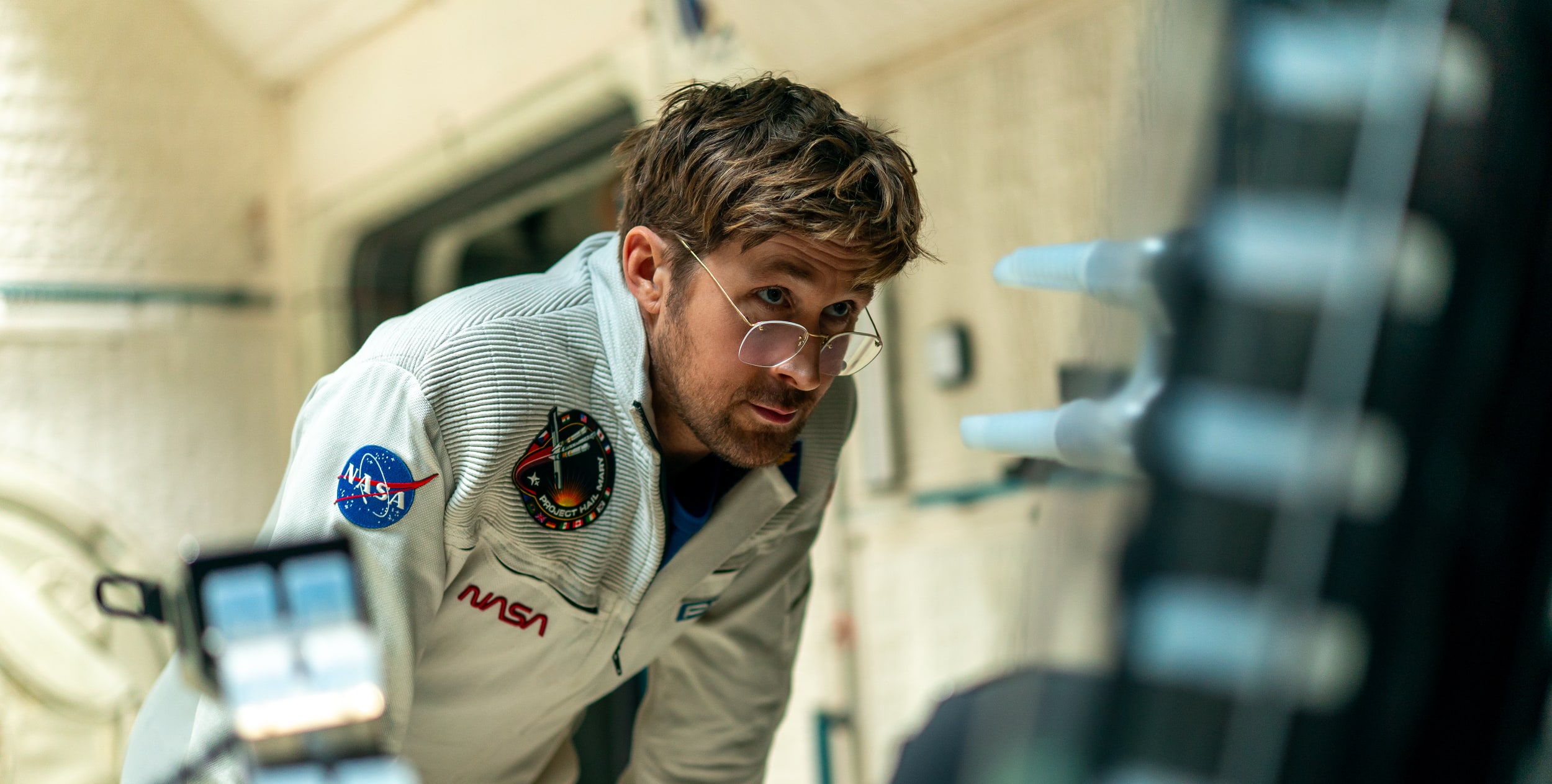
Ryan Gosling in Project Hail Mary.
Jonathan Olley for Amazon
Sure, humanity's hope for survival ultimately falls on the shoulders of one of the most attractive white men on (or in this case, off) the planet, but you know, movies. It's also not a spoiler to say that Grace isn't entirely alone on his journey. As already revealed by the film's trailers and a ton of social media clips, he's also joined by a crab-like being made of rock, which he simply calls Rocky. They eventually learn to communicate, and it's revealed that Rocky is also on a mission to save their own home planet.
While we get brief glimpses of life on Earth, and the planning of Project Hail Mary, for the vast majority of the film we're just left with Grace figuring things together with a rock alien. And yet, the film never drags. It's a testament to Gosling's inherent charm, but he also demonstrates an incredible ability to shift from joy and goofiness, to sheer terror, to leading-man heroics on a dime. It's also hard to take your eyes off of Rocky, who is rendered with a loving mixture of practical puppetry and CG. We've never seen a creature like them before – one that, despite having no eyes or mouth, manages to connect with viewers mostly through their very expressive arms.
Ryan Gosling in Project Hail Mary.
Jonathan Olley for Amazon
Project Hail Mary is ultimately a work of pulp sci-fi as told by an author who loves deeply nerdy technical solutions, as well as a writer and directors who know precisely what makes a great blockbuster tick. But the notion that humanity can collectively come together to do the impossible always tugs at my heartstrings a bit. And yes, there’s the power of friendship, too. In this moment, when things seem particularly bleak, these ideas seem especially meaningful.
This article originally appeared on Engadget at https://www.engadget.com/entertainment/tv-movies/project-hail-mary-could-teach-humanity-a-thing-or-two-154327806.html?src=rss
NVIDIA started an online firestorm this week when it announced DLSS 5 at its GTC conference. The company claims it's meant to deliver "photorealistic" lighting and materials in games by using neural processing. But it differs considerably from previous versions of DLSS, which were focused on using machine learning to upscale lower resolutions and generate additional frames, and gamers online aren’t too happy. To help us break this down, Anshel Sag, VP and principal analyst at Moor Insights and Strategy joins us to discuss his experience with NVIDIA's DLSS 5 demos. Also, we dive into what's next for Xbox with Project Helix.
NVIDIA announced DLSS 5, the disgust was immediate (with Anshel Sag from Moor Insights & Strategy) – 0:51
Arizona attorney general sues Kalshi for operating an illegal gambling business – 36:22
Polymarket users threaten the life of a reporter at The Times of Israel over accurate reporting – 36:59
Apple announces AirPods Max 2 with improved noise cancellation – 44:33
Elon Musk’s xAI faces class action suit over facilitating CSAM dsitribution – 47:38
Samsung stops selling Galaxy Z TriFold after 3 months because components got too expensive – 51:22
Around Engadget: Apple Studio XDR review, Dell XPS 16 review – 53:49.346
Listener Mail: Stick with iPhone on Linux? And are there any good Android tablets? – 55:41
Pop culture picks – 58:46
Credits
Hosts: Devindra Hardawar Guest: Anshel Sag Producer: Ben Ellman Music: Dale North and Terrence O’Brien
This article originally appeared on Engadget at https://www.engadget.com/gaming/pc/engadget-podcast-why-does-everyone-hate-nvidias-dlss-5-ai-upscaling-121335918.html?src=rss
You can sum up the gamer response to NVIDIA's DLSS 5 announcement with the ever-relevant Fallout 4 meme: "Everyone disliked that." Across social media and Reddit last night, I couldn't find anyone who's genuinely positive about the potential for DLSS 5, which uses AI to add "photorealistic" lighting and materials to in-game models and environments. Instead, it's mostly complaints about the feature being another avenue for AI slop. And you know what? I agree.
It's not unusual to see gamers being reflexively angry about new technology on the internet, especially when it's being pitched by NVIDIA as the “biggest breakthrough in computer graphics” since its RTX 20-series GPUs arrived in 2018 with real-time ray tracing. There was plenty of suspicion around DLSS's original AI upscaling model, as well as the "fake" frames generated by later iterations. But the few demos we've seen of DLSS 5 basically look like "yassified" AI filters for popular games.
Leon and Grace from Resident Evil: Requiem have more distinct facial and hair detail, but they look a bit too slick. There are more wrinkles on an old woman in Hogwarts Legacy. And the face, hair and clothing from a Starfield character gain an uncanny sheen.
None of the demos have the immediate impact of the Star Wars real-time ray tracing short ILMxLab produced with NVIDIA seven years ago. That demonstration showed us glorious reflections and lighting effects we'd never seen before in real-time. The DLSS 5 demos, on the other hand, don't look much different from the AI filters that make you look more presentable for Zoom calls. There's no genuine excitement for DLSS 5, just NVIDIA telling us that it's groundbreaking.
There's also plenty of concern about DLSS 5 straying from an artist's original intent, as well as a potential homogenization of game visuals if every developer starts using the feature. NVIDIA claims developers will have "detailed controls for intensity, color grading and masking," which will help DLSS 5 stay in line with a game's aesthetic. But we don't have any direct developer experience with the feature yet — some artists may want far more control than NVIDIA wants to give.
The difference between DLSS 5 and earlier versions NVIDIA's upscaling is like the difference between generative AI and more traditional machine learning models. NVIDIA relied on the latter to make low-resolution textures and models appear sharper, and later to insert generated frames to smooth out gameplay and raise your fps count. As Wirecutter and former Polygon editor Arthur Gies points out, you could argue those features were in service of delivering what developers originally intended. But DLSS 5's neural model applies its concept of "photorealism" on top of what games are rendering -- it's like watching a Pixar movie that let OpenAI's Sora do a final visual pass.
Part of the negative response towards DLSS 5 may stem from a widespread anti-gen AI sentiment, but that doesn’t devalue the criticisms either. Similar to AI generated text, images and video, there’s a dehumanizing aspect about DLSS 5. It can erase the work of human artists (despite how much control NVIDIA claims they have), and it also feels like a calculated attempt to appeal to gamers who just want shinier graphics. NVIDIA showed off how generative AI could be used to create dialog and voices for NPCs last year at CES, but that was also widely disliked (and I called it a genuine nightmare).
Of course, I can’t fully judge DLSS 5 until I see it in action beyond a short demo. But I think the visceral disgust is an important indicator that many gamers aren’t onboard with the AI-powered future NVIDIA is trying to sell us. And perhaps the idea of chasing “photorealism” may be a bit of a fool’s errand. It may be appropriate for some games, but as Nintendo and indie PC devs have shown, you can also make some of the best games of all time without striving for realism. Tears of the Kingdom could use a better framerate and higher resolution textures, but it certainly doesn’t need DLSS 5.
This article originally appeared on Engadget at https://www.engadget.com/gaming/pc/gamers-are-right-to-be-disgusted-by-nvidias-dlss-5-151105593.html?src=rss
Just months after announcing DLSS 4.5 at CES, NVIDIA has unveiled its next major upscaling technology, DLSS 5. The company is doubling-down on AI for this next iteration, claiming DLSS 5 “infuses pixels with photoreal lighting and materials” using a real-time neural rendering model when it arrives this fall.
So what does this mean in practice? In an on-stage demo at NVIDIA’s GTC 2026 keynote, CEO Jensen Huang showed off the technology with Resident Evil: Requiem, Hogwarts Legacy and Starfield. DLSS 5 adds a noticeable amount of detail to character’s hair and skin tone, but it also appears it’s being compared to those games without any DLSS features turned on. It’s unclear how much of a difference it makes compared to DLSS 4.5 with path tracing and all of its features turned on.
“DLSS 5 takes a game’s color and motion vectors for each frame as input, and uses an AI model to infuse the scene with photoreal lighting and materials that are anchored to source 3D content and consistent from frame to frame,” NVIDIA said in a blog post. The company also notes that the technology runs in real time, and it works at up to 4K.
Huang showed off DLSS 5 while running a system with two RTX 5090 GPUs. Eventually, it will be able to run on a single video card (though I’d imagine it would have to be almost as powerful as two 5090s). Huang also paints DLSS 5 as a step towards offering Hollywood-like quality for real-time rendering, without the need for the GPU horsepower required by studios. It sounds a bit like a generative AI video model that can be directly controlled by developers, instead of just AI prompts.
NVIDIA, never shy from self-aggrandizing, claims DLSS 5 is also the “biggest breakthrough in computer graphics” since real-time ray tracing arrived in 2018. But given that ray tracing itself hasn’t been mainstream for many gamers, it’ll be interesting to see if there’s any interest in NVIDIA’s AI-produced pixels.
This article originally appeared on Engadget at https://www.engadget.com/gaming/pc/nvidia-claims-dlss-5-will-deliver-photoreal-image-quality-with-ai-this-fall-193452088.html?src=rss
This generation of MacBook Pro might just be the last gasp of the 2021 remodel. It's still an incredibly powerful machine that's been honed to near-perfection, but if you're looking for something that feels truly new, it may be worth waiting several months.
It's not too surprising to see the M5 Pro and Max MacBook Pros be relatively low-key efforts. Apple launched the M5 14-inch MacBook last fall with a mere press release. But at least that model delivered a noticeable leap in graphics performance. The new M5 Pro and Max chips are a bit faster than before, but they don't really have any major features to call out. (Unless you're super excited about Neural Accelerators for AI work.)
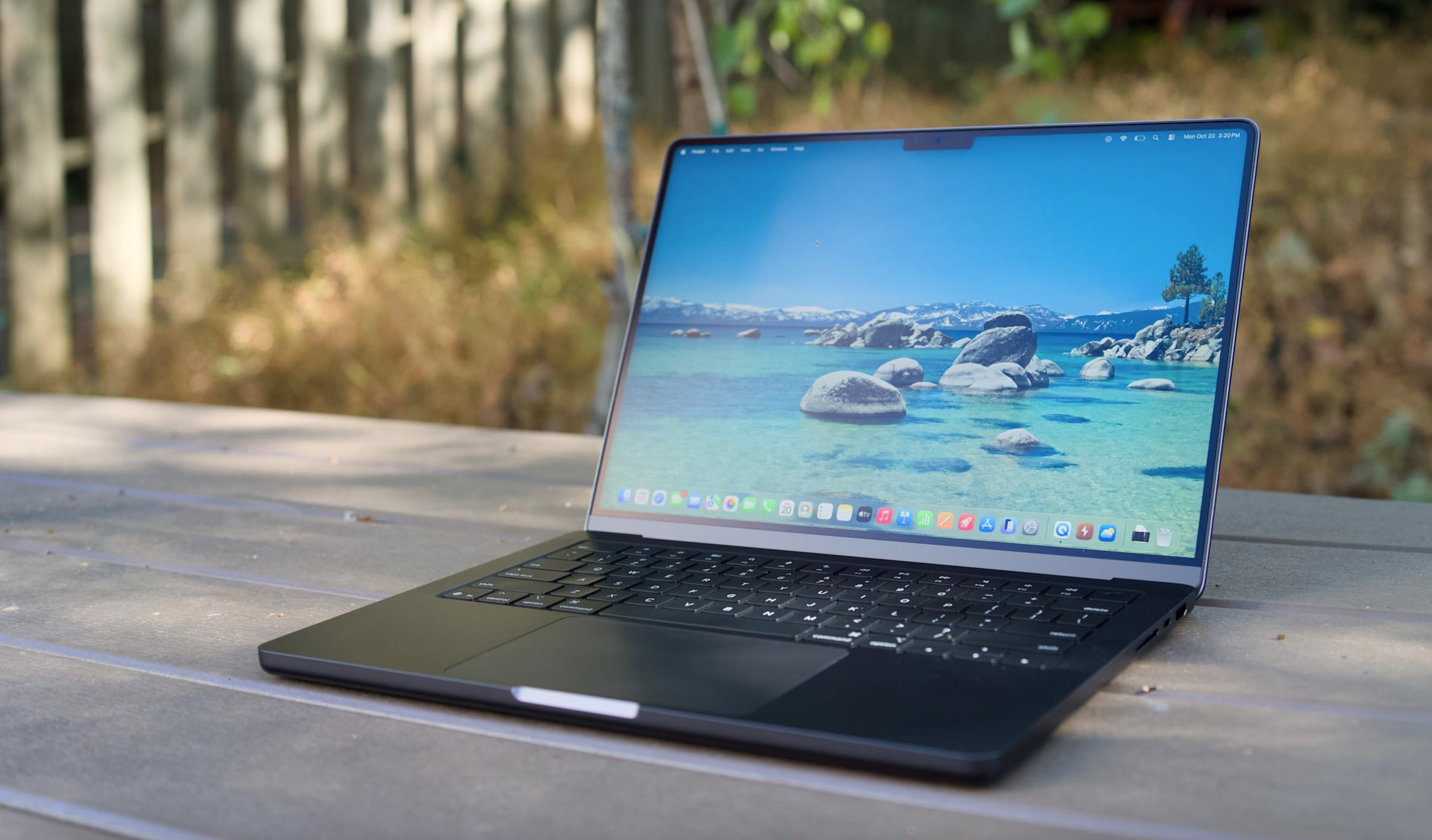
I don't want to sound like I'm complaining too much, though. The 16-inch M5 Max MacBook Pro I'm reviewing is still a gorgeous laptop, with an overall design that most premium Windows PC makers are still trying to copy. Apple's unibody metal frame design still feels rock solid. There's a generous amount of ports, including three Thunderbolt 5 USB-C connections, HDMI, a headphone jack and a SD card reader. Its 16-inch Liquid RetinaXDR screen also looks incredible, thanks to its bright Mini LED backlighting, and there's once again a nano-texture option to reduce glare.
What else could you want in a laptop? I suppose there's the lingering feeling that an OLED screen would look better, with sharper contrast and pure black levels. But you'd be hard pressed to find much else to complain about with the MacBook Pro's screen. I'm also intrigued to see how Apple implements a touchscreen interface alongside macOS in upcoming MacBook Pros, but I'll admit, I haven't really been compelled to touch this laptop's display much.
Touchscreens always seemed like a quixotic effort for laptops — they're nice to have, but Microsoft has been trying to shove them into PCs for 15 years now. The addition of touchscreens really didn't improve the overall Windows experience much. So I wasn't surprised to see Apple take its time bringing the technology to macOS — if you really want to swipe around screens, just get an iPad.
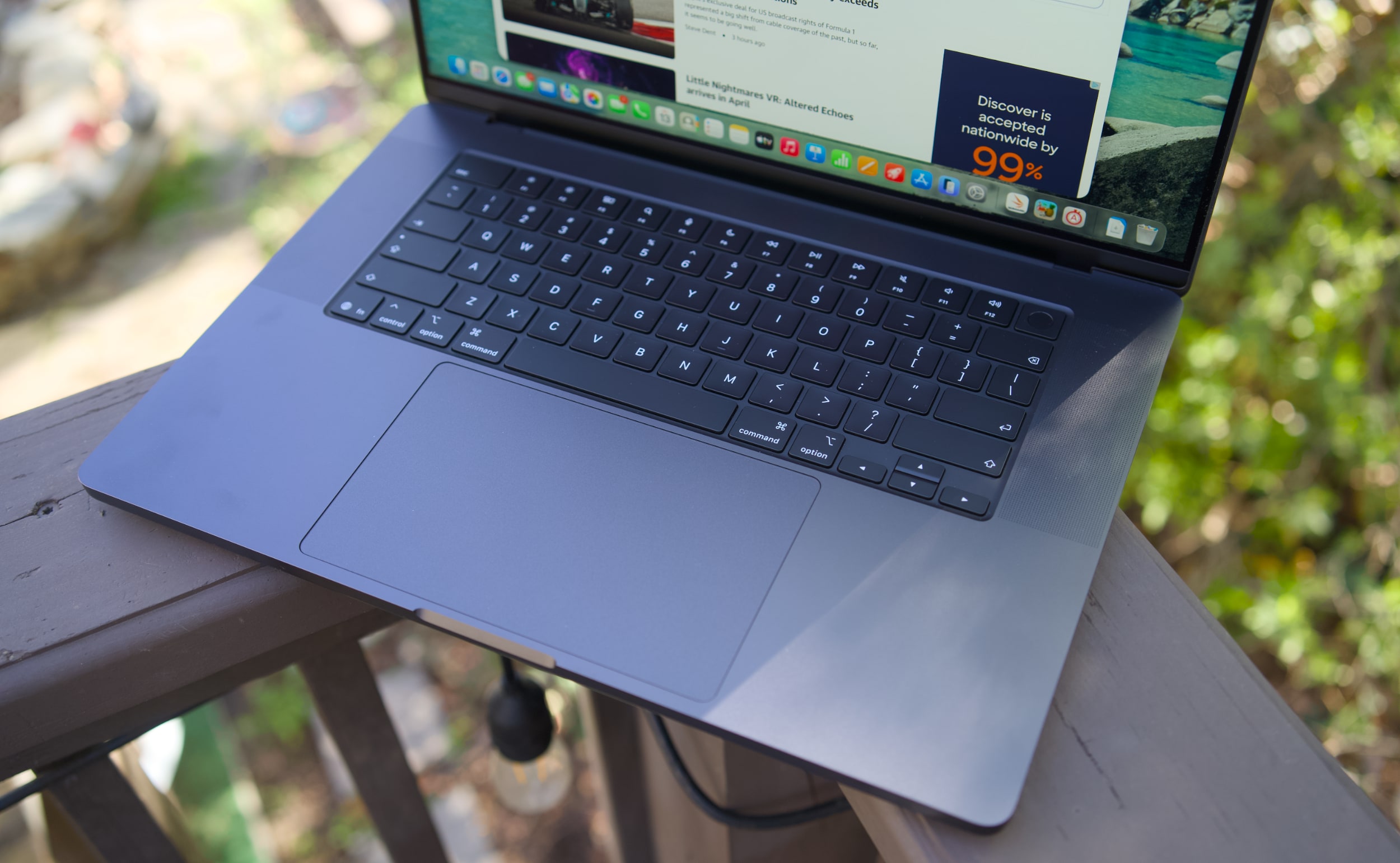
MacBook Pro 16-inch (2026, M5 Max) keyboard and trackpad
Devindra Hardawar for Engadget
But back to this MacBook Pro: I still love everything about Apple's current design. Sure, the keyboard could have a bit more depth, but it withstood my furious typing like a champ. (Unlike Dell's XPS 14, which tried so hard to be a MacBook Pro-killer.) And the MacBook Pro's glass touchpad is still one of the best I've ever seen in a laptop.
Our review unit was also equipped with 32GB of RAM, a 4TB SSD, a 40-core GPU and Apple’s $150 nano-texture display upgrade, bringing the total for this M5 Max system to a whopping $6,149. That may seem excessive to most consumers, but for creative professionals who actually need the power of the M5 Max chip, it’s not that unusual. You can also save over $1,000 by opting for the M5 Pro chip instead.
So what does the M5 Max bring to the party? Obviously, it's speedier than the M4 Max. Our review unit was 30 percent faster than the M4 Max-equipped MacBook Studio in the Geekbench 6 multi-threaded CPU benchmark. It's only 10 percent faster in Geekbench's single-threaded test, but that still gives Apple room to claim that it has the fastest chip core around. If you've got an M4 Max machine, you certainly don't need to dump it for this lineup. But if you've been hammering on an M1 Max or M2 Max system for years, you'll see some meaningful benefits from upgrading now.
Computer
Geekbench 6
Geekbench 6 GPU
Cinebench 2024
Apple MacBook Pro 16-inch (M5 Max, 2026)
4,338/ 29,261
145,309
192/2,150 | GPU: 22,374
Apple MacBook Pro 14-inch (M5, 2025)
4,310/18,003
48,840
197/1,034 | GPU: 6,143
Apple MacBook Pro 16-inch (M4 Pro, 2026)
3,925/22,456
70,197
178/1,689 GPU 9,295
Apple MacBook Pro 16-inch (M3 Max, 2024)
3,202/21,312
92,344
143/1,686 GPU 13,182
Apple says this new line of MacBook Pros also feature its latest SSD technology, which is up to twice as fast as before. Our review unit reached 13.8 GB/s write speeds and 13 GB/s read speeds in the ATTO disk speed test, whereas previous MacBook Pros hovered around 6 GB/s for read/write speeds. If you're working with huge data files every day, you'll likely notice the difference. Another benefit to the new hardware? Apple is now equipping every MacBook Pro with 1TB of storage by default.
All of the M5 chips feature faster GPUs than before, but that's less noticeable on the M5 Max. I've never had trouble running a high-end game like Lies of P on the M2, M3 or M4 Max hardware, and once again it still runs incredibly well with the M5 Max in its native resolution, and with all of the graphics settings cranked up. All I'm looking for is a smooth 60 fps frame rate, and the MacBook Pros have delivered on that for years. macOS isn't the sort of platform where you'll be playing many high fps games, but the MacBook Pro's 120Hz refresh rate is equipped to handle them.
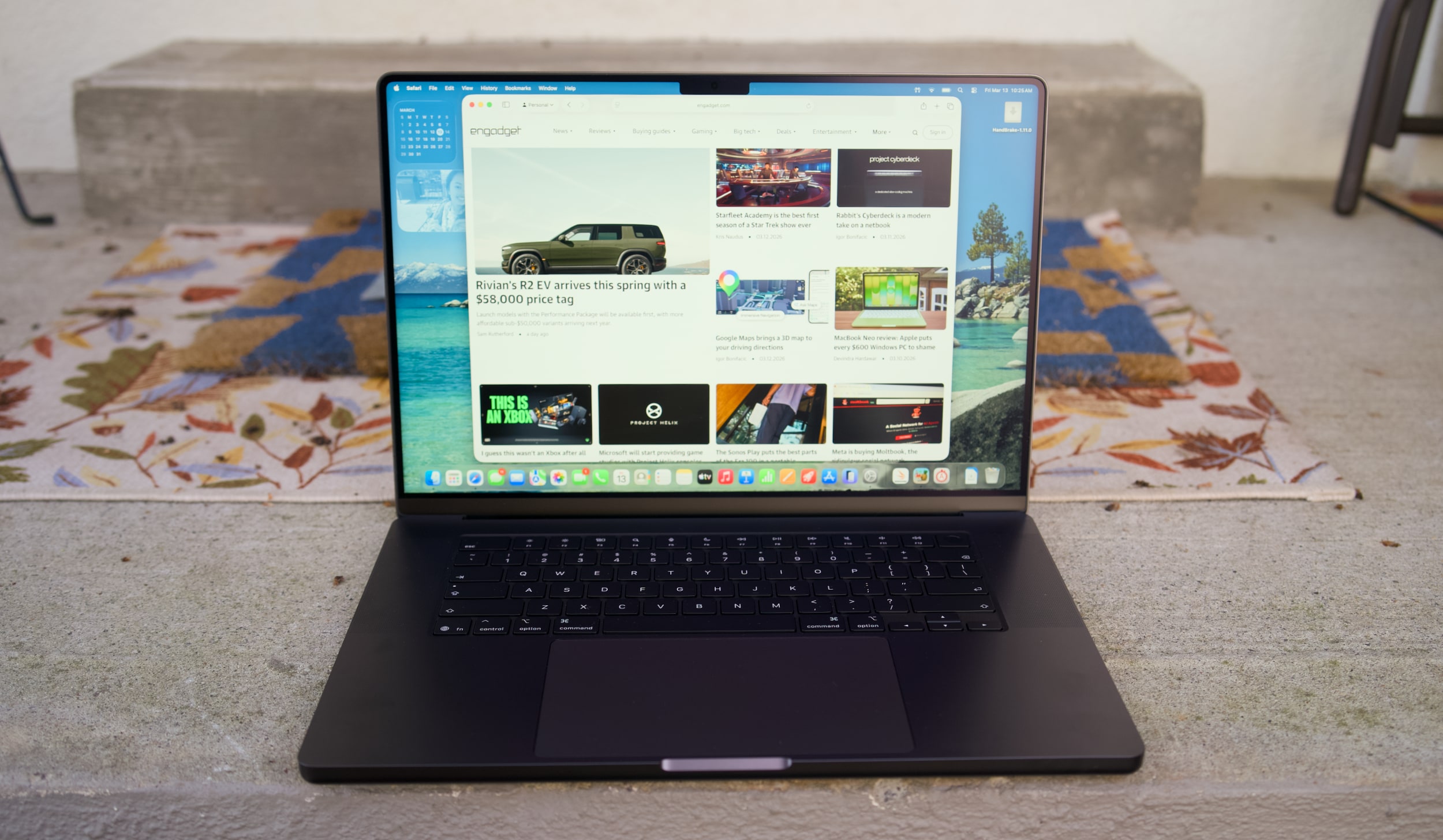
MacBook Pro 16-inch (2026, M5 Max) on a doorstep.
Devindra Hardawar for Engadget
Beyond raw performance, the MacBook Pro continues to be a joy to use. Its screen is gloriously bright, and its smooth refresh rate makes scrolling through documents and websites easy on the eyes. Its six-speaker setup remains the best audio experience I've ever heard on a laptop, allowing for crisp, detailed and surprisingly dynamic bass. When I'm too lazy to cast music to my Sonos speakers, I can still have a decent jam session on the MacBook Pro's built-in setup.
It's hard to improve much on the 30 hours and 16 minutes of battery life we saw on last year's 16-inch MacBook Pro, but the M5 Max model managed to beat that by 30 minutes. Realistically, it means you can likely use the MacBook Pro for a few days without needing to recharge, assuming you're not doing heavy-duty work the entire time.
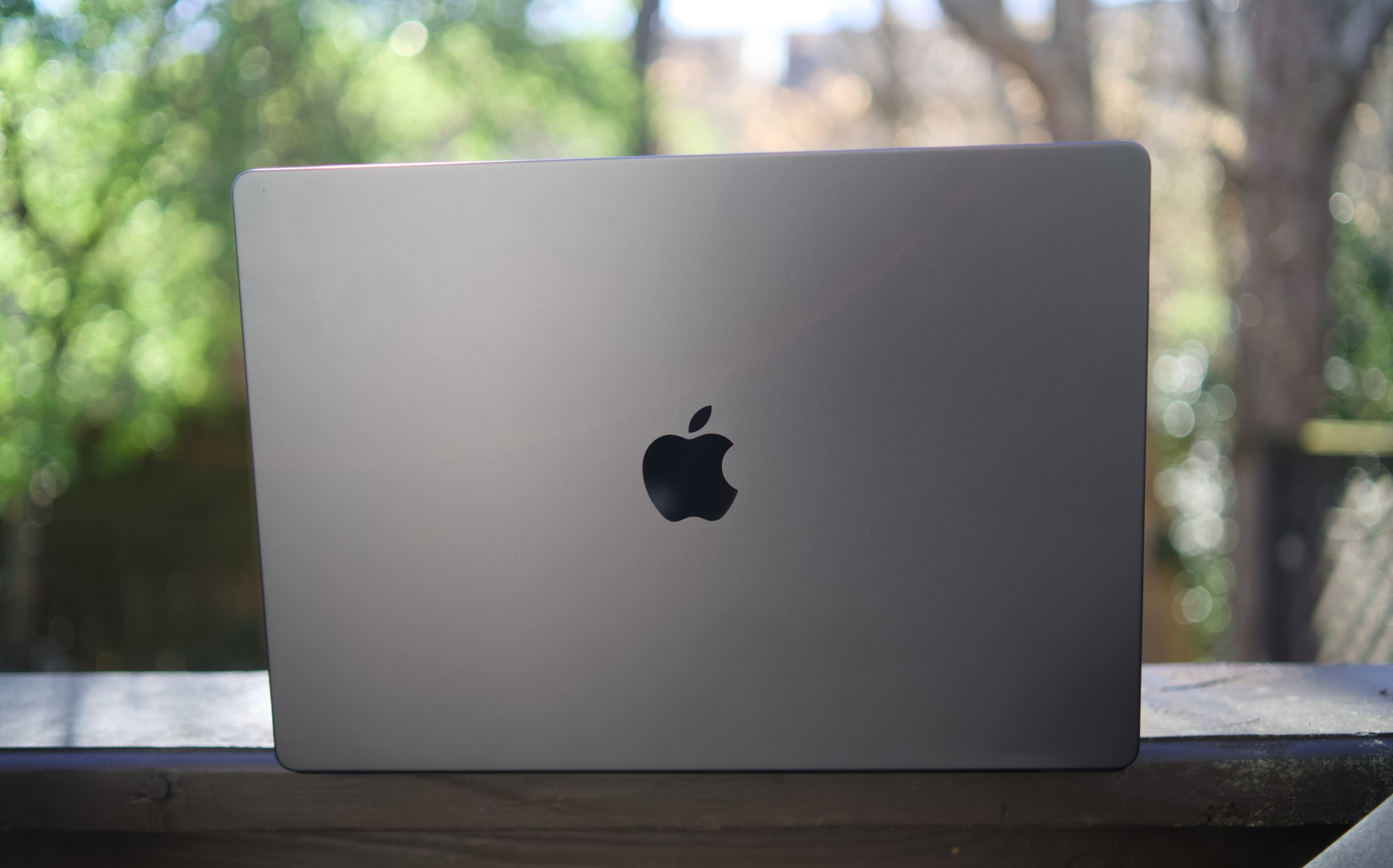
MacBook Pro 16-inch (2026, M5 Max)
Devindra Hardawar for Engadget
You don't need me to sell you on the MacBook Pro; all you need to know is that the M5 Max actually delivers. Given how well the standard M5 14-inch MacBook Pro performed, I'd also expect a decent speed bump from the M5 Pro model. The only downside to the M5 systems is that they'll feel out of date quickly if the rumored OLED and touchscreen models arrive later this year. But if you need the best performance now, it's hard to go wrong with any MacBook Pro.
This article originally appeared on Engadget at https://www.engadget.com/computing/laptops/macbook-pro-m5-max-16-inch-review-still-the-pinnacle-120000325.html?src=rss
I really don't know how Apple did it. The MacBook Neo is a $600 laptop that doesn't feel like an afterthought, which is a curse that has befallen so many cheap Windows notebooks. Sure, it has a slower A-series processor and it's limited to 8GB of RAM. But the MacBook Neo still feels as deeply considered as Apple's most premium hardware. Its screen, trackpad and overall usability is so far ahead of the competition, every Windows PC maker, including Microsoft, should be ashamed.
I've argued that a cheap MacBook could be the best for Apple to peel away Windows users, and after spending almost a week with the Neo, I'm convinced it will do just that. It's just fast enough to handle basic productivity work. It's sturdy enough to be tortured by kids in classrooms. And you really can't beat its $599 starting price. Once Windows users learn it's not that hard to switch to macOS, Apple will likely have another hit on its hands.
What's so Neo about this MacBook?
I'll admit, I laughed at the MacBook Neo's name at first. It really does feel like a desperately hip name ASUS or Acer would slap onto their machines (in fact, Acer is doing so right now), rather than something Apple would even consider. But the Neo name is more than just a dated reference to the Matrix — it's also a clear signal that this is a new type of MacBook. It's the first one Apple has ever been able to sell so cheaply. It's the first one powered by a mobile A-series chip. And for many people, it will likely end up being their first Mac.
The MacBook Neo also marks the first time Apple has built a value-focused notebook under $1,000. The adorable handle-equipped iBook G3 looked like a system geared towards kids, but it launched at $1,599 in 1999. The original MacBook Air, which Steve Jobs revealed by pulling it out of a manilla envelope, sold for $1,799 in 2008. MacBooks only got semi-affordable when Apple dropped the Air's entry price to $999 in 2014. (The starting price has bounced between $999 and $1,099 ever since.) It dabbled in the concept further by keeping the M1 MacBook Air around at Walmart stores for $699 in 2024 before eventually dropping its price down to $650 last year. If you were lucky, you could also find it for $499 during some holiday sales.
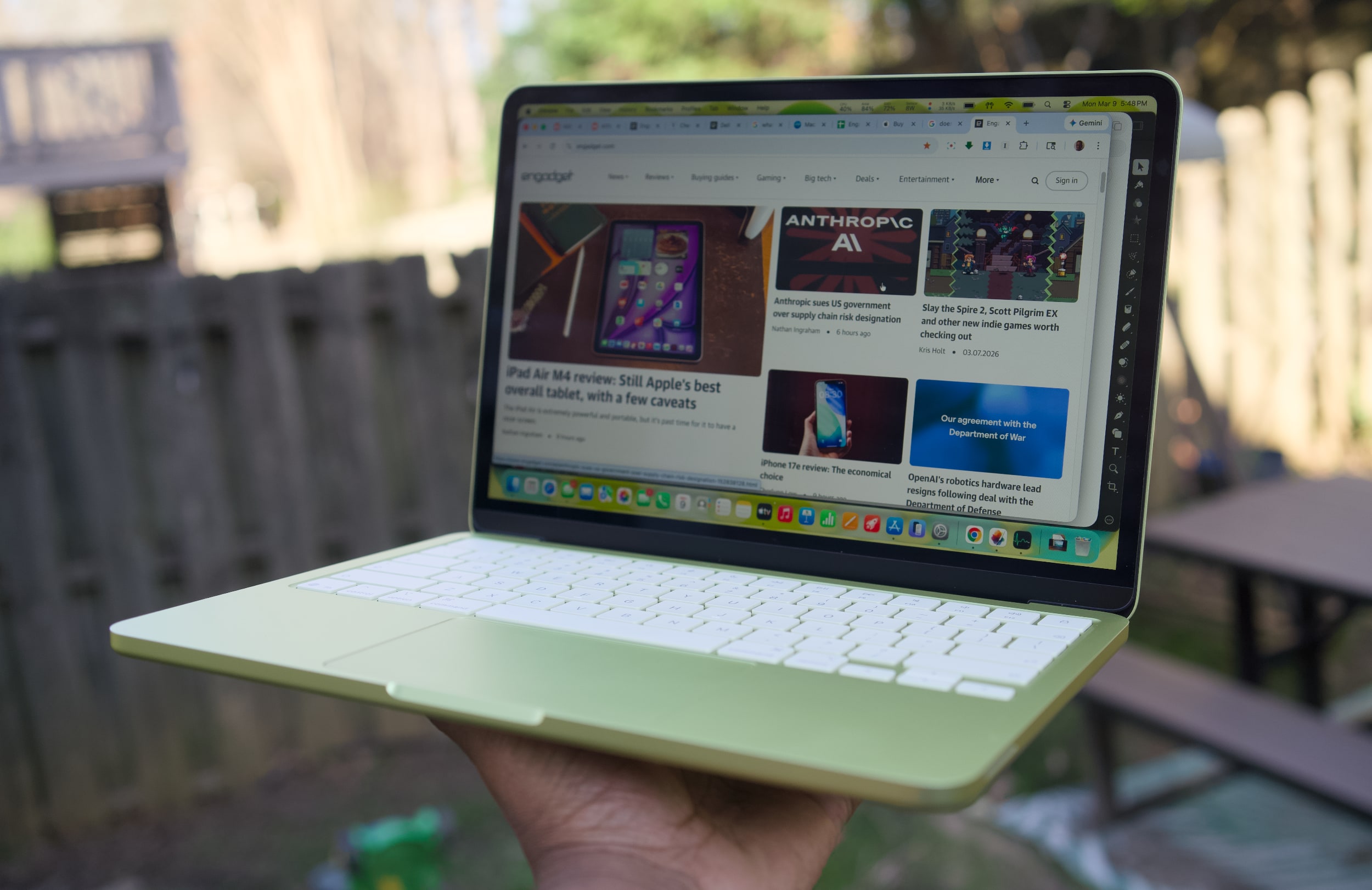
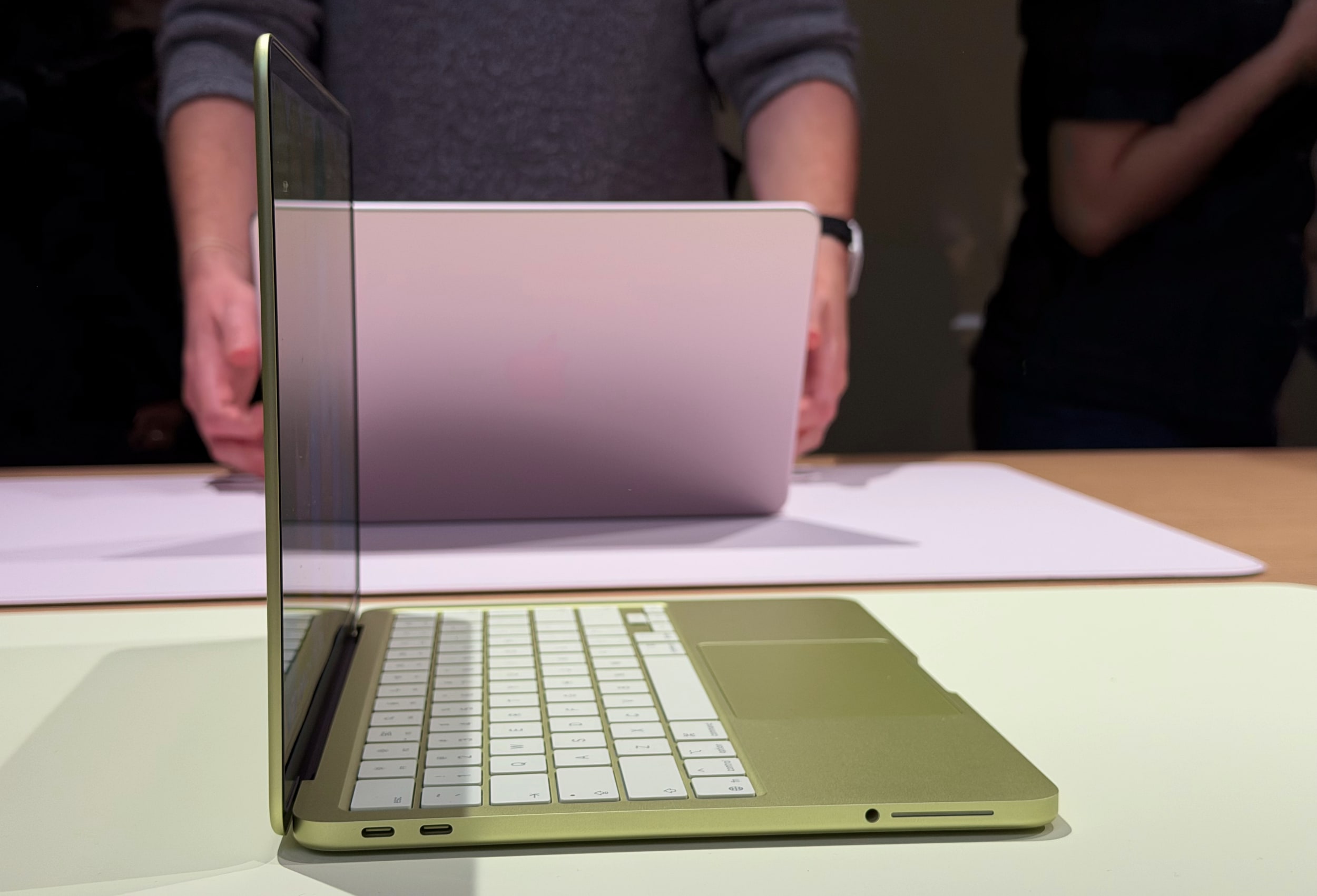
A citrus MacBook Neo being held up with one hand.
Devindra Hardawar for Engadget
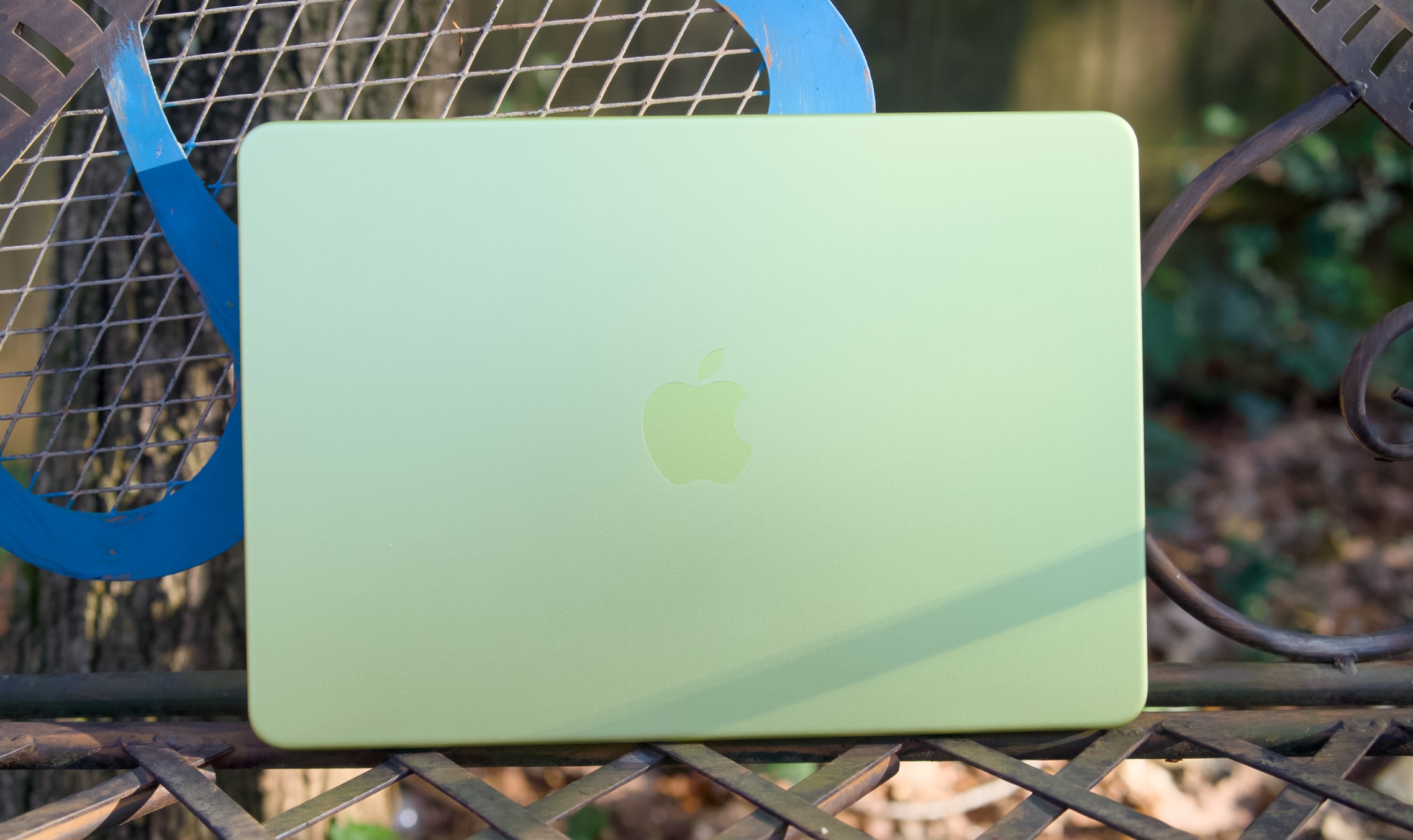
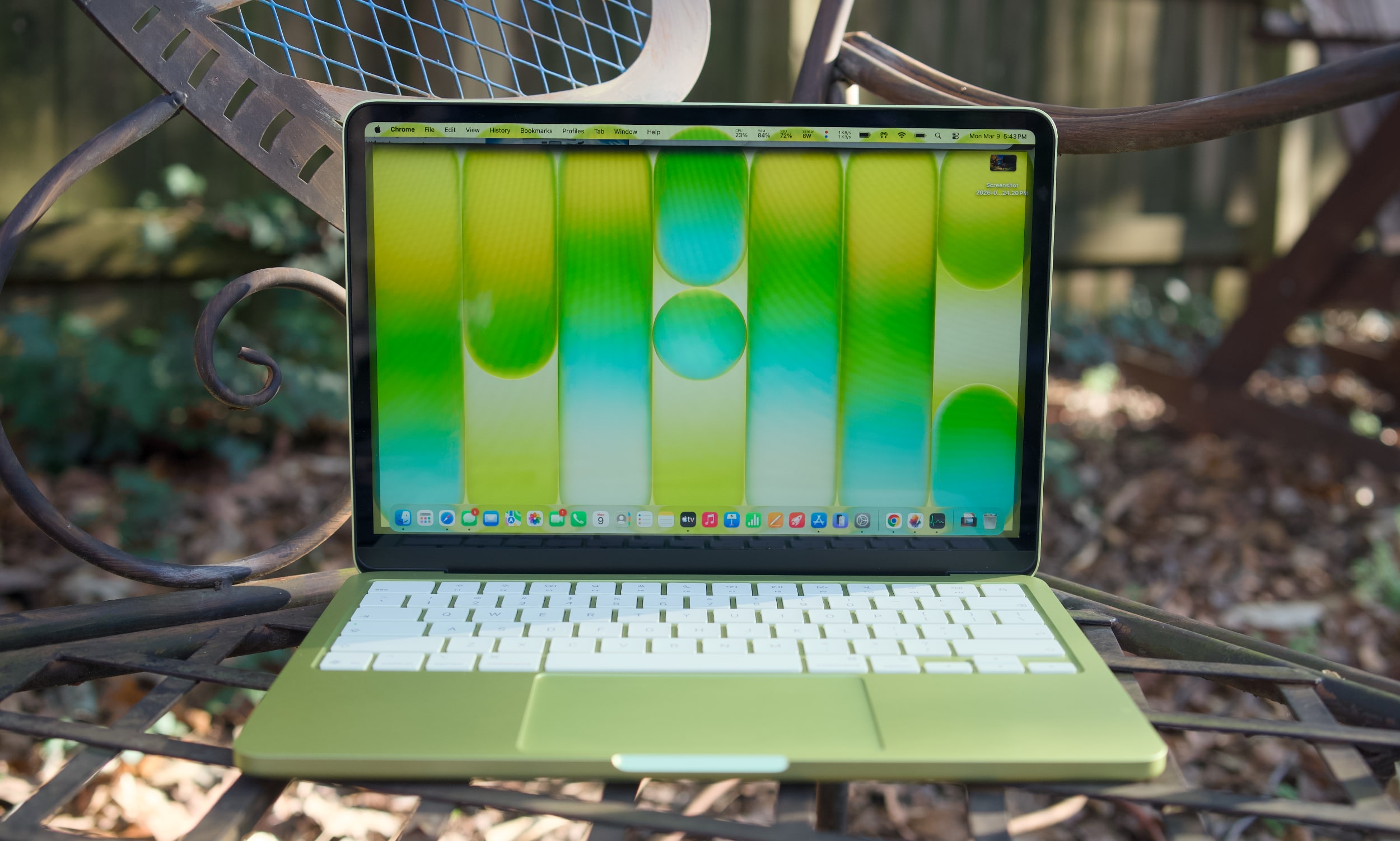
While the M1 MacBook Air was a great value over the last few years, its last-gen Apple design aged quickly. The Neo looks far more modern, with an all-aluminum case that resembles the current Air (it's a bit smaller, but weighs the same 2.7 pounds). Color is the Neo's biggest draw, with bolder options like the greenish citrus and pink blush, along with Apple's typical dark and light case options. The citrus hue is the most unique, as we've seen rose gold MacBooks before. It would have been nice to see other strong colors too, like a brighter blue or something with a hint of purple. The people want personality, Apple!
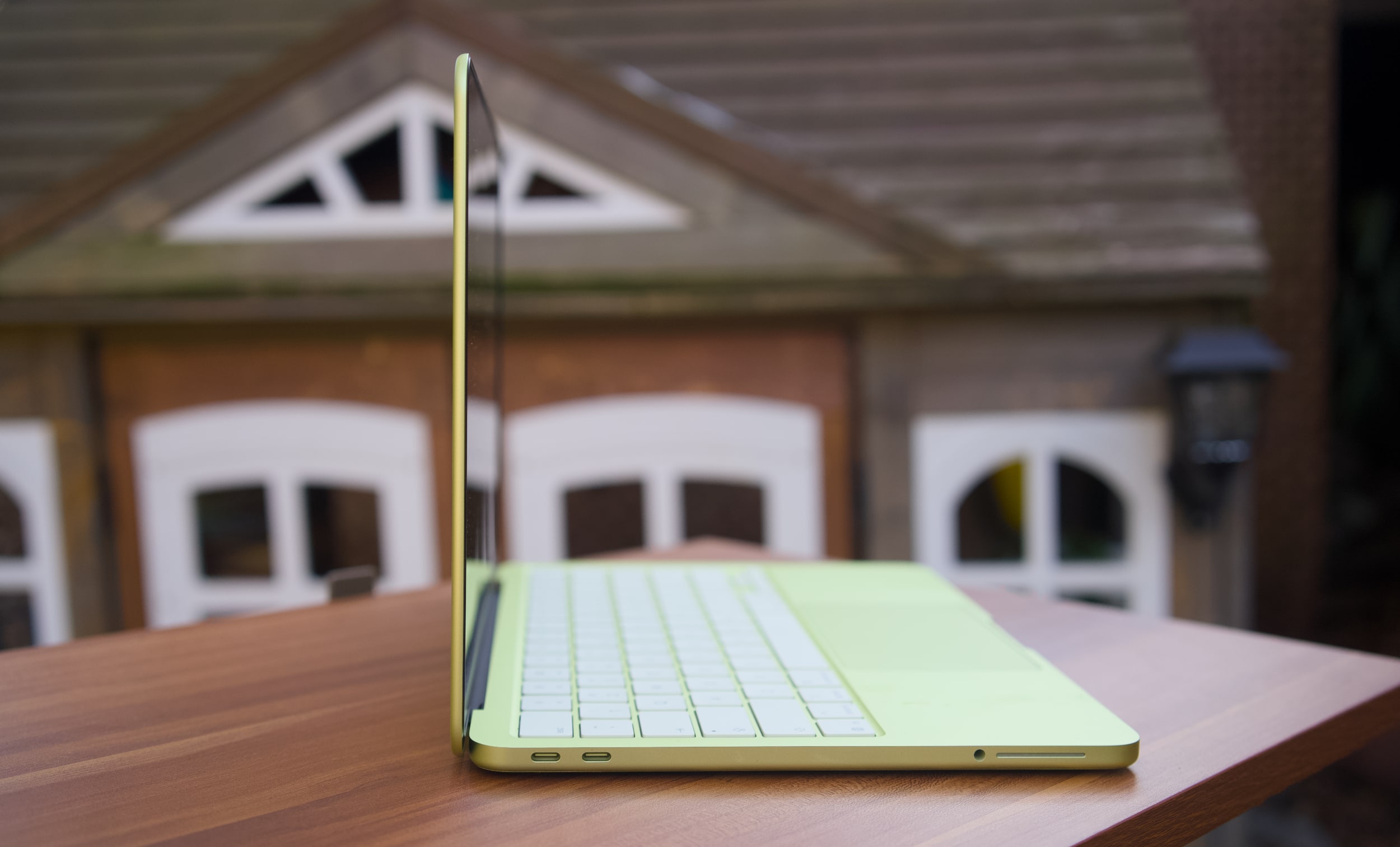
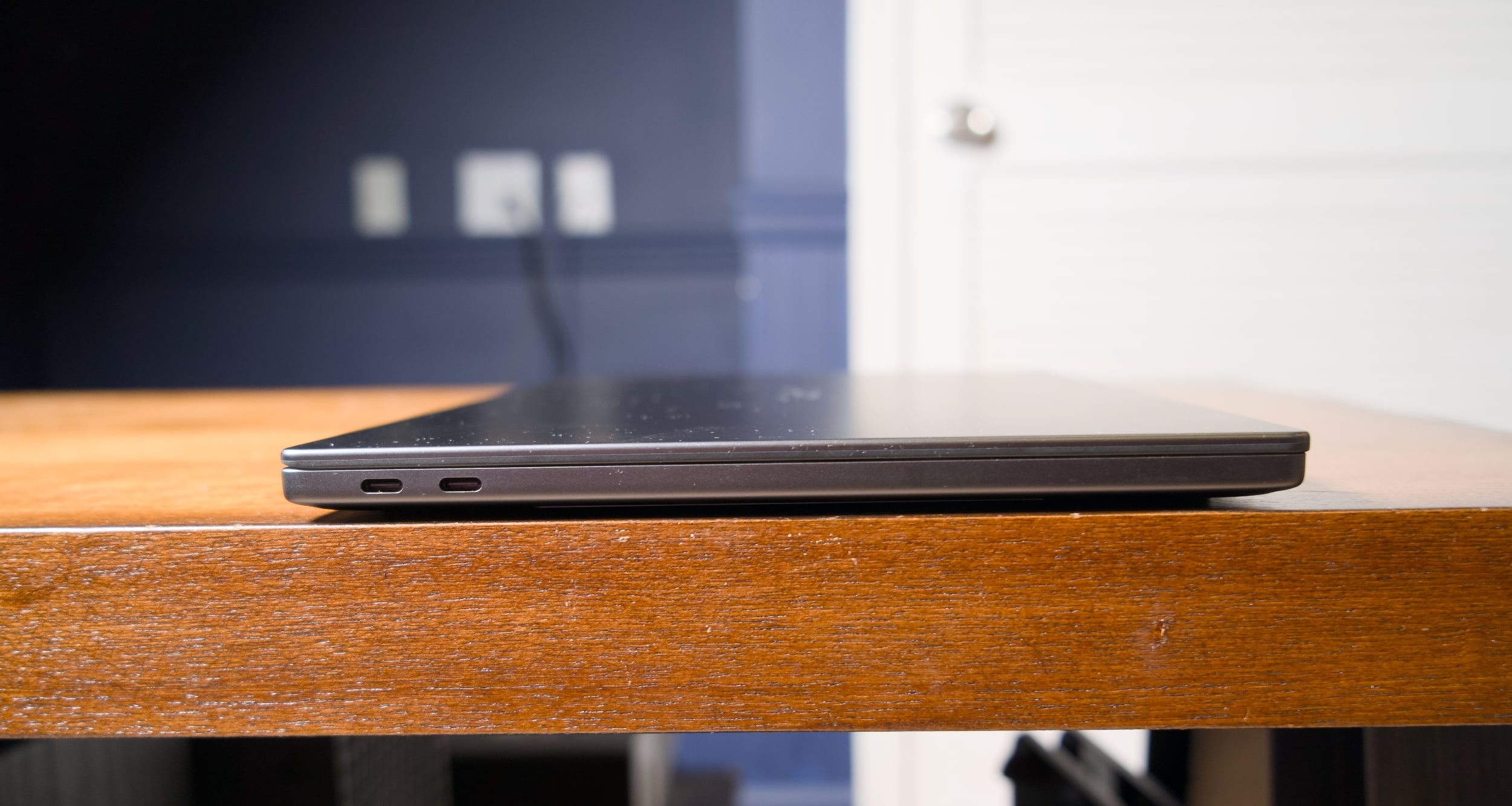
Under the hood, the MacBook Neo is a story of compromise, more so than any MacBook before it. Apple had to find a way to deliver its premium user experience while also cutting costs significantly to reach its $599 price. Relying on the A18 Pro, which powered last year's iPhone 16 Pro, was likely far more cost effective instead of using an older M-series chip that isn't being built anymore. That A18 Pro chip also means the MacBook Neo has to be fairly limited when it comes to ports: there are only two USB-C connections on board (one is USB 3.0, and the other is USB 2.0). There's no MagSafe charging connection, which is a shame since the MacBook Neo will likely end up around trip-prone kids in schools and homes.
A citrus MacBook Neo's USB-C ports.
Devindra Hardawar for Engadget
The biggest compromise lies in the MacBook Neo's RAM and disk space. It starts with just 8GB of RAM and a 256GB SSD. You can shell out another $100 to get 512GB of storage and a Touch ID button, but there's no way to add more RAM. Typically, my first piece of advice to any prospective computer buyer is to get at least 16GB of memory, as that's the easiest way to see faster performance when juggling tons of tabs, apps and large files. That's particularly true for Mac laptops, since Apple's unified memory is baked into its A-series and M-series chips.
The MacBook Neo's 8GB limitation shows the precise audiences Apple is targeting with the MacBook Neo: casual users. Those include people who need secondary machines for light workloads and schools relying on Chromebooks. I'm not reneging on my 16GB RAM recommendation — if the idea of less RAM in your main computer makes your skin crawl, the Neo isn't for you. The MacBook Air is still around, and it can easily be equipped with tons of RAM and storage.
Apple also deserves credit for squeezing in an impressive 1080p webcam in the Neo, something I haven’t seen in any other $600 Windows notebook. And while the resolution is impressive, Apple’s image processing also manages to deliver sharp and vibrant image quality. It’s usually easy to tell the overall quality of someone’s computer on group video calls based on their video quality. The MacBook Neo will have people thinking you’re calling in from a pricier MacBook Air or MacBook Pro.
When I first demoed the MacBook Neo at Apple's launch event, its keyboard felt a bit flimsier than those on the Air and Pro. But I may have just been distracted by the crowd and noise. My review unit's keyboard feels just as accurate as the Air's, allowing me to type at full speed (near 100 words per minute) without any issues. There's none of the weird input problems I noticed on Dell's far more expensive XPS 14.
The MacBook Neo's trackpad is similarly responsive and accurate for swiping and gestures. That's particularly surprising, since Apple isn’t using a haptic Force Touch trackpad like all of its laptops for the past decade. The Neo's pad clicks down mechanically — and yet, it doesn't feel as muddy as similar trackpads we see on budget PCs. It's also notable that Apple was able to make the Neo's trackpad completely clickable, whereas PC mechanical options often only click along their bottom half or third.
A citrus MacBook Neo on a table outside.
Devindra Hardawar for Engadget
Enough Mac for most
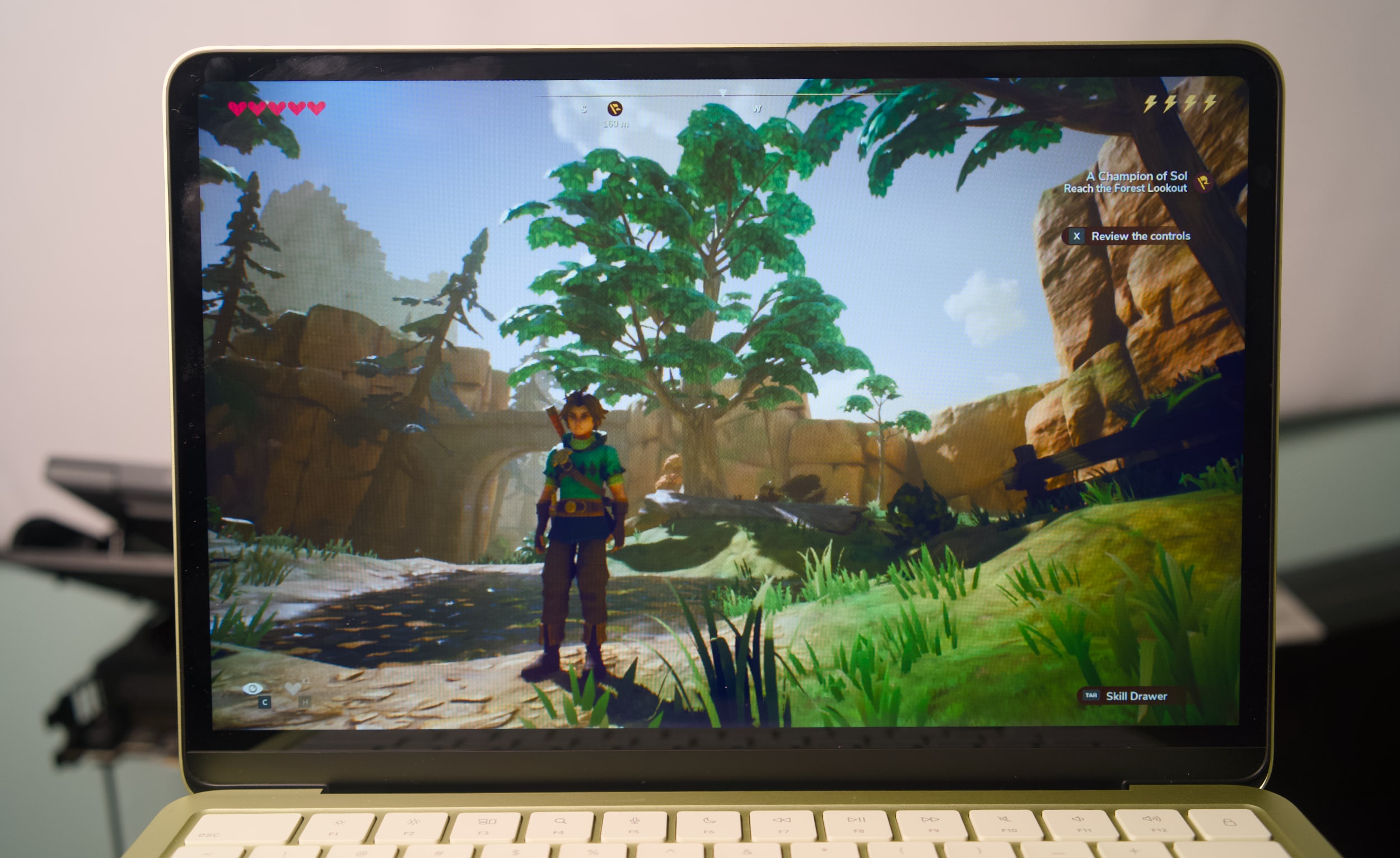
I didn't expect much from the Neo's A18 Pro processor and limited specs, and yet it still managed to surprise me. It easily handled having dozens of tabs open across multiple browsers, a show playing on the TV app, photo editing in Pixelmator Pro and running the new Apple Arcade title Oceanhorn 3 without any significant slowdown. There's clearly some swift memory management going on, delivering just enough RAM for the task right in front of you.
The Neo's RAM usage typically hovered between 80 and 85 percent when I was trying to stress it, but it never went beyond that range. And if you're curious, the Neo typically used around 50 percent of its memory just to run macOS, even with no other apps running.
I'd bet most people wouldn't see a major performance difference between the MacBook Neo and the Air for basic tasks. Even their screens look similar: The Neo's LCD panel has only a slightly lower resolution than the Air's, but its smaller 13-inch screen size gives it a similarly rich pixel density. The screen looks bold and colorful indoors, and it's also bright enough to use in direct sunlight outside. That's not something you usually see on $600 laptops.
Oceanhorn 3 on a MacBook Neo.
Devindra Hardawar for Engadget
During a demo at the Neo's launch event, I saw its screen compared side-by-side to a $600 HP laptop. The difference was literally night and day — the HP's display struggled to show the vibrancy of daylight photos, while the Neo's made photos pop off the screen. Similarly, the Neo's side-firing speakers sound significantly better than the tinny garbage HP stuffs into its discount machines. The Neo's speakers are ideal for watching videos and streaming content, but they definitely lack the clarity and low-end bump from the Air and MacBook Pro's upward firing speakers.
Geekbench 6 CPU
Geekbench 6 GPU
Cinebench 2024
Apple MacBook Neo (A18 Pro)
3,372 /8,406
19,511
107/324
Apple MacBook Air 13-inch (M4, 2025)
3,784/14,745
36,273
172/660 GPU: 3,465
Apple MacBook Air 13-inch (M3, 2024)
3,190/12,102
30,561
N/A
Microsoft Surface Pro 12-inch (2025, Qualcomm Snapdragon X Plus)
2,315/10,915
9,539
108/530
I was definitely trying to push the MacBook Neo harder than a typical user, but it simply kept delivering. In Geekbench 6's CPU benchmark, the MacBook Neo sits between the M2 and M3 MacBook Air for single-core tests, and below the M2 for multi-threaded work. Apple's hardware still manages to put Intel and AMD to shame, with single-threaded Geekbench 6 scores that are higher than the latest hardware from both companies. But of course, that's just one benchmark — beefy CPUs with active cooling will still be more performant overall.
What’s most impressive about the MacBook Neo is that it manages to be a functional and well-rounded notebook at just $599. Microsoft’s “low-budget” $800 Surface Pro 12-inch was cute, but we found its performance incredibly underwhelming (and you still had to pay more for the keyboard). The 2.2-pound ZenBook A14 was impressively light, but again it was just too slow to be useful. Apple probably could have worked harder to make the MacBook Neo a tad lighter, but it’s still easy to hold and travel with. I’d much rather Apple kept it at the MacBook Air’s 2.7-pound weight, instead of making the Neo less powerful or more expensive.
The only time the MacBook Neo completely failed was when I tried to run complex games meant for Apple's M-series chips. Lies of P installed just fine, but upon launch it just stopped as it tried to load shaders. Honestly, I'm surprised I was even able to install it in the first place. The most gaming you'll do on the Neo are things built specifically for Apple Arcade and the company's mobile chips, or cloud streaming options like GeForce Now or Xbox.
During our battery test, which involves looping a 4K video, the MacBook Neo lasted 12 hours and 15 minutes. That's far below the 18 hours and 15 minutes I saw on the M4 MacBook Air, but it's still enough to last you during a typical work or school day. Again, Apple also had to sacrifice plugging in a bigger battery to keep the Neo's costs down.
A citrus MacBook Neo on a table outside.
Devindra Hardawar for Engadget
Should you buy the MacBook Neo?
It's rare for Apple to genuinely surprise me these days, but the MacBook Neo did just that. It's a $599 computer that can handle basic workloads just fine, all the while looking like one of the company's more expensive notebooks. Most importantly, it delivers more speed, a brighter screen and an overall better user experience than any competing $600 Windows PC. It's so good, I think it'll make many people wonder why they've stuck with sub-par PCs for so long.
This article originally appeared on Engadget at https://www.engadget.com/computing/laptops/macbook-neo-review-apple-puts-every-600-windows-pc-to-shame-130000878.html?src=rss
There is so much to love about Dell's new XPS 14, it's hard for me to discuss it without sounding like a total fanboy. Its new design makes it incredibly thin and light. And Intel's Panther Lake chips give it a ton of power, even when it comes to games. After reviving the XPS brand from last year's ignominious rebranding, it's as if Dell was laser-focused on fixing all the issues we've had with the XPS 14 so far.
Unfortunately, a shallow, unresponsive and hilariously error-prone keyboard kept me from truly loving the XPS 14. Simply put, it has trouble recognizing keys if you press them too quickly in succession. And for fast and demanding typists like myself, that leads to countless errors that disrupt your flow. In the last sentence alone, I counted ten times where I had to go back and make sure commas appeared before a space, or tweak simple spelling errors. What good is a fast, light and beautiful machine if I can't type a sentence in peace?
It's not unusual for laptop keyboards to require a bit of user training. But my issues with the XPS 14 aren't from a lack of practice — it simply doesn't recognize key presses as quickly as every other laptop I've tested. As you can see in the video below, quick key presses are almost always recognized in reverse, or sometimes aren't recognized at all. Those issues mostly go away if you type more slowly and deliberately, but that seems like a ridiculous compromise for a premium machine in 2026.
Dell engineers are currently testing one of the two review samples I received, both of which exhibited the exact same keyboard issue. Other reviewers have also noted that they need to type more slowly for the keyboard to work best. Gizmodo's Kyle Barr seems to be just as frustrated with the keyboard as I am, but he thinks it's due to Dell's seamless key design, which doesn't have any spaces between keys. My brother, who is an IT professional, also noticed the input issues when he typed on the XPS 14.
I'm not crazy, I swear!
Dell XPS 14 (2026) keyboard
Devindra Hardawar for Engadget
According to Dell, its engineers say that “a small batch of early XPS units” have the quick typing issue I ran into. They also say the issue is currently resolved and doesn’t affect XPS units shipping now. The company plans to release a firmware fix later this month, and I’ll be sure to update this review once I get my hands on it. But given that these laptops have been out in the wild for weeks, I decided to review the XPS 14 as is. TL;DR, it's the prettiest machine I've ever used that I hate to type on.
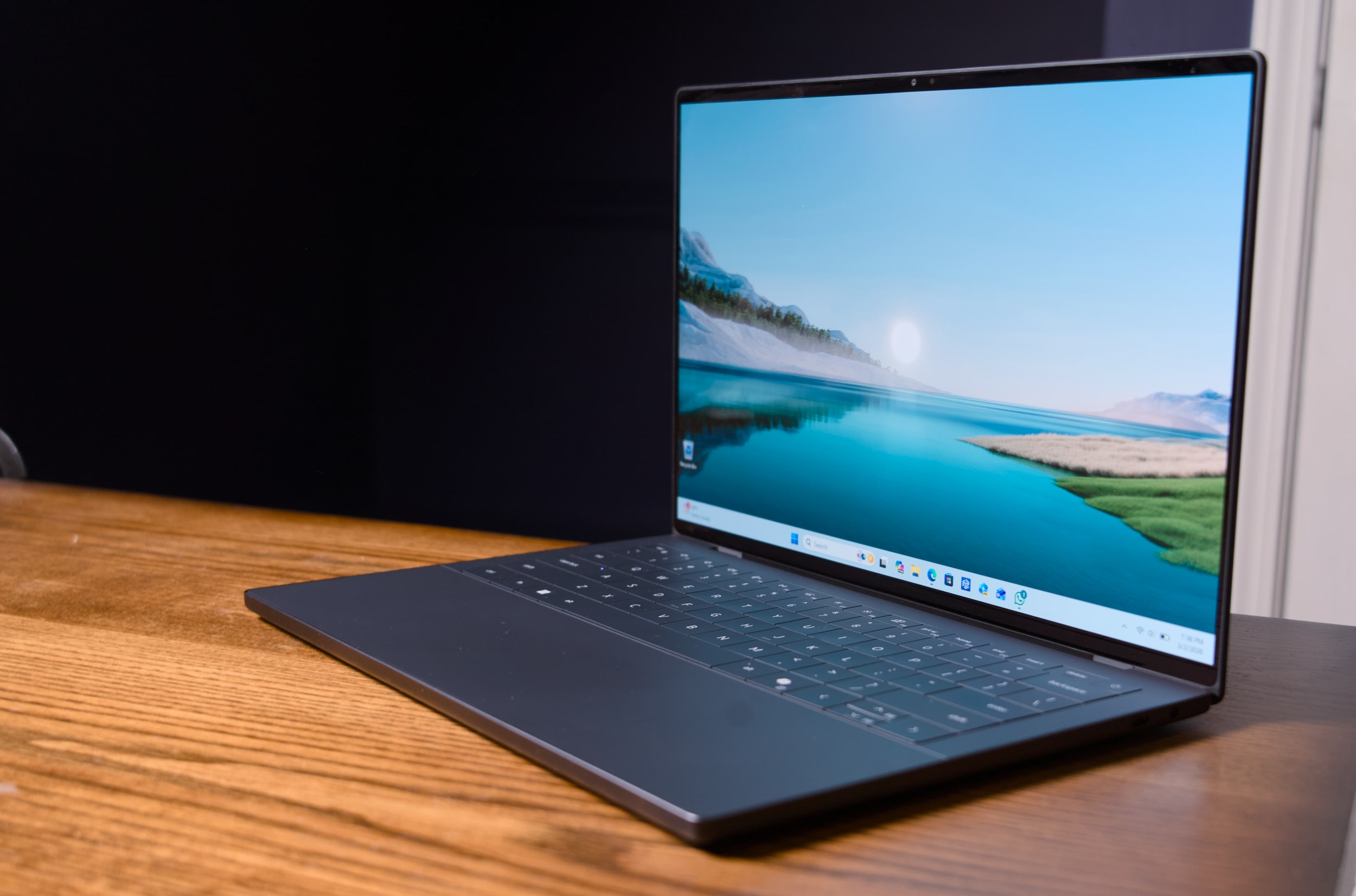
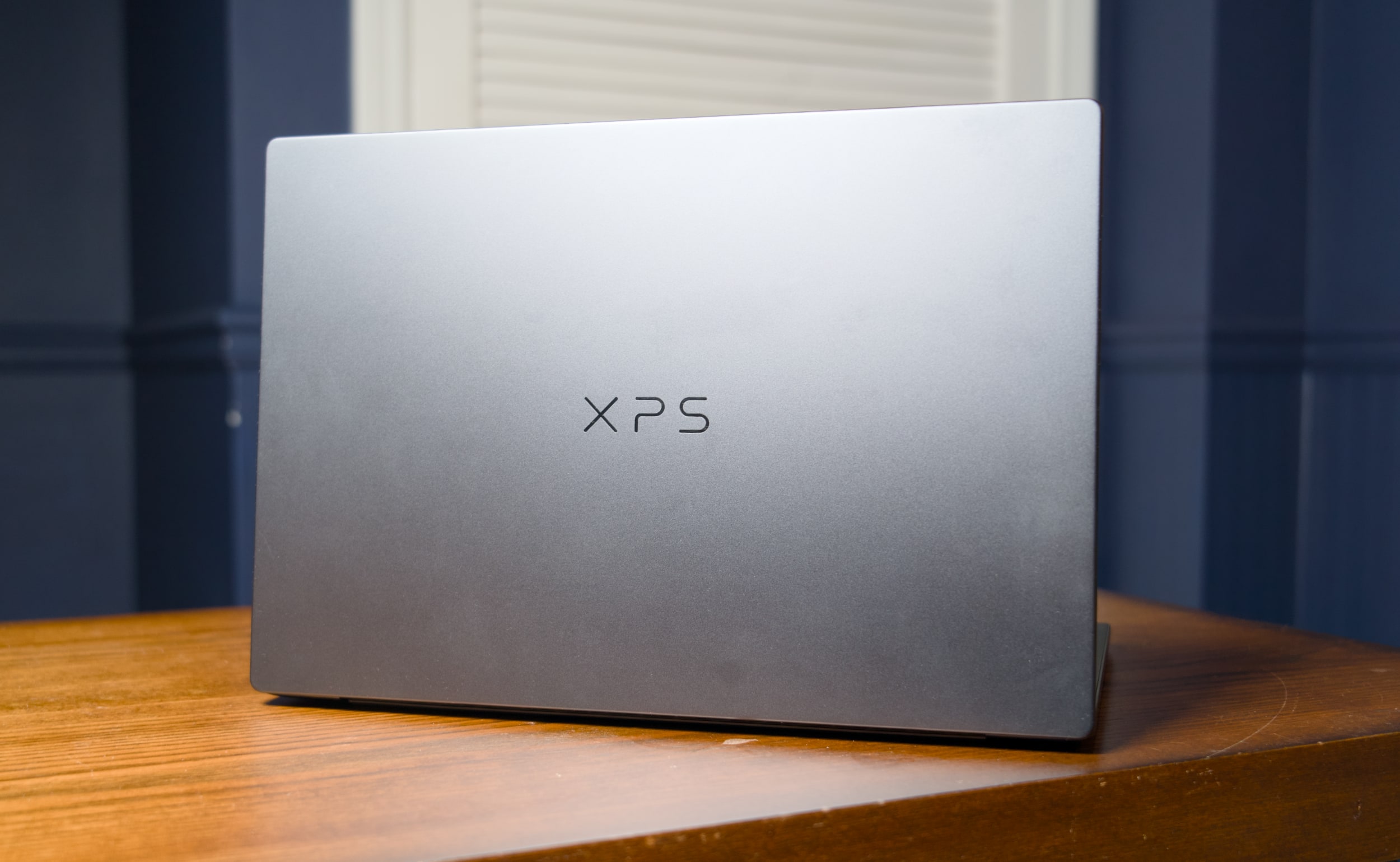
Seriously, this thing is gorgeous. Dell's designers outdid themselves with the machine's smooth metal case, which is more MacBook-like than its boxy predecessors. It's astonishing this system weighs just three pounds, putting it right between the 3.4-pound 14-inch MacBook Pro and the 2.7-pound 13.6-inch MacBook Air. It's also just a third of a pound heavier than the MacBook Neo, Apple's attempt at an underpowered entry-level laptop.
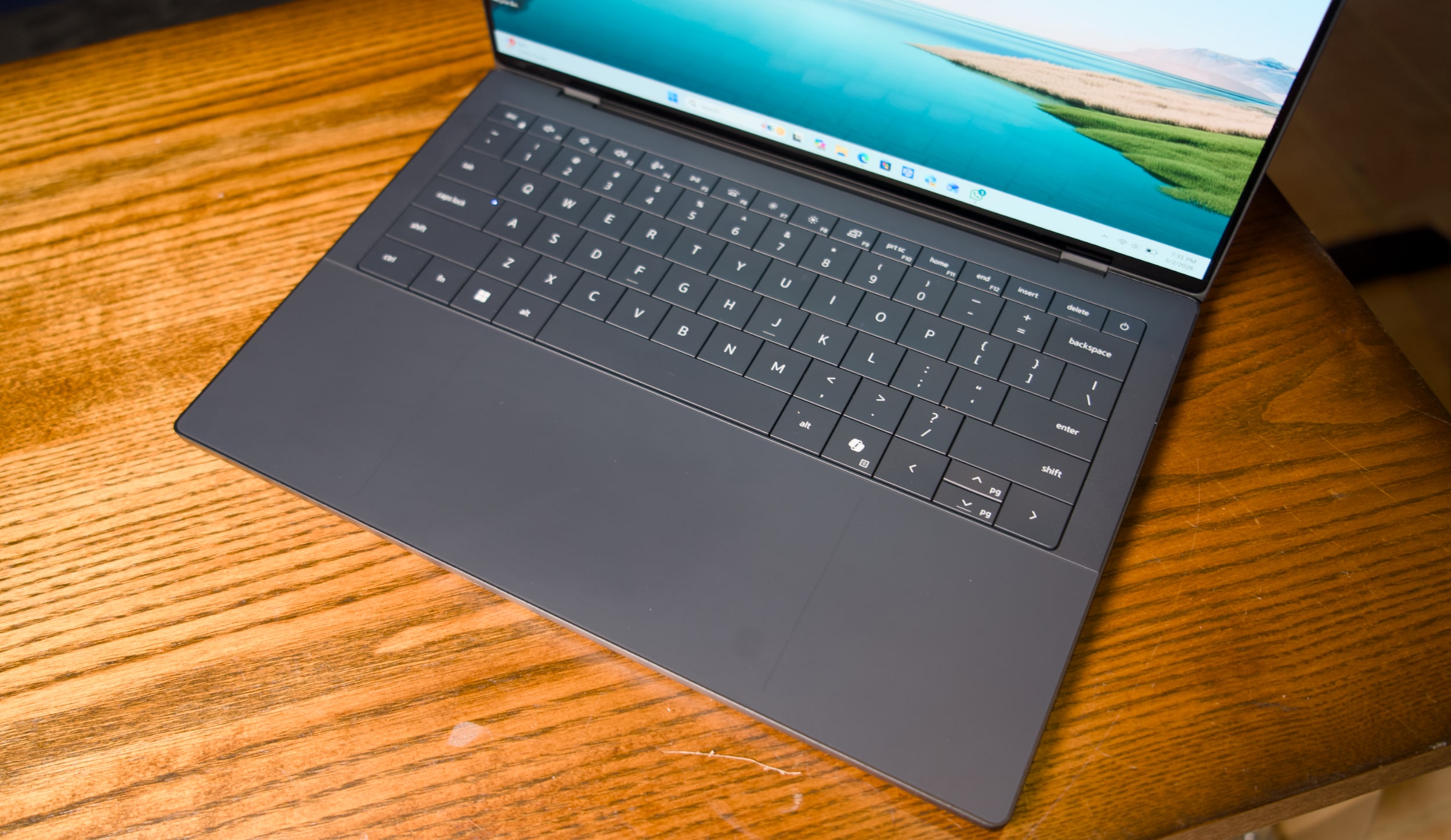
I'm also glad to see that Dell has heard my complaints about how over-designed the last XPS line was. For example, the company has stuck with its "invisible" trackpad, which sits flush with the laptop's wrist rest. But now there are two faint lines that designate where, exactly, the trackpad begins and ends. It's a solution reminiscent of Apple's MacBooks, which all feature large glass trackpads separated by a light border from their metal cases. Thanks to these two small lines, which don't detract from XPS 14's minimalist aesthetic, I feel more confident swiping around.
Dell also reversed course on the wonky capacitive function row from the previous models — which again, looked cool, but had some serious usability issues. It was tough to touch type with them, since they didn't feel as tactile as normal keys. And most crucially, the capacitive function row completely disappeared in direct sunlight. God forbid you were outside and wanted to change the volume level! This XPS 14 brings back a normal keyed function row, which is easier to touch type on and actually works in direct sunlight. (I sometimes wonder if Dell's designers ever went outside with the last XPS 14.)
Dell XPS 14 (2026)
Devindra Hardawar for Engadget
Our review model's 2.8K 14-inch OLED touchscreen looked spectacular, with bold colors and wonderfully deep black levels. But that's pretty much what I've come to expect from OLED by this point. I can't get enough of the extra eye candy OLED adds to photos and videos, and it makes a huge difference with games as well. But take note that OLED is only available for the priciest XPS 14, all other models get a standard non-touch 2K LCD.
When it comes to connectivity, three USB-C ports and a headphone jack are all you get with the new XPS 14. The microSD card slot from the previous model is gone, and there's also no HDMI or USB Type A connections like you'd find on similar systems from ASUS and Acer. Apple's 14-inch MacBook Pro, notably, features three USB-C ports, a full-sized HDMI slot, a large SD card reader and a headphone jack.
Dell XPS 14 (2026)
Devindra Hardawar for Engadget
Beyond Dell's redesign, the main star of the XPS 14 is Intel's new Panther Lake Core Ultra X7 358H chip, which offers some serious graphics upgrades over the last generation. Our review unit, which featured 32GB of RAM and Intel's built-in Arc B390 GPU, was able to reach 130fps in Arc Raiders while playing in 1080p with medium graphics settings, as well as XeSS upscaling and frame generation. I was able to play through a few rounds with no lag — my only distraction was the lingering realization I was playing so smoothly on an ultraportable's integrated graphics.
I certainly wouldn't recommend the XPS 14 for heavy gamers. But if you're forced to choose a new non-gaming system for work or school, it's certainly nice that it can play some modern titles well. I also saw 63fps while playing Cyberpunk 2077 in 1080p with medium graphics settings and XeSS tech active. Not bad for one of the most demanding PC games in recent memory!
Benchmarks also point to plenty of power under the hood: The XPS 14 scored similarly to the MSI Prestige 14 AI+, which also has the Ultra X7 358H chip, in PCMark 10 and Geekbench 6. I was also surprised to see that its single-core Geekbench 6 score was higher than ASUS's ProArt PX13 GoPro Edition, a beastly machine with 128GB of RAM and a powerful AMD Ryzen AI Max+ 395 chip. The XPS 14 also scored 3,000 points higher than the Acer Predator Triton 14 AI gaming laptop (powered by a last-gen Core Ultra 9 288V chip) in Geekbench's multi-threaded CPU test.
Clearly, this was a growth year for Intel's hardware. Just keep in mind that all of our figures come from Dell's highest-end XPS 14 configuration, which currently starts at $2,250 with 64GB of RAM on the company's site. The lowest-end configuration, which starts at $1,450, comes with an Intel Core Ultra 7 355 chip, 16GB of RAM and 512GB of storage. When I briefly tested that system (it had to be sent back to Dell for that keyboard issue), it scored 2,000 points lower than the Ultra X7 model in PCMark 10. I didn't get to game on the entry-level XPS 14, but I wouldn't expect much, since Intel's beefy Arc graphics are reserved for its pricier X7 and X9 CPUs.
Dell XPS 14 (2026) case logo
Devindra Hardawar for Engadget
I was also surprised to see that the XPS 14 lasted just 10 hours and 21 minutes in PCMark 10’s Modern office battery test. The MSI Prestige 14 went for a whopping 22 hours and 15 minutes — that’s far more in line with Intel’s efficiency claims for Panther Lake systems. I tested both the XPS 14 and MSI Prestige 14 in Window’s “balanced” battery profile, so you may be able to eke out more life with more battery saving features turned on.
If I were to judge the XPS 14 based purely on its specs and design alone, it would be my favorite Windows laptop available today. But I swear, I can't live with its keyboard issues. I had to seriously slow down my typing just to get this review written, and even then I still had to back up and make more corrections than usual. Dell is so close to making a PC that’s a true MacBook Pro competitor, it's a shame a simple keyboard issue holds the XPS 14 back from true greatness.
Update 3/6/26 2:20PM ET: Added further information about the XPS 14’s keyboard issue and a potential firmware fix.
This article originally appeared on Engadget at https://www.engadget.com/computing/laptops/dell-xps-14-2026-review-a-beautiful-laptop-that-excels-at-almost-everything-except-typing-130000656.html?src=rss
The most interesting product Apple announced this week was its cheapest and least powerful laptop, the MacBook Neo. It’s just fascinating to see the company tackle an entirely new category — it’s not a premium ultraportable like the MacBook Air, and it’s not a computing powerhouse like the MacBook Pro. It’s simply an affordable $599 laptop. And after spending some time with it at Apple’s spring launch event today, I’m convinced it’s going to be a huge hit for the company.
For a $599 system, the MacBook Neo doesn’t look or feel like a budget machine. Its colorful aluminum case looks even more attractive than the MacBook Air and Pro’s, and at 2.7 pounds (the same as the Air), it’s easy to carry. I need to spend more time with its 13-inch screen, but at first glance it looks pretty vibrant as well. In a direct comparison with a similarly-priced HP laptop, the Neo looks far brighter and colorful. HP’s dim budget screen makes daytime photos look dull, whereas the Neo’s screen captures the essence of sunshine.
Similarly, the Neo blew the HP laptop’s speakers away while playing movie trailers. HP’s speakers sound terribly tinny and awful, not the sort of thing you’d ever want to use. The Neo’s speakers made dialog sound crisp and clear, and the rest of the trailer’s audio sounded pretty detailed as well. There’s certainly not as much depth as the MacBook Air and Pro’s upward firing speakers, but the Neo’s setup is certainly better than any budget PC I’ve heard.
As for gaming, the MacBook Neo was able to play the upcoming Oceanhorn 3 smoothly, without any discernible slowdown or stutter. But again, it still looked better than any cheap PC I’ve come across.
It’s a shame Apple didn’t include a MagSafe charging port, but hey, at least the headphone jack is still around. And for many people, two USB-C ports should be plenty. Just keep in mind only one of those is USB-C 3 (DisplayPort, charging and speeds up to 10Gb/s) and the other is USB-C 2 (charging and speeds up to up to 480Mb/s).
The downsides to the MacBook Neo became more apparent as I used it. Its keyboard feels a bit flimsy — it’s almost reminiscent of the old-school butterfly keyboards (though I’m told its mechanism is based on the Air’s). Apple has also color matched the Neo’s keys to its case’s color, though we noticed that doesn’t look as bold in person as it does in Apple’s render. And while the Neo’s touchpad feels smooth and responsive, it lacks the sturdiness from the company’s more expensive haptic touchpads. Apple deserves credit for making a mechanical trackpad that can be clicked anywhere, though, as most budget PC trackpads are only clickable along their lower thirds.
Apple MacBook Neo from the side
Devindra Hardawar for Engadget
The starting specs are another issue: For $599, the MacBook Neo comes with 8GB of RAM and 256GB of storage. Bumping up to $699 gets you 512GB of storage and a Touch ID button, but you’re still stuck with 8GB of RAM. For a basic productivity machine, I suppose 8GB of RAM can work. But when coupled with the slower performance of the A18 Pro mobile chip, it’s unclear if the MacBook Neo will hold up over time.
At the very least, the MacBook Neo serves an important role as Apple’s cheapest laptop. It’s an inexpensive way to bring people into the world of macOS, and it could be a great option for schools that want something a bit more sturdy than your average Chromebook.
This article originally appeared on Engadget at https://www.engadget.com/computing/laptops/macbook-neo-hands-on-apples-599-laptop-feels-shockingly-great-142313318.html?src=rss
Meet the MacBook Neo, Apple’s long-rumored low-cost Mac. Powered by the A18 Pro chip from the iPhone 16 Pro series, the $599 MacBook Neo is Apple’s first attempt at delivering a genuinely affordable Mac laptop. (Ironically, it comes after Apple raised the base prices of the new MacBook Air M5 and MacBook Pro M5 Pro/Max.) It’s well below the $1,099 MacBook Air, but Apple didn’t skimp on the design.
For $599 you get 256GB of storage and no Touch ID on the keyboard; another $100 doubles the storage and adds Touch ID. All models of the MacBook Neo ship with an extremely scant 8GB of RAM — but at this price, we can withhold judgement on whether that’s enough until we put this thing though some testing.
The A18 Pro chip includes a 6-core CPU, 5-core GPU and 16-core Neural Engine — based on pure numbers that’s far behind what you’ll get with a current M-series processor, but again it may be enough juice for the basic computing tasks this laptop seems geared towards.
There’s still a sturdy aluminum case, with no cheap plastic to be seen. It includes a 13-inch Retina display, a 1080p webcam, two USB-C ports, a headphone jack and optional Touch ID. You’ll need to use one of those ports for charging, as there’s no MagSafe connector on this MacBook. The side-firing speakers support Dolby Atmos playback. And the MacBook Neo comes in four colors than usual: silver, indigo, blush and citrus. The keyboard is color-matched to the case, too.
The display appears to be fairly basic. The 13-inch LCD has a 2,408-by-1,506 and 500 nits of brightness. There’s no True Tone features for adjusting the screen’s color temperature to your surroundings; this is the first display Apple has released in years without that feature. It also doesn’t support the P3 wide color gamut, another feature present on most other Apple screens.
Another place Apple cut costs is the trackpad. All Mac laptops besides the Neo have a “Force Touch” trackpad that doesn’t actually move. Instead, Apple’s Taptic Engine provides subtle haptic feedback to confirm various actions. It can also sense pressure. Those features are absent on the MacBook Neo — it’s a more standard throwback of a trackpad that physically moves when you click it.
And while its mobile chip isn’t nearly as powerful as the Air’s M4, it’s still fast enough to handle many productivity tasks without much trouble. As we argued last week, the Neo could just be the cheap MacBook to tempt over Windows users disgruntled with Microsoft’s AI obsession.
It’s easy to view the MacBook Neo cynically as a sign that Apple is running out of ideas. But given how many PC options there are between $500 and $1,000, it simply makes sense for Apple to offer something in that range. The company experimented with a low-cost offering by selling the the older M1 MacBook Air at Walmart for $700 in 2024, which later went down to $650 last year. The only question now is how long Apple can maintain its prices, as the AI-induced RAM shortage will likely lead to some increases this year. HP claims RAM now accounts for a third of its PC costs, double the amount from last year.
As with everything else Apple announced this week, the MacBook Neo is up for pre-order today, and it’ll ship on March 11.
This article originally appeared on Engadget at https://www.engadget.com/computing/laptops/the-599-macbook-neo-is-apples-cheapest-mac-laptop-yet-141028666.html?src=rss
“MacBook Neo” appears to be the name of Apple’s long-rumored cheap MacBook, based on a regulatory posting on Apple’s website, MacRumors reports. The gaffe was quickly removed from Apple’s site (pour one out for the poor soul who posted it). Previous rumors didn’t attach a name to the low-cost MacBook — I figured Apple would just revive the clean and simple “MacBook” branding. The name MacBook Neo sounds like something we’d see from ASUS or Acer, it’s just trying a bit too hard to seem cool.
To recap, Apple is expected to unveil its first low-cost MacBook laptop tomorrow (and personally, I think it has a good shot at peeling away disgruntled Windows users). It’s rumored to be powered by one of the company’s A-series mobile chips, instead of the M-series hardware in its laptops and desktops so far. Apple reportedly isn’t skimping on the case — it’s expected to be all metal, except with plenty more colors than the company’s existing lineup. In many ways, the MacBook Neo sounds like a revival of Apple’s cute and colorful iBook laptops, except for far less money than those machines, with no handle for toting around.
Apple kicked off its week of spring announcements with the iPhone 17e and iPad Air M4 yesterday, both of which are relatively modest upgrades. (Still, it’s nice to have MagSafe on the iPhone 17e.) This morning, Apple unveiled the MacBook Air M5 and MacBook Pro M5 Pro/Max systems, both of which are slightly more expensive than the previous models. We also got a new addition to Apple’s monitor lineup with the 5K MiniLED Studio Display XDR. Along with the MacBook Neo, we may also see an upgraded Mac Studio desktop announced tomorrow.
This article originally appeared on Engadget at https://www.engadget.com/computing/laptops/apples-cheap-macbook-could-be-called-the-macbook-neo-153800133.html?src=rss
The Xbox Series X and Series S are built for fast load times, smooth performance and expansive game libraries, but the right accessories can make a noticeable difference in how you play day to day. From storage solutions that help you manage growing installs to headsets that make it easier to catch subtle audio cues, the best Xbox accessories are about removing friction and improving comfort as much as boosting immersion.
Whether you’re setting up a new console or refining an existing setup, there’s a wide range of add-ons worth considering. Many accessories designed for previous Xbox generations still work with Microsoft’s current hardware, which makes it easier to upgrade gradually rather than all at once. We’ve tested and selected the best Xbox Series X and Series S accessories to help you get more out of your console, no matter how or where you play.
Best Xbox accessories for 2026
This article originally appeared on Engadget at https://www.engadget.com/gaming/xbox/best-xbox-series-x-series-s-accessories-140035165.html?src=rss
This week, we're diving into the big changes at Xbox and what it all means for Microsoft's gaming future. Phil Spencer, the longtime face of Xbox, announced he's retiring last week. He'll be replaced by Microsoft's former CoreAI CEO Asha Sharma, instead of his longtime deputy Sarah Bond, who plans to leave the company. Will this change actually help the beleaguered Xbox division, or is it another example of Microsoft shoving AI into everything?
Also, Samsung held its latest Unpacked event this week to announce its new Galaxy S26 family. They look pretty much the same as last year, but the Ultra model includes a unique privacy feature that can instantly make the screen unreadable to bystanders. It's one of those features we expect to see in every phone eventually.
Xbox leadership falls apart. what happens next with Phil Spencer and Sarah Bond out? – 1:53
Samsung Unpacked: Privacy display on the S26 Ultra looks amazing – 27:27
U.S. Defense leadership gives Anthropic a Friday deadline to let it use Claude as it sees fit – 42:38
MrBeast editor accused of insider trading on Kalshi – 50:40
Discord delays age verification program after user revolt – 54:09
Around Engadget – 1:04:04
Working on – 1:05:16
Pop culture picks – 1:08:21
Credits
Hosts: Devindra Hardawar and Igor Bonifacic Producer: Ben Ellman Music: Dale North and Terrence O’Brien
This article originally appeared on Engadget at https://www.engadget.com/gaming/xbox/engadget-podcast-xboxs-leadership-shakeup-and-samsungs-galaxy-s26-150000180.html?src=rss
The MacBook is coming back — or at least, that's what the rumors claim. Next week, Apple is expected to announce a colorful, low-cost, non-Air, non-Pro MacBook powered by one of its mobile processors. By avoiding its pricier M-series chips, Apple may reportedly be able to reach a low $699 or $799 price for the MacBook. The $999 MacBook Air is the cheapest laptop on the company's website right now, but Apple also sold the older M1 MacBook Air at Walmart for $700 in 2024, which later went down to $650 last year.
That Walmart deal was a smart way for Apple to test out the viability of cheaper MacBooks without building an entirely new product. But now the M1 Air’s design looks seriously dated, and the company also needs to move beyond the six-year-old M1 chip. It's time to get serious about delivering a true low-cost Apple laptop.
There's another compelling reason to bring back a cheaper MacBook: It's the perfect way to court disgruntled Windows users, something Apple hasn't really done since its "Get A Mac" ads from the mid-2000s. I figure the unbridled success of the iPhone and iPad made Apple focus less on directly competing with Windows. The sleek designs of the 2011-2015 era MacBook Air and Pros were their main selling points, but Apple's push towards USB-C-only machines and unreliable butterfly keyboards later made it clear it wasn't totally focused on Macs.
But now Microsoft is distracted by AI — it's been pushing Copilot and AI features for years, instead of improving the Windows experience with more useful upgrades. Recent talk of agentic AI capabilities, which would let Copilot handle tasks for you automatically, also sparked plenty of criticism from Windows users. And with all of the focus on AI, Microsoft has also released some disastrous Windows updates over the last year, which have bricked OS installations. So, Apple, why not make a direct play for Windows users?
Last year, I covered why it's a great time to jump ship from Windows to Mac, and I haven't been able to let go of that idea since. Apple's M-series chips are shockingly fast and efficient, and its hardware tends to be more durable than typical PC fare. Rumors point to Apple developing a new aluminum case for the low-cost MacBook, so it will likely feel more polished than a typical sub-$1,000 Windows laptop. macOS has also avoided the bloat that's plagued Windows for years — you can turn off Apple Intelligence with two clicks if you want to, and there aren't any annoying ads to deal with.
A MacBook Air M5 on a table.
Devindra Hardawar for Engadget
And while it used to be a pain to transition from Windows to Mac, it’s far easier these days, especially if you mainly rely on web apps. It also wouldn't be tough for Apple to make short tutorials to help Windows users get their bearings with the macOS basics, like installing apps and juggling app windows. Apple could also make a play for iPhone owners using Windows, who may not be aware of the many ways iOS and macOS are integrated. iPhone mirroring may be a huge draw on its own.
Rumors also suggest the upcoming MacBook might use the A18 Pro from the iPhone 16 Pro, a chip that benchmarks faster than the M1. Even if it only has six cores, making it slower for heavy workloads than the M2, an A18 Pro-powered MacBook would still be more than enough power for basic productivity work. Not everyone needs the surprising amount of GPU power in the MacBook Air — especially if downgrading means they can save $200 to $300.
I'm not saying any of this through any sort of Apple-loving bias. I typically use a MacBook Pro for work, but I'm a Windows user at heart. Windows was my gateway to computing in the '90s, back when Macs were far more expensive than PCs. These days, I spend more time on my Windows desktop making podcasts, playing PC games and bumming around the internet than I do working on Macs.
And yet, it’s hard to deny everything Apple is doing right today — the only thing it’s missing is an inexpensive laptop entry. A $699 or $799 MacBook simply makes sense. And for many Windows users, it’ll be just the escape from Microsoft they need.
This article originally appeared on Engadget at https://www.engadget.com/computing/laptops/a-cheap-macbook-is-the-perfect-way-for-apple-to-win-over-windows-users-130000045.html?src=rss
This week, Meta CEO Mark Zuckerberg testified in a landmark social media trial, claiming the company only wanted to make Instagram "useful" and not addictive. In this episode, we chat about Zuck's testimony and the potential implications of this trial for social media companies. Also, we dive into the latest effects of the RAMaggedon RAM shortage, including a potential PlayStation 6 delay and a dire future for practically every consumer electronics company.
Mark Zuckerberg testifies that Instagram was meant to be “useful,” not addictive in social media addiction trial – 1:27
Meta reportedly plans to launch a smartwatch later this year – 13:23
The RAMageddon will likely kill some small consumer electronics companies – 15:54
Apple could unveil a MacBook, new M5 Pro chip, and iPhone 17e at March 4th event – 26:26
Google’s Pixel 10a arrives on March 5 – 32:17
Email leaked to 404 media suggests Ring had plans to use its Search Party function for wider surveillance – 34:48
Listener mail – 45:14
Working on – 48:40
Pop culture picks – 49:04
Credits
Host: Devindra Hardawar Producer: Ben Ellman Music: Dale North and Terrence O’Brien
This article originally appeared on Engadget at https://www.engadget.com/ai/engadget-podcast-instagram-on-trial-and-the-ramaggedon-rages-on-131526178.html?src=rss
You've seen this movie before: A disheveled man (Sam Rockwell) busts into a restaurant, threatening to blow up the joint unless a crew of people joins him. Like Groundhog Day, he's been through this countless times before, and he immediately starts recounting otherwise unknowable details to convince the diner patrons. Like 12 Monkeys, he's from the future — the timely twist in Good Luck, Have Fun, Don't Die is that, rather than a world-ending virus, he needs help preventing a humanity-ending AI from being born.
Good Luck is more of a primal scream than a thoughtful articulation about where everything went wrong. There's a bit of "old man yells at cloud" energy here (director Gore Verbinski is 61, and screenwriter Matthew Robinson is 47), but it fits the film's satirical tone. Looking around at the world today, who doesn't wish they could warn their past selves about the tech industry and the new ruling class it helped breed.
Rockwell's character eventually wrangles a ragtag crew of future saviors: Mark and Janet (Michael Pena and Zazie Beetz), a married couple of high school teachers; Susan (Juno Temple), a distraught mother; and Ingrid (Haley Lu Richardson), a sad woman wearing a princess dress. There's also Asim Chaudhry's Scott, who mostly serves as comic relief, but doesn't get any real backstory like the others.
Good Luck wastes no time fleshing out its present near-dystopia in episodic chapters. It turns out Mark and Janet are also on the run from smartphone-obsessed high schoolers, who spend their days scrolling through endless TikTok-like feeds. Susan is forced to confront a horrific situation around her son (I won't get into specifics here, but it's a distinctly American phenomenon). And Ingrid is literally allergic to Wi-Fi and smart devices, which makes it hard to fit into the modern world.
Each of these scenarios play out like mini Black Mirror episodes. Everything is heightened to the absurd, and all the problems can be traced back to unchecked technological encroachment and capitalism. Nothing subtle there. The glimpses of an apocalyptic future are even less so — all we see are destroyed cities, people trapped in VR headsets (which place them in an AI-generated reality) and robots hunting down anti-AI humans.
Sam Rockwell in Good Luck, Have Fun, Don't Die.
Briarcliff Entertainment
Good Luck is at its best when it's simply having fun. As Rockwell and crew make their way to their final destination — a child who is about to invent true AI — they encounter pig-faced assassins, Stepford-esque parents and an adorably horrific kaiju. Even when faced with half-baked scripts, Verbinski always manages to impress visually (think back to the creepiness of TheRing, or the wildly entertaining set pieces in Pirates of the Caribbean). That's as true as ever here, where the final scene evokes the hyper-tech chaos of Akira.
As much as Good Luck, Have Fun, Don’t Die, evokes classic sci-fi, it still can’t hold a candle to the sheer terror of seeing AI unleash a nuclear bomb in Terminator 2. And despite its zanines, it doesn’t reach the madcap heights of Gilliam’s Brazil or 12 Monkeys. But if you’re sick of having AI products shoved down your throat, and you think the notion of “true AI” is a farce, it’s a fun way to channel your rage.
This article originally appeared on Engadget at https://www.engadget.com/entertainment/tv-movies/good-luck-have-fun-dont-die-rails-against-ai-in-style-154437854.html?src=rss
Apple’s Vision Pro is a curious product — it initially wowed me two years ago, but it was hard to ignore that the visionOS platform felt incomplete without dedicated apps for YouTube and Netflix. Well, it seems that Google has finally decided to take the Vision Pro seriously, as it’s launching a YouTube app on the platform today. Previously, you could only view YouTube videos via Safari, or through third-party apps like Tubular Pro.
According to an Apple representative, the YouTube Vision Pro app features every video on on the service, including shorts, 360, 3D and VR 180 content. I haven’t tried it myself yet, but it certainly couldn’t be worse than trying to navigate through YouTube’s desktop app via finger gestures. Now that Google is spinning up its Android XR ecosystem, the company probably couldn’t avoid the Vision Pro for long. And don’t forget, we may also see a cheaper Vision Air next year.
Your move, Netflix.
This article originally appeared on Engadget at https://www.engadget.com/ar-vr/apple-vision-pro-finally-gets-a-youtube-app-today-170000886.html?src=rss
If you haven't heard, there's now a social network for AI: Moltbook, a site that purportedly features AI agents talking to each other. That includes OpenClaw, a personal AI agent (formerly called Clawdbot and Moltbot) that's open source and free for anyone to run on their systems. In this episode, Devindra and Senior Reporter Karissa Bell discuss the rise of these services, and the potential future that AI agents may have for all of us.
Anthropic reinforces its commitment against ads with Super Bowl ad spots – 19:32
SpaceX acquires xAI and plans for a mega IPO – 27:08
Alexa + rolls out free for all Amazon Prime subscribers – 33:36
Around Engadget: Reviews of the New AirTag and Switch Virtual Boy – 44:12
Working on – 46:34
Pop culture picks – 49:24
Credits
Hosts: Devindra Hardawar and Karissa Bell Producer: Ben Ellman Music: Dale North and Terrence O’Brien
This article originally appeared on Engadget at https://www.engadget.com/ai/engadget-podcast-so-theres-a-social-network-for-ai-agents-now-133000813.html?src=rss
Stepping into VR is about more than strapping on a headset and loading a game. The best VR headsets today are gateways to fully realized experiences, whether that’s gaming, fitness, creative work or simply spending time inside a richly rendered virtual world. As the hardware has improved, so has the sense of presence, with sharper displays, wider fields of view and tracking systems that make movement feel more natural and responsive. The result is VR that feels less like a novelty and more like a platform you can actually spend time in.
That said, not every headset is built for the same function. Some prioritize ease of use and standalone play, while others demand a powerful PC in exchange for higher fidelity. Compatibility also matters more than ever, especially as VR begins to overlap with mixed reality and early smart glasses experiments. Whether you want a simple way to explore virtual spaces or a high-end rig that pushes immersion as far as possible, this guide breaks down the best VR headsets you can buy in 2026 and explains who each one is really for.
I tend to judge candidates for the best VR headset on a few basic criteria: Ergonomics, immersion and controls. It's not that hard to shove a mobile display into a plastic headset and strap some cheap elastic headbands onto it. But it takes real design skill to craft something that's well balanced, includes a supportive headstrap, and doesn't feel uncomfortable after 30 minutes.
My test for ergonomics is fairly simple: How long can I wear a headset until I start to feel discomfort? For the most ergonomic devices, like the Quest 3, that could easily be an hour or two. But heavier PC hardware often feels cumbersome after just 15 minutes — you won’t find those kinds of devices in our list of the best VR headsets.
Immersion, meanwhile, comes from having high resolution screens with fast refresh rates, like a 120Hz refresh rate, helping users feel fully present inside a virtual world. Field of view is also a major element, as it describes how well VR screens can cover what you see. A narrow FOV makes it feel like you're peering through a pair of binoculars, which limits your sense of “presence.” The best VR headsets aim for a wider field of view, helping virtual environments feel more natural and fully surround you.
A wide field of view, on the other hand, can make it seem like you’re actually flying over the globe in Google Earth. We look at a few popular video games, like Superhot, Beat Saber and Pistol Whip, on every headset to judge how immersed we feel and how enjoyable the gaming experience is overall.
The best controllers fit naturally in your hands and offer accurate tracking. The industry has basically adopted the design of Meta’s excellent touch controllers, but we're also seeing intriguing leaps forward like Valve's finger tracking gamepads. We judge controllers based on how easy they are to hold, how they hold up to sweaty gameplay sessions and how easily headsets can track their position in space.
However, it’s important to look at a virtual reality headset’s specs as a whole, including compatibility with your existing hardware and the kind of experiences you plan to use it for. Depending on what you’re looking for in yourVR headset, you’ll want to consider factors like your PC’s CPU and graphics card if you plan to use the headset to play the best VR games. You might not need a super powerful PC, but you should check the minimum requirements for the headset you’re looking to purchase. If you’re not looking to invest in a VR headset solely for gaming, features like head tracking allow you to explore your environment just by simply moving your head in the simulator. This often results in a more immersive and realistic experience.
Other VR headsets we’ve tested
HTC Vive Focus Vision
The Vive Focus Vision is a sleek premium standalone VR headset that can also deliver solid PC VR. But it’s also running aging hardware, it’s riddled with software issues and it’s expensive compared to the Meta Quest 3.
Meta Quest Pro
As great as the Meta Quest 3 is, the Quest 2 is still a very good entry-level VR headset, and it’s worth considering if it’s on sale below its current $250 list price. The Meta Quest Pro, on the the hand, is an expensive boondoggle best ignored.
HTC Vive Pro 2
Outside of Meta’s hardware, the HTC Vive Pro 2 remains a fantastic PC headset, but it’s far more expensive than the Valve Index, which is more comfortable and offers better audio.
VR headset FAQs
How do VR headsets work?
At the most basic level, a VR headset is simply a high quality screen that you’re holding up to your face. For a wired headset, the actual work of rendering a game is done on either a PC or game console. For completely wireless devices, like the Meta Quest 3, that work is handled right on the headset. They rely on either external sensors, or sensors built into the headsets, to map your physical space. While you can use a traditional gamepad or keyboard and mouse in VR, they typically use motion tracking controllers to immerse you in their 3D environments.
What VR headset is best for full body tracking?
While we’re still waiting for a truly great haptic VR bodysuit to arrive, you can still achieve accurate body tracking with most Steam VR-compatible PC headsets. The Valve Index and HTC Vive Pro 2 both rely on room-tracking sensors that can map your body more effectively than the built-in sensors on competitors. You can also add HTC Vive Trackers to wrist and leg straps, as well as belts, for even better coverage. The Meta Quest 3 doesn’t have any easy body tracking solutions, but you can add Vive trackers when it’s plugged into your PC to mimic a Steam VR headset.
Only a few experiences, like VRChat, take advantage of full body tracking at the moment. Currently there aren’t any body tracking solutions for the PlayStation VR and VR2, but we’re intrigued by the company’s Mocopi body trackers, which were really announced in Japan.
What VR headsets are better than Oculus?
Oculus is the previous name for Meta’s VR hardware. Currently, Meta only supports the Quest 3, Quest 3S and Quest Pro, all of which are wireless headsets. As we explain above, PC VR headsets can generally achieve better quality virtual reality, since they rely on more powerful graphics hardware.
What VR headsets work with Xbox?
Currently, Microsoft’s Xbox consoles don’t support any VR headsets.
Recent updates
November 2025: Updated to include the Apple Vision Pro M5.
April 2025: Updated to include review scores for our top picks, where applicable.
November 2024: Added the HTC Vive Focus Vision to the "others we tested" section.
October 2024: Updated our "best cheap VR headset" top pick to be the Meta Quest 3S.
This article originally appeared on Engadget at https://www.engadget.com/ar-vr/best-vr-headsets-140012529.html?src=rss

 Anmelden