❌

Lese-Ansicht

The best fitness trackers for 2026

If you're looking to get fit, sleep better or just keep a closer eye on your health, a fitness wearable is a great place to start. Whether you're into intense workouts or just want to hit your step goal each day, the best fitness trackers available today can offer loads of helpful features, from sleep tracking and resting heart rate monitoring to built-in GPS and stress tracking. Some are even subtle enough to wear 24/7, like smart rings, while others double as stylish smartwatches.

There are great options out there for beginners as well as more advanced users, and the variety of features means there’s something for every lifestyle and budget. In this guide, we’ll walk you through the best fitness trackers you can buy right now, and explain who each one is best suited for.

Best fitness trackers for 2026

What do fitness trackers do best?

The answer seems simple: Fitness wearables are best at monitoring exercise, be it a 10-minute walk around the block or that half marathon you’ve been diligently training for. Obviously, smartwatches can help you reach your fitness goals too, but there are some areas where fitness bands and smart rings have proven to be the best buy: focus, design, better battery life, durability and price.

When I say “focus,” I’m alluding to the fact that fitness trackers are made to track activity well; anything else is extra. They often don’t have the bells and whistles that smartwatches do, which could distract from their advanced health tracking abilities — things like all-day resting heart rate monitoring, stress tracking, and even detailed sleep tracker insights. They also tend to have fewer sensors and internal components, which keeps them smaller and lighter. Fitness trackers are also a better option for those who just want a less conspicuous gadget on their wrists all day.

Battery life tends to be better on fitness trackers, too. While most smartwatches last one to two days on a single charge, fitness bands offer between five and seven days of battery life — and that’s with all-day and all-night use even with sleep tracking features enabled. Many fitness trackers also slot nicely into your existing ecosystem, syncing seamlessly with your smartphone, other fitness apps and cloud storage to keep all your data in one place.

When it comes to price point, there’s no competition. Most worthwhile smartwatches start at $175 to $200, but you can get a solid smart band starting at $70. That makes them a great entry point for beginners who want to track their progress without committing to a full smartwatch. Yes, more expensive bands and smart rings exist (and we recommend a few here), but you’ll find more options under $150 in the fitness tracker space than in the smartwatch space.

When to get a smartwatch instead

If you need a bit more from your wearable and don’t want to be limited to a fitness or activity tracker, a smartwatch may be the best buy for you. There are things like on-watch apps, alerts and even more robust fitness features that smartwatches have and the best fitness trackers don’t. You can use one to control smart home appliances, set timers and reminders, check weather reports and more. Some smartwatches let you choose which apps you want to receive alerts from, and the options go beyond just call and text notifications. Just make sure your smartwatch is compatible with your Android or iPhone, however, before purchasing, as not all of them work with both operating systems.

But the extra fitness features are arguably the most important thing to think about when deciding between a fitness tracker and a smartwatch. The latter devices tend to be larger, giving them more space for things like GPS, barometers, onboard music storage and more. While you can find built-in GPS on select fitness trackers, it’s not common.

If you’re someone who’s seriously training — say for a race or an endurance challenge — a dedicated running watch may be worth considering. These often provide more in-depth cardio analytics, recovery insights, and real-time pace data that go beyond what standard trackers can deliver.

Other fitness trackers we've tested

Fitbit Inspire 3

The Fitbit Inspire 3 strips out all the luxury features from the Charge 6 and keeps only the essential tracking features. You won’t get built-in GPS tracking or Fitbit Pay or Spotify control but you do get solid activity tracking, automatic workout detection, smartphone alerts and plenty more. The updated version has a sleeker design and includes a color touch display and connected GPS, the latter of which lets you track pace and distance while you run or bike outside while you have your phone with you. When compared to the Charge 6, the Inspire 3 is more fashionable, too. Its interchangeable bands let you switch up the look and feel of your tracker whenever you want, and it’s slim enough to blend in with other jewelry you might be wearing. We were also impressed by its multi-day battery life: Fitbit promises up to 10 days on a single charge, and that checked out for us. After four days of round-the-clock use, the Inspire 3 still had 66 percent battery left to go.

Fitness tracker FAQs

How long do fitness tracker batteries last?

The battery life of fitness trackers can vary depending on the model and its features. On average, most fitness trackers last between five to seven days on a single charge. Basic models with limited features could stretch up to 10 days or more. However, more advanced trackers with features like continuous heart rate monitoring, GPS, or always-on displays may need recharging after one to three days. If you're using GPS or streaming music through your fitness tracker, you'll find that this drains the battery faster. By using these features less, or turning them off, you'll extend battery life. 

This article originally appeared on Engadget at https://www.engadget.com/wearables/best-fitness-trackers-133053484.html?src=rss

©

© Fitbit / Engadget

Best fitness trackers
  •  

Engadget Podcast: Why did Apple choose Gemini for next-gen Siri?

Apple's next-gen Siri is still far off, but this week the company announced that it'll be using Google's Gemini AI for its new foundation models. In this episode, Devindra and Engadget's Igor Bonifacic discuss why Apple teamed up with Google again, instead of OpenAI or Anthropic. Also, they chat about Meta's Reality Lab layoffs, which is refocusing the company on AI hardware like its smart glasses.

Subscribe!

Topics

  • Meta announces 1000+ layoffs, closes 3 VR studios as it shifts focus to AI hardware – 2:12

  • Gemini can now pull context from the rest of your Google apps including photos and Youtube history – 12:31

  • Framework raises the price of its desktop by $460 because of the global RAM shortage – 18:36

  • NVIDIA may revive the RTX 3060 and kill off 5070 Ti due to its VRAM demands – 21:57

  • Apple creates a subscription bundle for Pro creative apps like Final Cut Pro, Logic, and others – 23:00

  • Tesla’s Full Self Driving is also going subscription only, a year costs $999 – 29:15

  • Matthew McConaughey trademarks himself to fight unauthorized AI likenesses – 33:27

  • Apple announces that its long delayed ’smarter Siri’ will be powered by Google Gemini – 35:15

  • X finally responds to Grok’s CSAM and nudity generation with limits – 51:46

  • Cursor claims their AI agents wrote 1M+ lines of code to make a web browser from scratch, are developers cooked? – 57:52   

Credits

Host: Devindra Hardawar
Guest: Igor Bonafacic
Producer: Ben Ellman
Music: Dale North and Terrence O’Brien

This article originally appeared on Engadget at https://www.engadget.com/computing/engadget-podcast-why-did-apple-choose-gemini-for-next-gen-siri-150000993.html?src=rss

©

  •  

The best midrange smartphone for 2026

Gone are the days in which you needed to spend a fortune to get a good smartphone. In 2026, features once exclusive to high-end smartphones – big batteries, multi-camera arrays, high refresh rate OLED displays and more – have made their way down to more affordable models. Yes, you’ll still need to buy a flagship smartphone to get the best camera or fastest processor, but you don't have to make nearly as many compromises as you once did if you have a strict budget to adhere to when you go shopping for your next smartphone. If you have less than $600 to spend, let us help you figure out what features to prioritize when trying to find the best midrange smartphone.

Table of contents

Best midrange phones for 2026

What is a midrange phone?

While the term frequently appears in articles and videos, there isn’t an agreed-upon definition for “midrange” beyond a phone that isn’t a flagship or an entry-level option. Most of our recommendations cost between $400 and $600 — any less and you should expect significant compromises. If you have more to spend, you might as well consider flagships like the Apple iPhone 17 and the Samsung Galaxy S25 if you want the best smartphone experience. Devices like Pixel phones often sit in this price range too, offering some of the best value for Android buyers.

What to consider before buying a midrange smartphone

Buying a new device can be intimidating, but a few questions can help guide you through the process. First: what platform do you want to use? If the answer is iOS, that narrows your options down to exactly one phone. (Thankfully, it’s great.) And if you’re an Android fan, there’s no shortage of compelling options. Both platforms have their strengths, so you shouldn’t rule either out.

Of course, also consider how much you’re comfortable spending. Even increasing your budget by $100 more can get you a dramatically better product. Moreover, manufacturers tend to support their more expensive devices for longer with software updates and security updates, so it’s worth buying something toward the top limit of what you can afford. 

Having an idea of your priorities will help inform your budget. Do you want a long battery life or fast charging? Do you value speedy performance above all else? Or would you like the best possible cameras with high megapixel counts? While they continue to improve every year, even the best midrange smartphones still demand some compromises, and knowing what’s important to you will make choosing one easier.

What won’t you get from a midrange smartphone?

Every year, the line between midrange and flagship phones blurs as more upmarket features and functions trickle down to more affordable models. When Engadget first published this guide in 2020, it was tricky to find a $500 phone with waterproofing and 5G. In 2026, the biggest thing you might miss out on is wireless charging – and even then, that’s becoming less true.

One thing your new phone probably won’t come with is a power adapter; many companies have stopped including chargers with all of their smartphones. Performance has improved in recent years, but can still be hit or miss as most midrange phones use slower processors that can struggle with multitasking. Thankfully, their camera systems have improved dramatically, and you can typically expect at least a dual-lens system on most midrange smartphones below $600 with decent camera quality, selfie performance and software support to keep things running smoothly for years to come..

Midrange smartphone FAQs

How long do midrange phones get software updates?

Support varies by brand, but most midrange phones receive around three to five years of software and security updates. Apple tends to support iPhones longer while companies like Google and Samsung now promise several years of Android and security patches for their midrange models. Budget-focused brands might offer less so it’s worth checking the update policy before you buy.

Are midrange phones good for gaming?

Yes, many midrange phones handle gaming well, especially popular titles like Fortnite, Genshin Impact and Call of Duty Mobile. They usually include capable processors, though you won’t always get the smoothest performance in the most demanding mobile games or at max settings. If you play casually or stick to less graphically intensive titles a midrange phone will feel more than adequate.

Georgie Peru contributed to this report.

This article originally appeared on Engadget at https://www.engadget.com/mobile/smartphones/best-midrange-smartphone-183006463.html?src=rss

©

© Engadget

Best midrange smartphone
  •  

Meta refocuses on AI hardware as metaverse layoffs begin

As we expected, Meta has begun laying off more than 1,000 employees from its Reality Labs division, which focused on virtual reality and metaverse products, Bloomberg reports. The company will refocus on developing wearables, like its recent batch of AI-powered Ray-Ban smart glasses, according to a memo from CTO Andrew Bosworth.

The news isn’t too surprising. Reality Labs has lost more than $70 billion since the beginning of 2021, and while Meta has done a solid job of delivering desirable consumer VR headsets and smart glasses, that business hasn’t been nearly profitable enough to justify the cost. And of course, Mark Zuckerberg’s huge gamble on the metaverse, which involved renaming the company from Facebook to Meta in 2021, has gone nowhere.

According to Bloomberg, Meta’s metaverse plans will now focus on mobile devices, which could mean a combination of its future wearables as well as existing mobile apps. “With the larger potential user base and the fastest growth rate today, we are shifting teams and resources almost exclusively to mobile to continue to accelerate adoption there,” Bosworth wrote in a memo to staff this morning.

Meta isn’t dumping its VR headset plans entirely, but according to Bosworth the VR divion will “operate as a leaner, flatter organization with a more focused road map to maximize long-term sustainability.” Basically, don’t expect a Quest 3 follow-up anytime soon.

This article originally appeared on Engadget at https://www.engadget.com/ar-vr/meta-refocuses-on-ai-hardware-as-metaverse-layoffs-begin-145924706.html?src=rss

©

  •  

Engadget Podcast: Best of CES 2026 and a chat with Pebble's founder

That’s a wrap for CES 2026! In this episode, Devindra and Cherlynn chat about their favorite aspects of the show, as well as Engadget’s best of CES awards lineup. Also, Cherlynn chats with Pebble founder Eric Migicovsky about his Pebble smartwatch revival, as well as an intriguing new AI ring that’s built entirely around notetaking.

Subscribe!

Topics

  • TVs at CES 2026: all eyes on Micro RGB and LG’s super thin OLED – 1:48

  • L'Oréal debuts LED/Infrared face masks seem cool but needs some development – 5:46

  • Engadget’s official Best of CES 2026: Lego’s Smart Brick, Lenovo’s rollable laptop screen, a super quiet leafblower and more – 9:55  

  • Health Tech at CES 2026: Eyebot’s 30-second vision exam, Wheelmove makes manual wheelchairs motorized –  11:41

  • Interview with Pebble founder Eric Migicovsky – 20:43

Credits

Hosts: Devindra Hardawar and Cherlynn Low
Producer: Ben Ellman
Music: Dale North and Terrence O’Brien

This article originally appeared on Engadget at https://www.engadget.com/computing/engadget-podcast-best-of-ces-2026-and-a-chat-with-pebbles-founder-160000762.html?src=rss

©

  •  

CES 2026 proved the PC industry is hosed this year

Dell's XPS 14 currently costs over $2,000. An AMD executive predicts that PC builders will likely make piecemeal upgrades this year, instead of building entirely new systems. And new AI supercomputers from NVIDIA and AMD are gobbling up the RAM market. At CES 2026, it was hard not to notice the dire year ahead for the computing industry, one that will likely lead to higher prices and more limited availability for consumer goods across the board.

Really, though, the show just confirmed what was apparent since RAM prices skyrocketed over the last few months, driven by demand from AI datacenters. As Samsung's marketing leader, Wonjin Lee, told Bloomberg at CES: "There's going to be issues around semiconductor supplies, and it's going to affect everyone. Prices are going up even as we speak."

At first, it appeared that Dell's new XPS 14 and XPS 16 were among the earliest systems hit by these demands. Last year's models started at $1,699 and $1,899, respectively, and we were initially told the new models would actually come in cheaper at $1,650 and $1,850. At the moment, the XPS 14 starts at $2,050, while the XPS 16 is $2,200. A Dell representative tells us these aren’t entry-level configurations, instead we can expect to see cheaper systems below $2,000 in February. While those prices haven’t been finalized, the reps say it should be similar to the earlier figures we were given.

It’s also worth noting that it didn't take much to configure the earlier models upwards of $2,000. It’s just unfortunate that Dell doesn’t have cheaper configurations available for the launch if its new systems, especially since they look so compelling. Meanwhile, Apple still hasn't budged its $1,599 MacBook Pro 14-inch pricing. At least Dell still comes in cheaper than the $2,499 MacBook Pro 16-inch.

On the desktop front, AMD's David McAfee, Corporate Vice President and GM of Client Channel Business, noted that the longevity of the company's AM4 and AM5 platforms might be a boon for gamers, since they can upgrade their CPUs without buying new RAM kits and motherboards. That allows for a pathway to better performance without paying out the nose for over-priced RAM.

"I think that will be potentially a trend that we see in 2026 with more component upgrades, as opposed to full system swap outs and, and altogether rebuilds," he said in a group interview with Engadget and other outlets. "Some of the most popular CPUs that are still running in gamers’ platforms are parts like the 2600 back to the Pinnacle Ridge days, or 3000 series... Stepping even from there into a little bit more modern 5,000 series processors in an AM4 socket and motherboard, there's a pretty big boost there."

McAfee added that around 30 to 40 percent of AMD's business still revolves around the AM4 platform, even without the specter of a wild memory market.

"There's no product that has memory in it that's immune to some of these forces around DRAM pricing and, and what it's doing to the market," he said, when asked about potential GPU price increases. "I think the, the truth is the volatility that we've seen over the past two months or so has really been unprecedented."

Looking ahead, he said he expects prices to settle within the first three to six months of the year, but he didn't discuss his reasoning further. As an aside, he also noted that AMD's X3D chips, which feature 3D V-cache, actually don't see much of a hit from slower RAM. Their high amounts of onboard L2 and L3 cache make up for less ideal memory transfer speeds, McAfee said.

That McAfee commented at all about the state of RAM is noteworthy. Every PC maker I’ve asked, including Dell and Acer, refused to comment on the volatile state of the memory industry ahead of CES. Perhaps they were hoping things would calm down before they had to price their new systems. Ultimately, they’re beholden to an increasingly limited supply of RAM.

And where is all that memory going? At CES, NVIDIA announced its new Vera Rubin AI supercomputer, which supports up to 54TB of RAM across 36 Vera CPUs and 20.7TB of memory across 72 GPUs. AMD, as well, announced its new Helios AI rack, which supports up to 31TB of memory across 72 AMD Instinct MI455X GPUs. Given the endless appetite for computing to power AI model building and inferencing, there’s likely going to be a significant demand for these beastly systems.

Put simply: Our global supply of memory is being sacrificed to appease the AI industry. That’s good news for the likes of OpenAI, Microsoft and NVIDIA, but bad news for anyone who cares about PCs and the consumer products we use every day. Get ready for a year of price hikes.

Update 1/12, 3:00p: Added a mention of lower entry-level configurations coming eventually.

This article originally appeared on Engadget at https://www.engadget.com/computing/ces-2026-proved-the-pc-industry-is-hosed-this-year-174500314.html?src=rss

©

  •  

Engadget Podcast: CES 2026 and the rocky year ahead for the PC industry

CES 2026: A rocky year ahead of the PC industry

We're halfway through CES 2026, and it’s clear that it's going to be a rough year for the PC industry. In this episode, Devindra chats with Engadget's Dan Cooper about Intel, AMD, NVIDIA and the sad state of the PC industry. We've got some new CPUs, but the volatile RAM market will likely make everything expensive this year. Also, they dive into Dell's revival of the XPS brand, as well as iPolish's smart nails and Subtle's AI-powered VoiceBuds.

Subscribe!

Topics

  • The state of the PC industry in 2026 -- 02:22

  • Intel's new Core Ultra Series 3 chips --  12:41

  • Dell's XPS lineup is back -- 17:41

  • Our favorite products from  CES: 26:36

Credits

Hosts: Devindra Hardawar and Dan Cooper
Producer: Devindra Hardawar
Music: Dale North

This article originally appeared on Engadget at https://www.engadget.com/computing/engadget-podcast-ces-2026-and-the-rocky-year-ahead-for-the-pc-industry-221500019.html?src=rss

©

  •  

HP's new EliteBoard made me believe in keyboard computers again

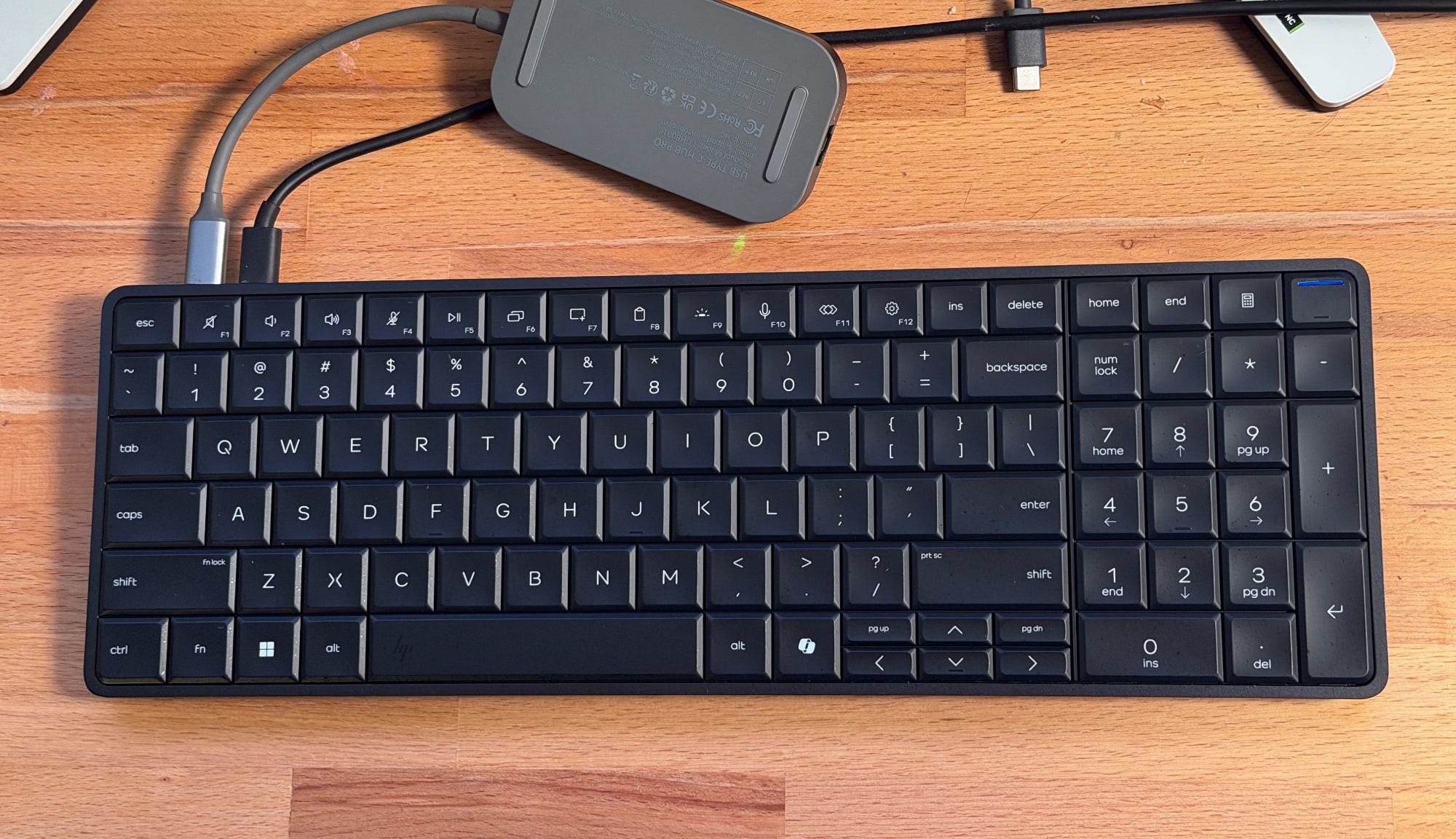
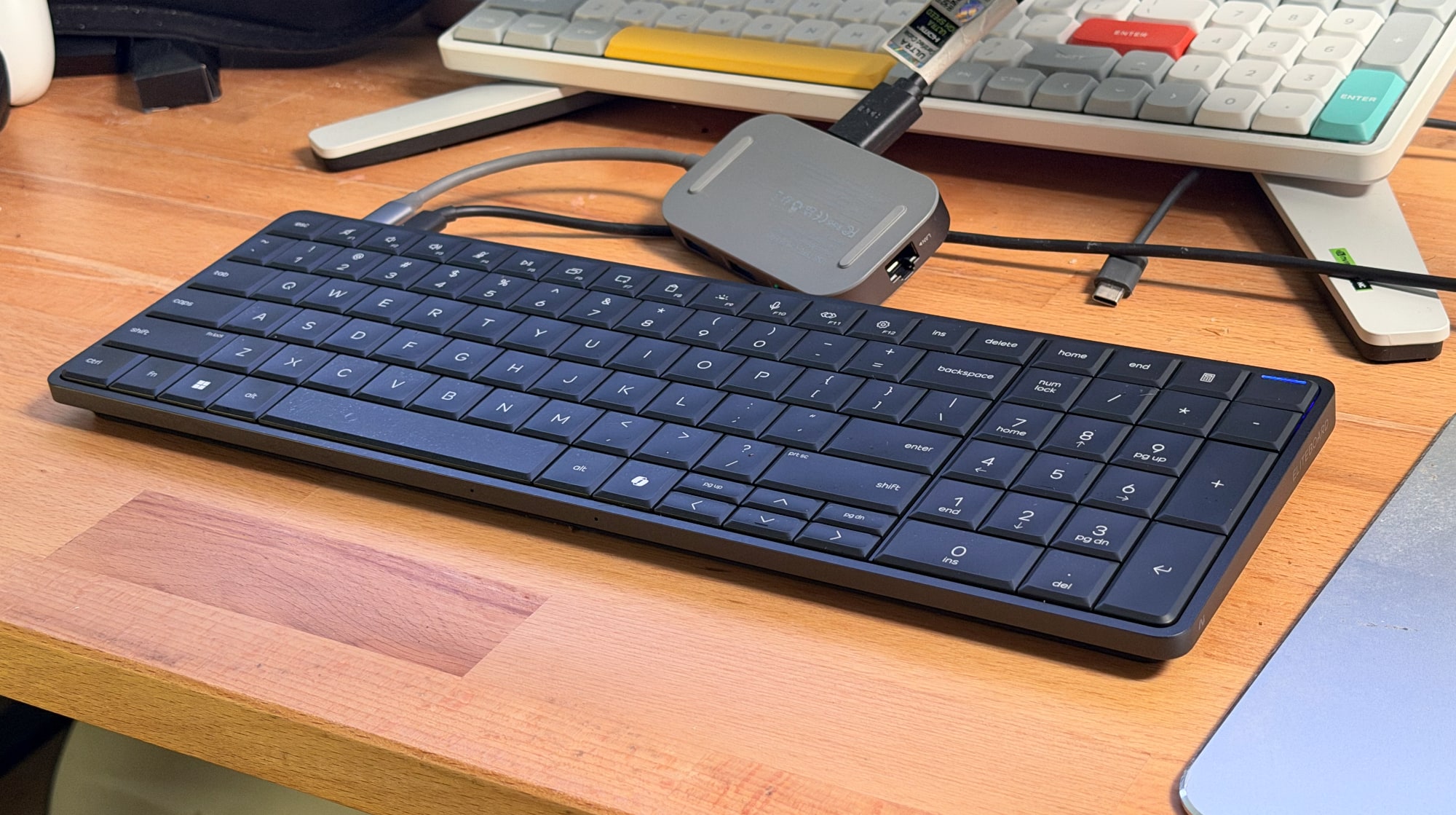
A keyboard computer has always been on my wishlist — that is, a computer where the entire machine was stuffed into a keyboard. Perhaps I caught a glimpse of the Commodore 64 at an impressionable age, but regardless, the idea has always been intriguing to me. At CES 2026, HP is bringing that concept back with the new EliteBoard G1a, which is dubbed a “Next Gen AI PC.”

It's an IT administrator's dream: It looks a typical desktop keyboard, but it has the full power of a Copilot+ AI PC inside. You can equip it with Ryzen 5 or 7 CPUs and their embedded Radeon 800 GPUs, up to 64GB of RAM and as much as 2TB of NVMe SSD storage. All you need to do is add a monitor and a mouse, and you've got a full-fledged desktop setup.

HP EliteBoard keyboard PC.
Devindra Hardawar for Engadget

The more I think about it, the more sad I am that the arc of the computing industry trended towards standardized desktops and laptops. There was a brief spark of interest with the UMPC (ultra mobile PC) trend in the 2000's, which Engadget covered extensively as a young blog, as well as ASUS's Eee keyboard. But they couldn't survive the rise of the smartphone and tablet. It turns out putting an entire computer behind a screen was more compelling than stuffing them into a keyboard.

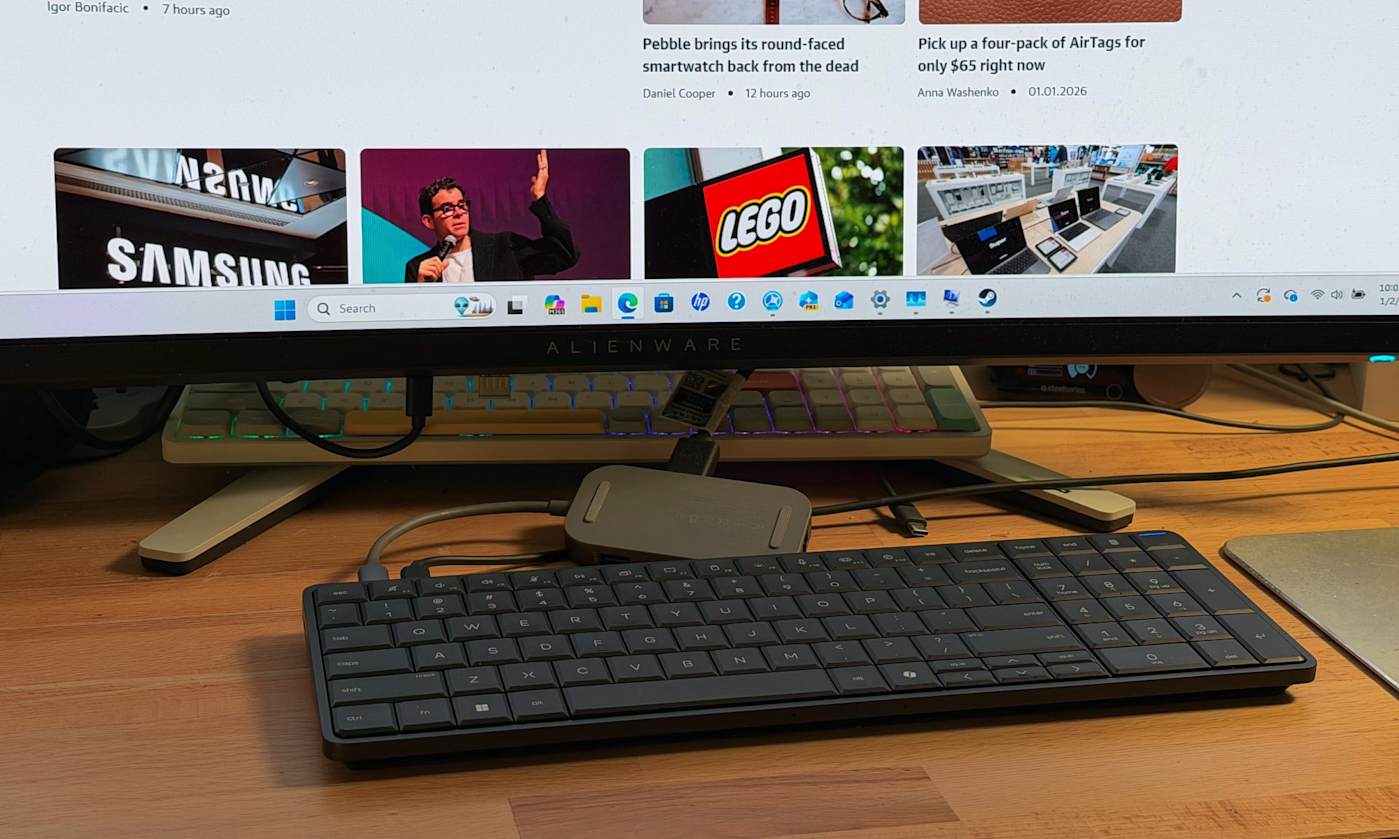
I was able to test out an early EliteBoard prototype, and while the experience wasn't perfect, it's still an intriguing computing option. I had trouble setting it up initially because it only had two USB-C ports on its rear, which meant I had to find a way to power it through one port and pass a video signal through the other. Thankfully, my Anker USB-C charging hub was able to juice it up, and I also had a USB-C hub with an HDMI port, which allowed me to connect to my monitor.

Sadly, the overall setup was a jumble of wires, and not the clean layout I expected from a keyboard PC. Once I was able to start up Windows though, I was less annoyed and more amazed that the keyboard contained an entire computer. I suppose I shouldn't be too surprised, as Intel's Compute Stick placed a functional PC in a much smaller case, but unlike the failed product, the EliteBoard actually felt usable. I was able to load up several browser windows with tabs, edit a few photos and even play a few light games, like Vampire Survivors. And yes, typing on it felt pretty great too.

HP EliteBoard keyboard PC.
Devindra Hardawar for Engadget

Since I was testing out prototype hardware, I agreed not to benchmark the EliteBoard. But from the performance I saw, it felt about the same an entry-level laptop. Basically, it's perfectly suited to its main task: Being a boring office computer. Back in my IT days, I certainly would have preferred deploying a few light keyboards instead of the tank-like Dell desktops we typically ordered.

While the EliteBoard is targeted at commercial users, HP is considering it an experiment to see how people respond to a keyboard PC. There's a chance we could see one that's eventually meant for mainstream consumers. I'm not sure if that's exactly, necessary, though. The whole concept of a desktop PC mainly appeals to tinkerers and IT folks. And for anyone who wants to get their hands on an EliteBoard soon, there's really nothing stopping you.

This article originally appeared on Engadget at https://www.engadget.com/computing/hps-new-eliteboard-made-me-believe-in-keyboard-computers-again-033000022.html?src=rss

©

  •  

Dell revives its XPS laptops after a boneheaded rebranding

Last year, Dell killed off all of its PC brands, including the iconic XPS lineup, and replaced them with a simplified naming scheme. It was a move meant to make it easier for people to discern between the company's many brands, but in reality, it just just made the company's lineup even more confusing. We called it an unforced error at the time, but after seeing how much Dell's PC market share fell over 2025, it's fair to say that rebranding was an absolute marketing disaster.

So, with its tail between its legs, Dell has returned to CES some welcome news for its fans: XPS lives! And the company plans to double-down on the brand in ways it never did before. Today, Dell revealed the new XPS 14 and 16 notebooks, which feature a more practical design than the previous models. There's a new function row with traditional keys, instead of the odd capacitive buttons that disappeared in sunlight. And while the company is sticking with its "invisible" trackpad, which sits flush alongside the wrist rest, there's now a light border around the edges that lets you feel exactly where the trackpad begins and ends.

So, in short, Dell seems to have solved most of our recent complaints about the XPS lineup. To signify its commitment to the brand, it's also emblazoning the XPS logo on all of these new machines, replacing the previous Dell name. That’s something I could never imagine a less humbled Dell doing.

The redesign also gave Dell room to shave off some weight and thickness from both machines. The XPS 14 weighs around three pounds now, a half-pound lighter than the previous generation, while the XPS 16 weighs 3.6 pounds, a whole pound lighter than before. The new cases make both machines look a lot more like Microsoft’s extra-subtle Surface Laptop, but that’s not necessarily a bad thing. Both systems are powered by Intel’s new Panther Lake Core Ultra Series 3 chips, and they also offer tandem OLED display options.

Dell also briefly teased the return of a new XPS 13 later this year, which is set to be the company’s thinnest and lightest notebook ever. Dell says it’ll be cheaper than the XPS has been in the past.

The new XPS 14 and 16 will be available on January 6, starting at $2,050 and $2,200, respectively. A Dell representative tells us these aren’t entry-level configurations, instead we can expect to see cheaper prices with lower specs in February.

Update 1/6/26, 12:30p: Pricing updated to reflecrt new numbers from Dell. Originally, we were told they would start at $1,650 and $1,850.

Update 1/12, 3:00p: Added a mention of lower entry-level configurations coming eventually.

This article originally appeared on Engadget at https://www.engadget.com/computing/laptops/dell-revives-its-xps-laptops-after-a-boneheaded-rebranding-001028029.html?src=rss

©

  •  
❌