Get familiar with easy methods to elevate your photos and make them look crisp, clean, and visually appealing without diving into complicated software.
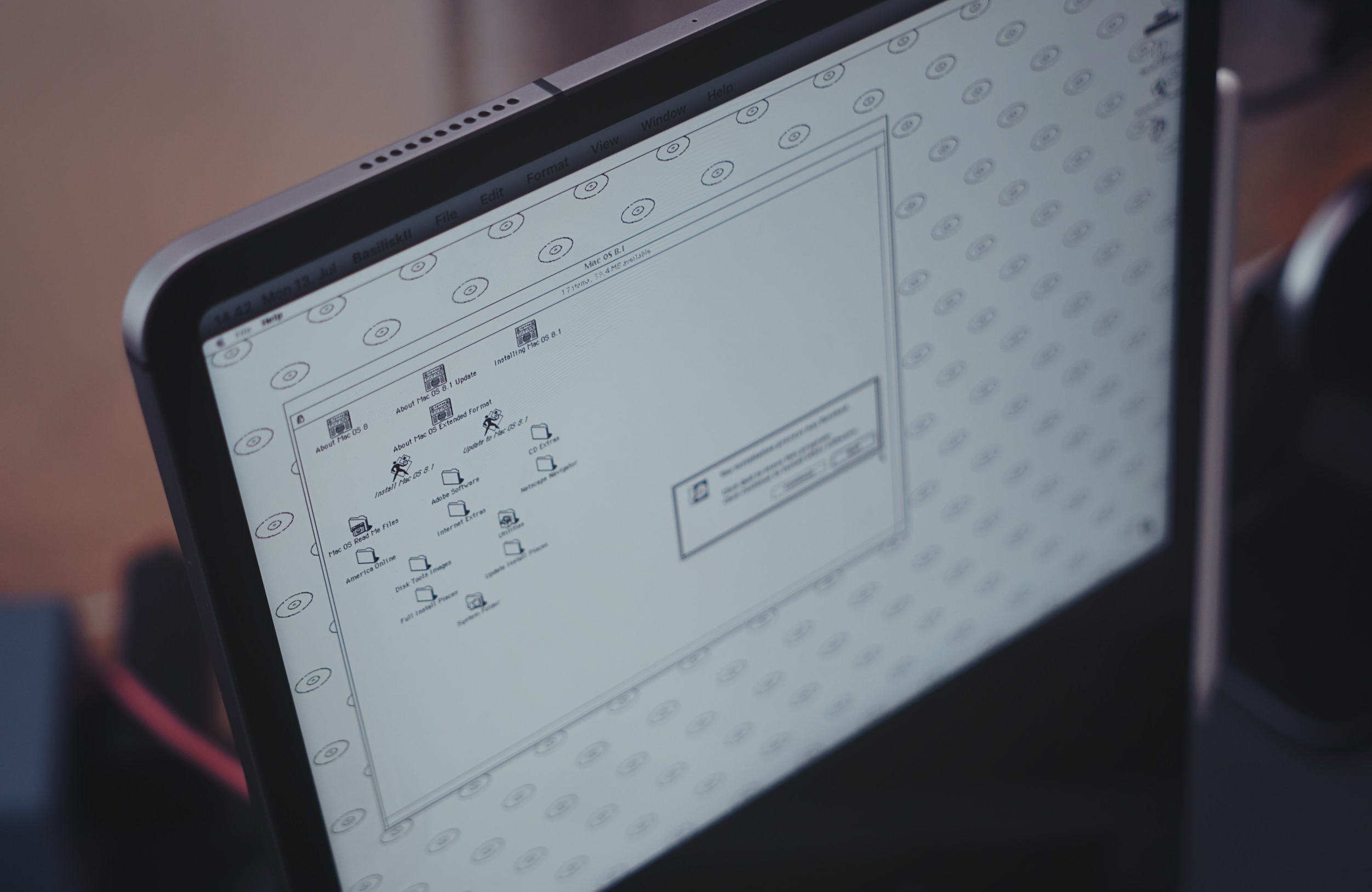
Die IPA-Datei von BasiliskII ladet ihr etwa über den AltStore Classic aufs Tablet. Die Mac OS 8.1.iso sowie das Quadra-650.ROM müsst ihr selbst im Internet finden und ins lokale Verzeichnis der iPad-App legen.
Als Einstellungen habe ich gewählt:
Model: Quadra 900
CPU: 68040
RAM: 64 MB
Erstellt anschließend ein Macintosh HD.img mit 1.000 MB und zieht die Mac OS 8.1.iso in den Bereich „CD-ROM“.
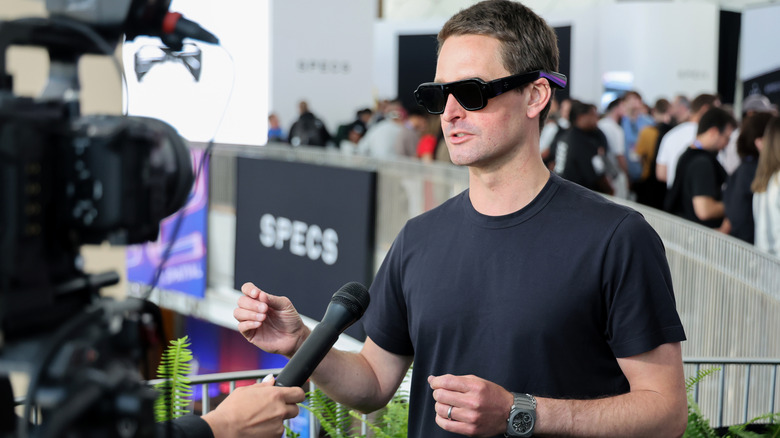
Throughout this piece I haven’t mentioned Apple. While Apple did release a headset in 2024, It was never meant as a consumer product. The Apple Vision Pro was meant to test the waters, collect data, and build up their developer platform before the real AR product (probably some glasses) ships in the next few years.
I will say this about Apple; for how much I complain about their aggressiveness in shipping new features at the expense of software quality, Apple can sustain long term vision. They can plan and execute and iterate until the third one is good. Google can’t do that. Microsoft can’t do that (anymore). And Facebook can’t either.
So wird und wurde die Brille in der öffentlichen Wahrnehmung zurecht als Flop abgeschrieben, obwohl das Interface und die Plattform auf lange Sicht höchstwahrscheinlich zentral für Apple ausfallen – AI muss irgendwo laufen; Audio-only-Computing ist ungenügend.
Das Produkt, die Brille, ist bis heute gescheitert und trotzdem gibt keiner der beteiligten Akteure seine VR-/AR-Software-Entwicklung auf – obwohl das Smartphone auf Jahrzehnte hinaus weiter dominieren wird.
ASUS is often best when it's weird, and this year at CES 2026 the company decided to resurrect one of its weirdest laptops ever: the ROG Zephyrus Duo. Unlike the last model from 2023 that had a smallish, tilting second screen, the 2026 model rocks massive dual 16-inch OLED displays that should make it an ideal content creation and gaming machine. ASUS has now opened up pre-orders for the Zephyrus Duo and revealed that pricing will start at a breathtaking $4,500.
The Zephyrus Duo is the "world's first 16-inch dual-screen gaming laptop," according to ASUS. It boasts a pair of 3K HDR OLED touchscreens that offer a combined 21 inches of diagonal screen space. They're DisplayHDR True Black 1000 certified, and can each hit 1,100 nits of peak HDR brightness. Both offer a 120Hz refresh rate and 0.2ms response time, though only the main screen supports NVIDIA G-Sync.
ASUS
Another important piece is the detachable magnetic Bluetooth keyboard. Despite the thin 5.1mm profile, it offers a generous 1.7mm of key travel and ultra-large touchpad. With the two hinging touch displays and the keyboard, it offers five dedicated operation modes. Dual Screen mode removes the keyboard altogether, Laptop mode provides a standard 16-inch screen and keyboard setup, Sharing mode sets the Duo flat at 180 degrees, Book mode sets both screens in a portrait orientation, and Tent mode has the hinge forming an A-frame.
There's a lot of power under the hood, with a 16-core Intel Core Ultra 9 386H processor paired with an NVIDIA GeForce RTX 5070 or RTX 5090 laptop GPU with a max TGP of 135 watts. The latter is NVIDIA's flagship mobile GPU with the latest AI and gaming features including DLSS 4, frame generation and fourth-gen ray-tracing cores. It also comes with a redesigned motherboard and larger vapor chamber, along with dual fans to keep things cool.
All of that is housed in a CNC-milled aluminum chassis with a new "Stellar Grey" colorway and "Slash" lighting array with 35 discrete zones. The Zyphyrus Duo is now available for pre-order from ASUS or partners including Newegg starting at $4,500 for the RTX 5070Ti version or (brace for it) $5,500 for the RTX 5090 version. Both models come with 32GB of memory and 1TB of PCIe 5.0 storage.
This article originally appeared on Engadget at https://www.engadget.com/computing/laptops/asus-dual-screen-rog-zephyrus-duo-is-now-on-pre-order-starting-at-4500-130041463.html?src=rss
Framework’s Laptop 13 Pro may be the star of today’s launch, but it is by no means the only product the company is unveiling. We’re also seeing some quality-of-life upgrades for the Laptop 16, a new wireless keyboard and a carrying case. Plus, it’s addressing something a vast number of its own users have demanded for a while: A 10GB Ethernet expansion card.
Laptop 16
Framework
The top deck of the Laptop 16 is sufficiently customizable that you can cram in any number of modules alongside the keyboard and trackpad. If you want an area blank, then you can just put in the requisite spacer, but that creates an unintended problem for some users. CEO Nirav Patel admitted the areas where the modules sit side-by-side can trap some people’s arm hairs, leading to some unplanned depilations when they move away from the deck. To solve this, the company is releasing a new all-in-one trackpad and all-in-one keyboard cover. The trackpad has also been updated to the same haptic model found in the 13 Pro. Plus, it’s now available with a lower-end Ryzen 5 340 mainboard as a more affordable entry level model.
OCuLink Dev kit
At the back of the Laptop 16 is an expansion module slot that either holds a blank unit or the discrete graphics hardware. Last year, the company launched a module with an RTX 5070 inside and, now, it’s started thinking about using it for eGPUs as well. The OCuLink Dev Kit (pictured, above) is a prototype board using OCuLink 8i which can connect directly to your mainboard over its native PCIe lanes.
If you already own a blank module, you won’t need to buy a replacement either. Framework has ensured you can simply drop the OCuLink board into the slots of your existing one. As well as the board, the kit includes an OCuLink Dock that’ll let you slot in any off-the-shelf PCIe card — including GPUs, 100Gb Ethernet and video capture — and run it as if you had your very own desktop.
Sadly, it’s not yet ready for prime time and so far all the company has said is we’ll see more about the hardware “later this year.”
Wireless Touchpad Keyboard
Framework
“There’s one living room keyboard that everyone owns, that Logitech keyboard they haven’t updated in 15 years,” said Patel. “I’ve got two of them, polled the team, and a bunch of them all have the same keyboard,” he added. But Patel’s frustration drove him and his team to build their own, better model, which has been an idea since development work started on the Framework Desktop. It was only when the team learned that the Desktop was being used as a living room PC, however, that they actually brought it to market. It is, in fact, using the same excellent keyboard hardware as found on the Framework Laptop 12, repackaged for its all-in-one form.
Laptop Sleeve
Framework
Framework’s built a laptop sleeve containing extra pockets for your spare expansion cards and screwdriver. Patel said that the real focus was on ensuring the materials used had as small a carbon footprint as possible.
10Gb Ethernet Expansion Card
Framework / WisdPi
Rounding out the announcements is a 10Gb Ethernet expansion card for users who want a faster wired internet experience than the current 2.5Gb model. But this isn’t a Framework product per-se, but was designed and developed by hardware makers Wisdpi. Patel said the community is so passionate that they’re constantly looking at new chip and hardware announcements. They then head to the company’s forums to ask “Hey, like, can we get a Framework version of this?” he explained. The advent of a slender 10Gb Ethernet chip was enough to inspire one third-party developer to build an Expansion Card module to harness it. “Basically, we got in contact with them,” said Patel and offered some guidance to help build the module. And once it was finished, Framework is now acting as a reseller to enable the whole community to easily buy it. Patel admitted that a 10Gb Ethernet Card would inevitably cater to a fairly niche customer, but “love to see a third party come in and fill that gap.”
This article originally appeared on Engadget at https://www.engadget.com/computing/laptops/framework-is-building-an-egpu-kit-for-its-laptop-16-181516238.html?src=rss
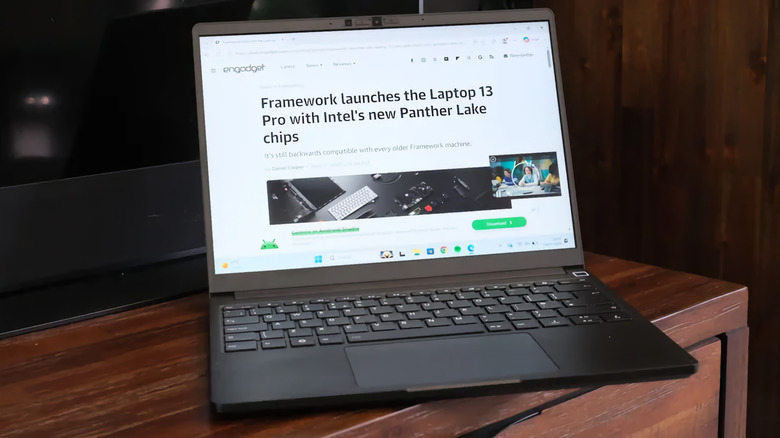
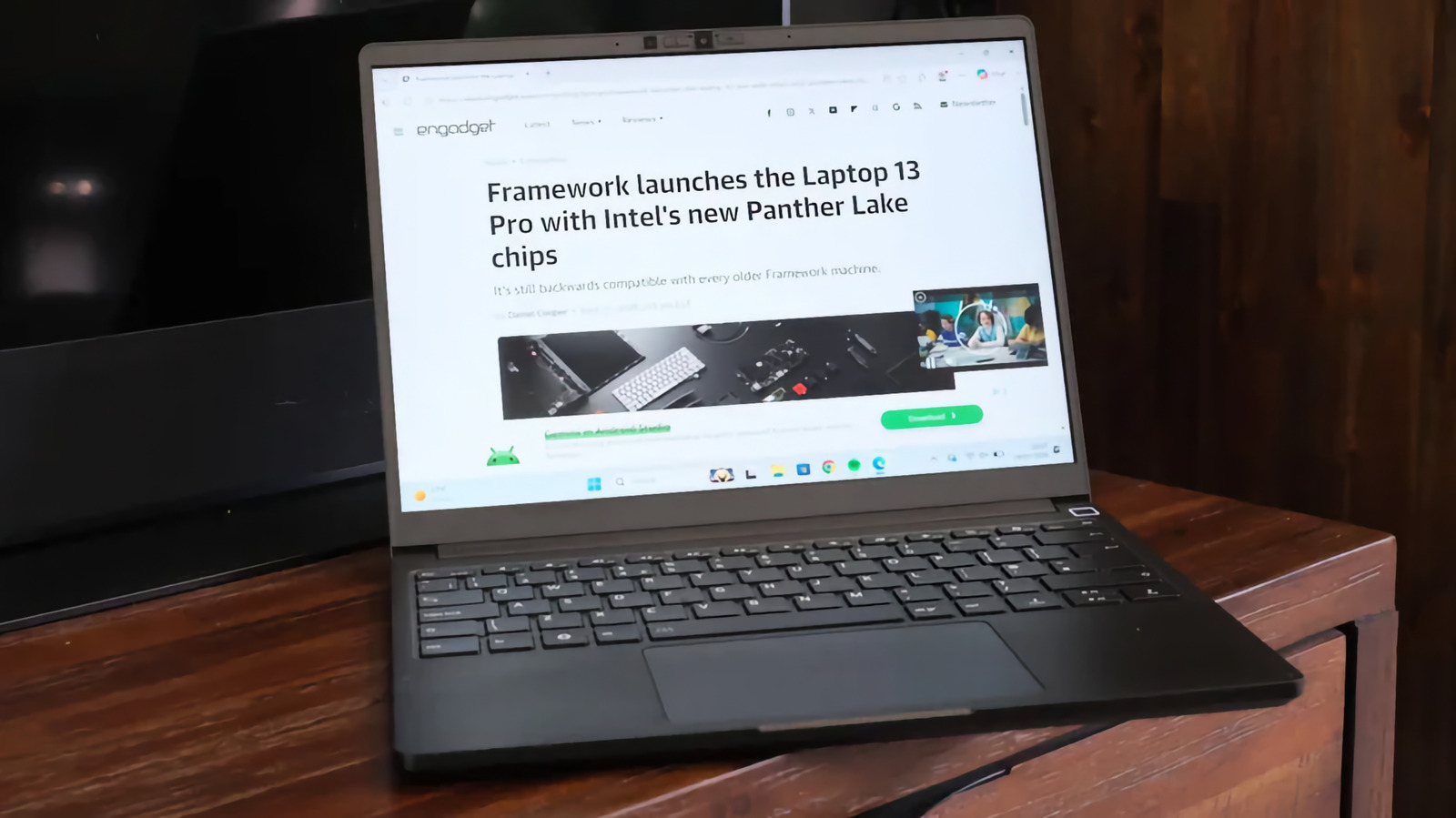
Framework’s lineup of modular, repairable laptops has seen the company grow from a niche to the mainstream. Now, the company is launching a pro version of its 13-inch laptop, but it’s still held close to all of its principles. Because while this all-new version has plenty of bells and whistles, almost all of its components are still instantly compatible with the rest of the range. You can take a part from this new 13 Pro, and install it into the first-generation 13 launched back in 2021 without much fuss.
Framework Laptop 13 Pro is touted as a “ground up redesign” of the existing 13, taking into account feedback from its dedicated and passionate users. That includes a far bigger battery, new chassis, new memory, haptic trackpad and a custom touch display. It also comes in black and, even in the press images, it’s immediately clear it’s a better color for the company’s austere industrial design. CEO Nirav Patel smiled knowingly when I said it’s immediately evocative of a ThinkPad, and I mean that in the most complimentary way.
Framework
The biggest change has been to boost the battery to 74Wh to address gripes about longevity. It’s the second time Framework has boosted the cell size, which started at 55Wh and presently runs to 61Wh. To make the battery fit, the bottom of the chassis has been redesigned, filling out the chamfers present on the existing 13. Framework says the Pro’s lifespan will hit 20 hours of uptime while streaming Netflix in 4K, and says it’ll post the videos to YouTube to prove it.
Given the redesigned lower chassis, the new battery is the one part you can’t simply drop into an older machine. “You’ll need the new bottom cover to fit,” explained Patel, “but because we’ve also increased the thickness of the battery, you have to switch over to the new input cover that has the haptic trackpad.” Patel added while you may need to pair up some parts from upgrades, there’s no component that you can’t retrofit. The new chassis means the speakers are now side-firing, and are now Dolby Atmos-certified.
The bigger battery is working in tandem with Intel’s new Core Ultra Series 3 chips which promise to be incredibly efficient. Both Intel and Framework are sure the Panther Lake silicon is going to sip at that beefy battery, but with enough grunt to play AAA games. Users will get the pick of a Core Ultra 5, X7 or X9, with the promise all of them will be able to eat a game like Cyberpunk 2077 for breakfast, lunch and dinner. At the same time, the Pro will also launch with an AMD Ryzen AI 300 series mainboard option, which are the same mainboards found on the 2025 Laptop 13.
Framework
The last major shift has been in the RAM, going from regular SO-DIMMs to LPCAMM2. The newer hardware design enables the use of LPDDR5X RAM with its better power efficiency and faster memory bandwidth. And it’s not soldered to the board, so you can add in more at some unspecified future date. Which is important if, I dunno, for some reason the global RAM market suddenly crunches and you need to mortgage a kidney for a single stick.
Naturally, I wanted to know how this would impact the laptop’s thermals, Framework’s weak spot. Patel said the mainboard’s cooling has been tweaked (once again), this time with some extra help from Intel. He added the Pro he was using to run our call hadn’t spun up its fans in half an hour which, for a Framework, is a big deal. As always, I’ll reserve judgment until I’ve seen the thing in person.
The Pro is also a way for Patel to fix some of the compromises the company had to make at its genesis. “As a startup six years ago, we just didn’t have access,” said Patel, “when we go to a display vendor [now] and say ‘we want a custom panel’ they say ‘okay, let’s talk specs’ rather than ‘who are you?”’ The 13 Pro ships with a 13.5-inch, 3:2, 2,880 x 1,920 touch display with a variable refresh rate between 30 and 120Hz. Its backlight pushes all the way to 700nits, it has a 1800:1 contrast ratio and per-unit color calibration.
I was surprised the 13 Pro has touch given it’s still a 13-inch productivity notebook without a wraparound hinge. “All the way back in 2021, when we first launched, we were getting asked for touch support,” said Patel. But the company was naturally resistant, assuming touch was an unnecessary addition for a machine of this class. It was only when building the Laptop 12 did the team find it to be quite useful. “It was a slam dunk. We know people want it, we used it on the 12, we like it and it doesn’t actually cost that much. Let’s just add it in,” said Patel.
Framework
Framework knows touchpads are a weak spot for Windows laptops when compared to those made by Apple. Consequently, the Pro 13 has a haptic touchpad with four piezo elements that, it’s hoped, will stand shoulder-to-shoulder with a MacBook Pro. The new input cover keeps the came keyboard and fingerprint sensor, wisely not touching a feature that isn’t broken and doesn’t need fixing. What is cool, however, is the more punky gray and black aesthetic on the keyboard that splits the difference between a ThinkPad and a cyberdeck. “A big part of this goes back to the idea to build the ultimate developer laptop,” said Patel.
Existing Framework owners may be concerned about how this will affect their machine’s longevity. The company might not like me saying, but to me, the Pro name is only meaningful if you’re buying a new machine off the shelf with the new features in one package. There’s nothing stopping you from upgrading your existing machine to match the pro in one go, or as your needs evolve. That’s fundamentally the company’s greatest strength, since it has committed to bringing every single one of its existing users along. But doesn’t make for the splashiest headlines when it comes to debut a new product.
Framework Laptop 13 Pro is available to pre-order today, with the first shipments due to start in June. The base-model pre-built Windows system will start at $1,699, while the DIY model will set you back $1,199.
This article originally appeared on Engadget at https://www.engadget.com/computing/laptops/framework-launches-the-laptop-13-pro-with-intels-new-panther-lake-chips-181503934.html?src=rss
Perplexity has just released Personal Computer. The software, which is available starting today for Mac, builds on the multi-model orchestration capabilities the company debuted with Perplexity Computer at the end of February. Like Claude Cowork (and, as of today, OpenAI Codex too), it's a suite of computer use agents that can work with your files, apps, connectors and the web to complete complex and "even continuous workflows."
Perplexity suggests a few different use cases for Personal Computer, starting with the obvious. “You can ask Personal Computer to read your to-do list,” the company states. “In fact, you can ask it to DO your to-do list." It explains you can open the Notes app on your Mac, ask Personal Computer for help and the system will reason how to best assist you. In the process of tackling that task, it can work across all your files, as well as apps like Apple Messages. When needed, it will also employ multiple agents to complete a request. Like Anthropic did with Claude Cowork, Perplexity says you can also use its software to organize messy folders so files feature sensible names and there's an easy-to-understand structure to everything.
You can prompt Personal Computer with your voice, and you can even initiate and manage tasks from your phone. Perplexity says the app creates files in a secure sandbox, and any actions it takes are auditable and reversible. "A system that acts on your behalf needs to be useful and legible. It should feel like a team you manage, not a rogue employee with keys to your most important data," the company said.
Personal Computer for Mac is available starting today, beginning with Max subscribers. Perplexity said it would bring the app to its other users soon, prioritizing those who joined the waitlist for the experience.
This article originally appeared on Engadget at https://www.engadget.com/ai/perplexity-brings-its-personal-computer-ai-assistant-to-mac-202045969.html?src=rss
Intel has unveiled its new Core Series 3 chips, the official title for its Wildcat Lake-codenamed series intended for mainstream and value-oriented laptops. Built using the same Intel 18A process as its Core Ultra Series 3 chips, they’re significantly more powerful than the previous generation and promise "exceptional battery life" and "boosted AI-ready performance."
Intel says the Core Series 3 offers up to 47 percent better single-thread performance and 41 percent better multi-thread performance, as well as 2.8x better GPU AI performance compared to a five-year-old PC. Stacked up against its last-gen Intel Core 7 150U processors, the new mobile chip uses up to 64 percent lower processor power and is capable of 2.7x AI GPU performance. In other words, expect more grunt and improved efficiency.
At the top end of the lineup sits the six-core Intel Core 7 360, which has a P-core Max Turbo frequency of 4.8GHz and NPU TOPS performance of 17. This scales down as you move through the other six-core options, and there’s also a five-core Core 3 processor at the entry level with a more modest GPU.
Intel promises all-day battery life, rated at 12.5 hours in the office and 18.5 hours for streaming from Netflix. As for connectivity, there’s support for Wi-Fi 7, Bluetooth 6 and two Thunderbolt 4 ports. The Core Series 3 chips will be making their way into a variety of laptops throughout 2026, including Acer’s Aspire Go 14, 15 and 16, the ASUS Vivobook 14/15/17 and ExpertBook B5 Flip, B3 G2 and P3 G2. The likes of Dell, Samsung and Lenovo will announce their own Core Series 3 devices in the near future.
This article originally appeared on Engadget at https://www.engadget.com/computing/laptops/intel-launches-new-core-series-3-chips-for-mainstream-laptops-164821846.html?src=rss
This generation of MacBook Pro might just be the last gasp of the 2021 remodel. It's still an incredibly powerful machine that's been honed to near-perfection, but if you're looking for something that feels truly new, it may be worth waiting several months.
It's not too surprising to see the M5 Pro and Max MacBook Pros be relatively low-key efforts. Apple launched the M5 14-inch MacBook last fall with a mere press release. But at least that model delivered a noticeable leap in graphics performance. The new M5 Pro and Max chips are a bit faster than before, but they don't really have any major features to call out. (Unless you're super excited about Neural Accelerators for AI work.)
I don't want to sound like I'm complaining too much, though. The 16-inch M5 Max MacBook Pro I'm reviewing is still a gorgeous laptop, with an overall design that most premium Windows PC makers are still trying to copy. Apple's unibody metal frame design still feels rock solid. There's a generous amount of ports, including three Thunderbolt 5 USB-C connections, HDMI, a headphone jack and a SD card reader. Its 16-inch Liquid RetinaXDR screen also looks incredible, thanks to its bright Mini LED backlighting, and there's once again a nano-texture option to reduce glare.
What else could you want in a laptop? I suppose there's the lingering feeling that an OLED screen would look better, with sharper contrast and pure black levels. But you'd be hard pressed to find much else to complain about with the MacBook Pro's screen. I'm also intrigued to see how Apple implements a touchscreen interface alongside macOS in upcoming MacBook Pros, but I'll admit, I haven't really been compelled to touch this laptop's display much.
Touchscreens always seemed like a quixotic effort for laptops — they're nice to have, but Microsoft has been trying to shove them into PCs for 15 years now. The addition of touchscreens really didn't improve the overall Windows experience much. So I wasn't surprised to see Apple take its time bringing the technology to macOS — if you really want to swipe around screens, just get an iPad.
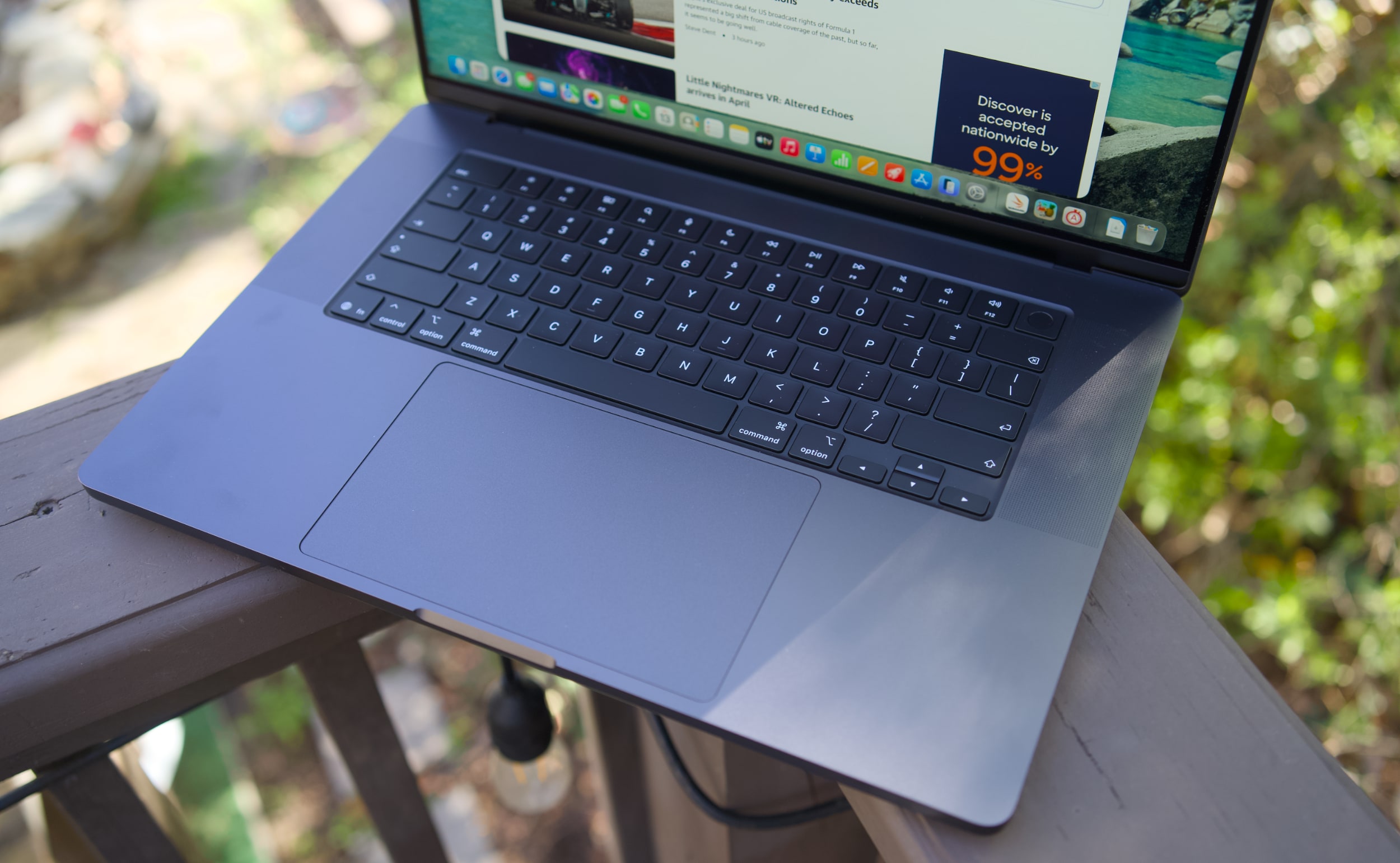
MacBook Pro 16-inch (2026, M5 Max) keyboard and trackpad
Devindra Hardawar for Engadget
But back to this MacBook Pro: I still love everything about Apple's current design. Sure, the keyboard could have a bit more depth, but it withstood my furious typing like a champ. (Unlike Dell's XPS 14, which tried so hard to be a MacBook Pro-killer.) And the MacBook Pro's glass touchpad is still one of the best I've ever seen in a laptop.
Our review unit was also equipped with 32GB of RAM, a 4TB SSD, a 40-core GPU and Apple’s $150 nano-texture display upgrade, bringing the total for this M5 Max system to a whopping $6,149. That may seem excessive to most consumers, but for creative professionals who actually need the power of the M5 Max chip, it’s not that unusual. You can also save over $1,000 by opting for the M5 Pro chip instead.
So what does the M5 Max bring to the party? Obviously, it's speedier than the M4 Max. Our review unit was 30 percent faster than the M4 Max-equipped MacBook Studio in the Geekbench 6 multi-threaded CPU benchmark. It's only 10 percent faster in Geekbench's single-threaded test, but that still gives Apple room to claim that it has the fastest chip core around. If you've got an M4 Max machine, you certainly don't need to dump it for this lineup. But if you've been hammering on an M1 Max or M2 Max system for years, you'll see some meaningful benefits from upgrading now.
Computer
Geekbench 6
Geekbench 6 GPU
Cinebench 2024
Apple MacBook Pro 16-inch (M5 Max, 2026)
4,338/ 29,261
145,309
192/2,150 | GPU: 22,374
Apple MacBook Pro 14-inch (M5, 2025)
4,310/18,003
48,840
197/1,034 | GPU: 6,143
Apple MacBook Pro 16-inch (M4 Pro, 2026)
3,925/22,456
70,197
178/1,689 GPU 9,295
Apple MacBook Pro 16-inch (M3 Max, 2024)
3,202/21,312
92,344
143/1,686 GPU 13,182
Apple says this new line of MacBook Pros also feature its latest SSD technology, which is up to twice as fast as before. Our review unit reached 13.8 GB/s write speeds and 13 GB/s read speeds in the ATTO disk speed test, whereas previous MacBook Pros hovered around 6 GB/s for read/write speeds. If you're working with huge data files every day, you'll likely notice the difference. Another benefit to the new hardware? Apple is now equipping every MacBook Pro with 1TB of storage by default.
All of the M5 chips feature faster GPUs than before, but that's less noticeable on the M5 Max. I've never had trouble running a high-end game like Lies of P on the M2, M3 or M4 Max hardware, and once again it still runs incredibly well with the M5 Max in its native resolution, and with all of the graphics settings cranked up. All I'm looking for is a smooth 60 fps frame rate, and the MacBook Pros have delivered on that for years. macOS isn't the sort of platform where you'll be playing many high fps games, but the MacBook Pro's 120Hz refresh rate is equipped to handle them.
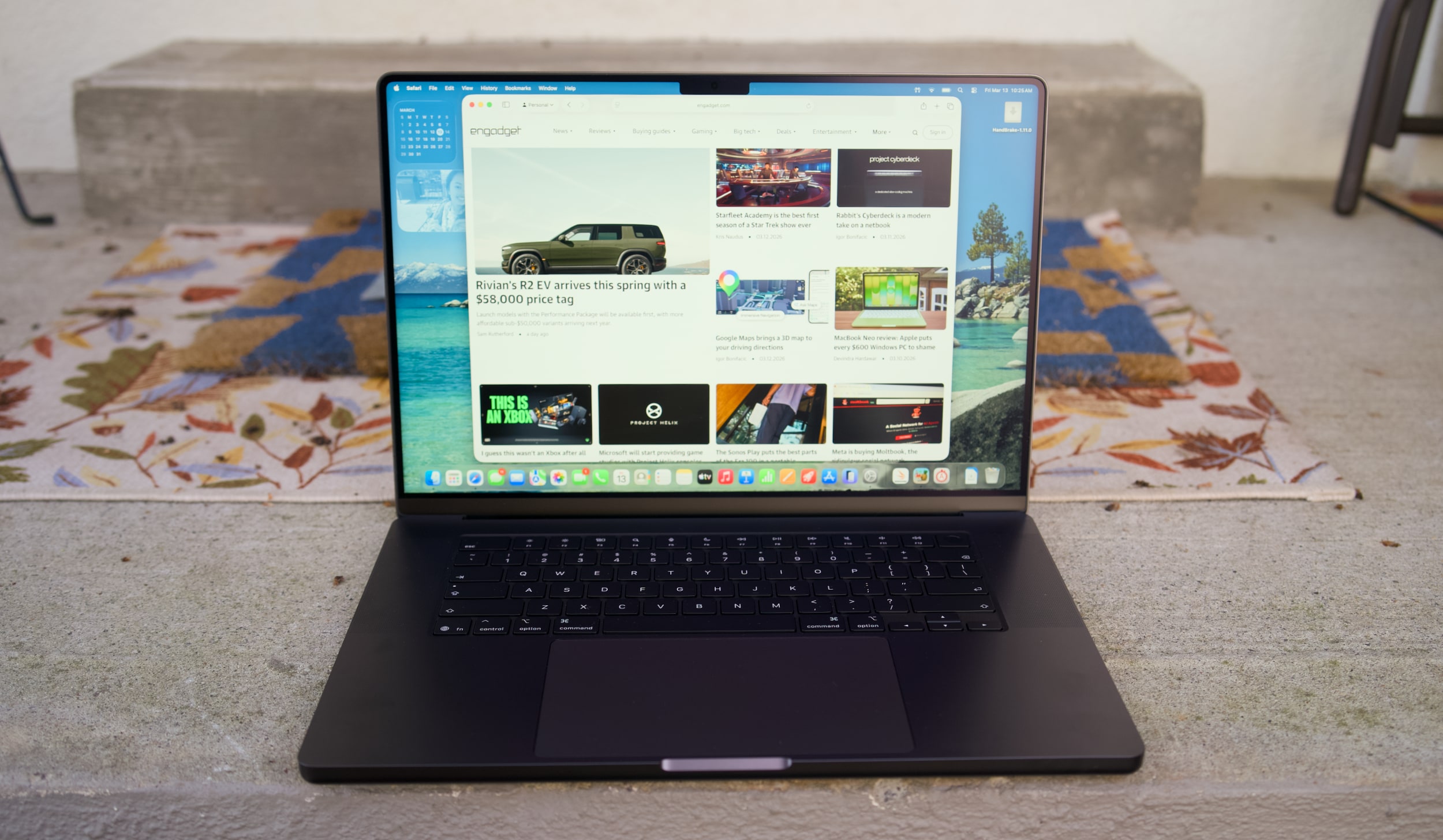
MacBook Pro 16-inch (2026, M5 Max) on a doorstep.
Devindra Hardawar for Engadget
Beyond raw performance, the MacBook Pro continues to be a joy to use. Its screen is gloriously bright, and its smooth refresh rate makes scrolling through documents and websites easy on the eyes. Its six-speaker setup remains the best audio experience I've ever heard on a laptop, allowing for crisp, detailed and surprisingly dynamic bass. When I'm too lazy to cast music to my Sonos speakers, I can still have a decent jam session on the MacBook Pro's built-in setup.
It's hard to improve much on the 30 hours and 16 minutes of battery life we saw on last year's 16-inch MacBook Pro, but the M5 Max model managed to beat that by 30 minutes. Realistically, it means you can likely use the MacBook Pro for a few days without needing to recharge, assuming you're not doing heavy-duty work the entire time.
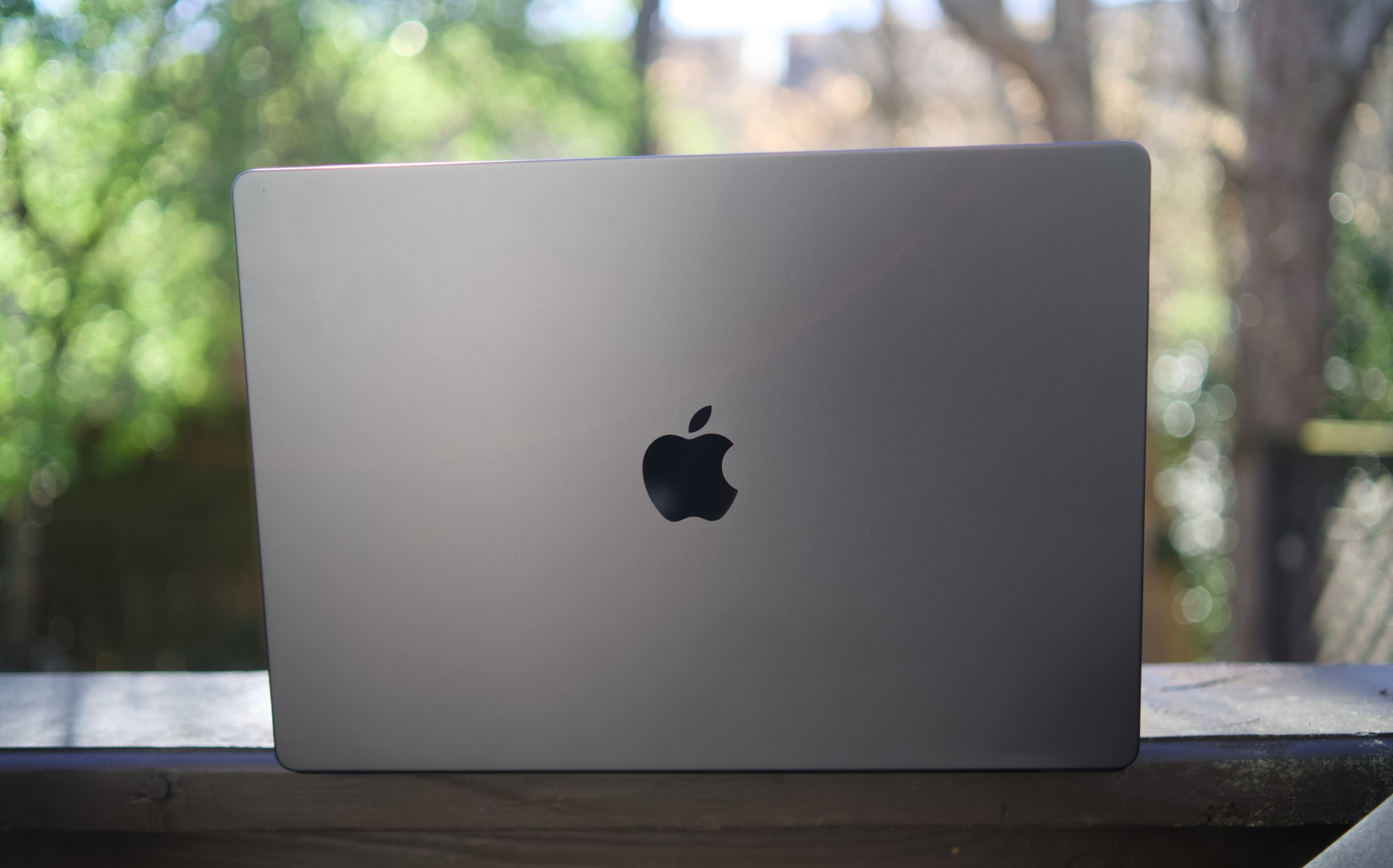
MacBook Pro 16-inch (2026, M5 Max)
Devindra Hardawar for Engadget
You don't need me to sell you on the MacBook Pro; all you need to know is that the M5 Max actually delivers. Given how well the standard M5 14-inch MacBook Pro performed, I'd also expect a decent speed bump from the M5 Pro model. The only downside to the M5 systems is that they'll feel out of date quickly if the rumored OLED and touchscreen models arrive later this year. But if you need the best performance now, it's hard to go wrong with any MacBook Pro.
This article originally appeared on Engadget at https://www.engadget.com/computing/laptops/macbook-pro-m5-max-16-inch-review-still-the-pinnacle-120000325.html?src=rss
 Anmelden