Thanks to the adoption of features like rapid triggers, analog switches and TMR sensors, the tech in fancy gaming keyboards has changed surprisingly quickly in the past few years. So to keep up with the pace of development, Logitech is putting a bunch of advanced components in its latest flagship offering — the G512 X — to create what may be its most configurable keyboard to date.
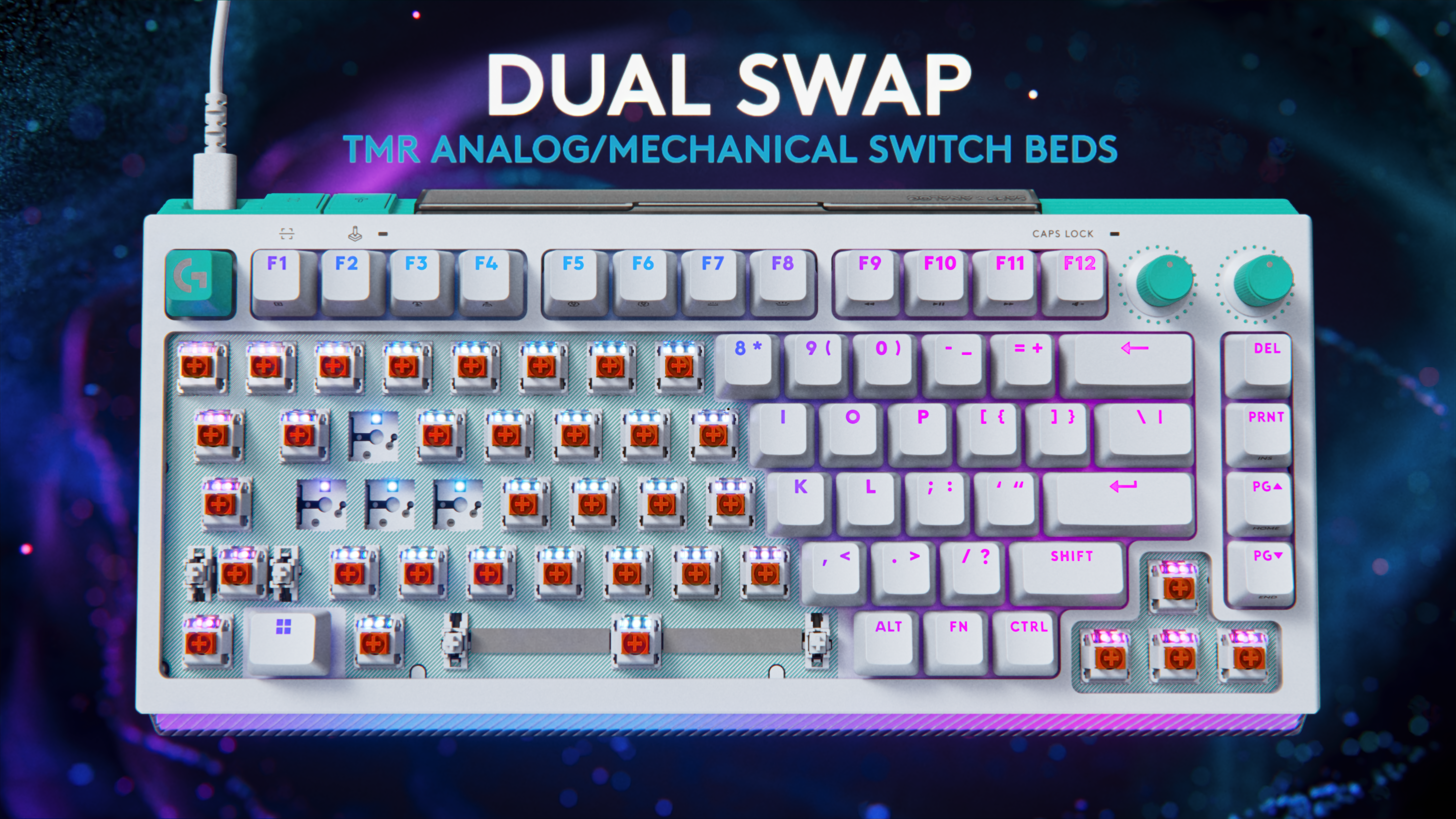
Available in both 75 and 98 percent layouts, the G512 X is based on a novel design that supports both mechanical and analog switches. Out of the box, every key features PBT keycaps and uses one of Logitech's MX mechanical switches. However, for important buttons like WASD, users can swap in up to nine bundled Gateron KS-20 magnetic analog switches. This means that when combined with the keyboard's 39 tunneling magnetoresistance (TMR) switch beds, users can enable support for customizable rapid triggers and multipoint actuation, complete with five bundled second actuation pressure point (SAPP) rings in case you need even more control over every keystroke. The one potential downside is that Logitech only added TMR switch beds to the left side of the keyboard, so if you prefer more unusual keybinds, you won't have quite as many configuration options.
The 39 TMR sensors on the left of the keyboard are the ones that support the included TMR switches.
Logitech
Meanwhile, to meet the demands of competitive gamers who need lightning-fast response times, Logitech added an 8K polling rate. This includes both 8K reporting and processing to deliver input times of just 0.125 milliseconds. Elsewhere, the G512 X comes with dual dials, a large RGB lightbar and game mode presets — all of which can be tweaked in Logitech's G Hub app.
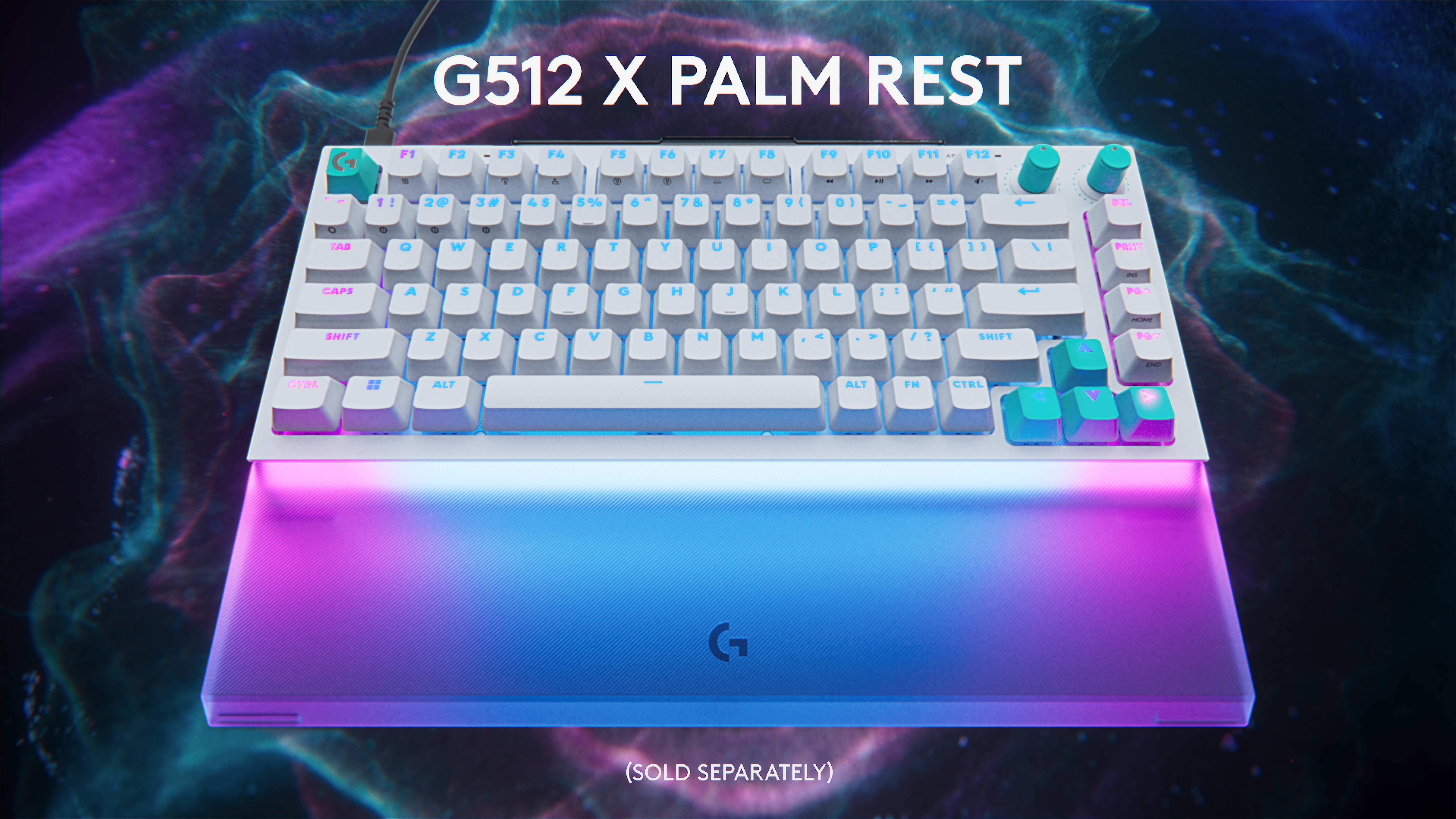
However, the coolest thing about the G512 X might be all the handy little details scattered across the keyboard. For example, its adjustable feet serve double duty as keycap and switch pullers, so when you want to adjust your layout, you won't need to go searching elsewhere for the right tool. On top of that, there is built-in storage for the nine included magnetic analog switches and five SAPP rings, so you'll always have them on hand if you want to make changes. Finally, while it is an optional accessory, Logitech created a transparent palm rest with a laser-etched surface that will enhance the G512 X's onboard RGB lighting.
Logitech's optional palm rest really boosts the output of the Logitech G512 X's front-mounted RGB lightbar.
Logitech
Unfortunately, at $180 for the 75 percent layout or $200 for the 98 percent model, the G512 X is a bit pricey. And unlike some other members of Logitech's G5 family, there's no option for a wireless variant. But if you want a keyboard with practically all the latest tech and a ton of customizability (including the ability to select linear, tactile or clicky switches), the G512 X is a very intriguing option for demanding gamers.
The G512 X is available directly from Logitech today, with wider availability slated for May 2.
This article originally appeared on Engadget at https://www.engadget.com/gaming/pc/the-g512-x-is-logitechs-most-advanced-and-customizable-gaming-keyboard-yet-070100610.html?src=rss
YouTube notifications can get messy fast, particularly if you’re subscribed to a lot of different channels. To address that, today the company will begin muting push notifications from creators that you haven’t engaged with in the last month.
The change to YouTube notifications began as a small trial the company tested out earlier this year. The idea behind it is that if a viewer continually receives notifications about content they don't engage with, this may eventually cause the user to disable YouTube notifications altogether. Now obviously, this is bad for YouTube. Turning off notifications means people will use the platform less, thereby resulting in lower revenue. However, it's also bad for content creators, especially the ones you do like, who will have one fewer avenue to keep you updated about new and upcoming videos.
So starting today, for channels that you have subscribed to and have notifications set to "all," YouTube will no longer send out push notifications to mobile devices from creators that you haven't interacted with for one month. That said, these notifications will continue to be available inside the YouTube app in your inbox (the little bell icon in the top right).
Notably, for those who are clicking on notifications and watching related videos, nothing will change. Additionally, based on info from the test earlier this year, YouTube said "channels that upload infrequently will not have their notifications affected." This is a good thing, especially for creators who post long-form content that takes extra time to make, as people probably don't want notifications to go away in case they happen to miss a once-a-month upload.
The one thing that's unclear is if you start watching a channel again that you have not interacted with in a while, is if YouTube will automatically restart related push notifications. However, as a way to prevent too many alerts from clogging up your phone, YouTube's new protocol seems like a good way to cut down on the clutter.
This article originally appeared on Engadget at https://www.engadget.com/entertainment/youtube/youtube-is-muting-push-notifications-from-channels-you-dont-watch-205119228.html?src=rss
Following the agreement, Nevada Attorney General Aaron Ford said "this settlement will create a safer environment for our children online, and I hope that it will serve as a bellwether for how online interactive platforms allow our state's youth to use their products." As part of the deal, Roblox has agreed to give $10 million over three years to local children's support programs like the Boys and Girls Club and other nondigital groups while spending another $2.5 million to fund a law enforcement liaison position and awareness campaigns regarding online safety.
Additionally, Roblox will also implement more rigorous safety protocols including an age verification system that combines a facial age estimation system with government-issued IDs that will only allow children to talk with other players of a similar age. Furthermore, users under 16 will not be allowed to message adults unless they have been designated as a "trusted friend," which can be assigned via QR code. This is intended to ensure that any adults who talk to minors on the platform have an existing relationship with the child.
Parental controls will be available for accounts of users up to 16 years old (previously the limit was 13). The company says it will also create children's accounts for anyone under 16 that will restrict access to adult content and provide a list of games that have been vetted to be appropriate for younger players. These changes come after a recent update that established new guidelines for Roblox Kids accounts (for children between five and eight years old) and Roblox Select accounts (for children between nine and 15), which come with varying content and chat restrictions.
However, while Roblox has settled with Nevada, the company is still facing a number of lawsuits from other parties and states including Kentucky, Iowa, Louisiana, Texas and more, regarding claims that the platform has knowingly facilitated child sexual exploitation.
This article originally appeared on Engadget at https://www.engadget.com/gaming/roblox-agrees-to-a-12-million-settlement-with-nevada-142842421.html?src=rss
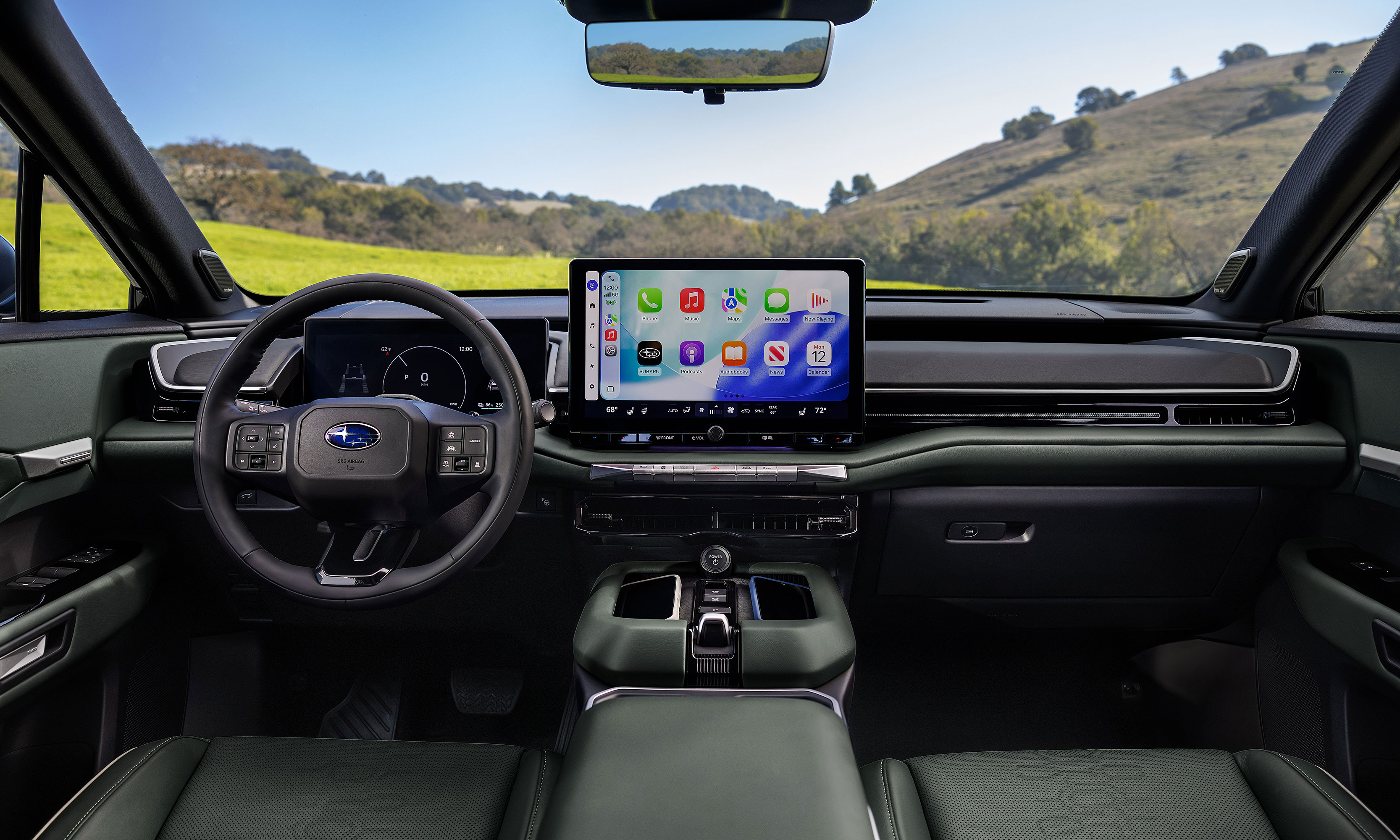
Today at the New York International Auto Show, Subaru announced its first three-row electric SUV: the Getaway.
Like Subaru's other EVs, the Getaway is based on Toyota's e-TNGA platform and it shares many features and specs with the 2027 Highlander EV. Initially, all models will come with the company's Symmetrical all-wheel drive system, 420 horsepower and a native NACS-compatible charging port. That said, charging speeds don't look especially impressive as the Getaway's estimated 150kW system is expected to refill its battery from 10 to 80 percent in around 30 minutes.
The first batch of Getaways will arrive late this year as 2027 models featuring a 95.8kWh battery that Subaru says will provide more than 300 miles of range on a single charge and a zero to 60 time of under five seconds. It will also come with preconditioning tech to help maintain charging speeds in cold weather (down to 14 degrees Fahrenheit). Then later in the first half of 2027, Subaru will release a standard-range model with a 77kWh power pack and AWD. The EV SUV offers 8.3 inches of ground clearance while its X-Mode system provides settings for Snow/Dirt, Deep Snow/Mud, Grip control and Downhill Assist along with a tow rating of up to 3,500 pounds.
The Getaway's infotainment system is based around a 14-inch touchscreen with support for both Android Auto and CarPlay.
Subaru
On the inside, the Getaway will offer seating for up to seven people by way of a second-row bench, though if you don't mind dropping the passenger count to six, you can also opt for two captain's chairs. Its infotainment system is based around a 14-inch touchscreen with support for both wireless Android Auto and Apple CarPlay, while the driver gets a secondary 12.3-inch digital instrument cluster.
As you'd expect from a Subaru, the Getaway also comes with a lot of outdoorsy features like ladder-type roof rails on "most" trims, plus the option of 19 or 20-inch wheels and up to 45.6 cubic feet of cargo space with the third row seats folded down. Heated front seats will also come standard, with the ability to upgrade to ventilated seats in the first two rows and a heated steering wheel on more premium trims.
Subaru claims the Getaway has more cargo space than a Kia EV 9 with the third row folded.
Subaru
In the end, while the Getaway might not be the most original EV SUV due to its similarities to Toyota's upcoming Highlander EV, for any Subaru fans with larger families, this vehicle could be just what they need to make the jump from gas to electric.
Specific details on pricing and trim levels are expected closer to the Getaway's official release date in late 2026.
This article originally appeared on Engadget at https://www.engadget.com/transportation/evs/the-getaway-is-subarus-first-three-row-electric-suv-142500177.html?src=rss
There's just something magical about a robot that can convert into a car, tank or plane. It seems that Hollywood agrees as there are several major franchises based around that concept. As someone who grew up in the 80s and 90s, Transformers hold a special place in my heart, despite Michael Bay's best efforts at tarnishing its legacy. I spent countless hours as a kid playing with Hasbro and Takara's plastic figures, but there was one type of toy I always wanted but never got: a robot that could transform on its own just like the ones I watched on TV. That changed a few years ago when Robosenlaunched its line of officially licensed auto-converting models, and from what I've seen, its latest release featuring Soundwave might be its best yet.
Design: More than meets the eye
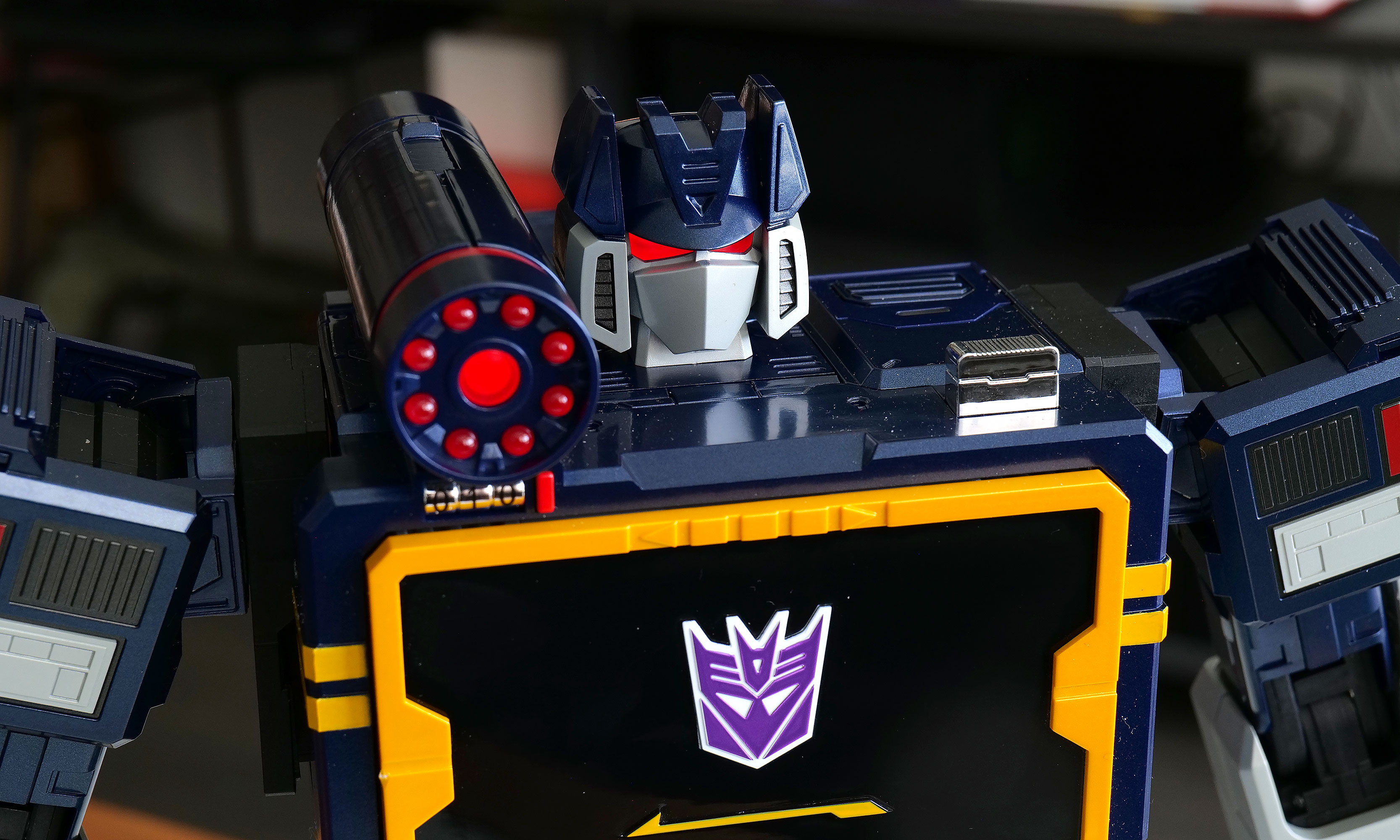
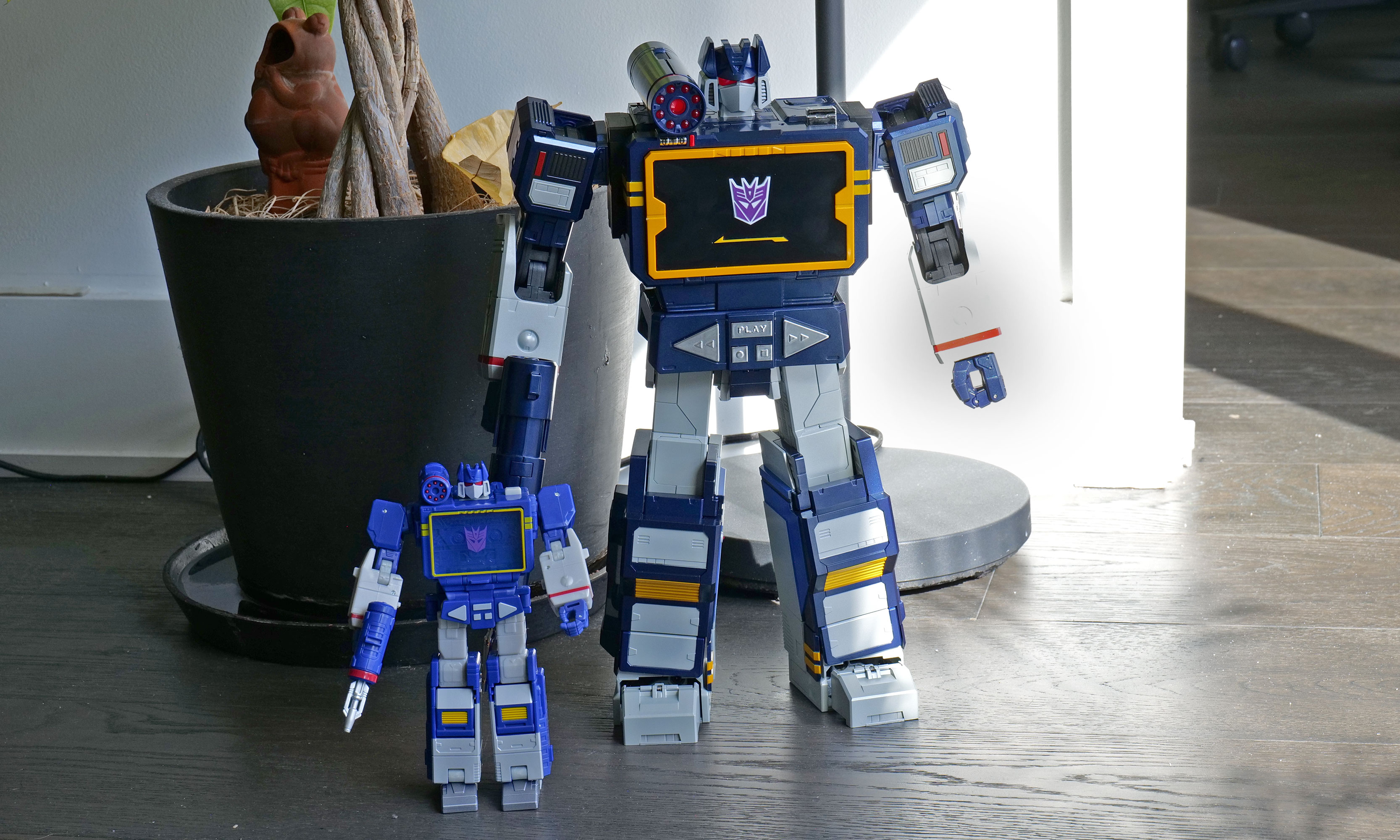
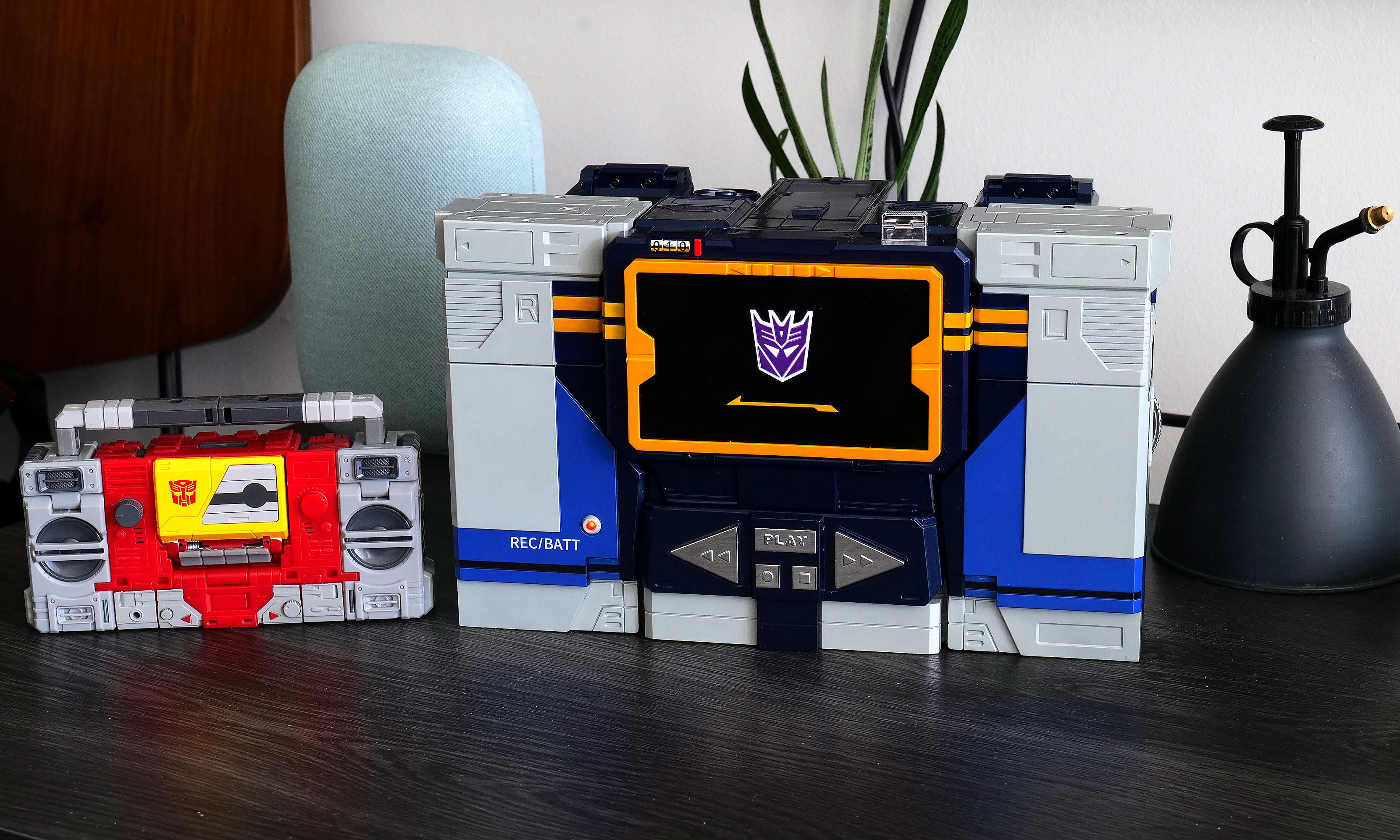
As a follow-up to previous bots featuring Optimus Prime, Megatron, Bumblebee, Grimlock and others, Soundwave was a superior choice, and Robosen has done a more than respectable job of bringing him to life. Not only can he spit out classic lines performed by original voice actor Frank Welker, both his robot and alt modes are a vision straight out of the first-generation (G1) cartoon. Everywhere you look, there are a ton of lovingly crafted details like the working eject button for the cassette slot and all sorts of lights. Robosen's head sculpt is spot on, and it even includes additional LEDs for his eyes and shoulder cannon. Granted, there is a bit of kibble (aka what fans call out of place parts leftover from transformation), like hands that don't properly fold away when Soundwave turns into a boombox, but that's really nitpicking. Between his incredibly accurate design, vocoder-powered vocals and an imposing stature that stands at around 14 inches tall, there's no way you can call this rendition of Soundwave uncharismatic.
A simply superior head sculpt.
Sam Rutherford for Engadget
However, the real magic happens when you turn him on (there's a little button on his back) and say "Hey, Soundwave." From here, you can use more than 50 different voice commands to boss him around like you're the leader of the Decepticons. This includes asking him to say iconic lines, respond to an Autobot attack or just wishing someone a happy birthday. Naturally, the most impressive request is asking him to transform, at which point 28 high-precision servo motors and multiple motion sensors coordinate. This allows Soundwave to convert from boombox mode to robot and back again, complete with the required sound effects. Even as a jaded adult, there's still something incredibly enchanting about watching a Transformer actually transform on its own. But that pales in comparison to the one-of-a-kind reaction my four-year-old son gave me when I repeated the process for him. There was a joy in his face I'm not sure a grown-up can truly express, as he gets to experience this without knowing this bot costs a cool $1,400.
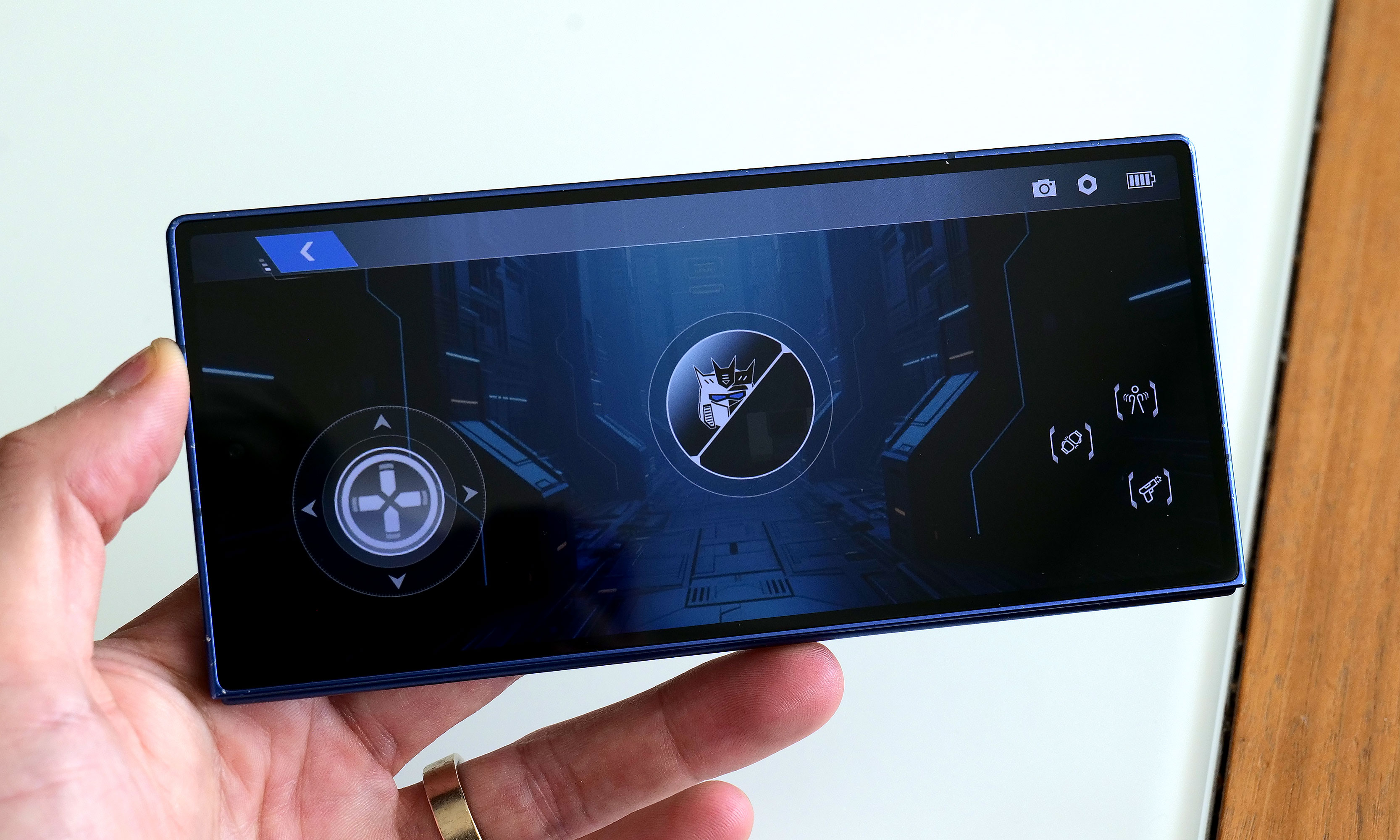
Robosen's free mobile app features a D-pad so you can easily tell the robot where to walk.
Sam Rutherford for Engadget
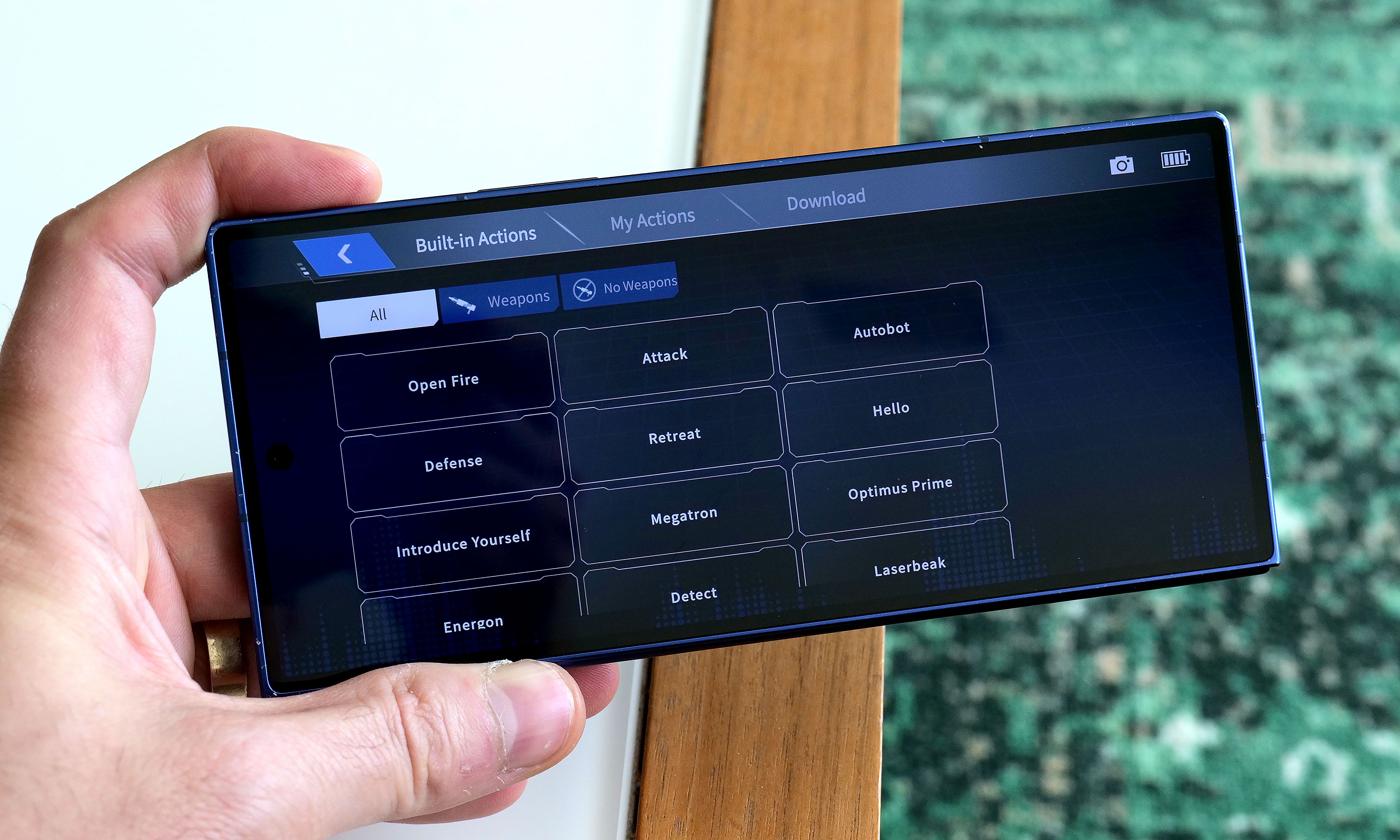
While testing Soundwave's various commands, I did notice that his voice recognition can be somewhat hit or miss. I found that even a little background noise can cause issues. To be consistently heard, you have to speak louder than you think you should. The real key is being very deliberate with a sharp "Hi" or "Hey" to activate Soundwave's wake phrase properly. Alternatively, if you prefer not to yell at your robots, there's also a free companion app that allows you to send commands by simply pressing a button, which was super easy to set up and quickly became my preferred control scheme.
Here is Robosen's version of Soundwave (right) compared to the Studio Series 86 figure (left).
Sam Rutherford for Engadget
In addition to making it easier to get Soundwave to walk around (it's much more fun to use a virtual D-pad than yell "Walk forward" all the time), the app also provides a more straightforward way of discovering what he can do while reducing the ambiguity of voice commands. There are handy buttons for all his voice lines and poses, plus there’s a toolkit for creating some of your own. You can also download more from the app, though there weren't any for me to test out because Soundwave wasn't officially out yet at the time of writing. There's even a Mini Theatre mode that allows the bot to perform short skits, and if you're lucky enough to own some of Robosen's other Transformers toys, like Megatron, some of these scenes can even be performed in tandem.
I don't think any Autobots have a chance against a Soundwave this big.
Sam Rutherford for Engadget
One awkward thing about Roboen's more sophisticated approach to toy robots is that Soundwave loses some of his structural integrity when his motors are off. For example, when you power him down in robot mode, he bends over backwards and gets stuck halfway between his humanoid and boombox forms. I assume this is to prevent him from falling over, which is a good thing; it just looks kind of weird. On the flip side, if you pick him up while in stereo mode, his limbs tend to droop. However, perhaps the biggest downside to Soundwave is one inherent to his design. Because his alt mode is a boombox instead of a vehicle like Optimus, Bumblebee and others, he can't pull double duty as a remote control car. But what Soundwave lacks in mobility, he makes up for with his signature acoustic skills.
Audio: Not just a bot, he's a real boombox too
From the front, Soundwave's boombox alt mode looks damn near perfect.
Sam Rutherford for Engadget
Soundwave turning into a boombox that can't play music just wouldn't make sense. Thankfully, that's not an issue as this bot's buttons aren't just for show. Hitting Play lets you listen to original tracks from the G1 cartoon, complete with the ability to pause or skip to the next track. You can also hold the record button to save a personal message for later, though I found this feature has a bit of a learning curve as Soundwave tends to cut out one or two seconds from the beginning and end of a clip.
Inside the app, there's also a big list for all of Soundwave's voice lines and poses.
Sam Rutherford for Engadget
Most importantly, if you want Soundwave to play other tunes, you can pair it with your phone or pretty much any other mobile device and use him just like a typical Bluetooth speaker. Now it probably won't be a surprise when I say that Soundwave's audio quality is mediocre at best. With all the various sensors, motors and moving parts, there probably isn't a ton of room for fancy drivers, so things sound tinny and flat. But in a way, that's kind of endearing because the vast majority of portable speakers back in the 80s didn't sound great either. The one thing I wish Robosen had included was a proper cassette player to really capitalize on Soundwave's classic audio capabilities. That said, even though I still have stacks of CDs and DVDs in my house, I don't have any tapes (despite their resurgence), so I get why that feature didn't make it.
Battery life
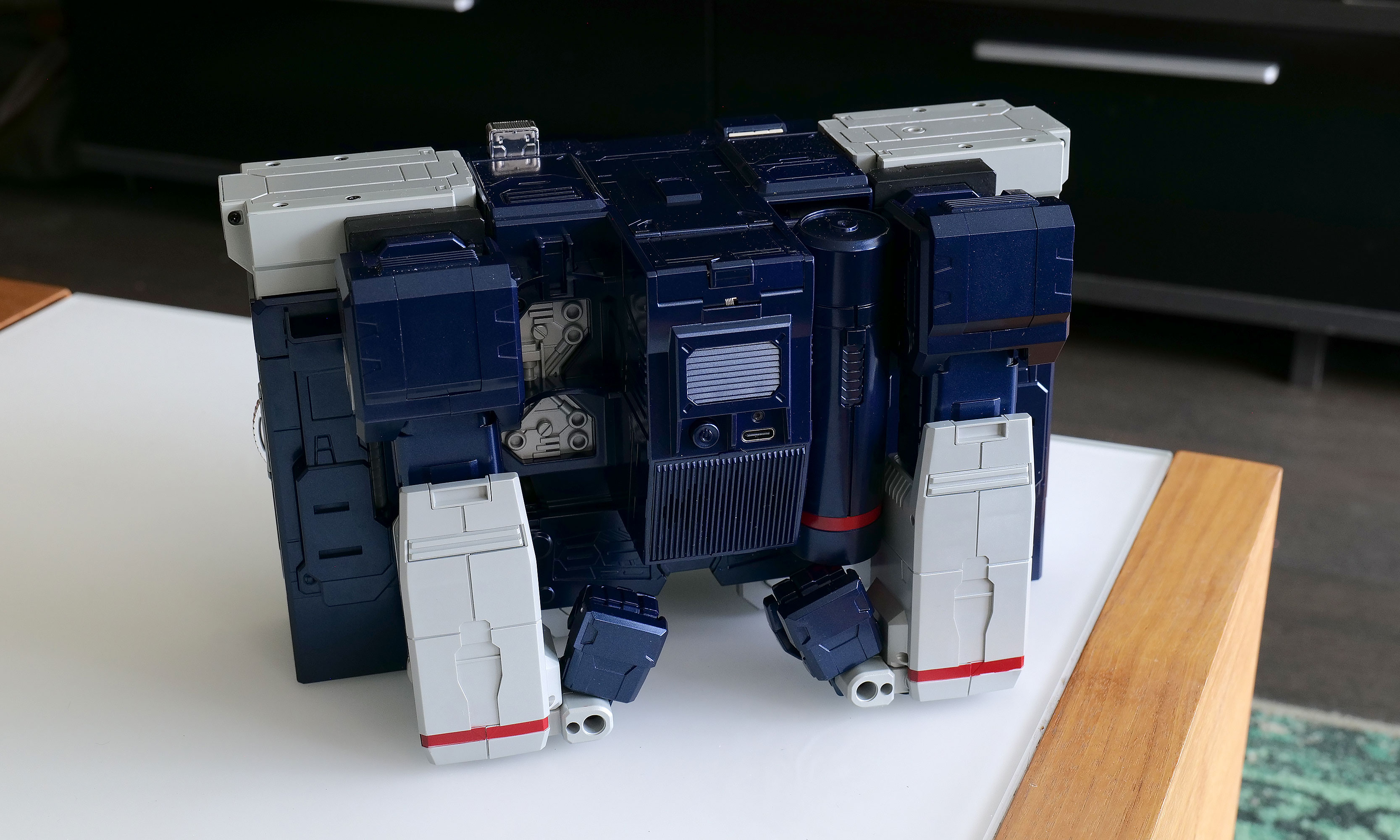
It may not be period accurate, but the addition of a USB-C port around back for power is a really nice touch.
Sam Rutherford for Engadget
Soundwave comes with a built-in 1,650mAh battery which takes about 120 minutes to charge from dead to full while offering a standby time of around 60 minutes. During my testing, I found you can get a solid 20 to 30 minutes of playtime out of him, which felt like plenty. Of course,that depends a ton on how much moving around you tell him to do. And while it certainly isn't period authentic, I really appreciate the inclusion of a USB-C port for charging.
Wrap-up
The funny thing about Robosen's Soundwave is that a toy like this would have been priceless to me as a child. But now that I'm older and I have to attach a value that goes beyond its basic price, things are a lot trickier.
I love Robosen's attention to detail. The figure looks incredible and getting voice lines from the original actor shows there's more than meets the eye to the robot’s design. But most importantly, seeing Soundwave transform on his own and stomp around like he does in the show will never get old.
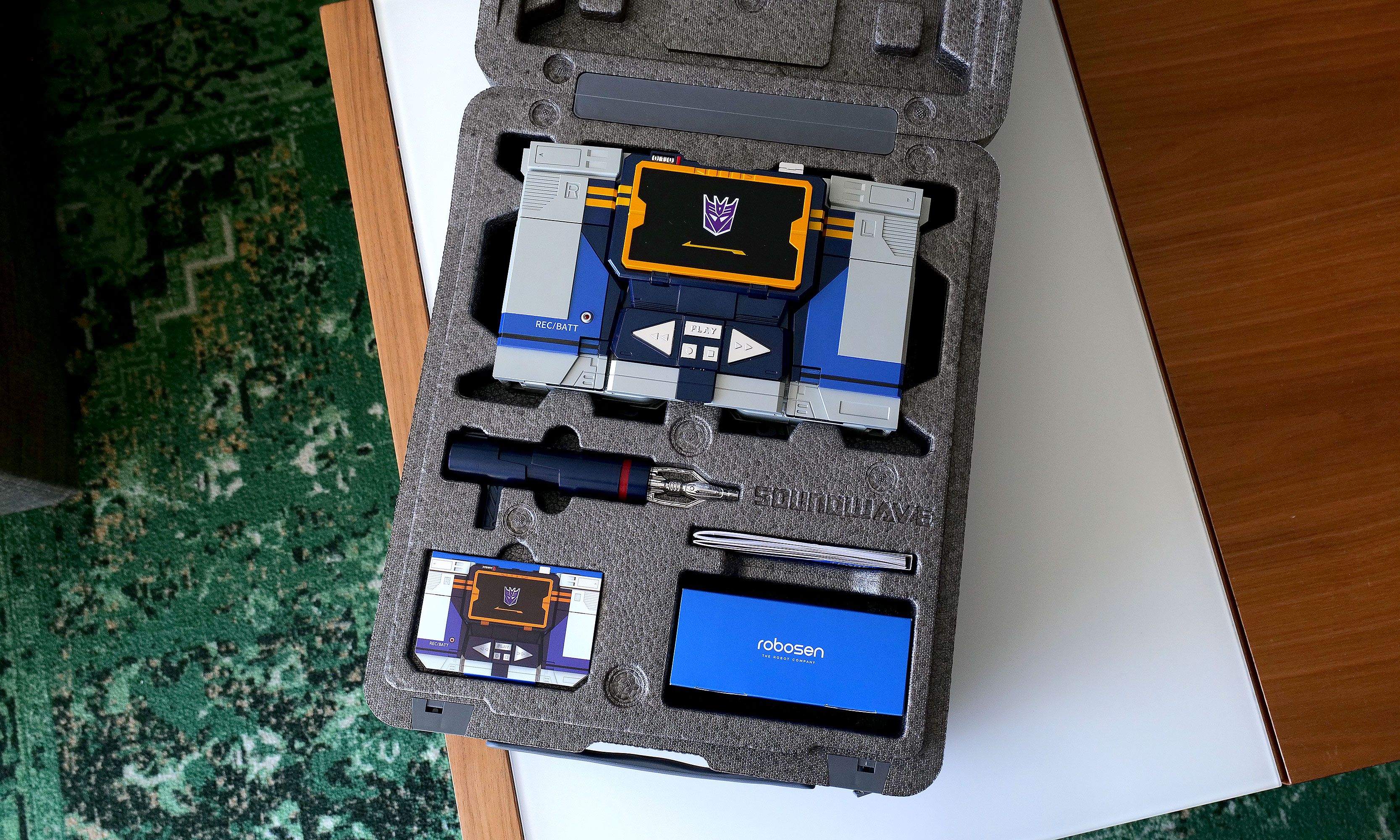
As you'd expect from a toy this expensive, Robosen's packaging is excellent.
Sam Rutherford for Engadget
On the other hand, $1,400 can buy the whole family a nice three-day vacation or more than two dozen regular Transformers toys. That kind of math makes it difficult to add this Cybertronian to the household register. But for anyone who has a budget similar to a Michael Bay movie, this take on Soundwave really does feel like a dream come true. Aside from some of Robosen's other products, this robot is certainly made of sterner stuff.
This article originally appeared on Engadget at https://www.engadget.com/general/robosen-soundwave-review-a-childhood-dream-made-real-120000804.html?src=rss
Last year, Belkin released a couple of cases for the Nintendo Switch 2 just in time for launch, including one that came with a handy battery pack. That one was simple and effective, but it felt a bit crude because it wasn't much more than a basic travel pouch with a generic power cell tossed inside. Now, Belkin is back with a Pro version of its Charging Case for the Nintendo Switch 2, featuring a more sophisticated battery pack along with a higher price tag ($100 vs. $70). So here’s the question for any Switch 2 owners still looking for a way to protect their console while keeping it topped off: Is a more elegant charging solution really worth the extra money?
Case design
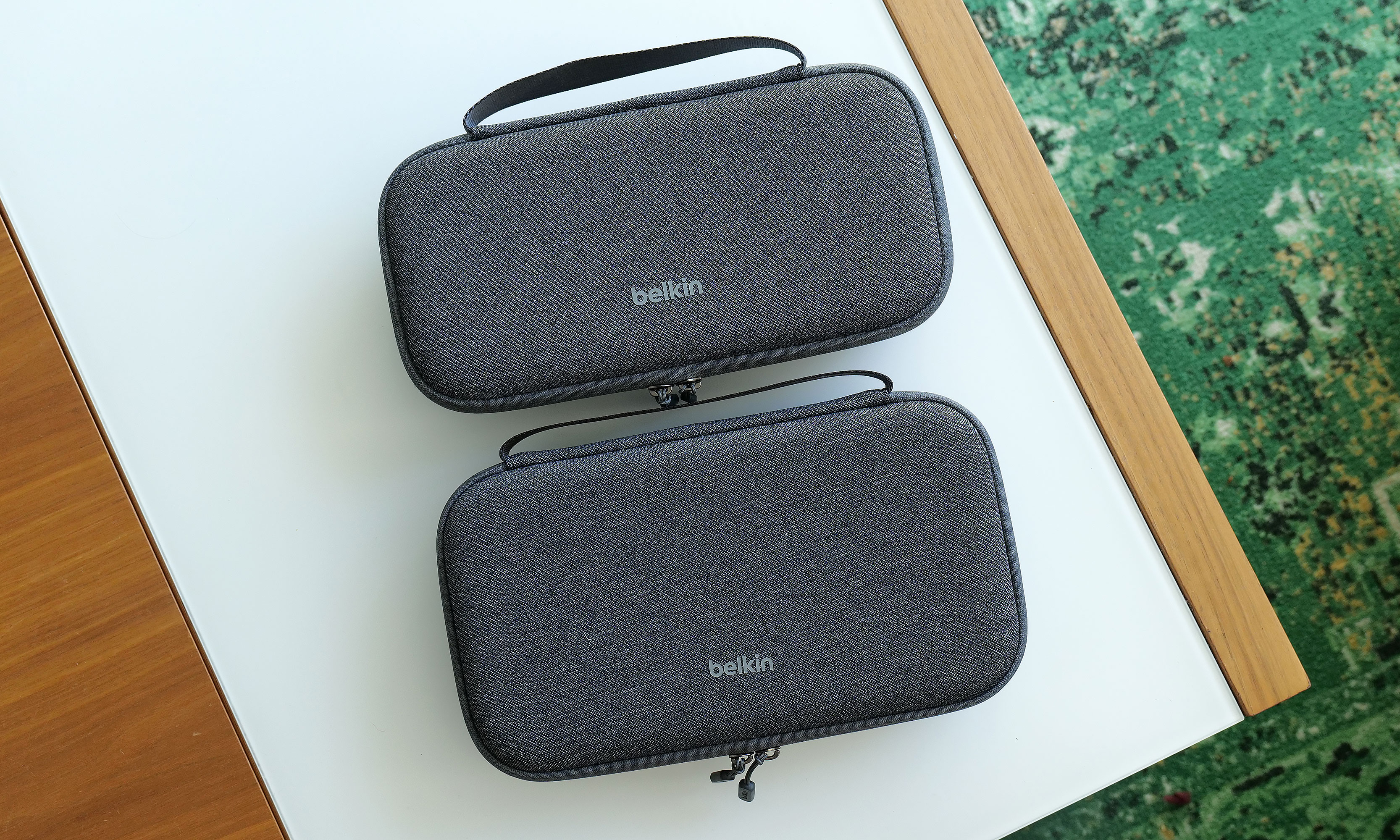
At 11.7 x 6.1 x 2.5 inches and weighing 1 pound 12 ounces, the Pro Charging Case is a touch larger and heavier than its non-pro sibling. It also features a very similar design with the same color options and materials, including a tough polyester outer shell that’s balanced by a softer, velvet-like material and cutouts for your Switch 2 on the inside.
The Pro Charging Case (bottom) is a touch bigger and heavier than the previous model, but aside from that its sports a nearly identical design.
Sam Rutherford for Engadget
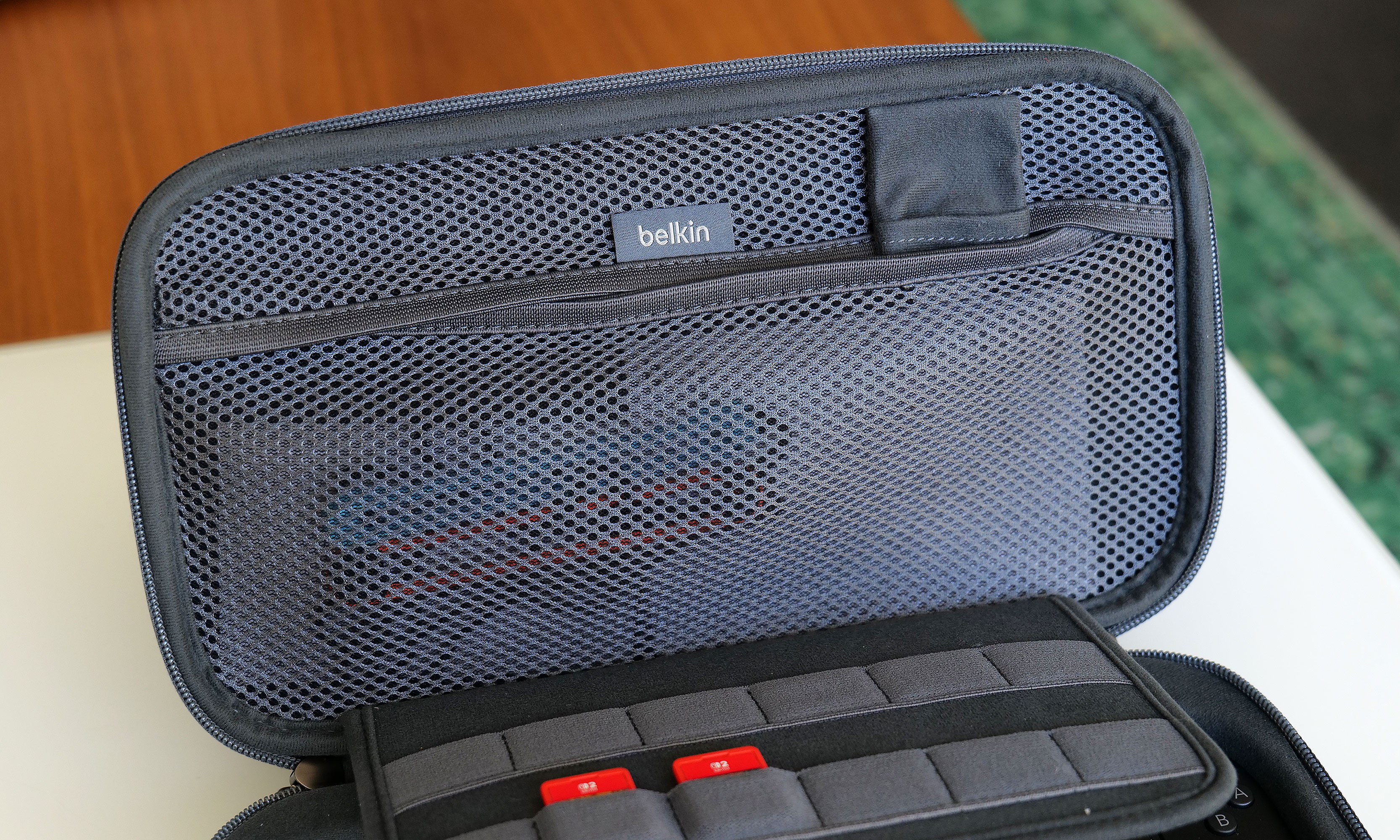
Once again, Belkin has done a good job of providing a snug cabin to store your console while still making it easy to take it in and out. That said, if your system also has an extra-thick protector or hardshell case like the Killswitch from Dbrand, it may not fit. There's also a padded flap that swings down to protect your Switch 2's screen that also pulls double duty as a place to stash up to 12 game cartridges, which is a very thoughtful touch.
However, the biggest change to the Pro Charging Case's exterior design is a new cutout on the front edge, which allows you to top off other gadgets (or a Switch) by plugging a USB-C cable into Belkin's included battery pack. Unfortunately, the case doesn't come with a cord, which seems a bit odd until you take a closer look at the power pack's layout. That’s because once you open up the case, you’ll see a second port designed to fit right into the bottom power jack on the Switch 2 without the need for a cable.
The inside of the Pro Charging Case features a handy mesh pocket, 12 slots for game carts and a hidden AirTag pouch.
Sam Rutherford for Engadget
Other small touches on Belkin's Pro Charging Case include a mesh pocket for storing things like cables, Joy-Con straps or cleaning cloths, which is very handy. However, my favorite thing might be the AirTag pouch that's also hidden inside that pocket, which could give you a fighting chance of recovering your system if it's ever lost or stolen (though I wouldn't count on it).
Battery pack
The arrangement of the included 10,000mAh battery pack and the placement of its internal USB-C port makes it a cinch to recharge your Switch 2 every time you put it in the case.
Sam Rutherford for Engadget
Despite the increased size of the Pro Charging Case's included battery, it has the same 10,000mAh capacity as what you get from its less expensive sibling. That means you'll typically have enough juice for a little more than 1.5 recharges for your Switch 2 and its onboard 5,220mAh cell. Instead of relying on a simple external power pack like before, Belkin's bundled battery comes with a second USB-C port and a kickstand. This makes it super easy to plug in your Switch 2 every time you put it in the case. This way, you know the next time you turn it on, it'll be at 100 percent.
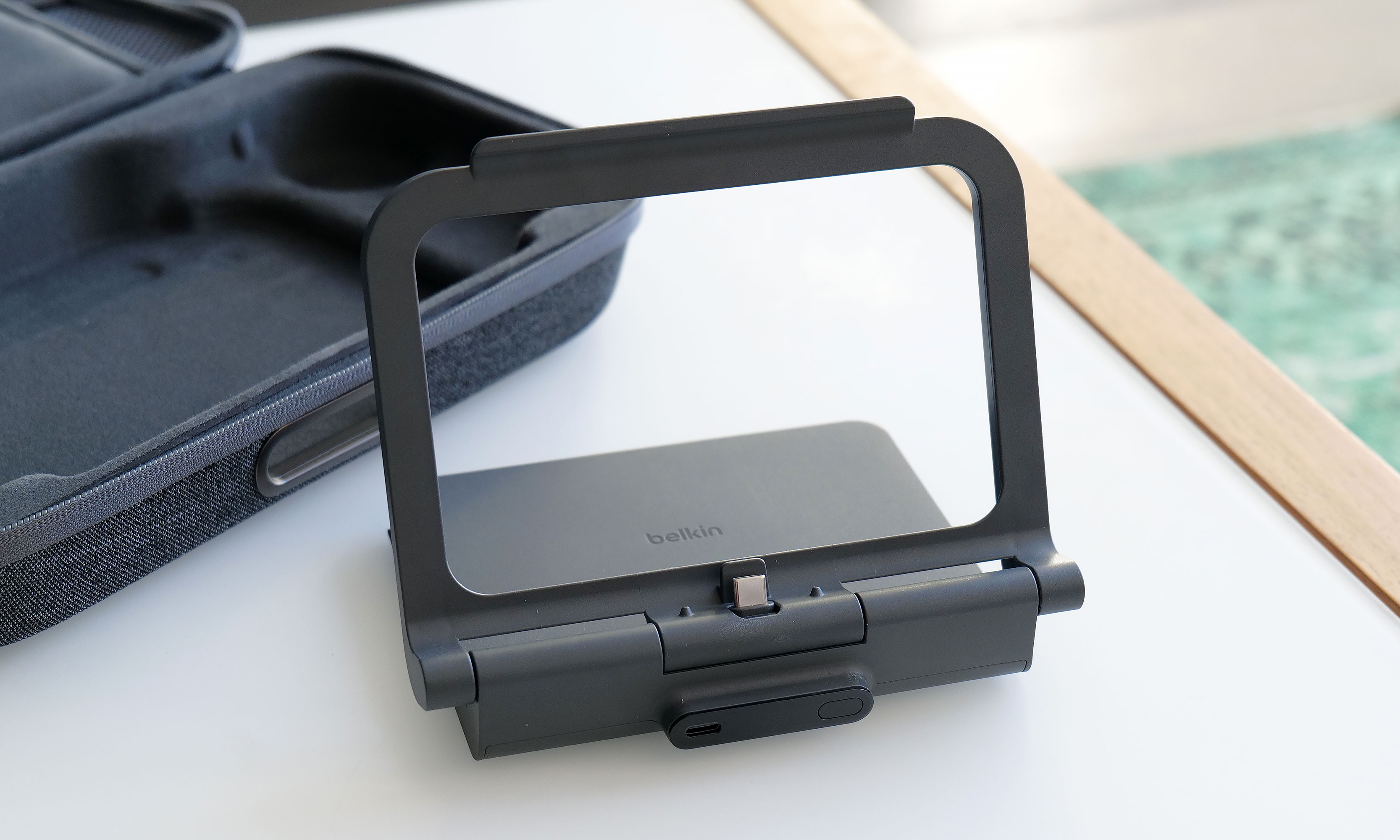
Here's what the battery pack looks like when you take it out of the case. As you can see, its size and shape means it's not a great standalone external power pack any more.
Sam Rutherford for Engadget
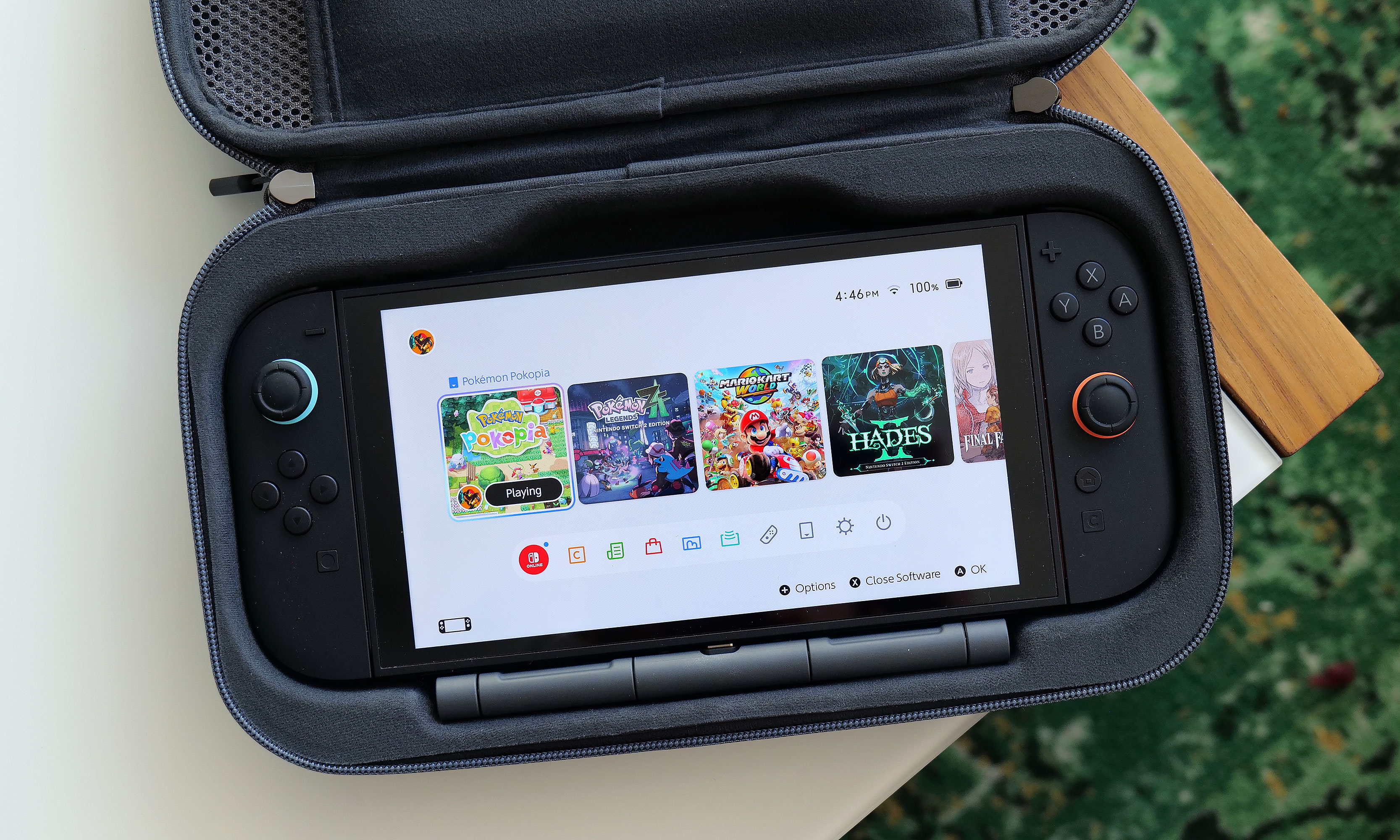
Alternatively, you can raise the kickstand to prop up the Switch 2 and game on it while it stays nestled inside the case. This might seem a bit redundant as Nintendo's console already has its own kickstand, but Belkin’s allows you to continue charging the system while you're playing without needing a cord. There's even a handy display on the side of the battery, so it's super easy to see how much juice is left, even when the case is closed. Furthermore, when you need to recharge the power pack, you can do so without removing it from the case or disconnecting your Switch thanks to that bonus USB-C port on the outside. Compared to the previous model, this is certainly a more elegant solution that provides some subtle quality of life improvements. The one downside is that the battery pack is somewhat awkwardly shaped, so you won't really want to use it on its own.
Wrap-up
There's no doubt the Pro Charging Case's new battery pack is a more premium solution that's easier to use and manage. When you need to recharge it, you can do so from the outside without opening the pouch. It also lets you charge a Switch 2 without ever needing a cable. The built-in kickstand is another bonus that helps elevate the whole kit from a simple case to something closer to a tiny all-in-one gaming booth.
One of the neat things about giving the battery a kickstand is that it turns the case into a mini all-in-one. This makes me wish Belkin gave the included power pack some sort of docking functionality for connecting the Switch 2 to an external display.
Sam Rutherford for Engadget
That said, after using it for a couple of weeks, I'm still not sure the added convenience is worth an extra $30 over the original. Due to the battery packs' new shape, it's less useful as a standalone power cell, and the rest of the case's design is largely unchanged. Of course, it's always nice to have options, and if you're the kind of person who doesn't mind spending a little extra for a more streamlined and convenient kit, Belkin's Pro Charging Case for the Switch 2 is still very much worth consideration.
This article originally appeared on Engadget at https://www.engadget.com/gaming/nintendo/belkin-charging-case-pro-for-switch-2-review-a-more-elegant-solution-144820809.html?src=rss
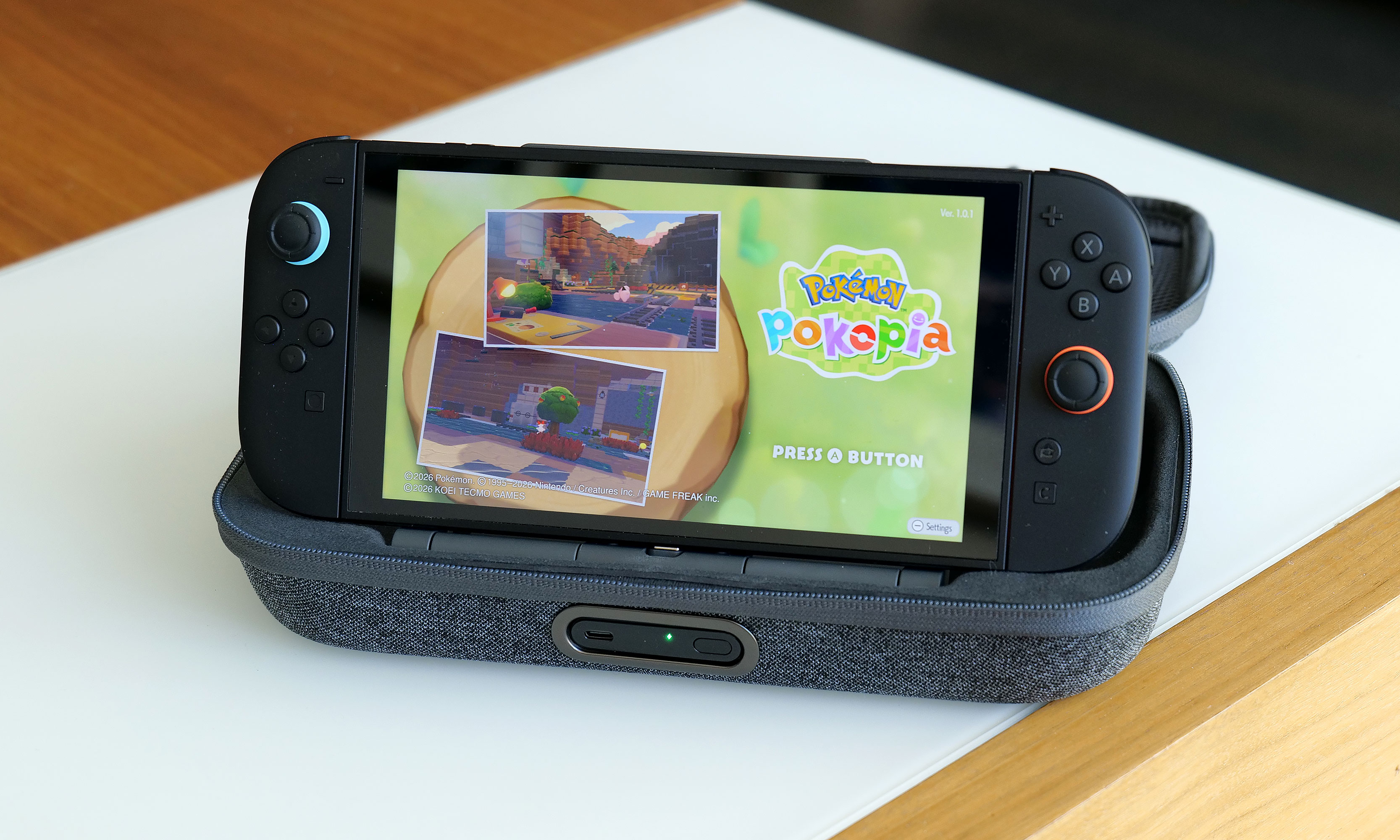
Ever since making the jump to the Nintendo Switch, there's something that's bugged me about practically every modern Pokémon game, a feeling that has only intensified after spending countless hours in Pokopia. For titles based in big, open worlds and filled with adorable polygonal characters and lovely music, why is nearly every pokémon still saddled with a call that sounds like a dial-up internet connection?
As someone who played Pokémon Red and Blue at launch, I'm very aware that the origin of these sounds is tied directly back to those original titles on Game Boy, which was powered by an 8-bit SM83 processor from Sharp. Back then, it was a herculean challenge to fit the entire game into a single 512KB cartridge. So as a way to save space, the voice (or cry as they are more commonly known) of each of the original 151 Pokémon came from just 38 base cries, which then had their pitch or duration modified to create more unique sounds.
Naturally, this tradition of lo-fi cries continued throughout Pokémon's run on the Game Boy and Game Boy Advance and onto the Nintendo DS and 3DS. And despite the higher-res graphics we got in subsequent titles, the use of sprite-based icons and other nostalgic touches made those bitcrushed calls sound right at home. However, when the series moved to the Switch and Switch 2 and embraced larger 3D worlds, those cries began to feel disconnected, especially for newer players without years of nostalgia to draw from.
The first issue is one of identifiability. They all kind of sound the same, especially in earlier titles like Red and Blue or Gold and Silver, where around one hundred new Pokémon are represented by just 30 base cries. Ideally, a monster's voice would be just as recognizable as its silhouette. Unfortunately, the current lo-fi cries just don't fit the bill.
The second problem is that the continued use of the old-school cries feels out of place in the grand scheme of Pokémon. When you watch the Pokémon anime, monsters don't use the same crunchy screams. Same goes for the movies, including big theatrical releases like Detective Pikachu. At this point, pretty much every new piece of Pokémon media except the games (and the TCG for obvious reasons) features proper voice acting, which sort of brings us to the biggest reasons to ditch the audio clips from the Game Boy era: Pokémon that actually say their name is just super fun and easy to understand.
Sure, it's a bit of a gimmick, but it works. Plus, it kind of resonates with the philosophy that many vexillologists hold that says flags should be simple enough for a child to draw. Kids can say "Charmander," "Greninja" and even "Alomolola." But there ain't no way they are pronouncing this. For a game that's intended to be played by younger audiences, having the reinforcement of hearing a pokémon say its name while also seeing it written out in text isn't just easier to comprehend, it can also be a learning exercise. Also, just ask yourself, when you think of Squirtle, what do you hear in your head: this or this?
Now, there are several reasons why Game Freak hasn't made this leap already. The first is obviously money. Granted, localization costs only make up a fraction of the budget for a Pokémon game, but it's still a lot of work to translate things for various regions across the world, especially with modern titles available in at least nine different languages. This includes adjusting the names of specific monsters to better suit a specific market. For example, in Japanese, Hitmonchan and Hitmonlee are named Ebiwalar and Sawamular as a tribute to some of the country's most famous boxers. So when you consider the need to get different voice actors across the world to perform all of these variations, things get expensive.
Furthermore, there's an argument that creating a canonical voice for a main character like Victor or Gloria from Sword and Shieldtakes away from players' ability to imagine their own. Pokémon is an RPG after all. However, I don't think that reasoning flies when it comes to each monster's individual cry, even though many of them have been upgraded or refined in recent years. Same goes for the idea that a Pokémon that says its name sounds less natural than whatever this is. At the end of the day, these monster calls are iconic, and the Pokémon devs know this, because they've given proper cries to characters like Pikachu and Eevee in certain situations.
Regardless, for a franchise that's one of, if not the most valuable media property on the planet, I really hope that one day we can get proper vocal performances in Pokémon games, even if it costs Game Freak and Nintendo a little extra money. To be clear, I don't hate the old 8-bit cries and I don't think Game Freak needs to delete them entirely. They can simply be an alternate choice for anyone who prefers them over their actual voices. I just feel like after recently celebrating its 30th birthday, it's time for Pokémon to move on and celebrate some of the voice acting that helped make the franchise so popular in the first place.
This article originally appeared on Engadget at https://www.engadget.com/gaming/nintendo/its-time-for-game-freak-to-finally-give-pokemon-some-proper-voice-acting-130000851.html?src=rss
Last year, Dell came this close to abdicating its throne as the maker of the best premium Windows laptops when it announced it was killing off the XPS brand. Thankfully, the company regained its wits, admitted its mistake and doubled down on its flagship notebook line by revealing a full redesign for 2026 with super sleek builds, improved performance and helpful tweaks to nearly everything else we loved about its predecessors. The one blemish to Dell's crown jewel is some keyboard issues on early units. But make no mistake, the king of laptops is back.
Design and display
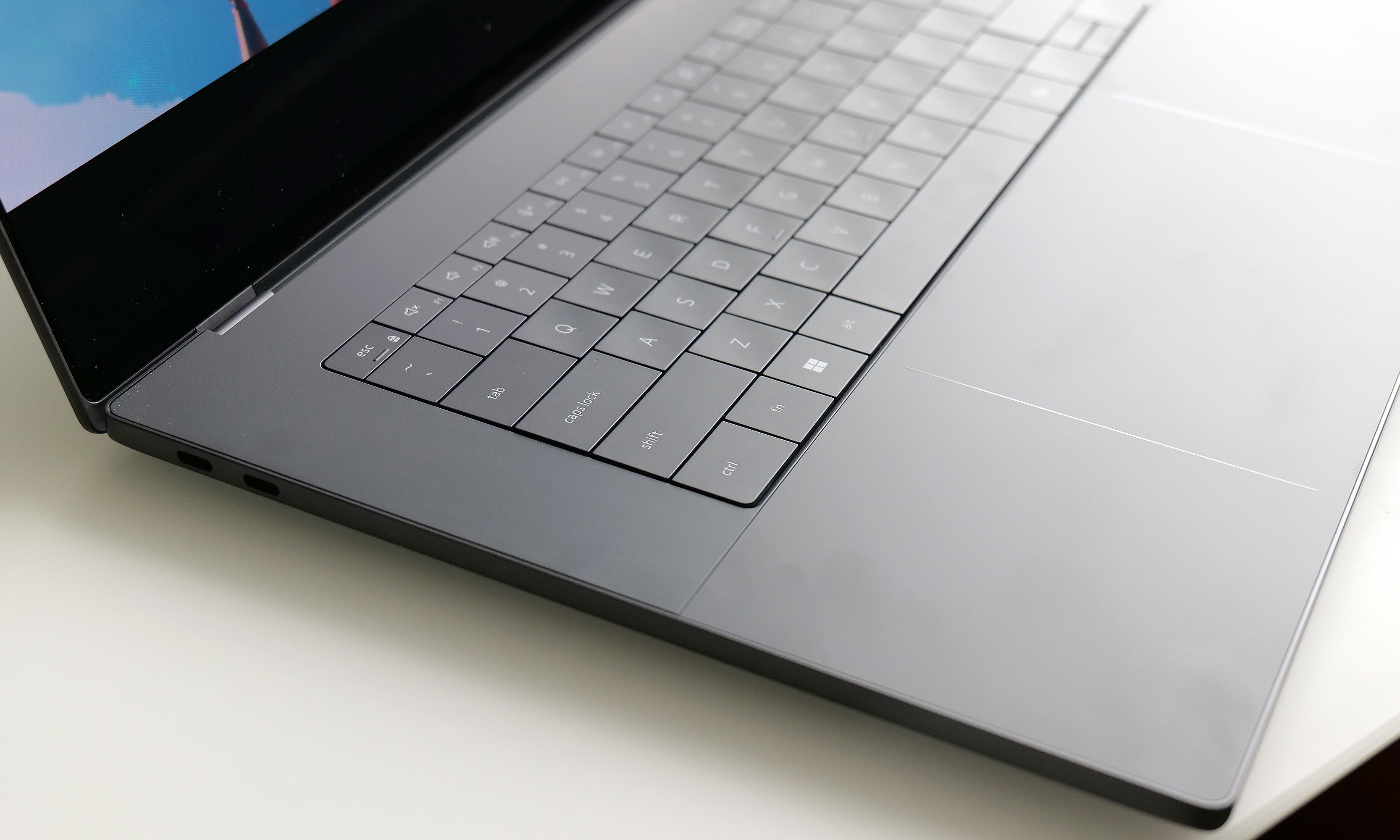
For this revamp, Dell didn't stray away from the XPS line's typical mix of glass and aluminum. However, this time around, the company streamlined pretty much everything. The XPS 16 now weighs just 3.65 pounds (or 3.85 if you opt for the heavier LCD display), which is almost a full pound lighter than its predecessor (4.56 pounds). That's a massive drop and it makes this system closer in heft to a 15-inch MacBook Air (3.3 pounds) than a 16-inch MacBook Pro (4.7 pounds), despite the latter being XPS's usual rival. It's also noticeably thinner at 0.58 to 0.6 inches (depending on the exact configuration), which is once again a sizable decrease from the previous model (0.75 inches). Honestly, this laptop needs to be held to be truly appreciated. Even after using it for a while, it still feels impossibly sleek every time I pick it up.
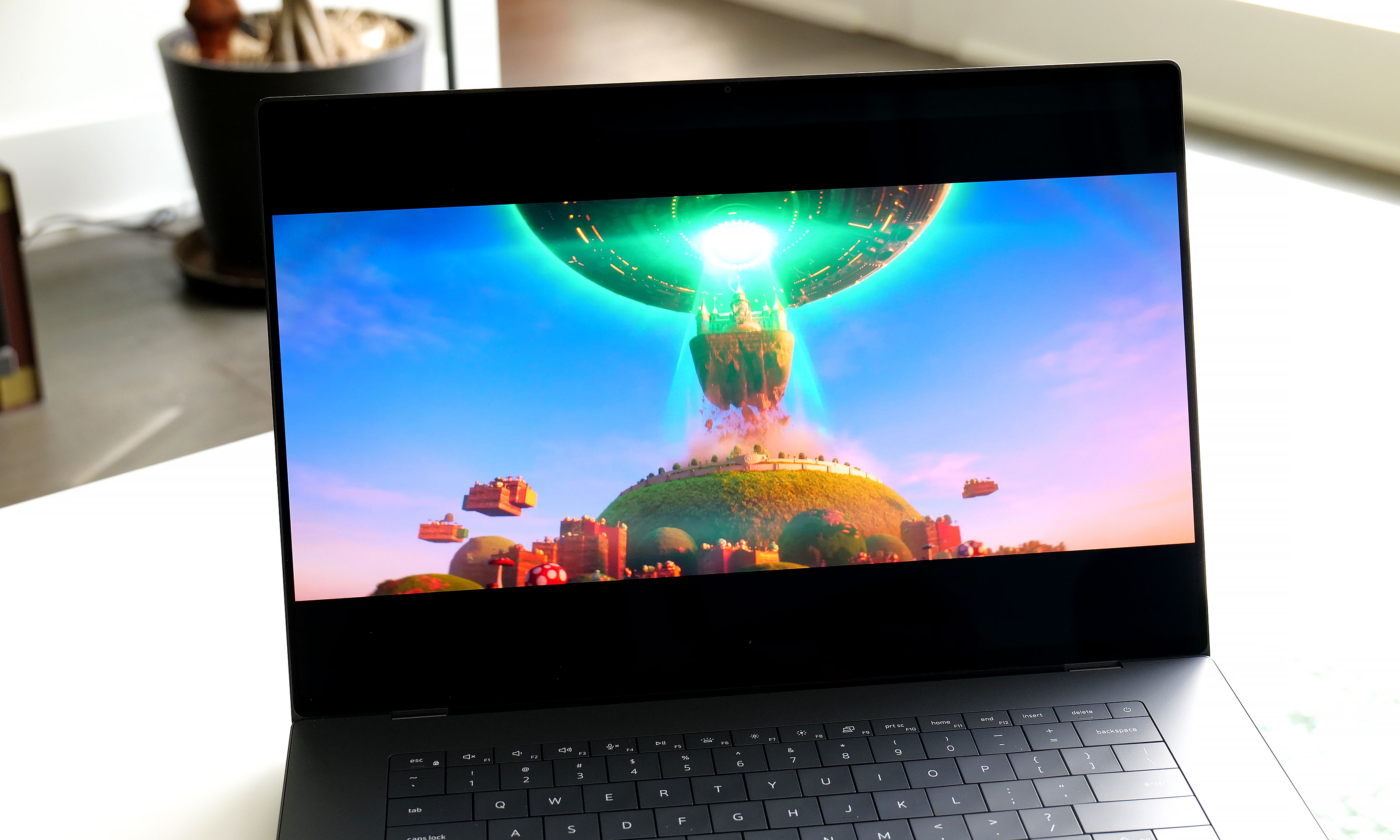
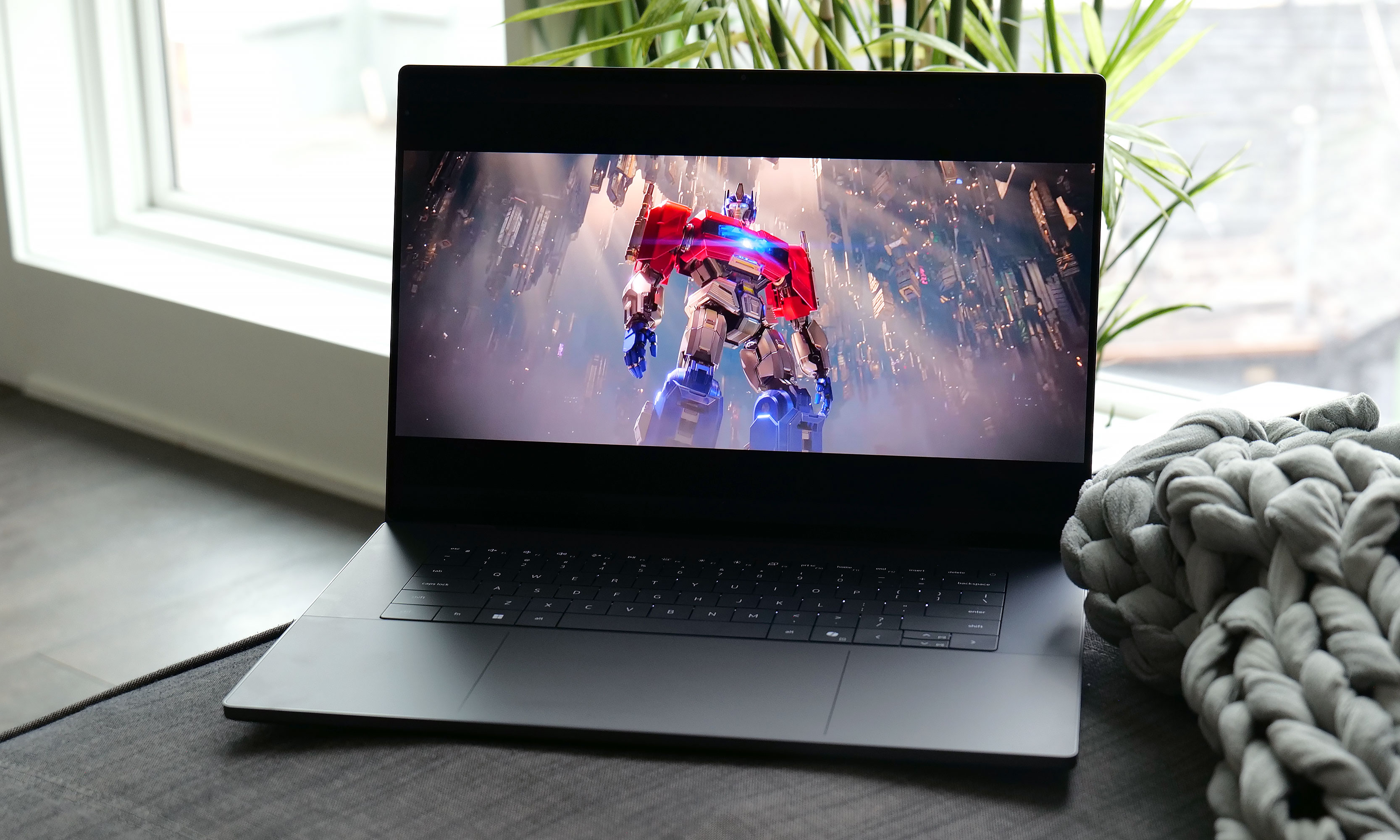
The optional 3.2K OLED display available on the XPS 16 is simply gorgeous.
Sam Rutherford for Engadget
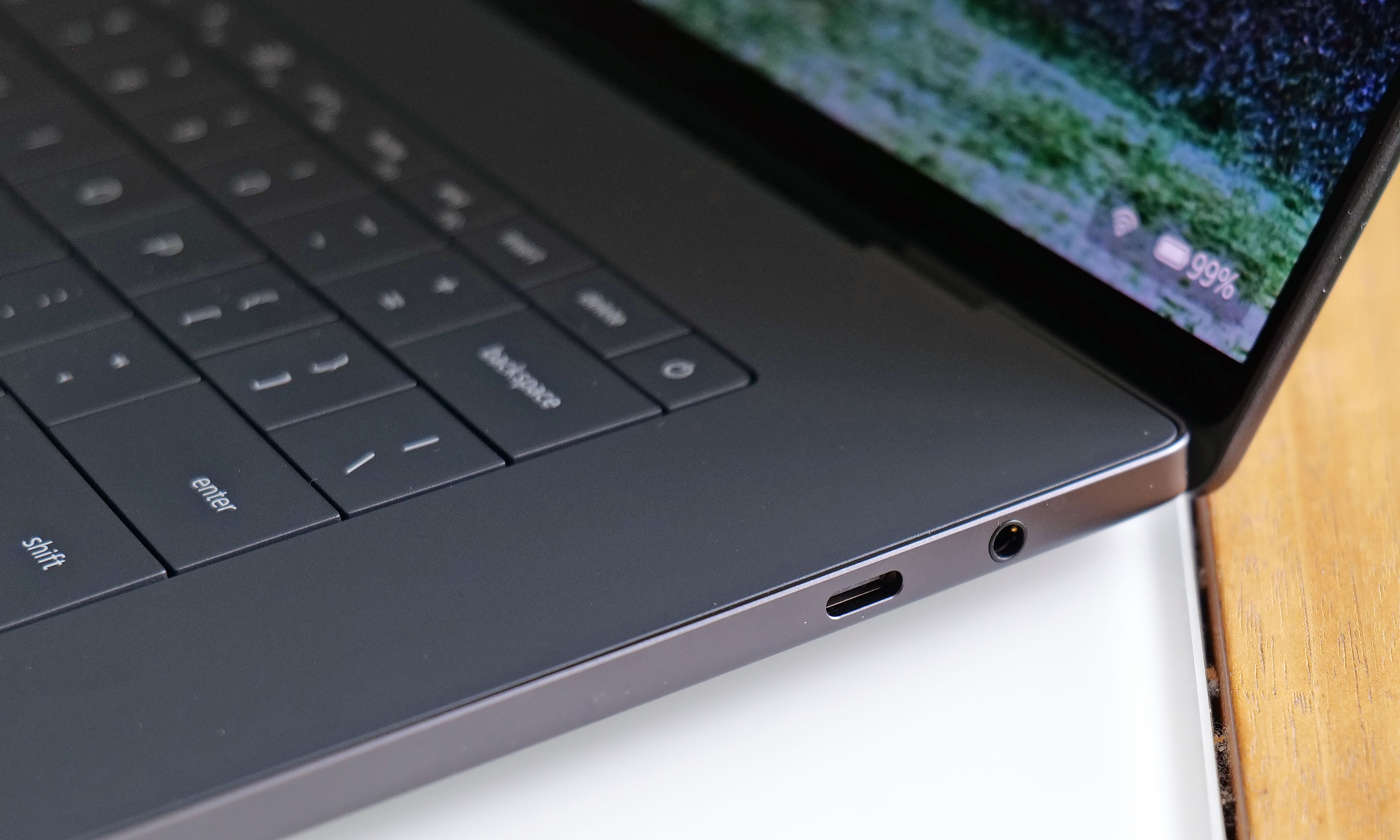
Elsewhere, Dell kept important features like the XPS line's up-firing stereo speakers (which sound great), along with a decent mix of ports, including three USB-C jacks that support Thunderbolt 4, DisplayPort 2.1 and power delivery. The one thing I wish Dell had included though, is some sort of SD card reader. With the XPS 16 being the largest member of the family, it's often a prime option for people who like to edit photos and videos on the go, so having an easy way to transfer media from a camera to the laptop would be really nice.
As for its display, Dell's optional 3.2K tandem OLED panel like the one on our review unit reinforces the laptop's role as a mobile editing platform. It produces vibrant hues and features a variable refresh rate that can go between 20 and 120Hz depending on what's on the screen. Despite having a nominal peak brightness of 400 nits, it looks much brighter in person, so you're getting an excellent viewing experience.
Keyboard and touchpad
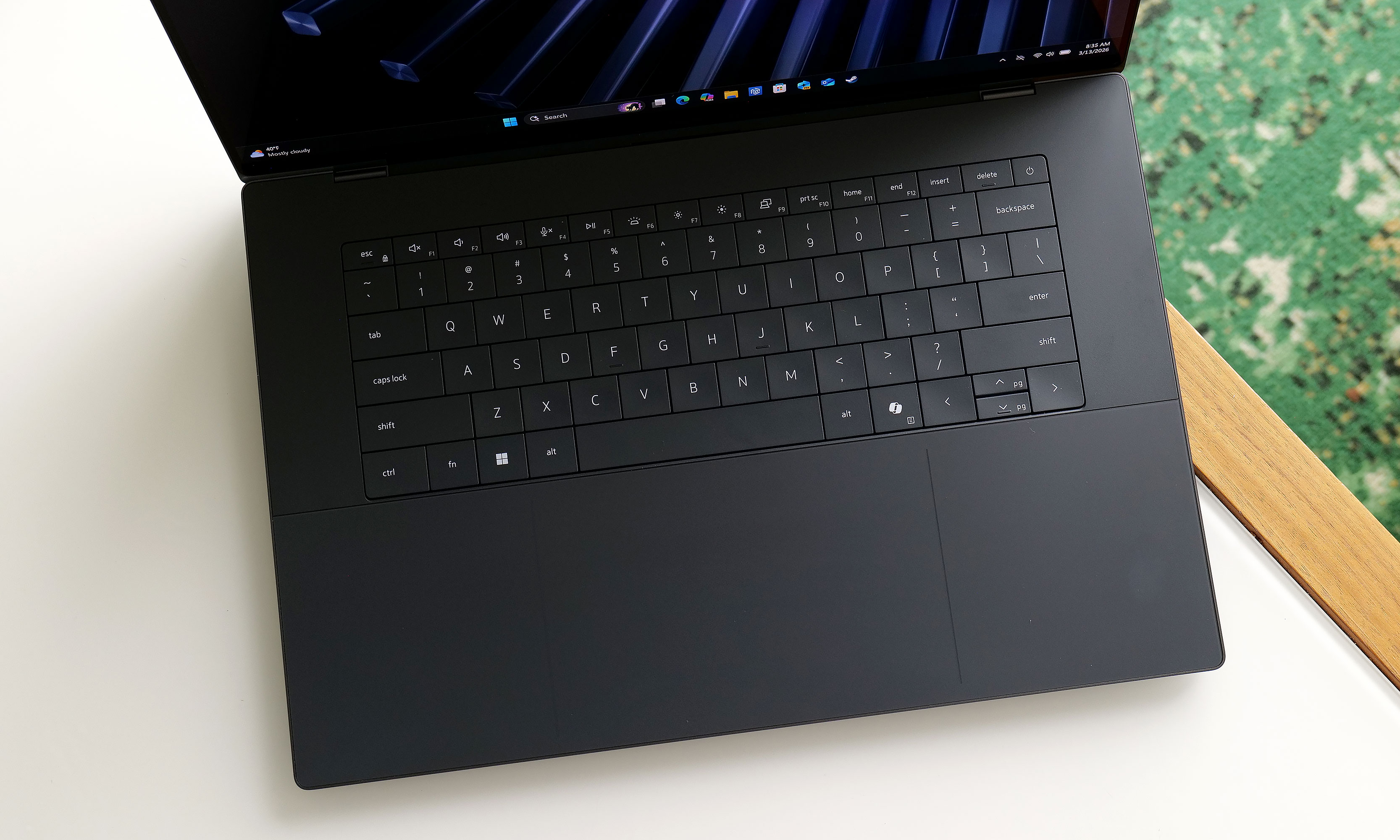
The XPS 16's keyboard looks great, but the lack of an anti-ghosting feature and somewhat shallow key travel aren't ideal.
Sam Rutherford for Engadget
Perhaps the biggest change to the XPS line is its reworked keyboard and touchpad, which brings some ups and downs. Dell kept the glass deck and seamless touchpad used on previous models, except now there's a faint line going around its perimeter, so you never have to guess where it is. The company also replaced the row of capacitive touch function and media controls from its predecessor with regular keys. As a fan of physical buttons, this is just great.
The issue is that for discerning typists, the keyboard seems to be missing anti-ghosting or N-key rollover tech. This means that if you press two keys very quickly one after another, the second press actually gets registered first, which can result in erroneous inputs. We ran into the same problem when testing the XPS 14. Dell claims this issue only impacts the first batch of systems off the line and that units on sale today have had this issue patched already. Furthermore, the company says it will release an update to address the issue on the remaining units, which should be out sometime in March. Though at the time of publication, I haven't received anything yet.
The XPS 16 also features punchy up-firing stereo speakers that don't leave much to complain about.
Sam Rutherford for Engadget
There is another nitpick about the keyboard. While I don't mind that Dell retained its zero-gap layout instead of going with a more traditional chiclet-style design, the more I type on it the more I wish Dell would offer something with a bit more key travel and heavier actuation. For reasons out of my control, my company-assigned work machine is a Dell Precision 5680 from 2023. I don't like it very much aside from its keyboard, which is significantly bouncier and just generally nicer to use than the one on the XPS 16.
Performance
A big reason why Dell was able to make the XPS 16 so thin and light is that the company didn't leave room for discrete graphics. That means you can only choose between a handful of Intel's latest Series 3 Core Ultra chips, ranging from the Ultra 5 325 to the Ultra X7 358H, with the latter being the one I tested here. That's not a bad thing though, as the laptop easily handled all the various productivity tasks I threw at it. And even without a proper GPU, the XPS 16 still pumped out 62 fps in Cyberpunk 2077 at 1920 x 1080, using Ultra settings and Intel's XeSS set to Quality. Those kinds of numbers aren't going to make anyone toss out their dedicated gaming rig, but once again, that's not too shabby for a notebook this easy to carry around.
Battery life
The XPS 16 comes with three USB-C port with Thunderbolt 4 which is nice, but sadly it lacks an SD card reader for quickly transferring media from a camera.
Sam Rutherford for Engadget
Thanks to a larger 99.5Whr battery, the XPS 16 fared better on our rundown test than its smaller sibling. This could be a deciding factor for anyone trying to choose between the two. In PCMark 10's Modern Office battery benchmark, the XPS 16 lasted just shy of 12 hours (11:53), which is more than an hour and a half longer than what we got from the XPS 14 (10:21). As long as you're not going to be gone for more than a day or you're really pushing it, you should be able to leave its power brick at home.
Wrap-up
Instead of killing the XPS name for good, Dell wisely reconsidered and then doubled down. The result is fantastic new version of the XPS 16.
Sam Rutherford for Engadget
When Dell decided to bring back the XPS name, COO Jeff Clake said the company was going to get back to its roots. That's the kind of messaging that's easy to stay on a stage, but after testing out the reborn XPS 16, I can confirm it isn't just flimsy rhetoric.
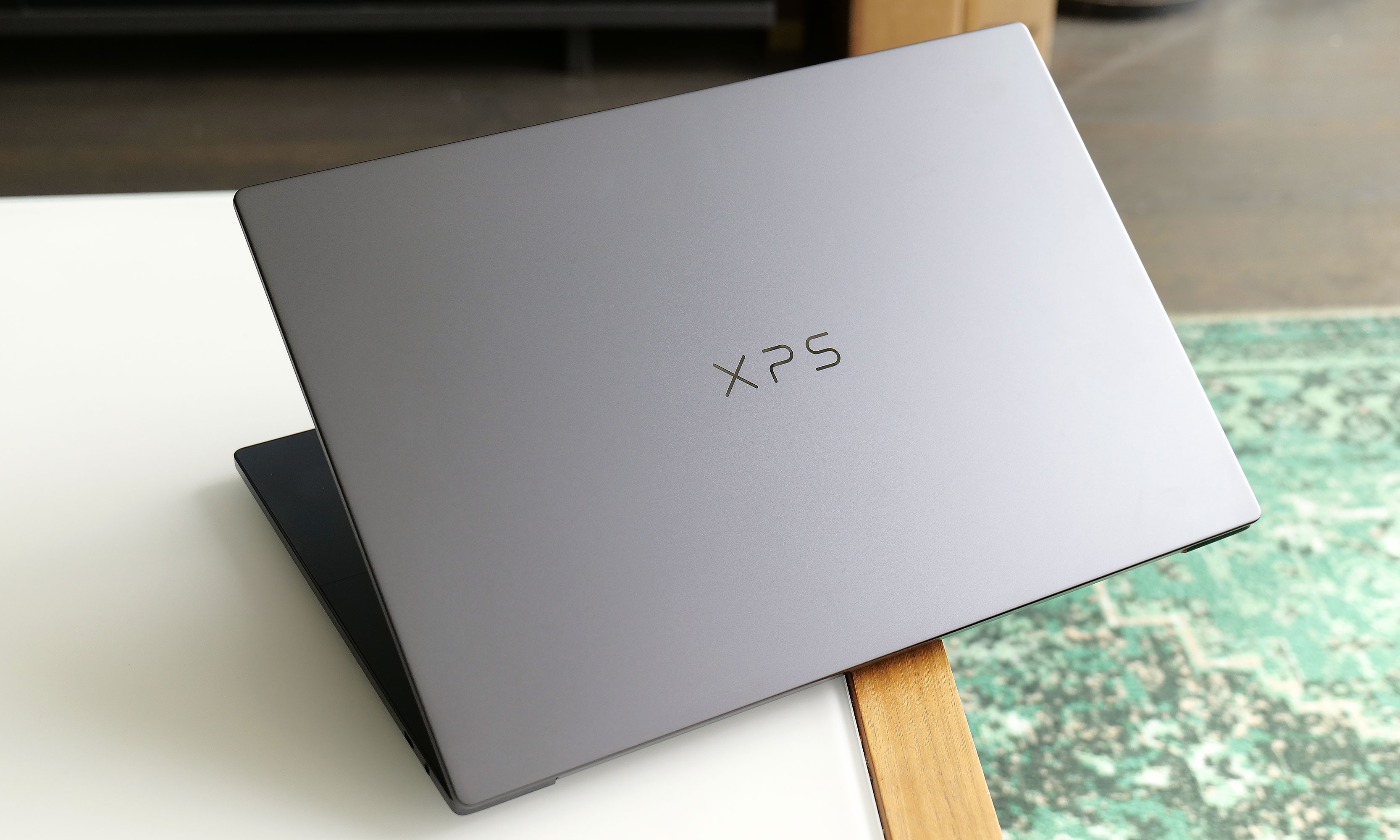
This laptop is a shining example of a premium ultraportable Windows laptop done well. It features a super sleek aluminum chassis, strong performance, solid battery life and an excellent display, particularly if you upgrade to the 3.2K OLED option. The connection to the iconic award-winning systems isn't just skin deep. This thing is just as much an XPS as the ones we loved a decade ago and Dell is driving that point home by letting the XPS logo sit front and center on its lid instead of the company's usual branding.
At just 3.65 pounds, the 2026 XPS 16 is basically a full pound lighter than its predecessor.
Sam Rutherford for Engadget
My one complaint is that I wish Dell would bring back the chiclet-style keyboards we got on models from the early 2020s. Though as long as the company can release updated software to fix the ghosting issues I've encountered, what's on there now is more than good enough. Granted, at $2,349 for our review unit, the XPS 16 is a bit pricey, but that's the going rate for a high-end notebook these days. If you snag a discount similar to the one Dell is currently running , suddenly, you're looking at an even more enticing package at $1,900.
The biggest reason someone might want to hold off for now is if you do need more powerful graphics, as I'm expecting Dell to release an alternate version of the XPS 16 with room for a discrete GPU (and hopefully an SD card reader) sometime before the end of the year. Despite Dell nearly tossing decades of pedigree in the trash just months ago, the XPS 16 has returned to reclaim its spot at the top.
This article originally appeared on Engadget at https://www.engadget.com/computing/laptops/dell-xps-16-2026-review-return-of-the-king-130000906.html?src=rss
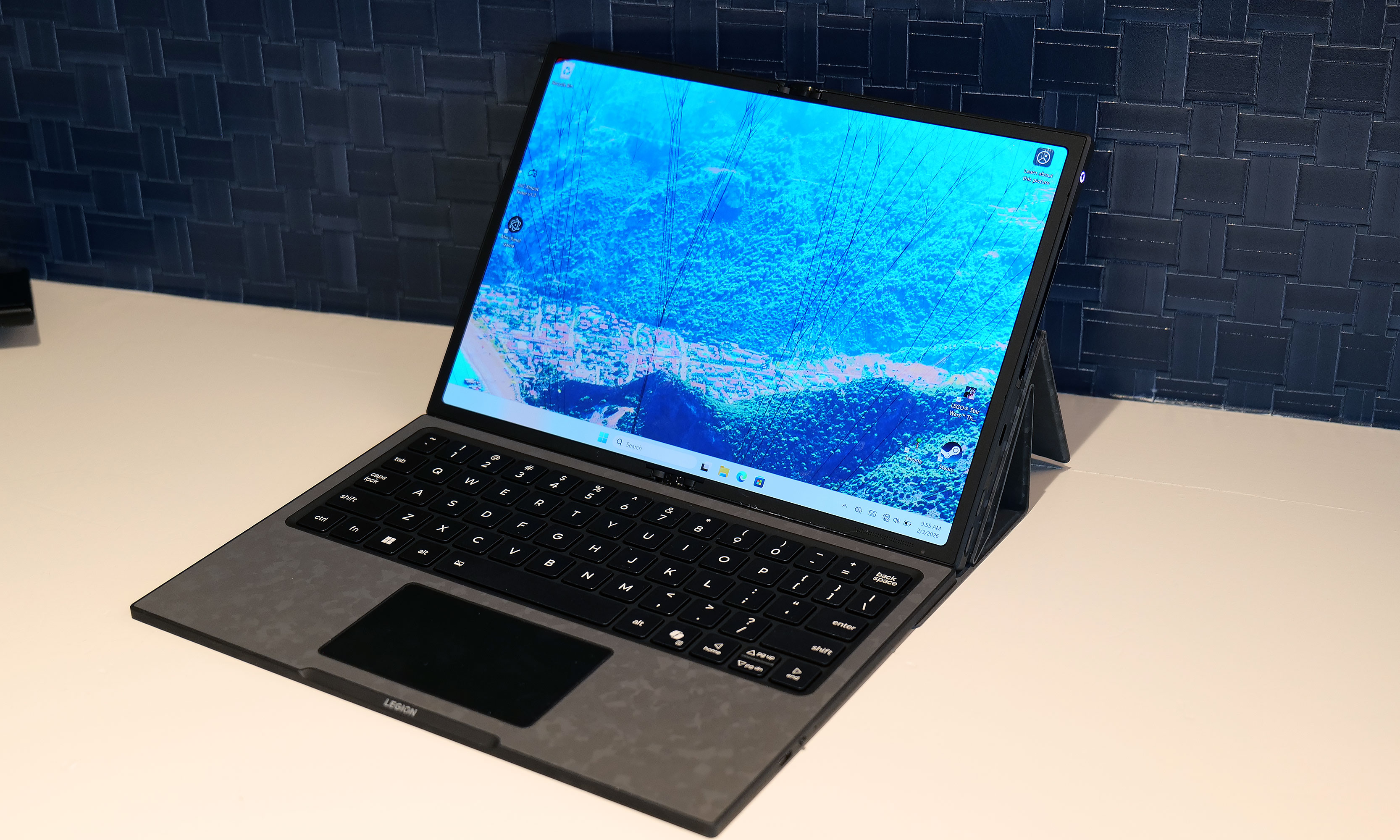
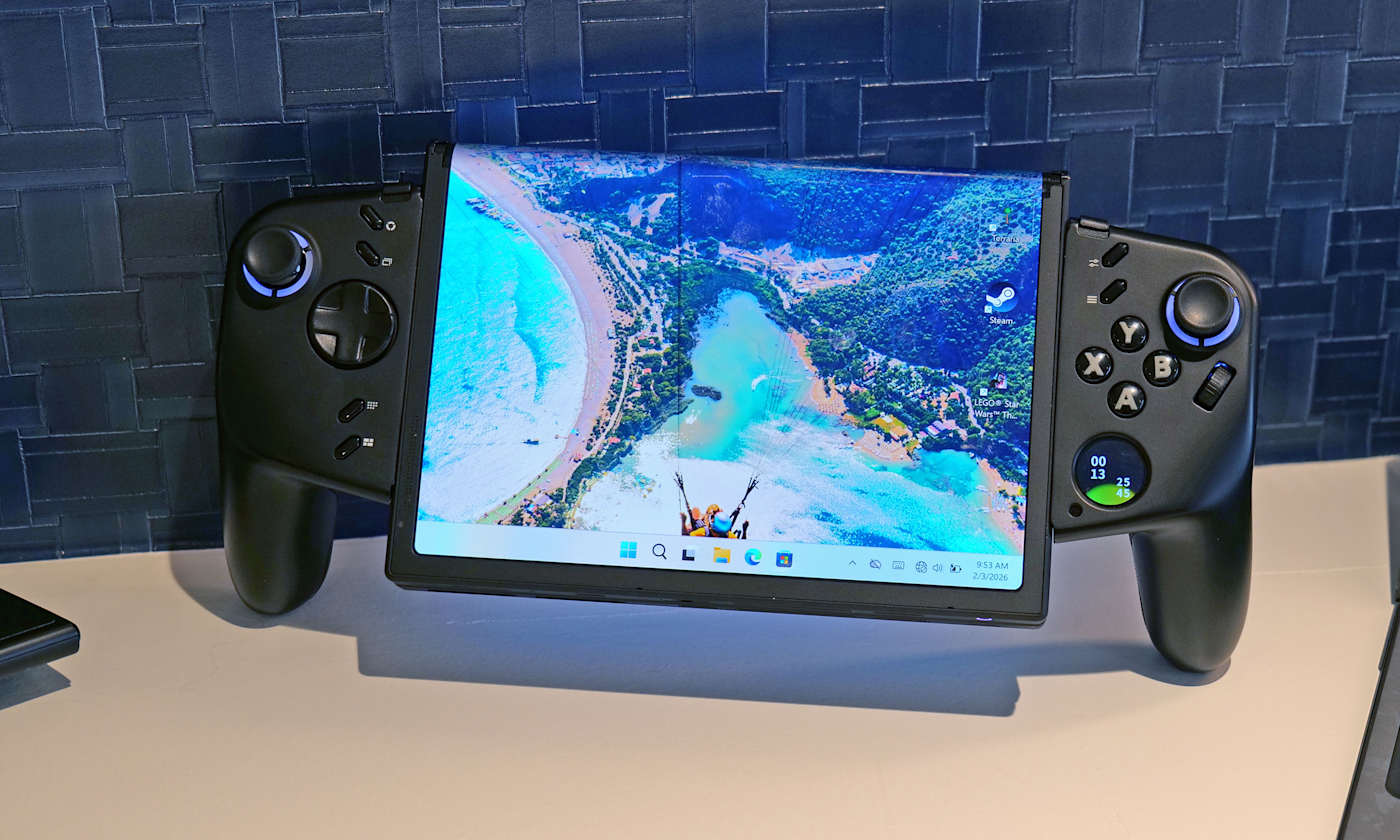
Lenovo already has a large roster of gaminghandhelds. However, it seems there's always room for another because at MWC the company showed off an ambitious concept device based around a flexible OLED display. And while the whole setup looks ungainly, after getting my hands on it, I'm very intrigued by its adaptability.
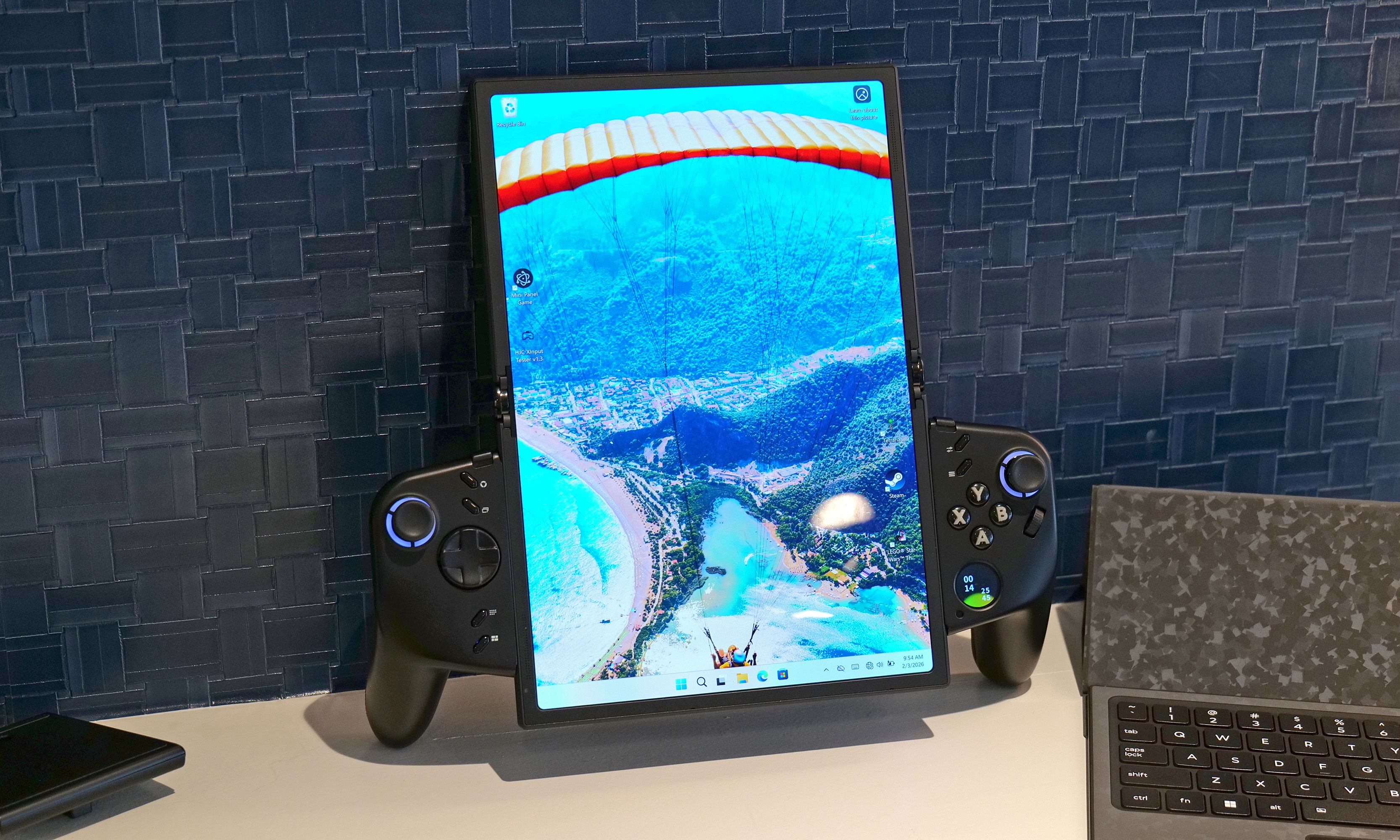
Now I'll be the first to admit that an 11.6-inch display feels oversized on a handheld that, in theory, is meant to be somewhat portable. That said, the beauty of the Legion Go Fold's screen is that it can be bent in half to create a more appropriately-sized 7.7-inch panel. In this configuration, the system feels a lot less cumbersome while also sporting a more traditional aspect ratio. Then, at a moment's notice, you can extend the display to provide extra room when you need it.
How silly does this look when its flexible display is fully extended in portrait mode?
Sam Rutherford for Engadget
However, the thing I like most about the Legion Go Fold is that its controllers are detachable and that the tablet has several different mounting points. This means if you have the space, you can remove the controllers, rotate the display into landscape mode and then reattach them to get an immersive widescreen experience. Alternatively, you can connect the gamepads together using one of Lenovo's accessories (which is similar to Nintendo's Joy-Con Grip) and then prop the system up using the Go Fold's folio cover, which doubles as a kickstand.
But wait, there's more: The handheld also features a strip of pogo pins for connecting a wireless keyboard, effectively transforming the whole setup into a miniature gaming laptop. Depending on how you're counting, that's at least four different modes you're getting from the Legion Fold, which is really quite impressive and speaks to the versatility of Lenovo's design.
Another feature I really like is the small 1-inch OLED display on the right gamepad. It supports a handful of widgets that can display the time, performance settings and more. It also doubles as a small touchpad, which can be really handy when playing PC titles that were originally developed for mouse and keyboard. And just like on the Legion Go and Legion Go 2, the Fold's right gamepad has a small scroll wheel and a hidden sensor, so it can also turn into a vertical mouse for playing FPS titles.
At this point, it's important to mention that Lenovo doesn't have concrete plans to put this thing into production, so its specs don't really matter. That said, the Legion Go Fold I tried featured an Intel Core Ultra 7 258V chip with 32GB of RAM and a 48WHr battery, which is more than respectable. Though if this thing does become an actual retail device, I would like to see a power cell with a bit more capacity.
I really love how the Legion Go Fold can turn into a miniature laptop just by moving some of its accessories around.
Sam Rutherford for Engadget
But as a concept gadget, I think the Legion Go Fold is a great showcase of how new technology (in this case, a flexible display) can bring new capabilities and greater flexibility to existing categories. And who knows, if a lot of people like the idea, it might encourage Lenovo to refine it and put it on sale for real. I would just be a bit worried about pricing, because all these components won't come cheap.
This article originally appeared on Engadget at https://www.engadget.com/gaming/pc/the-lenovo-legion-go-fold-gaming-handheld-concept-looks-awkward-but-its-versatility-is-endless-230000816.html?src=rss
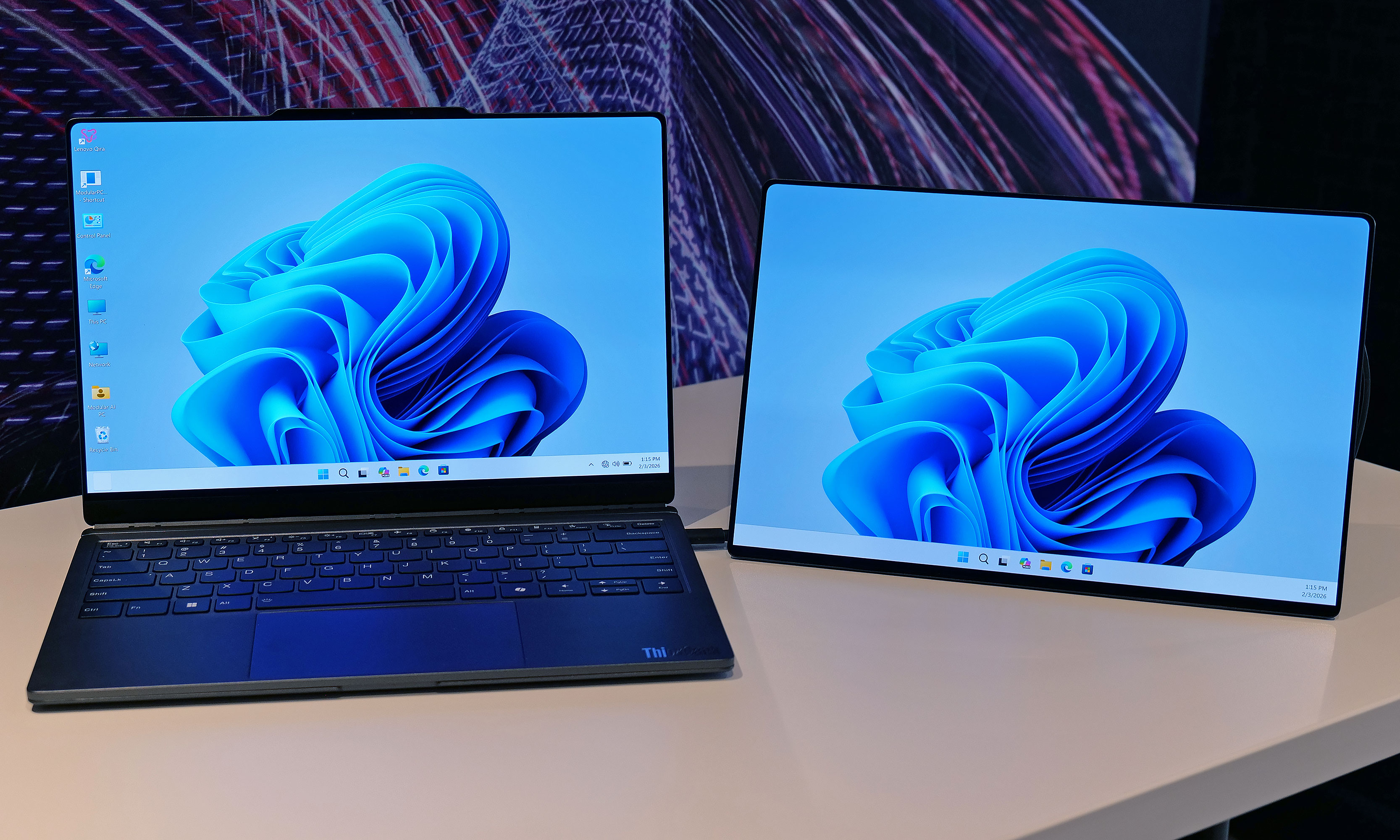
The potential of modular laptops has never fully translated to the real world. While companies like Framework have made major strides in recent years, there's still quite a bit of room for improvement. At MWC, Lenovo is looking to address that with its Modular AI PC concept. It features not one but two displays and a detachable keyboard to create something that strains the definition of a laptop, thanks to an innovative and very adaptable design.
Compared to Framework's gadgets, which primarily use modularity to make upgrading the system and extending its lifespan easier, Lenovo's concept is based around a 14-inch chassis with hot swappable components. This allows you to move its keyboard and secondary display around at will, so the system can better adjust to its environment or workload. By default, its bonus screen is mounted on its lid, allowing you to do easy face-to-face sharing with someone sitting opposite you. However, without even needing to turn the system off, you can yank away the notebook's keyboard and put the display in its place to provide additional real estate.
The Lenovo Modular AI PC concept's second screen can be attached to its lid or moved off to the side like a traditional dual monitor setup.
Sam Rutherford for Engadget
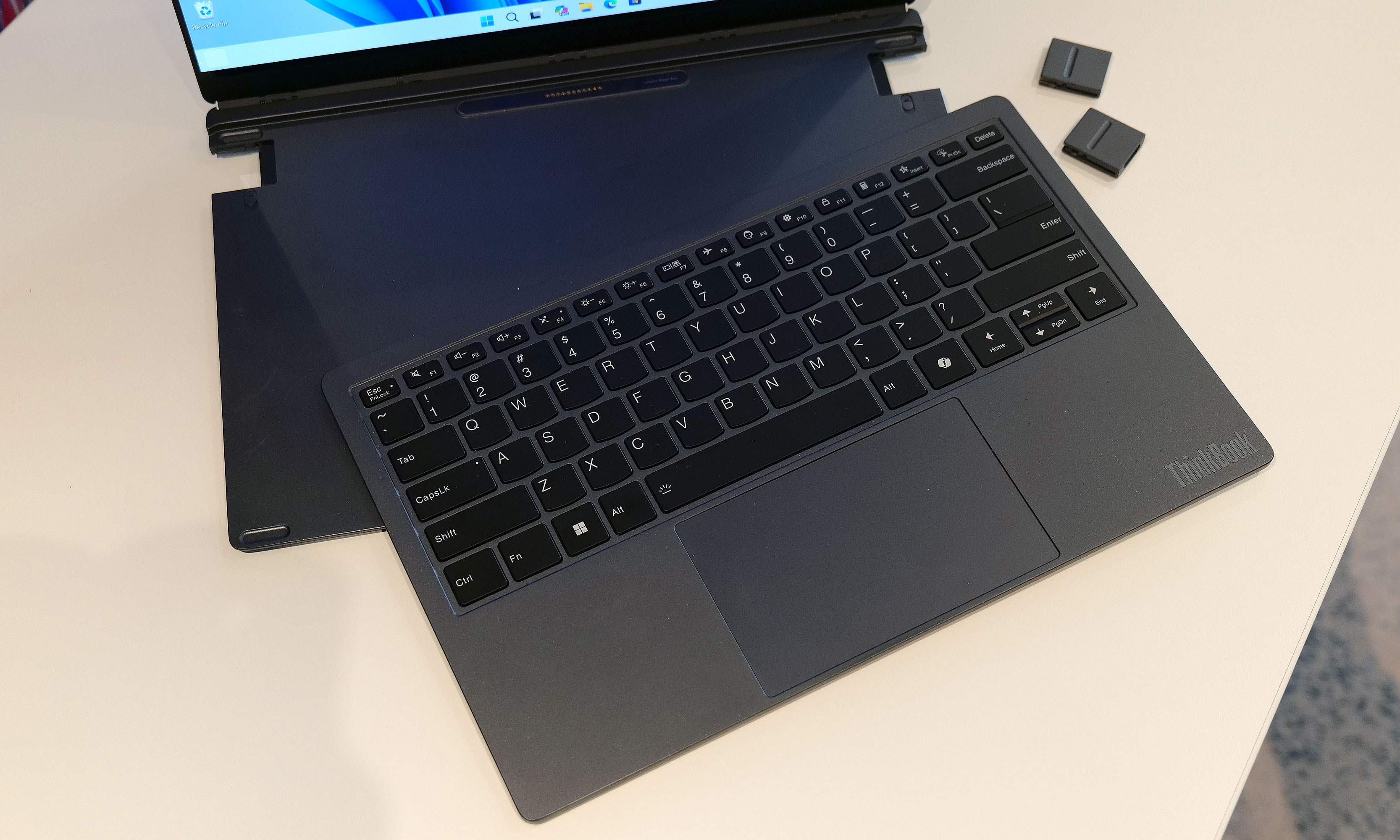
Or if you prefer a more traditional dual-screen setup, you can move it off to the side, prop it up via a built-in kickstand and connect to the laptop over USB-C. You even get the flexibility to arrange the display in vertical or landscape orientation, which is nice if you're doing stuff like coding or writing in a word doc (I feel targeted, but in a good way). And because the keyboard can connect to the notebook using pogo pins or Bluetooth, you have the freedom to position it practically anywhere you want.
Meanwhile, Lenovo borrowed one aspect of Framework's modularity by including the ability to swap ports on the fly. During my demo, the company showed off modules featuring USB-C, USB-A and HDMI connectors, though I was told there are a ton of additional possibilities for those who might need things like a proper Ethernet jack or additional ports for audio.
The Lenovo Modular AI PC concept's keyboard and be completely removed at a moment's notice and positioned anywhere you like thanks to its Bluetooth connectivity.
Sam Rutherford for Engadget
But what impressed me the most was that despite being a concept device, the whole setup felt quite polished. That almost suggests that this thing might be closer to becoming an actual retail product than some of the company's other demo gadgets. Build quality felt really sturdy and I had no issues changing out ports or moving the secondary display around without needing to troubleshoot or reboot the system. Everything just kind of worked. And while Lenovo isn't sharing details about what processor it's running or how much memory it has, its performance felt snappy too.
My only question is that I'm not quite sure where AI fits into all of this. I was able to break down and reconfigure the system without any help from machine learning or a digital assistant. That said, I'm not complaining, because even with a lot of moving parts, its modular design is very approachable and easy to use.
Ports on the Lenovo Modular AI PC concept can be hot swapped between to add USB-C, USB-A and HDMI connectors as needed.
Sam Rutherford for Engadget
Unfortunately, Lenovo isn't planning on turning this concept into a true retail device. But even so, I hope the company will at least consider bringing some of the modular laptop's features like its hot swappable ports to future products.
This article originally appeared on Engadget at https://www.engadget.com/computing/laptops/the-lenovo-modular-ai-pc-concept-is-a-remixed-dual-screen-laptop-with-hot-swappable-ports-230000158.html?src=rss
Last year, it felt like Samsung relied a bit too much on AI when trying to convince people to upgrade to its flagship phone. And while there’s no shortage of features that utilize machine learning on the new Galaxy S26 Ultra, it feels like Samsung has done a much better job of filling out the rest of the phone’s kit with fresh hardware, faster charging and a more cohesive design. It’s still rather expensive, but its price has stayed flat year-over-year at $1,300, which when combined with everything else makes it a much more attractive package than its predecessor.
Design and display
Samsung’s Ultra phones are always going to be somewhat boxy and that’s OK. However, for the Galaxy S26 Ultra, the company’s top-of-the-line handset is getting a slightly curvier appearance thanks to rounder corners. There’s also a very (and I do mean very) small reduction in size that technically makes this version the thinnest and lightest Ultra to date (214 grams and 7.9mm thick). That said, considering the previous model weighed 218 grams and measured 8.2mm, it’s incredibly hard to feel a difference even when you know what you’re looking for.
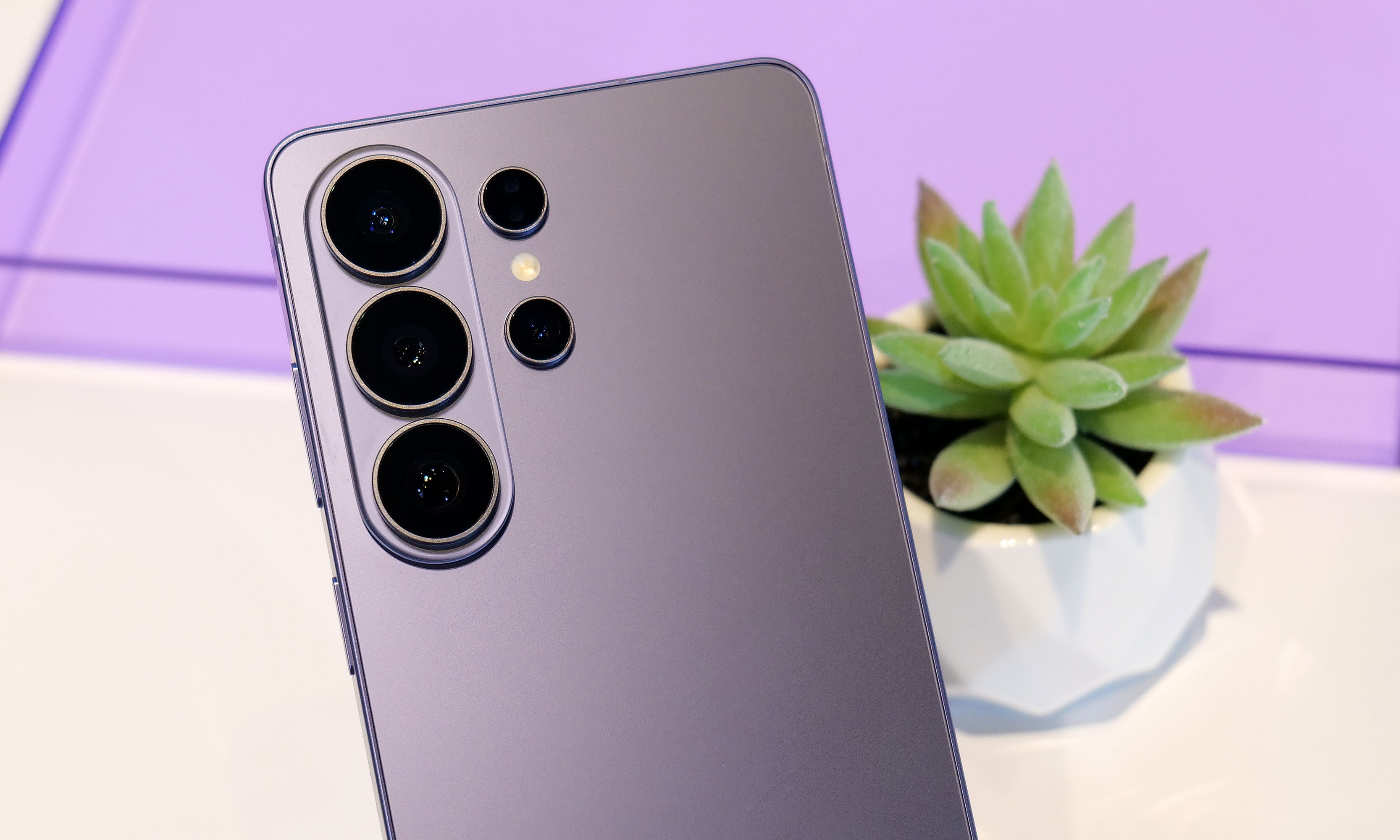
The two biggest changes to the S26 Ultra's exterior design are more rounded corners and an aluminum chassis instead of titanium like we got on the S25U.
Sam Rutherford for Engadget
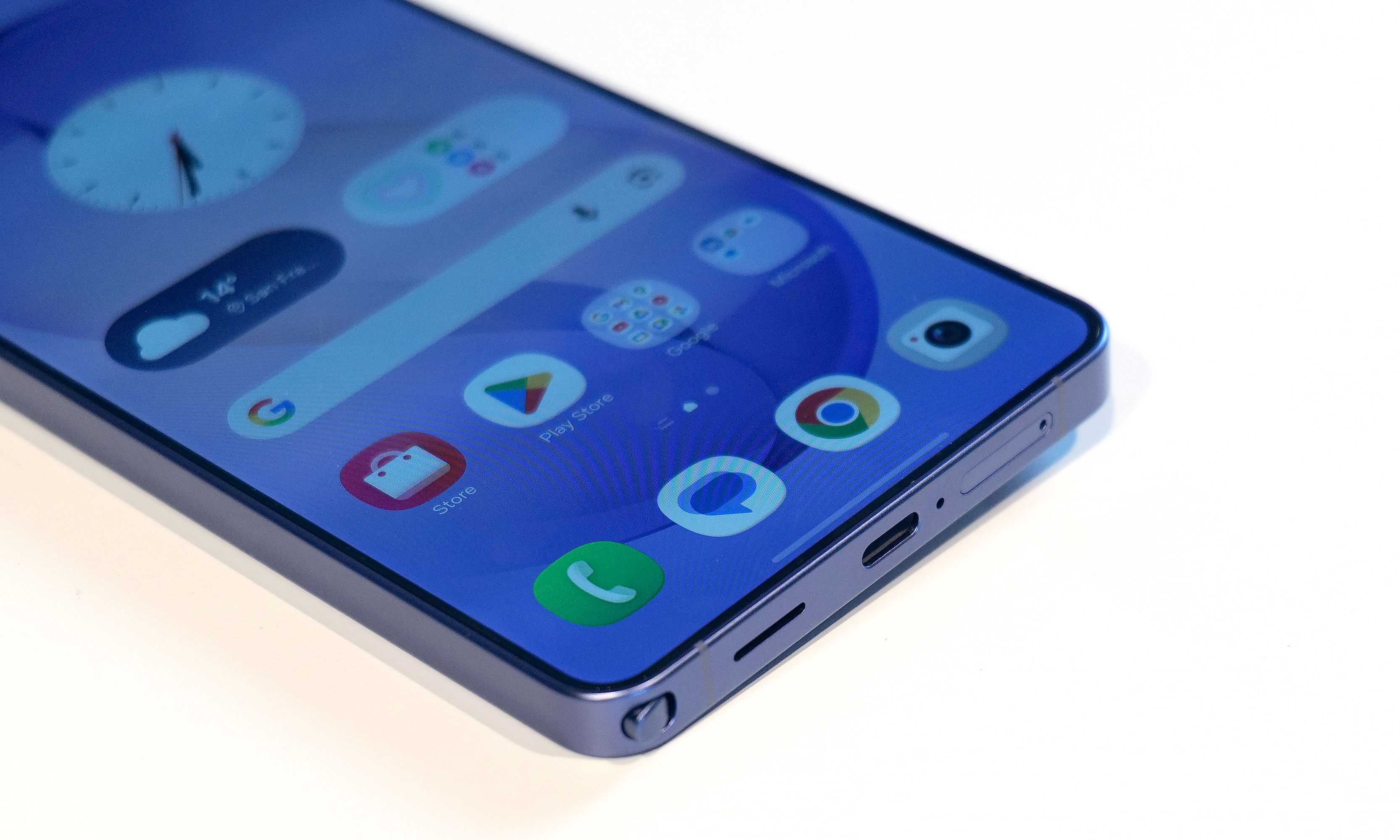
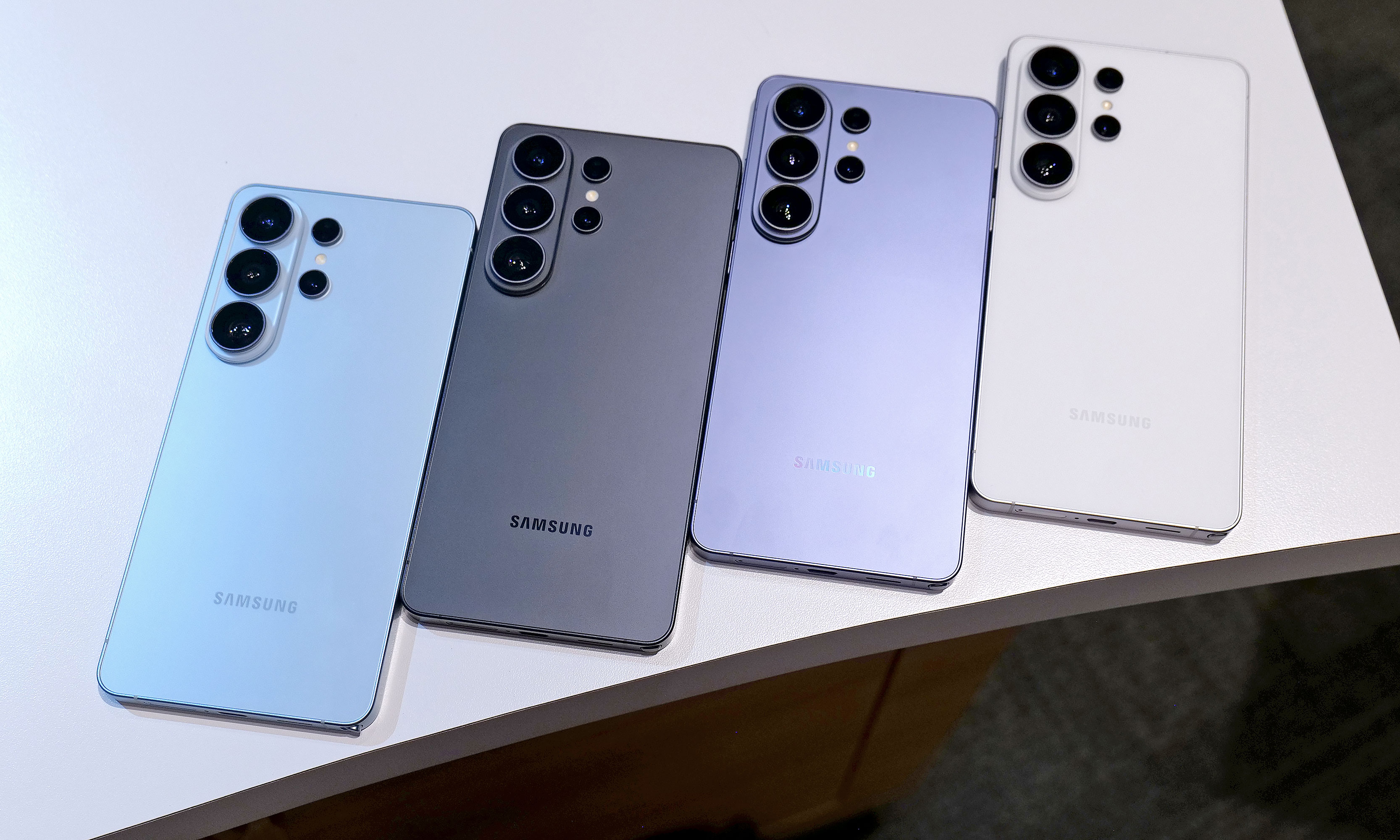
In reality, the biggest exterior change is that Samsung has ditched the titanium frame from last year’s phone in favor of an Armor Aluminum chassis with Corning Gorilla Armor 2 panels in front and back. Samsung says this new design is meant to make the Ultra fit in better with its less expensive siblings while also making it easier to do things like color match the phone’s body to the rest of the device. Also, for anyone who keeps track of Samsung’s palette, the hero color for the S26 Ultra is a rather fetching shade of purple called cobalt violet, with sky blue, white and black available as well (plus silver shadow and pink gold being Samsung’s online exclusive hues).
If you look closely at the top of the phone, you can see where a notification has been blacked out by the S26 Ultra's Privacy Display.
Sam Rutherford for Engadget
However, my favorite new thing on the S26 Ultra is its Privacy Display. When activated, it functions a lot like HP’s Sure View tech, which prevents people from peeking at your screen from acute angles. It works both when viewed from the side or up and down and has a surprising amount of customization. Not only can you set it to turn on automatically when the phone asks you for a password or PIN, it can also be triggered by specific apps or whenever you receive a notification. But perhaps the most impressive thing is that there’s almost no impact on image quality. When Privacy Display is active, there is a minor reduction in overall brightness, but aside from that, it’s really hard to tell when it’s on (at least from the front). Furthermore, the S26 Ultra’s 6.9-inch AMOLED screen has the same underlying specs as last year, including its 120Hz variable refresh rate and 2,600 nit peak brightness, so there are pretty much no trade-offs for the added functionality.
Performance and charging
The S26 Ultra still comes with an included S-Pen and a built-in storage slot, but it still doesn't have Bluetooth connectivity like on some of Samsung's older models.
Sam Rutherford for Engadget
Inside, the S26 Ultra features a Qualcomm Snapdragon 8 Elite Gen 5 for Galaxy chip along with either 12GB or 16GB of RAM and up to 1TB of storage. Compared to its predecessor, Samsung claims the NPU’s performance has made the biggest leap with it being 39 percent more powerful year-over-year with respectable increases for its CPU (19 percent faster) and GPU (24 percent faster) as well.
As for charging, both wired and wireless speeds have gotten a big boost with the former now rated at up to 60 watts (up from 45 watts) or 25 watts (up from 15) for the latter when using compatible Qi2 pads. Samsung says buyers will even get a three amp cable in the box, so all you need to do to get those peak wired speeds is to hook it up to the right adapter.
A small quirk with the S26 Ultra's S-Pen is that because the end of the stylus is curved to match the corner of the phone, if you put it in "wrong," it'll stick out a bit.
Sam Rutherford for Engadget
Unfortunately, we’re still not getting a magnetic ring inside the phone, which means if you want to use the S26 Ultra with magnetic accessories, you’ll need to pair the phone with a case that supports that functionality. This is super frustrating because Samsung says this decision was made in part to keep the handset as thin as possible, but when you consider the difference between the S26 Ultra and the S25 Ultra is 0.3mm, that choice feels rather misguided.
Cameras
One of my biggest complaints about last year’s S25 Ultra is that the only new hardware was an updated 50MP sensor for its ultra-wide lens, which is the camera I (and probably most people) use the least. Thankfully, it seems Samsung took note of that because while the resolution of its 200MP main cam, 10MP 3x telephoto and 50MP 5X telephoto are the same as before, the S26 Ultra’s main and 5x zoom lenses now have significantly wider apertures (from f/1.7 to f/1.4 and f/3.4 to f/2.9, respectively). This results in as much as 47 percent more light reaching the phone’s primary sensor (or 37 percent for the 5x telephoto), which should result in some major gains in photo quality and low light sensitivity. That said, I wasn’t able to properly test this during my hands-on session, so I’m going to reserve final judgement for a proper review.
The S26 Ultra's 200MP main and 50MP 5x zoon lenses feature significantly larger apertures, which should deliver much improved image quality in low light conditions.
Sam Rutherford for Engadget
Meanwhile, for video capture, Samsung is adding support for the APV codec at up to 8K/30 fps to the S26 Ultra along with a new horizon lock feature that will keep your footage level no matter how much you rotate the phone. Now I will admit that the latter didn’t impress me much when I first heard about it, but after testing it out and spinning the phone a full 360-degrees while recording a clip, I was shocked when the resulting video showed no hint of being whirled around. Samsung also says the handset’s improved Nightography processing uses AI to recognize noise patterns in low light to improve image quality. But similar to the wider apertures bringing in more light, I’ll believe it when I see it.
Finally, there’s a new AI-powered Photo Assist tool that lets you edit or adjust images using natural language prompts. From what I experienced, it’s effective and works as you’d expect. However, with the proliferation of services and devices offering similar functionality over the past year, this feature feels more like Samsung’s attempt to keep up with the Joneses.
AI features
When it comes to AI, the S26 Ultra is getting the same batch of new and improved features as the rest of the S26 family. So if you’re big into machine learning, there’s no need to pay extra for this model. Furthermore, many of the updates for 2026 are tweaks or refinements of existing things like the Gallery app, which now uses AI to automatically sort screenshots into eight different categories so they’re easier to find later. There’s also what Samsung is calling Now Nudge, which functions a lot like Google’s Magic Cue. It’s built into the Samsung keyboard and it can do things like suggest relevant photos based on your conversations.
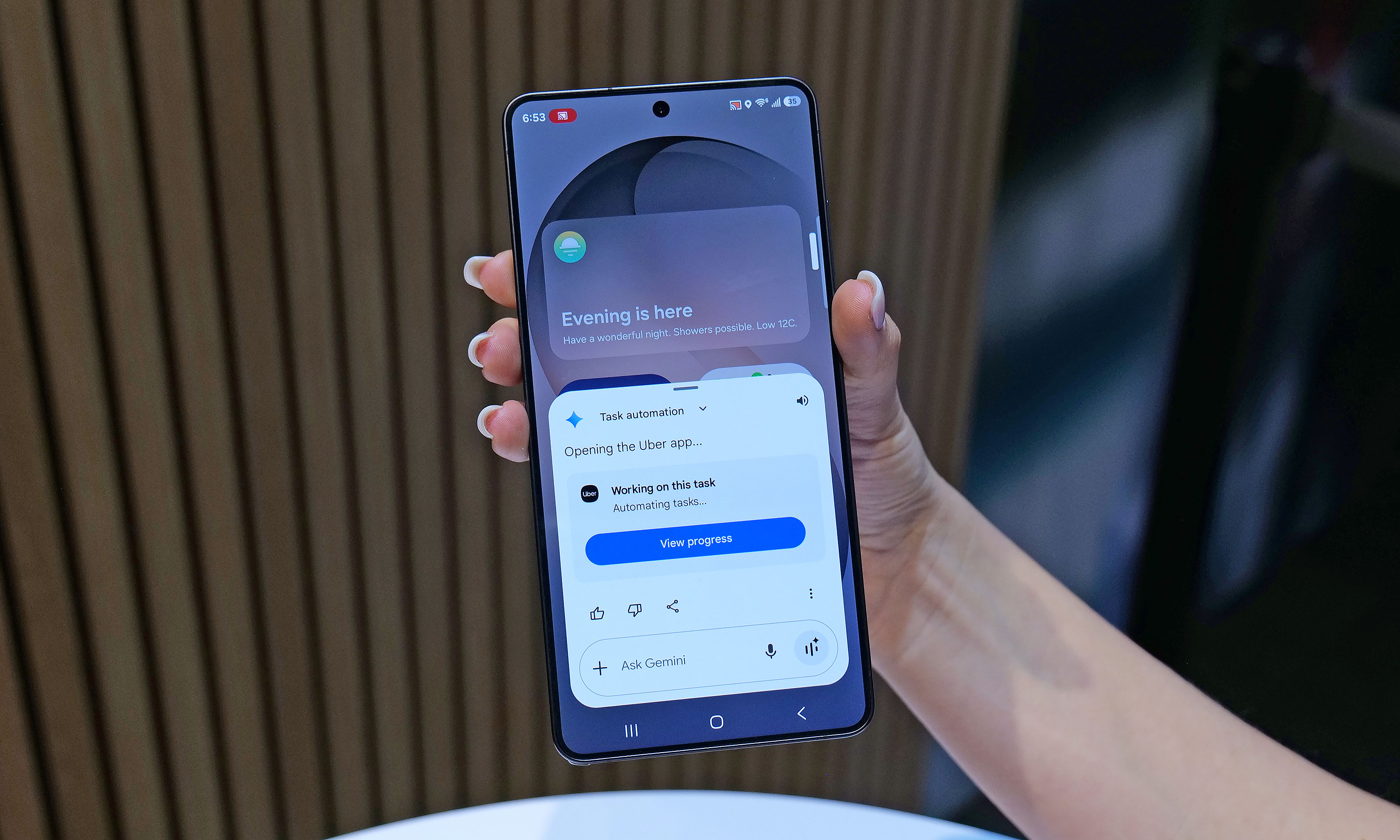
One of the S26's most powerful new AI features is Automated App Actions, which allows the phone to do things like book a car ride via Uber while you continue to use other apps in the foreground.
Sam Rutherford for Engadget
To me, the most impressive of the bunch is the S26’s Automated App Actions, which allow you to ask the phone to do slightly more complicated tasks like ordering an Uber to a specific location. After your initial prompt, Gemini can even complete the task in the background while you go back to doomscrolling or watching videos. When it’s done, you’ll get a notification so you can manually review and confirm the command. Unfortunately, Uber will be the only supported app at launch, though Samsung says it’s working on expanding the feature to others like Instacart.
Early thoughts
The Galaxy S26 Ultra will be available in four main colors: sky blue, black, cobalt violet and white, along with two more online exclusive hues in silver shadow and pink gold.
Sam Rutherford for Engadget
Look, there’s no getting around it: $1,300 is a lot to spend on a phone. That said, considering the RAM shortage that’s going on right now, keeping the S26 Ultra’s price the same as last year’s phone feels like a small blessing. And when you get that on a handset with a more refined design, a beefier chip, a fancy Privacy Display, faster charging and an updated generation of AI-powered tools, Samsung’s latest flagship feels like a much better deal than its predecessor. Really, the only thing that hasn’t been improved is the Ultra’s S-Pen, which as time goes on, is starting to feel more and more like a consolation prize for people who are still nostalgic about the Note line than a true tentpole feature.
Now this doesn’t mean that people with an S25 Ultra or even an S24 Ultra should run out and upgrade. But for anyone with something older than that who’s in the market for a true do-everything phone, the S26 Ultra has quite a bit to offer.
This article originally appeared on Engadget at https://www.engadget.com/mobile/smartphones/samsung-galaxy-s26-ultra-hands-on-meaningful-tweaks-plus-a-slick-new-privacy-display-180000057.html?src=rss
There’s a type of knife tech often seen in science fiction that revolves around vibrating a blade to increase its sharpness. We’ve seen examples of this in franchises like Star Wars (vibroblades), Evangelion (the prog knife), Dune (pulse-swords) and the Marvel universe (vibranium), but what might surprise you is that the underlying science is sound. By vibrating a cutting tool at high frequencies, not only do you reduce friction, you essentially turn the blade into a saw, as tiny oscillations enhance the inherent sharpness of a blade.
However, up until recently, this tech largely only existed in fiction or for large companies that have the money to utilize the tech on an industrial scale. But that's changing in a big way for home cooks this year thanks to Seattle Ultrasonics, which is releasing the world's first ultrasonic chef's knife: the C-200. After chopping, smashing and cooking with it for about a month, I'm convinced that this is the future of kitchen knives.
Design
From afar, the C-200 looks a lot like a regular 8-inch chef's knife, but with a slightly more contemporary design. It features a three-layer san mai blade made from Japanese AUS-10 steel with a 13-degree edge angle per side (26 degrees total). However, upon closer inspection, you'll notice there are some features that seem a bit out of place on a premium knife.
The first is that the C-200 doesn't have a full tang, which is the back end of a blade that ideally extends into the handle to provide added strength and durability. This is usually a major no-no, particularly on a $400 knife. However, when you consider that Seattle Ultrasonics needed somewhere to put its vibration tech, there really isn't any room for it other than inside the knife's grip.
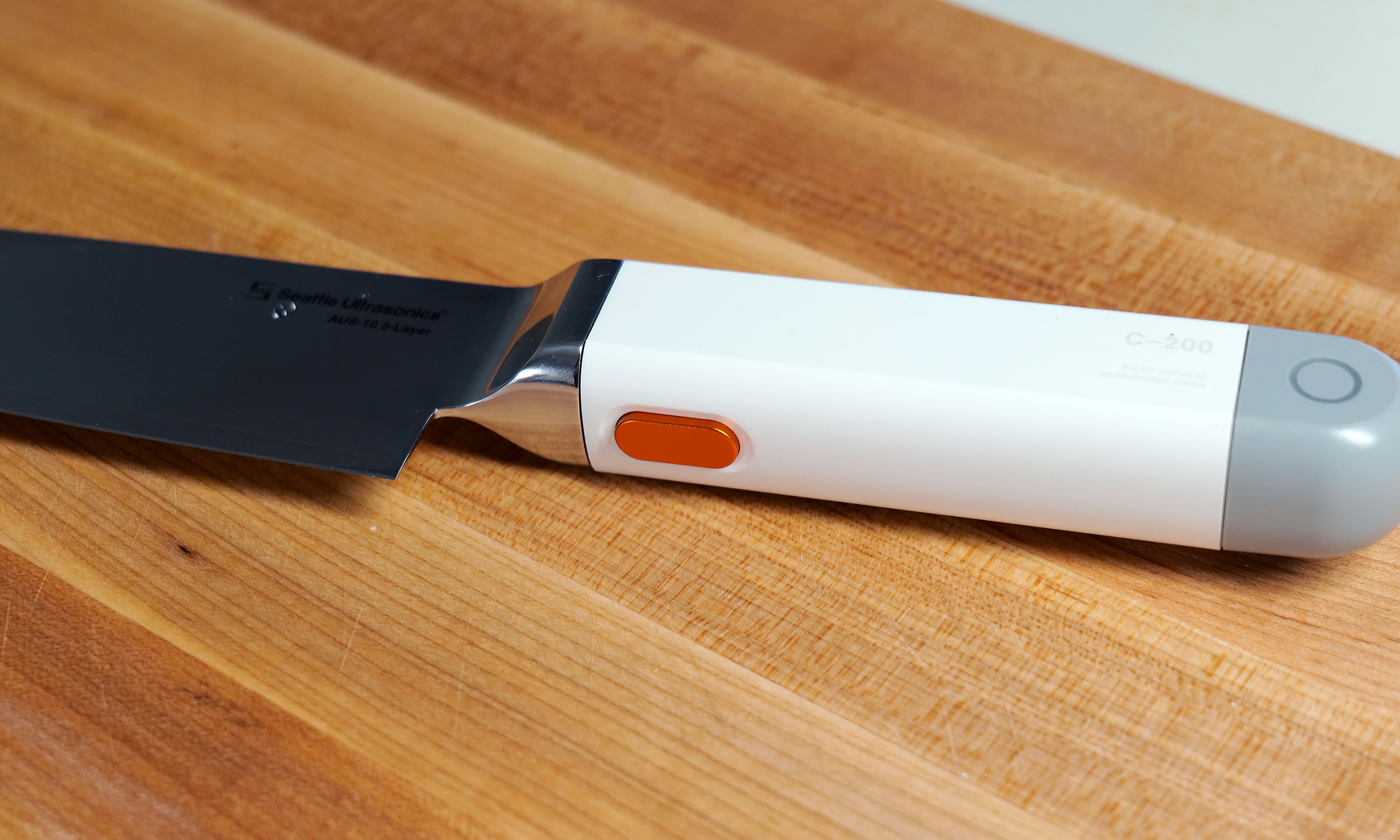
You won't be able to feel it, but pressing this button allows the C-200's blade to vibrate 30,000 times per second.
Sam Rutherford for Engadget
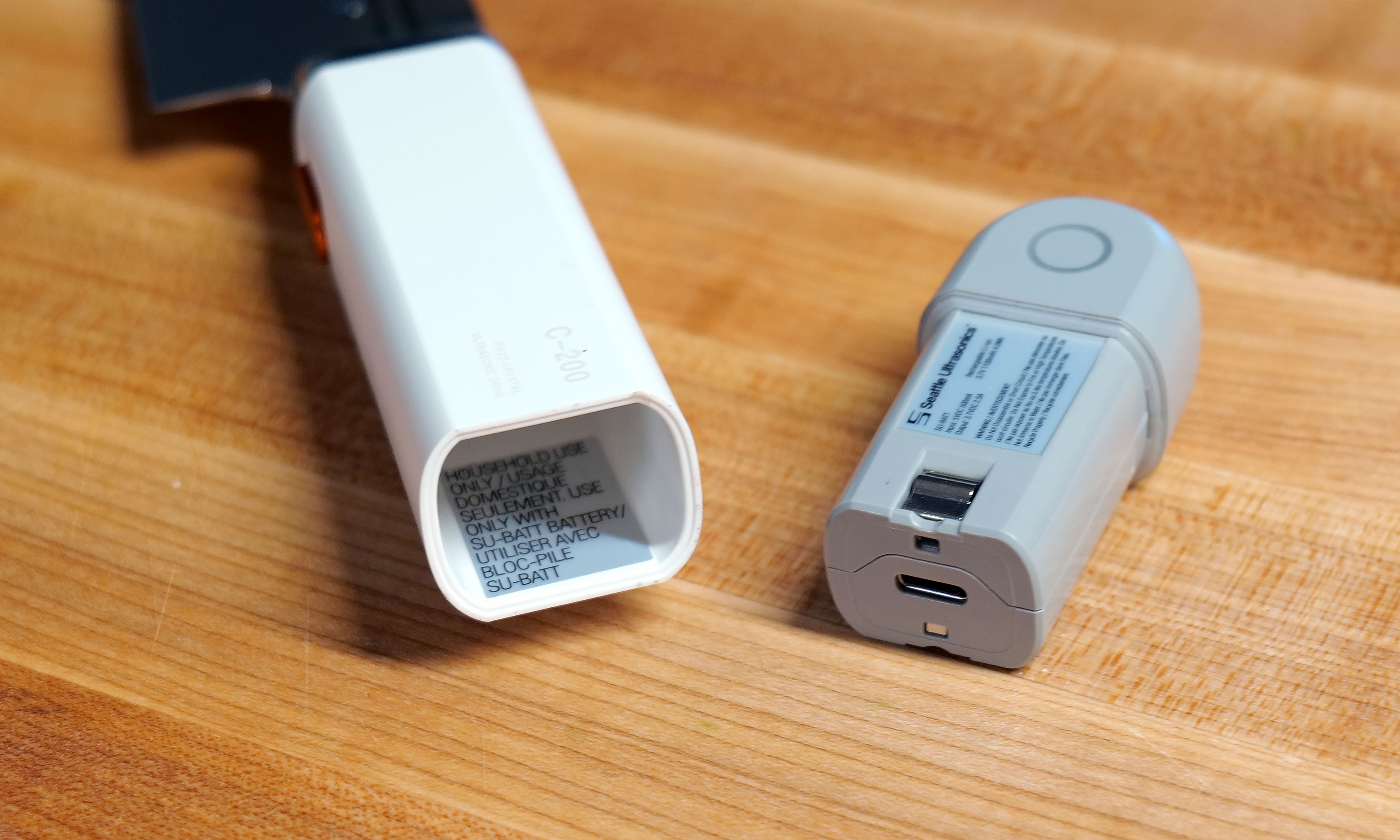
The knife's second quirk is that the back of the plastic handle features small indicator lights on either side, which is obviously a bit weird. Furthermore, the entire gray section can be removed to reveal a small 1,100mAh battery with an onboard USB-C port. Frankly, the presence of a battery in a knife is just kind of funky. But hey, the power to vibrate the knife has to come from somewhere because it definitely isn't being generated by your hands. And while Seattle Ultrasonics doesn't include a charging adapter or cable in the box, I don't mind because the company wisely took cues from the larger gadget industry and went with a power spec that's already widely in use. Honestly, I wish more kitchen tech makers would do the same.
However, the knife's biggest oddity is the big orange button on the bottom of its handle. This is what you use to make the blade vibrate, which it does at 33kHz. It's positioned well so that it's easy to press regardless of whether you do a traditional pinch grip or if you're a bit more casual and prefer to hold the knife only using its handle. In the future, I can see this button becoming a touch-sensitive sensor, but for now, it's simple and effective.
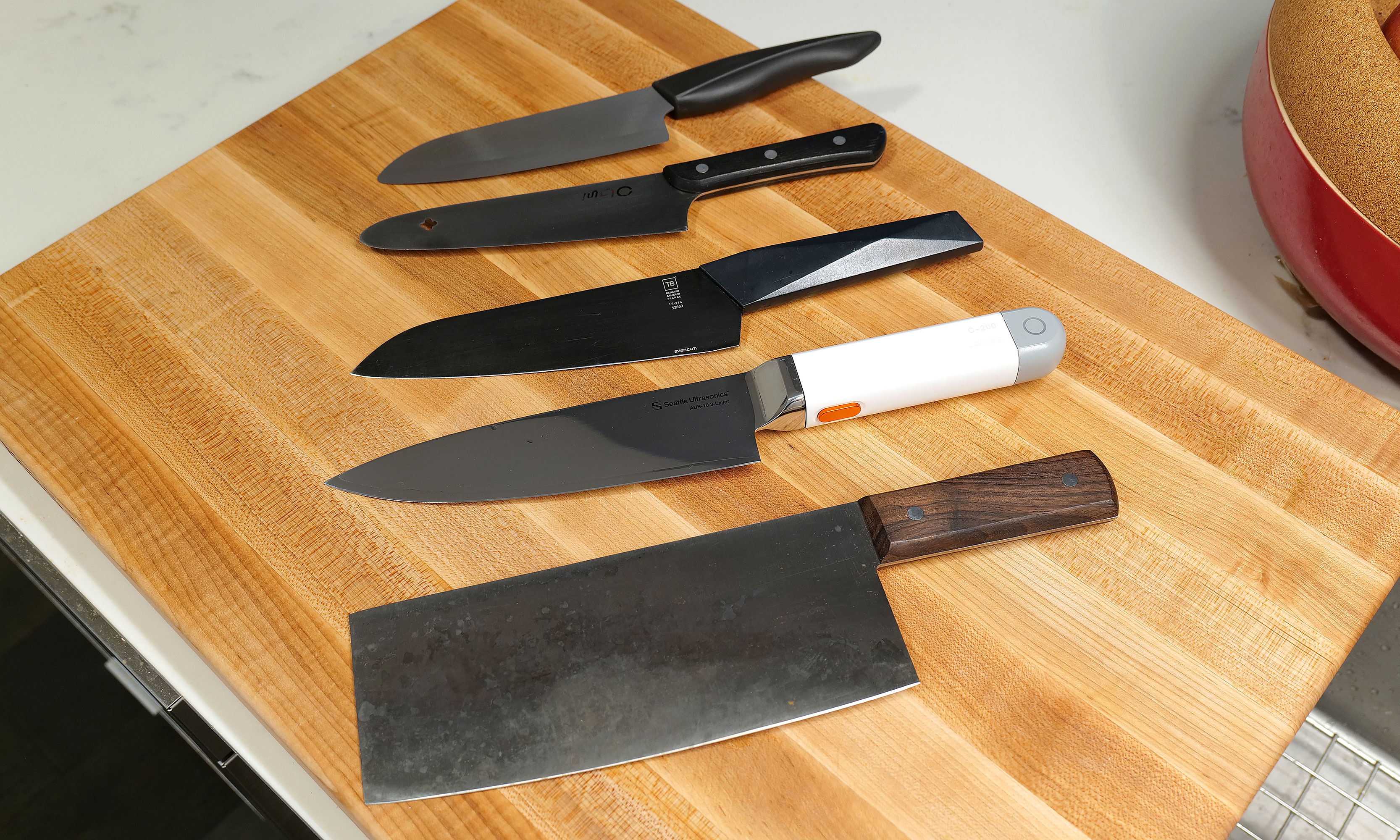
Here's a small selection of knives I own sorted by weight (from top to bottom) compared to the C200: 6-inch Kyocera ceramic knife (97 grams), MAC molybdenum steel chef's knife (110g), Furtif Evercut titanium carbide chef's knife (190g), Seattle Ultrasonics C-200 (328g), Korin carbon steel cleaver (396g).
Sam Rutherford for Engadget
The main downside to the C-200's design is that at 328 grams (around 0.75 pounds) it's heavier and bulkier than a typical knife. When compared to other knives I own, which are made from a wide variety of materials including, ceramic, molybdenum steel, carbon steel and even titanium carbide, it weighs more than everything else aside from my big Chinese cleaver (396 grams). And while it fits nicely in my hand, my wife said it takes a bit more effort for her to wield. It's not too much to the point where you don't want to use it. But for quick tasks, sometimes I found myself subconsciously reaching for lighter options like my 6-inch ceramic knife, which weighs just 97 grams.
How it works
From a user standpoint, putting the C-200 to work couldn't be simpler. Just press the button and let the knife do its thing. The big difference from how knives like this work in sci-fi is that there's no audible hum or detectable vibration when it's on. It's practically silent (well, most of the time, but more on that later), so you have to trust that it's on or check the indicator light on the handle. That said, if you still don't believe anything is happening, you can run the edge of the blade under water or scrape it over some cut citrus, at which point the blade's vibration will atomize nearby liquid into a fine mist. It's a cool party trick that also doubles as a way to amp up a cocktail by adding a faint essence of lemon, lime or anything else you can think of.
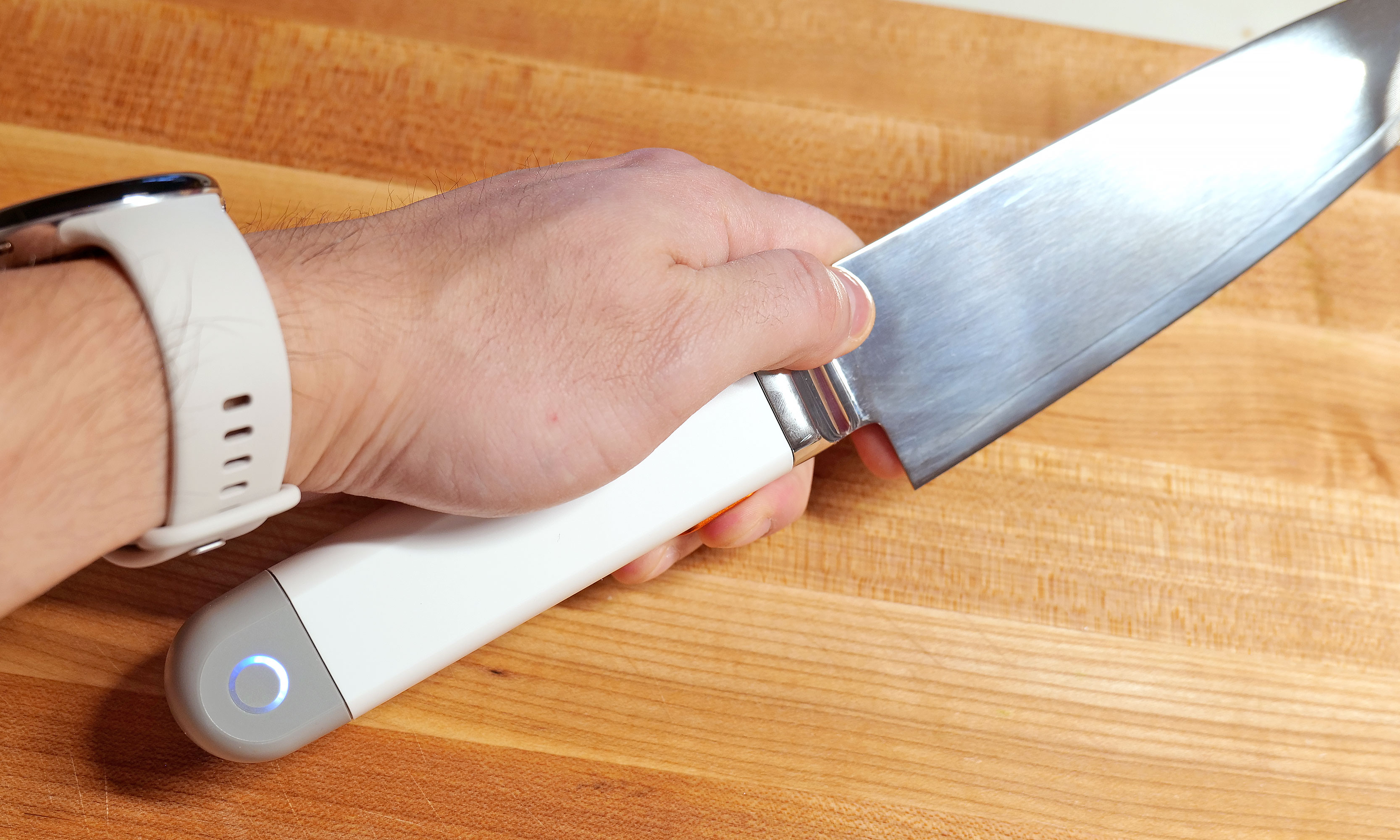
Pushing the C-200's button is super easy, regardless of what kind of knife grip you prefer.
Sam Rutherford for Engadget
Inside, the knife relies on PZT-8 piezoelectric ceramic crystals to generate up to 30,000 vibrations per second, which propagate down the blade and make the knife function as if it's sharper than it actually is. This all sounds rather fantastic, so how does it function in the real world?
In-use
To really put the C-200 through its paces, I cooked over a dozen meals that involved neatly slicing or preparing a wide variety of foods — including Hasselback potatoes, flank steak, pork belly, chives, sushi-grade tuna and all sorts of fruit.
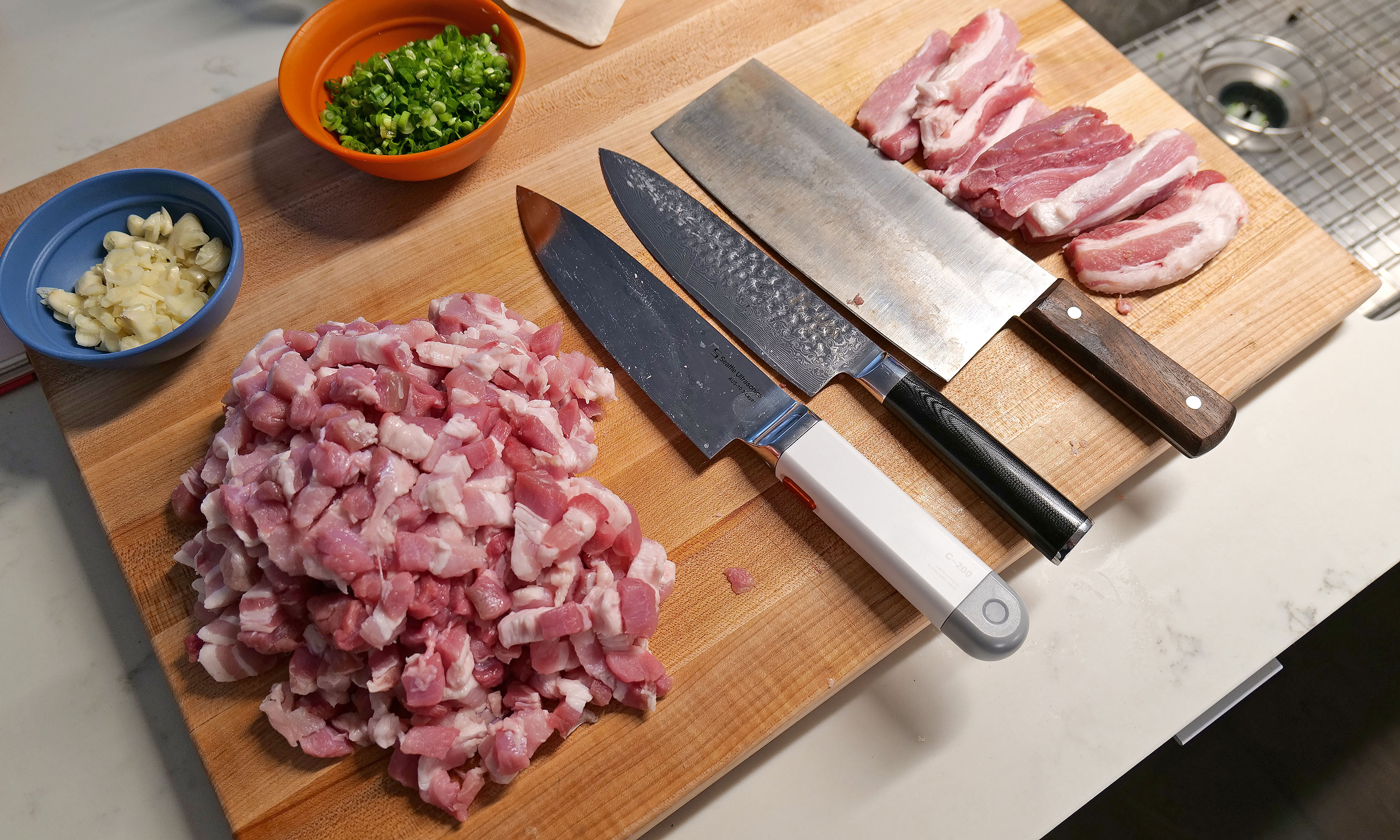
After prepping four pounds of pork belly with various knives, the C-200 really showed off how much of a difference its vibration tech makes.
Sam Rutherford for Engadget
In short, the C-200's effectiveness depends a lot on what you're chopping. For soft things like strawberries or a piece of cake, I didn't notice much of a difference. To make things even more difficult, the knife arrived out of the box with an incredibly fine edge — the kind that makes shearing through a sheet of paper child's play. So even though Seattle Ultrasonics says its knife can reduce cutting effort by up to 50 percent, there's not much gain to be had when slicing foods that could just as easily be cut by a butter knife.
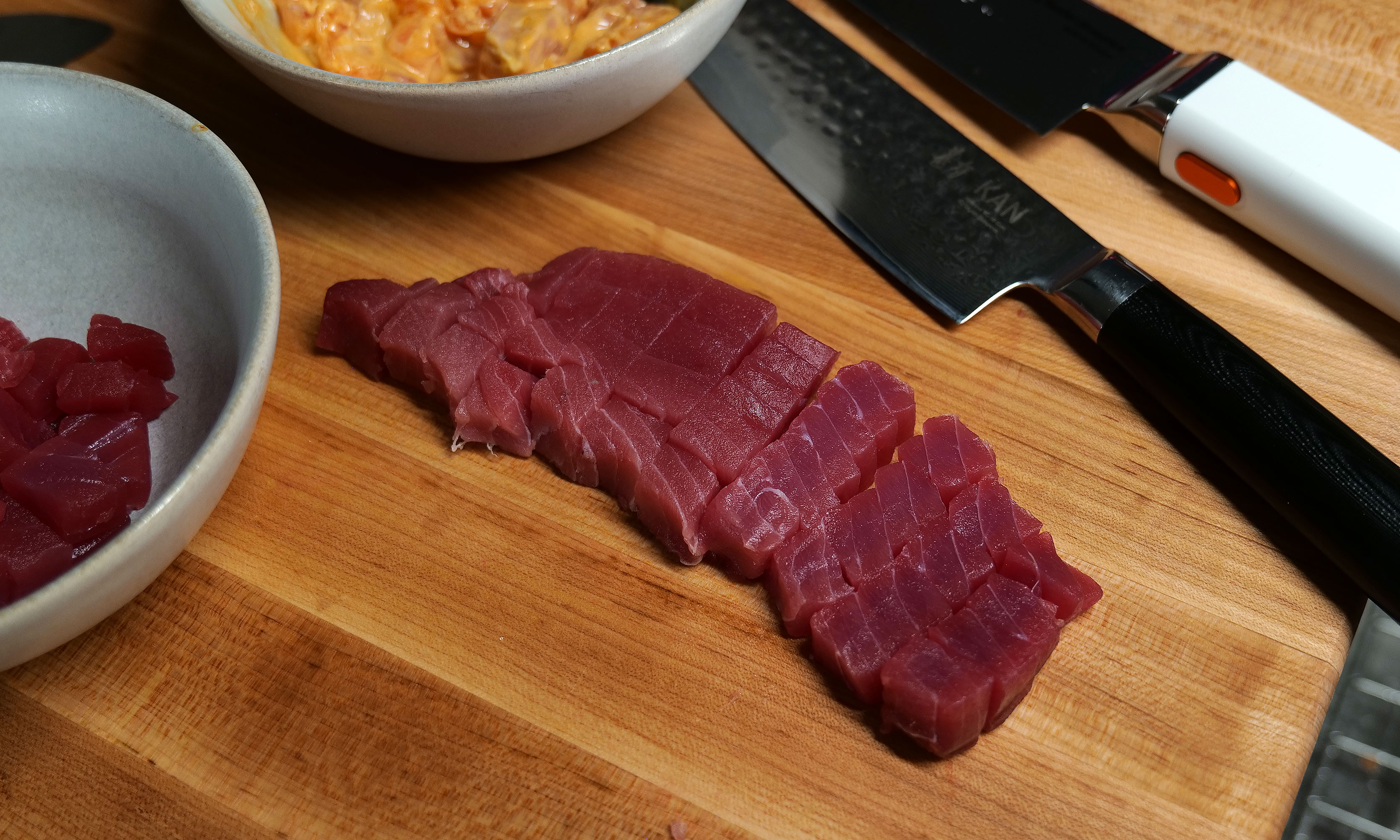
However, as I used it more, I found that the C-200 excels at cutting through delicate items like tomatoes, scallions and fish, where using a dull knife often results in bruising the food as you chop. This was most evident when I made poke at home, where Seattle Ultrasonic's knife delivered cleaner, more precise cuts than anything else I own.
For me, the C-200's $399 price tag is almost worth it just so I have an an easier time making my one of my all-time favorite dishes (lu rou fan).
Sam Rutherford for Engadget
When I whipped up some pico de gallo, I distinctly noticed how neatly the C-200 sliced through the skin of a tomato, instead of initially putting a crease in it before cleanly passing through its interior — which often happens when using dull knives. An additional benefit is that because of the vibrations, I found some foods like garlic didn't stick to the side of the blade as much. This made it easier to keep track of how much I chopped while simultaneously reducing the mess from things falling willy-nilly during prep. But perhaps the most obvious demonstration of the knife's prowess was when I diced an onion. When using my other knives or the C-200 without powering it on, I could feel when I tried to cut through thicker, more sturdy layers. But then, at the touch of a button, I was able to slice down with practically no resistance. It's almost shocking because it feels like magic.
The C-200 truly excels at cutting denser foods like flank steak. Sadly mine ended up closer to medium than medium rare, but that's not the knife's fault.
Sam Rutherford for Engadget
The C-200 even has the ability to reduce the importance of certain knife techniques. Anyone who's seen all the posts on r/kitchenconfidential about cutting chives will already know what I'm talking about. As J Kenji Lopez-Alt neatly demonstrated, the ideal way to get crisp, clean slices is to do a subtle forward or back cut instead of simply chopping straight down. But with Seattle Ultrasonics' knife, I've found that it's so sharp you can get away with almost any motion and still get good results. And if you do it the right way, things are even better.
Other types of food that makes the C-200 really shine are denser ingredients like meat and potatoes, where you can really feel the added cutting power. Previously, when I had to break down thick cuts of protein, I sometimes wished I owned a serrated electric knife. You know, the kind you break out once a year on Thanksgiving and then it sits and gathers dust for the other 364 days. But the C-200 made that desire a thing of that past, as it quickly and easily worked through flank steak while once again producing neat, uniform slices.
Sushi-grade tuna is another food that really shows off how the C-200's increased sharpness is better at preserving the delicate texture of the fish.
Sam Rutherford for Engadget
My favorite application of the C-200 was when I was doing prep for Taiwanese braised pork (aka 滷肉飯). Despite this being one of my most beloved dishes that I taught myself how to cook because I couldn't easily find it from local restaurants, I don't make it very often because it's a lot of work to cut multiple pounds of pork belly into small lardon-shaped pieces. Here, the knife's vibrations made it so much easier to cut through all those layers of meat, fat and skin. If there's any situation where the C-200 makes it 50 percent easier to slice through something, it's this.
It might be hard to tell, but I was able to cut chives a little finer and more neatly with the C-200 (left) than with my other knives.
Sam Rutherford for Engadget
During my testing, two small issues cropped up. While it was quite rare, the knife would sometimes emit a faint high-pitched whine. When I asked Seattle Ultrasonic's founder Scott Heimendinger about this behavior, he was rather frank, saying that this can occur when water or moisture accumulates in just the right spots on the blade. Furthermore, he said this only happens on a small number of V1 models, which the company is working to fix in the future. Thankfully, I don't mind, but if it bothers you, making the noise go away is as easy as wiping down the knife down with a cloth or paper towel.
The C-200s battery can be easily removed for cleaning and charging.
Sam Rutherford for Engadget
The other complication came while I was working through the multiple pounds of pork belly I mentioned earlier. After 10 to 15 minutes of continuous use, the knife beeped and its indicator light turned red. Turns out the knife had overheated, which was something I had not even considered. This led to higher-than-normal temperatures inside the knife's sealed electronics causing it to shut off. But after just 30 seconds, it returned to form. During later uses, I learned that simply taking my finger off the button between tasks, which happens naturally as you prep anyway, was more than enough to stop that situation from happening ever again.
On the flipside, I was happy to discover that despite lacking a full tang, the C-200 can handle fairly rough tasks, including laying the knife on its side to smash garlic or jamming it into an avocado to remove its pit. That said, I would really recommend against doing the latter, because between its inherent sharpness and its vibration tech, this is the first knife I've used that can slice cleanly through an entire avocado with almost no extra effort.
Cleaning and care
The Seattle Ultrasonics C-200 8-inch chef's knife features an IP65 rating for the whole device, though the front half is actually a bit more resistant thanks to an IP67 rating for its button and bolster.
Sam Rutherford for Engadget
The last big concern about a knife with built-in electronics is how it handles clean-up. Thankfully, the C-200 features an IP65 rating for dust and water resistance. That means it can withstand rinsing and splashes without issue. And it's actually even tougher than that, because the front of the knife, including its bolster and button, are rated IP67. This means it can take full submersions in water if need be. However, just because you can, doesn't mean you should. Good kitchen protocol says you don't throw knives you care about in the sink and forget them, just like how you wouldn't put one in the dishwasher either.
But perhaps the greatest advantage of this tech is that it allows you to go longer between needing to get your knives sharpened, which if you're like most home cooks, is probably never. To be clear, I haven't tested this and in some respects I wish I had been able to test out a dull version of the C-200. That said, science dictates that slice for slice, an ultrasonic knife will simply cut better than an equivalent blade without the extra tech. So if you believe in the adage that a dull knife is more dangerous than a sharp one because you need to apply more force to get the same results, this is another bonus for both safety and convenience.
The not-so-optional accessory
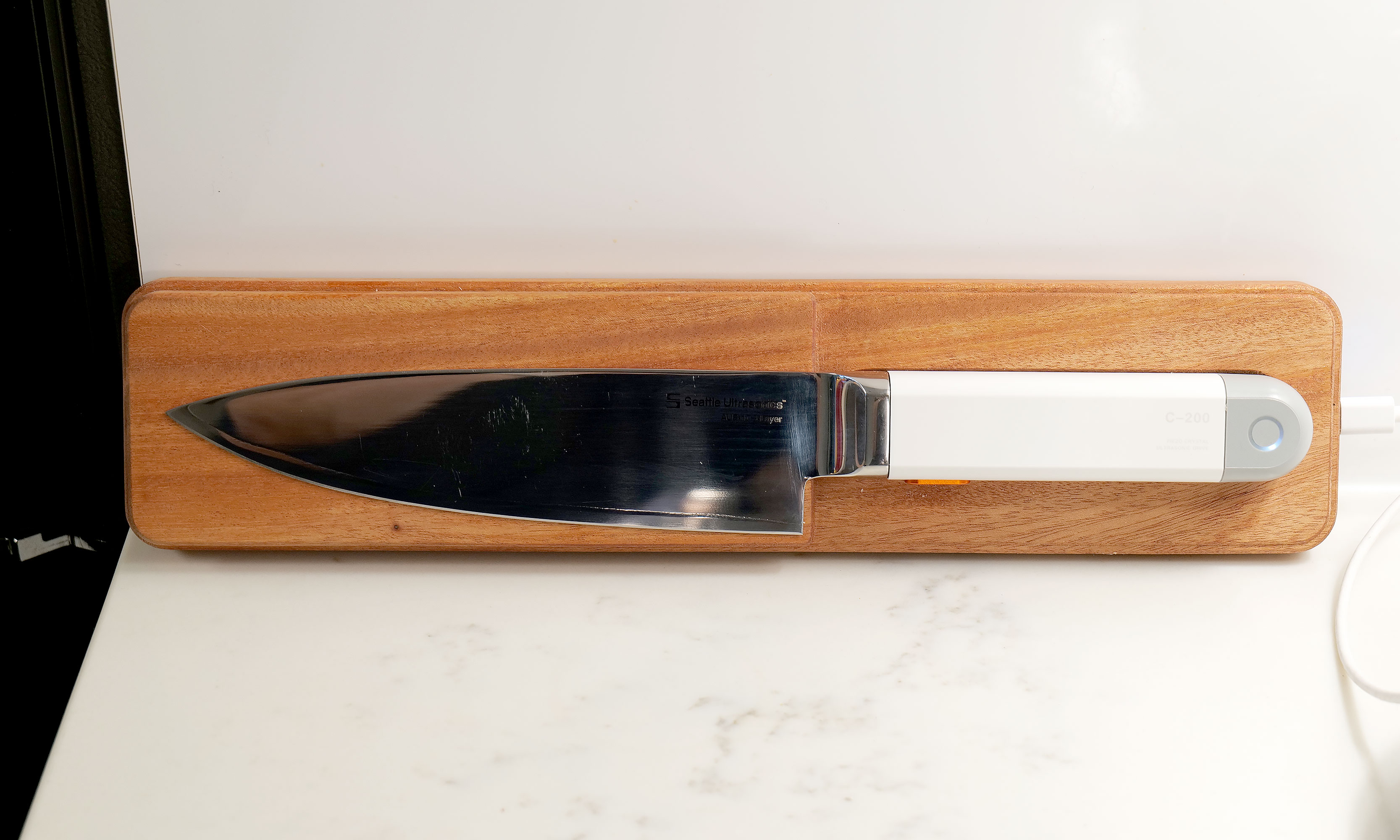
Seattle Ultrasonics' wireless charging tile makes it incredibly easy to forget that the C-200 needs to be topped up between uses.
Sam Rutherford for Engadget
I fully admit the need to keep a knife charged up is a major annoyance and something I or anyone else probably doesn't want to do. Thankfully, Seattle Ultrasonics thought of that by including support for wireless charging via the C-200's magnetic tile and it's dead simple to use. Just toss it on the charger when you're not using and it will take care of itself, so you never have to worry about how much of its normal 20-minute runtime it may or may not have left. There are also holes around back so you can easily mount the charger on a wall or shelf. In short, the added convenience the charging tile brings is so valuable that I don't really consider it an optional accessory. If you're getting the C-200, you need to buy this too, which sadly means you're looking at an all-in price of $500 for the bundle instead of just $400 for the knife by itself.
Wrap-up
As much as I love old-school knives, they'll simply never be as sharp an equivalent blade with this newfound tech.
Sam Rutherford for Engadget
After using the C-200, I don't think people need to rush out and throw all their old-school knives in the trash. The beauty of an ultrasonic blade like this is that it can handle everything your old cutlery is meant for, but with the touch of a button, it delivers sharpness unlike anything you've experienced before. And while it has some quirks, they're nothing like the kind you typically encounter on first-gen gadgets. Its biggest drawback is that its magnetic charging tile feels like an essential accessory, but it adds extra cost on top of a product that already has a deservedly premium price tag.
Even though I'm sure knife makers will continue tweaking blade shapes and alloy mixes from now until the end of time, the addition of ultrasonic vibrations to a chef's knife unlocks a completely new tier of performance. That's because this technology is additive. All it does is enhance what a blade already does best. And when you look at related gadgets in the maker space, I don't think it's a coincidence that there's a similar revolution that resulted in Adam Savage of Mythbusters fame naming a sonic cutter as one of his favorite things of 2025. When viewed that way, it makes me even more confident that the C-200 is the flagbearer for a new breed of kitchen knives.
This article originally appeared on Engadget at https://www.engadget.com/home/kitchen-tech/seattle-ultrasonics-c-200-review-this-is-the-future-of-kitchen-knives-140000051.html?src=rss
Getting a solid Android phone doesn’t necessitate spending a small fortune. The best budget models strike a great balance between price and performance, giving you smooth everyday use without cutting too many corners. Whether you’re scrolling social media, streaming your favorite shows or snapping photos of a night out, there’s an affordable Android phone that can handle it all.
Cheaper phones have come a long way in recent years. Many now feature bright, fast displays, reliable cameras and battery life that lasts well into the next day. You might miss out on top-tier extras like the latest processor or ultra-high-resolution zoom, but what you get instead is value that makes sense. Some models even surprise with cameras that rival far pricier flagships, making them ideal for casual photographers or anyone who just wants to capture a great shot on the go.
We’ve tested budget Android phones from brands like Google, Samsung and OnePlus to find the ones that deliver the most for less. These are the models that prove you don’t need a flagship price tag to get a dependable Android phone.
Best budget Android phones for 2026
How cheap should you go for an Android phone?
We tend to define a budget smartphone as costing between $150 and $350. Any lower and the device runs the risk of suffering from too many compromises in function, and above that, you cross over to pricier midrange handsets (if you're open to spending more, we shouted out a couple of our favorite flagship phones at the very end of this guide).
But for those with a little wiggle room, there are some things to consider. For example, a child may be better off with a cheaper device, especially if it’s intended mainly for emergencies, WiFi browsing or texting parents (and not social media). On the higher end of this price spectrum, sub-$350 Samsung phones and other Android devices have come a long way thanks to improved performance, better phone cameras with low-light capabilities, fast charging, and nicer displays like AMOLED panels. This makes them a viable alternative to, say, a flagship handset with a premium design, even if you have the flexibility to spend more.
What to look for in a cheap Android phone
When it comes to cheap phones, you get what you pay for. Most smartphones in this price range are made out of plastic, though the fit and finish of a specific model can vary a lot based on price. A bright screen is also important. Typically you’ll get LCD panels with a 60Hz or 90Hz refresh rate, but some phones may have OLED or AMOLED screens with increased color saturation. Long battery life is critical as well, so we tend to favor devices with larger power cells of around 5,000 mAh. In this price range, performance can vary a lot, so look for devices with at least 8GB of RAM and processors that can deliver stutter-free visuals. It’s also important to consider support length: as periodic security updates and lengthy software support can extend the longevity of your device, which will save you money in the long run.
Android phone FAQs
What's the price difference for a cheap Android vs a cheap iPhone?
iPhones tend to be more expensive compared to Android phones — even the cheapest iPhone, the iPhone SE, which starts from $429, is a harder pill to swallow compared to a cheap Android phone. In contrast, you can get your hands on a cheap Android device for as low as $100.
This article originally appeared on Engadget at https://www.engadget.com/mobile/smartphones/best-cheap-android-phone-160029703.html?src=rss
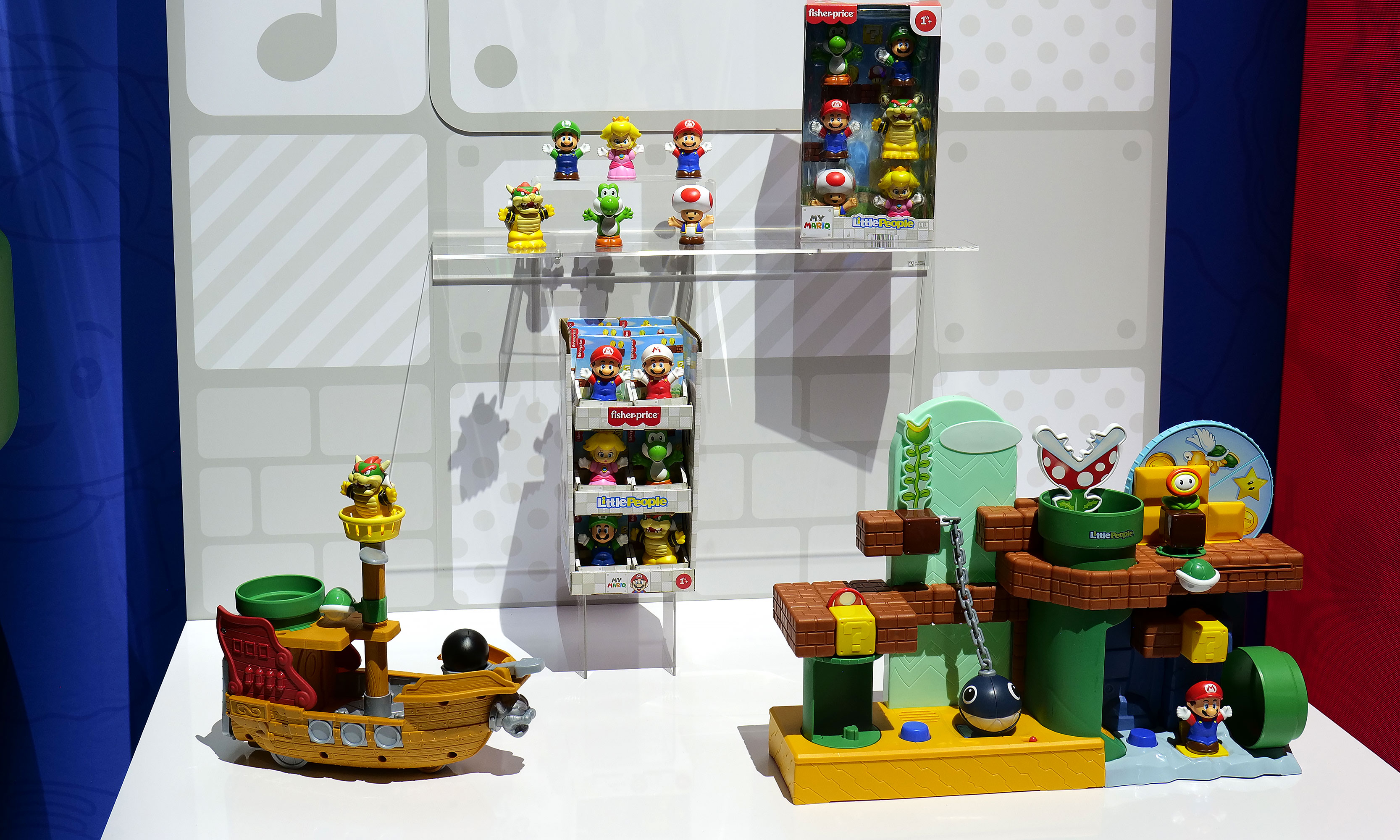
Toy Fair 2026 just wrapped earlier this week and while I would have liked to spend even more time there, I have my own kids (and all their toys and trinkets) to look after. That said, there were a ton of cool new products on display at the Javits Center in New York City that set the stage for the rest of the year, so here's a quick look at some of the most interesting releases from the largest toy show in the Western Hemisphere.
To celebrate the 40th anniversary of Transformers: The Movie, Hasbro is launching an apology tour to make up for traumatizing theatergoers with the death of the most beloved Autobot back in 1986. To kick things off, Hasbro is releasing a handful of new figures alongside re-releases for some popular bots including Astrotrain, Skywarp, Snarl and Shockwave. I want to give a special shout-out to the model for Kranix, which looks incredibly accurate, as if he just leapt off the movie screen. And even though his duck-billed spaceship alt-mode might look a bit awkward, I wouldn't have it any other way.
The crown jewel of the line might be a near-life-size version of The Matrix of Leadership, which measures more than 15 inches wide and even plays Stan Bush's iconic song "The Touch" with the push of a button. Unfortunately, the appeal of the Matrix is so powerful that it's already sold out, including at third-party retailers like Big Bad Toy Store, which thankfully is still taking pre-orders for the rest of the lineup after the initial stock from Hasbro dried up.
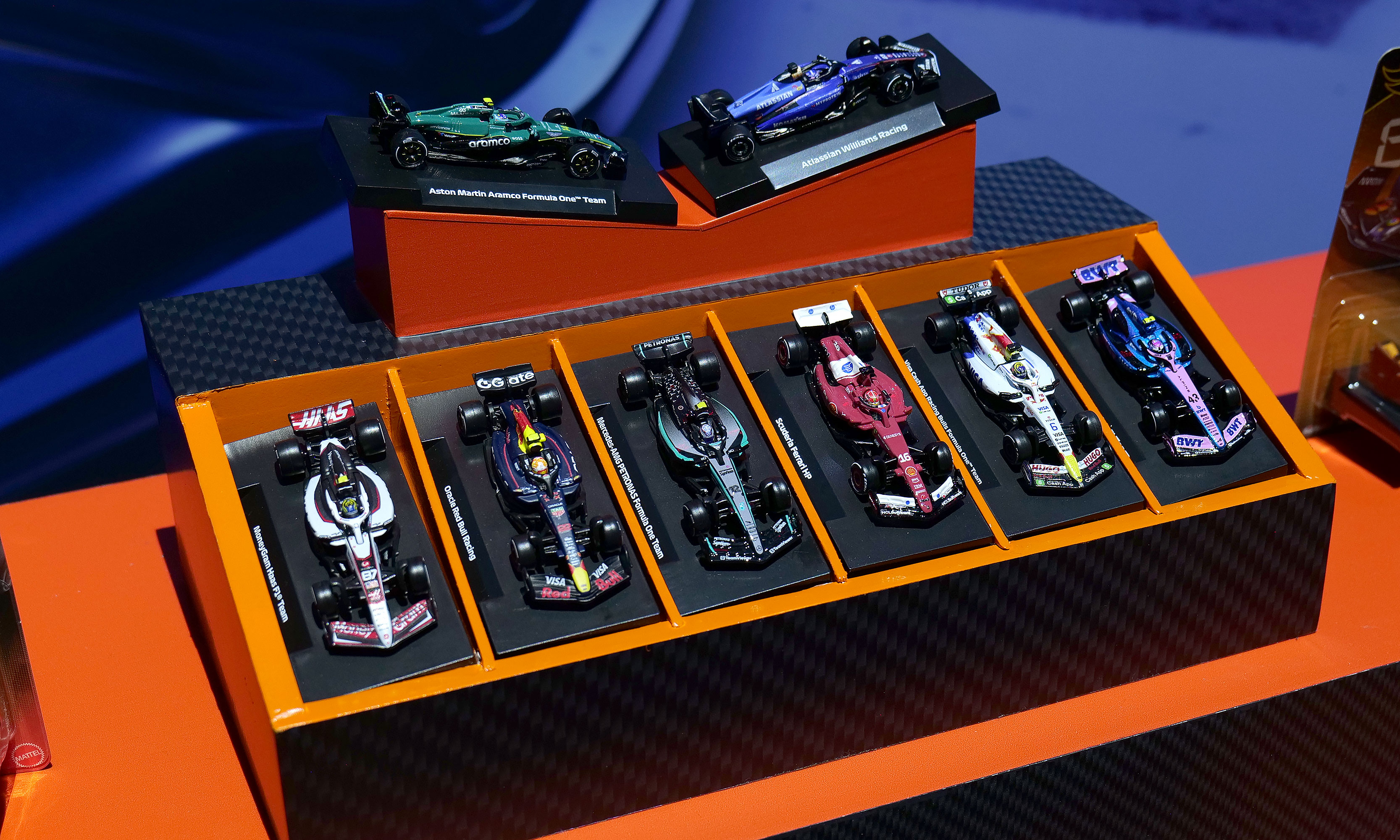
A collection of some of the new F1 Hot Wheels cars for 2026.
Sam Rutherford for Engadget
Hot Wheels has big plans for 2026 including a new line of Pantone-colored cars, Brick Shop models like the Elite Series Aston Martin (which comes with its own 1:64 scale car) and a Monster Truck Mutant Chaos set with actual slime. However, I'd argue the company's new F1 offerings are the cream of the crop. Not only are there a bunch of incredibly detailed 1:64 scale racecars with metal bodies, real rubber tires and accurate livery for all the big teams, there's also a new Downhill Circuit Race course that comes with three official vehicles (Mercedes, Haas and Ferrari) featuring multiple levels and the ability to overtake or crash into other cars. If you're like a lot of Americans who have recently fallen down the F1 rabbit hole due to Netflix's Drive to Survive, these new officially licensed miniatures are sure to hit the spot.
The first five-pack set of cars is available now, with more arriving later this spring before the Downhill Circuit Race course drives by sometime this fall.
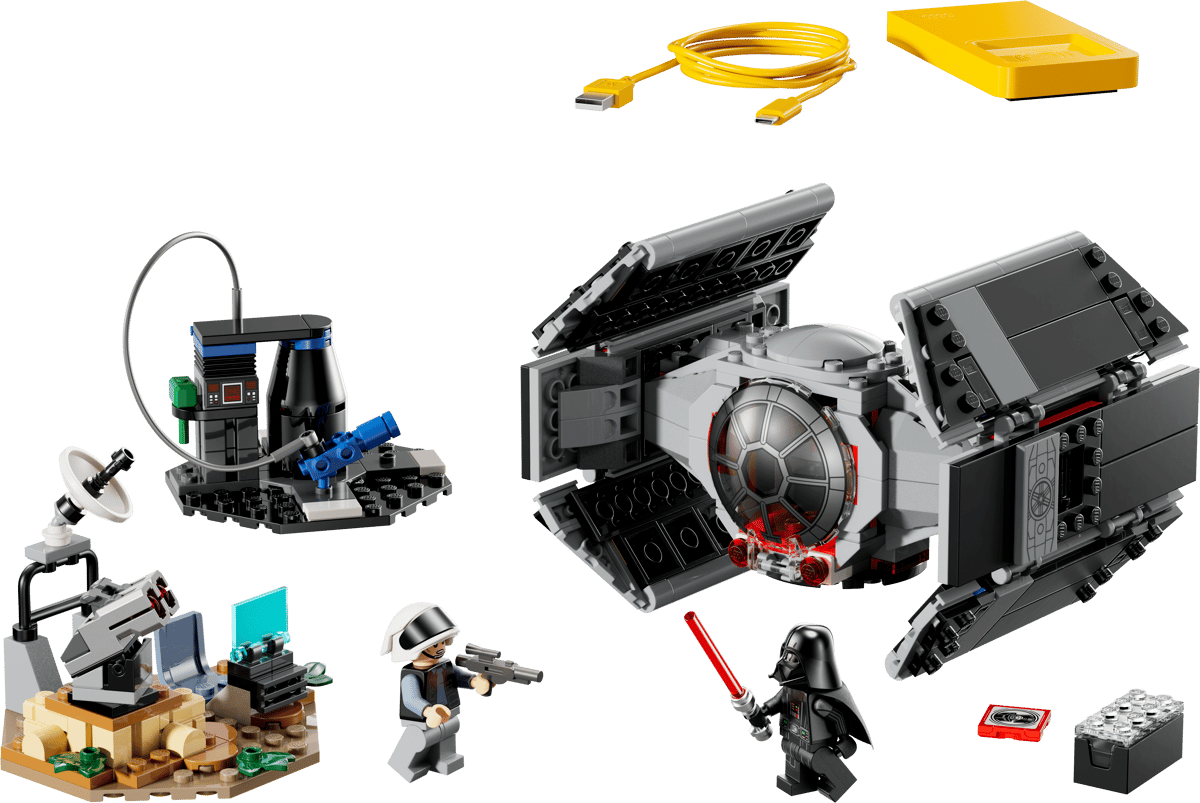
Darth Vader's TIE fighter is an all-in-one set, which means it comes included with one of Lego's Smart Bricks, which isn't true for every kit.
Lego
We've been eagerly awaiting the first batch of playsets featuring Lego's nifty Smart Brick after it debuted at CES. But now that the company has detailed eight new sets featuring its latest innovation, we're even more intrigued. For me, the three standout kits are the Millennium Falcon, Luke's Red Five X-Wing and Darth Vader's TIE fighter because acting out the Death Star trench run complete with reactive lights and sounds will never get old. I also have a soft spot for the Ewok minifigs that come with the AT-ST set. Alternatively, the Mos Eisley Cantina kit seems like a great way to highlight the smart brick's ability to play music or kick out some rowdy droids. The one thing to look out for, though, is the tag on the set that says whether it's Smart Play compatible or if it's an all-in-one set, because the former will need Smart Bricks from other kits to deliver Lego's newfound interactivity.
Pre-orders for these are live now, with sets slated to ship on March 1.
All the new K-pop Demon Hunters toys
The HUNTR/X Battle Rumi Deluxe Fashion Doll (right) might be my favorite of the bunch.
Sam Rutherford for Engadget
Rumi, Mira and Zoey may have been the biggest breakout stars of 2025 and Mattel is looking to keep that momentum going with a ton of new toys and figures for everyone's favorite demon hunters. There are three new singing dolls that can belt out the trio's hit "Golden" at the touch of a button and a deluxe figure of Rumi complete with her Four Tiger Sword. There are also a ton of other dolls and miniatures showcasing HUNTR/X, the Saja Boys and more. The one downside is that these products aren't coming out until the fall, so you'll have to tide yourself over with other K-pop-themed products for now.
If Rosalina isn't careful, Yoshi will become the biggest draw of the new Mario movie.
Spin Masters
Yoshi seems poised to steal the spotlight from Rosalina in the upcoming Super Mario Galaxy Movie and this release from Spin Masters is only reinforcing the lovable green dino's aura. From inside his shell, Yoshi can burst out with his signature yell. After that, you can pat his nose to make his eyes light up or get him to rock when he's really happy. But if you want one, you're going to have to be vigilant. Pre-orders are already sold out, so you'll need to keep a close eye on retailers like Walmart when he officially goes on sale on February 20.
Not only do the SolarFlowers look great, they're educational too.
Thames & Kosmos
Technically, these went on sale last month, but Thames & Kosmos' SolarFlowers caught my eye again at Toy Fair due to their combination of art and science. Available in four different styles, each kit features a model that you can build yourself or with your kids (recommended age 8+) that turns into a lasting showpiece. After putting the kinetic sculpture together, you can connect the included solar panel to bring the whole kit to life (no batteries required) and make the flowers spin for perpetual entertainment.
Honorable mentions
Upcoming Masters of the Universe figures
Some upcoming figures from Mattel's line of Masters of the Universe figures.
Sam Rutherford for Engadget
As someone who grew up during the 80s and 90s, I'm trying to be optimistic about He-Man's return to the big screen later this summer and Mattel's new line of figures is certainly helping. To help prime people for the movie, there's a big range of upcoming toys highlighting He-Man, Skeletor, Battle Cat and more, all of which I would have absolutely loved as a kid. Those will be available later this spring.
It's hard to gauge the excitement of toys aimed at one-year-olds when they can't read or get into Toy Fair. But as the parent of a toddler, I adore the partnership between Fisher-Price and Nintendo that has resulted in a line of Mario-themed Little People. All the big names are here, including Peach, Luigi and Bowser and there's even a couple of super cute playsets to go with them. But perhaps the best part is that a six-pack of figures and Bower's Airship costs under $25, which means your kid could be in for hours of fun without you spending a ton of money.
This article originally appeared on Engadget at https://www.engadget.com/entertainment/here-are-my-favorite-things-from-toy-fair-2026-183356720.html?src=rss
 Anmelden