There was once a time in which many people couldn't wait to toss their smartphone aside every two years (and sometimes even more frequently) in order to get the latest model as soon as it hit shelves. But that world has faded for the most part now as shoppers demand devices that last for years so they can hold on to them for longer. And when the time finally comes to upgrade, many are being more conscientious about what happens to their old gadgets.
You may want to trade in your smartphone or sell it when you're ready to upgrade; either option can keep your device out of a landfill in addition to scoring you some extra cash. There are also options to recycle part or all of your phone if it's too old to make a trade-in worthwhile. Whatever path you choose, there are important steps to take to prepare a phone you're about to get rid of. These instructions apply to any model you might have, including both iPhones and Android phones. Here's what you need to know.
Back up your data
Let's start with a very important reminder to do regular backups for all of your gear, not just your phone. It's a task you should keep up with routinely even when you aren't about to recycle or trade-in a device.
Most hardware manufacturers have an automatic cloud backup system, but you'll like your new phone a lot less if it doesn't have your full, up-to-date library of contacts, photos and other information. This is the time to manually back everything up with all of your latest data.
Also, before you get any further into the process, make sure that you know the critical details for your phone and the main accounts associated with it. Halfway through is the worst time to lose access to your device because you can't remember your username or password.
Unpair wireless accessories
Most people connect their phone to many other gadgets via Bluetooth. There are obvious ones, like smartwatches and wireless headphones, but you might also have your phone paired with something like a car stereo or a portable speaker. All of them should be unpaired from the phone you're about to trade in.
If you use your phone in two-factor authentication for sensitive accounts, you'll want to make sure that you disconnect the device from those services, too.
Log out of apps and services
Next, you'll sign out of the device's cloud-based service. For iPhone owners, that's iCloud, and on Android, it's the Google suite. This will avoid any confusion with your new device. You'll also want to turn off Find My on iPhones or Find My Device on Android phones. iPhone users should also deregister iMessage on their old iPhone, particularly if they’re moving to a non-Apple smartphone. These steps might seem unnecessary when you'll end up wiping your device entirely, but you don't want to risk having your personal information accidentally made available to whoever might get your phone next.
Also, if you are under a plan that protects your phone, such as Apple Care or Preferred Care, you can usually cancel that coverage early. You'll get a refund on any unexpired coverage, and given how expensive gadgets can be now, it's worth getting that money back if you can.
Swap to the new device
At this point, your to-do list will vary. If you're planning to trade up to a newer model from the same manufacturer and you already have your new phone, then you'll want to transfer your data before moving on to wiping your old phone. Either in the store or on your own, in most cases you can wirelessly migrate your data from the old device to the new one.
If you're changing lanes between the Apple and Google universes, you can also do most data swapping yourself. There's a Google Play app called Move to iOS and one in the App Store called Android Switch that can walk you through the process. Just be sure that your device meets the requirements to use those programs.
However, if you aren't immediately setting up a new device, then you can skip this and move on to the next phase.
Factory reset your old device
Once you double-check that you have everything backed up (seriously, don't take chances on this), then it's time to perform a factory reset. This will remove all of your data and apps, and bring the phone back to its original state. It’s ideal to do this reset as the final step of trading in, selling or recycling a device.
Whatever phone model you have, the reset option will be in the Settings app. It will commonly be nested under a tab like General or About, or you can search “reset” within Settings to find exactly where it is on your device.
Remove any accessories
This might seem obvious, but right before handing off your phone, make sure that you remove any accessories. Cases, grips and screen protectors should stay with you, not with the phone when it goes to its new home.
This article originally appeared on Engadget at https://www.engadget.com/mobile/smartphones/how-to-prepare-your-phone-for-trade-in-120000724.html?src=rss
While both sport very similar designs, the Pixel 8a (left) has a slightly smaller 6.1-inch screen with larger bezels than the standard Pixel 8 (right).
Replacing a smartphone every two years is partially why billions of phones go into landfills each year. If stacked flat atop one another, that many handsets would reach farther than the ISS. But we’ve become accustomed to that 24-month time frame because wireless carriers often push an upgrade on biennial contracts, and many smaller phone makers only offer software support for two years. But now, with longer software commitments from major manufacturers, along with growing right-to-repair legislation, many newer phones can stay in our pockets for closer to seven trips around the sun. Here’s how you can extend the lifespan of your smartphone and avoid shelling out hundreds before it’s absolutely necessary.
How to make your smartphone last longer
Amy Skorheim for Engadget
Use a case
It’s a flashy move to carry a naked phone around, but the chances of a handset making it through a tumble go up dramatically when you employ extra protection. We recommend a few in our guide to iPhone cases. In my family, we’ve been happy with Mous cases. Though we’ve never subjected our phones to the brutality seen in the company’s ads, I can say that these cases have seen my partner’s aging Samsung Galaxy through some pretty gnarly spills and I credit the cases for getting my iPhone 11 to 2025 in working condition.
Take care of the built-in battery (or use a power bank)
Since a phone’s battery is often the first thing to show signs of age, it’s worth it to follow recommendations for extending its lifespan. Lithium-ion batteries don’t perform well in heat and you should avoid charging them if it’s hotter than 95 degrees — doing so can degrade the battery quickly and even cause them to malfunction. They’ll tolerate cold weather better, but can get sluggish when things get too chilly.
If you’re storing a phone for a while, it’s best to do so with the battery at half charge, rather than full or empty. In fact, Li-ion cells last longer when they spend less time being either completely discharged or full — that’s why battery optimization features in iPhones and Pixel phones delay overnight charging to 100 percent until about an hour before you typically grab your mobile. And while it’s sometimes necessary to charge a battery quickly, a slower charging method when speed isn’t critical will put less stress on the ionic components and help extend the cell’s life.
But over time, any battery will eventually wear down. And if you’re traveling, relying heavily on navigation or using the phone as a hotspot, you might need more juice to get through a day. We recommend many options in our best power banks guide but the battery I grab most often is the Anker Laptop Power Bank. It’s got built-in USB-C cables and delivers enough charge to give any device (including laptops, extra hours of life). But for something smaller, I like the reliability of Statik’s semi-solid state MagSafe battery.
If you really want to give your phone a new lease on life, a new internal battery could be the ticket. For Pixel phones, you can go through Google’s official channel for either a walk-in or mail-in repair, you can look for an authorized repair partner or you can pick the DIY route with iFixit’s Pixel repair kits and instructions.
For iPhones, you can start with Apple’s official page, go through Best Buy or other authorized third-parties, or try iFixit’s methods. Samsung also has an in-house option but both iFixit and Best Buy ended their repair relationships with Samsung in 2024. Depending where you go and the model of your phone, the price for a new battery and installation will likely run you between $60 and $150 — still far less than ditching your handset for something brand new.
Clean up your phone’s storage
Most advice on how to declutter your phone and make it run faster centers on one thing: freeing up space. Your phone’s OS will likely have suggestions for clearing up storage space, like automatically offloading unused apps or deleting year-old messages. You can also do things manually by deleting any apps you don’t use. Next, consider the photos and videos you’re storing locally and either opt to pay for cloud storage or transfer the files to a computer or an external backup device. You can also consider getting rid of any music and movies you may have downloaded for offline use, and deleting old messages and large attachments. A good rule is to keep your storage at around 80 percent capacity. Once you’ve deleted and transferred what you can, restart your phone to give it a chance to clear up its temporary memory.
Why you can (and should) extend the life of your smartphone
Photo by Sam Rutherford/Engadget
The e-waste stream grows each year and doesn't do great things for human or planetary health. Smartphone companies are offering better and more consistent trade-in deals, but even some electronic recycling has its faults. Simply hanging onto a device instead of opting for a new one is the most efficient way of cutting back on a phone's environmental impact — plus it'll save you money.
While every giant phone maker would like you to believe that upgrading annually is critical, it’s worth noting that new generations of phones often bear strong resemblance to the prior year’s model. Engadget editors see this time and again with the countless smartphones they review — there’s a new button, a few new AI tricks, but the technology generally doesn’t leap forward each year to create something wildly different than what came before.
With only minor hardware upgrades, the more exciting new features come via over-the-air software updates. Starting with the release of the Pixel 8 in 2023, Google promised security and software updates for a full seven years. So those who buy a Pixel 10 in 2026 could still be using the same phone in 2033. Samsung’s Galaxy S26 has the same length of promised support. Apple committed to five years of support to comply with EU regulations, but iPhones were already known for their extended support — when iOS 26 came out, support was cut for the iPhone XR and earlier, but that meant the 2018 models had enjoyed around seven years of updates from launch.
When Apple launched the iPhone 15, the company doubled its estimation for the handset’s battery life saying a handset should retain 80 percent of the original full charge after 1,000 cycles. And Apple said the placement of the larger battery in the iPhone 16 makes replacing it easier. Overall, battery technology has improved in capacity over the years, but longevity hasn’t gone up across the board, as a study by PhoneArena makes clear.
More advancements in battery life spans may be on the horizon particularly as the EV industry grows, which also relies on lithium-ion cells. For now, declining battery health is usually the most noticeable issue affecting older phones. In 2023, the European Council of the European Union adopted new guidelines for battery-powered devices, which includes a mandate to allow consumers to “easily remove and replace” batteries. That won’t go into effect until 2027, and there will be plenty of interpretation as to what “easily” means. But EU mandates are what made Apple finally ditch Lightning ports on iPhones in favor of USB-C, so this could eventually be a step towards (once again) having smartphones with swappable batteries.
Right-to-repair bills have been passed or introduced in all 50 states. Some of these laws have already gone into effect, and will require manufacturers to do things like providing repair tools and documentation, and selling components for a certain number of years after the last new model for higher priced devices.
Currently, a number of phones have decent repairability scores, according to the online repair community iFixit (The FairPhone 6 gets the highest marks.) Until more companies start making it easier to fix things ourselves, authorized repair is an option, while self-repair remains an option for the more industrious.
This article originally appeared on Engadget at https://www.engadget.com/mobile/smartphones/how-to-make-your-smartphone-last-longer-120014817.html?src=rss
The Galaxy S25 Ultra supports up to 45-watt wired charging. Unfortunately, because it doesn't have magnets inside, it doesn't work with Qi2 accessories natively without help from a case.
By introducing the iPhone 17e just a year after the iPhone 16e, Apple is closing some gaps. Before, the company would only roll out a new entry-level iPhone every few years, with the iPhone 5c (2013), iPhone XR (2018) and iPhone SE (2016, 2020, 2022) all having two to four years between their releases. But Apple is getting into an annual groove now, and having renamed the device to integrate better with the rest of the iPhone lineup, Apple is making a clear statement: It cares about the midrange now.
With the current state of global economics, Apple’s focus on lower cost devices like the iPhone 17e and newly launched MacBook Neo is timely. Most people probably don’t make full use of the high-powered machines in their pockets and on their laps, and might be reconsidering whether they need to spend as much money on the Pros and the Airs of Apple’s product lineup. At $599, the iPhone 17e is about half the price of an iPhone 17 Pro or the iPhone Air. It’s $200 cheaper than the base iPhone 17, too.
Since I reviewed the iPhone 16e last year, I’ve been using it as a work phone, mostly for Slack, email and light editing in Docs. The way I see it, most people considering the iPhone 17e are likely in a similar situation — either thinking of getting a supplementary device or looking for a good enough phone for a child or other dependent. For this review, I’ve tried to cover most of those scenarios whether it be a person that would spend most of their phone time on social media and games like a teenager or someone that’s largely using it for administrative work purposes. I mostly want to answer this question: If you’re getting your first iPhone or buying one for someone else, should you get the iPhone 17e or the iPhone 17?
iPhone 17e vs iPhone 16e, for testing’s sake
It’s very clear from Apple’s website that it doesn’t want you comparing the iPhone 17e to the iPhone 16e. The company doesn't allow you to do so in the comparison tool on the iPhone 17e product page, limiting you to the iPhone 11, iPhone 12 and the iPhone SE (second and third generations). Sure, I understand that no one is really thinking about getting an iPhone 17e after just buying the 16e last year. But for the purposes of this review, it makes sense for me to shout out what’s new from the previous generation. The most significant additions this year are the A19 chip, double the storage, improved Portrait photography and MagSafe with faster wireless charging. Oh, and a new pink color option, adding an ever so subtle splash of color to the previously monochromatic lineup.
The A19 chip is supposed to make AI processes faster, thanks to the neural accelerators in its GPU. In my testing so far, the difference has been negligible at best. Initially I was seeing the iPhone 17e perform slower than the 16e, but after a software update, the iPhone 17e caught up. In Apple Intelligence-powered tools like Cleanup, the iPhone 17e was a split second faster at identifying unwanted objects in photos and erasing them than the 16e. If you’ve just received your iPhone 17e and run into issues where image generation or cleanup is slow or stalling, give it a day or so for the software to stabilize.
Oddly, in some side-by-side Image Playground testing, the iPhone 17e and iPhone 16e were neck and neck. Sometimes, the iPhone 16e was faster. Occasionally, the iPhone 17e was ahead. I’ll continue to keep an eye on how both phones do here, as it could still be due to some early software issues, but for now the improvements from the A19’s GPU seem to be hit or miss.
The pink iPhone 17e and the white iPhone 16e held up in one palm in front of a red brick wall.
Cherlynn Low for Engadget
Improved portraits on the iPhone 17e
Of all the improvements to the iPhone 17e, to me, one of the most important is in portraits. In my review of the iPhone 16e, I said that the majority of my grievances with the single camera setup was the fact that Apple ended up using an older version of Portrait mode.
That version was much more limited and didn’t allow for applying a background blur to pictures of non-human subjects. This time, Apple borrowed the algorithms it developed for the iPhone Air for the iPhone 17e’s rear and front cameras. This not only delivers a general improvement to portraits, with better segmentation and a more natural-looking bokeh effect, but also allows for depth information to be captured when applicable. For instance, when a person, cat or dog is detected, the iPhone 17e will automatically capture depth information so you can apply a blur after the picture is taken, even if you didn’t use Portrait mode initially.
Importantly, these “next-gen portraits” also allow you to edit the level of blur and change up the focal point of the picture after you’ve taken the shot. In some photos of my neighbor’s grumpy shih-poo, I was shocked that my colleagues actually preferred the samples I shared from the iPhone 16e over the ones from the iPhone 17e. But their critique was fair: the newer phone blurred out Oreo’s tail, keeping only his face in focus. I was able to address this by going into the editing tools and dragging the slider for aperture to bring more of the dog into focus. I also played around and tapped on Oreo’s tail to make it clear, and the iPhone 17e blurred up his face instead.
Two photo samples side by side, featuring a dog on a blue leash staring up into the camera.
Cherlynn Low for Engadget
When using Portrait mode to photograph people, the iPhone 17e did indeed deliver more pleasant bokeh than its predecessor. In pictures of my friend Brenda Stolyar, with the “depth” or aperture set to f/4.5 across both devices, there was more softness in the brick wall behind her on the new phone. I was slightly confused since it seemed like the older iPhone actually delivered a sharper picture, until I realized it was actually just softer bokeh.
For those coming from older phones like the iPhone 11, 12 or SE, the addition of next-gen portraits should feel like a major step up. Even when compared to the iPhone 16e, the fact that I was now able to apply the effect on photos of food and other inanimate objects with no faces made me happier. It makes the camera more versatile, and feels like a noteworthy update that makes your photos feel more modern.
But that is definitely because I like pictures with the artificial depth of field effect. If you don’t care for bokeh and really only want a phone’s cameras to be good enough to snap pictures of menus or receipts, for instance, the 17e’s improvements here won’t mean much.
MagSafe and wireless charging
The rear of the iPhone 17e catches the light in front of a stone wall.
Cherlynn Low for Engadget
What might matter more, then, is this generation’s wireless charging speeds. While the iPhone 16e could only support up to 7.5W, the iPhone 17e goes up to 15W (with adapters of 20W or higher) and also works with MagSafe accessories. I can’t imagine anyone considering a new iPhone 17e already has magnetic cases or stands, but if you decide to invest in those accessories, you’ll find them convenient and satisfying.
I placed both models on my wireless charging stand — the 17e snapped on and started charging, while the 16e clattered helplessly off the stand. I placed it on the charging pad at the base instead and noted how much power each of them gained in 15 minutes. The improvement is clear: the iPhone 17e went up by 16 percent (30 percent to 46 percent), while the 16e only gained 3 percent (69 percent to just 72 percent).
Beyond the numbers, what this means is that when you’re in a pinch and trying to quickly top up your phone on, say, a wireless charger you found at a cafe, you won’t need to sit around as long with the iPhone 17e. For those of you that simply leave your phone on a stand overnight, this is less likely to meaningfully impact you.
There are a few other updates that I haven’t really tested in this review, like the improved durability with Ceramic Shield 2 on the iPhone 17e’s screen. The new display also has a treatment that is supposed to reduce glare, and considering the week of wonderfully gloomy weather we’ve had here in New York, this isn’t something I’ve truly had a chance to evaluate. Also, while I do appreciate the doubled storage, which is sure to please the media hoarders among us, I will say I’ve already been served warnings about my iCloud storage running out. It still feels like something else Apple might need to address, but for newcomers to the iOS world, the higher base storage is absolutely a positive.
Elsewhere, there are virtually no differences between the iPhone 17e and iPhone 16e. They have the same size displays with the same resolution, brightness, refresh rate, contrast ratio and color gamuts. Both are rated IP68 for dust and water resistance, and have similar battery lives (up to 26 hours of video playback, according to Apple). They also have the exact same dimensions of 5.78 x 2.82 x 0.31 inches, although the iPhone 17e does weigh a whole 2 grams (0.8 ounces) more than the 16e, which is almost definitely attributable to the addition of MagSafe. Unless you have weighing scales for hands, though, this difference is negligible.
An iPhone 17e held up in front of a tree trunk.
Cherlynn Low for Engadget
Should you get the iPhone 17e or the iPhone 17?
Where you might find more meaningful distinctions is when comparing the iPhone 17e to the iPhone 17. For $200 more, you’ll get longer battery life and slightly better performance thanks to one more GPU core. The iPhone 17 also has a larger, sharper and brighter display that’s 6.3-inches, with higher refresh rates and a full-screen design incorporating the Dynamic Island. It also supports the Always On Display and has an 18MP front camera with the Center Stage feature that allows for easy switching between landscape and vertical orientations in your selfies without having to rotate your phone.
In fact, the camera upgrades alone on the iPhone 17 might be worth the money. On top of getting the additional ultrawide camera, you’ll also gain the dedicated camera control button on the right edge, the latest generation of Photographic Styles, support for macro photography, Cinematic mode and Dual Capture in videos as well as spatial and macro recording capabilities. It also comes with sensor-shift optical image stabilization, which is more advanced than the OIS on the iPhone 17e. Rounding out that long list of differences is higher recharge speeds (with compatible chargers) and Apple’s second-generation Ultra Wideband chip for more precise Find My support. The iPhone 17 also offers dual-frequency GPS and works with the latest standards in connectivity, like Thread, Wi-Fi 7 and Bluetooth 6 (whereas the iPhone 17e only gets to Wi-Fi 6 and Bluetooth 5.3).
Sure, the iPhone 17 is slightly taller and heavier, but considering all the bonuses and the extra camera, that feels like a tradeoff that is more than fair. It’s a lot more advanced for $200, and feels like a better starter phone than the iPhone 17e. But if your budget is tight and camera performance isn’t a priority, you’ll get a great experience from Apple’s latest.
The iPhone 17e held up in mid-air in front of some red foliage.
Cherlynn Low for Engadget
Wrap-up
In 2026, it feels like Apple has done the impossible. It’s managed to serve up multiple iPhones at various price points with enough meaningful differentiations to justify each tier. Meanwhile, each iPhone 17 in the full lineup is a capable and satisfying device for its price. Upgrading to the iPhone 17e from the iPhone 11, 12 or SE will certainly feel significant, although getting almost any current-gen phone will feel modern compared to those.
In fact, if you’re platform agnostic and wouldn’t mind an Android device, there are options out there with significantly superior screens and cameras. The Pixel 10a, for instance, offers a larger display with a 120Hz refresh rate and a dual-camera system all for $100 less. With Apple seeming to be setting its sights on the midrange market, it should seriously consider stepping up in those two areas in the next e-series iPhone.
But of course, the name “iPhone” carries its own premium, and the iPhone 17e is a solid entry-level handset for those who need a basic, no-frills path into the Apple ecosystem.
This article originally appeared on Engadget at https://www.engadget.com/mobile/smartphones/iphone-17e-review-the-economical-choice-130000647.html?src=rss
Tecno just unveiled a rather intriguing modular smartphone concept design at MWC 2026. The standout feature here is likely the size. Most modular smartphone concepts start bulky and only get bulkier once attaching accessories. Tecno's base smartphone is just 4.9mm thin, which is significantly thinner than a pencil and the iPhone Air.
Of course, the size increases with each attached module. However, snapping on the power bank module makes the thickness comparable to a standard modern smartphone. Another key feature here is how these various modular components stick together. Tecno has developed new interconnection technology that uses both magnets and pin connectors. This should make it easy to both attach and remove components.
The company says this phone has been designed to grow with the user through hardware expansion. To that end, Tecno has developed 10 modules. There are various camera lenses and something that looks like a dedicated gaming controller.
Tecno
While the magnets are for attaching, the pin connectors assist with power delivery. Data transmission between the phone and the modules is handled wirelessly, with the ability to switch between Wi-Fi, Bluetooth and mmWave depending on where the user is located.
There are two colorways for both the phone and the ecosystem of accessories. There's a silver-aluminum edition and a nifty-looking grey version. This doesn't matter to actual consumers because, well, it's just a concept design. It does look like the company's magnetic attachment technology could make it to some actual products down the line.
The industry hasn't quite embraced modular smartphones just yet, even though there have been some nifty concept designs. Google's Project Ara prototype goes back more than a decade, and the same can be said of other concept designs that never saw the light of day.
This article originally appeared on Engadget at https://www.engadget.com/mobile/smartphones/tecno-just-unveiled-a-ridiculously-thin-modular-smartphone-concept-design-194741776.html?src=rss
Apple’s iPhone lineup has grown more complicated over the years, with multiple models targeting different kinds of buyers. Some prioritize camera performance and display quality while others focus on design or price, and not everyone needs the most powerful option on the shelf. If you’re planning an upgrade, the challenge isn’t whether Apple makes a good phone; it’s figuring out which iPhone actually makes sense for you based on how you use it.
We test every new iPhone Apple releases, comparing performance, cameras, battery life and long-term value. In this guide, we break down the current lineup to highlight the best iPhones for different needs, from the best all-around picks to more specialized options that trade raw power for affordability or style.
For consistency, our recommendations are based on Apple’s standard pricing for unlocked models sold directly through Apple. Deals from carriers, third-party retailers or refurbished sellers can shift the value math, but this guide is meant to help you choose the right model first — then decide where to buy it.
Best iPhones for 2026
The rest of Apple's iPhone lineup in 2026
The iPhone 16.
Billy Steele for Engadget
Apple iPhone 16 and iPhone 16 Plus
Apple is still selling the last-gen iPhone 16 and iPhone 16 Plus for $699 and $799, respectively, but the improvements made with the iPhone 17 have forced both devices into something of a no man’s land. The 16 Plus and its 6.7-inch display might be worth it if you want a large-screen iPhone for a much lower price than the iPhone 17 Pro Max, but you’ll miss out on the base model’s 120Hz always-on display and upgraded dual-camera setup. If you just want a usable iPhone for as little as possible, meanwhile, the iPhone 16e is acceptable for $100 less. In general, we think the iPhone 17 is worth the extra $100; its 6.3-inch display helps it split the difference between the 16 and 16 Plus anyway.
iPhone FAQs
Brian Oh for Engadget
When is the best time of year to buy an iPhone?
The best time to buy an iPhone, or really any product, is whenever you need one. But if you want to maximize how long your iPhone is considered “current,” plan to upgrade in late September. Apple almost always introduces its new core models around then. SE and “e” iPhones, meanwhile, have arrived between February and April, but those aren’t guaranteed annual releases.
Cash discounts on new unlocked iPhones are rare, so there usually isn’t much reason to wait for a deal before buying (as is often the case with Samsung or Google phones). Carriers will run their own sales, but those typically involve locking you into years-long service plans. The exception would be if you specifically want an older iPhone, since Apple typically cuts the price of its last-gen devices by $100 or more when it introduces a new model. So, for instance, if you know you won’t care about the inevitable iPhone 17’s upgrades, you could wait until that device is announced and get the iPhone 16 for a little cheaper.
How long does an iPhone last?
This depends on the person and how they define “last.” If we had to give a broad estimate, we’d say most iPhone users keep their device between two and four years. If you’re particularly sensitive to performance and camera improvements, you might want to upgrade on the earlier side of that timeline. If you’re not as picky, you could hold out for even longer — though you’ll likely want to get a battery replacement sometime around the three- or four-year mark (or whenever you notice your battery life has severely degraded).
Software support shouldn’t be a problem regardless: Apple is renowned for keeping its devices up-to-date long-term, and the current iOS 26 update is available on iPhones dating back to 2019. Most of those older phones don’t support Apple Intelligence, so there isn’t total parity, but that’s not a big loss in the grand scheme of things.
How do I know how old my iPhone is?
Go to your iPhone’s Settings, then tap General > About. You should see the Model Name right near the top. You can also tap the Model Number below that, then verify the resulting four-digit code on Apple’s identification page to further confirm.
If you don’t want to use software, for whatever reason, you can also find your iPhone’s model number printed within its USB-C or Lightning port, if the device lacks a SIM tray. For older devices, you can alternatively find that number within the SIM slot or — if you’re still hanging onto an iPhone 7 or older — right on the back of the handset.
Recent updates
September 2025: We’ve overhauled this guide to reflect the release of the new iPhone Air and iPhone 17 series. The base iPhone 17 is our new top pick for most people, while the iPhone 17 Pro and Pro Max represent the best iPhones you can buy if money is no object. The iPhone Air is worth considering if you care about style above all else, while the iPhone 16e remains acceptable if you want the most affordable new iPhone possible.
August 2025: We’ve taken another pass to ensure our advice is still up-to-date and noted that we expect to Apple to launch new phones soon in September.
June 2025: We’ve lightly edited this guide for clarity and added a few common FAQs. Our picks remain unchanged.
February 2025: The new iPhone 16e replaces the iPhone 15 and iPhone 15 Plus as our “budget” pick. We’ve also removed our notes on the iPhone 14, iPhone 14 Plus, and iPhone SE (3rd generation), as each has been formally discontinued.
January 2025: We've made a few minor edits for clarity and ensured our recommendations are still up to date.
December 2024: We’ve made a few edits to reflect the release of Apple Intelligence, though our picks remain the same.
This article originally appeared on Engadget at https://www.engadget.com/mobile/smartphones/best-iphone-160012979.html?src=rss
We found the iPhone Air to have a pretty decent battery life for such a thin-and-light phone, somewhere in the region of 27 hours if you’re continuously streaming video. But it's still a phone, arguably your most used device on a daily basis, so you may need to top it up during the day if you're using it constantly. That’s where Apple’s iPhone Air MagSafe battery pack comes in, and it’s currently on sale for $79.
This accessory only works with the iPhone Air, but much like the phone it attaches to, it’s extremely slim at 7.5mmm, so crucially doesn’t add so much bulk when attached that it defeats the point of having a thin phone in the first place. The MagSafe Battery isn’t enormous at 3,149mAh (enough to add an extra 65 percent of charge to the Air), but it can wirelessly charge the AirPods Pro 3 as well, making it an even more useful travel companion. You can also charge your iPhone while charging the battery pack.
At its regular price of $99, the MagSafe battery pack is an admittedly pricey add-on to what is already an expensive phone, but for $20 off it’s well worth considering what Engadget’s Sam Rutherford called an "essential accessory" for some users in his iPhone Air review.
Many Apple loyalists will always insist on having first-party accessories for their iPhone, but there are plenty of third-party MagSafe chargers out there too, a lot of them considerably cheaper than Apple’s lineup. Be sure to check out our guide for those.
This article originally appeared on Engadget at https://www.engadget.com/deals/apples-iphone-air-magsafe-battery-pack-is-cheaper-than-ever-144516417.html?src=rss
Samsung’s 2025 was filled with new foldables, an ultra-thin new form factor and the launch of Google's XR platform. After making some announcements at CES 2026, the company has announced its first Galaxy Unpacked of the year will take place on February 25, where it is expected to introduce the Galaxy S26 lineup. Official invites have been shared, but actual information on what devices are arriving then is still not completely confirmed. But as usual, we know a lot about what’s expected at Unpacked.
Engadget will be covering Galaxy Unpacked live from San Francisco tomorrow, and we'll most likely have hands-on coverage of Samsung's new smartphones soon after they're announced. While we wait for the full details, here's everything we expect Samsung will introduce at the first Galaxy Unpacked event of 2026.
When is Unpacked 2026 taking place?
According to the official invite that Samsung shared on February 10, Unpacked will happen on February 25, 2026 in San Francisco. The keynote will start at 10AM PT (1PM ET) and be livestreamed on Samsung.com, as well as the company’s newsroom and YouTube channel. The announcement on February 10 also said this launch will mark “a new phase in the era of AI as intelligence becomes truly personal and adaptive.” It’s not a lot to go on, since we’ve heard a version of this from various companies over the last few years, but at least we won’t be shocked when we hear more about AI in just about two weeks.
Galaxy S26, S26+ and S26 Ultra
Samsung Galaxy S25 Ultra hands-on photo
Photo by Sam Rutherford/Engadget
Samsung's restrained approach to updating its phones will likely continue with the Galaxy S26. Based on leakedimages of the new lineup, the company is not expected to radically reinvent the look of the Galaxy S26, Galaxy S26+ or Galaxy S26 Ultra, and instead will stick with a similar design to what it used on the Galaxy S25. The phones will have a flat front screen and frame, with rounded corners and cameras housed in a vertical pill-shaped plateau on the back. Unlike Apple's move from the iPhone 16 Pro to the iPhone 17 Pro, the biggest difference here will likely be internal components like the screens, chips and camera sensors Samsung uses.
Qualcomm's new Snapdragon 8 Elite Gen 5 chip is expected to be in all Samsung Galaxy S26 phones, though Korean news site Yonhap News reports Samsung's relatively new Exynos 2600 chip could be used in some phones in the lineup depending on the region, a strategy Samsung has deployed in the past. Either way the new phones should be more performant than the previous generation, and in the case of the models with the Snapdragon 8 Elite Gen 5, particularly good at on-device AI processing.
I have compiled the most accurate comprehensive parameter comparison of Galaxy S25, S25+ and Galaxy S26、 S26+. Which one do you want to buy? pic.twitter.com/aQpoSvYjOz
One notable difference between the Galaxy S26 and the Galaxy S25 could be the phone's screen. The new phone will reportedly feature a 6.3-inch FHD+ display according to specs shared by leaker Ice Universe, which makes it ever so slightly larger than the 6.2-inch display used on the Galaxy S25. The S26 will also allegedly come with 12GB of RAM, either 256GB or 512GB of storage and a slightly larger 4,300mAh battery. Samsung isn't changing the cameras on the entry-level phone, though: leaks suggest it'll feature the same 50-megapixel main camera, 12-megapixel ultrawide, 10-megapixel 3x telephoto and 12-megapixel selfie camera as the previous generation. Changes appear to be even more minor on the Galaxy S26+. Other than the new Snapdragon chip, the phone will reportedly feature the same 6.7-inch FHD+ screen, 4,900mAh battery, 12GB of RAM and the same camera array used on the base Galaxy S26.
The difference between the Galaxy S26 Ultra and Galaxy S25 Ultra is reportedly a bit clearer. According to Android Headlines, the new phone's cameras will be slightly more raised, and stand out thanks to a new metallic finish. Samsung may also switch back to using an aluminum frame on the Galaxy S26 Ultra, after using titanium frames on both the Galaxy S24 and S25 Ultras. Most importantly, to make the phone actually support Qi2 rather than only technically work with the standard when a case is attached, rumors suggest Samsung will remove the S Pen digitizer layer in the phone and adopt a new method for accepting stylus input. It's not clear what that new method will actually be, but it could let the Galaxy S26 Ultra more easily work with Qi2 accessories without losing its stylus.
Android Headlines also recently shared what appear to be full image renders of the S26 series, and they generally line up with what has already been rumored, leaked and reported so far. If these pictures are accurate, they give us a clearer look at the camera bump and two color variants of the S26 Ultra.
Fans of magnets may continue to be disappointed by Samsung if the latest rumors are accurate. Despite the launch of the Qi 2 wireless charging standard adding support for convenient magnetic alignment years ago, Samsung has yet to bring that feature to its phones. Though the S-series have the higher speed charging rates that the spec enables, Nieuwemobiel.nl is reporting that, due to images it received of cases with magnetic rings, the S26 series likely won’t have built-in magnets. Samsung has made these cases to add the magnetic capability to its S-series in the past, and the existence of the images of these accessories lends weight to the idea that the company will continue this approach.
Galaxy Buds 4
Galaxy Buds 3 Pro in case.
Engadget
Samsung released the Galaxy Buds 3 and 3 Pro in 2024, with a major redesign that brought them much more in line with Apple's AirPods. The Galaxy Buds 4 and Buds 4 Pro Samsung is rumored to be announcing soon won't necessarily change that, though they will feature a more compact case and less angular stems, according to leaked images from the Samsung Tips app.
Support for head gestures to accept and decline calls, a feature Apple includes on the AirPods Pro 3 and AirPods 4, is also rumored to work on both versions of the new Galaxy Buds. SamMobile reports the Galaxy Buds 4 and 4 Pro may also ship with a new Ultra Wideband chip that will make them easier to find with Google's Find Hub network.
Galaxy Z Trifold
Yes, the TriFold has a crease, two in fact. But they still don't ruin the experience.
Sam Rutherford for Engadget
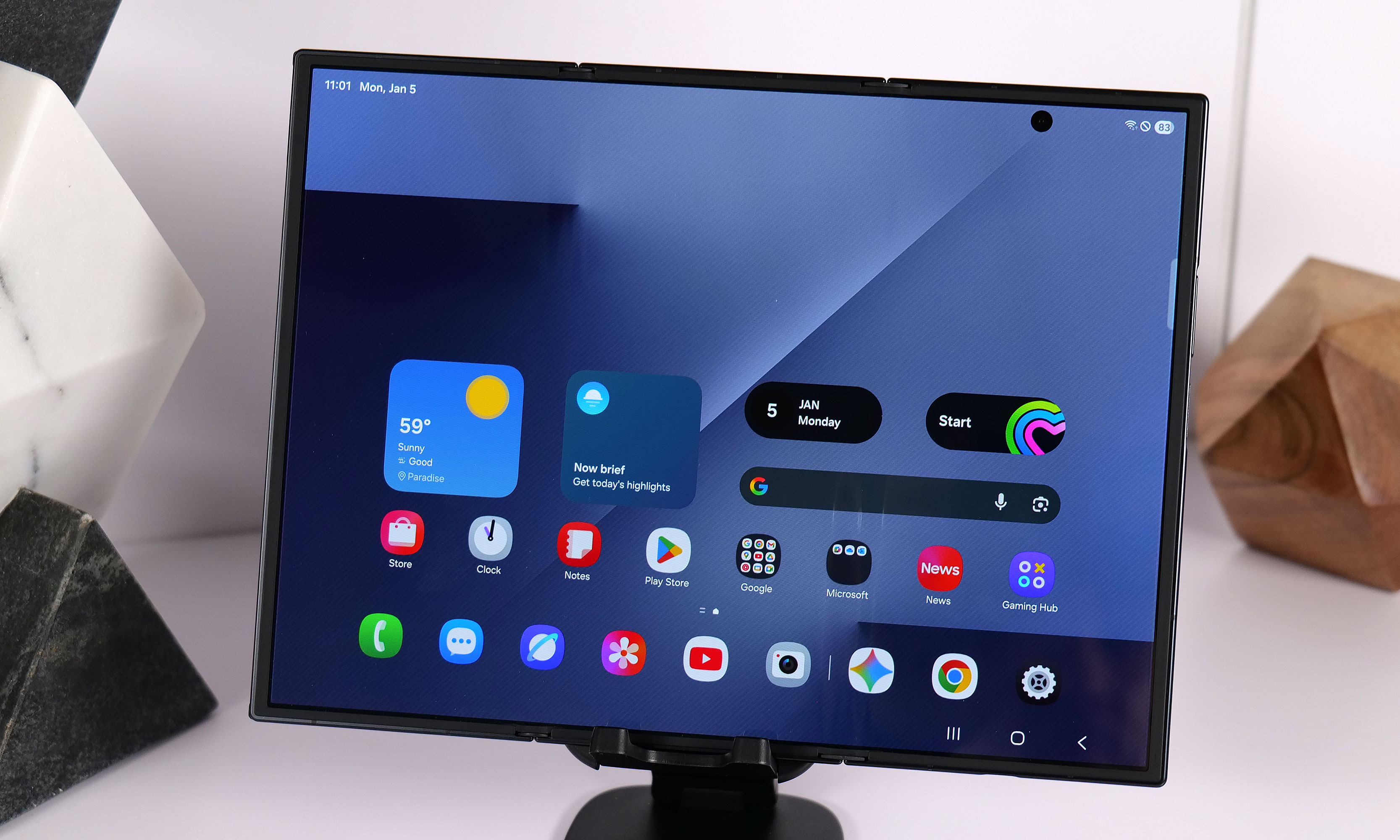
Samsung announced the Galaxy Z TriFold in late 2025 without firm details of when the new smartphone-that-folds-into-a-tablet would be available in North America. That info came on January 27, when the company announced the TriFold would be available in the US on January 30, for a whopping $2,900. Considering we’ve already seen the device in person at CES 2026 and people are most likely to have had a chance to look at, if not buy the foldable for themselves by the time Unpacked rolls around, we don’t expect Samsung to spend too much time dwelling on it, if at all.
Galaxy S26 Edge
At just 5.8mm thick, the Samsung Galaxy S25 Edge is one of the thinnest smartphones ever made.
Sam Rutherford for Engadget
When the Galaxy S25 Edge was announced in 2025, it seemed possible that Samsung could replace its "Plus" smartphone with a unique form factor, just like Apple has opted to do with the iPhone Air. There have been conflicting reports on the matter, but it seems like Samsung will not be doing that with the Galaxy S26 Edge.
Instead, the smartphone will reportedly remain another option, much like foldables are for customers not swayed by Samsung's traditional smartphones. The Galaxy S26 Edge is rumored to feature a slightly different design than last year's model, according to Android Headlines, with a large rectangular camera plateau that's reminiscent of Google's Pixel phones, and the raised oval Apple used on the iPhone Air. Beyond that, the phone is also expected to be ever so slightly thinner at 5.5mm than the 5.8mm Galaxy S25 Edge.
Bixby and other AI features
Samsung already acts as a first place Google can show off new AI features for Android, but the company is reportedly exploring other AI partnerships, too. In June 2025, Bloomberg reported that Samsung was nearing a deal with Perplexity to integrate its AI-powered search engine across OneUI and its homegrown mobile browser. Perplexity already has a deal with Motorola on its Razr phones, so the only thing that would make a deal with Samsung unusual is the close relationship the company already has with Google.
The company also accidentally announced a new version of its Bixby AI assistant, which will likely also be integrated with Perplexity and could serve as an alternative to Google Gemini. Both a new Bixby and a deeper integration with Perplexity seem like natural new software features to show off at Galaxy Unpacked.
On February 17, Samsung teased some mobile AI photography features ahead of Unpacked. These expand the S-series’ existing image-editing tools by bringing the ability “to turn a photo from day to night in seconds, restore missing parts of objects in images, capture detailed photos in low light, and seamlessly merge multiple photos into a single, cohesive result.” A lot of these things are already possible in other photo-editing apps or even in the Google Photos app, but we’ll have to wait to see them in action on the S26 phones for more details on whether they’re different or more effective.
The company continued to drip feed more teasers in the week leading up to Unpacked 2026, announcing just a few days later that it’s updated its Bixby assistant to be more conversational. Then, over the weekend, it shared that the S26 series will offer third-party AI agents within Galaxy AI, including Perplexity’s offering. It will allow for the devices to respond to the wake phrase “Hey Plex,” which is sure to be popular and not at all confusing to those who already use a similarly named media server and streaming app.
Until we find out more at Unpacked 2026, it’s tricky to determine if and how effective these updates will be, so we’ll just have to be patient until we get the phones in our hands.
Update, January 27 2026, 11:55AM ET: This story has been updated to reflect the latest news around the Galaxy Z TriFold’s price and availability in the US.
Update, January 30 2026, 12:45PM ET: This story has been updated to include the latest leaks on the possible dates for Unpacked 2026.
Update, February 02 2026, 11:30AM ET: This story has been updated to include the latest leaks with full image renders of the S26 trio of devices.
Update, February 03 2026, 11:00AM ET: This story has been updated to include the latest leaks about the possible lack of magnetic support on the S26 series.
Update, February 10 2026, 7:15PM ET: This story has been updated to include the official date of Galaxy Unpacked as Samsung announced it today. The intro was also edited to reflect that detail.
Update, February 17 2026, 4:55PM ET: This story has been updated to add Samsung’s teaser about its upcoming mobile AI photography tools. The intro was also edited for timeliness.
Update, February 24 2026, 10:45AM ET: This story has been updated to add Samsung’s recent updates about Bixby and Galaxy AI’s integration with Perplexity. The intro was also edited for timeliness.
This article originally appeared on Engadget at https://www.engadget.com/mobile/smartphones/samsung-galaxy-unpacked-2026-the-galaxy-s26-series-ai-and-other-products-we-might-see-on-february-25-130000135.html?src=rss
Gone are the days in which you needed to spend a fortune to get a good smartphone. In 2026, features once exclusive to high-end smartphones – big batteries, multi-camera arrays, high refresh rate OLED displays and more – have made their way down to more affordable models. Yes, you’ll still need to buy a flagship smartphone to get the best camera or fastest processor, but you don't have to make nearly as many compromises as you once did if you have a strict budget to adhere to when you go shopping for your next smartphone. If you have less than $600 to spend, let us help you figure out what features to prioritize when trying to find the best midrange smartphone.
While the term frequently appears in articles and videos, there isn’t an agreed-upon definition for “midrange” beyond a phone that isn’t a flagship or an entry-level option. Most of our recommendations cost between $400 and $600 — any less and you should expect significant compromises. If you have more to spend, you might as well consider flagships like the Apple iPhone 17 and the Samsung Galaxy S25 if you want the best smartphone experience. Devices like Pixel phones often sit in this price range too, offering some of the best value for Android buyers.
What to consider before buying a midrange smartphone
Buying a new device can be intimidating, but a few questions can help guide you through the process. First: what platform do you want to use? If the answer is iOS, that narrows your options down to exactly one phone. (Thankfully, it’s great.) And if you’re an Android fan, there’s no shortage of compelling options. Both platforms have their strengths, so you shouldn’t rule either out.
Of course, also consider how much you’re comfortable spending. Even increasing your budget by $100 more can get you a dramatically better product. Moreover, manufacturers tend to support their more expensive devices for longer with software updates and security updates, so it’s worth buying something toward the top limit of what you can afford.
Having an idea of your priorities will help inform your budget. Do you want a long battery life or fast charging? Do you value speedy performance above all else? Or would you like the best possible cameras with high megapixel counts? While they continue to improve every year, even the best midrange smartphones still demand some compromises, and knowing what’s important to you will make choosing one easier.
What won’t you get from a midrange smartphone?
Every year, the line between midrange and flagship phones blurs as more upmarket features and functions trickle down to more affordable models. When Engadget first published this guide in 2020, it was tricky to find a $500 phone with waterproofing and 5G. In 2026, the biggest thing you might miss out on is wireless charging – and even then, that’s becoming less true.
One thing your new phone probably won’t come with is a power adapter; many companies have stopped including chargers with all of their smartphones. Performance has improved in recent years, but can still be hit or miss as most midrange phones use slower processors that can struggle with multitasking. Thankfully, their camera systems have improved dramatically, and you can typically expect at least a dual-lens system on most midrange smartphones below $600 with decent camera quality, selfie performance and software support to keep things running smoothly for years to come..
Midrange smartphone FAQs
How long do midrange phones get software updates?
Support varies by brand, but most midrange phones receive around three to five years of software and security updates. Apple tends to support iPhones longer while companies like Google and Samsung now promise several years of Android and security patches for their midrange models. Budget-focused brands might offer less so it’s worth checking the update policy before you buy.
Are midrange phones good for gaming?
Yes, many midrange phones handle gaming well, especially popular titles like Fortnite, Genshin Impact and Call of Duty Mobile. They usually include capable processors, though you won’t always get the smoothest performance in the most demanding mobile games or at max settings. If you play casually or stick to less graphically intensive titles a midrange phone will feel more than adequate.
Georgie Peru contributed to this report.
This article originally appeared on Engadget at https://www.engadget.com/mobile/smartphones/best-midrange-smartphone-183006463.html?src=rss
Taiwanese officials have issued an arrest warrant for OnePlus CEO Pete Lau on allegations of illegally employing workers in Taiwan. Two Taiwanese citizens who worked for Lau have also been indicted. The China-based smartphone company has been accused of illegally recruiting more than 70 engineers from Taiwan.
Members of the Shilin District Prosecutors Office claim that OnePlus reportedly set up a shell company in Hong Kong with a distinct name, then launched a branch in Taiwan in 2015 without government approval. The branch reportedly worked on research and development for OnePlus mobile phones. Taiwanese officials claim these actions by OnePlus violated the Cross-Strait Act, which is designed as a guide for relations between Taiwan and mainland China. One of the act’s provisions requires Chinese companies to obtain permission from the Taiwanese government to hire workers from Taiwan.
This article originally appeared on Engadget at https://www.engadget.com/mobile/smartphones/taiwan-issues-arrest-warrant-for-pete-lau-ceo-of-oneplus-185400997.html?src=rss
We’re wrapping up coverage of the biggest tech show in the world. CES 2026 is almost over, and while we have more stories and wrap-ups to come, here are the most interesting products we’ve spotted, written about and critiqued/praised. That includes our picks for the best of CES. We gave out 15 awards as well as our best of show, and you might be surprised by some of our picks — I know I was.
Read on for some of the best things to come out of Las Vegas this week, but first up, our Best of the Best winner, which was Lego Smart Play. As Engadget’s editor-in-chief Aaron Souppouris put it, “Lego could almost be seen as the antithesis of the typical CES product.”
Regardless of trends, Lego has always persisted. And in 2026, it’s getting much smarter.
The system consists of a Smart Brick, Tags and Minifigures. They’re packed with modern technology, so they can respond to how you play with them or the sets you build. The Smart Brick has a 4.1mm ASIC chip, which Lego says is smaller than a standard Lego stud. It senses things like motion, orientation and magnetic fields, but also has a tiny built-in speaker, which produces audio “tied to live play actions,” not just canned clips.
It’s hard to explain it in only a few words (we’ve got a deep-dive hands-on right here), but what immediately drew me in was the lack of smartphone pairing and screens. The ability of each part to detect and interact with others can lead to some ridiculous setups, whether it’s ducks and police officers or a helicopter or an X-Wing.
Naturally, it’s a little pricier than basic Lego, but not out of the realm of being a special gift or birthday present. One of the first sets, with a smart Darth Vader Minifigure, one Smart Brick and one Smart Tag, is $70.
We'll be back to our regularly scheduled newsletter next week. Have a great weekend!
On Monday, which feels like an age ago, Jensen Huang shared the latest from NVIDIA. While the presentation was more a refresher than a barrage of new announcements, it was a pretty low-key presentation, with lots of AI chat. One announcement was Alpamayo, a family of open-source reasoning models designed to guide autonomous vehicles through difficult driving situations. The centerpiece is Alpamayo 1, a 10-billion-parameter chain-of-thought system NVIDIA says can drive more like a human.
When it comes to tech we all might use, we had to wait for a separate event, when NVIDIA announced DLSS 4.5 and G-Sync Pulsar. For both features, you’ll need a 50-series GPU. You got one, right?

 Anmelden