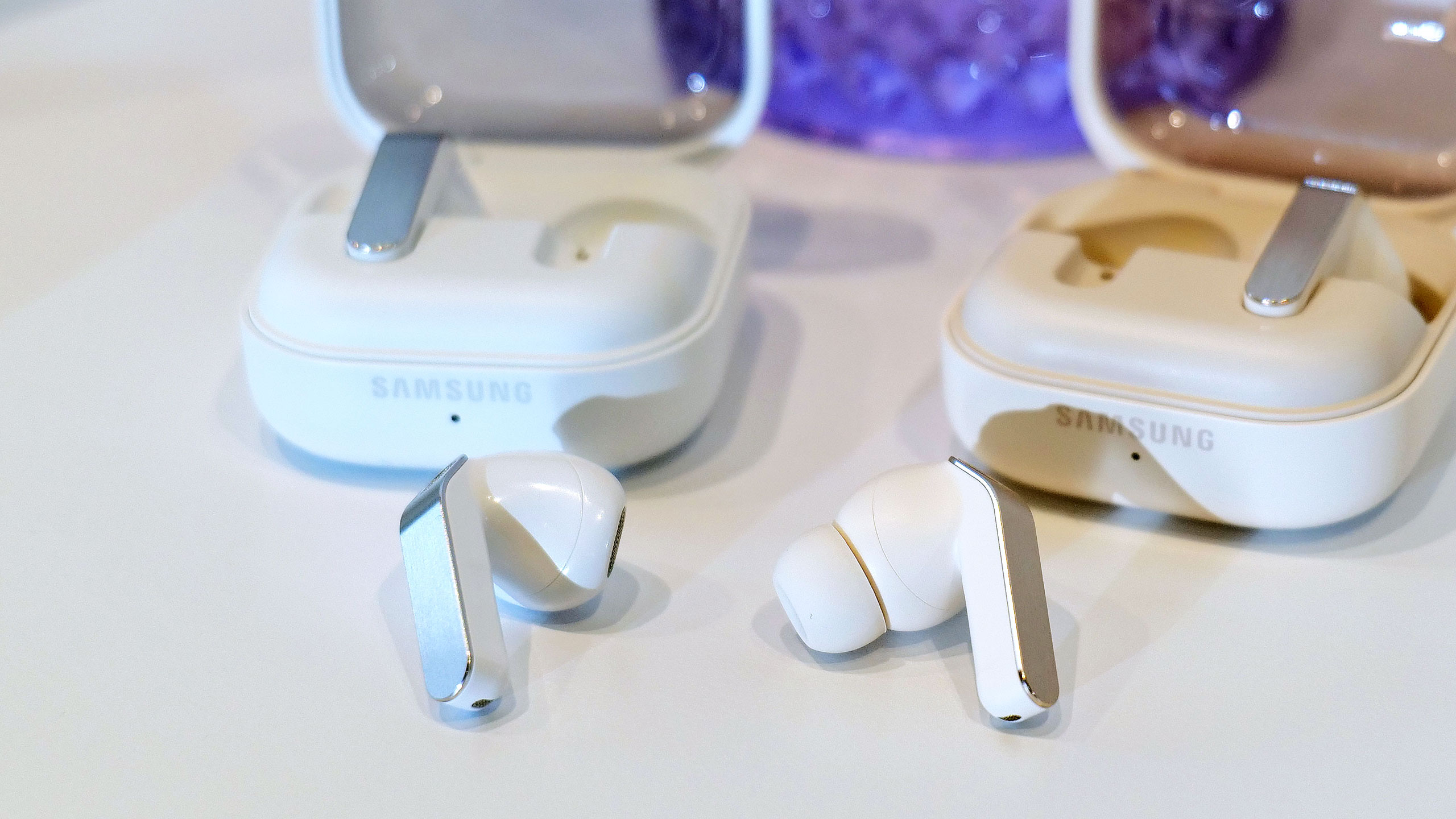
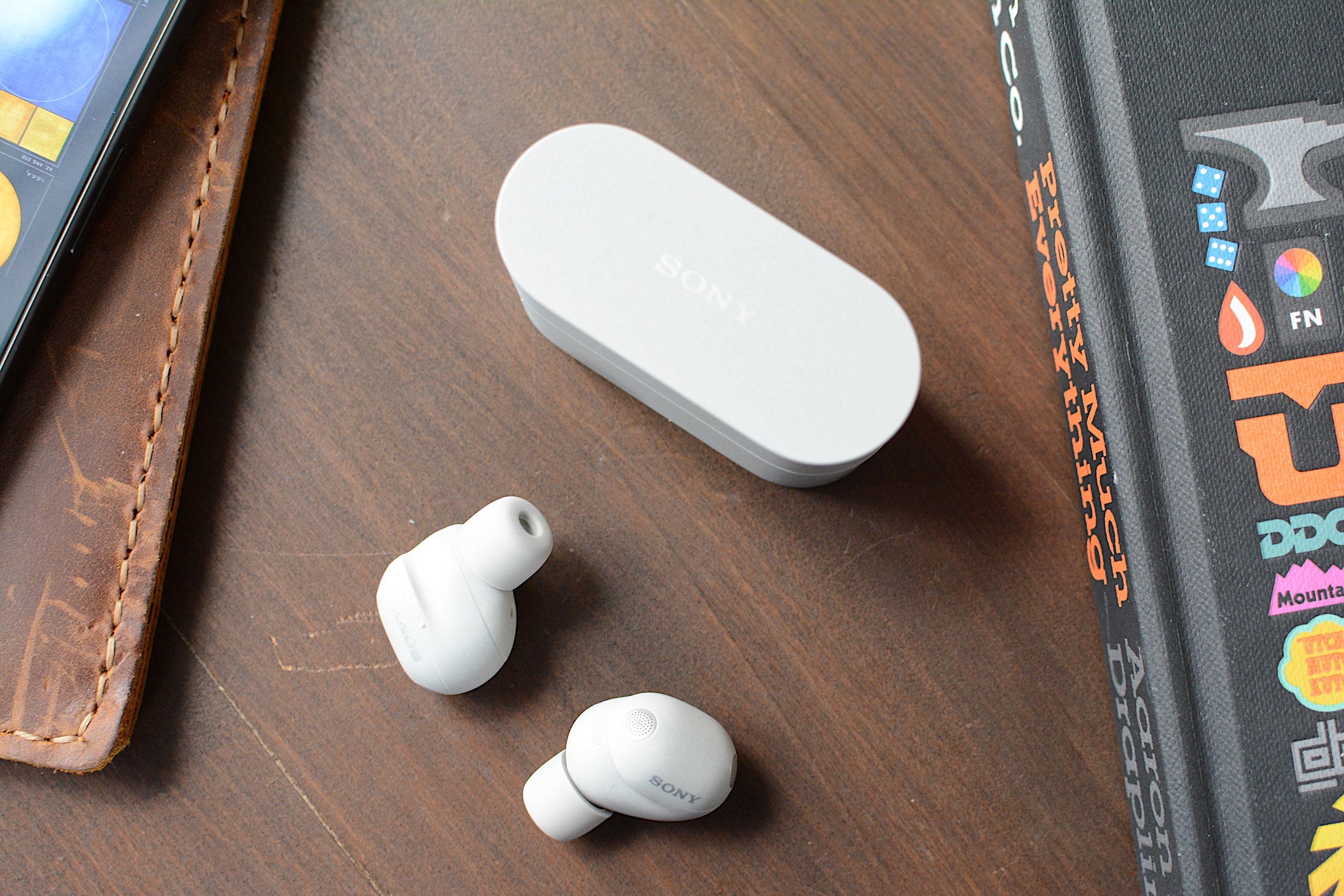
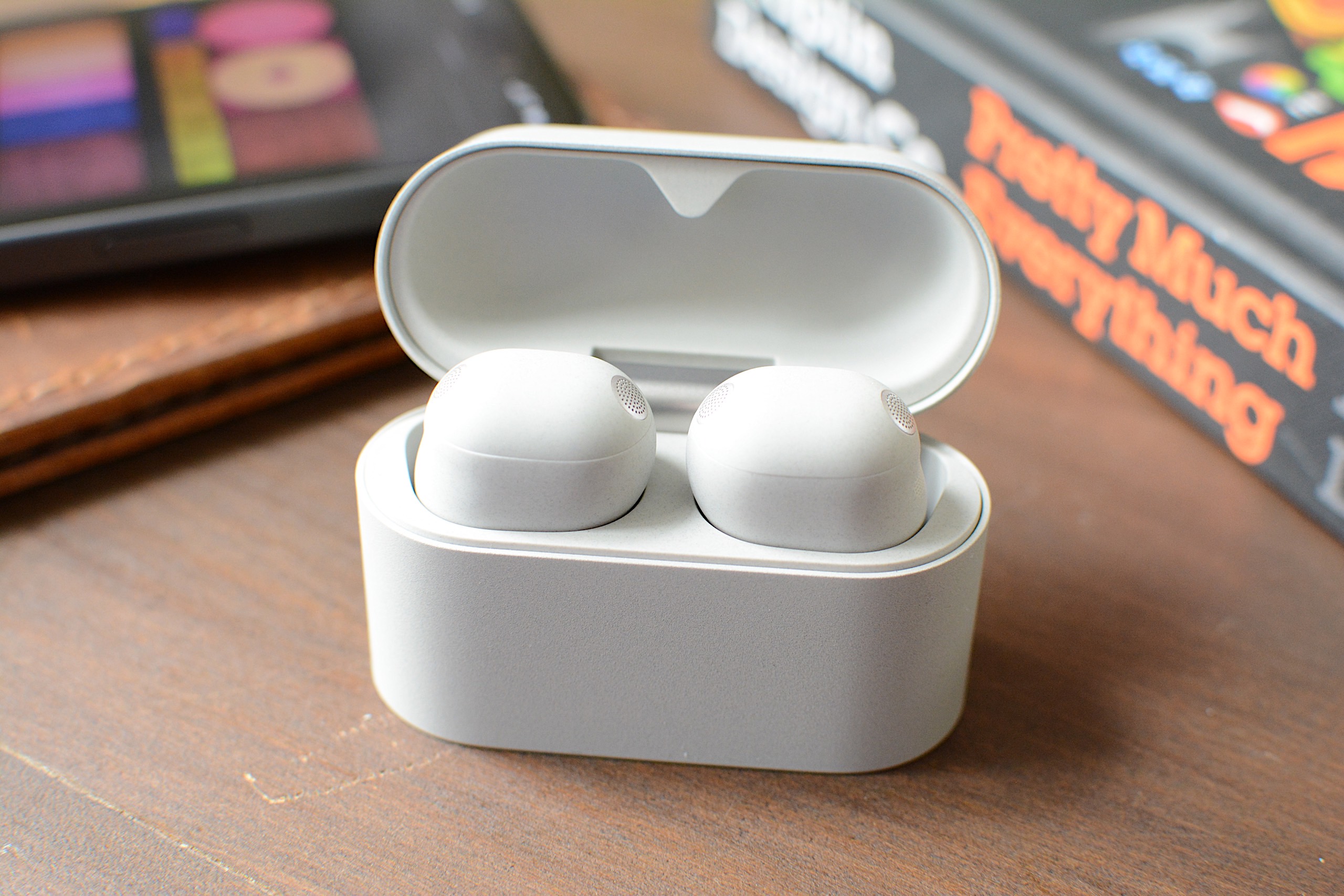
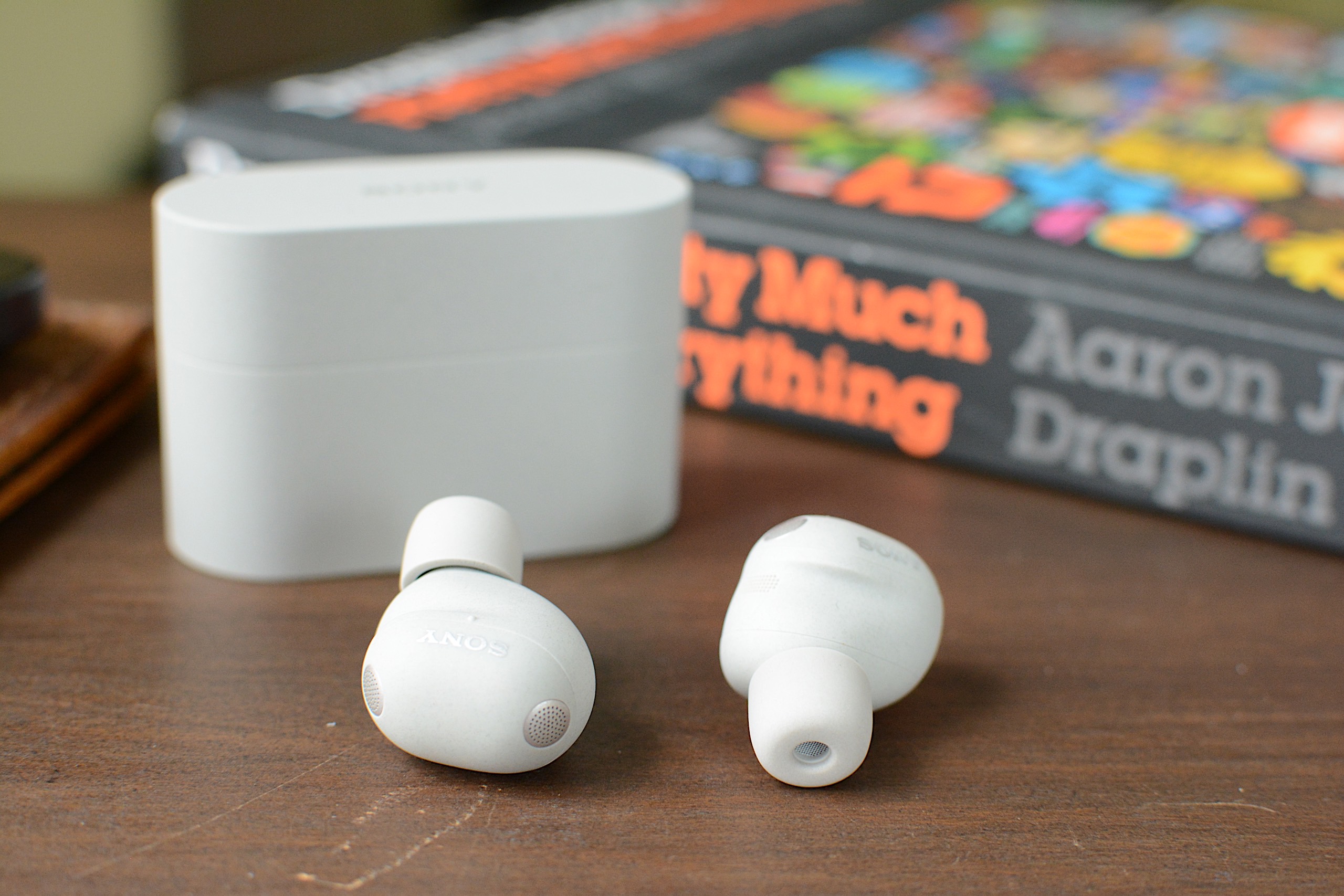
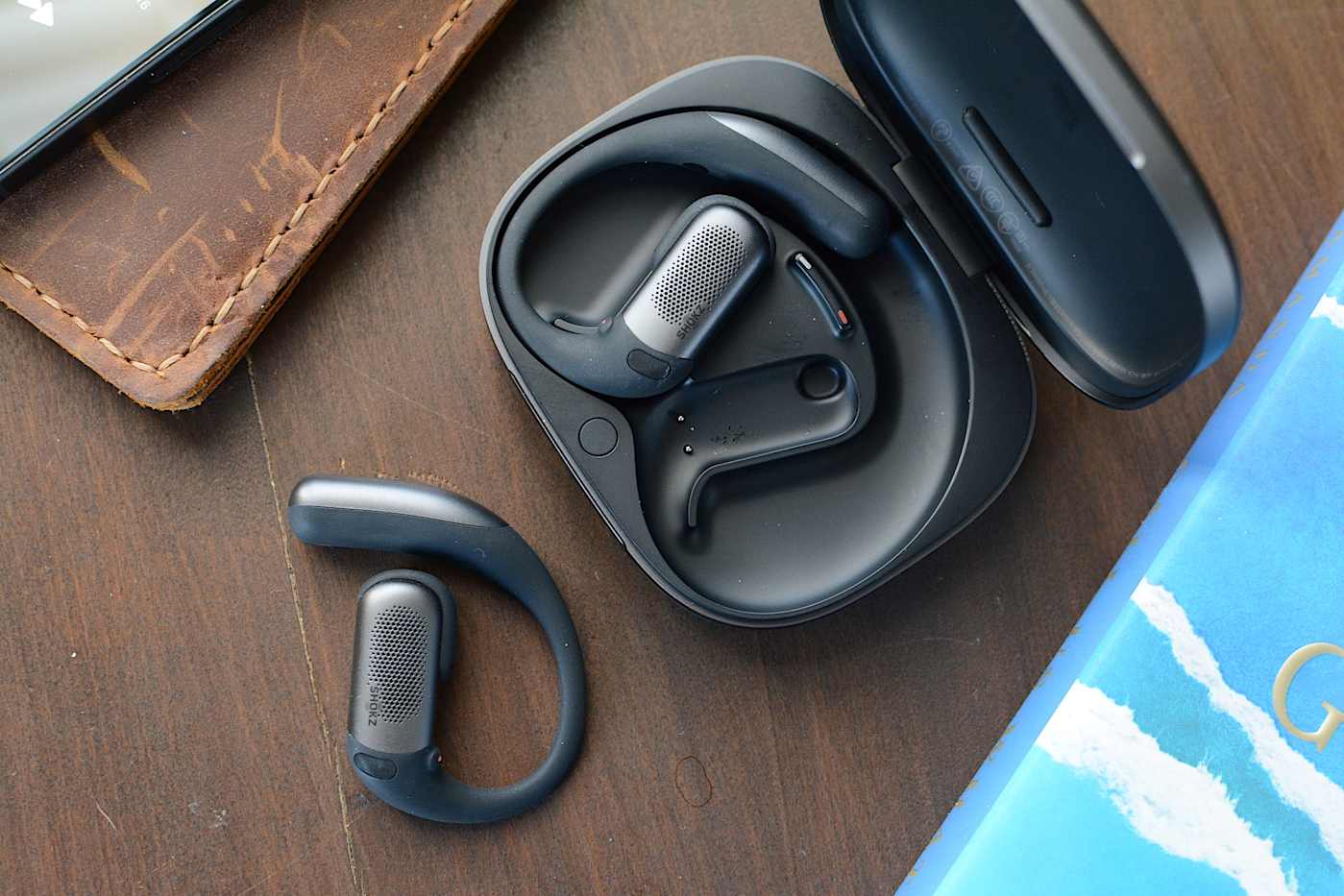
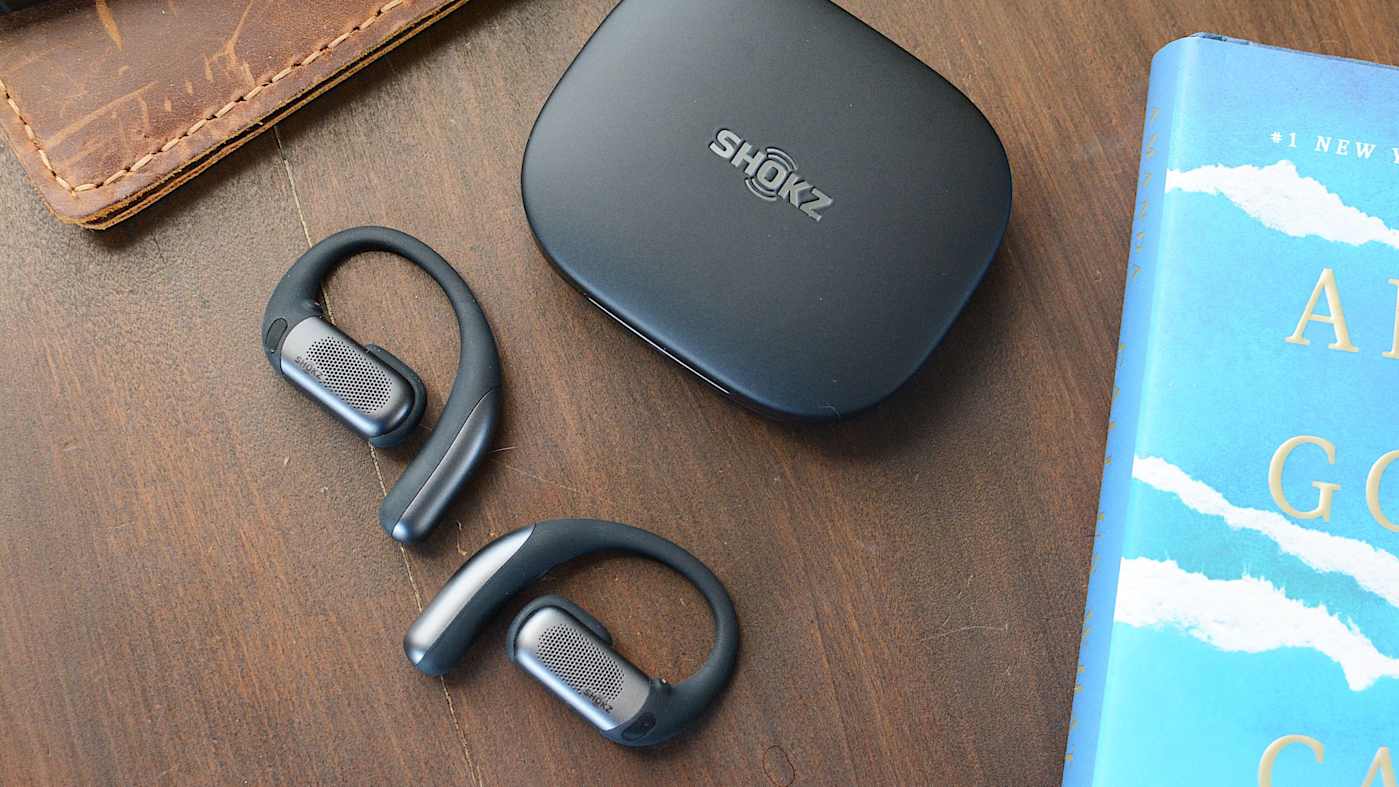
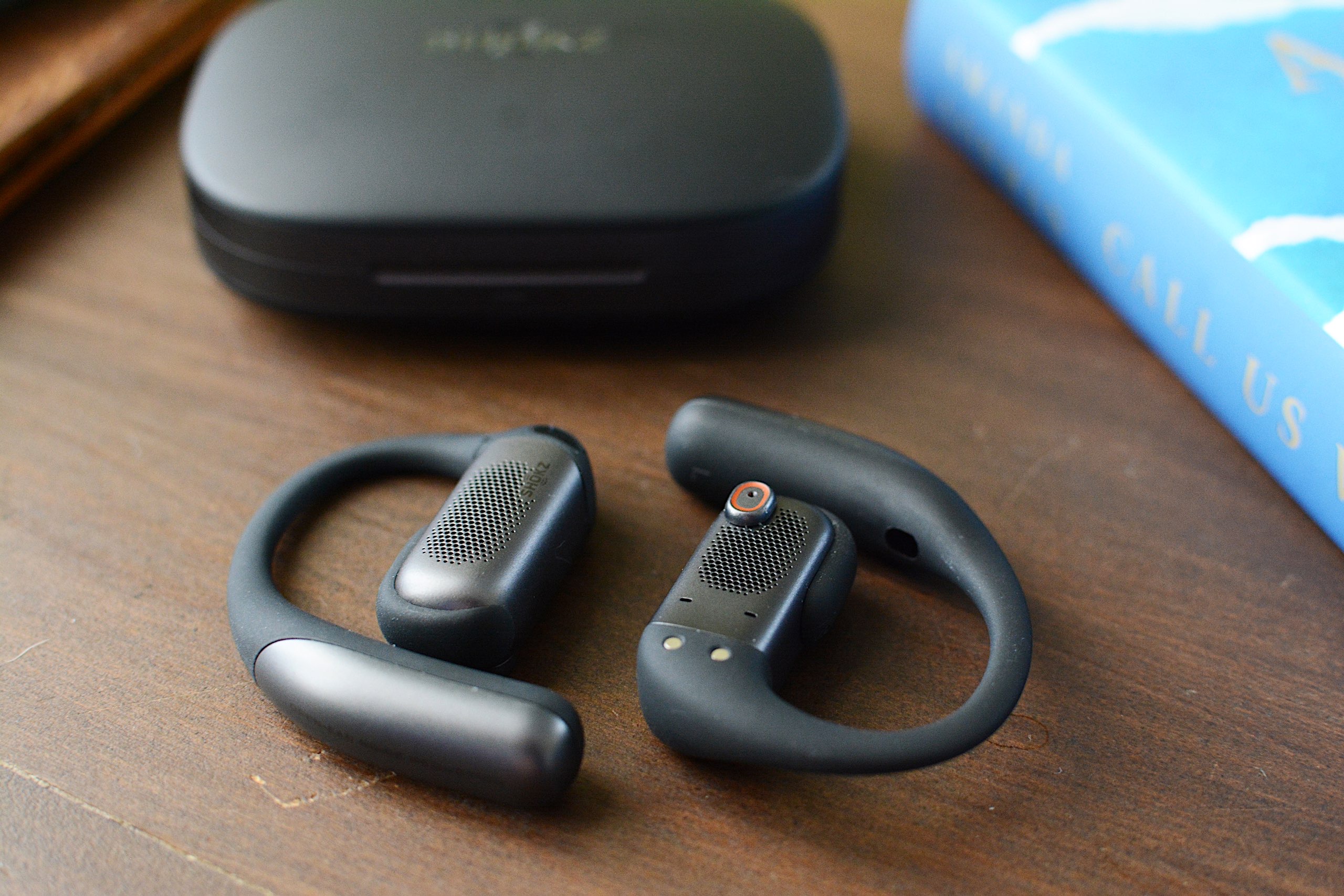
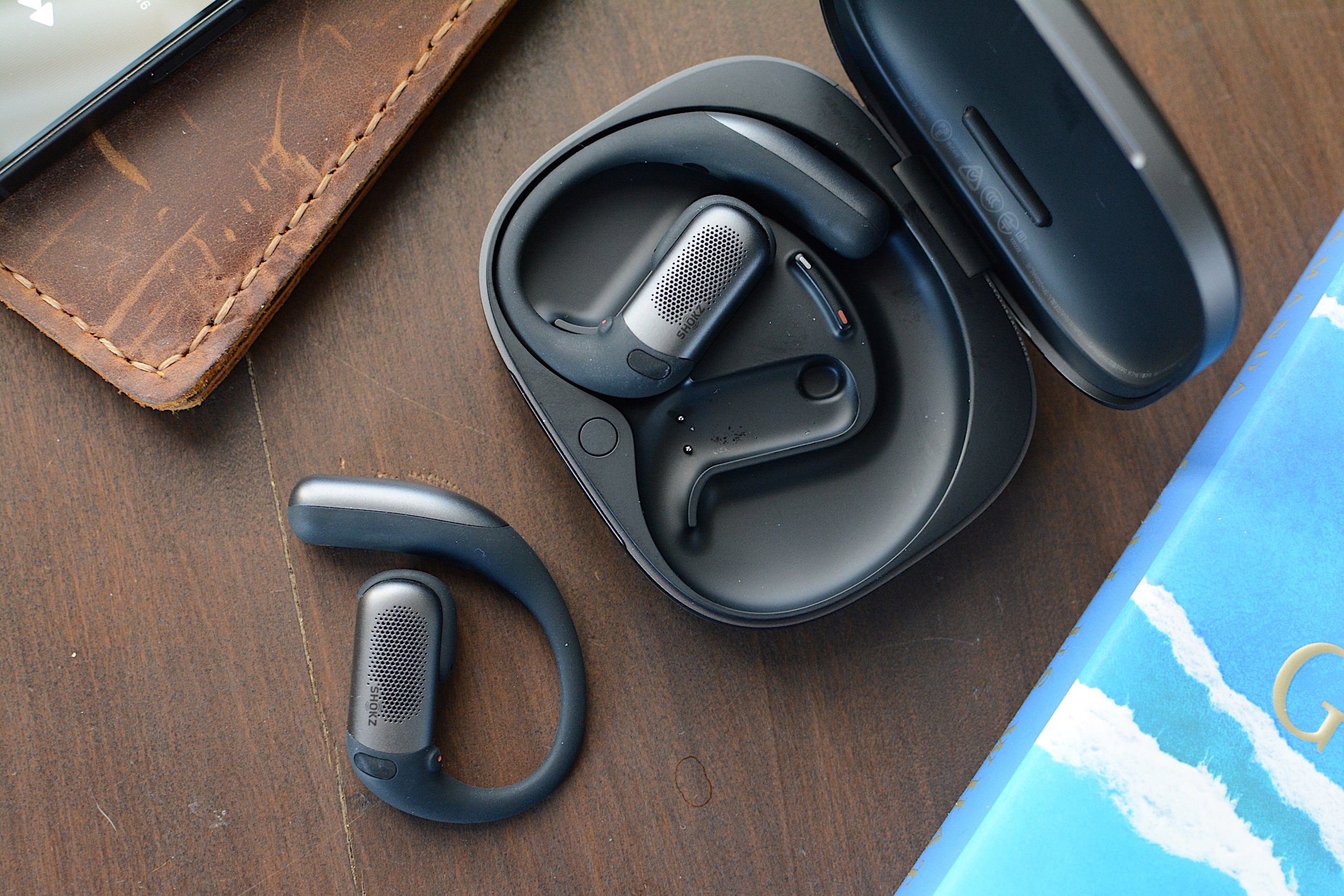
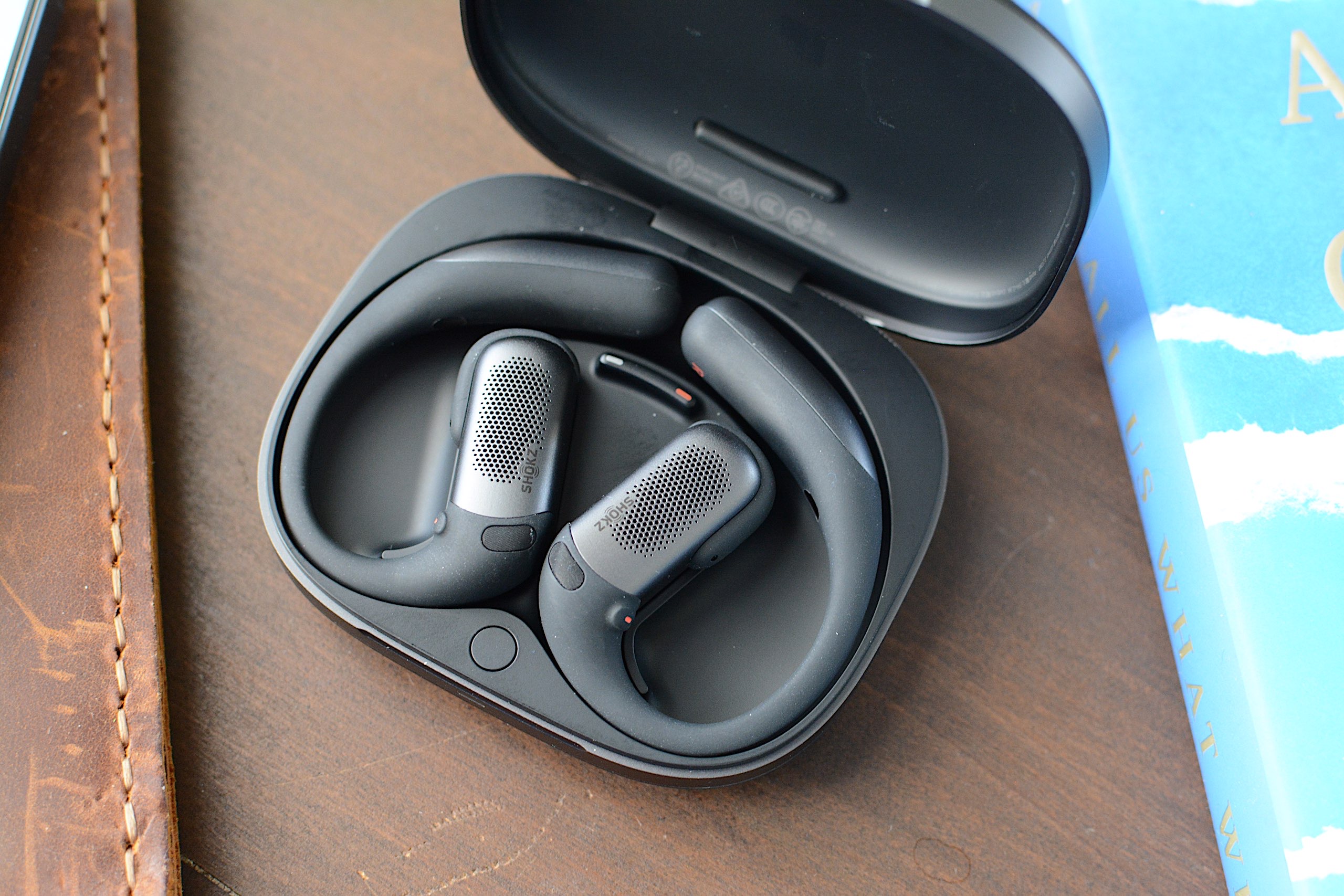
Samsung isn’t waiting a full year to reveal its latest Galaxy Buds. The company debuted the Galaxy Buds 4 and Galaxy Buds 4 Pro at its Galaxy S26 Unpacked event where the hot topic was three new phones. When it comes to Samsung’s earbuds, the company has overhauled the shape and design while improving sound quality, active noise cancellation (ANC) and adding new features. As always, the best of what the Galaxy Buds 4 lineup has to offer will be reserved for people with a recent Samsung phone.
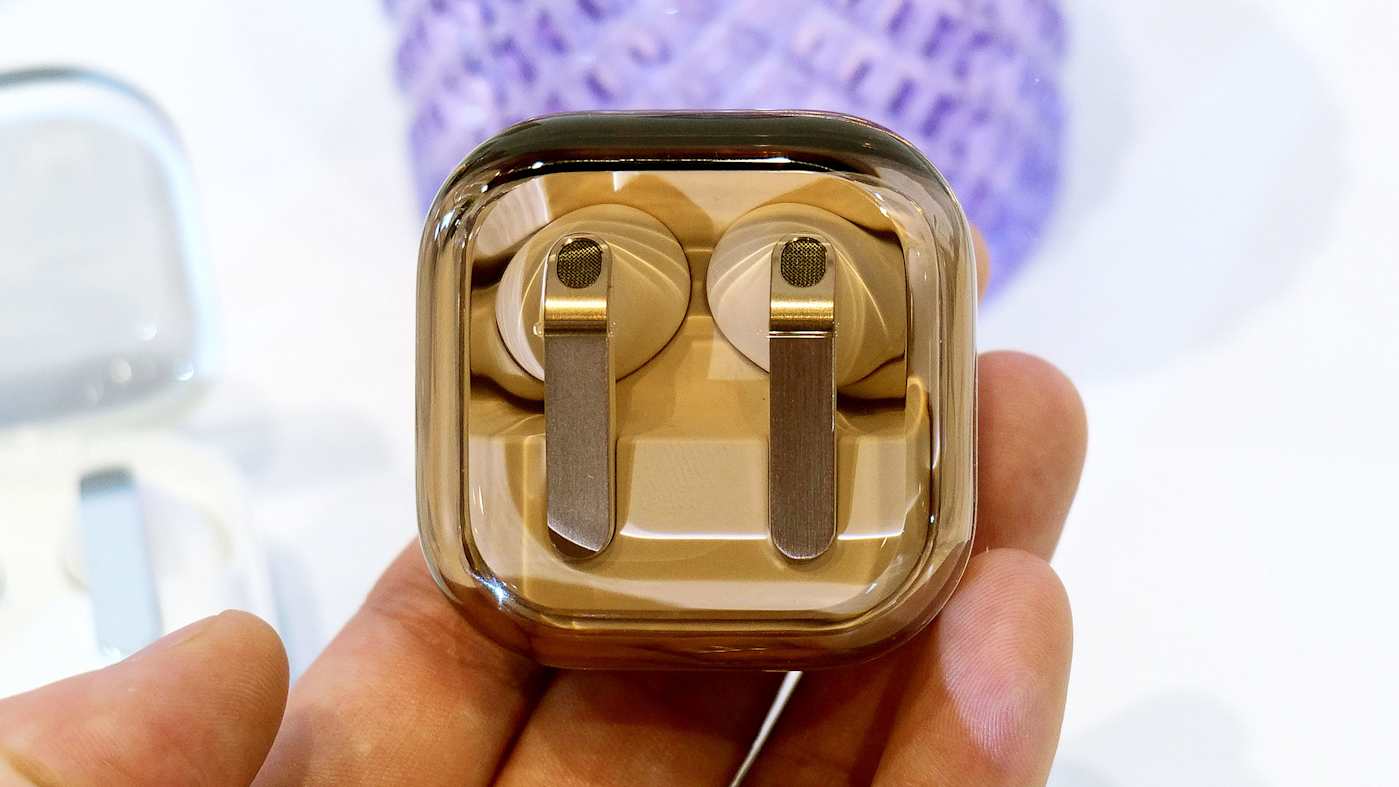
While the company is keeping its AirPods-esque “blade” design, it retooled that element to ditch the angular shape and the gimmicky lights. It’s now a flat, metal panel and the area that allows for pinch controls has been engraved so that your fingers find it easily. In terms of shape, Samsung says it analyzed data from hundreds of millions of ear data points and ran over 10,000 simulations to improve overall fit with smaller earbuds. The Galaxy Buds 4 remain an open-fit design while the Pro version has a tip that seals off your ears. Like before, the company kept the transparent lids for the charging cases, although this time the earbuds lay flat in those rather than standing up.
Inside of the Galaxy Buds 4 Pro, Samsung is using a wider woofer as part of its two-way driver setup for cleaner bass. That configuration’s dedicated tweeter should also deliver natural, rich treble, according to the company. Both Galaxy Buds 4 models support high quality audio up to 24bit/96kHz (from a recent Samsung device) and direct multi-channel 360 audio is available as well.
Samsung Galaxy Buds 4 and Galaxy Buds 4 Pro
Sam Rutherford for Engadget
Although the Galaxy Buds Pro 4 got the bulk of the ANC upgrades, Samsung says it improved noise-canceling performance for both models. The company promises effective noise blocking for transit sounds — engine noise from buses, trains or planes — in addition to “everyday background noise.” What’s more, both of the Galaxy Buds 4 devices feature ambient sound mode, adaptive EQ and adaptive ANC, with the latter two applying adjustments automatically as needed.
The Pro model can also detect the user’s voice and increase ambient sound for conversations — a feature that’s held over from the Galaxy Buds 3 Pro. When you stop talking, the earbuds will automatically resume ANC. The Galaxy Buds 4 Pro also has a Siren Detect feature that activates ambient sound so that you can hear safety alerts like alarms or emergency vehicles.
The new item that pushes the Galaxy Buds 4 Pro closer to the AirPods Pro 3 is head gestures. Samsung will now let users manage calls and interact with Bixby by nodding or shaking their head side to side. As before, the Galaxy Buds remain a conduit to Bixby, but they’re also a gateway to Gemini and Perplexity — all of which can be accessed hands-free via voice controls.
The Galaxy Buds 4 ($180) and Galaxy Buds 4 Pro ($250) are available for pre-order today before hitting shelves on March 11. Both models will be available in black and white, and there’s a pink gold option on the Pro, although that third color is a Samsung online exclusive.
This article originally appeared on Engadget at https://www.engadget.com/audio/headphones/samsungs-redesigned-galaxy-buds-4-lineup-has-retooled-sound-improved-anc-and-new-features-180000718.html?src=rss
Noise is hard to escape, whether it’s the hum of traffic, the buzz of a busy office or the neighbor’s lawn mower starting up right when you need to focus. That’s where noise-canceling headphones earn their keep. A good pair doesn’t just quiet the world around you, it creates a pocket of calm so you can actually enjoy your music, podcasts or peace and quiet.
Modern noise-canceling headphones have come a long way, combining powerful ANC with clearer sound, longer battery life and smarter features like adaptive modes and multipoint connectivity. Some emphasize comfort for long flights, while others are tuned for audiophiles who want studio-level clarity.
We’ve tested a wide range of options to find the best noise-canceling headphones for every listener. Whether you’re after something lightweight for travel or a premium set for focused work sessions, these picks deliver the sound, silence and comfort you need to tune out the chaos.
Best noise-canceling headphones of 2026
How to choose the best noise-canceling headphones for you
Design
When you’re shopping for the best wireless headphones, the first thing you’ll need to decide on is wear style. Do you prefer on-ear or over-ear headphones? For the purposes of this guide, I focus on the over-ear style as that’s what most noise-canceling headphones are nowadays. Sure, you can find on-ear models with ANC, but over-ear, active noise-canceling headphones are much more effective at blocking outside sounds since your ears are completely covered.
For gamers, there are also gaming headsets that feature noise cancellation — some even have detachable microphones, so they can double as over-ear headphones. However, for the purpose of this article, we’re only going to be focusing on noise-canceling headphones rather than headsets. Look for models with a comfortable headband and memory foam ear cups to ensure you can wear them for long periods without discomfort.
Many headphones also come with a range of color options, so if aesthetics matter to you, you’ll find plenty of choices beyond just black or white. Whether you’re looking for something neutral or a bold pop of color, brands now offer a variety of styles to match your personal taste.
Finally, if you’re planning to wear your headphones for long periods of time, it’s important to pick a model with a comfortable fit. Memory foam ear cups, an adjustable headband, and lightweight materials can make all the difference during extended listening sessions. After all, great sound is only part of the equation; comfort matters just as much.
Type of noise cancellation
Next, you’ll want to look at the type of ANC a set of headphones offers. You’ll come across terms like “hybrid active noise cancellation” or “hybrid adaptive active noise cancellation,” and there are key differences between the two. A hybrid ANC setup uses microphones on the inside and on the outside of the device to detect outside noise and cancel it out. By analyzing input from both mics, a hybrid system can combat more sounds than “regular” ANC, but it does so at a constant level that doesn’t change.
Adaptive ANC takes the hybrid configuration a step further by continuously adjusting the noise cancellation for changes in your environment and any leakage around the padding of the ear cups. Adaptive noise-canceling also does a better job with wind noise, which can really kill your vibe while using headphones outdoors. Some high-end headphones also support Dolby Atmos, which enhances spatial audio and makes everything from music to movies sound more immersive. For the purposes of this best headphones list, I’m only considering products with hybrid ANC or adaptive ANC setups because those are the most effective at blocking noise and improving your overall listening experience.
Customization
You’ll also want to check to see if the ANC system on a prospective set of headphones offers adjustable levels of noise cancellation or presets. These can help you dial in the amount of ANC you need for various environments, but it can also help you save battery life. Master & Dynamic, for example, has ANC presets that provide both maximum noise blocking and more efficient cancellation that is more energy efficient. Other companies may include a slider in their companion apps that let you adjust the ANC level to your liking. Some high-end models even allow you to fine-tune the ANC for specific types of environments.
How we test noise-canceling headphones
The primary way we test headphones is to wear them as much as possible. I prefer to do this over a one-to-two-week period, but sometimes deadlines don’t allow it. During this time, I listen to a mix of music and podcasts, while also using the headphones to take both voice and video calls.
Since battery life for headphones can be 30 hours or more, I drain the battery with looping music and the volume set at a comfortable level (usually around 75 percent). Due to the longer battery estimates, I’ll typically power the headphones off several times and leave them that way during a review. This simulates real-world use and keeps me from having to constantly monitor the process for over 24 straight hours.
To test ANC performance specifically, I use headphones in a variety of environments, from noisy coffee shops to quiet home offices. When my schedule allows, I use them during air travel since plane noise is a massive distraction to both work and relaxation. Even if I can’t hop on a flight, I’ll simulate a constant roar with white noise machines, bathroom fans, vacuums and more. I also make note of how well each device blocks human voices, which are a key stumbling block for a lot of ANC headphones.
ANC-related features are something else to consider. Here, I do a thorough review of companion apps, testing each feature as I work through the software. Any holdovers from previous models are double checked for improvements or regression. If the headphones I’m testing are an updated version of a previous model, I’ll spend time getting reacquainted with the older set. Ditto for the closest competition for each new set of headphones that I review.
Other noise-canceling headphones we tested
AirPods Max
Apple’s AirPods Max are premium, well-designed over-ear headphones that incorporate all of the best features you find on standard AirPods: solid noise cancellation, spatial audio and easy Siri access. However, their $550 starting price makes them almost prohibitively expensive, even for Apple users. There are better options available at lower prices, but if you can pick up the AirPods Max at a steep discount, they might be worthwhile for the biggest Apple fans among us.
Dyson On-Trac
The On-Trac headphones have an almost infinitely customizable design, and that’s what’s most unique about them. The sound profile offers some nice detail, but lacks dynamic range overall. ANC is average at best and there aren’t any advanced features that will make your life easier. Well, except for the hearing health monitor, which is actually handy. All told, that’s not a lot for a set of $500 headphones.
Sonos Ace
The Sonos Ace is an excellent debut for the company’s first headphones. The combination of refined design, great sound quality and home theater tricks creates a unique formula. However, ANC performance is just okay and key functionality is still in the works for many users.
Sony ULT Wear
If most headphones don’t have the level of bass you desire, the ULT Wear is an option to consider. The low-end thump isn’t for everyone, but there are also plenty of handy features and a refined look to make the $200 set more compelling than many in this price range.
Beats Studio Pro
The Studio Pro lacks basic features like automatic pausing, and multipoint connectivity is only available on Android. Moreover, they’re not very comfortable for people with larger heads. Overall sound quality is improved, though, and voice performance on calls is well above average.
Master & Dynamic MH40 (2nd gen)
The MH40 are a great set of headphones if you favor crisp, clear and natural sound that isn’t overly tuned. This pair showcases the company’s affinity for leather and metal too, but limited customization and short battery life for non-ANC cans kept this set from making the cut.
Bowers & Wilkins Px8
The company’s trademark pristine sound is on display here, but the Px8 is more expensive and not nearly as comfortable as the Px7 S3.
Noble Audio FoKus Apollo
While this is my top pick for overall sound quality in our main guide to the best wireless headphones, the ANC performance is less impressive than the Px7 S3. Bowers & Wilkins gets the nod here for its improved noise cancellation over the Px7 S2 and Px7 S2e, and its overall excellent audio quality.
Noise-canceling headphones FAQs
Does noise cancellation block all noise?
Noise cancellation doesn’t block out all noise, though it does drastically reduce the volume of most external sounds.
Is there a difference between wired vs wireless noise-canceling headphones?
In terms of sound quality, if you have two headphones — one wired and one wireless — with similar specs, the difference is going to be very minimal. However, wireless headphones offer more convenience, allowing you to move around more freely with your headphones on, which is why they often feature noise cancellation to minimize external sounds.
Does noise cancellation impact sound quality?
ANC does bear some weight on sound quality, but the impact of this often doesn’t outweigh the benefits. Noise cancellation reduces ambient noise, allowing a greater focus on audio detail. For audiophiles, however, there may be a small difference in sound fidelity when ANC is turned on.
This article originally appeared on Engadget at https://www.engadget.com/audio/headphones/best-noise-canceling-headphones-130029881.html?src=rss
Noise-canceling earbuds have become an everyday essential for a lot of people, whether you’re trying to survive a noisy commute, concentrate in a shared workspace or just carve out a little quiet time. Advances in active noise cancellation and audio processing mean today’s best earbuds do a much better job of cutting through background noise, without forcing you to move up to bulky over-ear headphones.
The latest models also balance sound quality with convenience, offering stable Bluetooth connections, comfortable fits and battery life that can last through a full day with help from their charging cases. From premium options with the strongest ANC to more affordable picks that still get the basics right, there’s no shortage of solid choices depending on what you value most.
Best noise-cancelling earbuds for 2026
How to choose the best noise-canceling earbuds for you
Design
Most true wireless earbuds these days have a “traditional” design that’s a round bud that fits in your ear canals. However, there are some variations on the formula in terms of shape, size and additional fitting elements. Some companies include fins or fit wings to help hold their in-ear earbuds in place while others opt for an over-the-ear hook on more sporty models. You’ll want to pay attention to these things to make sure they align with how you plan to use them. Also consider overall size and weight since those two factors can impact the fit. A less-than-ideal seal due to a weird fit will affect the performance of active noise-canceling earbuds.
Type of noise cancellation
Next, you’ll want to look at the type of ANC a set of earbuds offer. You’ll see terms like “hybrid active noise cancellation” or “hybrid adaptive active noise cancellation,” and there are key differences between the two. A hybrid ANC setup uses microphones on the inside and the outside of the device to detect ambient noise. By analyzing input from both mics, a hybrid system can combat more sounds than “regular” ANC, but it’s at a constant level that doesn’t change.
Adaptive ANC takes the hybrid configuration a step further by continuously adjusting the noise cancellation for changes in your environment and any leakage around the padding of the ear cups or ear tips. Adaptive ANC is also better at combating wind noise, which can really kill your vibe while using earbuds outdoors. For this top pick list of the best noise-canceling earbuds, I’m only considering products with hybrid ANC or adaptive ANC setups because those are the most effective at blocking noise in noisy environments.
Customization
You’ll also want to check to see if the ANC system on a prospective set of earbuds offers presets or adjustable levels of noise reduction. These can help you dial in the amount of ANC you need for various environments, but it can also help save battery life. Master & Dynamic, for example, has ANC presets that either provide maximum noise-blocking or prioritize energy efficiency. Other companies may include a slider in their companion apps that let you adjust the ANC level.
How we test noise-canceling earbuds
The primary way we test earbuds is to wear them as much as possible. I prefer to do this over a one-to-two-week period, but sometimes deadlines don’t allow it. During this time, I listen to a mix of music and podcasts, while also using the earbuds to take both voice and video calls.
Since battery life for ANC earbuds is typically 6-10 hours, I drain the battery with looping music and the volume set at a comfortable level (usually around 75 percent). When necessary, I’ll power the headphones off during a review without putting them back in the case. This simulates real-world use and keeps me from having to wear them for an entire day.
To test ANC performance specifically, I use the earbuds in a variety of environments, from noisy coffee shops to quiet home offices. When my schedule allows, I also use them during air travel, since plane noise is a massive distraction to both work and relaxation. Even if I’m not slated to hop on a flight, I simulate a constant roar with white noise machines, bathroom fans, vacuums and more. I also make note of how well earbuds block human voices, which are a key stumbling block for a lot of ANC setups.
I also do a thorough review of companion apps, testing each feature as I work through the software. Any holdovers from previous models are double-checked for improvements or regression. If the earbuds I’m testing are an updated version of a previous model, I’ll spend time getting reacquainted with the older set, and revisit the closest competition as well.
This article originally appeared on Engadget at https://www.engadget.com/audio/headphones/best-noise-canceling-earbuds-150026857.html?src=rss
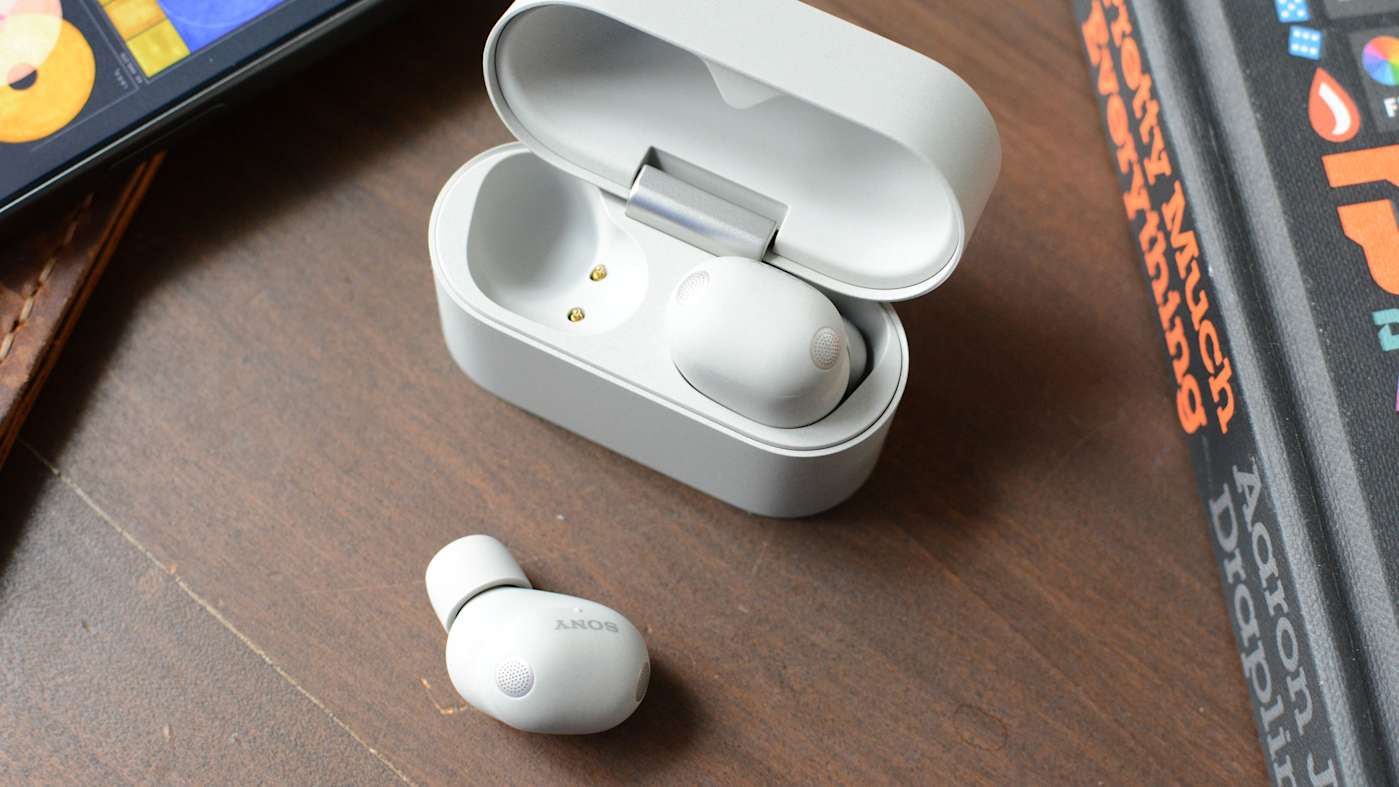
Sony’s 1000X earbuds have been at the top of Engadget’s best wireless earbuds list since we first published it. With each new generation, the company managed to retain its crown, primarily thanks to a massive collection of features and an effective mix of sound quality and active noise cancellation (ANC) performance. Today, Sony revealed the latest entry in the series, the WF-1000XM6, delivering yet another redesign both inside and out. The company’s tried and true formula of features and audio performance remains, but it may no longer be enough to elevate the M6 above the competition.
Design
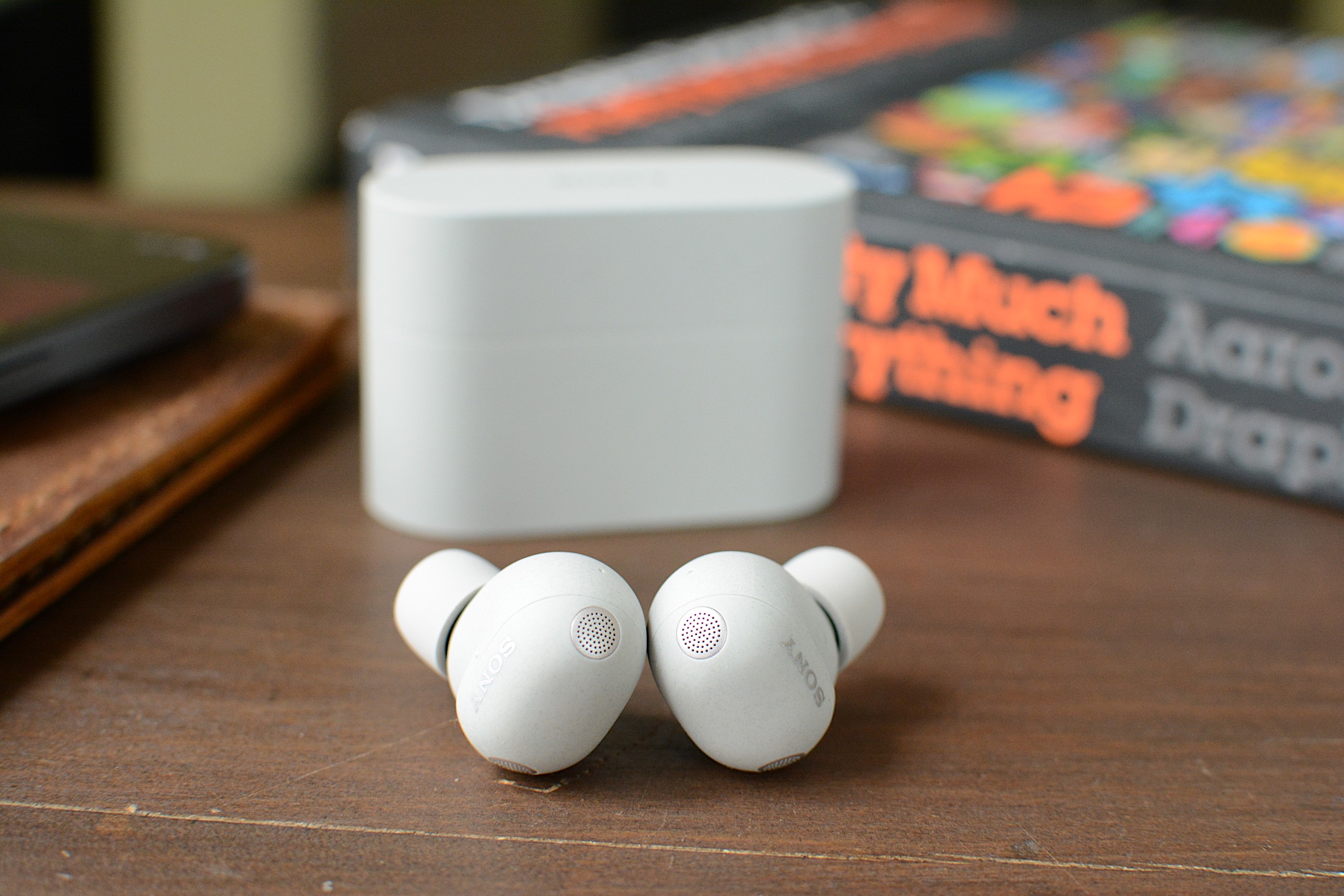
For the third time in a row, Sony overhauled the 1000X earbuds’ design. While the WF-1000XM5 was a clear revision of the WF-1000XM4, the M6 is a departure from both of them. The company managed to reduce overall size even further by using a rounder, pill-shaped enclosure for the earbuds’ main housing. I certainly applaud Sony for making these as tiny as possible, but I’m still not a fan of the company’s foam ear tips.
Sony introduced foam ear tips on the 1000XM4 earbuds and that led to an unstable fit during my testing. In fact, I ended up switching to the silicone M3 tips for a better feel. Things were slightly better on the M5, but the company regressed here on the M6. I tried every size of ear tips in the box and the fit test in the Sound Connect app only ever confirmed an air-tight seal in my right ear. This can impact sound quality and ANC performance, and the earbuds don’t feel like they’re sitting far enough inside my ears. I never got used to the fit in my three weeks of testing.
The exterior panel of the WF-1000XM6 is still touch sensitive, accepting a variety of taps for playback controls, calls, noise settings and more. Sony also included a repeated tapping gesture that’s used for volume control. Keep tapping on the right earbud to raise the volume and do so on the left to lower it. My disdain for touch controls is well-documented at this point, but the M6 reliably and quickly responded without me having to repeat a tap sequence.
WF-1000XM6 features
The WF-1000XM6 accepts taps for touch-based controls.
As is typically the case with its 1000X earbuds, Sony has loaded the M6 with features. Nearly all of these are holdovers from previous models, including Adaptive Sound Control that can automatically adjust settings based on your activity or location. Speak-to-Chat still pauses audio and activates ambient sound when you start talking, but it’s also still easily duped by coughs or clearing your throat. A quick access feature can put Amazon Music, Apple Music, Endel, Spotify and YouTube Music two or three taps away, depending on how you configure it.
The M6 earbuds also allow you to accept and reject calls with head gestures and you’ll have the option to pipe in your own voice during a call. Sony retained its existing option of operating the earbuds with voice commands: If you say “Assistant,” you can then ask it to play, pause, skip and replay songs. It will also adjust the volume for you, but that’s the extent of its abilities.
Sony included some handy power management features as well. First, there’s an Auto Power Save mode that will disable any custom EQ settings, DSEE Extreme upscaling, Speak-to-Chat and voice control/voice assistant to reduce power consumption when the M6 hits 20 percent battery remaining. A Battery Care tool will extend the life of the earbuds’ battery by stopping charging before it reaches 100 percent. Lastly, Automatic Power Off will turn the earbuds off when they’re outside of the case and haven’t been worn for some time.
Basic conveniences like multipoint Bluetooth, wireless charging and IPX4 water resistance are also here. Wear detection is onboard and you can use Sony’s EQ presets to alter the sound profile, or make your own and save them for future use. The Sound Connect app puts the battery levels of the individual earbuds and the case front and center, and you can edit the main screen to hide the features displayed there if you don’t need them.
Sound quality and ANC performance
Sound quality is one of Sony's strengths and that continues on the M6.
Billy Steele for Engadget
If Sony’s long list of features is its top advantage over the competition, overall sound quality is number two. For the WF-1000XM6, the company built new drivers with soft edges for deeper bass and a more rigid, lightweight dome for clearer treble. There are also notches around the edges for “clearer and smoother” sound quality overall, according to Sony. And of course, DSEE Extreme upscaling helps to recover details lost to compression while 360 Reality Audio and Spatial Sound Optimization are available for more immersive listening.
I found the M6 earbuds at their best with the stock EQ and DSEE Extreme active, much like I have on previous 1000X models. The sound is deep and warm, with thick bass that’s adequate without ever overpowering the mix. Highs cut through and there’s ample midrange, keeping those finer details from getting lost. Erika de Casier’s atmospheric Lifetime is a great example of what the WF-1000XM6 can do. Vocals seem to float over the top of the bassline and drums, with percussive piano chopping though and subtle synth details popping up throughout. When strings arrive on “Seasons,” the M6 ushers them into a prominent position rather than relegating them behind the beat.
On the WF-1000XM6, the chaos of Spiritbox’s “Holy Roller” doesn’t get condensed to a messy heavy metal roar either. And there’s plenty of texture in the synth-driven noise of Nine Inch Nails’ “As Alive As You Need Me To Be.” Even more straightforward rock tracks like Jimmy Eat World’s “Bleed American” have ample punch, with a wide soundstage that never feels claustrophobic or sounds compressed. Overall, the WF-1000XM6 holds its own against the best-sounding earbuds you can buy right now, though some of the competition, like Technics, have an edge in the way they handle the subtlest of nuances in songs.
If you were hoping for knock-out ANC abilities, I must report that the WF-1000XM6 isn’t the noise-canceling powerhouse that is Bose’s QC Ultra Earbuds. The M6 struggles mightily with human voices. While that’s the downfall of many ANC earbuds, you’ll want to keep it in mind if you plan to wear these in the office. I found I could also still hear constant noise sources like fans and white noise machines when wearing the M6 — items that the QC Ultra Earbuds combat effectively.
Using the WF-1000XM6 for calls
The WF-1000XM6 isn't as adept at calls as Sony advertises.
Billy Steele for Engadget
For calls, Sony says the M6 uses AI for both background noise reduction and voice capture with the beamforming microphones. What’s more, the earbuds are equipped with eight total mics for ANC and calls, plus bone conduction tech for improved voice pickup. Unfortunately, all of that doesn’t lead to stellar performance during calls. While the WF-1000XM6 is perfectly usable for voice and video calls, the overall quality is far from pristine. To make matters worse, the earbuds make you sound overly processed when you encounter significant background noise. Since the company prided itself on the upgrades here, the results are disappointing.
Battery life
Sony says the WF-1000XM6 will last up to eight hours on a charge or 24 hours when you factor in the full longevity of the charging case. During a battery test that I mostly ran with ANC active, I had no trouble hitting that single-charge figure. That’s with the volume around 75-80 percent and includes calls and virtual meetings where I switched over to ambient sound mode.
It’s worth noting that I had DSEE Extreme upscaling active the entire time, which can impact battery life. Plus, if you use the aforementioned Auto Power Save mode, you can extend play time when you have about a quarter of a tank left. Going without some of the M6’s best features in the interest of having tunes for a workout or commute is a fair trade in my book.
The competition
The WF-1000XM6 is still a compelling option, but it's not the clear favorite anymore.
Billy Steele for Engadget
When sizing up the competition for the WF-1000XM6, you have to choose your priorities. Simply put, no other company offers the comprehensive suite of features that Sony does. That’s been true for a while now and it continues with this model. If you want the strongest active noise cancellation, that will be Bose’s second-generation QuietComfort Ultra Earbuds. If the best sound quality is your goal, the Technics AZ100 is your best bet in this price range. I’ll also mention Sennheiser’s Momentum True Wireless 4 which offers great sound quality, respectable ANC and a comfier fit than the M6, but that set is almost two years old at this point.
Wrap-up
Sony continues its run of great earbuds with the WF-1000XM6, but this model isn’t the polished package that some of its predecessors were. The two most obvious places the company is lagging behind the competition is ANC performance and overall voice quality, not to mention my continued dissatisfaction with the fit that Sony’s foam tips provide. The M6 is also more expensive than the previous version was at launch, which makes it even harder to overlook any flaws. What you will get on the WF-1000XM6 is a ton of features, great sound quality and reliable touch controls in a smaller package. And for some, that might be enough to make you forget about the rest.
The WF-1000XM6 is available today in silver and black for $330.
This article originally appeared on Engadget at https://www.engadget.com/audio/headphones/sony-wf-1000xm6-review-facing-tougher-competition-160000652.html?src=rss
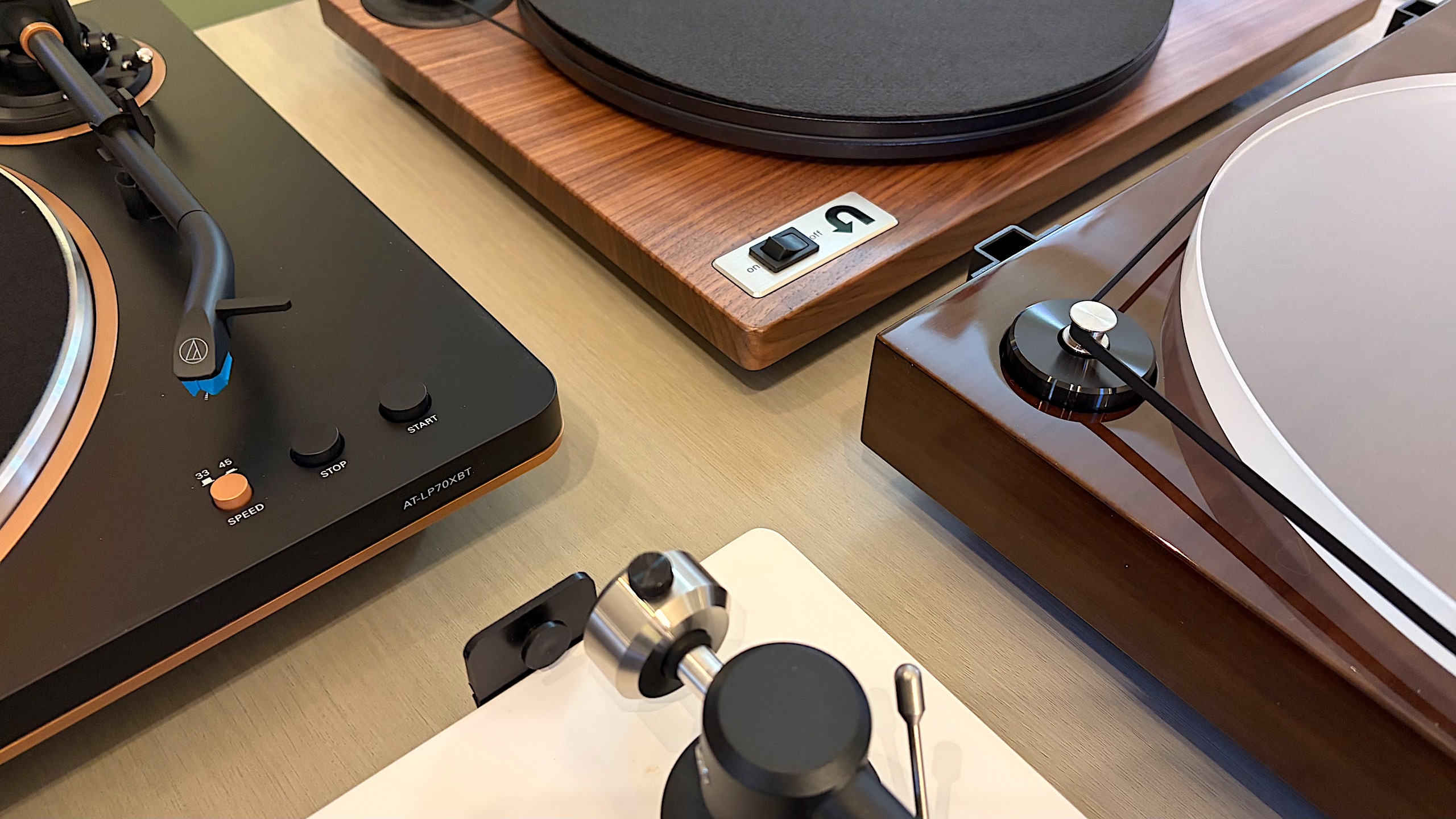
Vinyl records are firmly back in rotation, but getting started does not have to mean spending a fortune or building a complicated hi-fi stack from day one. Whether you want a simple, all-in-one setup with built-in speakers or you are piecing together a more traditional system with a separate amplifier, the best record player is the one that fits how you listen at home.
For this guide, we focused on high-quality turntables under $600 that deliver a satisfying listening experience without unnecessary complexity. These picks cover everything from beginner-friendly automatic models to more audiophile-leaning decks that prioritize sound quality and upgrade potential, proving you do not need to jump into the high-end to enjoy vinyl properly.
Best record players for 2026
Other record players we tested
Audio-Technica AT-LP60XBT
This is about as basic as it gets, unless you opt for the AT-LP60X which ditches the Bluetooth connectivity. This is a perfectly decent option for someone just getting into vinyl, but if you spend a little more for the AT-LP70X, you won’t be in quite as big of a hurry to upgrade once you surrender to the obsession.
Cambridge Audio Alva ST
The Alva ST has a refined design that made me want to keep it out in my living room longer than many of the models on this list. The controls are limited on the top to power and individual options for 33 and 45 RPM speeds. Everything else is on the back panel, including Bluetooth pairing and preamp buttons. To complete the look, Cambridge Audio opted for a 1mm aluminium top plate, which sits on an MDF plinth with a layer of EVA to absorb vibrations in between.
While the overall audio performance on the Alva ST is warm and inviting, there is a lack of detail across genres. I’ve noticed albums don’t have a particularly wide soundstage, and songs lack their normal punch at times, so some sound compressed compared to when they’re played on other turntables. Additionally, the free swinging tone arm needs more resistance so it’s not so prone to dropping on a record immediately if it slips out of your fingers when you have the cueing lever down. Since this turntable is fully manual operation, I felt a bit of peril every time I went to lower the needle. (The price increased during testing for this guide.)
Sony PS-LX3BT
Sony hasn’t announced new turntables in years, relying on its PS-LX310BT as the lone option in its audio lineup. The PS-LX3BT is a fully automatic, belt drive turntable with built-in pre-amp and Bluetooth connectivity. There are easy-to-use controls for speed and vinyl sizes, as well as a gain selector to help you dial in the sound. I was also smitten by the minimal yet sophisticated design that offers a decidedly modern look.
If the LX3BT was $100 cheaper, it would probably replace Audio-Technica as the best option for beginners. But at $400, I simply can’t recommend someone new to vinyl spend that much. What’s more, the RCA cable is fixed and the included mat is very thin. Sony also doesn’t disclose what type of cartridge it uses, other than it being a moving magnet (MM) type, nor does it mention if you can upgrade that component. The upcoming PS-LX5BT should remedy some of these issues, but it’s also more expensive at $500.
Denon DP-300F
Denon’s DP-300F is a mixed bag. On one hand, you get the convenience of fully automatic operation, dedicated speed and record size buttons and somewhat refined design. There are also some confounding decisions though, like the permanently affixed cables, the preamp switch being under the platter and the overall midrange build quality for a $500 turntable. The sound from the preamp and Denon’s cartridge has a clear lack of depth and detail that almost any model at this price should offer.
How to shop for a turntable
The first question you’ll need to ask yourself when looking for a turntable is how you plan to use it. Are you into vinyl for the ritual? If you simply like the concept of physical media, having to flip a record to finish it or the need to intentionally swap out an album when it’s done, that’s just fine. You probably can make do with a more affordable turntable since overall sound quality may not be a main concern. If you crave the warmth of analog sound, and you want the collection you’ve invested in to sound its best, you’ll need to consider something with better specs.
You’ll also need to account for where and how you’re going to listen to vinyl. Are you planning to connect this turntable to headphones or Bluetooth speakers? Do you have shelf or tower speakers you’re going to use? Are you willing to invest in a dedicated preamp or would you rather a new turntable come with one built in? All of these questions will impact your buying decision — even the Bluetooth codecs, if you’re going the wireless route.
Best record players
Billy Steele for Engadget
Automatic, semi-auto and manual operation
If you’re just getting into vinyl, an automatic turntable will save you a lot of stress. These are the models that place the stylus for you — all you have to do is push a button. When you get to the end of the record, the turntable will also return the tonearm to its resting spot automatically. Or, if you need to stop your session mid-side, there’s a button for that too.
Some turntables have semi-automatic operation. Maybe they can’t place the needle for you, but they do have an automatic stop when a side of a record is complete. This auto stop, which sometimes comes with an on/off switch, can prevent unnecessary wear on your stylus and vinyl. Plus, many turntables with automatic operation allow you to take control if you need to drop the stylus in a certain place (that’s not the beginning of the record) or if you have a die-cut vinyl (like the It's the Great Pumpkin, Charlie Brown soundtrack).
Then there’s the fully manual option. Here, you’re solely responsible for placing the tonearm and taking it off when the music stops. A lot of turntables have a cue lever to assist with the process, and a lot of tonearms have a mechanism that lowers them slowly rather than violently dropping them on a record. This adds one more step to the ritual, and it’s one many purists prefer.
Preamp
The biggest decision you’ll need to make in terms of a preamp is to decide if you want one built into your turntable or if you’d rather use a separate one. It can be very convenient, especially for beginners, to use a built-in component to amplify the signal from the turntable before it hits any speakers or headphones. The downside is that you’re left with what the company provides from the factory, so if you’re looking to upgrade, you’ll have to disable the preamp inside. On most turntables, there’s a switch that allows you to do this, so it’s no trouble. But, opting to skip the preamp on some models could save you money that could be invested elsewhere.
A dedicated preamp typically uses higher-quality components and reduces noise by keeping internal parts properly separated. More robust models may even provide controls for things like tone or multiple inputs, while the basic options will simply allow you to plug in, play and forget it. If you’re after the best possible clarity and realism from your record collection, we’d recommend a dedicated preamp right from the start.
Best record players
Billy Steele for Engadget
Removable cartridge/headshell
The next item you’ll want to consider is if the turntable you’re eyeing can be upgraded in the future. The best way to do this is by swapping out the cartridge. Most turntables allow you to do this but there are some that don’t, so you’ll need to pay attention to this detail. Upgrading the cartridge down the road is a great way to improve overall sound quality without having to buy a new turntable, new speakers or a new amp.
Belt drive vs. direct drive
There are two main types of turntables: belt drive and direct drive. All of the models we tested for this guide are belt drive, which means there’s a thin belt that connects the platter to the motor to make the thing spin. Direct drive turntables are widely used by DJs and Technics was the first to make them. Here, the motor is directly under the platter and connected to it directly so the setup is less prone to wearing out. This is especially key when you’re doing things like scratching. Direct-drive turntables tend to be more expensive than their belt-driven counterparts.
Counterweight and anti-skate control
Most turntables will include a counterweight on the tonearm and some form of anti-skate control. Both of these help keep the stylus in place with the correct amount of pressure, all to ensure proper operation with minimal wear on your records. Sometimes the anti-skate elements are built into the tonearm while other models offer a dedicated dial on the surface of the plinth. The ability to adjust both of these can help you fine-tune the performance of your turntable over time, which may be necessary after upgrading the cartridge or other components.
Other components to consider
Some final items you’ll want to evaluate on a prospective turntable purchase include the materials used for the base (plinth), platter and even the feet. Cheaper turntables may be mostly plastic affairs while more expensive models can use solid MDF (medium-density fibreboard) for the plinth. A lot of turntables have aluminum platters with a felt pad while others may feature a thick acrylic version. And while entry-level turntables may have small, plastic feet, premium models come with larger, adjustable, rubberized feet for better vibration isolation. While some of these come down to personal preference — a frosted acrylic platter looks really nice — there are some performance boosts to be gained depending on how the company uses the components.
How we test turntables
Since most turntables under $600 meet the criteria for entry-level through midrange, we tested every model with a set of Audio-Technica AT-SP3X powered speakers. These offer balanced sound for turntables with a 1.1-inch tweeter and 3-inch woofer in each unit. And at $269, they won’t break the bank if you need speakers for your new turntable and they’ll provide ample sound performance even if you spend more than our budget on a new deck.
For all of our test units that didn’t have a built-in preamp, we used the Fluance PA-10. At $100, it’s an affordable upgrade if you’re looking to bypass a turntable’s included components or if you’re looking to go more analog with your turntable purchase. There are no buttons or controls, just connect your turntable, speakers and ground wire (if you’re using one) and you’re ready to go. It’s simple, straightforward and inexpensive, so it’s a great option for beginners and more experienced vinyl collectors alike.
In terms of performance testing, we play a variety of genres on each turntable to evaluate sound quality. We also carefully examine the overall experience of putting a record on, setting the speed, placing the tonearm and more, which allows us to judge how well each turntable will work for users at different experience levels. Lastly, we take notes on design and components, comparing those elements from each turntable with our other test subjects to make our recommendations.
This article originally appeared on Engadget at https://www.engadget.com/audio/best-record-player-120000239.html?src=rss
We’re starting to hit our stride in 2026. Now that February is here, our reviews team is flush with new devices to test, which means you’ve got a lot to catch up on if you haven’t been following along. Read on for a roundup of the most compelling new gear we’ve tested recently from gaming, PCs, cameras and more.
Nex Playground
If you still have a fondness for the Xbox Kinect, the Nex Playground might be right up your alley. Senior reporter Devindra Hardawar recently put the tiny box through its paces and found an active gaming experience that’s fun for the whole family. “While I have some concerns about the company’s subscription model, Nex has accomplished a rare feat: It developed a simple box that makes it easy for your entire family to jump into genuinely innovative games and experiences,” he wrote.
MSI's Prestige 14 Flip AI+
Devindra also tested MSI’s latest laptop, the powerful Prestige 14 Flip AI+. While the machine got high marks for its performance, display and connectivity, he noted that the overall experience is hindered by subpar keyboard and truly awful trackpad. “As one of the earliest Panther Lake laptops on the market, the $1,299 Prestige 14 Flip AI+ is a solid machine, if you're willing to overlook its touchpad flaws,” he explained. “More than anything though, the Prestige 14 makes me excited to see what other PC makers offer with Intel's new chips.”
Shokz OpenFit Pro
Fresh off of its Best of CES selection, I conducted a full review of the OpenFit Pro earbuds from Shokz. I continue to be impressed by the earbuds’ ability to reduce ambient noise while keeping your ears open. And the overall sound quality is excellent for a product that sits outside of your ears.
Sony A7 V
Contributing reporter Steve Dent has been busy testing cameras to start the year. This week he added the Sony A7 V to the list, noting the excellent photo quality and accurate autofocus. “The A7 V is an incredible camera for photography, with speeds, autofocus accuracy and image quality ahead of rivals, including the Canon R6 III, Panasonic S1 II and Nikon Z6 III,” he said. “However, Sony isn’t keeping up with those models for video.”
Apple AirTag (2026)
Our first Editors’ Choice device of 2026 is Apple’s updated AirTag. All of the upgrades lead to a better overall item tracker, according to UK bureau chief Mat Smith. “There's no doubt the second-gen AirTags are improved, and thankfully, upgrading to the new capabilities doesn’t come at too steep a cost,” he concluded.
This article originally appeared on Engadget at https://www.engadget.com/engadget-review-recap-shokz-openfit-pro-nex-playground-sony-a7-v-and-more-123400089.html?src=rss
When it comes to making a great cup at home, us coffee nerds are constantly learning and love to try new things. Whether the person you’re shopping for is a newly indoctrinated pour over lover or obsessive over every brewing parameter, we’ve compiled a list of the best gear for coffee geeks that you can get. Spanning brewing, grinding and, of course, drinking, we’ve got a range of options that can help the java geek in your life expand their at-home setup or just try something new. And for the person that already has it all, we’ve got something for them too.
This article originally appeared on Engadget at https://www.engadget.com/home/kitchen-tech/the-best-gifts-for-coffee-lovers-in-2026-184515579.html?src=rss
Rarely does a set of open-fit earbuds actually impress me. I tend to find them underwhelming because overall sound quality is subpar compared to the more “traditional” in-ear models. Any promise of noise reduction, or a far-fetched claim of noise cancellation, usually doesn’t hold true. The first time I used the Shokz OpenFit Pro ($249.95) I was immediately met with better audio performance than I’d just experienced on Sony’s new LinkBuds Clip and noise reduction technology that actually lessened some distractions. These aren’t the perfect set of open earbuds, but they have a lot more to offer than most of the competition.
Design
Shokz has a number of over-the-ear hook earbud designs under its belt, and they all carry the OpenFit name. That is also an apt description of these products since they all sit outside of your ear canal, which inherently allows you to remain aware of your surroundings. The company currently offers the OpenFit 2 and 2+ in addition to the OpenFit Air, at prices ranging from $120 to $200. The OpenFit Pro looks similar to its predecessors, albeit with a slightly smaller main housing and more pops of silver. Those ear hooks have a titanium wire inside and are wrapped in “ultra-soft” silicone. They’re plenty flexible and provide a secure yet comfortable fit for daily wear and workouts.
Both earbuds of the OpenFit Pro have tiny physical controls for media playback, volume adjustments, calls and noise settings. The various actions are customizable through the Shokz app. During several weeks of testing, these buttons responded quickly to my clicks and using them didn’t cause the OpenFit Pro to shift out of place.
The OpenFit Pro comes with a charging case that's larger than most other earbuds, which is understandable since Shokz had to accommodate that ear hook. However, the case is quite flat, so it doesn’t take up too much room and easily fits in a small pocket. There’s a USB-C port around back for charging and a Bluetooth pairing button inside. The case also supports wireless charging, if your charging pad is large enough.
Noise reduction vs. noise cancellation
The OpenFit Pro is the first set of Shokz earbuds with what the company calls Open-Ear Noise Reduction. This is essentially the company’s take on active noise cancellation (ANC), but it’s designed to be effective with earbuds that don’t enter your ear canals. Since your ears aren't completely sealed off from the noise of the outside world, Shokz is limited in just how much sound it can reduce. But I’m happy to report the company’s microphone and algorithm combo is actually quite effective.
Shokz says its noise reduction works best in moderately loud environments, like offices and cafes. I’ve found the OpenFit Pro does well to reduce the distraction of constant noise sources like HVAC systems, fans and white noise machines. The earbuds completely silenced a particularly raucous HVAC fan in my hotel room during CES. It's not the most effective at cutting down environmental noise, but in exchange you get a more comfortable set of earbuds while also remaining somewhat alert and aware of your surroundings
Other OpenFit Pro features
The rectangular housings of the OpenFit Pro hold larger drivers
Billy Steele for Engadget
The OpenFit Pro is Shokz’ most premium set of earbuds, so the features don’t end at noise reduction. Head tracking, customizable EQ, multipoint pairing, find my earbuds and wear detection are also available here. The company’s app displays battery percentages for each earbud and the case right at the top of the main screen with access to the rest of its tools just below. You don’t have to go searching and tapping through menus until you’ve found what you’re looking for. As someone who has to contend with a lot of headphone apps, I appreciate when all of the options are quickly available from the home screen.
Like other companies offer on their open-type earbuds, Shokz has given the EQ settings a few presets specifically designed for the open nature of the product. Those include a Vocal option that boosts mids for audiobooks or calls and a Private mode that reduces high frequency sounds to prevent leakage. I usually kept the OpenFit Pro around 70 percent volume, which is loud enough that a nearby neighbor in a quiet room could hear the muffled rage of Incendiary’s “Echo of Nothing.”
Another audio feature that’s worth mentioning is Dolby Atmos support. More specifically, the OpenFit Pro is “optimized for Dolby Atmos,” thanks in part to the aforementioned Dolby Head Tracking. You can disable the enhanced audio and head tracking individually in the Shokz app, but I found leaving Atmos on all the time, even when I wasn’t listening to Dolby Atmos music, gave the earbuds a more immersive, more detailed sound profile.
Sound quality and calls
Overall sound quality is another area where the OpenFit Pro shines. Many open-design earbuds struggle to manage much bass or detailed highs, both of which Shokz has addressed with its driver design. Dual 11x20mm diaphragms power a larger, rectangular driver that’s the equivalent of a 16.7mm round driver in a “normal” set of earbuds. For comparison, most in-ear models typically use 10-12mm drivers, with smaller designs housing 6-8mm units. Shokz says it tuned the OpenFit Pro with what it calls OpenBass 2.0 and DirectPitch 3.0, features that provide better bass performance and audio that’s beamed more directly into your ears.
All of that combines for some truly impressive audio performance in a set of open earbuds. The OpenFit Pro still doesn’t muster the bombastic bass that earbuds like the WF-1000XM5 offer, but the low-end performance here is greatly improved over other open models like the LinkBuds Clip. While Thrice’s “Silhouette” still has enough driving kick drum, bass guitar and riffs to do the track justice, there isn’t as deep of a growl as the song has on flagship options from Bose, Sony and Sennheiser.
The OpenFit Pro case is large, but it's not overly bulky
Billy Steele for Engadget
There’s also more clarity and detail in the tuning here than on other open models, which is on full display when listening to albums like Wet Leg’s alternative masterpiece moisturizer. I love how I can hear the texture of the guitars and drums, and even the vocals, which are the kind of subtle details open earbuds typically lack.
I should also mention that overall sound quality will depend on how the OpenFit Pro sits on your ears. I can easily improve the bass tone if I slightly push the earbuds in closer to my ear canals, but all of the observations I just made were with the earbuds in their natural resting position.
Shokz says the three-microphone setup that assists with its noise reduction tech also helps with calls. That configuration, combined with AI-powered voice recognition, should be able to block over 99 percent of background noise and deliver sharper vocal clarity overall. While that first part holds true — the OpenFit Pro does a great job canceling any ambient roar — the overall voice quality here is below average. It will certainly work for casual chats, but I wouldn’t recommend it for regular work calls or any scenario where you might need to record what you’re saying. My voice sounded muffled during calls and voice memos, more like I would over speakerphone than a set of carefully tuned earbuds.
OpenFit Pro battery life
Shokz promises up to 12 hours of battery life on the OpenFit Pro with up to 50 hours of total use when you factor in the charging case. That’s with noise reduction disabled though; you can expect up to six hours with that turned on (24 hours total with the case). During weeks of testing, I never encountered any issues hitting those figures and the OpenFit Pro never struggled to get through a full work day of music, podcasts and calls using a combination of the default Open Mode and Noise Reduction mode.
As I mentioned, the charging case can be topped up wirelessly if you have a compatible accessory that’s large enough. And if you find yourself with a pair of completely dead earbuds, Shokz includes a quick-charge feature that gives you up to four hours of use in 10 minutes.
The competition
The OpenFit Pro earbuds sitting in their charging case
Billy Steele for Engadget
If you’re looking for something that closely resembles the design of the OpenFit Pro, Shokz’ other OpenFit models are likely your best alternatives. The $200 OpenFit 2+ offers 11 hours of battery life and Dolby Audio with both physical buttons and touch controls. The most affordable option, the OpenFit Air ($120), lasts up to six hours on a charge but doesn’t have enhanced audio or wireless charging. As you step down from the OpenFit Pro, you’re missing out on noise reduction, Dolby Atmos and longer battery life.
JBL will soon have three models of its own to rival the Shokz OpenFit line. The Soundgear Sense is currently available for $165 and the Sense Pro and Sense Lite are coming in March for $200 and $150, respectively. These all have a variety of seemingly handy features, but none of them offer any kind of noise reduction and they all have shorter battery life than the OpenFit Pro and OpenFit 2+. I also cannot vouch for them as I haven’t tested any of JBL’s open designs yet.
Wrap-up
Shokz has achieved a rare feat. The company managed to build a set of open-fit earbuds that retain all of those inherent benefits while also providing some relief from distractions with noise reduction. No, the over-the-ear hook design isn’t for everyone — especially if you wear glasses — but the comfy, secure fit and IP55 rating make these a great choice for workouts. The OpenFit Pro is also good enough to be your all-around set of earbuds, and that noise reduction can be beneficial in the office or your favorite work from home space. Sound quality is better than you’ll find on most open earbuds as well, but you’ll probably enjoy not having anything crammed into your ears most. And you don’t have to make too many sacrifices here for that satisfaction.
This article originally appeared on Engadget at https://www.engadget.com/audio/headphones/shokz-openfit-pro-review-reducing-distractions-while-keeping-your-ears-open-130000443.html?src=rss
Wireless earbuds are now the default option for everyday listening, whether you’re heading out for a commute, fitting in a workout or just watching videos at home. The best wireless earbuds combine reliable connectivity, comfortable fits and sound quality that holds up across music, calls and podcasts, all without the hassle of cables. Most are small enough to disappear into a pocket and pair quickly with phones, tablets and laptops.
What sets one pair apart from another often comes down to priorities. Some earbuds lean heavily on active noise cancellation, while others focus on long battery life, compact charging cases or lower prices. Features like water resistance, customizable controls and app support can also make a real difference day to day. This guide breaks down the best wireless earbuds available now to help you find the right match for how you listen.
Best wireless earbuds of 2026
What to look for in the best wireless earbuds
When it comes to shopping for earphones, the first thing to consider is design or wear style. Do you prefer a semi-open fit like AirPods or do you want something that completely closes off your ears? If you’re shopping for earbuds with active noise cancellation, you'll want the latter, but a case can be made for the former if you want to wear them all day or frequent places where you need to be tuned in to the ambient sounds. The overall shape of earbuds can determine whether you get a comfortable fit, so can the size and weight, so you’ll want to consider all that before deciding. And remember: audio companies aren’t perfect, so despite lots of research, the earbud shape they decided on may not fit you well. Don’t be afraid to return ill-fitting earbuds for something that’s more comfortable.
As wireless earbuds have become the norm, they’re now more reliable for basic things like consistent Bluetooth connectivity. Companies are still in a race to pack as much as they can into increasingly smaller designs. This typically means a longer list of features on the more premium sets of earbuds with basic functionality on the cheapest models. Carefully consider what you can’t live without when selecting your next earbuds, and make sure key items like automatic pausing and multipoint connectivity are on the spec sheet. You’ll also want to investigate the volume and touch controls as you’ll often have to sacrifice access to something else to make that adjustment via on-board taps or swipes. Some earbuds even offer app settings to tweak the audio profiles or firmware updates to improve performance over time.
For those in the Apple ecosystem, features like auto-pairing with devices, especially with AirPods Pro 3, can be an added advantage, while Android users may want to look for models that offer similar cross-device functionality.
When it comes to battery life, the average set of earbuds lasts about five hours on a single charge. You can find sets that last longer, but this is likely enough to get you through a work day if you’re docking the buds during lunch or the occasional meeting. You’ll want to check on how many extra charges are available via the case and if it supports wireless charging.
Companies will also make lofty claims about call quality on wireless earbuds. Despite lots of promises, the reality is most earbuds still leave you sounding like you’re on speakerphone. There are some sets that deliver, but don’t get your hopes up unless reviews confirm the claims.
Sound can be subjective, so we recommend trying before you buy if at all possible. This is especially true if you're an audiophile. We understand this isn’t easy when most of us do a lot of shopping online, but trying on a set of earbuds and listening to them for a few minutes can save you from an expensive case of buyer's remorse. If a store doesn’t allow a quick demo, most retailers have return policies that will let you take earbuds back you don’t like. Of course, you have to be willing to temporarily part with funds in order to do this.
We also recommend paying attention to things like Spatial Audio, Dolby Atmos, 360 Reality Audio and other immersive formats. Not all earbuds support them, so you’ll want to make sure a perspective pair does if that sort of thing excites you, especially if you plan to use them for playback of high-quality audio.
How we test wireless earbuds
The primary way we test earbuds is to wear them as much as possible. We prefer to do this over a one- to two-week period, but sometimes embargoes don’t allow it. During this time, we listen to a mix of music and podcasts, while also using the earbuds to take both voice and video calls. Since battery life for earbuds is typically less than a full day, we drain the battery with looping music and the volume set at a comfortable level (usually around 75 percent).
To judge audio quality, we listen to a range of genres, noting any differences in the sound profile across the styles. We also test at both low and high volumes to check for consistency in the tuning. To assess call quality, we’ll record audio samples with the earbuds’ microphones as well as have third parties call us.
When it comes to features, we do a thorough review of companion apps, testing each feature as we work through the software. Any holdovers from previous models are double checked for improvements or regression. If the earbuds we’re testing are an updated version of a previous model, we’ll spend time getting reacquainted with the older buds. Ditto for the closest competition for each new set of earbuds that we review.
Other wireless Bluetooth earbuds we tested
Sony WF-1000XM6
Since we established this best wireless earbuds guide, Sony’s current 1000X model has consistently been the top pick. However, with the WF-1000XM6, there are two key areas where the company’s latest flagship set doesn’t measure up well versus the competition. Overall ANC performance lags behind Bose, and even Sony’s own WF-1000XM5. Speaking of the M5, the company did well there to address the issues I had with fit when it switched to foam ear tips on the WF-1000XM4, but it regressed in that area on the M6. There’s still plenty to like in terms of features and sound quality, but there are also caveats to consider now that could be dealbreakers.
Sony WF-C710N
The WF-C710N is a set of compact and comfy earbuds that offer several of Sony’s best features. While the ANC performance is above average for this price ($120), sound quality isn’t as good as the company’s slightly more expensive options. Battery life fell below stated figures and call performance isn’t good enough to use these buds for work.
Beats Powerbeats Pro 2
The newest version of the Powerbeats Pro have an improved, comfortable design, balanced bass and new H2 chips and a heart rate sensor inside. But heart rate support is currently limited on iOS.
Samsung Galaxy Buds 3
The Galaxy Buds 3 combine ANC with an open-type design, which renders the noise-blocking abilities of the earbuds mostly useless. Still, there’s great low-end tone with ample bass when a track demands it. There are also lots of handy features, most of which require a Samsung phone. But at this price, there are better options from Google, Beats and Sony
Sennheiser Momentum Sport
I really like the overall shape of the Momentum Sport earbuds. They’re more comfortable than the Momentum True Wireless 4 and fit in my ears better. What’s more, the body temperature and heart rate sensors work well, sending those stats to a variety of apps. However, that sport-tracking feature works best with Polar’s app and devices, so there’s that consideration. Also, the audio quality and ANC performance isn’t as good as the MTW4, and these earbuds are pricey.
Beats Solo Buds
There’s a lot to like about the Solo Buds for $80. For me, the primary perk is they’re very comfortable to wear for long periods of time thanks to some thoughtful design considerations. You only get the basics here in terms of features and, as expected, the overall sound quality isn’t as good as the pricier models in the Beats lineup. You will get 18 hours of battery life though, since the company nixed the battery in the case and beefed up the listening time in the buds themselves.
Bose Ultra Open Earbuds
Bose created something very unique for this set of earbuds that allows you to stay in-tune with the world while listening to audio content. The clip-on design is very comfortable, but sound quality suffers due to the open-type fit, especially when it comes to bass and spatial audio.
Audio-Technica ATH-TWX7
These stick buds have a compact design that’s comfortable to wear and the warm sound profile is great at times. However, overall audio performance is inconsistent and there’s no automatic pausing.
Master & Dynamic MW09
Retooled audio, better ambient sound mode and reliable multipoint Bluetooth are the best things the MW09 has to offer. They’re expensive though, and you can find better ANC performance elsewhere.
Wireless earbud FAQs
What is considered good battery life for true wireless earbuds?
Most wireless earbuds will last five hours on a single charge, at the least. You can find some pairs that have even better battery life, lasting between six and eight hours before they need more juice. All of the best wireless earbuds come with a charging case, which will provide additional hours of battery life — but you'll have to return each bud to the case in order to charge them up.
Is sound quality better on headphones or earbuds?
Comparing sound quality on earbuds and headphones is a bit like comparing apples and oranges. There are a lot of variables to consider and the differences in components make a direct comparison difficult. Personally, I prefer the audio quality from over-ear headphones, but I can tell you the sound from earbuds like Sennheiser’s Momentum True Wireless 3 is also outstanding.
Which wireless earbuds have the longest battery life?
With new models coming out all the time, tracking the hours of battery life for each this can be difficult to keep tabs on. The longest-lasting earbuds we’ve reviewed are Audio-Technica’s ATH-CKS5TW. The company states they last 15 hours, but the app was still showing 40 percent at that mark during our tests. The only downside is these earbuds debuted in 2019 and both technology and features have improved since. In terms of current models, Master & Dynamic’s MW08 offers 12 hours of use on a charge with ANC off (10 with ANC on) and JBL has multiple options with 10-hour batteries.
What wireless earbuds are waterproof?
There are plenty of options these days when it comes to increased water resistance. To determine the level of protection, you’ll want to look for an IP (ingress protection) rating. The first number indicates intrusion protection from things like dust. The second number is the level of moisture protection and you’ll want to make sure that figure is 7 or higher. At this water-resistance rating, earbuds can withstand full immersion for up to 30 minutes in depths up to one meter (3.28 feet). If either of the IP numbers is an X, that means it doesn’t have any special protection. For example, a pair of wireless earbuds that are IPX7 wouldn’t be built to avoid dust intrusion, but they would be ok if you dropped them in shallow water.
Which earbuds stay in ears the best?
A secure fit can vary wildly from person to person. All of our ears are different, so audio companies are designing their products to fit the most people they can with a single shape. This is why AirPods will easily fall out for some but stay put for others. Design touches like wing tips or fins typically come on fitness models and those elements can help keep things in place. You’ll likely just have to try earbuds on, and if they don’t fit well return them.
What wireless earbuds work with PS5?
PlayStation 5 doesn’t support Bluetooth audio without an adapter or dongle. Even Sony’s own gaming headsets come with a transmitter that connects to the console. There are universal options that allow you to use any headphones, headset or earbuds with a PS5. Once you have one, plug it into a USB port on the console and pair your earbuds with it.
Recent updates
February 2026: Updated to include new top picks.
January 2026: Updated to ensure our top picks have remained the same.
September 2025: Updated to add AirPods Pro 3 to our top picks.
May 2025: Updated to ensure top picks and buying advice remain accurate.
March 2025: Updated the top pick for the best sounding wireless earbuds - runner up.
January 2025: Updated the top pick for best sounding wireless earbuds.
This article originally appeared on Engadget at https://www.engadget.com/audio/headphones/best-wireless-earbuds-120058222.html?src=rss
Our reviews team is rested up after the CES grind and we’re back to business. This week we reviewed the latest devices from Valerion, Canon, Samsung and Sony, covering a wide range of product categories in the process. Grab yourself a beverage and cozy up with all the reviews you might’ve missed.
Valerion VisionMaster Max
The weeks leading up to the Super Bowl are a popular time to upgrade home theater setups before the big game. One way to do that is Valerion’s VisionMaster Max — if you’re willing to splurge. “The Valerion VisionMaster Max is a highly capable indoor projector that offers the best image quality I’ve seen thanks to the dynamic iris and Enhanced Black Level features,” contributing reporter Steve Dent discovered. “However, it’s also a lot more expensive than rival models at $5,000. It’s pretty hard to justify that extra money, unless you’re really fussy about picture accuracy and gaming performance, or need other features like the 1Gbps ethernet port.”
Canon EOS R6 III
If you’re primarily shooting video these days, contributing reporter Steve Dent just wrapped up testing with the Canon EOS R6 III. While he said it’s great for video, the photo quality isn’t the absolute best you can get right now. “If it’s mainly photography you’re interested in, though, Sony’s $2,900 A7 V is a better choice,” he said. “It matches the R6 III’s resolution, price and autofocus but offers superior dynamic range and lower rolling shutter distortion.”
Samsung Bespoke Fridge with AI
We don’t often review appliances here at Engadget, but Samsung’s AI-infused refrigerator caught the attention of senior reporter Sam Rutherford. You may not think you need a 32-inch display in your kitchen or cameras in your fridge, but Sam argues once you try them you may never go back. “You may not agree or want to pay this much for features like this just yet, but Samsung's Bespoke AI 4-Door French Door refrigerator has convinced me there's a happy home for smarter iceboxes,” he concluded.
Sony LinkBuds Clip
Clip-on earbuds have been constantly popping up over the last few years. Many of the key players in headphones have tried their hand at the open-wear form factor with Sony being the latest to jump on board. While the company embraces the inherent perks of these designs, the LinkBuds Clip doesn’t do enough to rise above the competition. “Subpar bass performance and the omission of some of Sony’s more attractive features (and even some basic ones) mean the company hasn’t done enough to distinguish the Clip from the competition in an obvious way,” I wrote.
This article originally appeared on Engadget at https://www.engadget.com/engadget-review-recap-valerion-visionmaster-max-canon-eos-r6-iii-and-samsung-bespoke-fridge-123000849.html?src=rss
I vividly remember when Bose announced the Ultra Open Earbuds. While I applauded the company for trying something different, I wasn’t sure if the clip-on design would take hold. Well, here we are almost two years later and most earbud makers now have something akin to Bose’s fashion experiment. You can now count Sony among those as the company revealed its LinkBuds Clip ($230) open-fit earbuds today.
These aren’t the first open-wear earbuds in Sony’s LinkBuds lineup. The company has two generations of the LinkBuds Open (originally called just LinkBuds) under its belt, giving users a more traditional earbud fit with donut-shaped drivers that let ambient sounds in. Now Sony is taking a cue from Bose and others with a clip-on design that attaches securely and comfortably to the ear while leaving the ear canal unobstructed. It’s clear companies believe customers like this type of earbuds, but Sony’s challenge is to make the LinkBuds Clip unique among the growing list of alternatives.
Design and fit
Sony isn’t offering anything distinctive in terms of design here, but that’s okay. To be fair, I haven’t seen too much innovation in terms of aesthetics in these clip-on-style earbuds. For the most part, they all have similar shapes: two cylindrical cases connected by short, flexible cable. True to its predecessors, Sony put the drivers in a squatty housing while the bulk of the components are in a larger one that sits behind your ear lobe.
Sony kept the weight of the LinkBuds Clip low, and it avoided the bulk of the Ultra Open Earbuds. Both of these factors contribute to a very comfortable fit, so the IPX4-rated earbuds can be easily worn all day without becoming a burden. And while I didn’t need them, Sony includes a pair of flexible silicone “fitting cushions” in the box. These clip on to the short, flat cable of the newest LinkBuds for a more secure fit. During my tests, the LinkBuds Clip stayed in place just fine without them, but there also wasn’t any decreased comfort when I did install them.
The last design-related item I’ll mention is the touch controls. On the LinkBuds Clip, the flat connector between the two housings accepts taps for playback controls, volume changes, cycling through sound modes and more. You can tap along this area to make an adjustment, and you don’t have to do so right in the center. The LinkBuds Clip were pleasantly responsive during this review, quickly completing the task without delay or repeated taps. That is, except for volume, because you have to keep tapping for that change to happen.
LinkBuds Clip features
Controls are situated along the connector between the two cylindrical housings
Billy Steele for Engadget
Sony typically throws a whole host of features at its earbuds. Even though they’re technically the company’s midrange line, the LinkBuds family has a robust set of conveniences that make them well suited for both productivity and leisure. Unfortunately, the LinkBuds Clip doesn’t have as much to offer here. The company gives you the basics, like the ability to fine-tune the tap controls or customize the EQ, and there’s even the Adaptive Audio tool that lets you customize settings based on activity or location (Sony calls them “scenes”). But there are some handy features I’ve come to expect from Sony that are notably absent.
The LinkBuds Clip doesn’t support speak-to-chat, Sony’s voice recognition feature that pauses audio and activates ambient sound when you start talking. Quick attention mode, the tool that lowers the volume and lets in ambient sound for brief chats, isn’t here either. These earbuds don’t even have wear detection, and you have to settle for regular ol’ DSEE audio upscaling instead of an enhanced version of that tech.
Sony did equip the LinkBuds Clip with unique listening modes meant to enhance the audio performance in two scenarios. First, Voice Boost increases the volume of voices when you’re on a call or listening to podcasts or audiobooks. The company says this is designed for noisy environments where the ambient sound is overly raucous. During my testing, I found the setting to be an extreme treble boost and volume increase — something that’s definitely not well-suited for music.
Next, Sound Leakage Reduction dials back high-pitched tones to avoid annoying your neighbors in the office or coffee shop. To me, this is the opposite of Voice Boost, removing the highs for a more mid- and bass-heavy tuning, but it doesn’t sound very good compared to the default setting. Plus, my family wasn’t really able to hear any leakage on the LinkBuds Clip anyway, unless I had the volume cranked uncomfortably high. I’ll also note that any EQ customization/presets and DSEE upscaling are only available in Standard (default) listening mode.
Sound and call quality
The LinkBuds Clip have both noise reduction and bone conduction tech for calls
Billy Steele for Engadget
Open-fit earbuds typically struggle to muster adequate low-end tone, and the LinkBuds Clip meets the same fate. However, it’s not all bad in the audio department as these earbuds have great clarity and provide a solid soundstage so overall quality doesn’t suffer to the point of being unpleasant. The lack of bass is most apparent in booming genres, like hip-hop and synth-heavy electronic tunes.
The LinkBuds Clip doesn’t fare much better with more chaotic music styles like rock and metal. Spiritbox’s “Holy Roller” doesn’t have the depth that it does on closed-fit earbuds like the AirPods Pro 3 or over-ear headphones like Sony’s WH-1000XM6. As such, the band’s songs aren’t nearly as immersive or impactful without adequate amounts of bass. So if pristine, enveloping sound quality is your primary aim, you’ll want to look elsewhere, and you’ll want to tread carefully with any other open-type earbuds.
The open nature of the LinkBuds Clip makes them well-suited for calls. Since your ears aren’t plugged, you can clearly hear your own voice so you never feel like you need to shout. Sony says these earbuds have AI noise reduction and a bone conduction sensor for voice pickup, both of which are supposed to keep you sounding good. During the course of this review, I found the background noise reduction worked well without making me sound overly processed. However, the overall voice quality is average at best, which means you can get by with using these for calls, but there are better options if you really value clarity here.
Battery life on the LinkBuds Clip
When it comes to battery life, Sony says you can expect up to nine hours of use on a charge with up to 37 hours when you factor in the case. That means the LinkBuds Clip alone is enough to get you through a full workday, especially if you’re pausing for the occasional office chat or in-person meeting. And you’ll get more if you’re docking the earbuds in their case once or twice a day. If you do find yourself with a depleted battery though, a three-minute charge will give you an hour of play time.
In multiple attempts at a full, nine-hour run down, I wasn’t able to hit Sony’s stated figure. In Standard mode with DSEE upscaling set to automatic and volume at about 60-70 percent, the LinkBuds Clip lasted just over six hours. This timeframe included a mix of music, podcasts and calls — typical work day activities.
The competition
The including "fitting cushion" (left) can help with a secure fit
Billy Steele for Engadget
Based on my testing, the Bose Ultra Open Earbuds are still the best in this emerging clip-on category. However, they’re the bulkiest and the most expensive at $299. While they offer all the perks of open wear, sound quality can vary based on how they fit your ears and the lack of multipoint Bluetooth could be a deal breaker for some.
If you’re hoping to pay less than either Bose or Sony, Anker’s Soundcore line offers the AeroClip for $170. Or if you’re truly ballin’ on a budget, JLab has the Flex Open Earbuds that are now just $40. JBL just announced a new $150 set during CES too, but those won’t be available until March. I’ve only given these two a casual listen without any in-depth testing, so I won’t make a definitive call on which one stacks up best against the LinkBuds Clip. But they’re also just three of currently available options, and there are many more if none of these seem compelling.
Wrap-up
The LinkBuds Clip expands Sony’s midrange lineup with a completely different design that comes with inherent perks. They’re plenty comfortable and exploit the benefits of open-type designs while doing basic earbud functionality well. Subpar bass performance and the omission of some of Sony’s more attractive features (and even some basic ones) mean the company hasn’t done enough to distinguish the Clip from the competition in an obvious way. Sure, these earbuds work as intended without being flashy or overly complicated, but there are plenty of other options that do that too.
Update, January 21 2026, 4:45PM ET: After conducting additional battery testing, I still wasn’t able to meet the nine hour figure Sony promises. Due to this, I’ve adjusted the score from a 72 to a 70 to reflect the performance in this area. I’ve also updated the battery life section with more detailed impressions.
This article originally appeared on Engadget at https://www.engadget.com/audio/headphones/sony-linkbuds-clip-review-open-fit-benefits-arent-enough-to-stand-out-160000140.html?src=rss
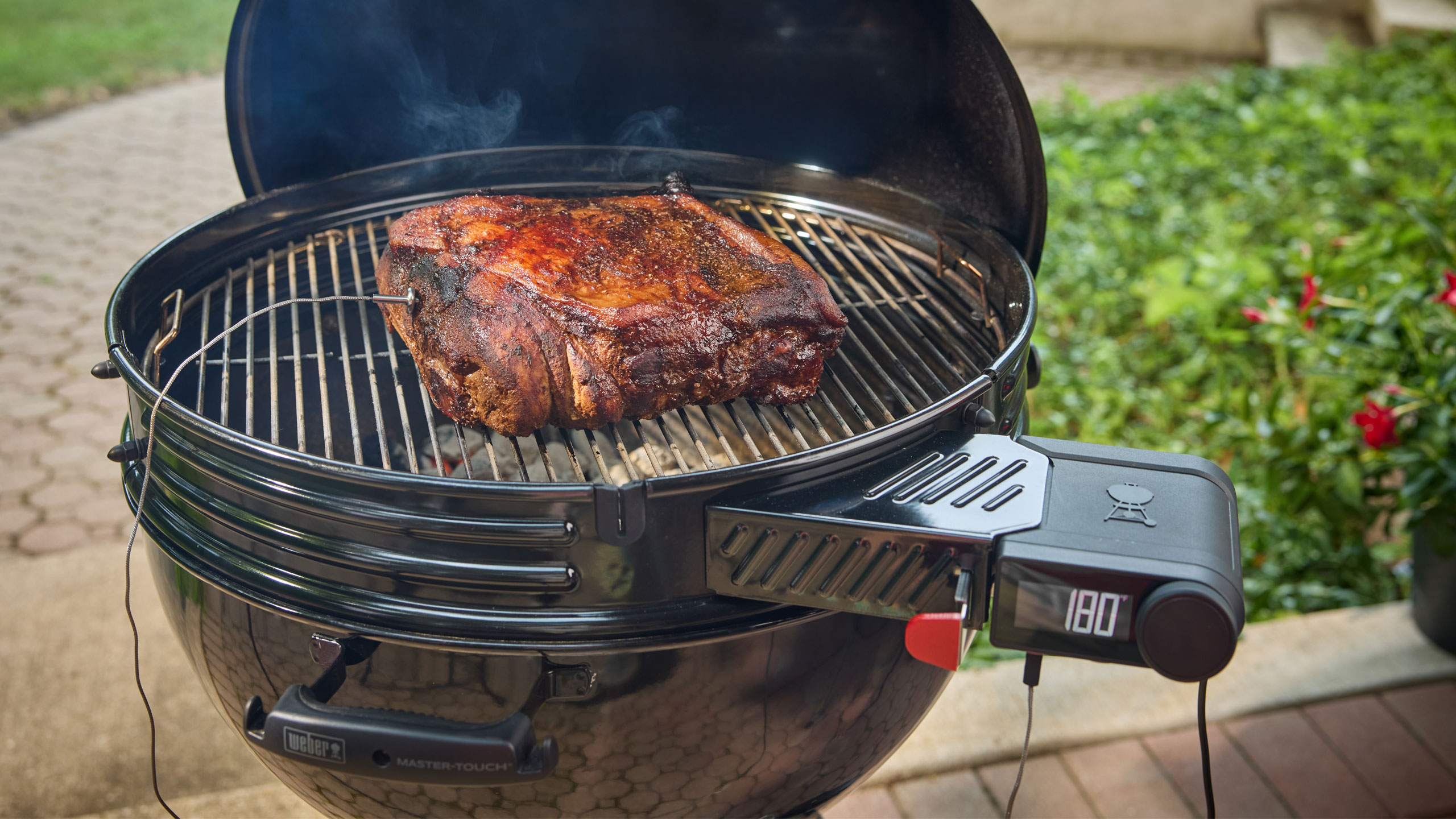
Weber has been in the smart grilling game since 2020, dabbling in Wi-Fi connectivity for gas and pellet grills. It has also offered grillers a standalone option for its Weber Connect platform. For 2026, the company is expanding its smart grilling lineup to its original fuel source: charcoal. Today, Weber announced the Performer Smart Charcoal Grill and Kettle Smart Ring, both of which bring Weber Connect control and cooking guidance to charcoal grilling in a more integrated way.
The 22-inch Performer Smart Charcoal Grill has a Wi-Fi-enabled LCD controller that regulates grill temperature by adjusting the airflow to lit charcoal. Weber says this grill is well-suited for overnight smoking and longer cooks thanks to this bit of automation. The new Performer also has a so-called Rapidfire Assist mode to get those coals lit faster. The grill can be controlled remotely with the Weber Connect app, which can also keep tabs on any connected food probes.
The new Performer is essentially an upgraded version of the Performer Premium, Deluxe and base options that currently exist. You still get the porcelain-enamel finish, adjustable dampers for manual temperature controls and the One-Touch cleaning system for ash removal. The other upgrade is a Weber Works side table and side rail that accommodate the company’s line of accessories. A premium version comes with a cart with storage shelves for $799 while an option with a more basic cart will be $599. Weber also plans to sell non-smart versions for $649 and $449, respectively. The company says the base models will arrive this spring while the premium trims will be available this summer.
Weber Kettle Smart Ring
Weber Blackstone
If you already have a Weber Kettle and are looking to add a bit of automation to your setup, the Kettle Smart Ring brings temperature control and smart connectivity for $280 this spring. This accessory fits the company’s 22-inch grills and is equipped with an LCD display and knob-based controls. Of course, it also syncs with the Weber Connect app and offers two slots for wired food probes.
Another key smart grilling area Weber lags behind its competition is wireless temperature probes, but that changes this spring. The company will debut a $70 Smart Wireless Probe and a $115 version with range booster and charger. These new probes sync with any Weber smart grill, the Weber Connect app or the new Smart Hub Display and Booster ($90) that works on any grill. Weber also built a retractable wired Smart Probe ($40) that can be used to monitor the temperature at the grates.
And if you’re loyal to propane, Weber has new options for you too. Updated Genesis Smart Gas Grills have a Sear Zone that can hit temperatures of up to 750 degrees Fahrenheit and a side table that now accommodates Weber Works accessories. It will be available in both propane and natural gas versions — in both three- and four-burner configurations — this spring starting at $999. More affordable Spirit Smart Gas Grills will start at $599 and will also come in three- and four-burner options. Both the Genesis and Spirit smart models work with the Weber Connect app like the rest of the company’s Wi-Fi grills and accessories.
This article originally appeared on Engadget at https://www.engadget.com/home/kitchen-tech/webers-2026-smart-grill-lineup-includes-the-companys-first-wi-fi-equipped-charcoal-grill-150000097.html?src=rss
Dolby may have announced Dolby Vision 2 a few months ago, but the company gave the new platform its first big reveal at CES 2026. I got the chance to see the improvements in person for the first time, thanks to a variety of demos and Q&A sessions. Dolby Vision 2 will be available this year, but initially, it will be limited. As such, I’ve compiled the info on where the image engine will be available first, and what’s likely to come next in terms of where and how you can use it. But first, let’s quickly summarize what Dolby Vision 2 will even do for your TV.
What is Dolby Vision 2?
Dolby Vision 2 is Dolby’s next-generation image engine that the company announced in September. The new standard will do several things to improve picture quality on your TV, including content recognition that optimizes your TV based on what and where you’re watching. This first element will improve scenes that many viewers complain are too dark, compensate for ambient lighting and apply motion adjustments for live sports and gaming.
Dolby Vision 2 will also deliver new tone mapping for improved color reproduction. I witnessed this first hand in various demos at CES, and this is the biggest difference between the current Dolby Vision and DV2 for me.
There’s also a new Authentic Motion feature that will provide the optimal amount of smoothing so that content appears more “authentically cinematic,” according to Dolby. This means getting rid of unwanted judder, but stopping short of the so-called soap opera effect.
Essentially, Dolby is taking advantage of all of the capabilities of today’s TVs, harnessing the improvements to display quality and processing power that companies have developed in the decade since Dolby Vision first arrived.
What TVs will support Dolby Vision 2?
Lifestyle photo of the TCL X11L SQD-Mini LED Series
TCL
The biggest Dolby Vision 2 news at CES was the first three TV makers that have pledged support for the new standard. Hisense is bringing it to its 2026 RGB MiniLED TVs — including UX, UR9 and UR8. The company also plans to add it to more MiniLED TVs with an OTA update. TCL's 2026 X QD-Mini LED TV Series and C Series will support Dolby Vision 2 via a future update. It will be available on TP Vision’s Philips’ 2026 OLED TVs, including the 2026 Philips OLED811, and OLED911 series as well as the flagship OLED951.
There are sure to be other companies that announce Dolby Vision 2 support in 2026. Sony doesn’t announce its new TVs at CES anymore, so that’s just one of the bigger names that’s yet to reveal its hand. Any upcoming TVs that seek to leverage the full suite of tools that Dolby Vision 2 offers will need to have an ambient light sensor as that’s one of the key facets of Dolby’s upgrade.
What content will be available in Dolby Vision 2?
Peacock is bringing Dolby Vision and Atmos support to more live sports offerings.
Peacock
The other big piece of Dolby Vision 2 news at CES 2026 was the first streaming service that will support the platform. Peacock grabbed that honor, and so far it’s the only streamer to pledge support. However, several services support the current version of Dolby Vision, including Netflix, Disney+, Apple TV+, Amazon Prime Video, HBO Max and Paramount+. Like the additional TV support that’s sure to be announced throughout the year, I expect more streaming services will jump on board soon as well.
This article originally appeared on Engadget at https://www.engadget.com/home/home-theater/dolby-vision-2-is-coming-this-year-heres-what-you-need-to-know-140000034.html?src=rss
Fender Audio may have announced its new headphones and speakers right before CES, but Las Vegas afforded us the first opportunity to see the brand’s new lineup in person. Fender Audio is a Fender-owned brand from Riffsound that’s designing and making new devices after licensing the name. It’s been a while since the guitar and amplifier company made any general-use speakers of its own, and this new arrangement is similar to what Zound was doing with Marshall for a spell.
Logistics out of the way, let’s get down to what the Mix and Ellie are like in the flesh. First, the Mix headphones offer a modular construction that allows you to replace nearly every piece as needed. The ear cups detach from the headband and the ear pads are replaceable. You can also swap out the battery, thanks to an easy-to-access slot behind one ear pad. And on the other side, a USB-C dongle for wireless lossless audio is stowed for safe keeping (wired lossless audio over USB-C is also available).
Fender Audio Mix headphones
Billy Steele for Engadget
Fender Audio kept the controls simple on the Mix, opting for a single joystick for volume and playback changes. The joystick also serves as the power and pairing control as the only other button cycles through active noise cancellation (ANC) modes. In terms of sound, the Mix will satisfy listeners who crave deep bass, and vocals cut through clearly. In my brief demo, I would’ve liked more mid-range, but I’ll wait until I get a review unit for a full assessment there. I should mention the other standout feature is battery life: the Mix will offer up to 52 hours of use with ANC enabled (up to 100 hours with it off).
Then there are the Elie speakers. Both offer a similar set of features, which includes two wireless inputs for microphones (the company is working on its own model) and a combination XLR and 1/4-inch input for instruments. The Elie 06 is the smaller unit, housing a tweeter, full-range driver and subwoofer with 60 watts of output. The larger Elie 12 doubles all of that, serving as a more robust but still very portable option.
Fender Audio Ellie speakers
Billy Steele for Engadget
Both Elie units can be used in a single configuration or as a stereo pair. You can also connect up to 100 of the speakers via a Multi mode. Fender Audio has done a nice job here of checking all of the usual Bluetooth speaker boxes while offering something unique in terms all of those inputs. It’s like the company combined “regular” portable speakers with larger party boxes, offering something for customers who don’t want a massive device or any of the flashing lights.
Of course, none of these specs matter if the company didn’t ace the sound quality. While I’ll wait until I can spend several hours with some review units before I make any final judgement on these, I can tell you that both Elie speakers made a great first impression. There’s ample bass in the tuning for both, but obviously the larger Elie 12 offers more thump. Both units also provide excellent vocal clarity and nice details in the highs, as I made sure to select test tracks with lots of subtle sounds — like Bela Fleck’s banjo tunes.
The back of Fender Audio Ellie 06 speaker
Billy Steele for Engadget
Fender Audio says the arrival of the entire new lineup is imminent. Both the headphones and the Elie 6 will cost $299 and the Elie 12 is $399.
This article originally appeared on Engadget at https://www.engadget.com/audio/hands-on-with-fender-audios-headphones-and-speakers-at-ces-2026-203104561.html?src=rss
Every fall, dozens of maple and oak trees in my neighborhood shed their leaves. Thus begins the constant drone of gas-powered leaf blowers every day through early December. The noise is by far the most annoying thing about these yard tools, but I can appreciate it’s a necessary evil — unless you prefer to pick up a blister-inducing rake.
Whisper Aero argues there’s a better way. The company is using aerospace tech to quiet the noisy devices, introducing the T1 leaf blower at CES 2026 under its sub-brand Tone Outdoors. The company promises the T1 is 80 percent quieter and 60 percent more powerful than “leading” handheld gas leaf blowers. More specifically, the T1 has 880 CFM of air flow, which easily surpasses my battery-powered EGO. And at 52 decibels of average noise at peak volume, his model is drastically quieter than any leaf blower I’ve used. I was able to confirm its lower roar on the CES show floor.
Tone says the T1 also offers extended run time of up to 50 minutes on a charge in Eco mode. That too is greater than what I get on my mid-grade EGO. What’s more, the company plans to sell a battery backpack that will extend any clean-up sessions for several hours. The T1 also has a built-in LED “nightlight” so you can still use it after dark. And since it’s quieter than what you have now, you can do so without annoying your neighbors.
Tone Outdoors T1
Billy Steele for Engadget
So, how does Whisper Aero achieve this? The company originally set out to devise a quieter solution for electric aerospace motors. Its engineers discovered that they could dramatically reduce noise and increase overall efficiency by redesigning the fan and motor. They're still pursuing that, but the company discovered its technology had other uses too.
The T1 is already available for preorder for $599 and it’s scheduled to ship in September. If you don’t care for the standard green color, you can spend another $100 for limited edition “Silence Is Golden” version. The battery backpack won’t arrive until Q1 2027 though (price TBD). Tone also says it has additional models in the works and it has a partnership with Stanley Black and Decker that will likely produce additional products with this tech on board.
This article originally appeared on Engadget at https://www.engadget.com/home/ces-2026-the-tone-outdoors-t1-solved-the-biggest-problem-with-leaf-blowers-234309500.html?src=rss

 Anmelden