❌

Normale Ansicht

The best midrange smartphone for 2026

Gone are the days in which you needed to spend a fortune to get a good smartphone. In 2026, features once exclusive to high-end smartphones – big batteries, multi-camera arrays, high refresh rate OLED displays and more – have made their way down to more affordable models. Yes, you’ll still need to buy a flagship smartphone to get the best camera or fastest processor, but you don't have to make nearly as many compromises as you once did if you have a strict budget to adhere to when you go shopping for your next smartphone. If you have less than $600 to spend, let us help you figure out what features to prioritize when trying to find the best midrange smartphone.

Table of contents

Best midrange phones for 2026

What is a midrange phone?

While the term frequently appears in articles and videos, there isn’t an agreed-upon definition for “midrange” beyond a phone that isn’t a flagship or an entry-level option. Most of our recommendations cost between $400 and $600 — any less and you should expect significant compromises. If you have more to spend, you might as well consider flagships like the Apple iPhone 17 and the Samsung Galaxy S25 if you want the best smartphone experience. Devices like Pixel phones often sit in this price range too, offering some of the best value for Android buyers.

What to consider before buying a midrange smartphone

Buying a new device can be intimidating, but a few questions can help guide you through the process. First: what platform do you want to use? If the answer is iOS, that narrows your options down to exactly one phone. (Thankfully, it’s great.) And if you’re an Android fan, there’s no shortage of compelling options. Both platforms have their strengths, so you shouldn’t rule either out.

Of course, also consider how much you’re comfortable spending. Even increasing your budget by $100 more can get you a dramatically better product. Moreover, manufacturers tend to support their more expensive devices for longer with software updates and security updates, so it’s worth buying something toward the top limit of what you can afford. 

Having an idea of your priorities will help inform your budget. Do you want a long battery life or fast charging? Do you value speedy performance above all else? Or would you like the best possible cameras with high megapixel counts? While they continue to improve every year, even the best midrange smartphones still demand some compromises, and knowing what’s important to you will make choosing one easier.

What won’t you get from a midrange smartphone?

Every year, the line between midrange and flagship phones blurs as more upmarket features and functions trickle down to more affordable models. When Engadget first published this guide in 2020, it was tricky to find a $500 phone with waterproofing and 5G. In 2026, the biggest thing you might miss out on is wireless charging – and even then, that’s becoming less true.

One thing your new phone probably won’t come with is a power adapter; many companies have stopped including chargers with all of their smartphones. Performance has improved in recent years, but can still be hit or miss as most midrange phones use slower processors that can struggle with multitasking. Thankfully, their camera systems have improved dramatically, and you can typically expect at least a dual-lens system on most midrange smartphones below $600 with decent camera quality, selfie performance and software support to keep things running smoothly for years to come..

Midrange smartphone FAQs

How long do midrange phones get software updates?

Support varies by brand, but most midrange phones receive around three to five years of software and security updates. Apple tends to support iPhones longer while companies like Google and Samsung now promise several years of Android and security patches for their midrange models. Budget-focused brands might offer less so it’s worth checking the update policy before you buy.

Are midrange phones good for gaming?

Yes, many midrange phones handle gaming well, especially popular titles like Fortnite, Genshin Impact and Call of Duty Mobile. They usually include capable processors, though you won’t always get the smoothest performance in the most demanding mobile games or at max settings. If you play casually or stick to less graphically intensive titles a midrange phone will feel more than adequate.

Georgie Peru contributed to this report.

This article originally appeared on Engadget at https://www.engadget.com/mobile/smartphones/best-midrange-smartphone-183006463.html?src=rss

©

© Engadget

Best midrange smartphone
  •  

Lumus brought a massively wider FOV to smartglasses at CES 2026

Lumus got a major boost in brand recognition when one of its waveguides was selected for use in the Meta Ray-Ban Display glasses. But that already feels like old tech now because at CES 2026, the company brought some of its latest components to the show and based on what I saw, they seem poised to seriously elevate the optical quality of the next wave of high-end smartglasses. 

When the Meta Ray-Ban Displays glasses came out, they wowed users as they were (and still are) one of a handful of smartglassess to feature a full-color in-lens display with at least a 20-degree field of view. But going by the specs on Lumus’ newest waveguides, we’re set for a major upgrade in terms of future capabilities. 

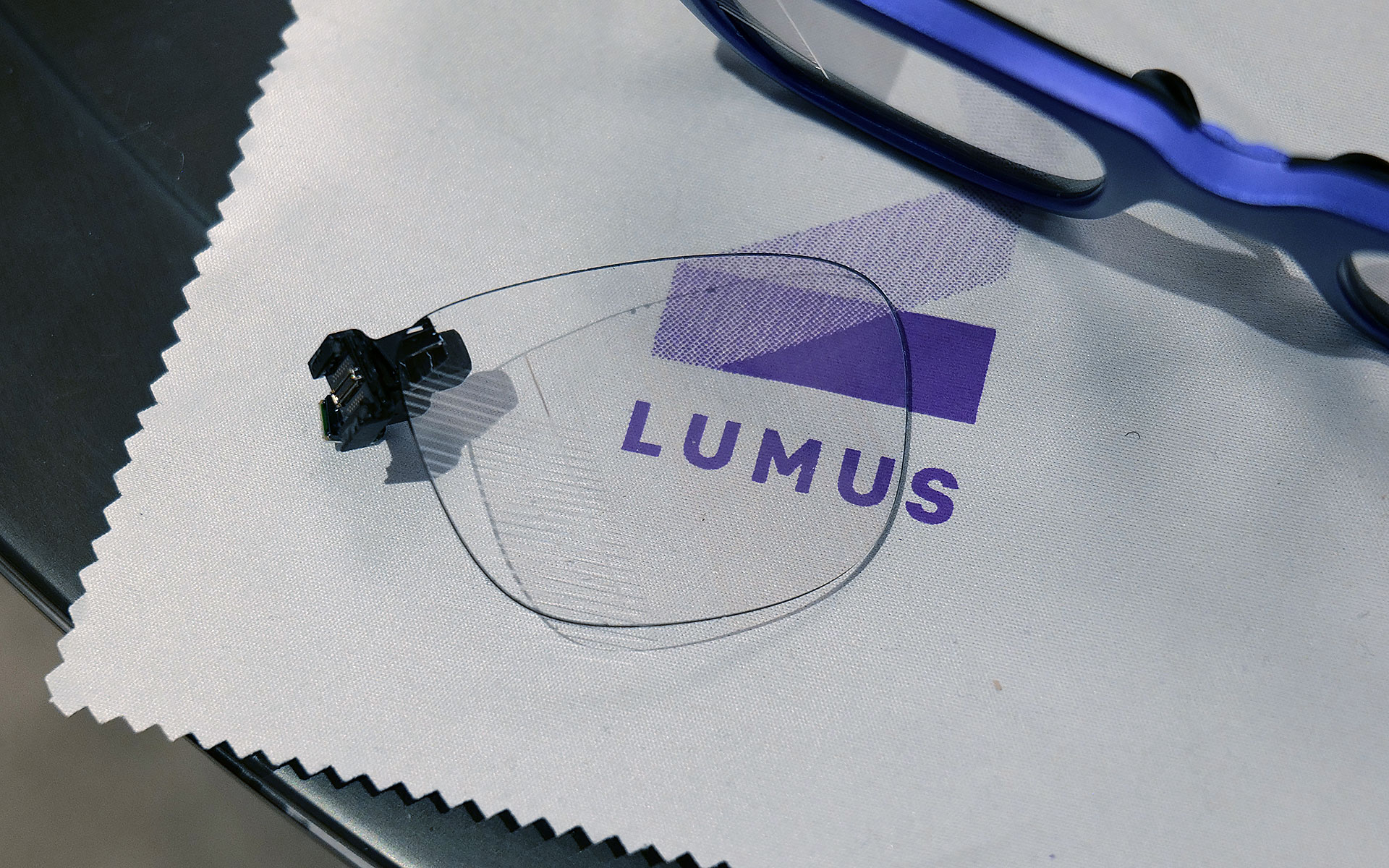
If you look closely, you can see where light from the waveguide propagates into the one of the smartglasses' lenses.
Sam Rutherford for Engadget

The first model I tried featured Lumus’ optimized Z-30 waveguides, which not only offer a much wider 30-degree FOV, they are also 30 percent lighter and 40 percent thinner than previous generations. On top of that, Lumus says they are also more power efficient with the waveguides capable of hitting more than 8,000 nits per watt. This is a big deal because smartglasses are currently quite limited by the size of batteries they can use, especially if you want to make them small and light enough to wear all day. When I tried them on, I was dazzled by both the brightness and sharpness I saw from the Z-30s despite them being limited to 720 x 720 resolution. Not only did the increase in FOV feel much larger than 10 degrees, colors were very rich, including white, which is often one of the most difficult shades to properly reproduce.

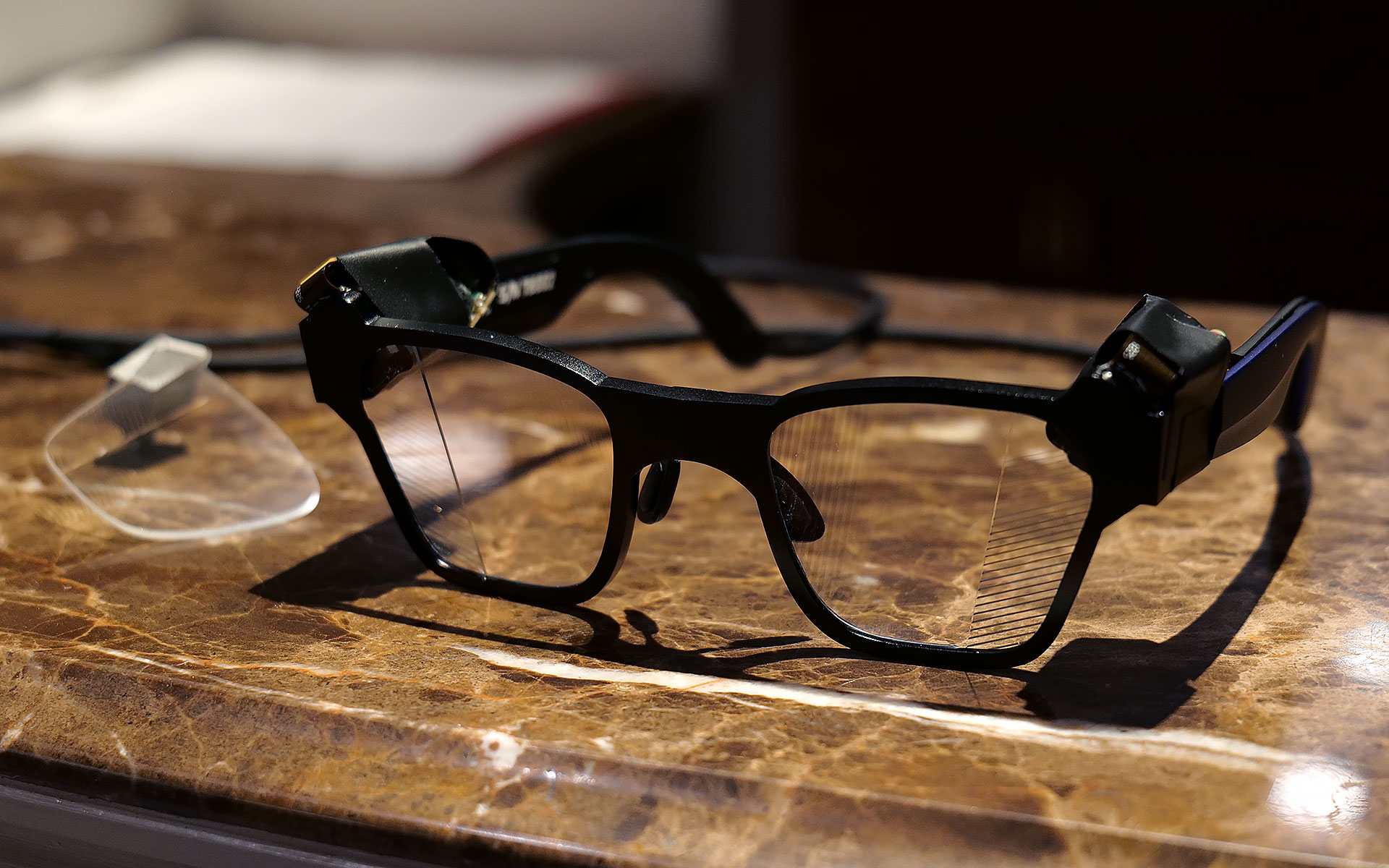
I had to take a photo of one of Lumus' non-functioning smartglasses with the company's 70-degree FOV waveguide, because two out of three of the working ones had already broke and the last one that I used was being held together by tape.
Sam Rutherford for Engadget

However, even after seeing how good that first model was, I was totally not prepared for Lumus’ 70-degree FOV waveguides. I was able to view some videos and a handful of test images and I was completely blown away with how much area they covered. It was basically the entire center portion of the lens, with only small unused areas around the corners. And while I did notice some pincushion distortion along the sides of the waveguide’s display, a Lumus representative told me that it will be possible to correct for that in final retail units. But make no mistake, these waveguides undoubtedly produced some of the sharpest, brightest and best-looking optics I’ve seen from any smartglasses, from either retail models or prototypes or. It almost made me question how much wider FOV these types of gadgets really need, though to be clear, I don’t think we’ve hit the point of diminishing returns yet. 

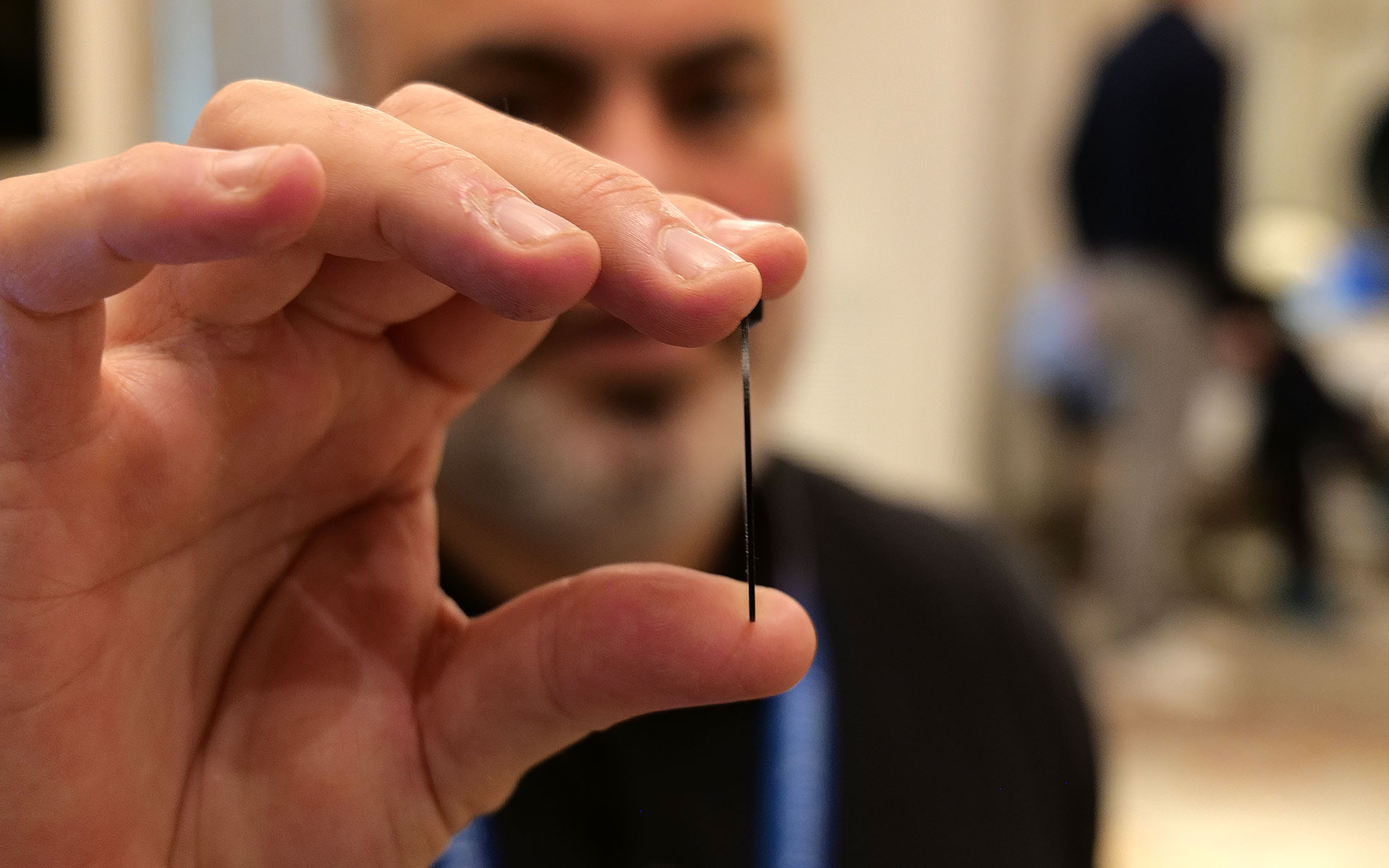
This is one of Lumus' thinnest waveguides measuring in at just 0.8mm.
Sam Rutherford for Engadget

Other advantages of Lumus’ geometric reflective waveguides include better overall efficiency than their refractive counterparts along with the ability to optically bond the displays to smartglasses lenses. That means unlike a lot of rivals, Lumus’ waveguides can be paired with transitions lenses instead of needing to resort to clip-on sunglass attachments when you go outside. Lumus also claims its designs also simplifies the manufacturing process, resulting in thinner waveguides (as small as 0.8mm) and generally higher yields. 

Unfortunately, taking high-quality photos of content from smartglasses displays is incredibly challenging, especially when you’re using extremely delicate prototypes, so you’ll just have to take my word for now. But with Lumus in the process of ramping up production of its new waveguides with help from partners including Quanta and SCHOTT, it feels like there will be a ton of smartglasses makers clamoring for these components as momentum continues to build around the industry’s pick for the next “big” thing. 


This article originally appeared on Engadget at https://www.engadget.com/wearables/lumus-brought-a-massively-wider-fov-to-smartglasses-at-ces-2026-233245949.html?src=rss

©

  •  

Razer put a waifu in a bottle at CES 2026

Last year Razer showed off Project Ava as a digital assistant that lived inside your computer to help adjust settings or provide gaming tips. But now at CES 2026, the company’s AI companion platform has gotten a major glow-up while moving into some new digs. 

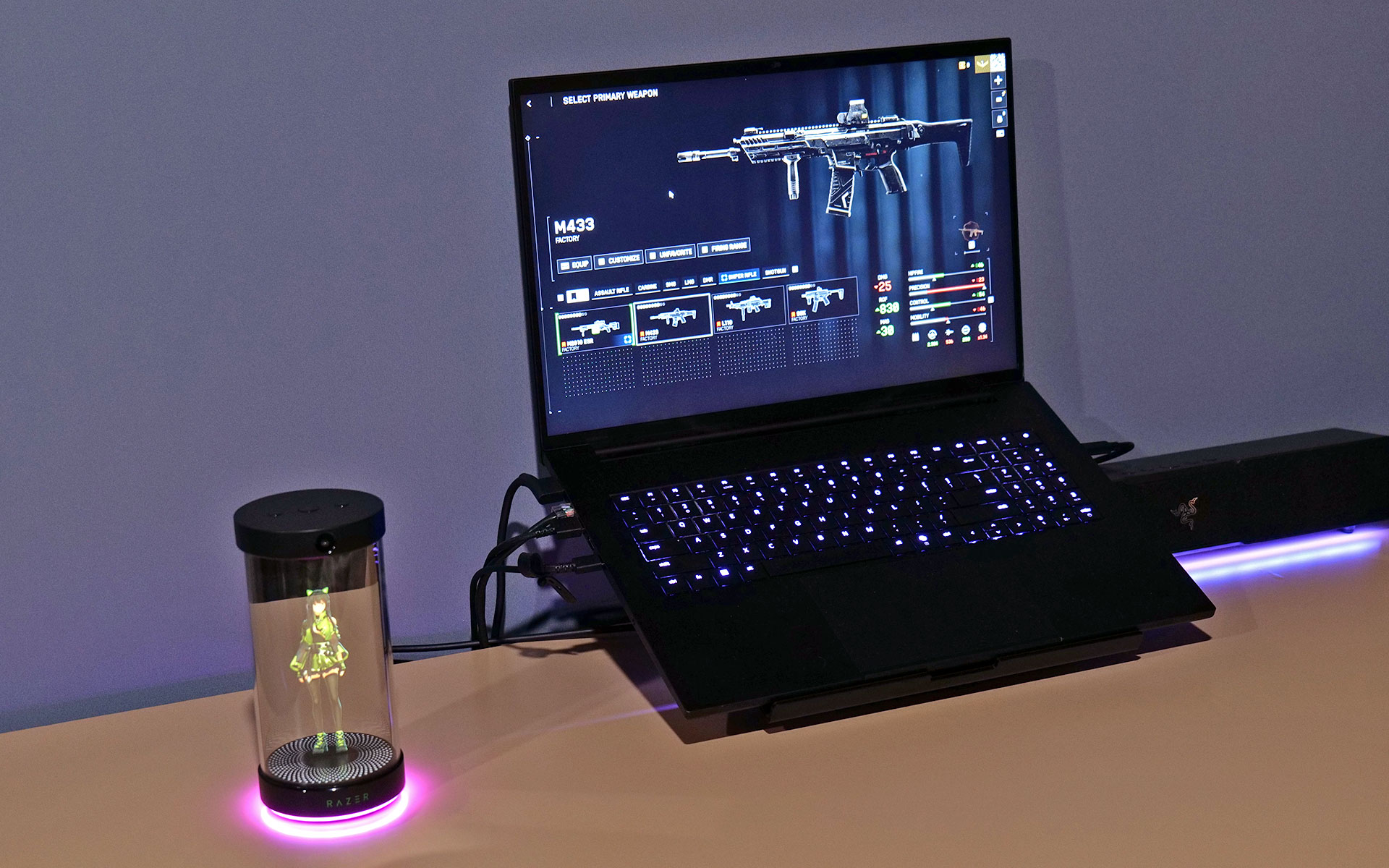
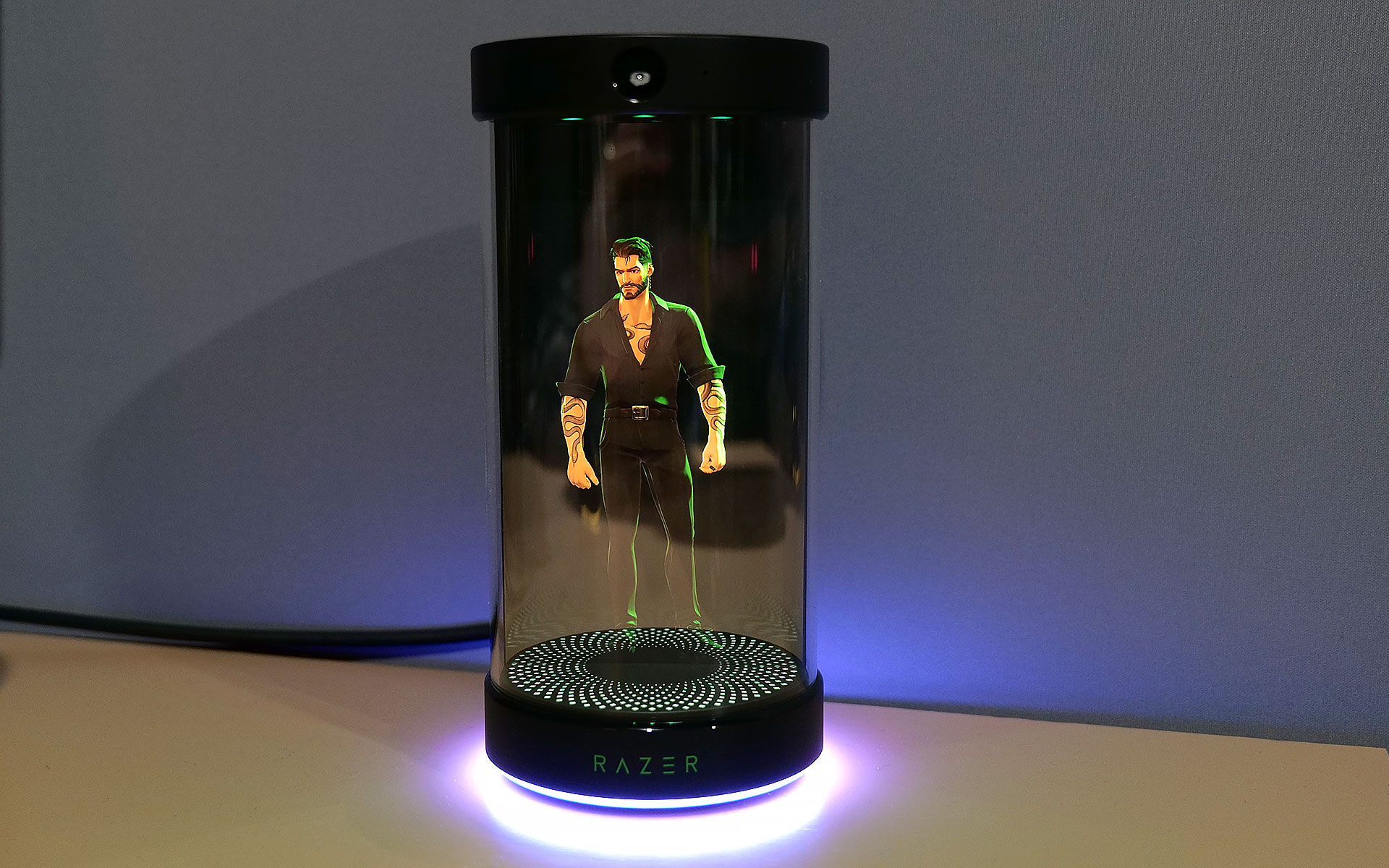
Now, in lieu of being constrained entirely to your PC’s screen, Razer has given Project Ava a real home in the form of a small tube that can display a 5.5-inch animated hologram of the AI’s avatar. You’ll still need to connect it to your computer via USB-C to provide Ava with the power and data it needs. However, all of your companion’s other components are built into its abode, including dual far-field mics so you can talk to it, a down-firing full-range speaker so it can talk and an HD camera with an ambient light sensor so the AI can see and react to its surroundings.   

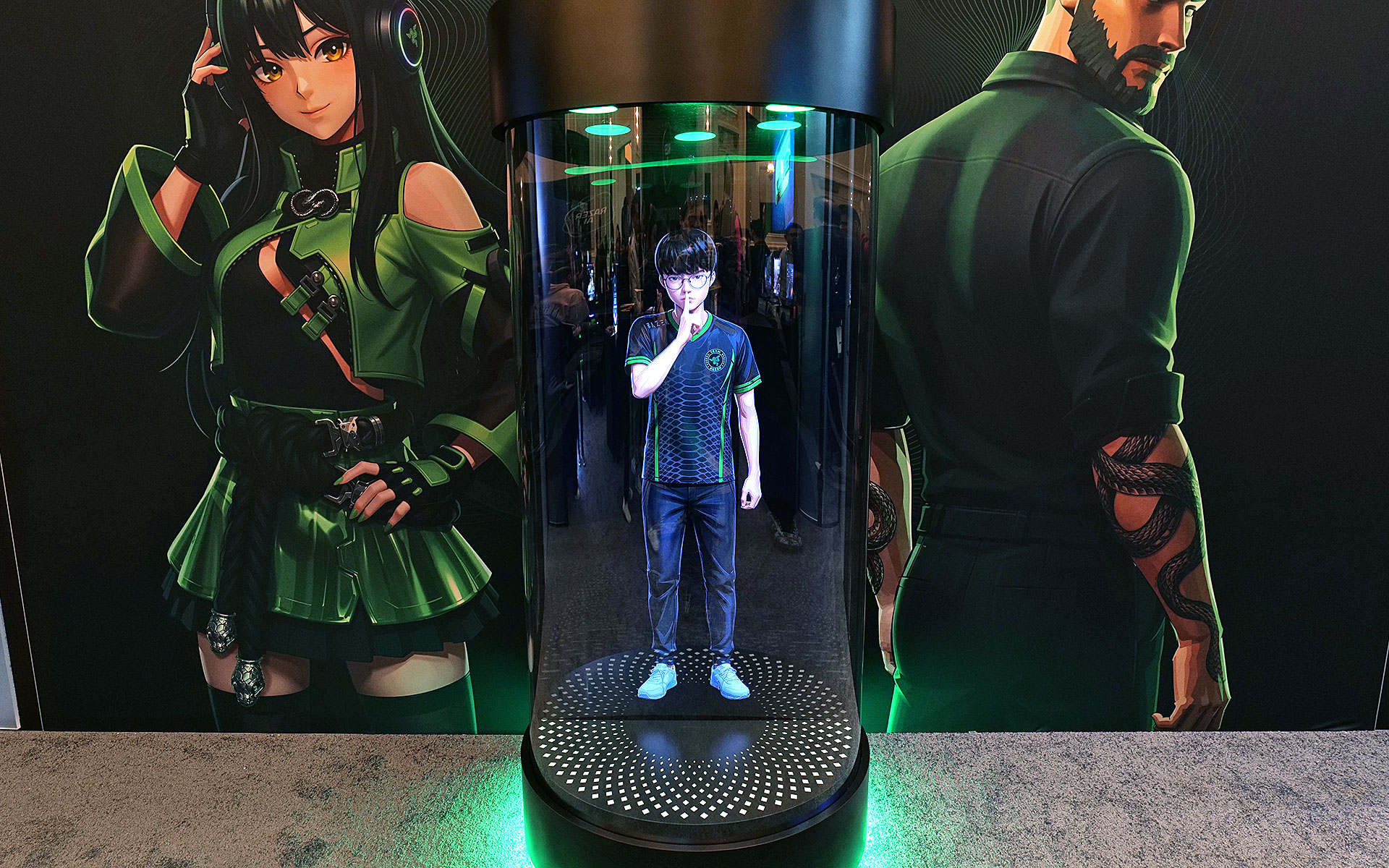
But perhaps the biggest upgrade to the project is that instead of just Ava, who Razer describes as “a calm, reliable source of energy to help you keep things clear, efficient, and always on point,” there are three or four new personas (depending on how we’re counting) joining the roster. Kira looks like a TikTok e-girl decked out in a frilly outfit complete with Razer neon green accents, while Zane is her edgy masculine alternative who kind of reminds me of the Giga Chad meme, but with extra snake tattoos. Then there’s Sao, who appears to be directly inspired by iconic Japanese salary woman Saori Araki. Finally, there’s an avatar made in the likeness of Faker (Lee Sang-hyeok), the most successful and well-known League of Legends player of all time and one of Razer's sponsored esports athletes.

The new peripheral for Project Ava is a cylinder that can display a 5.5-inch hologram of an AI companion.
Sam Rutherford for Engadget

The idea now is that instead of being trapped inside your computer, Ava or one of Razer’s other personas can sit on your desk and be your companion for everything. They can remind you of upcoming events, respond to questions or even comment on your outfit using Razer’s built-in camera. That said, if you need some privacy, the device’s mics can be muted and the company says its planning on putting a physical camera shutter on final retail models. Of course, Ava or any of the other avatars can still hang out while you game and give you advice. During my demo, Kira helped pick out a loadout in Battlefield 6 based on user criteria and even provided pros and cons for some of the game’s other equipment options. 

Project Ava's expanded roster of AI companions
Razer

Unfortunately, while I did get to see Kira and Zane talk, dance and sway in their little bottles, Sao and Faker weren’t quite ready to make their holographic debuts. But according to Razer, that’s sort of by design as Project Ava is very much a work in progress. Currently, the avatars’ responses are generated by X AI’s Grok (yikes!), but the platform was created as a sort of open-source project that will support other models like Gemini or ChatGPT.

Down the line, Razer is hoping to add the ability for users to create their own unique avatars and companions based on their input or inspiration from real-world objects. Meanwhile, for avatars like Faker's because he’s also an actual person, Razer wants additional time to make the AI companion helpful with topics like real-time League of Legends coaching.

Say hello to Giga Chad, I mean Zane.
Sam Rutherford for Engadget

That said, while some folks might find Project Ava a bit weird or unnerving, it actually feels pretty tame (almost cute even) in an era where people are already marrying their AI partners. And if you’re the kind of person who prefers digital companions over flesh-and-blood alternatives (you know, people), I guess it’s kind of nice to have a more tangible representation of your electronic waifus and husbandos.

Faker's avatar was only viewable in this nearly life-size mock up.
Sam Rutherford for Engadget

Sadly, Razer has not provided full pricing for Project Ava’s holographic peripheral, though a representative said that it will be in the same ballpark as the company’s other peripherals. I’m estimating a final cost of around $200. Reservations for Project Ava are currently live with a $20 deposit before official shipments begin sometime in the second half of 2026.

This article originally appeared on Engadget at https://www.engadget.com/gaming/pc/razer-put-a-waifu-in-a-bottle-at-ces-2026-205315908.html?src=rss

©

  •  

ASUS and XREAL teamed up at CES to make gaming smartglasses with two important upgrades

The latest generation of smartglasses can create huge virtual screens without the need to lug around giant monitors are a real boon to frequent travelers. However, their specs aren’t often tailored to the needs of gamers, so at CES 2026, ASUS and XREAL partnered to make a pair with two very important features you don’t normally get from rivals. 

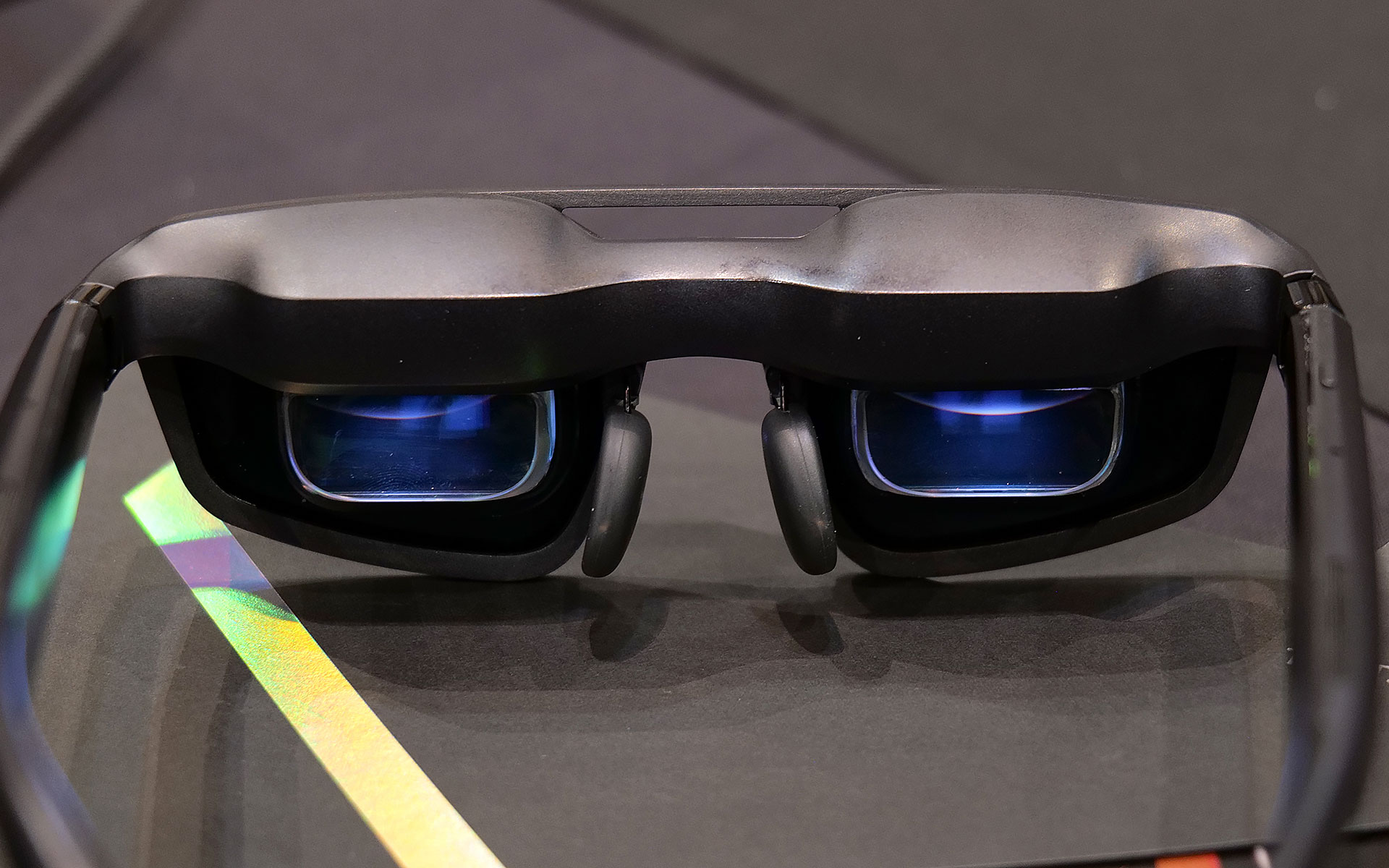
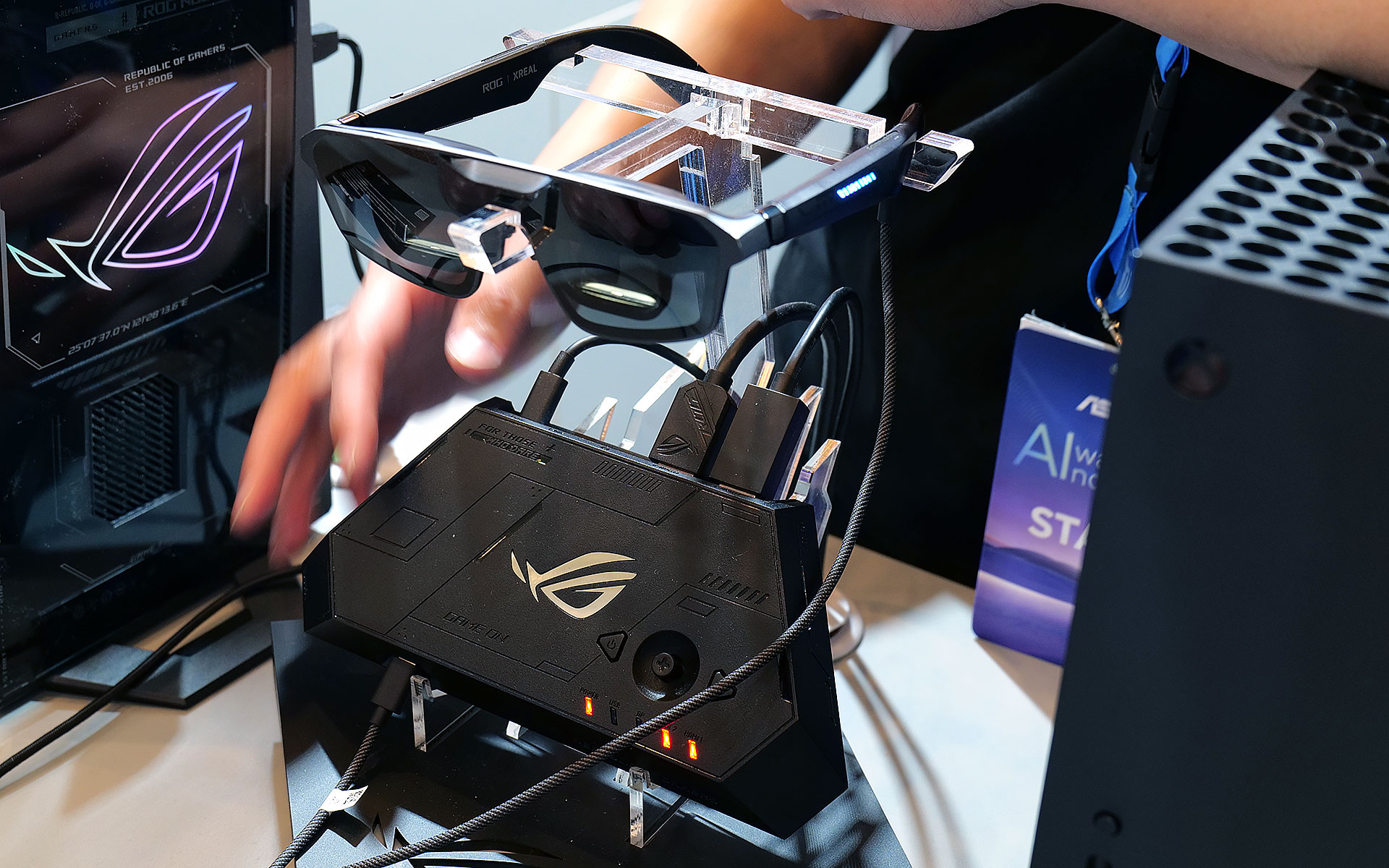
The new ROG XREAL R1 AR glasses are based on the existing XREAL One Pro, so naturally they share a lot of the same components and specs including dual micro-OLED displays with a per-eye resolution of 1,920 x 1,080, three degrees of freedom (natively), 700-nit peak brightness, 57-degree FOV and built-in speakers tuned by Bose. However, the big difference on the R1s is that instead of maxing out with a 120Hz refresh rate, ASUS and XREAL’s collab goes all the way up to 240Hz. That’s a pretty nice bump, especially for people with older hardware or anyone who might not have access to a high refresh rate display or just doesn’t want to lower their standards while traveling. 

The ROG XREAL R1 AR smartglasses deliver 1,920 x 1,080 resolution to each eye with a 240Hz refresh rate and 57-degree FOV.
Sam Rutherford for Engadget

The other big addition is the R1’s included ROG Control Dock, which from what I’ve seen is slightly better suited for home use. It’s designed to be a simple hub with two HDMI 2.0 jacks, one DisplayPort 1.4 connector and a couple of USB-C slots (one is for power), so you can quickly switch between multiple systems like your desktop and console with a single touch. That said, depending on the situation you might not even need the dock at all because the R1s can also be connected to compatible PCs or gaming handhelds like the ROG Ally X and ROG Xbox Ally X (see the synergy there?) directly via USB-C. 

When I got to try them out at CES, the R1s delivered a very easy to use and relatively streamlined kit. At 91 grams, they are barely heavier than the original XREAL One Pro (87g) so they don’t feel too weighty or cumbersome. I also really like the inclusion of electrochromic lenses, which allow you to change the tint of the glasses with the touch of a button. This lets you adjust how much or little light you want to come in through the front to best suit your environment. And thanks to support for three DOF, you have the ability to pin your virtual screen in one location or let it follow you around. 

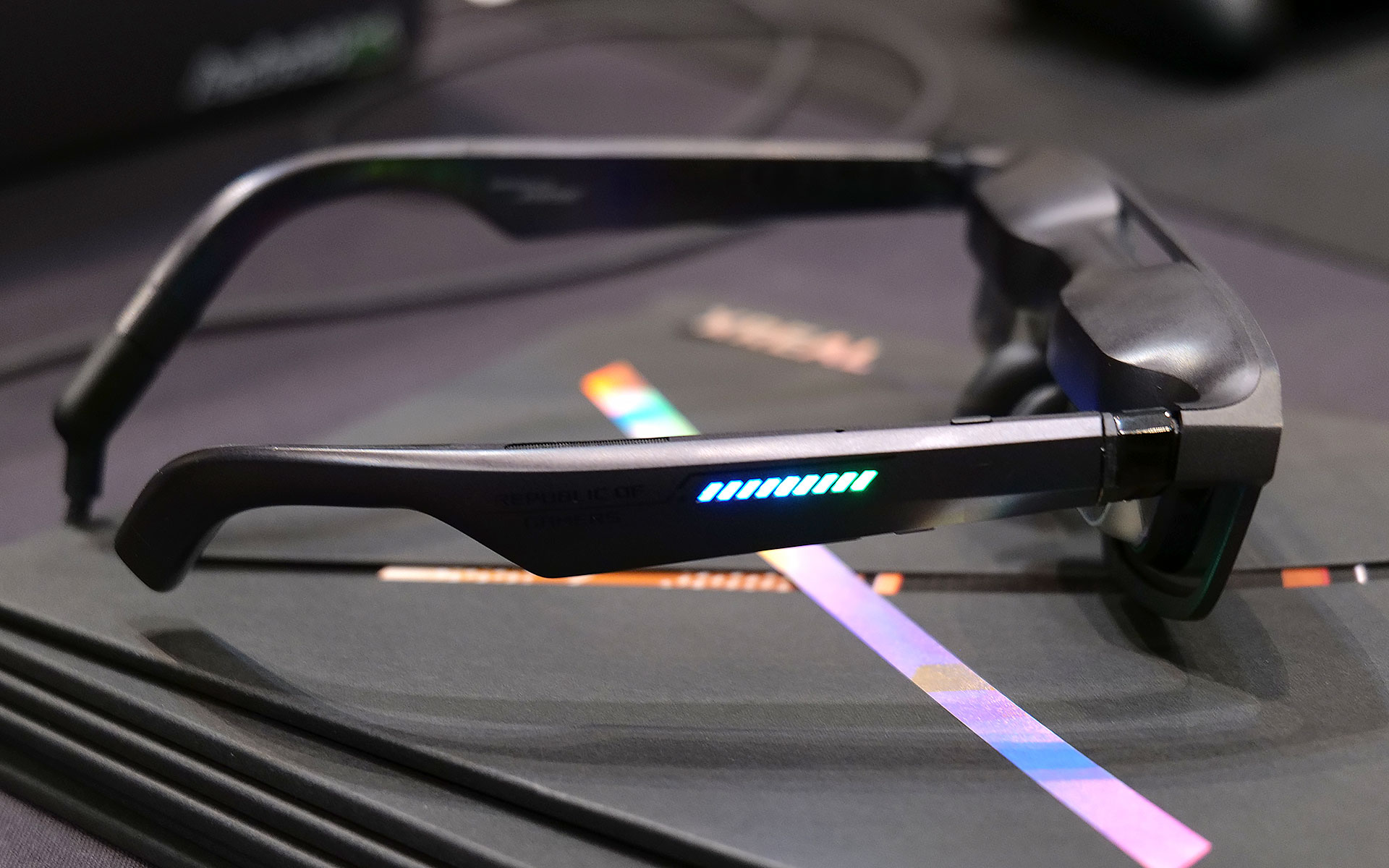
Of course, ASUS and XREAL couldn't resist putting RGB lighting on the ROG XREAL R1 AR smartglasses.
Sam Rutherford for Engadget

Now it is important to remember that in order to get 240Hz on the smartglasses, you need hardware capable of pushing the kind of performance. So depending on the title, when the R1s are connected to something like a gaming handheld, you might not be able to get there. Luckily, I had the chance to use the specs when connected to a PC as well, which let me really appreciate the smoothness you get from faster refresh rates. General image quality was also quite good thanks to the glasses’ 1080p resolution, so I had no trouble reading text or discerning small UI elements.

The ROG Control dock makes it easy to connect multiple devices to the ROG XREAL R1 AR smartglasses, but it may be a bit too bulky to pull out in tight situations like on a plane.
Sam Rutherford for Engadget

My one small gripe is that I kind of wish its 57-degree FOV was a tiny bit bigger, but that’s more of a limitation of current optical technology as there aren't a ton of similarly sized specs that can go much higher (at least not yet). That said, even with its current FOV, you can still create up to a 171-inch virtual screen at four meters away, which is massively bigger than any portable screen you might entertain carrying around.

Unfortunately, ASUS and XREAL haven’t announced official pricing or a release date for the R1s yet, but hopefully they won’t cost too much more than the XREAL One Pro, which are currently going for $649.


This article originally appeared on Engadget at https://www.engadget.com/gaming/pc/asus-and-xreal-teamed-up-at-ces-to-make-gaming-smartglasses-with-two-important-upgrades-190500897.html?src=rss

©

  •  

It took guts for Dell to admit its mistake, here's how XPS will make its big comeback in 2026

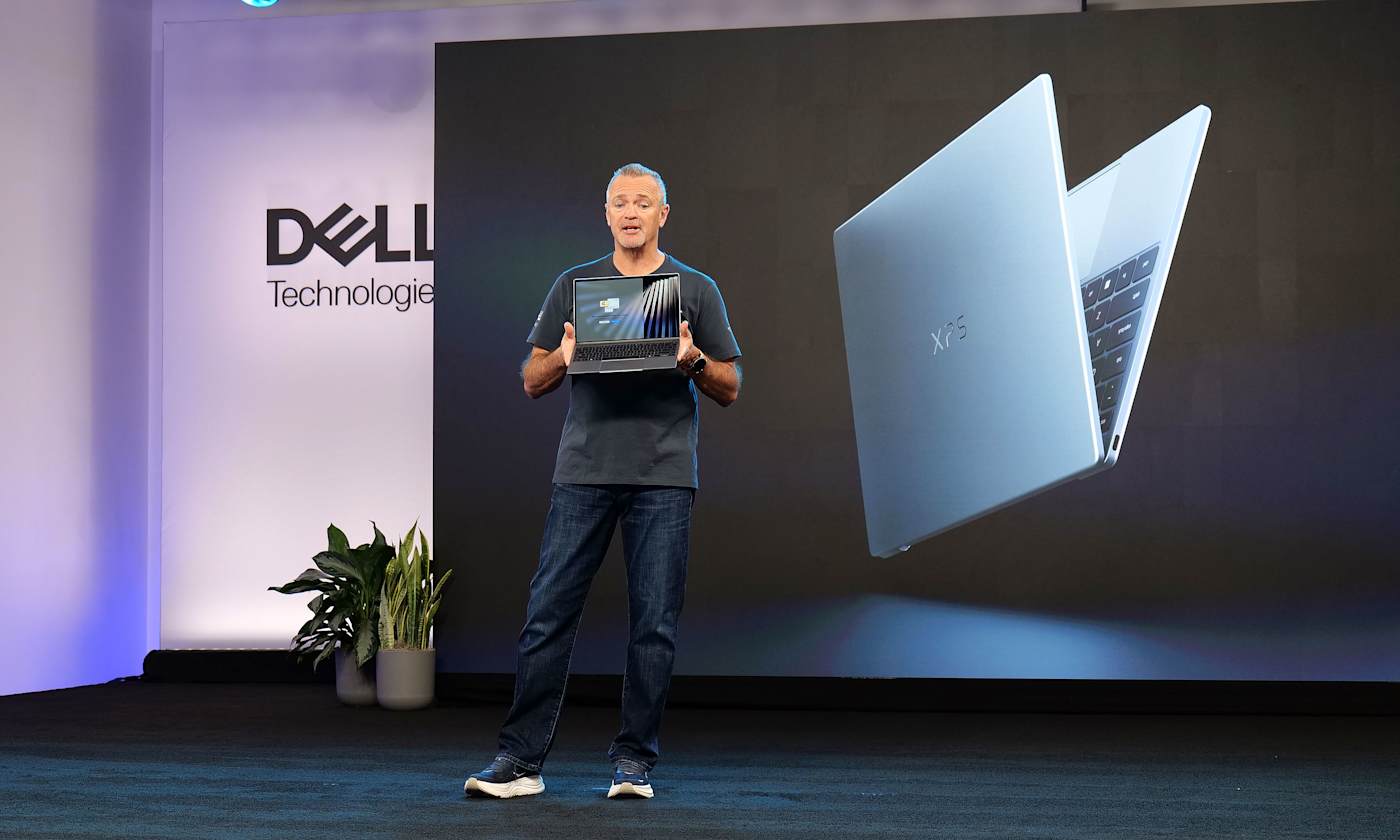
When Dell made the decision to kill off its XPS laptop name last year, it felt like a big mistake. We said so, in fact, multiple times. But at CES 2026, the company is righting its past wrongs by resurrecting the iconic laptop brand — and this time, this decision feels like the right move both for Dell as a whole and its flagship consumer devices.

Even more than the words the letters XPS are meant to represent (Extreme Performance Systems), over the last decade, Dell’s signature laptop brand stood for excellent design, quality engineering and top notch performance. And it was precisely those laptops that landed the company at the top of nearly every best Windows laptop guide every year for the last decade. So to replace XPS with a generic tag like premium felt like a big step backwards. 

Now if you were living under a rock (at least when it comes to Windows laptops), you can sort of squint your eyes and see the reasoning behind Dell’s misguided rebranding. Premium means good, typically something much better than average. By putting that word in front of its top-tier systems, there’s no way anyone could be confused about what kind of device they were buying, right? Take for example the Dell Premium 14, which was the new moniker for what was previously called the XPS 14. A laptop like that has to be decent. I mean, it’s right there in the product name. The issue is that XPS already meant good. Actually, way better than that, if we were just going by the sheer number of accolades previous-gen models got, like Dell’s 2020-era machines which we called practically perfect (which it was). Going away from that wasn’t just reductive, it was throwing the best part of Dell’s consumer business in the trash for no real reason. 

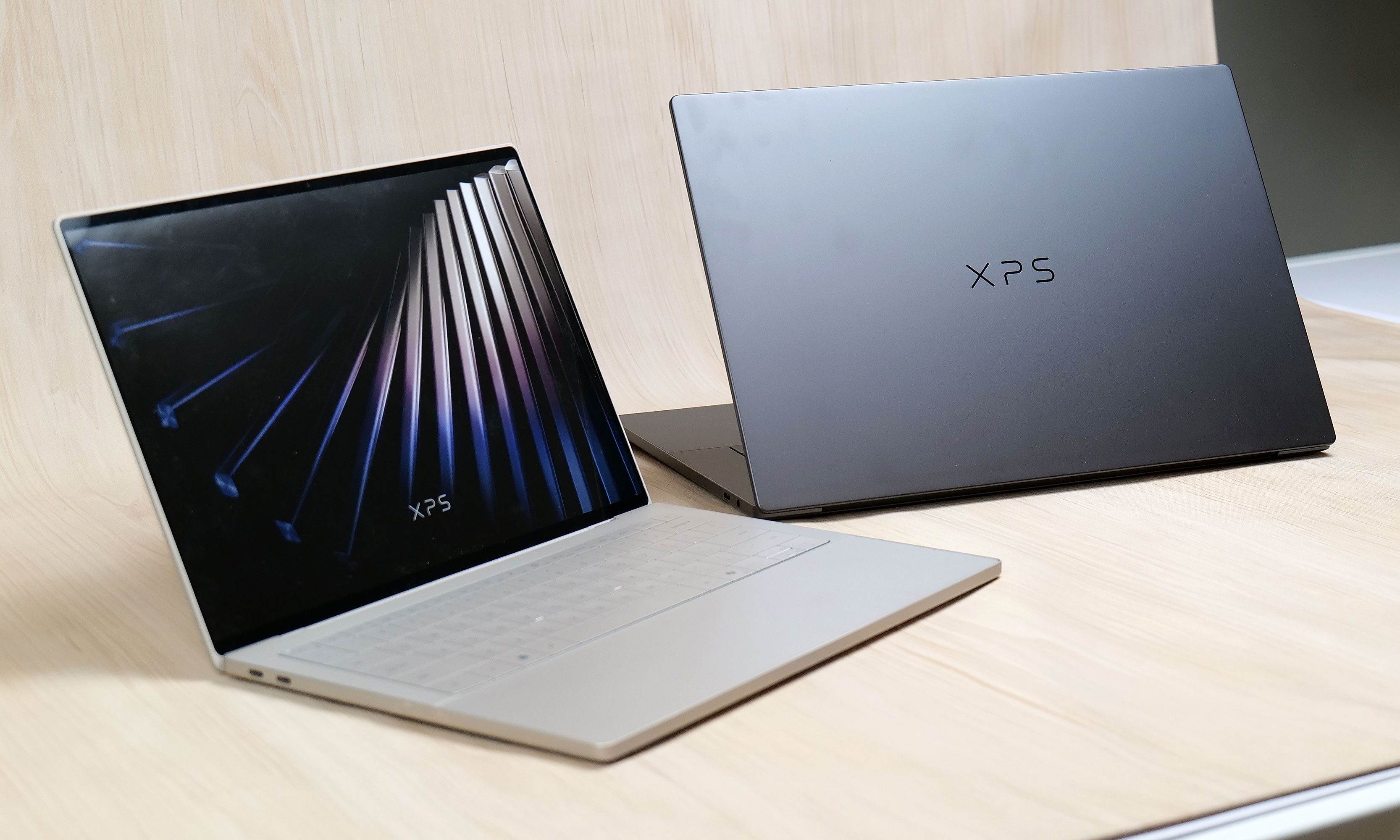
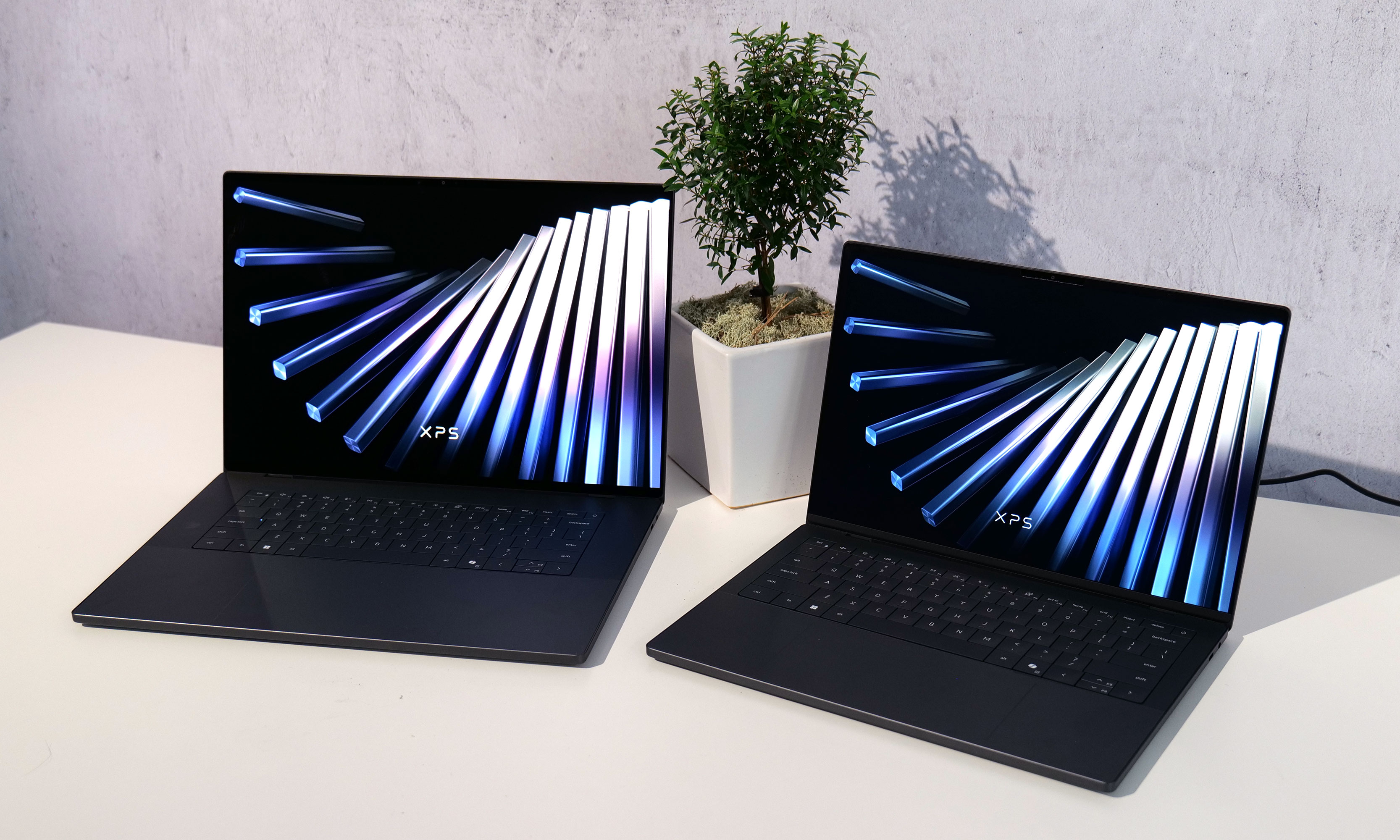
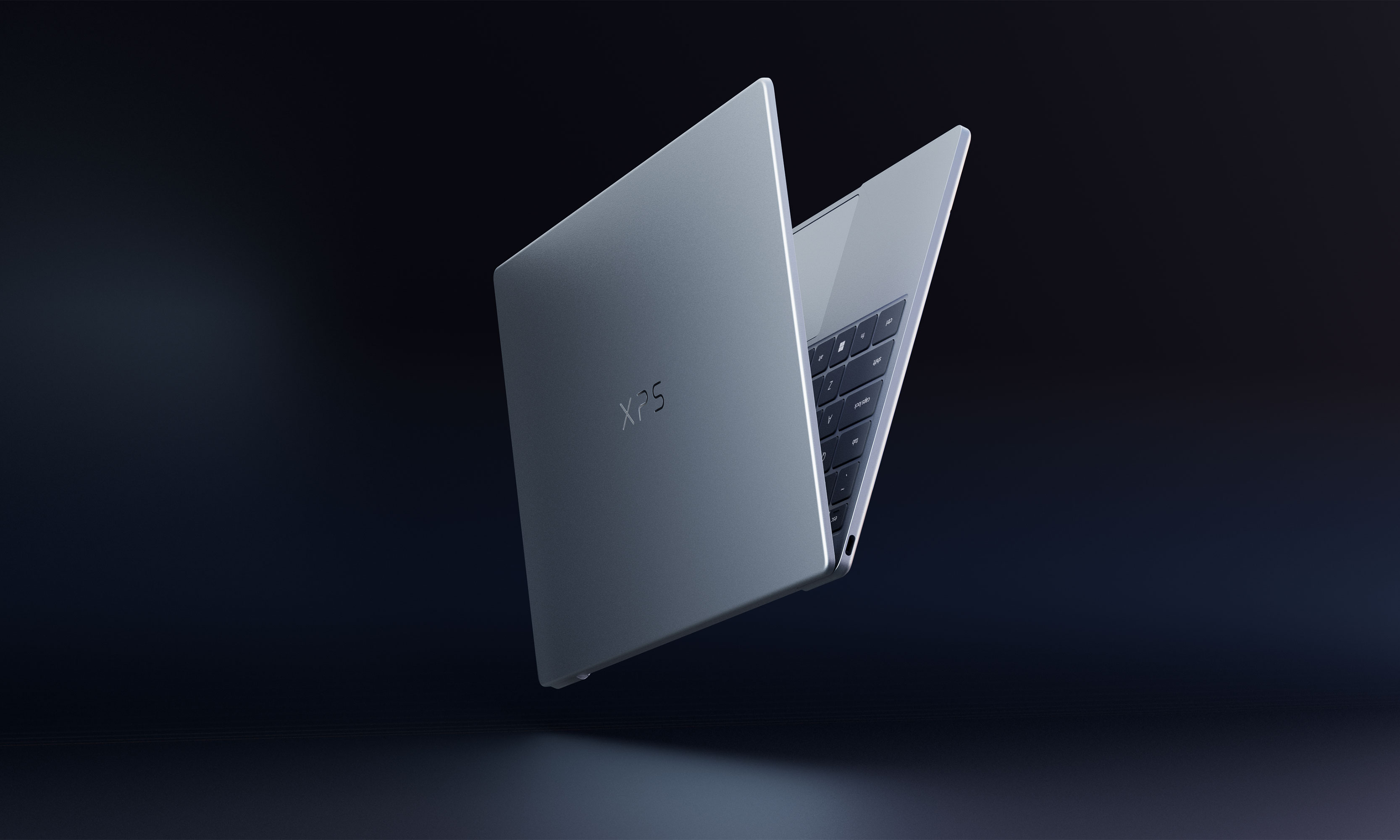
The first two new XPS machines will be the XPS 14 and XPS 16.
Sam Rutherford for Engadget

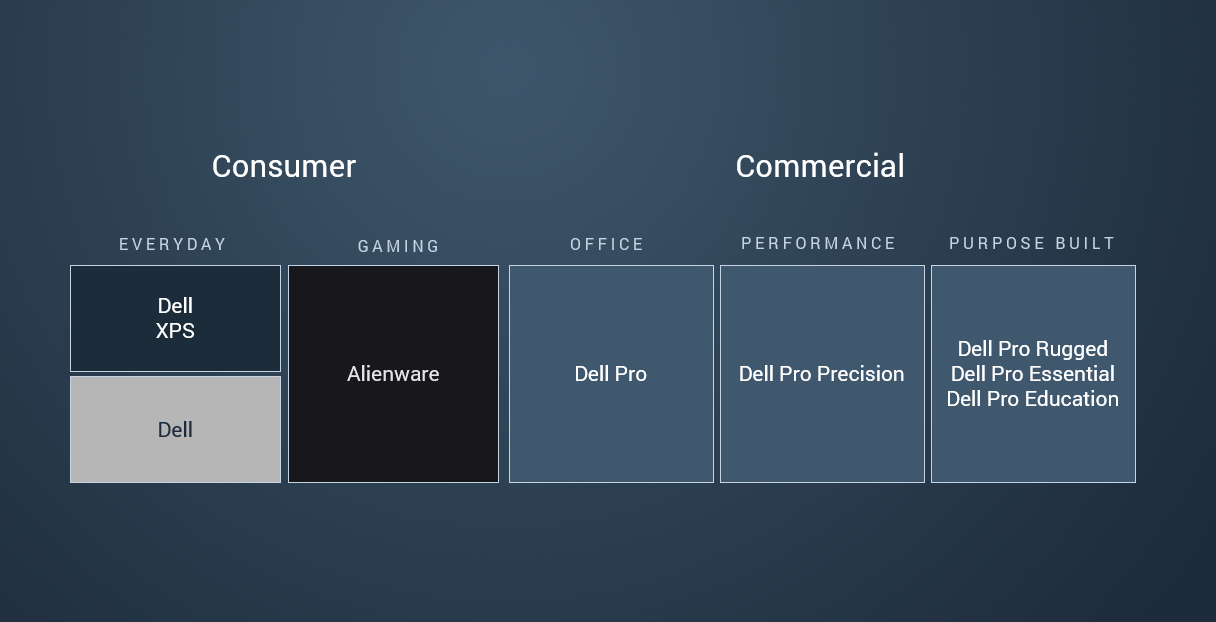
Additionally, Dell’s new naming strategy was intended to simplify its product portfolio, and it failed to deliver on that original goal. COO Jeff Clarke was refreshingly honest about this when announcing the return of XPS at a CES media preview in early December. Not only did Dell lose its signature XPS brand last year, it actually made things more confusing for consumers when it simultaneously created a full range of Dell Pro and Pro Max systems. Unlike Apple’s MacBook Pros and iPhone Pro Maxes, those devices were actually meant for enterprise customers instead of regular Joes. 

Another photo of the new XPS 14 and 16, which have a bunch of welcome changes and then some.
Sam Rutherford for Engadget

Amidst its rebrand, the company also eliminated a lot of its budget and entry-level models. That left a lot of people turning to more expensive mid-range “Plus” systems or waiting for a proper redesign of its top tier Premium laptops, which weren’t expected to arrive until 2026 anyway. 

So where is Dell going from here? Well as Clarke put it quite succinctly, “We’re getting back to our roots.” Starting in 2026, the company is planning to create its broadest PC portfolio ever including, a full line of XPS laptops. This includes an all-new version of the XPS 13, which is going to be the thinnest and lightest model to date, along with complete overhauls for the XPS 14 and XPS 16. But Dell isn’t stopping there because on a slide it showed at its press event, there were two additional placeholders for future XPS systems coming at some later date. 

Dell wouldn't let me take photos of the XPS 13 prototype model, but here's a teaser it provided for CES.
Dell

Even when it comes to specific features and components on individual models, Dell is finally acknowledging some of the criticism it has received over the past few years by returning to segmented touchpads instead of seamless all-glass slates and ditching capacitive function keys for good ‘ol buttons. Dell isn’t just bringing the XPS line back, it’s kind of on a revenge tour (even if the original wound was self-inflicted). 

On top of that, the consumer device team will be reporting directly to Clarke while the company retools itself internally. Dell is also updating its naming scheme to finally deliver on the promise of making things clear and simple. XPS will once again be the company’s flagship consumer brand with the XPS logo (not Dell’s) front and center on the lid of every laptop, while everything else will fall under the general Dell umbrella. Alienware will continue to do its own thing for gaming and the Dell Pro family will remain aimed strictly at enterprise businesses, professional services (like first responders) and education. No more confusion. And underlying all of that is a very straightforward motto from Clarke that “great products win.” 

After ditching the XPS brand, Dell is now bring it back for 2026 in its rightful spot at the top of the company's consumer portfolio.
Dell

In the end, even though Dell’s big plan from last year ended up being a mess, I appreciate when a company is self aware enough to know it messed up and has come up with a plan to fix things. Regardless of whether it's a corporation or a single person, admitting mistakes is always hard. Oftentimes, what you learn in the process is the real prize and from what I’ve seen Dell and its iconic XPS line is poised for a major comeback. 

This article originally appeared on Engadget at https://www.engadget.com/computing/laptops/it-took-guts-for-dell-to-admit-its-mistake-heres-how-xps-will-make-its-big-comeback-in-2026-233248065.html?src=rss

©

  •  
❌