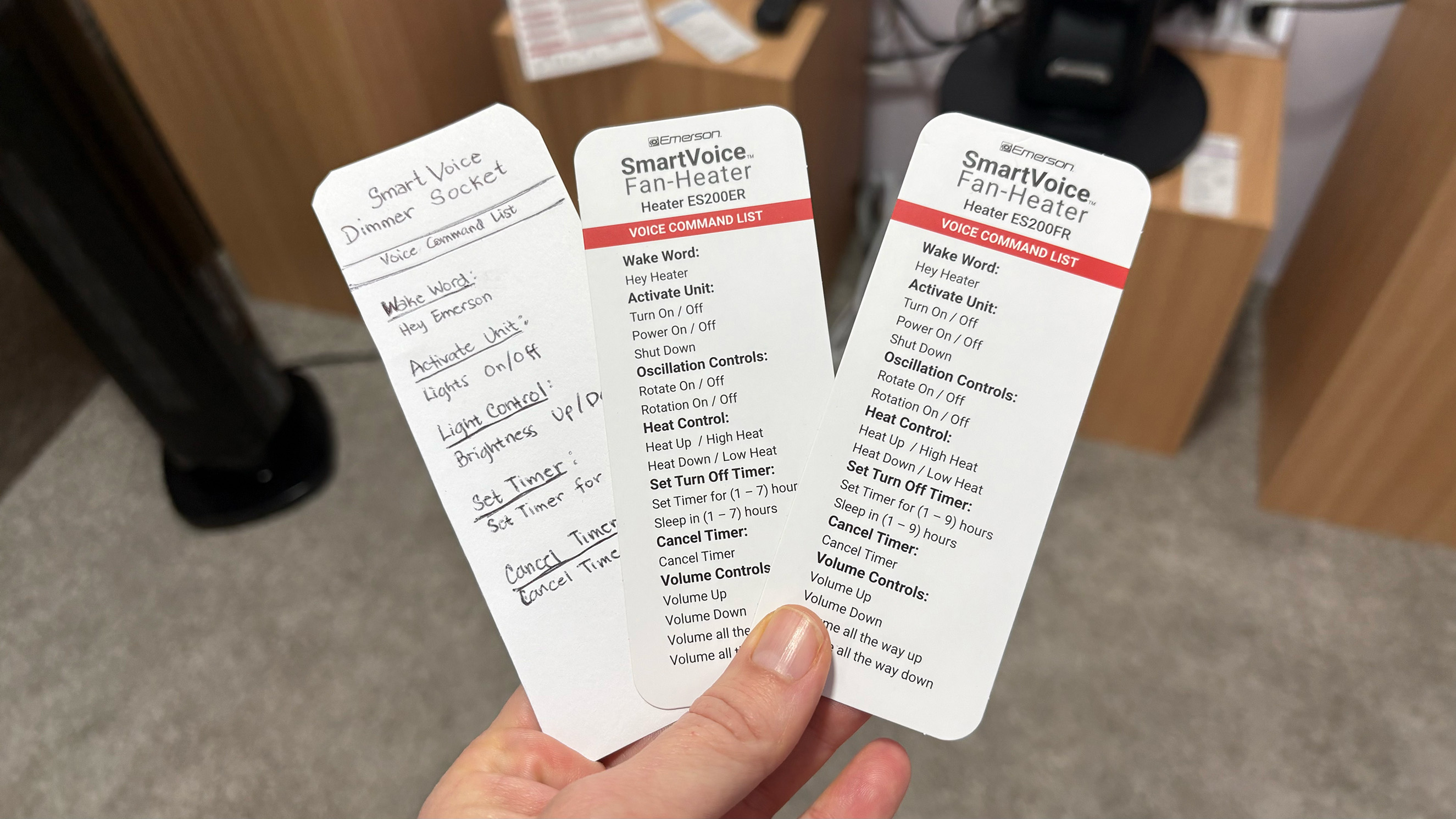
Perhaps you like the idea of controlling your home appliances with your voice, but aren’t super keen on a data center processing recordings of you. Fair enough. The trade-off for most smart home conveniences is relinquishing at least some of your privacy. Today at CES, I saw a line of voice-controlled home appliances from Emerson Smart that adjust power and setting via voice commands. But commands are recognized on the devices themselves, not carried through Wi-Fi and processed elsewhere.
The huge array of smart plugs, fans, heaters and even air fryers require no app for setup and don’t need access to Wi-Fi. Instead, I said, “hey Emerson, lights on” or “hey fan, turn on low” and the devices in the demo space acted accordingly. A few of the devices combine the mic with a speaker and can respond when a command is received.
A bit of built-in programing on the air fryers allow them to understand commands for 100 cooking presets, so saying things like, “reheat this pizza” or “cook these frozen french fries” will set the correct mode, time and temp. Of course you can also just say, “cook at 350 degrees for 10 minutes” and it’ll comply. Most of the commands for the other items are pretty simple but allow you to do things like set a timer, turn on oscillation and set intensity speeds.
Selection of available commands for Emerson Smart devices.
Amy Skorheim for Engadget
Some of the devices allow for a small amount of programmability. Pressing and holding the button on the smart plug, for example, changes the wake word to “plug two,” doing it again swaps it to “plug three,” and so on. That way, if you have more than one plug in a room, you can operate them individually.
The small demo space in which I talked to the devices (that did its best to shut out the thrumming noise of the CES show floor) had at least six models active and listening for my words. When I said “Hey Emerson,” both an air fryer and one of the heaters responded. That was one of the limitations that I could see with the devices: If you outfit your entire home in Emerson Smart gear, it might take some time to name and position everything so it works in a coherent way. The lack of an app means that programmability is limited, too. That’s the trade-off the privacy-conscious or app-averse user will have to make if they want to turn their lamp on and fan up when they walk into a room just by talking.
As the only offline, non-DIY voice-controlled lineup of appliances out there, you’re stuck with whatever design Emerson Smart thinks look good. Thankfully, the overall design is clean and modern, if a little basic. The upcoming models of air purifiers and fans were decidedly more attractive.
A new Emerson Smart air purifier and fan combo.
Amy Skorheim for Engadget
A handful of devices are available for sale now, but new Emerson Smart products will go into production later this year.
This article originally appeared on Engadget at https://www.engadget.com/home/smart-home/emerson-smart-brings-offline-voice-control-to-lamps-and-fans-201500078.html?src=rss
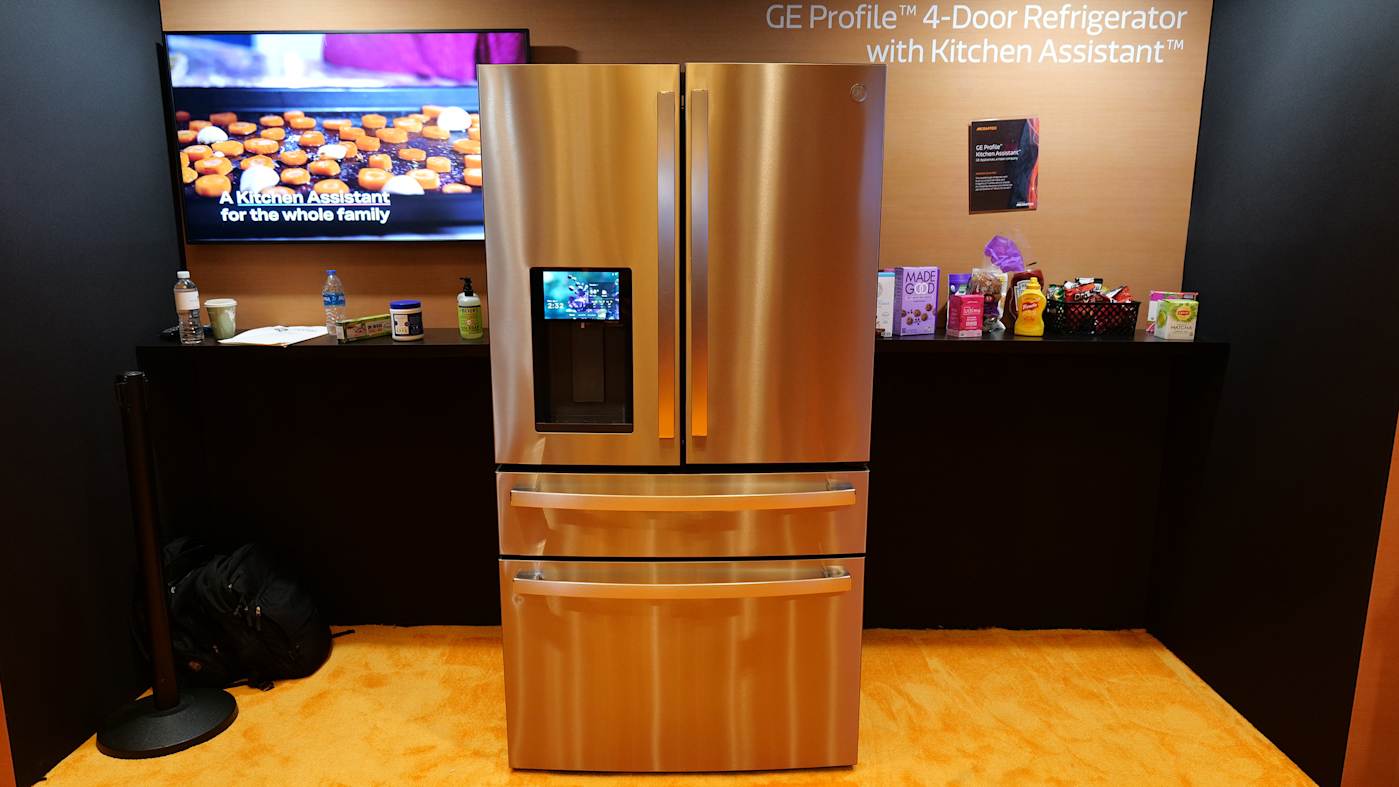
If you’ve ever bought a bag of spinach only to come home and realize you already had a bag of spinach, you may appreciate this fridge. I had a chance to check out the GE Profile Smart Fridge with Kitchen Assistant at CES and was surprised to find I kinda wanted one. To be perfectly honest, most attempts I’ve seen at the show to “stick some AI in it” are at best amusing but usually completely unnecessary.
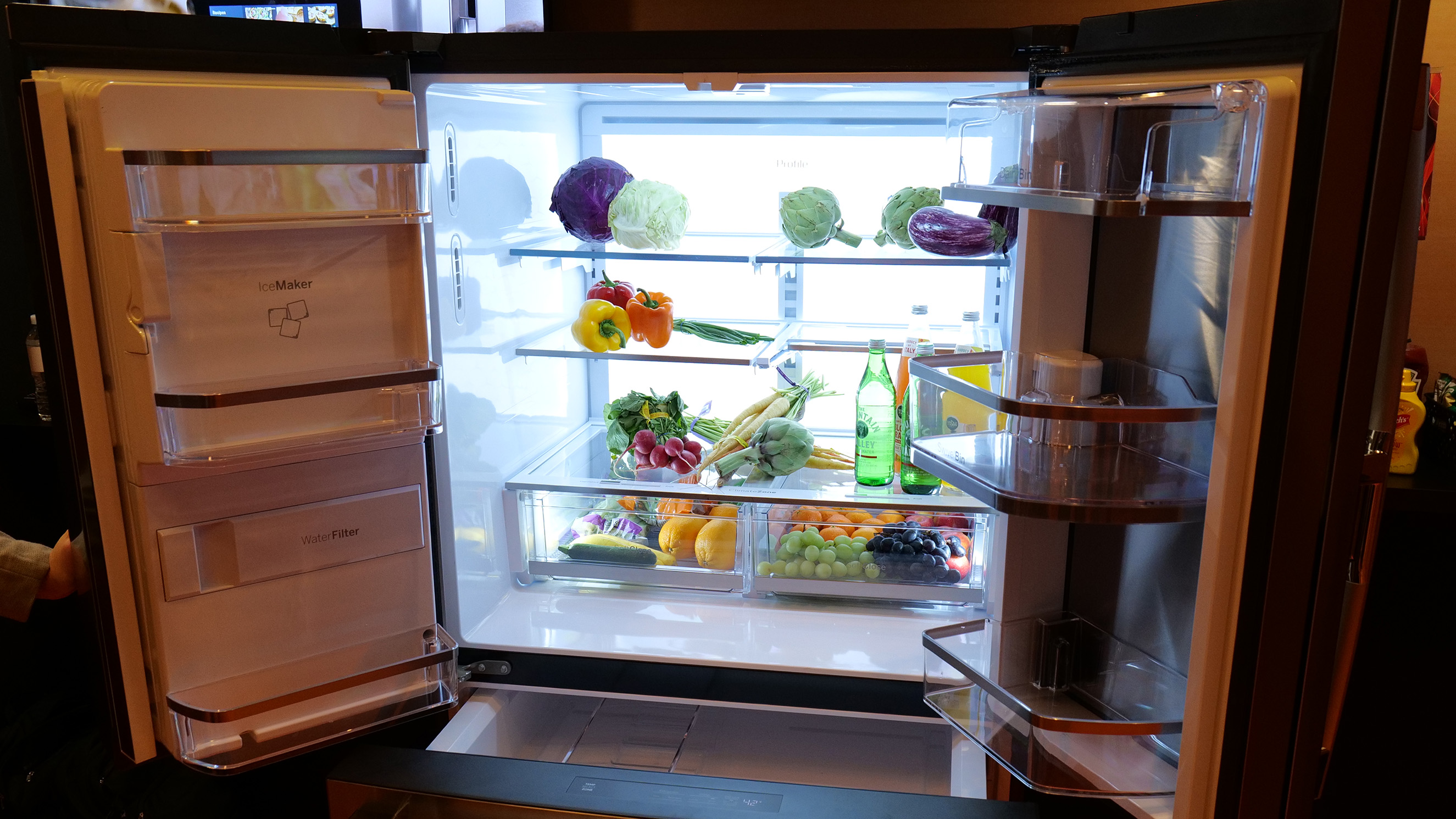
Here, though, the AI has a purpose. After seeing how the autofill water dispenser worked, I asked the GE Appliance reps how easy it was to change the fridge’s water filter. Jason May, a GE Appliances product management executive, walked up to the fridge’s (appropriately sized) touchscreen and said “Hey HQ, where’s my water filter?” (HQ is short for SmartHQ, GE Profile’s assistant). Then, relying on information it had gathered from this model’s user manual, the AI assistant explained exactly where to find it (in the left hand door below the ice maker). It took another rep about two seconds to pop out the filter and, justlikethat, the task was on its way to done.
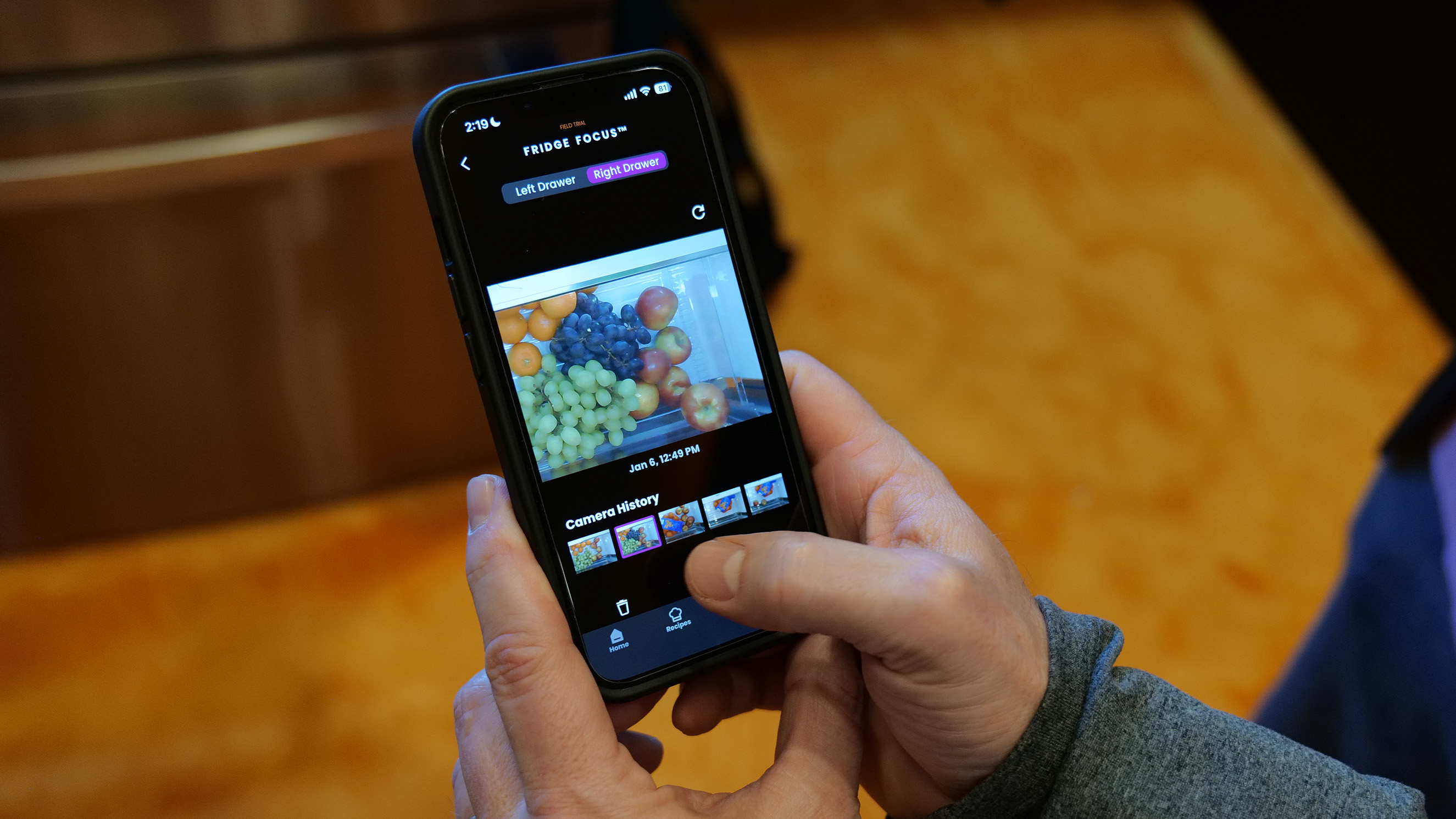
As for the spinach conundrum, that’s handled by a crisper drawer camera, called Fridge Focus. Each time you open the drawers, a built-in camera (that you can physically shutter or turn off in the app) takes a video snapshot of what’s left when you’re done. So if you’re at the store and wondering how much kale you already have, you can take a peek and see.
Checking out what's in the crisper drawer using the Fridge Focus feature.
Sam Rutherford for Engadget
Wendy Treinen, GE Appliances’ senior director of product communications, told me the camera can see what’s in the crisper drawer, but can’t see who accessed it. So if you’re hoping your fridge will rat out whoever at the last of the grapes, you’re out of luck. It can however, help that grape-eater easily add more fruit to the family shopping list.
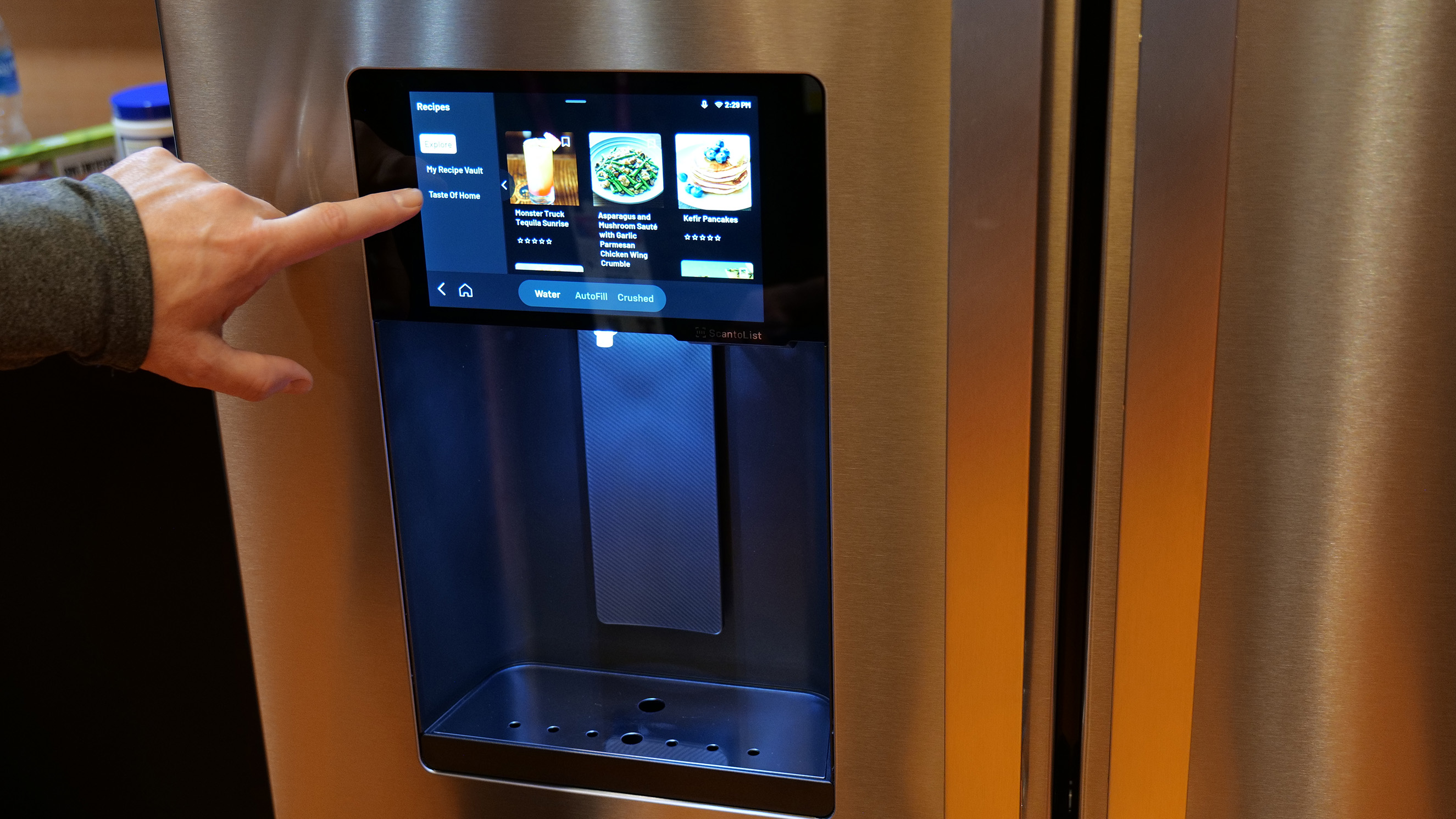
That’s the most unique feature the fridge offers: a patented, built-in barcode scanner. It lives in the water dispenser and when you walk up, a little green light activates and scans the barcode of whatever you hold up to it. So if you’re drinking the last of the almond milk, you scan the container and it’ll automatically add it to your list.
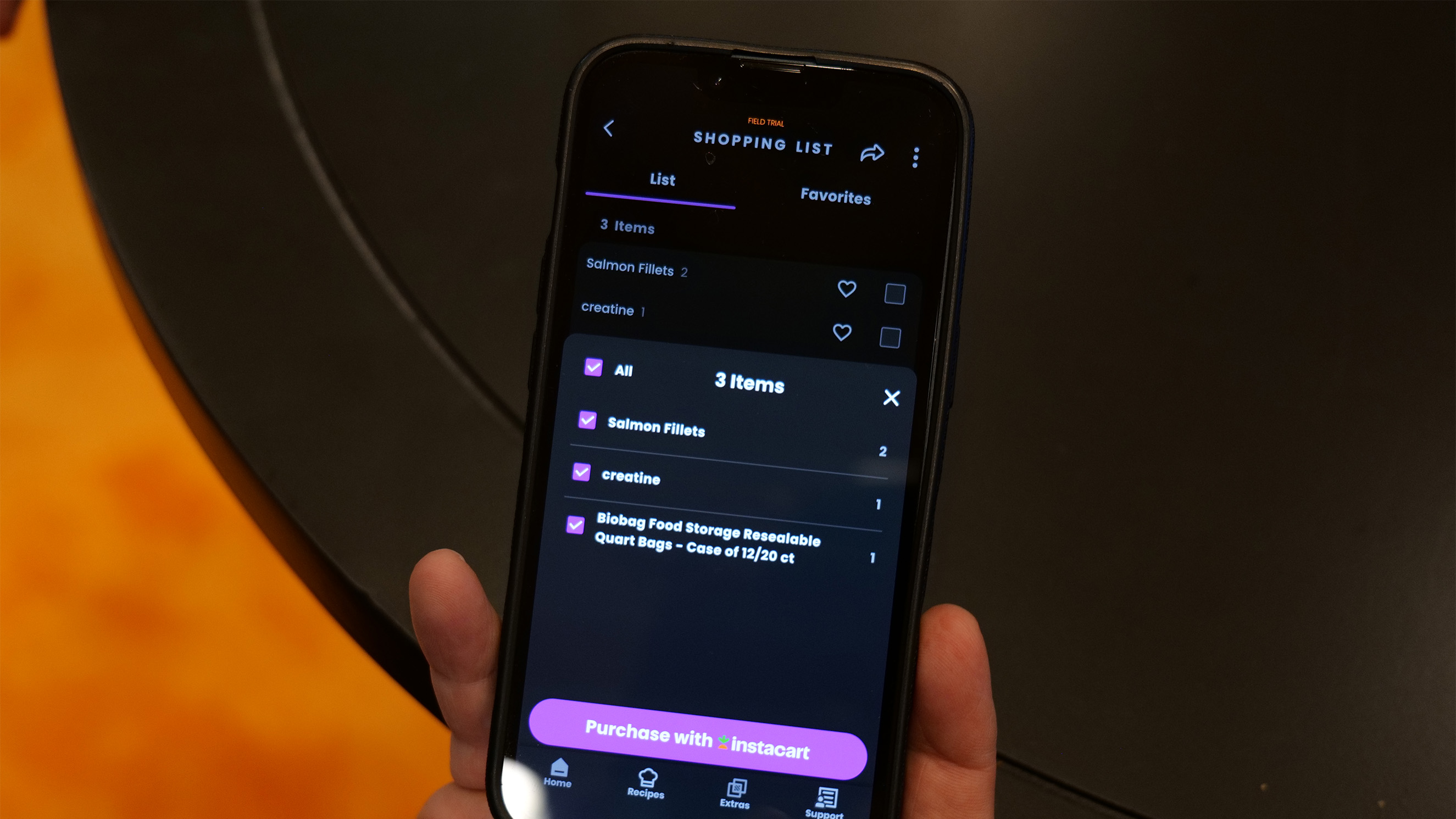
That list can be accessed through the SmartHQ app which you can either check off at the grocery store or, if you really want to get deluxe about it, use the Instacart integration and have it delivered to your door. I scanned a few products — a box of vitamin C mix and a package of cinnamon raisin bagels — both of which quickly popped up on the screen and joined the running list.
Adding grocery items to Instacart with one button.
Sam Rutherford for Engadget
The scanner can recognize four million products, including household items like paper towels and trash bags, but you can add things a other ways too. The easiest is probably just asking your fridge to do so, saying “Hey HQ, add paper towels to my shopping list.” The app allows manual additions and you can add items using the recipe function as well.
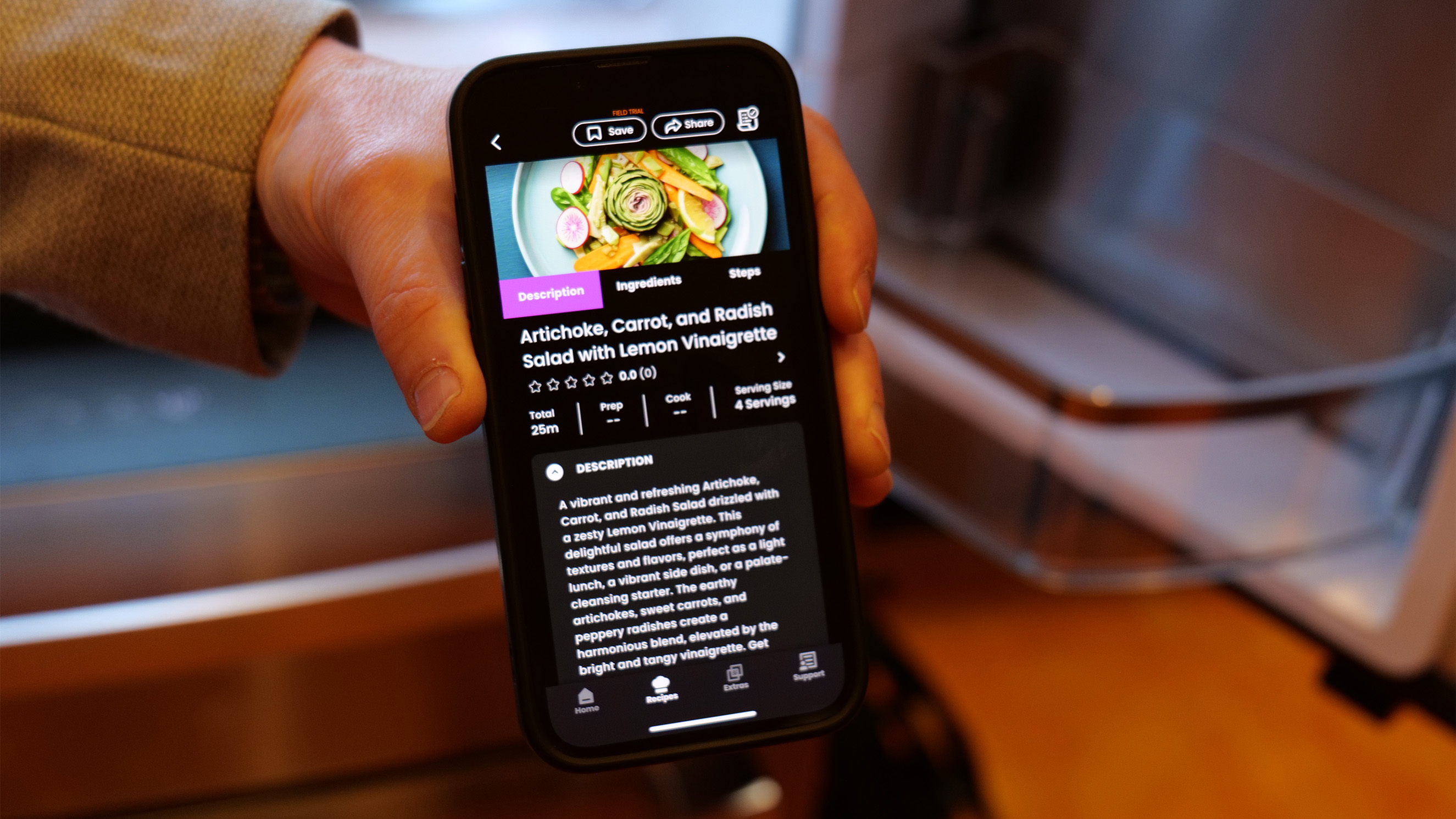
For the launch of the fridge, GE Profile has partnered with Taste of Home and will send 50 recipes each month to the fridge for users to try. Once you see the ingredients list, you can add anything you’re missing to your shopping. Those 50 recipes will cycle out at the end of the month to make way for a new 50, so if you cook something and like it, you’ll need to to add it to your personal recipe vault.
The AI assistant can also create recipes for you. The GE rep snapped a picture of an array of produce and asked SmartHQ what he could make with it. A list of recipe suggestions popped up and they all looked quite tasty (to be fair, I hadn’t eaten yet and it was already 2PM).
The recipe created from a picture of produce. Sam Rutherford for Engadget
I mentioned the water dispenser’s hands-free auto-fill feature earlier. That’s been available on GE Profile fridges for a while and lets you select your glass capacity and walk away while it fills. You can also ask for, say, a half cup of water for a recipe. A new “precise fill” feature will dispense larger amounts in sequence. Say you need ten cups of water for soup. Since you can’t fit a huge vat in the water dispenser tray, you can instead use a smaller jug and the auto-filler will fill it the correct amount of times.
Another of my favorite bits is the screen. Fridges with giant, interactive screens make my eyes roll. Yes, it’s novel and eye-catching and perhaps amusing, but what possible problem is it trying to solve? The screen here is eight inches, which is enough to display scanned items, show recipes, and display the weather atop a pretty image when you’re not actively using the interface.
Finally! A reasonably sized fridge screen.
Sam Rutherford for Engadget
The GE Appliances reps were eager to point out that this is just the beginning of what they want to do with the fridge. My college Sam Rutherford asked whether the fridge would be able to alert you before your lettuce went bad, and we were told something that addresses that problem is on the horizon. It would likely work by recognizing when you purchased a perishable, and how long that perishable typically lasts. The company is also working with a chef on a feature that can reimagine your leftovers to create something new.
During the demo, May told me that the whole idea around the fridge’s design was to do something other than just “put a big screen on it with a bunch of apps that don’t have ay relevance to anything.” Instead the engineers started with problems people actually have — knowing what to buy at the store, knowing what’s already in the fridge, answering the eternal, unrelenting “What’s for dinner?” question — and designed the fridge around that.
I’d have to live with it a while to know whether those problems were solved, but so far, I can say this is the most intrigued I’ve felt about a smart fridge yet. The GE Profile Smart Fridge with Kitchen Assistant will be available in March from geappliances.com for $4,899.
A good amount of organization.
Sam Rutherford for Engadget
This article originally appeared on Engadget at https://www.engadget.com/home/kitchen-tech/the-ge-profile-smart-fridge-stops-you-from-buying-too-much-kale-172433059.html?src=rss
As power gets more dicey, personal energy generation only gets more appealing. Shine’s compact turbine isn’t going to power your house any time soon (though Rachel Carr, the company’s co-founder told me they have plans in that direction) but it can suck up the energy required to refill a smartphone in as little as 17 minutes. Of course, what it can generate depends on wind speed. That same charge could take as long as 11 hours if there’s only a slight breeze.
That power curve, and its ability to operate at night, sets the turbine apart from solar panels. Of course, on a completely still day, the Shine as inert as a becalmed sailing ship but if the wind picks up even as little as a breeze, it gets to work making power. The turbine even automatically pivots on the included stand to face into the wind.
Shine turbine 2.0
Shine
The Shine 2.0 looks like a thin space football and has a screw-off cap that reveals a hollow compartment for the stand and tie downs. The cap then doubles as a key to unlock the blades. It all weighs just three pounds, which is impressively light considering it also houses a 12,000mAh battery that can output up to 75 watts. This is the second version of the turbine and updates include a USB-C port instead of USB-A, as well as app connectivity.
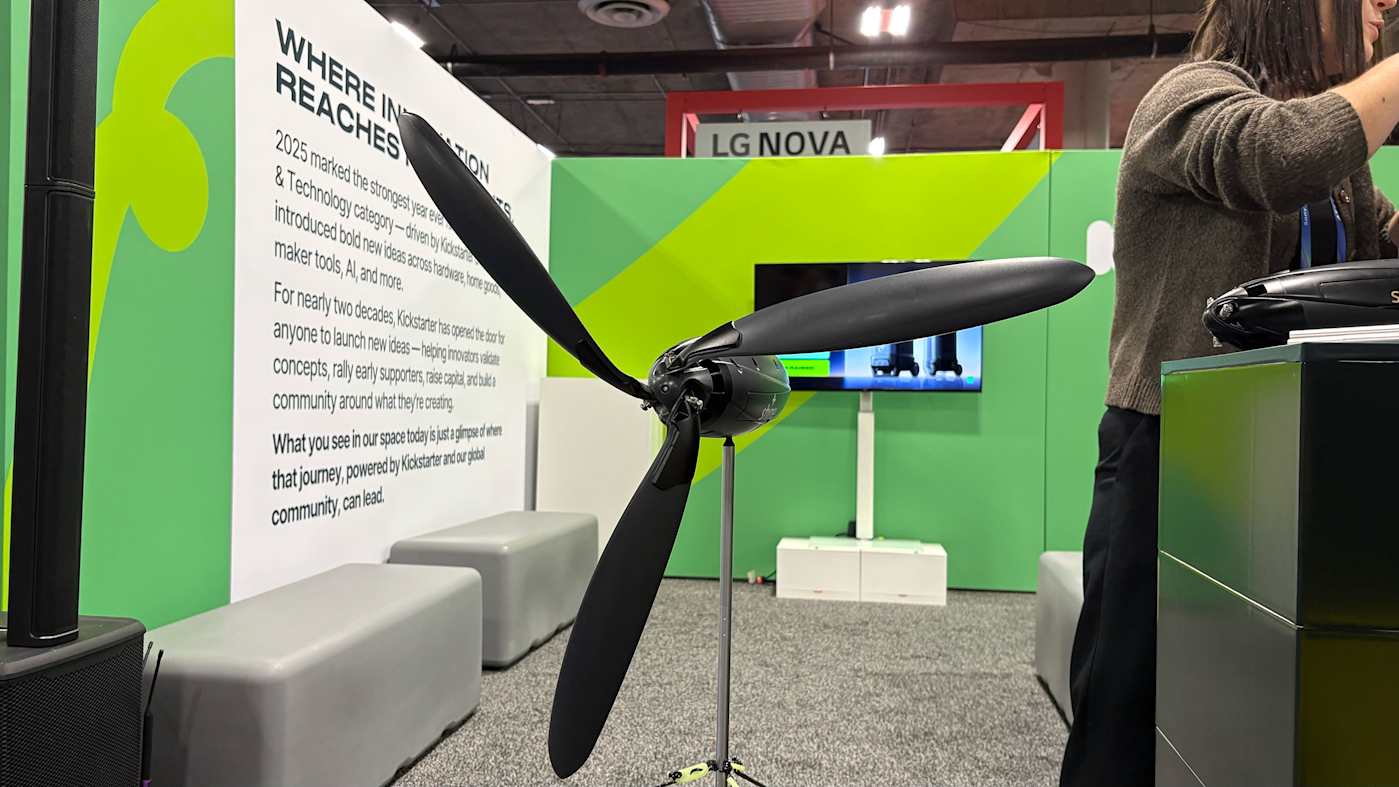
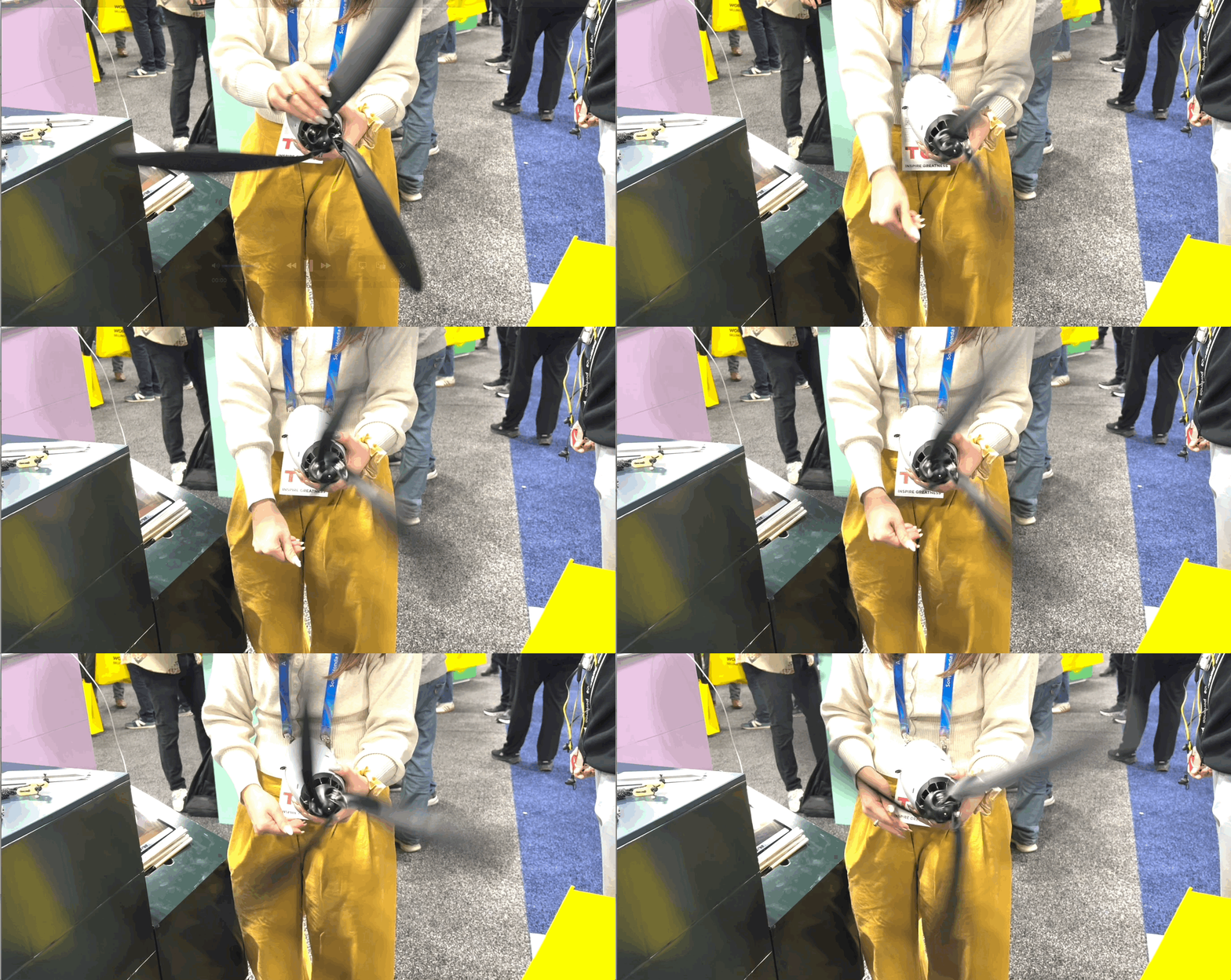
The company claims you can set the entire thing up in around two minutes. I watched the Carr take the turbine from fully closed to unfurled and ready for the stand in about that long. Unfortunately, there was no wind rushing through the CES show floor so I couldn’t see it spin, but Carr was kind enough to spin it for me.
Spinning the Shine Turbine 2.0
Amy Skorheim for Engadget
Possibly the most exciting part is Shine’s plan for more expansive power generation. Shine 3.0, which the company is working on now, will be a 100 to 300 watt system and grid-tied turbines are on the wish list.
Pre orders are now open for the Shine 2.0 through Indiegogo for $399 and units should begin shipping this spring.
Update, January 7 2026, 4:00PM ET: This story has been updated to correct the wattage output and include the co-founder’s name.
This article originally appeared on Engadget at https://www.engadget.com/home/smart-home/the-shine-20-is-a-compact-wind-turbine-for-your-next-camping-trip-191000940.html?src=rss

 Anmelden